

How to Request Dispatch Extension
07/07/2025

Dispatch Extension Feature
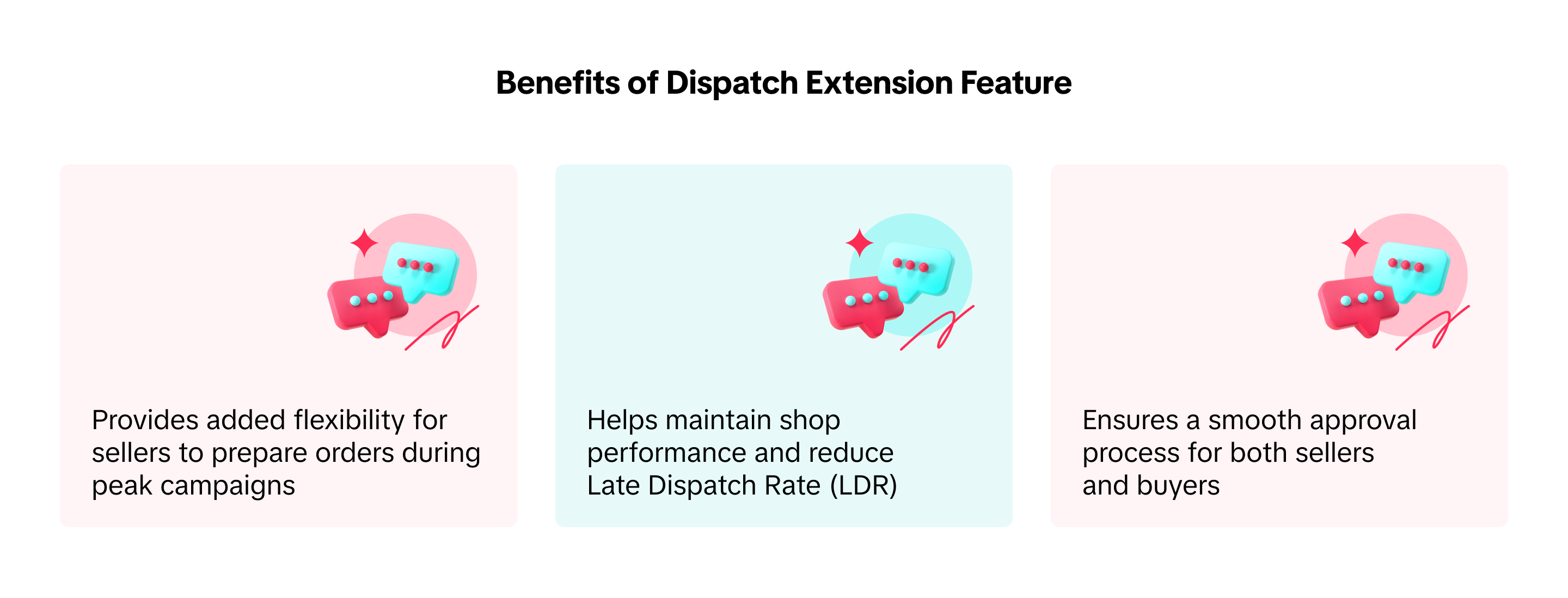
The dispatch extension feature lets you request an extension of 1-3 business days for dispatch, with a reason provided for the buyer.If approved by the buyer, your dispatch date will be extended without penalties. However, if the buyer declines or does not respond, the original dispatch date will remain.

Benefits of Dispatch Extension Feature

How to Request Dispatch Extension
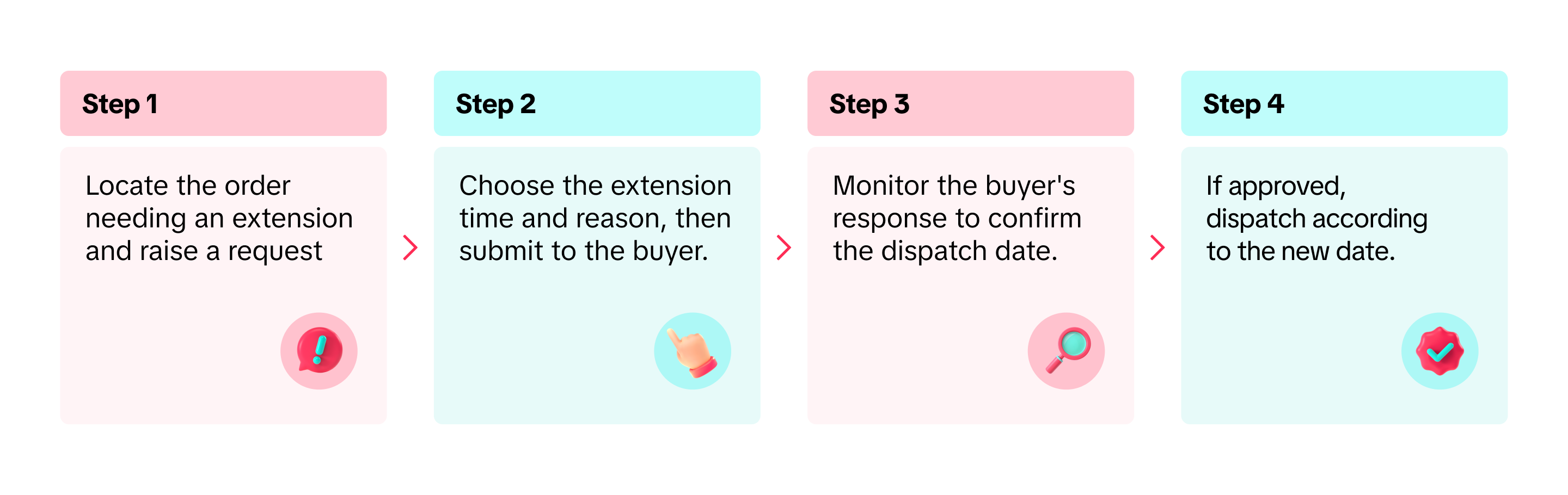
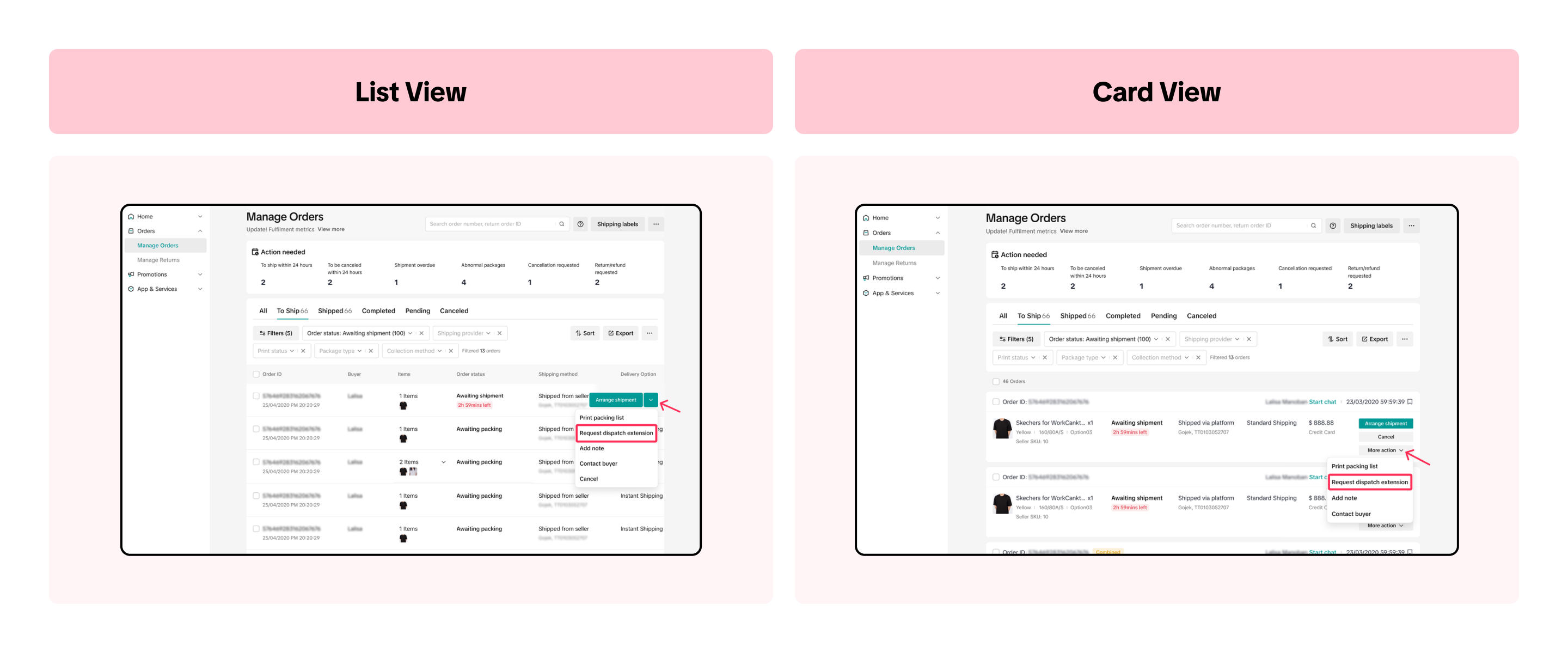
- Go to the Manage Orders page and locate the order that needs a dispatch extension. You can only request a dispatch extension for orders in To Ship - Awaiting Shipment status. If using list view, hover over the order and select Request Dispatch Extension. In card view, choose More Action > Request Dispatch Extension.
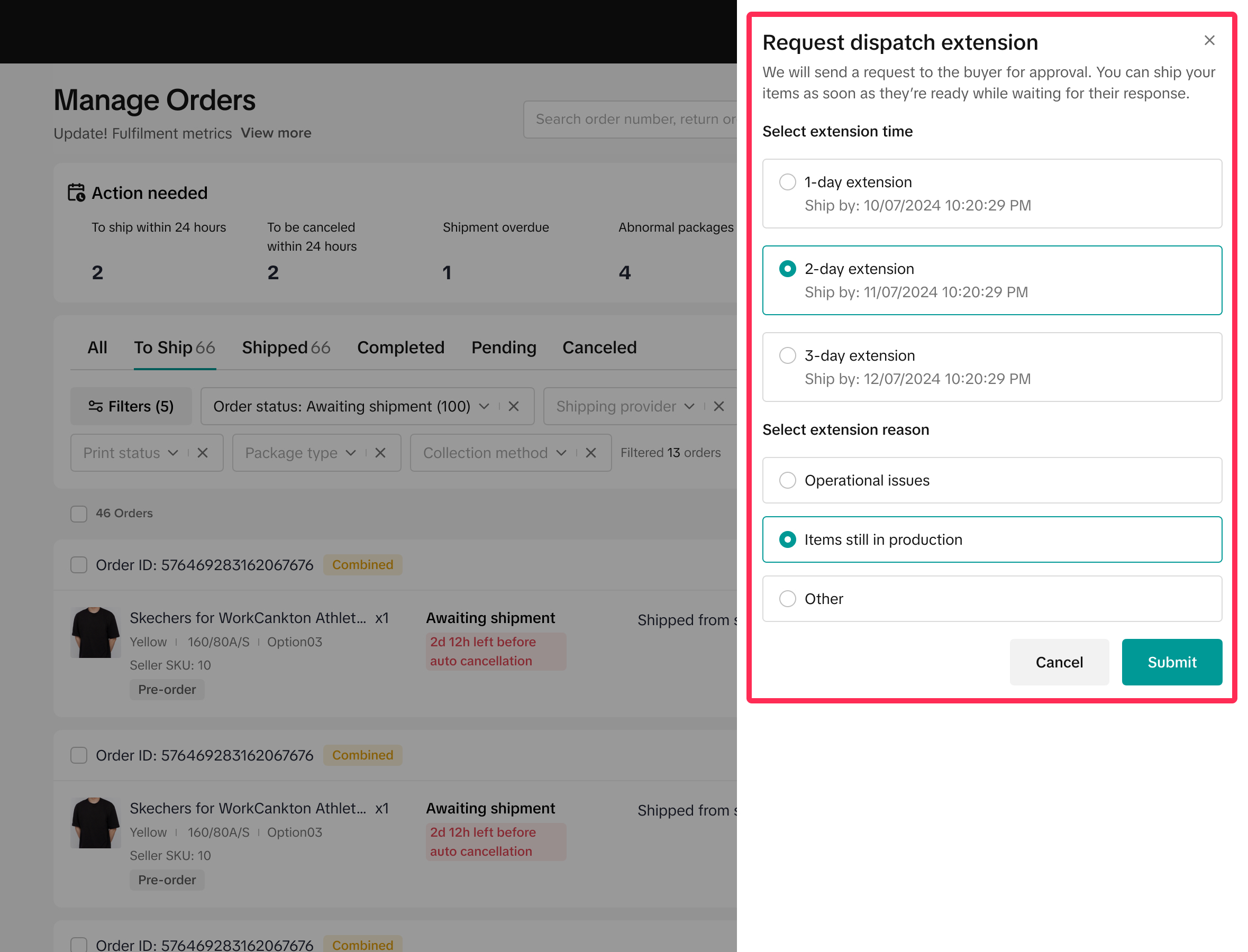
- A new tab will open where you can select an extension of 1-3 business days and add a reason for the request. Providing a clear reason may increase the likelihood of buyer approval.
- After submitting, check the request status under the Order Status column on the Manage Orders page. Status options include Extension Request Sent, Dispatch Extended (buyer approved), or Extension Declined (buyer rejected). Click on the status for further details.
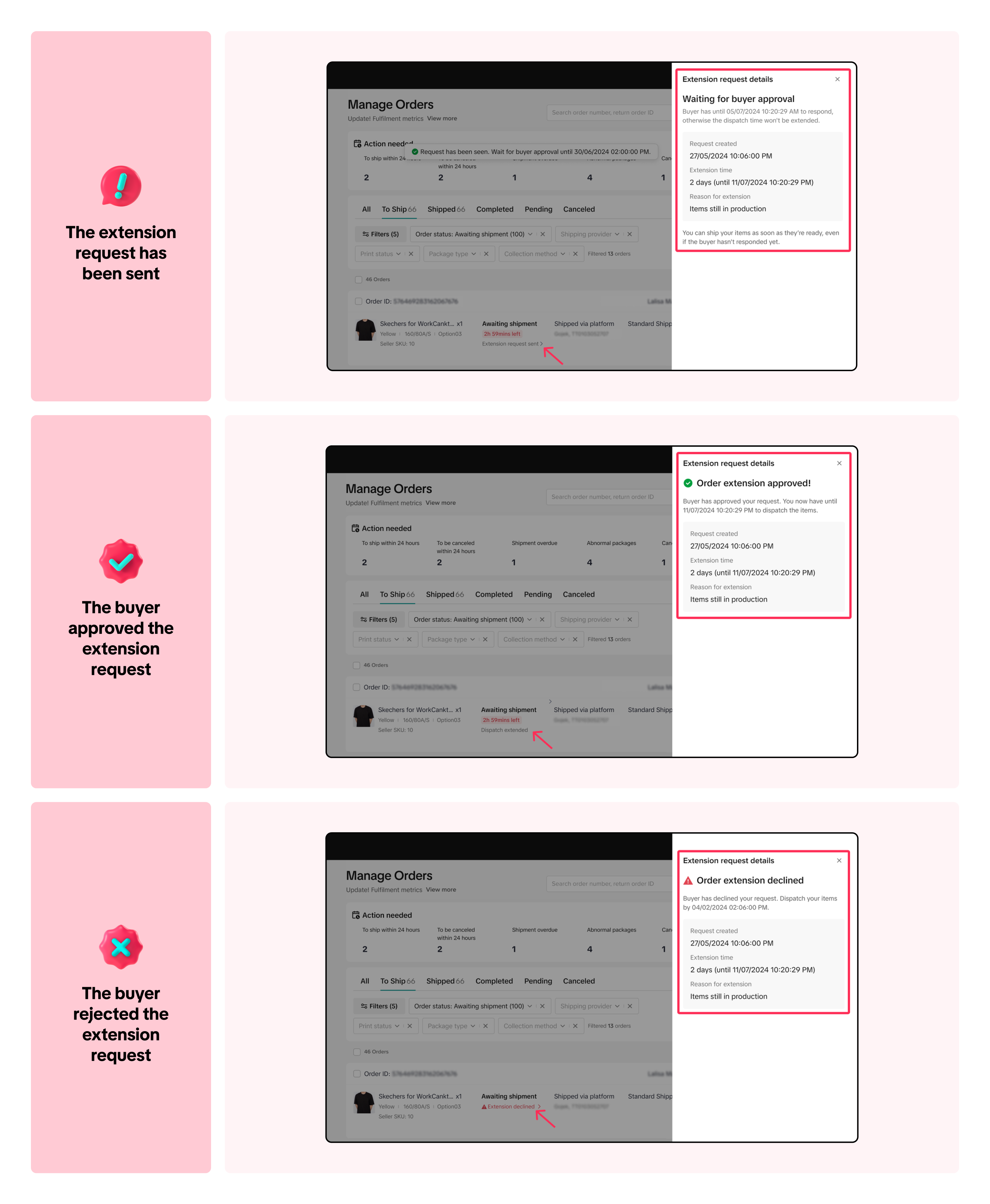
- If the buyer approves, you can prepare and dispatch the order by the extended date without any penalties. If the buyer rejects or doesn't respond, the original dispatch date remains, and you'll need to prepare the order for that timeline.

FAQ
- When can I submit a dispatch extension request?
- If the buyer rejects my request, can I submit the dispatch extension request again?
- Does a dispatch extension affect my shop performance score?
- What happens if the buyer doesn’t respond to my dispatch extension request?
- How will I know if the buyer has approved my dispatch extension request?
You may also be interested in

Managing Orders on Seller Center App
In this article, we will introduce you to the new Orders page on the Seller Center app and how you c…

Managing Failed Delivery Orders
In this article, we will guide you on how to manage and keep track of failed delivery orders. You wi…

What should I do if wrong information is printed on the ship…
Unfortunately, if you made a mistake on your pickup/return warehouse address on the shipping label,…

Can I switch between the "Ship by Platform" and "Ship by Sel…
Currently, we don't support switching the shipping method for existing orders. Please proceed with…

When is an order status considered "Abnormal"?
It is likely that the order is still in transit for seven (7) days or more. If the order is still wi…

What do I do if my order is lost or damaged?
Only Shipped via Platform orders are eligible for reimbursement. You will be reimbursed under the fo…

What if a buyer rejects my order?
If a buyer rejects your order, the course of action you take depends on whether the order is Cash on…

Managing Orders
This article will guide you through our new Manage Orders page to help you become familiar with the…

Combining Orders into a Single Package
This article provides a simple guideline on combining multiple orders into a single package, giving…

Late Dispatch Rate (LDR)
Note: Orders with Instant, Sameday, and Sameday 8-hour delivery are only available via Tokopedia. Cl…