

Batch Check Tool
03/15/2024

What is Batch Check Tool?
The Batch Check tool on Seller Center app enhances your fulfillment process and boosts order accuracy by transforming your mobile phone into a barcode scanner. It enables seamless package verification, real-time alerts, and shipment arrangement from within the app, all synced with Seller Center.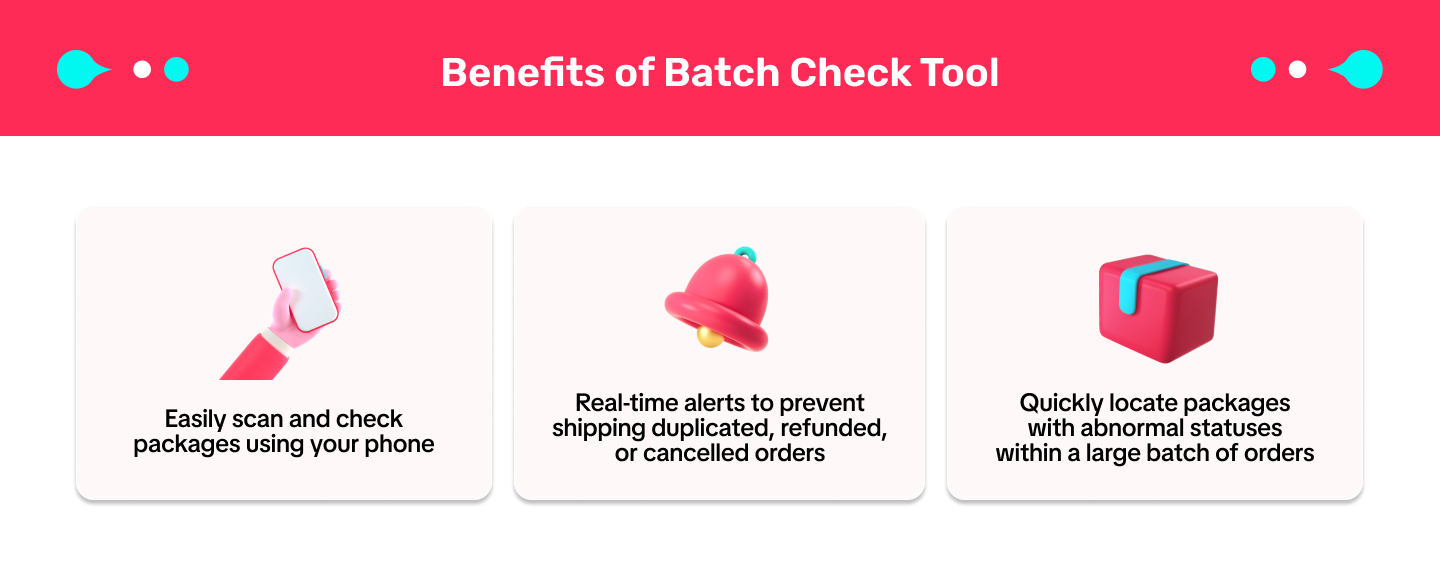

How to use Batch Check Tool?
Get started with the Batch Check tool on the Seller Center app. Simply click on Orders > Awaiting Collection > Batch Check or scan the QR code below.
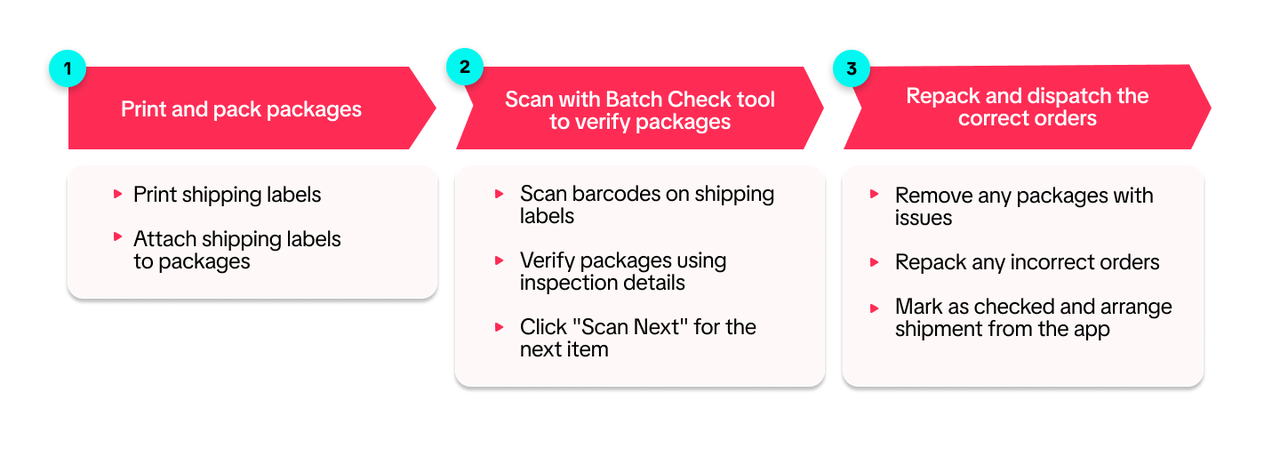
- Directly through the Seller Center app:
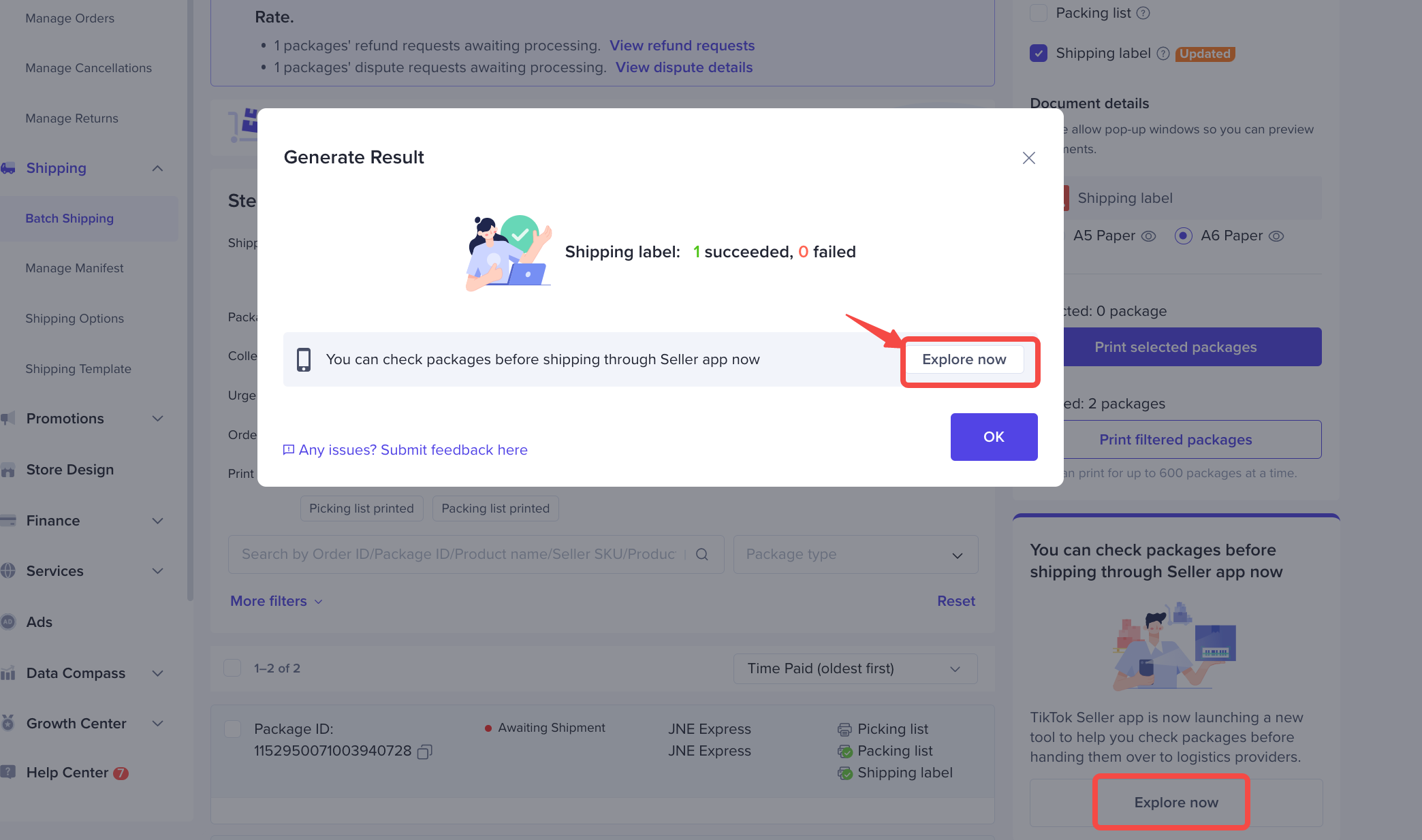
- Access via the Explore now button on Seller Center:
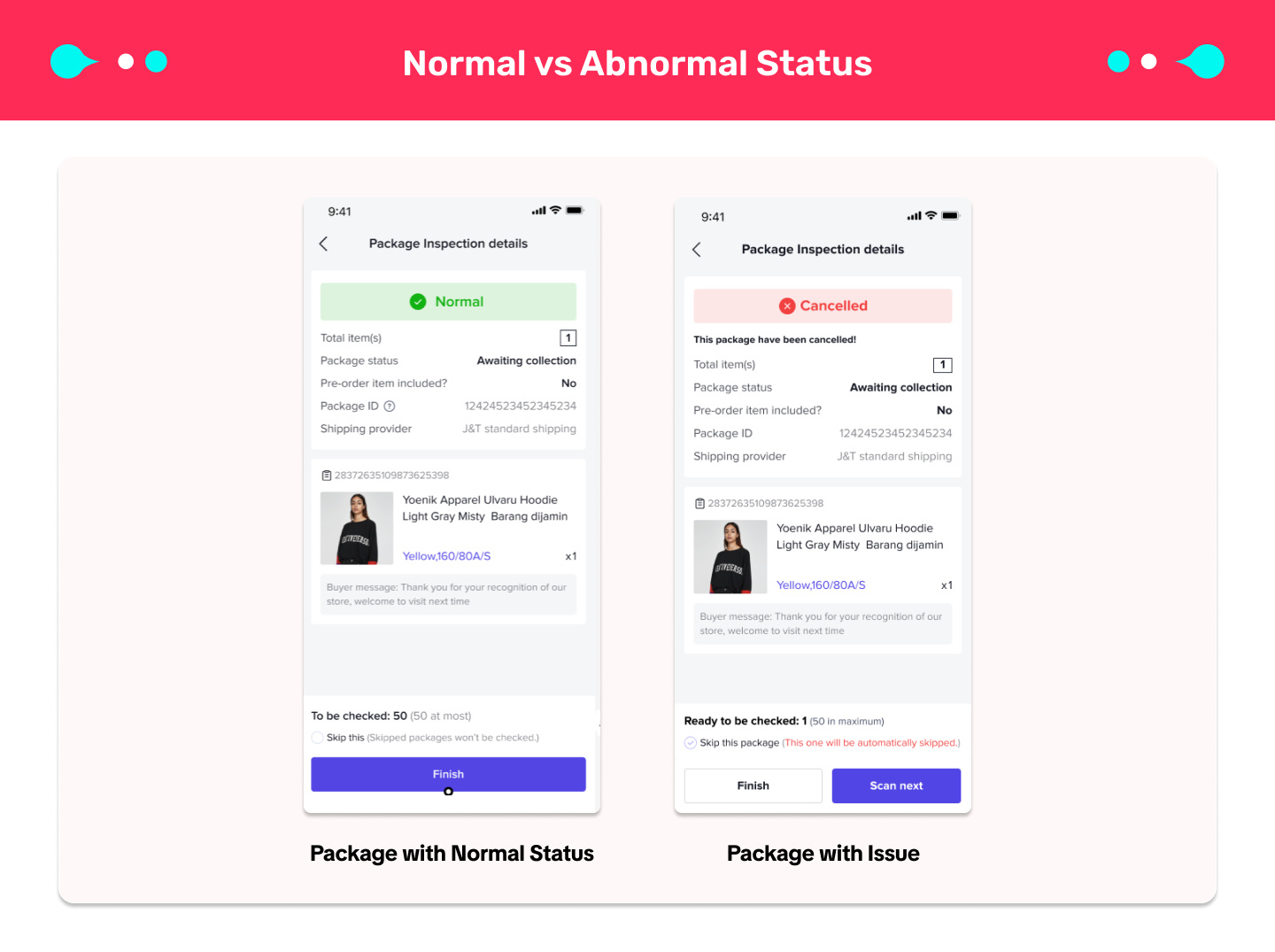
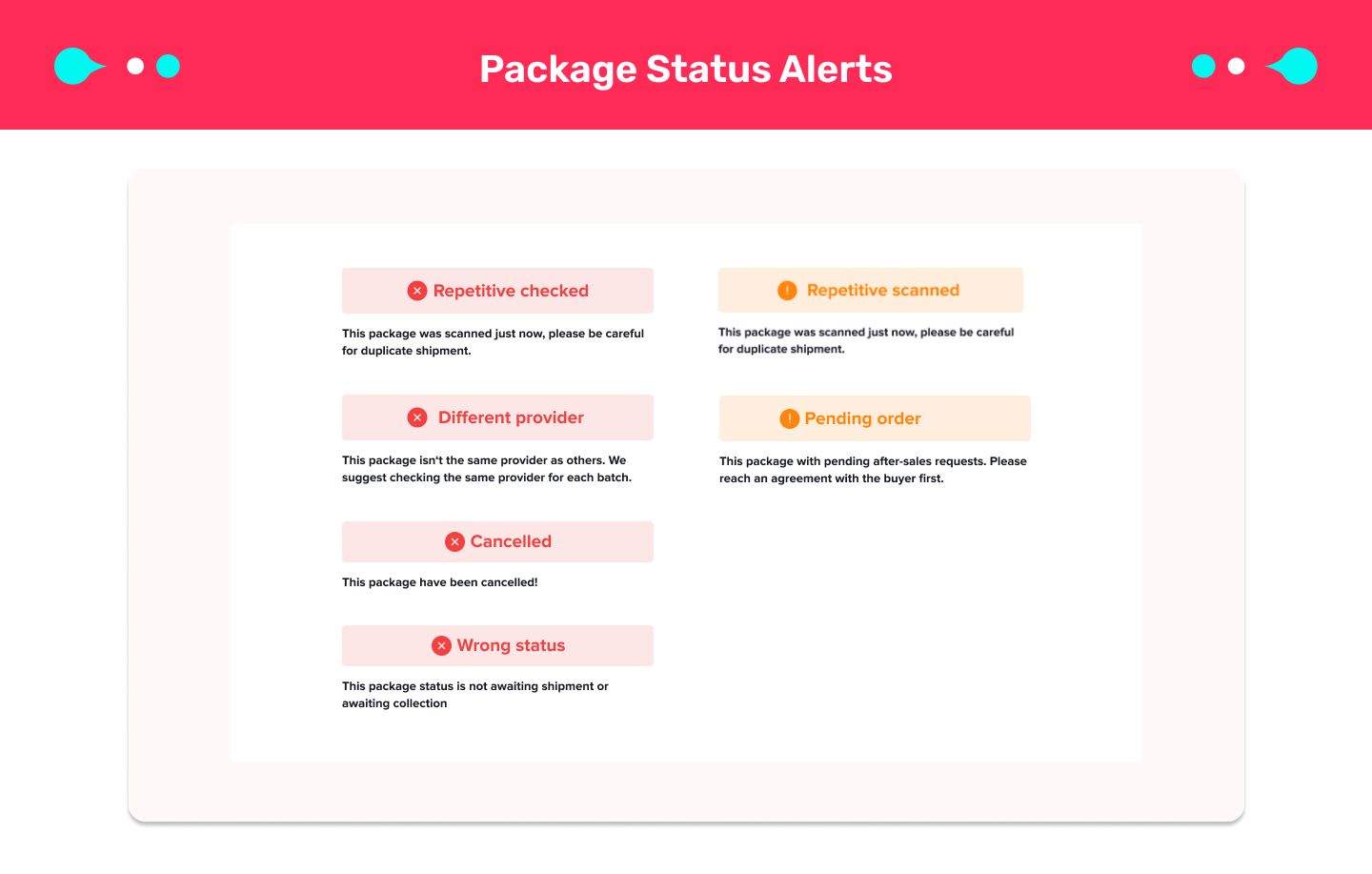
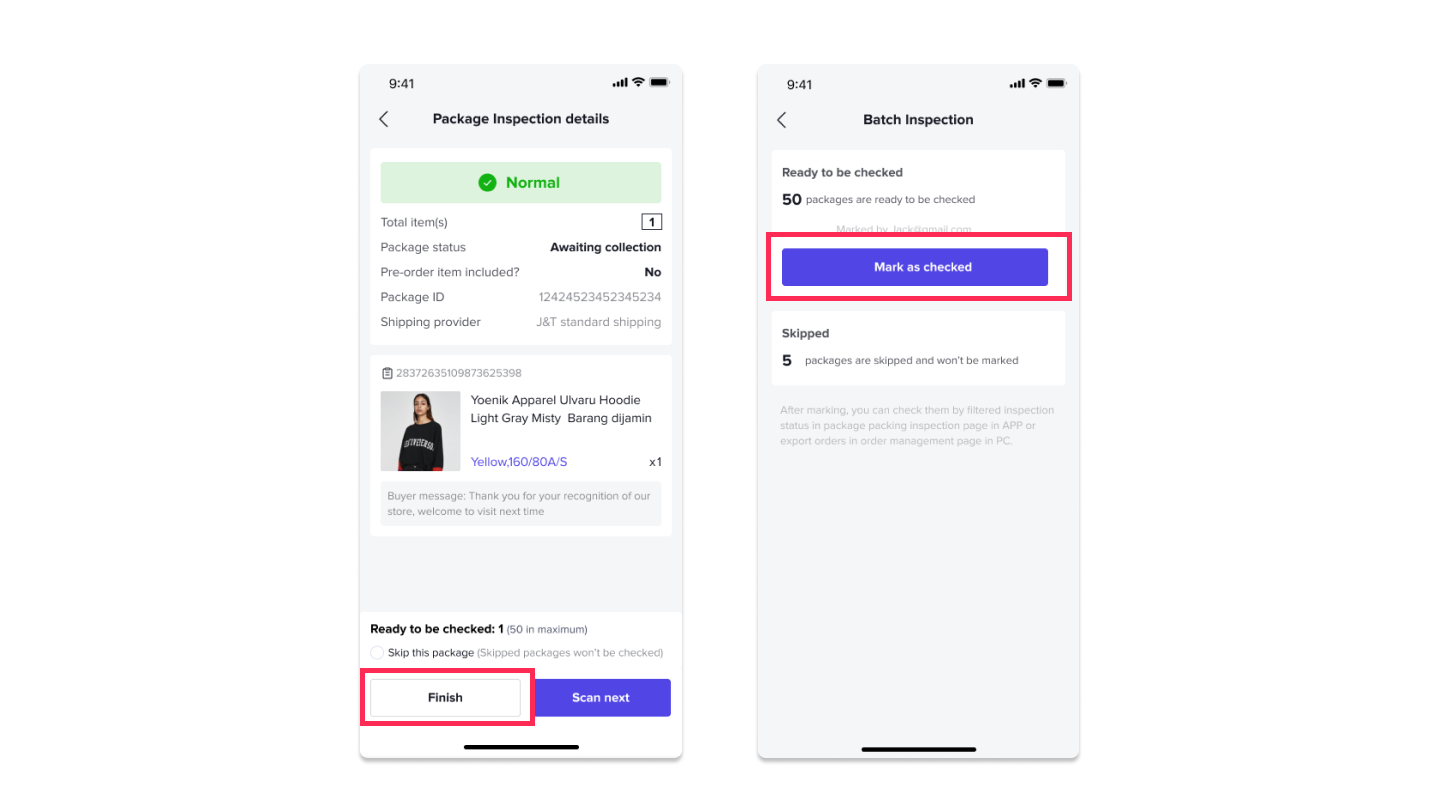

How to View Batch Check Result on Seller Center?
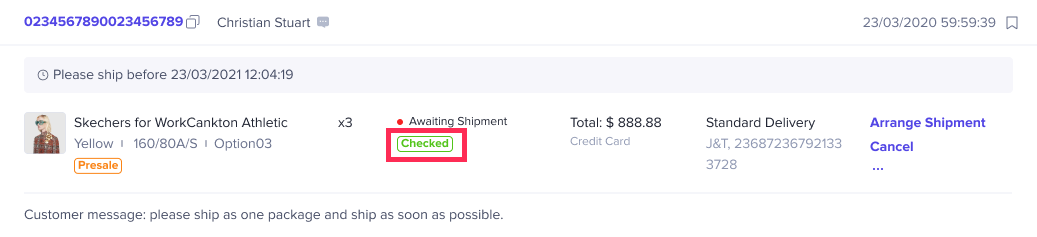
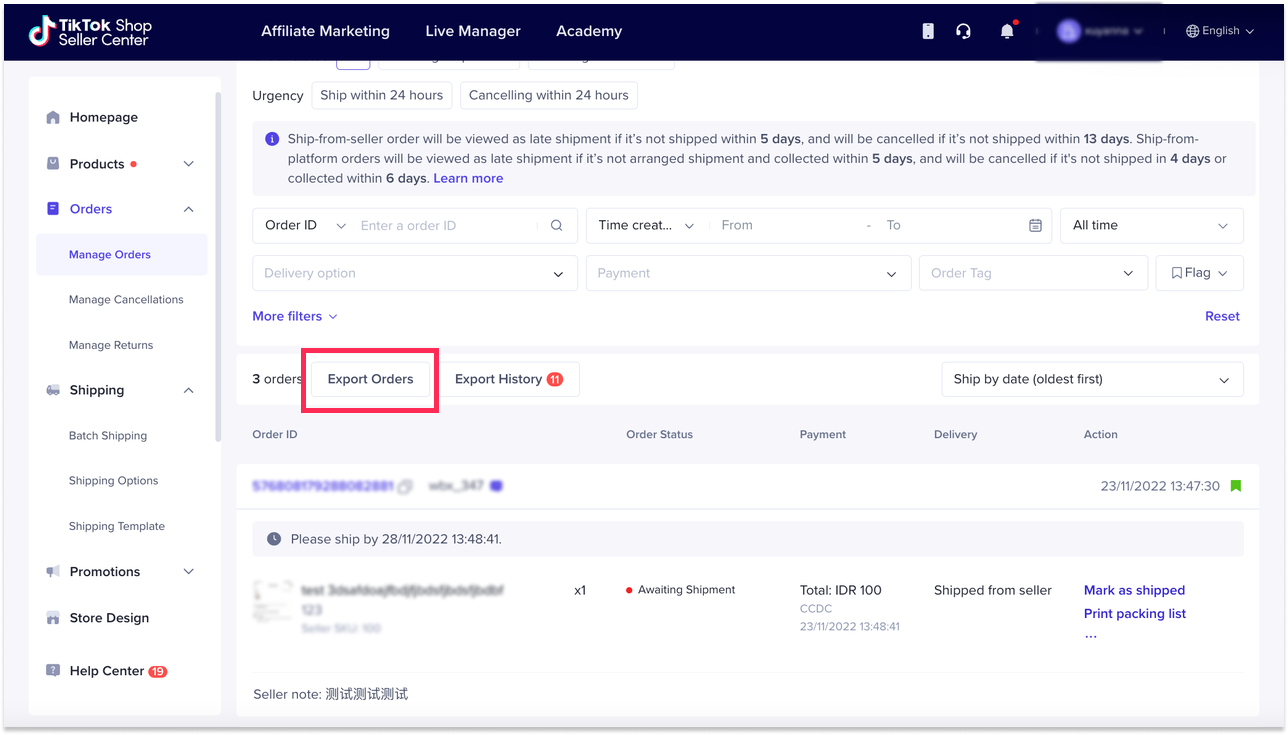
There are 2 ways to view Batch Check results:- View 'Check status' on Manage Orders page:
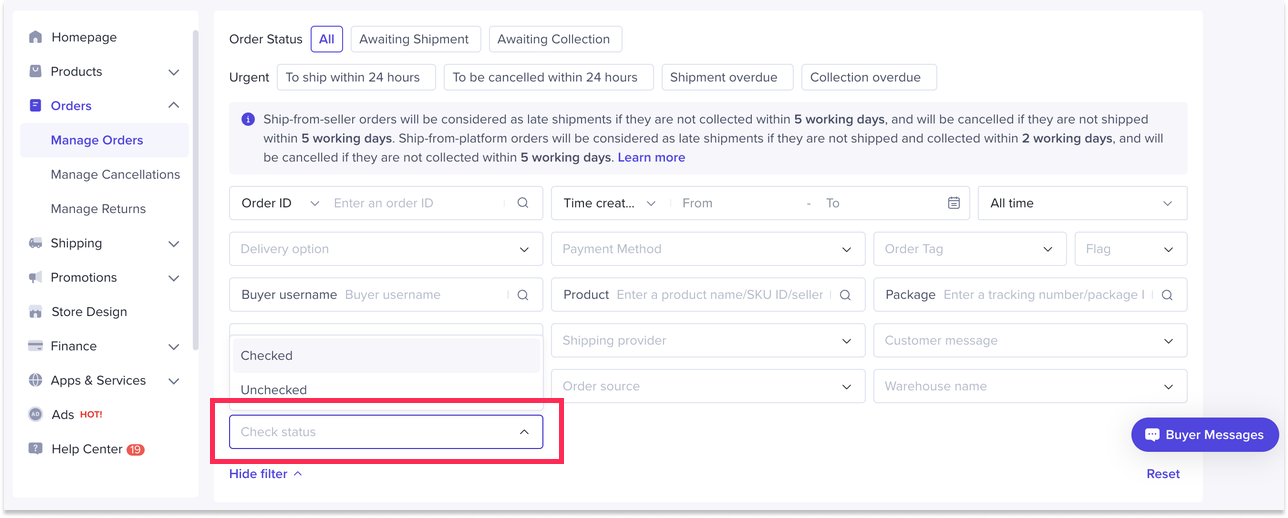
- View 'Check status' on exported order details:

You may also be interested in

Managing Orders on Seller Center App
In this article, we will introduce you to the new Orders page on the Seller Center app and how you c…

Managing Failed Delivery Orders
In this article, we will guide you on how to manage and keep track of failed delivery orders. You wi…

What should I do if wrong information is printed on the ship…
Unfortunately, if you made a mistake on your pickup/return warehouse address on the shipping label,…

Can I switch between the "Ship by Platform" and "Ship by Sel…
Currently, we don't support switching the shipping method for existing orders. Please proceed with…

When is an order status considered "Abnormal"?
It is likely that the order is still in transit for seven (7) days or more. If the order is still wi…

What do I do if my order is lost or damaged?
Only Shipped via Platform orders are eligible for reimbursement. You will be reimbursed under the fo…

What if a buyer rejects my order?
If a buyer rejects your order, the course of action you take depends on whether the order is Cash on…

Managing Orders
This article will guide you through our new Manage Orders page to help you become familiar with the…

Combining Orders into a Single Package
This article provides a simple guideline on combining multiple orders into a single package, giving…

Late Dispatch Rate (LDR)
Note: Orders with Instant, Sameday, and Sameday 8-hour delivery are only available via Tokopedia. Cl…