

Product Attributes & Shipping Information
06/12/2025
Product Attributes & Shipping Information
Maintaining accurate Stock Keeping Unit (SKU) information helps you clearly list products with multiple variations by describing their attributes. SKUs help you keep track of products that are available in different sizes, colours, flavours, etc., included in one listing. They appear as variations of the original product that customers can choose based on their preferences. For example, a t-shirt (product) with varying sizes (each different size is an SKU).We may ask you for SKU information on colour, size, pattern, and other key attributes when listed certain types of products.
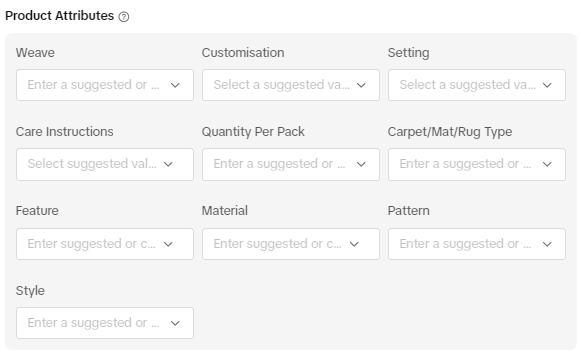 Note: Certain categories of items may also require Mandatory Product AttributesMandatory Product Attributes are product information that help customers make an informed decision before purchasing.
 These can come in the form of certificates, registration numbers or other government-issued documentation and aid in:
- Describing a product's properties or functions
- Providing proof of a product's regulatory compliance
- Informing customers of any potential safety risks related to a product's functionality and use
How Can I Upload Attributes For New Product Listings?
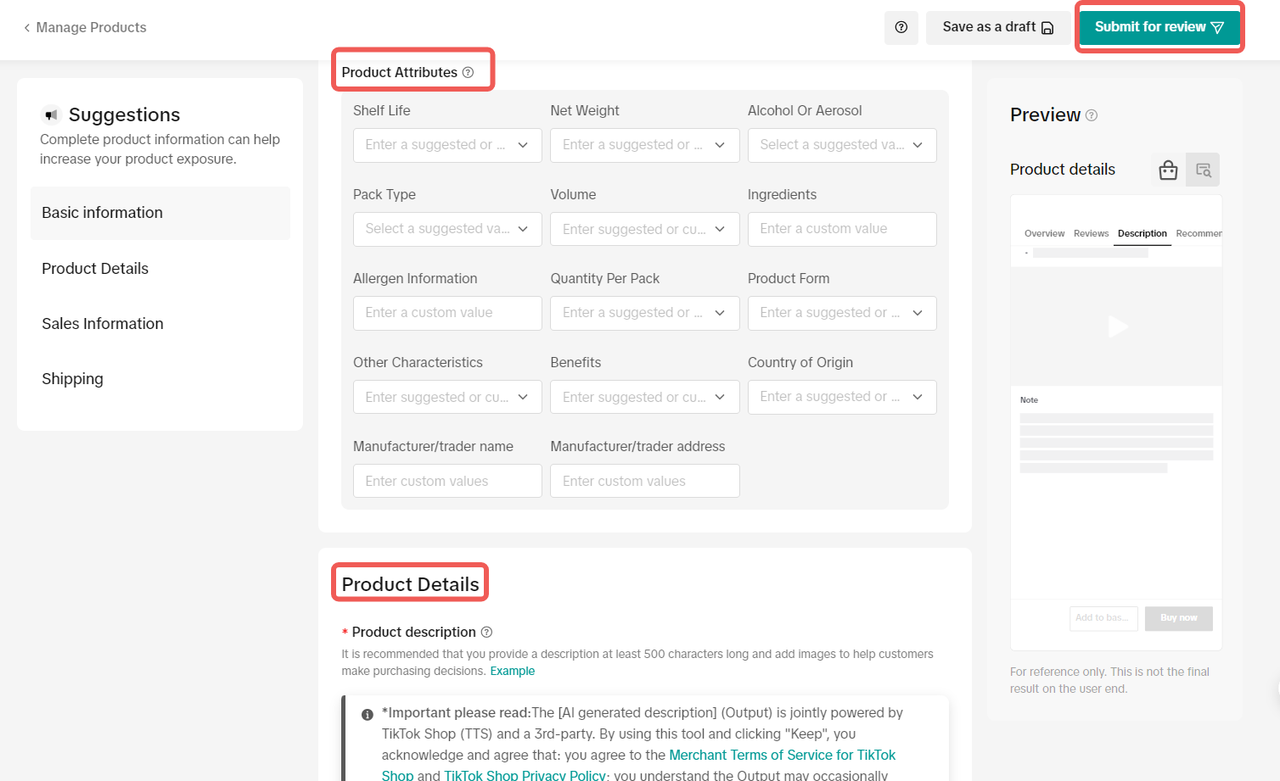
To fill in the Mandatory Product Attributes for a new product listing, you can:- Go to the Seller Center home page and select "Products" > "Manage Products".
- Click "Add new product"
- Fill in the mandatory attributes in Product Attributes and Product Details headings by:
- Choosing from the available options in the drop-down list; or
- Manually entering the information as free text.
- Click "Submit for review".
How Can I Upload Product Attributes For Products That Are Already Listed?
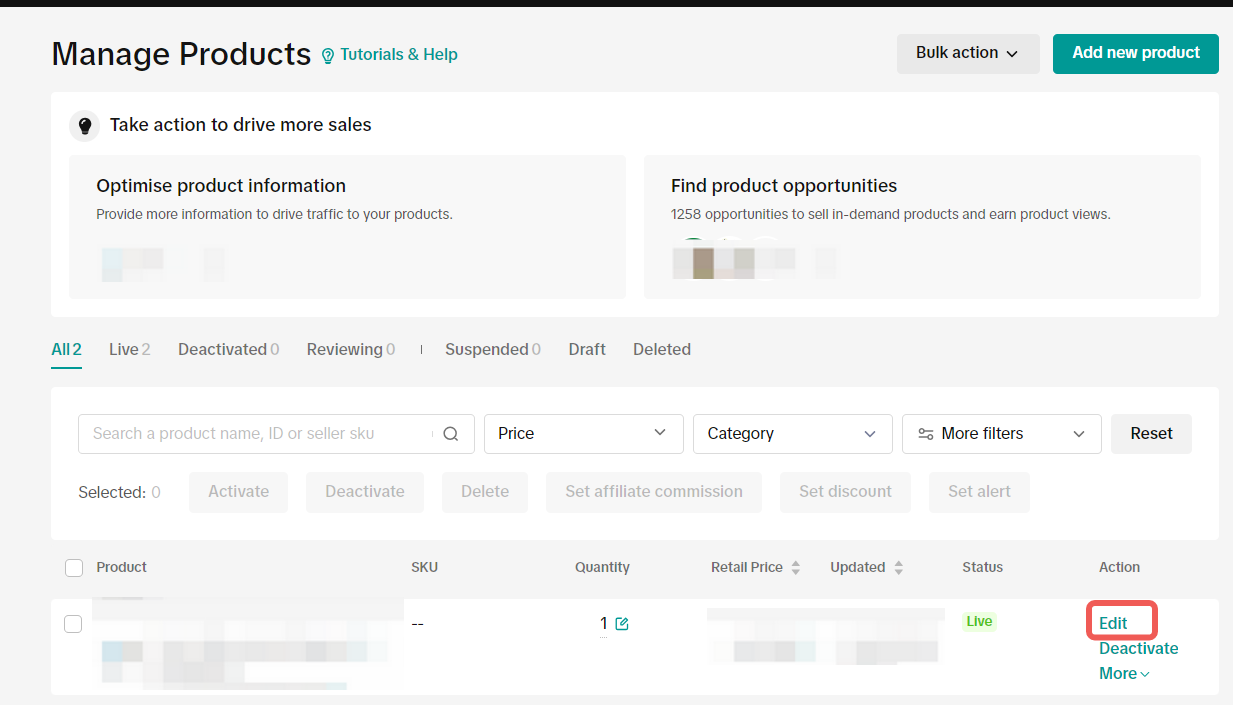
To fill in the Product Attributes for products that have been previously listed, you can:- Go to Seller Center home page and select "Products" > "Manage Products".
- Click "Edit".
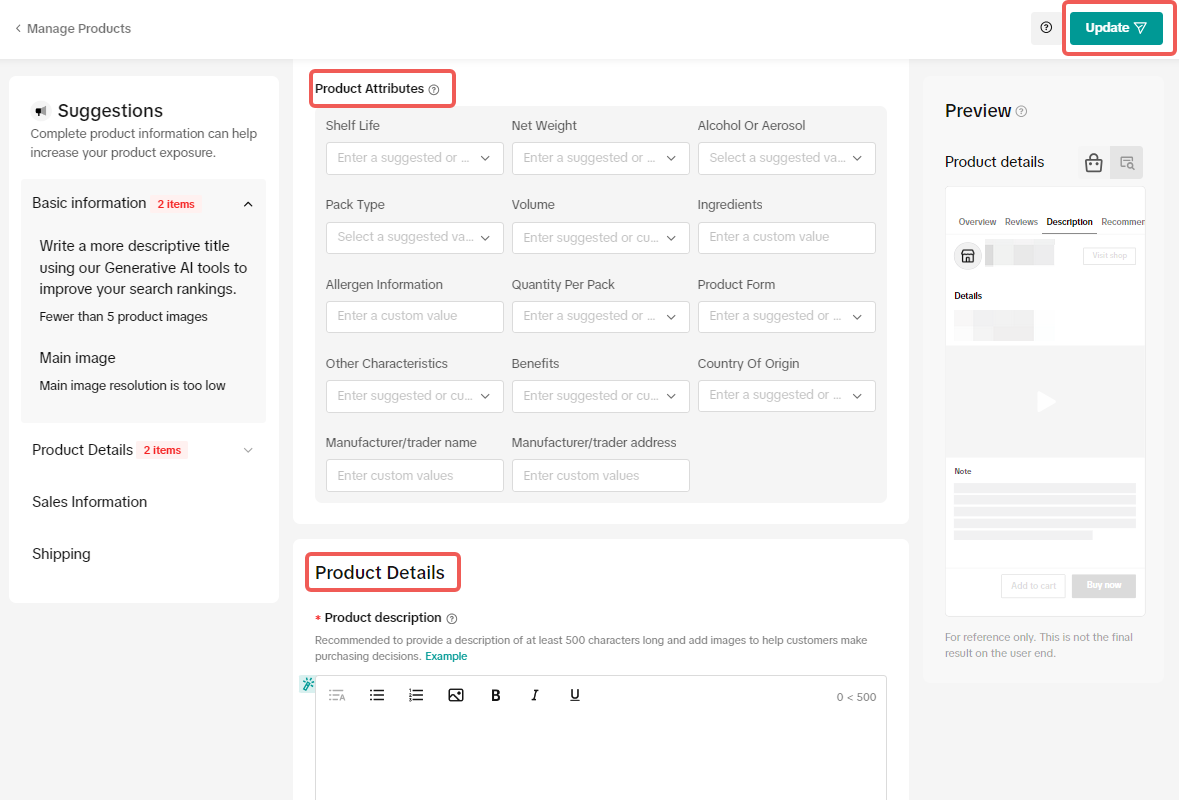
- Populate the requested product mandatory attributes under the ''Product Attributes'' and "Product Details" headings by:
- Choosing from the available options in the drop-down list; or
- Manually entering the information as free text.
- Click "Update".
What happens if I breach these guidelines?
If you are found to violate these guidelines, you may have enforcement actions taken against your account. You should note that repeated offenses will result in more significant penalties.Please see our Violation Reasons, Points & Enforcement Actions for Sellers article and Seller Terms of Service for more information. If you think an enforcement action has been taken against you in error, please raise an appeal via the Seller Center. Please read our Seller Appeal Guidelines article for more information.
Please click here to read our TikTok Shop by Tokopedia Product Listing Guidelines.
You may also be interested in
- 1 lesson
Product Listing
Create compelling and informative product listings to attract more buyers!
- 4 lessons
Listing Product
A practical guide to uploading products effectively covering naming, categorization, visuals, and de…
- 2 lessons
Finding the perfect product list
Discover how to choose the right products that align with current trends and buyer demands on TikTok…
What are Restricted Products?
This policy applies to products listed on TikTok Shop by Tokopedia. For products listed on Tokopedia…
Branded Products Listing Guidelines
What are Branded Products? Branded products are products bearing a brand. The brand and its features…
Product Categorisation
This policy applies to products listed on TikTok Shop by Tokopedia. For products listed on Tokopedia…

Why can't my products be purchased on the TikTok Shop platfo…
Ensure that the product is live with sufficient stock quantity enabled for buyers to purchase. Alt…

How can I edit my products?
Go to Seller Center > Products > Manage Products > Edit Once you have made the necessary changes, s…

How can I optimise my product name?
Be as accurate and concise as possible, while highlighting the main selling point. Here is a sugges…

Can I upload a product video?
It is optional to upload a video to showcase your product. If you choose to do so, kindly ensure th…