

Managing Reshipment Requests
12/17/2024
For guidance on managing other types of aftersale requests, check out these articles:

ฺUnderstand Reshipment Requests
Buyers can request a reshipment after receiving their order in the following cases:- Missing items: If any items are missing from the order, the buyer can request the seller to send the missing items.
- Broken or unusable items: If an item arrives broken or unusable, the buyer can request a reshipment for a replacement.

How to Manage Reshipment Requests
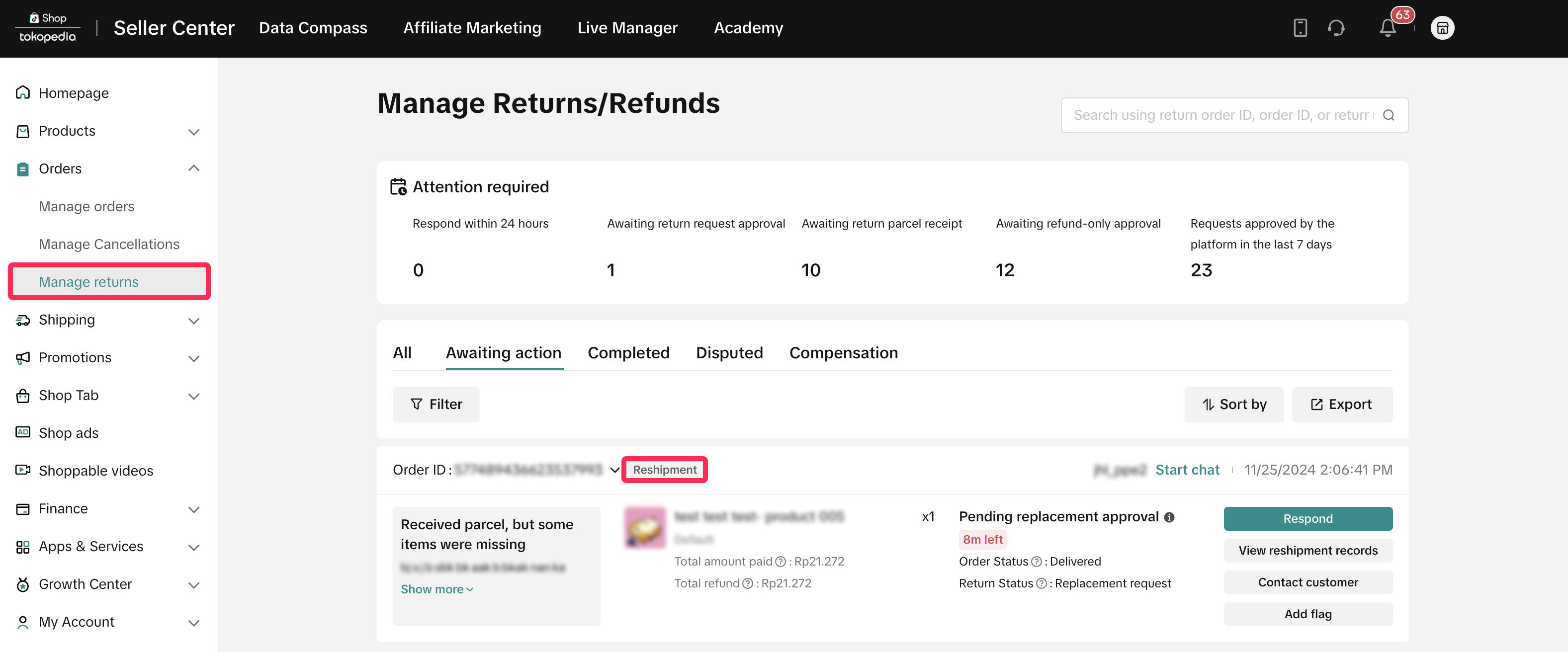
- Go to the Manage Returns page in the Seller Center and navigate to the 'Awaiting Action' tab to find requests tagged as 'Reshipment.'
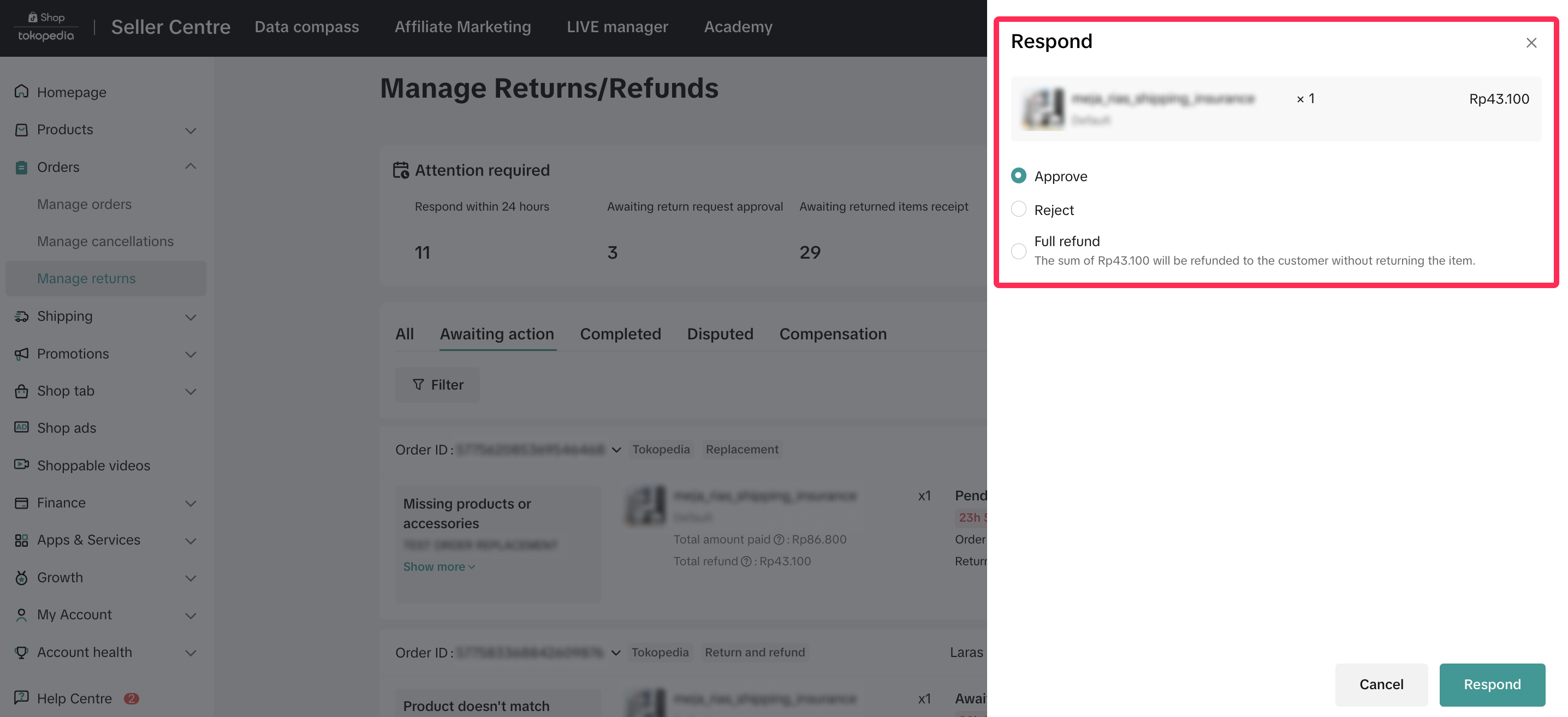
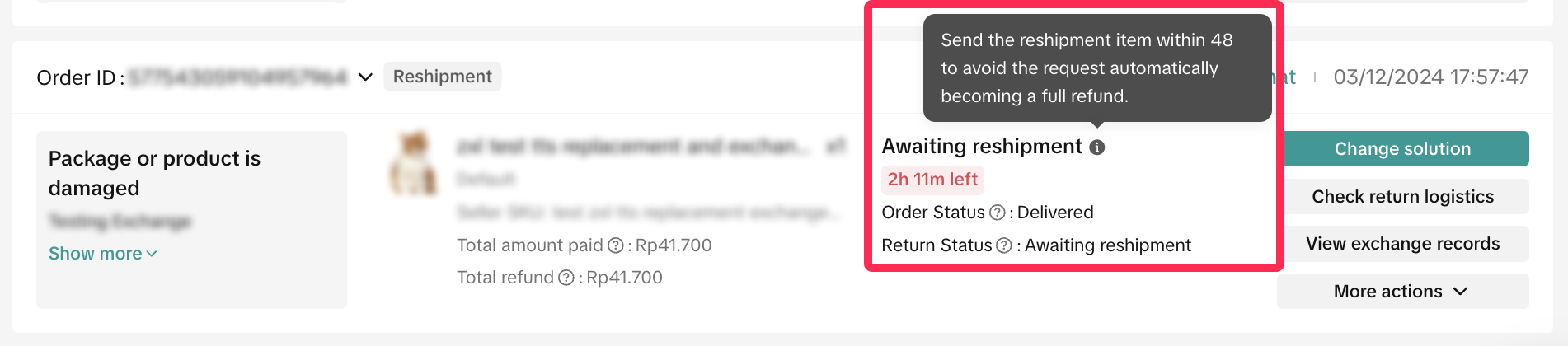
- Review the reason for the reshipment request, and respond within 2 calendar days. If you miss this timeframe, the platform will automatically approve these requests.
- Approve: If the reason provided is valid, you can approve the request and send the remaining item or replacement to the buyer.
- Reject: If a request doesn't meet your criteria, you can reject it and provide a clear reason for transparency.
- Propose other solutions: You can suggest alternatives, such as refund-only or partial refund, depending on the buyer's selected reason. If the proposed solution is more favorable to the buyer, it will be auto approved by the platform.
- If you propose a partial refund, the offer will be sent to the buyer as a negotiation card in Customer Service Chat. The buyer has 1 calendar day to accept or reject it. If the buyer rejects the offer, the request will return to the original reshipment process, where you can either approve or reject and continue with the standard procedure. Read more about partial refunds here.
- If you propose a partial refund, the offer will be sent to the buyer as a negotiation card in Customer Service Chat. The buyer has 1 calendar day to accept or reject it. If the buyer rejects the offer, the request will return to the original reshipment process, where you can either approve or reject and continue with the standard procedure. Read more about partial refunds here.
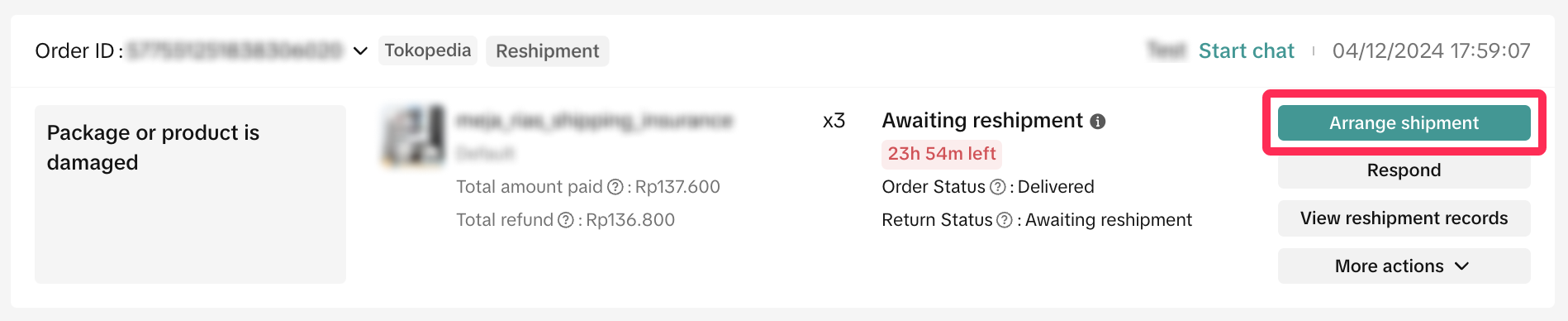
- If you approve the request, the system will take you to the Manage Returns page. Here, select the 'Arrange Shipment' option to print the shipping documents and send the missing items or replacement. You have 2 working days to send the reshipment to the buyer.
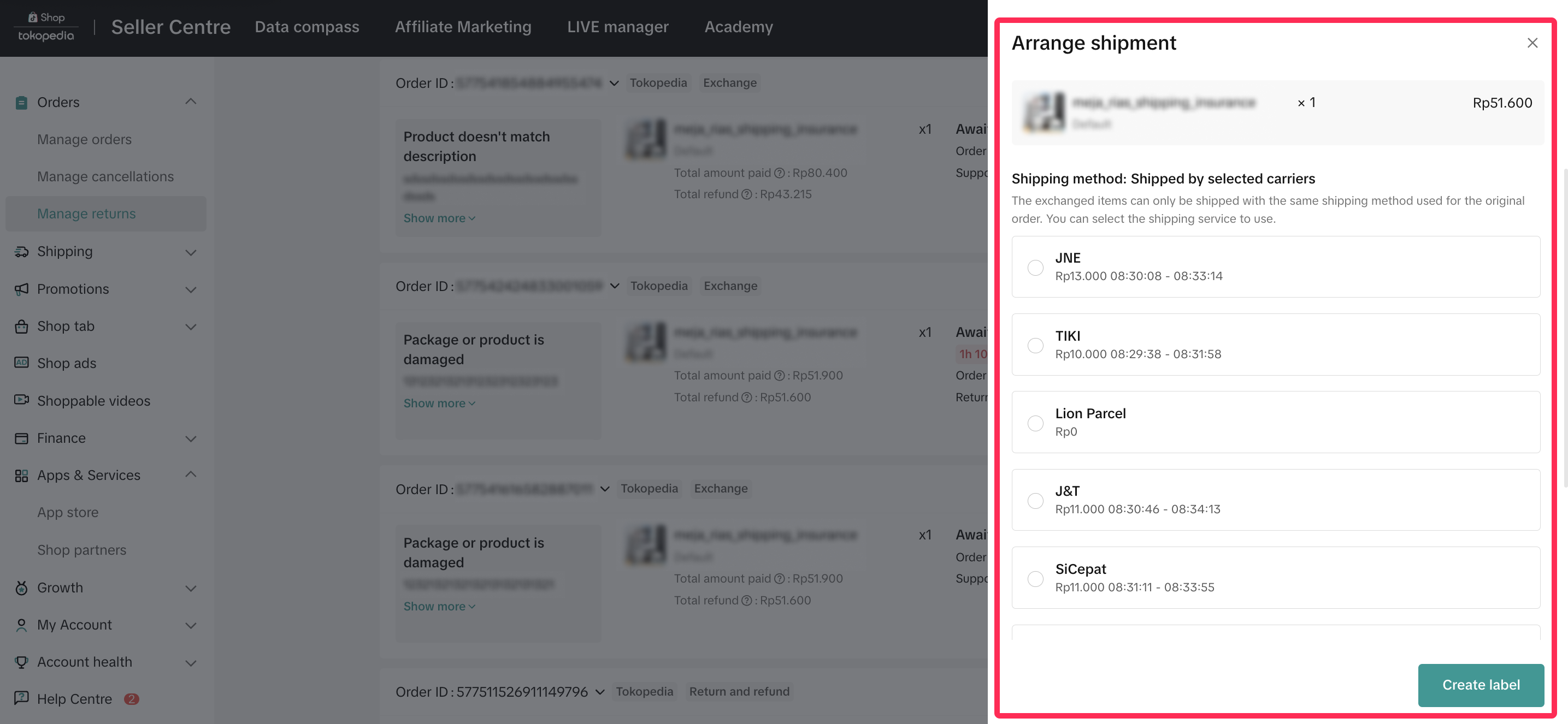

How to Track Reshipment Shipping Status
- You can easily check the status of your reshipment on the Manage Returns page, directly on the request card, as shown below.
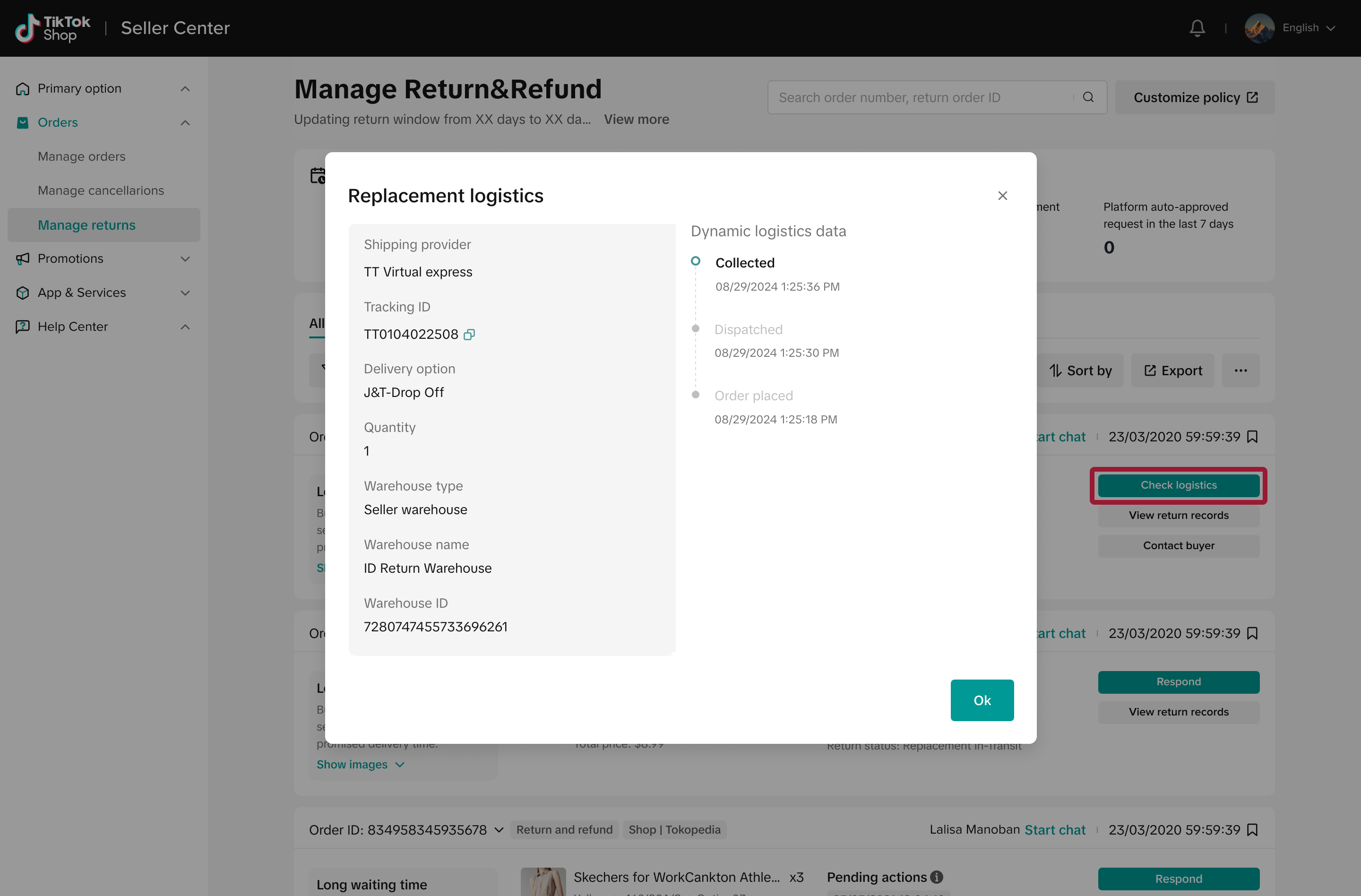
- Alternatively, click on 'Check Logistics' to open a new window displaying the logistics information and latest shipping status.
You may also be interested in

Managing Exchange Requests
Explore this guide to understand the essentials of managing exchange requests, equipping you with th…

Managing Refund-Only Requests
This article provides a clear overview of the refund-only process, giving you the tools to respond e…

Introduction to Aftersales
This article provides a quick overview of the various types of aftersales requests and guidance on h…

Initiating an Appeal for Return/Refund Requests
This article aims to improve seller's understanding regarding appeal management on Seller Center fro…

Why can't I locate the Appeal button on the "Manage Returns/…
If you're unable to find the Appeal button on the "Manage Returns/Refunds" page, it could be due to…

What if the buyer returns incomplete, used, or incorrect ite…
No compensation for incorrect items returned by buyer: Buyers must ensure that they enclose the corr…

When can a buyer raise a return/refund request?
Timeframe for return/refund requests: For products purchased through Mall: Buyers can submit a retur…

What is the process for handling return and refund requests?
We encourage sellers to handle all after-sale issues and communicate with buyers appropriately. If a…

Returns & Refund Methods
This guide will provide you with a clear understanding of the return process, various return methods…

Offering Refunds to Customers
This article provides a quick guide on how to initiate a refund to customers for minor inconvenience…