

Integration to Tokopedia App
04/09/2025
As part of our effort to give sellers more benefits, we are now activating the function of Integration to Tokopedia.
This will allow your products to appear and purchasable in Tokopedia automatically, while you can manage those orders from our upgraded Seller Center.
Go to the section below to check the details of each part of your updated selling experience with this Integration to Tokopedia function:

Detail of Experience
Here are the details of what will happen after Integration to Tokopedia function is activated for your shop.| About | Experience Update | Guides |
| Seller Account | You will only need to manage your account from the current Seller Center (which has been upgraded), but your shop information will appear on the Tokopedia app | Tokopedia & Shop Seller Center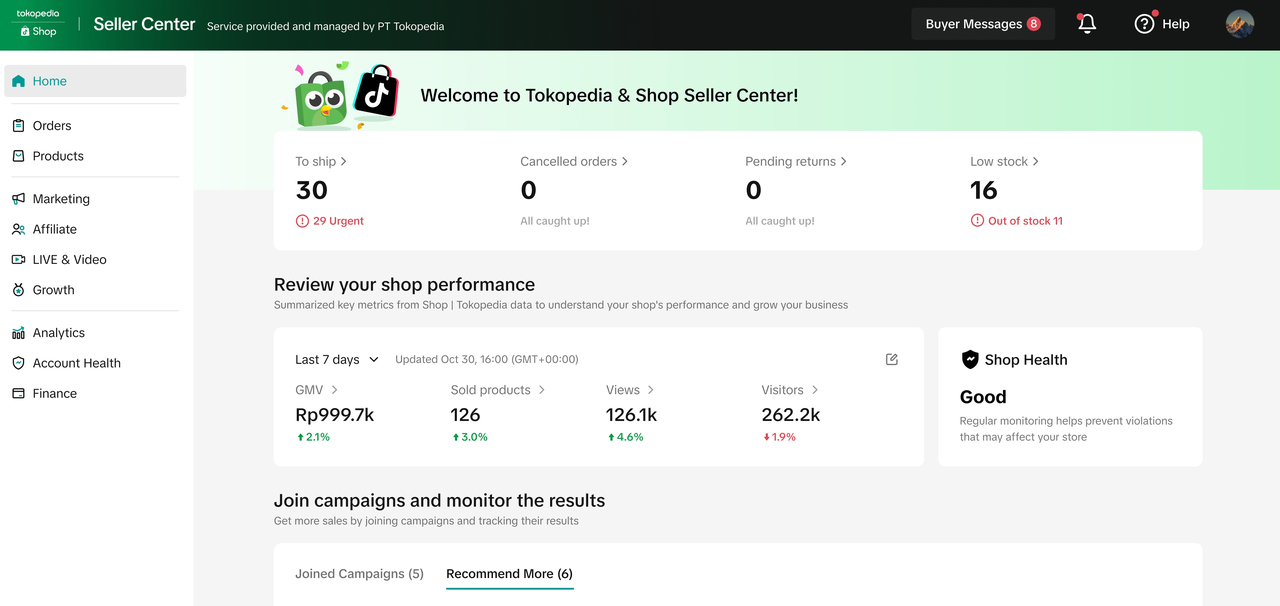 |
| Shop Profile |
| Navigate to Seller Profile on Seller Center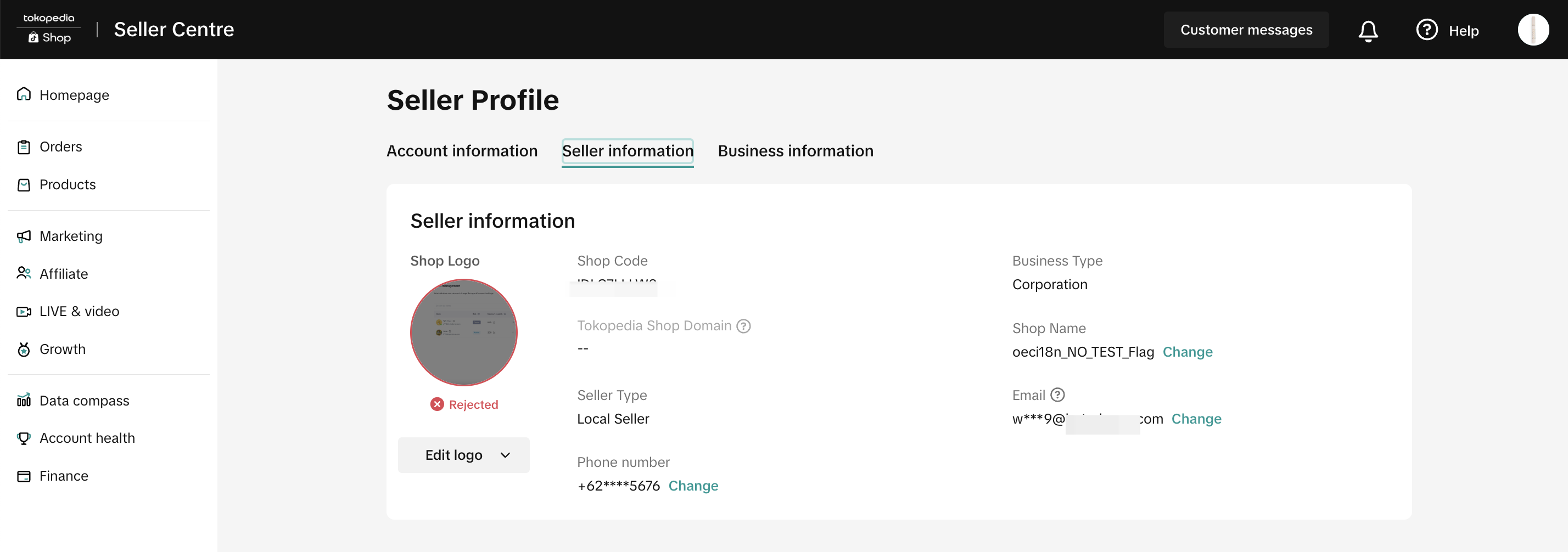 |
| Seller Customer Service Chat | You can reply to customers' chats that are coming from Tokopedia app through Seller Center | Customer Service Chat Feature Guide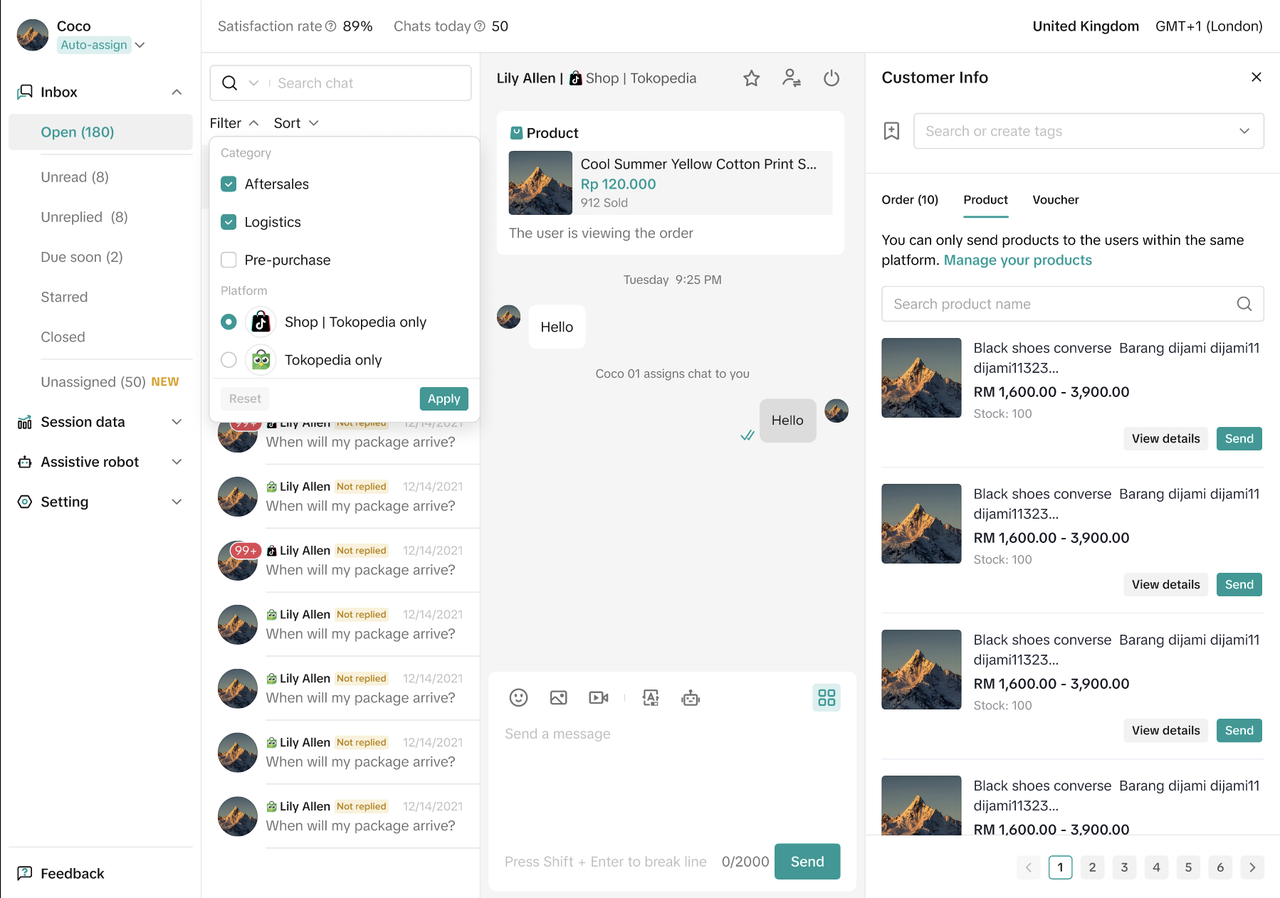 |
| Mall Program | Your Mall status will be reflected in the Tokopedia app. Orders that are coming from Tokopedia will also be charged with Mall fees | Mall Page Feature Guide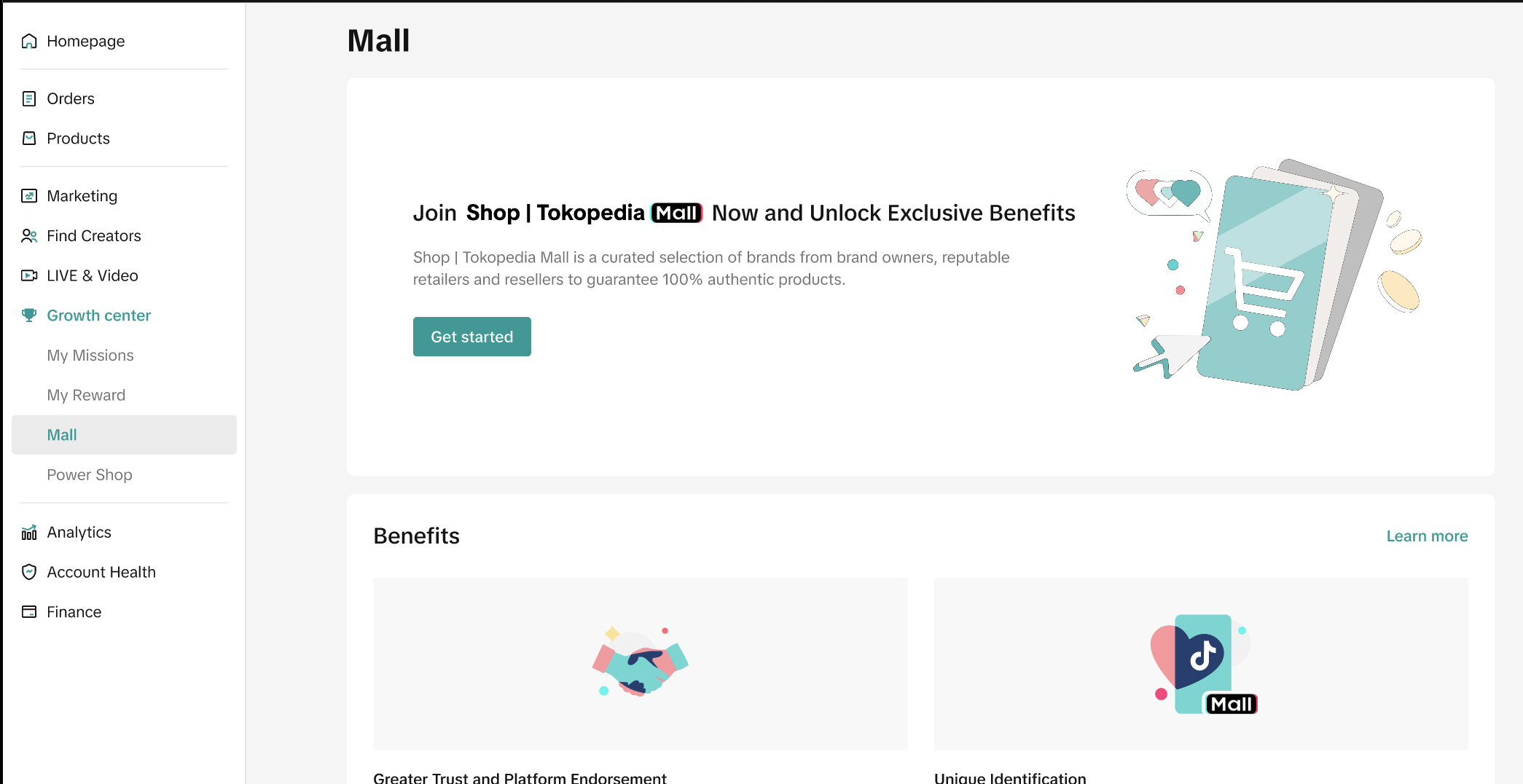 |
| Product Listing |
| Manage Product Feature GuideSet Product Status: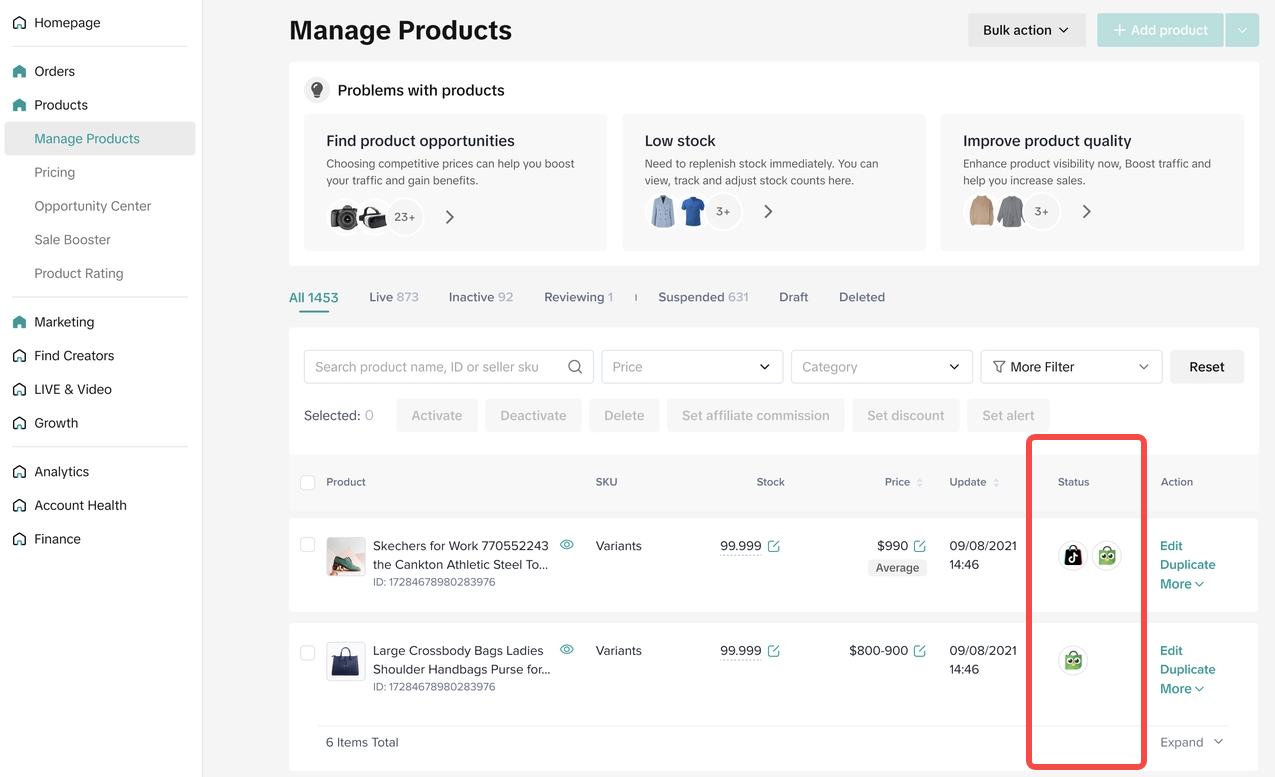 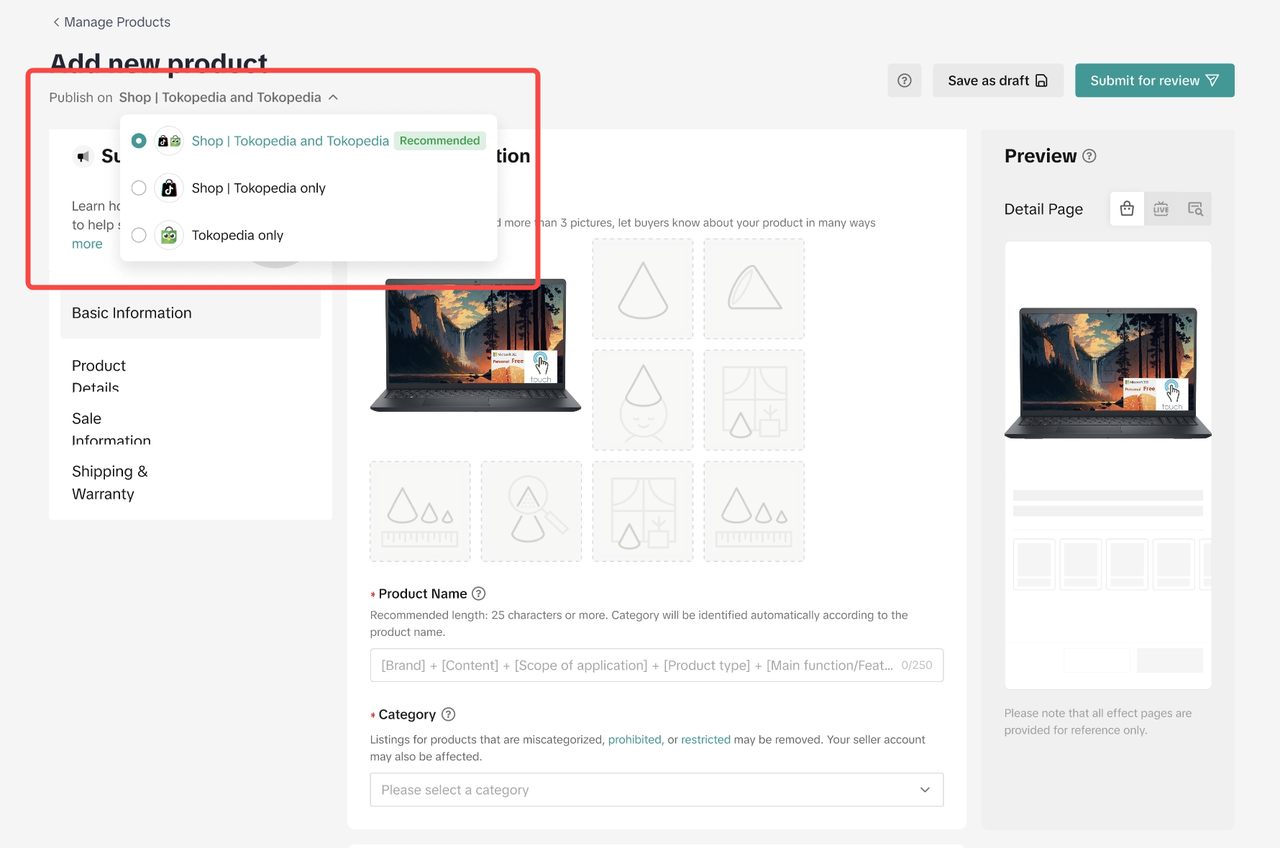 |
| Order |
| A Complete Guide to 'Shipped via Platform'Filter orders sources on the Manage Orders page: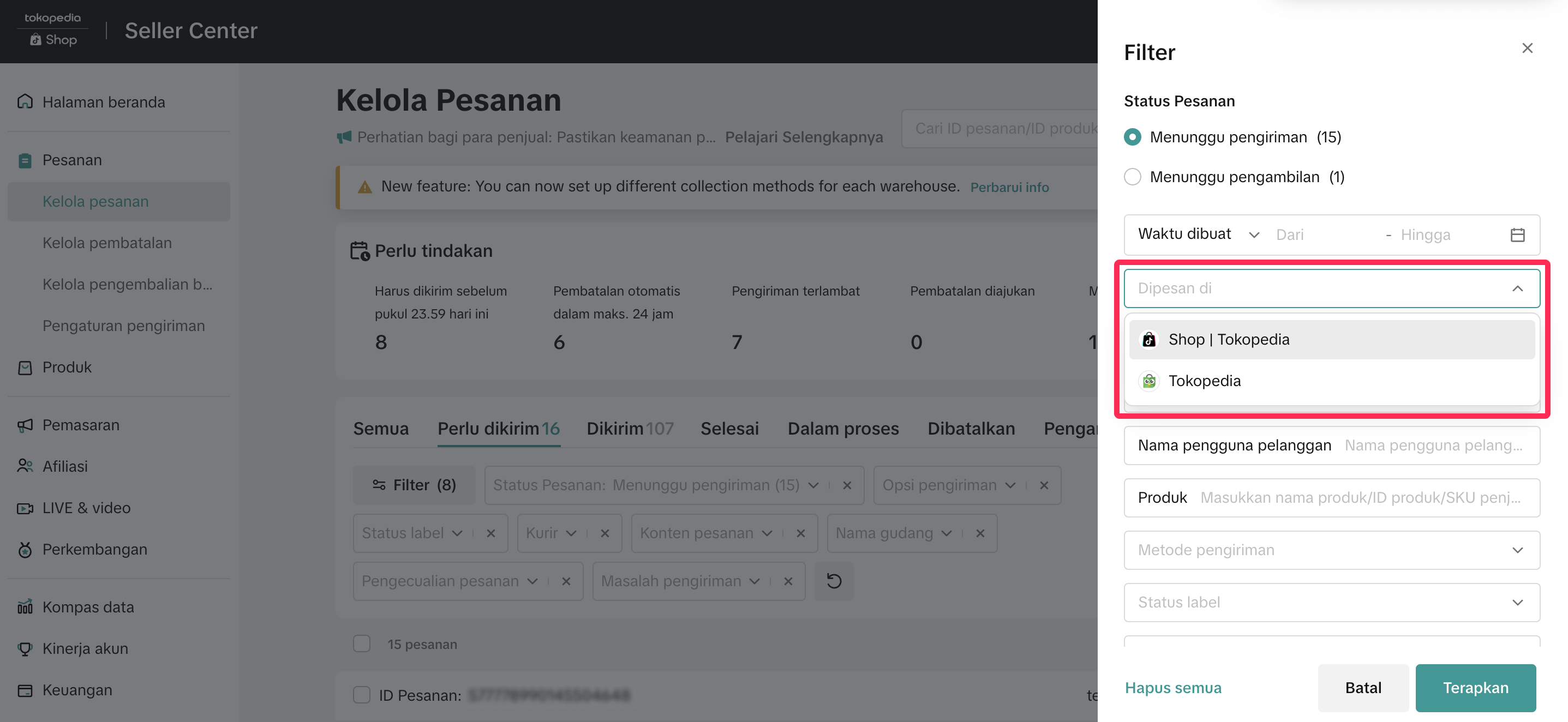 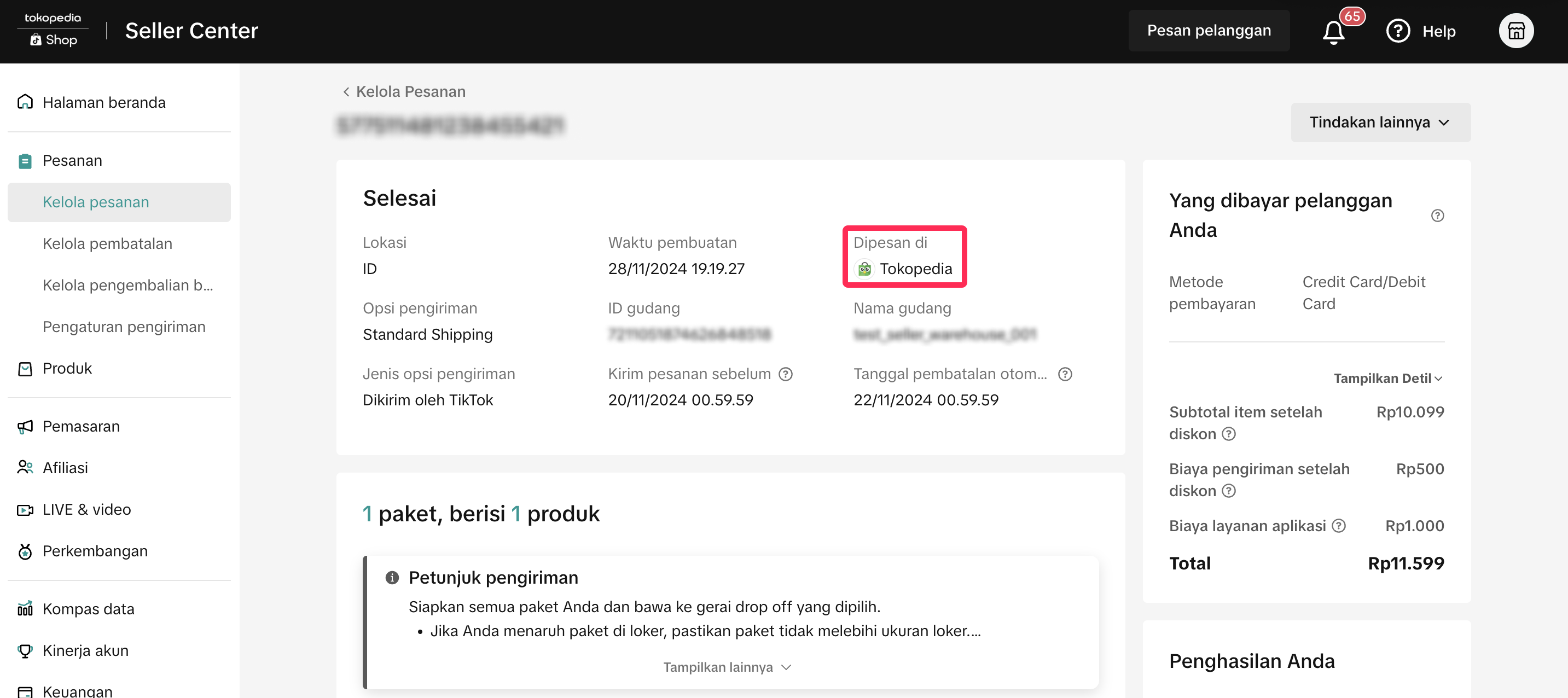 |
| Promotion |
| Seller Promotion Integration GuideCreate Promotion: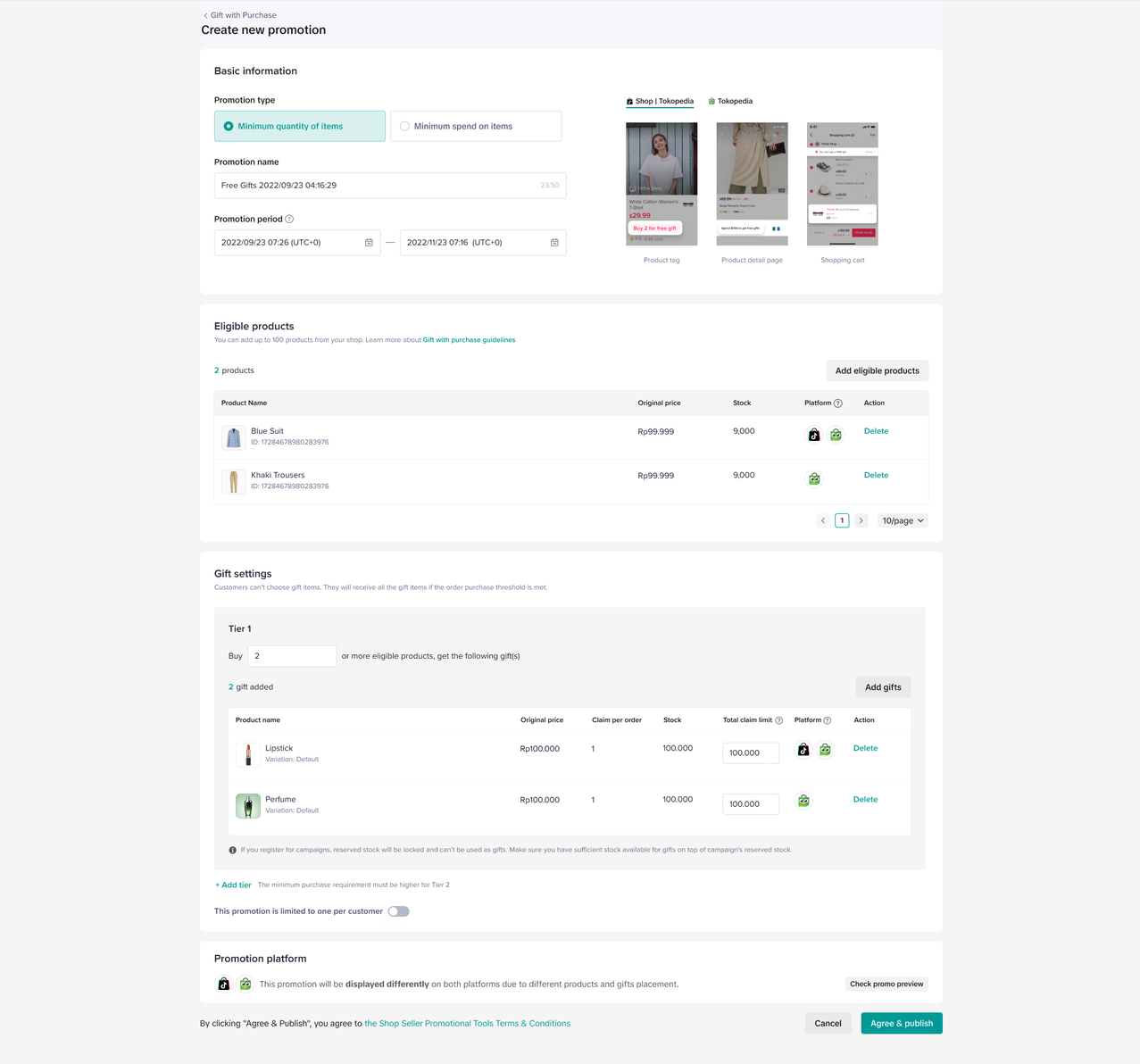 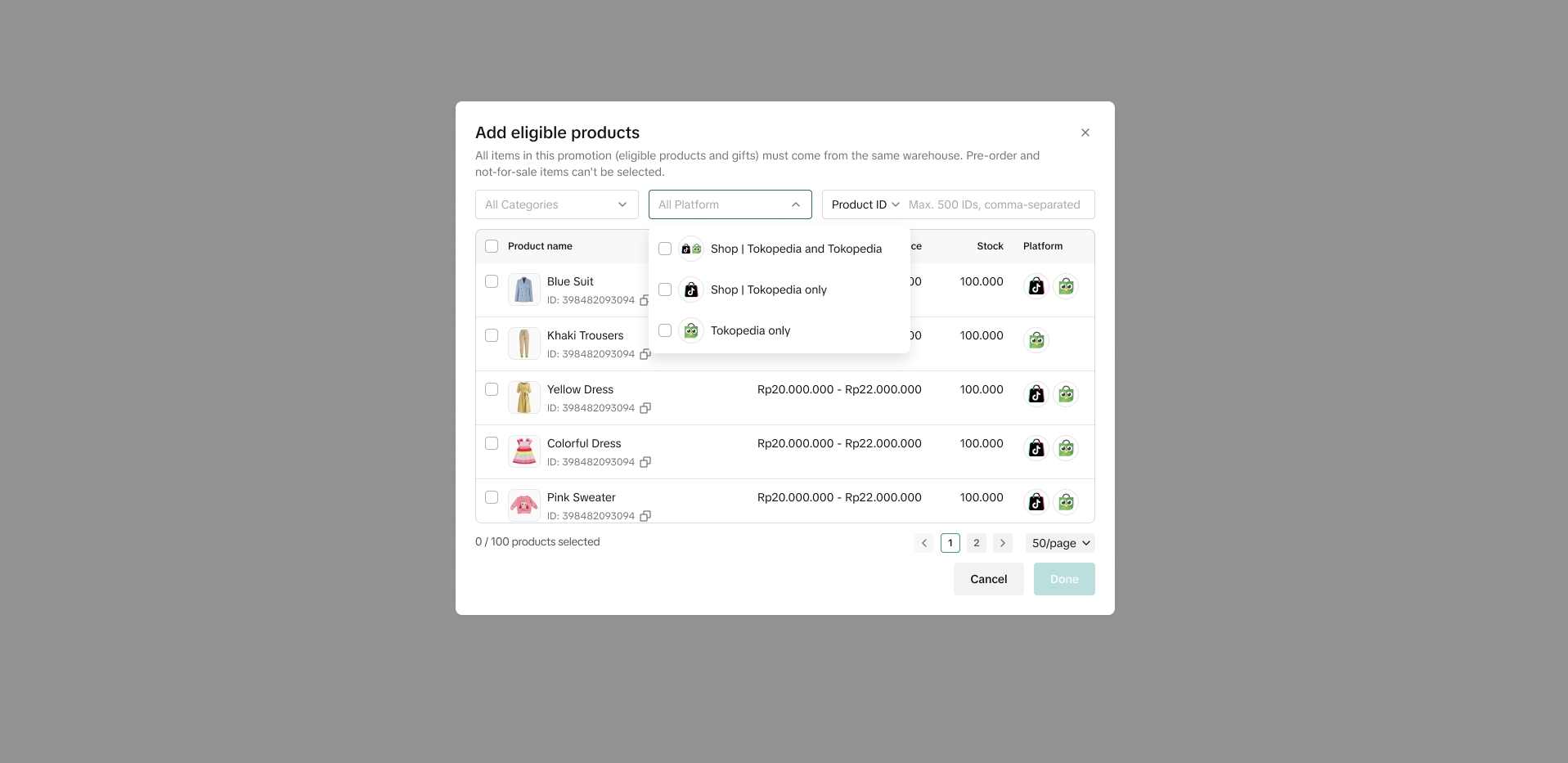 |
| Campaign | Joined campaigns
|  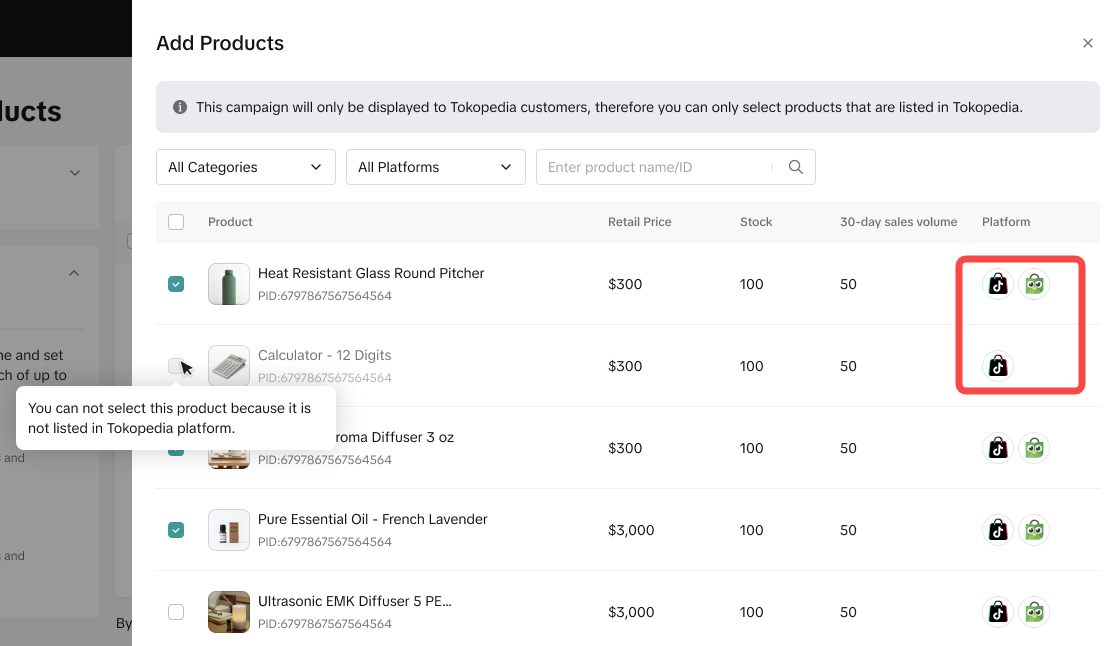 |
| Shipping Fee Program | You will be able to manage you shop program status on both platforms in the campaign detail page of Shipping Fee Program (SFP)Any change in the program status: registration, withdrawal will be reflected on both platforms | 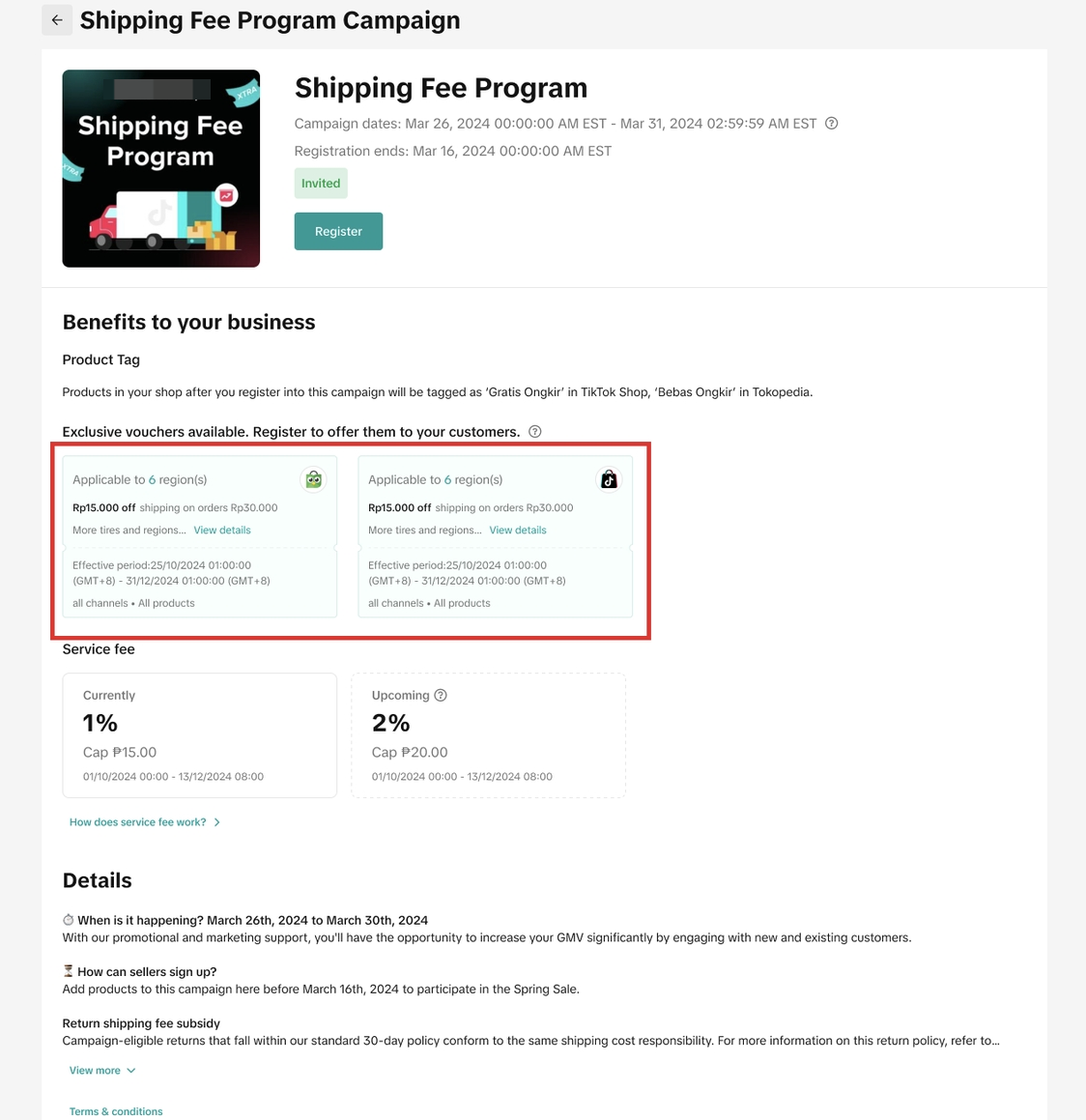 |
| Bonus Cashback | You will be able to manage you shop program status on both platforms in the campaign detail page of Bonus Cashback Program (BCP)Any change in the program status: registration, withdrawal will be reflected on both platforms | 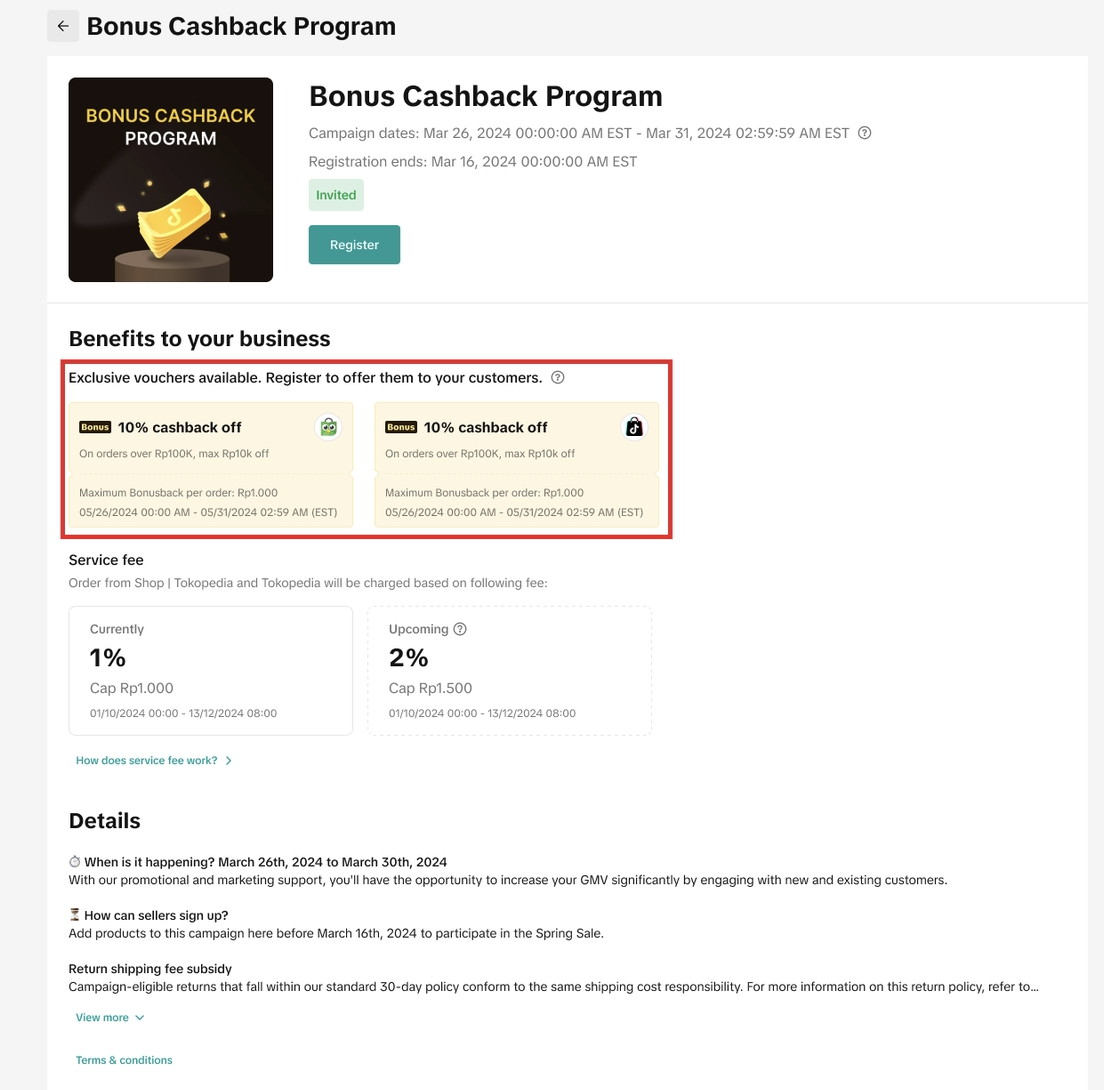 |
| Aftersales | You can process aftersales requests from both Tokopedia and TikTok Shop on the Manage Returns page. A Tokopedia tag will appear to help you identify which orders are from Tokopedia. | Manage Returns page: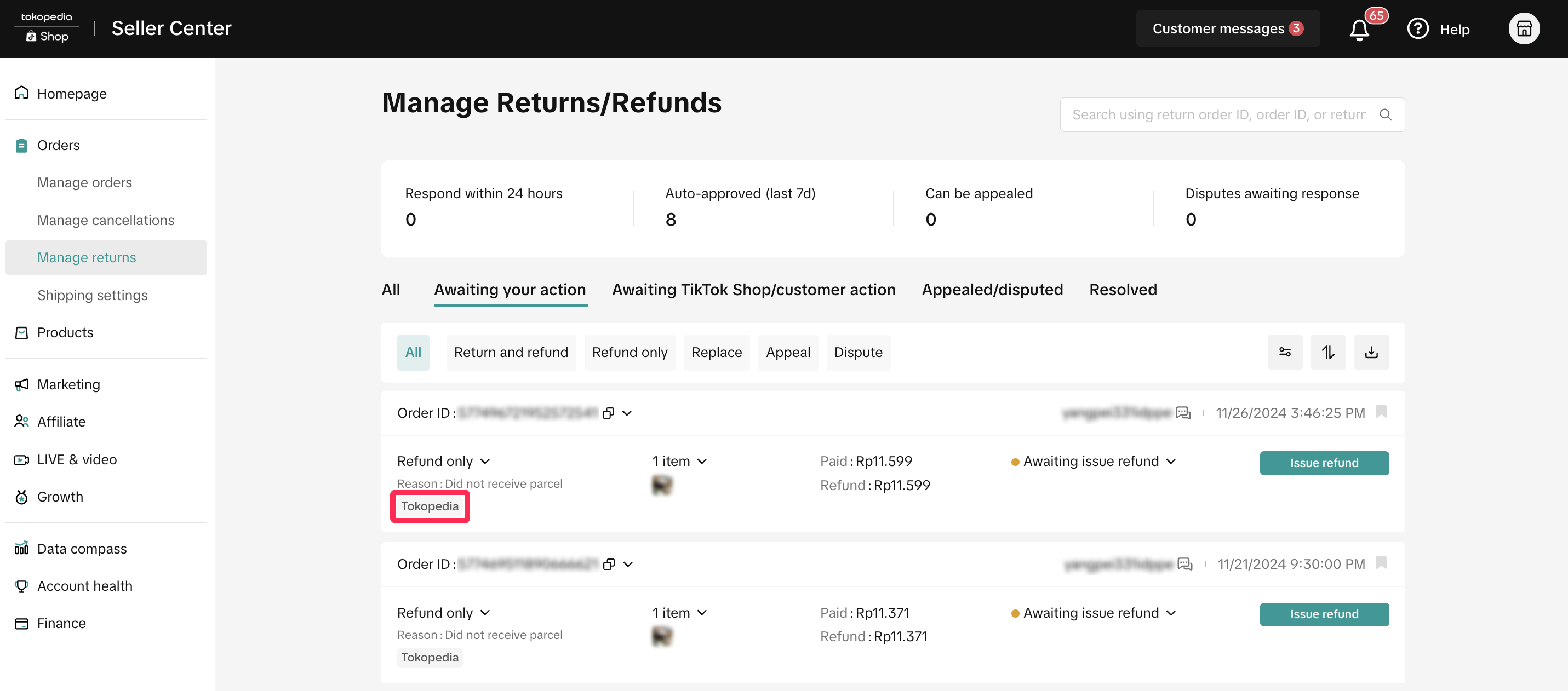 |
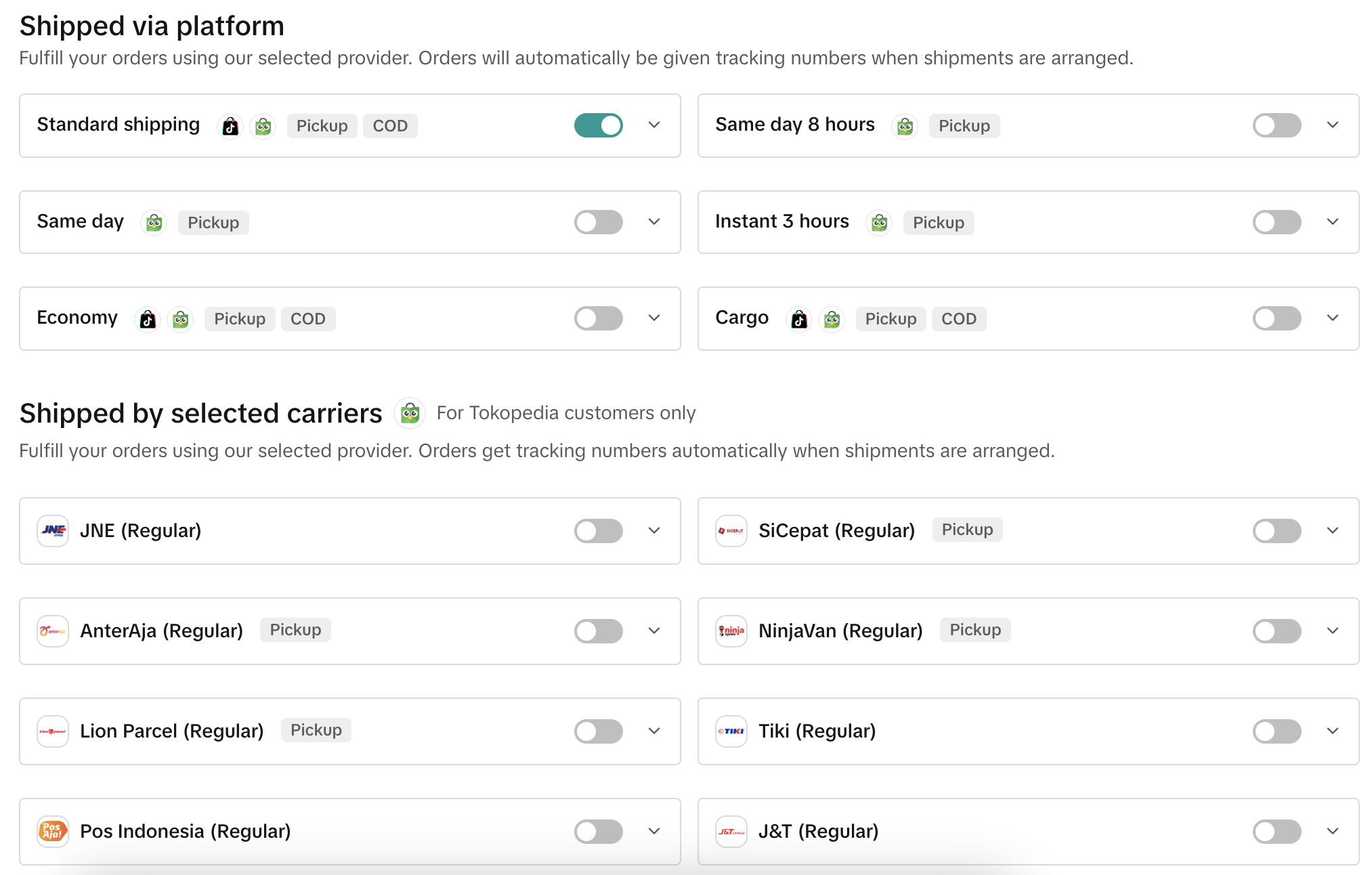
| Logistic | Introducing new logistics services and new shipping providers for Tokopedia orders
| Available shipping services and provider |
| Finance | You will be able to view transactions and orders which customers place on both platforms on the Finance page. Each transaction breakdown will show you where the order was placed. | 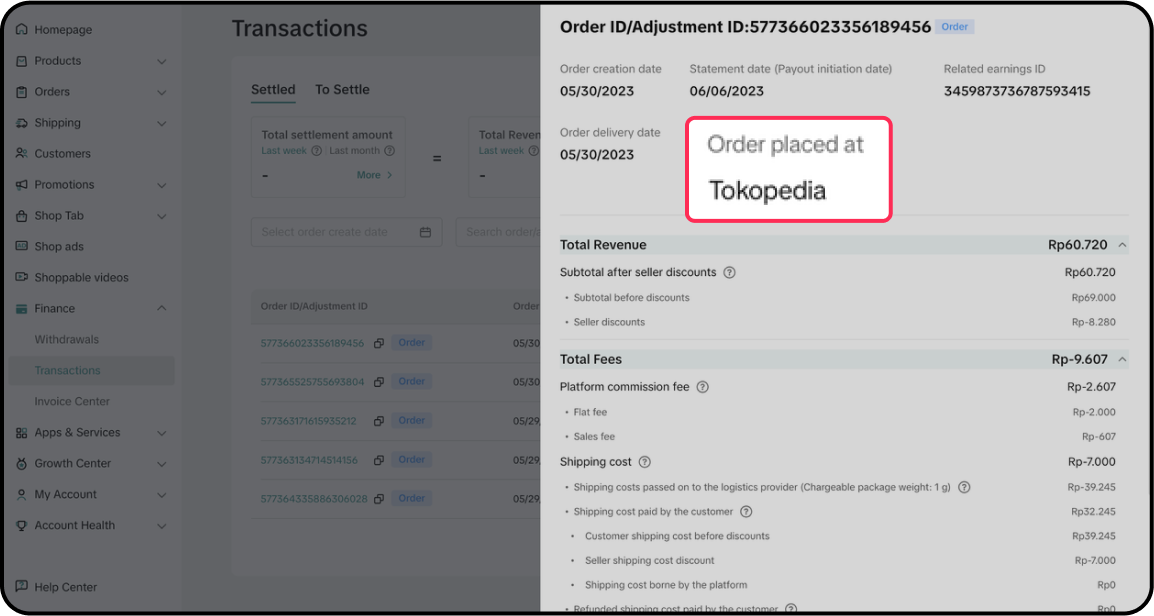 |
| Seller Data | You will be able to view performances from Tokopedia on Data Compass via the data source filter on selected analytics pages. | Data Compass User Manual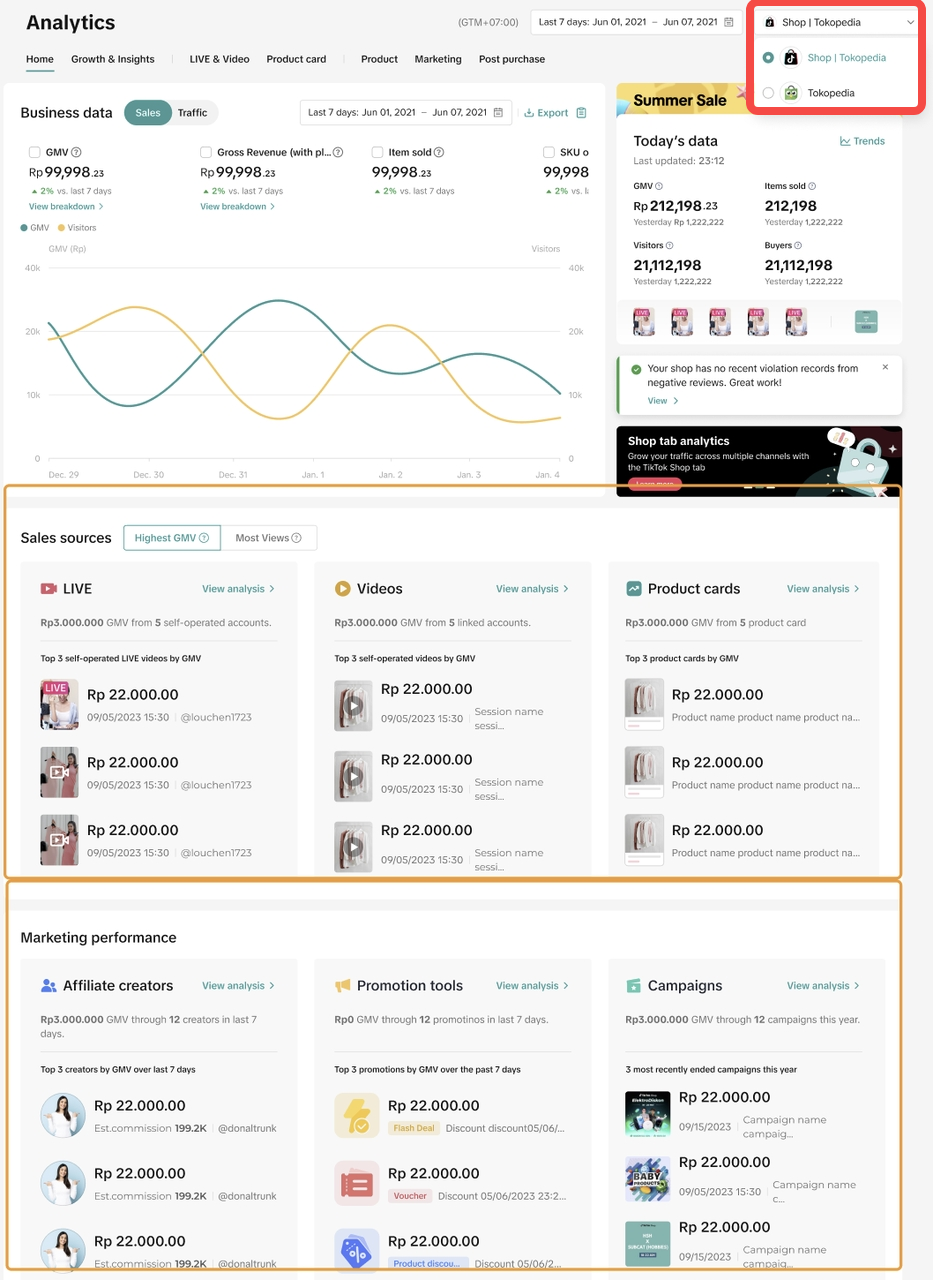 |
| Ads | TikTok Shop Sellers Can Now Run Tokopedia Ads via TikTok Ads Manager, unlock the potential to engage with high-intent users and expand your reach like never before.To get started:
| Feature Guide (to be updated): Tokopedia Product Shopping Ads on TikTok Ads Manager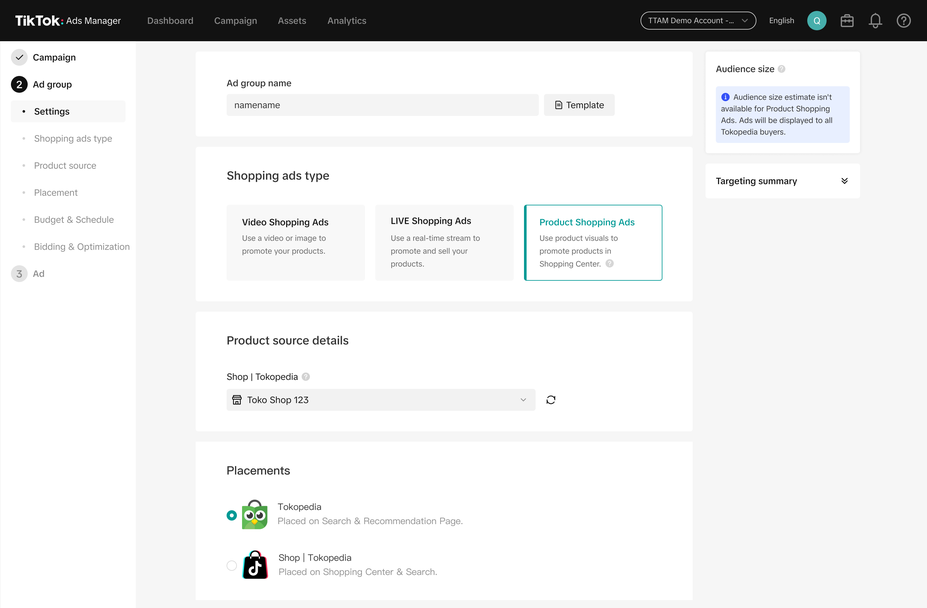 |
| GNE | Sellers can easily monitor their shop performance on Tokopedia and TikTok Shop in the Seller Center under the following sections:
| Shop Health Desktop: Seller Center > Account Health > Store Rating App: Tokopedia & TikTok Shop Seller Centre App - Home > Store Rating 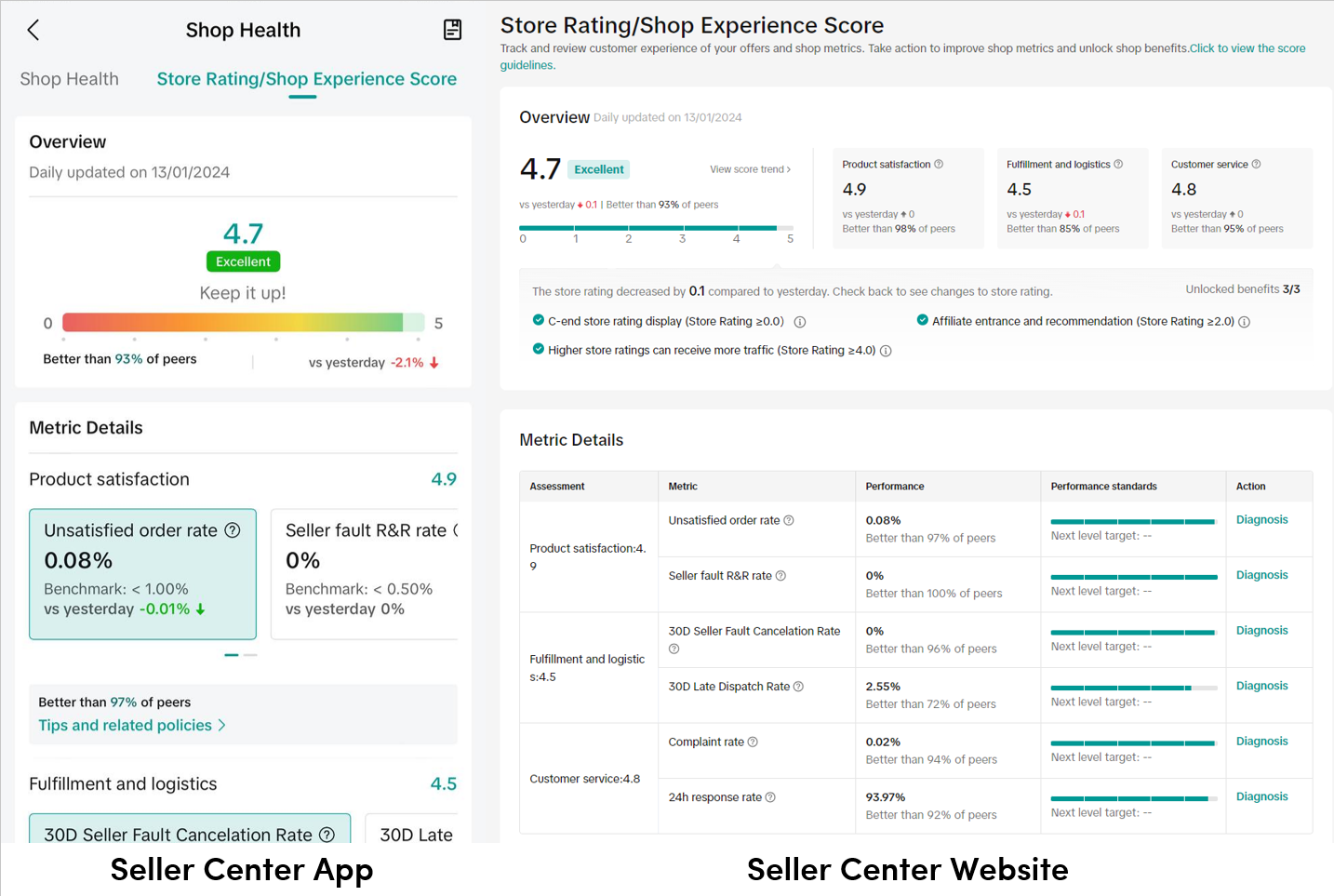 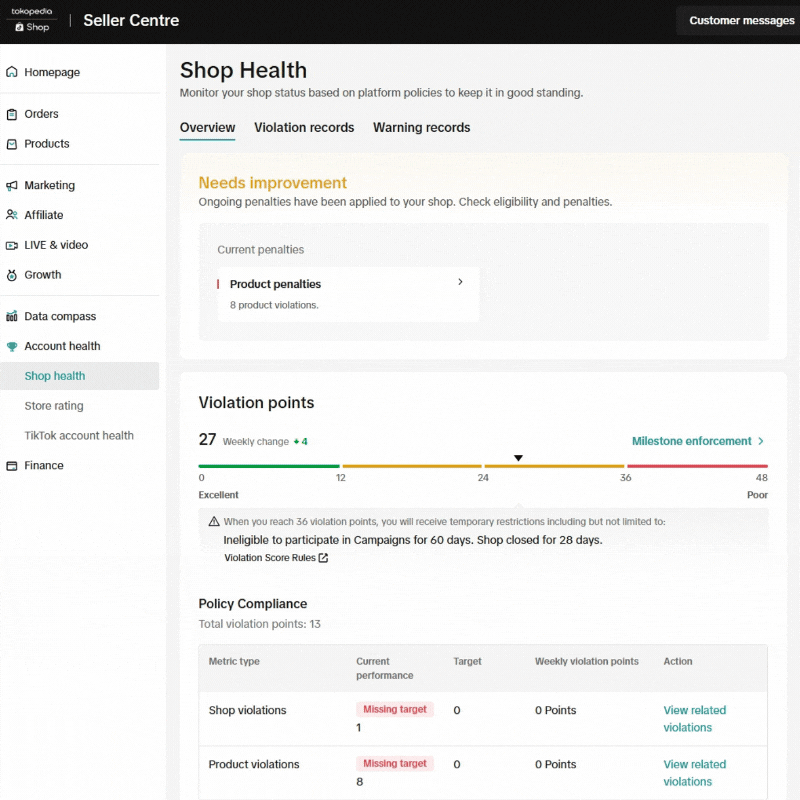 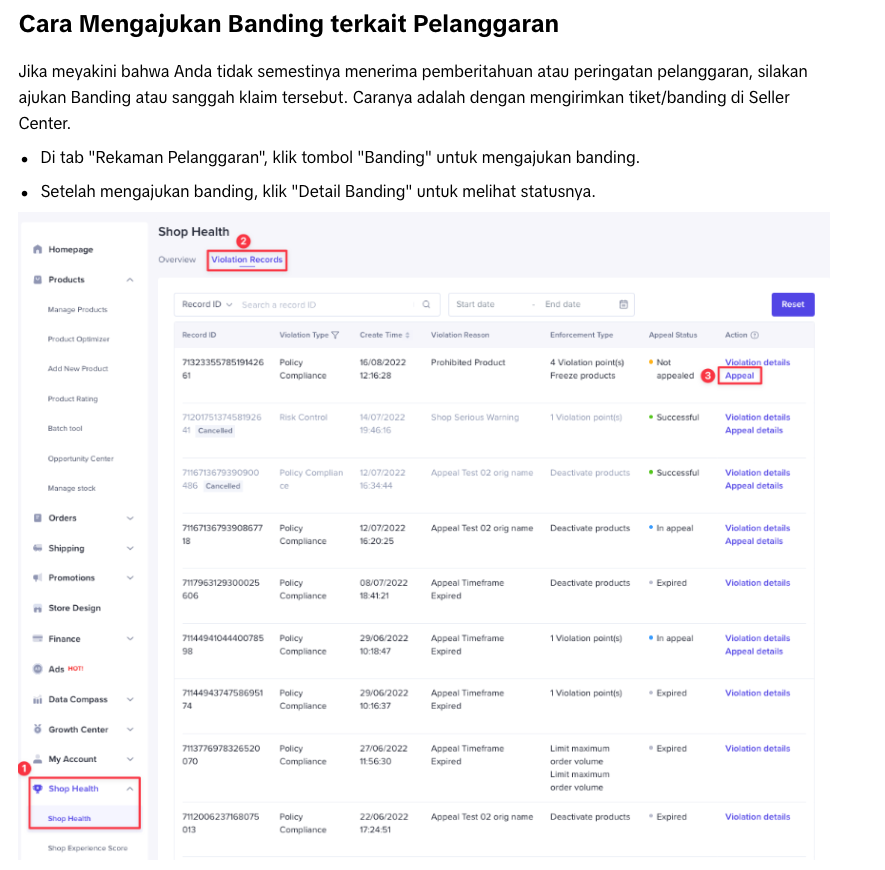 |
| Affiliate & Creator | Your existing affiliate products that are sold on both platform will automatically be available for creators to promote on Tokopedia through Open Collaboration and Target Collaboration. Products that are only available for sale on Tokopedia cannot be promoted through Target Collaboration. You can view the eligibility of these products by checking their status when managing or adding products to a Target Collaboration invite. | A guide to managing affiliate collaborations |
| Affiliate Data | You will be able to view performances from Tokopedia on Affiliate Center via the data source filter on selected analytics pages. | Affiliate Analytics Feature Guide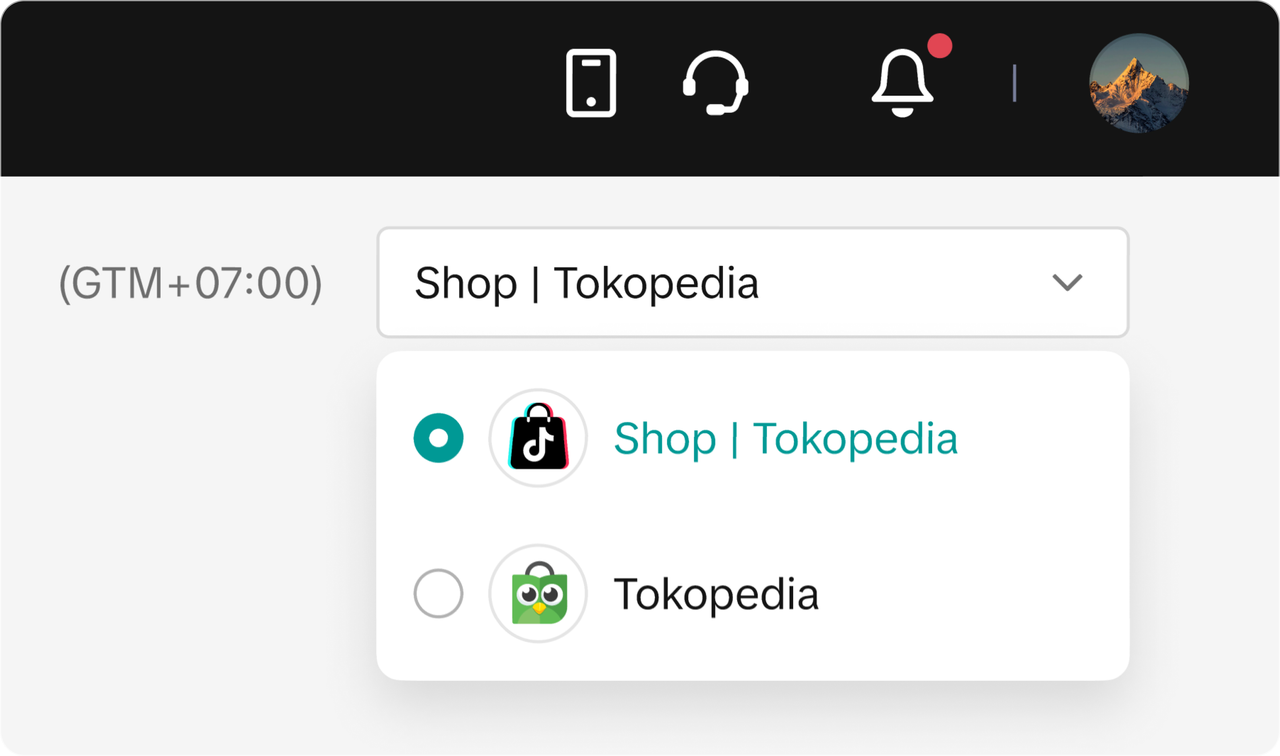 |

FAQ
- What if I already have a shop in Tokopedia and don't want my TikTok Shop products or even my account to appear in the Tokopedia app?
- Contact our Online Support team to assist you further.

- Contact our Online Support team to assist you further.
- Can I sell some products only to be available in the Tokopedia app?
- Yes, you can upload a new product and choose Tokopedia-only as platform to publish, or
- Deactivate existing Product Status through Manage Product page to only be available in Tokopedia
- What if I want to merge my shop from Tokopedia with TikTok Shop instead?
- You can do integration from Tokopedia Seller Dashboard by binding your account. Check our guides for Shop Integration from Tokopedia Seller Dashboard, to merge the existing Tokopedia shop account with TikTok Shop.
- The automated Integration to Tokopedia function from your shop in TikTok Shop will be auto-stopped after you do integration from Tokopedia side (if you bind the same account between Tokopedia & TikTok Shop.
- Why do economy orders have 2 different logistics partners to process my orders?
- Unfortunately, this is due to different coverage areas and service offers of logistics partners. Therefore, Economy services will always have at least 2 logistics partners to manage your orders.
- J&T Economy has outside Java coverage and supports both pickup and dropff
- Wahana has inside Java and outside Java coverage and supports only dropoff
- AnterAja has inside Java and outside Java coverage and supports only pickup
- If you don't want to receive orders from Anteraja and Wahana, you can turnoff economy service in shipping options page. Learn more.
- Important: once turned off, the service will turnoff for both Tokopedia and TikTok Shop orders.
- Unfortunately, this is due to different coverage areas and service offers of logistics partners. Therefore, Economy services will always have at least 2 logistics partners to manage your orders.
- Wahana doesn't come to pickup my parcel, what should I do?
- Wahana can only support dropoff service. If you need parcel to be picked up, please update your collection method to pickup. Learn more about how to setup your collection method here.
- Once the collection method setup has changed, another provider Antaraja will pick up your orders.
You may also be interested in
- 5 lessons
Account Management
Learn how to maintain your account performance, understand key metrics, and ensure long-term shop he…
- 6 lessons
Getting Started & Registration
Step-by-step guidance to help you create a TikTok Shop by Tokopedia account, complete registration,…

Tokopedia & TikTok Shop Commitment for Your Integration Expe…
Thank you for the trust and constructive feedback you've shared with us. We’ve heard your feedback a…
Shop Ownership Change Process
Note: You will only be able to change ownership to corporate sellers (individual to corporate, or co…

What should I do if my account has been compromised?
If you are unable to sign in to your account or can no longer have access to the registered email or…

Late Dispatch Rate (LDR)
Note: Orders with Instant, Sameday, and Sameday 8-hour delivery are only available via Tokopedia. Cl…
New Shop Adjustment Period
All new shops on TikTok Shop by Tokopedia start in the Shop Adjustment Period. During this period, y…
What is the Seller Performance Evaluation Policy?
TikTok Shop by Tokopedia Seller Performance Evaluation At TikTok Shop by Tokopedia, we value safety,…
Inactive Seller Accounts
When will I be considered an Inactive Seller? Sellers that do not interact with their TikTok Shop by…

How long will it take to review my payment account?
Payment review may take approximately 1-3 working days after you bind your Payment account. However…