

Shipping Label printing steps for Instant and Same day 8h Orders
03/13/2026
Important notice: starting from 17 Mar 2026 onwards, Sameday orders will not allow to print before arrange shipment. Instant 3 hours and Same day 8 hours orders will remain unchanged.For Instant 3 hours and Same day 8 hours orders, you can print shipping labels before arrange shipment. This allows you to pack and prepare your orders more efficiently for fast delivery orders.
⚠️ Attention: If you select orders from other shipping methods (e.g., Standard, Economy) to print before arrange shipment, the shipping label will not be included in the printout.
⚠️ Attention: If you select orders from other shipping methods (e.g., Standard, Economy) to print before arrange shipment, the shipping label will not be included in the printout.
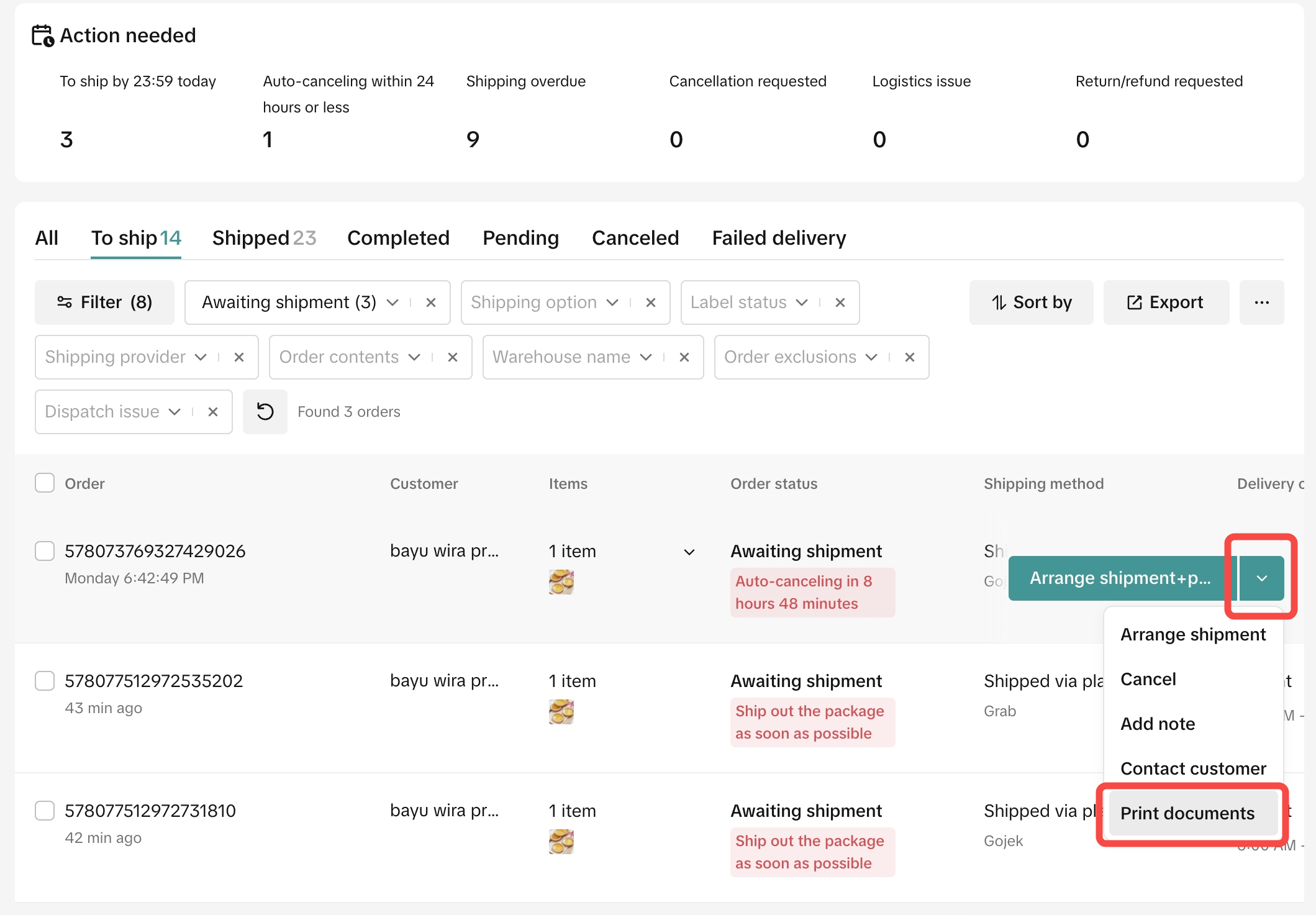
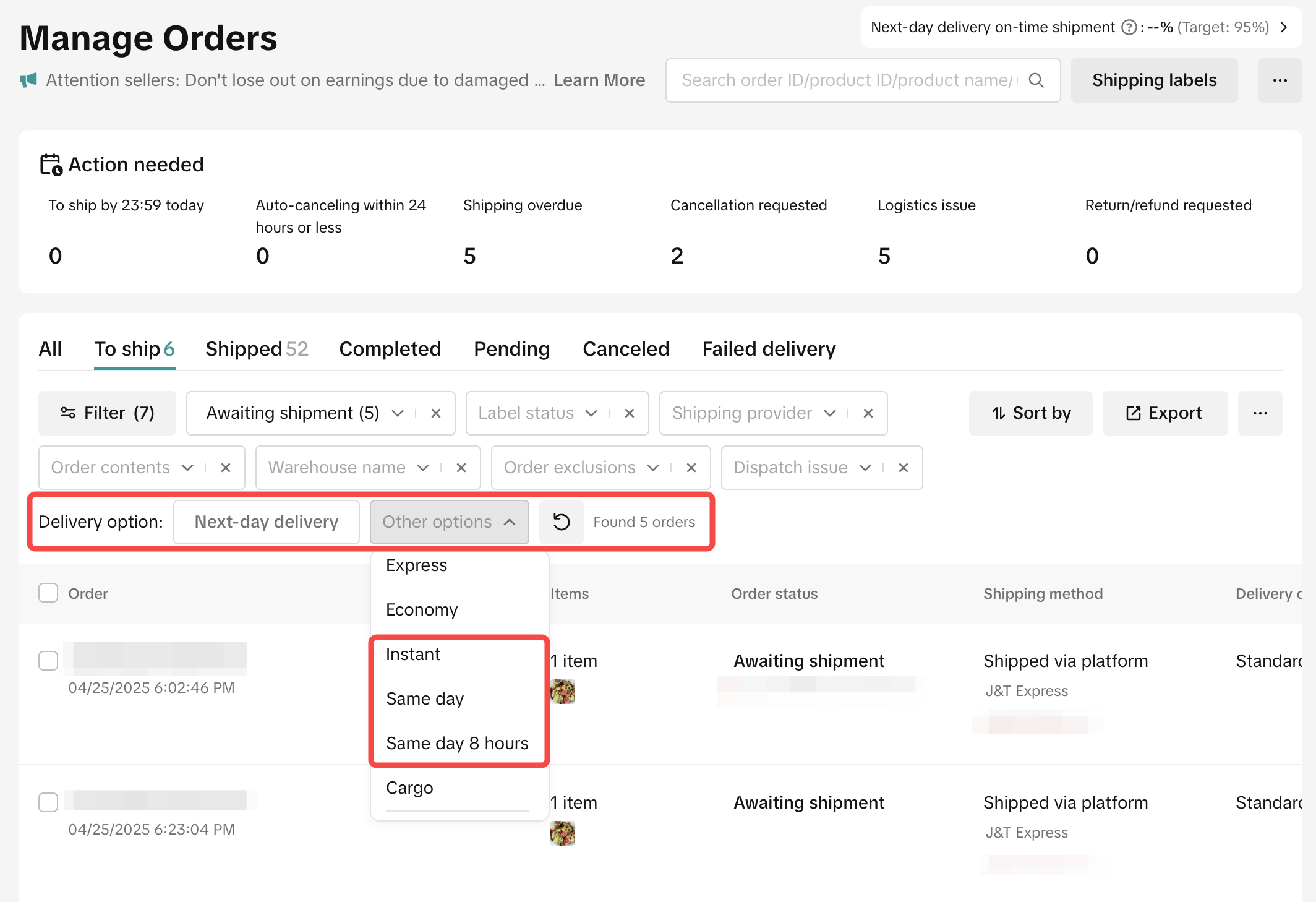
- Go to "Order management" then select orders you want to print shipping labels.
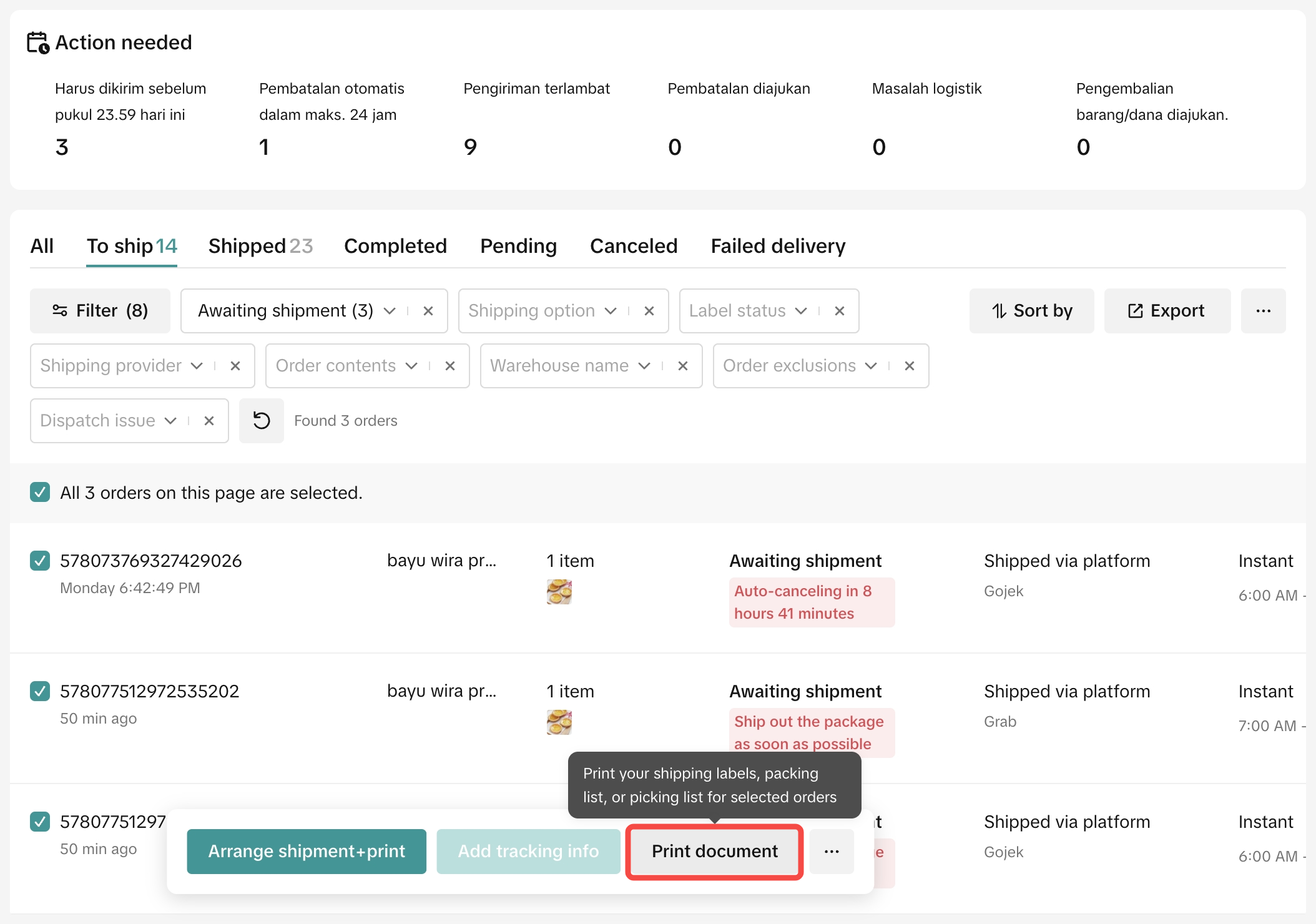
- Select for Instant 3 hours, Same day, or Same day 8 hours orders, then select 'print document'
Single Orders | Batch Orders |
 |   |
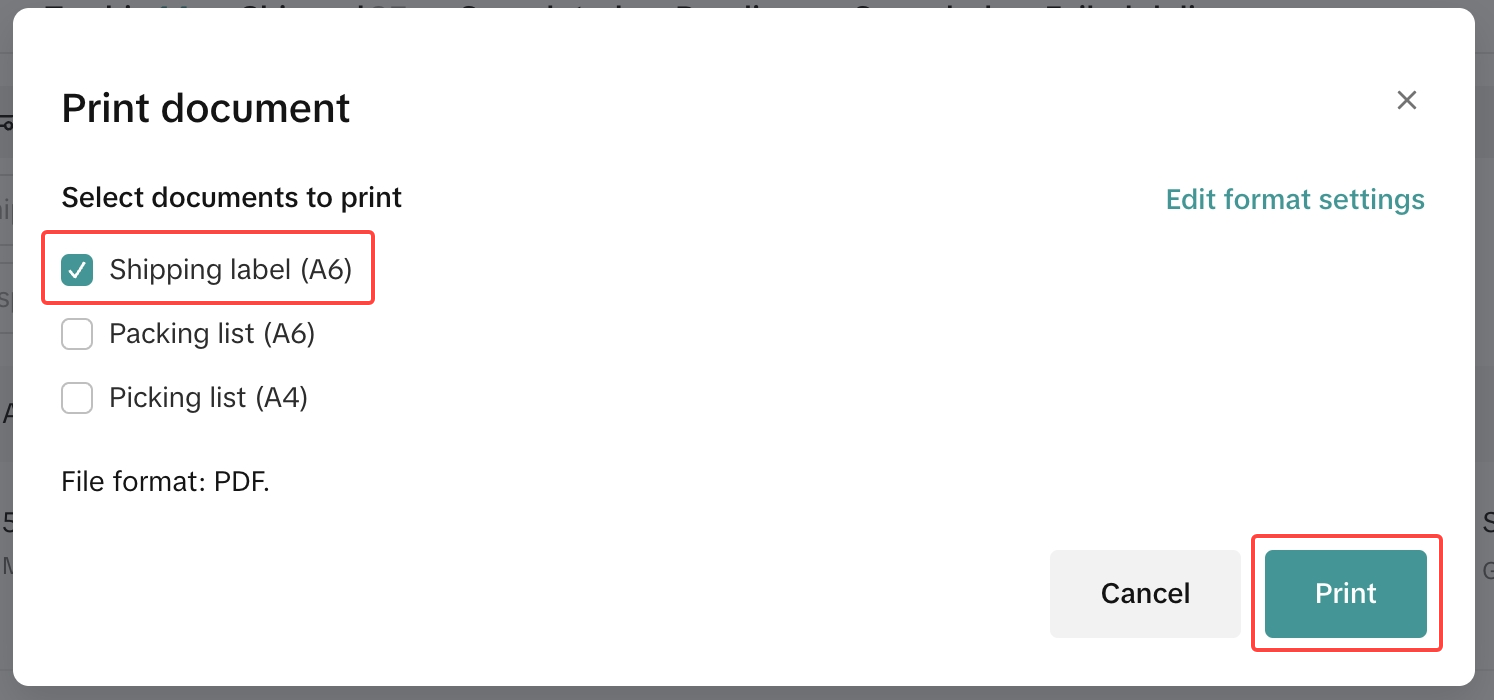
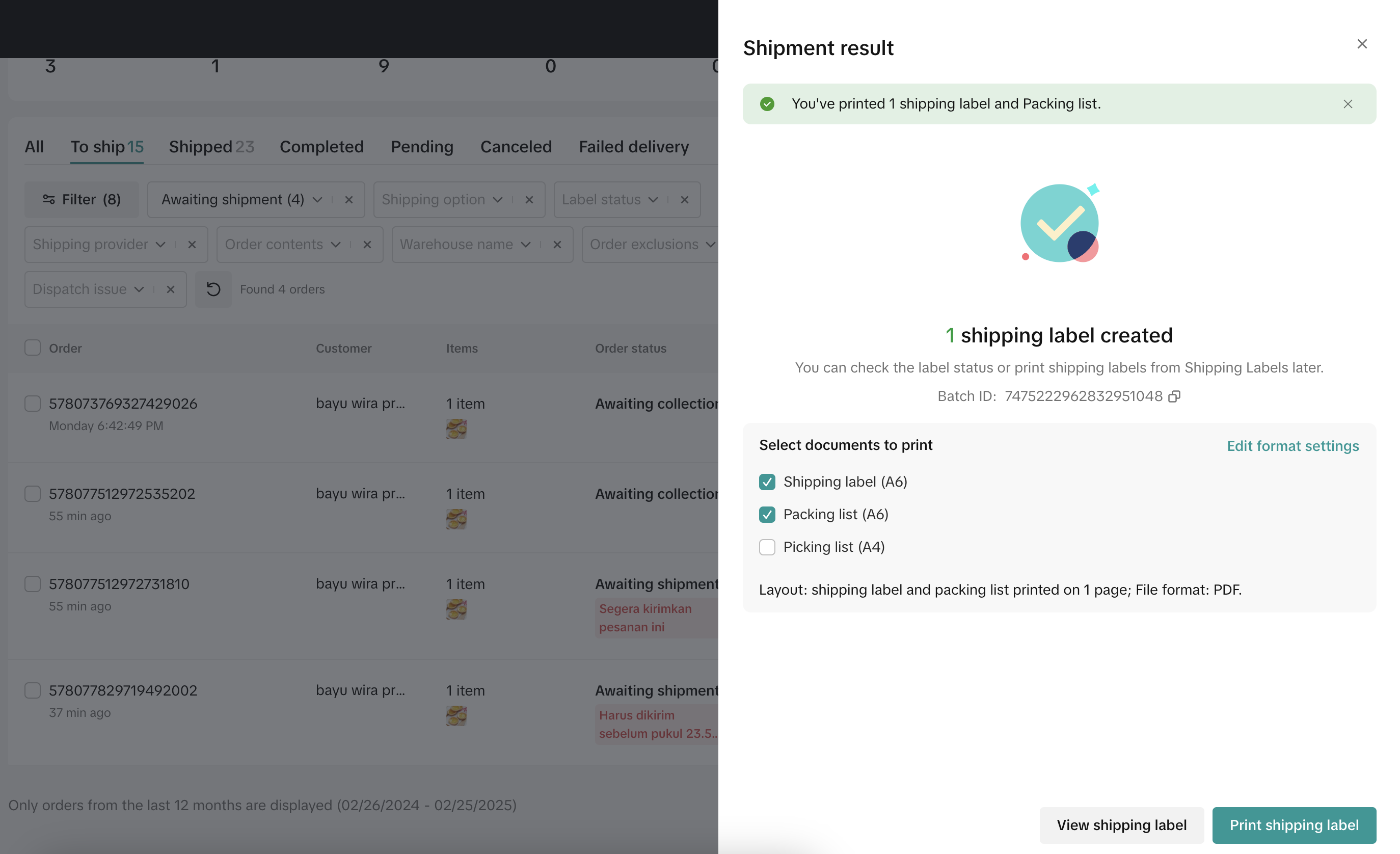
- Select "Shipping label" then "Print"
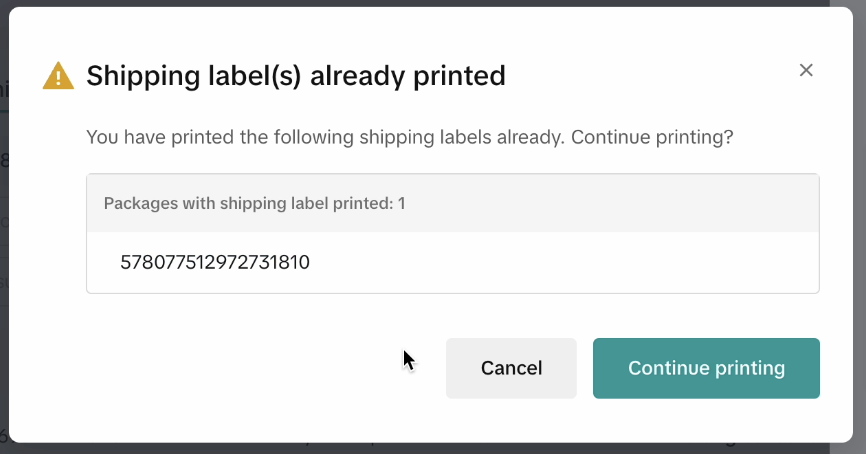
- When you arrange shipments, the system may direct you again to print shipping labels. You can ignore it.
 |  |