

Updating Personal Details via Seller Qualification Center
04/03/2025
Introduction
The Seller Qualification Center is a one-stop page displaying the personal details that are linked with your seller account. These are the details that you used to register a seller account with us.Accessing the Seller Qualification Center
The Seller Qualification Center can be accessed via the following:[My Account] >> [Account Settings] >> [Qualification Centre] >> [Seller Qualification]
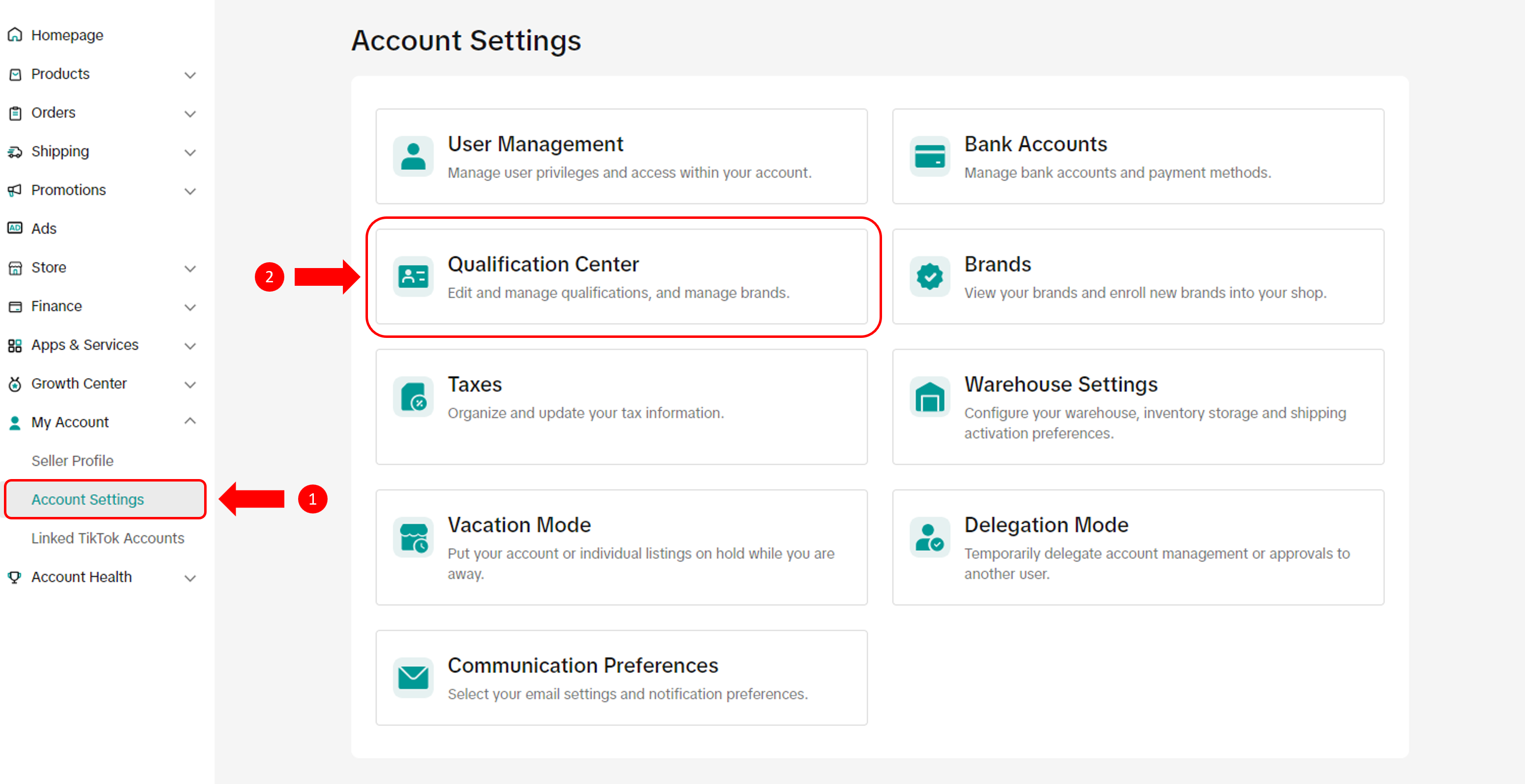
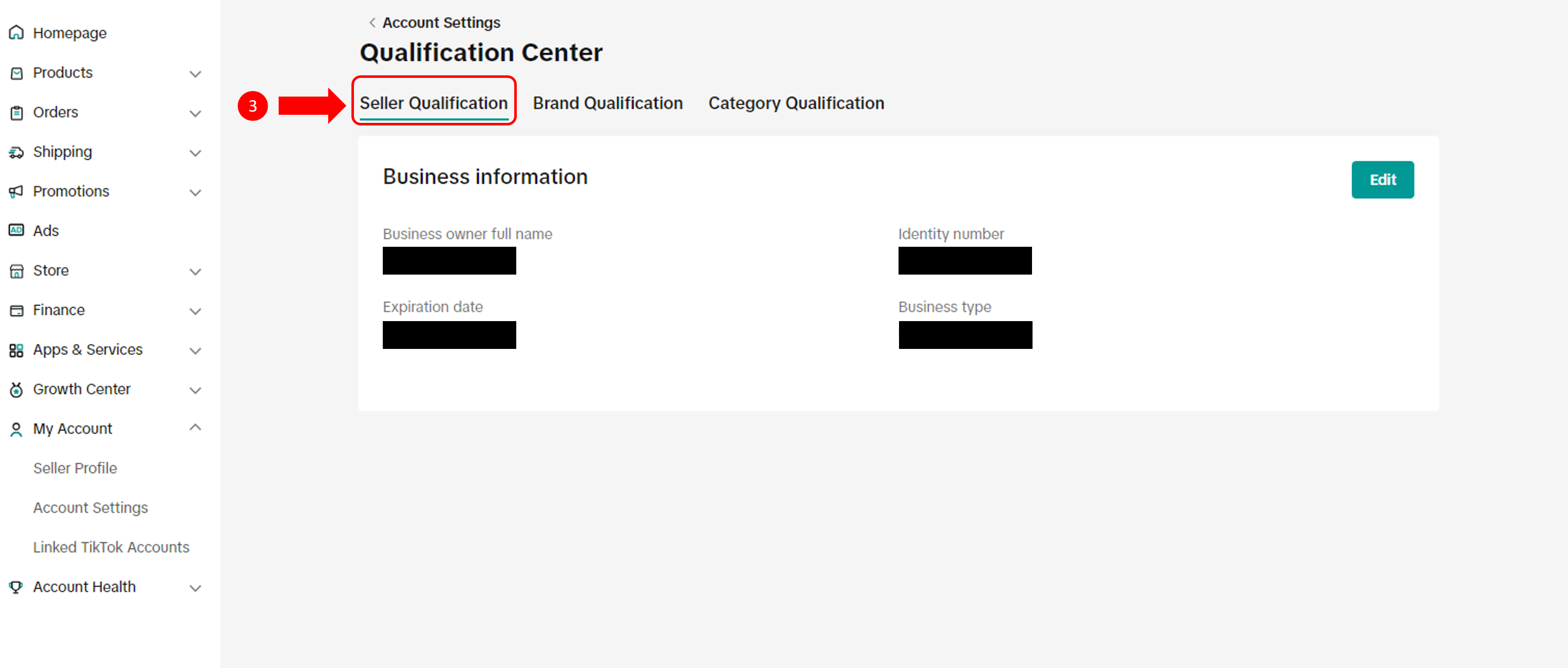
Editing Personal Details
In order to prevent any disruptions to your shop operations it is important to keep us updated on any changes in your personal details.On the Seller Qualification page, click on the "Edit" button to start. Please remember to have your supporting documents ready.
What Details Can I Edit?
| Business type | What can you edit? | Supporting document required |
| Personal Seller |
| Identity document |
| Corporate Seller |
| Business registration document |
What Happens After I Submit?
After submitting, we will review the changes before updating your information. You will receive a notification once this is done.Supporting Document Requirements
Similar to your previous experience when you first registered for a seller account, the supporting documents that you upload need to meet the following requirements so that we can verify the details.General Document Format Requirements
- Supporting documents uploaded must be of high quality, coloured and unobstructed. Angled, blurry, black-and-white, or cropped screenshots are also not allowed.
- Supporting documents must be government-issued, and valid at the time of submission (i.e. not expired).
Personal Sellers
- Supporting documents must be in either PNG or JPG format.
- The name on your identity document must match the name that you are editing to.
- The identity document you upload must be of the same type as what you used during seller registration (e.g. if you registered using an ID card, please provide your ID card this time as well).
Corporate Sellers
- Supporting documents must be in either PNG, JPG or PDF format.
- The company name on your business registration document must match the name that you are editing to.
You may also be interested in
- 5 lessons
Account Management
Learn how to maintain your account performance, understand key metrics, and ensure long-term shop he…
- 6 lessons
Getting Started & Registration
Step-by-step guidance to help you create a TikTok Shop by Tokopedia account, complete registration,…

Tokopedia & TikTok Shop Commitment for Your Integration Expe…
Thank you for the trust and constructive feedback you've shared with us. We’ve heard your feedback a…

Integration to Tokopedia App
This feature guide is intended for TikTok Shop by Tokopedia sellers, both who don't have and already…
Shop Ownership Change Process
Note: You will only be able to change ownership to corporate sellers (individual to corporate, or co…

What should I do if my account has been compromised?
If you are unable to sign in to your account or can no longer have access to the registered email or…

Late Dispatch Rate (LDR)
Note: Orders with Instant, Sameday, and Sameday 8-hour delivery are only available via Tokopedia. Cl…
New Shop Adjustment Period
All new shops on TikTok Shop by Tokopedia start in the Shop Adjustment Period. During this period, y…
What is the Seller Performance Evaluation Policy?
TikTok Shop by Tokopedia Seller Performance Evaluation At TikTok Shop by Tokopedia, we value safety,…
Inactive Seller Accounts
When will I be considered an Inactive Seller? Sellers that do not interact with their TikTok Shop by…