Order Cancellation
01/30/2026
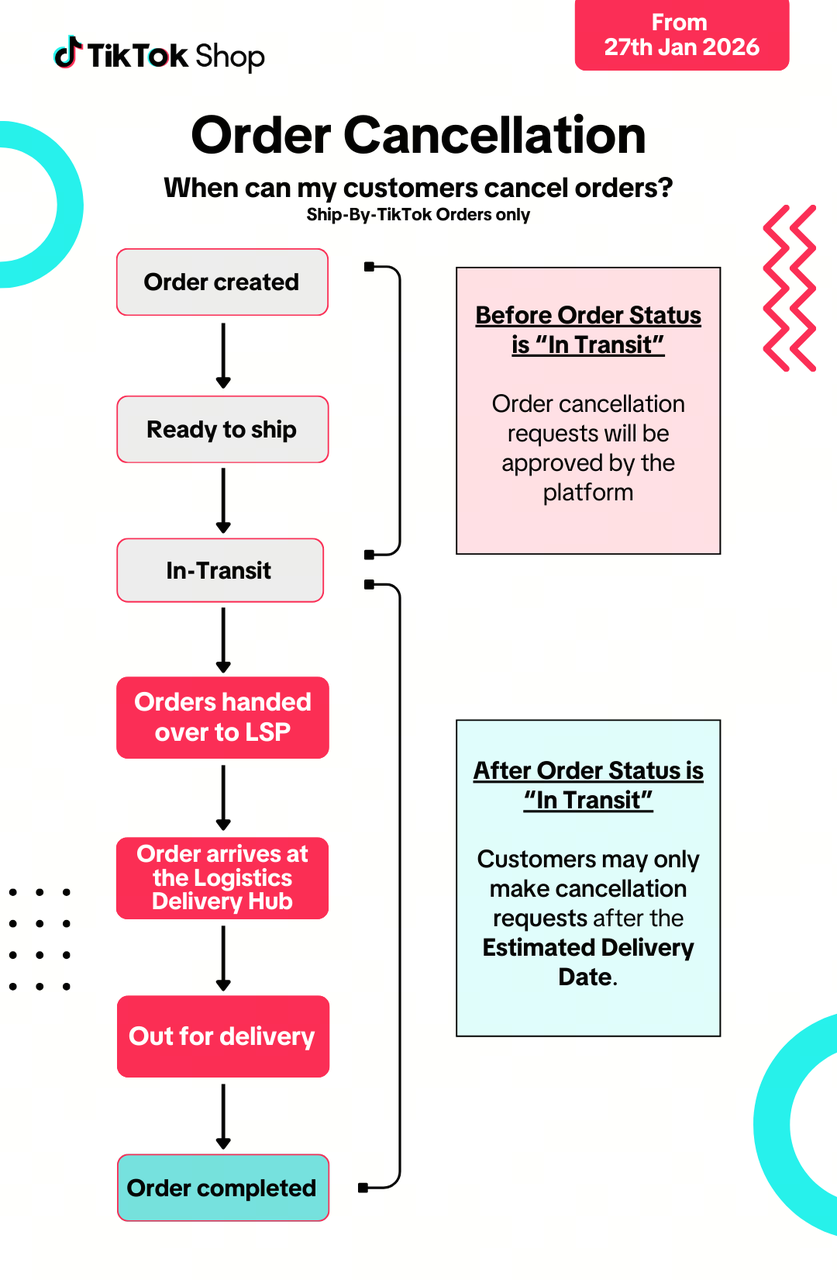
When can my customer cancel an order?
Shipped by Platform (Tokopedia & TikTok Shop by Tokopedia) Orders
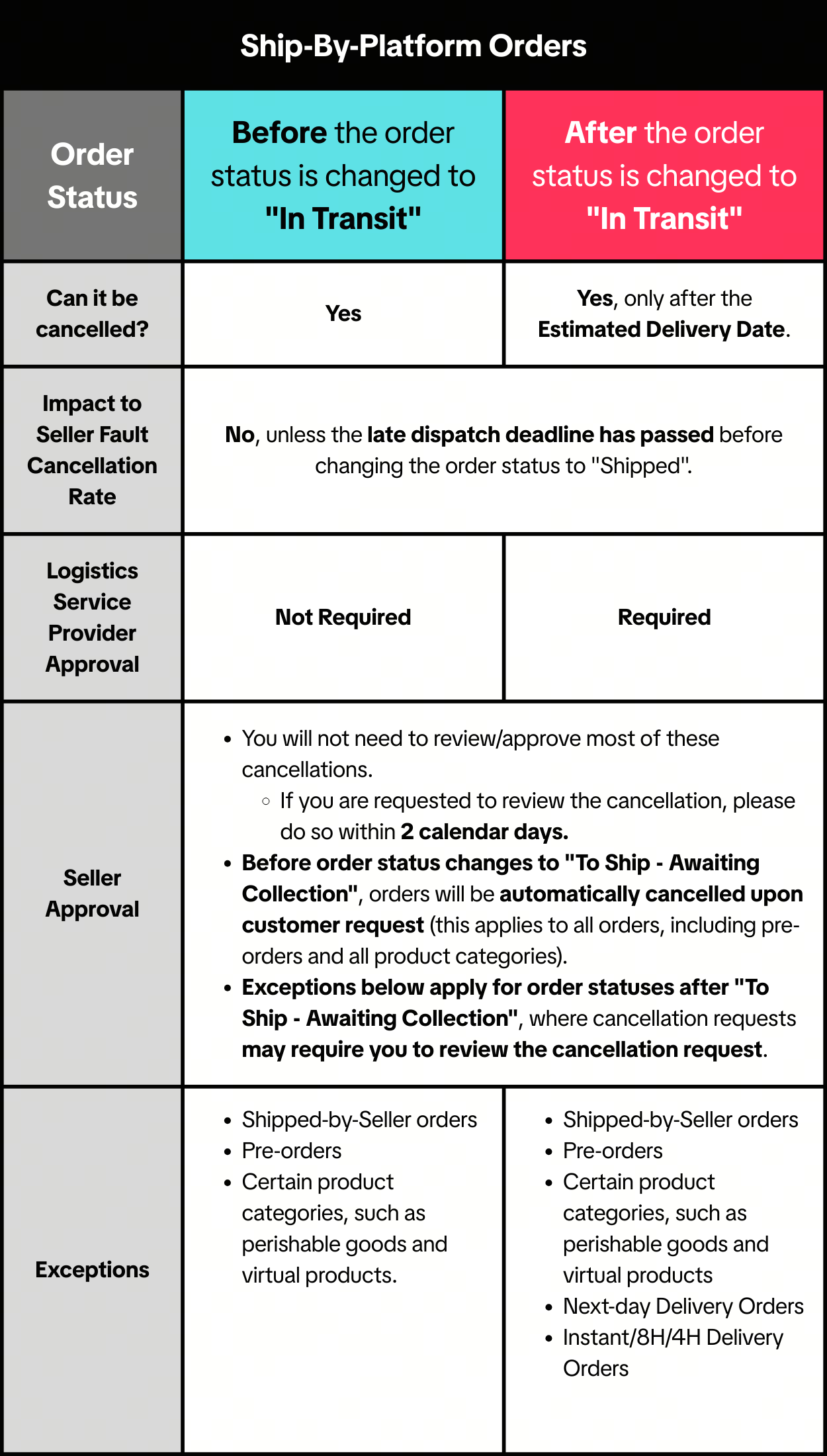
- For products cancelled after pick-up, the products will be returned to you by the LSP.
- If your order was mistakenly picked up by the Logistics Service Provider after order cancellation, please raise an appeal through the Seller Center.
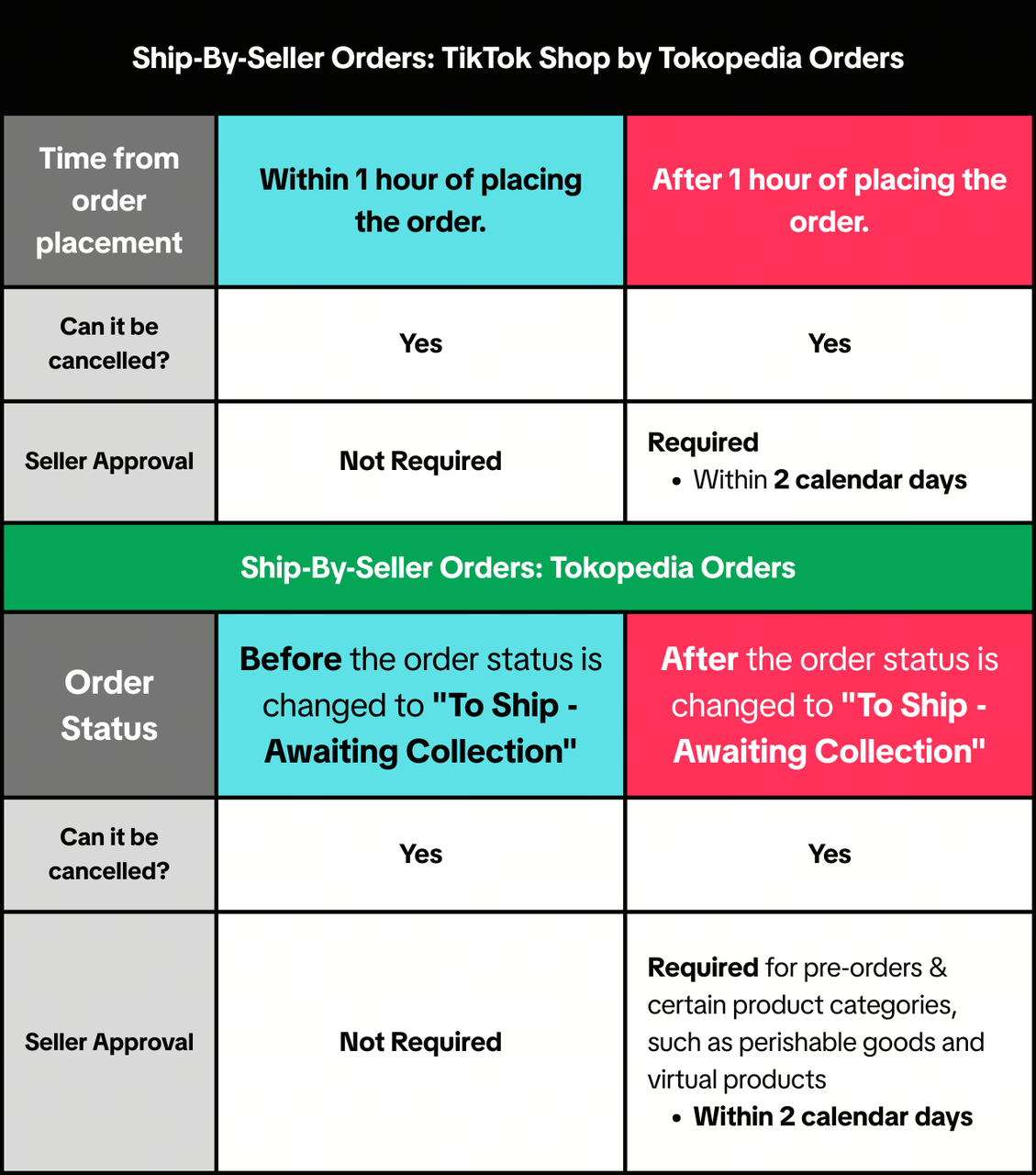
For Shipped by Seller orders
Auto-Approval Tool Activation
To help sellers improve customer experience, we may activate the "Auto-Approval Tool" in certain cases (as below). The tool helps to speed up order cancellation request approvals.How will this work?
- If sellers do not review >90% of received order cancellation requests in time for 1 month, the auto-approval tool will be activated.
- Only requests meeting the following criteria will be auto-approved using the tool:
- Total value of all products in the request <US$30 or Rp 500.000*(Can be adjusted)
- Any reason except "Suspected Counterfeit"
- Customers may only trigger the tool up to 3 times per month.
- Requests approved by the tool will be labelled as "Auto-approved by seller rules" on the Manage Cancellation page.
- The tool will be activated for a minimum of 15 calendar days, but can be deactivated after 15 calendar days through the Fulfillment Settings page.
Example: How Auto-Approval may apply
Scenario 1: Single high-value request
| Result
|
Scenario 2: Multiple low-value requests from the same customer
| Result
|
When will the platform cancel orders?
For information on when we may cancel orders, please read our Order Fullfillment Timelines article.When can I cancel orders?
- If you have not shipped the order or updated the order status to "Shipped" yet
- If you are unable to fulfill the order because you have insufficient stock or the relevant product suffered unforeseen damage
- Promptly inform your customer of the cancellation via an in-app notification
- Provide the reason(s) for the cancellation in English or your customer's language, whichever is applicable
- Not ask your customer to cancel the order instead
- Issue your customer a full refund for the order
Please see our Violation Reasons, Points & Enforcement Actions for Sellers article and Seller Terms of Service for more information. If you think an enforcement action has been taken against you in error, appeal via the Seller Center. Please read our Seller Appeal Guidelines article for more information.
Where can I view my Order Cancellations?
You may view your cancelled orders by navigating to Seller Center -> Manage Orders -> Cancelled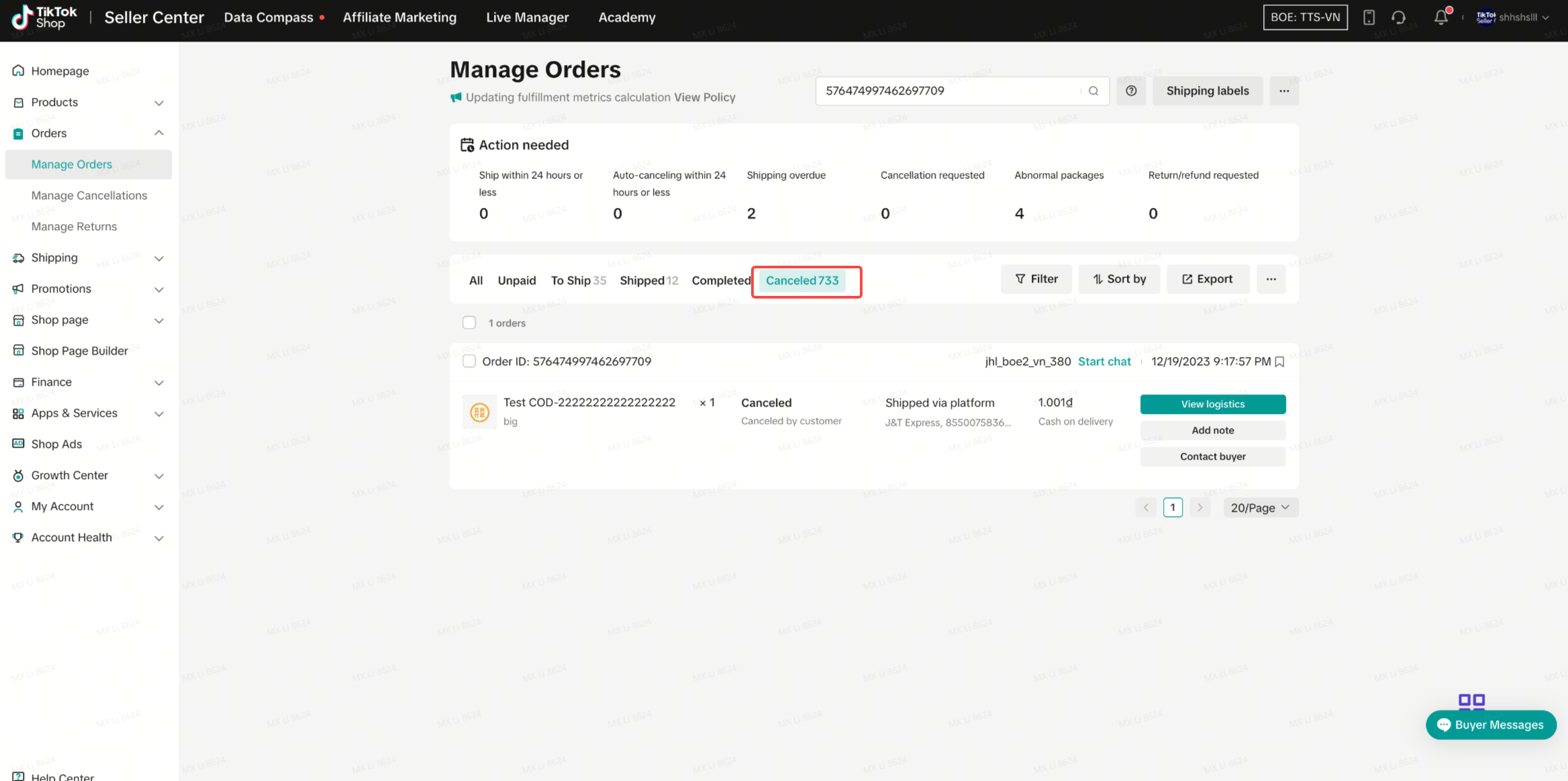
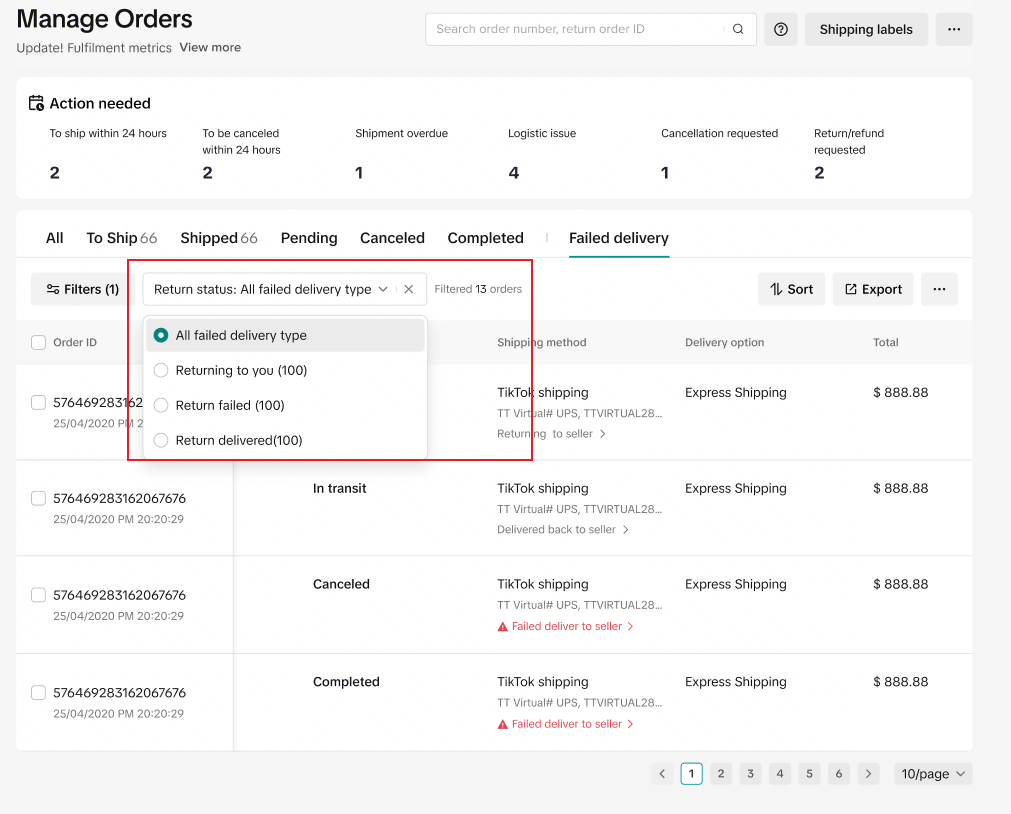
How can I track logistics status of cancelled orders after the orders are in-transit?
You may track the logistics status of your cancelled orders by navigating to Seller Center -> Manage Orders -> Failed Delivery