

Mall Onboarding and Management
07/21/2025
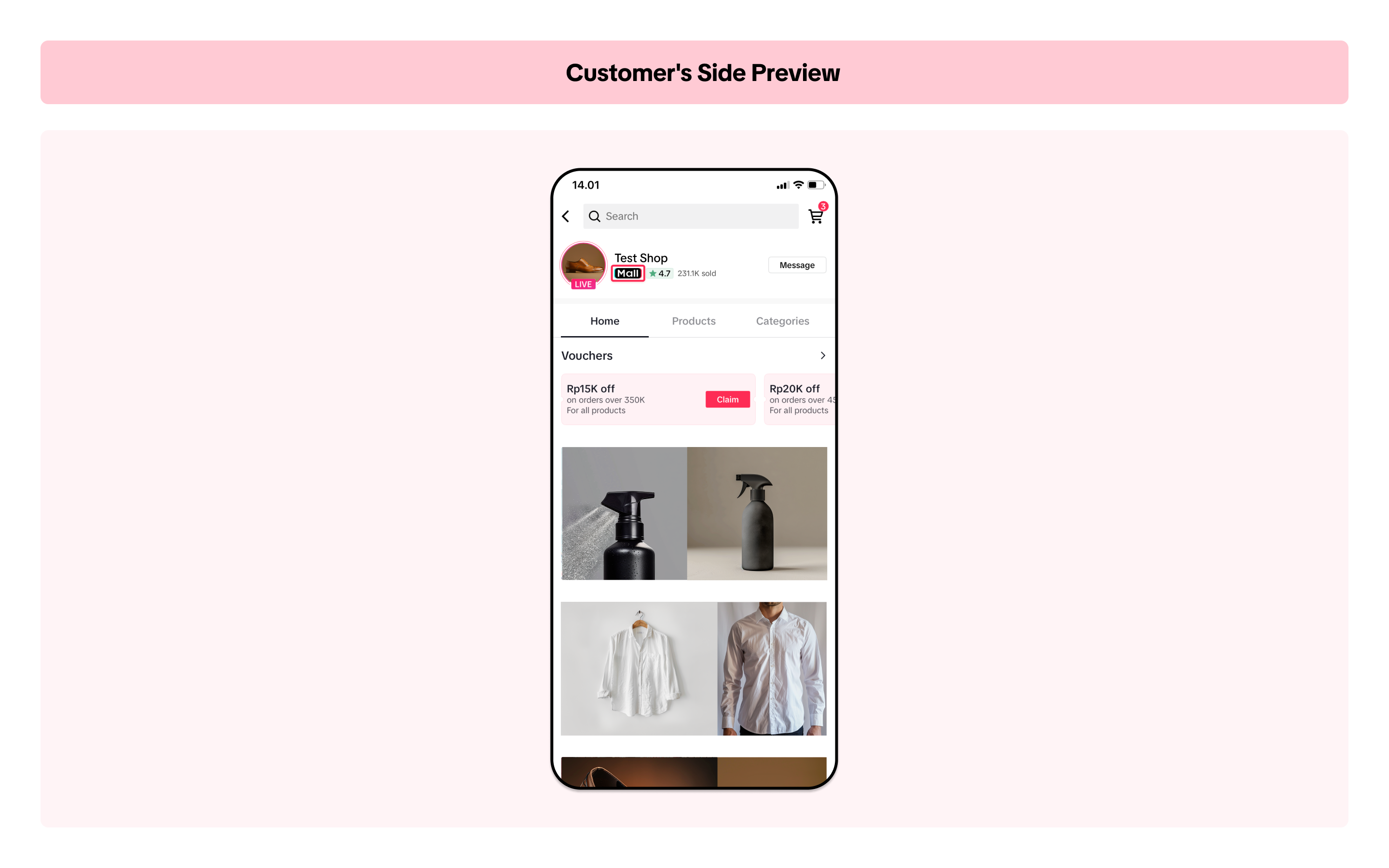
This is what it looks like on customers' side:

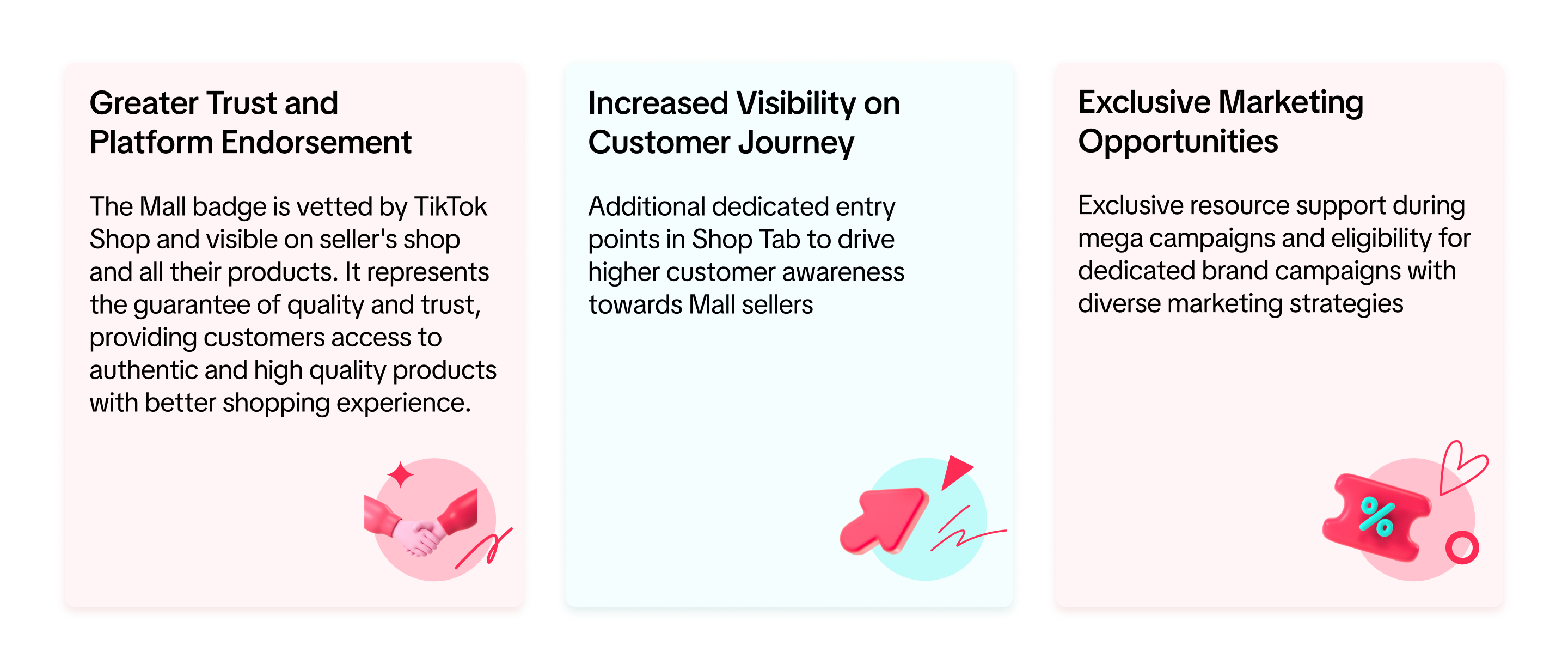
Benefits of Mall

How to Register
- Go to Seller Center > Growth > Mall
- You will see your eligibility to register for the Mall program
- Click View More to get more details and start improving your shop to be eligible as Mall seller
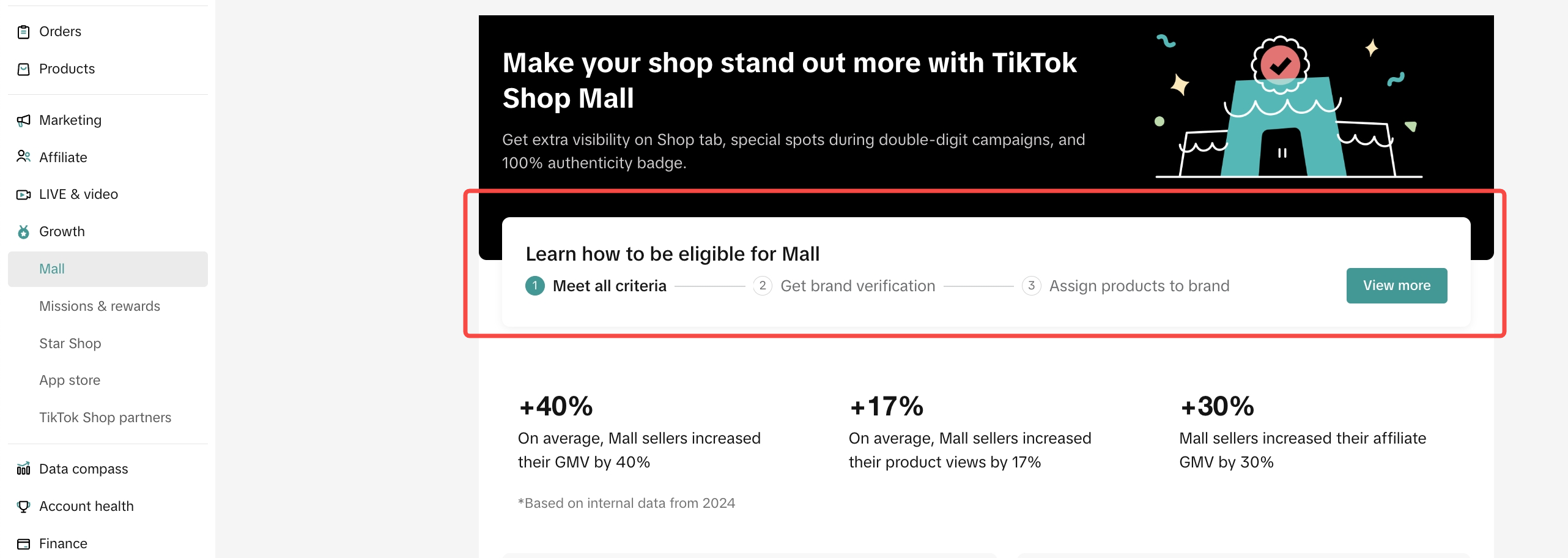
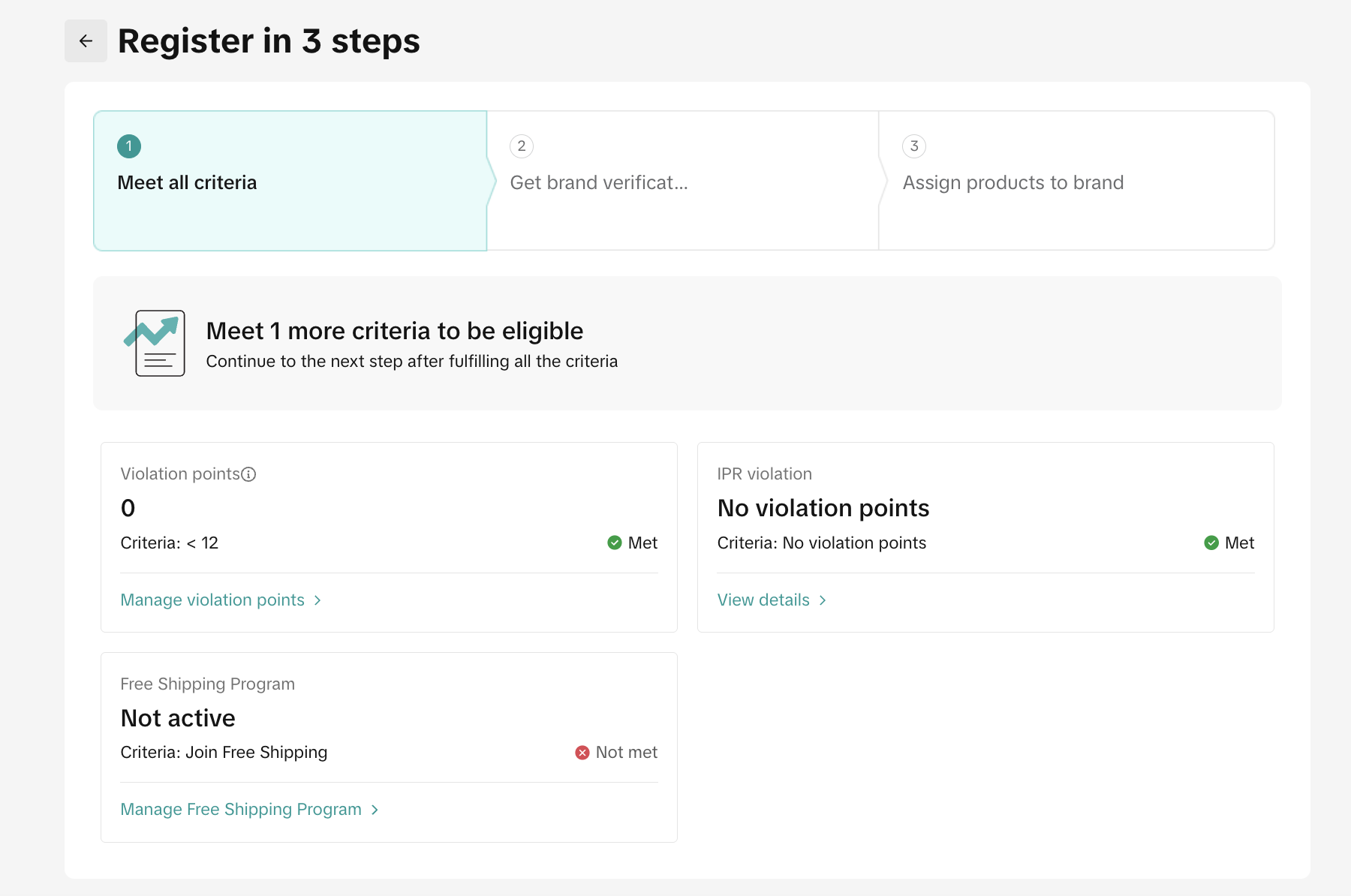
- Meet all basic criteria:
- Violation points
- IPR violations
- Etc
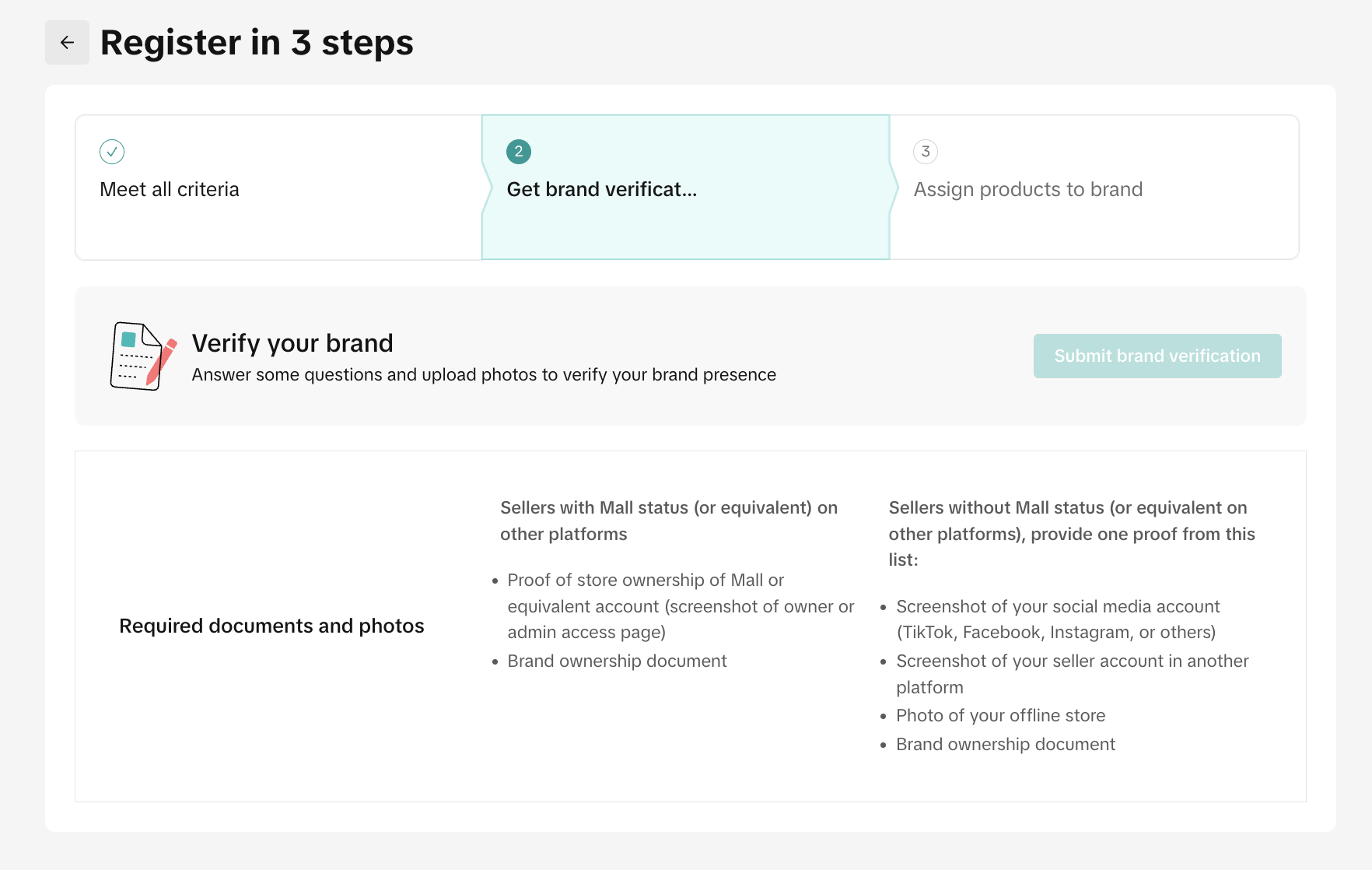
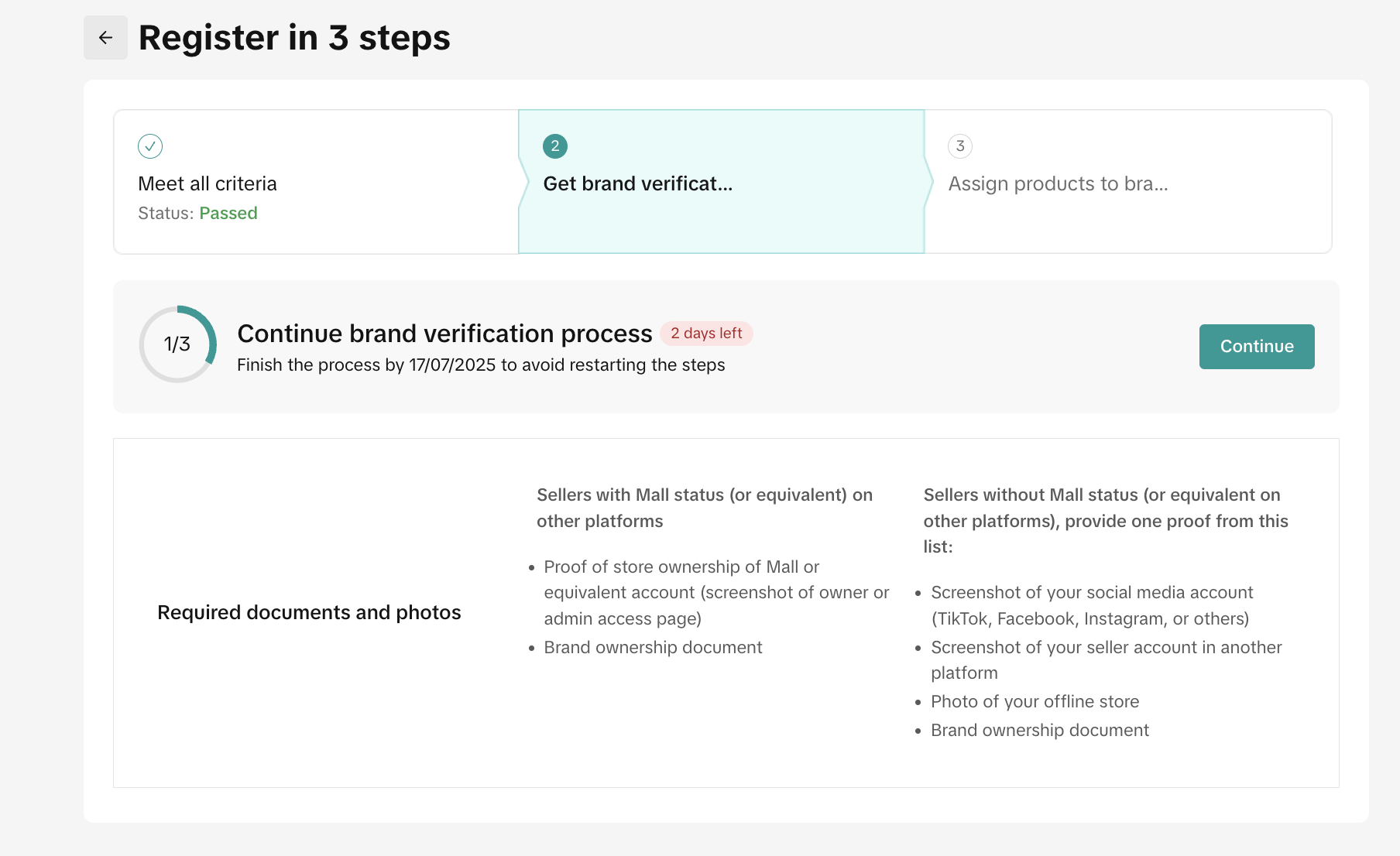
- Get brand verification:
- Sellers with Mall status on other platforms: Provide proof of store ownership of Mall equivalent account, or brand ownership document
- Sellers without Mall status on other platforms: Provide one proof either screenshot of social media account, account as seller in other platforms, photo of your offline store, or brand ownership document
- Assign Products to Brand:
- Add brand authorization: Submit at least 1 brand qualification document
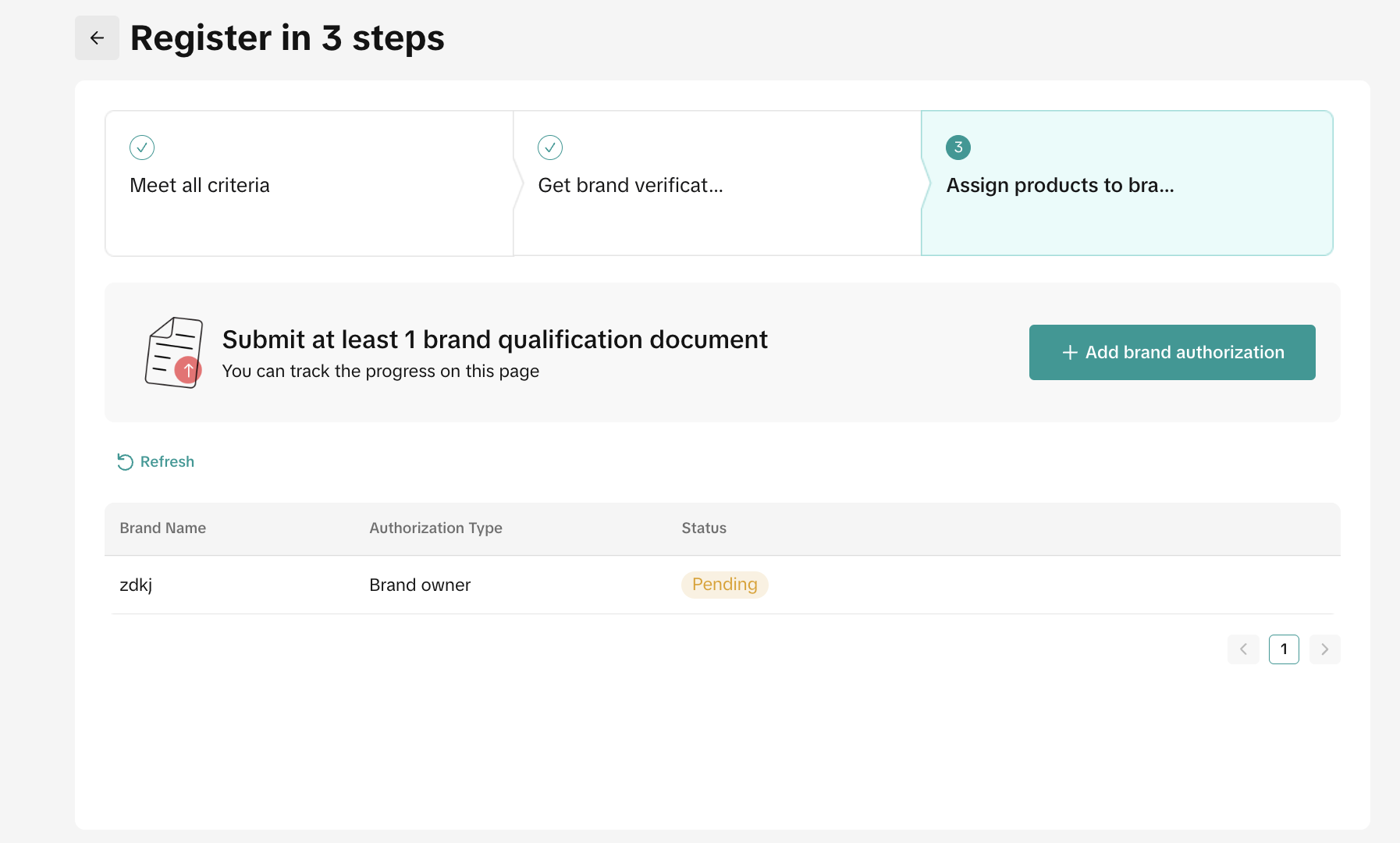

- Add brand authorization: Submit at least 1 brand qualification document
How to Manage Mall Program
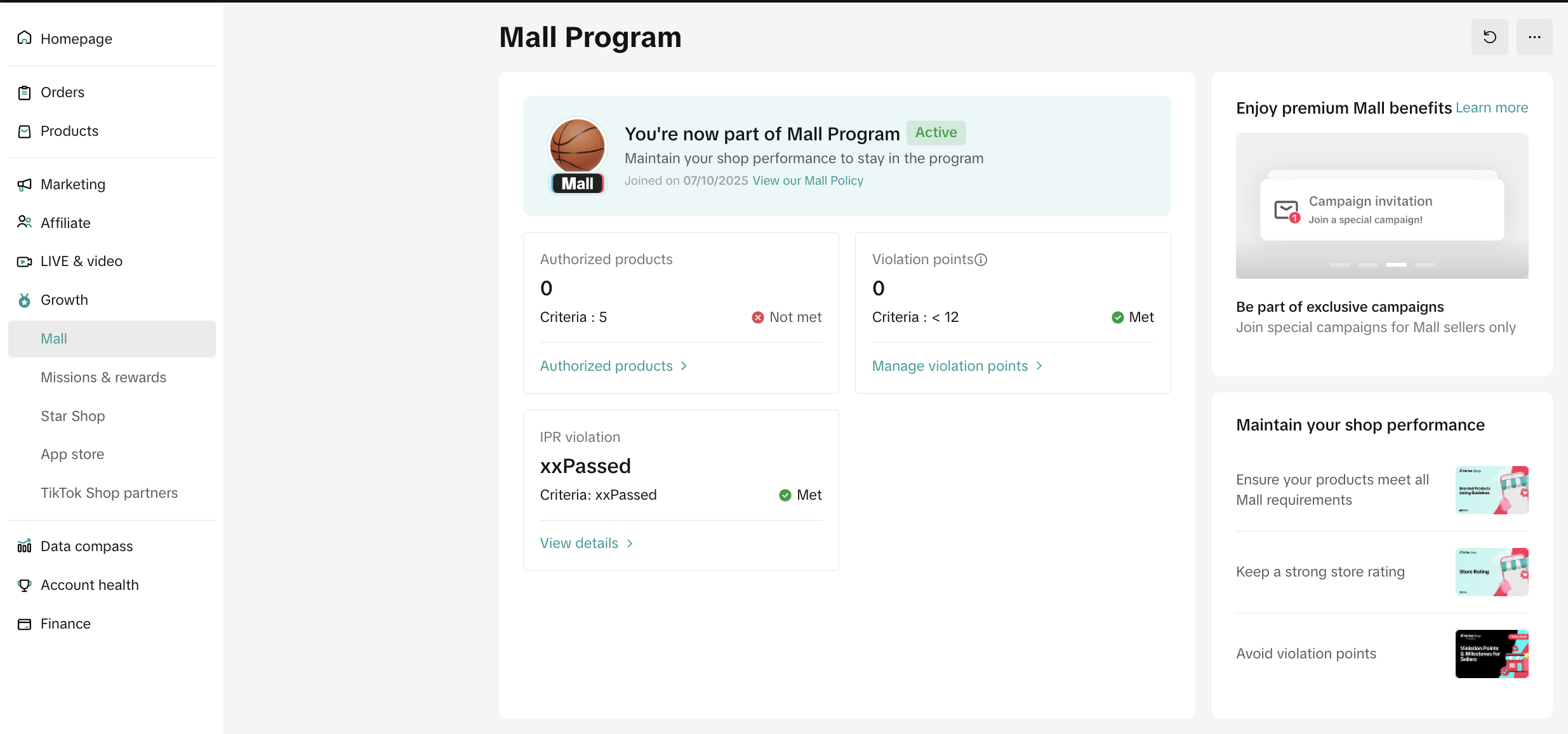
Sellers can see their Mall status and start managing their list of products, its brands and also their Shop Performance through the Mall page.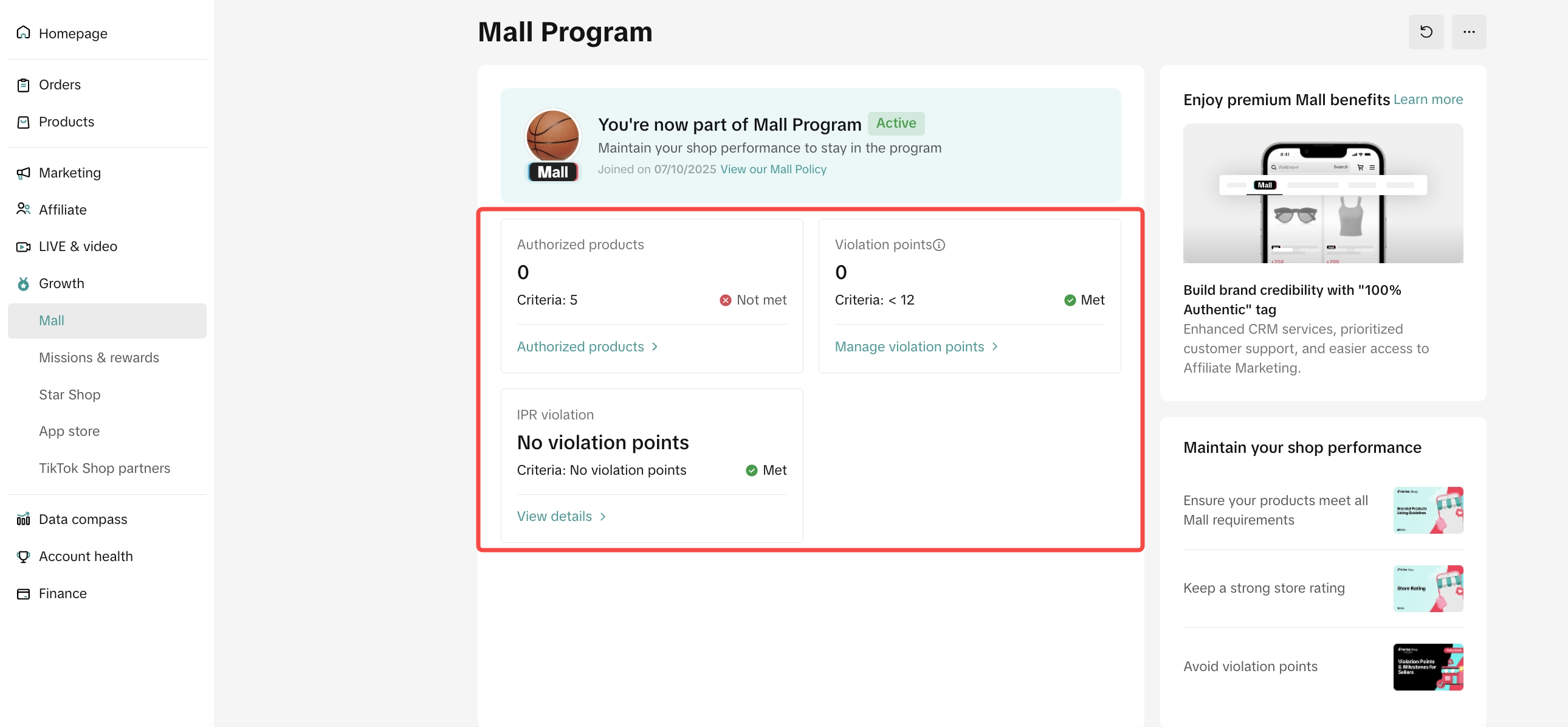
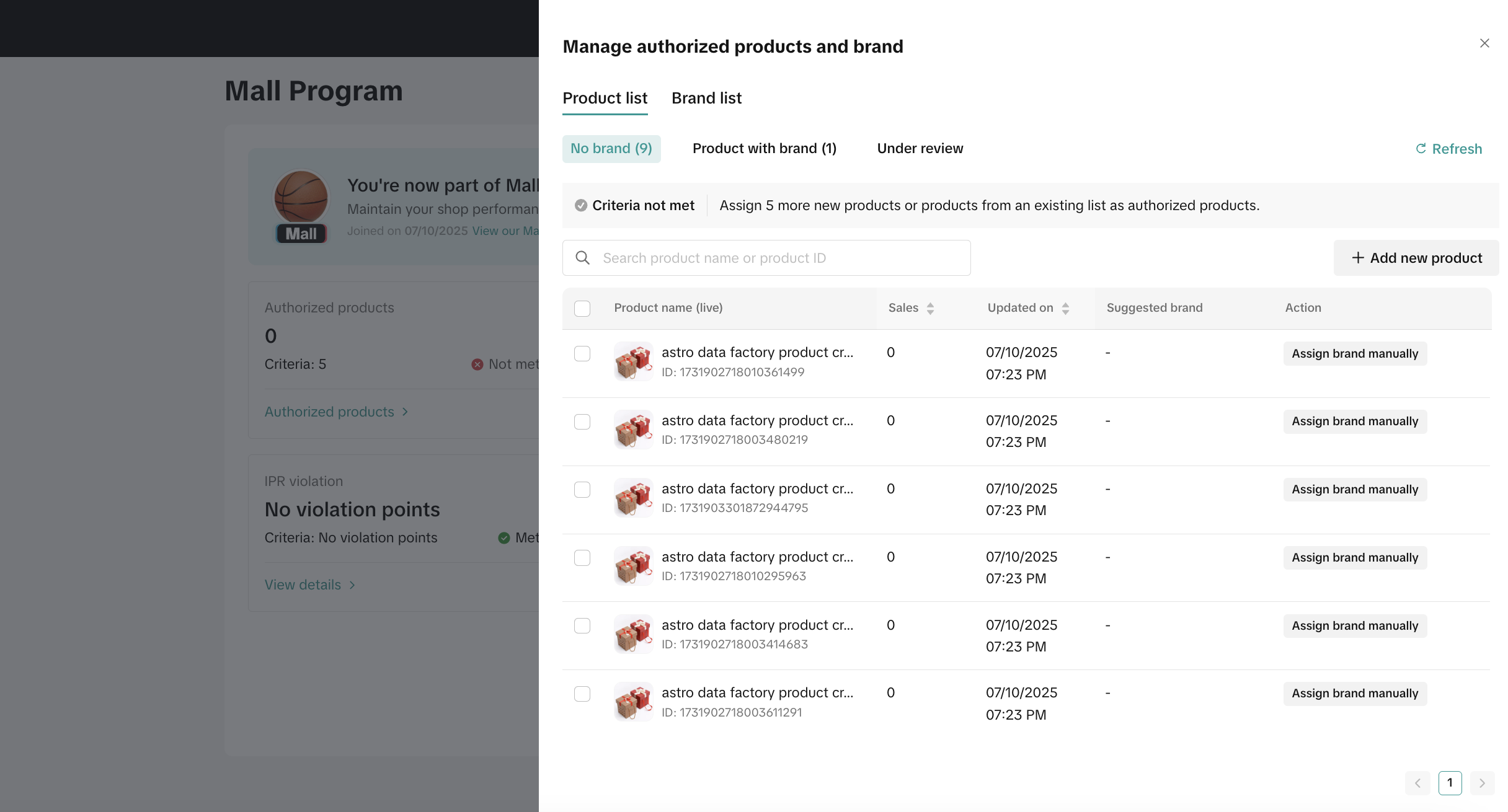
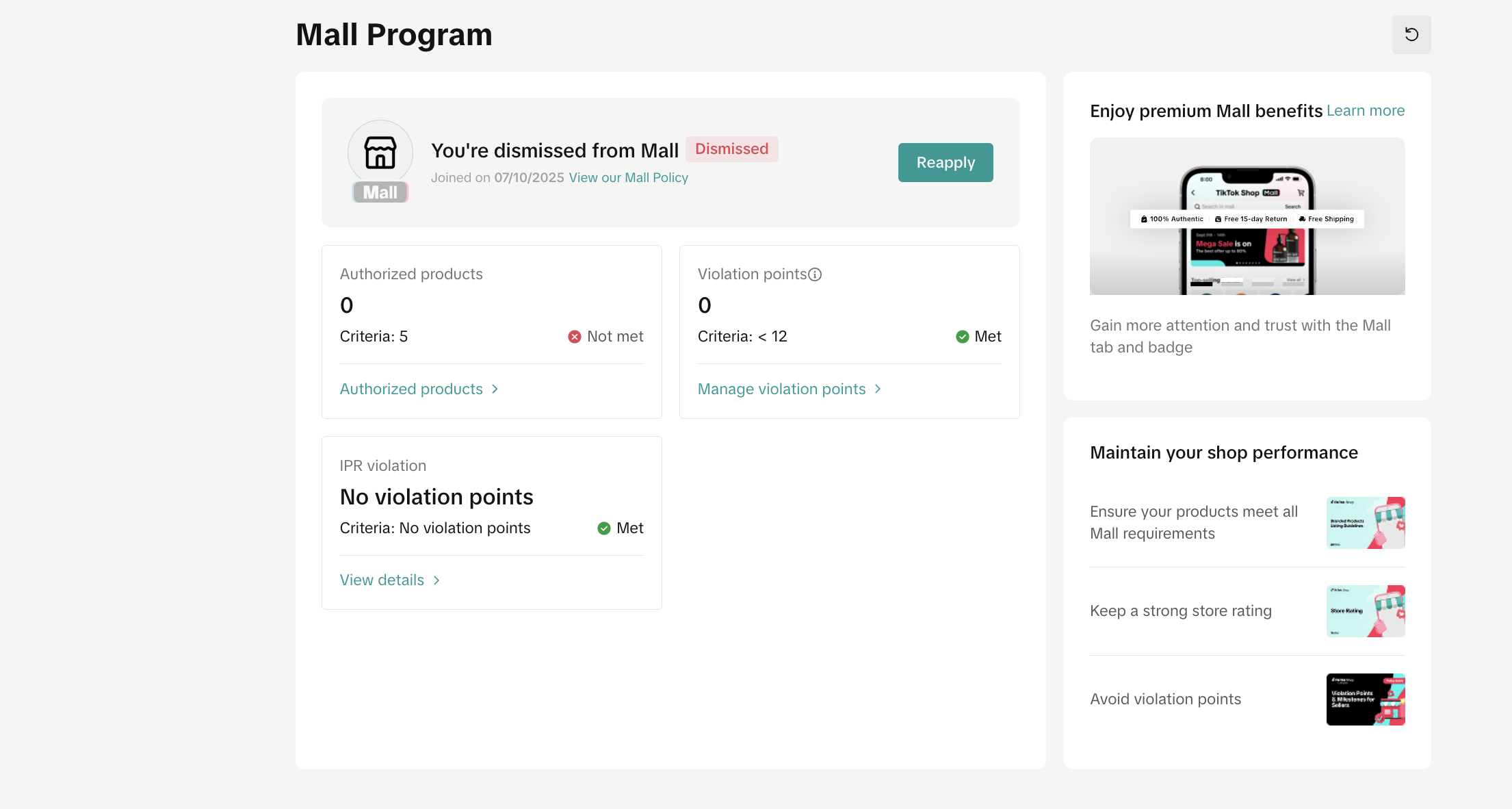

Eligibility Criteria and Terms of Service
You can find the details of eligibility criteria policies and Terms of Service of Mall program here:
FAQ
- Who can manage the Mall program from Seller Center?
- Only the main admin has access to view the Mall page
- What if my registration gets rejected?
- Seller can re-apply by improving specific parts. Please follow the exact deadline to avoid re-start from the previous steps
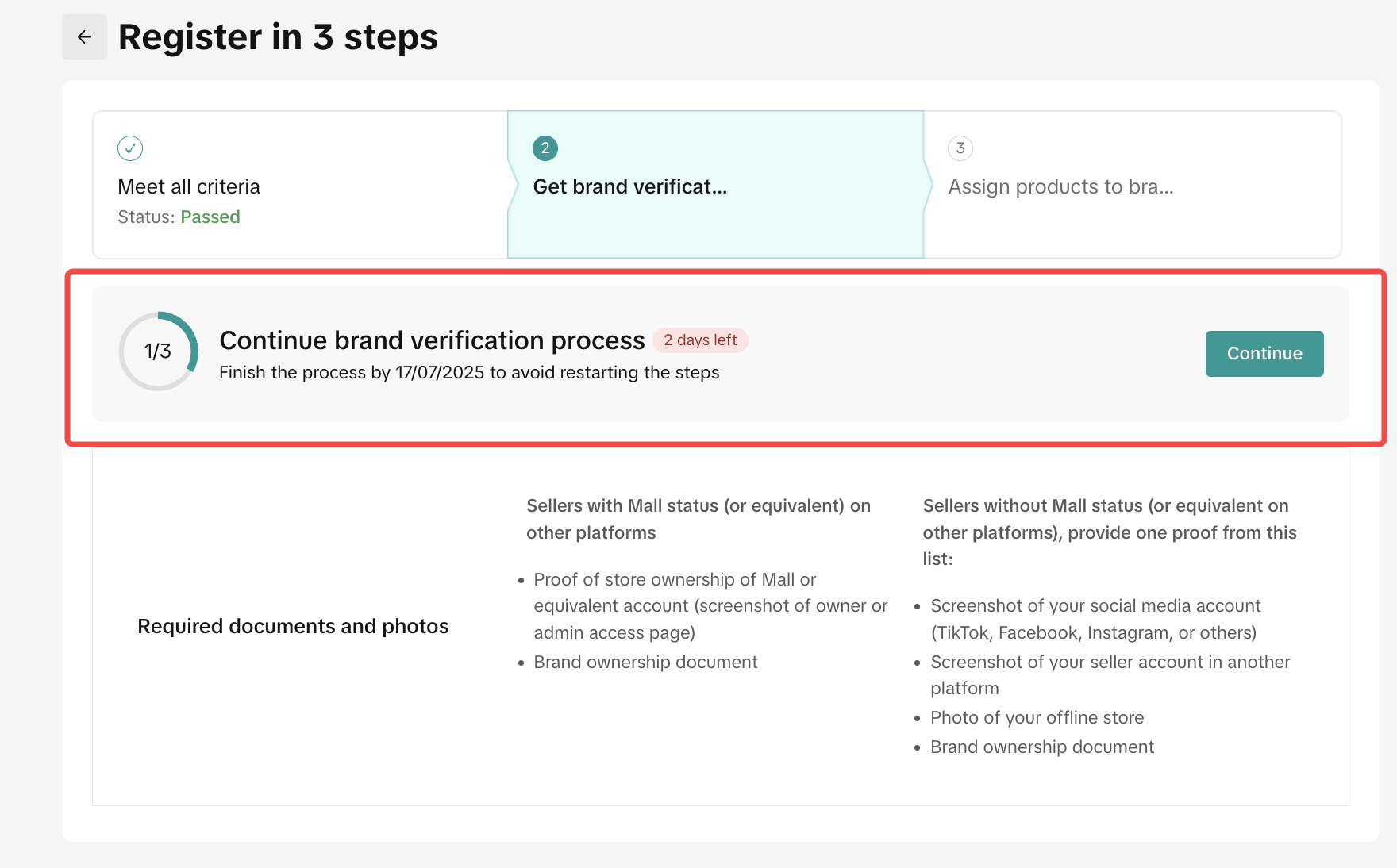
- Seller can re-apply by improving specific parts. Please follow the exact deadline to avoid re-start from the previous steps
You may also be interested in
- 5 lessons
Account Management
Learn how to maintain your account performance, understand key metrics, and ensure long-term shop he…
- 6 lessons
Getting Started & Registration
Step-by-step guidance to help you create a TikTok Shop by Tokopedia account, complete registration,…

Tokopedia & TikTok Shop Commitment for Your Integration Expe…
Thank you for the trust and constructive feedback you've shared with us. We’ve heard your feedback a…

Integration to Tokopedia App
This feature guide is intended for TikTok Shop by Tokopedia sellers, both who don't have and already…
Shop Ownership Change Process
Note: You will only be able to change ownership to corporate sellers (individual to corporate, or co…

What should I do if my account has been compromised?
If you are unable to sign in to your account or can no longer have access to the registered email or…

Late Dispatch Rate (LDR)
Note: Orders with Instant, Sameday, and Sameday 8-hour delivery are only available via Tokopedia. Cl…
New Shop Adjustment Period
All new shops on TikTok Shop by Tokopedia start in the Shop Adjustment Period. During this period, y…
What is the Seller Performance Evaluation Policy?
TikTok Shop by Tokopedia Seller Performance Evaluation At TikTok Shop by Tokopedia, we value safety,…
Inactive Seller Accounts
When will I be considered an Inactive Seller? Sellers that do not interact with their TikTok Shop by…