

LIVE Moderator
03/18/2024
Who can use this feature?
The LIVE moderator feature is available to all e-commerce livestreaming hosts, including sellers and creators. A moderator is a separate account from the Host, and is added as a moderator by the Host. Note: The location of both accounts must be in the same country.What is Moderator?
A moderator is like the host's assistant during the Livestream and can help with managing comments, users and products during the livestream. The moderator can do this from their own phone.Why should I use a Moderator?
One Livestream, two smart phones: When the host uses their smartphone to go LIVE, they have to use their front camera to manage comments and products while they are Live. However, the front camera has low pixels and severely limits the host's range of movement. Moderators can help solve this problem by helping you manage comments and pin products on your behalf.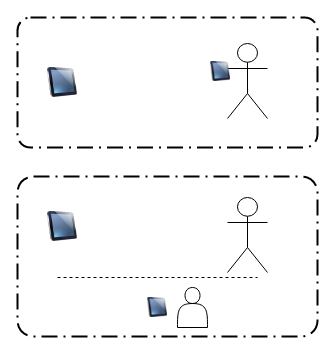
How to set up and manage Moderator?
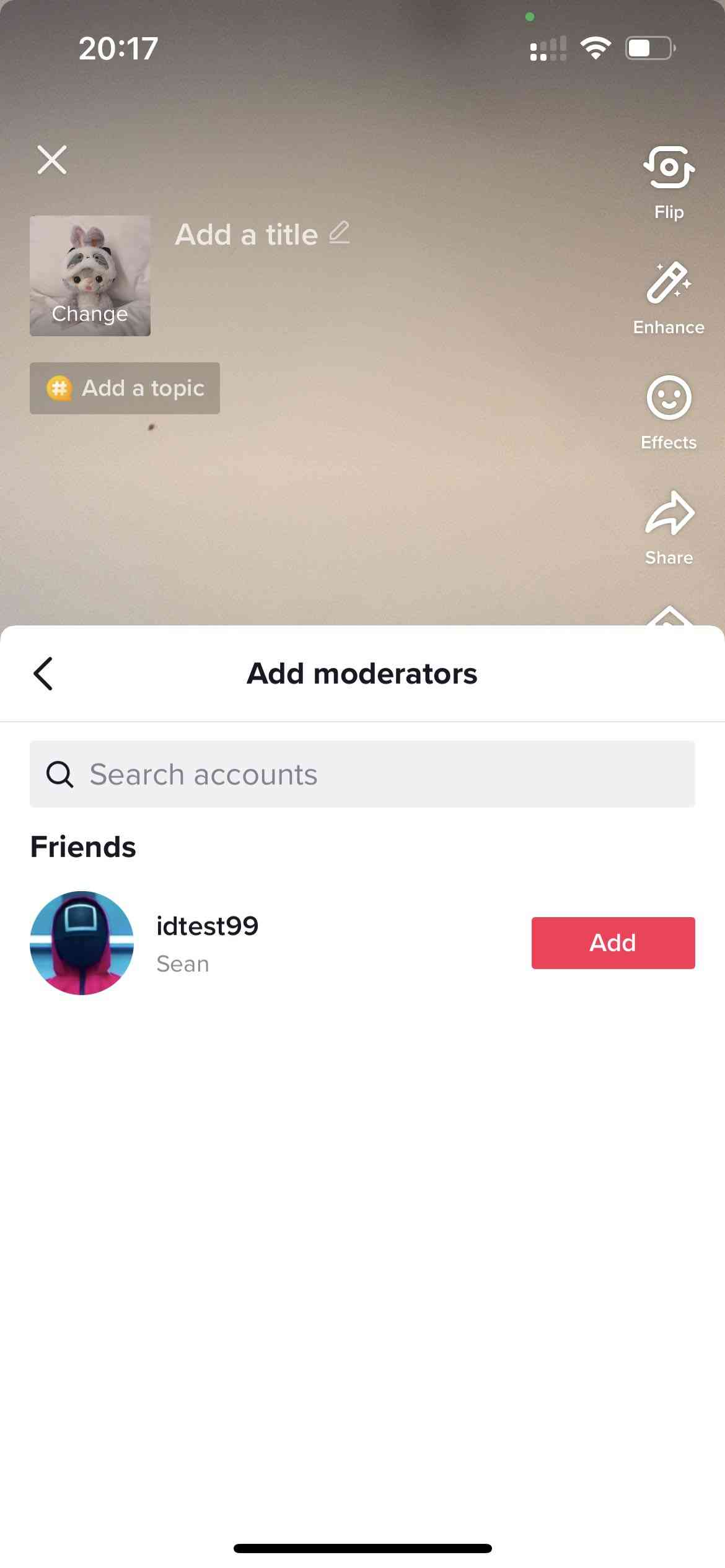
There are 2 types of users that can be added as Moderators【Method 1:Add Friends as moderator】Hosts and users to be added as moderators must follow each other (users who follow each other are considered "friends")【Method 2:Add LIVE viewer as moderator】Host can directly add a viewer seat moderator in the live room.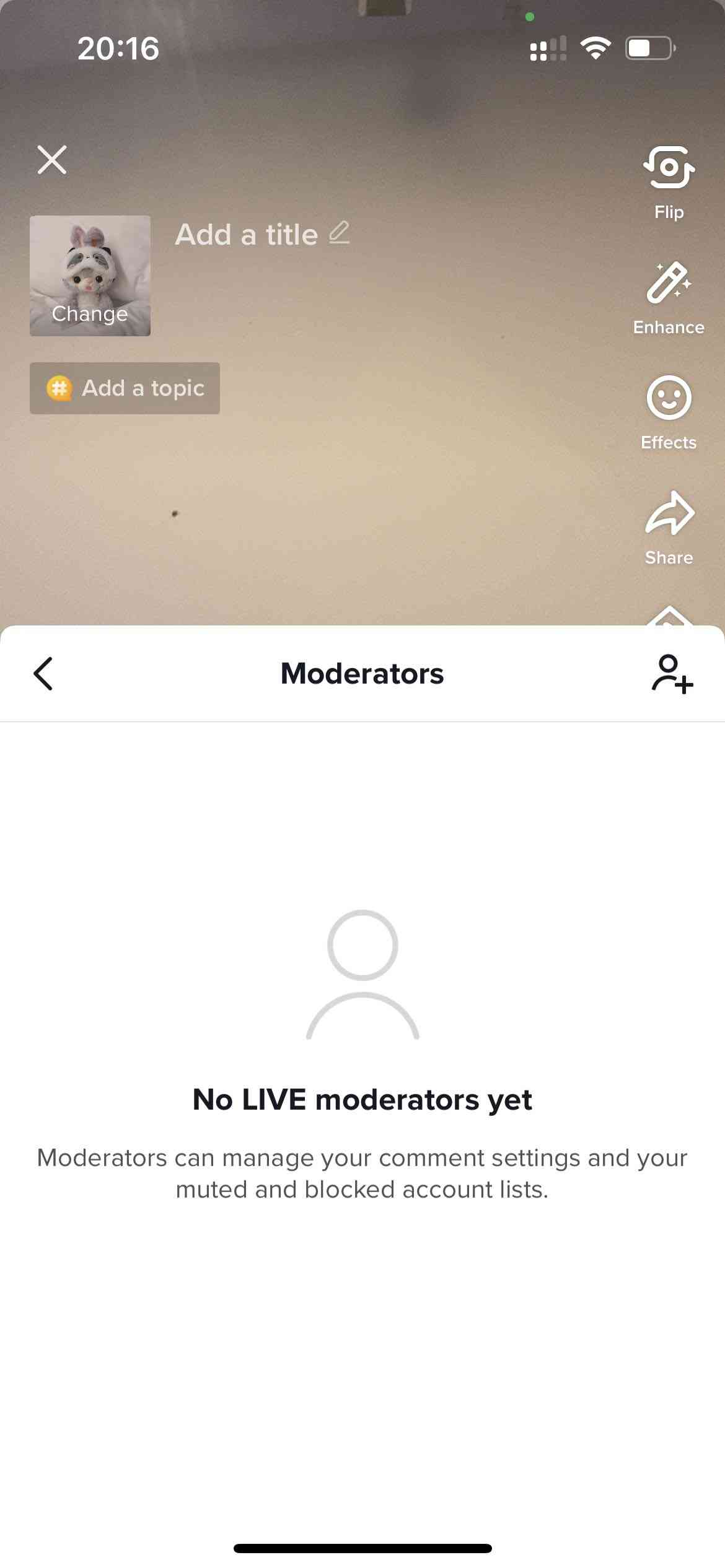
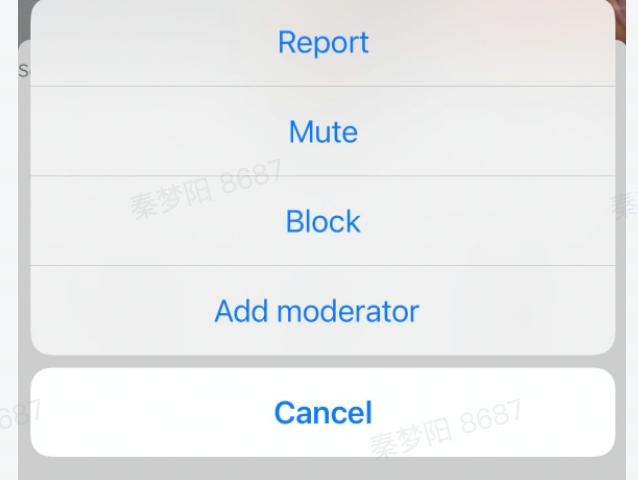
How to manage Moderator permissions?
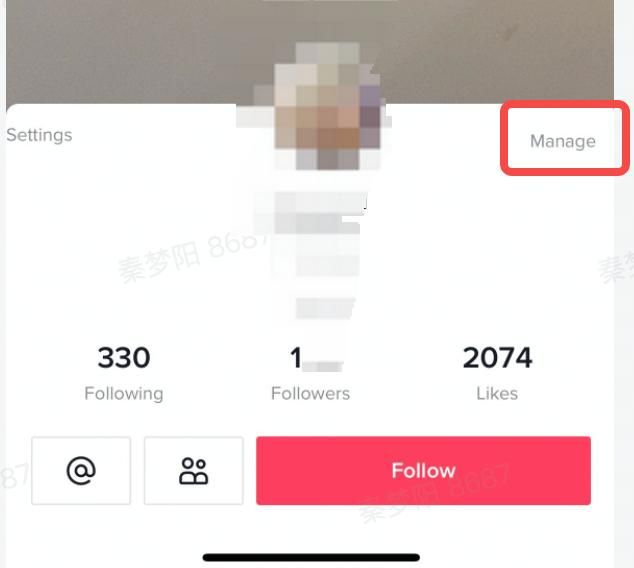
Enter the moderator list page -> select the moderator you want to edit permissions -> click "Edit" to enter the permissions management interface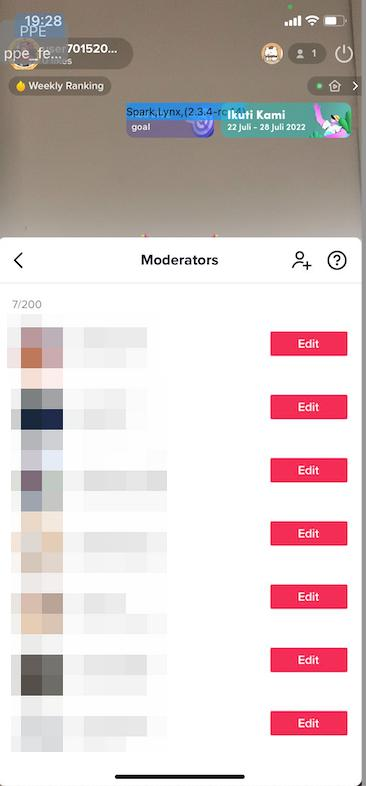
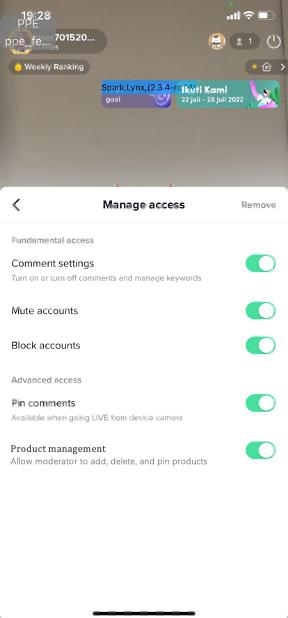
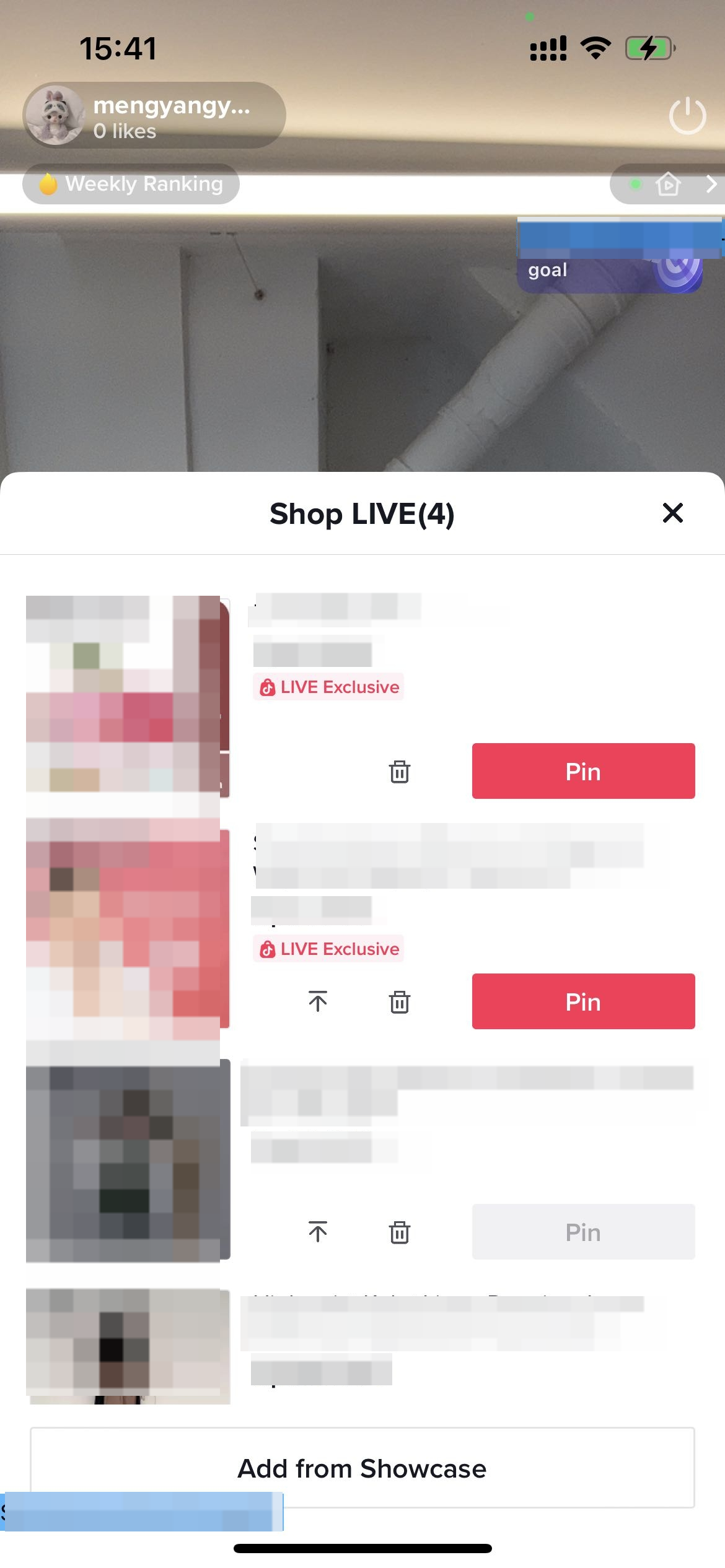
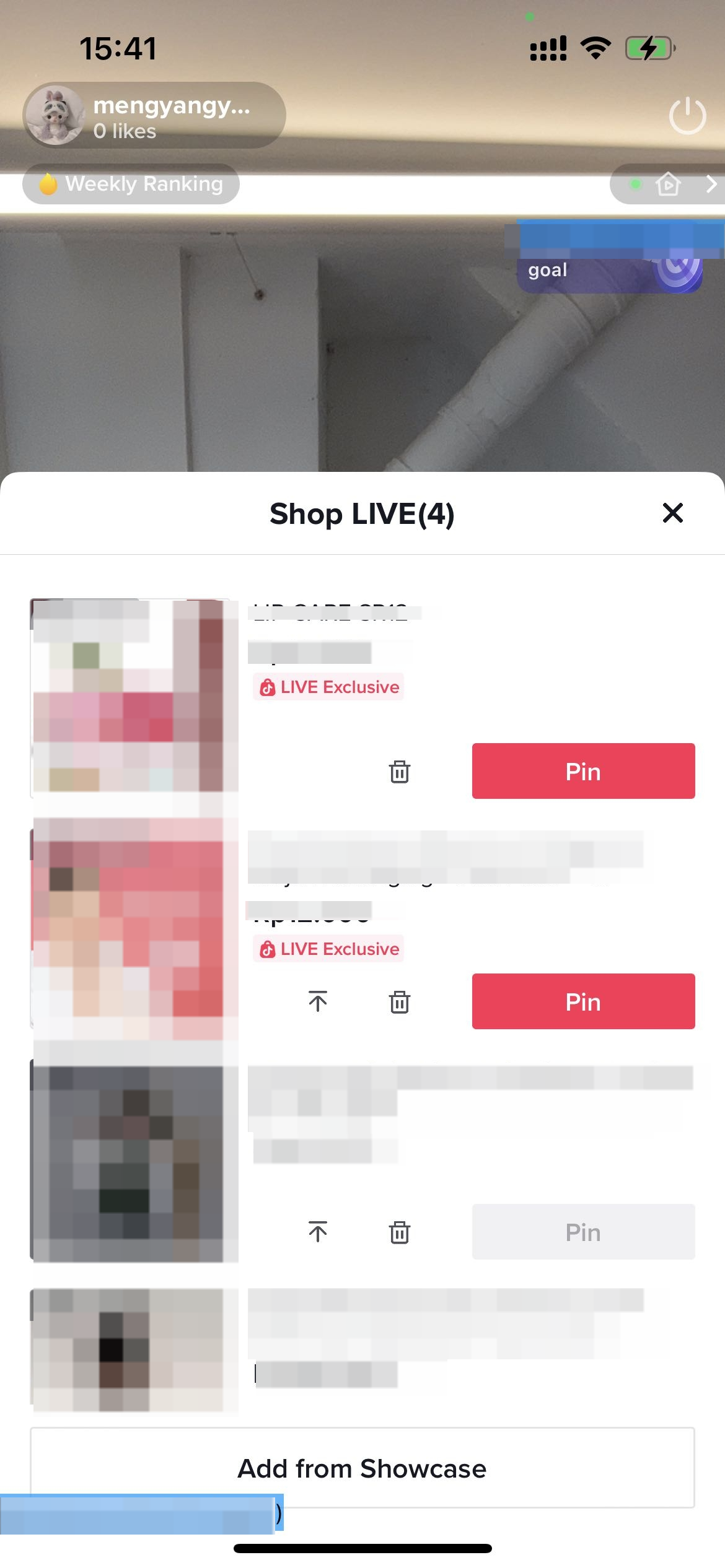
How can Moderator help the host to Add/Pin/adjust/delete products?
How can Moderator help the host to Add/Pin/adjust/delete products?The moderator enters the LIVE room of the host > Open the shopping bag in the lower left corner > Add/Pin/adjust/delete products- Add product(Note:Moderator cannot add products from Affiliate)
- Pin/Unpin
- Delete
- Adjust rank
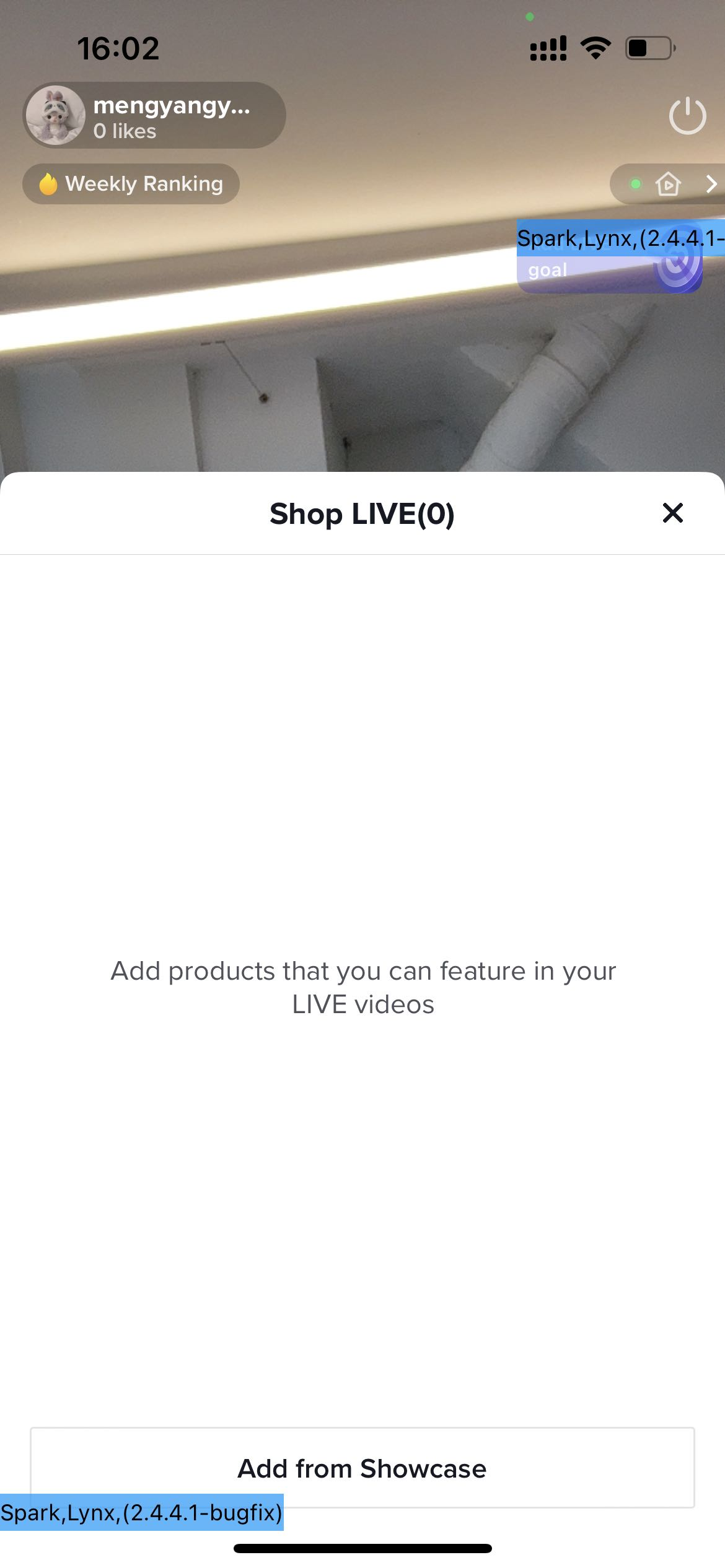
What can Moderator do to help the host?
| Non-e-commerce feature | MuteManage the list of muted users in the live room | 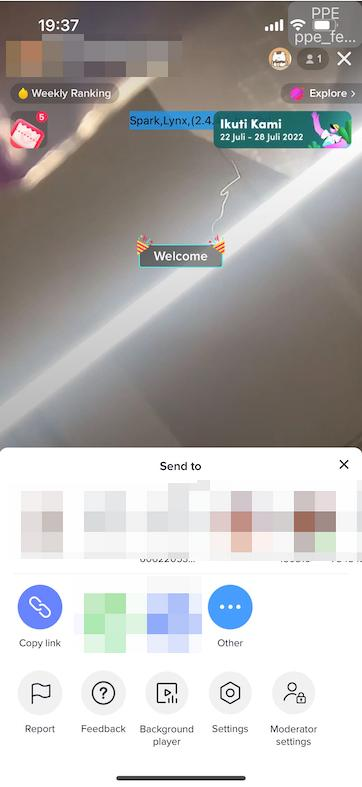 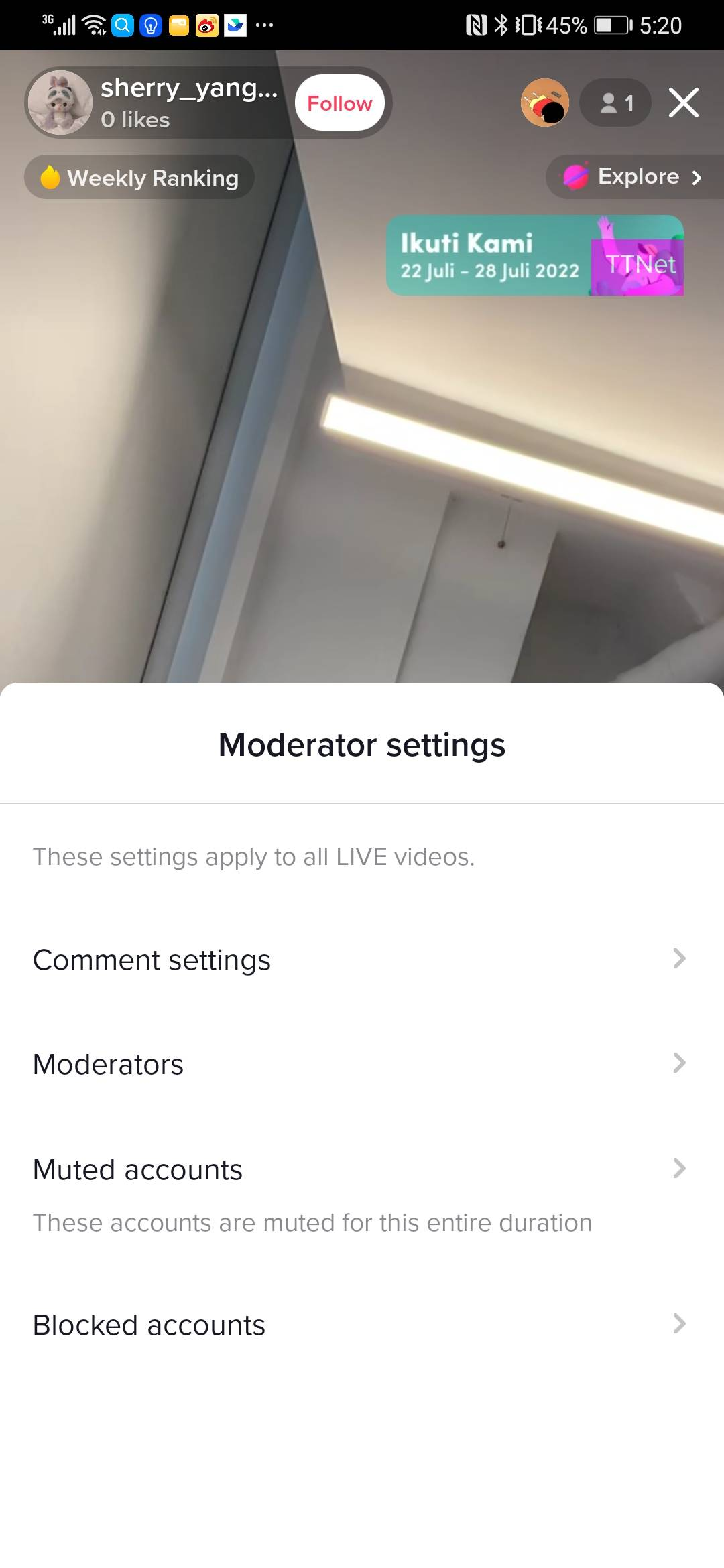 |
| BlockManage the list of block users in the live room | ||
| Comment MangementManaged LIVE comment | ||
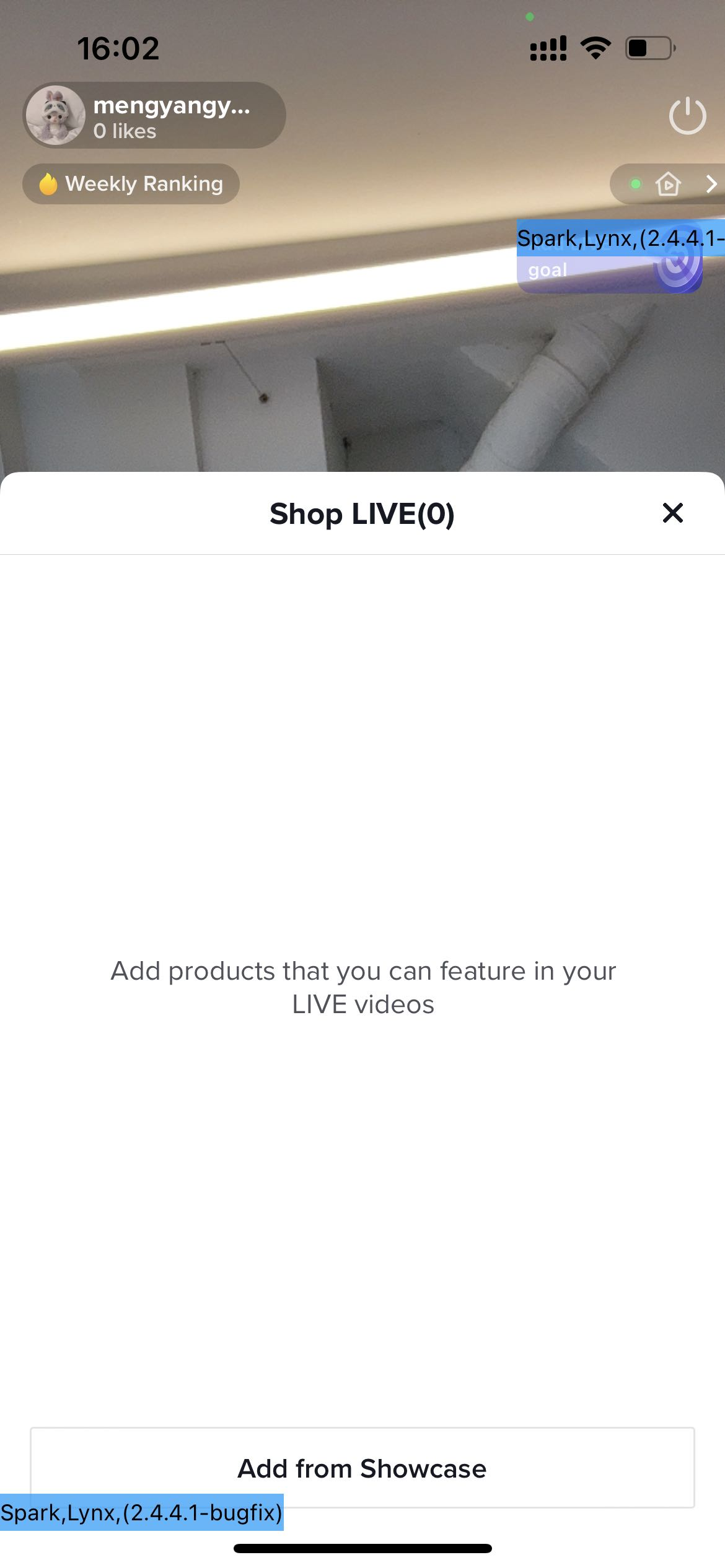
| E-commerce feature | Product management
|   |
FAQ
1. Can't use the moderator mode?Please make sure your account is correctly added as moderator firstPlease make sure the app version has been updated to App 25.4Please make sure that the location of the host account and the moderator account is the same region2. How many accounts can a host account add as his or her moderator account?No limit3. How many host accounts can a moderator account be tied to?No limit4. The moderator account can manage the host's LIVE shopping cart, does the moderator account need to have e-commerce access?No, as long as the host account has e-commerce accessYou may also be interested in
LIVE Giveaway
LIVE Giveaway is a tool that allows sellers or creators to run giveaway events during LIVE, by givin…

Teknik Hosting Saat Live Streaming
Nggak akan kehabisan kata-kata dan kebingungan mau ngomong apa saat live stream, kalau aja kamu tahu…

Teknik Opening & Closing Saat Live Streaming
Test: https://activity.tiktok.com/t/ZS6v1X4Be/ Menit-menit awal dan menit-menit menjelang akhir pa…
What are Auctions?
Auction-based activities are not allowed on the platform. Such activities include but are not limite…

Livestream Green Screen and Stickers
This article introduces the Greenscreen and Stickers features. From this article, you will learn how…
Using OBS Software for Livestream
Introduction This guide will help you familizarize yourself with how to use the OBS Studio software…
3 Cara Menemukan Produk Trending Saat Ramadan
Test: Kerjakan Test ini untuk bisa bergabung di group START! Setidaknya ada 3 ciri produk yang pal…

4 Langkah Memaksimalkan Penjualan di Bulan Ramadan
Test: Kerjakan Test ini untuk bisa bergabung di group START! Nggak bakal ketinggalan cuan di bulan…
LIVE Shopping Ranking
This article teaches you what LIVE Shopping Ranking is, how livestreaming hosts and viewers can see…

Strategi Membangun Personal Branding
Udah selalu ngikutin trend tapi kok nggak pernah FYP? Nah tahu nggak sih, pertumbuhan kreator di Tik…