

How do I apply to sell Invite-Only products?
06/12/2025
This policy applies to products listed on TikTok Shop by Tokopedia. For products listed on Tokopedia, please refer to the Pusat Edukasi Seller Tokopedia.
How do I apply to sell Invite-Only products?
Here are the steps you should follow to apply as a seller for the "Invite-only" category:Important note: The Qualification Center is currently only available on desktop.
Step 1: Access the Qualification Center
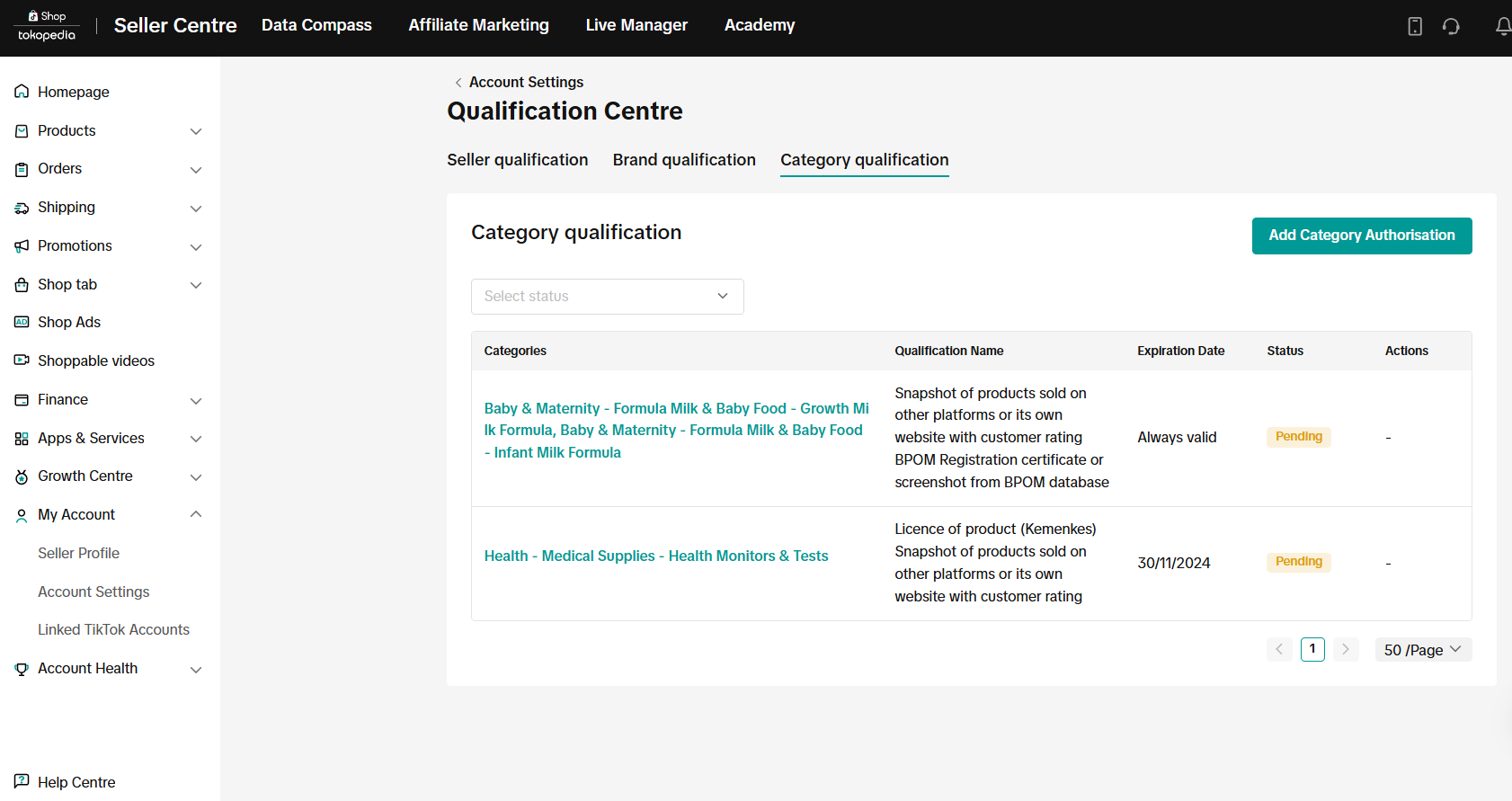
On your desktop, from the Seller Center, go to My Account > Account Settings > Qualification Center.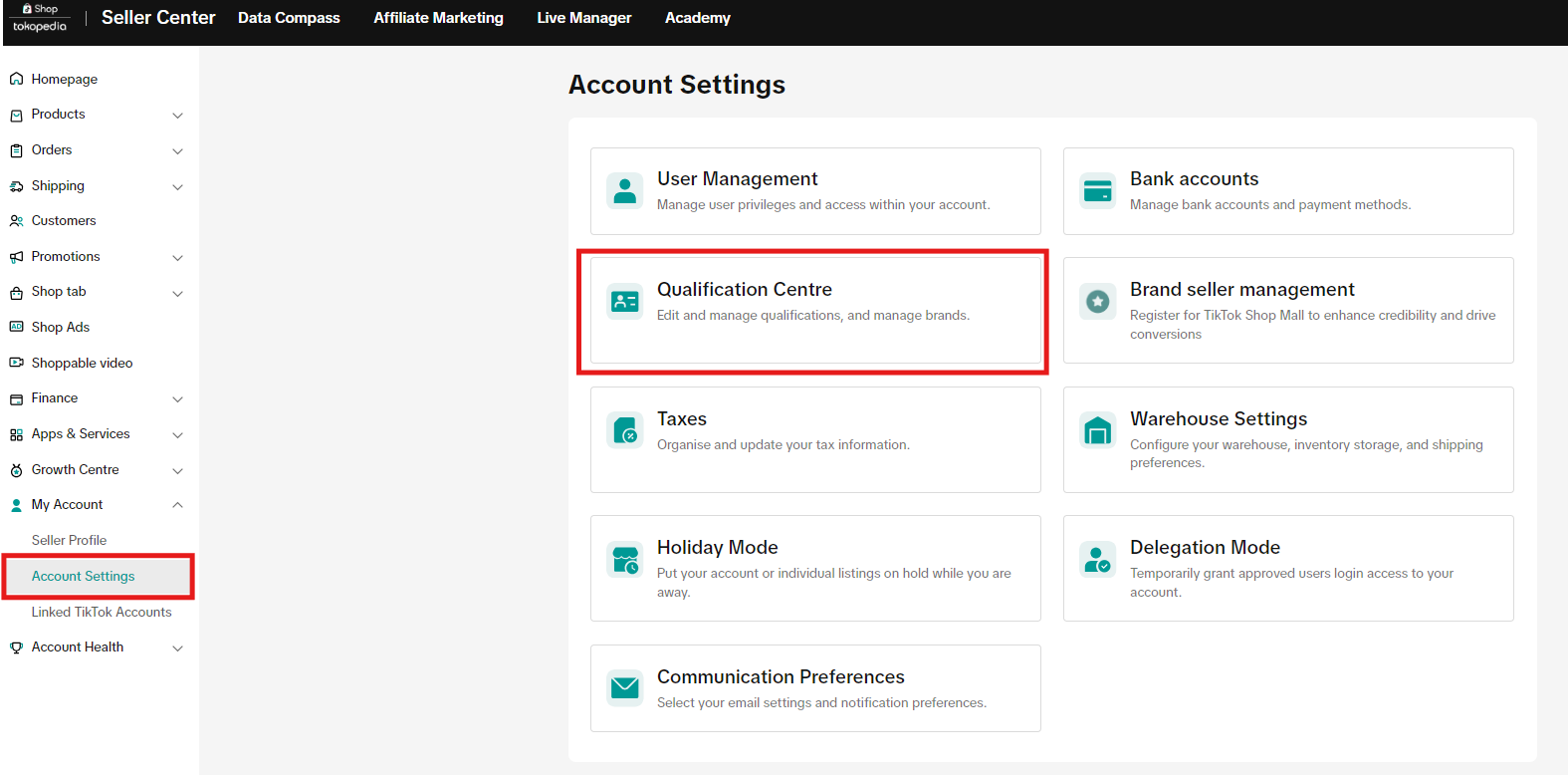
Step 2: Enter the Category Authorisation page
Select Category Qualification, then click "Add category Authorization".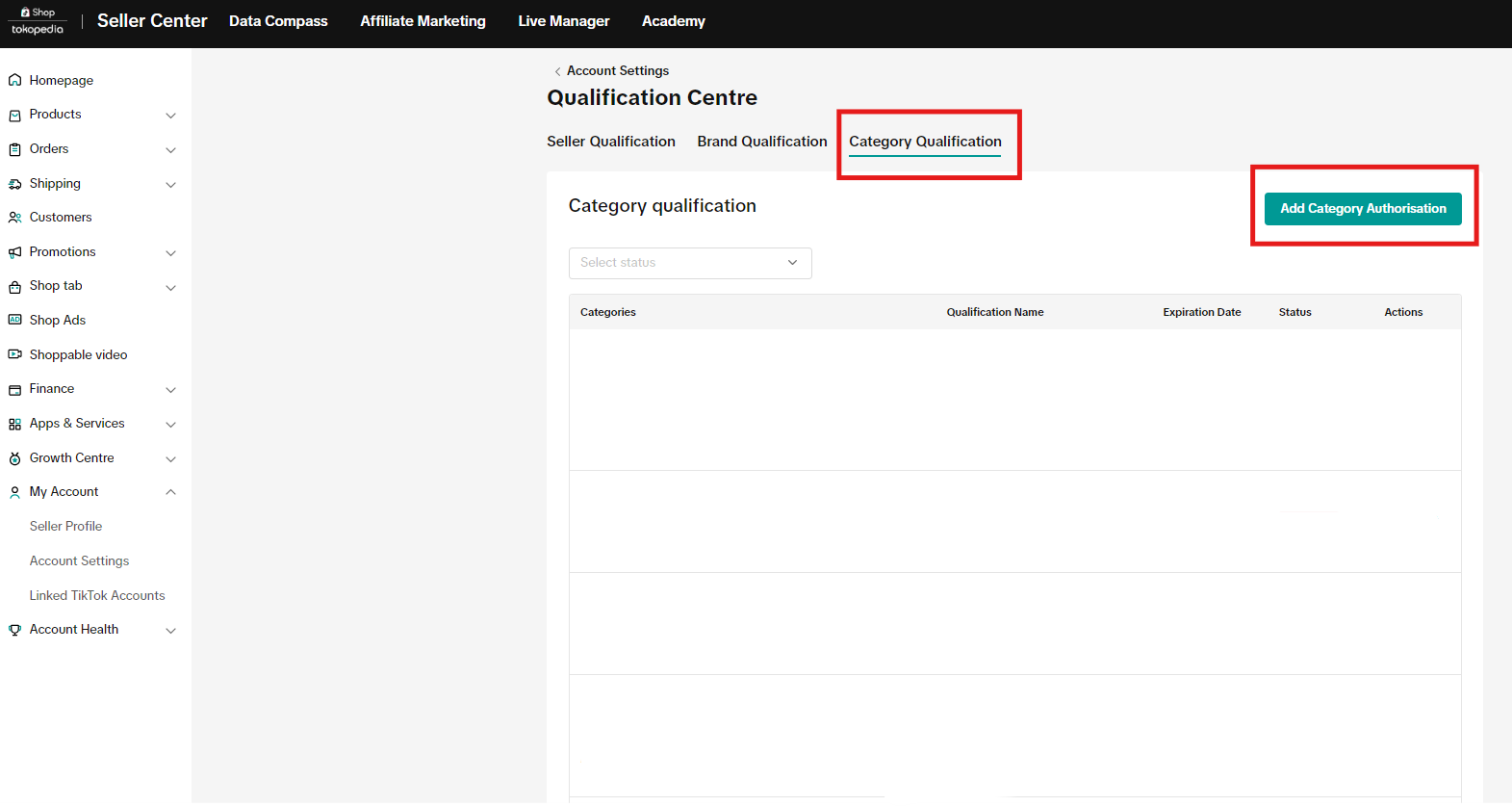
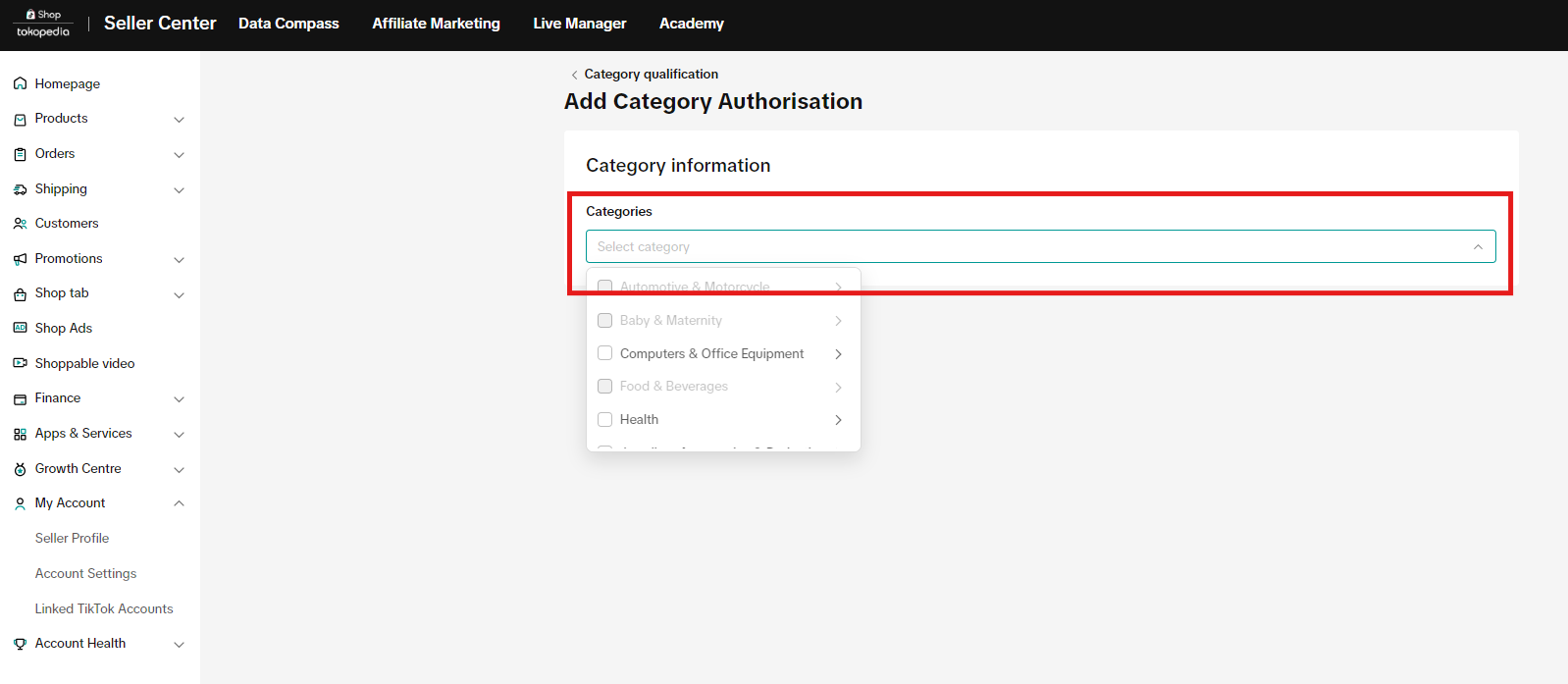
Step 3:
Category SelectionSelect categories that you would like to apply to. You can select more than one category if applicable.
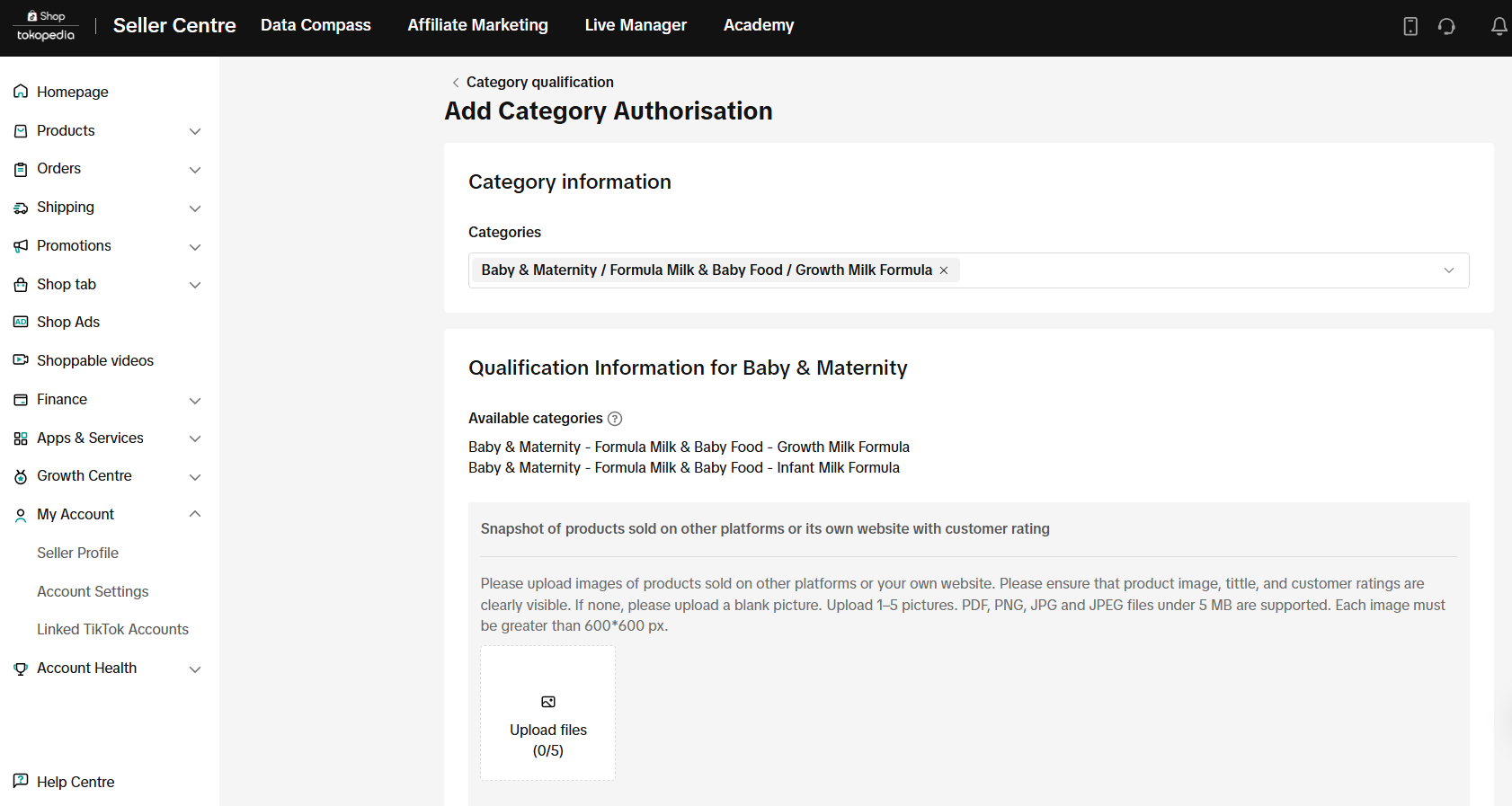
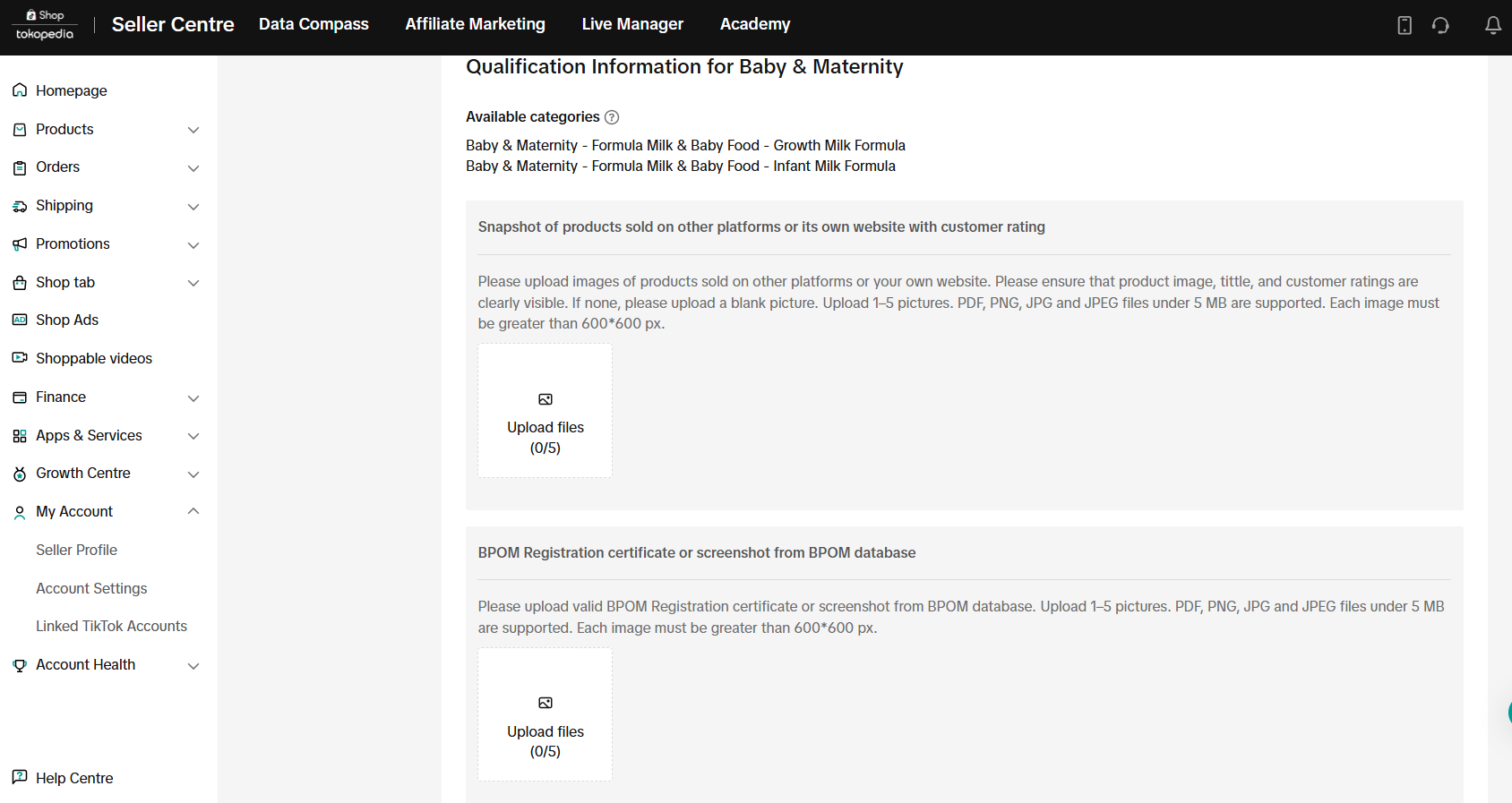
Step 4: Submit the relevant documentation
- If an expiry date is needed, provide valid documentation.
- Double-check that any manual entries match the provided documentation.
- Ensure that all materials you submit are authentic to prevent application rejections. Creating false records can result in penalties.
Step 5: Submit the request
Ensure that all submissions are accurate as you won't be able to apply or edit for categories while your application is pending.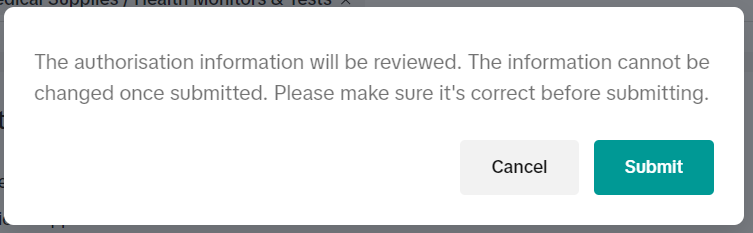
Step 6: Review results
- We will inform you of your application status through email and the Message Center.
- Once approved, you can list products under the designated category.
How Can I Appeal a Rejection?
You may also be interested in
- 2 lessons
Understanding Product Policy
Familiarize yourself with TikTok Shop by Tokopedia’s product policies to avoid violations and build…
Product Recalls and Unsafe Products
What are Product Recalls? A product recall is an action taken to remove a product from the market du…
Mandatory Product Attributes
This policy applies to products listed on TikTok Shop by Tokopedia. For products listed on Tokopedia…

What are Prohibited Products?
👋 We've moved! For more information, please click here.
Counterfeits and Knockoffs
Counterfeit and Knockoff products are strictly prohibited for sale on TikTok Shop by Tokopedia. What…
Misleading Product Listings
What Are Misleading Product Listings? Shop aims to create a shopping environment that inspires confi…
How to Report IP Infringements
How do I report an infringement of my Intellectual Property (IP) rights? IPR owners or their represe…
Copyright Infringement
What is a copyright? Copyright is a legal right that protects original works and stops others from u…
Patent and Design Infringement
What are patents and designs? Patents protect inventions and give the owner the right to prevent oth…
Sensational or Shocking Content for Seller
We expect our sellers to be respectful and responsible when listing your products; this includes avo…