

Delegation Mode
03/14/2024
- Feature Overview
Accepting a Delegation Login Request
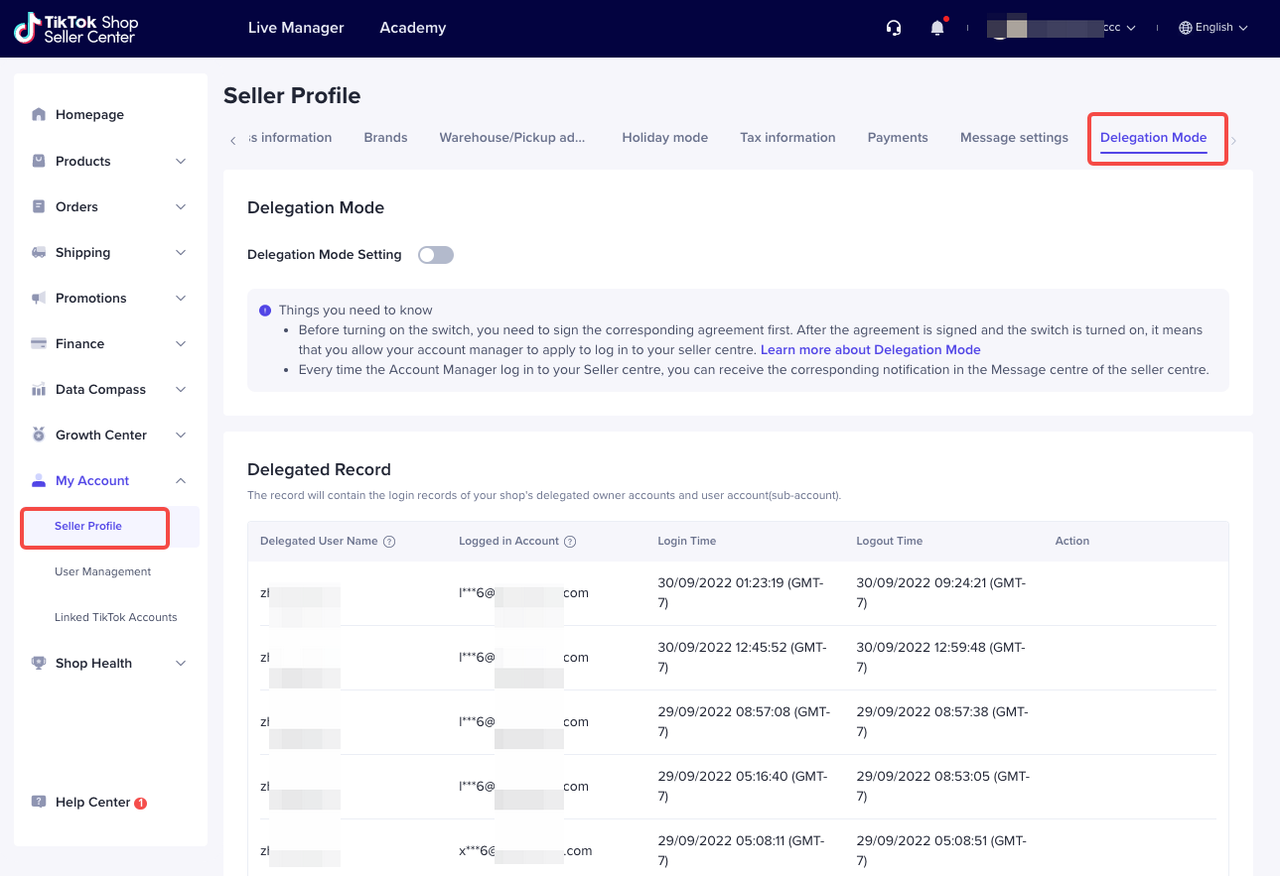
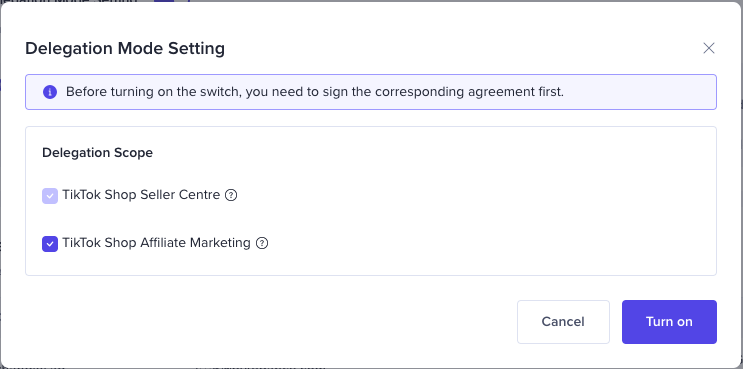
| Go to My Account > Seller Profile > Delegation Mode on Seller Center, then enable the Delegation Login Mode toggle button. | Once you enable the toggle button, a pop-up will appear asking you to select the scope of delegation access (Seller Center is the default option). After reading and agreeing to the seller terms, click Turn on. |
 |  |
- When an account manager logs into your account through Delegation Mode, they will only have viewing access and will not be able to edit anything. However, viewing access to the Seller Profile menu will be limited and they will not be able to view privacy information from the following tabs: Account Information, Seller Information, Business Information and Payment.
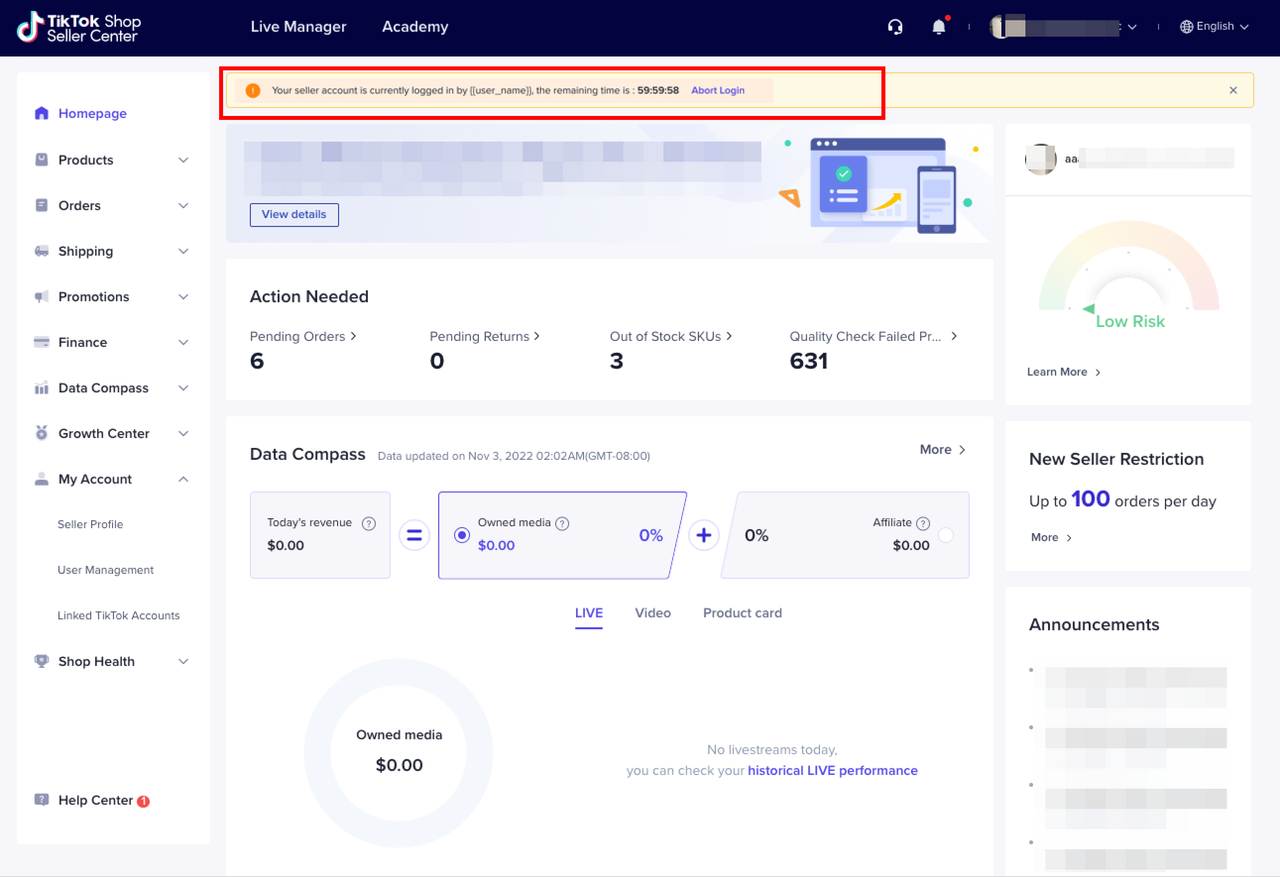
- You can revoke the account manager's delegated login access by selecting Abort Login in the notification banner or manage their scope of access through the Delegation Mode page.
- Managing Delegated Login records
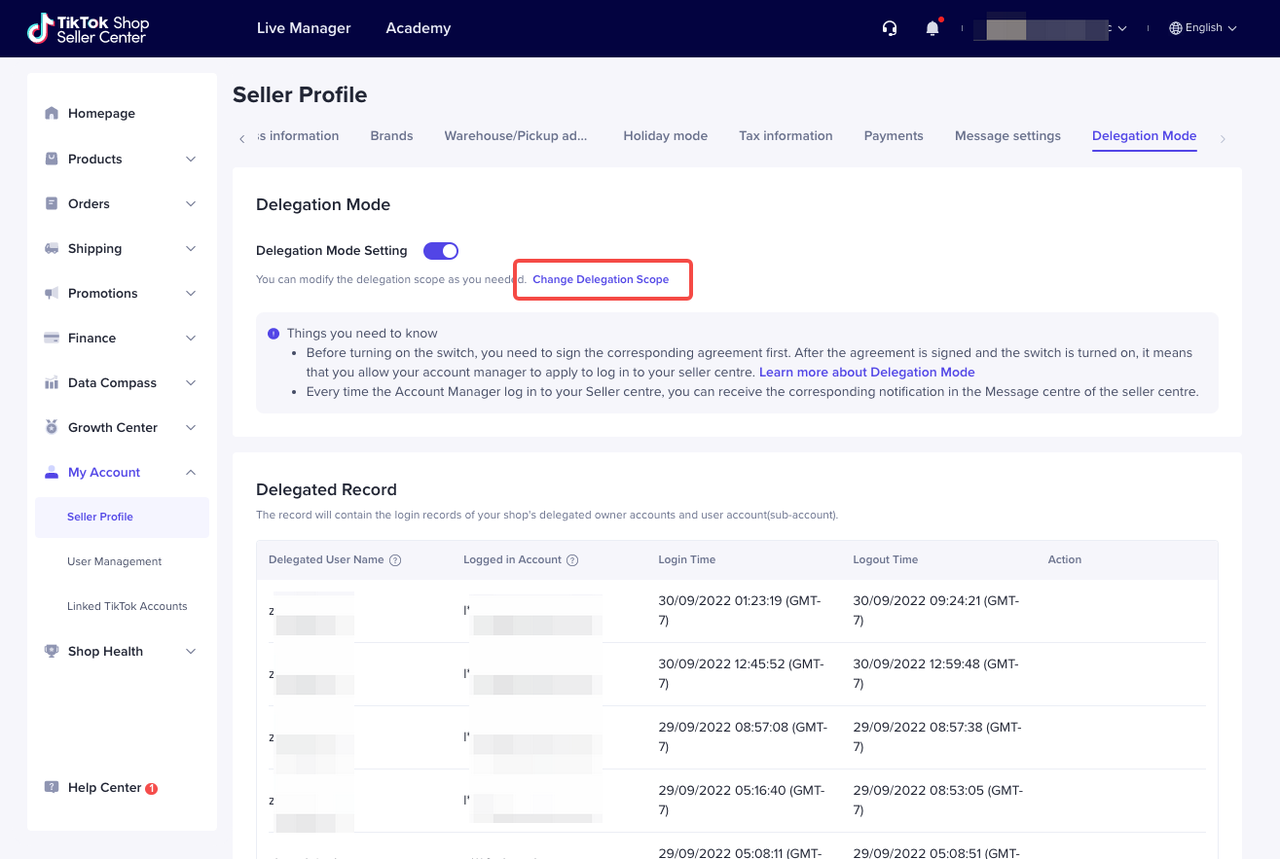
- Change Delegation Scope: After you turn on Delegation Mode, you can change the delegation scope by clicking Change Delegation Scope.
 |  |
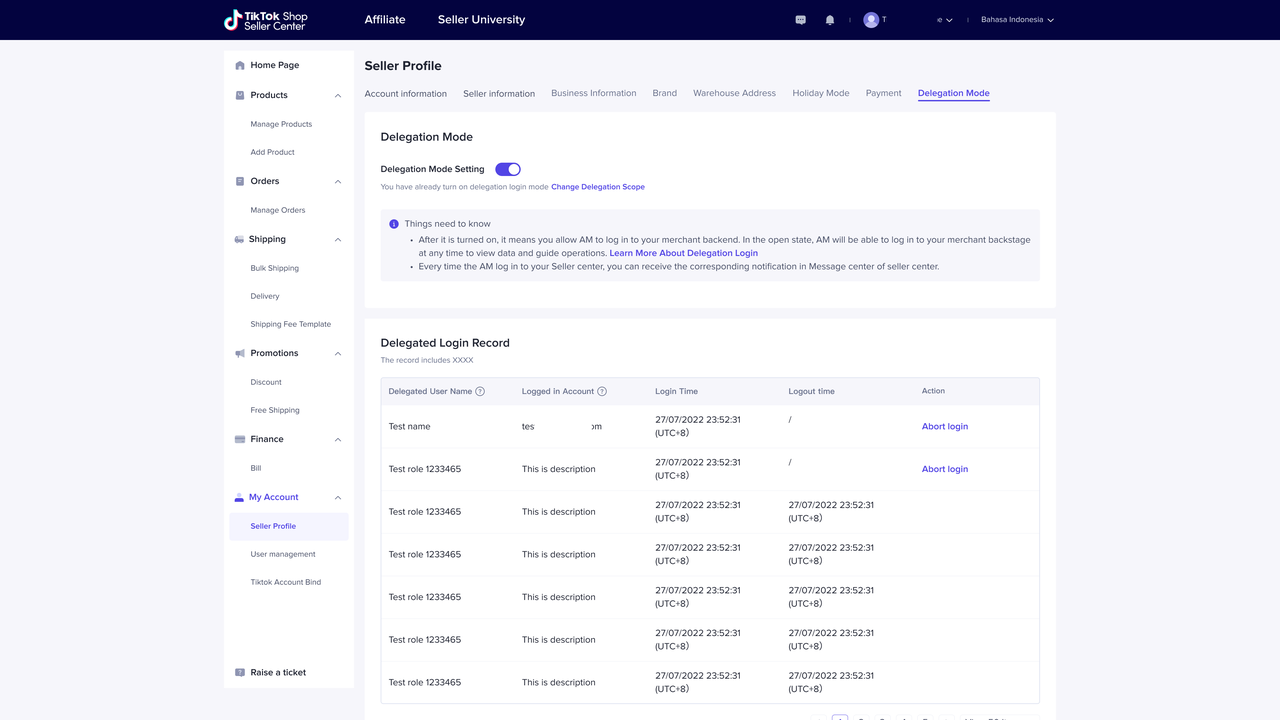
- Abort Login: For any current delegation login, you can revoke the account manager's login access by clicking Abort Login. This will immediately revoke their access.
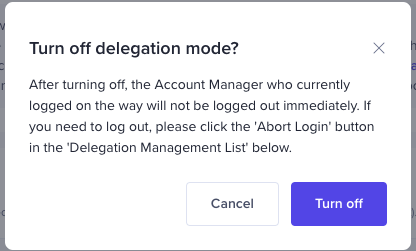
- Turn off Delegation Mode: You can turn off Delegation Mode by disabling the toggle button and confirm the action in by selecting Turn off in the pop-up notification that appears. After turning it off, no account managers will be able to log in to your account.

- FAQ
Có thể bạn cũng quan tâm về
Registering to be a Seller
Your seller journey with TikTok Shop by Tokopedia begins with account registration. You can register…

Can I link my TikTok account with another social media accou…
Click on the Profile page, and click Edit Profile. Select either of the options under Social to link…

Why was my brand authorisation application rejected?
All submitted trademark information will be verified against the World Intellectual Property Organis…

What will happen to my existing orders while on "Holiday Mod…
"Holiday Mode" does not apply to existing orders. All existing orders, made prior to Holiday Mode be…

Which types of brand authorisation are accepted within the T…
There are 6 accepted types of brand authorisation: Trademark ownership National exclusive 1st level…

Why am I unable to sell the products of a particular brand?
The platform is committed to protecting the intellectual property rights of both organisations and i…
How to Create your Commission Account
After your successful Creator Account creation, you will need to set up your Commission Account to d…

How to register?
To become a platform seller, you need to create a Shop | Tokopedia account. Please follow the steps…
New Shop Adjustment Period
All new shops on TikTok Shop by Tokopedia start in the Shop Adjustment Period. During this period, y…
Setting Up Your Shop Profile and Name
Setting Up Your Shop/Seller Profile Setting up your TikTok Shop by Tokopedia profile is an important…