

Logistics & Shipping: How to Solve Common Issues
09/22/2025
Smooth logistics are essential to keep buyers satisfied and prevent order cancellations. But sometimes, issues like courier delays, inaccurate status updates, or system mismatches can occur. This guide explains the most common logistics problems, how to check them in Seller Center, and the right steps to resolve them.

Common Logistics Issues
Here are the most frequent problems sellers face with courier pickups, pinpoint settings, and shipment updates.Issue | What Happens | Risk | Fix |
| Courier Pickup Delay | Courier takes longer than expected to pick up | Late dispatch, SLA breach | Contact logistics provider via ticket; request expedited pickup |
| Pickup Pinpoint Error | Instant delivery pin is wrong or can't be edited | Wrong pickup, delayed order | Update address in Seller Center; confirm with logistics partner |
| Status Update Delay | Order still shows “Pending” after pickup | Auto-cancellation if not updated | Check in Manage Orders; if stuck >24h, raise a logistics ticket |

Shipment Status Updates
Every order has a shipping status that shows where the parcel is in the delivery process. Understanding these updates helps you avoid SLA breaches.Status | What It Means | Example |
| Picked up | Courier has collected the parcel from your store | Buyer order picked up on Jan 1 |
| In transit | Package is on the way to the buyer | Still moving between hubs |
| Out for delivery | Courier is delivering the order to buyer’s address | ETA today |
| Delivered | Buyer has received the parcel | Status shows “Delivered” in Seller Center |
| Failed delivery | Courier attempted but failed to deliver | Buyer unavailable, wrong address, or other issue |

How to Check Shipping & Tracking
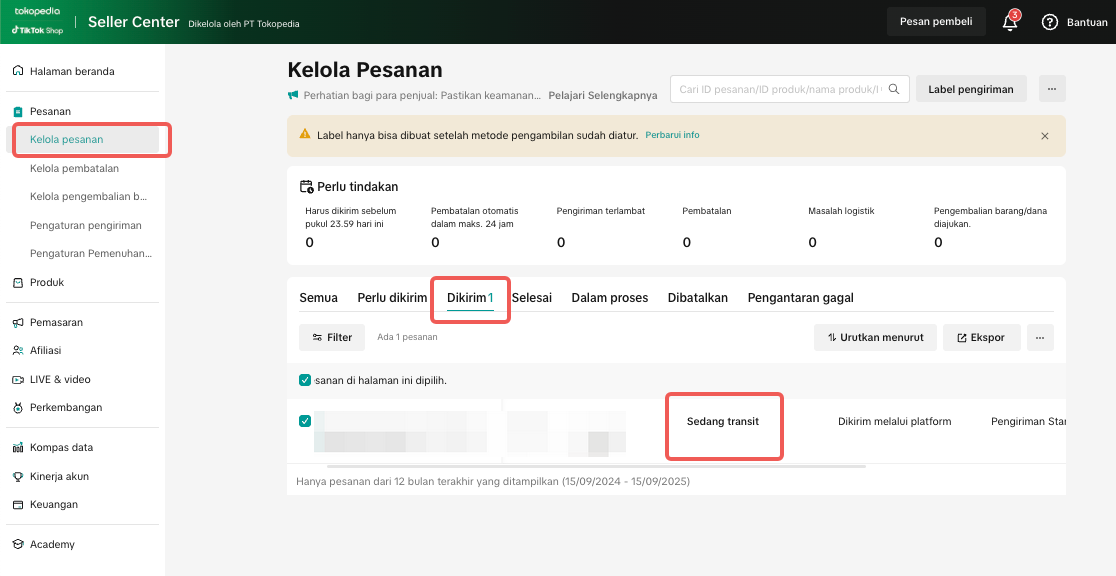
You can always check order logistics status directly in Seller Center.
|  |

Escalating & Contacting Logistics Providers
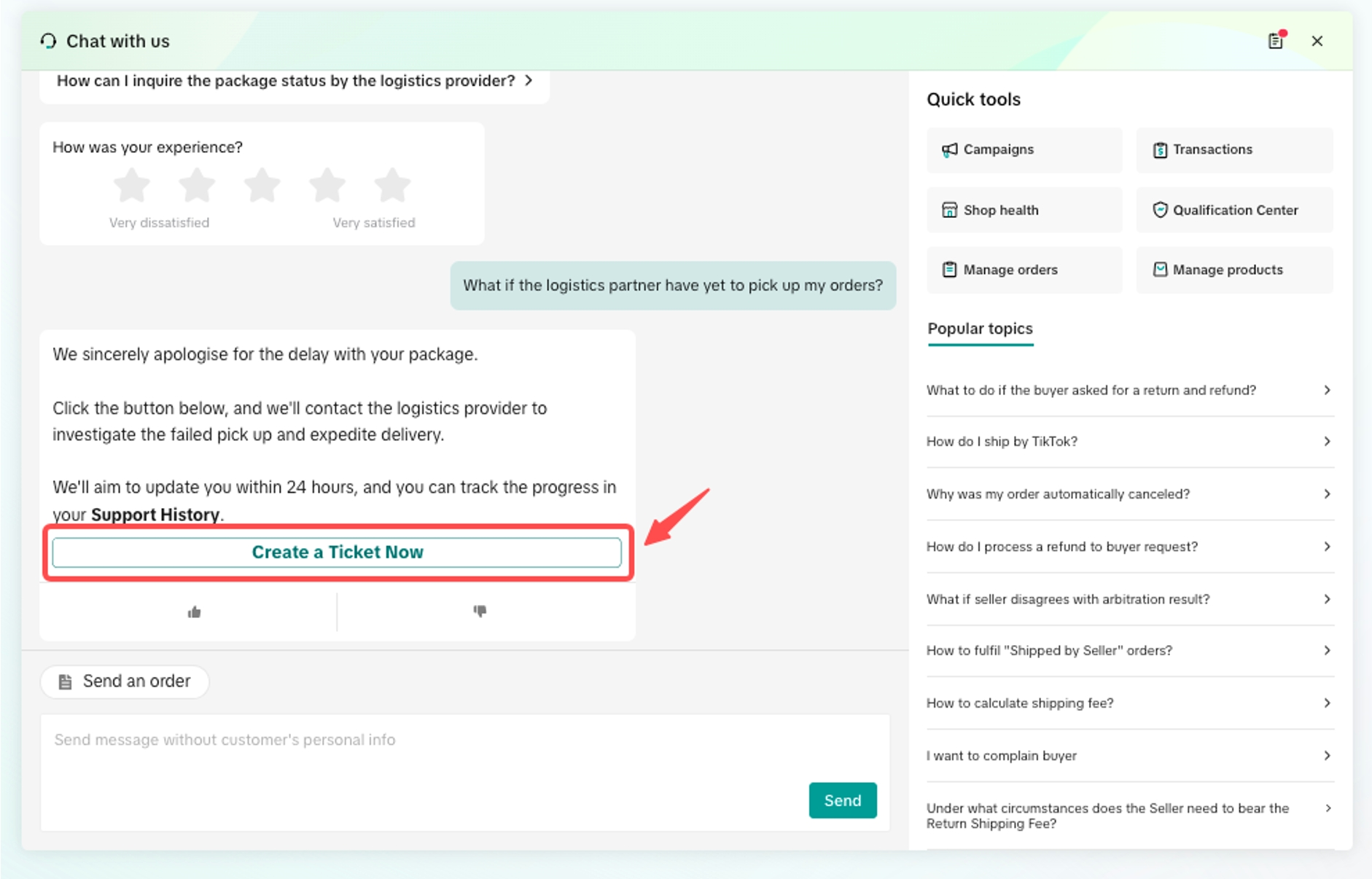
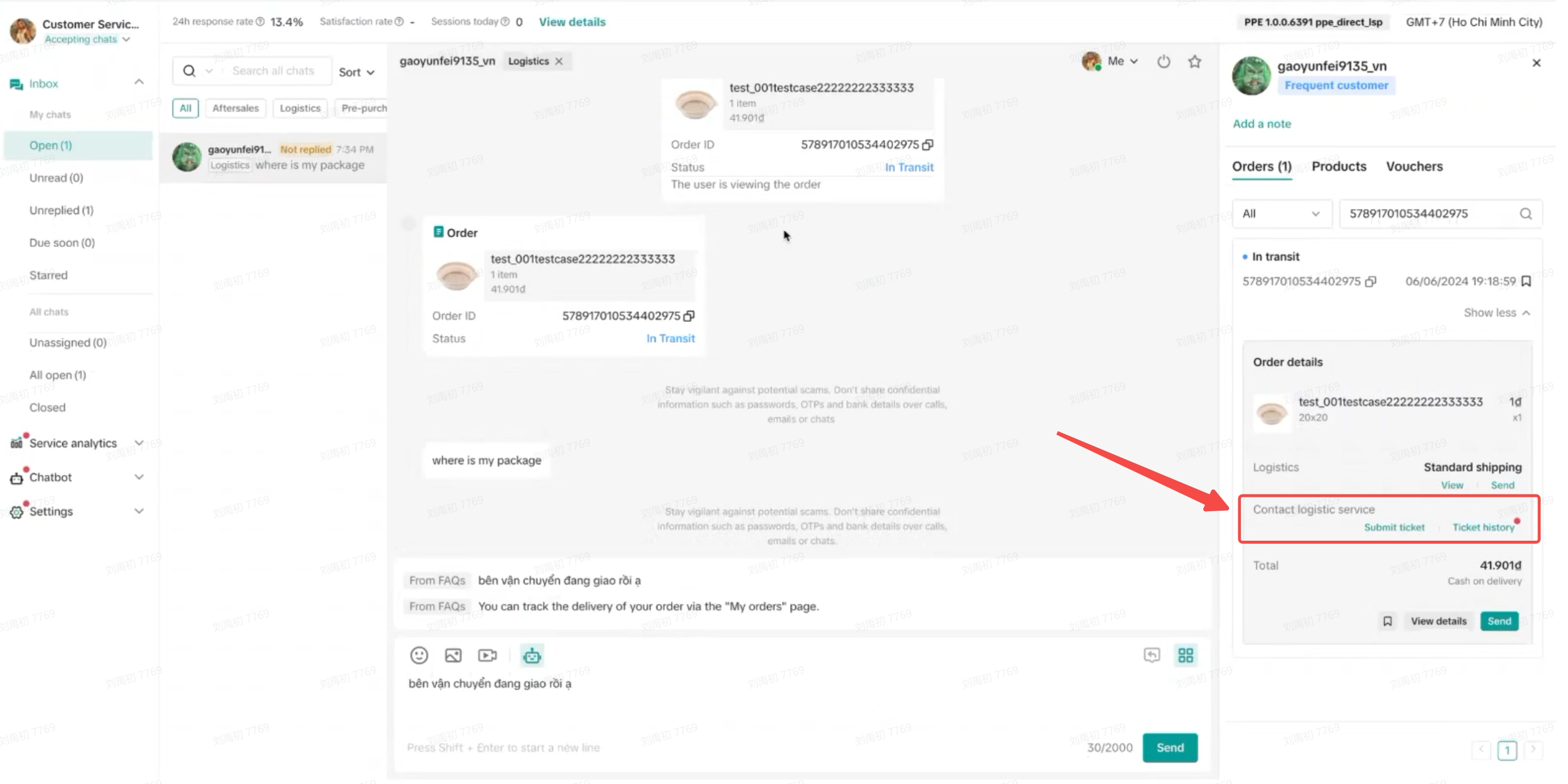
You should contact logistics providers if:- The package hasn’t been picked up or status hasn’t been updated
- The buyer didn’t receive the order, but it’s marked as “Delivered”
- There was a failed delivery, but the buyer was available
- The pickup pin is incorrect or unclear
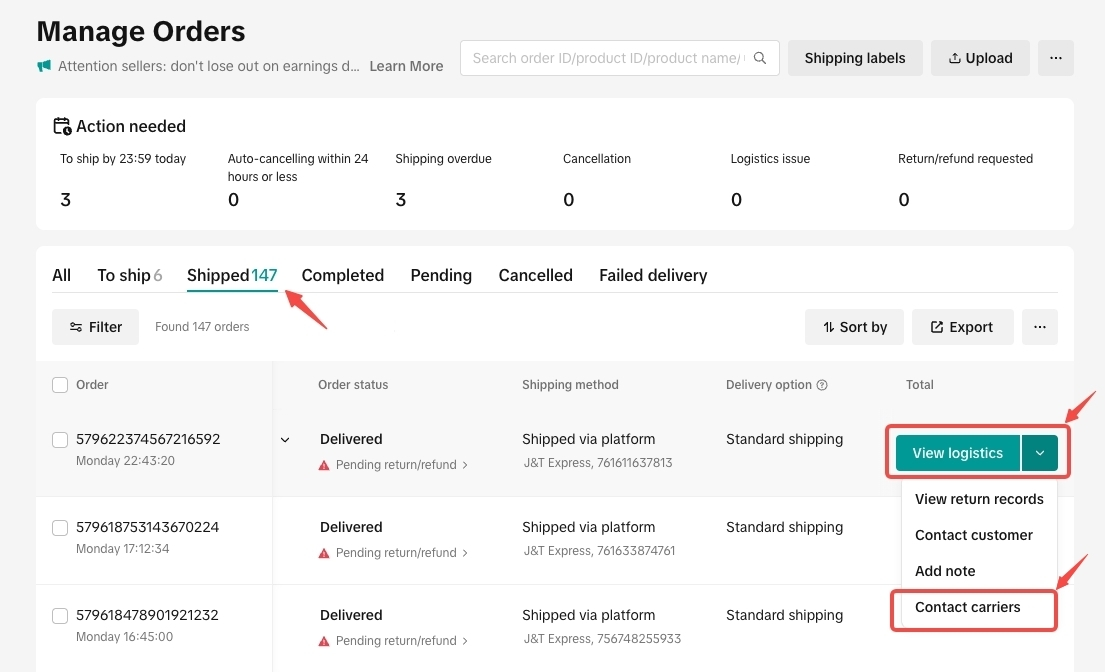
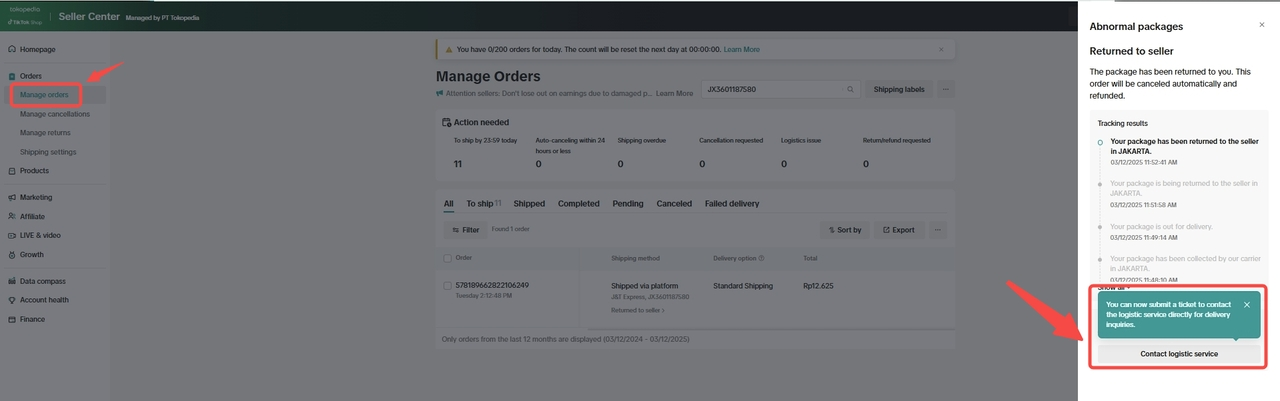
There are 4 ways to raise a logistics ticket via Seller Center: Read full guide here📌 This support is currently available for: J&T Express, GoTo Logistics GTL, NinjaVan Indonesia, and J&T Cargo
|  |
|  |
|  |
|  |

Handling Failed Deliveries & Submitting an Appeal
Sometimes, orders may fail to be delivered even when the buyer is available. Don’t worry — you can manage and resolve these issues directly in Seller Center. Read full guide hereWhat You Can Do | How to Do It | Details |
| View failed delivery orders | Go to Manage Orders > Failed Delivery tab | 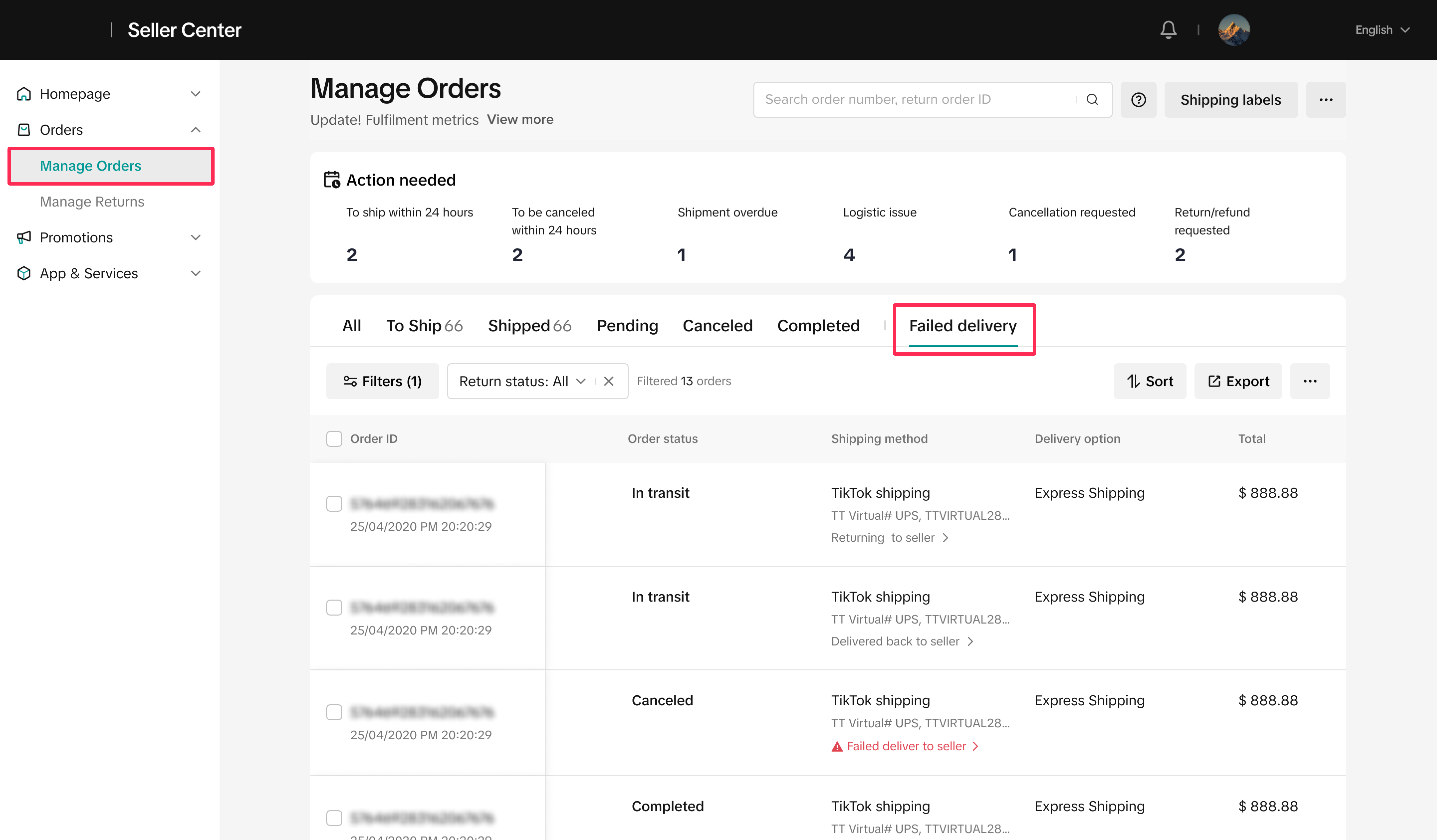 |
| See delivery details & reasons | Click on the specific order to check the failure reason (e.g., buyer unavailable) | 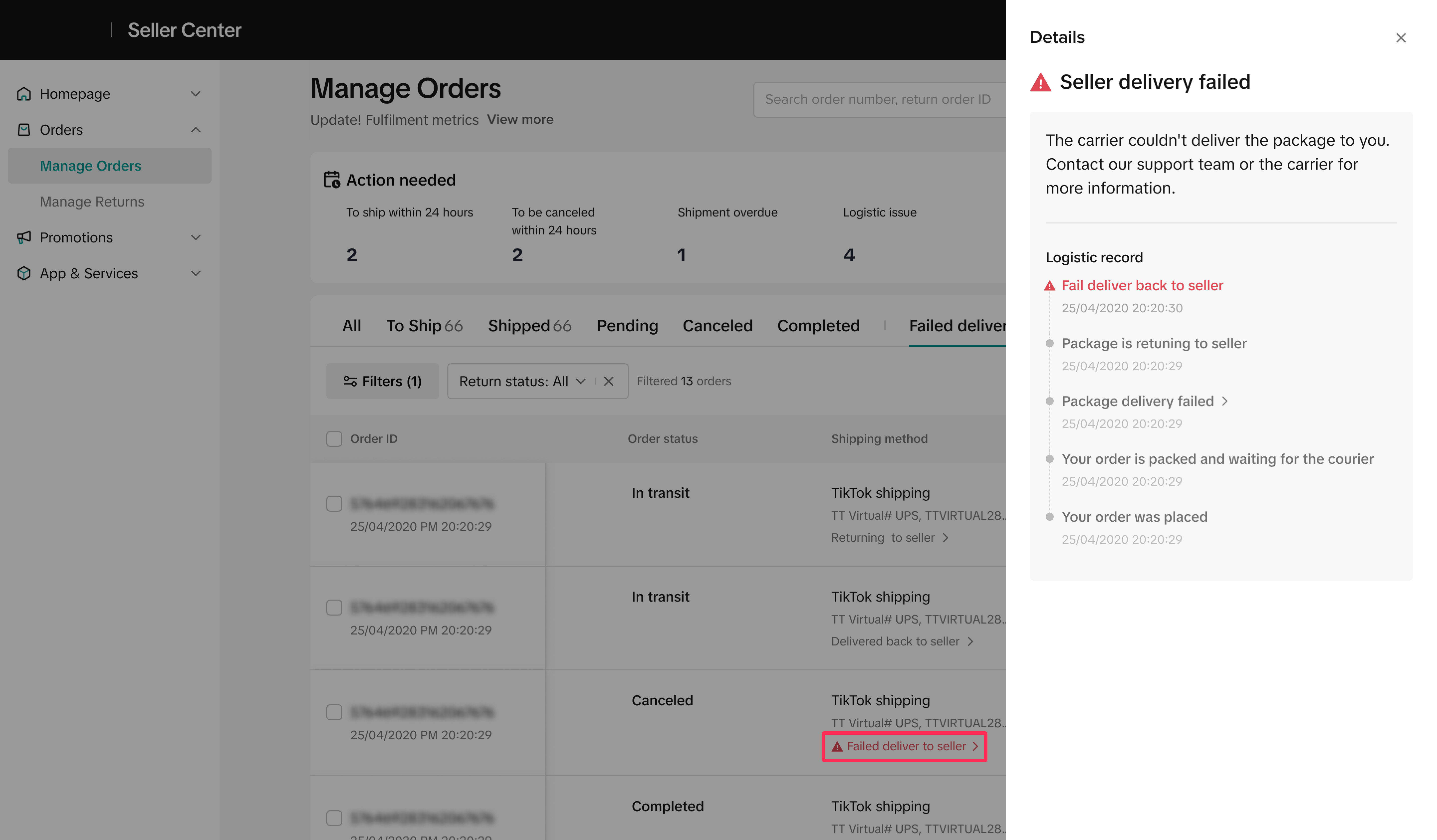 |
| Contact logistics provider | Click “View Logistics” or “Contact Logistics Provider” | 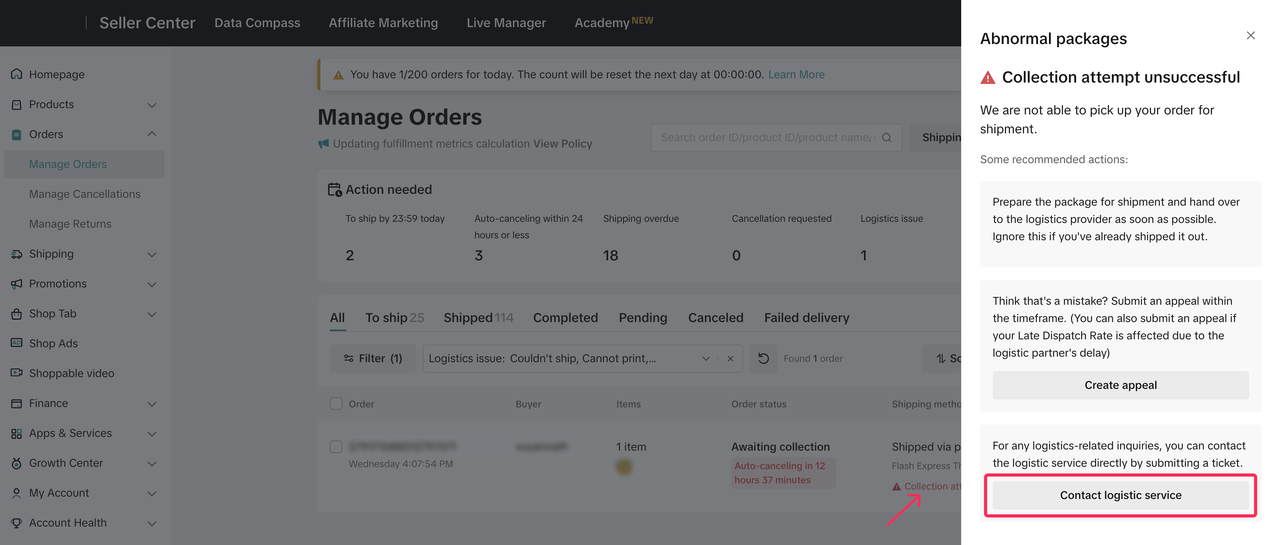 |
| File an appeal | Click More Action > File an Appeal → Select reason → Upload evidence → Submit | 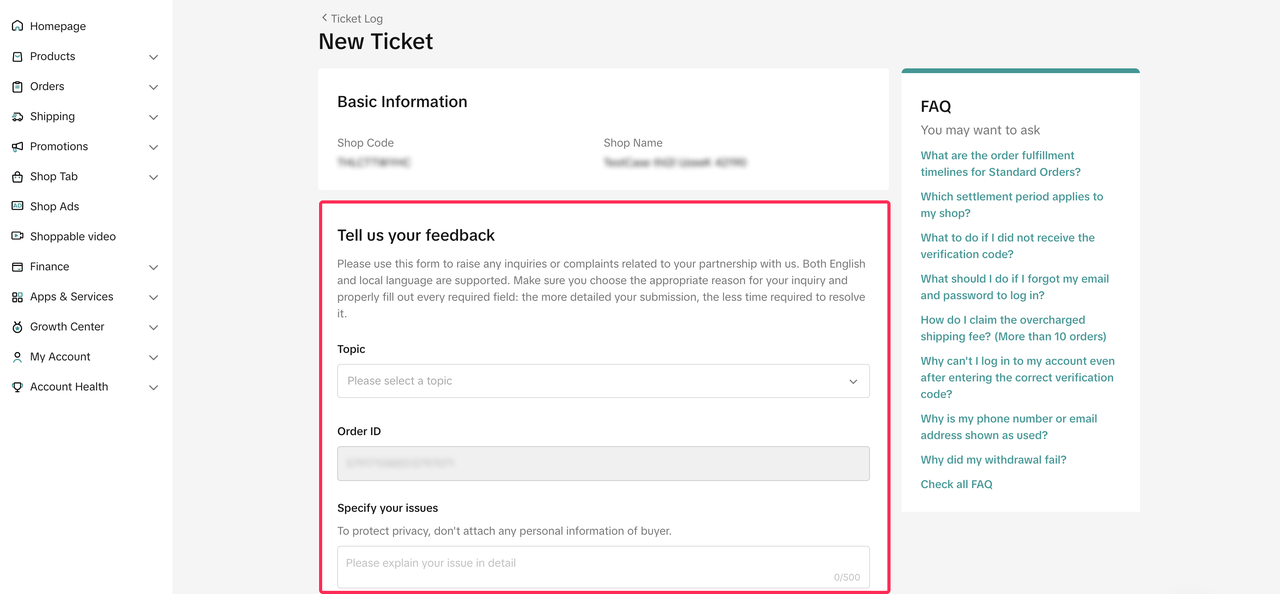 |
| Track appeal status | Scroll to Appeal Tracking section in order details (e.g., Processing, Accepted, Rejected) | 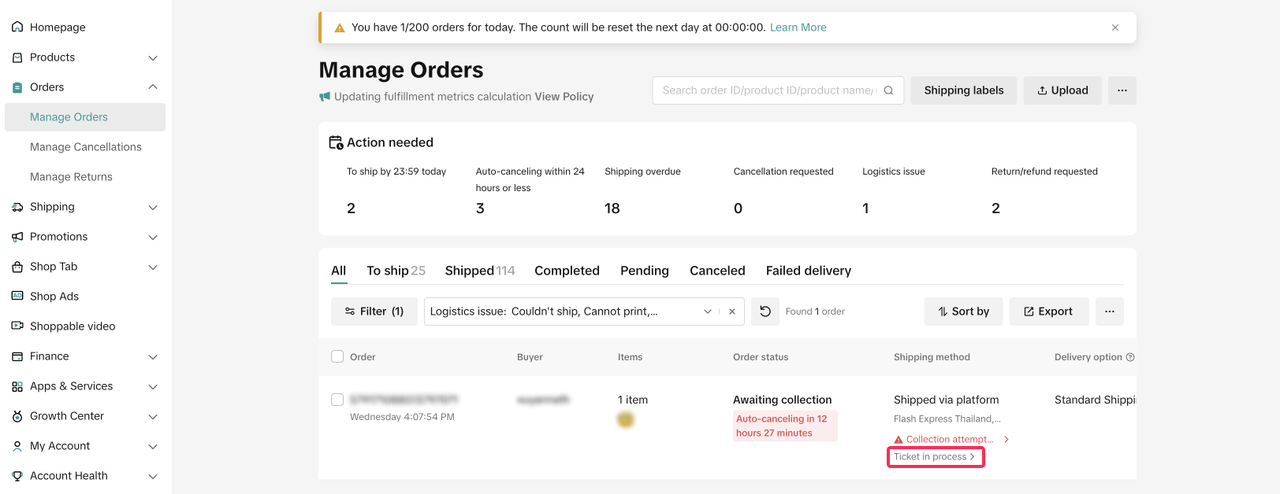 |

Tips & How to Avoid Common Mistakes
Mistake to Avoid | Tips to Prevent It |
| Waiting too long before taking action | Always check shipment status daily; raise a ticket if no update in 24 hours |
| Not updating warehouse hours during holidays | Set accurate working hours & national holidays in Shipping Settings |
| Forgetting to check failed delivery tab | Regularly monitor the Failed Delivery tab to catch issues early |
| Filing an appeal without proper evidence | Include clear proof (chat screenshot, delivery photo, etc.) when submitting appeal |
| Ignoring alert icons on order pages | Click on red alerts and resolve issues proactively to avoid late dispatch or disputes |

🚀 Let’s Keep Your Orders Moving Smoothly!
Logistics may not always be perfect, but with the right tools in Seller Center, you can solve most issues quickly and avoid penalties. Stay proactive, monitor your orders daily, and use tickets or appeals when needed.If you're still unsure, explore more guides in the Seller Center Help Center or reach out through the Help Chatbot anytime.
You may also be interested in

Tokopedia & TikTok Shop Commitment for Your Integration Expe…
Thank you for the trust and constructive feedback you've shared with us. We’ve heard your feedback a…

Integration to Tokopedia App
This feature guide is intended for TikTok Shop by Tokopedia sellers, both who don't have and already…
Shop Ownership Change Process
Note: You will only be able to change ownership to corporate sellers (individual to corporate, or co…

What should I do if my account has been compromised?
If you are unable to sign in to your account or can no longer have access to the registered email or…

Late Dispatch Rate (LDR)
Note: Orders with Instant, Sameday, and Sameday 8-hour delivery are only available via Tokopedia. Cl…
What is the Seller Performance Evaluation Policy?
TikTok Shop by Tokopedia Seller Performance Evaluation At TikTok Shop by Tokopedia, we value safety,…
Inactive Seller Accounts
When will I be considered an Inactive Seller? Sellers that do not interact with their TikTok Shop by…
Access Management on Seller Center
As a shop owner, you can add sub-accounts for your employees to help manage and operate your shop. I…

Shop Marketing Account
This article will introduce a marketing account for your Shop. Shop Marketing account is TikTok acco…

Shop Official account
The TikTok account that represents the official identity of the TikTok Shop by Tokopedia official ac…