

Product Rating: Understand, Manage, and Improve Your Reviews
09/22/2025
Product ratings directly influence how buyers perceive your brand and decide what to buy. A high rating builds trust and helps improve your product visibility across TikTok Shop & Tokopedia. On the other hand, low-rated products may struggle with traffic, ranking, and conversion.


Where to Check Product Rating
| Go to Seller Center > Products > Product Rating to see how your store performs and how those ratings impact your store. | 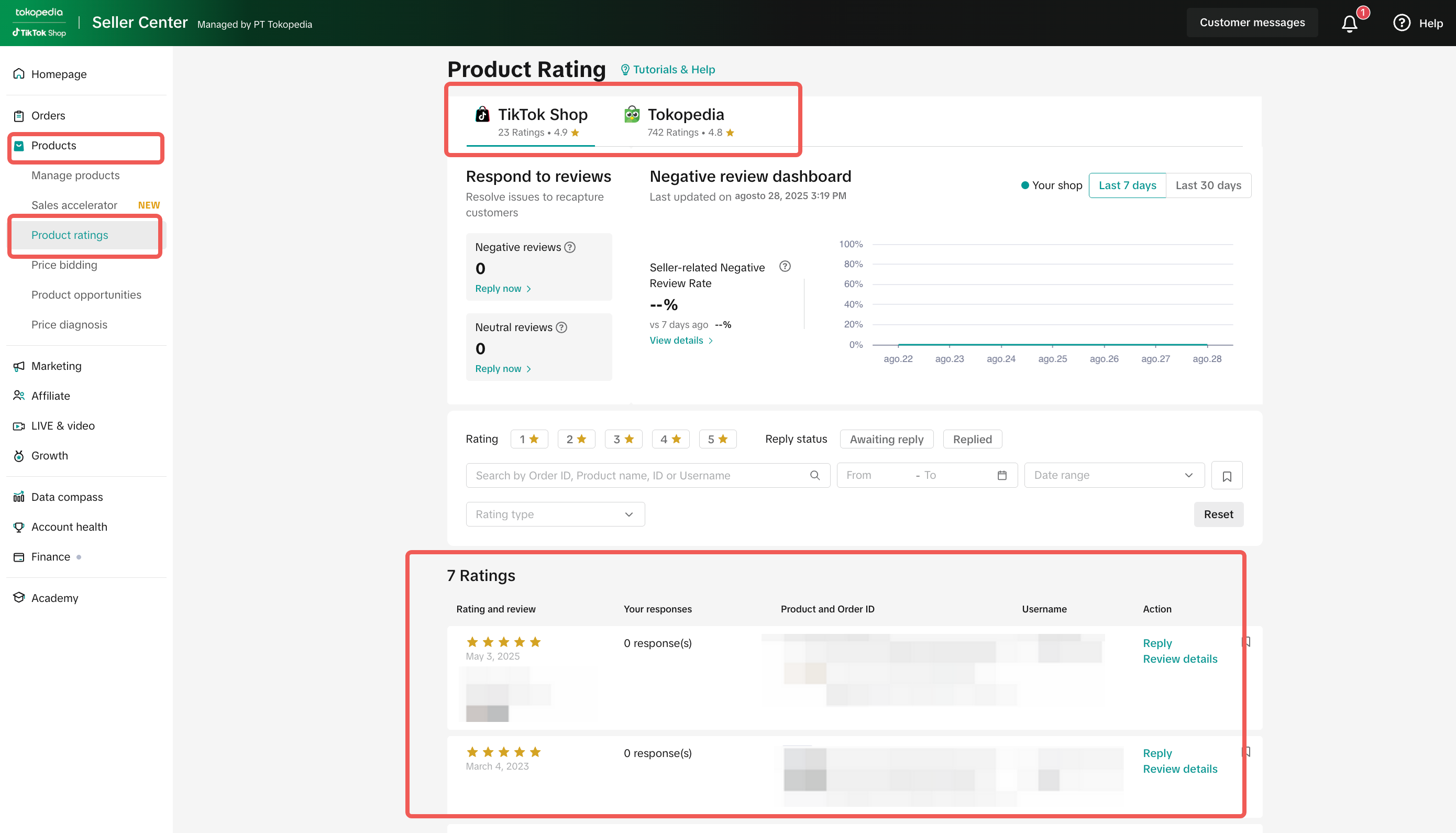 |

Managing Negative Reviews: Edit Review Feature
When a seller receives a negative product rating, they are encouraged to reach out to the buyer to understand their concern and offer solutions. After a resolution is reached, the buyer may choose to edit their review using the Edit Review Capability on TikTok Shop.Step-by-Step: How to Handle a Negative Review
Step | Seller Action | Buyer Action | Details |
1 | Seller checks the negative review through the Product Rating menu in Seller Center | — | 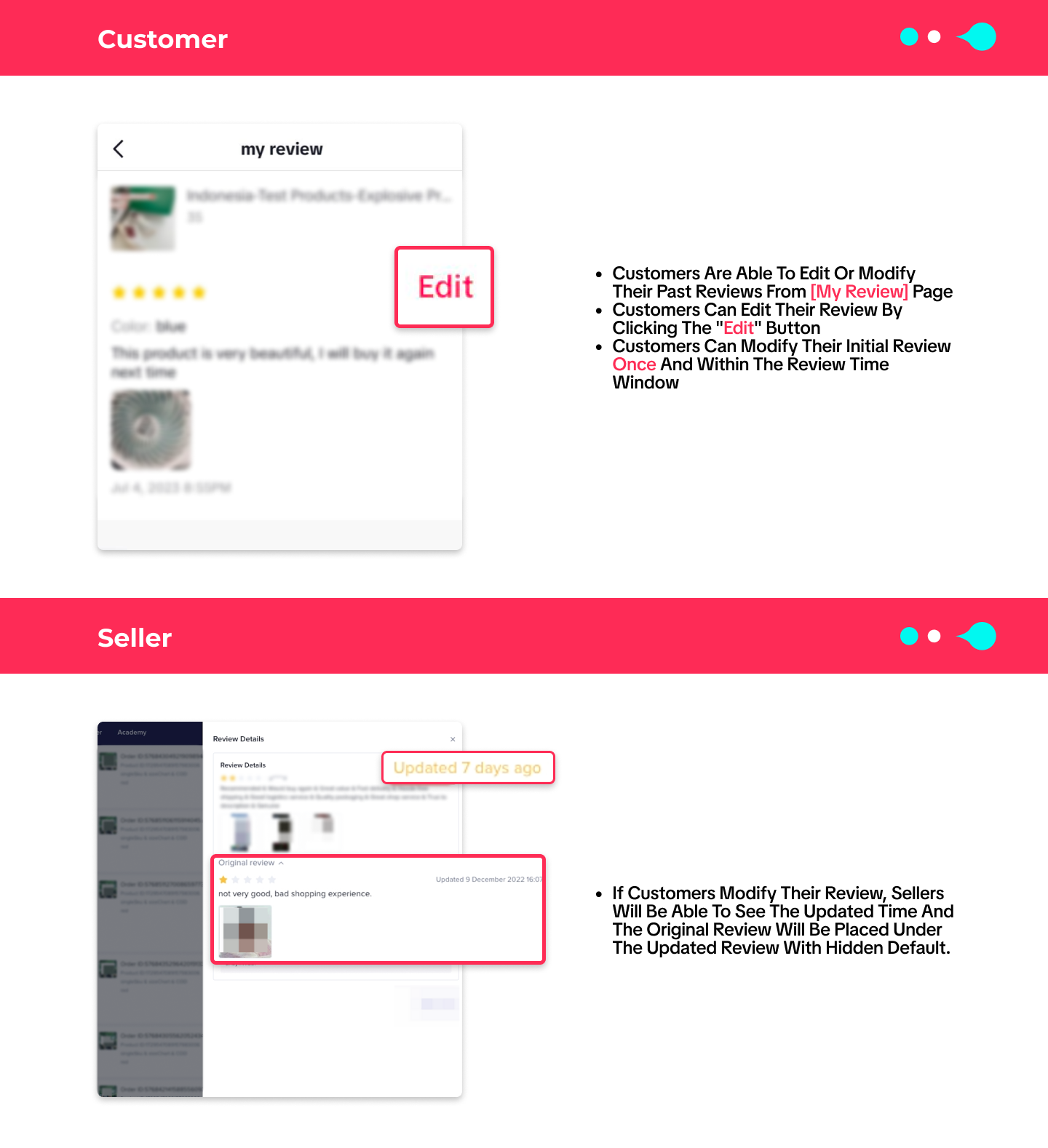 |
2 | Seller clicks on the Order ID and initiates a chat with the buyer | Receives a message from the seller | |
3 | Seller discusses the issue with the buyer and suggests a solution | Buyer can accept the solution | |
4 | Seller encourages buyer to edit the review (if applicable) | Buyer edits their review using the Edit button on the [My Review] page (can only edit once) |
Important Notes
- Only buyers can edit their review; sellers cannot directly change any review.
- Buyer can edit the review once, and only within the review time window.
- Once edited, sellers can see the new review and timestamp, while the original review is kept hidden by default.
Edit Review Capability Impact
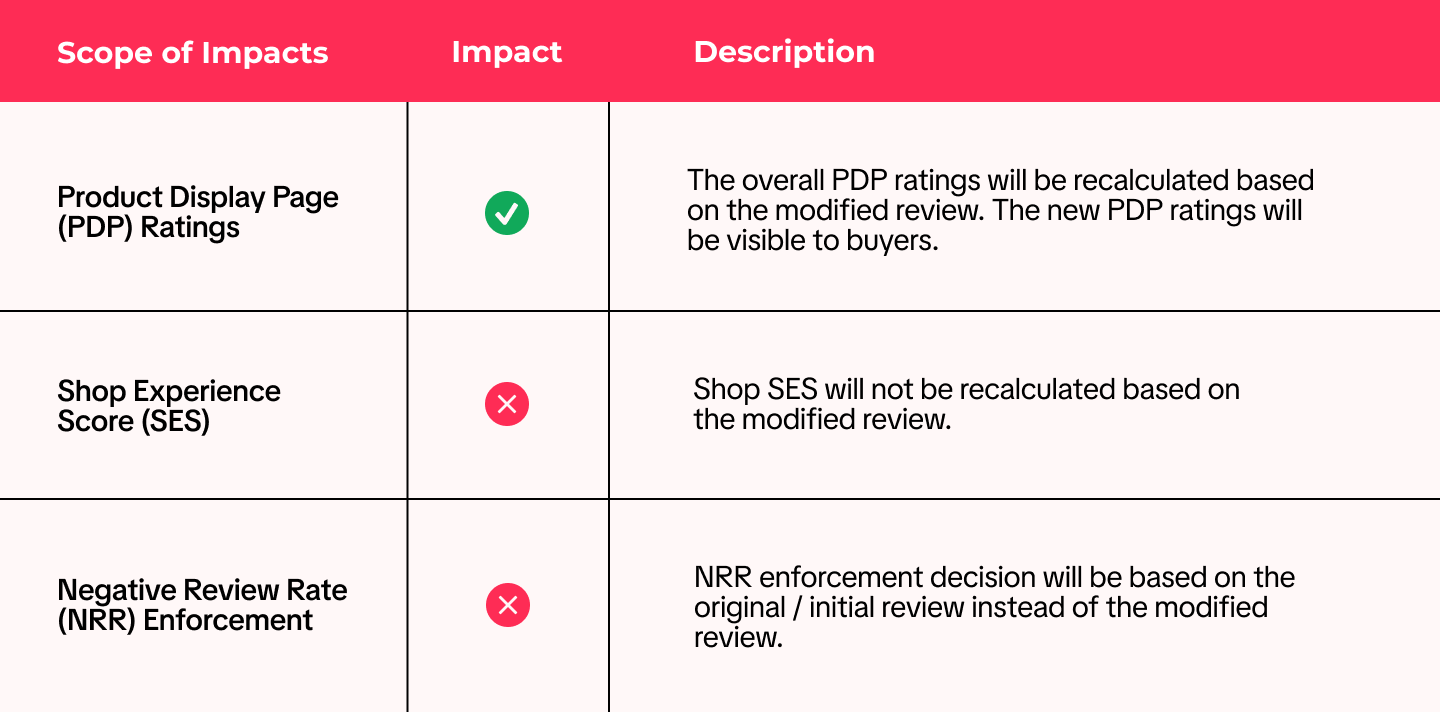

Impact of Product Ratings
Area Affected | Impact Description |
| Product Listing Page | Low ratings decrease trust and click-through rate |
| Search & Discovery | Affects product ranking in TikTok Shop by Tokopedia’s algorithm |
| Store Reputation | Negative ratings impact Store Rating and campaign eligibility |

- Visit your Product Performance > Rating Summary
- Identify products with 1–2 star ratings
- Check if they qualify for Edit Review
- Track improvements in click-through and conversion after update
You may also be interested in

Tokopedia & TikTok Shop Commitment for Your Integration Expe…
Thank you for the trust and constructive feedback you've shared with us. We’ve heard your feedback a…

Integration to Tokopedia App
This feature guide is intended for TikTok Shop by Tokopedia sellers, both who don't have and already…
Shop Ownership Change Process
Note: You will only be able to change ownership to corporate sellers (individual to corporate, or co…

What should I do if my account has been compromised?
If you are unable to sign in to your account or can no longer have access to the registered email or…

Late Dispatch Rate (LDR)
Note: Orders with Instant, Sameday, and Sameday 8-hour delivery are only available via Tokopedia. Cl…
What is the Seller Performance Evaluation Policy?
TikTok Shop by Tokopedia Seller Performance Evaluation At TikTok Shop by Tokopedia, we value safety,…
Inactive Seller Accounts
When will I be considered an Inactive Seller? Sellers that do not interact with their TikTok Shop by…

Access Management on Seller Center
As a shop owner, you can add sub-accounts for your employees to help manage and operate your shop. I…

Shop Marketing Account
This article will introduce a marketing account for your Shop. Shop Marketing account is TikTok acco…

Shop Official account
The TikTok account that represents the official identity of the TikTok Shop by Tokopedia official ac…