

Product Optimizer
08/07/2024
Entrance: Seller Center > Product > Product Optimizer

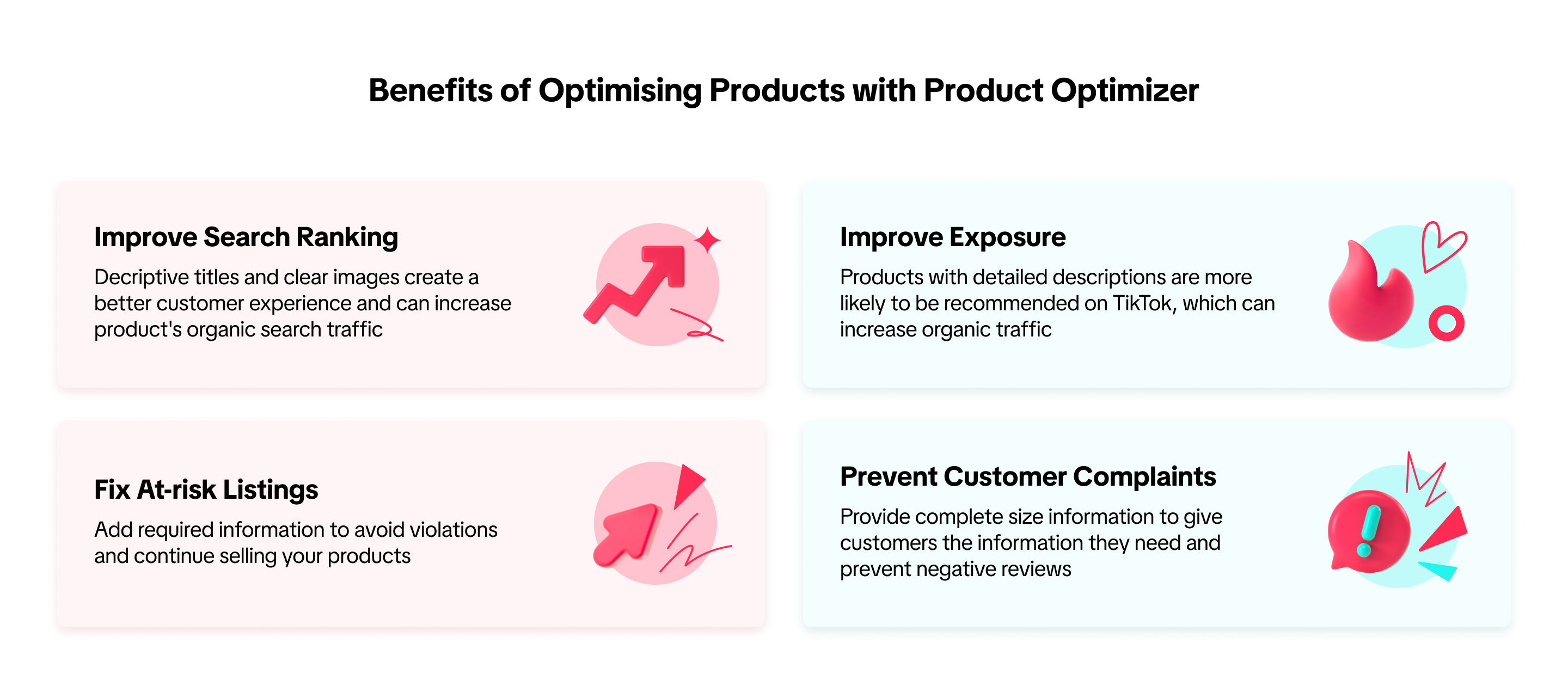
Benefits of Optimising Products with Product Optimizer

Feature Overview
Entrance: Seller Center > Product > Product Optimizer On this page, you will see suggestions to improve product visibility based on the issues that your products have.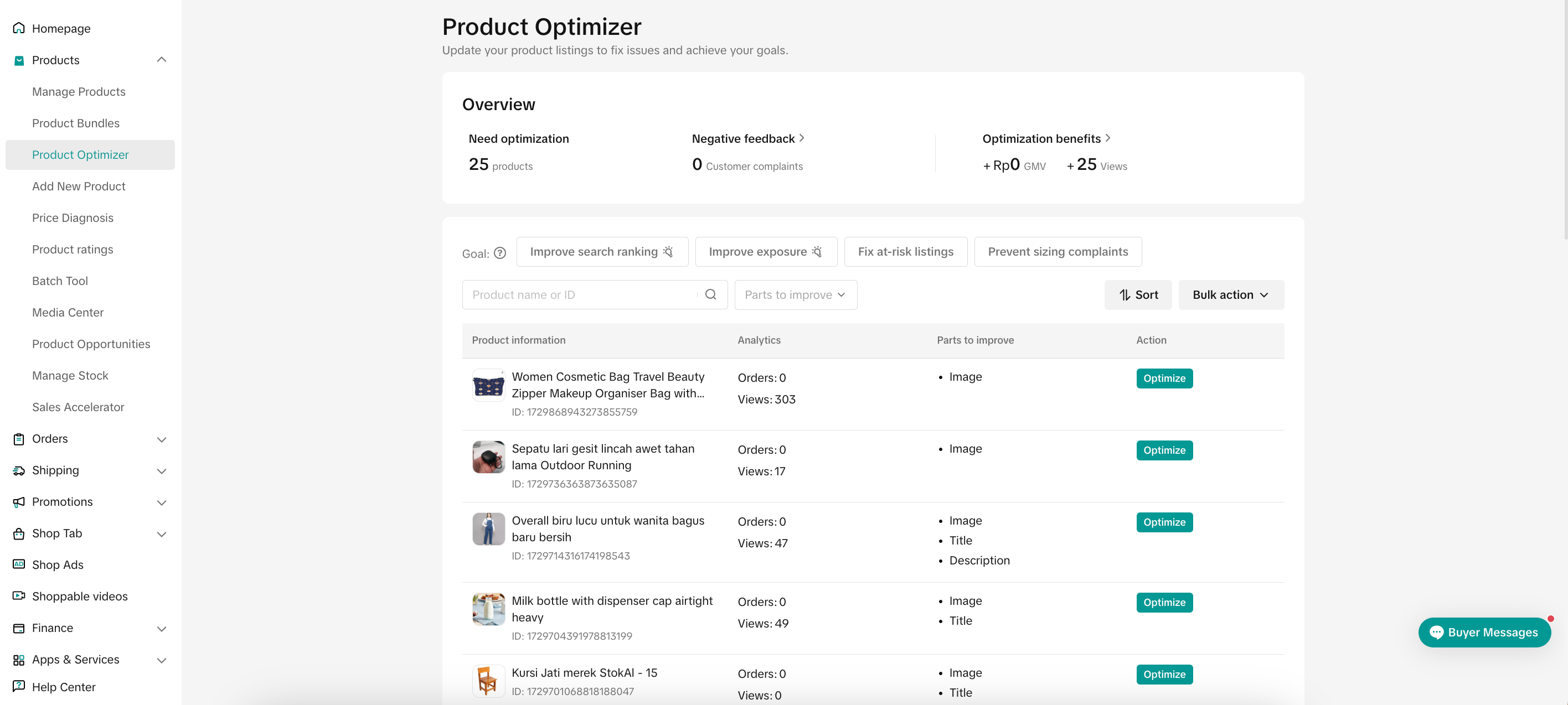
Main Features
Data Overview
 The overview section will display the important data related to your store and products, such as: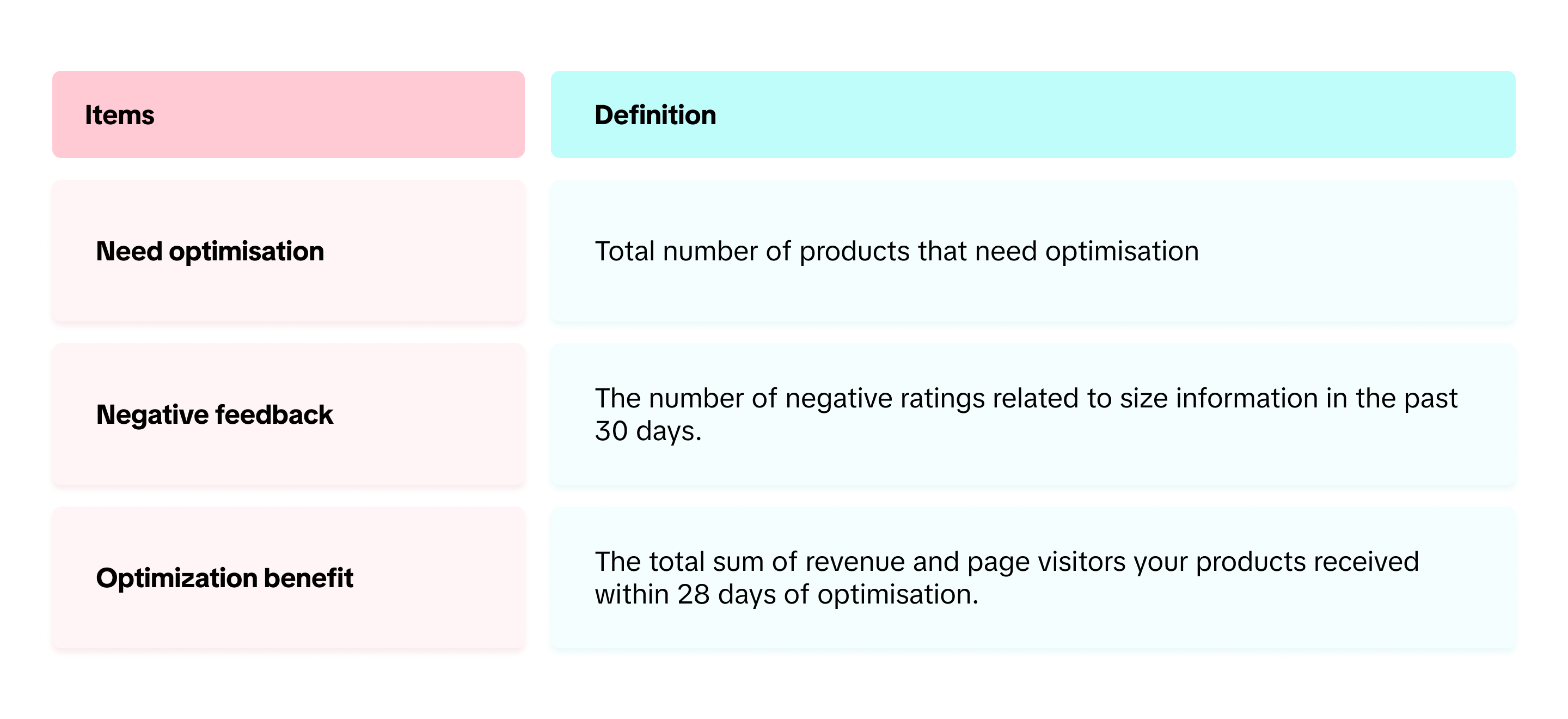
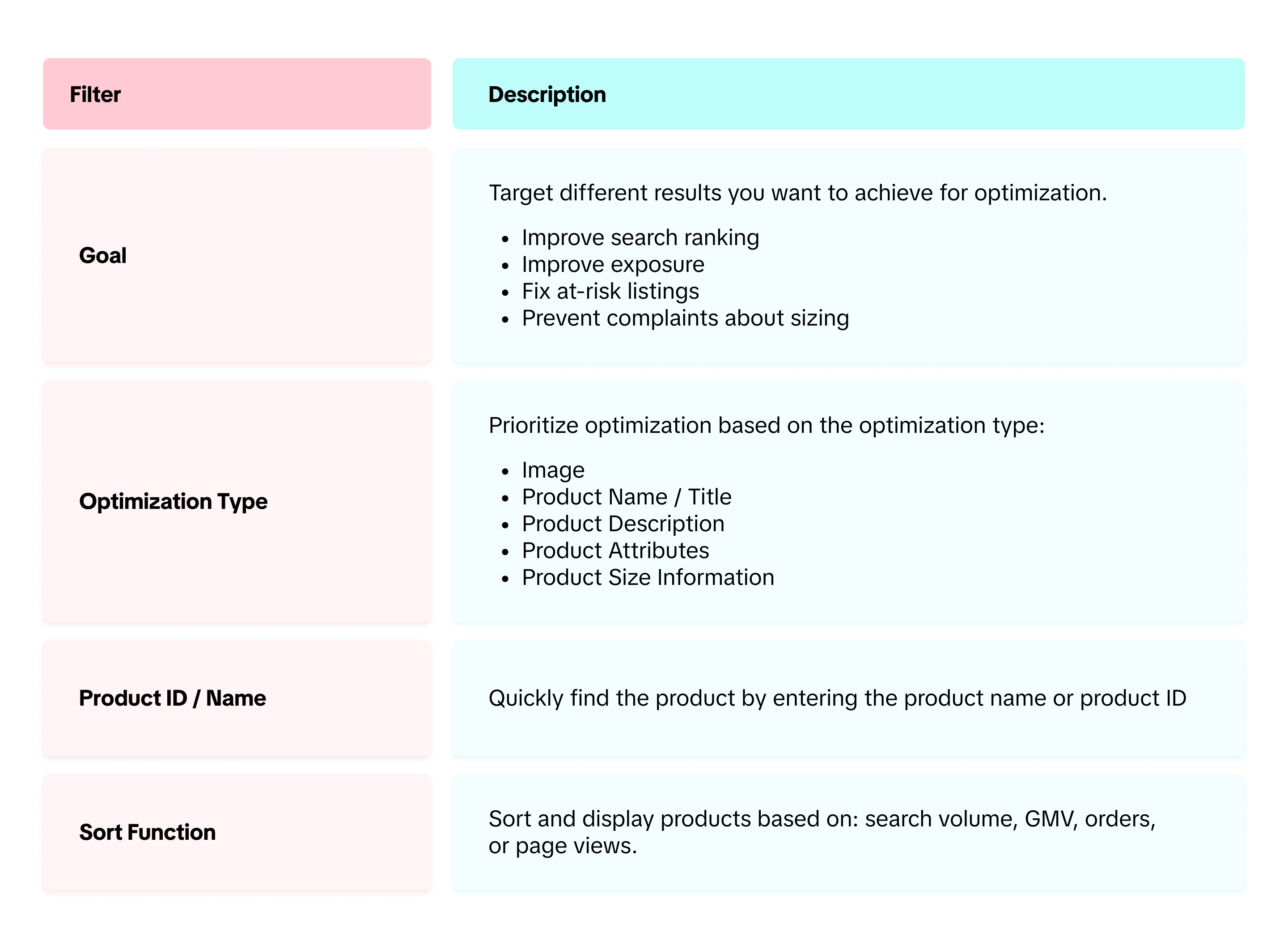
Filter Function

Guide to Optimise Product
Optimise Single Product
- Product Optimizer page will give you the list of products that need to be optimised, including their past performance (number of orders and views) and also part to improve.
- Select the product that you want to optimize. Click on "Optimise" Button
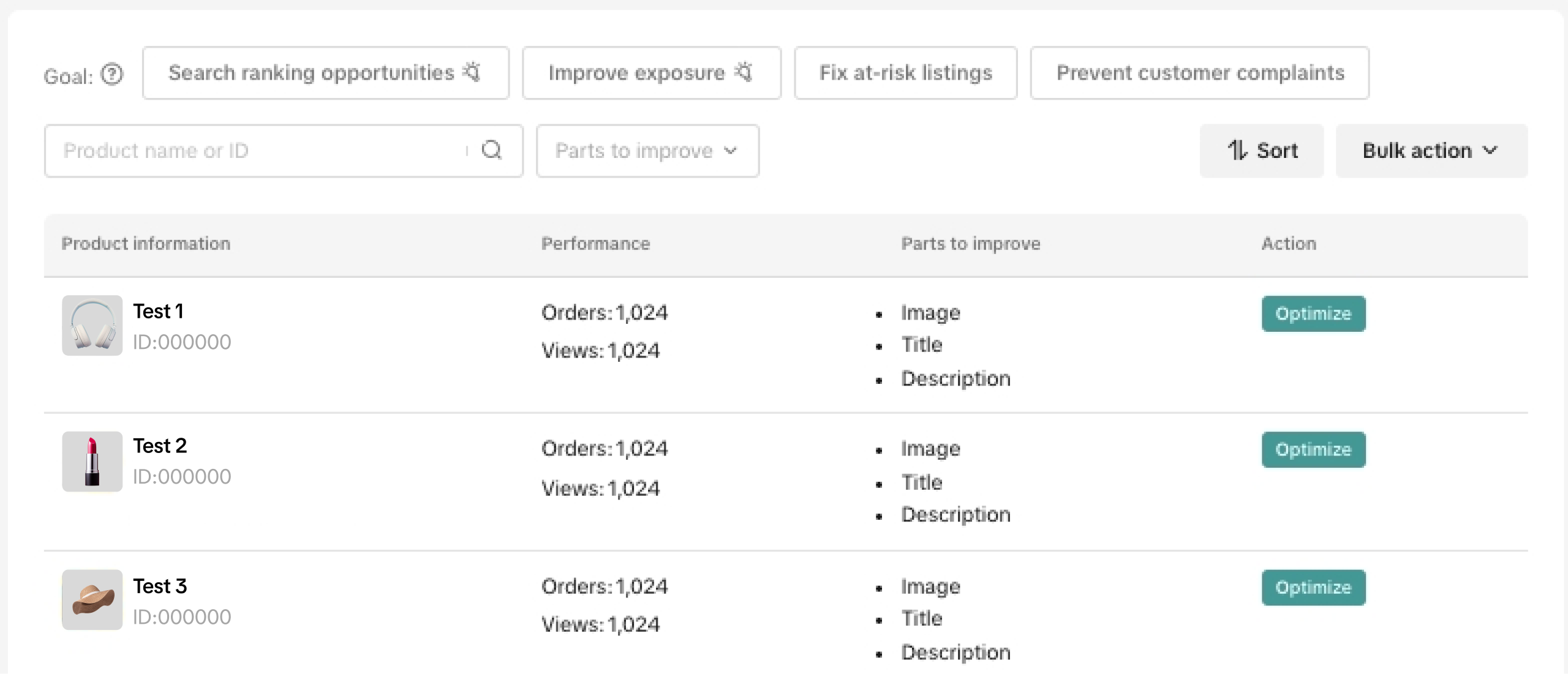
- Depending on the parts to improve, a side window will be opened after you click "Optimise".
- Optimise your products according to the suggestions that are given on each optimization type.
- AI Optimization support is available for Product Title and Description optimizations.
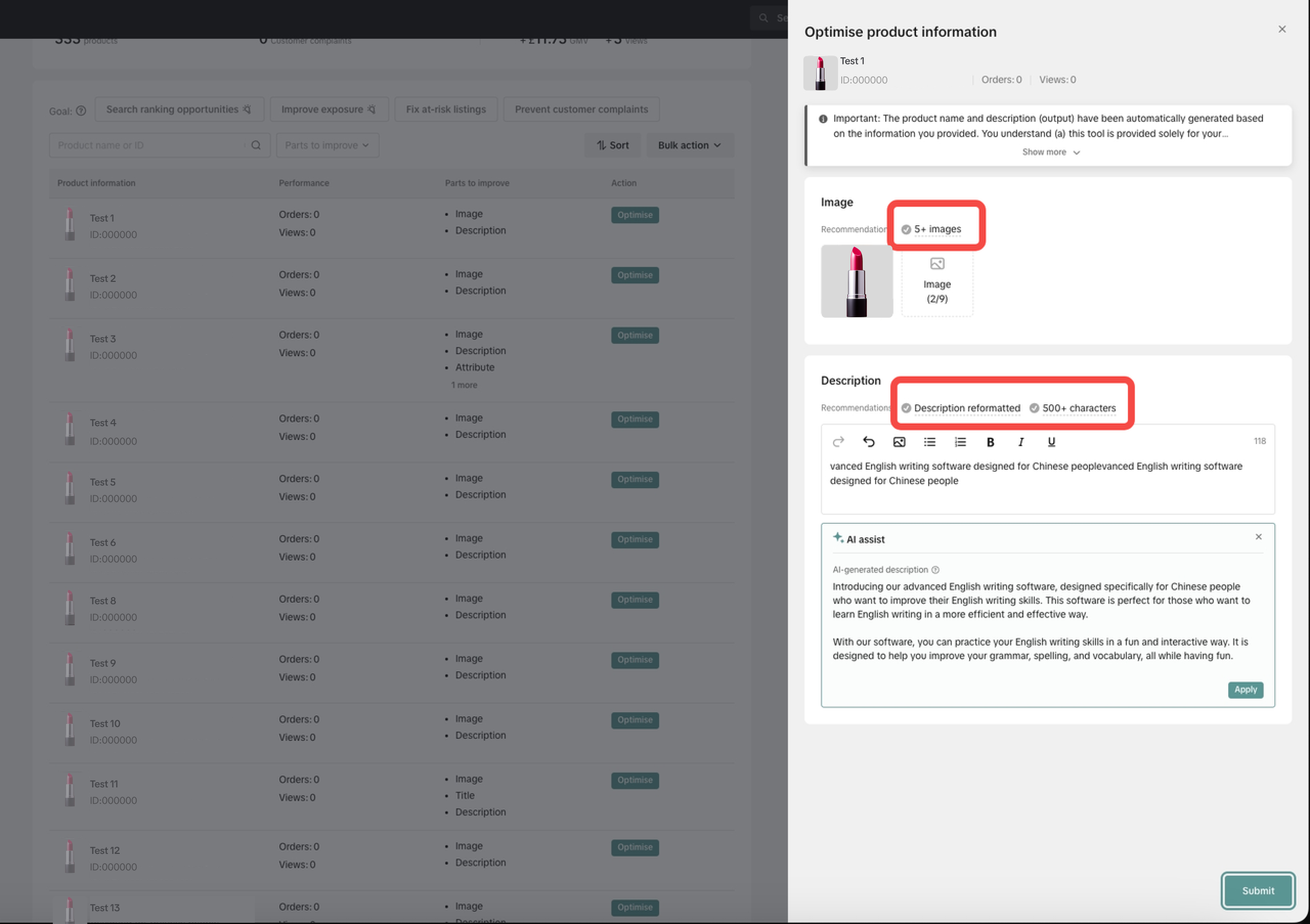
- Click "Submit" to confirm product optimization.
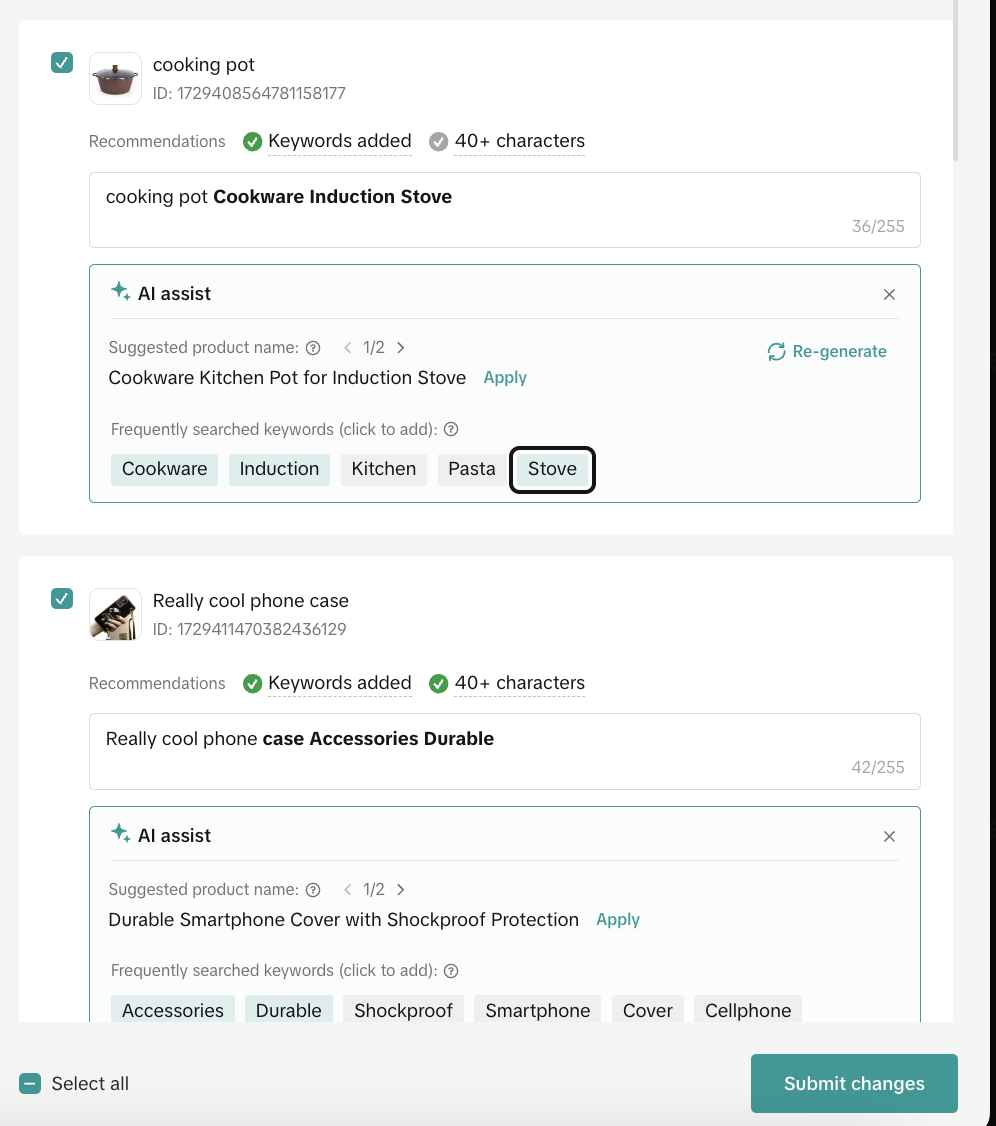
Optimize Product Title in Bulk
- Click "Bulk Action" to mass optimize your product title
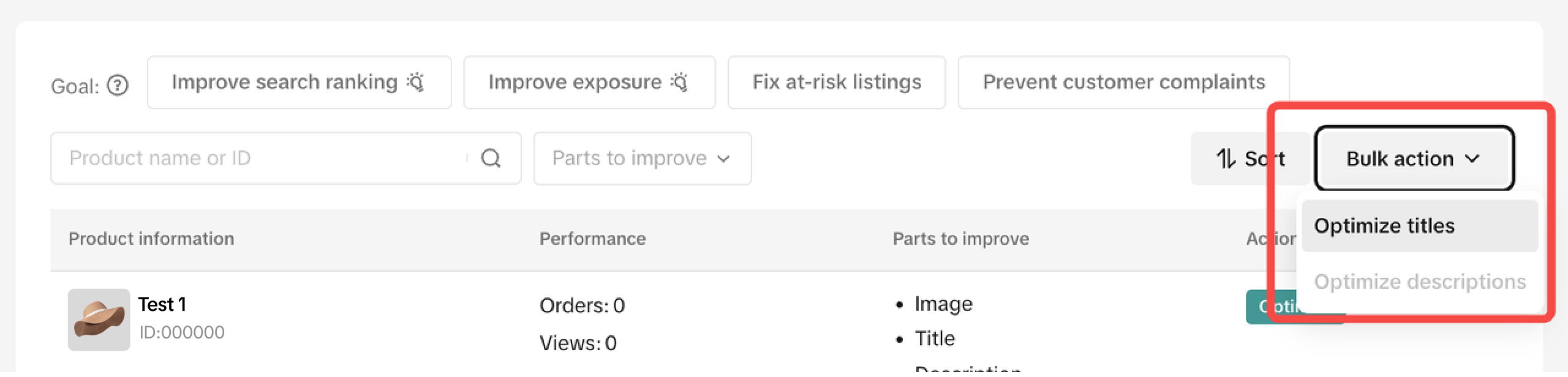
- By default, the bulk tool will tick all the products with product title optimization task
- If you have certain products that you don't want to optimise, ensure you untick the box
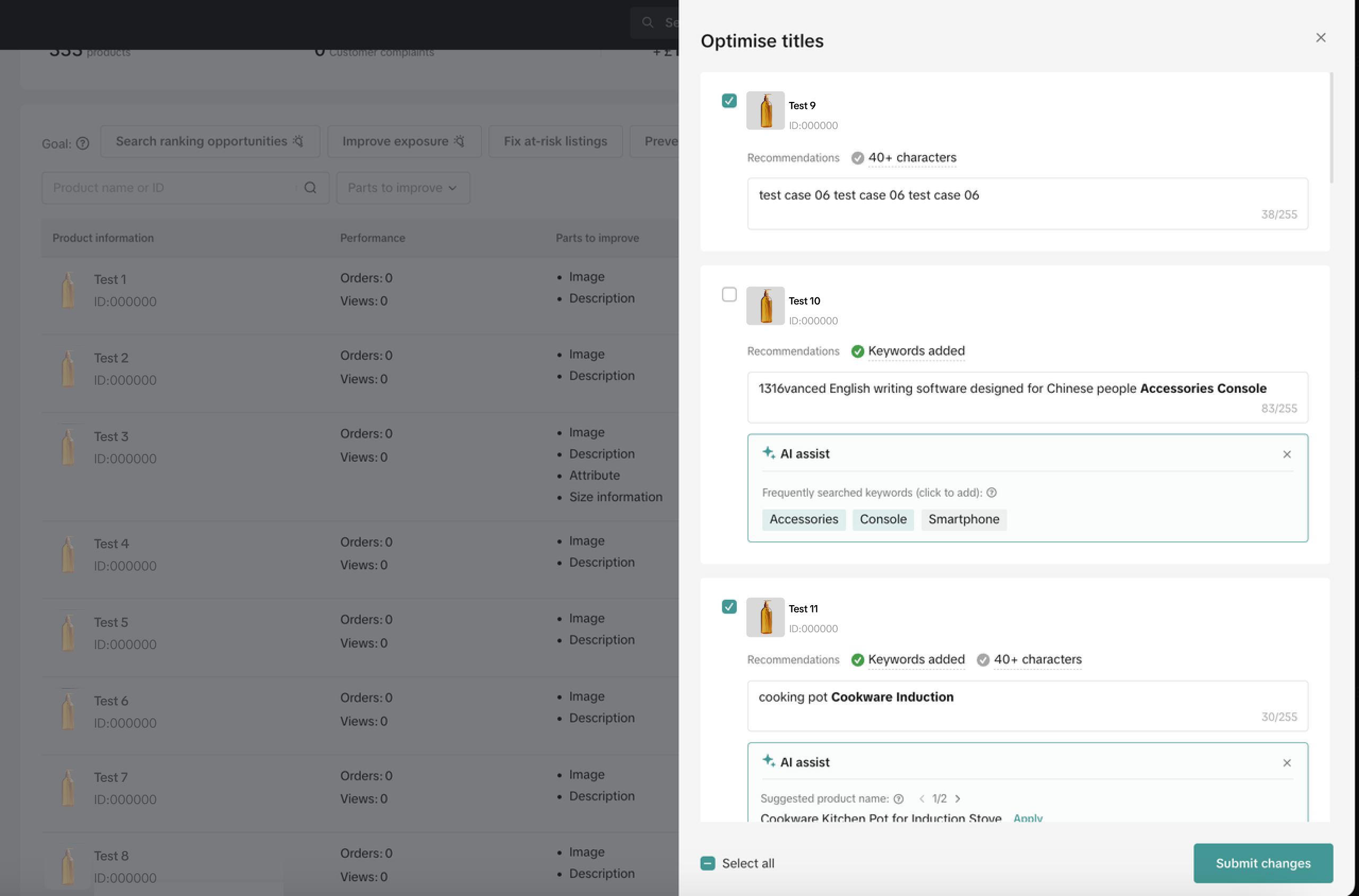
- Review the suggested product title or added keywords to ensure that the product title describes your products well
- Repeat this step for all the products within the list
- Click "Submit changes" to confirm product optimisation.

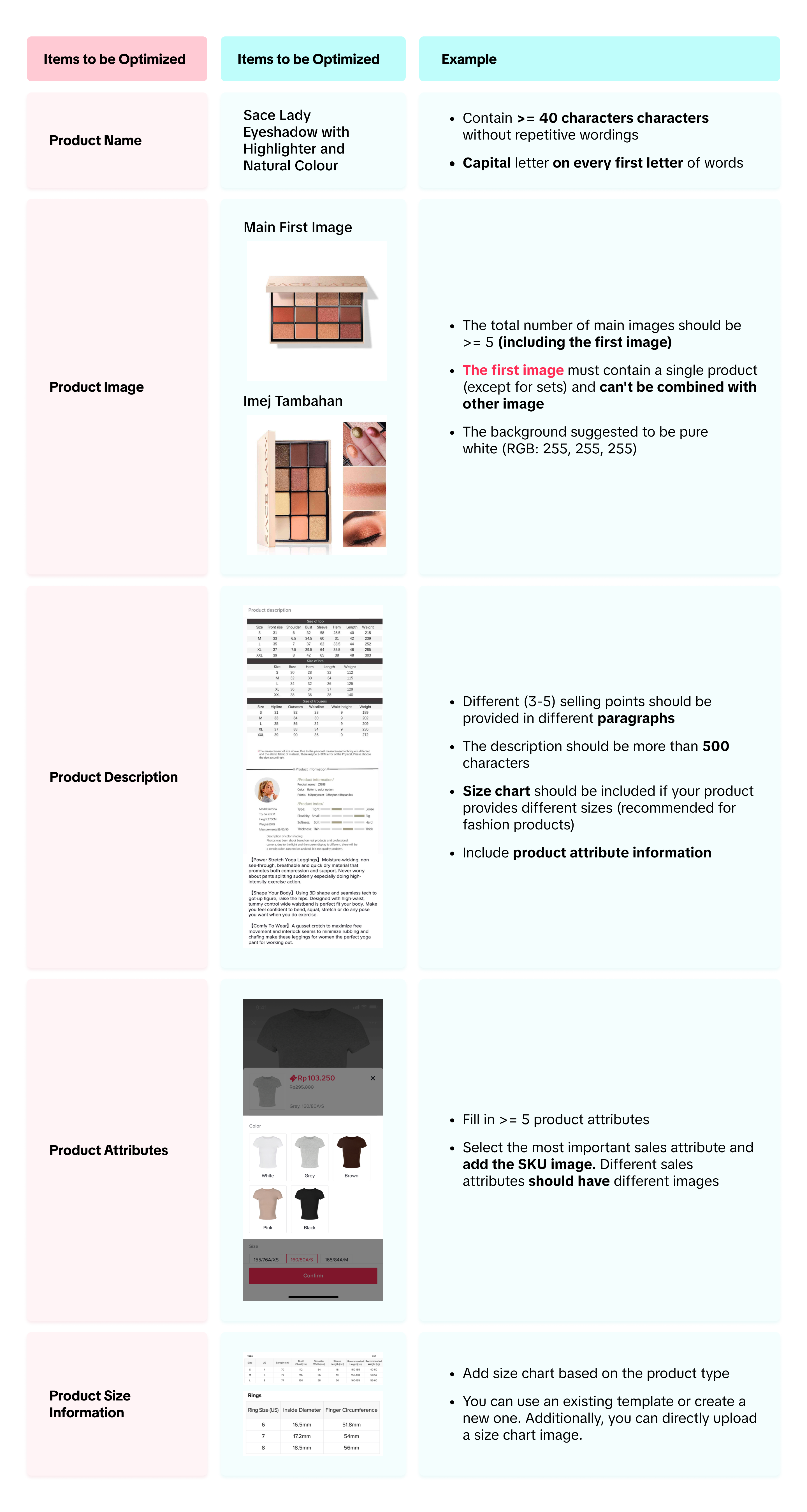
Product Optimization Guideline & Examples

Product Issues Detail
Product optimizer will run analysis of your current product information and will notify you of the optimization items through diagnostic tags. You can find the list of diagnostic tags in the table below: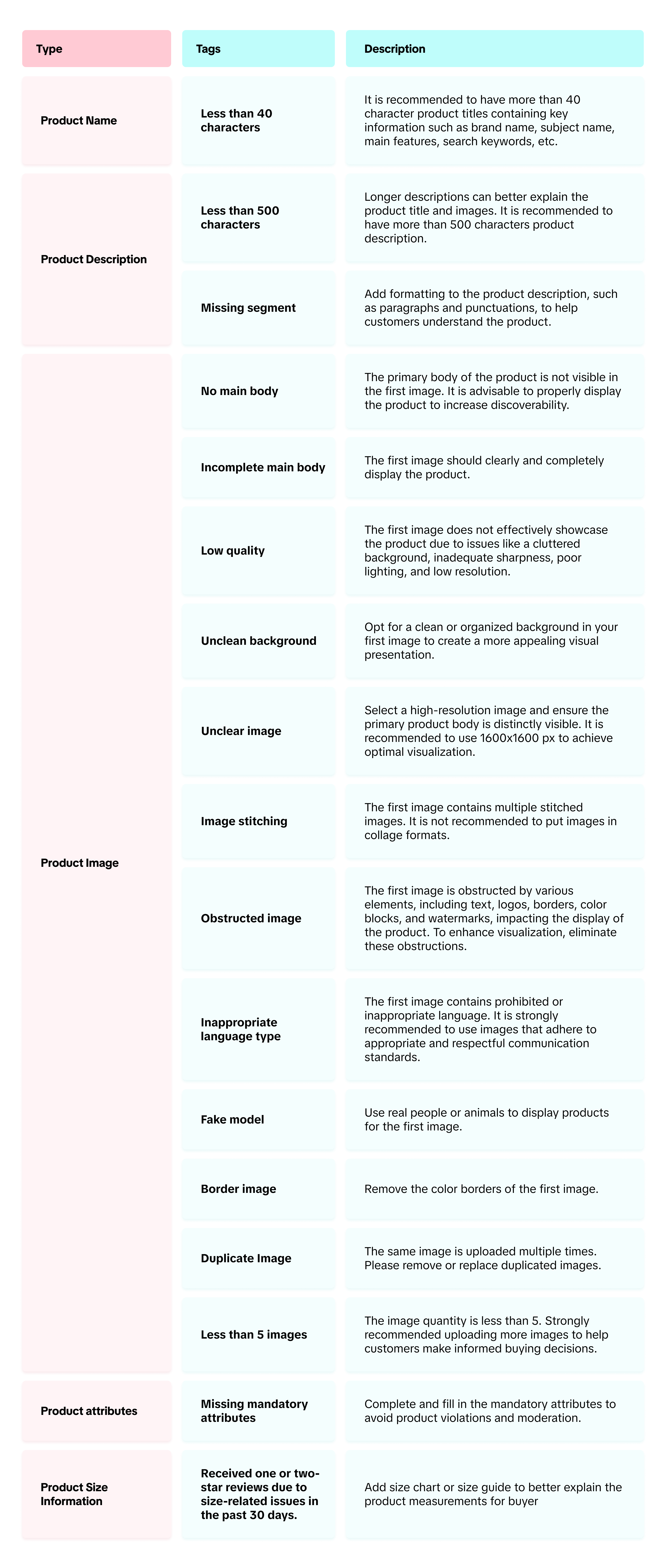

FAQ
- Why does image optimization appear in both filters? What will happen if I optimize from either one of the tabs?
- Why do some products have system generated descriptions while others do not?
- Why do some products have revamped images while others do not?
- Do you have any other tools for optimizing images?
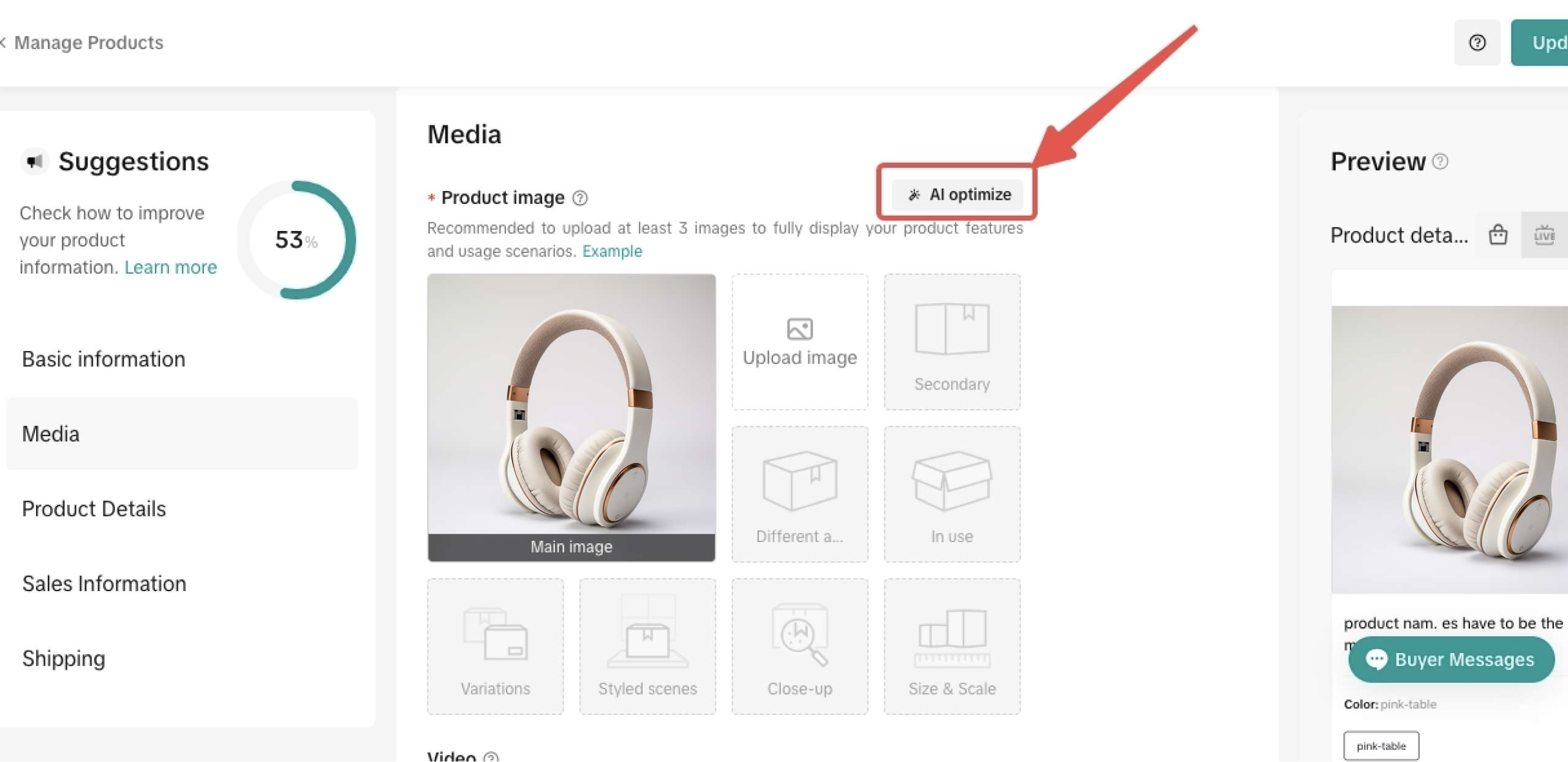
- After you upload any product images, there will be an "AI optimize" button on the right corner
- You can click on the button to crop images and change the product background
- How often am I required to optimize my product?
You may also be interested in
- 1 lesson
Product Listing
Create compelling and informative product listings to attract more buyers!
- 4 lessons
Listing Product
A practical guide to uploading products effectively covering naming, categorization, visuals, and de…
- 2 lessons
Finding the perfect product list
Discover how to choose the right products that align with current trends and buyer demands on TikTok…
What are Restricted Products?
This policy applies to products listed on TikTok Shop by Tokopedia. For products listed on Tokopedia…
Branded Products Listing Guidelines
What are Branded Products? Branded products are products bearing a brand. The brand and its features…
Product Categorisation
This policy applies to products listed on TikTok Shop by Tokopedia. For products listed on Tokopedia…
Why can't my products be purchased on the TikTok Shop platfo…
Ensure that the product is live with sufficient stock quantity enabled for buyers to purchase. Alt…
How can I edit my products?
Go to Seller Center > Products > Manage Products > Edit Once you have made the necessary changes, s…
How can I optimise my product name?
Be as accurate and concise as possible, while highlighting the main selling point. Here is a sugges…
Can I upload a product video?
It is optional to upload a video to showcase your product. If you choose to do so, kindly ensure th…