

Program Siap Stok
14/01/2026
Program Penguncian Stok adalah fitur untuk menambah trafik dan memberikan subsidi kepada seller. Mekanismenya adalah dengan menetapkan stok tertentu yang tidak bisa dikurangi seller secara manual di luar aktivitas penjualan kepada pembeli.
Namun, seller tetap bisa meminta pembukaan stok melalui langkah-langkah tertentu.
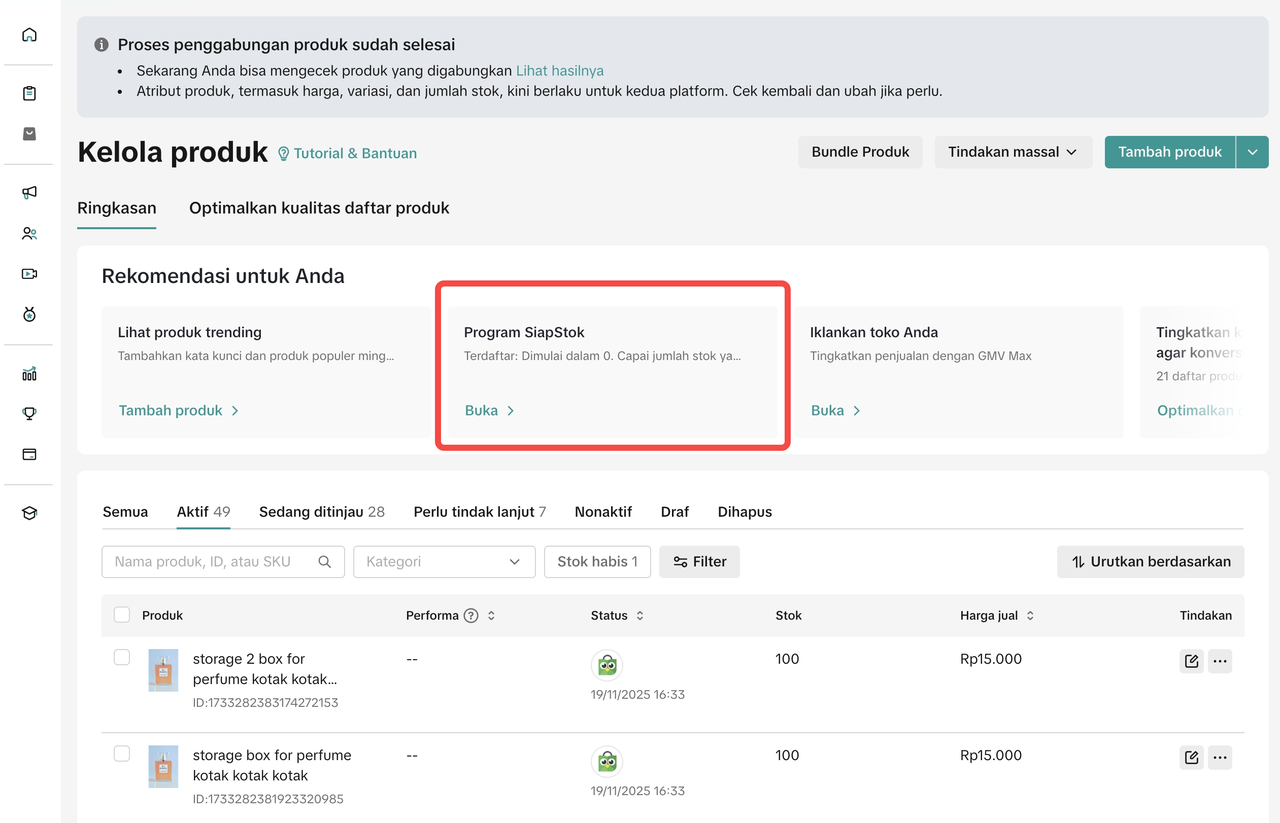

Cara Penggunaan
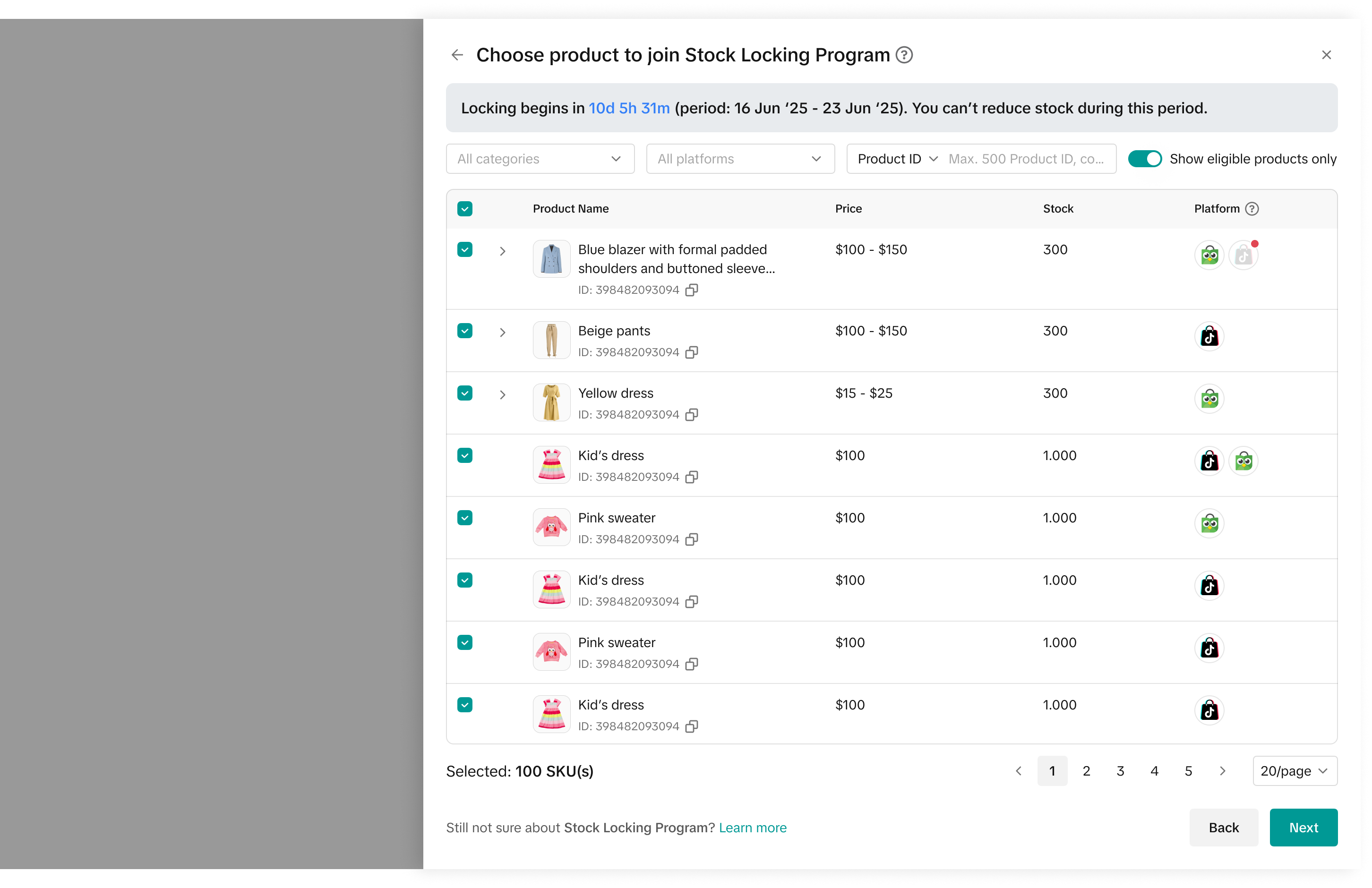
Setelah seller mengklik Program Siap Stok di halaman kelola produk, mereka bisa melihat definisi program tersebut dan manfaatnya. Selanjutnya, seller perlu mengklik Mulai untuk mengikuti program.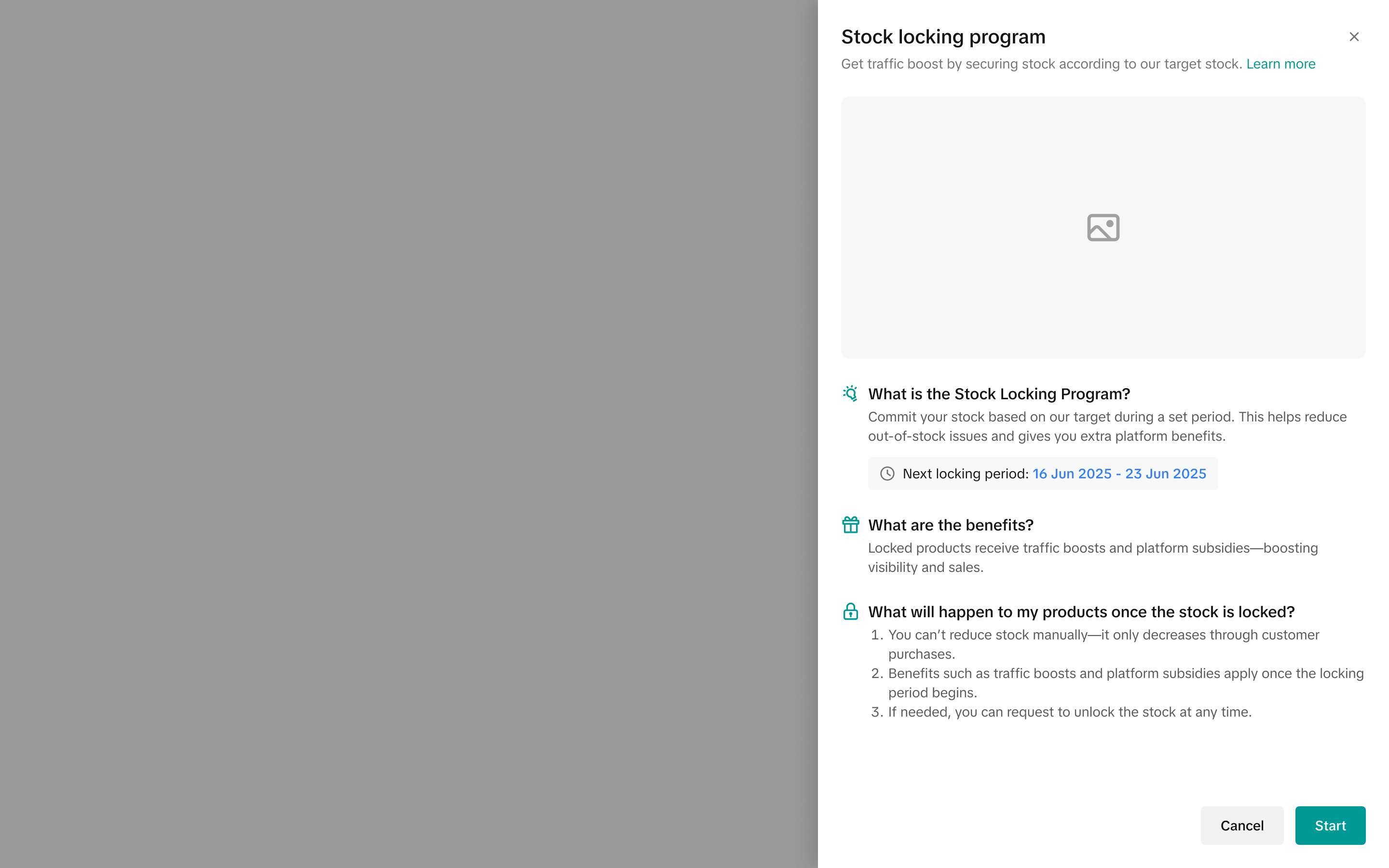 Seller kemudian akan diarahkan ke halaman yang menampilkan semua produk yang memenuhi syarat dan akan dikunci untuk program ini, jika mereka memutuskan untuk mengajukannya.
Di halaman ini, Seller bisa memeriksa berbagai informasi, seperti:
- Periode dimulainya penguncian dan jarak waktu hingga program mulai berjalan
- Mencari produk berdasarkan nama produk, ID produk, atau SKU Seller
- Memilih antara Produk atau SKU yang akan disertakan dalam program ini
- Mengetahui jumlah target stok dan memastikan stok saat ini memenuhi target stok tersebut
 Di halaman tersebut, Seller harus mengatur jumlah stok sesuai dengan target stok (jumlah minimum), lalu klik Simpan.
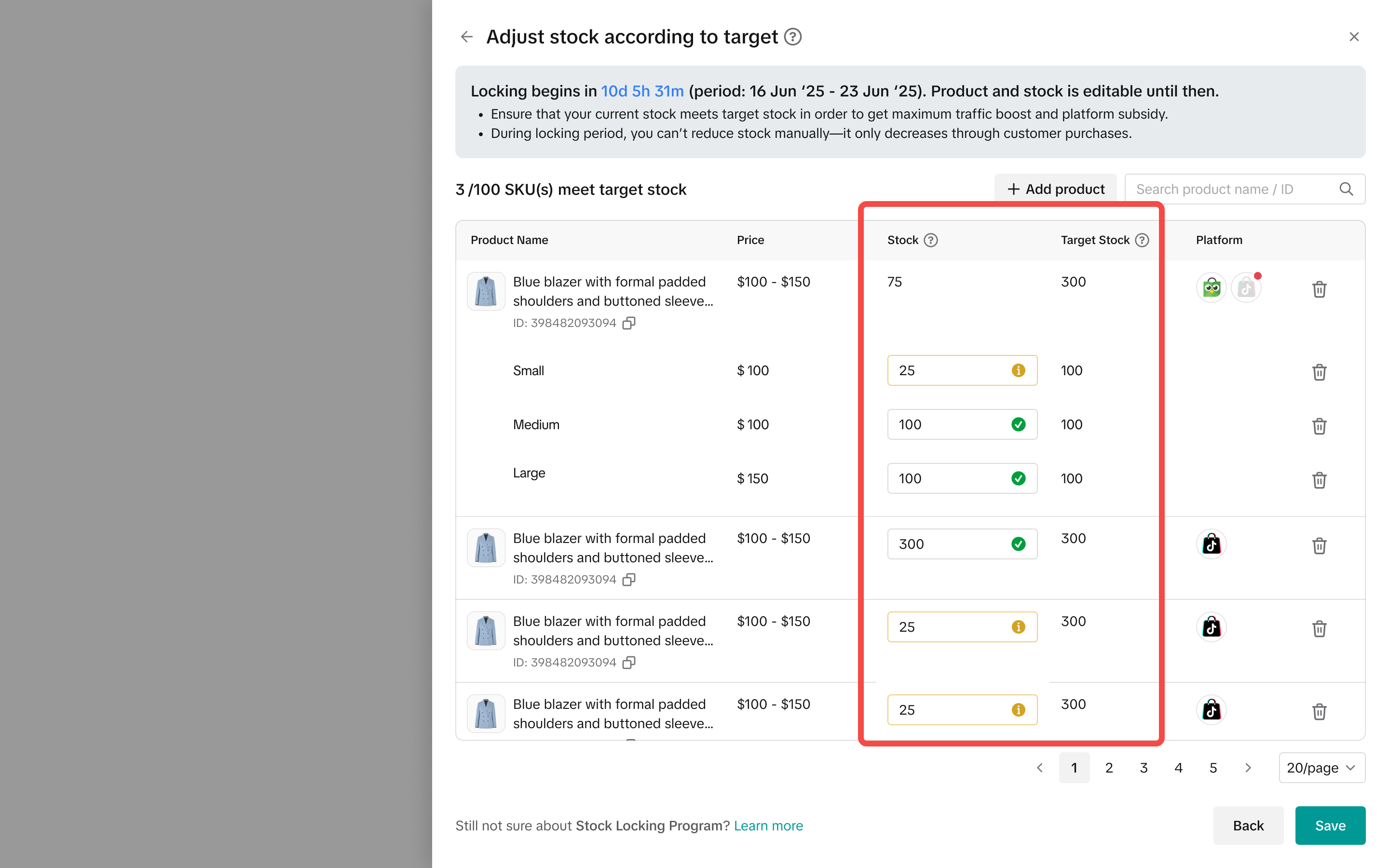 Jumlah stok yang diisi saat sign-off akan digunakan untuk mengunci inventori. Mohon periksa angka dengan saksama sebelum menyimpan.
- Jumlah yang disarankan: Masukkan jumlah stok yang sama atau lebih tinggi dari target stok yang disarankan sistem.
- Jumlah lebih rendah: Jika jumlah yang dimasukkan lebih rendah dari target stok, proses sign-off penguncian stok tetap dapat diselesaikan.
- Aturan penguncian stok: Jumlah stok yang Anda masukkan ke dalam program akan memengaruhi total jumlah stok keseluruhan produk tersebut.
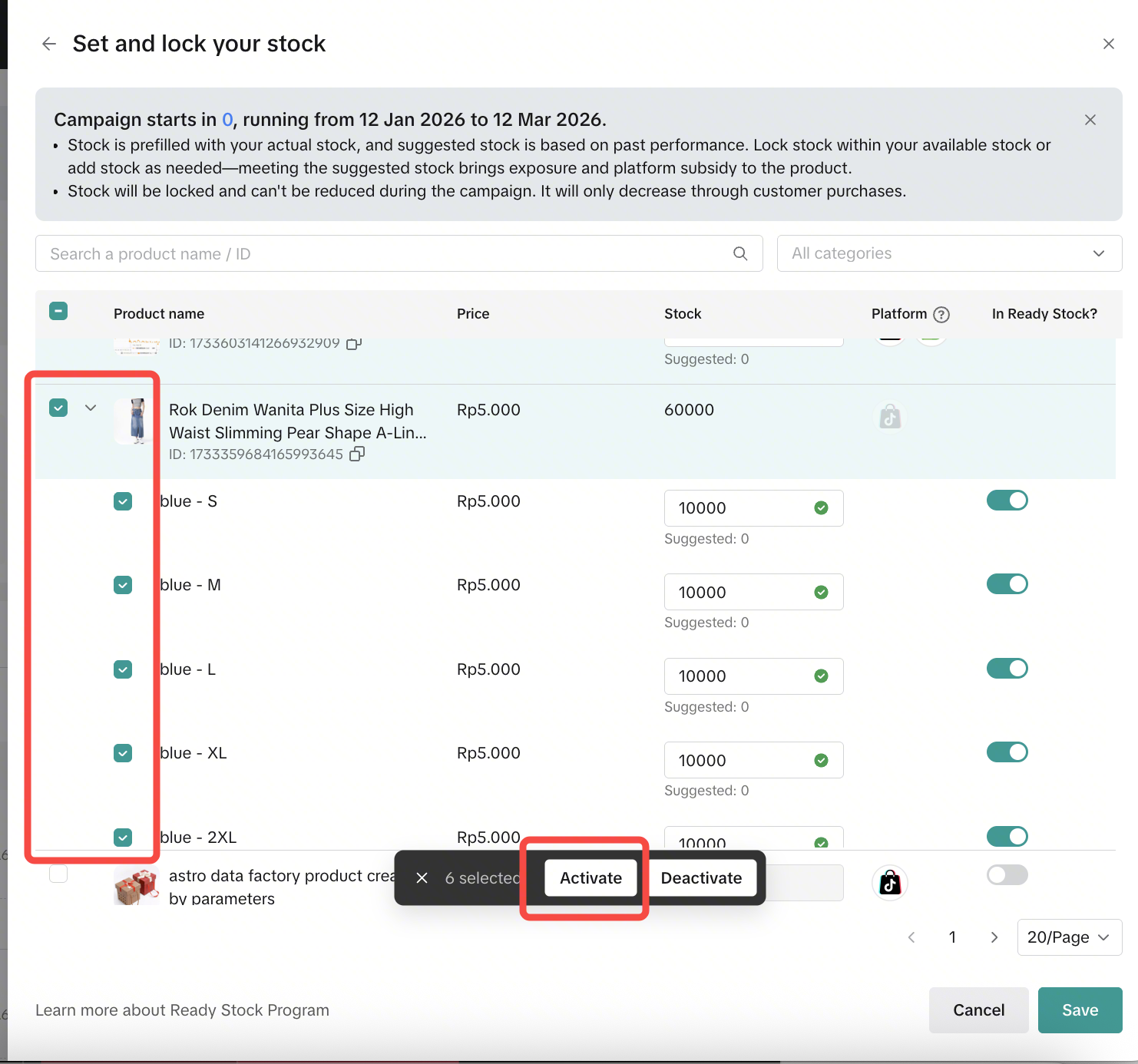
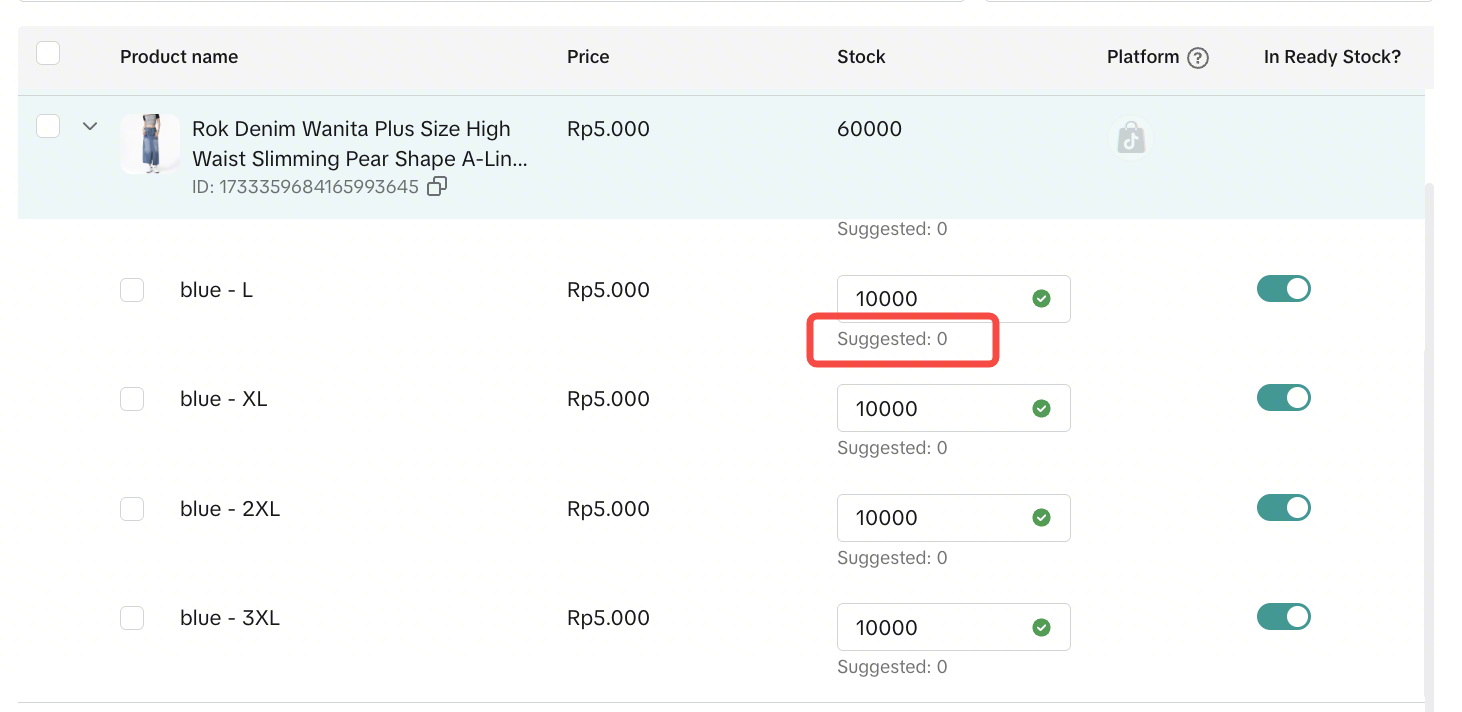 Seller dapat memilih beberapa produk sekaligus dengan mencentang kotak di sisi kiri, lalu klik tombol Aktifkan.
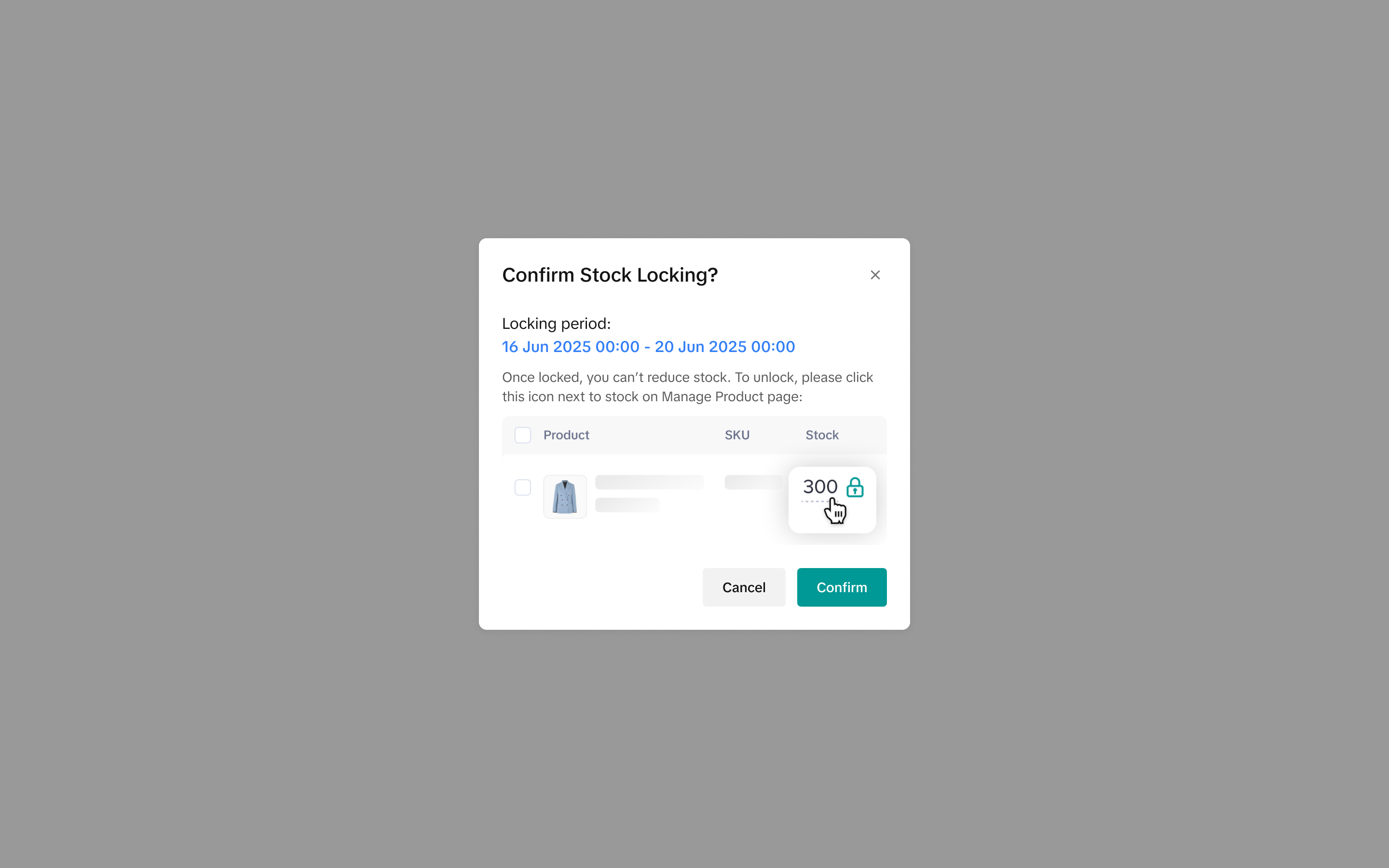
 Setelah meninjau semua produk, Seller akan menerima pop-up konfirmasi untuk memastikan bahwa pengajuan dilakukan atas izin dan kendali mereka. Jika semuanya sudah sesuai, klik Konfirmasi.
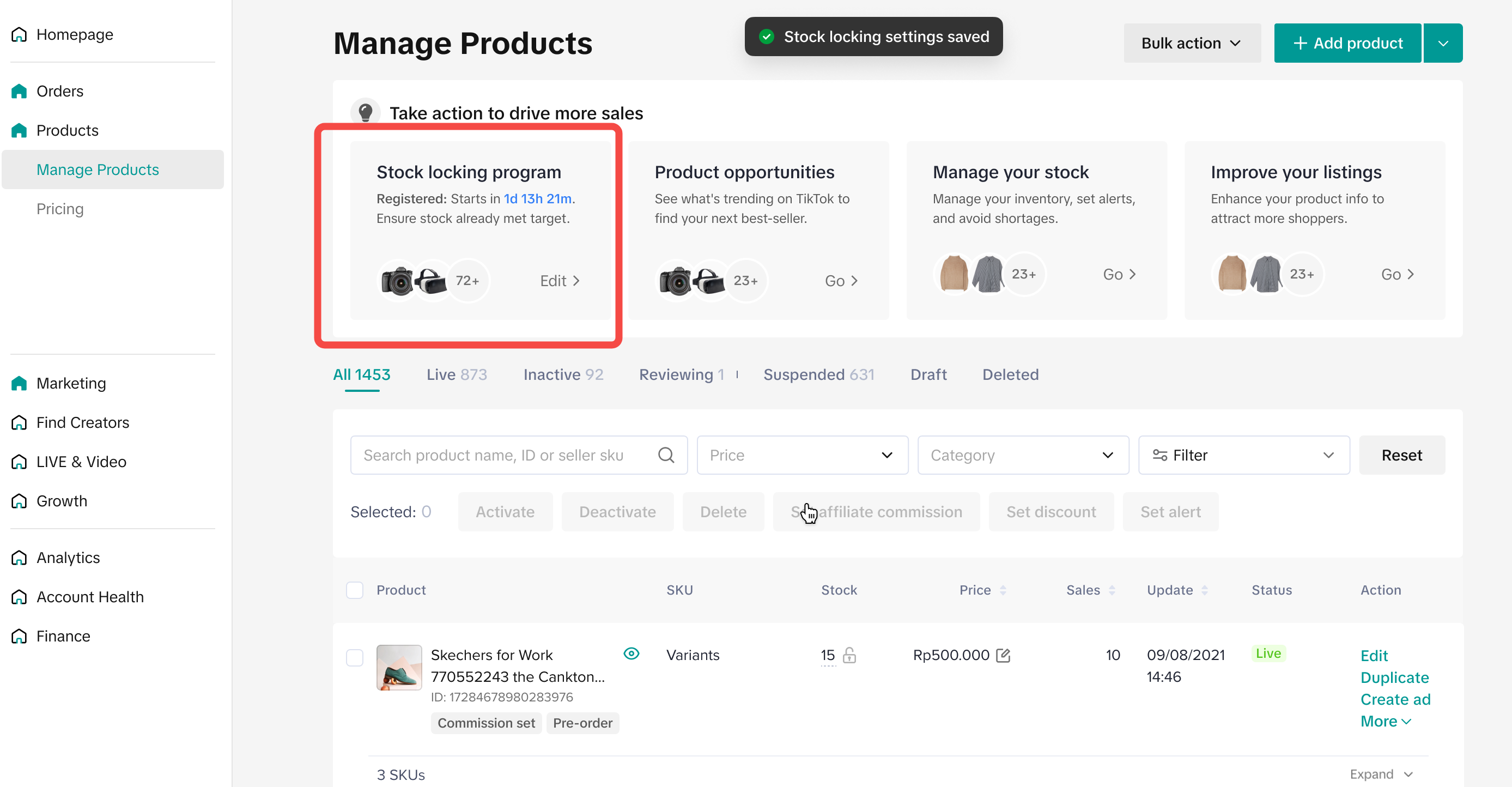
 Setelah Seller setuju mengikuti program ini, tetapi periode penguncian masih belum dimulai, mereka masih bisa melihat widget Rekomendasi di Halaman Kelola Produk. Dengan mengkliknya, mereka bisa meninjau ulang produk yang memenuhi syarat. Akan tetapi, tombol tindakan tidak akan muncul.
 Sebelum periode penguncian stok dimulai, Seller bisa mengenali produk yang diajukan, ditandai dengan ikon "gembok abu-abu" yang terdapat di sebelah jumlah stok di halaman kelola produk. Produk satuan maupun produk dengan berbagai variasi sama-sama ditampilkan.
| Dikunci di Tingkat Produk | Dikunci di Tingkat SKU |
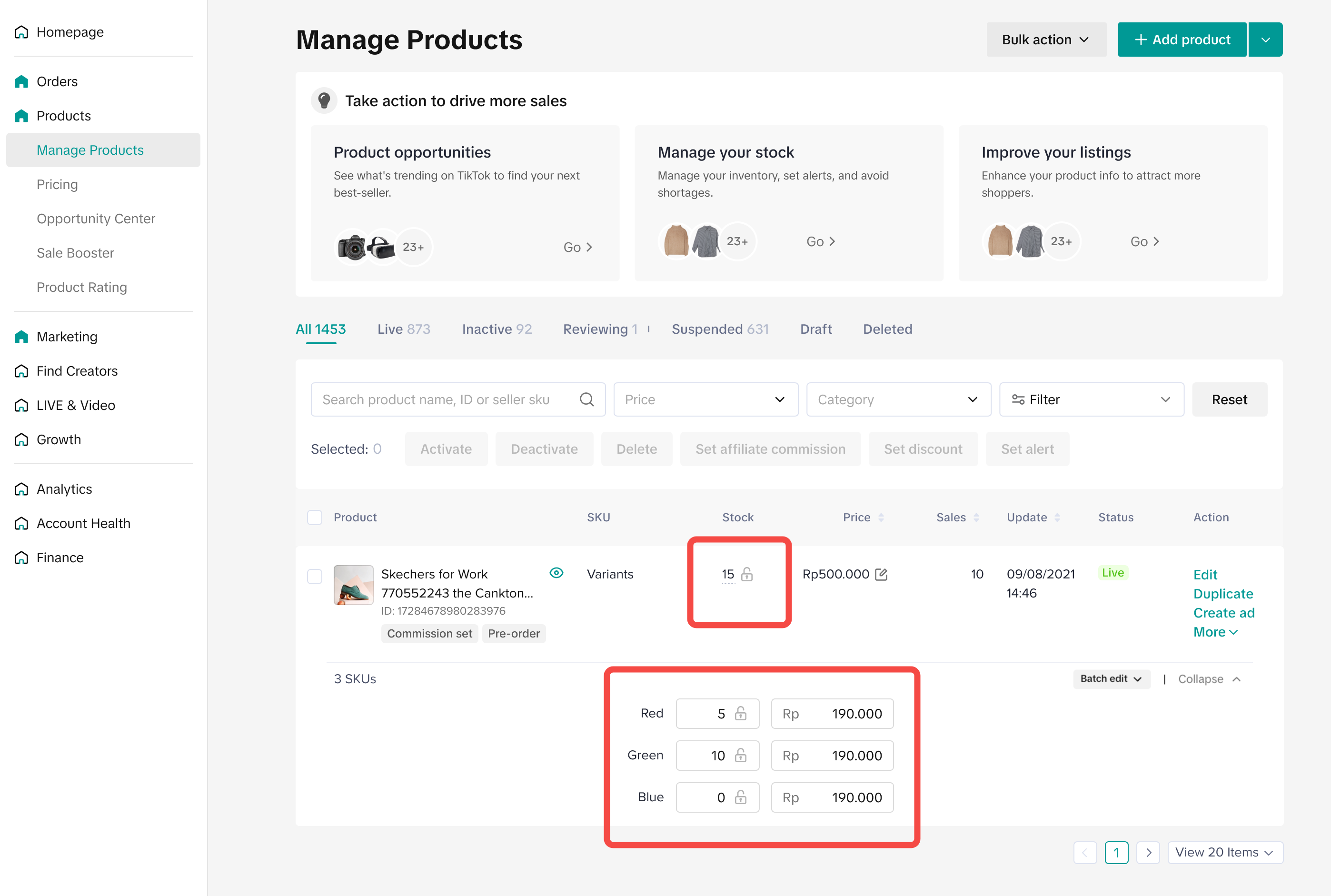 | 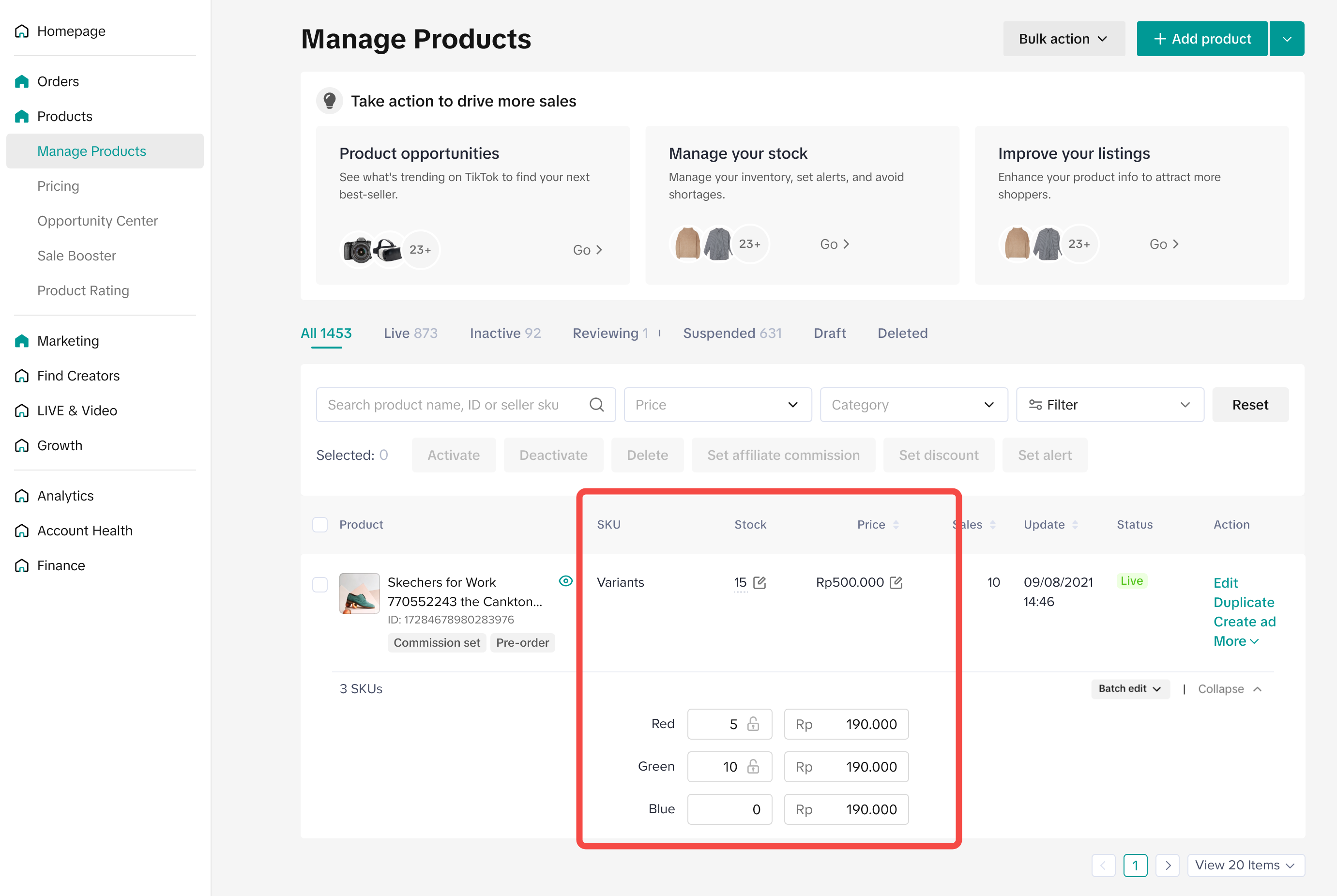 |
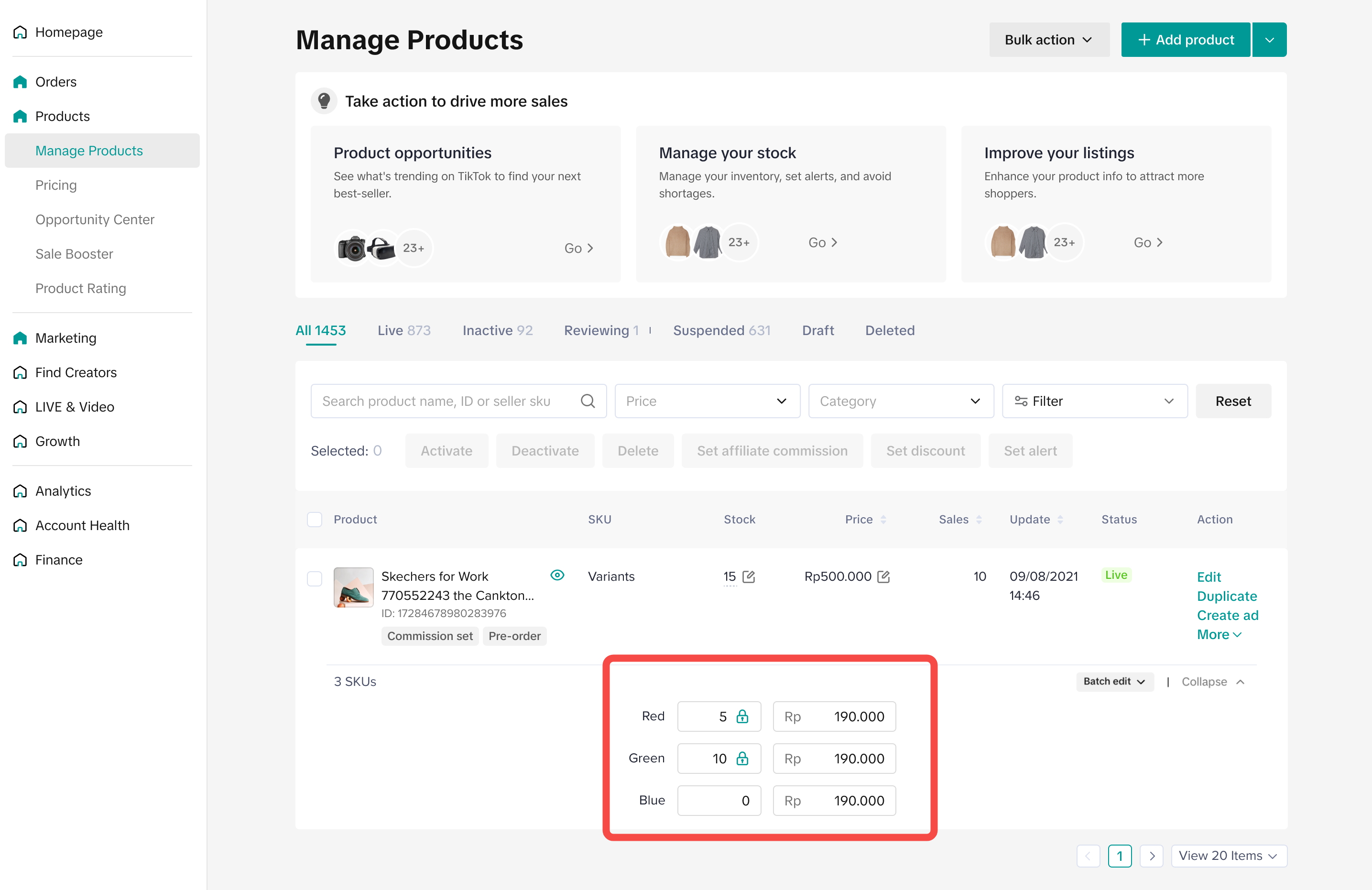
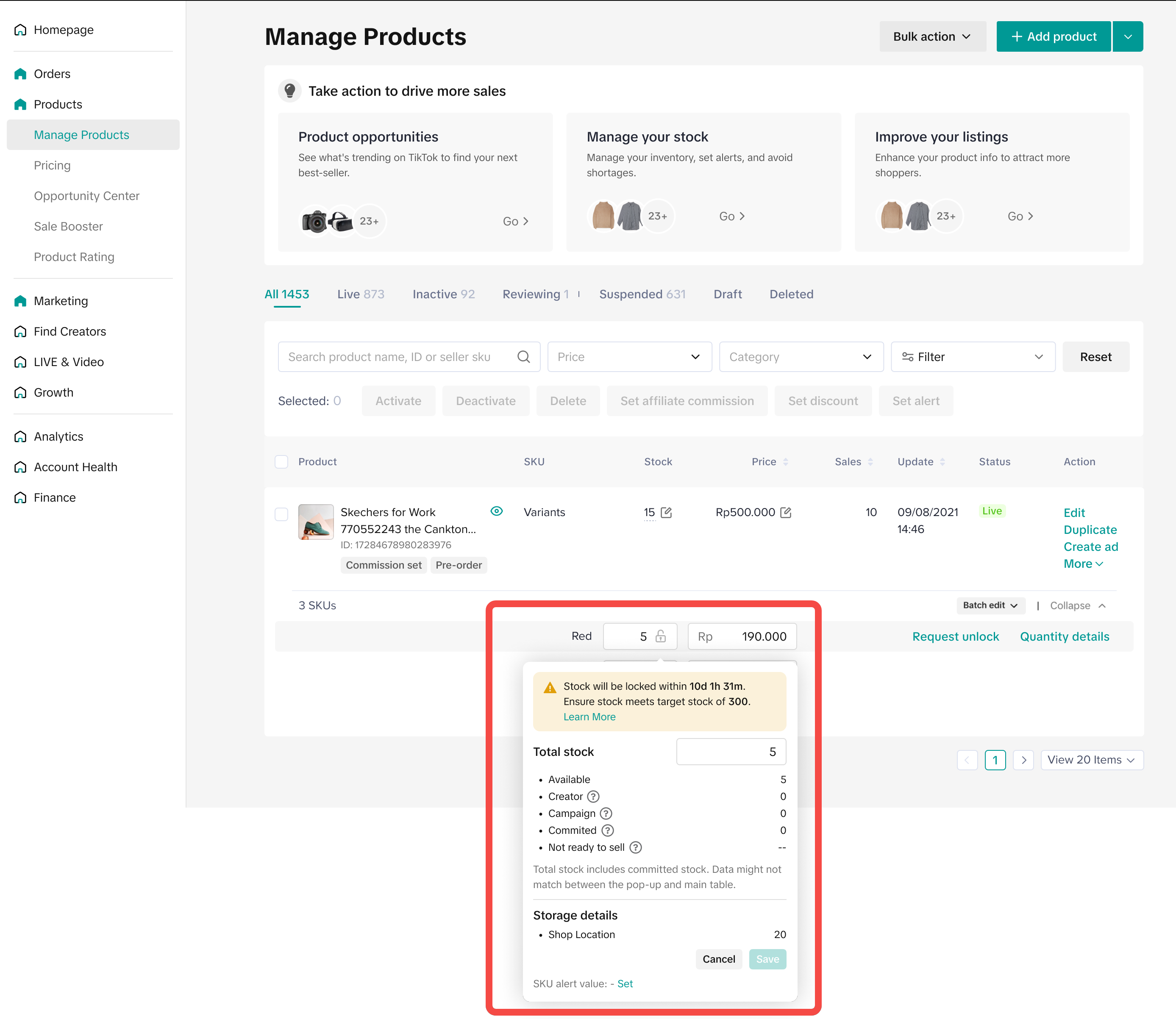 Setelah periode penguncian dimulai, ikon gembok akan berubah menjadi "gembok hijau" disertai informasi terbaru.
| Dikunci di Tingkat Produk | Dikunci di Tingkat SKU |
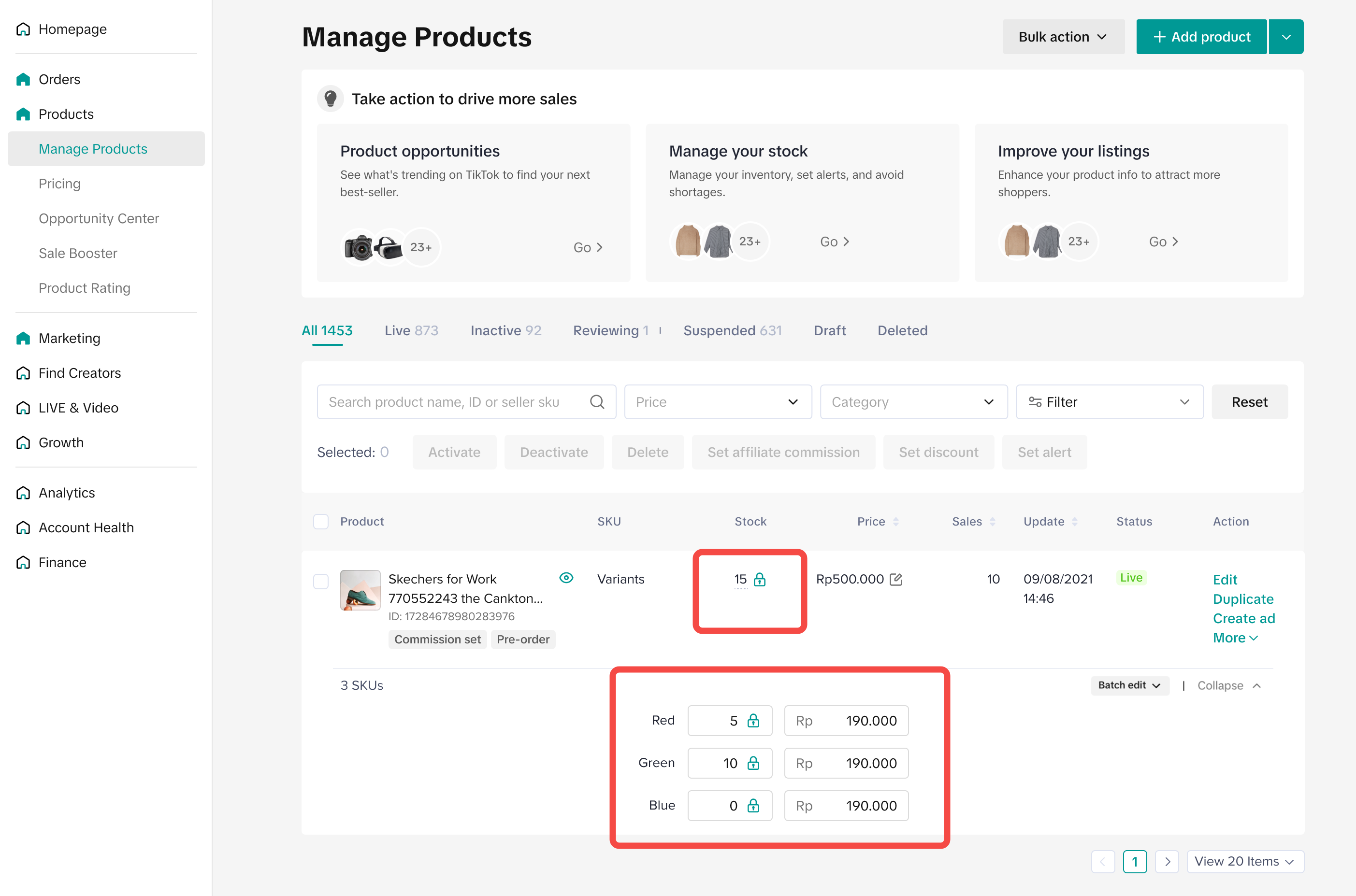 |  |
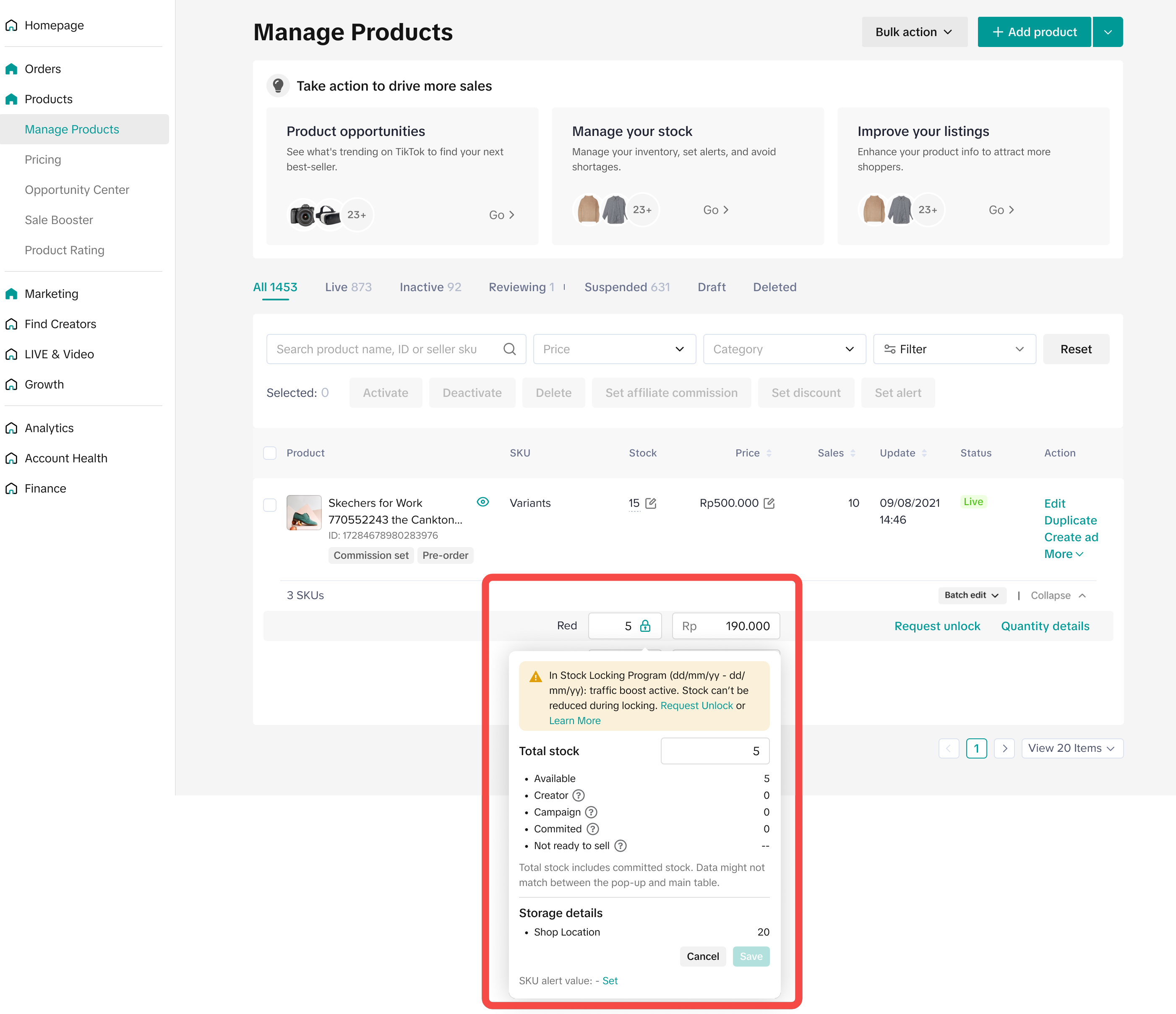

Cara Membuka Kunci Stok
Kami memahami bahwa selama periode ramai, fleksibilitas dalam memperbarui (mengurangi) stok sangat dibutuhkan, terutama saat terjadi hal-hal tidak terduga.Jika Anda ingin membuka stok yang dikunci oleh program ini, sistem akan secara otomatis menyetujui 3 SKU per Seller. Prosesnya mungkin memerlukan waktu beberapa menit. Permintaan pembukaan stok bisa dilakukan di level Produk atau SKU.
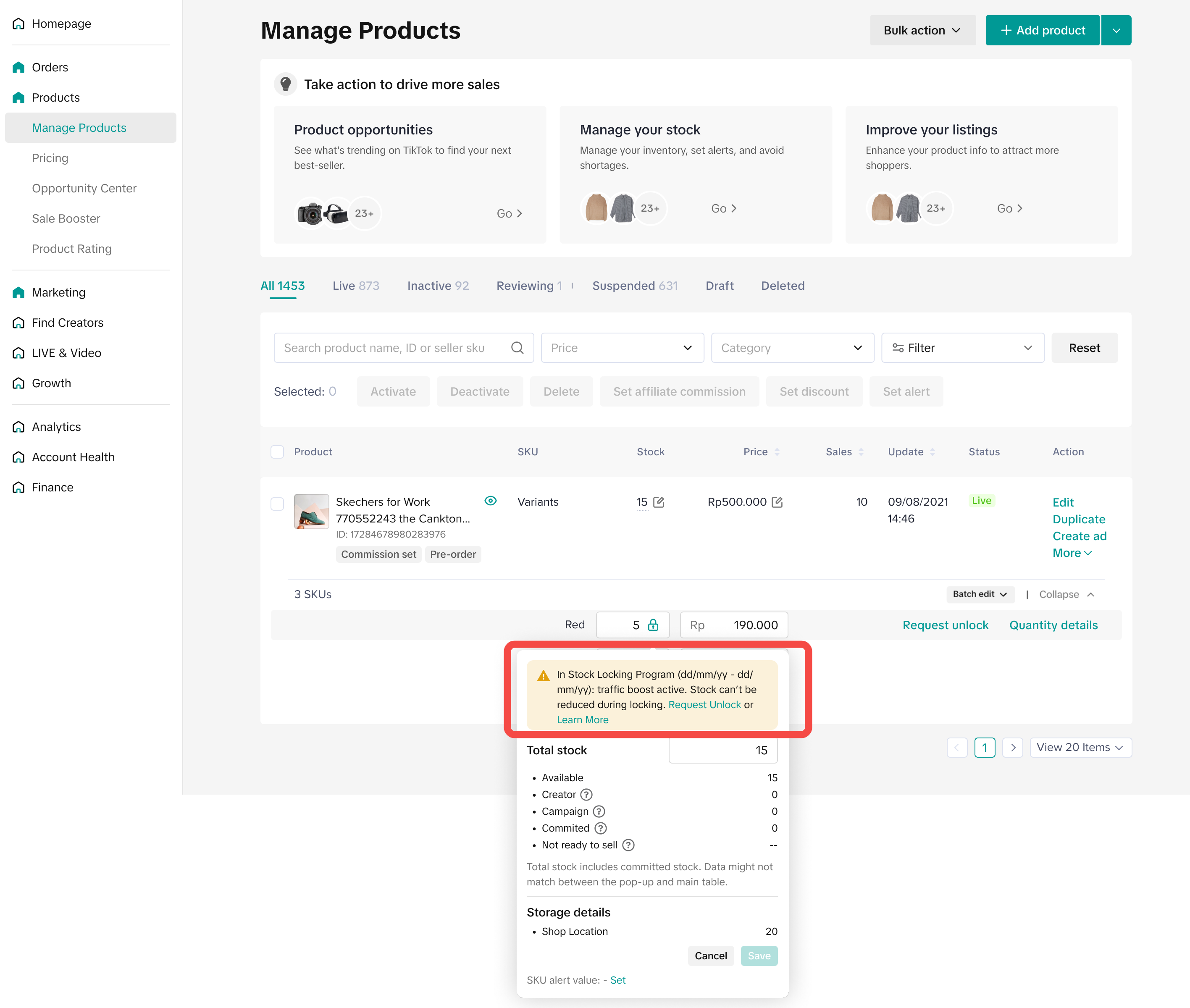
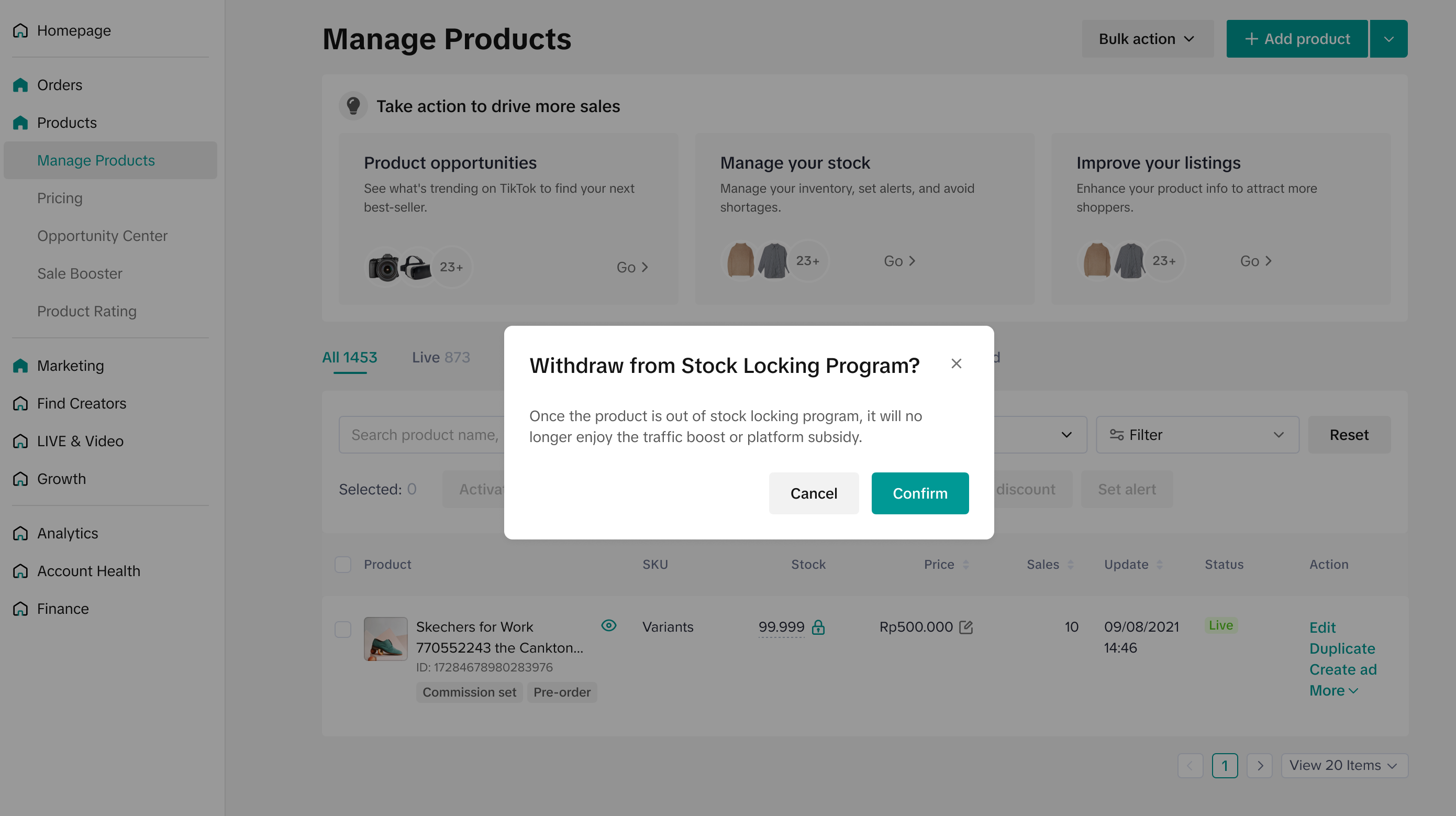 Jika Seller meminta pembukaan lebih dari 3 SKU produk, mereka perlu mengisi alasan pembukaan stok untuk setiap SKU. Titik aksesnya akan tetap sama, tetapi Seller akan diarahkan untuk mengisi formulir sebelum bisa mengajukan permintaan pembukaan. Setelah permintaan diajukan, Seller akan mendapatkan notifikasi bahwa permintaan berhasil diajukan di halaman kelola produk.
 Setelah permintaan pembukaan disetujui, ikon "gembok" pada produk akan hilang.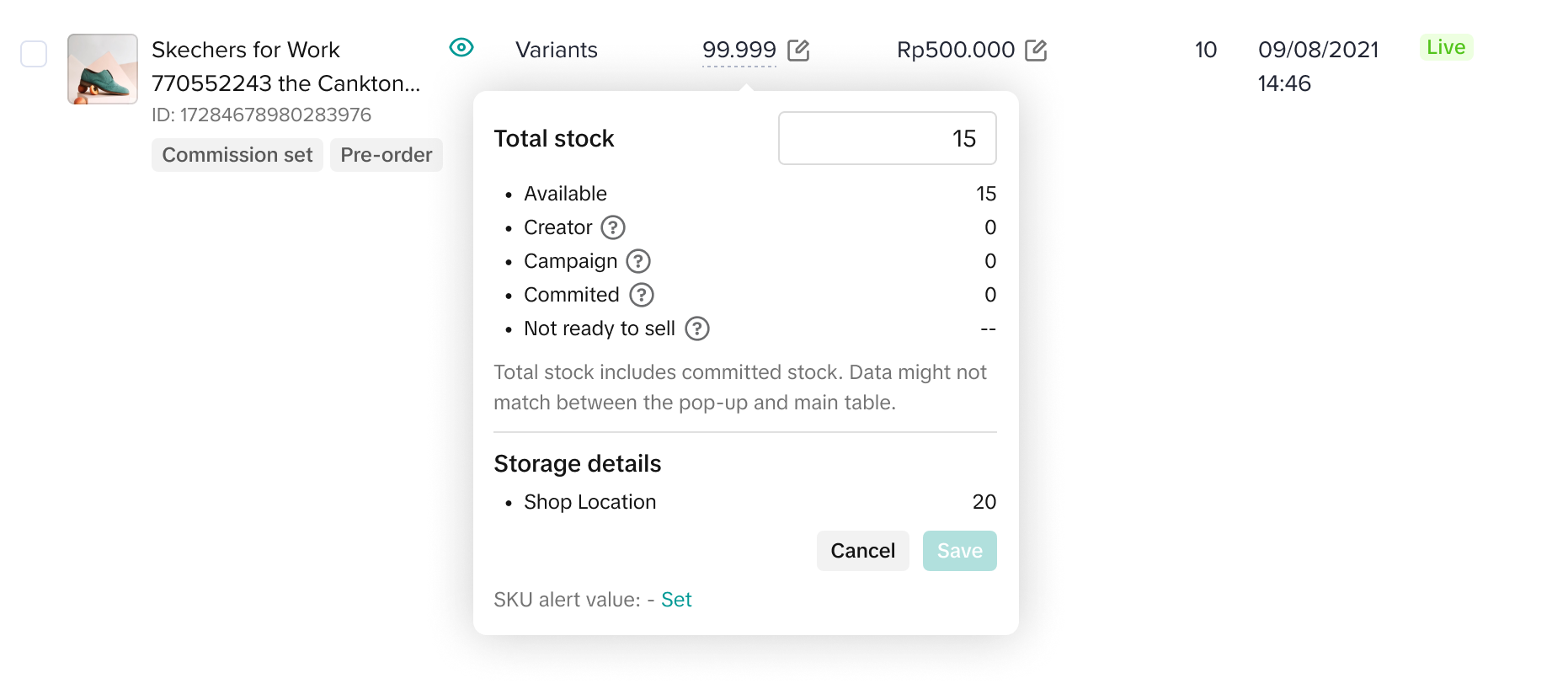
You may also be interested in
- 1 lesson
Listing Produk
Buat daftar produk yang menarik dan informatif agar lebih mudah ditemukan pembeli!
- 4 lessons
Mengunggah Produk
Panduan praktis mengunggah produk dengan benar, mulai dari penamaan, kategori, hingga visual yang me…
- 2 lessons
Menemukan Daftar Produk Yang Tepat
Pelajari cara menentukan daftar produk yang paling sesuai dengan tren dan kebutuhan pasar di TikTok…
Apa yang dimaksud dengan Produk Terbatas?
Kebijakan ini berlaku untuk produk yang terdaftar di TikTok Shop by Tokopedia. Untuk produk yang ter…

Pedoman Daftar Produk Bermerek
Apa yang dimaksud dengan Produk Bermerek? Produk bermerek adalah produk yang memiliki merek. Merek d…
Pemilihan Kategori Produk
Kebijakan ini berlaku untuk produk yang terdaftar di TikTok Shop by Tokopedia. Untuk produk yang ter…

Mengapa produk saya tidak bisa dibeli di platform TikTok Sho…
Pastikan bahwa produk aktif dengan jumlah stok yang cukup memungkinkan pembeli untuk membeli. Alter…

Bagaimana saya bisa mengedit produk saya?
Buka Pusat Penjual > Produk > Kelola Produk > Edit Setelah Anda membuat perubahan yang diperlukan,…

Bagaimana cara mengoptimalkan nama produk saya?
Jadilah seakurat dan sesingkat mungkin, sambil menyoroti nilai jual utama. Berikut adalah format ya…

Bisakah saya mengunggah video produk?
Anda dapat mengunggah video untuk menunjukan produk Anda. Jika Anda memilih untuk melakukannya, har…