

Review Coupon
11/25/2025
Note: This promotional tool is available only on TikTok Shop by Tokopedia (it is not available on the Tokopedia platform).

Introduction to Review Coupon
Review Coupon is a new seller-funded promotional tool designed to help you collect richer and more credible product reviews. By automatically issuing coupons to customers who meet specific review criteria, it incentivizes customers to share detailed feedback — including text, images, and videos. This feature helps strengthen your product credibility, enhance shopper confidence, and drive higher conversions and repeat purchases.Benefits of Review Coupon
- Generate detailed and credible reviews: Incentive customers to share high quality feedback with images, videos and descriptive text.
- Enhance product credibility: Build trust and authenticity through a seamless review collection process that showcases genuine customer experience.
- Boost sales performance: Detailed and trustworthy reviews improve shopper confidence, leading to stronger conversions and repeat purchases.
Create Review Coupon
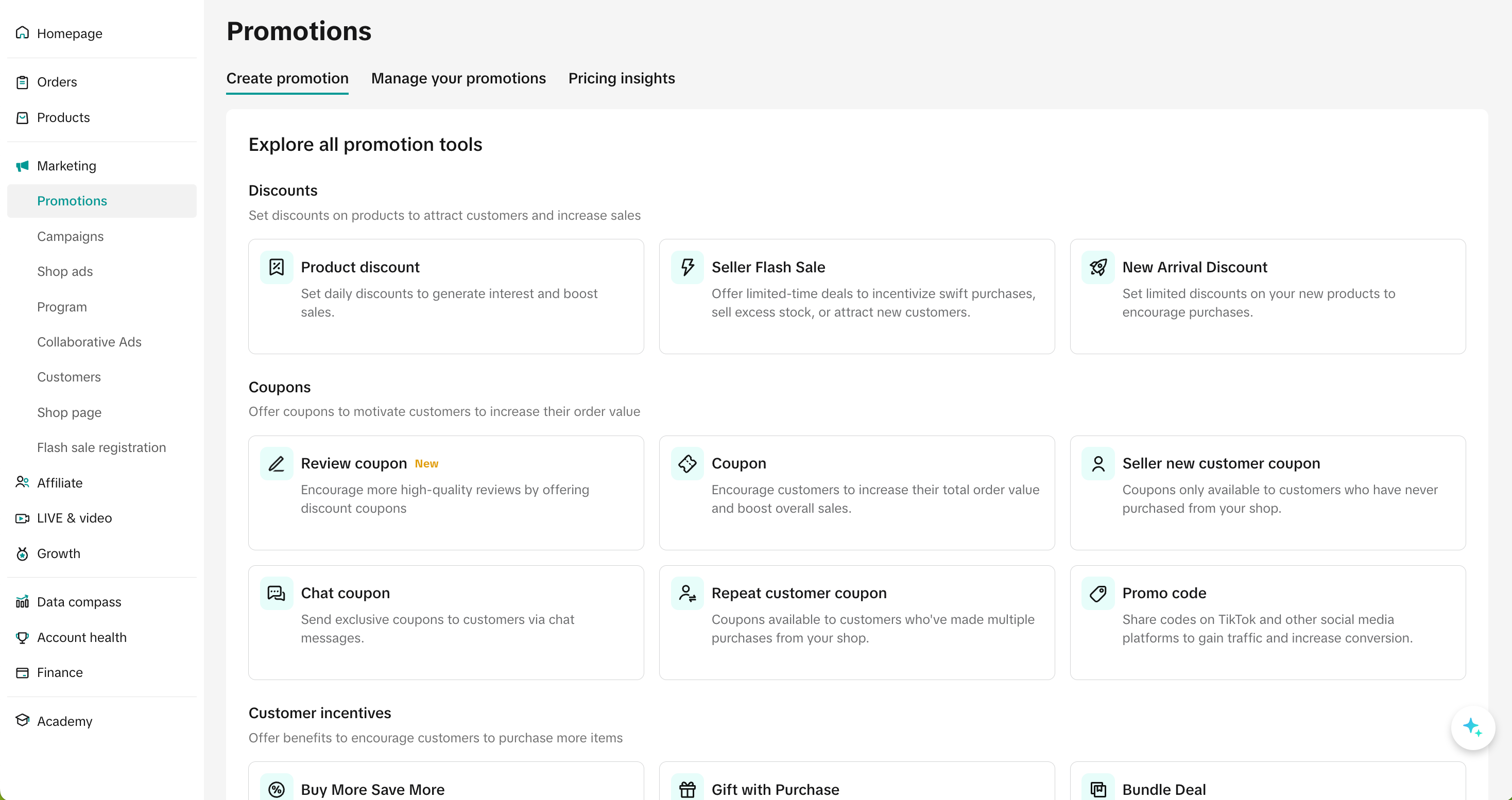
Entrance
- To setup Smart Promotions on Seller Center PC, visit the promotion module and navigate to "create promotion" tab
Enter basic information
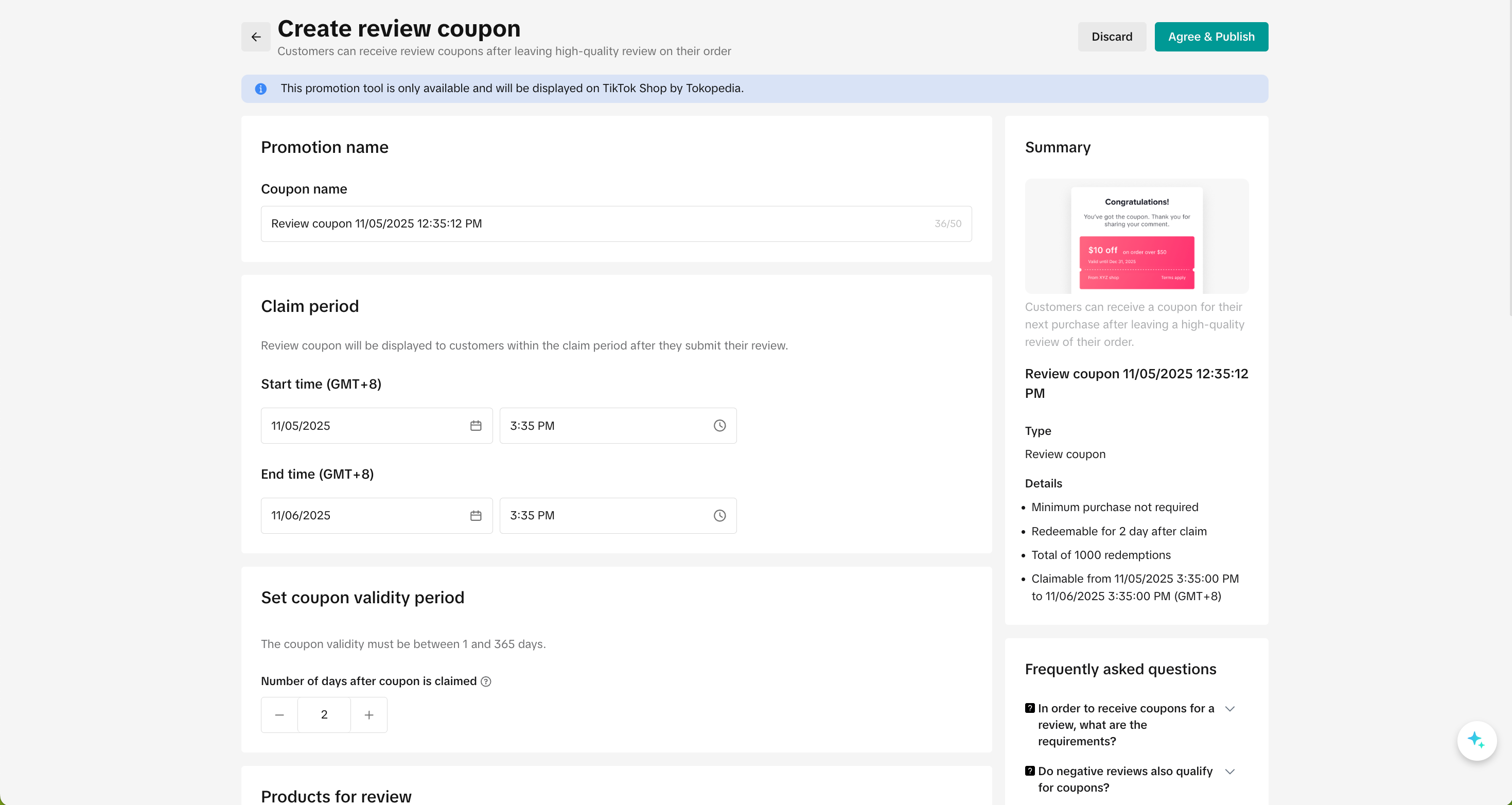
- Promotion name: Fill in a promotion name to help you manage the promotion
- Claim period: The duration during which customers can submit a qualifying review and receive a coupon. The minimum duration is 10 minutes and maximum is 365 days.
- Coupon validation period: The duration of which the coupon is valid after it's claimed, with a default of 60 days. The minimum duration is 1 day and the maximum is 365 days.
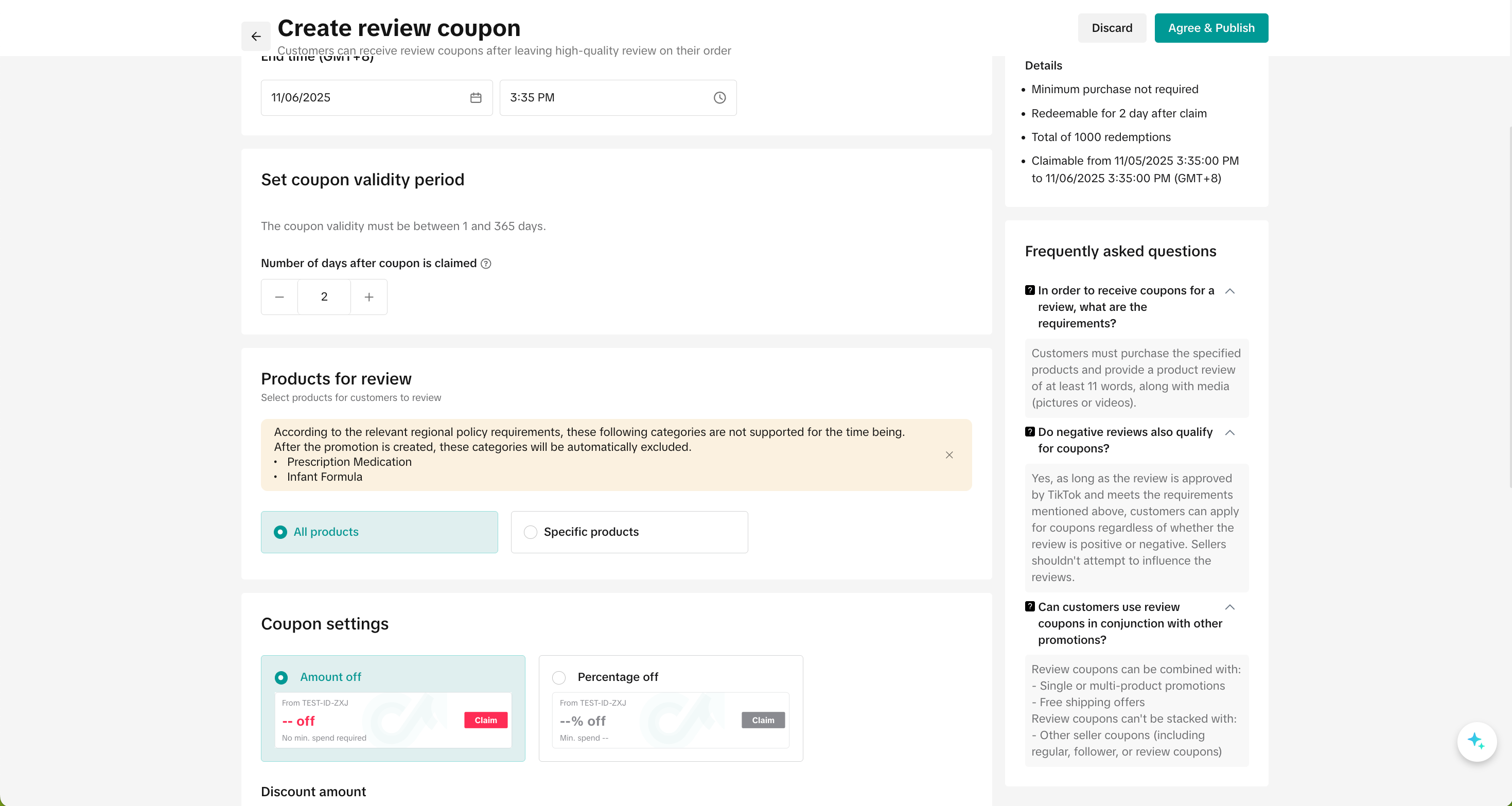
- Product for review: Select the products you wish to incentivize customers to review, a maximum of 2,000 products can be selected. Once these products are chosen, customers who submit a qualifying review that meets the set criteria will automatically receive a Review Coupon applicable to your selected products.
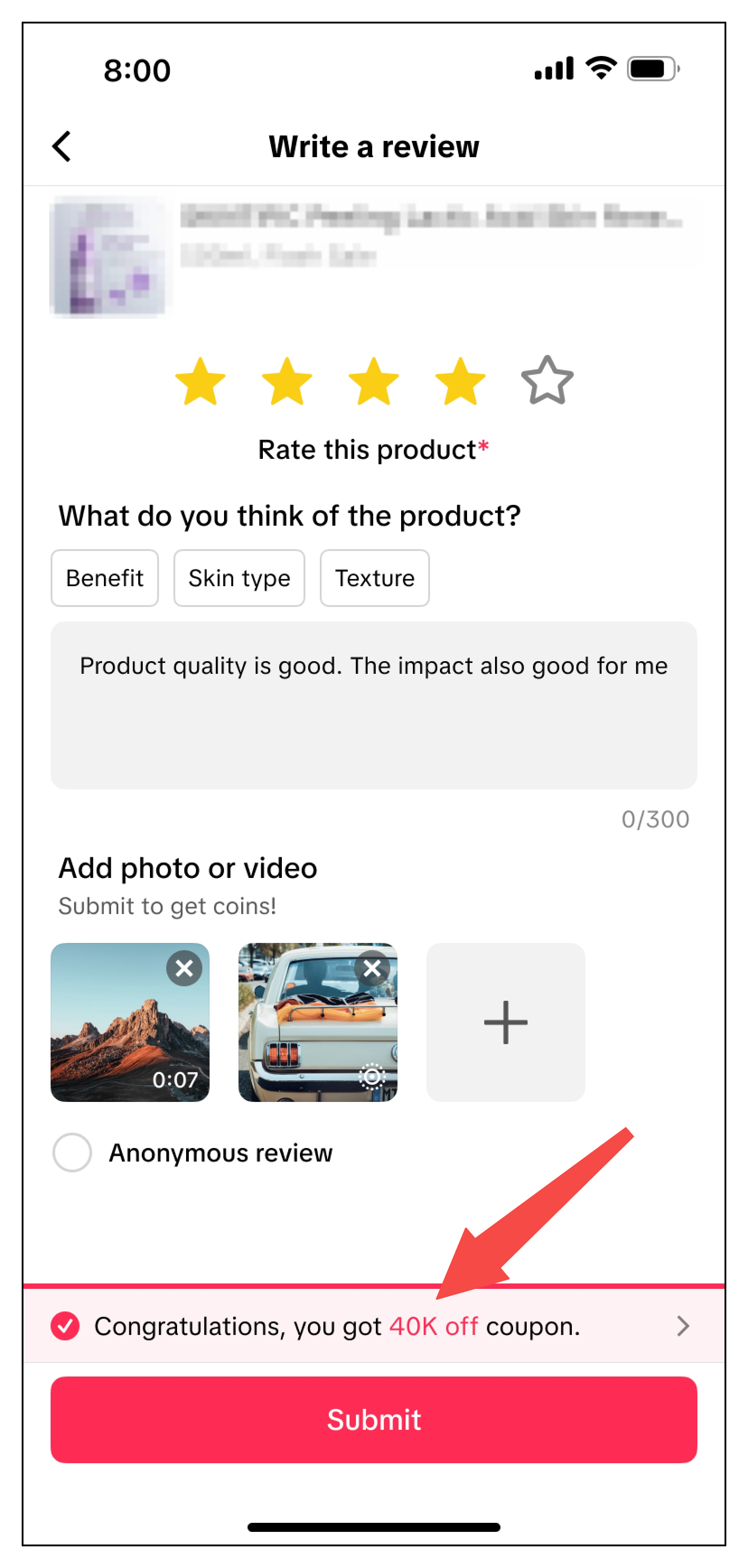
- The coupon is issued when a customer submits a high quality product review — one that includes at least 30 characters and upload at least 1 media (photo or video).
- Products for review must be active products, not a bundle product, or not for sale gift product. Additionally, certain product categories (e.g. Infant Formula) will be automatically excluded from Review Coupons.
Promotion period | Products for review |
 |  |
Coupon Settings
- Discount type: You can set up Amount off or Percentage off coupons.
- Amount off: Reduce the price by setting a fixed amount
- Percentage off: Reduce the price by setting a percentage
- Minimum spend: The minimum spend required for customers to enjoy the discount
- Maximum discount per order: Discount limit is disabled for Review Coupons to ensure customers receive a high-value reward after submitting a high quality product review.
- Usage quantity: Indicate the usage quantity for your coupon to be used by customers. Once the usage quantity has been reached, all customers, including those who have already successfully provided a high quality product review, can no longer enjoy the coupon.
- Claimable Quantity: A total of 99,999 coupon quantities can be claimed by default. However, the coupon usage limit is based on the usage quantity provided by the seller, which is calculated on a first come first serve basis.
- Number of claims per customer: A maximum of 1 seller coupon can be used per order. The number of claims per customer refers to the amount of times the same customer can enjoy the coupon in different orders.
- Customers will receive only one review coupon per order, regardless of how many eligible product reviews they submit.
- If the number of claims per customer is more than 1. Customers with multiple orders can submit product reviews for each order to receive multiple review coupons.
- See examples below:
| Claim per customer | Orders purchased | Qualified product review submitted | Reward Review Coupons | Redeem Review Coupons | |
| Example 1: | 1 | Order 1 (Product A + Product B) | Product A | 1 review coupon | 1 seller funded coupon can be redeemed per order. |
| Example 2: | 1 | Order 1 (Product A + Product B) | All products | 1 review coupon | |
| Order 2 (Product A) | Product A | ||||
| Example 3: | 2 | Order 1 (Product A + Product B) | All products | 2 review coupons | |
| Order 2 (Product A) |
- Product selection to apply the coupon: By default, Review Coupons apply to all products in your store, ensuring customers can use coupons after submitting a qualified product review.
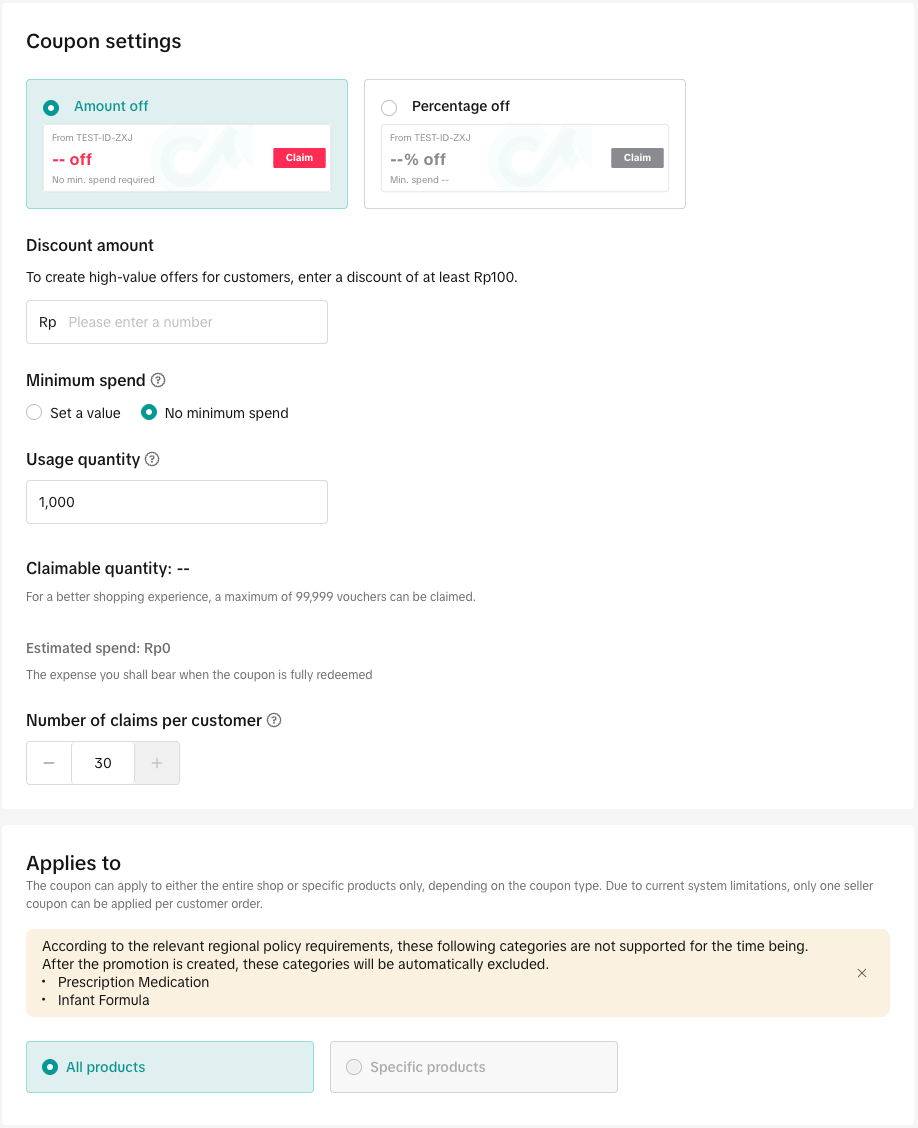
- We recommend making your Review Coupon applicable to all products in your store. Avoid excluding products, as too many restrictions can lead to a poor user experience when customers expect to be rewarded after providing a high quality review.
- You cannot set a maximum discount for percentage-off coupons. This is designed to prevent poor customer experiences (e.g., “20% off $50 orders, capped at $1”). Instead, use the Usage Quantity field to control your budget exposure to stay in control.
Manage Review Coupon
To manage a Review Coupon, visit the promotion module and navigate to "manage your promotion" tab to view the details of ongoing, upcoming and deactivated promotions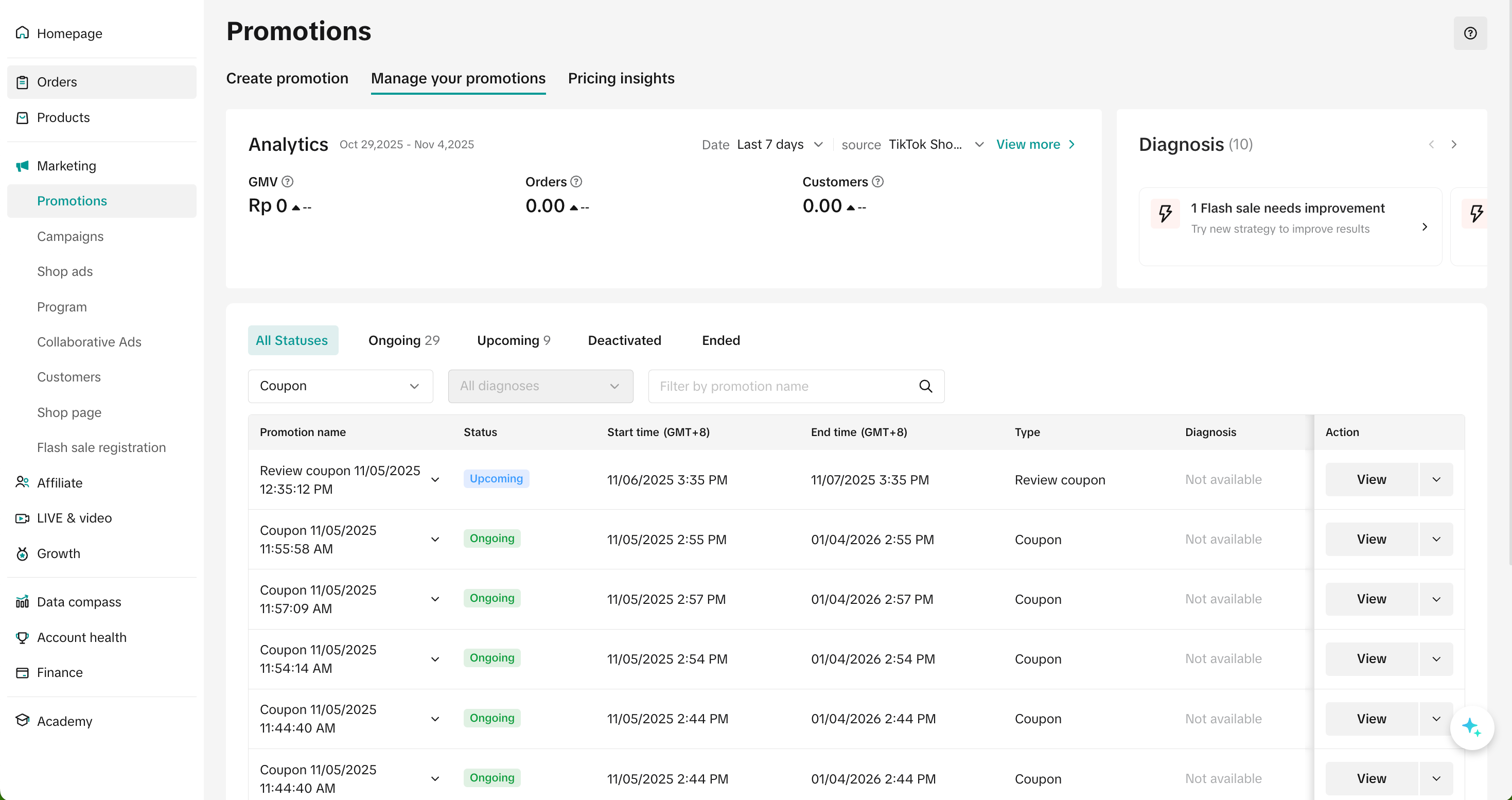
- Click Edit: To edit upcoming promotions, all coupon settings can be edited. To edit ongoing promotion, only the promotion period can be extended and the claimmable quantity can be increased
- Click Deactivate: To end an upcoming or ongoing promotion
- Click Duplicate: To copy and paste the Review Coupon setting to help you quickly set up another one.
Monitor Product Reviews
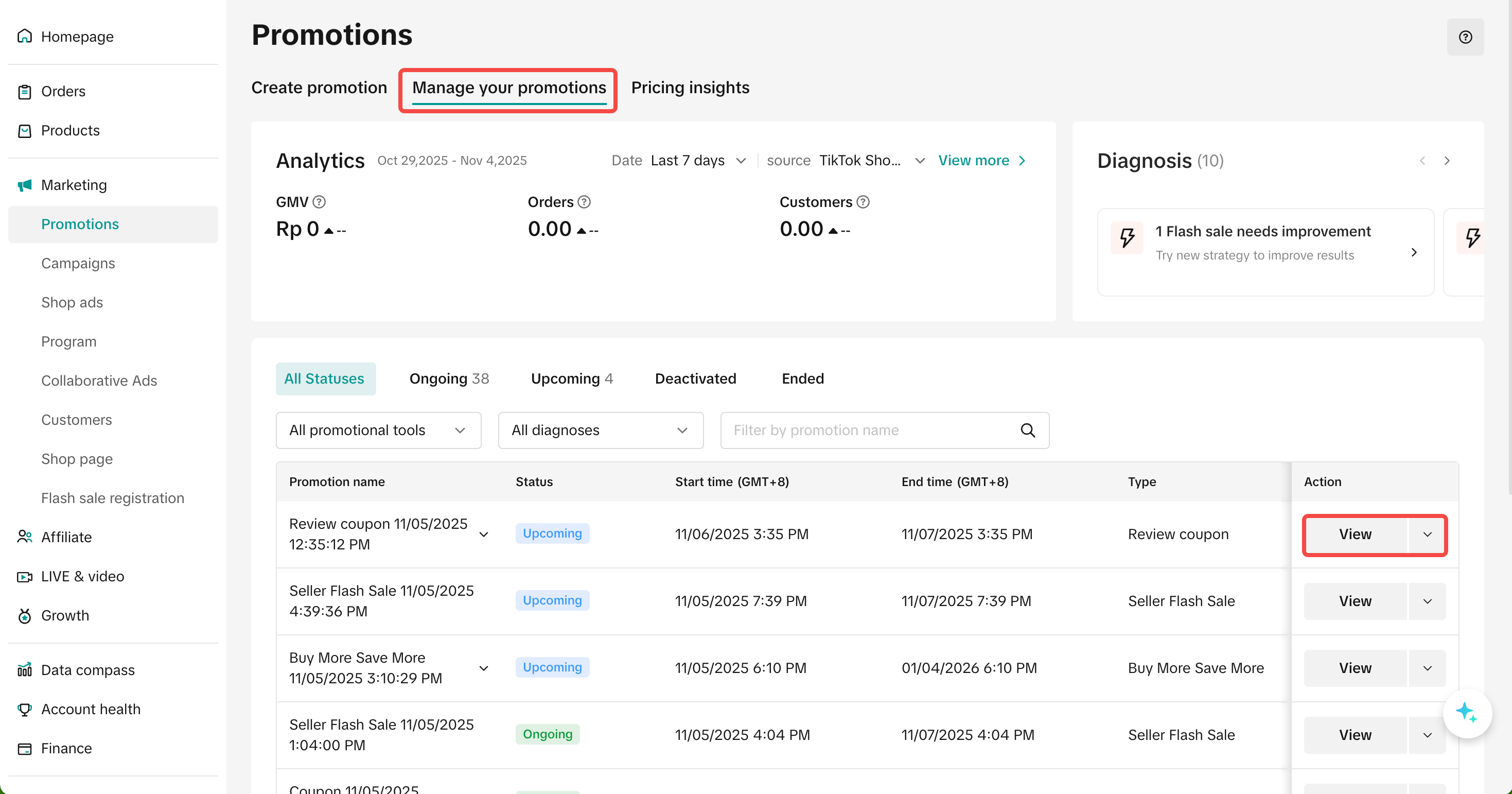
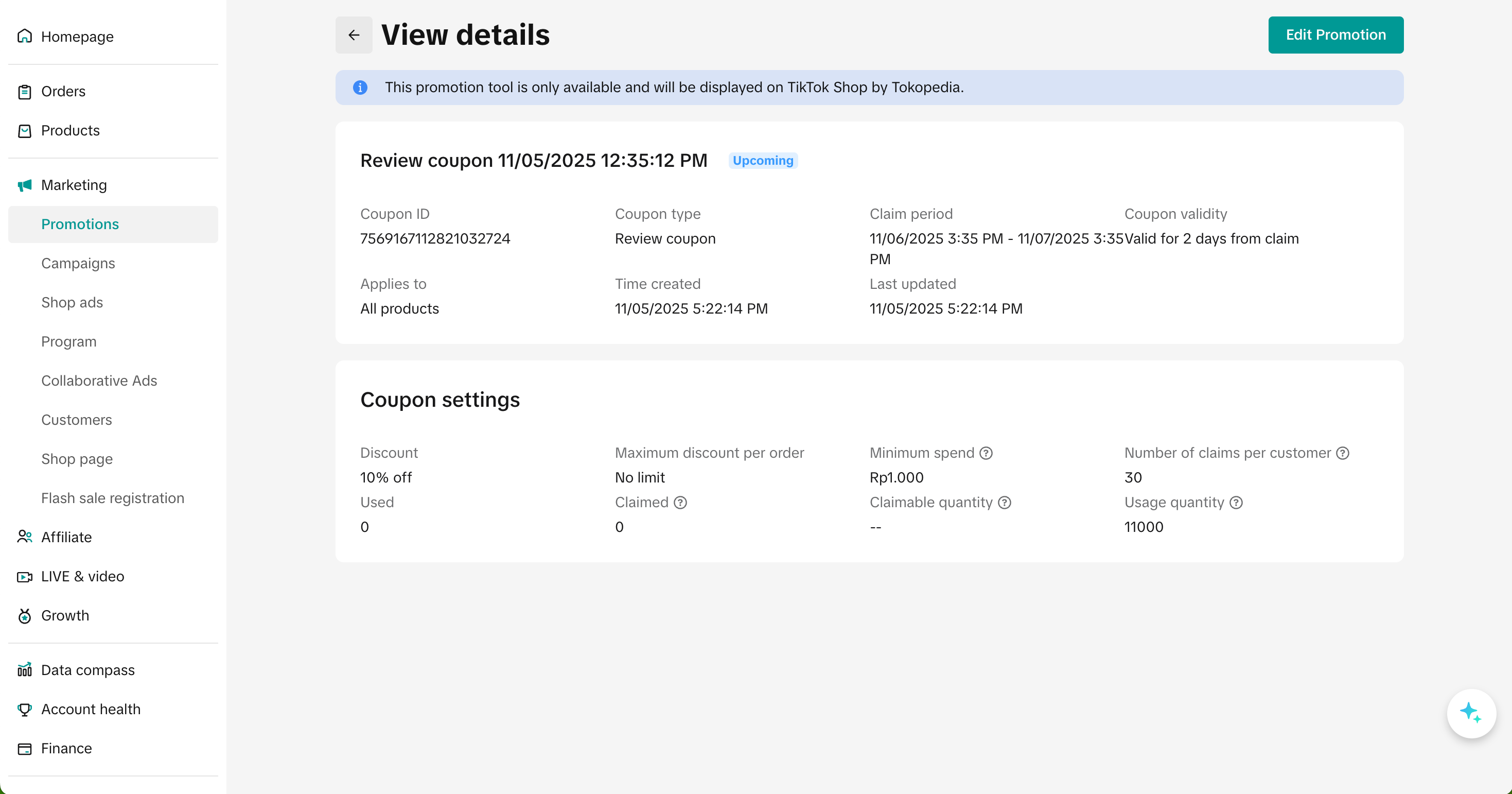
There are two ways to review the performance of your review coupons:- Go to the Manage your promotions tab in the promotion module, select your Review Coupon promotion and click View to see its performance.
Manage your promotion tab | Promotion detail page |
 |  |
- Go to the Product Rating tab in the product module. Filter Incentivized review, you’ll see a table with details of both ongoing and past review promotions. For more information, refer to the Product Ratings feature guide.

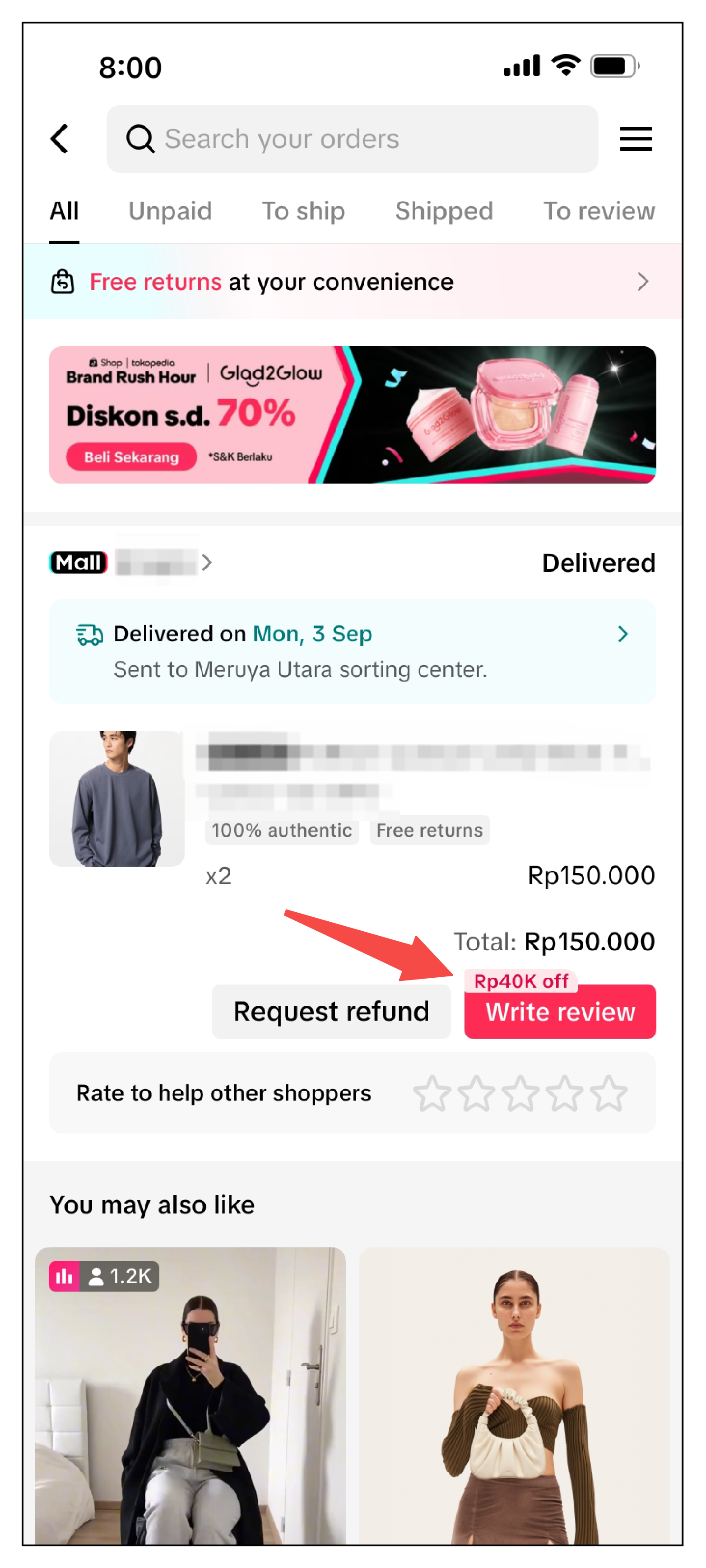
Customer Display & Usage
Product Review Entrance| Order page | Order detail page | |
 | 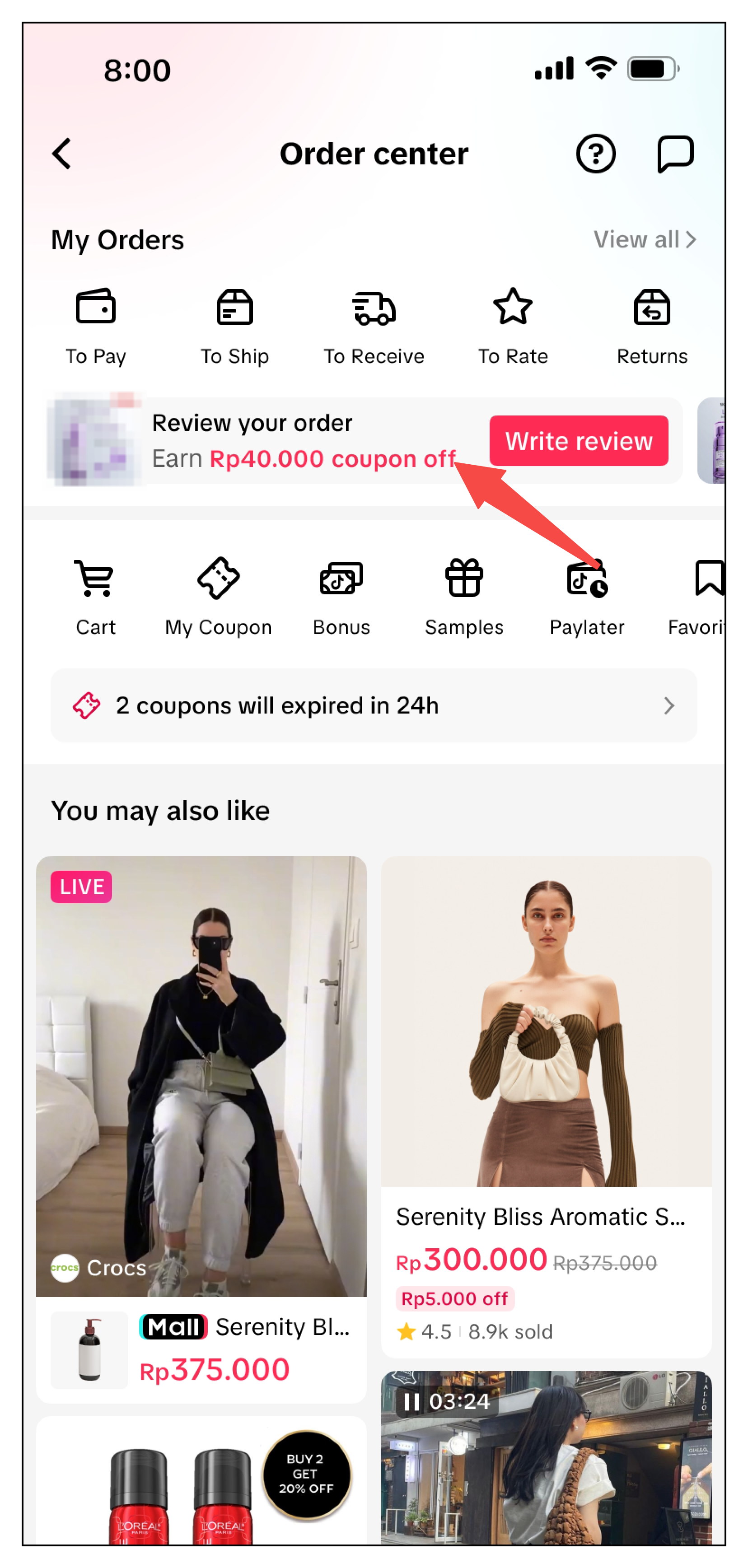 | 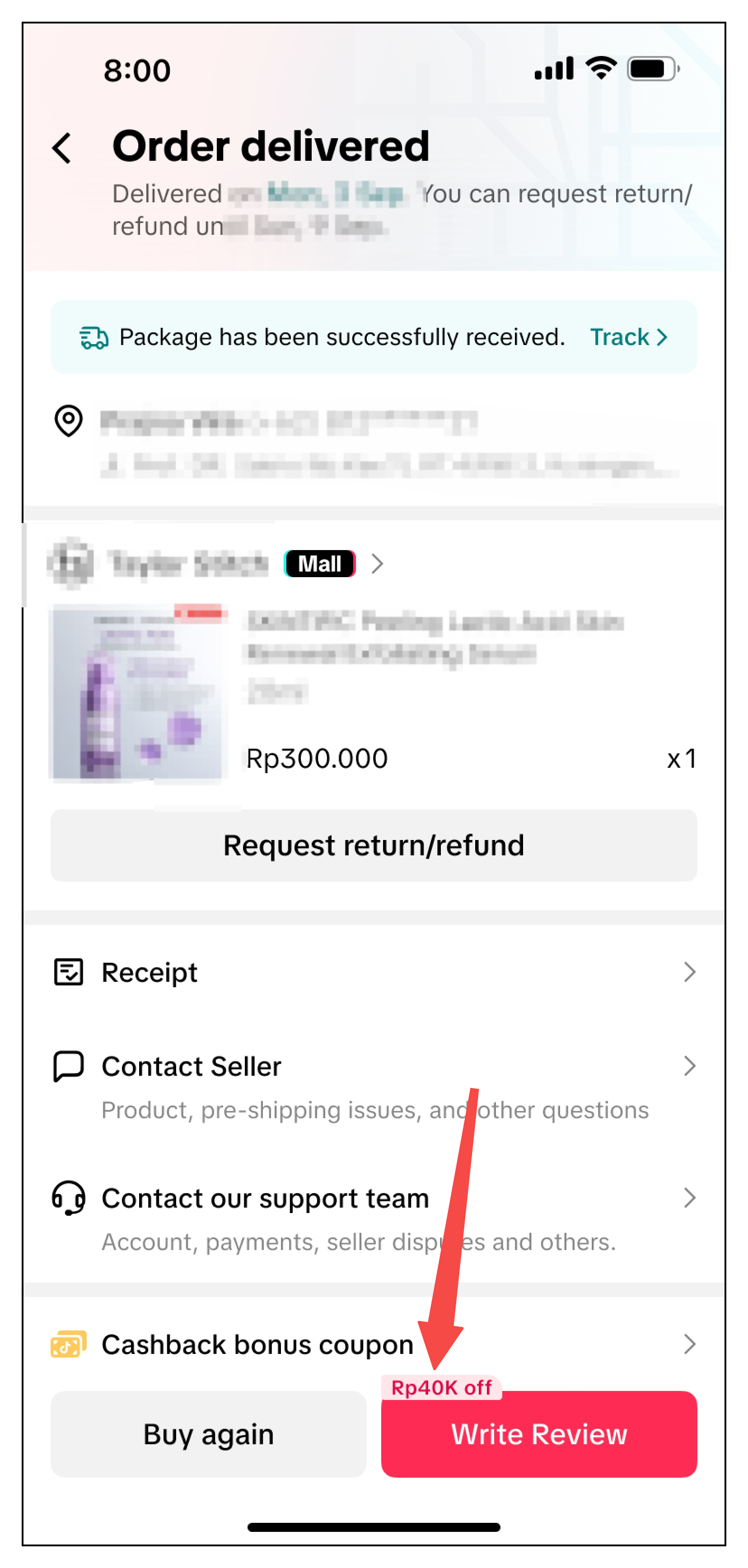 |
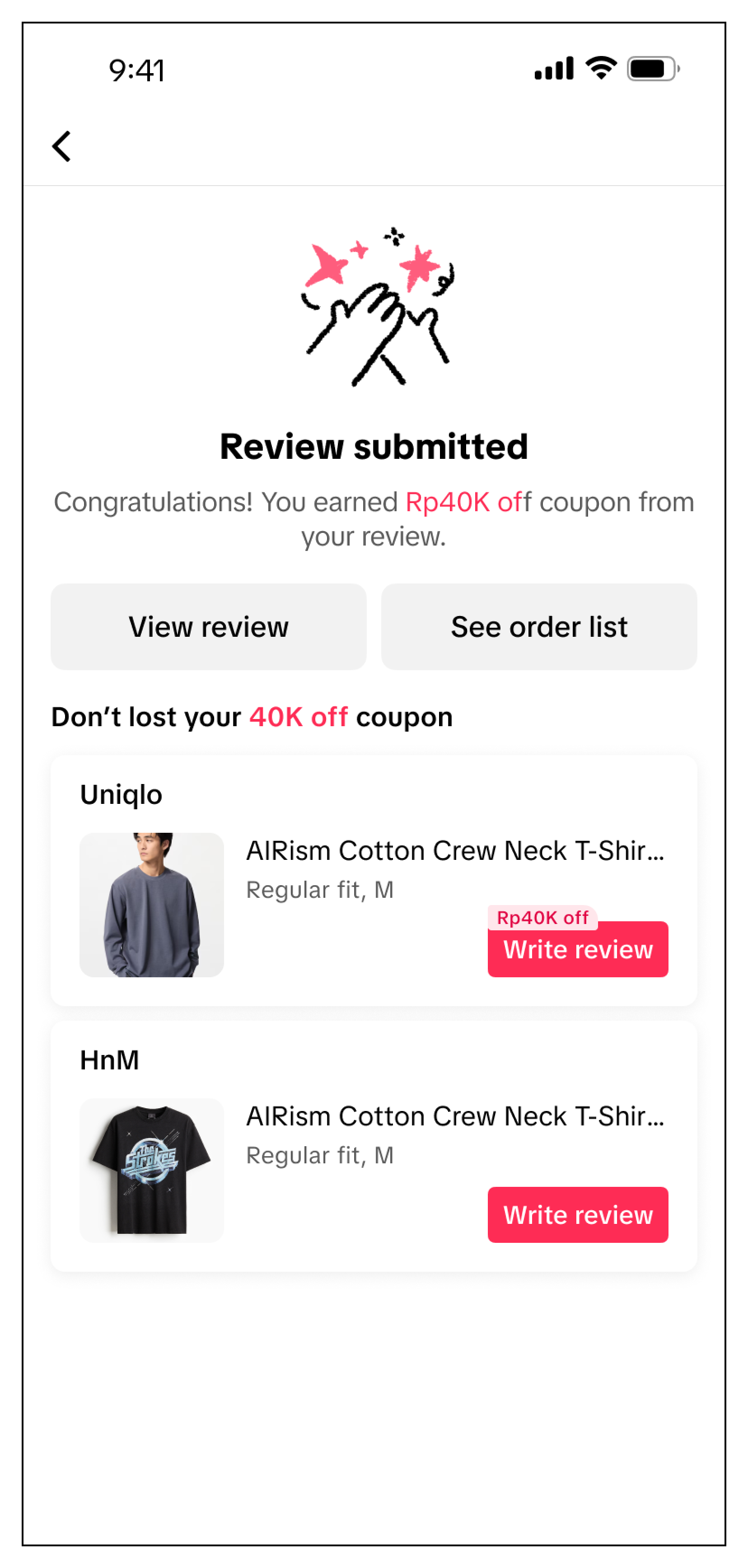
| Product review page | Write at least 30 characters and submit at least 1 photo or video | Write review successfully | Customer review on product detail page | |
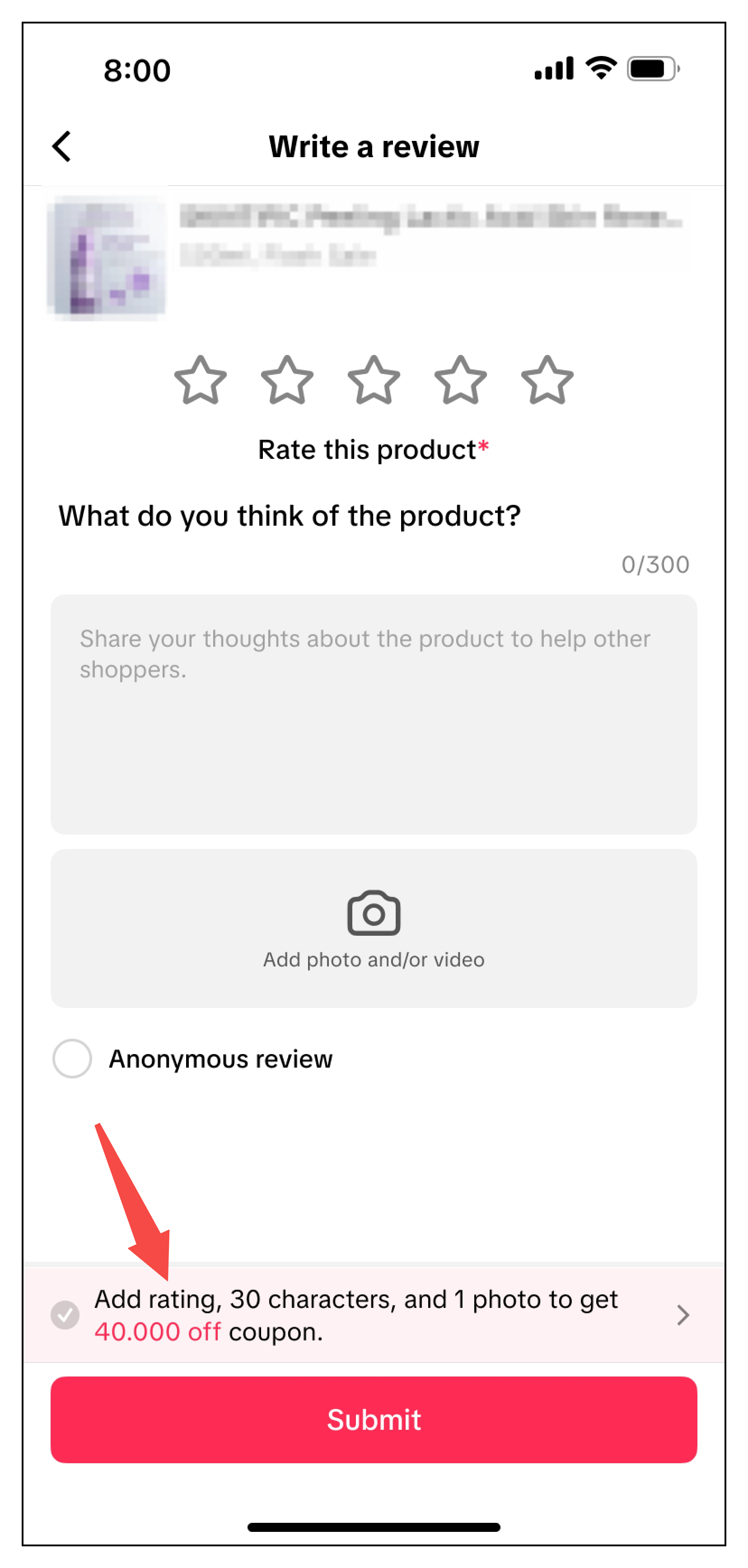 | 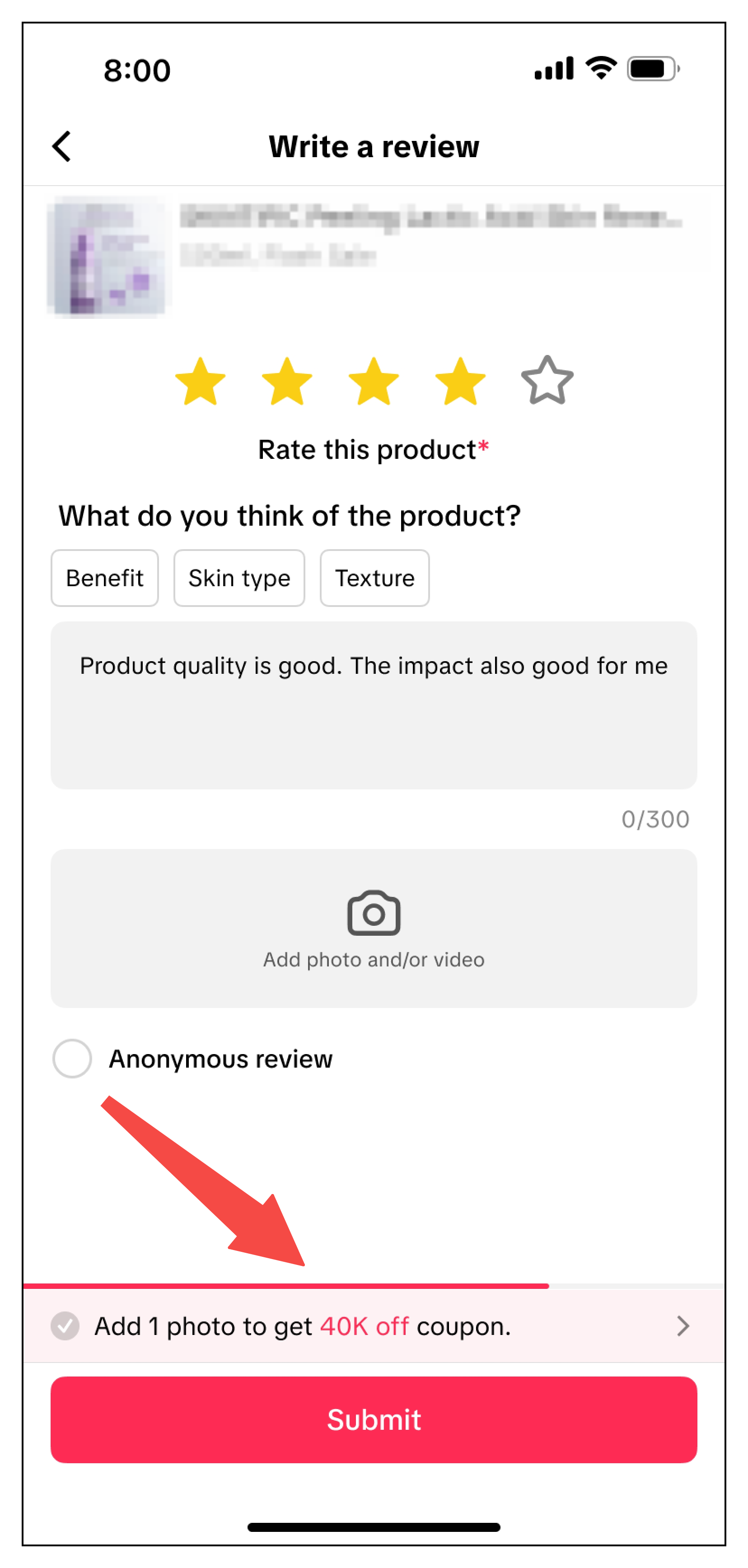 |  |  |  |
FAQs
- What are the conditions for a customer to receive a review coupon?
- Do negative reviews qualify for a coupon?
- Can I have multiple review coupon promotions running at the same time?
- How many review coupons can the same customer enjoy?
If you prefer that each customer only receives one review coupon in total, you can set the claim per customer to one.
- If my product later goes out of stock, can customers still submit a product review and receive a review coupon?
- Can review coupons be used with other promotions?
- What is the maximum number of products I can select for a review coupon promotion?
- Will the product review indicate it was received through a promotion?
You may also be interested in
- 1 lesson
Tokopedia PLUS
Tokopedia PLUS, now with More and Better benefits!
- 1 lesson
Promotion
Leverage promotions to attract more customers and boost sales!
- 7 lessons
Promotional Tools
Utilize vouchers, discounts, and bundling features to encourage purchases and attract buyers.

Bundle Deal
This article teaches you how to use Seller Bundle Deal to increase the Average Order Value in your s…
Bundle Deal Terms and Conditions
As a special limited time promotion, we, sellers of certain products on TikTok Shop, are offering yo…
Promotional Tools - Shipping Fee Discount Eligibility
What are shipping fee discounts? You may choose to offer a shipping discount on orders by bearing al…

Gift with Purchase
This article teaches you how to use Gift with Purchase to increase your average order value and conv…

Seller LIVE Interactive Voucher
This article teaches you how to use LIVE Interactive Vouchers to increase your average order value a…

First order discount
If it is the customers first order, the discount coupon is only available for new user/customer who…

Seller Regular Voucher
This article teaches you how to use Seller Regular Vouchers to increase your average order value and…