

Product Discount
06/30/2025
This promotional tool is available on both Tokopedia & TikTok Shop platforms. Read more about the integration of Tokopedia & TikTok Shop

What is Product Discount?
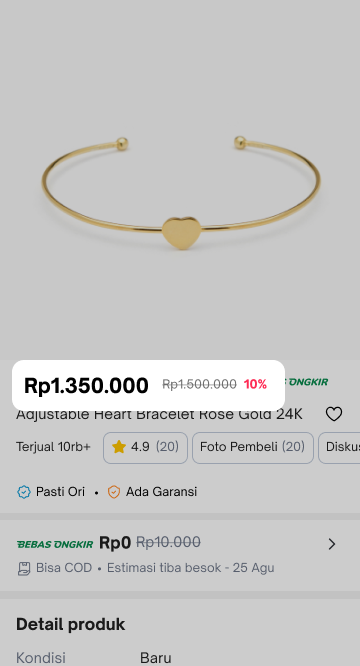
Product discount is a promotional tool for sellers to set discounts. It supports setting percentage-off or fixed price, which can be set by sellers in the Seller Center PC and Seller Center App. Product Discounts can be viewed by buyers across the following pages:
| TikTok Shop by Tokopedia - Livestream Shopping Bag | TikTok Shop by Tokopedia - Product Detail Page | Tokopedia - Product Tag | Tokopedia - Product Detail Page |
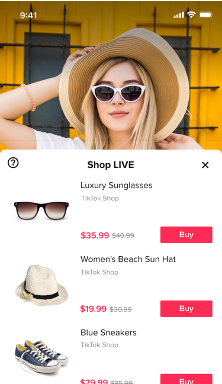 | 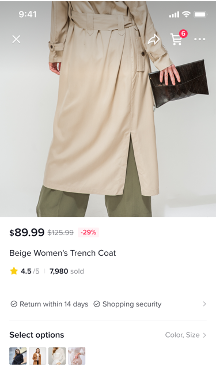 | 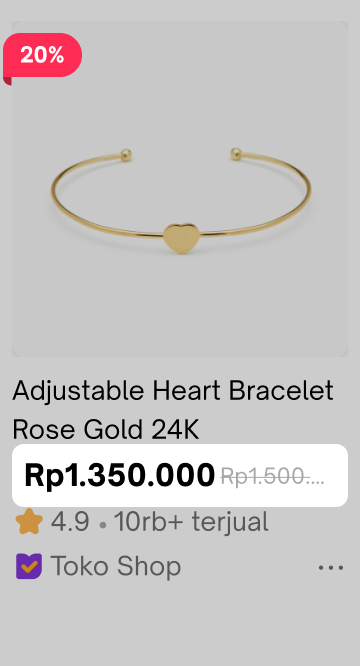 |  |
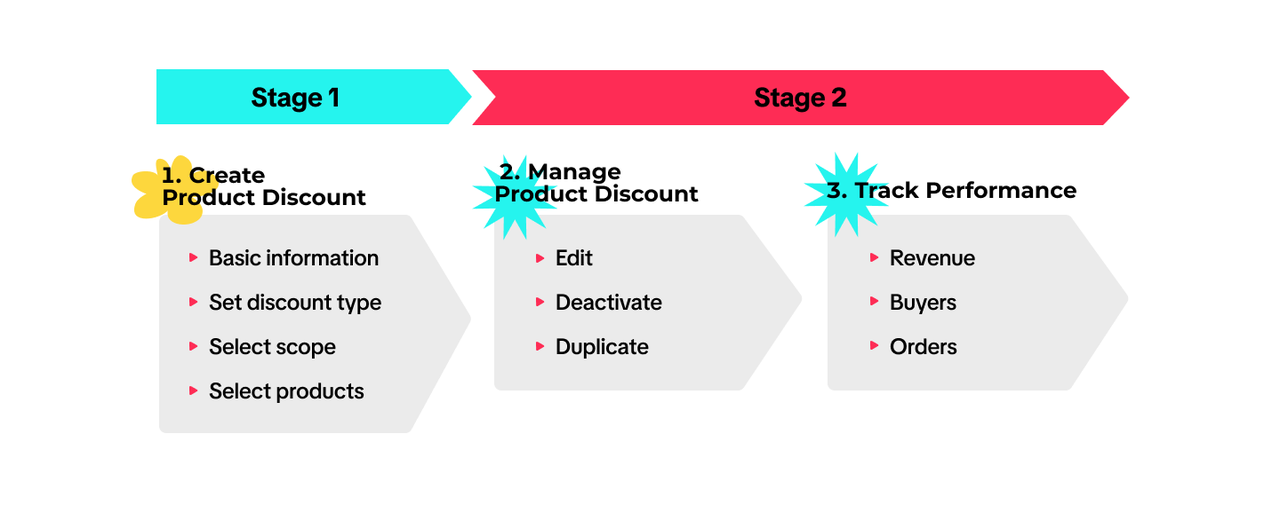

Create Product Discount
On Seller Center PC
To create a Product Discount on the Seller Center PC, visit the Promotions tab and create a promotion.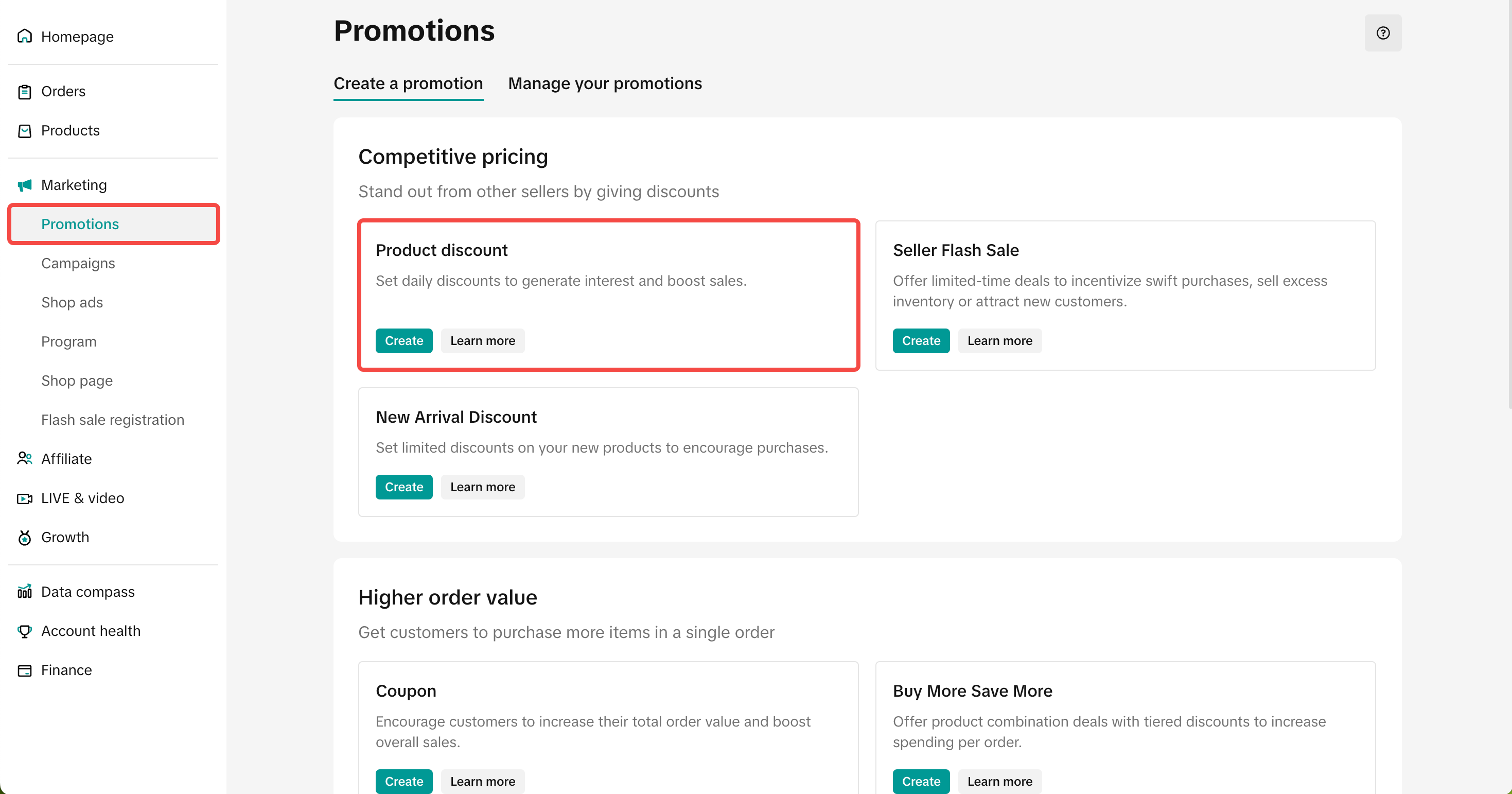
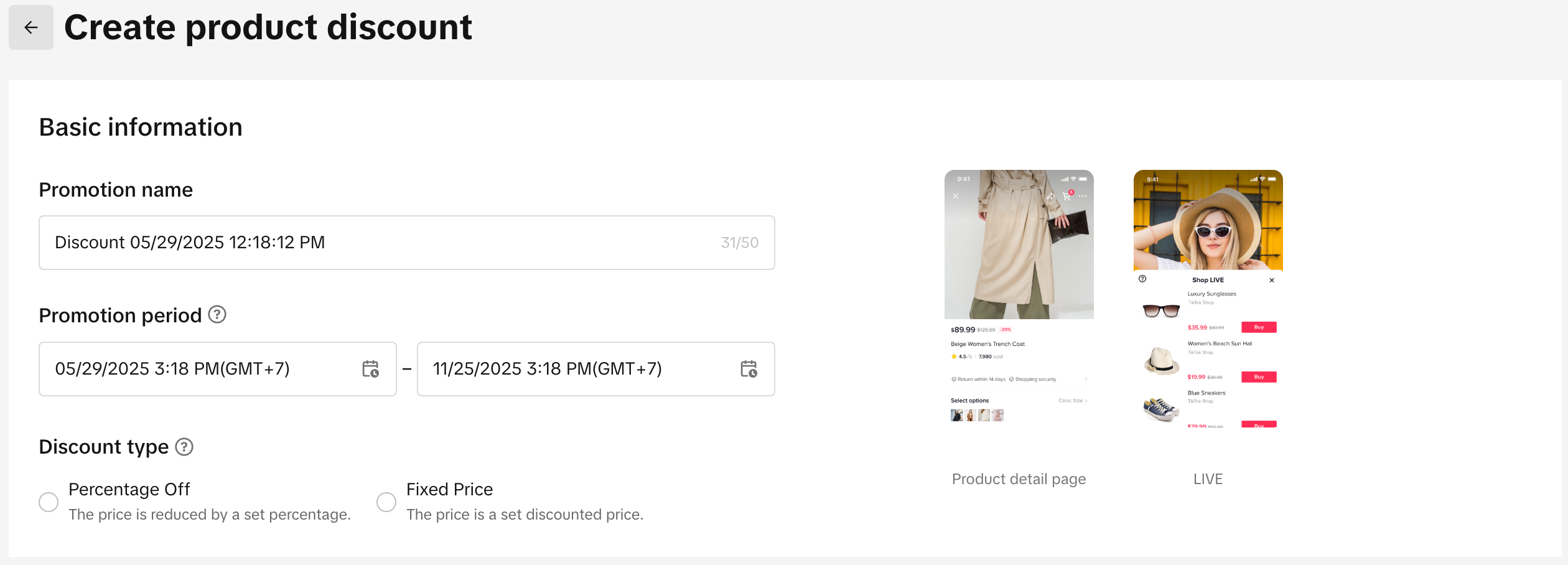
- Set a promotion name
- Set a promotion period: Schedule the start and end date for your Product Discount promotion. The promotion must be a minimum of 10 minutes and a maximum of 30 days.
- Discount type: Product Discounts can be configured either as Percentage off or Fixed Price
- Percentage Off: Reduce the price by setting a percentage (e.g. 20% off)
- Original price can still be edited, hence be aware that the discount amount is calculated according to the percentage you set.
- Fixed Price: Reduce the price by setting the discounted price (e.g. $20)
- Original price will not be editable during the promotion period.
- Percentage Off: Reduce the price by setting a percentage (e.g. 20% off)
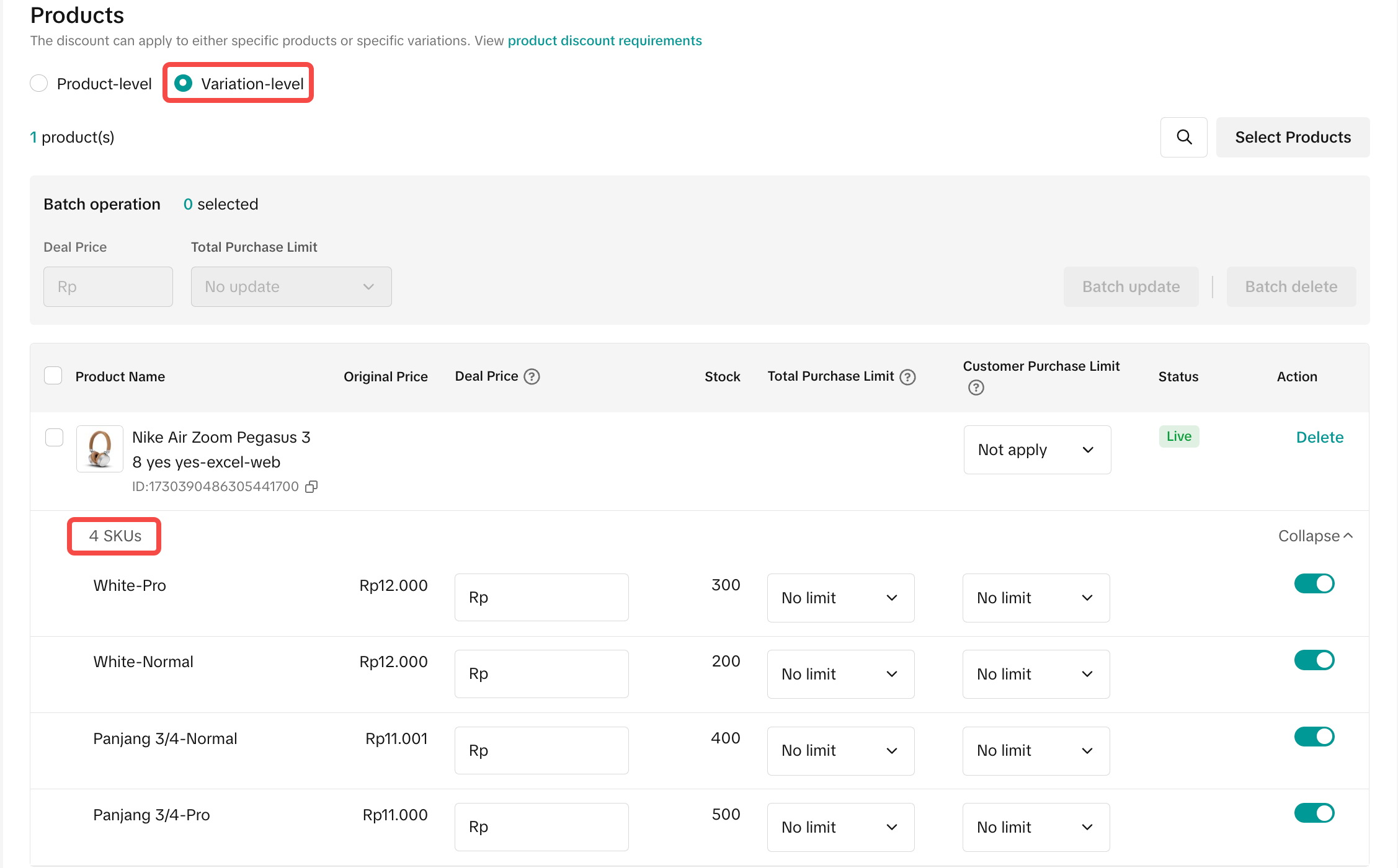
- When setting up your Product Discount, you can set the discount on either Product-level or Variation-level.
- If you select Product-level, you will set the deal price on a product dimension, which means all variations under the product will be adjusted to the same price.
- If you select Variation-level, you will set the deal price on a variation dimension.
 |  |
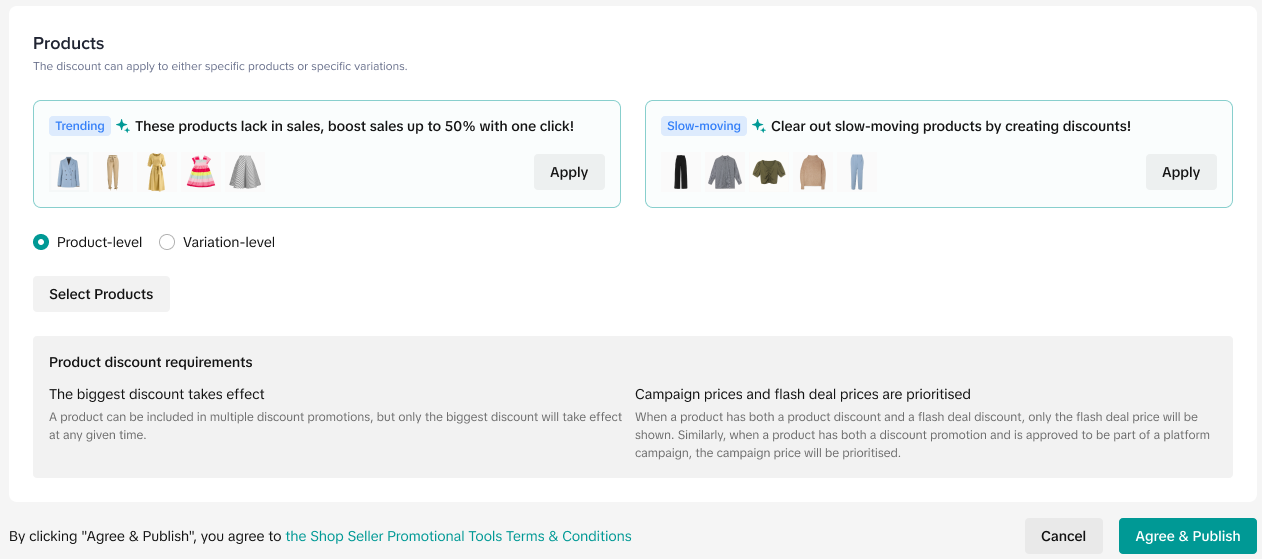
- We recommend applying Smart Discount, which recommends strategies based on different types of products in your shop and automatically applies recommended discounts for each product based on your performance and data of similar sellers
- Recommended strategies: New products, trending, best-selling, slow-moving, non-competitive
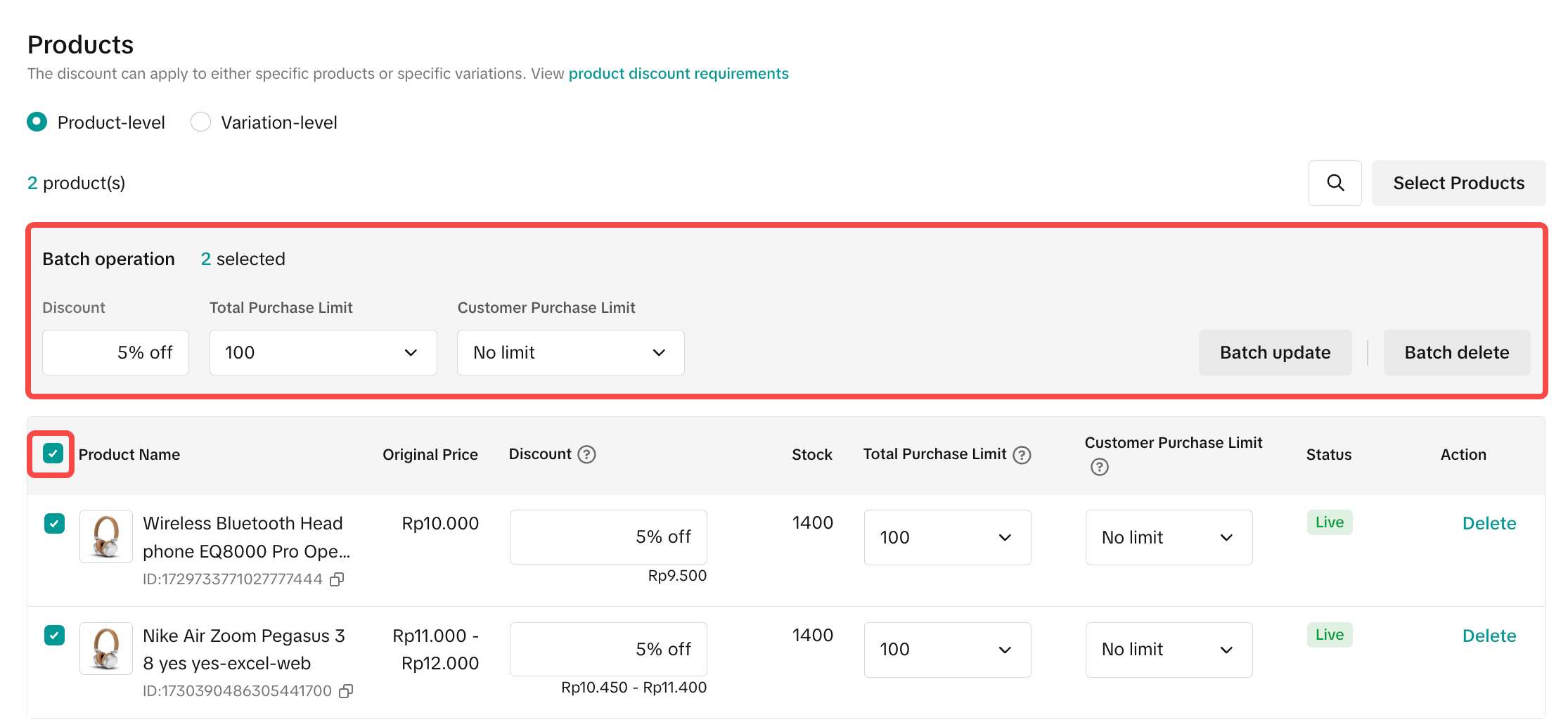
- You can choose to edit the discount, total purchase limit and buyer purchase limit in batches or individually
- Once you have reviewed the Seller Flash Sale promotion details, click Agree & Publish
 |  |
On Seller Center App
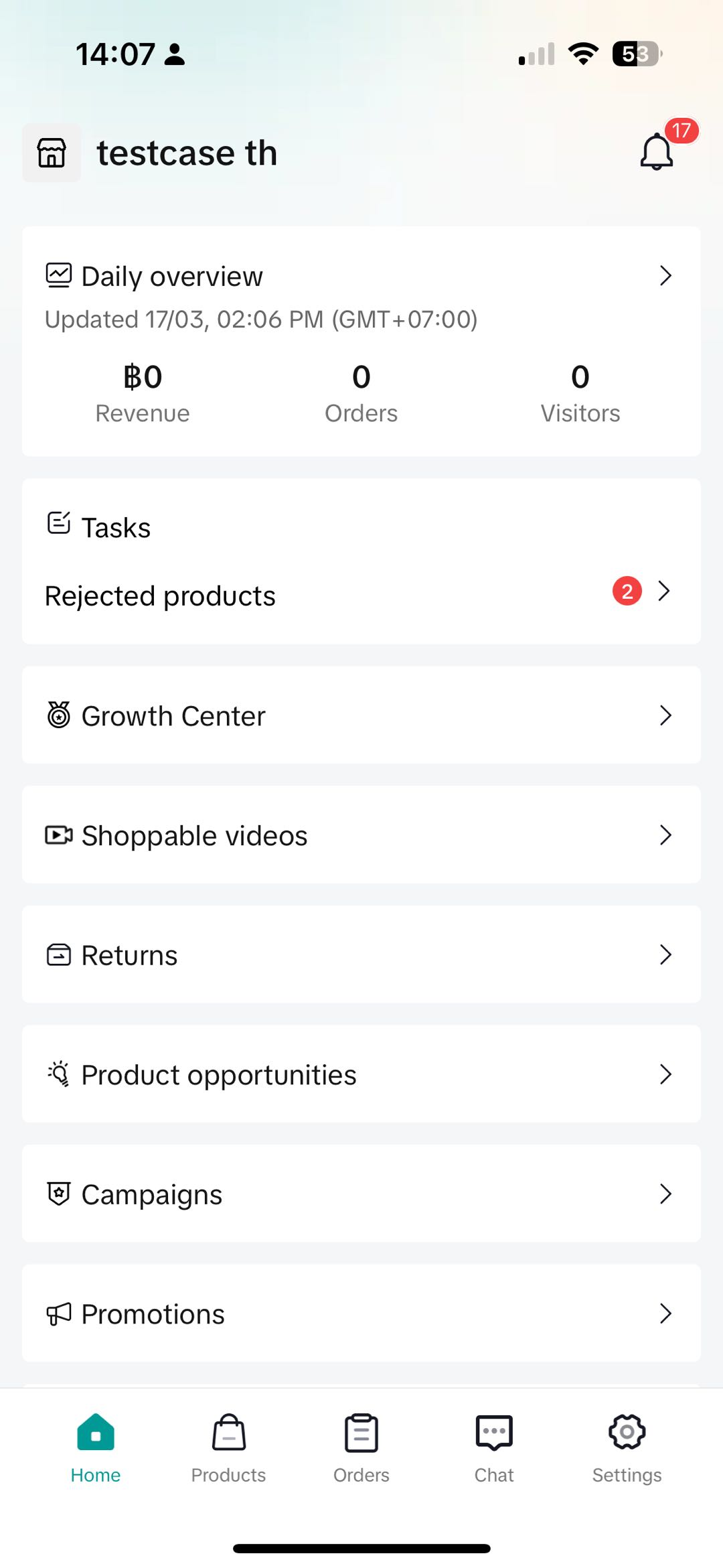
To create a Product Discount on the Seller Center App, visit the Promotions tab and select Product Discount- Set a promotion name and promotion period
- Select products:
- Select up to 2,000 products for your promotions.
- Easily find the products you want to include by searching for product names.
- Input the deal prices for Product Discount, which can be configured either as a Percentage Off or Fixed Price.
- For both Percentage Off and Fixed Price the discounted price will apply to all variations (SKUs) for each product. If you would like to set different prices for each variation, go to Seller Center PC.
- Once you have reviewed the promotion details, click Publish
 | 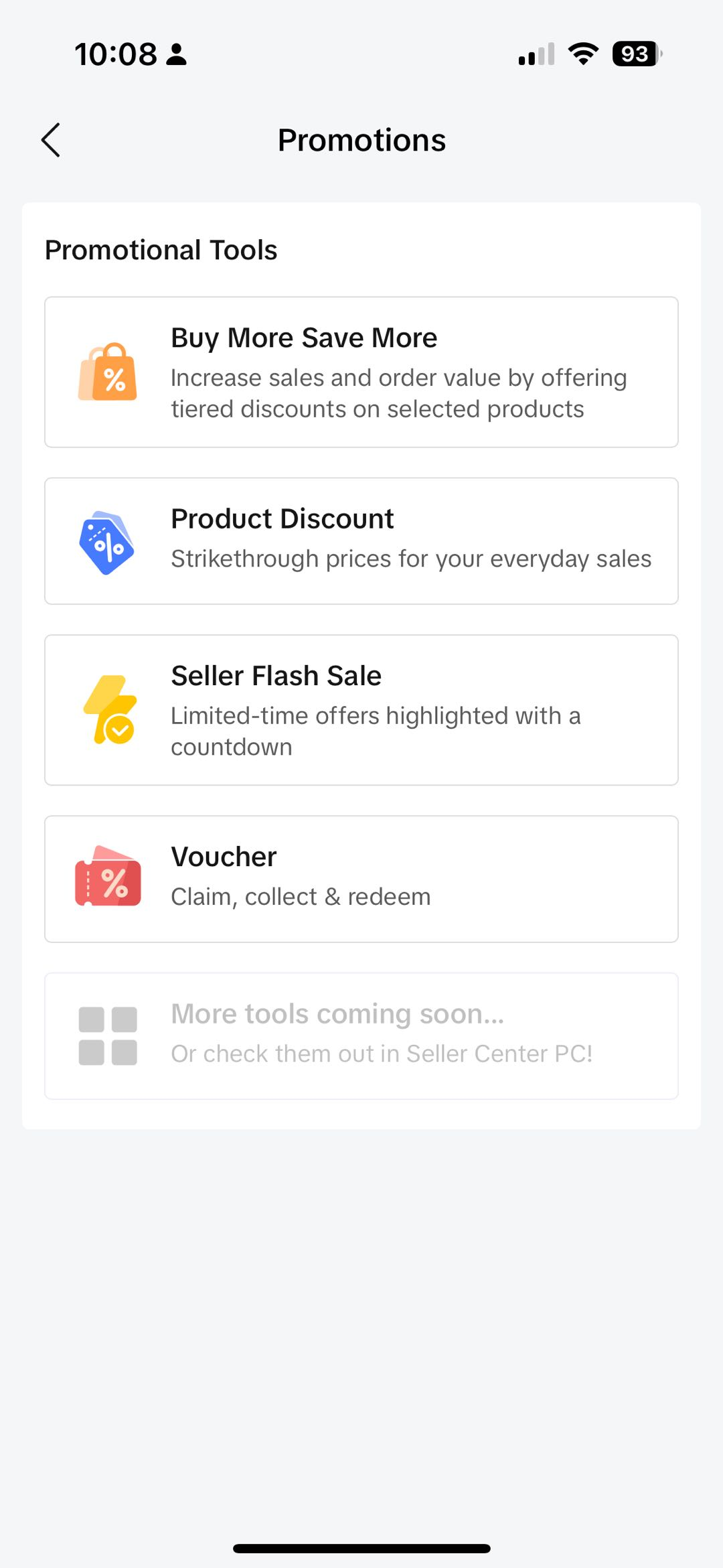 | 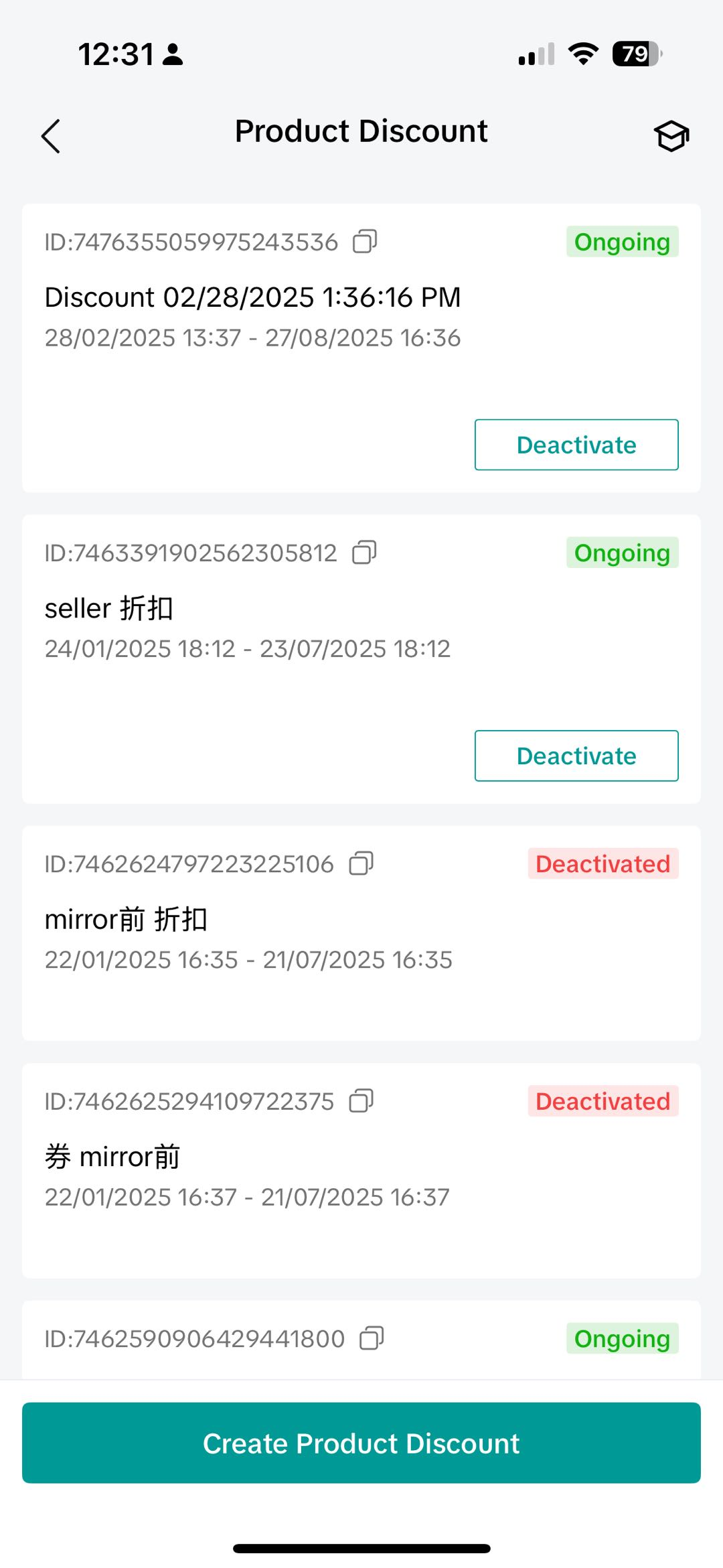 | 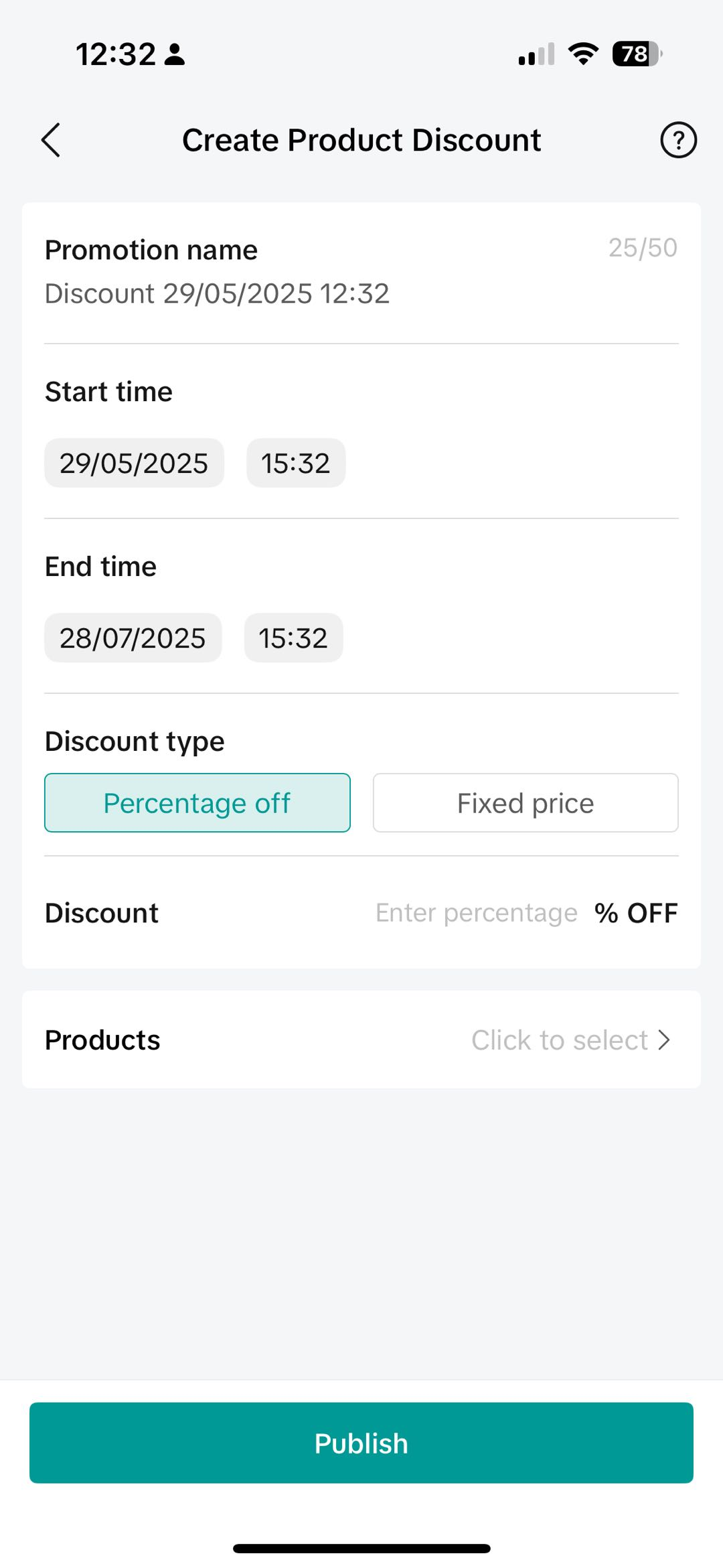 |  |
Promotion Previews for Tokopedia & TikTok Shop customer-end displays
After Integration (Read More), sellers will be able to create and manage Product Discount promotions for products that are on both Tokopedia & TikTok Shop.This will be covered under "Promotion Platform" when the promotion covers products that are across both platforms as follows:
| When products are available on both platforms with the same promotional mechanism | 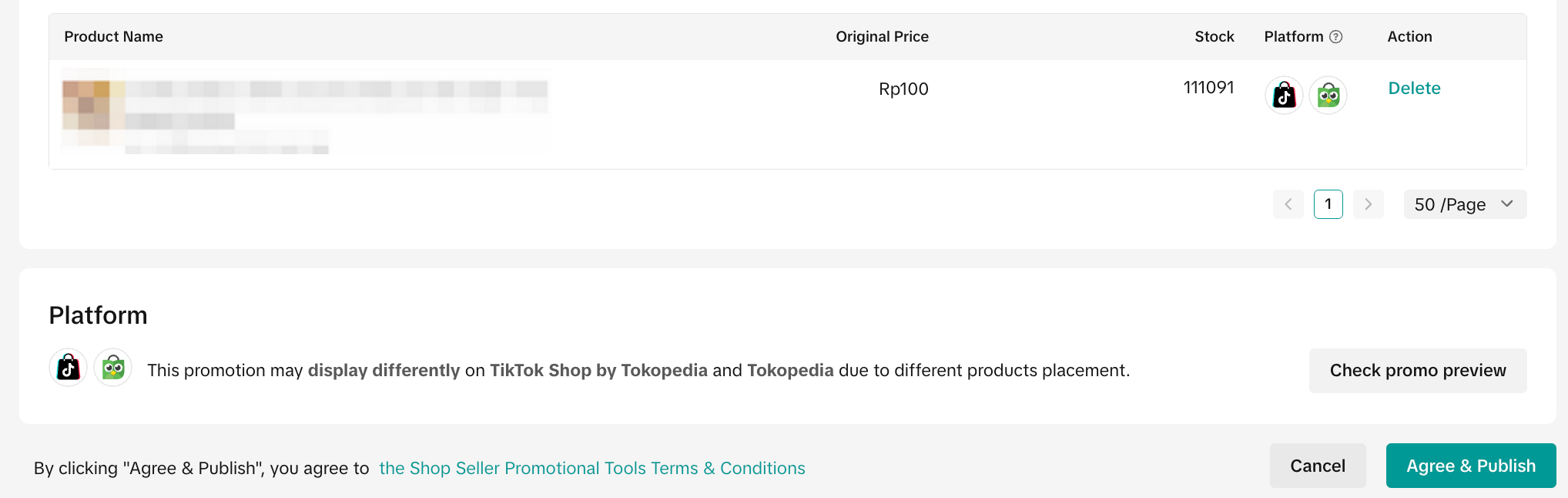 | |
| When products are available on either platform with different promotion mechanisms | 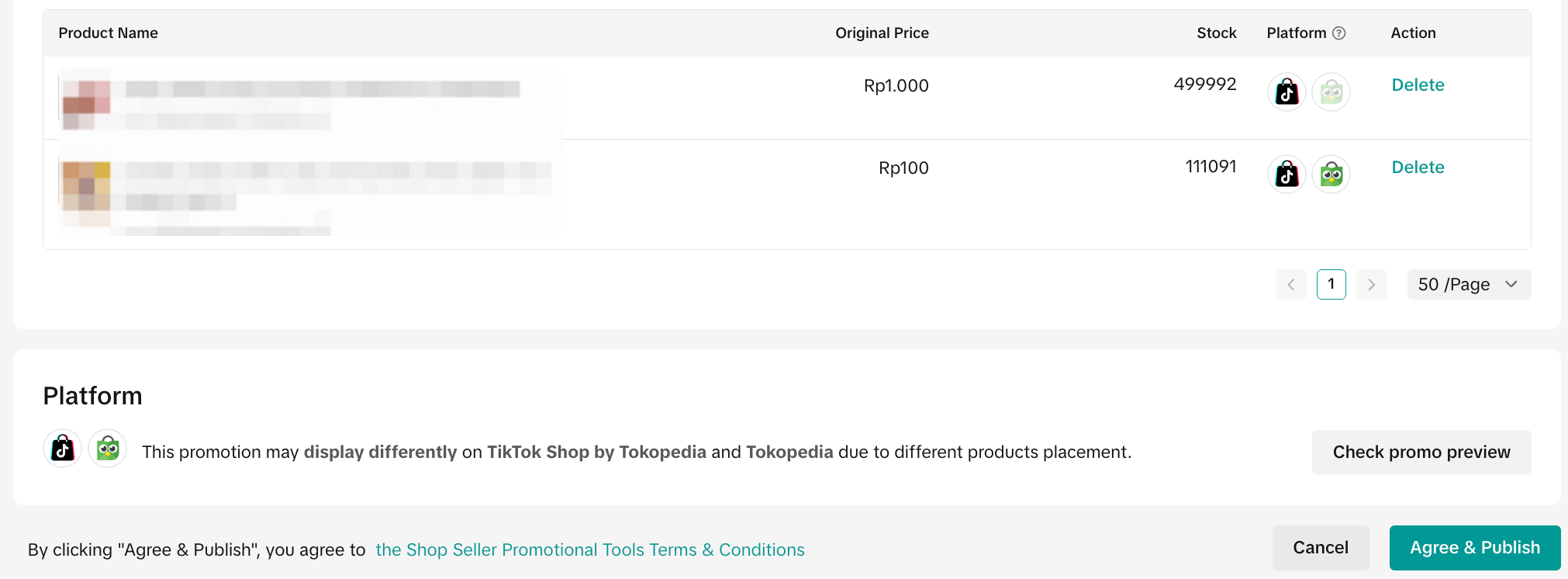 | |
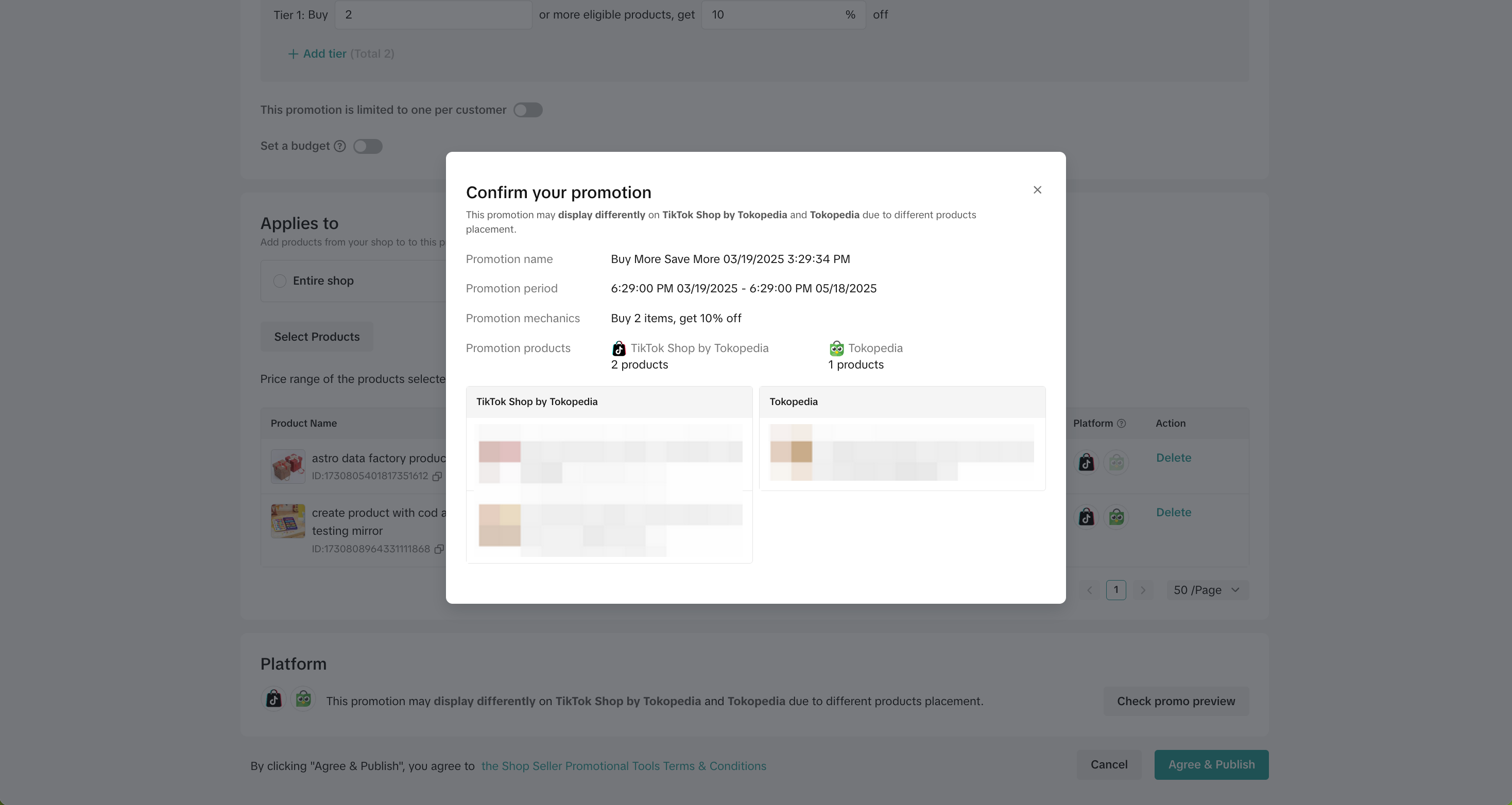 Check Promo Preview on PC | 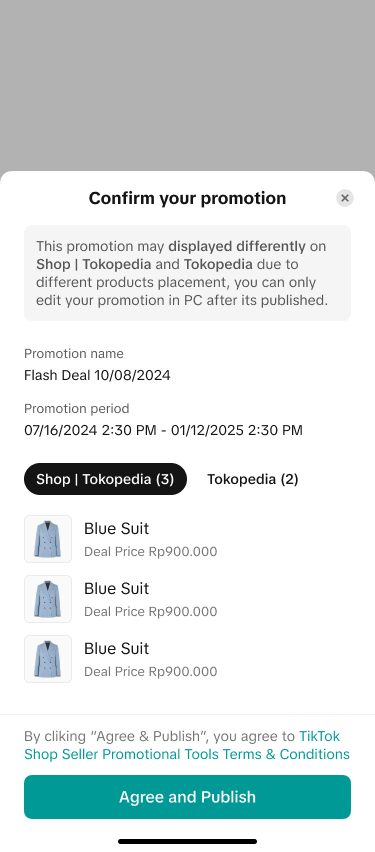 Check Promo Preview on App | |
| When products are only shown on 1 platform | 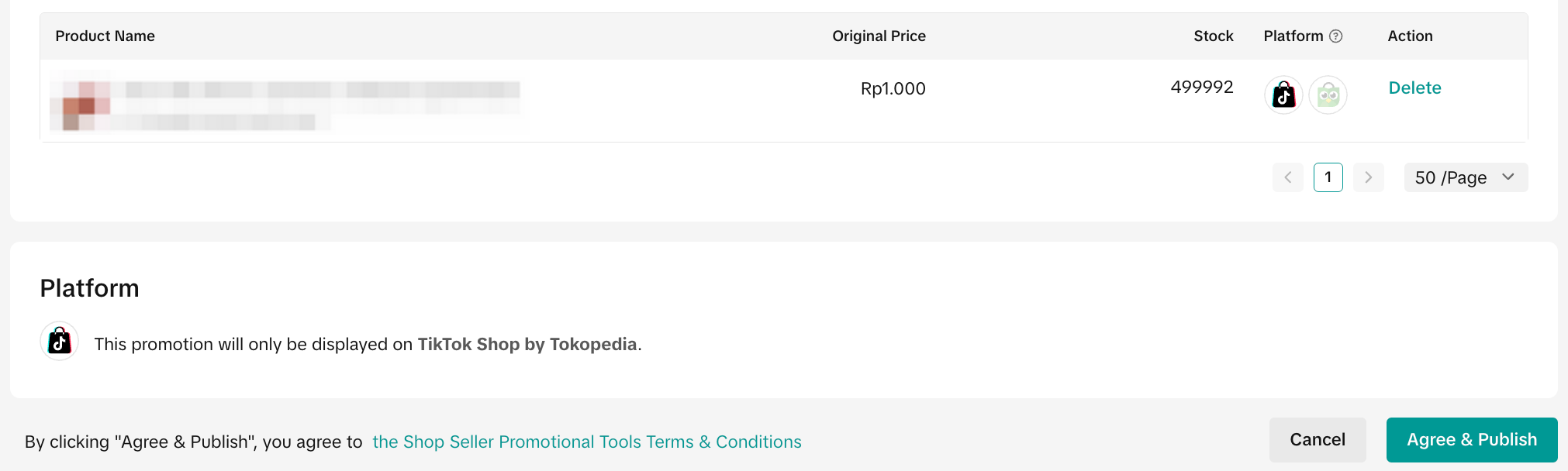 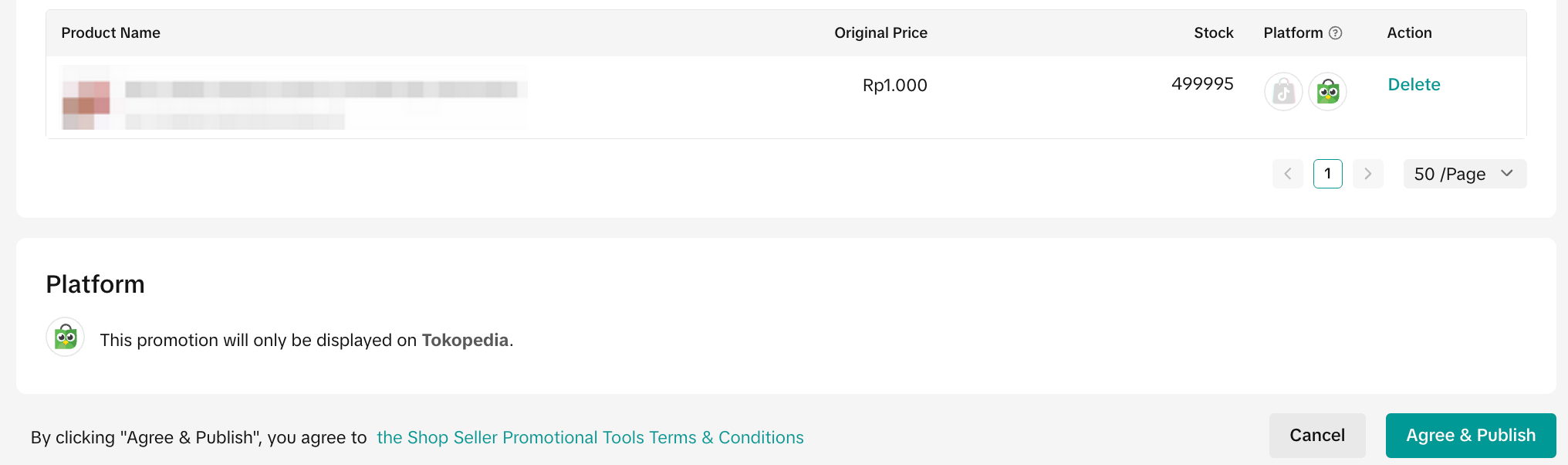 | |

Smart Promotion
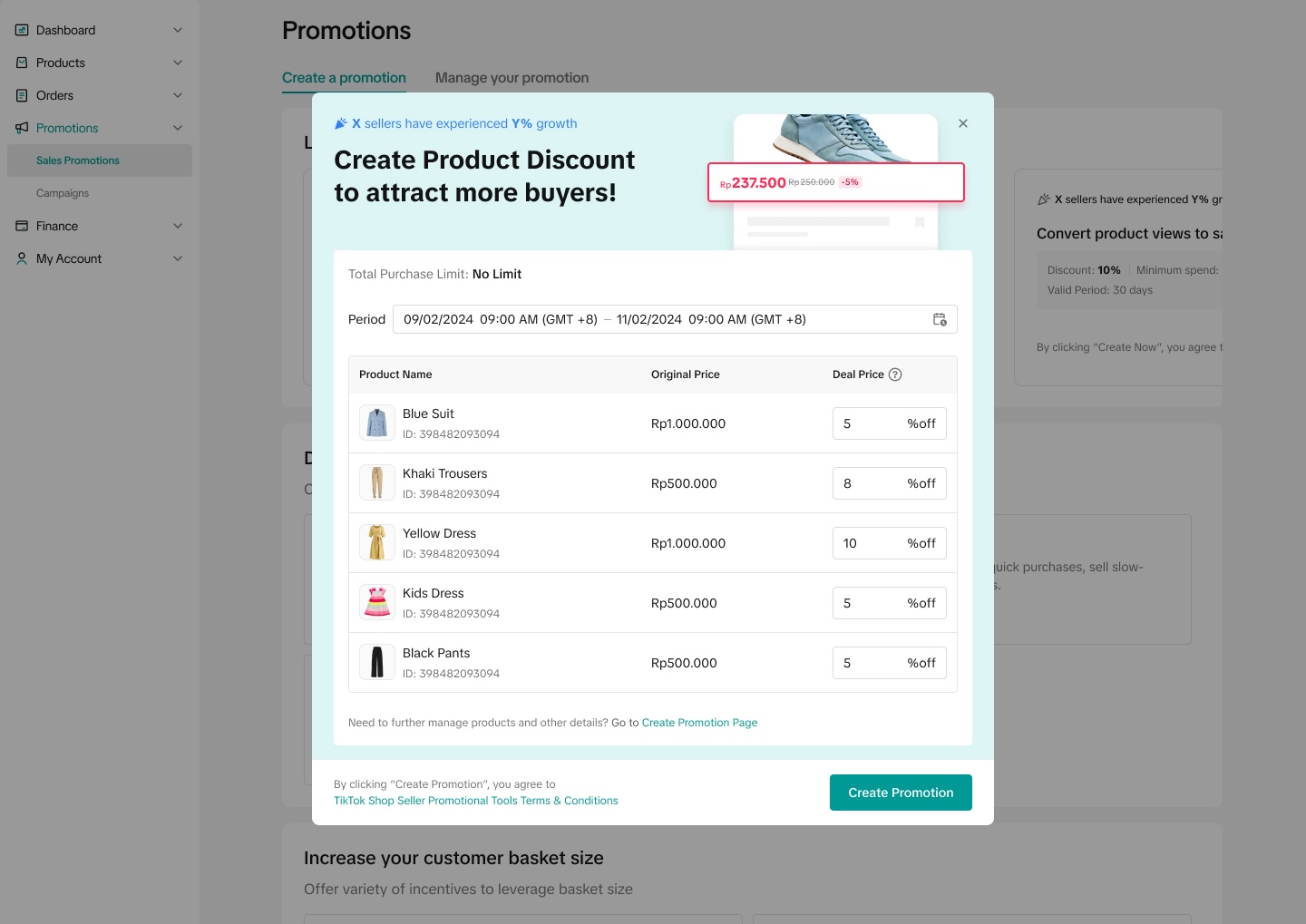
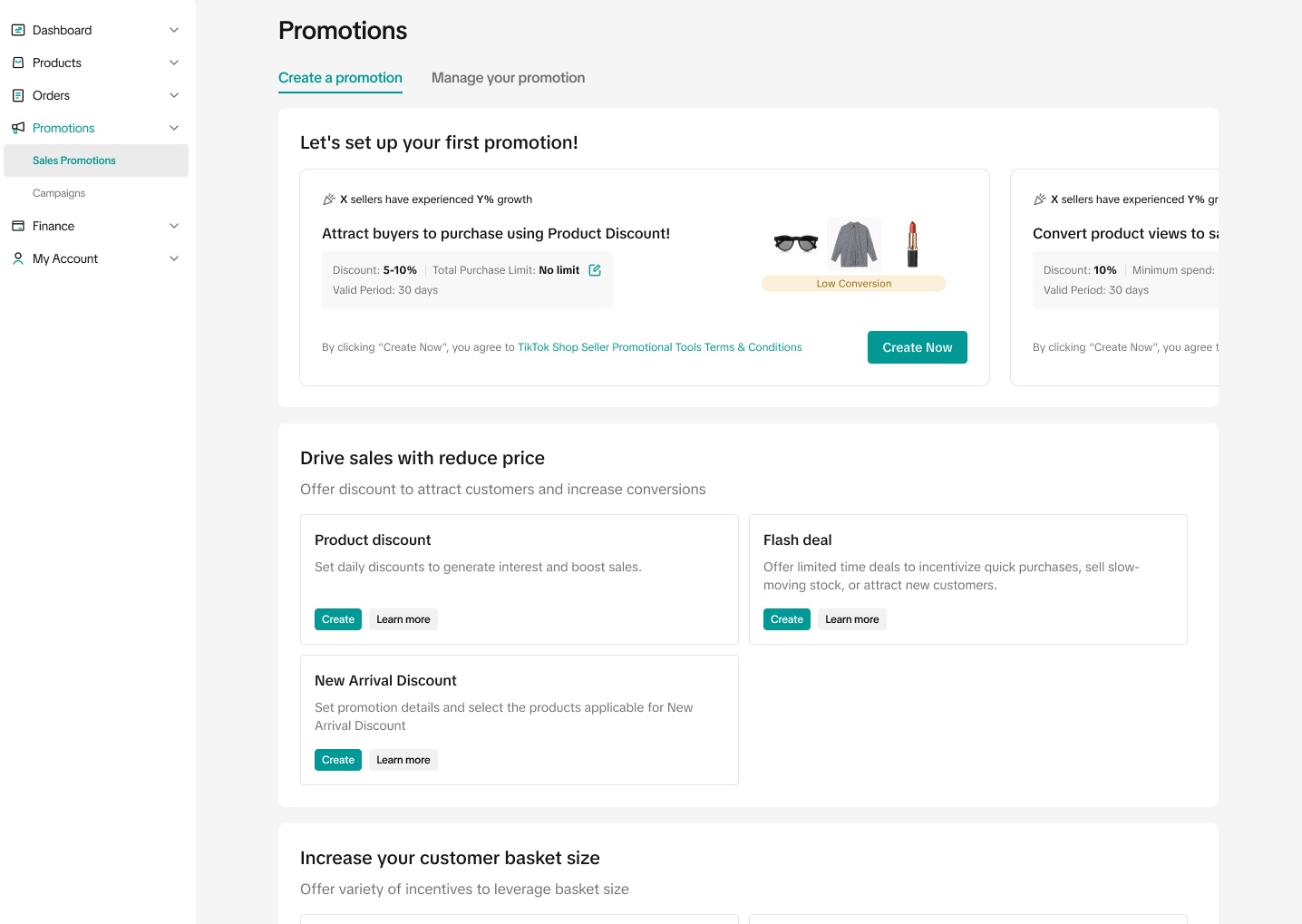
Smart Promotion automatically recommends discount settings as well as products to be included in your Product Discount promotion based on historical data of similar products, similar categories and similar sellers. This will help you to quickly select suitable products with optimal discount settings.- Selected sellers will be able to see Smart Promotion recommendations on the promotion homepage
- After reviewing the Smart Promotion details, you can click "Create Now" to instantly create and activate the promotion
- To edit or deactivate the promotion, you can access it on the "Manage your promotion" tab.
 |  |

Manage Product Discount
To manage a Product Discount on the Seller Center PC, visit the Promotions tab and manage your promotion.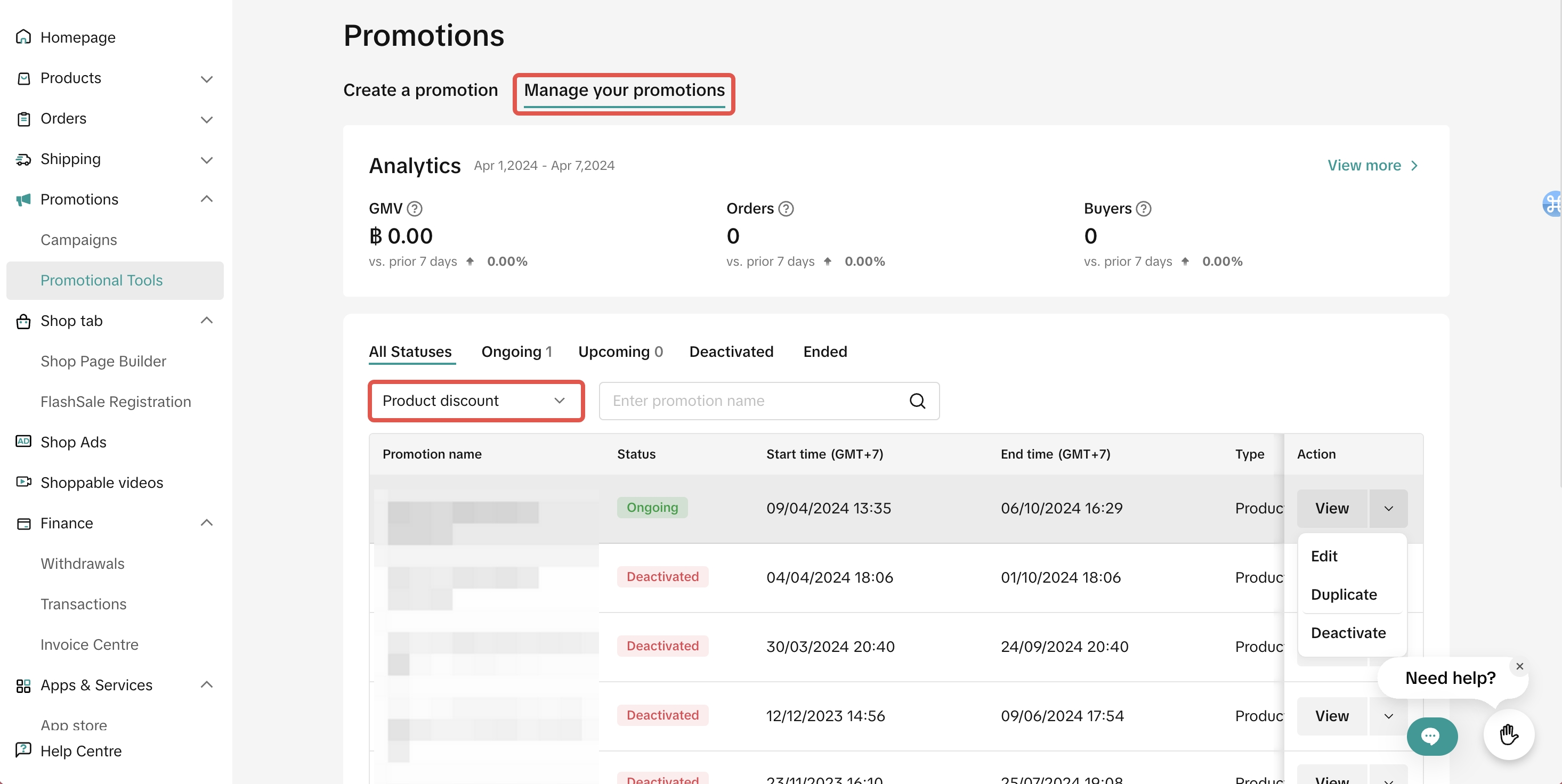
- Click Edit:
- To edit upcoming promotions, sellers can change the promotion period, change the promotion price, switch the type of total purchase limit and buyer purchase limit and can increase or decrease the value of purchase limit.
- To edit ongoing promotions, sellers cannot switch the type of total purchase limit and buyer purchase limit. The value of purchase limits can only be increased.
- Click Deactivate: To end an upcoming or ongoing promotion
- Click Duplicate: To copy and paste the promotion setting to help you quickly set up another one.

Batch Upload Products
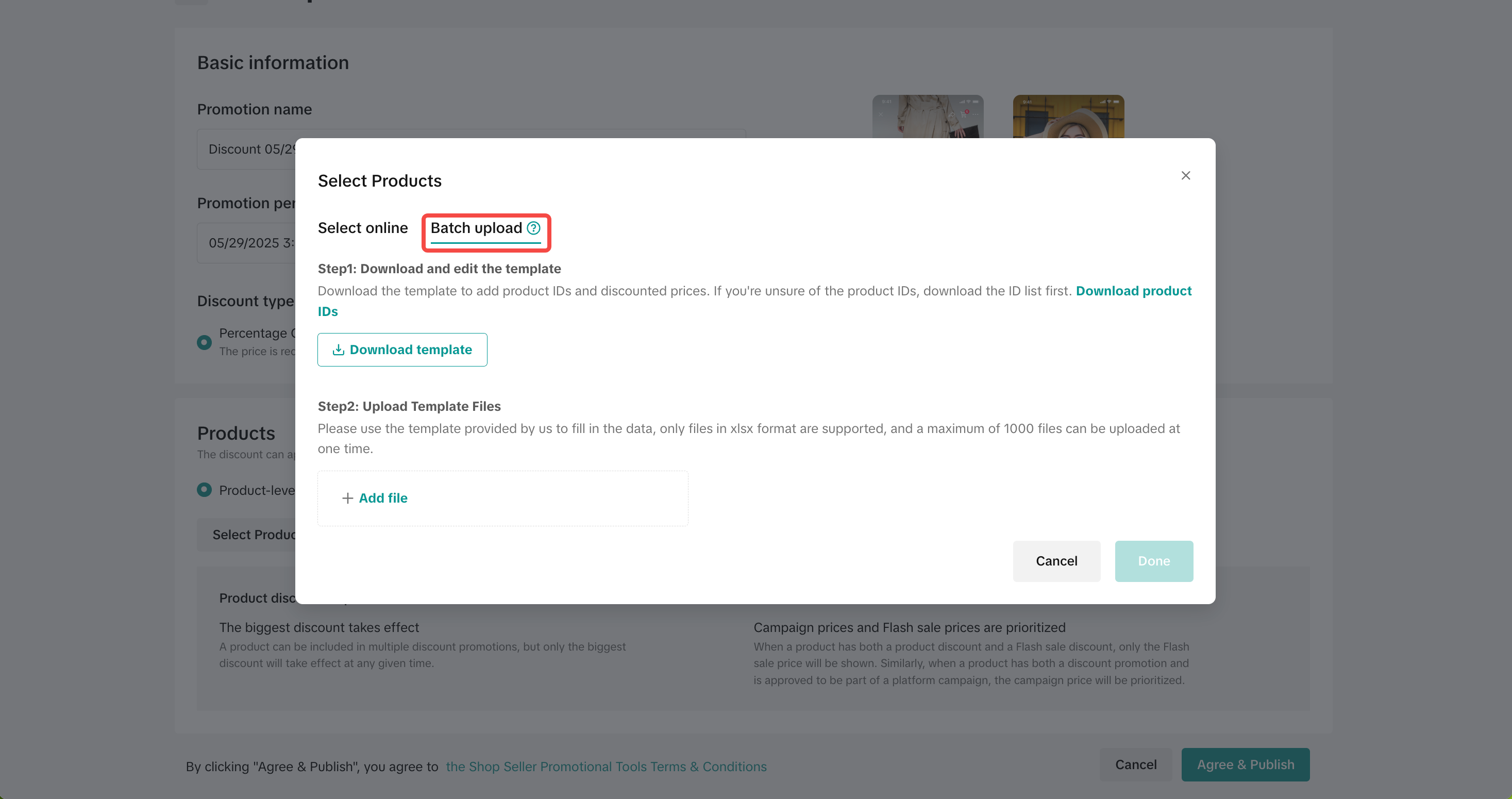
To batch upload and edit your products on the Seller Center on PC visit the Promotions tab and create a promotion.- When selecting products, click Batch upload
- Click download product IDs and download template
- Fill in the information as follows:
| Information | Product Level | Variation Level |
| Product ID | Required | Required |
| Variation ID | Required | |
| Deal Price | Required | Required |
| Discount | ||
| Total Purchase Limit | Optional | Optional |
| Buyer Purchase Limit | Optional | Optional |
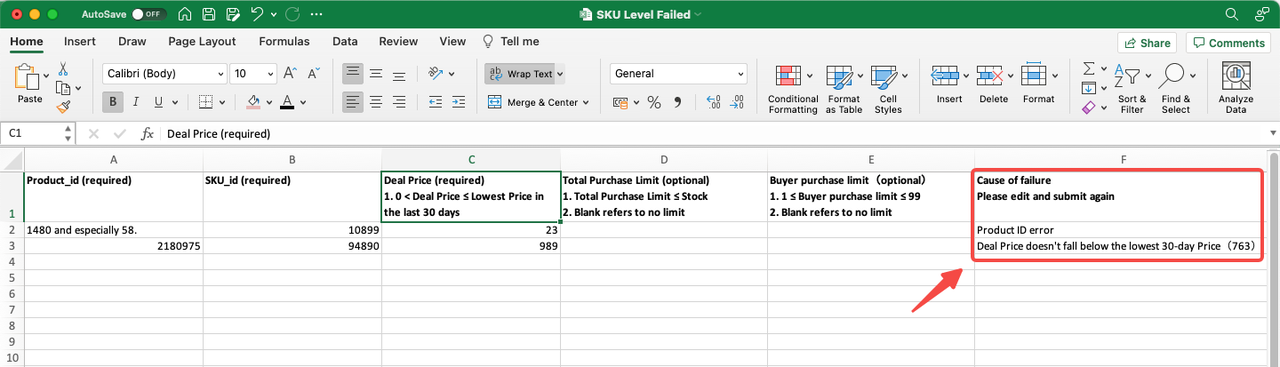

Track Product Discount Performance
To monitor your Product Discount performance, visit the Promotion Analytics page.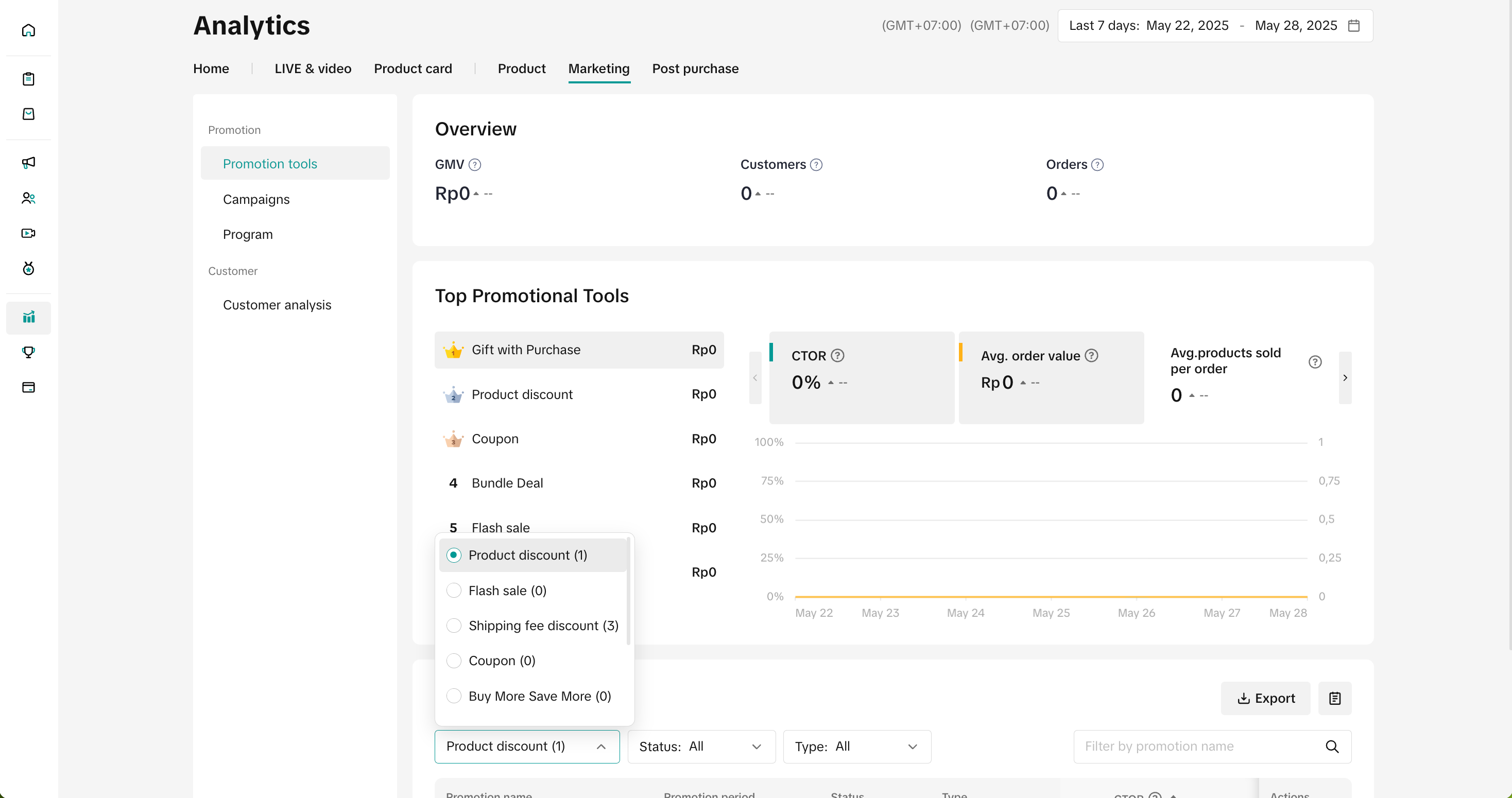
- You can select a Promotional Tool to display its core data and trends. Core Data includes metrics such as Revenue, Orders, and Buyers. You can also check the status and conversion performance of each promotion through the Promotion List.
- You can use the list to analyze which promotion generates the most revenue or ROI and optimize your promotional events in terms of product, event time, and event channel.
- Learn how to analyze the performance of your seller promotional tools through this guide.

FAQ
- Can I set Product Discount at variation level (SKU level)?
If you configure the promotion based on product level and fixed price, the deal price for all the variations under the product will be the same deal price. If you wish to configure different prices for the variation, we recommend choosing variation level configuration.
- If I have multiple discounts applied to the same product, which price will take effect. How come my Product Discount price is not displayed to customers?
- If a Product Discount and Seller Flash Sale are applied for the same product, then the Seller Flash Sale promotion will take priority.
- If a Campaign Price and Product Discount are applied for the same product, then Campaign Price will take priority.
- Can my Product Discount be used with other seller promotions?
- What is the difference between "Percentage Off" and "Fixed Price" when setting up a product discount?
- Percentage off: Reduces the price by setting a percentage (e.g. 20% off). The original price of the product can still be edited and, therefore, please note that the discount amount is calculated according to the percentage you set.
- Fixed Price: Reduces the price by setting the discounted price (e.g. $20). With this discount type, the fixed price will take effect and you will not be able to edit the original price during the promotion period.
You may also be interested in
- 1 lesson
Tokopedia PLUS
Tokopedia PLUS, now with More and Better benefits!
- 1 lesson
Promotion
Leverage promotions to attract more customers and boost sales!
- 7 lessons
Promotional Tools
Utilize vouchers, discounts, and bundling features to encourage purchases and attract buyers.

Bundle Deal
This article teaches you how to use Seller Bundle Deal to increase the Average Order Value in your s…
Bundle Deal Terms and Conditions
As a special limited time promotion, we, sellers of certain products on TikTok Shop, are offering yo…
Promotional Tools - Shipping Fee Discount Eligibility
What are shipping fee discounts? You may choose to offer a shipping discount on orders by bearing al…
Gift with Purchase
This article teaches you how to use Gift with Purchase to increase your average order value and conv…

Seller LIVE Interactive Voucher
This article teaches you how to use LIVE Interactive Vouchers to increase your average order value a…

First order discount
If it is the customers first order, the discount coupon is only available for new user/customer who…

Seller Regular Voucher
This article teaches you how to use Seller Regular Vouchers to increase your average order value and…