

PayLater Seller Promo Program
08/01/2025
- Effective 1 August 2025, sellers can join and configure their own campaign to subsidise customers who place orders with PayLater in TikTok Shop and enjoy PayLater interest discount.
- The program only covers orders placed under TikTok Shop by Tokopedia, and it is not applicable for orders placed on the Tokopedia app.

What is the PayLater Seller Promo Program?
Joining the PayLater Seller Promo Program, sellers can offer 0% or other discount of interest to their buyers for different installments and gain extra marketing exposure to boost their sales.Real success storiesAfter a leading mobile brand joined the PayLater 0% Interest-Free Program:
- Shop GMV grew by +97%, contributed by the +343% increase in PayLater GMV
- PayLater Average Order Value (AOV) was +15% higher than non-PayLater orders, and PayLater GMV penetration rate increased by +124%
- With a higher proportion of PayLater GMV and increased PayLater AOV and PayLater orders, overall Shop orders and Shop GMV saw significant growth.
- PayLater AOV increased by +18% compared to non-PayLater AOV
- PayLater GMV penetration rate rose by +8%
- The higher PayLater AOV, combined with increased PayLater GMV proportion, resulted in a +57% relative increase in PayLater GMV and a 45% uplift in Shop GMV

How to join and create your own Paylater campaign by joining the PayLater Seller Promo Program?
Step 1: Join the PayLater Seller Promo Program| Steps | PC-Seller Center |
| For sellers to enter the Paylater Seller promo features, sellers can get to know about the benefits and introduction of the feature.Sellers need to sign up for the PayLater seller promo contract before continuing the promo configuration. | 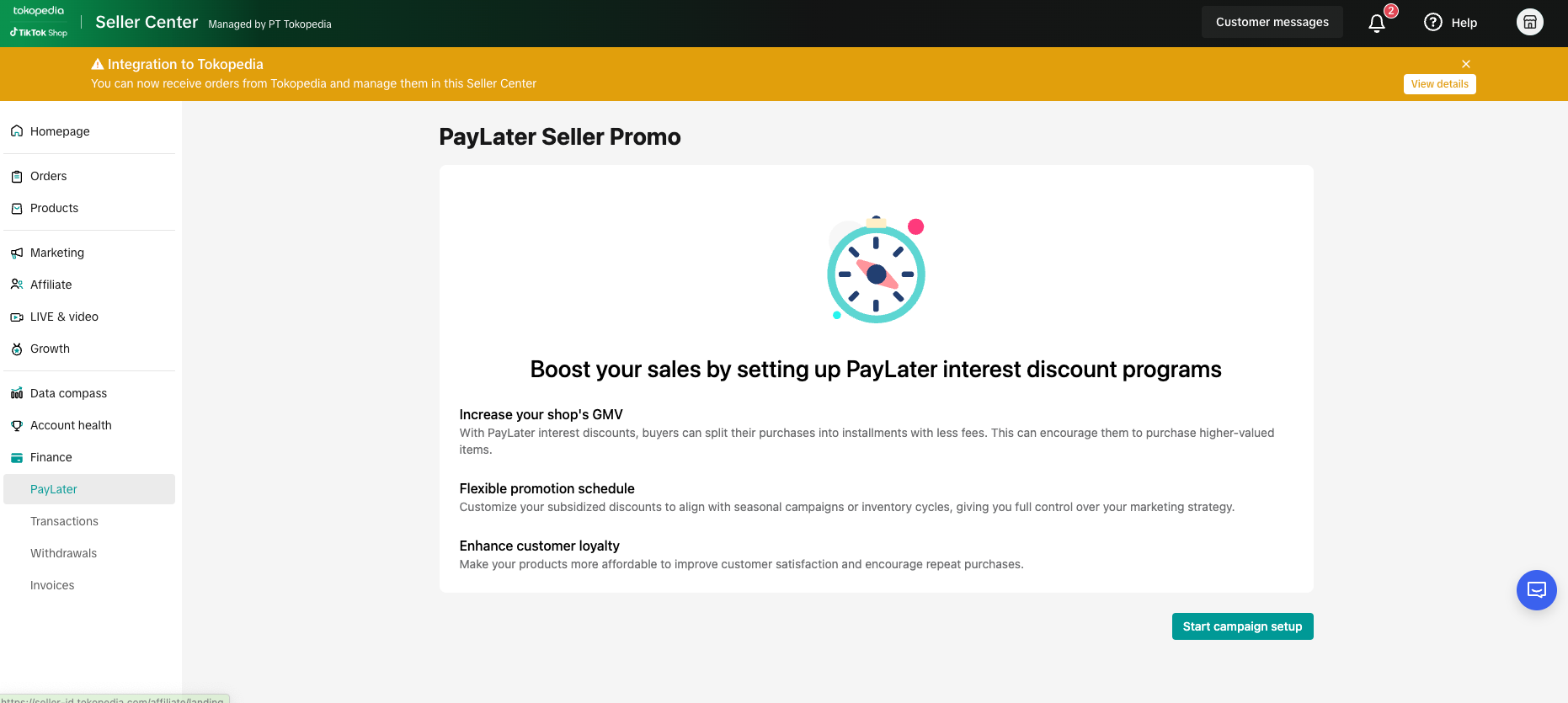 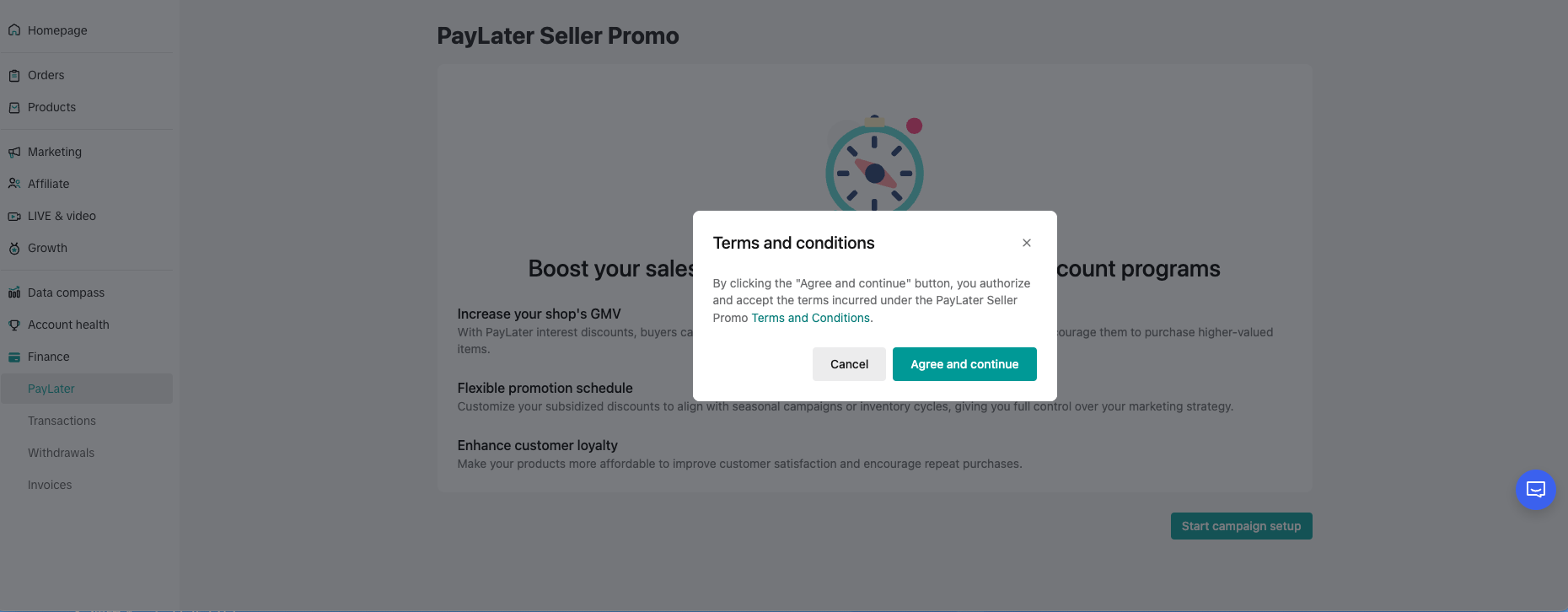 |
| Steps | PC-Seller Center |
| Sellers can see the available campaign types and choose one to create their own campaign. | 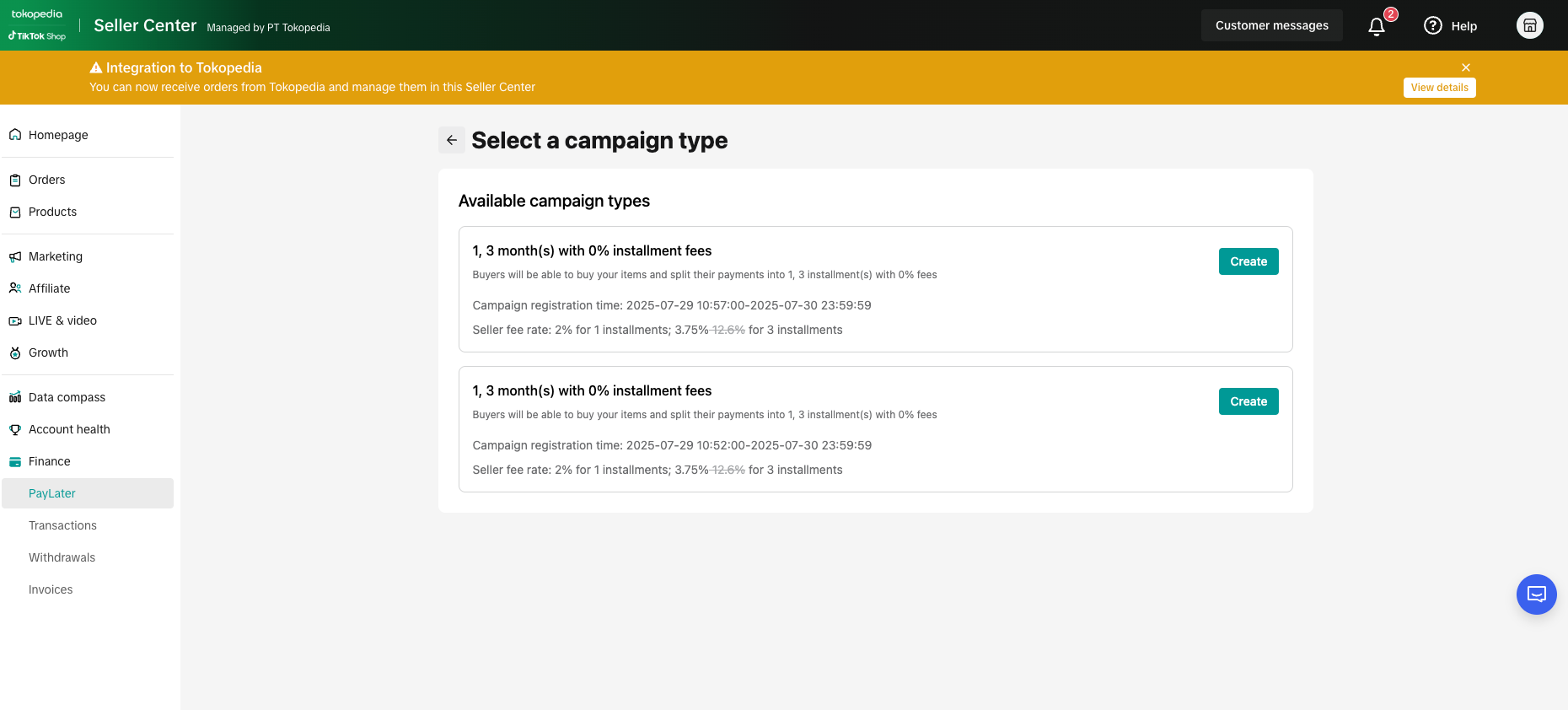 |
| Sellers can select their campaign type, campaign period, budget limit, discount scheme, and eligible items from your shop or apply the campaign setting to your shop, all according to your business goals.The minimum budget limit starts from Rp200.000 | 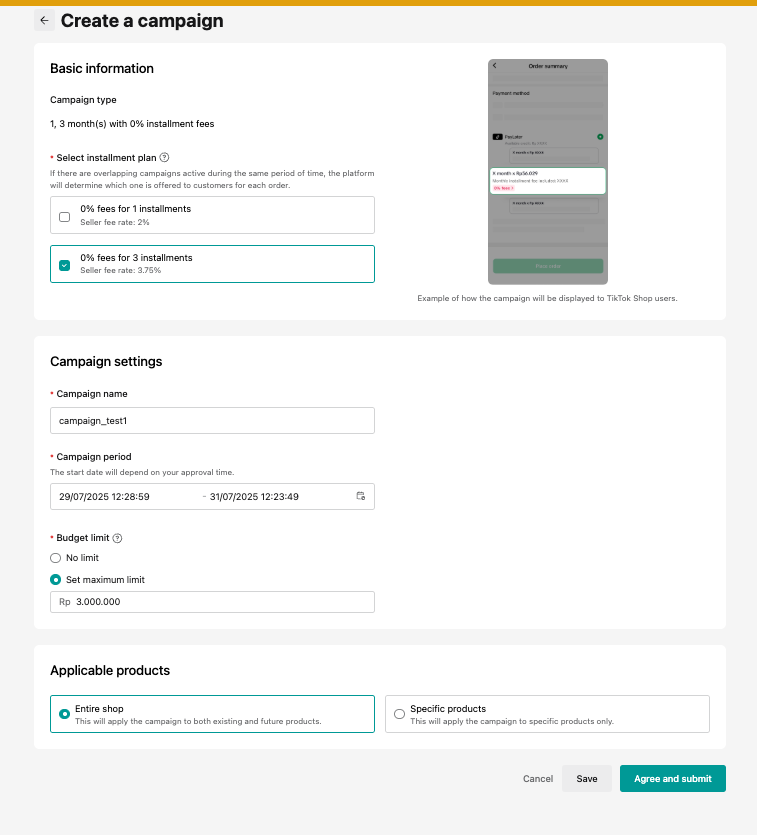 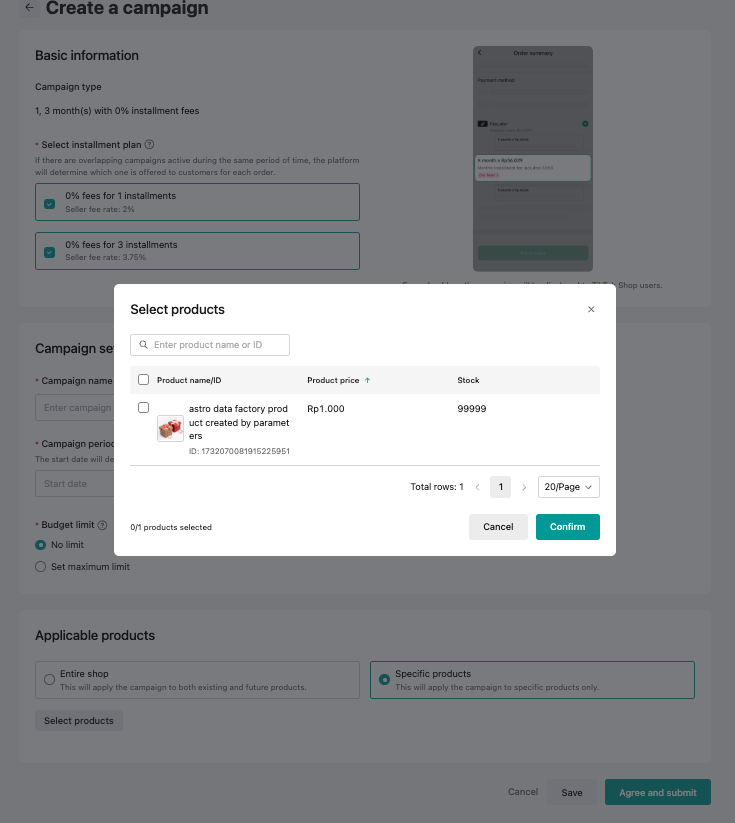 |
| When the campaign is submitted, it takes up to 5 business days for internal review.If the campaign is still under reviewed, buyers can not enjoy the assigned discount purchasing the items with Paylater. | 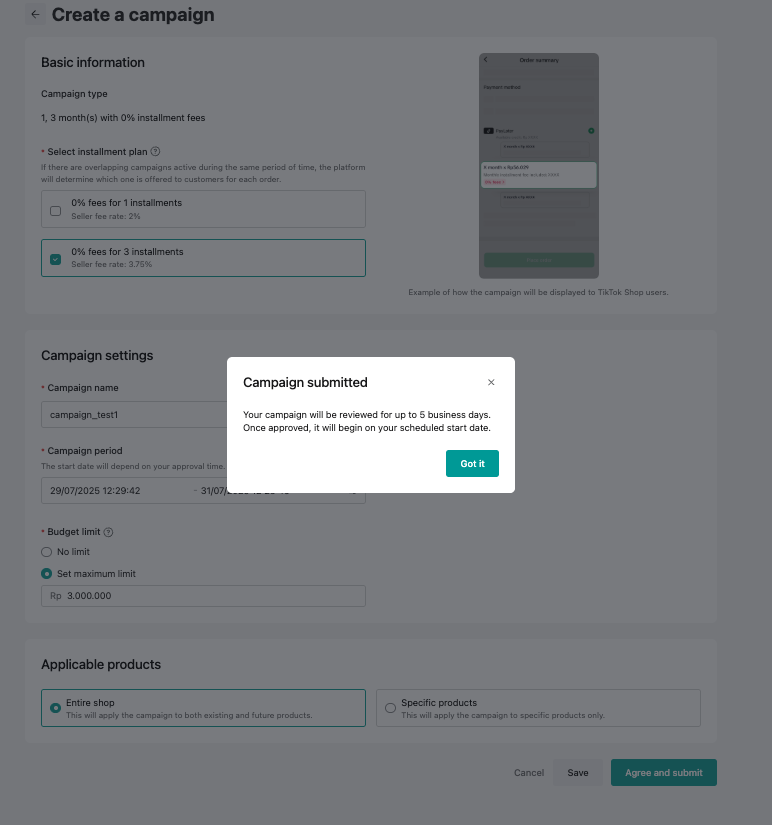 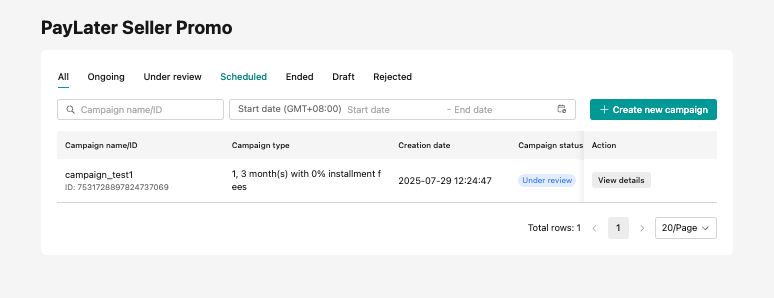 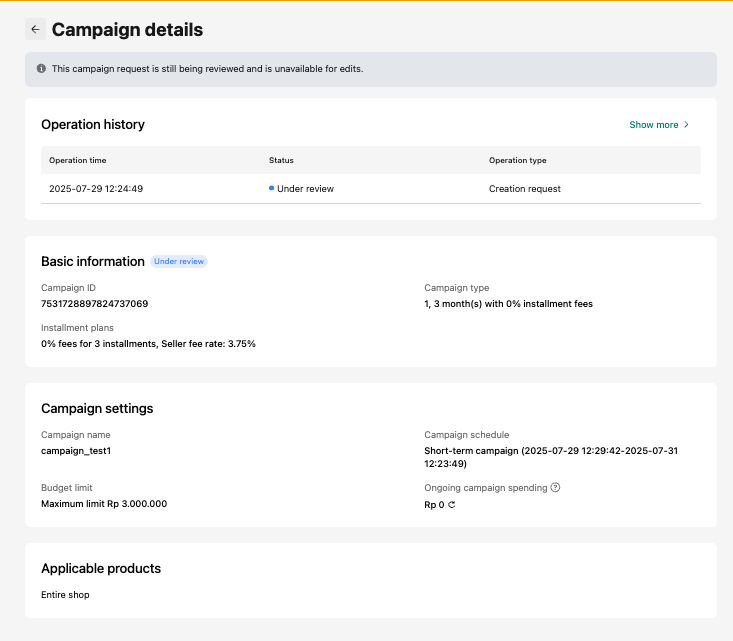 |
| Steps | PC-Seller Center |
| If the campaign is approved, but not started yet under seller's previous campaign period setting, the status is "schedule". | 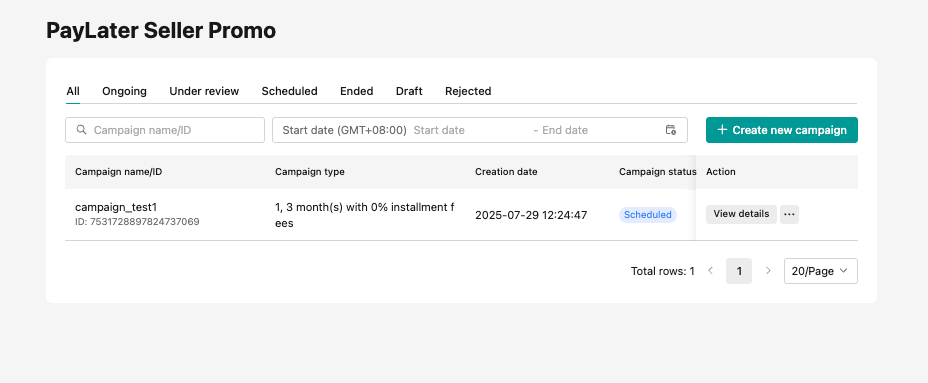 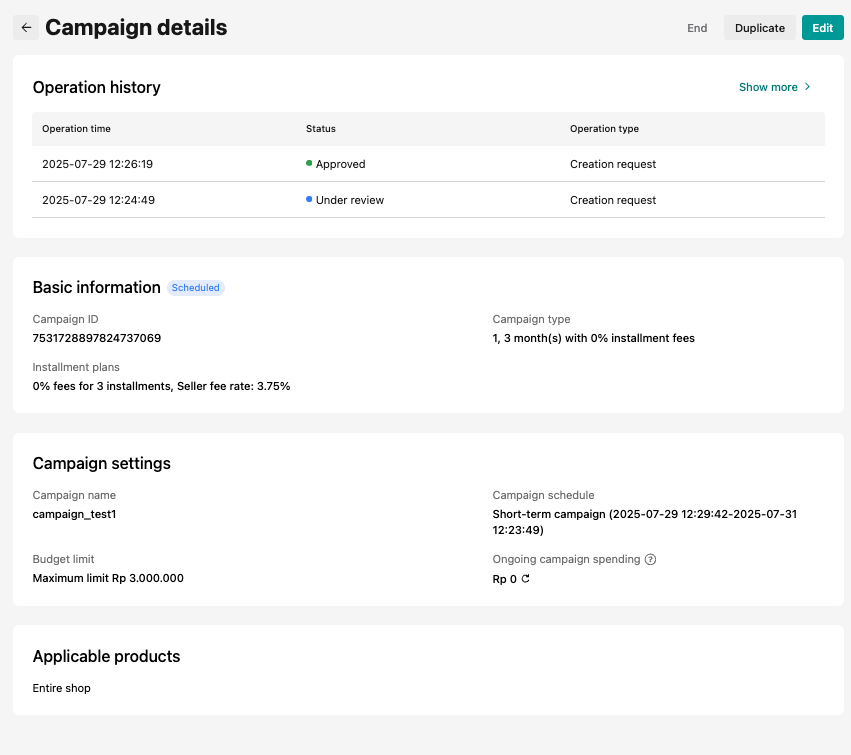 |
| When the campaign time arrives, the campaign status will turn to "ongoing" | 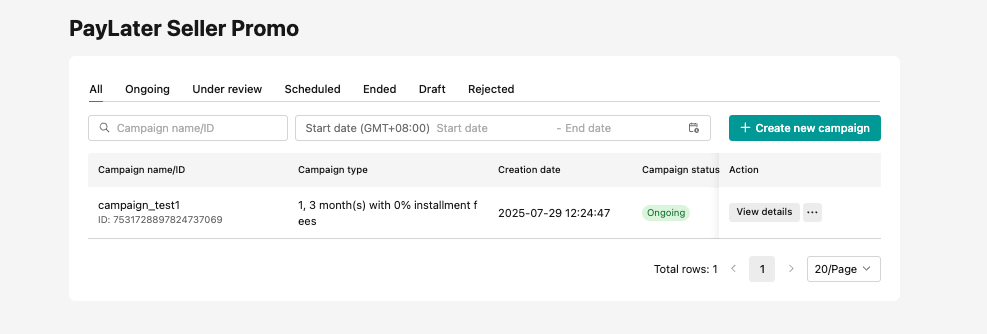 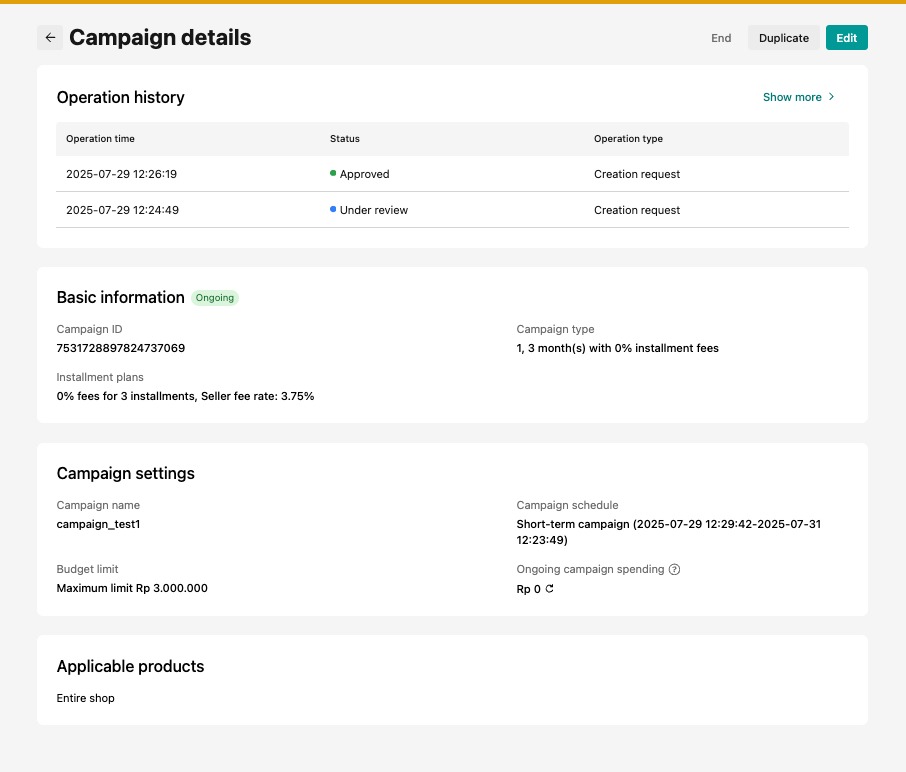 |
| Only when the campaign is ongoing can buyers enjoy the assigned discount purchasing the items with Paylater in the TTS App.When there are buyers successfully ordering the assigned items, then the spending of the campaign will be updated.The Paylater program fee will only be charged when the order is completed, so the ongoing spending is just a real-time estimation. | 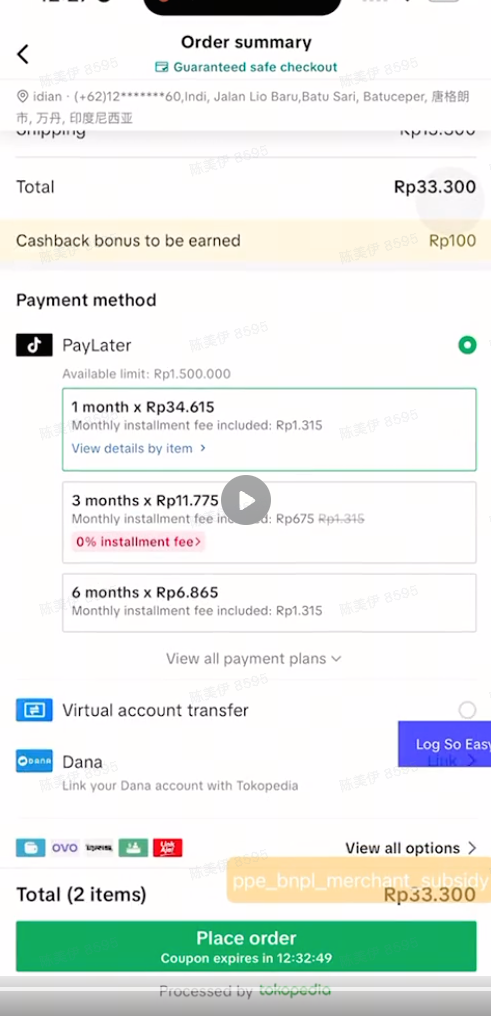 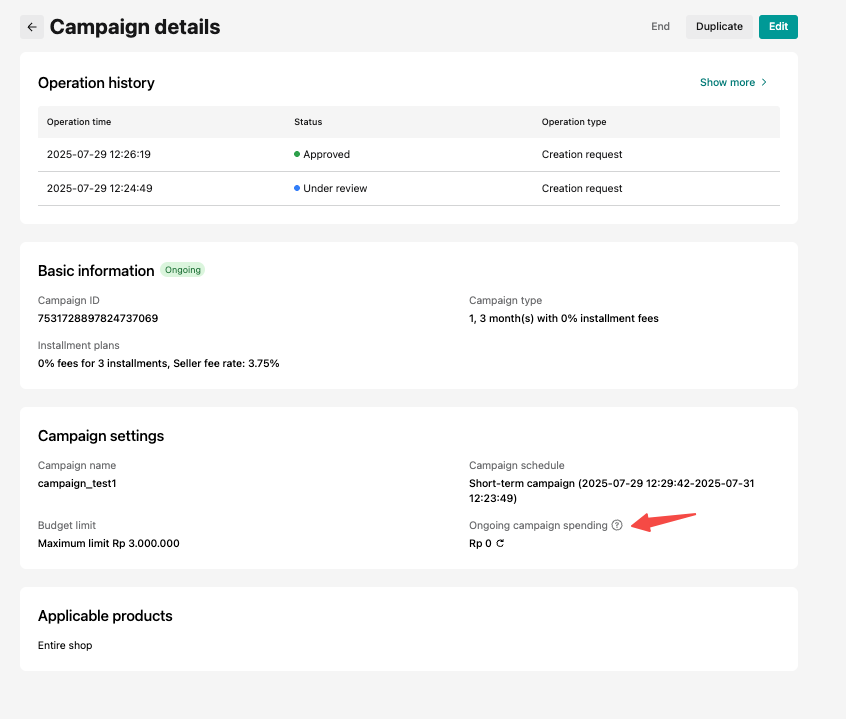 |
| Steps | PC-Seller Center |
| Sellers can edit the existing campaign, such as extending the campaign period, adding products, increasing the campaign budget or even ending the campaign.But before the edit is approved, the campaign will continue ongoing with the previous settings.Once it is approved, the campaign will be updated or end as sellers requested. | 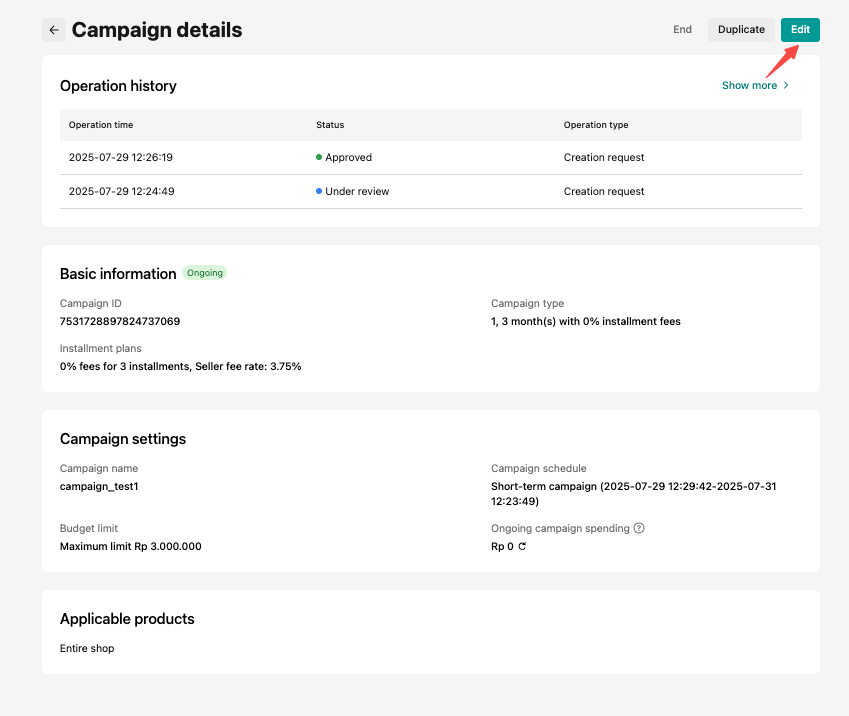 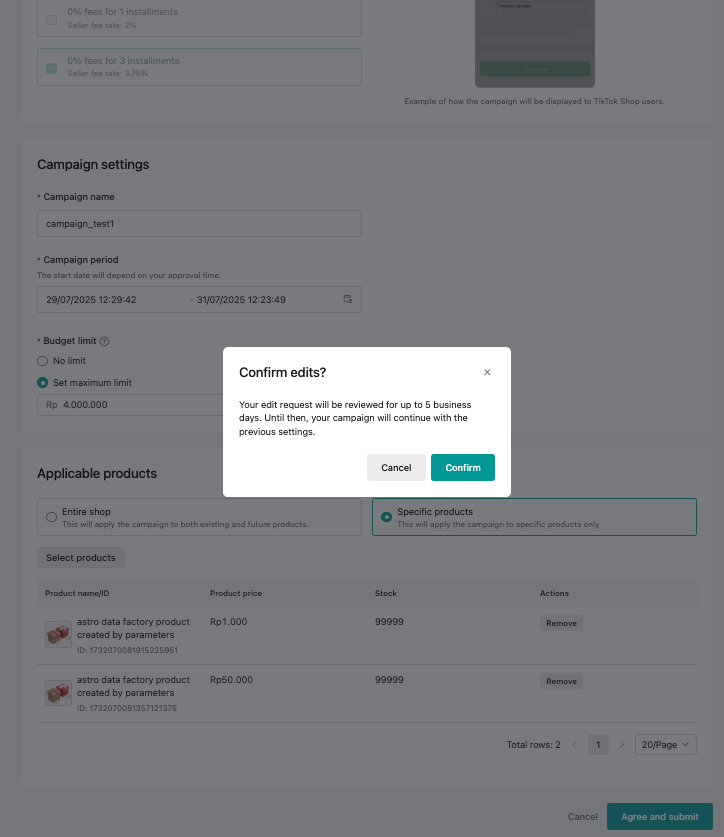 |

How does the PayLater Seller Promo Program charge?
- PayLater Seller Promo Program fee amount = fee rate of the campaign * (Customer payment - Customer refund) * (1 + VAT rate)
| Order amount | Rp500.000 |
| Customer payment | Rp500.000 |
| Customer refund (if it happens) | Rp100.000 |
| PayLater Seller Promo Program fee rate for seller (of 3 installments) | 3.75% |
| VAT rate | 11% |
| PayLater Seller Promo Program fee amount | =Rp(500.000-100.000) * 3.75% * (1+11%) = Rp16.650 |
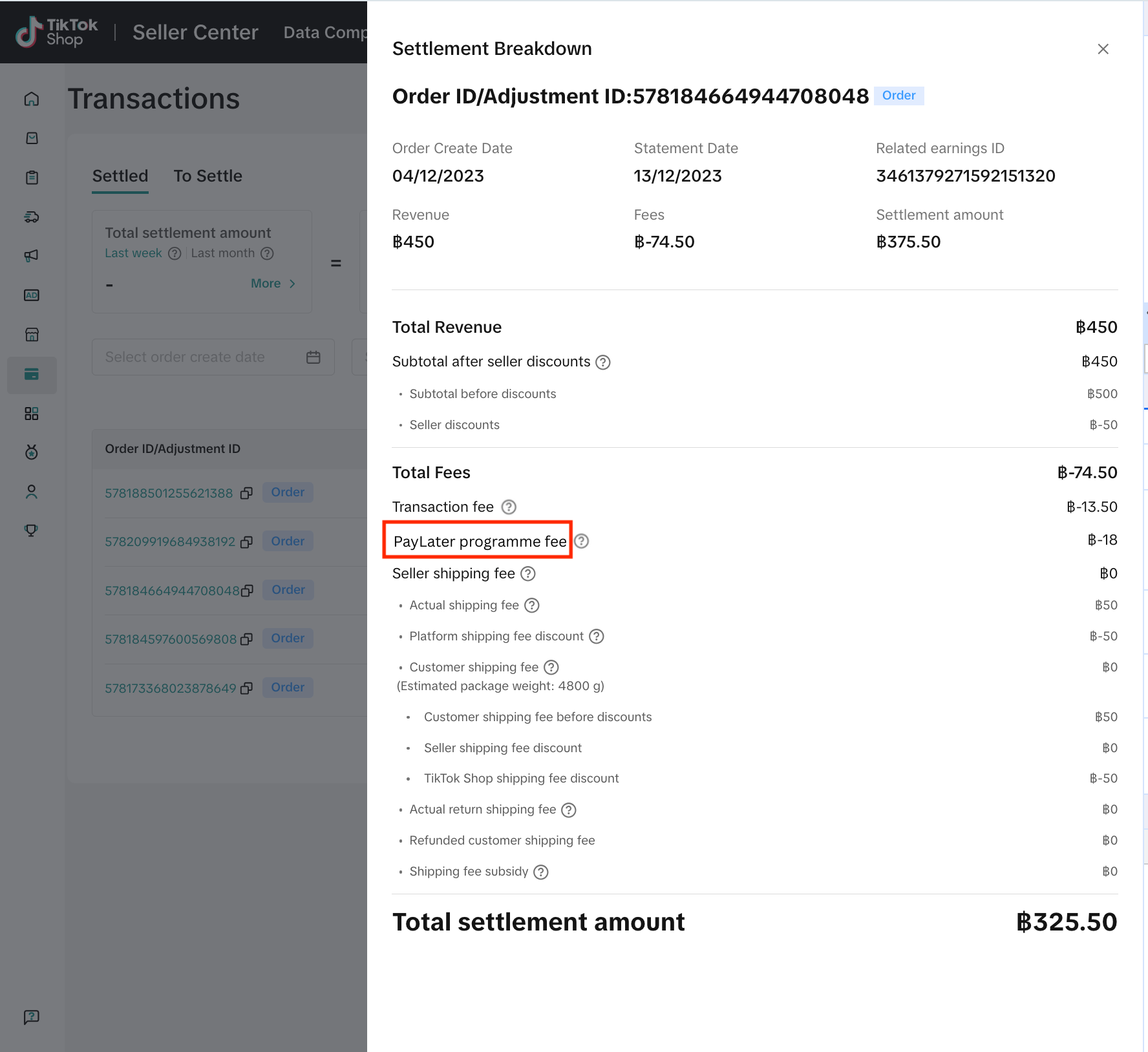
- When order is completed, the PayLater Seller Promo Program fee will be deducted from seller's sales income in TikTokShop by Tokopedia before disbursement to Seller's own bank account. Sellers can check the deduction in Finance > Transaction > Settled > Settlement Breakdown

Frequently Asked Questions (FAQs)
- How is the PayLater Seller Promo Program different from Paylater?
The PayLater Seller Promo Program offers sellers competitive program fees that allows participating sellers to offer buyers 0% interest or other interest discount rate for up to 12 months installments. Sellers will pay the program fee according to different campaign types which will show in the program introduction.
- Who can join the PayLater Seller Promo Program?
- Can sellers select certain products to be available for the PayLater Seller Promo Program?
- Can seller exit/end the campaigns under the PayLater Seller Promo Program anytime?
- Can seller setup budget spending in the PayLater Seller Promo Program?
- If sellers do not join or create campaigns under the PayLater Seller Promo Program, will Paylater still be available as a payment method for their stores and products?
- What happens to sellers if buyers do not make their repayment to Paylater on time?
- Where can sellers check the PayLater Seller Promo Program fee for completed orders?
TikTok Shop Seller Center -> Finance -> Transactions, you can calculate the PayLater Seller Promo Program fee amount through exporting the "Settlement breakdown"
You may also be interested in
- 1 lesson
Tokopedia PLUS
Tokopedia PLUS, now with More and Better benefits!
- 1 lesson
Promotion
Leverage promotions to attract more customers and boost sales!
- 7 lessons
Promotional Tools
Utilize vouchers, discounts, and bundling features to encourage purchases and attract buyers.

Bundle Deal
This article teaches you how to use Seller Bundle Deal to increase the Average Order Value in your s…
Bundle Deal Terms and Conditions
As a special limited time promotion, we, sellers of certain products on TikTok Shop, are offering yo…
Promotional Tools - Shipping Fee Discount Eligibility
What are shipping fee discounts? You may choose to offer a shipping discount on orders by bearing al…
Gift with Purchase
This article teaches you how to use Gift with Purchase to increase your average order value and conv…

Seller LIVE Interactive Voucher
This article teaches you how to use LIVE Interactive Vouchers to increase your average order value a…

First order discount
If it is the customers first order, the discount coupon is only available for new user/customer who…

Seller Regular Voucher
This article teaches you how to use Seller Regular Vouchers to increase your average order value and…