

Product Rating
03/14/2024
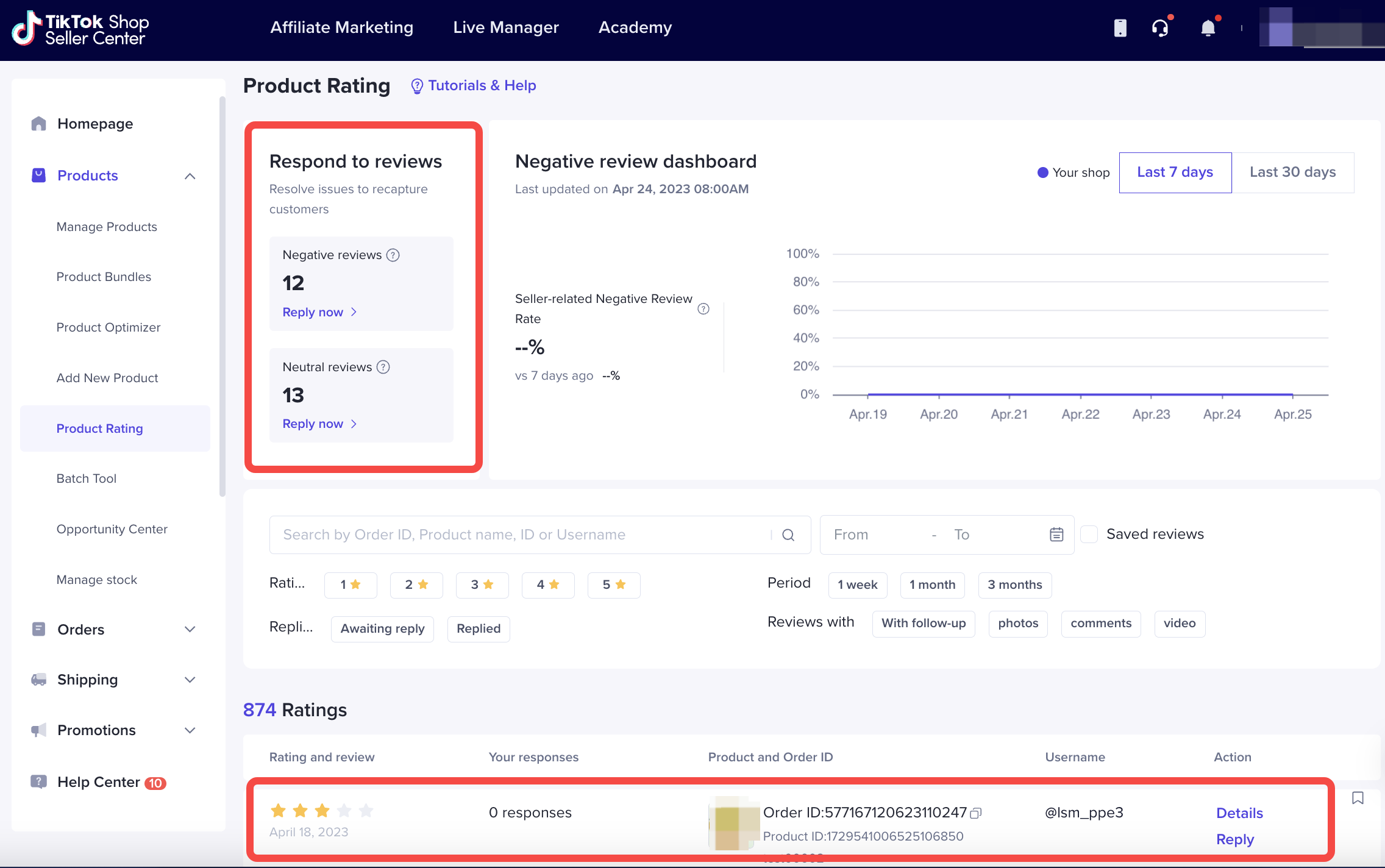
Go to Seller Center > Products > Product Rating to see how your store performs and how those ratings impact your store.
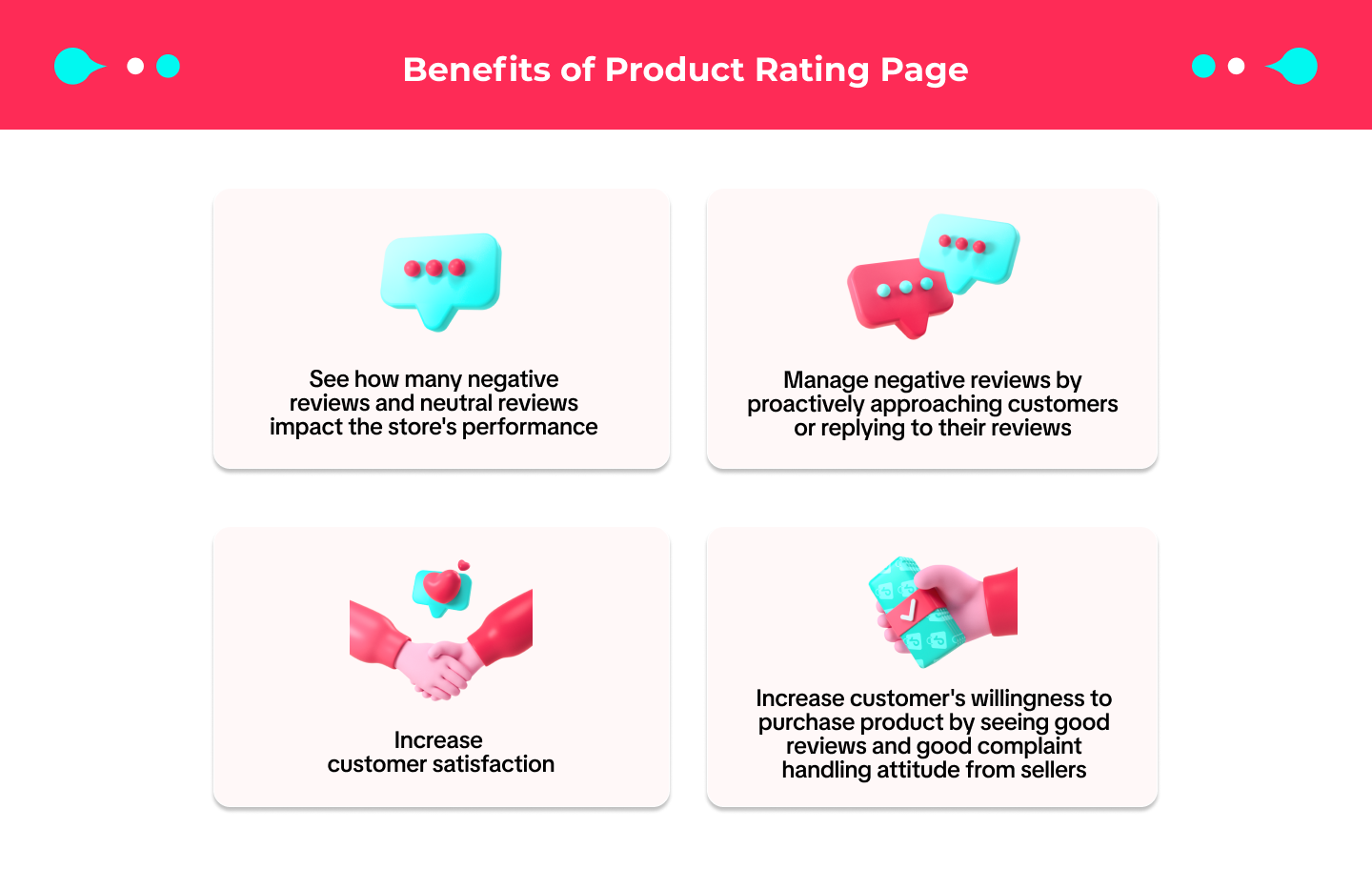

Managing Negative Reviews
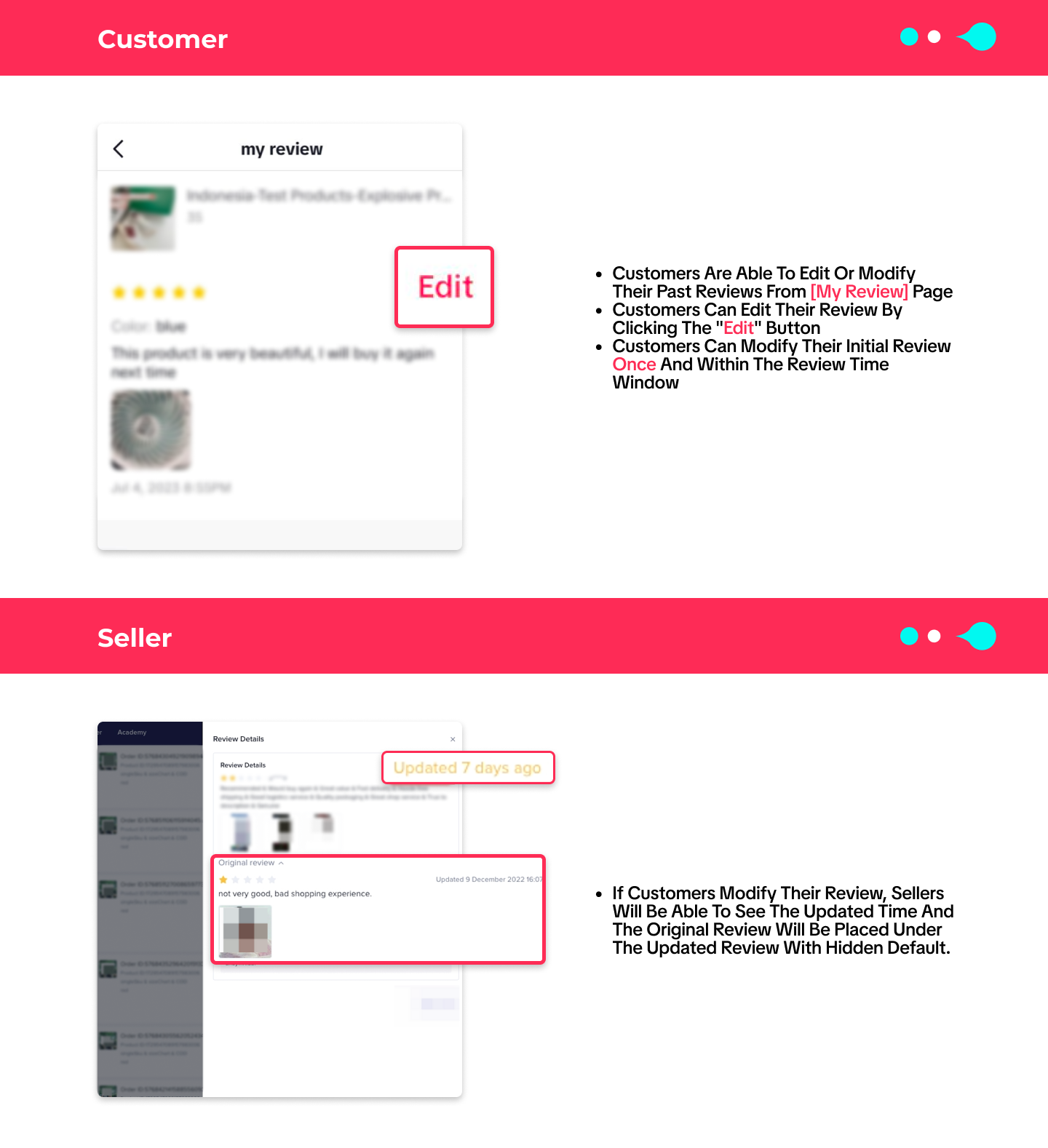
If sellers receive a negative review, sellers are highly advised to contact the customer and address any concerns that they may have expressed.Strive to find a resolution that meets buyer satisfaction. Once reaching an agreement on solution, sellers could encourage customers to consider updating their rating and reviews with Edit Review Capability from TikTok Shop.
What it looks like from customers' and sellers' perspective regarding Edit Review Capability:
- Start a Chat with Customers
- Access the Product Rating menu from Seller Center
- Use the star filter provided to find the negative review and order details
- Click on the [Order ID] and it will redirect you to manage order page where you can find the [Customer Information] and start a chat with the buyer.
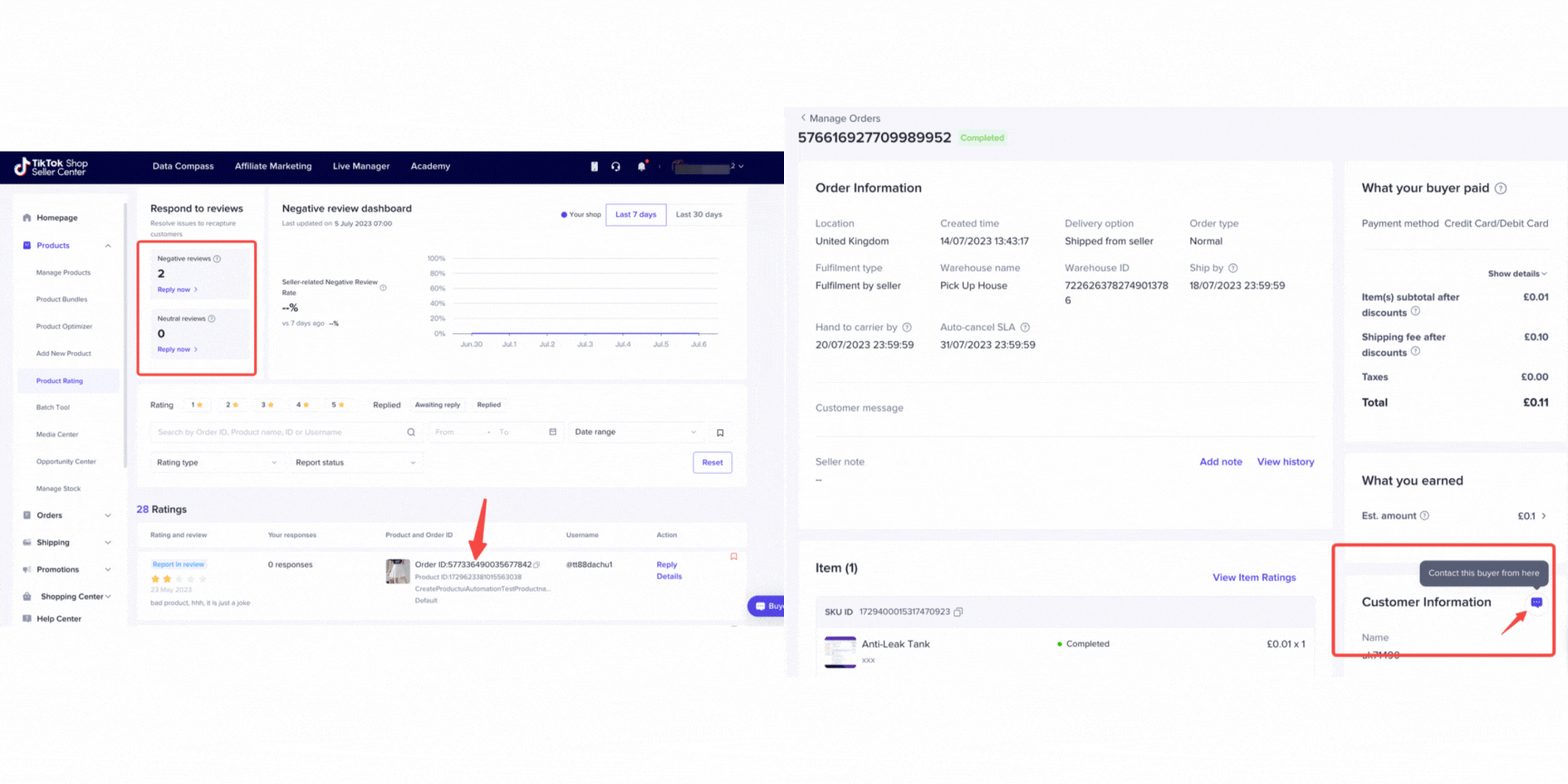
- Or, Under the Product Rating menu, sellers can also leave a reply for rating & review submitted by customers. Sellers can utilise this feature to address buyers' issues / problems related to the order.
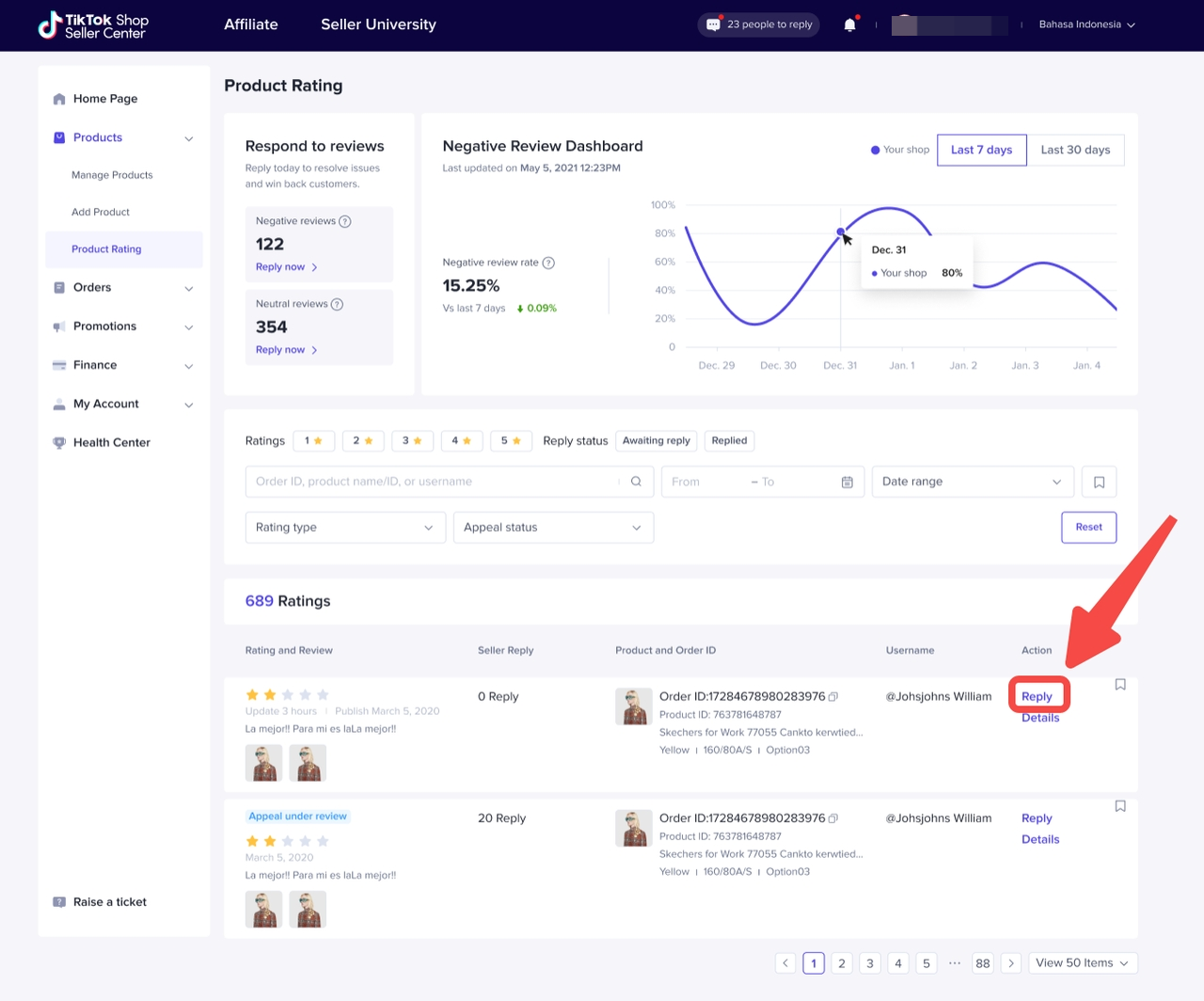

Edit Review Capability Impact
The capability of editing a review by customers will impact the overall store rating. See the details below to find how this capability will impact store ratings and performance: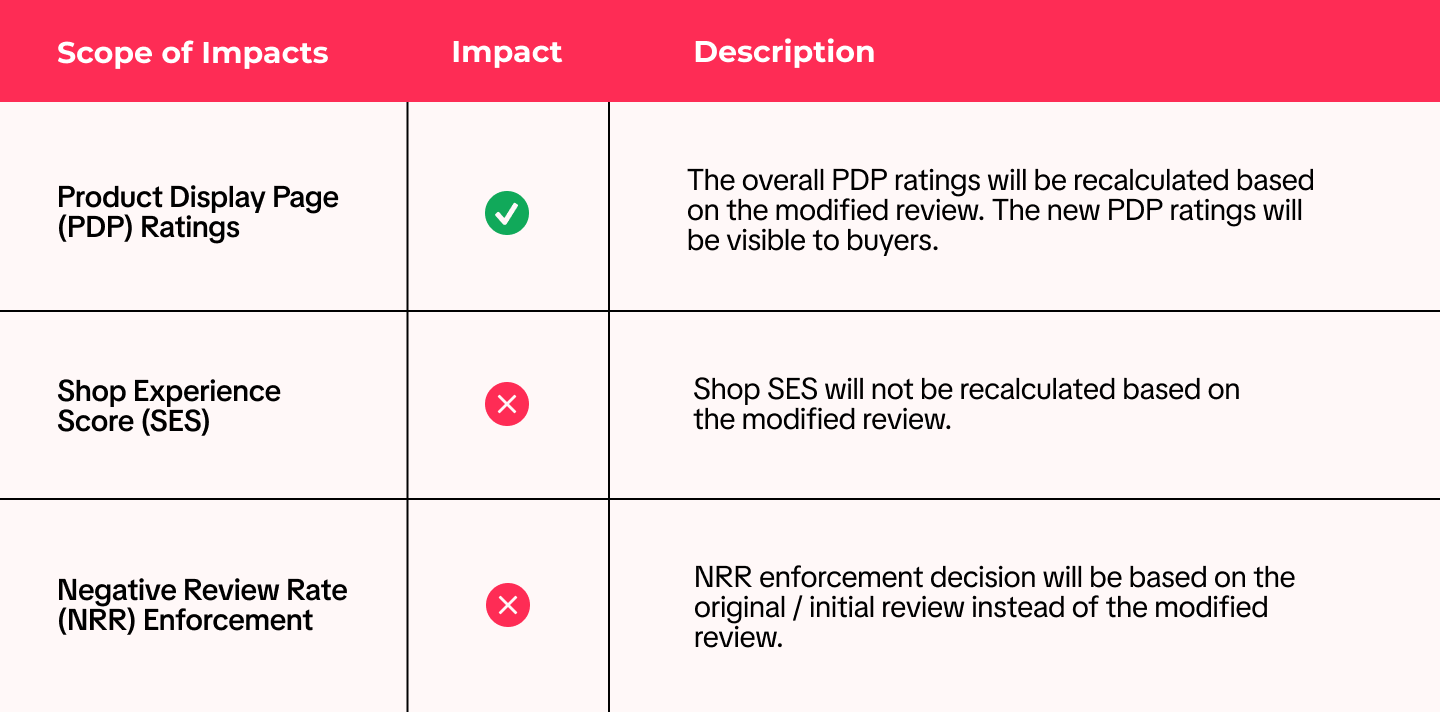

FAQ
- What should I do if I receive a Neutral or Negative rating?
- We recommend that sellers contact customers through the IM system to help customers resolve the issue
- We also recommend that sellers reply to customers within the product review itself to allow other buyers to see how the seller responded to the negative rating
- Once sellers resolve the issue, customers can edit their review once
- Why are parts of some reviews in TikTok and Seller Center replaced with asterisks (*)?
- Why does the number of reviews sometimes decrease?
- Can seller reply to a re-edited review?
- Can customers modify their reviews anytime?
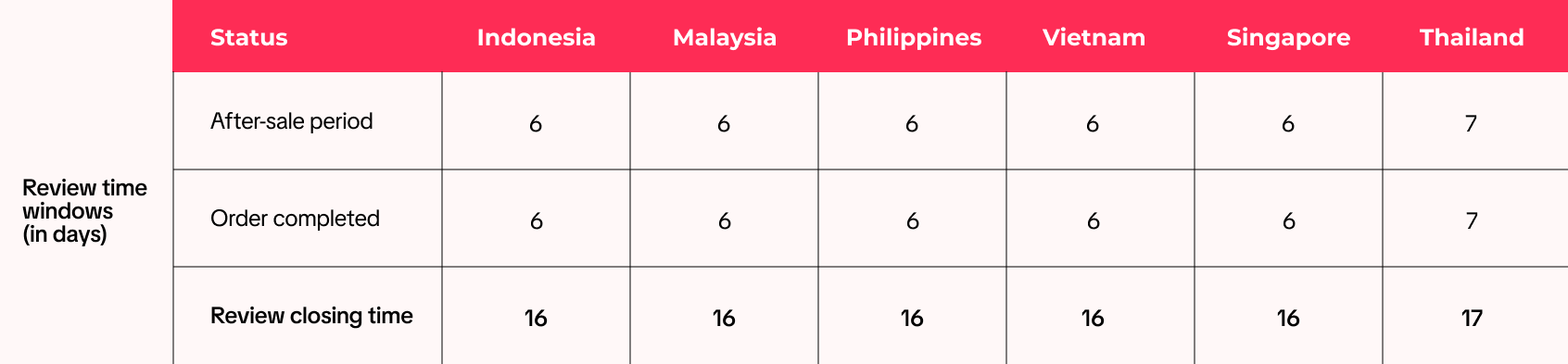
- Will rating modification affect seller's negative review rate (NRR) / violation?
You may also be interested in
- 1 lesson
Product Listing
Create compelling and informative product listings to attract more buyers!
- 4 lessons
Listing Product
A practical guide to uploading products effectively covering naming, categorization, visuals, and de…
- 2 lessons
Finding the perfect product list
Discover how to choose the right products that align with current trends and buyer demands on TikTok…
What are Restricted Products?
This policy applies to products listed on TikTok Shop by Tokopedia. For products listed on Tokopedia…
Branded Products Listing Guidelines
What are Branded Products? Branded products are products bearing a brand. The brand and its features…
Product Categorisation
This policy applies to products listed on TikTok Shop by Tokopedia. For products listed on Tokopedia…
Why can't my products be purchased on the TikTok Shop platfo…
Ensure that the product is live with sufficient stock quantity enabled for buyers to purchase. Alt…
How can I edit my products?
Go to Seller Center > Products > Manage Products > Edit Once you have made the necessary changes, s…
How can I optimise my product name?
Be as accurate and concise as possible, while highlighting the main selling point. Here is a sugges…
Can I upload a product video?
It is optional to upload a video to showcase your product. If you choose to do so, kindly ensure th…