

Product Category Expansion
08/29/2025
Upgrade Details
Starting 8 September, product categories will gradually expand from the original 3-level structure to 4-7 levels, enabling merchants to describe shop products more accurately.
Benefits of Category Expansion
- Allows quick import of product catalogs without reclassification
- Reduces product misclassification and minimizes merchant revisions
- Helps consumers search and find your products more easily
Operation Guide
Updating Existing Product Categories
- A banner alert will appear at the top of the Manage Products page - click "Update now"
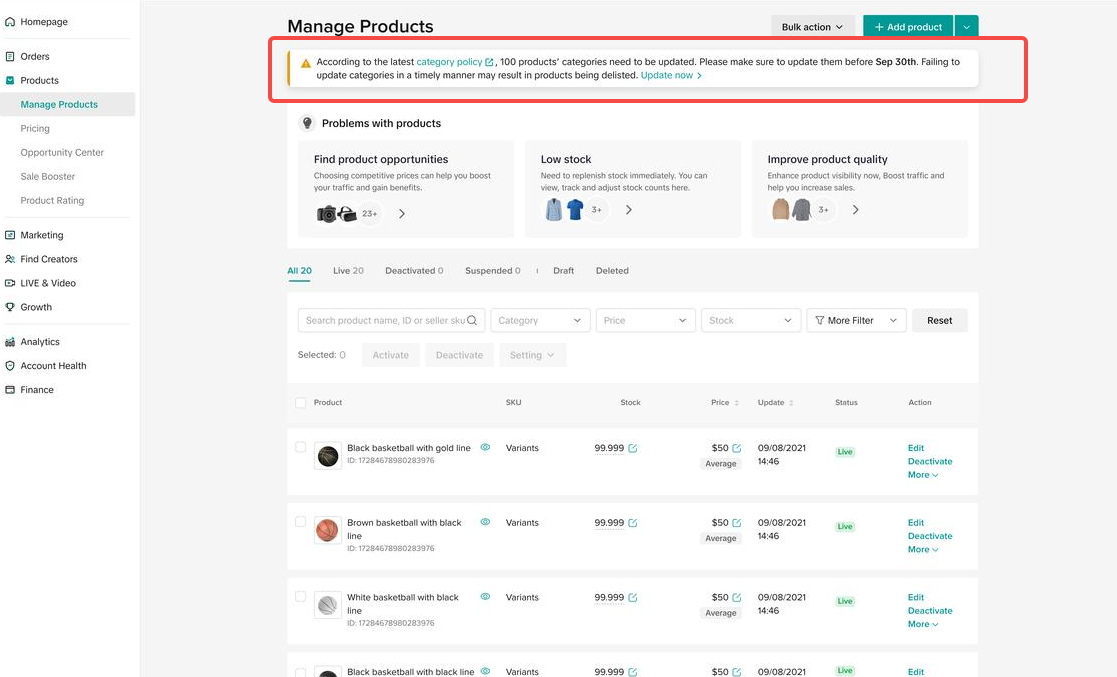
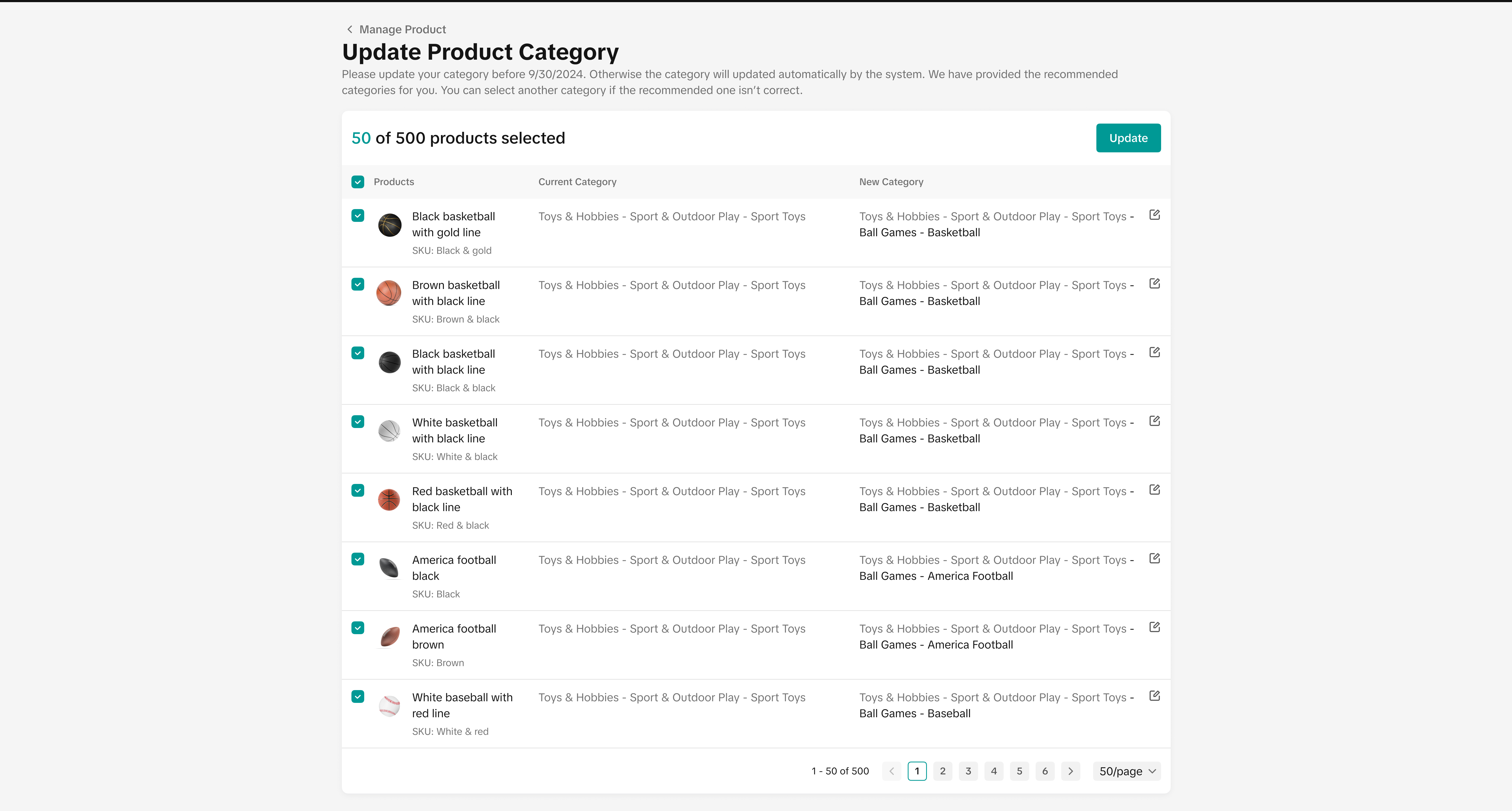
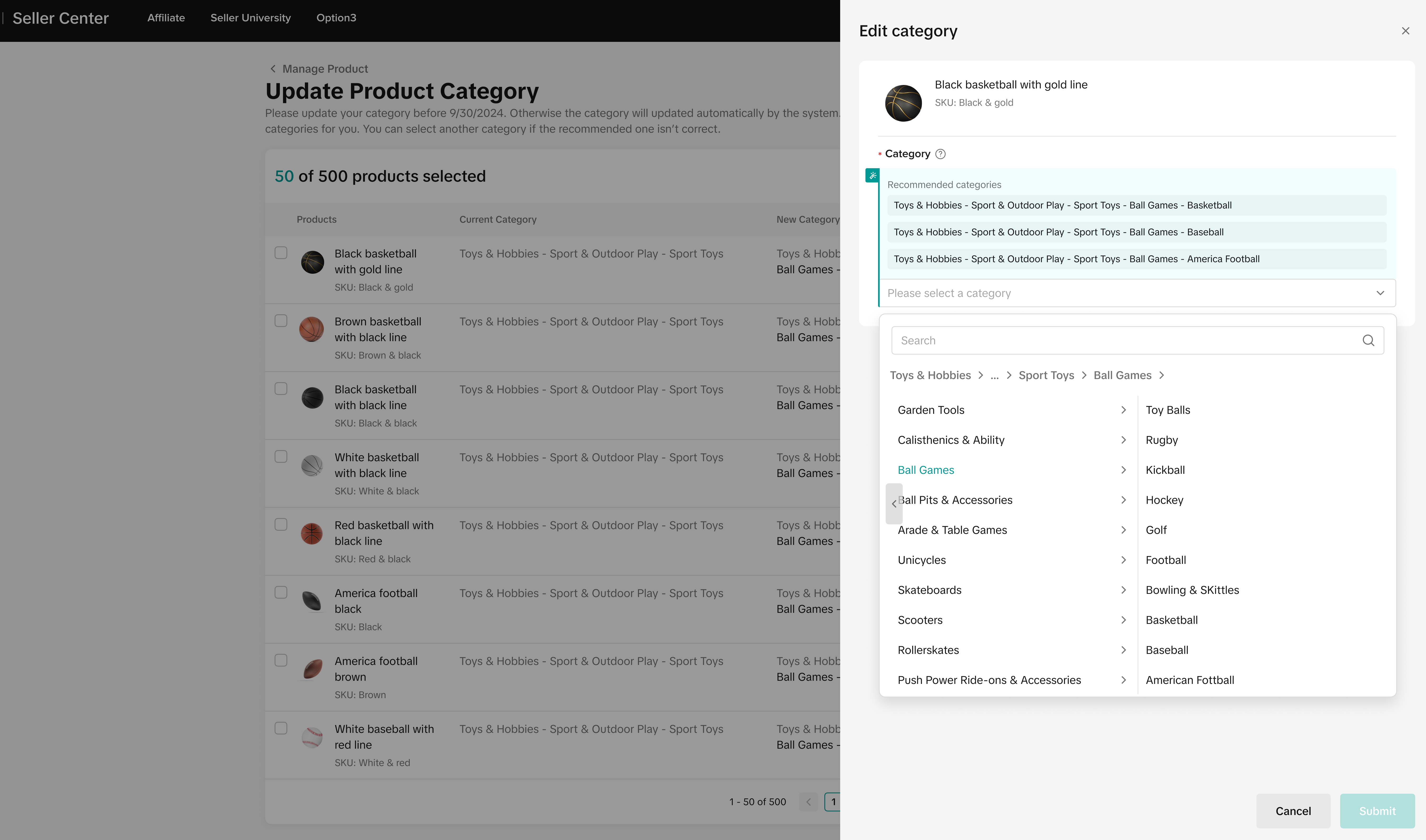
- View current categories and new recommendations (if no system recommendation, manual selection required). Two update methods:
- Select products and click "Update" in the top-right corner for batch updating.
- Click the edit icon next to each product for individual updates - successful/failed updates will be shown upon completion
 |  |
New Product Category Selection
Method 1:
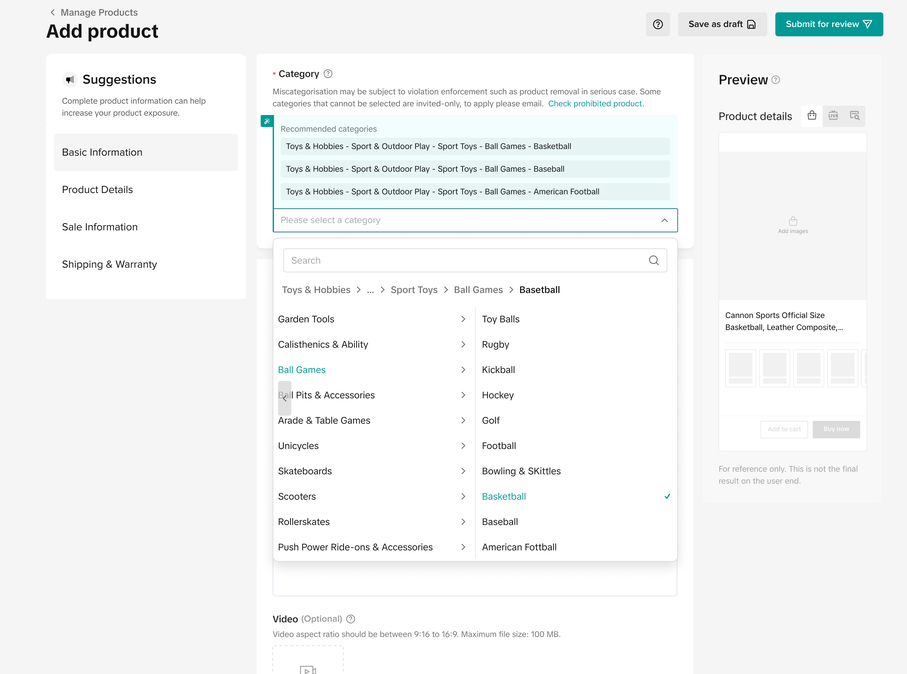
- When adding new products, select from expanded 7-level categories (system recommendations available)
Method 2:
- Navigate to Manage Products→Bulk Action→Bulk Listing and follow banner prompts. Enter a product category to download the updated template
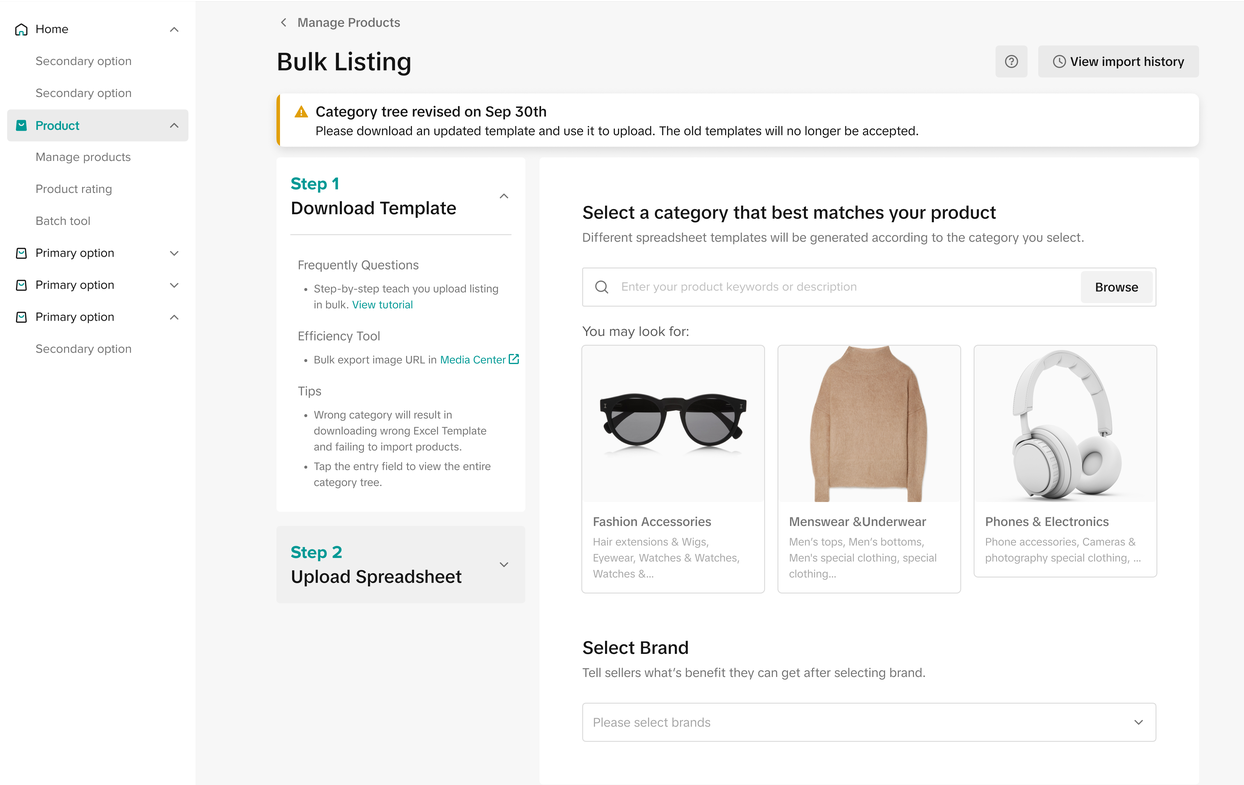
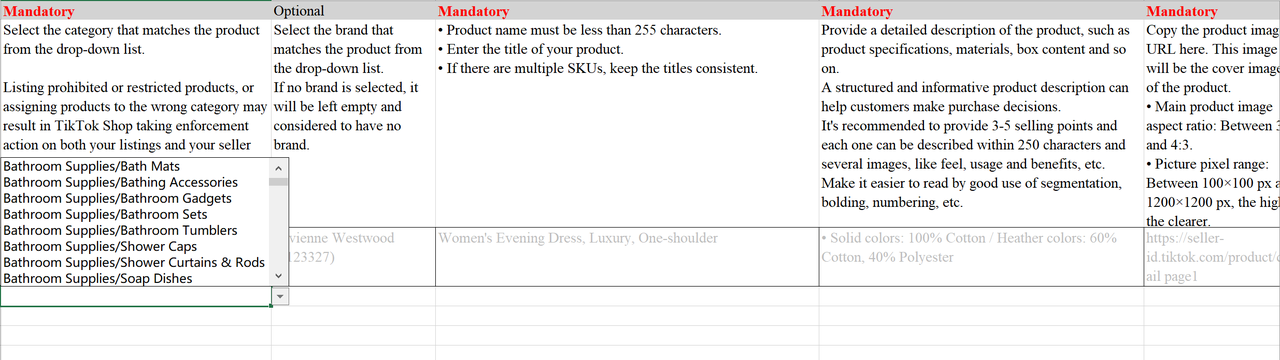
- In the template's category section, click the dropdown to select the most accurate category
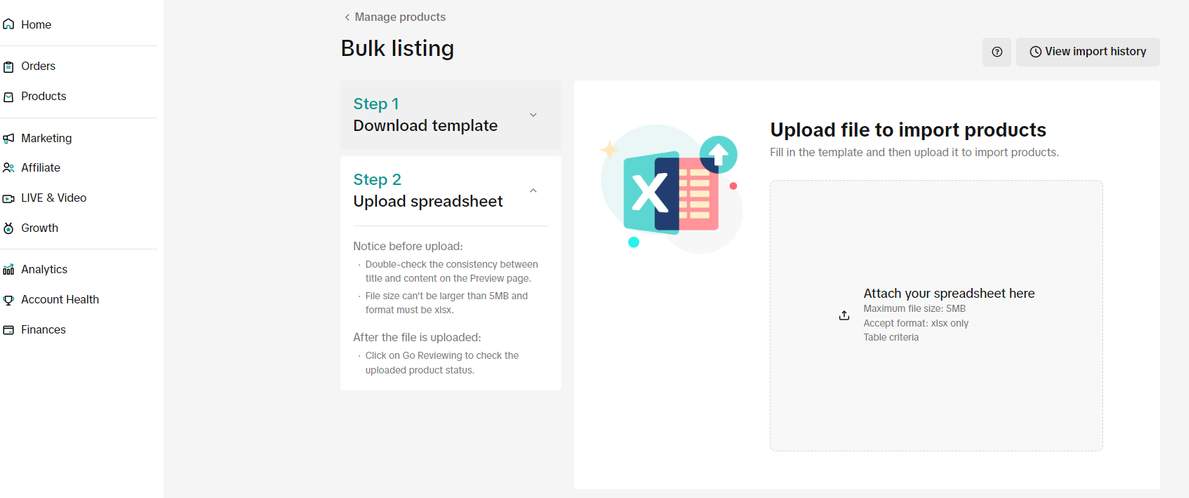
- Complete required fields, return to bulk listing page, upload the spreadsheet, and follow prompts to submit
Indonesia Tokopedia-related Category
This expanded category will only be applied in TikTok Shop by Tokopedia.Meaning, if seller's products are active in both Tokopedia & TikTok Shop, customers in Tokopedia app will still see the 3 levels of category, while customers in TikTok Shop by Tokopedia on the TikTok app will see the 7 levels of category.
In Seller Center, sellers who have products active on both platforms still need to adjust the product's category to L7, but the category that customers view on the customer app will differ based on the platform (Tokopedia or TikTok Shop).
However, if sellers only have products Active in Tokopedia-only, it is not compulsory for them to update the category into L7 in Seller Center as their product categories remain the same in Tokopedia.
| Seller Center | TikTok Shop C-End | Tokopedia C-End |
Product ACategory > L7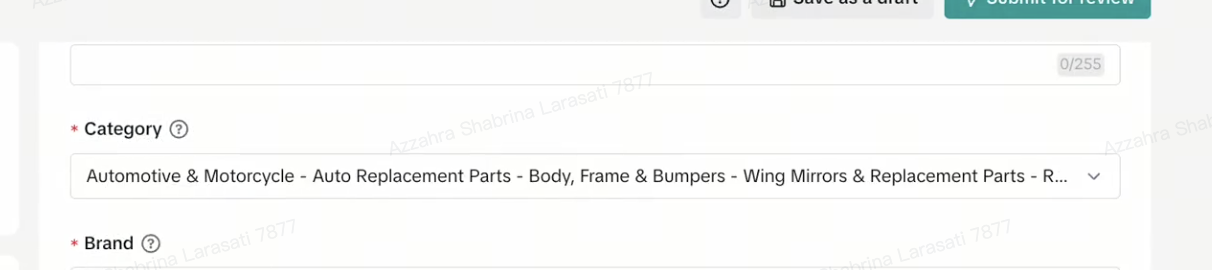 | L7 Category"Automotive > Auto Replacement > Body, Frame & Bumpers > Wing Mirror & Replacement Part > Replacement Mirror Glasses" | L3 Category"Automotive > Auto Replacement > Body, Frame & Bumpers" |
You may also be interested in
- 1 lesson
Product Listing
Create compelling and informative product listings to attract more buyers!
- 4 lessons
Listing Product
A practical guide to uploading products effectively covering naming, categorization, visuals, and de…
- 2 lessons
Finding the perfect product list
Discover how to choose the right products that align with current trends and buyer demands on TikTok…
What are Restricted Products?
This policy applies to products listed on TikTok Shop by Tokopedia. For products listed on Tokopedia…
Branded Products Listing Guidelines
What are Branded Products? Branded products are products bearing a brand. The brand and its features…
Product Categorisation
This policy applies to products listed on TikTok Shop by Tokopedia. For products listed on Tokopedia…
Why can't my products be purchased on the TikTok Shop platfo…
Ensure that the product is live with sufficient stock quantity enabled for buyers to purchase. Alt…
How can I edit my products?
Go to Seller Center > Products > Manage Products > Edit Once you have made the necessary changes, s…
How can I optimise my product name?
Be as accurate and concise as possible, while highlighting the main selling point. Here is a sugges…
Can I upload a product video?
It is optional to upload a video to showcase your product. If you choose to do so, kindly ensure th…