

How to Appeal Logistics Issues
03/10/2025
In this article, we'll guide you on how to raise an appeal for any logistics-related issues that may arise while shipping your orders. This feature aims to provide you with a transparent appeal process to help you verify logistics issues, preventing potential platform violations that could negatively impact your shop performance.

How to Raise an Appeal
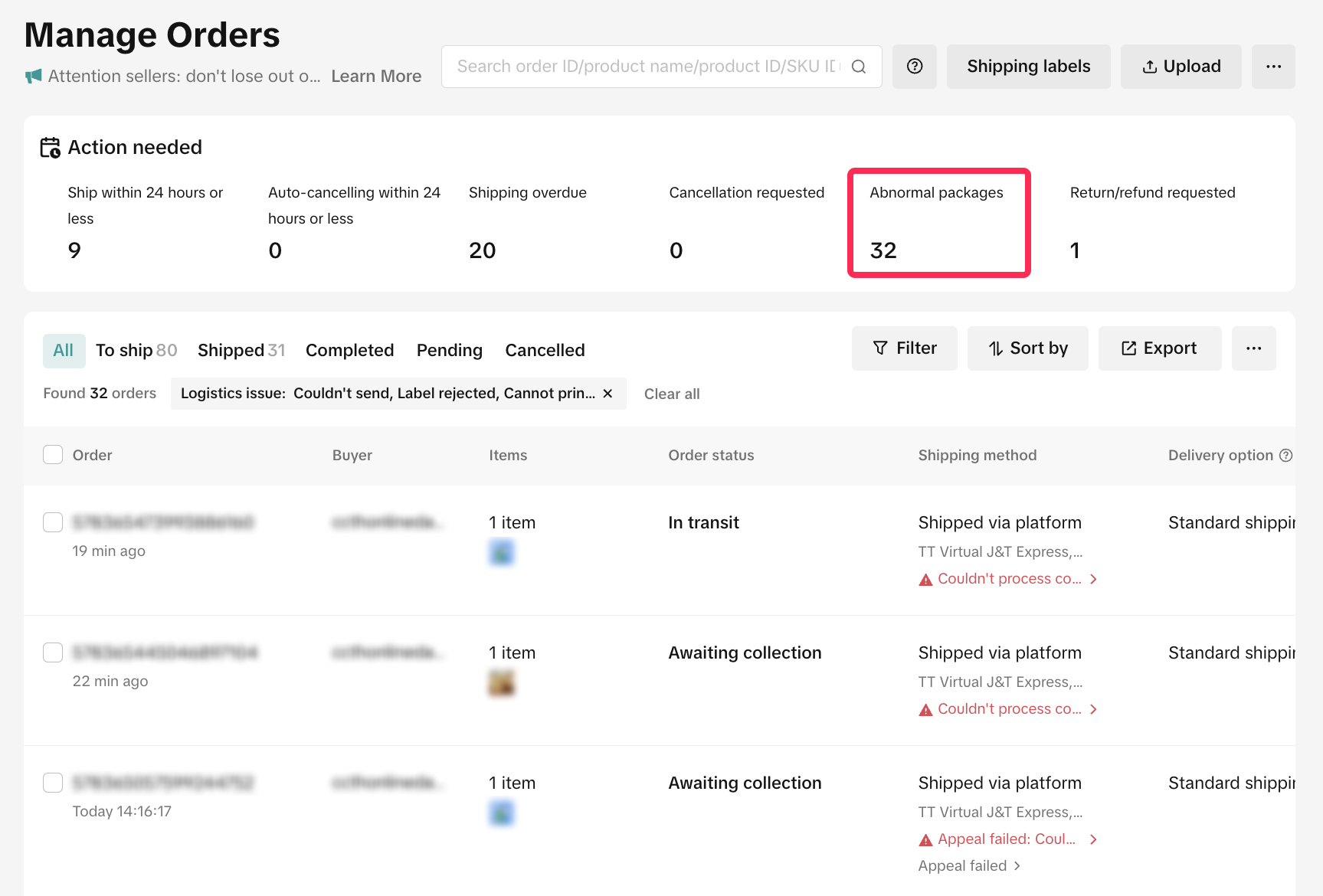
You can easily create an appeal for logistics-related issues, such as abnormal pick-ups, within 7 days after arranging shipment. Follow these simple steps:- On the Manage Orders page, under the Action Needed tab, click on 'Abnormal Packages' to view orders with logistics-related issues.
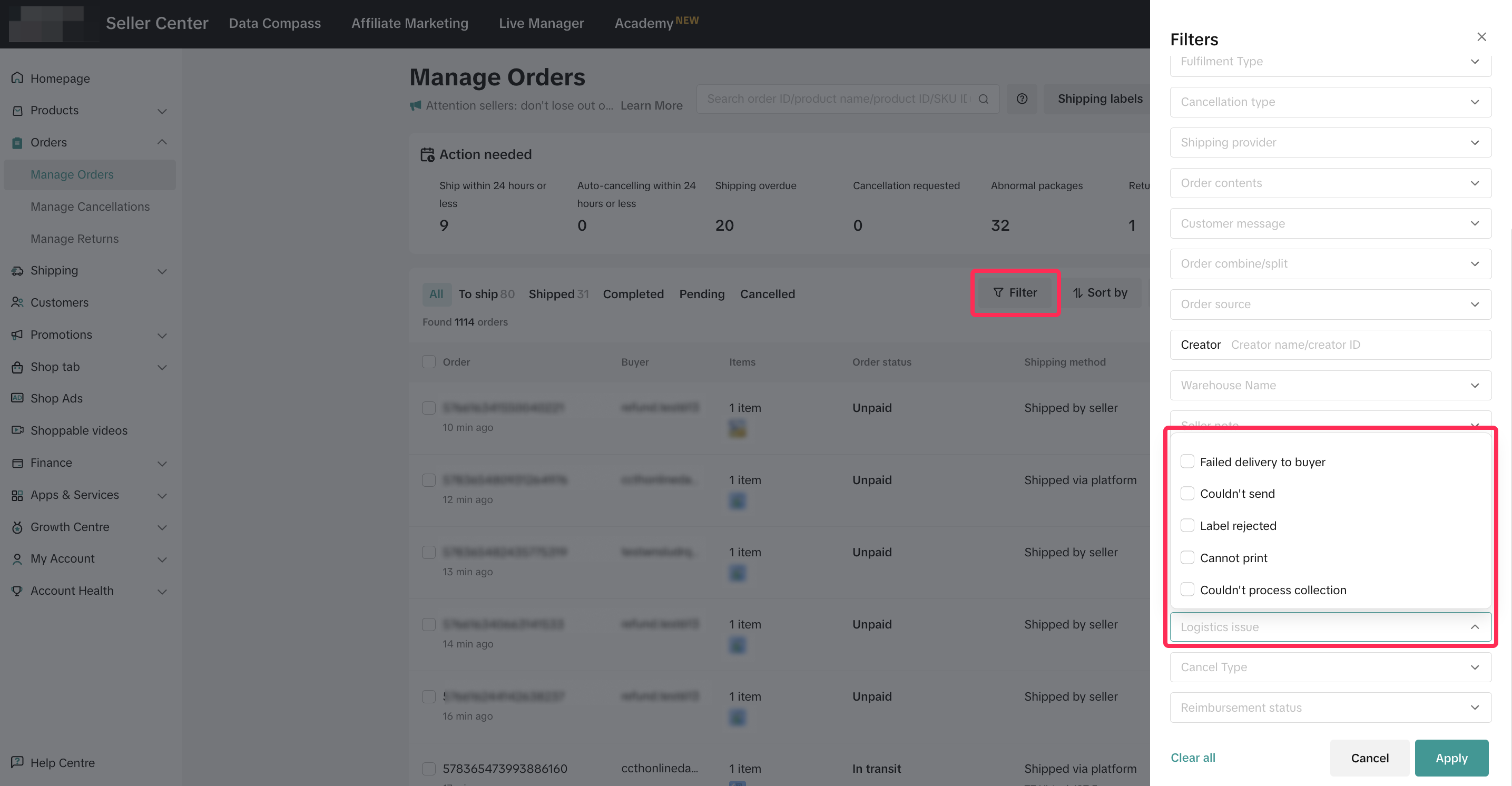
- Alternatively, you can manually filter the orders under 'Logistic Issue' to view a list of orders that are flagged with logistics-related issues.
- You will see a list of orders with specific issues. Carefully review the red-highlighted issue, and if the issue is inaccurate or not your fault, you can click on the issue to initiate an appeal for a specific order.
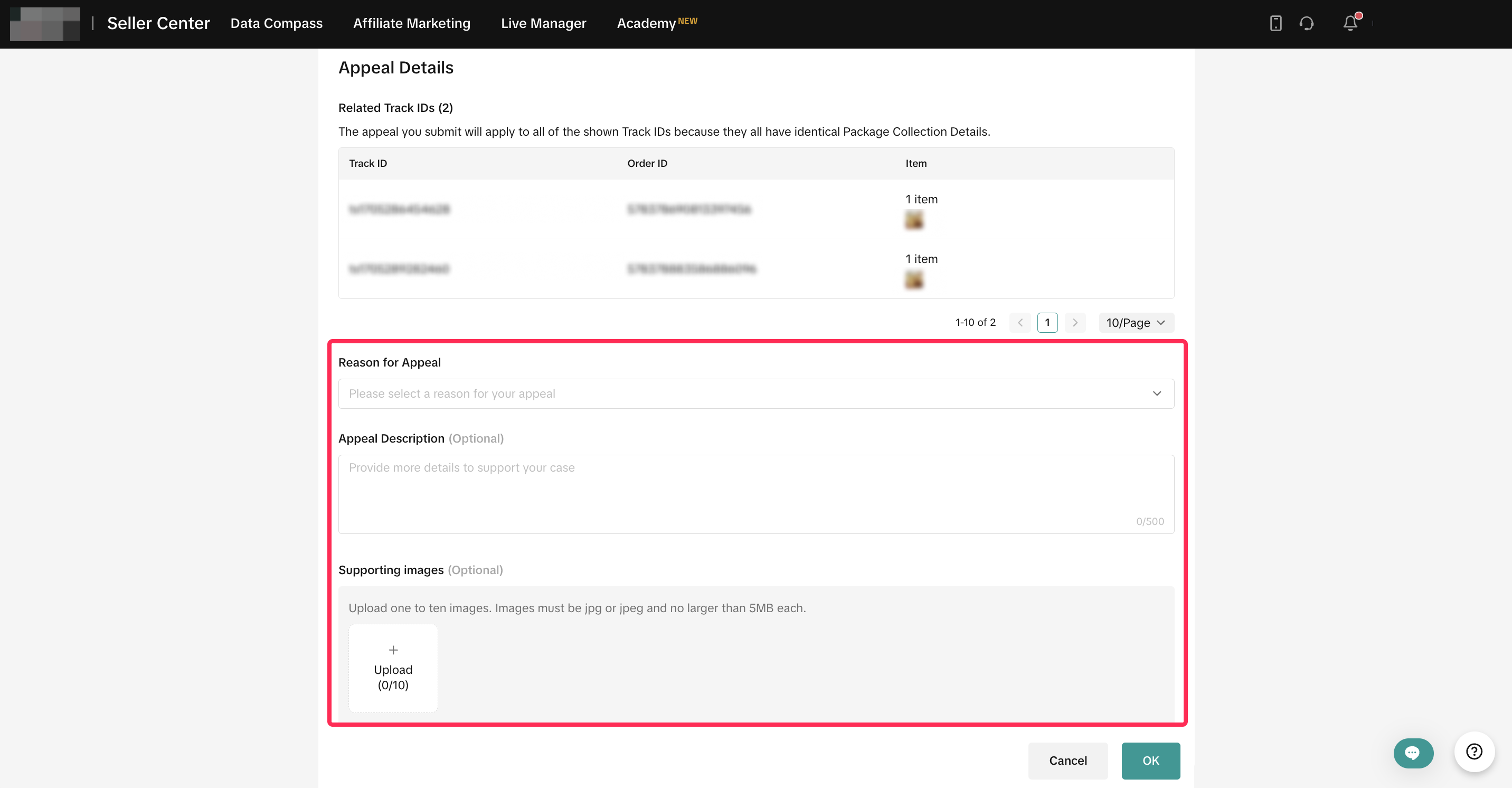
- The system will redirect you to the Appeal page, where you can select the reason for appeal, provide appeal description, and upload images to support your appeal. Review the information carefully before submitting your appeal.
- Once your appeal is submitted, the platform will review it and provide an appeal result to you within 24 hours. You can track appeal details or resubmit appeal on the Account Health > Shop Health page.
- Detailed materials your need for appealing can go through Required Supporting Materials When Appealing Logistics Issues

How to Track and View Appeal Records
There are two ways to view your appeal records: from the Manage Orders page and from the Shop Health page.View Appeal Records from Manage Orders Page
- Once you finish raising the appeal, you can go back to the Manage Orders page and filter the orders by Logistics Issue to view your appeal progress.
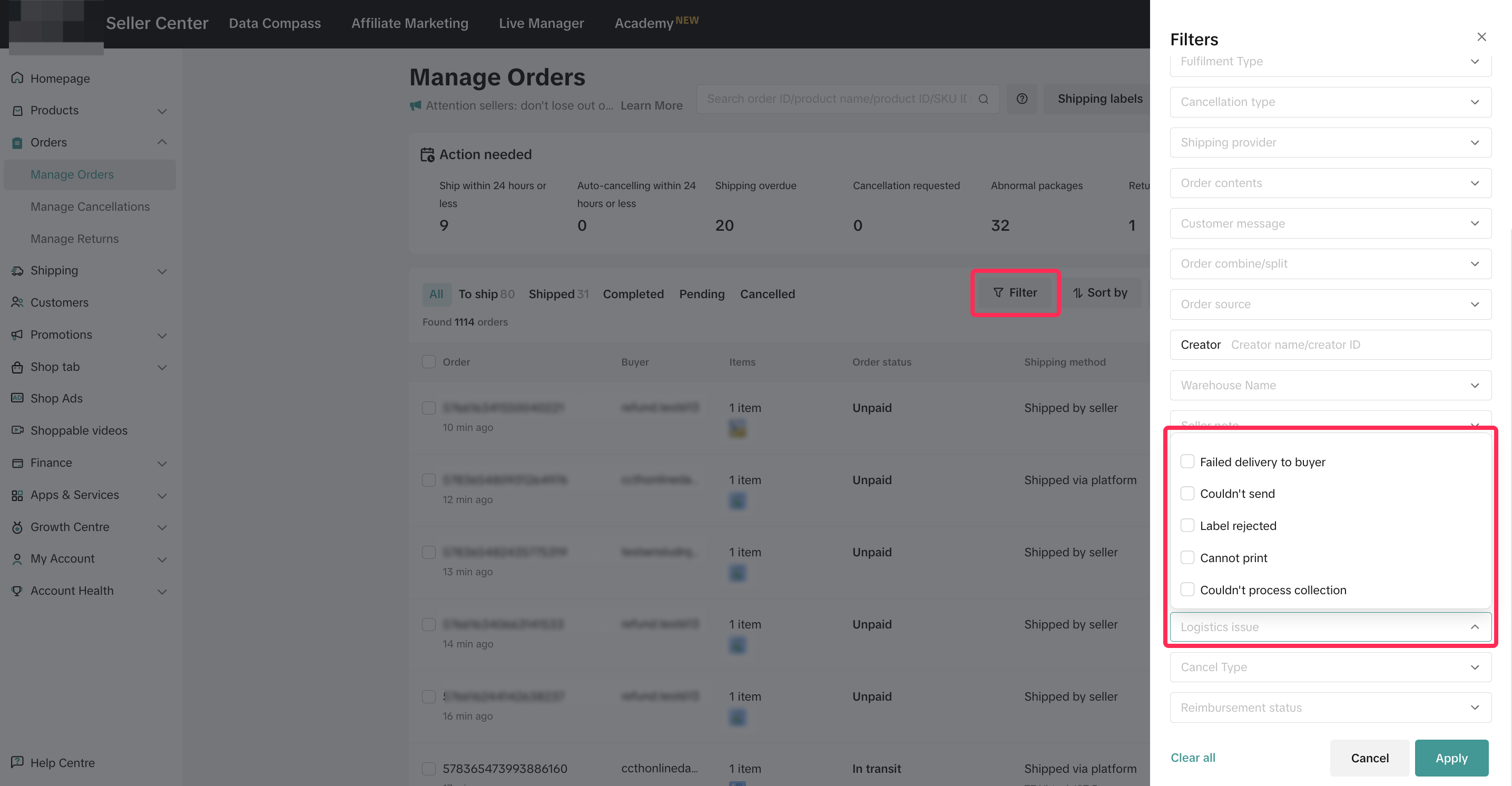
- Under the Shipping Method column, you will see the status of your appeal, whether it is Under Appeal, Appeal Failed, or in Appeal Successful. You can also click the appeal status to view further details.
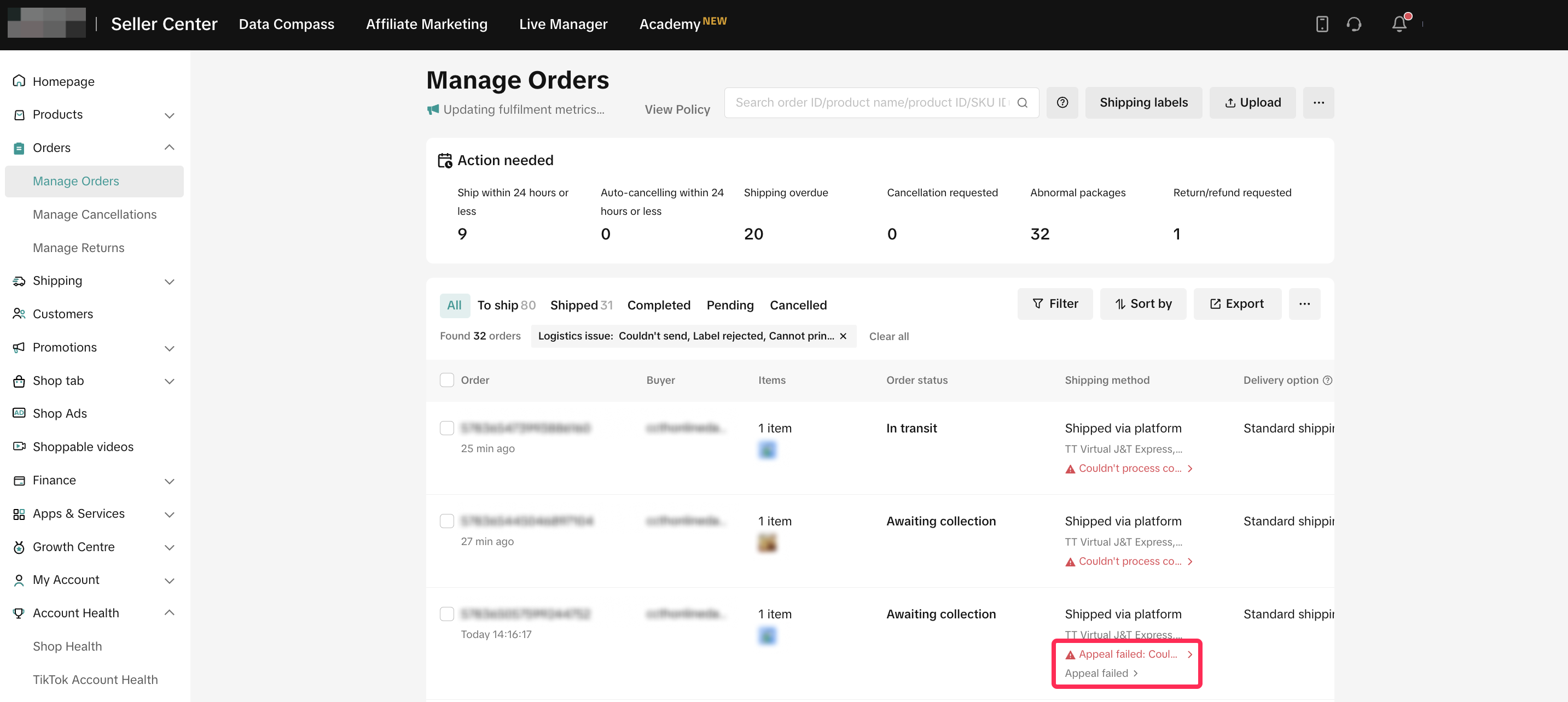
- You will be redirected to the Appeal Detail page, where you can review your appeal details, appeal status, along with the reasons provided by the platform.
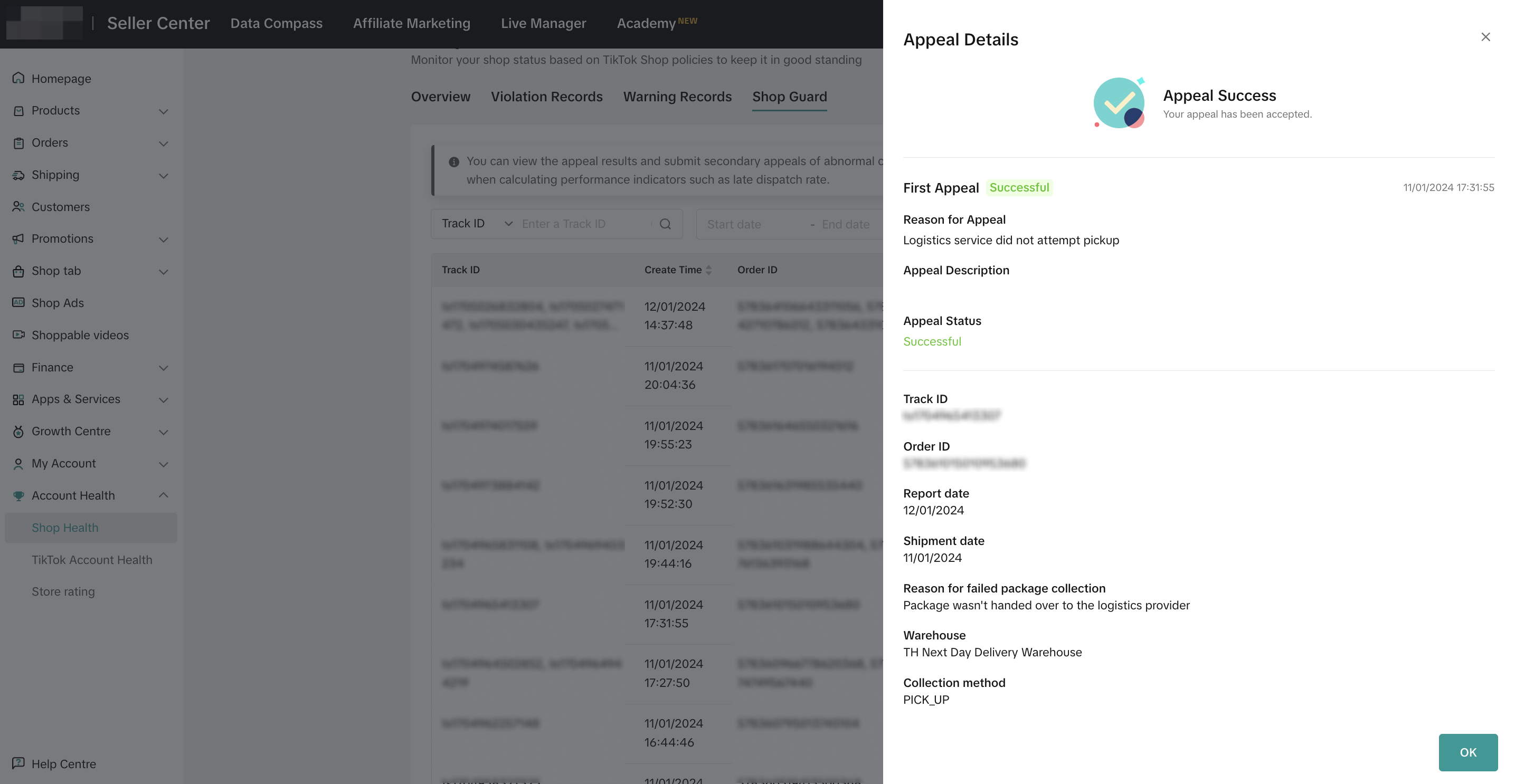
- If your appeal is unsuccessful, you have the option to resubmit an appeal within 7 days of receiving the initial appeal result.
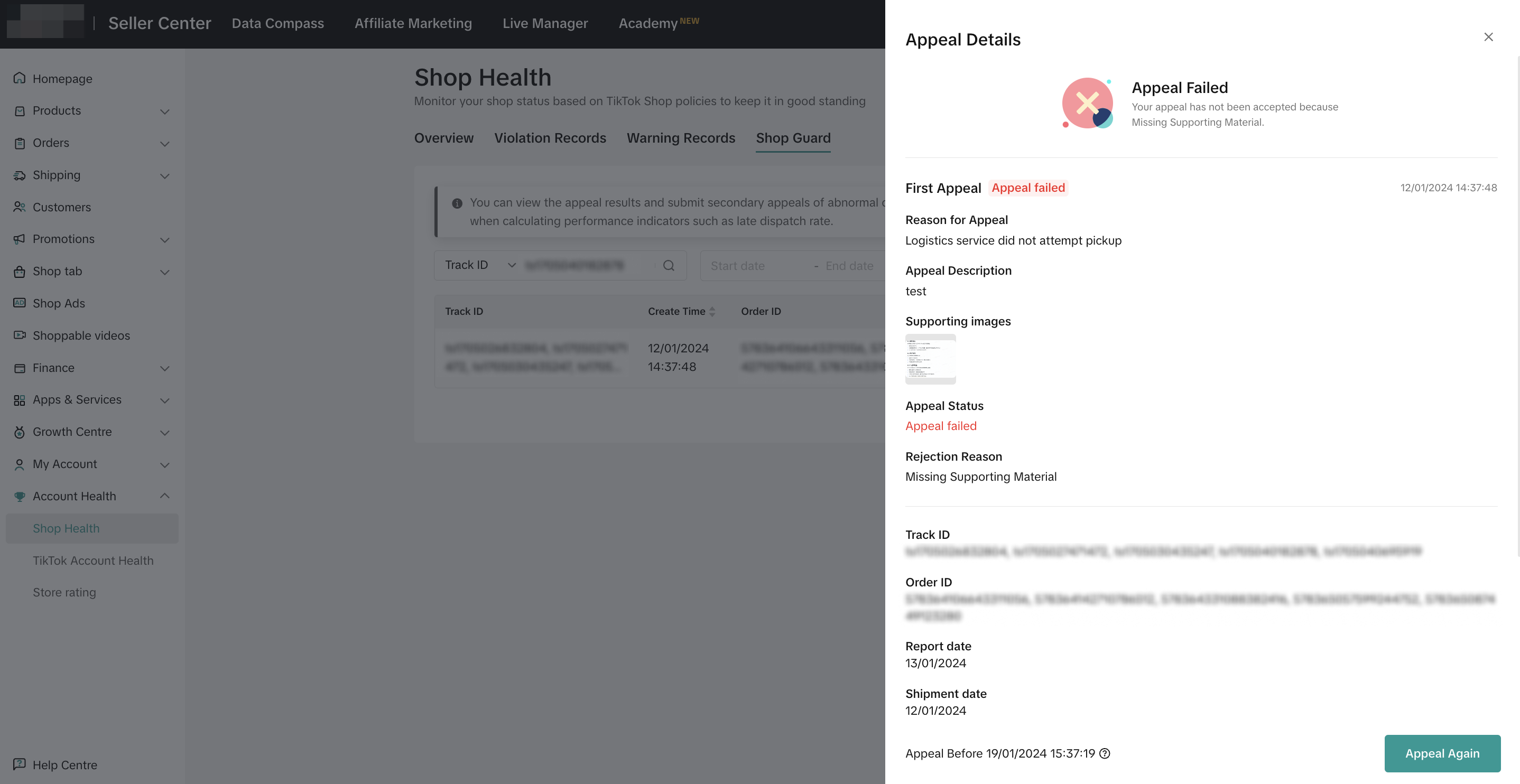
View Appeal Records from Shop Health Page
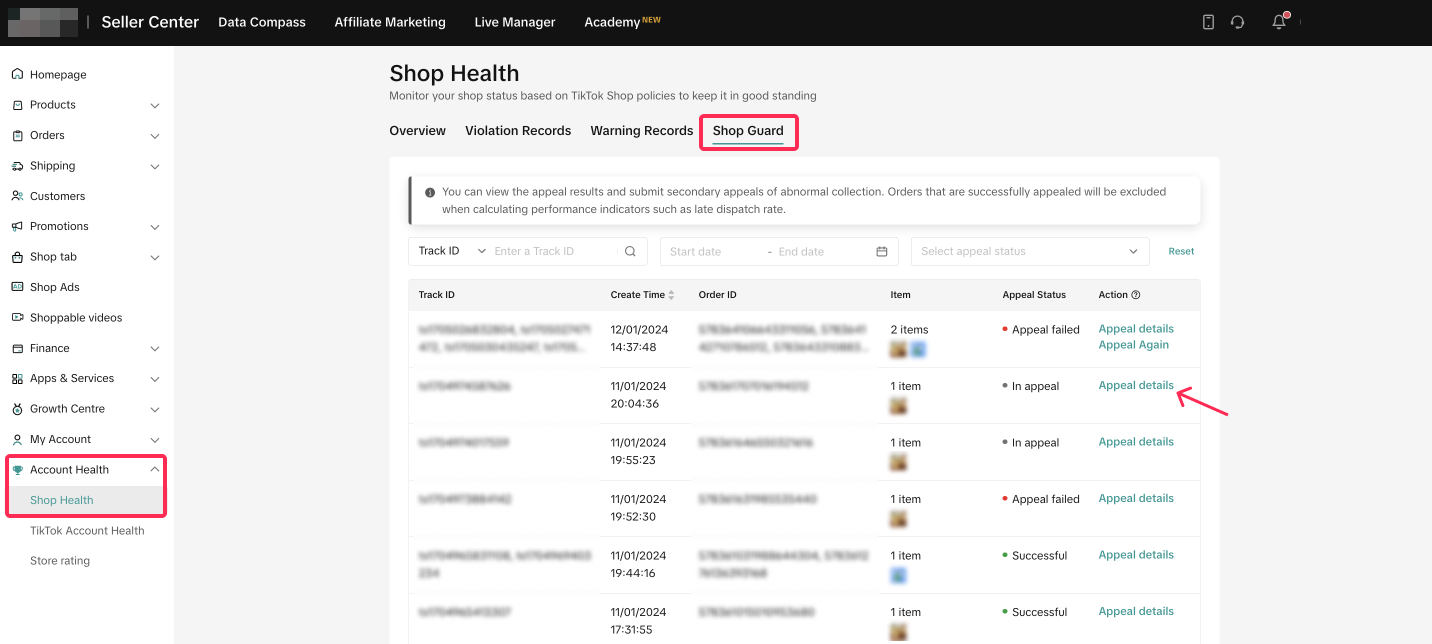
- You can track appeal details on the Account Health > Shop Health page. Navigate to the Shop Guard tab, where you'll find all your appeals. Use filters to sort through specific appeal records, and click 'Appeal Details' for further information.
- You will be redirected to the Appeal Detail page, where you can review your appeal details, appeal status, along with the reasons provided by the platform.
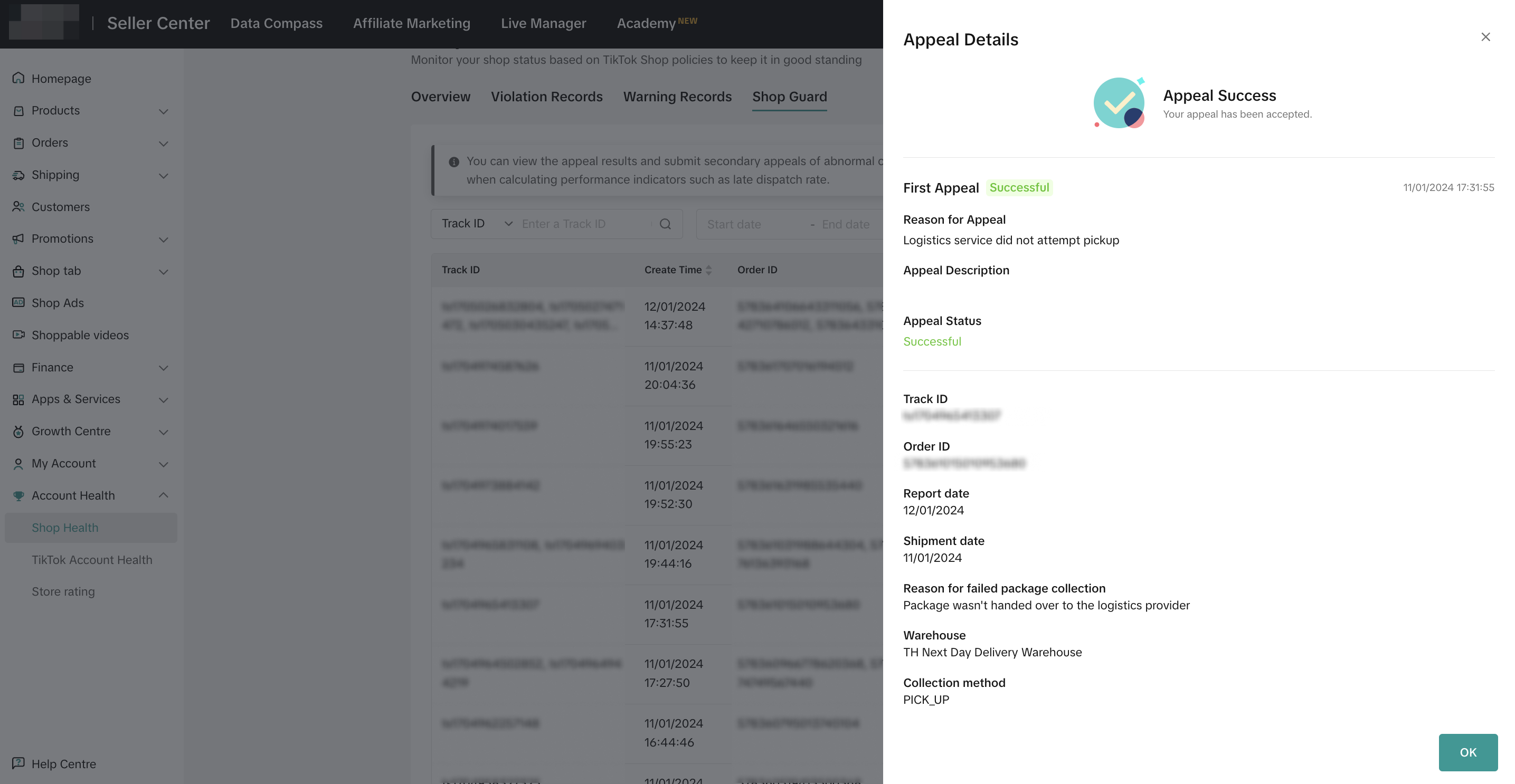
- If your appeal is unsuccessful, you have the option to resubmit an appeal within 7 days of receiving the initial appeal result.
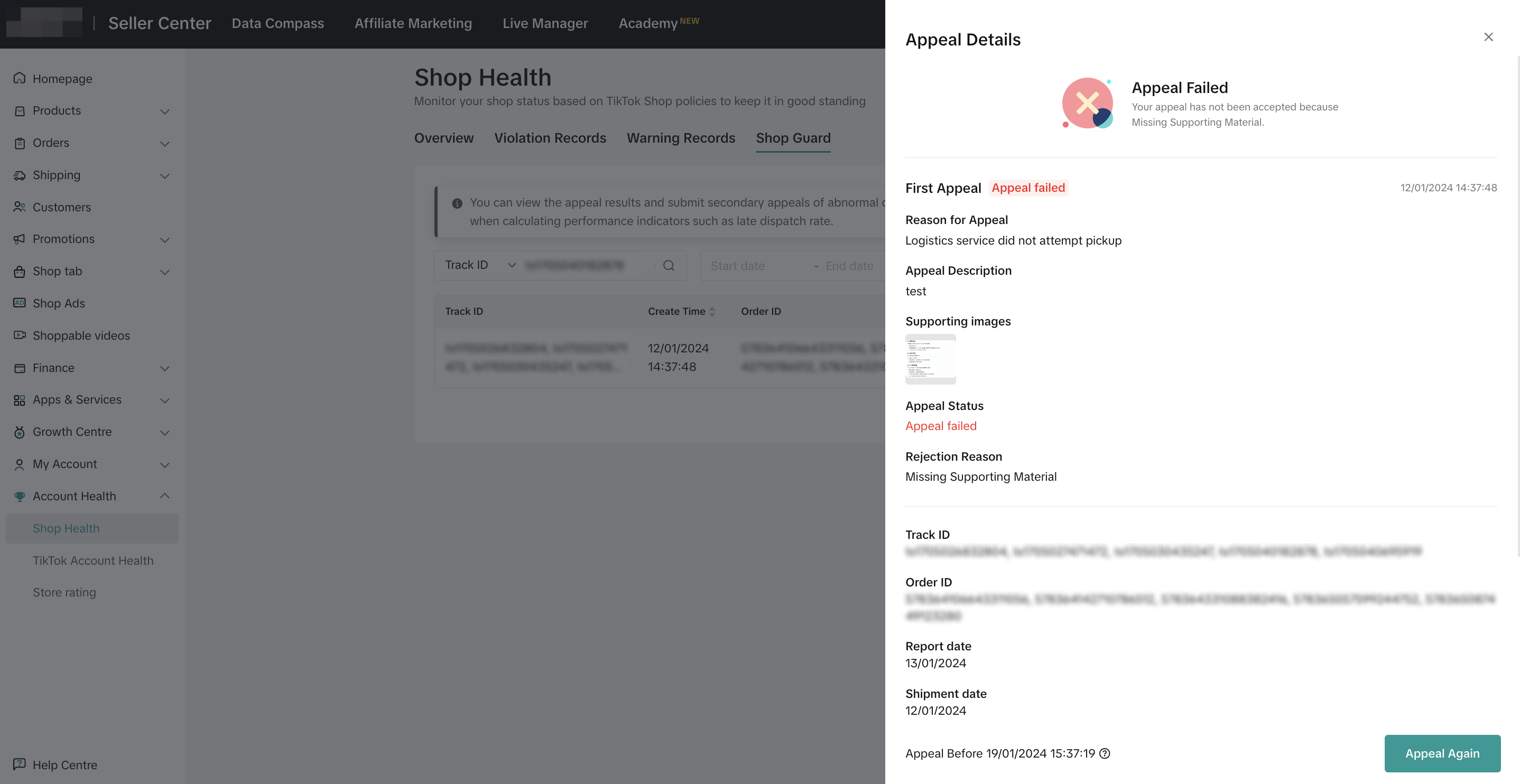

How to Raise Appeal Again
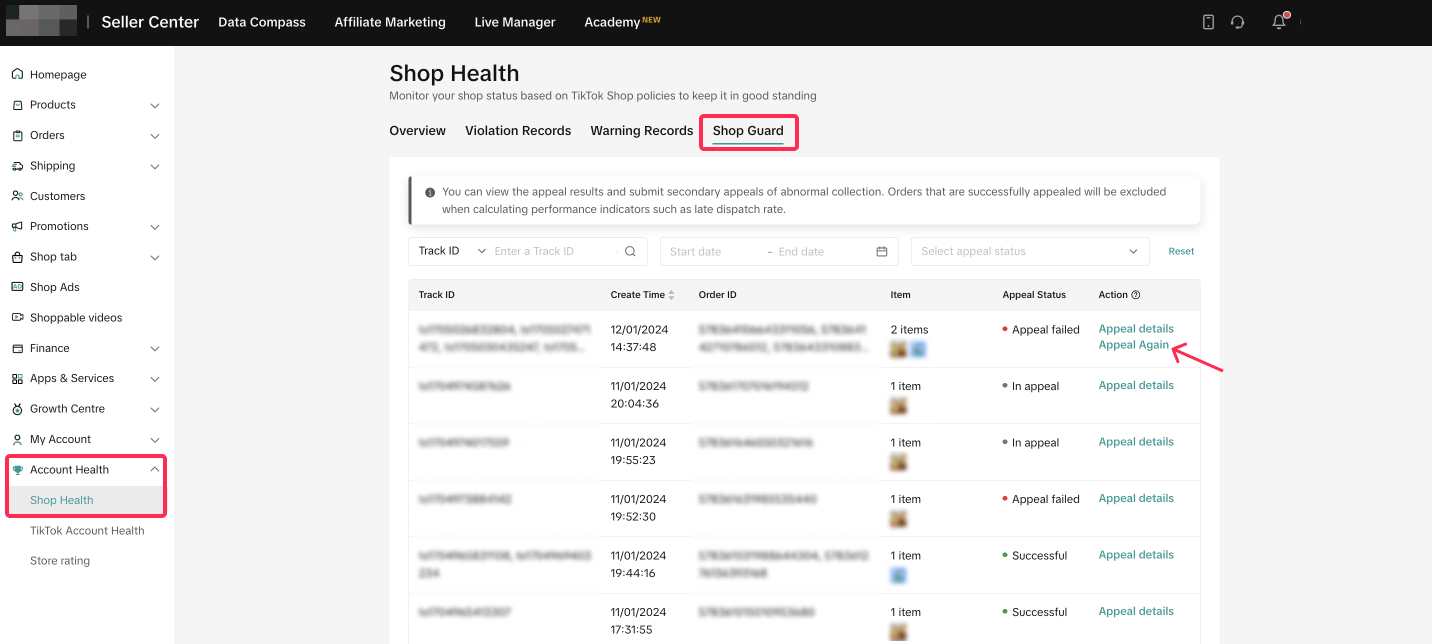
If your initial attempt to appeal fails, the platform allows you to resubmit an appeal within 7 days. Follow these steps:- Go to Account Health > Shop Health page. Under the Shop Guard tab, you'll find a list of all your appeals. For orders marked with an Appeal Failed status, you'll have the option to appeal again. Choose the order you wish to reappeal and click 'Appeal Again.'
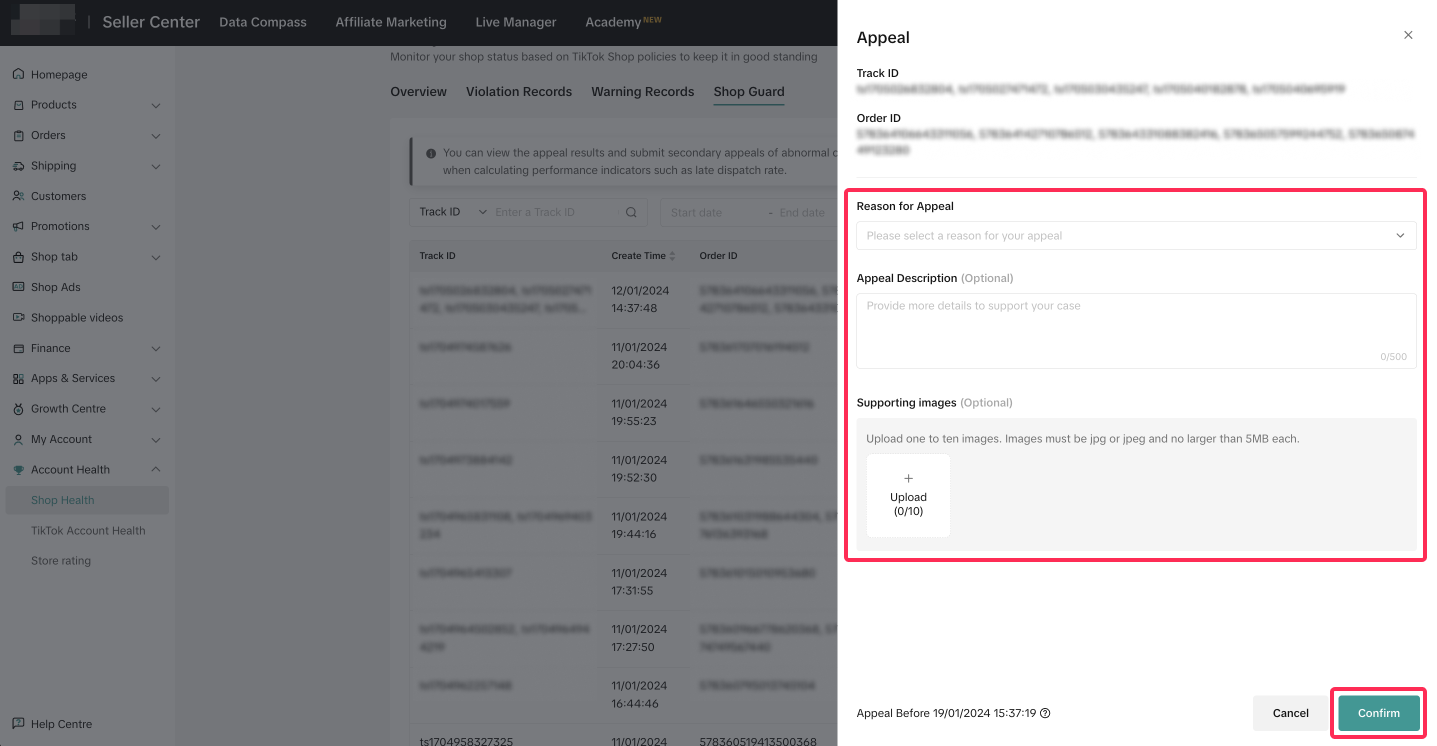
- Select the appeal reason, provide appeal description, and upload images related to the specific orders to submit your appeal. Ensure you provide enough information and evidence for the platform to make a fair and accurate decision. The platform will review your appeal and provide a result within 24 hours.

FAQ
- When I raise a second appeal, can I change the order IDs and track IDs related to that appeal?
- If my second attempt to appeal fails, can I appeal again?
- I raised an appeal and waited for more than 24 hours, but I haven't received any result from the platform. What should I do?
You may also be interested in

Can I switch between the "Ship by Platform" and "Ship by Sel…
Currently, we don't support switching the shipping method for existing orders. Please proceed with…

Late Dispatch Rate (LDR)
Note: Orders with Instant, Sameday, and Sameday 8-hour delivery are only available via Tokopedia. Cl…

Indonesia Platform Shipping Fee Instruction
How does Shop | Tokopedia calculate shipping fees to be paid by the Seller? Shipping fees to be paid…

Calculating Chargeable Weight
In this article, we will provide a beginner's guide on how to calculate chargeable weight for your s…

Platform Abuse Policy
1. Overview The Platform Abuse Policy applies to all Sellers and Creators on the platform and outli…

Pre-Orders
Starting from 24 February 2025, all sellers can mark your product as "pre-order". Pre-order goods ar…

Order Fulfilment Overview
Effective and efficient order fulfilment is key to satisfying and retaining customers. Here are the…

Can I still use Seller Own Fleet (SOF) for fruit shipments i…
Yes, you can keep using SOF.