

Seller Promotion Tools Integration Guide
06/26/2025
This article will guide you on Promotional Tool changes you can expect after you bind your Tokopedia account with TikTok Shop by Tokopedia, which refers to a third party e-commerce service provided by PT Tokopedia via the TikTok Platform
Watch this short video to learn more:

To ensure a smooth transition and avoid disruption to your promotional activities, we strongly encourage all sellers to complete their account integration before 9 June 2025. This will allow your products and promotions to be seamlessly transferred to the new integrated Tokopedia & TikTok Shop Seller Center. If sellers begin account integration after the Seller Center upgrade starts on 9 June 2025, the following will apply:

Promotion platform display may change over time
If the seller would like to set promotions differently on each platform, sellers need to separate the product listing by having 1 product to be sold on TikTok Shop by Tokopedia and 1 product to be sold on Tokopedia. Then sellers can set the promotion differently by choosing the corresponding product.
Watch this short video to learn more:
Key Benefits of Seller Promotion Tools Integration
Through integration, the main key benefit of sellers would be the ability to sell products directly on both platforms and as a related benefit, create, manage and track promotions through a unified Seller Center (Tokopedia & TikTok Shop Seller Center).- Run seller-funded promotions seamlessly on both Platforms: TikTok Shop by Tokopedia and Tokopedia sellers will be able to create promotions for both Tokopedia & TikTok Shop simultaneously and the promotions will sync real-time to the consumer apps. The key promotional tools we offer include Product Discount, Seller Flash Sale, Regular Voucher, Shipping Fee Discount, Buy More Save More, Gift with Purchase.
- Explore new promotional tools on a newly expanded marketplace: Tokopedia sellers will now get to explore exciting new promotional tools available on TikTok Shop by Tokopedia. Experiment and benefit from new tools like LIVE Interactive Vouchers, Repeat Customer Vouchers and New Customer Vouchers
- Track ongoing and upcoming on a unified Seller Center: All ongoing and upcoming promotions are integrated on Tokopedia & TikTok Shop Seller Center, with no additional effort from the seller, making it easy for sellers to edit and manage promotions on a single platform.
- For sellers with Tokopedia Account: You'll soon be able to seamlessly merge with your TikTok Shop by Tokopedia account to increase shop efficiency. Please refer to section "Account Integration Seller Promotion Overview"
- For TikTok Shop by Tokopedia-Only Sellers: Take your shop to the next level with seller promotion enhancements. Please refer to section "Seller Promotion Integration to Tokopedia"

Account Integration Seller Promotion Overview
For Sellers with Tokopedia Account
Account Integration between Tokopedia & TikTok Shop is currently on an invite-only basis. Once the account integration is completed, sellers will be able to create and manage both Tokopedia and Shop Tokopedia seller promotion activities from one Seller Center account (Tokopedia & TikTok Shop Seller Center), which will help streamline operational efficiency. To read more on Account Integration, click here.
Before Integration
| Tokopedia | TikTok Shop by Tokopedia |
Seller Experience - Seller Center
| Seller Experience - Seller Center
|
| Seller Action: Seller can proceed with Integration | |
During Integration
| Tokopedia | TikTok Shop by Tokopedia |
Seller Experience - Seller Center
Buyer Experience - Consumer AppTokopedia promotion:
| Seller Experience - Seller Center
Buyer Experience - Consumer AppTokopedia promotion (copy to TikTok Shop by Tokopedia):
|
| Seller Action: 1. Sellers should note that there will be a small downtime (~5 mins) where buyers will not be able to purchase products on Tokopedia Consumer App2. After each product merge is completed, products will gradually be displayed to buyers at the original price. Promotions will only be reactivated after integration is complete | |
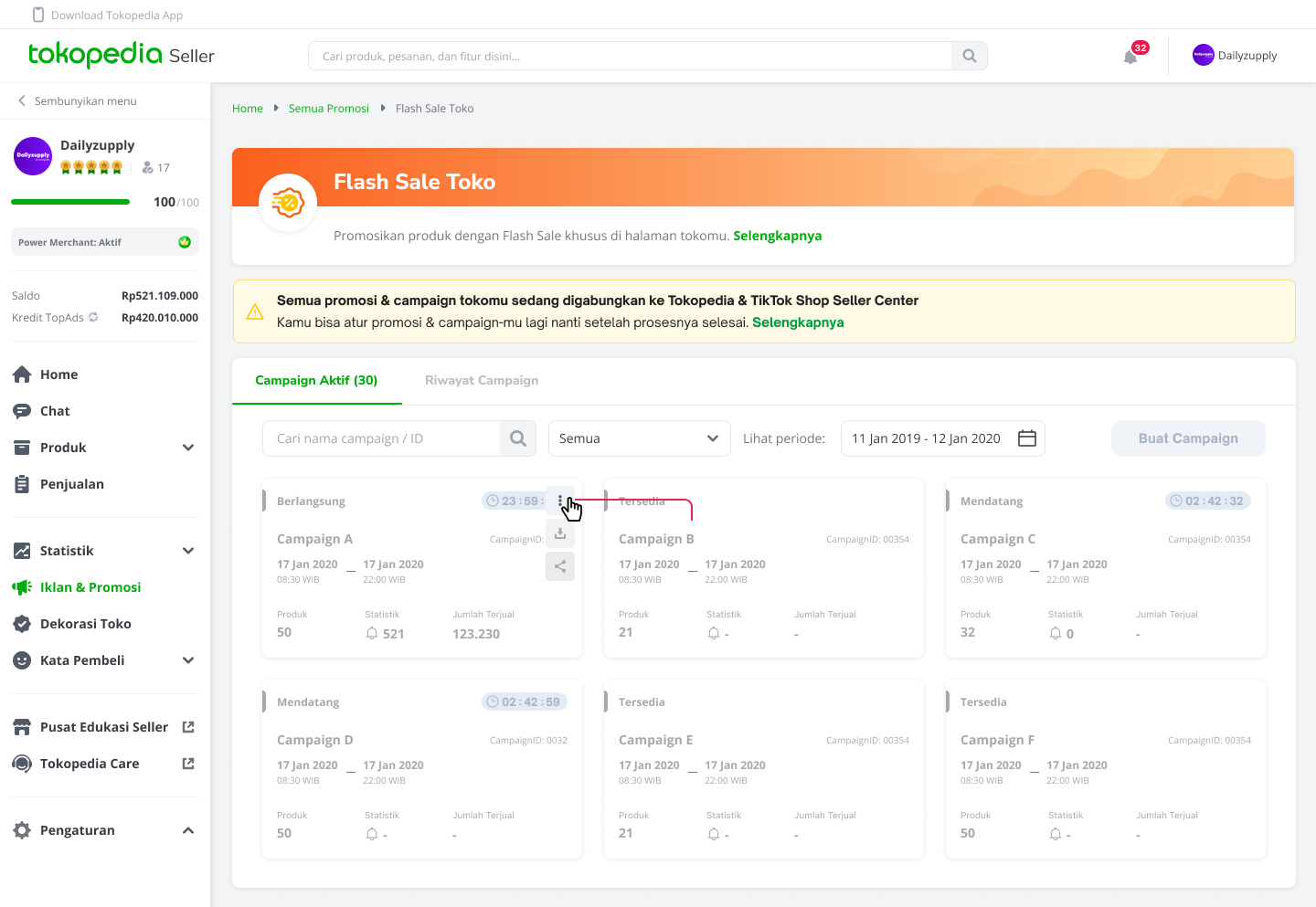
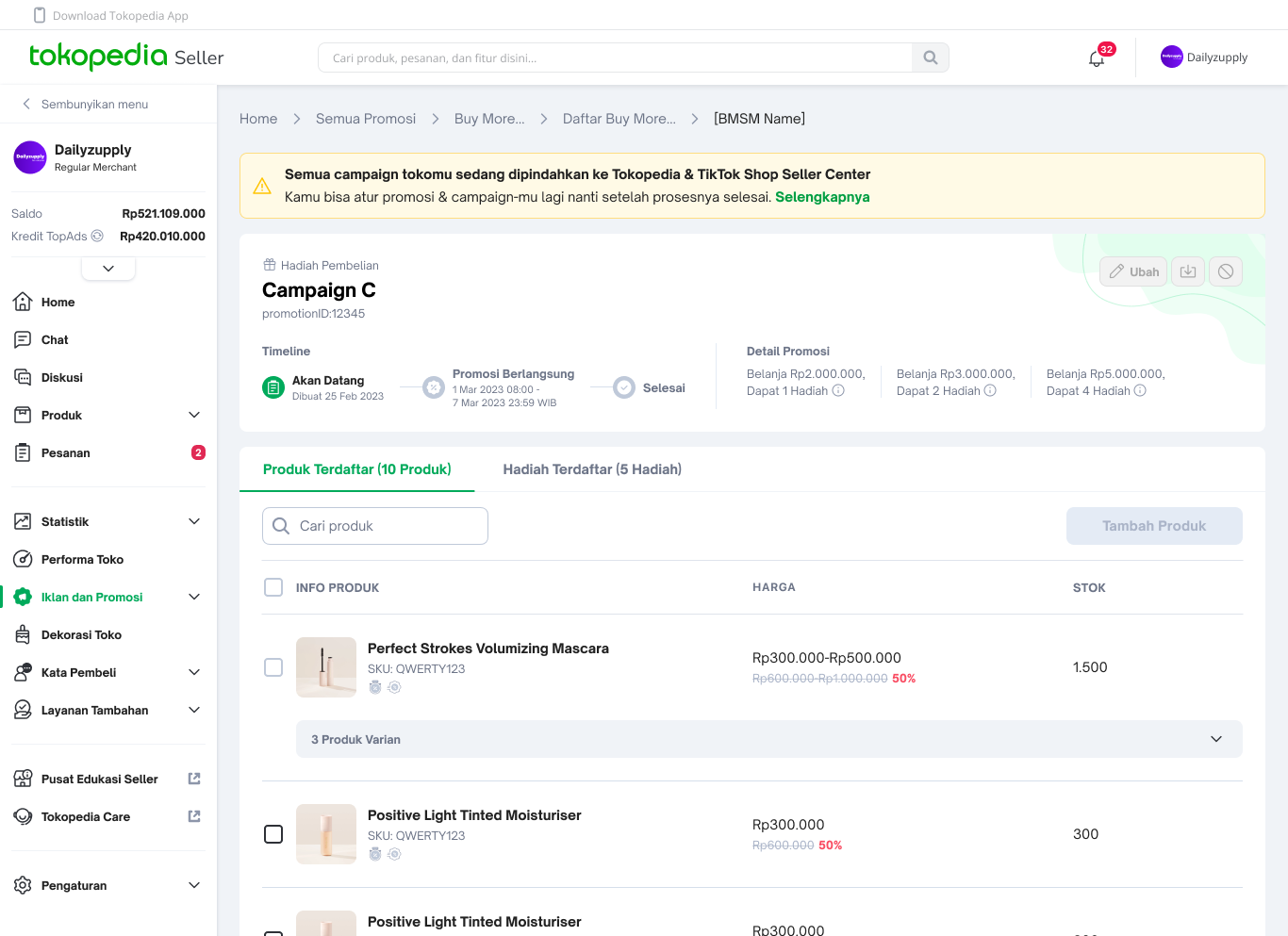
After Integration
| Tokopedia | TikTok Shop by Tokopedia |
Seller Experience - Seller Center
| Seller Experience - Seller CenterAfter integration, it may take up to 24 hours for sellers to access the full seller promotion experience and sellers will be able to create, edit, deactivate Tokopedia & TikTok Shop promotions on the Tokopedia & TikTok Shop Seller Center
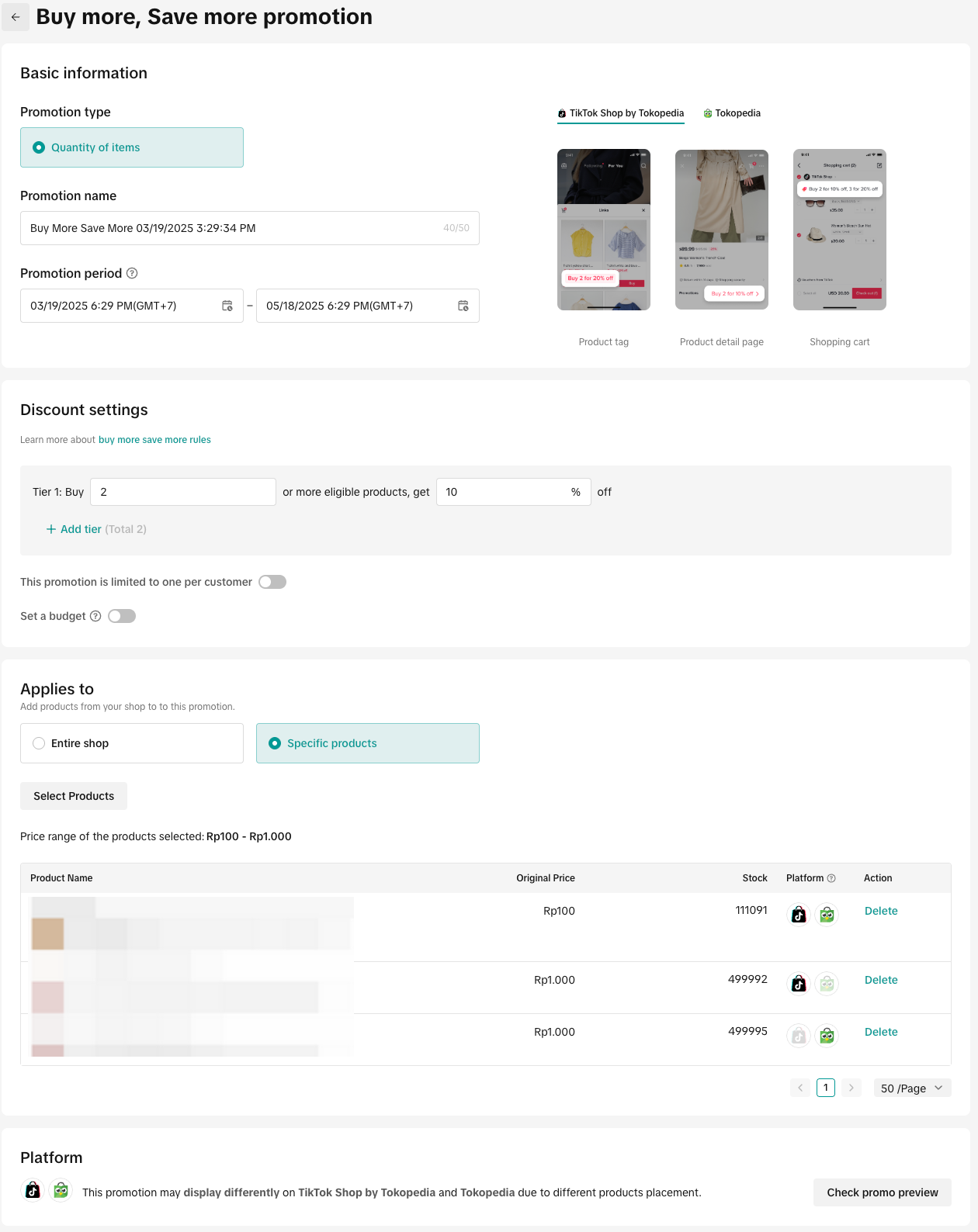 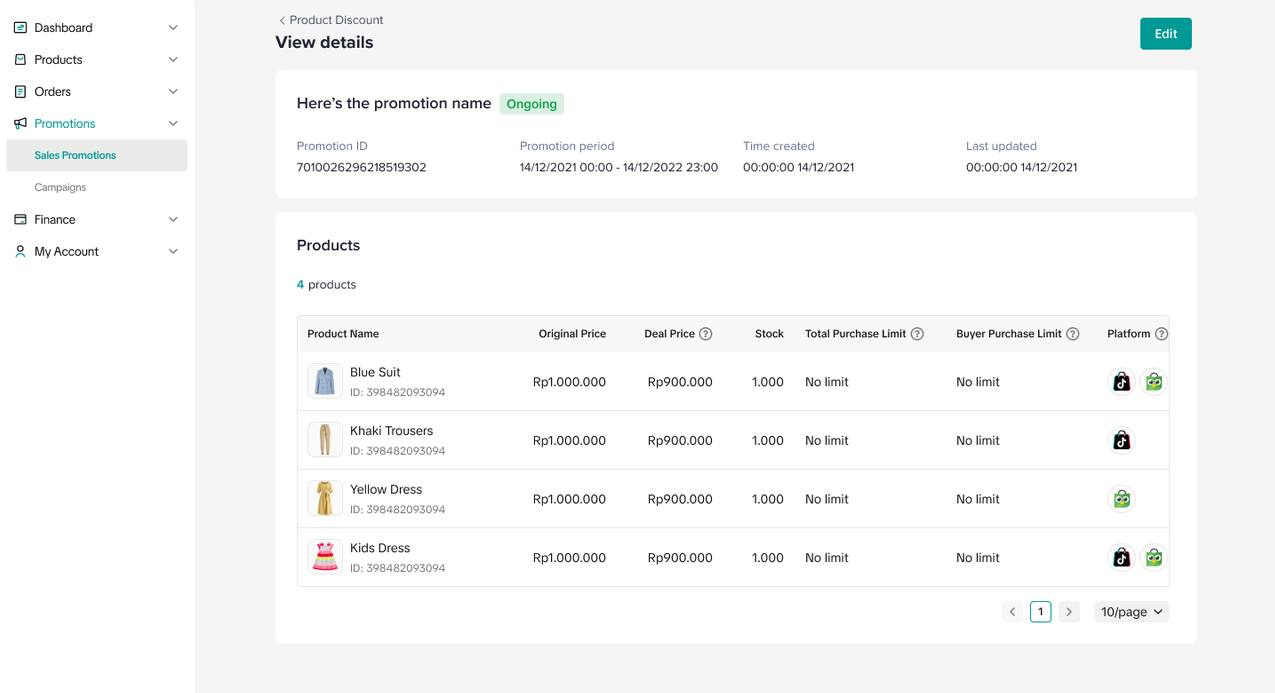 |
| Buyer Experience - Consumer App Sellers that have bound their shop in September:
| |
Seller Action:
| |
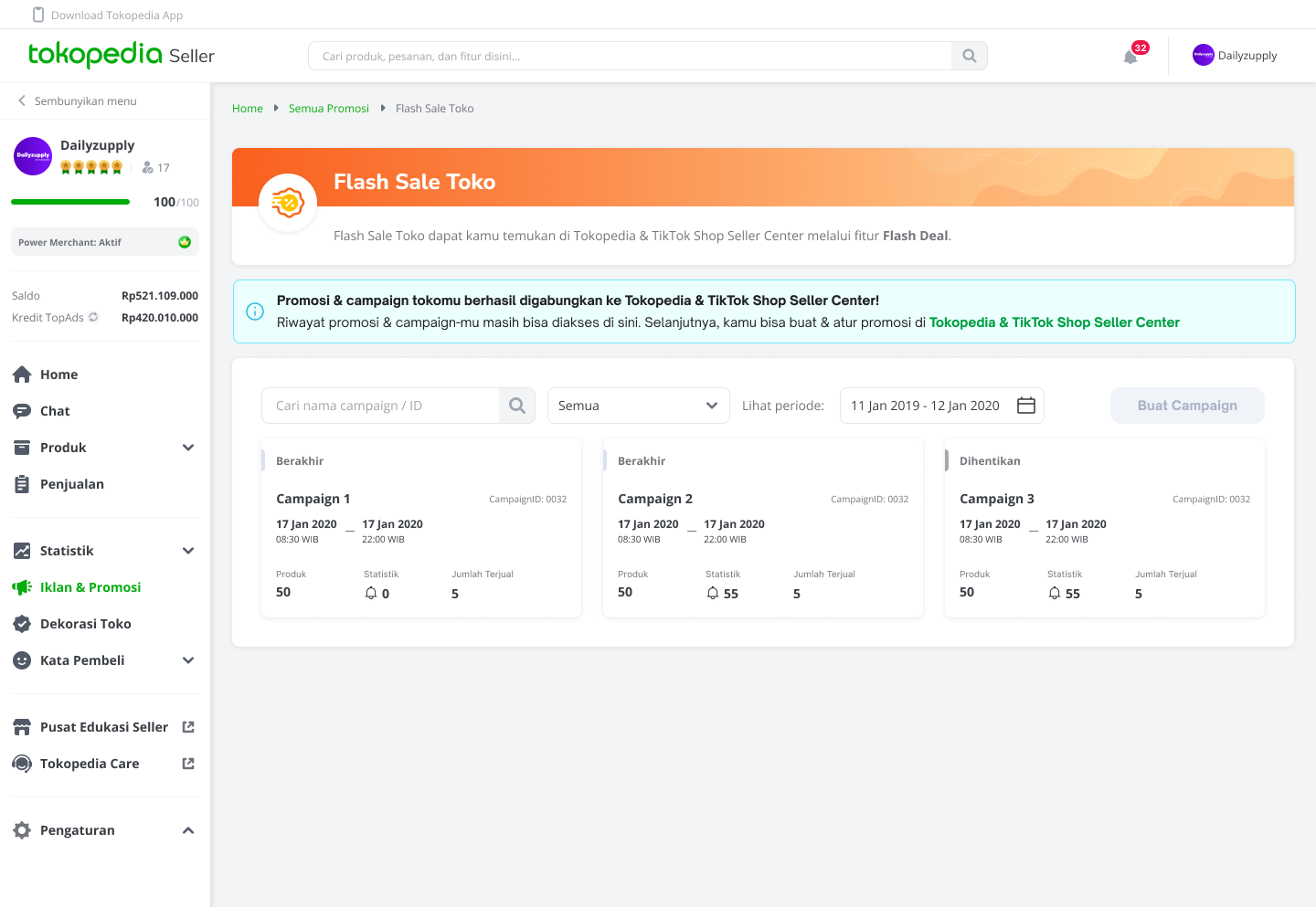
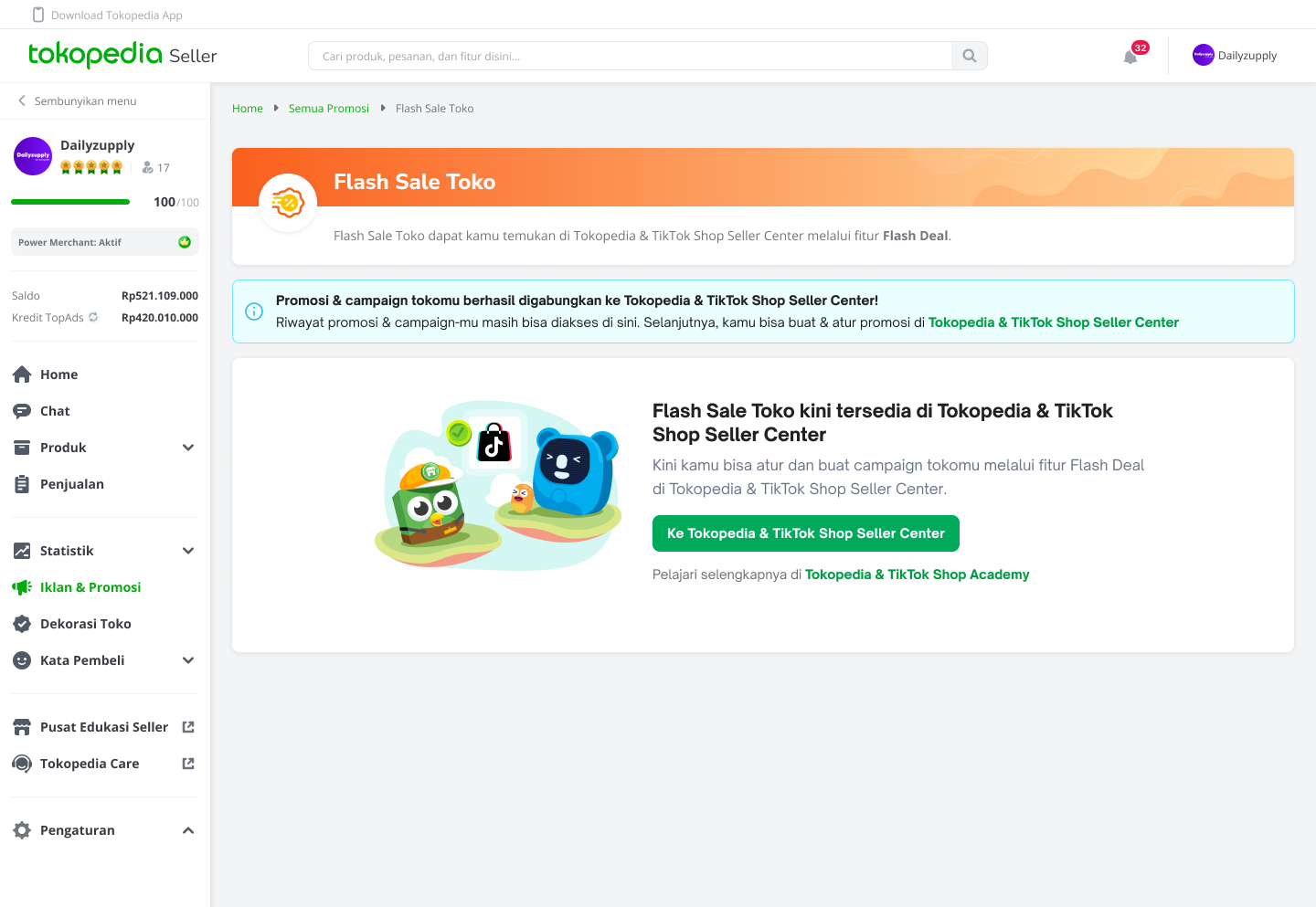
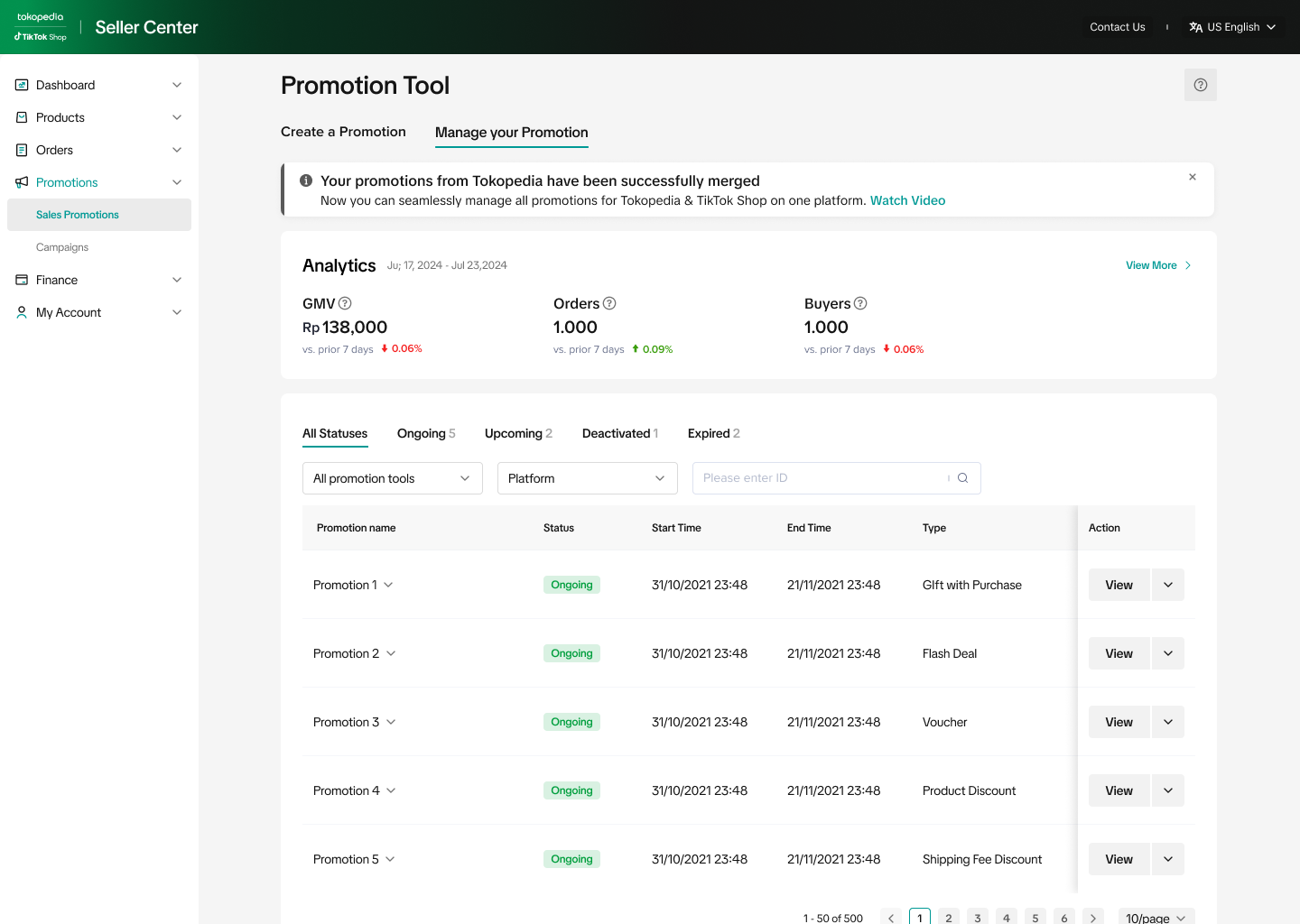
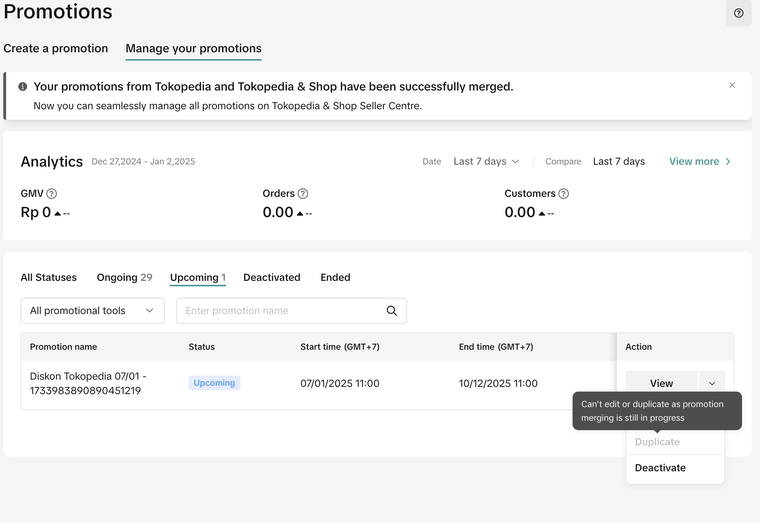
Duplicate Promotion Activities during Integration
- If there are duplicated products, Tokopedia products will be integrated with existing TikTok Shop by Tokopedia products. This means that TikTok Shop by Tokopedia's product information (product name, description, price, stock) will be displayed after the merge. Learn more about merchandise product merge here.
- As a result of product merging, there might be duplicated promotions activities for the same product that has been merged. If both products have scheduled promotions, TikTok Shop by Tokopedia's promotions will be prioritized and the duplicated Tokopedia promotions will be deactivated. Here are examples of different scenarios:
| Scenario | Tokopedia | TikTok Shop by Tokopedia | Result after product merge and promotion integration completed. |
| Promotion on both platforms | Product A | Product A1 | Product A is merged Product A1, display product and promotion from Product A1
|
| Promotion on Tokopedia only | Product A | Product A1 | Product A is merged to Product A1, display Product A1 with no promotion.
|
| Promotion on TikTok Shop by Tokopedia only | Product A | Product A1 | Product A is merged to Product A1, display product and promotion from Product A1.
|
| Promotion on both platforms (storewide) | Voucher X (storewide)
| Voucher Y (storewide)
| Voucher X and Voucher Y will be available on both consumer apps
|
Product highlights indicate that the product has a scheduled promotion
Account Integration during Seller Center Upgrade (Effective 9 June 2025)
Starting 9 June 2025, the Tokopedia Seller Center will be upgraded to the integrated Tokopedia & TikTok Shop Seller Center. As part of this upgrade, all existing and upcoming promotions on Tokopedia will gradually be deactivated. Once the upgrade is completed, sellers can only view historical promotion activities for each tool. For Seller Vouchers, customers who have claimed vouchers before the promotion deactivation can still use the promotion within the promotion valid period.To ensure a smooth transition and avoid disruption to your promotional activities, we strongly encourage all sellers to complete their account integration before 9 June 2025. This will allow your products and promotions to be seamlessly transferred to the new integrated Tokopedia & TikTok Shop Seller Center. If sellers begin account integration after the Seller Center upgrade starts on 9 June 2025, the following will apply:
- If account integration is already in progress when the upgrade begins: account integration will be prioritized, products and promotions will be transferred to the integrated Tokopedia & TikTok Shop Seller Center.
- If sellers start account integration after the upgrade has begun:
- If promotions have been fully deactivated, they will not be carried over to the integrated Tokopedia & TikTok Shop Seller Center.
- If only some promotions have been deactivated, only the remaining promotions will be transferred to the integrated Tokopedia & TikTok Shop Seller Center.
Seller Promotion Integration to Tokopedia
For TikTok Shop by Tokopedia-Only Sellers
Sellers who only operate on TikTok Shop by Tokopedia and do not have an account on Tokopedia can easily have their products and seller promotions visible on Tokopedia consumer app. This integration function to Tokopedia will sync products and promotions real-time to Tokopedia. Learn more about integration to Tokopedia function here.
- Sellers can experience the integrated Tokopedia & TikTok Shop Seller Center to create and manage seller promotions on both platforms. The promotion display will take effect and be displayed to buyers according to the product listing platform.
- If the product is deactivated, then the product will not be displayed on Tokopedia consumer app. If the product later becomes active, it will be displayed on Tokopedia consumer app immediately along with seller promotions scheduled for the product.
- All newly created products on TikTok Shop by Tokopedia will automatically sync to Tokopedia consumer app along with seller promotions scheduled for the product.
Account Integration after Integration to Tokopedia is Completed
If the seller has their integration to Tokopedia function activated and proceeds with the account integration from Tokopedia Seller Dashboard process later, the integration to Tokopedia products from TikTok Shop by Tokopedia will be deactivated and will be invisible to buyers, but all ongoing orders will still be supported.Seller Promotional Tools Overview
Seller promotional tools are seller funded promotions that are accessible on Tokopedia & TikTok Shop Seller Center. Promotional tools allow sellers to create various sales and promotion mechanics to meet sellers' business goals.Top Performing Promotional Tools
After integration, sellers will be able to create and manage the top performing promotions for products that are on both Tokopedia & TikTok Shop on the integrated Seller Center (Tokopedia & TikTok Shop Seller Center).- Buyers will be able to enjoy promotion on both Tokopedia & TikTok Shop consumer apps unless otherwise stated on Tokopedia & TikTok Shop Seller Center, which may be due to product listing platform information.
- Depending on seller's product selection, here are the several outcomes:
- The promotion will be displayed only on TikTok Shop by Tokopedia
- The promotion will be displayed only on Tokopedia
- The promotion can be displayed identically on both platforms
- The promotion will appear differently on both platforms
| Promotion Tool TikTok Shop by Tokopedia | Similar feature on Tokopedia | Feature Guide Link | Promotion tool availablility | Create & Manage platform | ||
TikTok Shop by Tokopedia | Tokopedia | PC | App | |||
| Product Discount (Fixed Price) | Slash Price | Link | ✅ | ✅ | ✅ | ✅ |
| Seller Flash Sale | Flash Sale Toko | Link | ✅ | ✅ | ✅ | ✅ |
| Regular Voucher | Merchant Voucher (Discount) | Link | ✅ | ✅ | ✅ | ✅ |
| Buy More Save More | Buy More Save More (Diskon Bertingkat), Package Discount | Link | ✅ | ✅ | ✅ | ❌ |
| Gift with Purchase | Buy More Save More (Hadiah Pembelian) | Link | ✅ | ✅ | ✅ | ❌ |
| Shipping Fee Discount | Merchant Voucher (Free Shipping) | Link | ✅ | ✅ | ✅ | ❌ |
- Product Discount (Percentage off) is a new feature within the Product Discount tool that calculates the final discount amount according to the original price and percentage you set.
- Gift with Purchase is available on both Tokopedia & TikTok Shop. However, not-for-sale gift products are only available on TikTok Shop by Tokopedia and not supported on Tokopedia.
- Shipping Fee Discount is available on both Tokopedia & TikTok Shop platforms with exception to several unsupported logistic services on Tokopedia including JNE (Regular), Tiki (Regular), Pos Indonesia (Regular), SiCepat (Regular), NinjaVan (Regular), J&T (Regular), AnterAja (Regular), Lion Parcel (Regular). If these logistics services are chosen, the buyers will not enjoy the Shipping Fee Discount
New Promotional Tools for TikTok Shop by Tokopedia Platform
Integrating as a seller means new opportunities to sell and grow on a new platform. Explore new promotional tools currently available on the TikTok Shop by Tokopedia. Create & Manage these promotional tools on the integrated Tokopedia & TikTok Shop Seller Center.- Buyers will enjoy promotion on TikTok Shop by Tokopedia consumer app only, as these tools are not supported on Tokopedia consumer app (Products can be purchased on Tokopedia consumer app without these promotions).
| Promotion Tool | Feature Guide Link |
| New Arrival Discount | Link |
| Bundle Deal | Link |
| Creator LIVE/LIVE Flash Sale | Link |
| LIVE Voucher | Link |
| New Customer Voucher | Link |
| Repeat Customer Voucher | Link |
| Creator Exclusive Voucher | Link |
| Chat Voucher | Link |
| CRM Targeted Voucher | Link |
| Promo Code | Link |
| Creator Live Giveaway | Link |
How to Create Promotions on the unified Tokopedia & TikTok Shop Seller Center
This is a general overview. For details of how to set up promotions for each tool, please refer to the feature guides (above)
Entrance
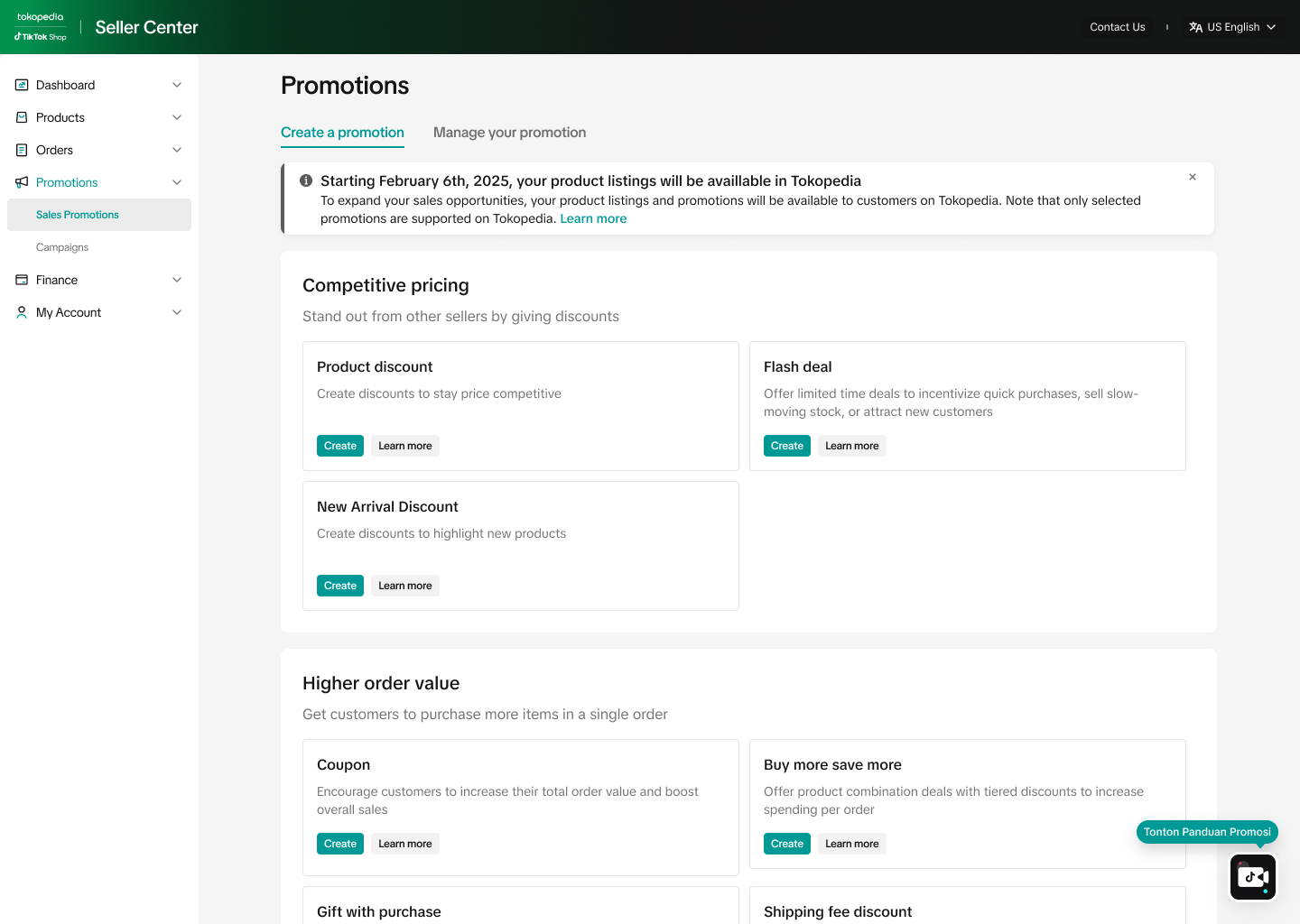
After integration, sellers will be able to create and manage selected promotions for products that are on both Tokopedia & TikTok Shop. Visit Seller Center > Marketing > Promotions- Promotion created on Tokopedia & TikTok Shop Seller Center will take effect and be displayed to buyers on both consumer apps for the following tools: Product Discount, Seller Flash Sale, Regular Voucher, Shipping Fee Discount, Buy More Save More and Gift with Purchase (sellable gifts only).
- Promotion preview displays are provided for both Tokopedia & TikTok Shop, for sellers to view the customer-end display examples.
- For promotion tools that are not supported on Tokopedia, sellers will be prompted with a message that the promotion will only be displayed on TikTok Shop by Tokopedia.
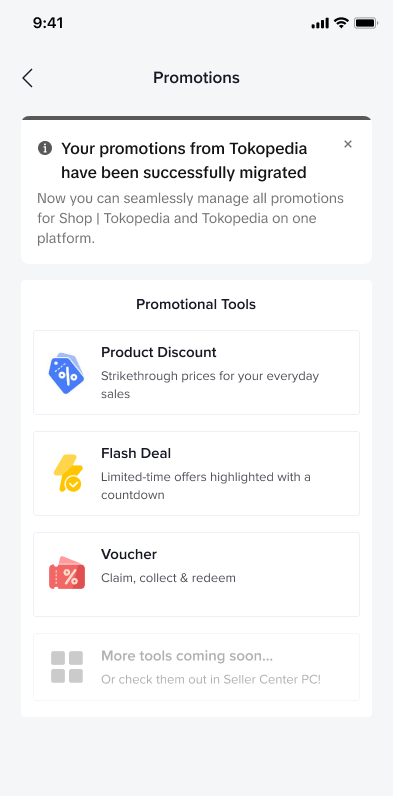
| Tokopedia & TikTok Shop Seller Center (PC) | Tokopedia & TikTok Shop Seller Center (App) | Promotion preview display | Promotions only available on TikTok Shop by Tokopedia |
 |  | 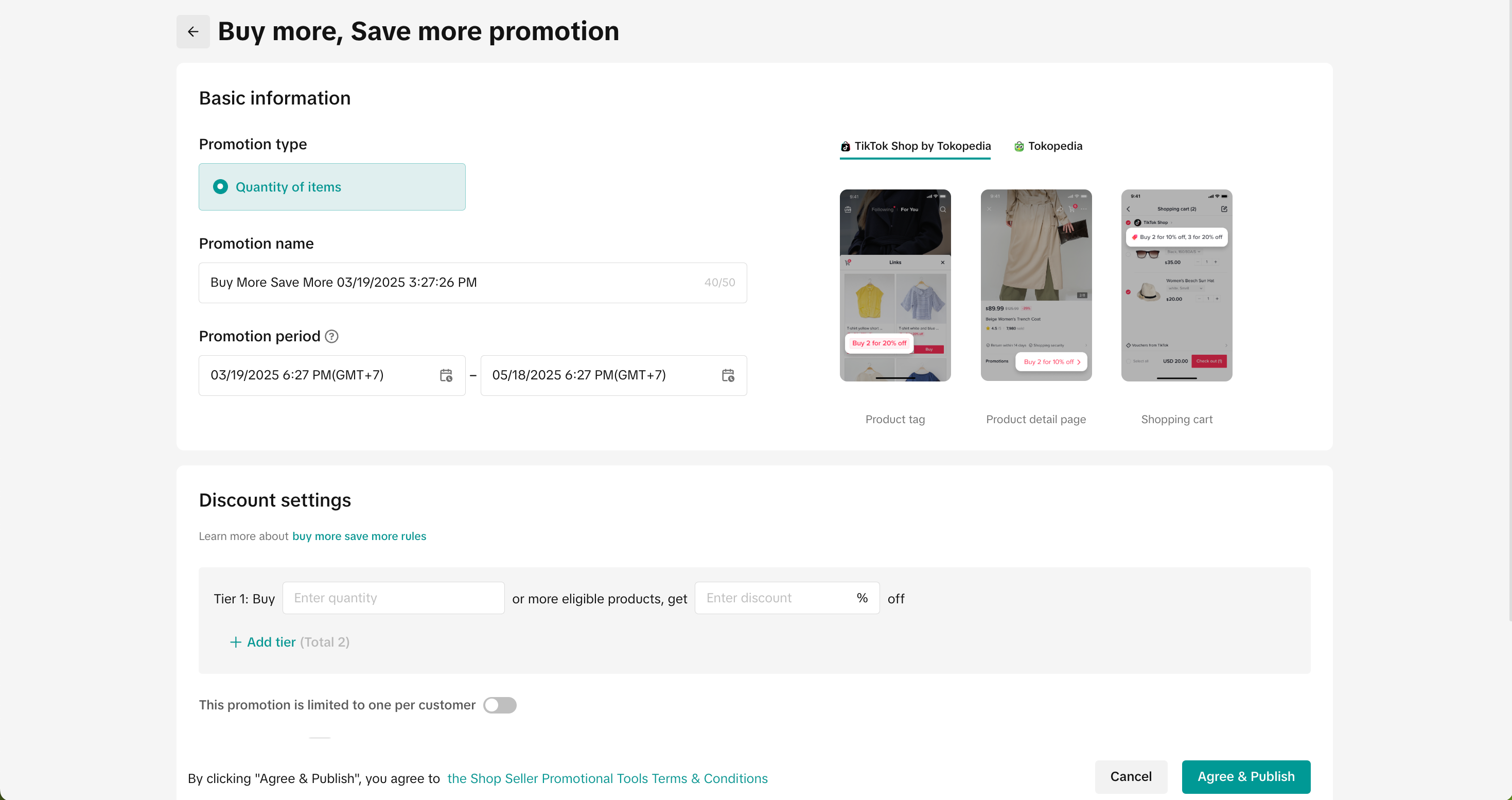 | 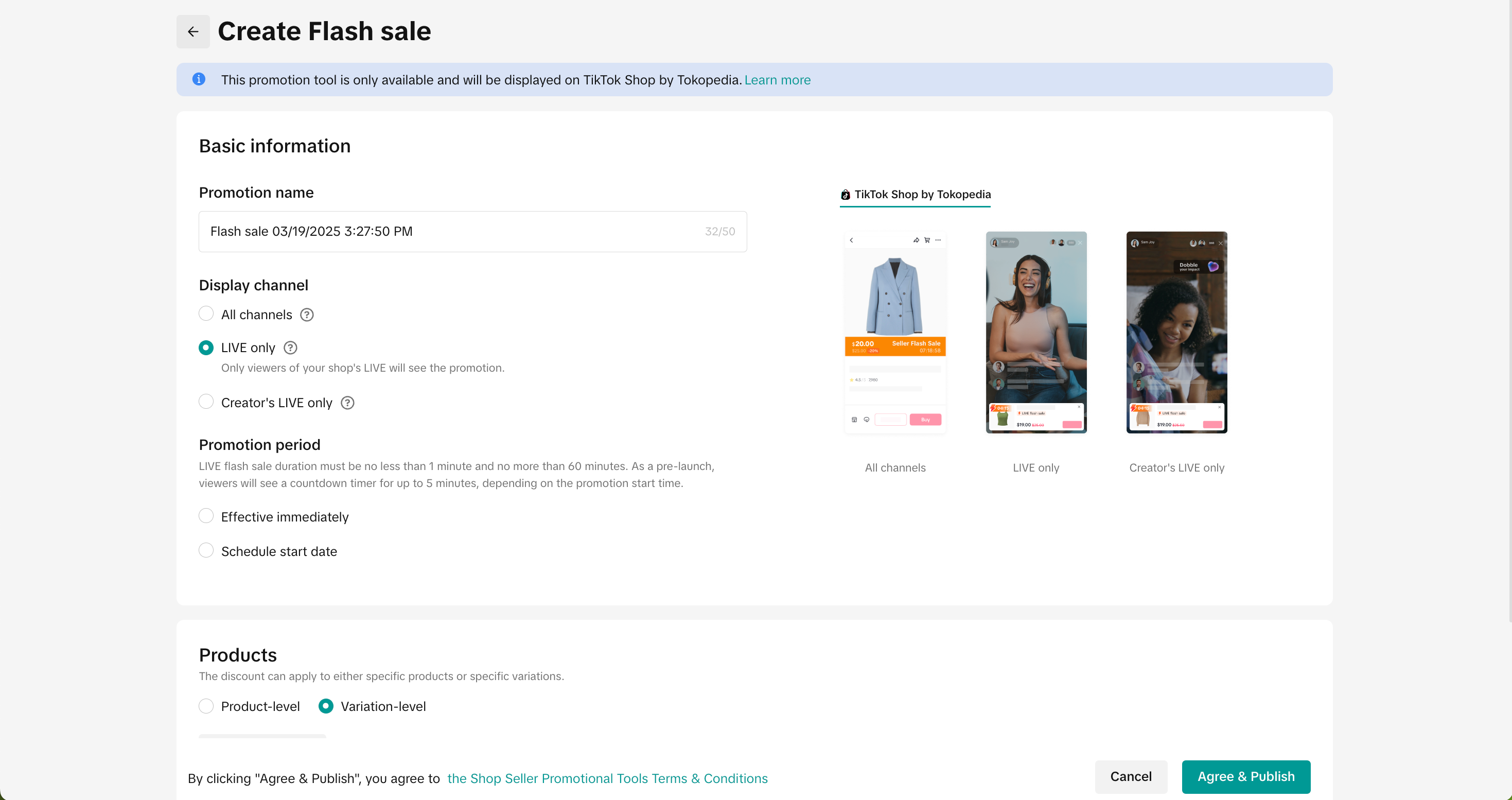 |
Promotion Previews for Tokopedia & TikTok Shop customer-end displays
While creating promotions on Tokopedia & TikTok Shop Seller Center, we recommend reviewing the promotion platform display to understand where your promotion will be active and displayed to buyers.- Depending on seller's product/promotion selection, here are the several outcomes for
- The promotion will be displayed only on TikTok Shop by Tokopedia
- The promotion will be displayed only on Tokopedia
- The promotion can be displayed identically on both platforms
- The promotion will appear differently on both platforms
- Click "Check Promo Preview" to review how the promotions will appear differently on both platforms.
- Certain products may only be listed on one platform (i.e. TikTok Shop by Tokopedia or Tokopedia only) due to product restriction or product inactive.
| When products are available on both platforms with the same promotional mechanism | 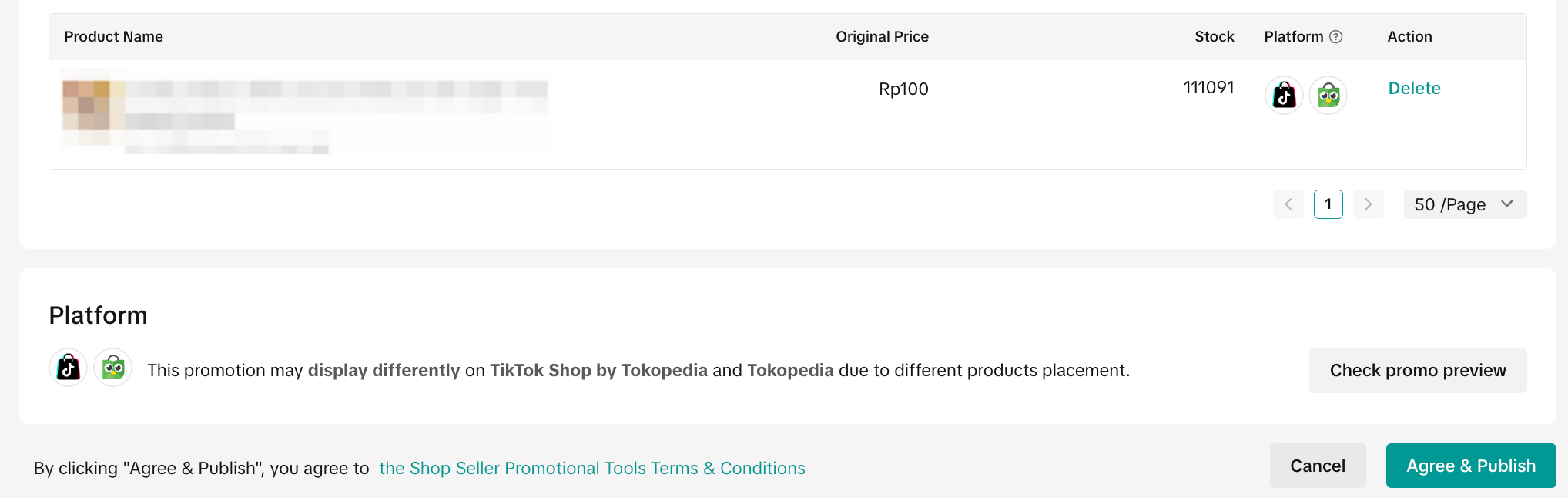 | |
| When products are available on either platform with different promotion mechanisms | 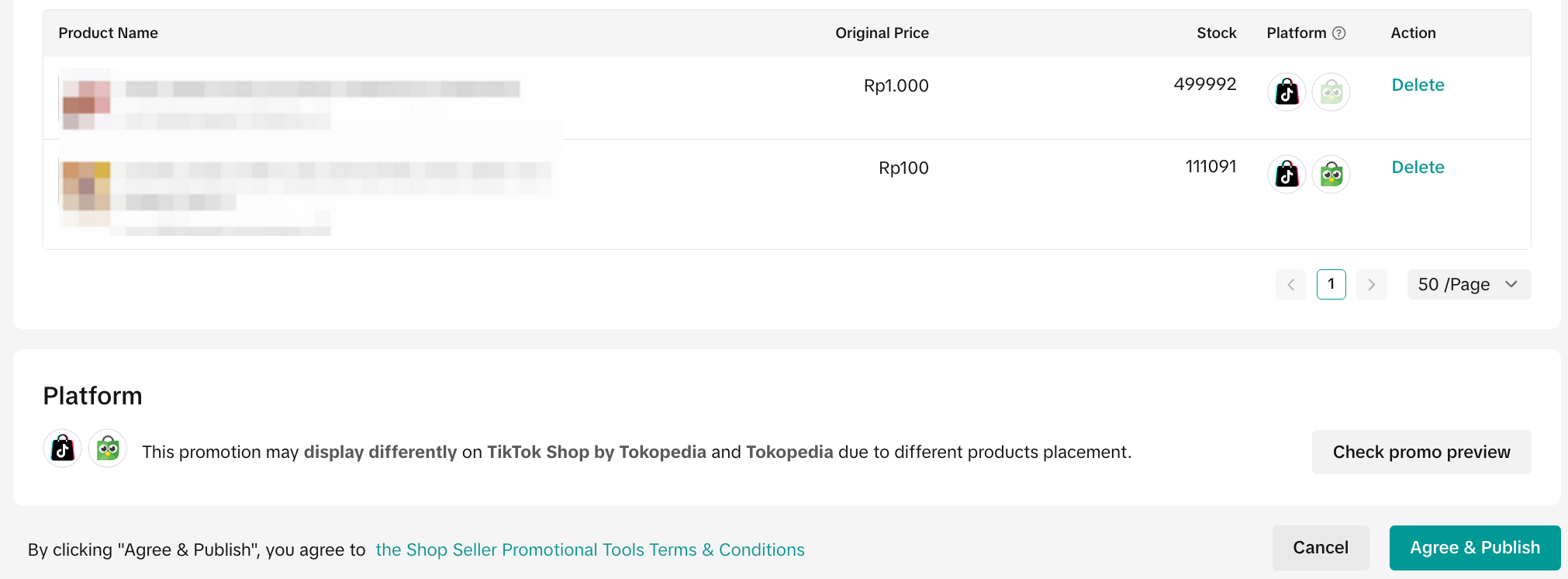 | |
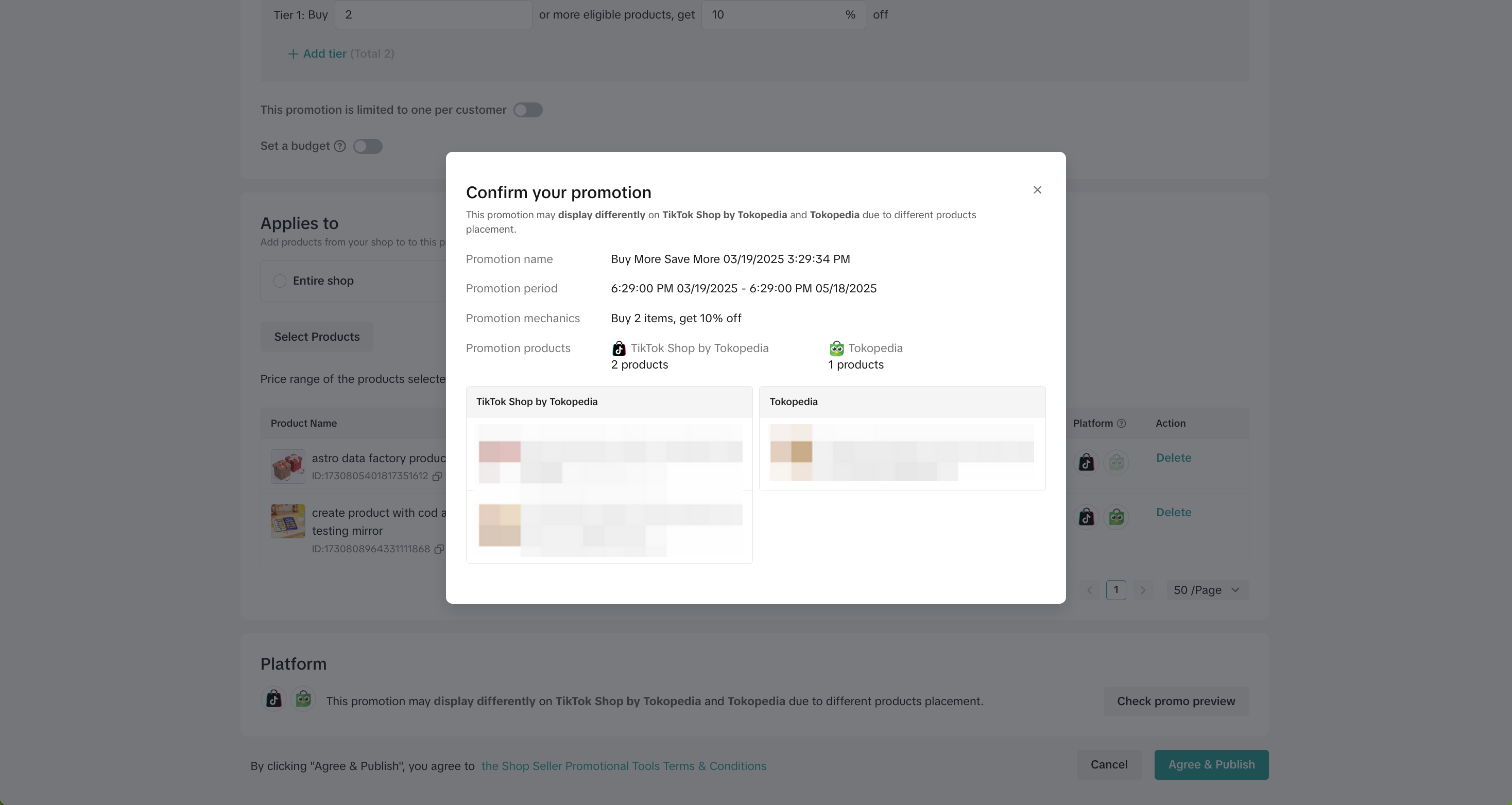 Check Promo Preview on PC | 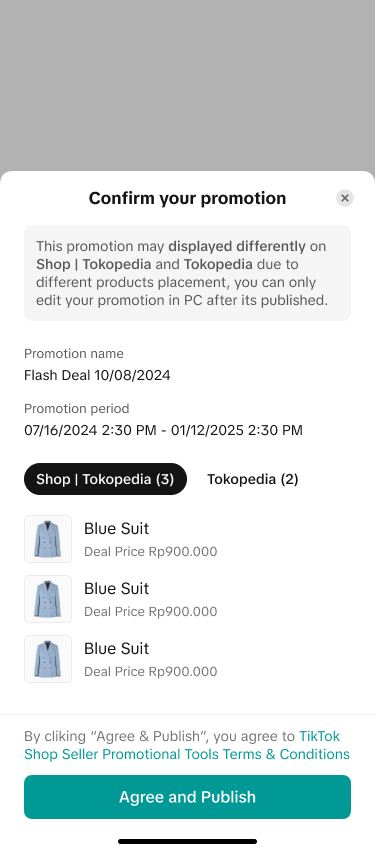 Check Promo Preview on App | |
| When products are only shown on 1 platform | 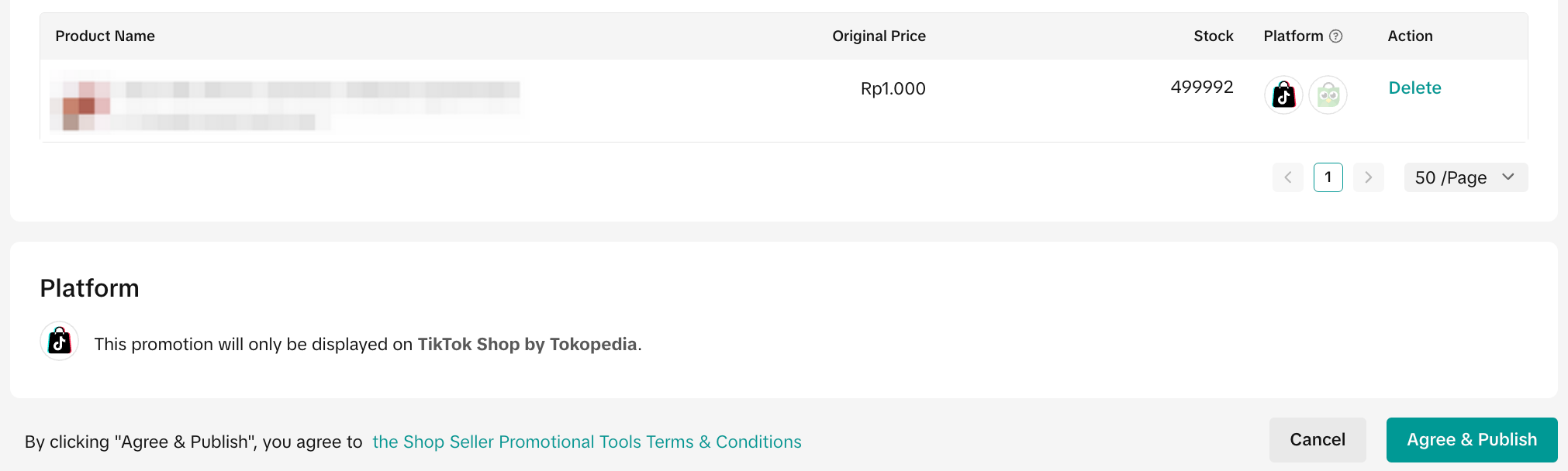 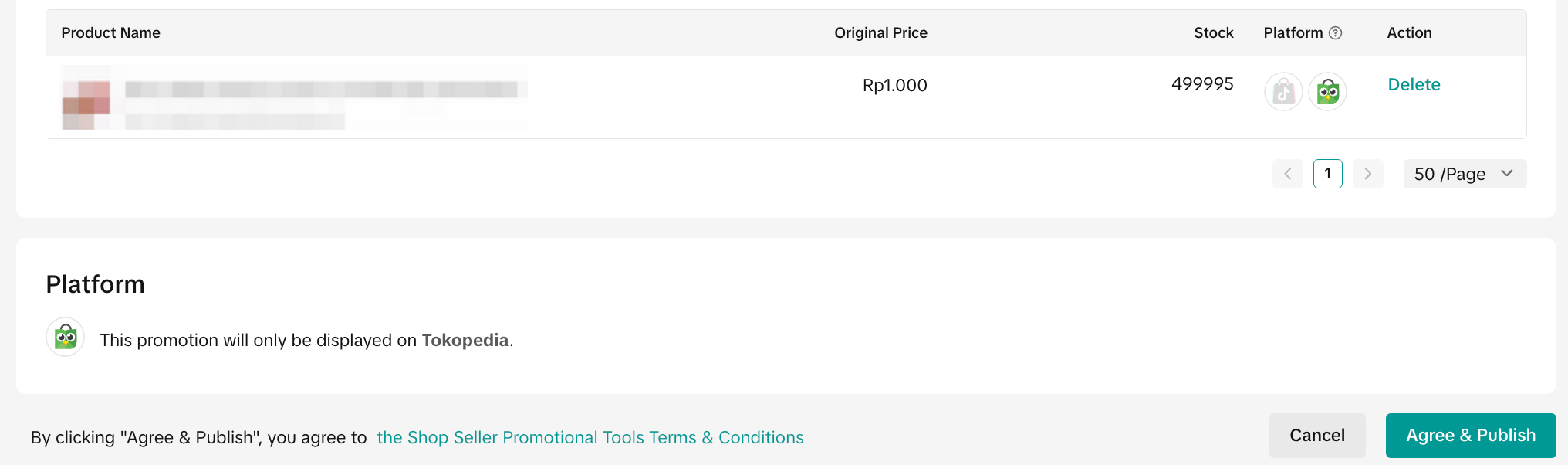 | |
Select Products
Promotions will be displayed according to the product listing platform- Creating promotions based on platform choice is not supported
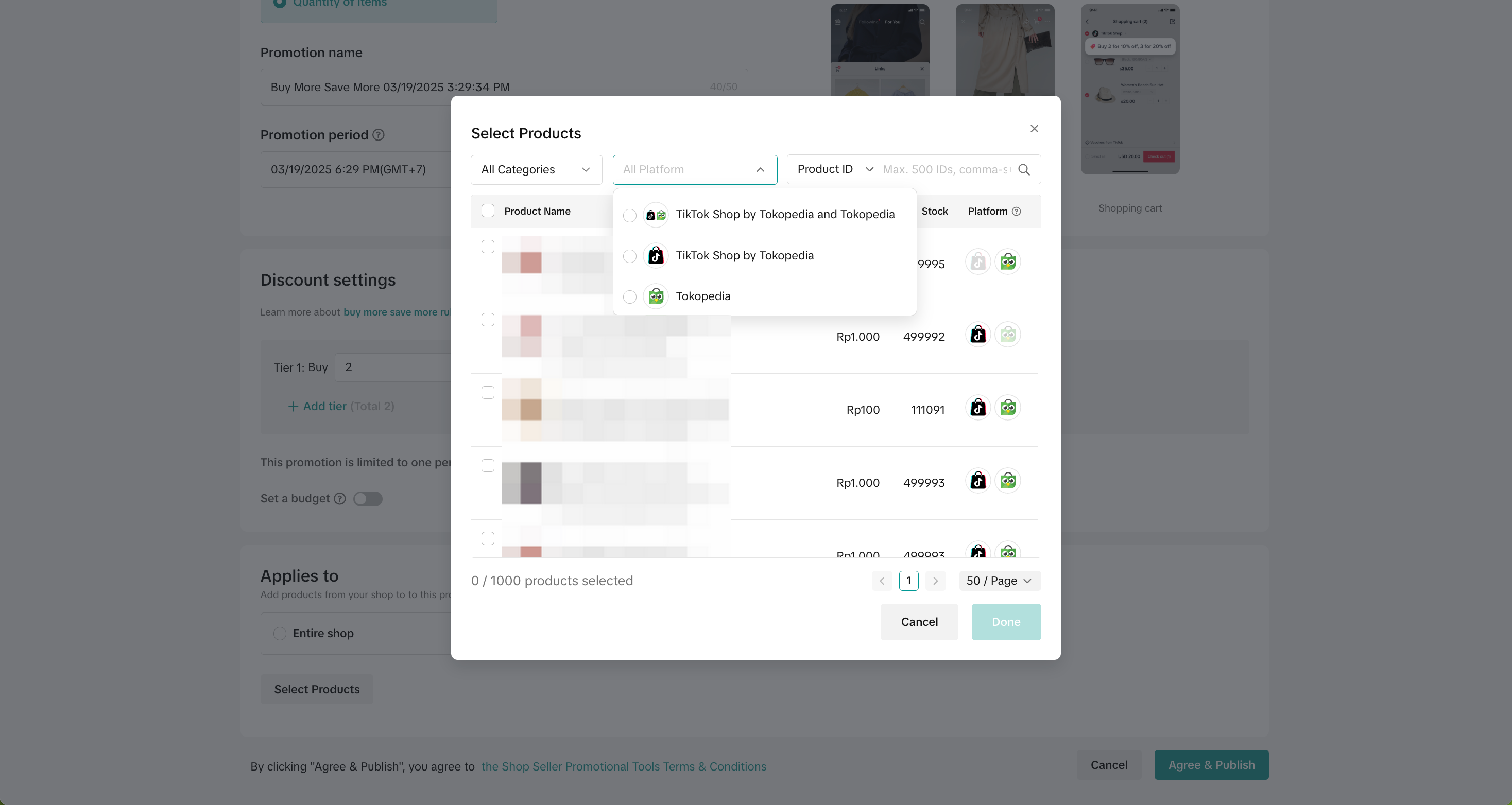
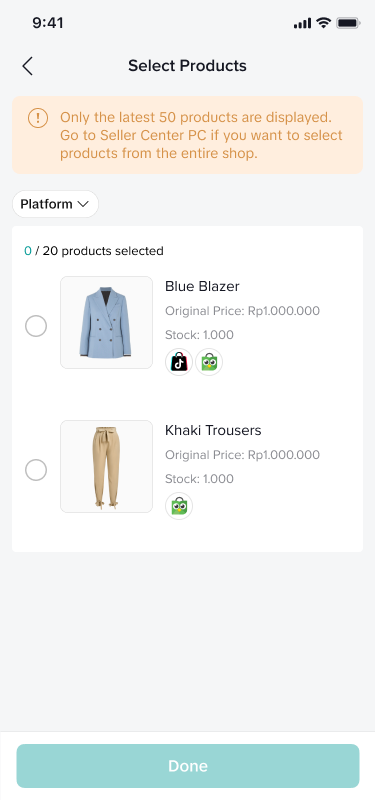
- Select "Platform" filter to easily find products displayed on both platforms, TikTok Shop by Tokopedia or Tokopedia
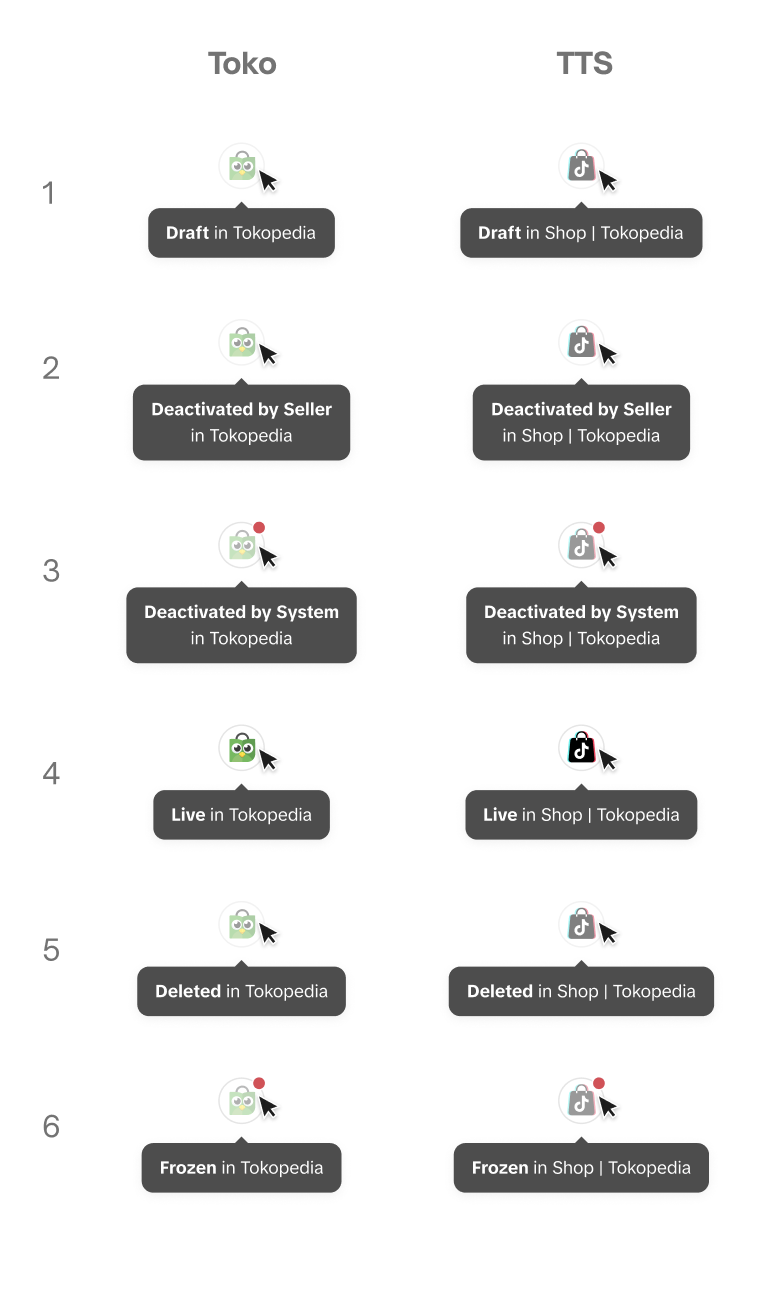
- Platform identifier icons are presented for each product to indicate the product listing information.
| Platform identifier icons on PC | Platform identifier icons on App |
 |  |
Set Promotion Discount
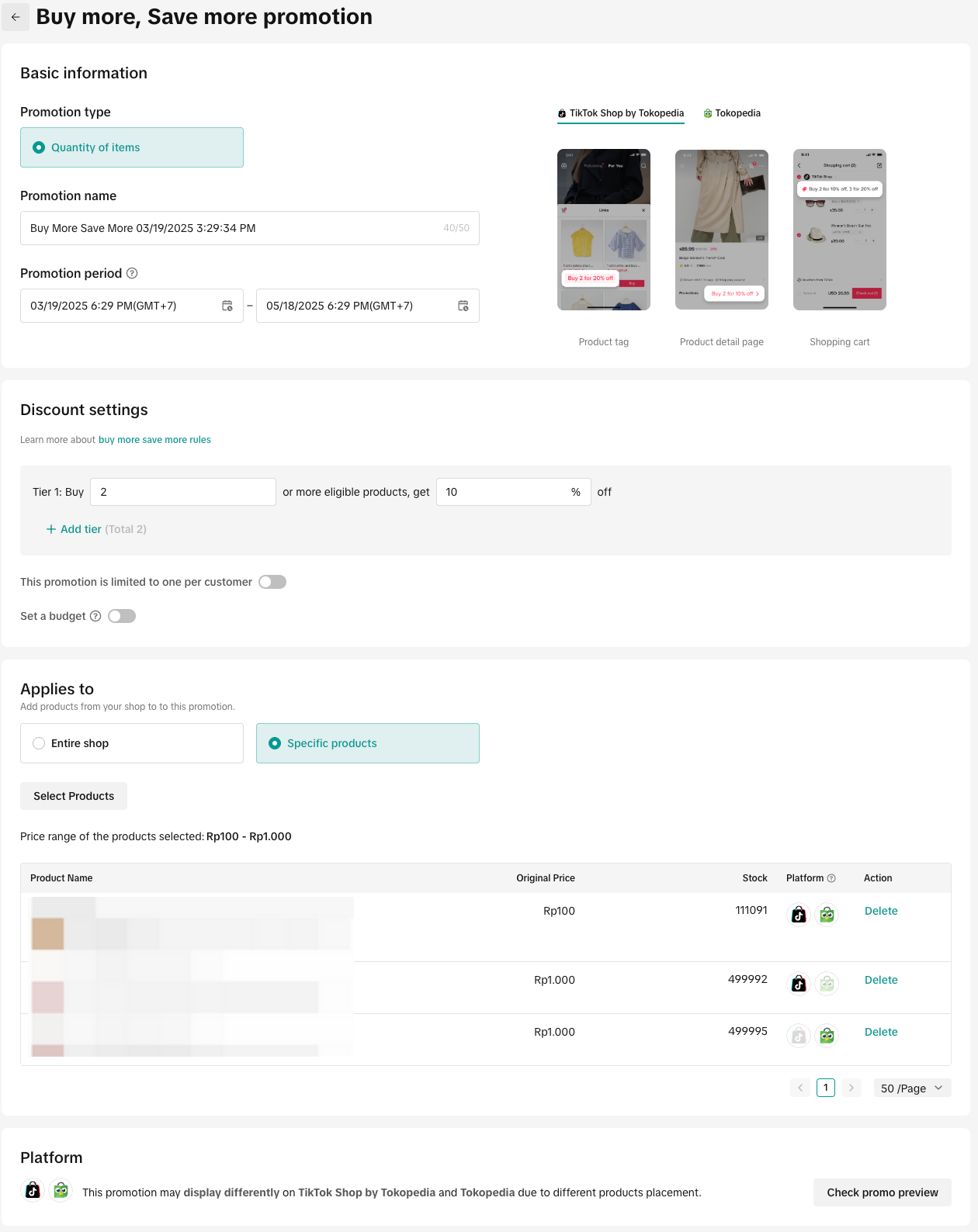
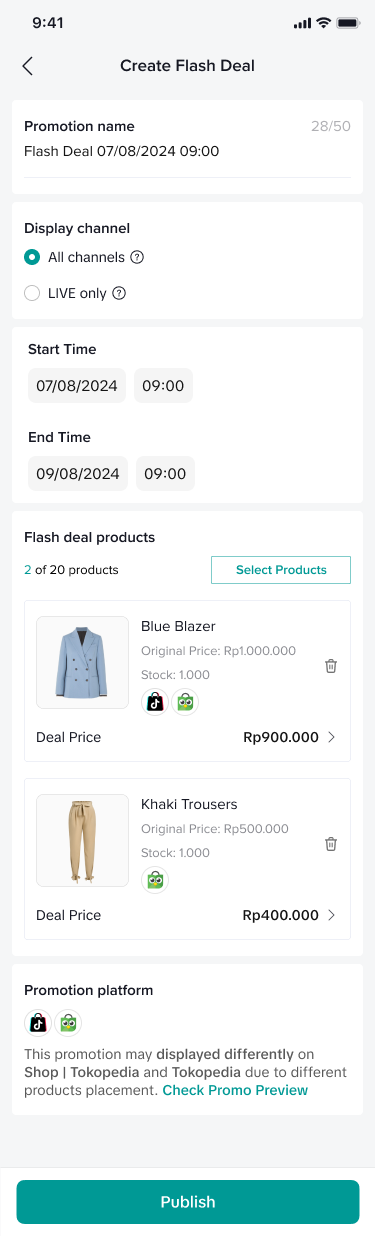
- Once products have been selected, complete with promotion discount settings, each promotional tool may have different discount settings and thresholds:
- Price/Discount: The seller price or discounts provided will be displayed the same for both consumer apps (Note: Final price may vary on each consumer app depending on platform funded promotion provided at the time)
- Total purchase limit: The total purchase limit is combined for both consumer apps. If the total purchase limit is reached, the promotion will be deactivated from both consumer apps.
- E.g. A seller sets a Seller Flash Sale for Product A with a total purchase limit of 100 quanity and Product A is displayed on Tokopedia & TikTok Shop
- Buyers from TikTok Shop by Tokopedia purchased 70 quantities.
- The remaining quantity of Tokopedia & TikTok Shop is 30.
- Buyer purchase limit or limit to one transaction per buyer: The buyer purchase limit refers to the maximum amount of times a buyer can enjoy the promotion and this is calculated separately for both consumer apps.
- E.g. A seller sets a Gift with Purchase and sets a limit to one transaction per buyer.
- Buyer A qualifies for the GWP minimum threshold and enjoys the gifts on TikTok Shop by Tokopedia.
- Buyer A also has an account on Tokopedia and decides to make another purchase which qualifies with the GWP minimum threshold, Buy A will also enjoy the gifts from Tokopedia.
 |  |
How to Manage Promotions
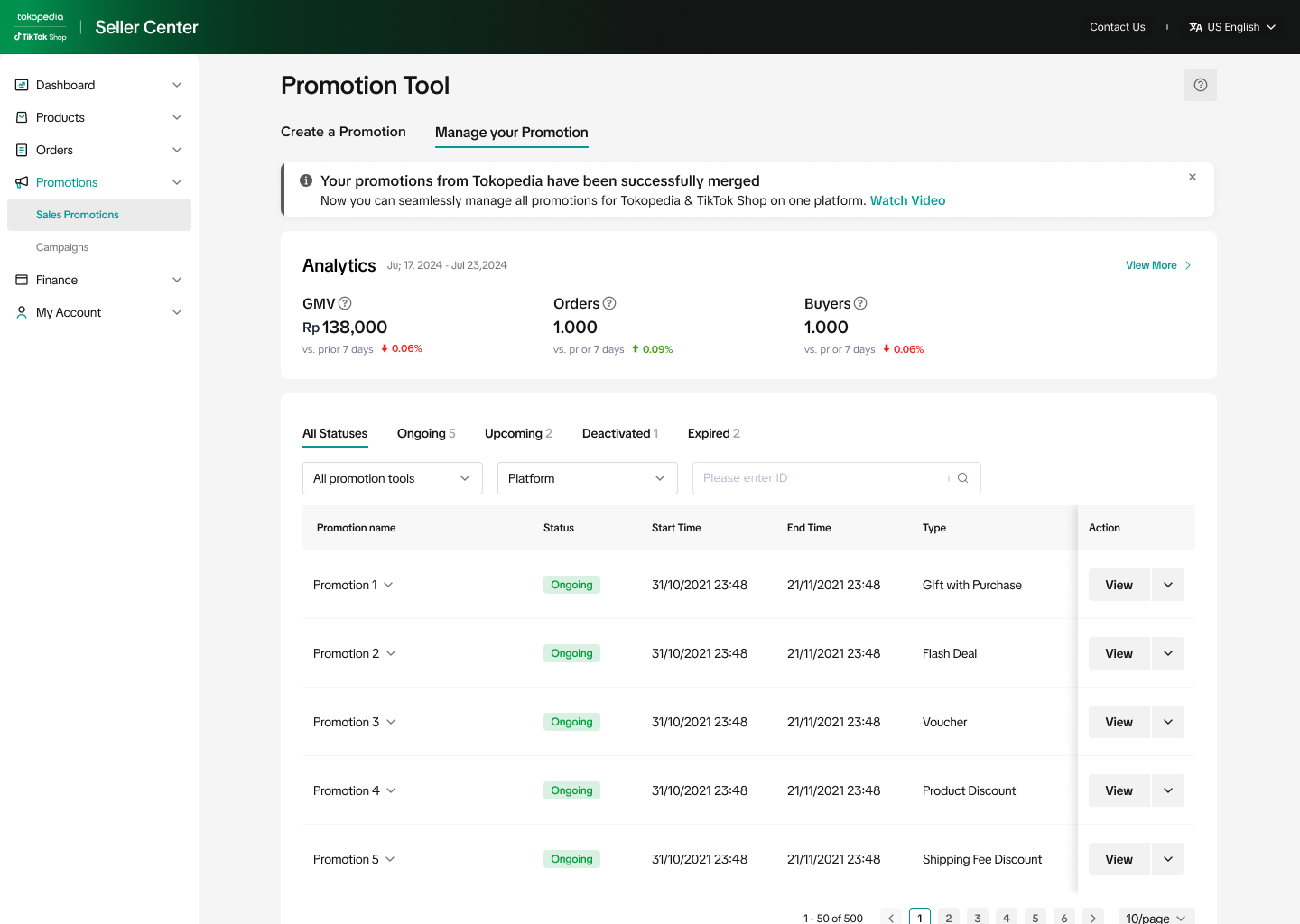
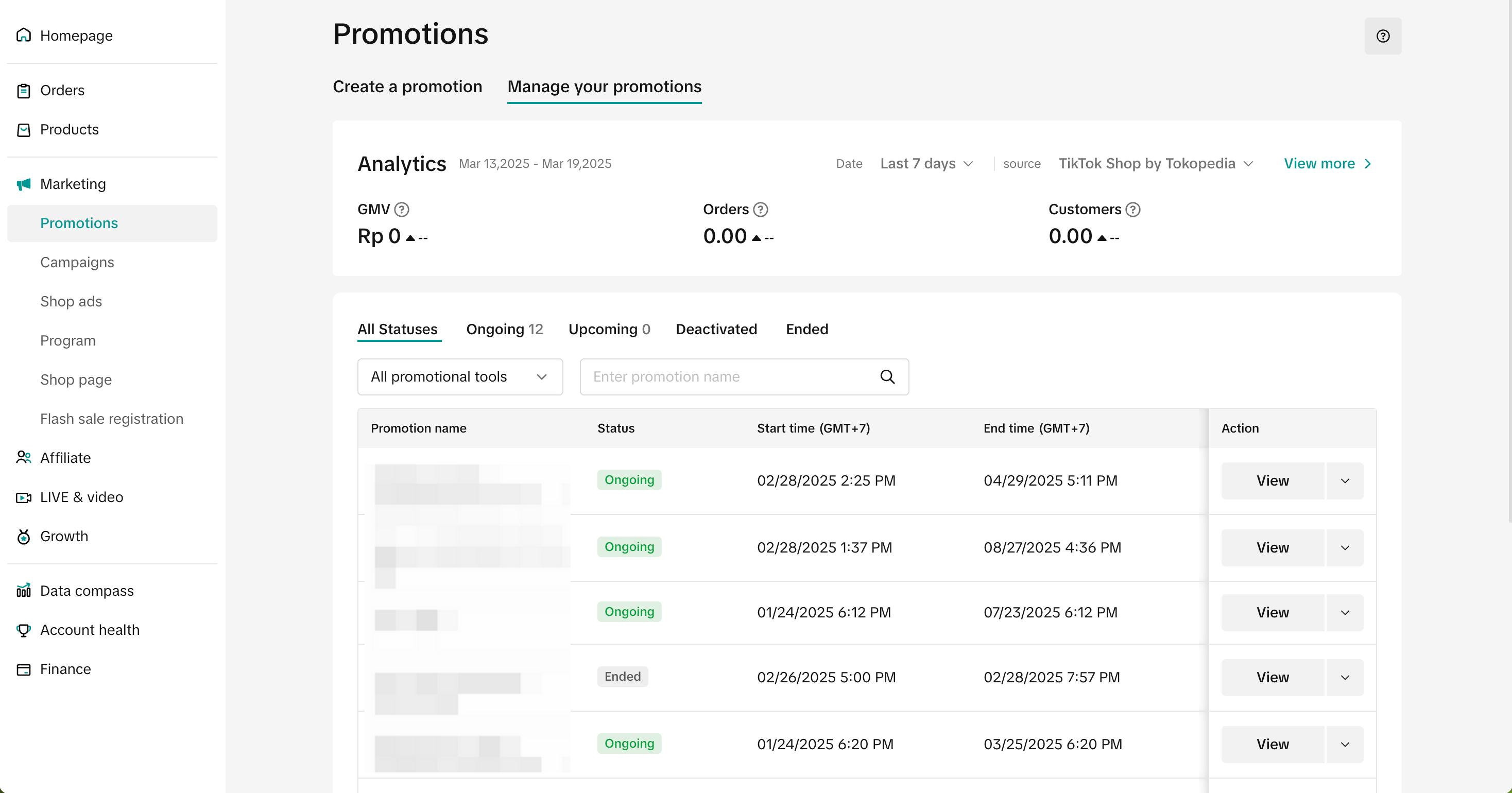
Entrance- Visit Seller Center > Marketing > Promotions > Manage your promotions
- Click View: To enter the promotion detail page where the promotion platform information can be reviewed.
- Click Edit: To edit upcoming and ongoing promotions and the adjusted setting may take effect on both platforms.
- Click Deactivate: To end an upcoming or ongoing promotion from both platforms
- Click Duplicate: To copy and paste the promotion setting to help you quickly set up another one.
| Manage your promotion tab | Promotion detail page |
 | 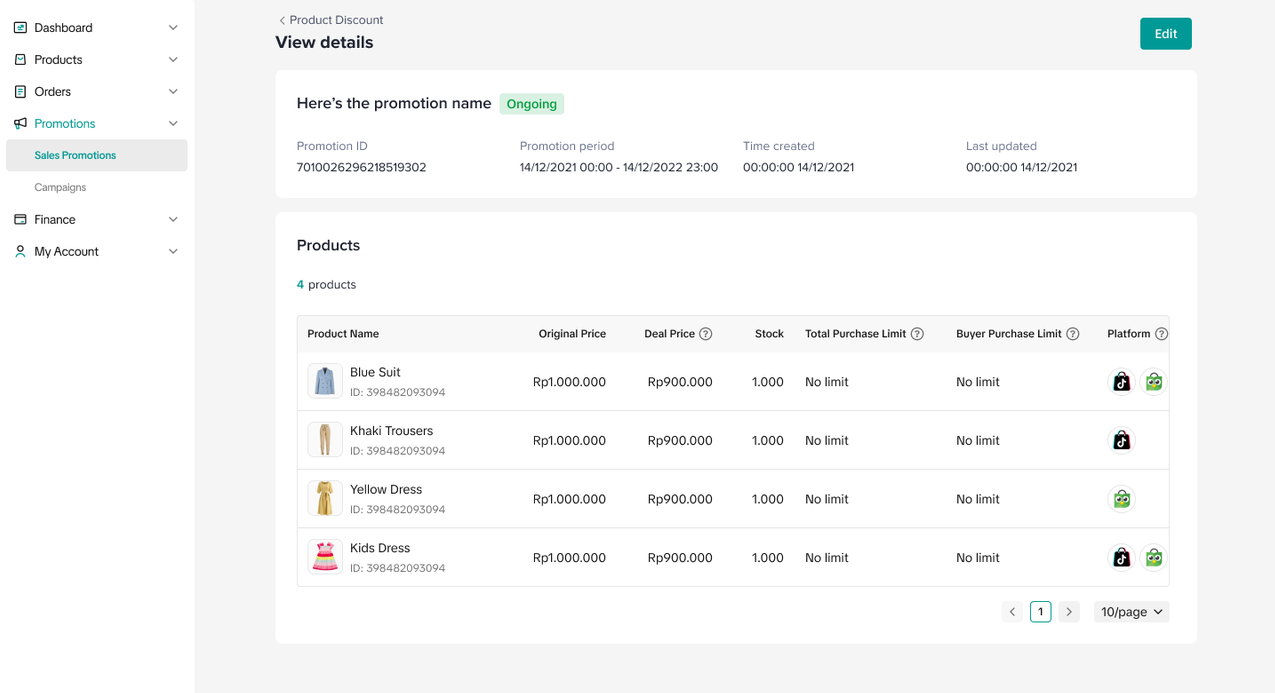 |
- After the promotion is scheduled, the promotion platform may also change over time according to the product listing platform (E.g. Certain products are deactivated on one platform). See the example below
- Visit the promotion detail page to view the product status in real time for Tokopedia & TikTok Shop platforms, sellers can hover over the platform icon to see more details.
- Special validation for Gift with Purchase - In order to create Gift with Purchase promotion successfully, the product selection requires at least 1 main product and 1 gift product to match on at least one platform.
| Scenario | Main Product | Gift ProductTier 1 | Gift ProductTier 2 | Result on Promotion Creation | Promotion display for buyers | Product and Promotion Display change over time | |
| TikTok Shop by Tokopedia | Tokopedia | ||||||
| Main products and gift products do not match | Product A: Tokopedia | Gift B: TikTok Shop by Tokopedia | ❌ | ❌ | ❌ | ||
| Promotion will be displayed the same on both platform | Product A: Both | Gift B: Both | ✅ | ✅ | ✅ | ||
| Promotion will only be displayed on TikTok Shop by Tokopedia | Product A: TikTok Shop by Tokopedia | Gift B: Both | ✅ | ✅ | ❌ | If Product A becomes out of stock, the promotion
| |
| Promotion will only be displayed on Tokopedia | Product A: Both | Gift B: Tokopedia | ✅ | ❌ | ✅ | If Product A becomes out of stock, the promotion
| |
Promotion will appear differently on both platforms | Product A: Both | Gift B: TokopediaGift C: TikTok Shop by Tokopedia | ✅ | ✅ (Display only Gift C) | ✅ (Display only Gift B) | If Gift C reaches the total claim limit, the promotion
| |
| Product A: Both | Gift B: Both | Gift C: Tokopedia | ✅ | ✅ (Display only Gift Tier 1) | ✅ (Display Gift Tier 1 and Tier 2) | If Product A is deactivated on TikTok Shop by Tokopedia, the promotion
| |
| Product A: Both | Gift B: TokopediaGift C: TikTok Shop by Tokopedia | Gift D: TokopediaGift E: TikTok Shop by Tokopedia | ✅ | ✅ (Display Gift C and Gift E) | ✅ (Display Gift B and Gift D) | If Gift D reaches the total claim limit, the promotion
|
How to Track Promotions
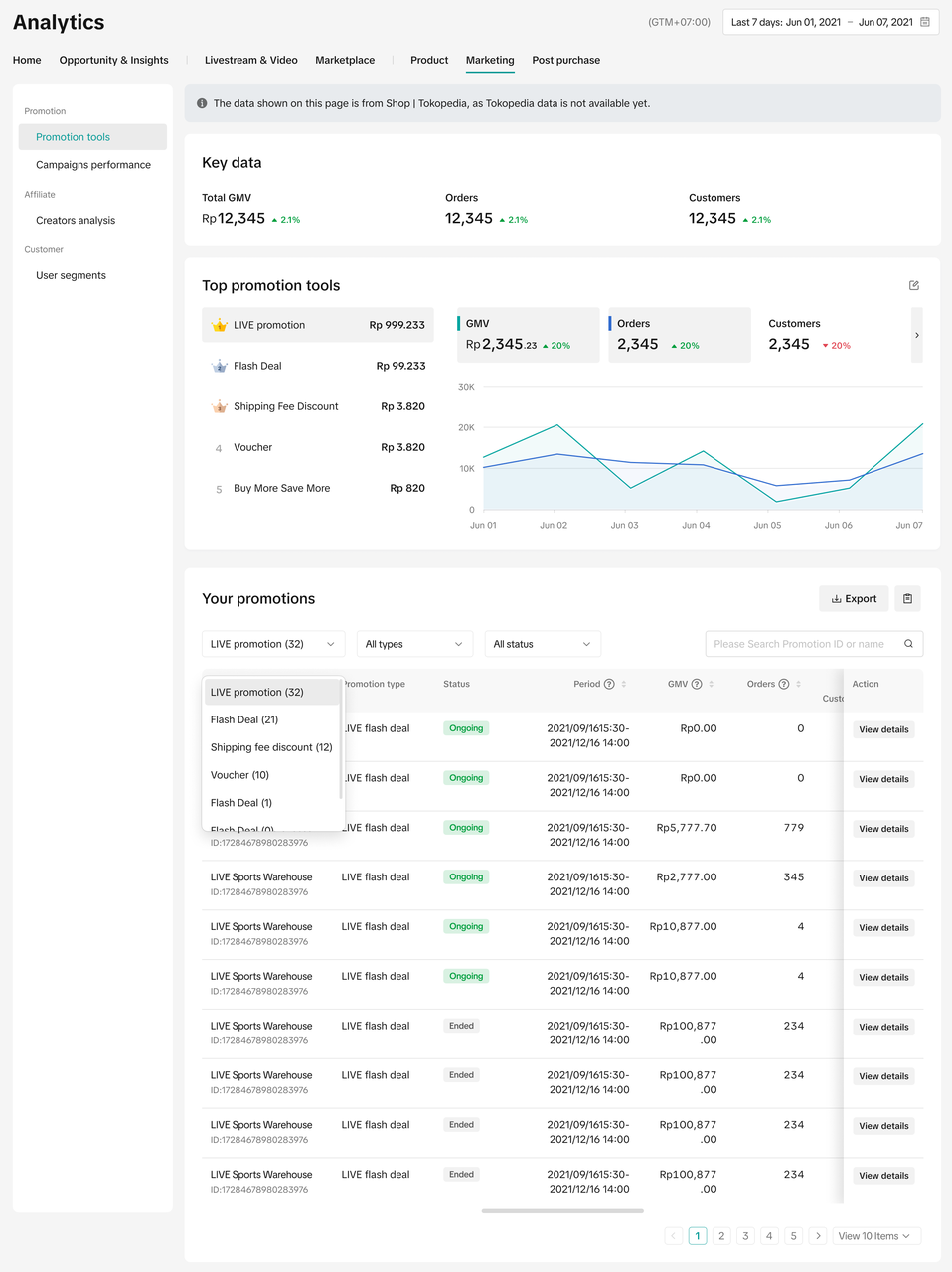
You can view data related to promotions in Data Compass. Click on the Marketing tab and select Promotion tools under the Promotions tab.- Note: Currently the Promotion tools analytics page will only show data from ShopTokpedia.
- Learn more about analyzing your promotion's performance in this feature guide.
FAQ
- If I do not complete the account integration, will I be able to create and manage my promotion activities?
- Can I deactivate my Tokopedia promotions during integration?
- Can I set promotion only for TikTok Shop by Tokopedia or only on Tokopedia? Or can I set different promotions between Tokopedia & TikTok Shop?
If the seller would like to set promotions differently on each platform, sellers need to separate the product listing by having 1 product to be sold on TikTok Shop by Tokopedia and 1 product to be sold on Tokopedia. Then sellers can set the promotion differently by choosing the corresponding product.
- If I merge products, what will happen to my seller promotion activities?
- Sellers that have already bound their shop in September: All ongoing and upcoming promotions previously created on Tokopedia will be deactivated, however promotions created on TikTok Shop by Tokopedia will be active as scheduled. After integration, sellers should review promotions and create new promotions for both platforms on Tokopedia & TikTok Shop Seller Center
- Sellers that have not bound their shop in September: All ongoing and upcoming promotions created on Tokopedia will be integrated and shown on Tokopedia & TikTok Shop Seller Center. After integration, sellers should review promotions for both platforms on Tokopedia & TikTok Shop Seller Center
- If the products merged have duplicated promotions, TikTok Shop by Tokopedia promotions will be prioritized (Learn more). For example: If Product A on Tokopedia and Product A1 on TikTok Shop by Tokopedia both have scheduled promotions. Once Product A is merged with Product A1, the product and promotion from product A1 will be used (promotion of Product A will be deactivated)
- Why are some of my promotions only displayed on TikTok Shop by Tokopedia and not visible on the Tokopedia consumer app?