

Product Merging After Integration
04/09/2025

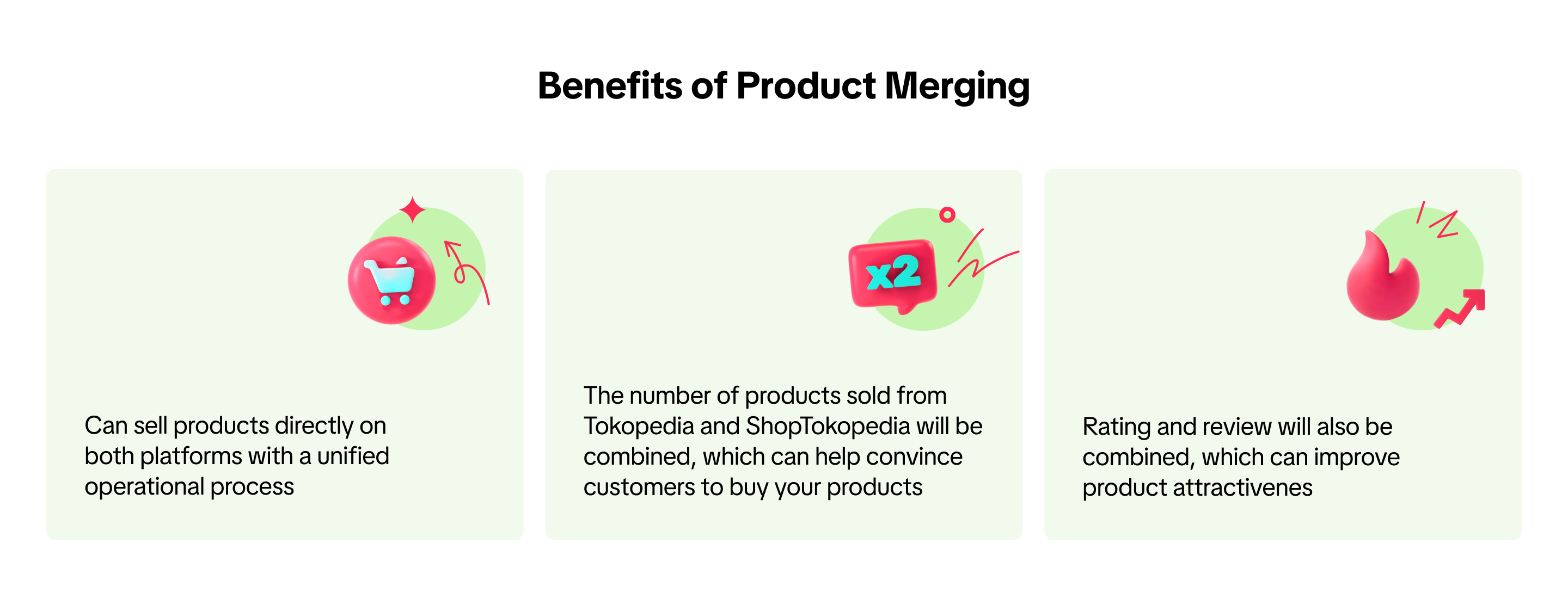
Benefits of Product Merging

Product Merging Overview
After account binding process, you will also need to confirm all the related information to start the Seller Center integration between Tokopedia and TikTok Shop. Find the details here.Right after you agreed to bind your account and confirm the integration, all of your product listing in Tokopedia will be copied to TikTok Shop.
In parallel, you should also review your product listings, because similar products between Tokopedia and TikTok Shop should be merged to avoid duplication. You should review and select which products to merge or keep separate on the Manage Products page.
- Your existing products from TikTok Shop will also appear and can be purchased on the Tokopedia buyer app a few days after sellers confirm product merging
- Products that will be copied are only active/inactive products. While suspended products will not be copied to the new integrated Seller Center
- Similar products with different weights will not be recommended by the system to be merged. If sellers want to merge them, then sellers must ensure that similar products between those on Tokopedia and TikTok Shop have the same weight
If you link your account by creating a new account on TikTok Shop through a fast onboarding process, your products will automatically be copied to the new integrated Seller Center, inheriting product information, rating, and reviews from Tokopedia.On the top of the page you will see a notice box that informs you of the list of actions you should do on Tokopedia & TikTok Shop Seller Center and also its deadlines. You should follow the lists to avoid any disruptions to your selling process on both platforms.
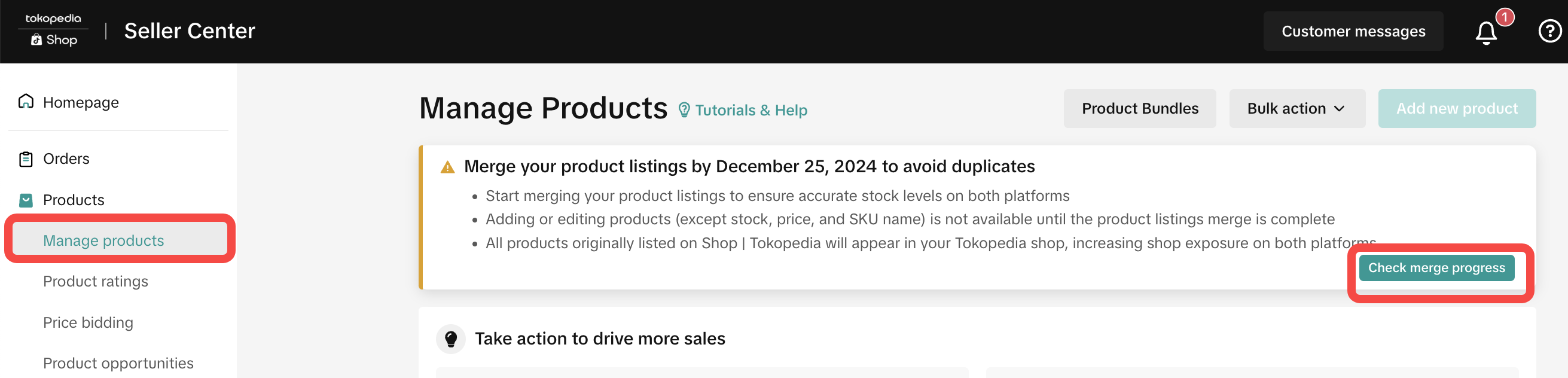
- Review the product list and confirm which products to merge or keep separated
- During the product merging confirmation process, you can't add or edit products in Tokopedia Seller Dashboard and Tokopedia & TikTok Shop Seller Center except for stock, price and SKU that can be edited through Tokopedia & TikTok ShopSeller Center until the merging process is completed. However, the products will still appear on the customers-end and can be purchased.
- Sellers have 14 days to decide whether to merge or not. If there is no confirmation after 14 days, the products will be treated as new products in TikTok Shop
- Once a product is merged, it can't be unmerged
- Sellers can turn off using Edit Product feature for each product. Find this function on the Manage Product page.
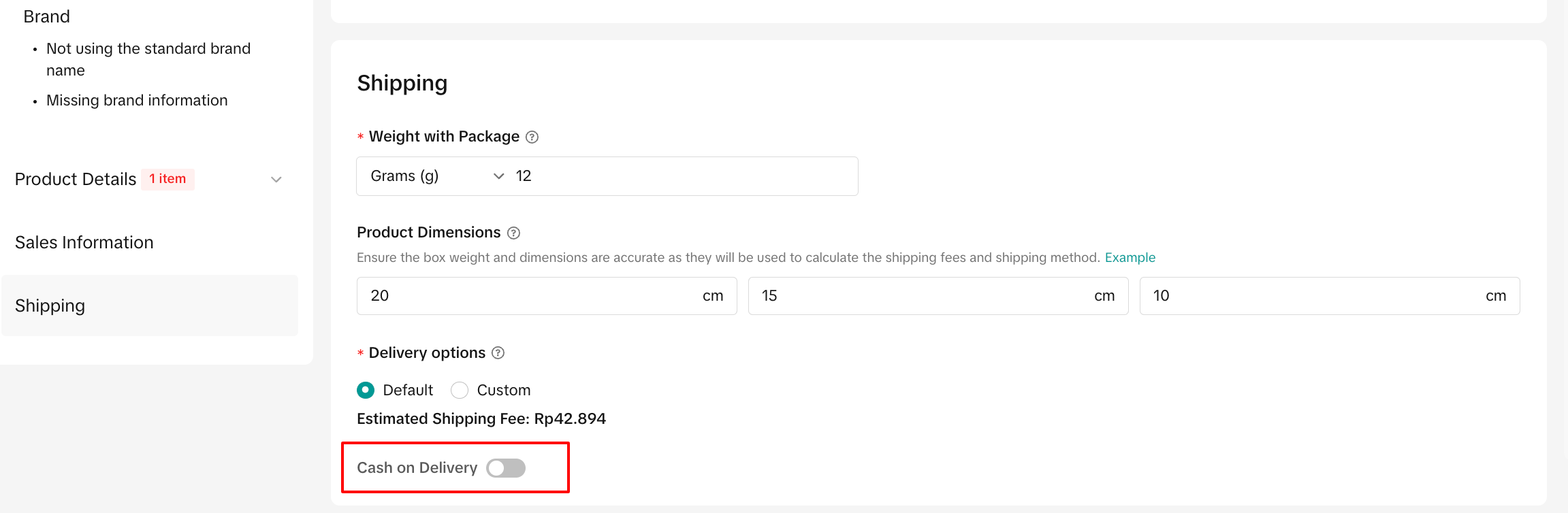
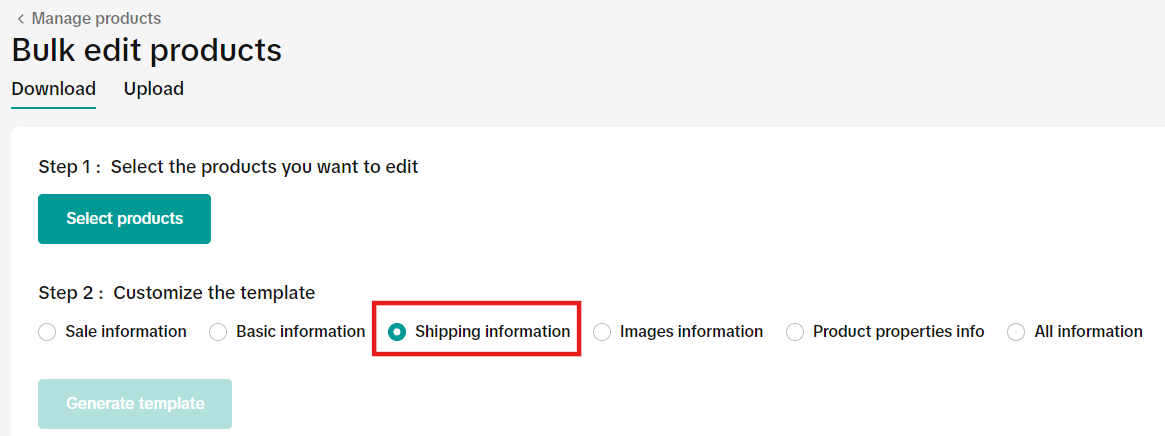
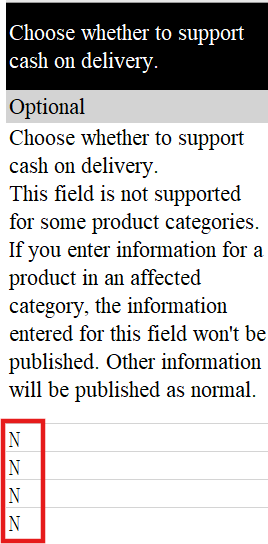
- Seller can also turn off COD using bulk edit template
What Sellers Should Do After Merging
- Check Product Variant to ensure those are complete
- Check Product Stock to avoid overbooking
- Check the Product Price

Merging Information between Tokopedia and TikTok Shop
| Product Information | Merging Result |
| Product Image* | Follow TikTok Shop |
| Product Name | Follow TikTok Shop |
| Product Description | Follow TikTok Shop |
| Product Video | Follow TikTok Shop |
| Product Variant* | Combine both platforms (Tokopedia and TikTok Shop) |
| Product Price | Follow TikTok Shop |
| Product Stock | Follow the highest stock amount, either Tokopedia's or TikTok Shop's stock |
| Product Weight | Follow TikTok Shop |
| Shipping Insurance | Information will be merged, but can only be applied on Tokopedia buyer app |
| Delivery Option | Shipping options from Tokopedia will be copied to TikTok Shop, sellers can adjust it accordingly later |
| Number of Product Sold in Tokopedia | Merged and totaled from both platforms |
| Product Rating | Merge and aggregated |
| Product Review | Merged and combined to display reviews from both platforms on both customer-ends |
Detail for Pre-Order Products
- When sellers still do not confirm the product merging process, Tokopedia Pre-Order product will be purchasable in Tokopedia-only.
- If both products are pre-order, the pre-order duration will follow TikTok Shop's value.
- If the product in TikTok Shop is not a pre-order product and the product in Tokopedia is a pre-order product, when they are merged, the product will become a non pre-order product.
- If the product only has a pre-order setup in Tokopedia, sellers should keep the product separated so that the product can only be sold with a pre-order option in Tokopedia. When sellers edit the product in the new integrated Seller Center, the product will lose the Pre-order option and go back to normal (Non-PO) status.

Merge or Keep Separate Single Product
Follow these steps to choose which products to merge and keep separated.For products that you choose to keep separated, those Tokopedia products will automatically be added as a new product in TikTok Shop and maintain its information from Tokopedia - including item sold number, rating and review.


Merge or Keep Separate Products in Bulk
If you have hundreds or even thousands of products, you can select multiple products at one time to be merged. Once you choose to merge products in bulk, items that have more than one similar product will automatically be merged to the first option.



Warehouse Information
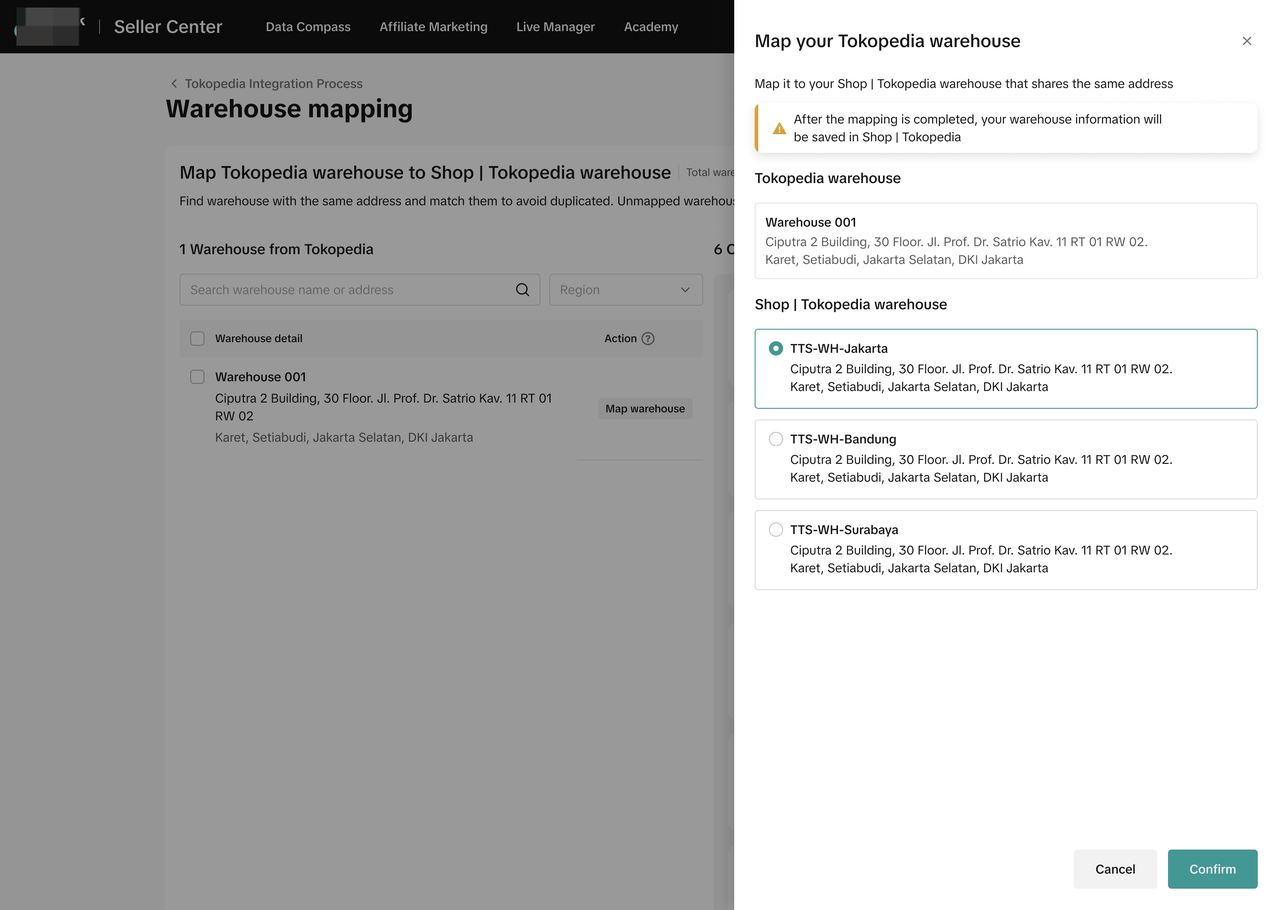
For sellers who previously already have a TikTok Shop account, after the account binding and during integration process, sellers can map their Tokopedia warehouse with the existing warehouse that they have listed in TikTok Shop if the addresses are the same to avoid duplication. If sellers don't want to map them because the address is different, their Tokopedia warehouse will just be copied and added as is.For sellers with a single warehouse in both Tokopedia and TikTok Shop, the system will retain the TikTok Shop warehouse.
If sellers previously have warehouses in Tokopedia but don't have one in TikTok Shop, the system will automatically copy and add their Tokopedia warehouses to Tokopedia & TikTok Shop Seller Center. Find the details about warehouse here.
Stock Logic
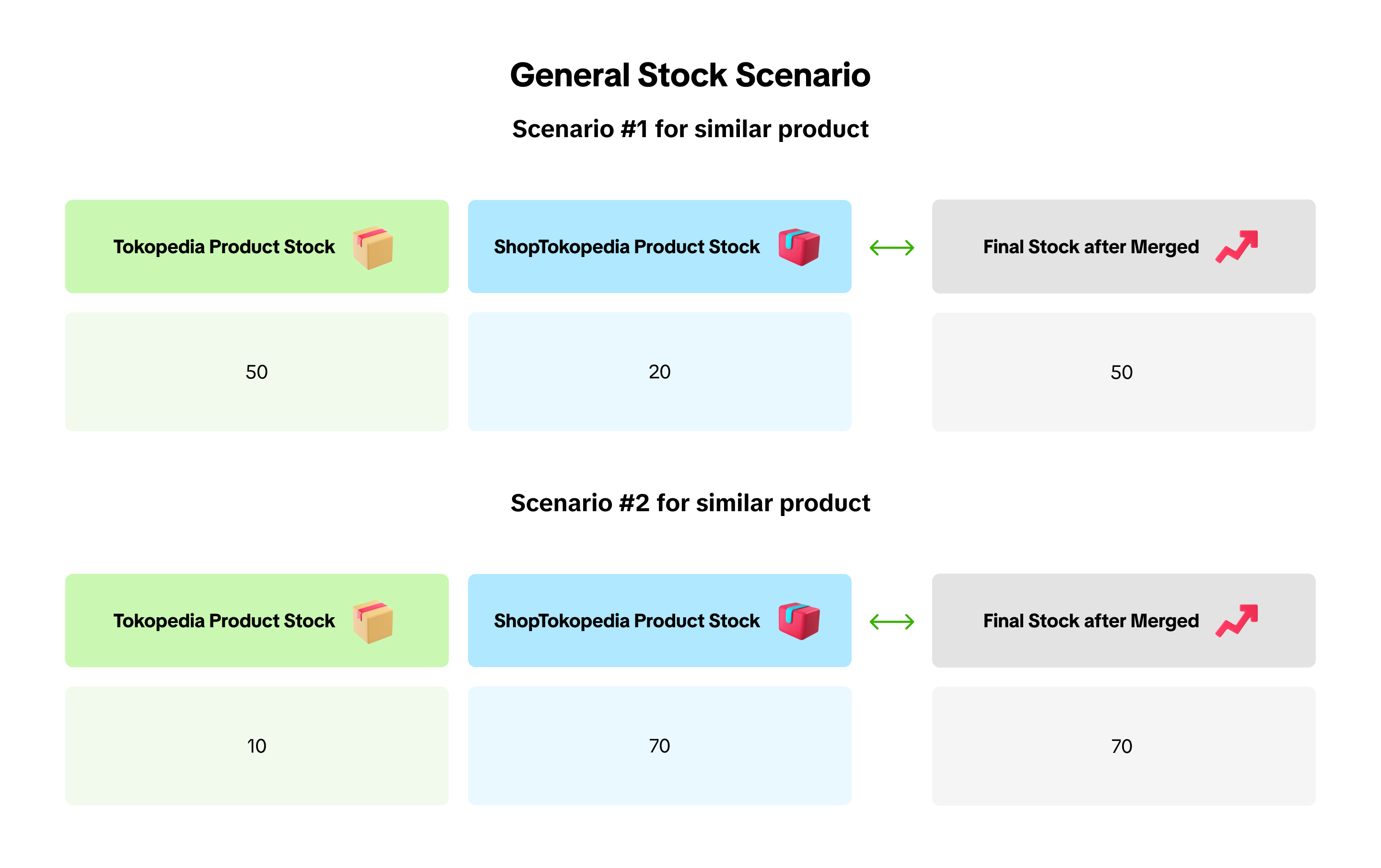
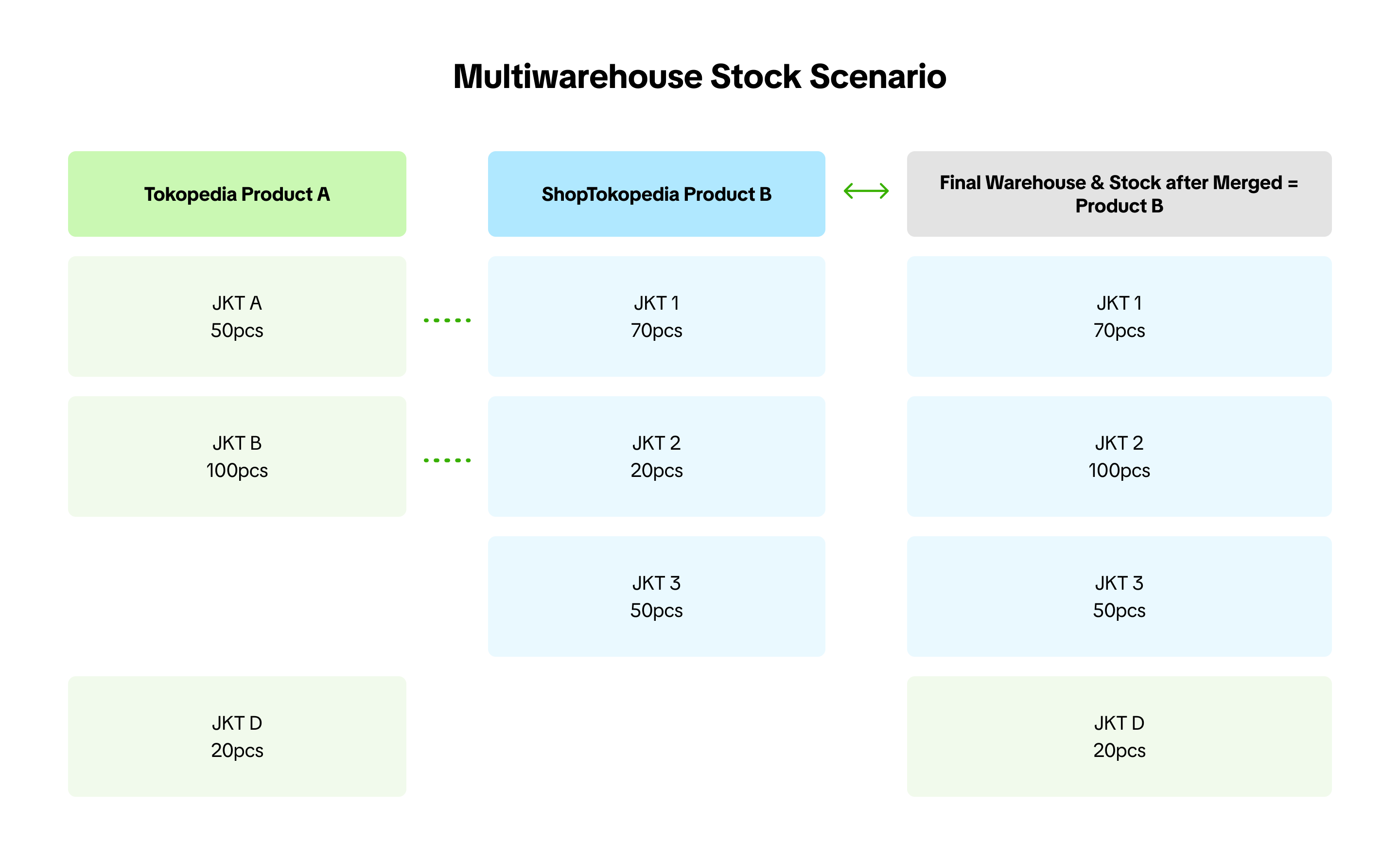
- Final stock for both platforms will follow the highest stock amount to be displayed on both TikTok app and Tokopedia app
- If sellers choose to keep the product separated, the products from Tokopedia will be added as a new product and the stock will follow the original stock amount from Tokopedia for both platforms, Tokopedia and TikTok Shop
- Stock number will not be deducted until the product is ready to ship and leaves the warehouse/store. In the meantime, available stock will be changed to committed stock. Learn more about stock management here

FAQ
- Why I can't find some products that originated from Tokopedia in the TikTok Shop Seller Center?
- Please note that there are some products that will be copied to TikTok Shop but automatically set as inactive in TikTok Shop (but will still be active in Tokopedia) because they do not comply with the policies at TikTok Shop. Be sure to check the product policies at TikTok Shop to avoid this issue.
- For ineligible products from Tokopedia, they will still be copied to the integrated Tokopedia & TikTok Shop Seller Center and can be managed there, but will only be displayed and can be sold on the Tokopedia app.
- Can a merged product be cancelled?
- No, once a product is merged, the process cannot be undone. We recommend sellers to deactivate the products on one platform through Tokopedia & TikTok Shop Seller Center if they don't want the products to appear on any of both platforms.
- Will products be automatically displayed on both platforms?
- After the product merging confirmation, all products will be displayed on both platforms, Tokopedia and TikTok. Sellers can manage orders that come from both platforms through the integrated Seller Center.
- Sellers can choose if they only want to show some of their products on one platform only. See the details in our feature guide here.
- Can I edit products through Tokopedia & TikTok Shop Seller Center and Tokopedia Seller Dashboard?
- After you have confirmed the shop integration process, the Seller Center will be integrated into one Tokopedia & TikTok Shop Seller Center. You can only manage all of your products for both platforms through the integrated Tokopedia & TikTok Shop Seller Center.
- What should be done to avoid stock overbooking?
- Sellers need to review their stock and ensure that the listed values on the TikTok Shop by Tokopedia platform align with their actual stock availability. After the product merging confirmed, the product stock will follow the highest available amount.
- Will the seller commission fee between Tokopedia and TikTok Shop be the same?
- Tokopedia and TikTok Shop mostly have the same commission fee. However, in some special cases you may find differences. The commission fee will follow the origin of the orders. If the order is coming from Tokopedia, then the seller commission fee that is charged for that order will follow Tokopedia's and vice versa.
- What should I do if I have a problem with my product or account?
- For TikTok Shop by Tokopedia related issues, please contact TikTok Shop by Tokopedia Contact Us.
- For Tokopedia related issues, please contact Tokopedia Help.
You may also be interested in
- 1 lesson
Product Listing
Create compelling and informative product listings to attract more buyers!
- 4 lessons
Listing Product
A practical guide to uploading products effectively covering naming, categorization, visuals, and de…
- 2 lessons
Finding the perfect product list
Discover how to choose the right products that align with current trends and buyer demands on TikTok…
What are Restricted Products?
This policy applies to products listed on TikTok Shop by Tokopedia. For products listed on Tokopedia…
Branded Products Listing Guidelines
What are Branded Products? Branded products are products bearing a brand. The brand and its features…
Product Categorisation
This policy applies to products listed on TikTok Shop by Tokopedia. For products listed on Tokopedia…

Why can't my products be purchased on the TikTok Shop platfo…
Ensure that the product is live with sufficient stock quantity enabled for buyers to purchase. Alt…

How can I edit my products?
Go to Seller Center > Products > Manage Products > Edit Once you have made the necessary changes, s…

How can I optimise my product name?
Be as accurate and concise as possible, while highlighting the main selling point. Here is a sugges…

Can I upload a product video?
It is optional to upload a video to showcase your product. If you choose to do so, kindly ensure th…