

Seller Center App Product Listing
03/08/2024

How to Install Seller Center Mobile App
Seller Center App is both available on the iOS App Store and Google Play Store. It's free, easy to install and highly accesible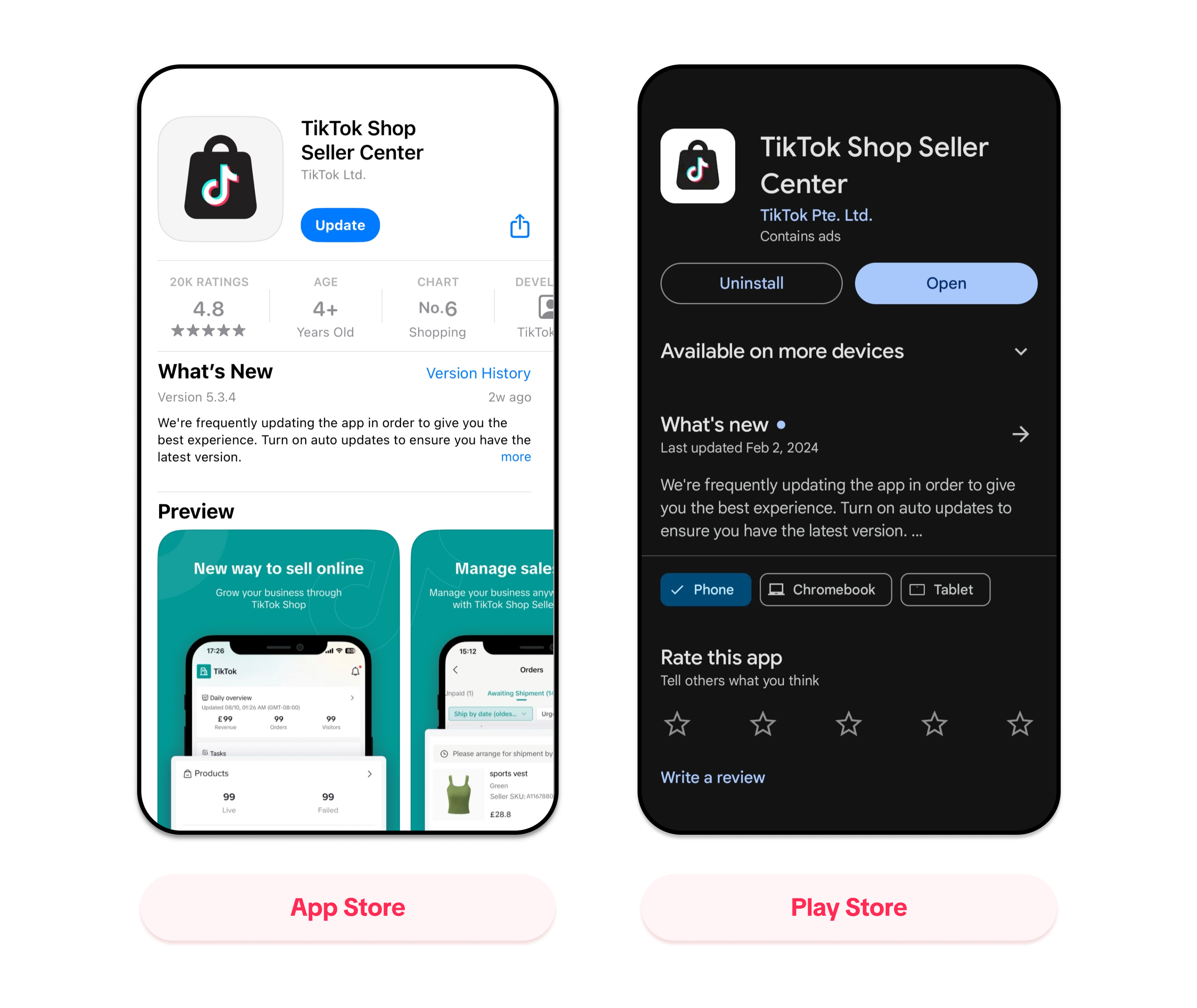

Seller Center App Product Listing Module
Manage Product Page
Seller Center app provides product visibility for users with compact views and user intuitive design.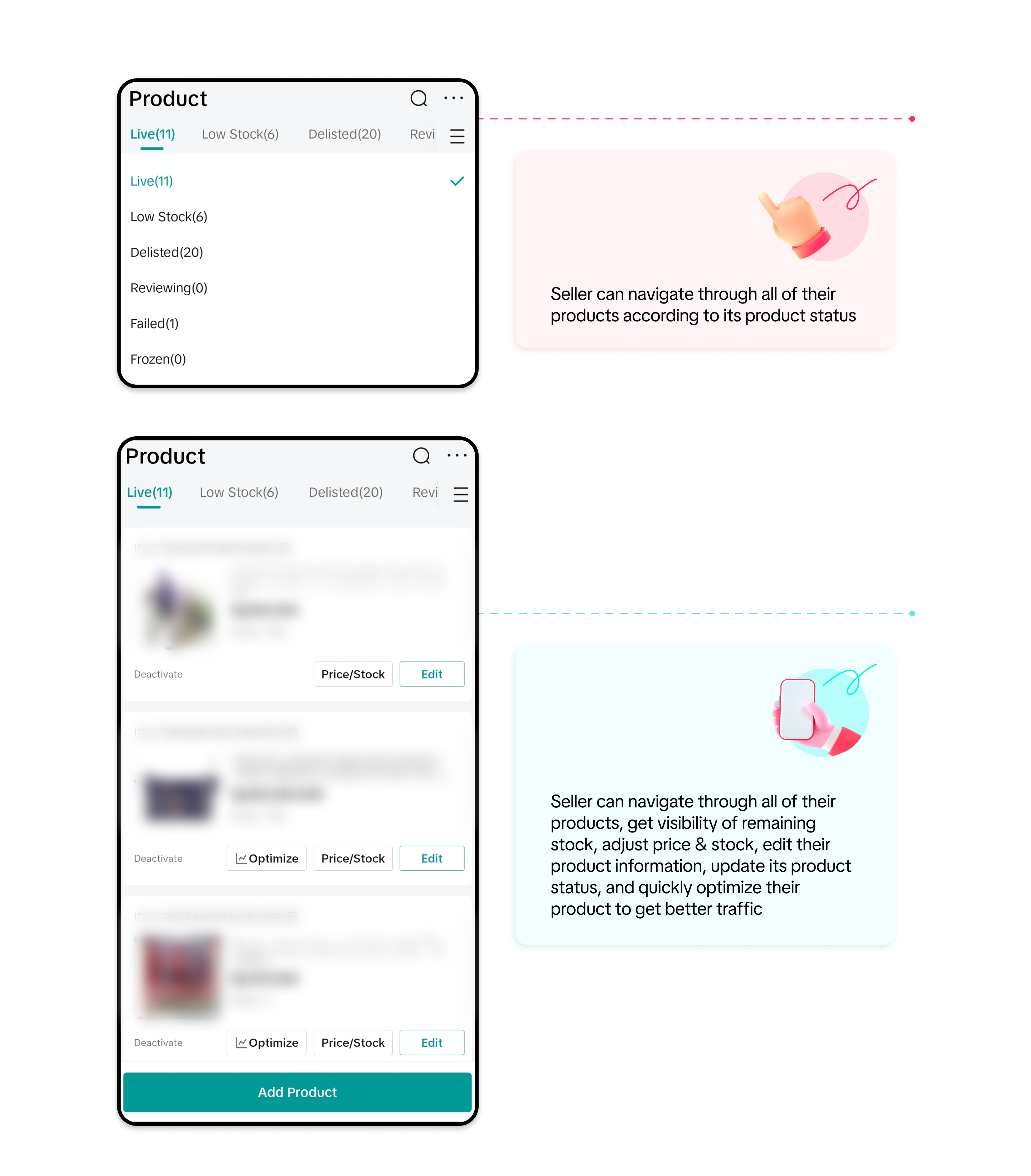
Add / Edit Product module
Add/edit product module enables users to create new product / edit existing product via simple steps and presented through intuitive user interface which will boost users efficiency and productivity during product listing process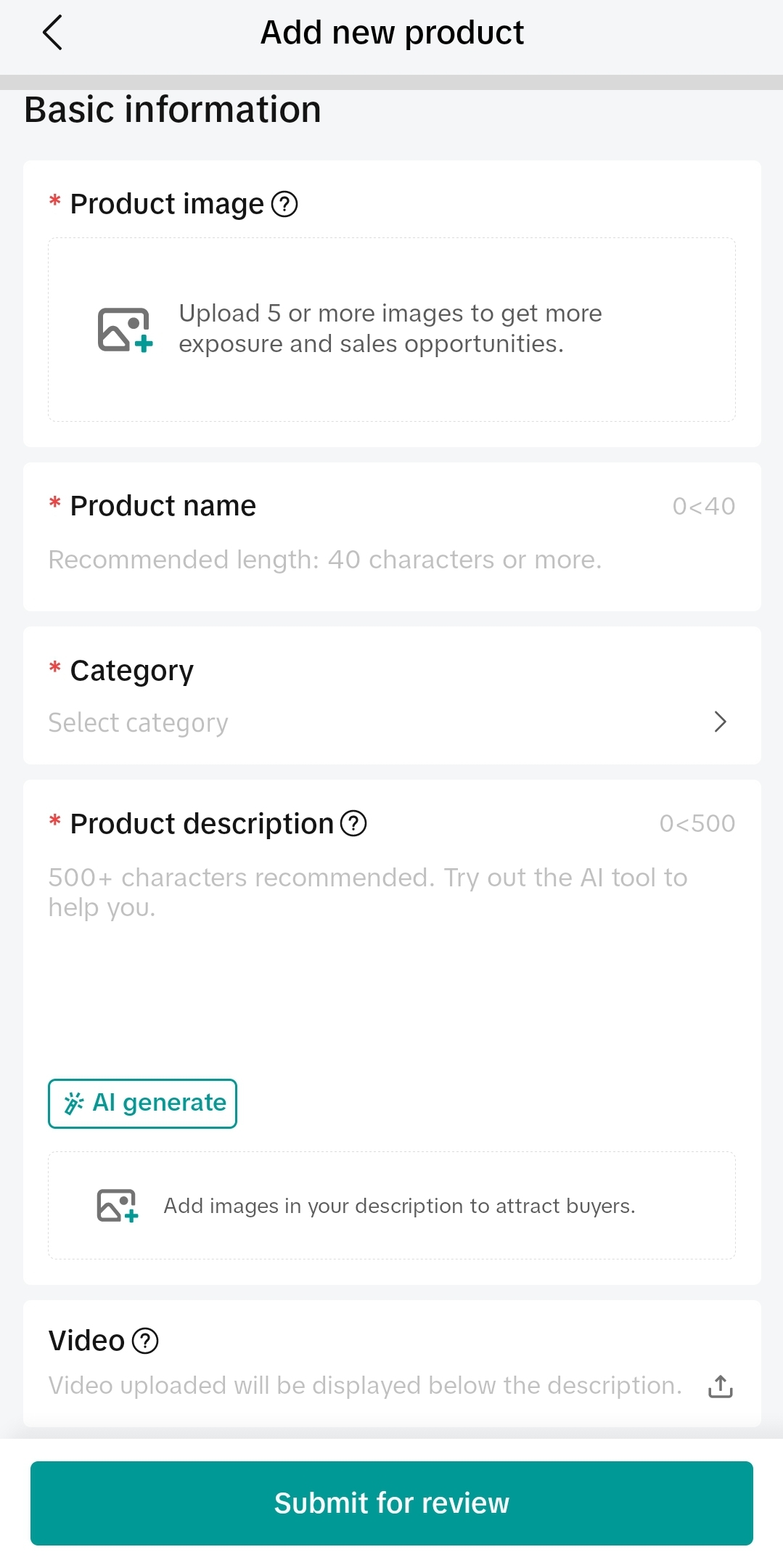 | 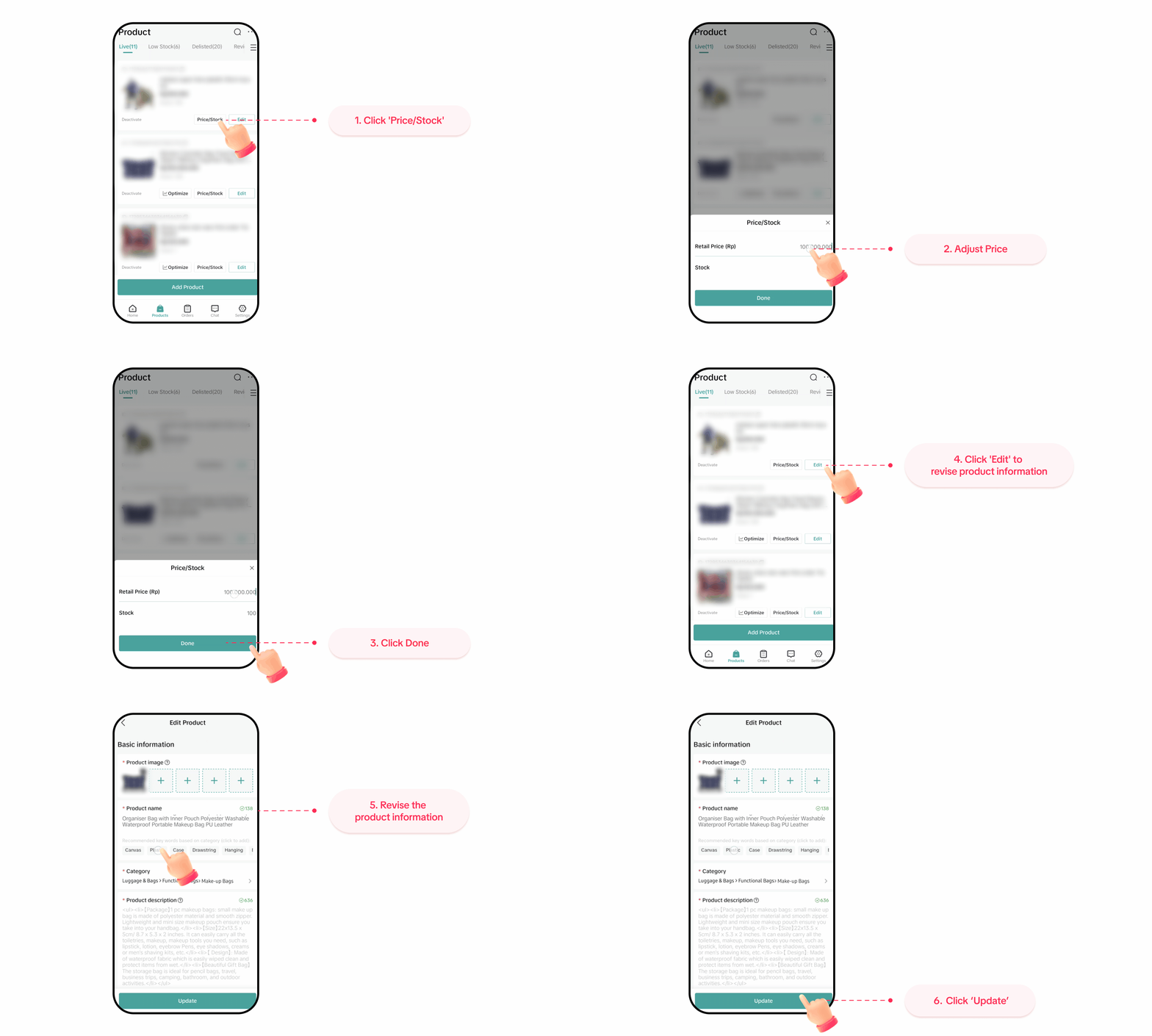 | 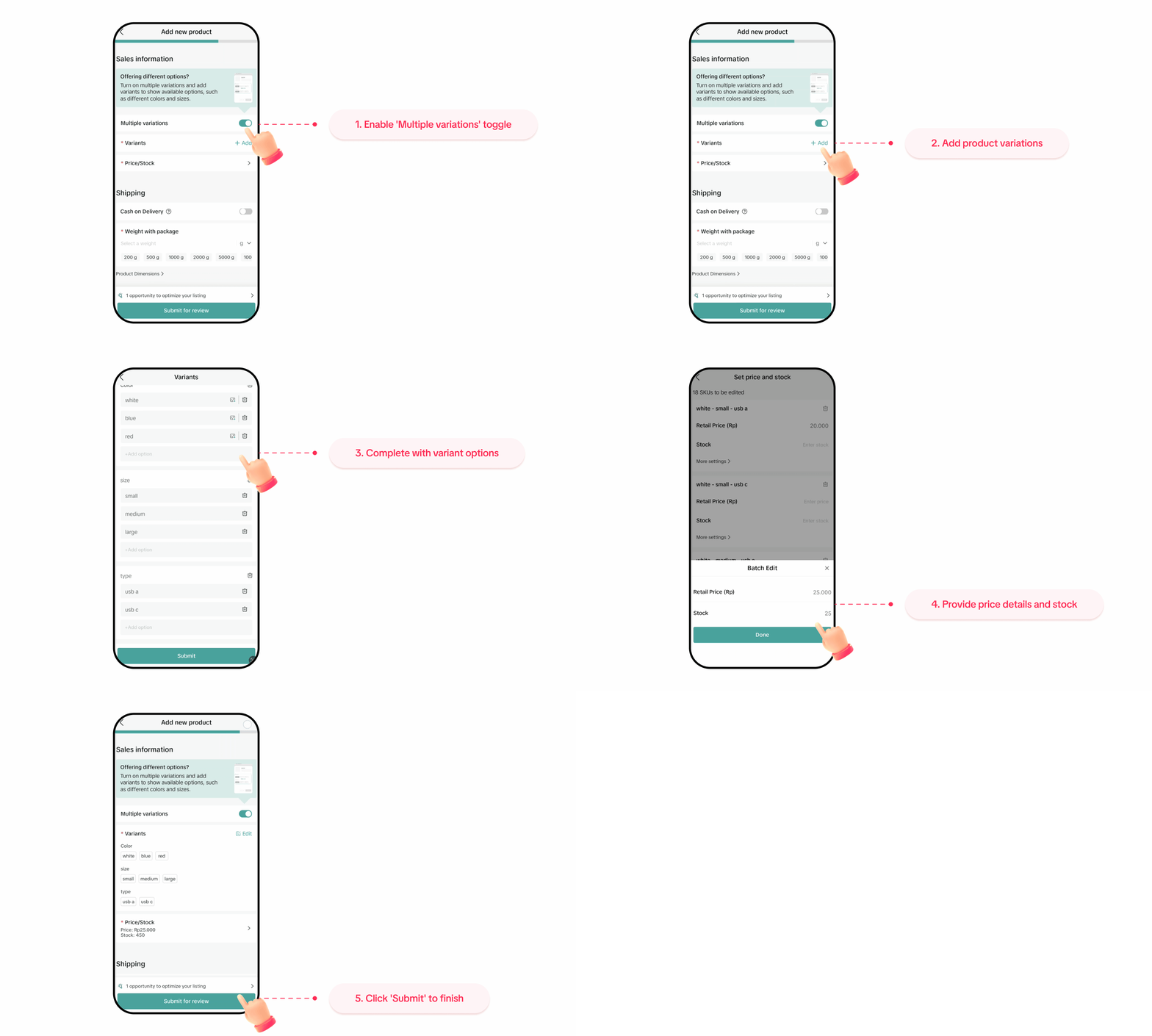 |
Add Product page provides various AI supported features which will enable users to generate high quality product information that such as:
| Users can update price / stock in bulk or per product individually through the "price/stock" button. To further enhance / edit product information, users can click on the "edit button" and redirected to the edit product page. On this page, users will be able to navigate and edit their product freely before proceeding to submit it for product review process | Seller Center App Product Listing Module enables sellers to register and navigate their product variant with intuitive user interface, complete with variant definitions displayed via infographics which will enable new or seasoned seller app users to understand better on how to manage their product variants |
AI Supported Feature
Product Listing module provides multiple AI supported features that will help users generate high quality product information which will enable products to compete for traffic on our platform and convince potential buyers to finalize the purchase based on the rich high quality product information provided.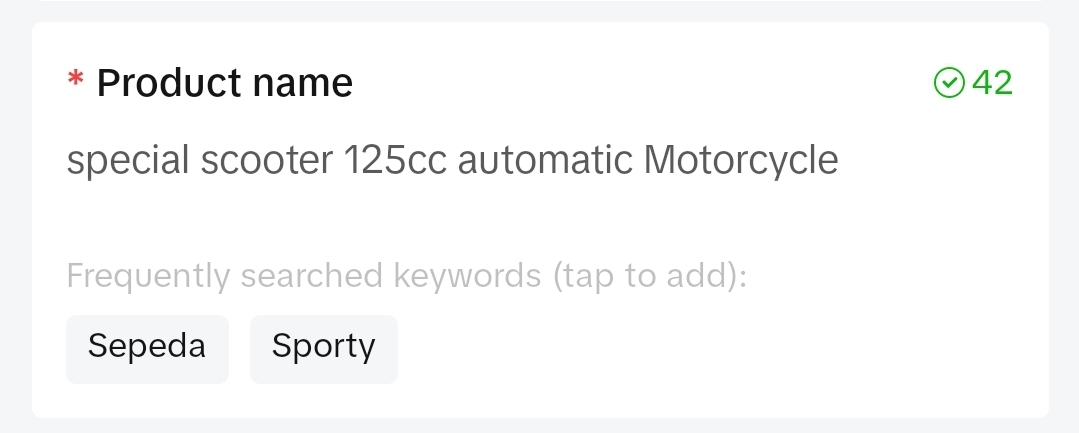 | 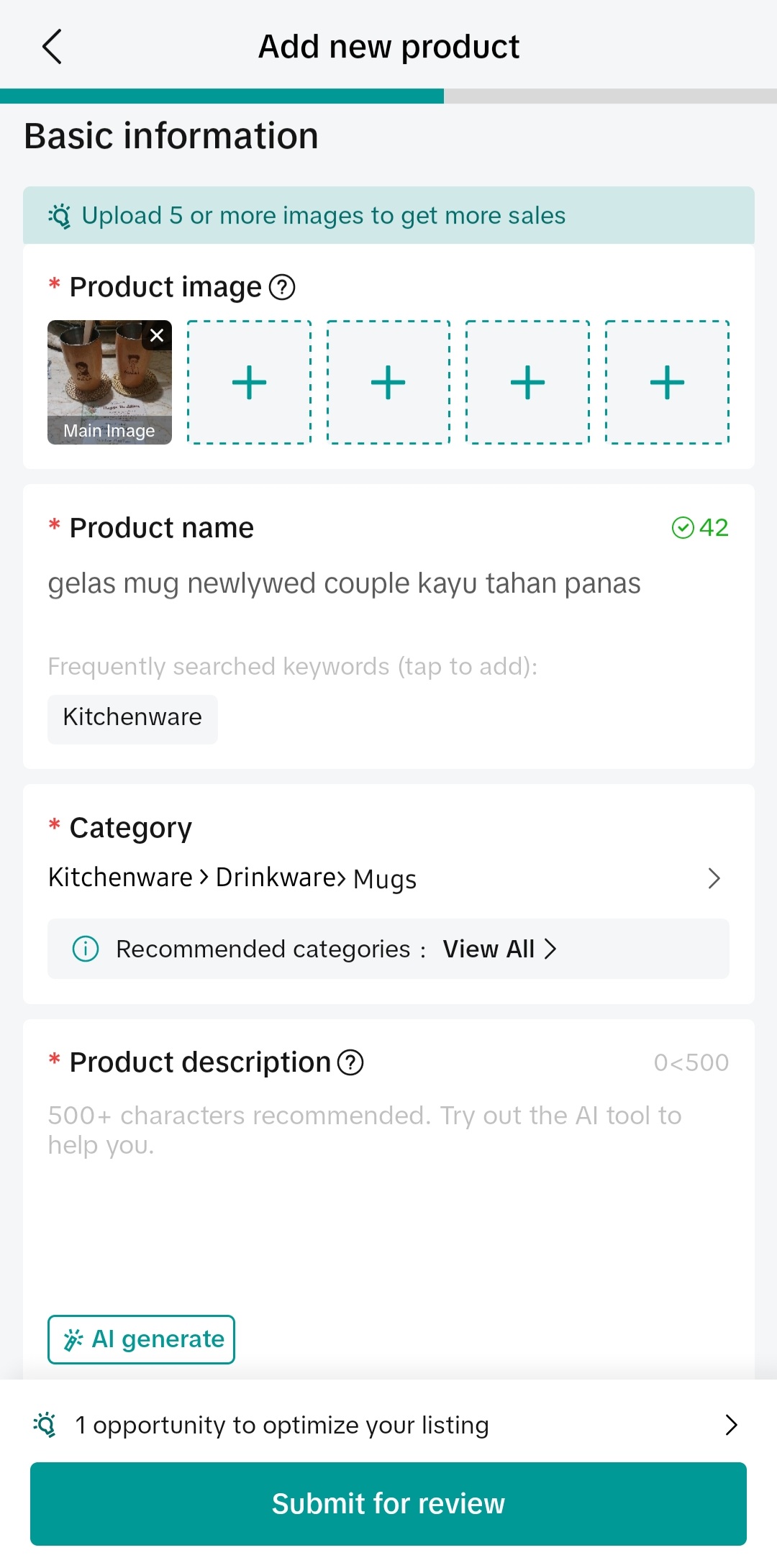 | 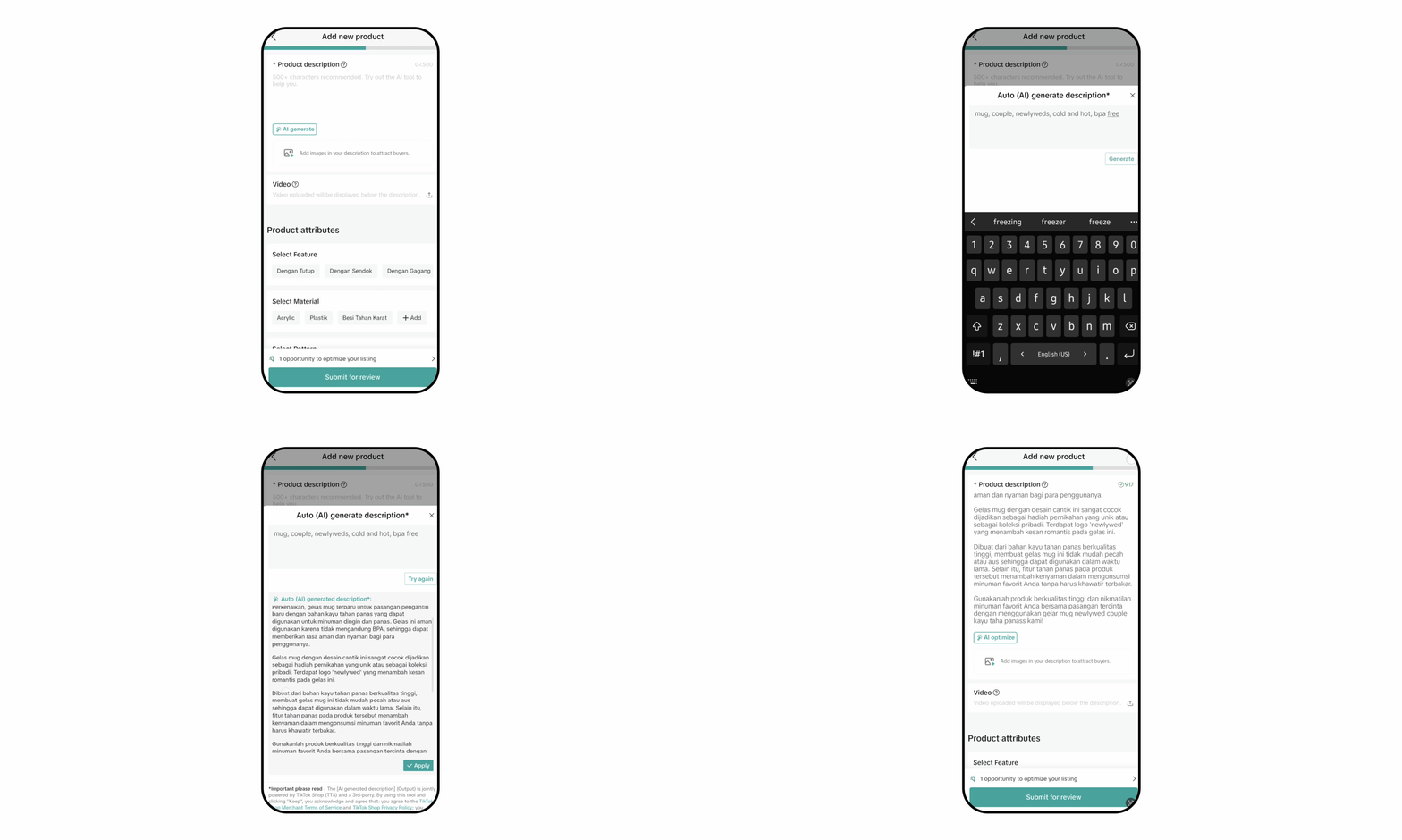 |
| We provide trending keyword recommendations based on the product title, category and product picture that are registered by sellers based on our SEO keywords data on our platform | Category is one of the core information that will decide sellers product performance on our platform. We provide category recommendations for our users' product based on the product picture and title to minimize the condition where users register the wrong category for their product, which results in their product getting banned/frozen due to incorrect category | Product description plays a major part for buyers to decide whether they want to finalize the order and proceed to purchase a product or not. By leveraging AI technology, we enable sellers to generate rich and informative product descriptions based on simple keywords provided by sellers with just a click of a button |
Quick Optimization Feature
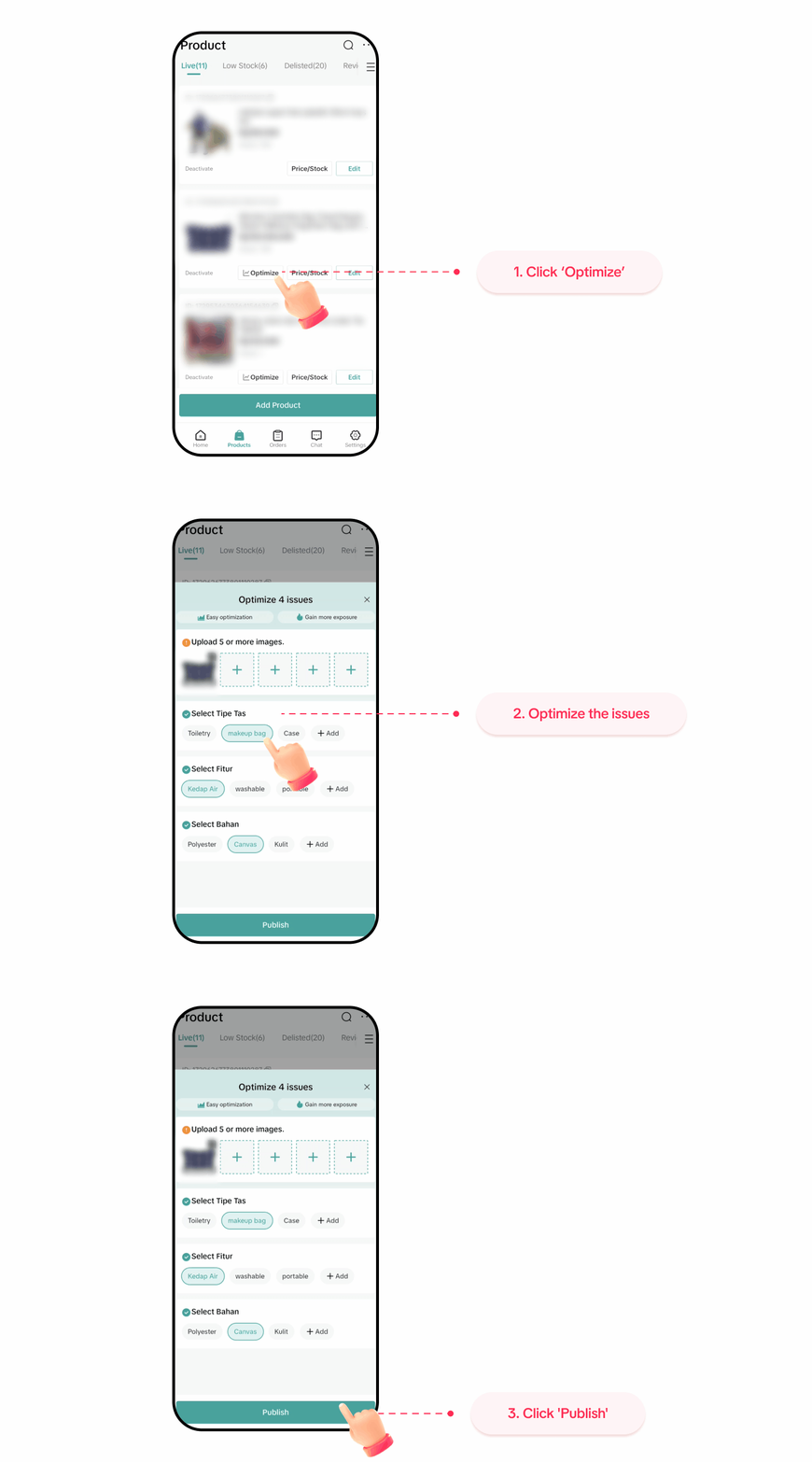
Quick Optimization feature enables users to quickly optimize their product based on our platform optimization recommendation that will help generate more traffic and conversion for our users. The "optimize" button will only trigger if our system detects optimization opportunities that sellers can adopt or enhance for their products such as :- Image optimization
- Attribute optimization
- Product title optimization
- Product description
- Sales informations
 |
Stock Alert Tools
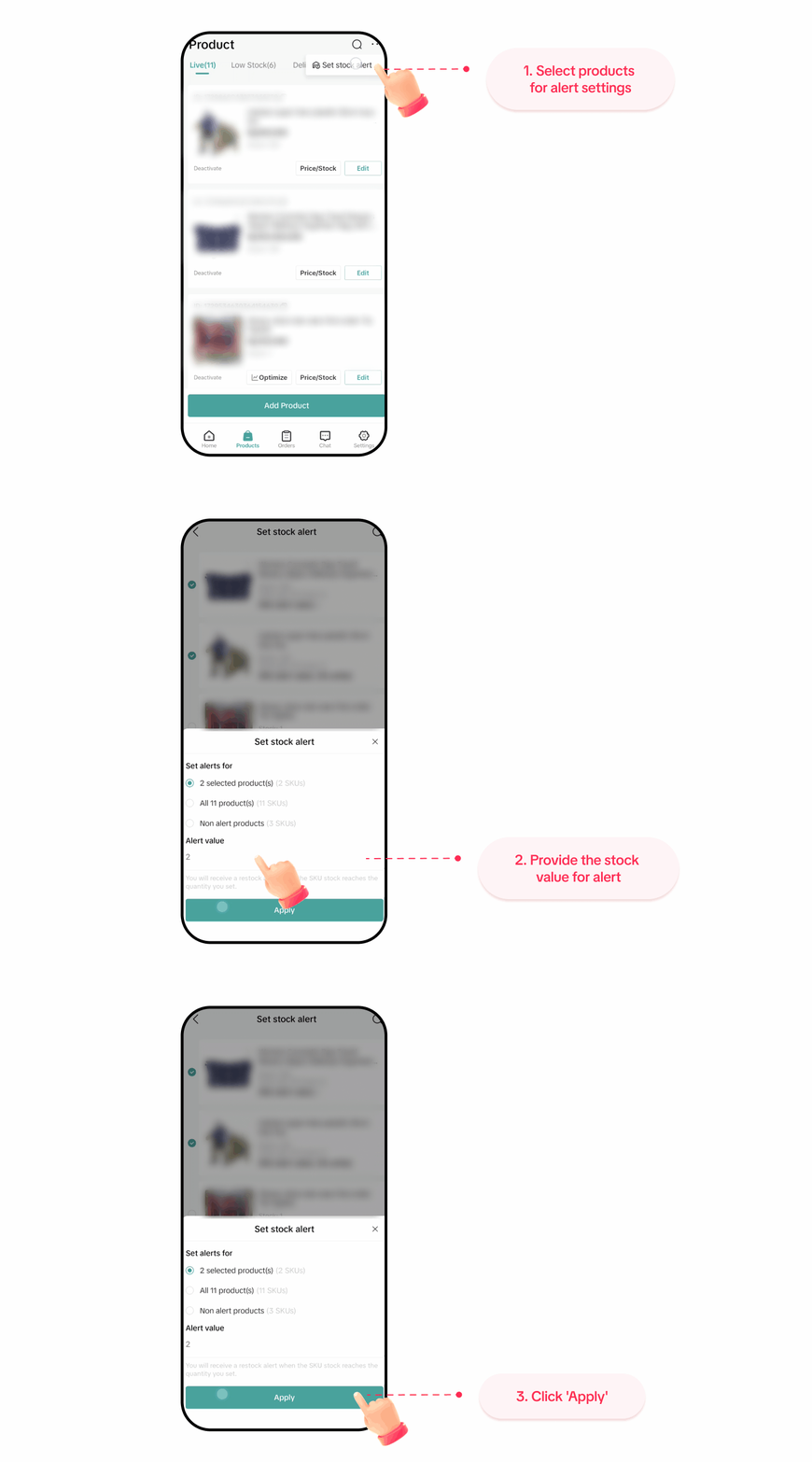
Inventory management is very crucial in every commerce situation. Sellers need to make sure that they always have available stock for buyers to purchase anytime. To support this, Seller Center App Product Listing Module provides quick access to our stock alert tools via the Manage Product page.Our stock alert tools provide real time notifications for every registered product with stock alert value. Users will receive push notification and inbox notification whenever one of their product stock value reaches below the registered stock alert value
 |
You may also be interested in
- 1 lesson
Product Listing
Create compelling and informative product listings to attract more buyers!
- 4 lessons
Listing Product
A practical guide to uploading products effectively covering naming, categorization, visuals, and de…
- 2 lessons
Finding the perfect product list
Discover how to choose the right products that align with current trends and buyer demands on TikTok…
What are Restricted Products?
This policy applies to products listed on TikTok Shop by Tokopedia. For products listed on Tokopedia…
Branded Products Listing Guidelines
What are Branded Products? Branded products are products bearing a brand. The brand and its features…
Product Categorisation
This policy applies to products listed on TikTok Shop by Tokopedia. For products listed on Tokopedia…

Why can't my products be purchased on the TikTok Shop platfo…
Ensure that the product is live with sufficient stock quantity enabled for buyers to purchase. Alt…

How can I edit my products?
Go to Seller Center > Products > Manage Products > Edit Once you have made the necessary changes, s…

How can I optimise my product name?
Be as accurate and concise as possible, while highlighting the main selling point. Here is a sugges…

Can I upload a product video?
It is optional to upload a video to showcase your product. If you choose to do so, kindly ensure th…