

New Arrival Discount
09/19/2025
Note: This promotional tool is available only on TikTok Shop by Tokopedia (it is not available on the Tokopedia platform).

What is New Arrival Discount
New Arrival Discount is a seller funded promotion tool designed to help sellers offer discounts on new products to boost sales and drive excitement on product launches.Create New Arrival Discount
Register New Arrival Discount on Merchandise Module
Access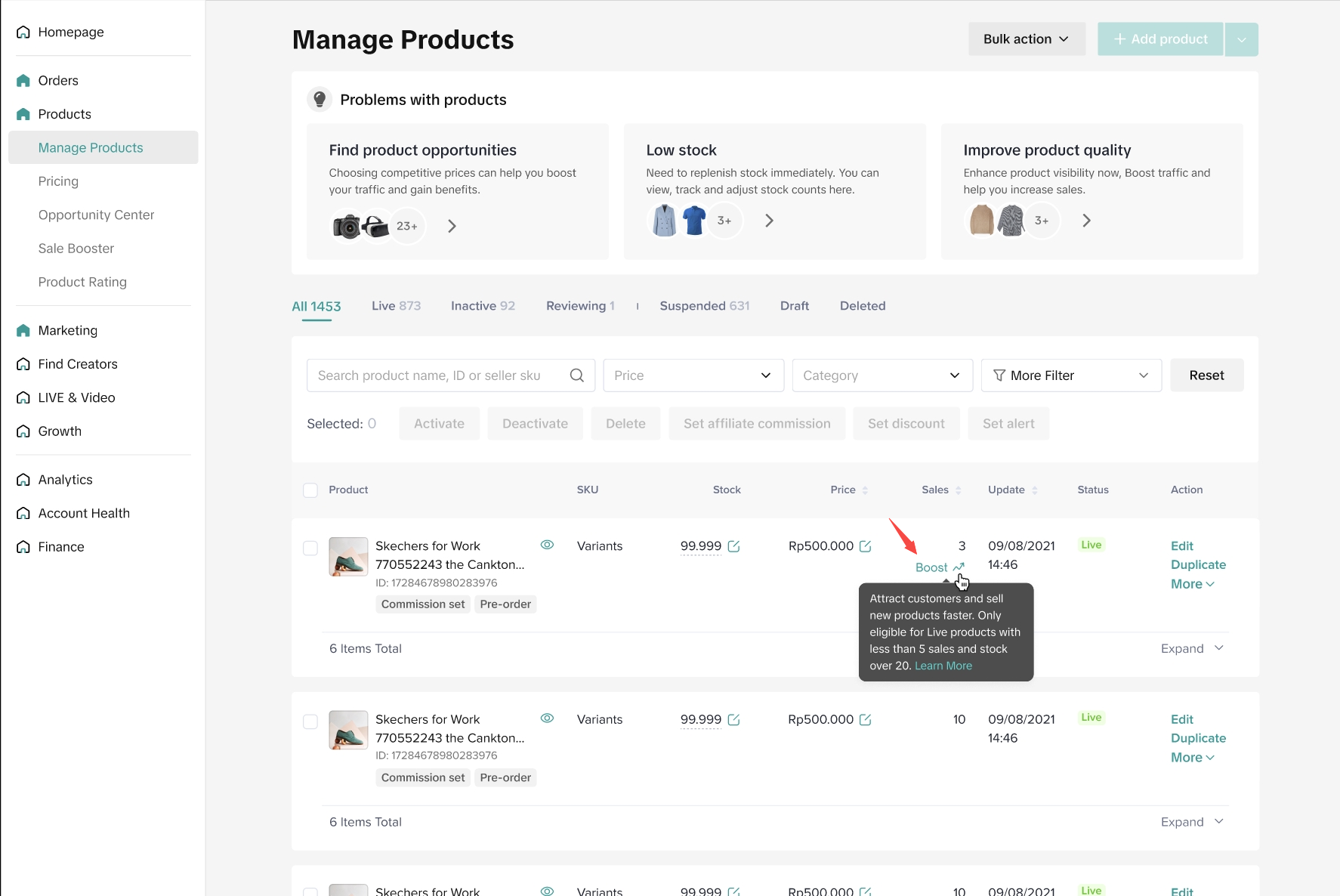 We've added a new boost button that can be used by sellers to create their "New Arrival Discount" promotion plan. This button is only available for products that are:
- Created in the last 60 days
- Have sales < 5 in the last 60 days
- Product status = Live
- Have stock > 5
SPUs with Variant View | SPUs without Variant View |
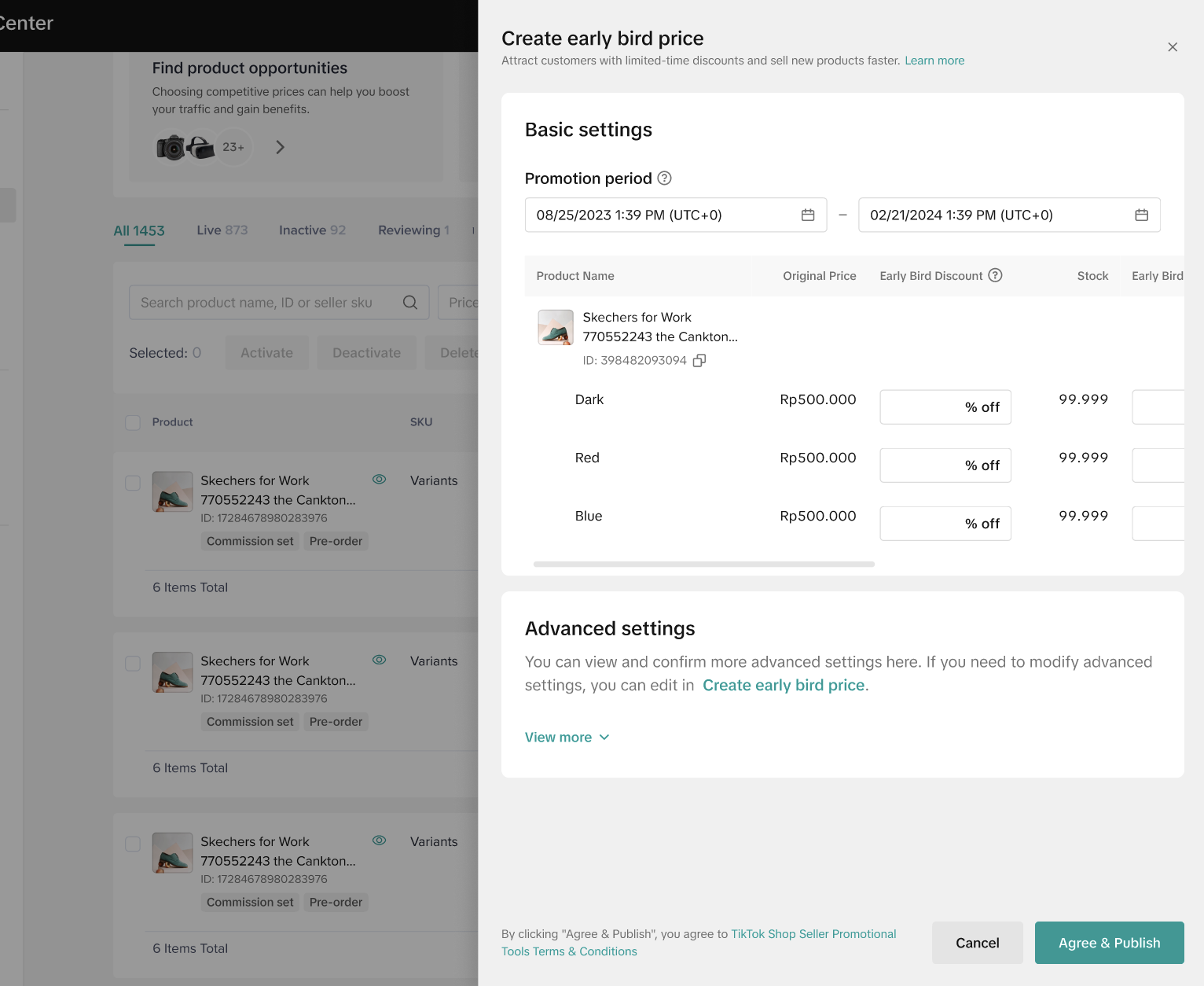 | 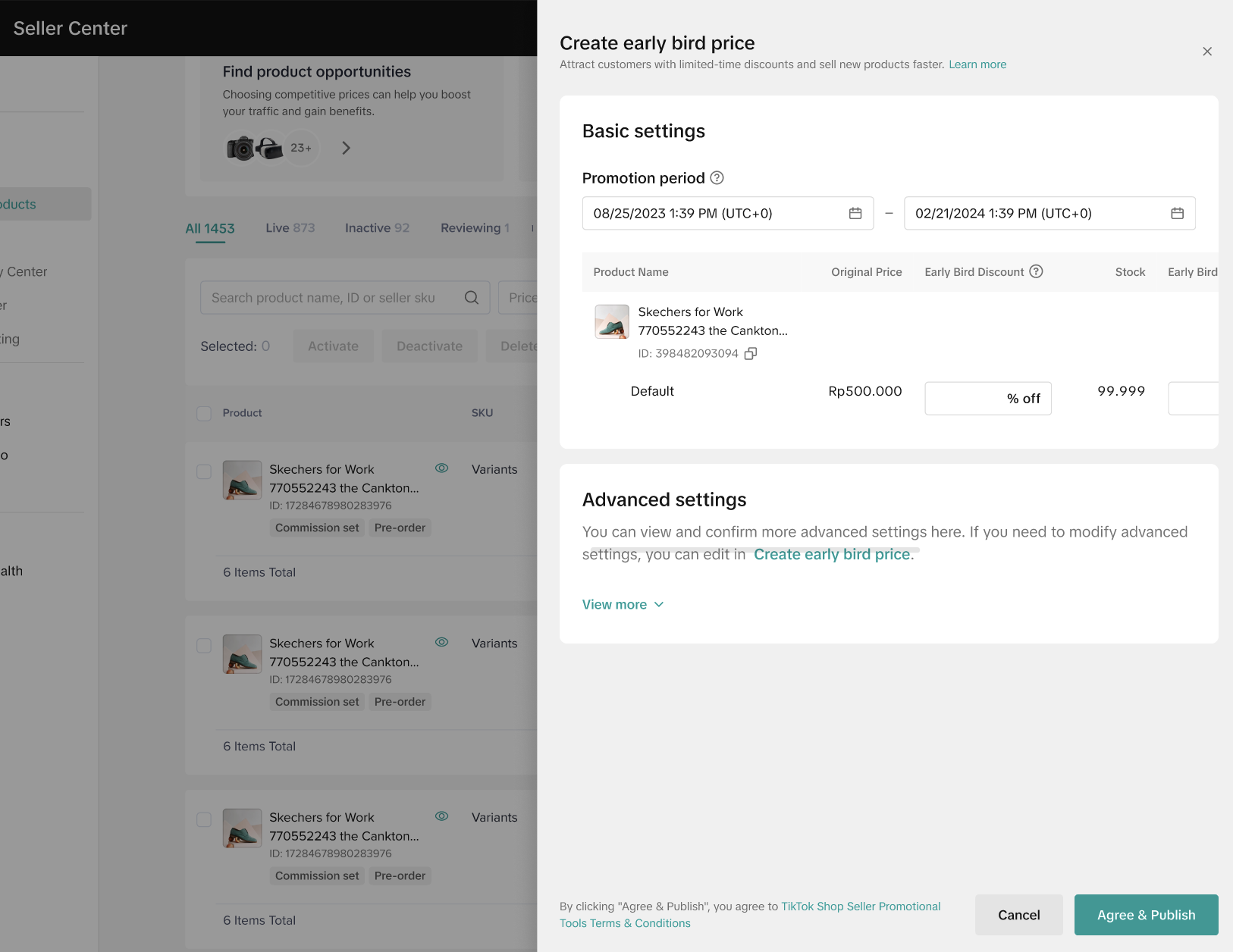 |
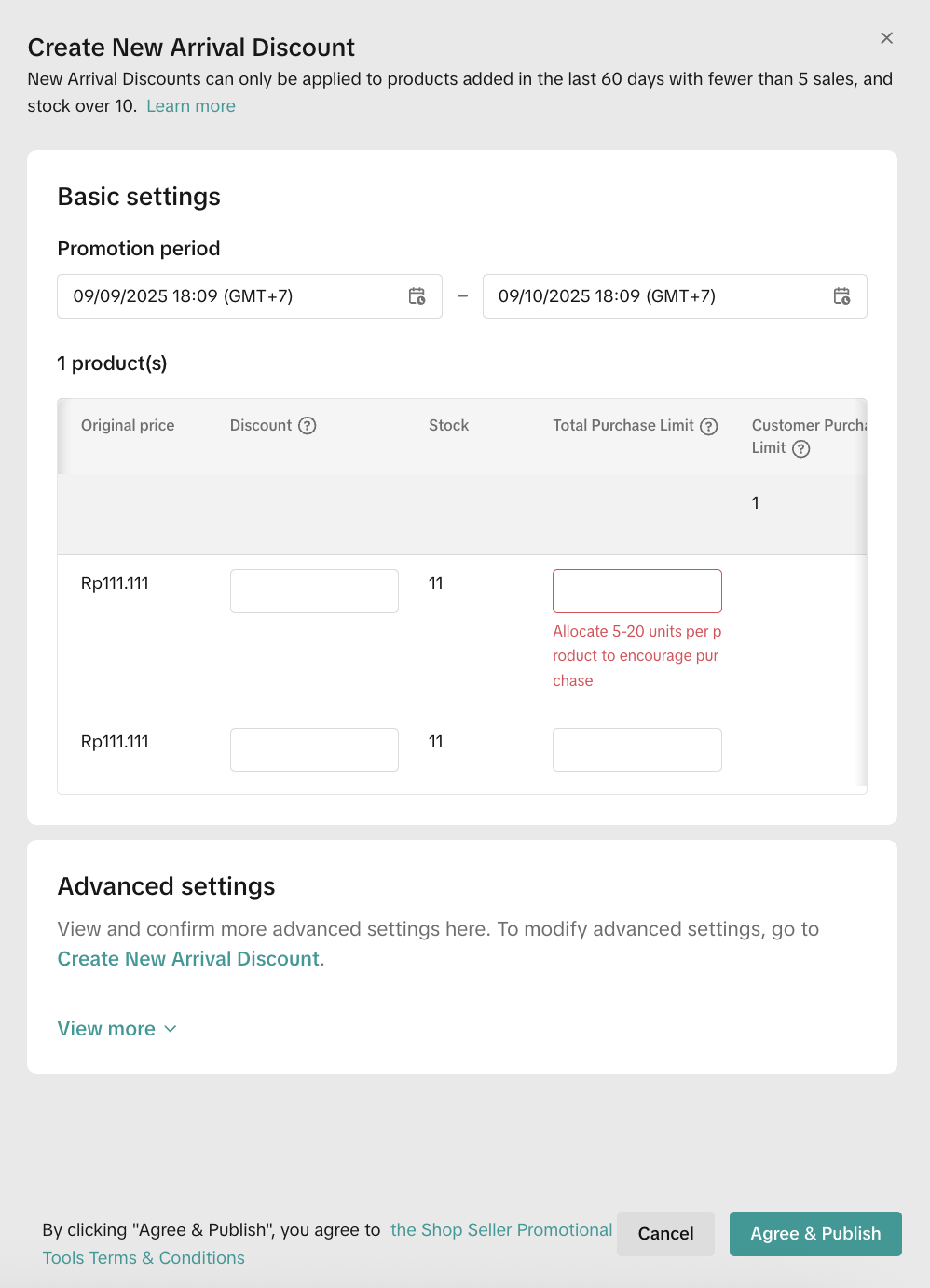 To proceed with registering sellers' New Arrival Discount promotion, sellers need to input basic information info such as:
- Promotion period
- This information will be referred to as a setting for activating and deactivating the promotion plan with Date identifier.
- New Arrival Price Discount %
- The amount of % off that sellers are willing to give to support the new arrival discount promotion plan. For some product categories, the minimum amount of % off is 30%.
- Customers Purchase Limit
- Total purchase limit: The total limit must be between 5-20 units
- Buyer purchase limit: The buyer purchase limit is 1 by default, therefore each customer can only purchase 1 unit of the same product (based on product level)
Sellers can cancel any new arrival price discount registration at this point by clicking on the "Cancel" button before clicking on the "Agree & Publish" button
Sellers can also setup a New Arrival Discount through the Promotion tool page.
Create New Arrival Discount on Promotion Module
Entrance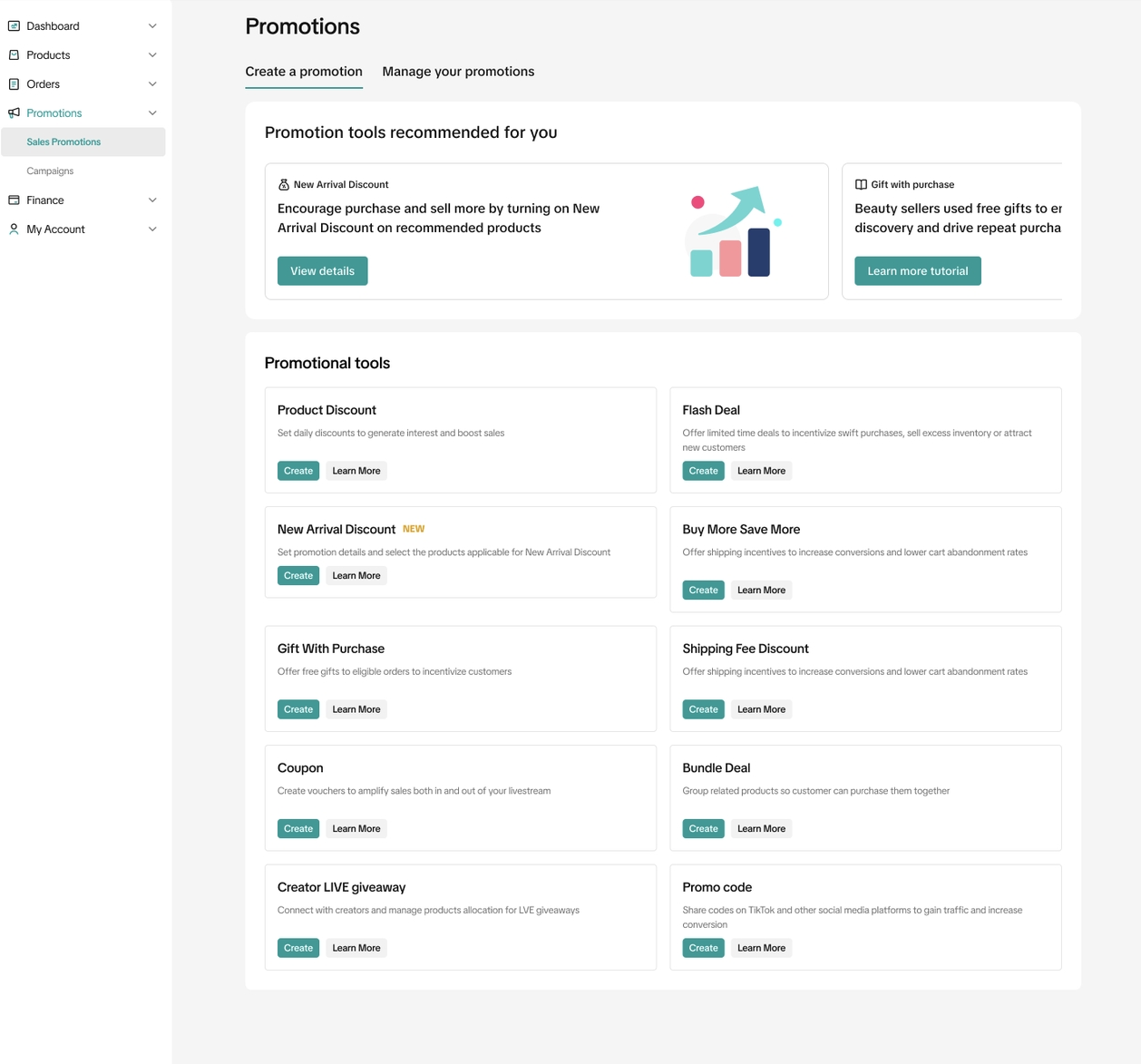
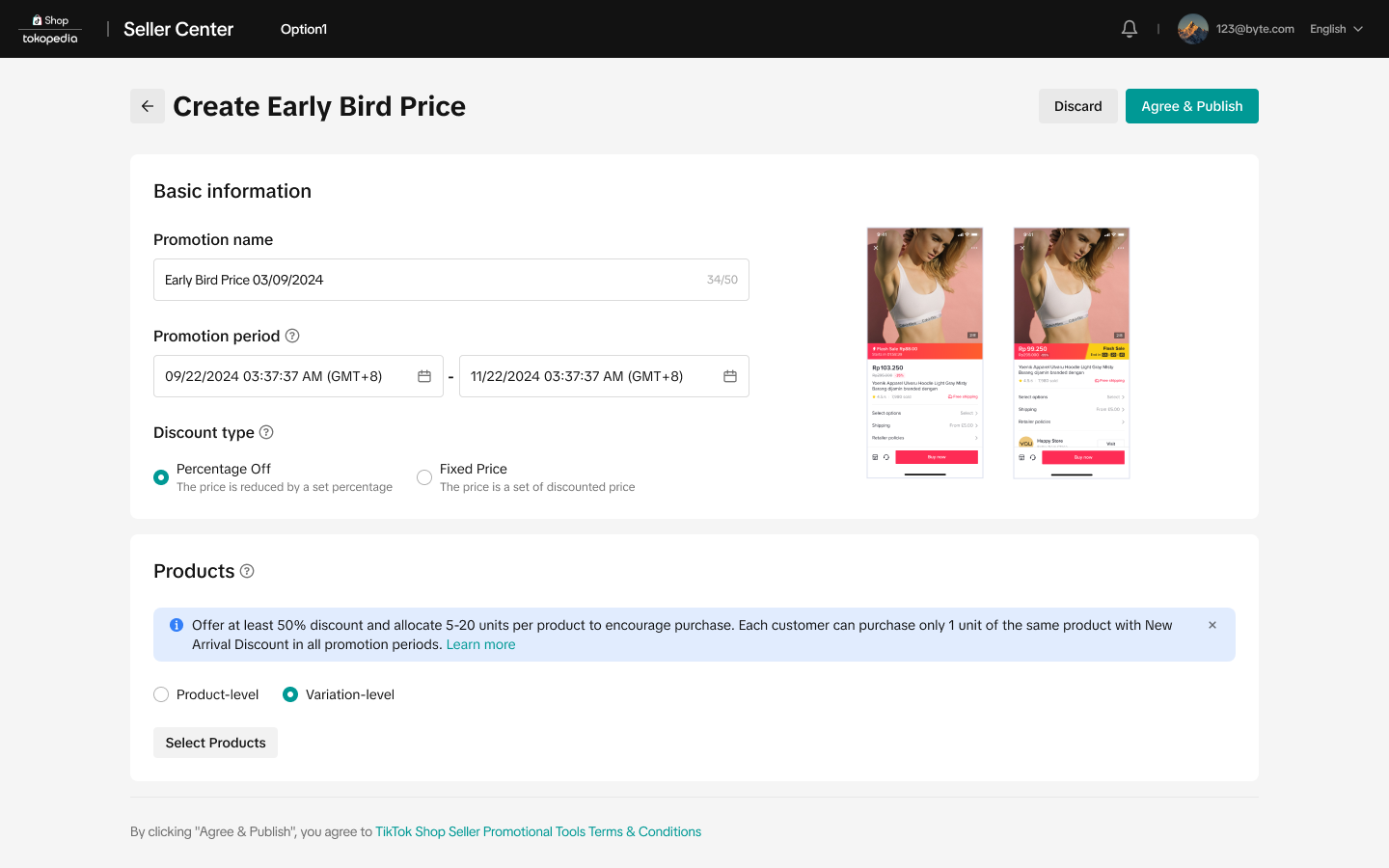
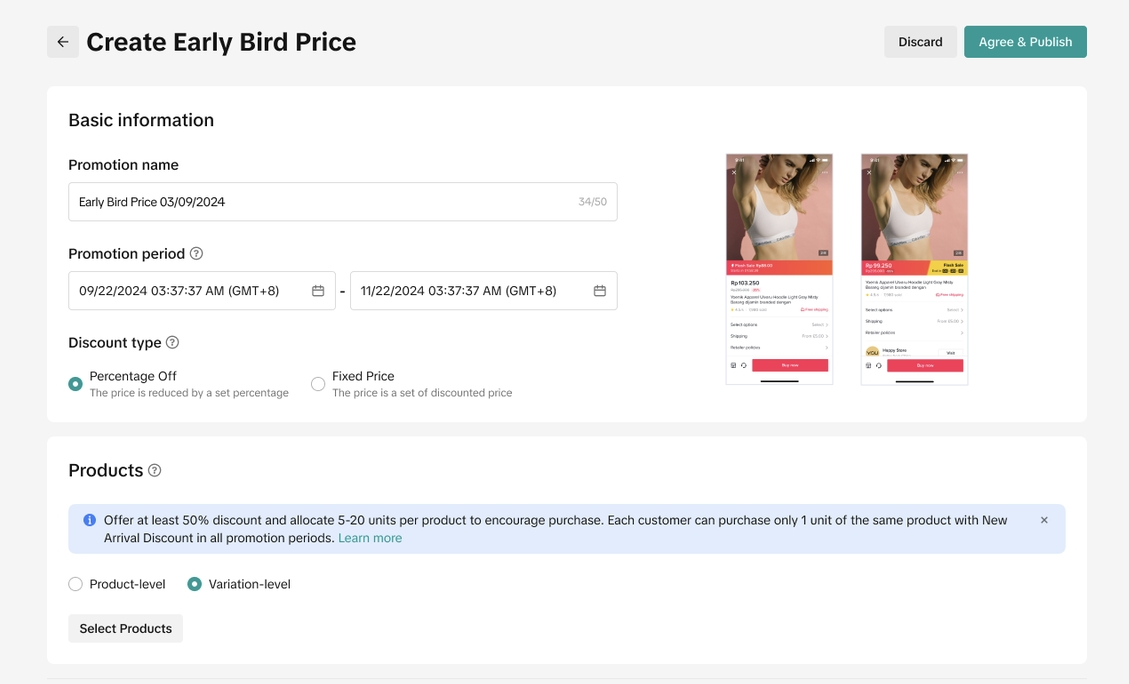 Enter basic information
- Promotion name
- Promotion period: The promotion must be longer than 1 minute and less than 90 days, you will only be allowed to schedule New Arrival Discount 30 days in advance.
- When you select Variation-level, you will set the deal price on a variation dimension
- Eligible products for New Arrival Discount: Only products that meet all the following criteria will be eligible for New Arrival Discount promotion
- Products created in the last 60 days
- Products with less than 5 quantities of total sales since the product was uploaded.
- Product with at least 5 units of stock (based of product level)
- Products that do not overlap with another New Arrival Discount promotion
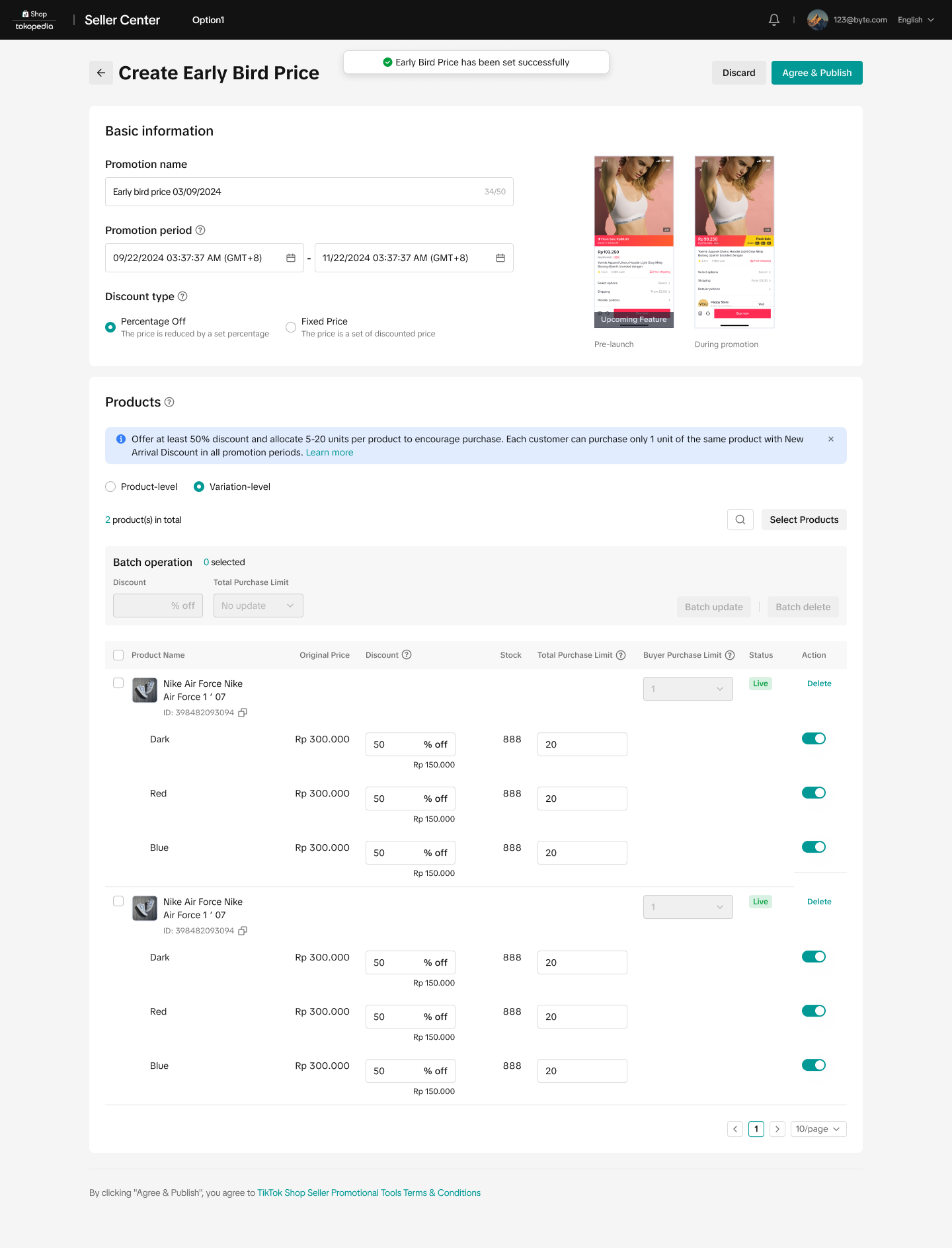
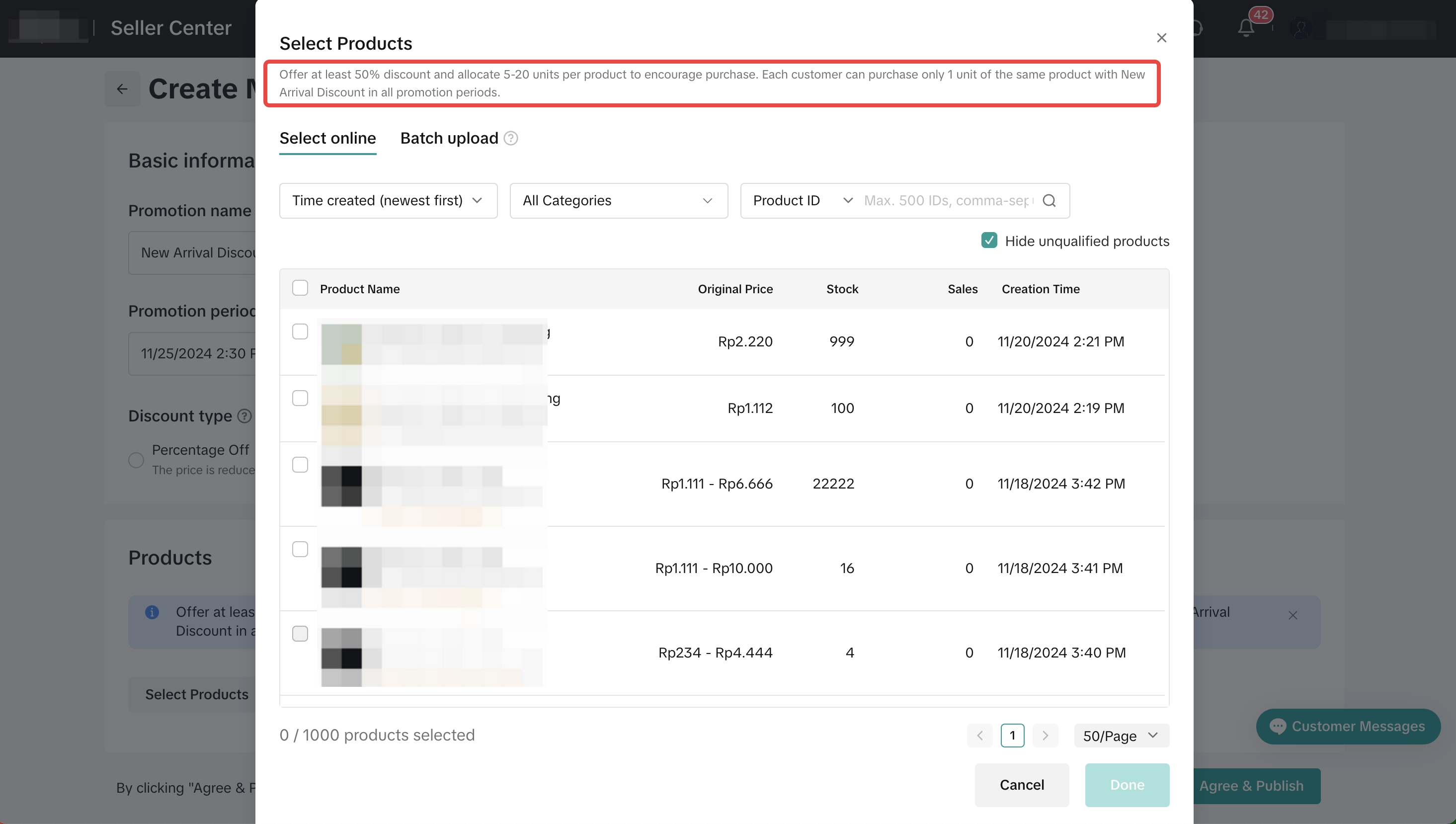 Set New Arrival Discount priceThe price for New arrival Discount can be configured either as a fixed price or percentage off. You can choose to edit the deal price, total purchase limit individually or in batch.
- Fixed price: Reduce the price by setting a fixed amount
- Percentage: Reduce the price by setting a percentage
- Total purchase limit: The total limit must be between 5-20 units
- Buyer purchase limit: The buyer purchase limit is 1 by default, therefore each customer can only purchase 1 unit of the same product (based on product level)
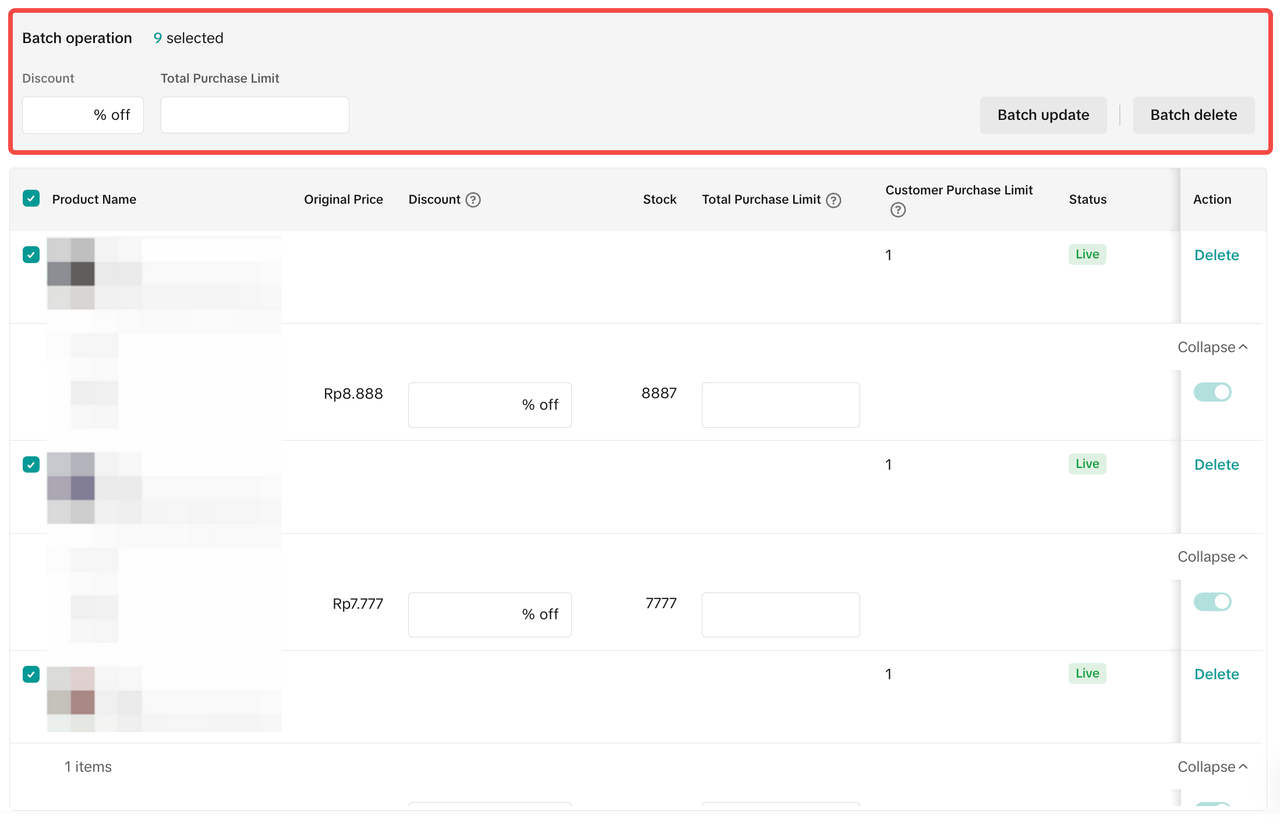 Configure in batch
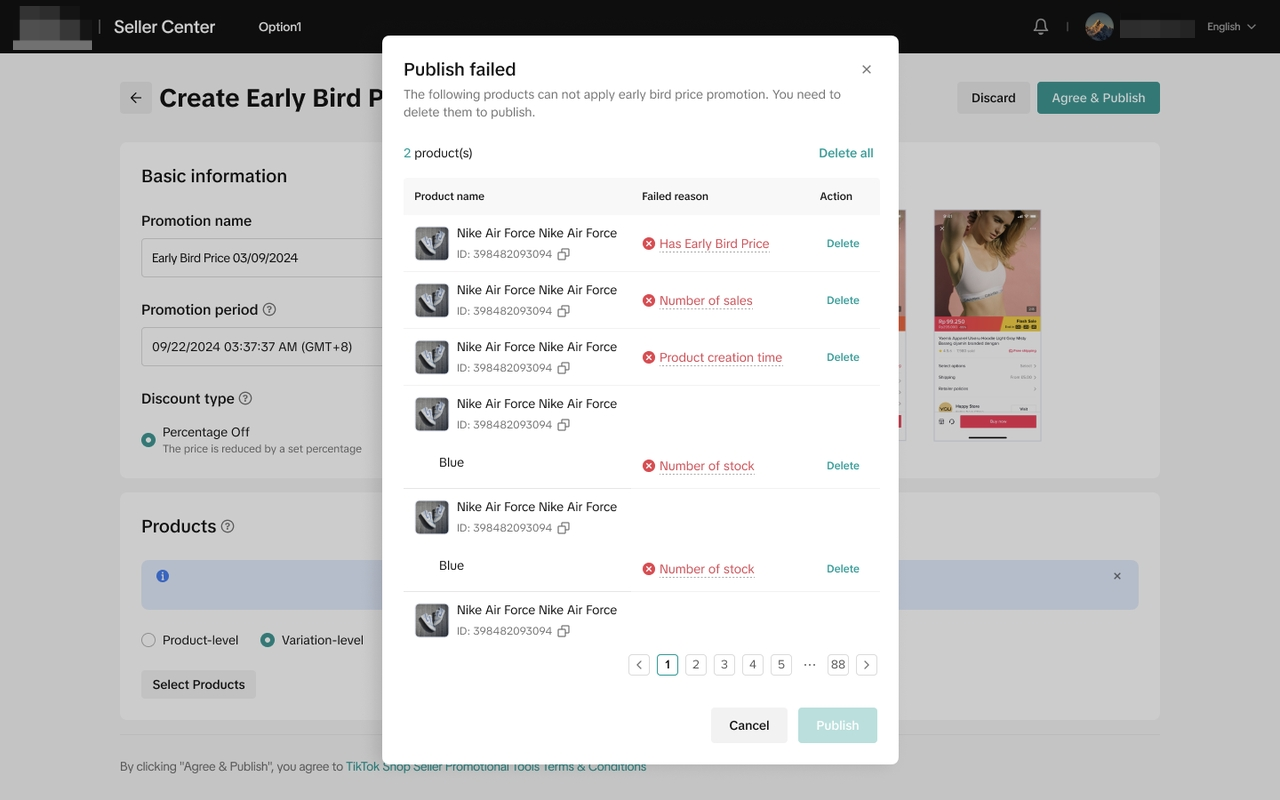
- View the details of the price requirement and submit your New Arrival Discount. A pop up window will be shown if the product selected does not meet New Arrival Discount eligible products criteria.
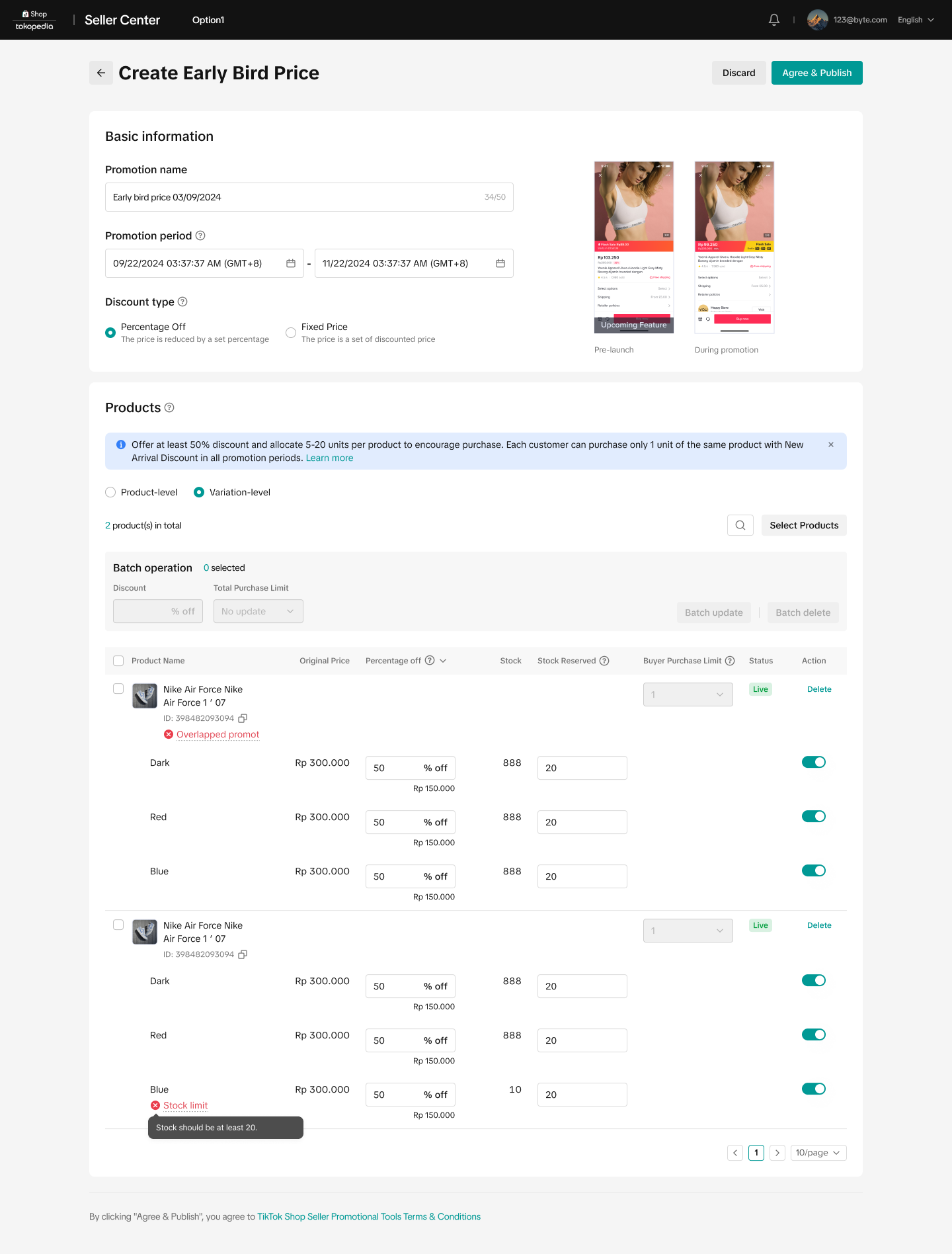
- Once you have adjusted and reviewed the New Arrival Discount promotion details, click "Agree & Publish"

Mechanism of New Arrival Discount Price
New Arrival Discount Price - Price Lock
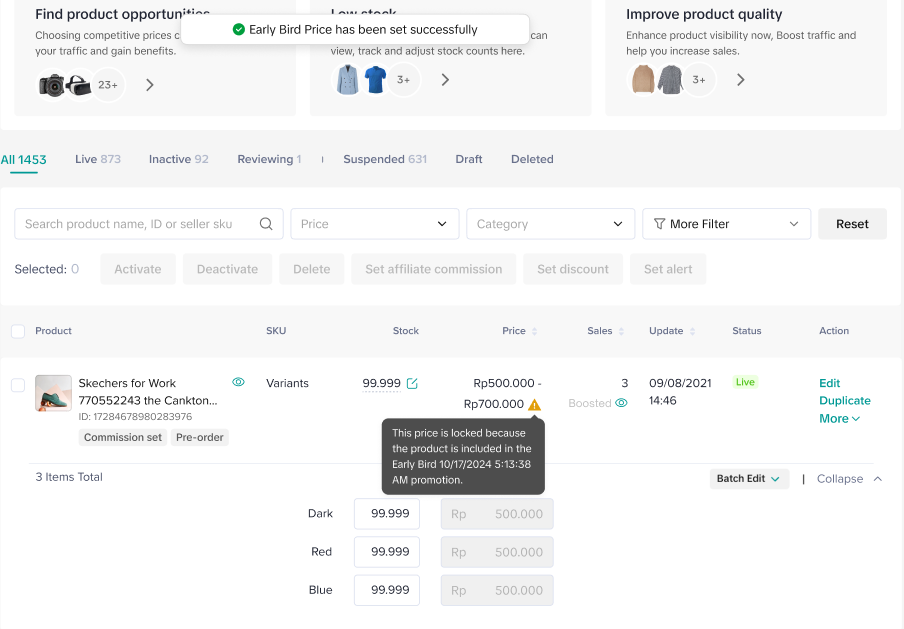 After the New Arrival Discount Price is successfully registered, we will lock the price during the promotion period and display "boosted" on the data row. If a product has multiple upcoming promotion plans, we will display multiple promotion prices based on the below logic:
- Upcoming New Arrival Discount with Upcoming/Ongoing Promotion Plan
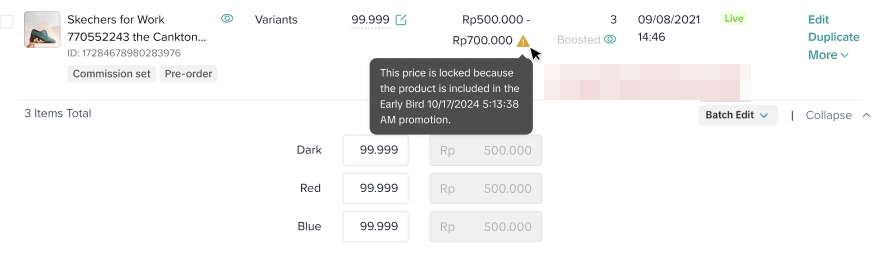
- For every SPUs that has a New Arrival Discount Price registered, we will only display the discount price on the manage product page
Ongoing Promotion Plan
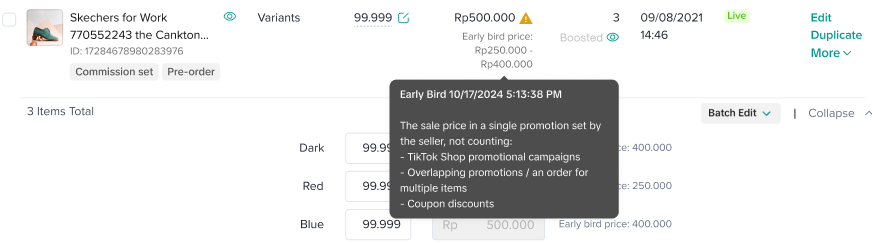
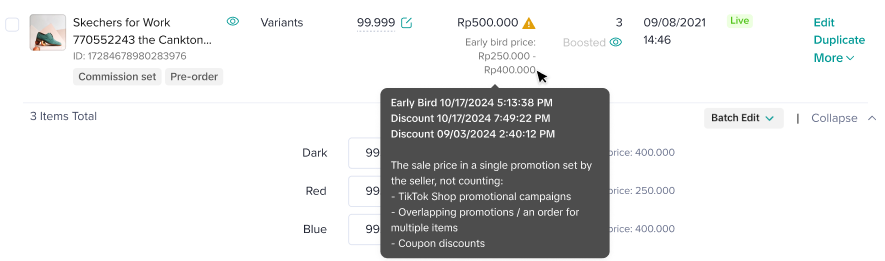 For every SPUs that have an ongoing promotion plan, we will display the lowest price that sellers register for the promotions.
(e.g : new arrival discount price = 20k; other upcoming promotion sale price = 25k. We will display the seller's new arrival discount price)

Manage New Arrival Discount
Entrance- Visit Seller Center > Promotions > Promotion Tools > Manage your promotions
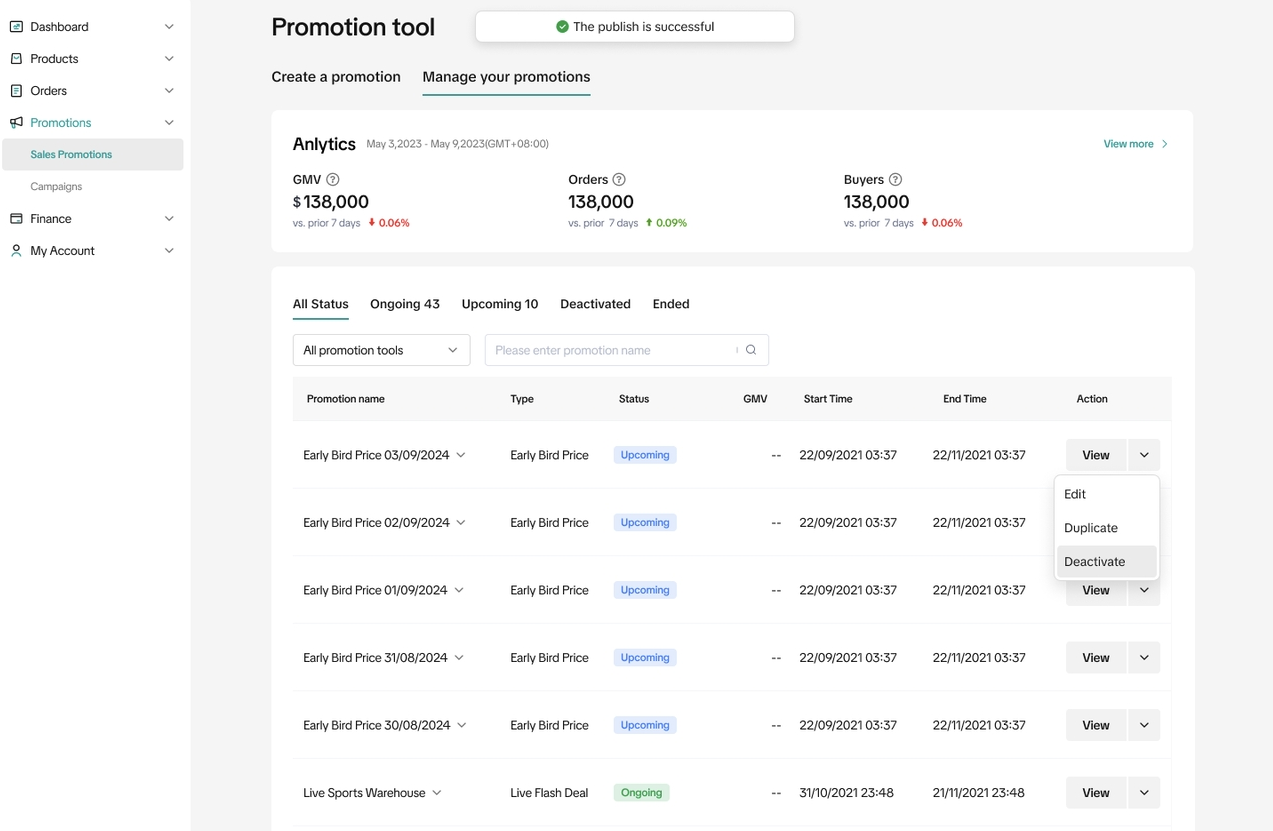 To manage a New Arrival Discount on the Seller Center PC, visit Manage your promotion to view the details of ongoing, upcoming and deactivated promotions.
 - Click Edit:
- To edit upcoming promotions, sellers can change the promotion period, change the promotion settings and total purchase limit.
- To edit ongoing promotions, sellers can extend the promotion period and increase the total promotion limit.
- Click Deactivate: To end an upcoming or ongoing promotion
- Click Duplicate: To copy and paste the promotion setting to help you quickly set up another one.

Customer Display
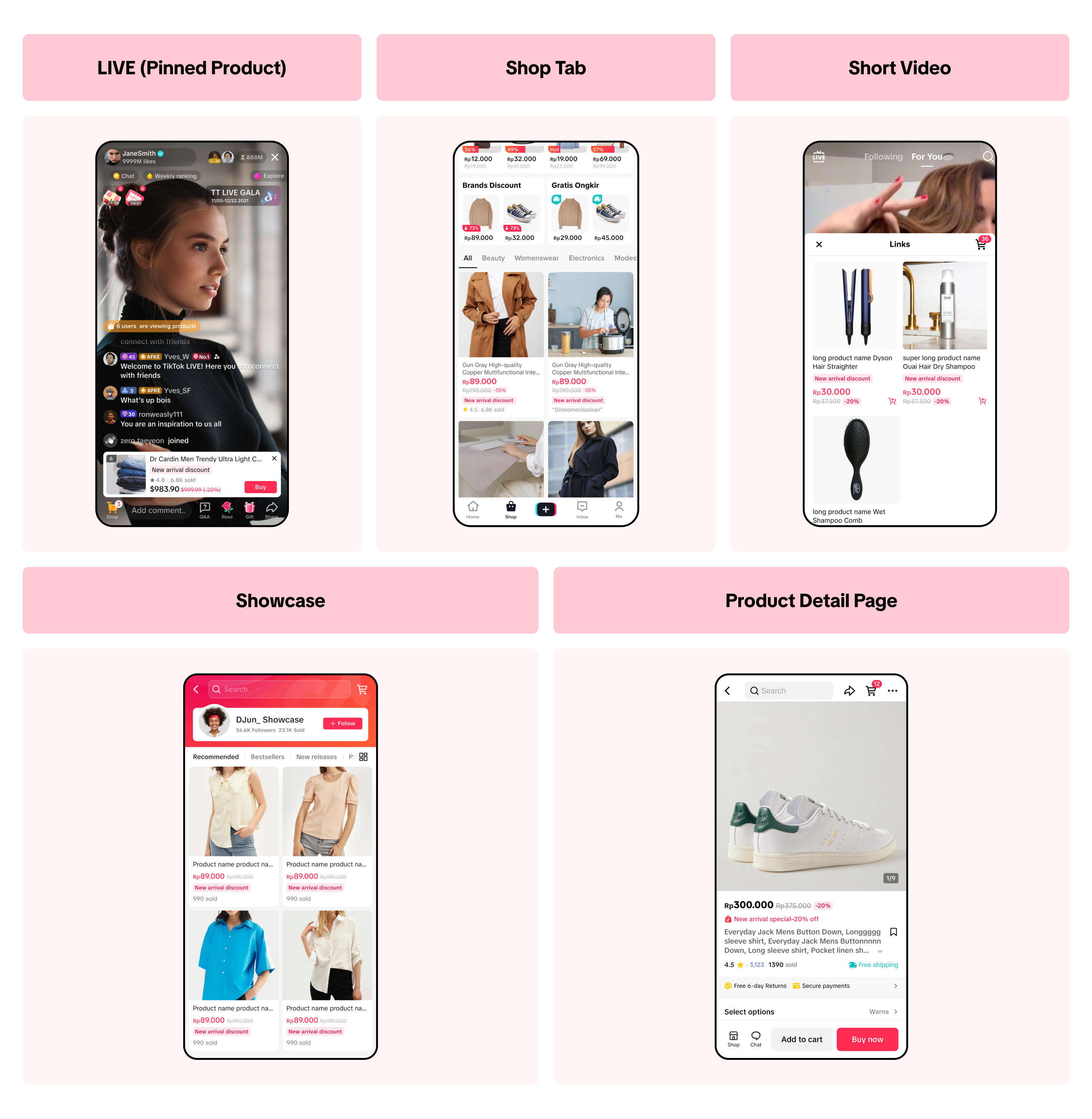
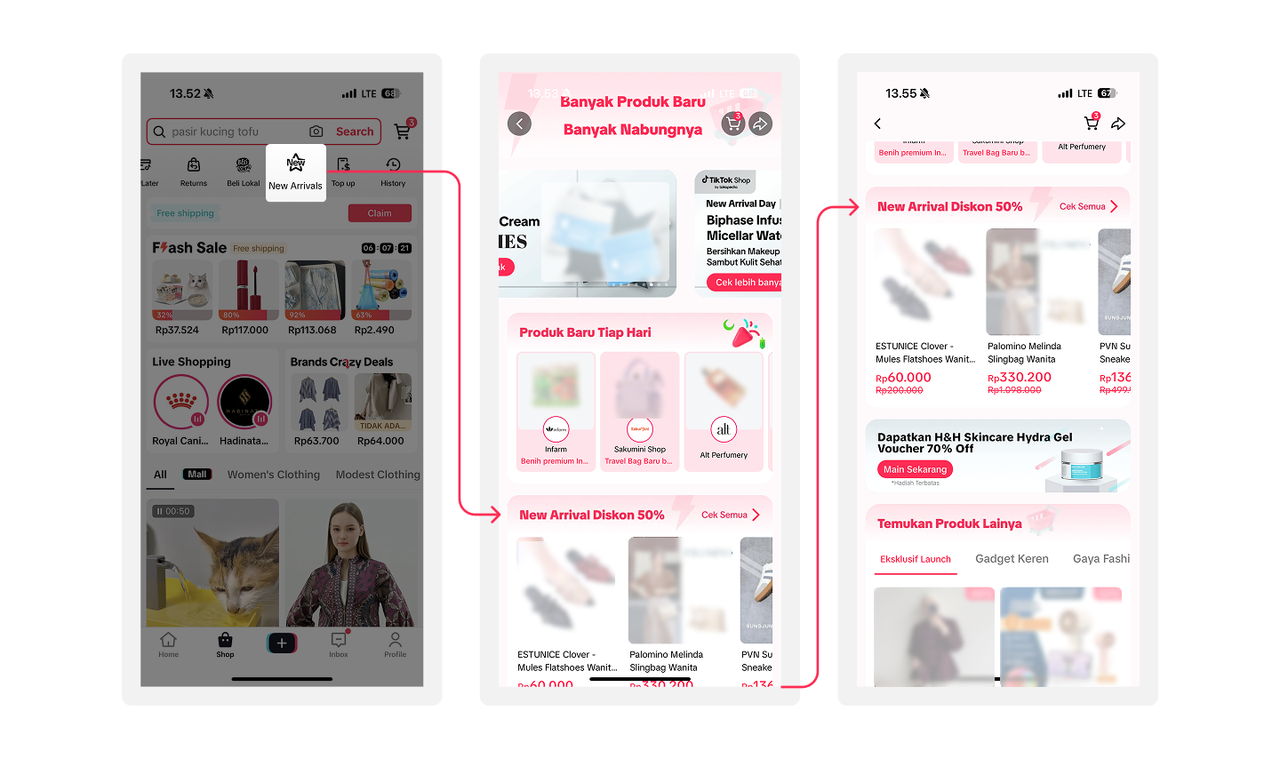

FAQ
- How many New Arrival Discounts can I create at the same time?
- Products created in the last 60 days
- Products with less than 5 quantities of total sales since the product was uploaded.
- Product with at least 5 units of stock (based on product level)
- Products that do not overlap with another New Arrival Discount promotion
- How come my New Arrival Discount is not displayed to customers?
The priority for the promotion to be displayed to customers is the following:
Creator LIVE Flash Deal or LIVE Flash Deal > Campaign > Flash Deal > New Arrival Discount or Product Discount.
- If a New Arrival Discount and Campaign are applied for the same product, then Campaign Price will take priority.
- If a New Arrival Discount and Product Discount are applied for the same product, then the lowest price will take priority.
Anda mungkin juga tertarik
- 1 lesson
Tokopedia PLUS
Tokopedia PLUS, now with More and Better benefits!
- 1 lesson
Promotion
Leverage promotions to attract more customers and boost sales!
- 7 lessons
Promotional Tools
Utilize vouchers, discounts, and bundling features to encourage purchases and attract buyers.

Bundle Deal
This article teaches you how to use Seller Bundle Deal to increase the Average Order Value in your s…
Bundle Deal Terms and Conditions
As a special limited time promotion, we, sellers of certain products on TikTok Shop, are offering yo…
Promotional Tools - Shipping Fee Discount Eligibility
What are shipping fee discounts? You may choose to offer a shipping discount on orders by bearing al…
Gift with Purchase
This article teaches you how to use Gift with Purchase to increase your average order value and conv…

Seller LIVE Interactive Voucher
This article teaches you how to use LIVE Interactive Vouchers to increase your average order value a…

First order discount
If it is the customers first order, the discount coupon is only available for new user/customer who…

Seller Regular Voucher
This article teaches you how to use Seller Regular Vouchers to increase your average order value and…