

Clearance Product
01/13/2026
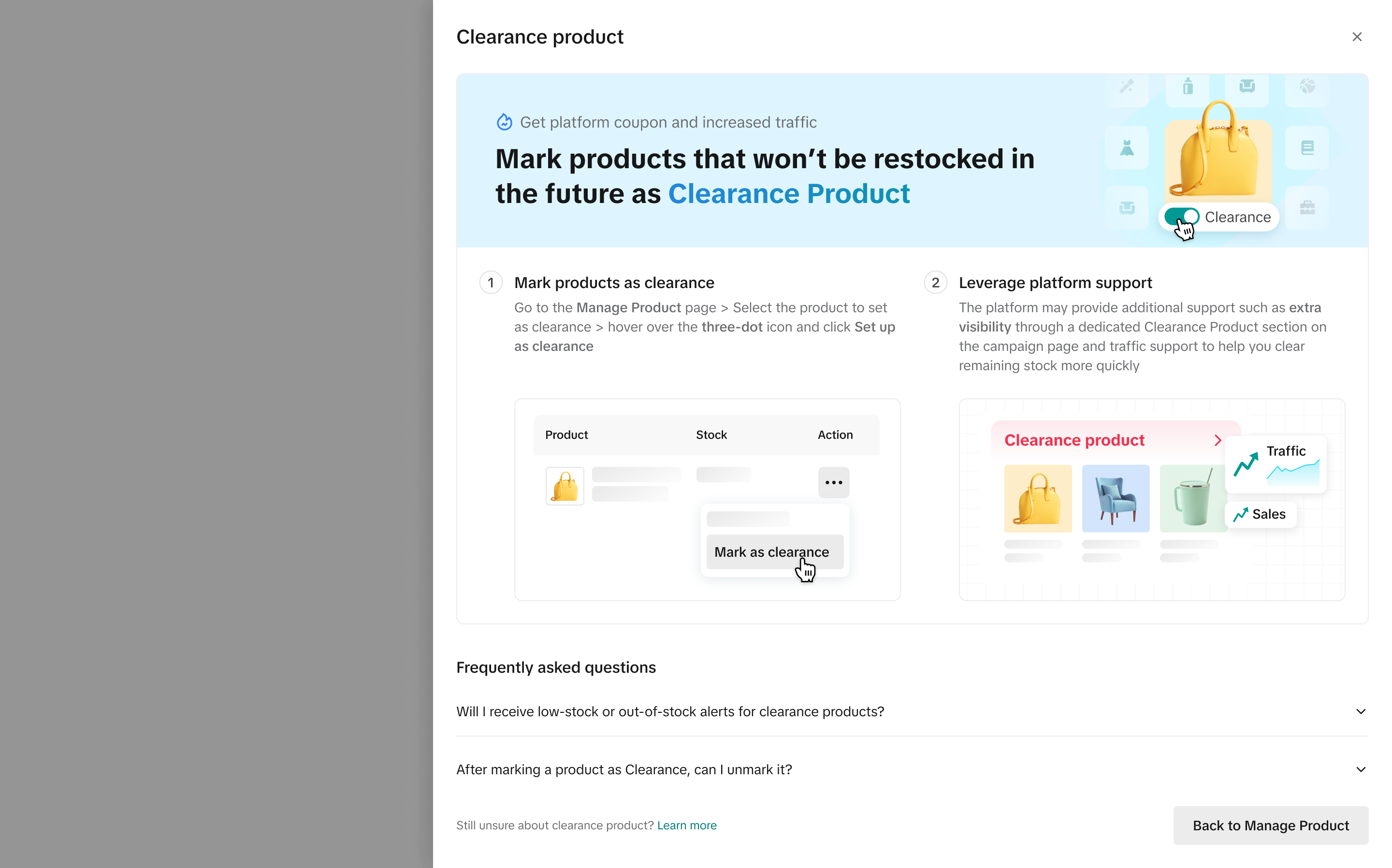

Benefits of Clearance Product
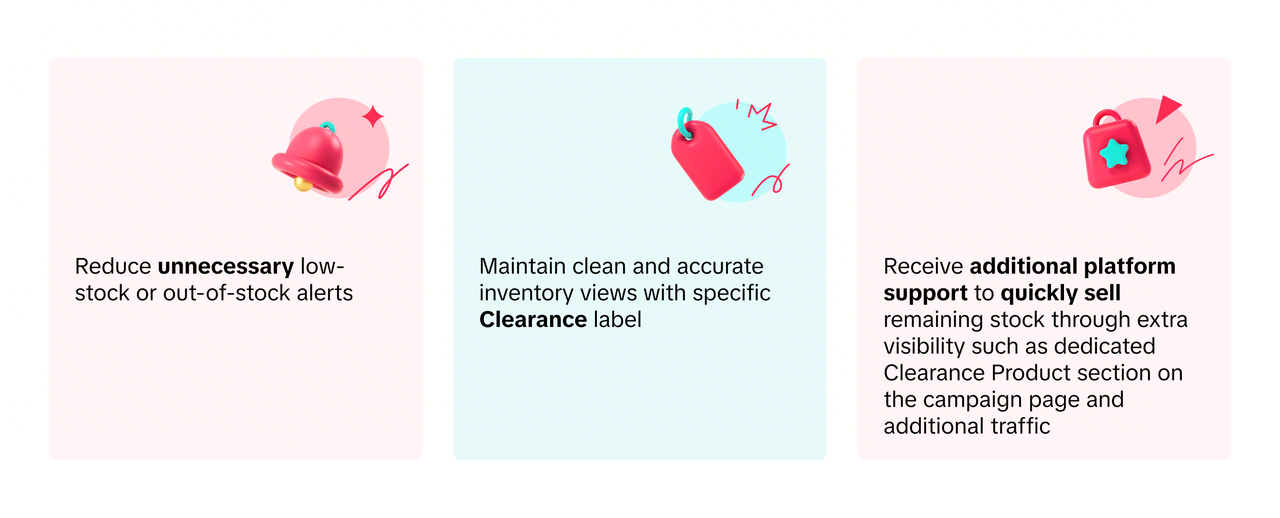

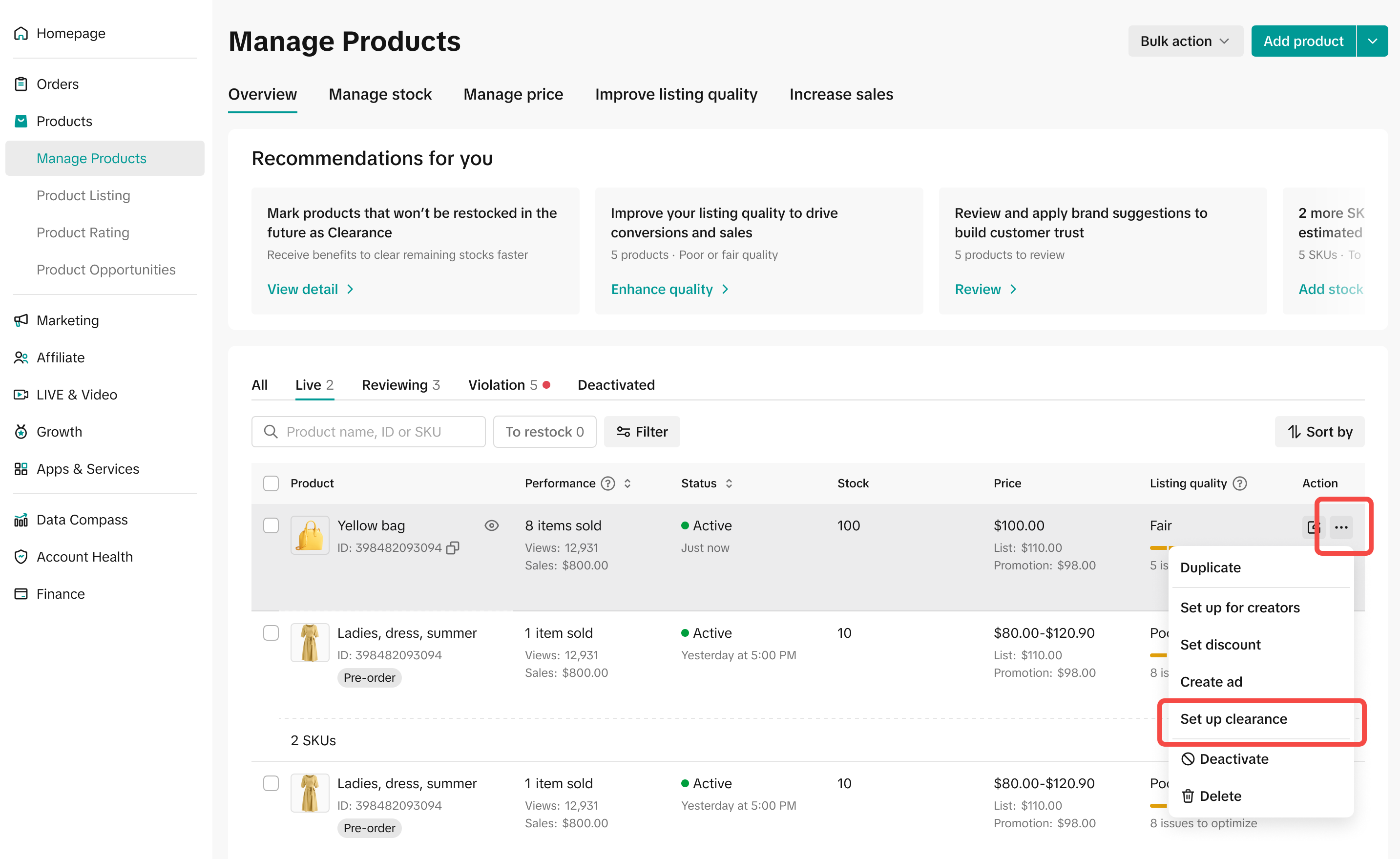
How to Setup Clearance Product
Sellers can see the details of Clearance Product on the top of Manage Product Page.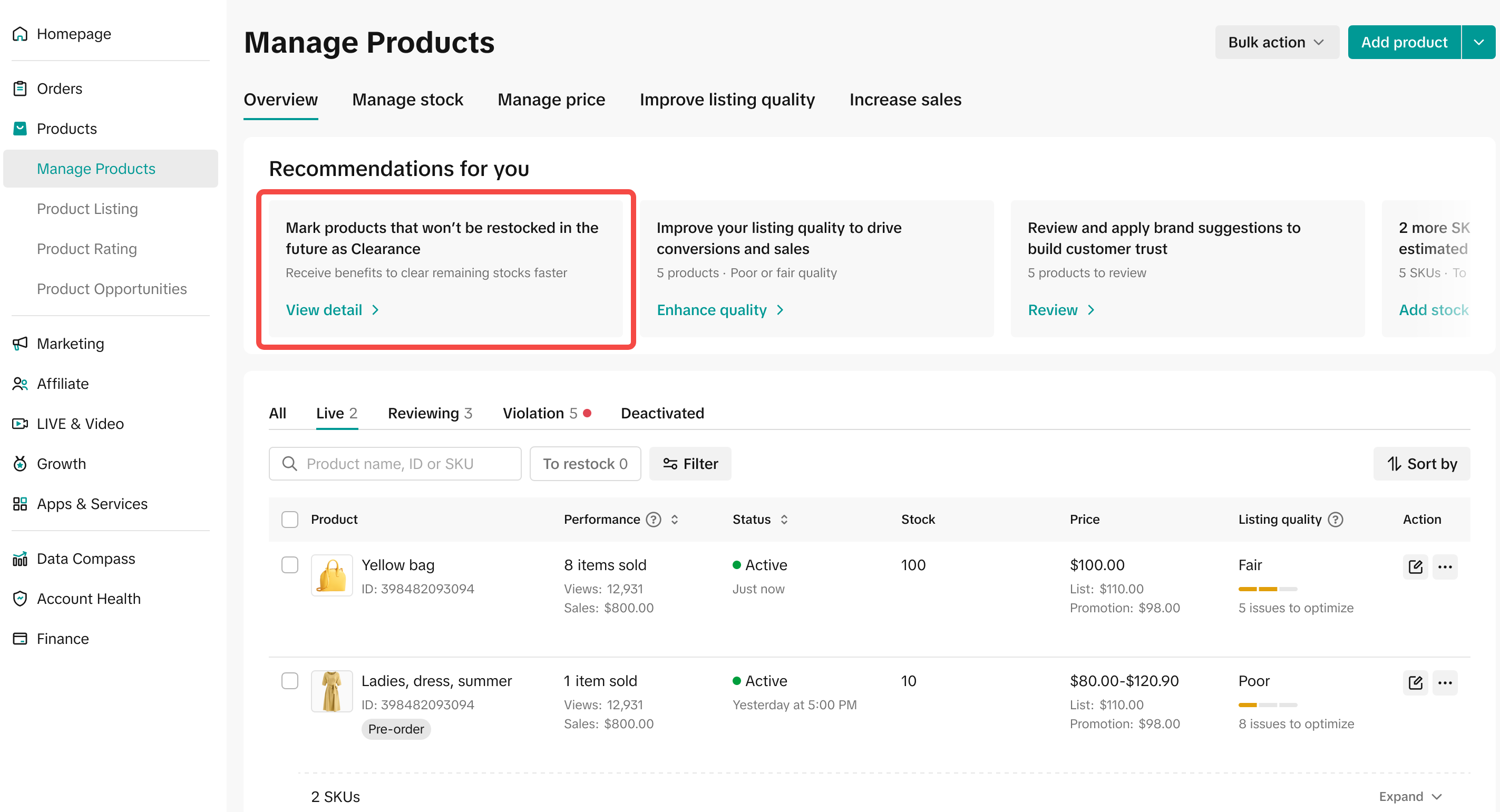
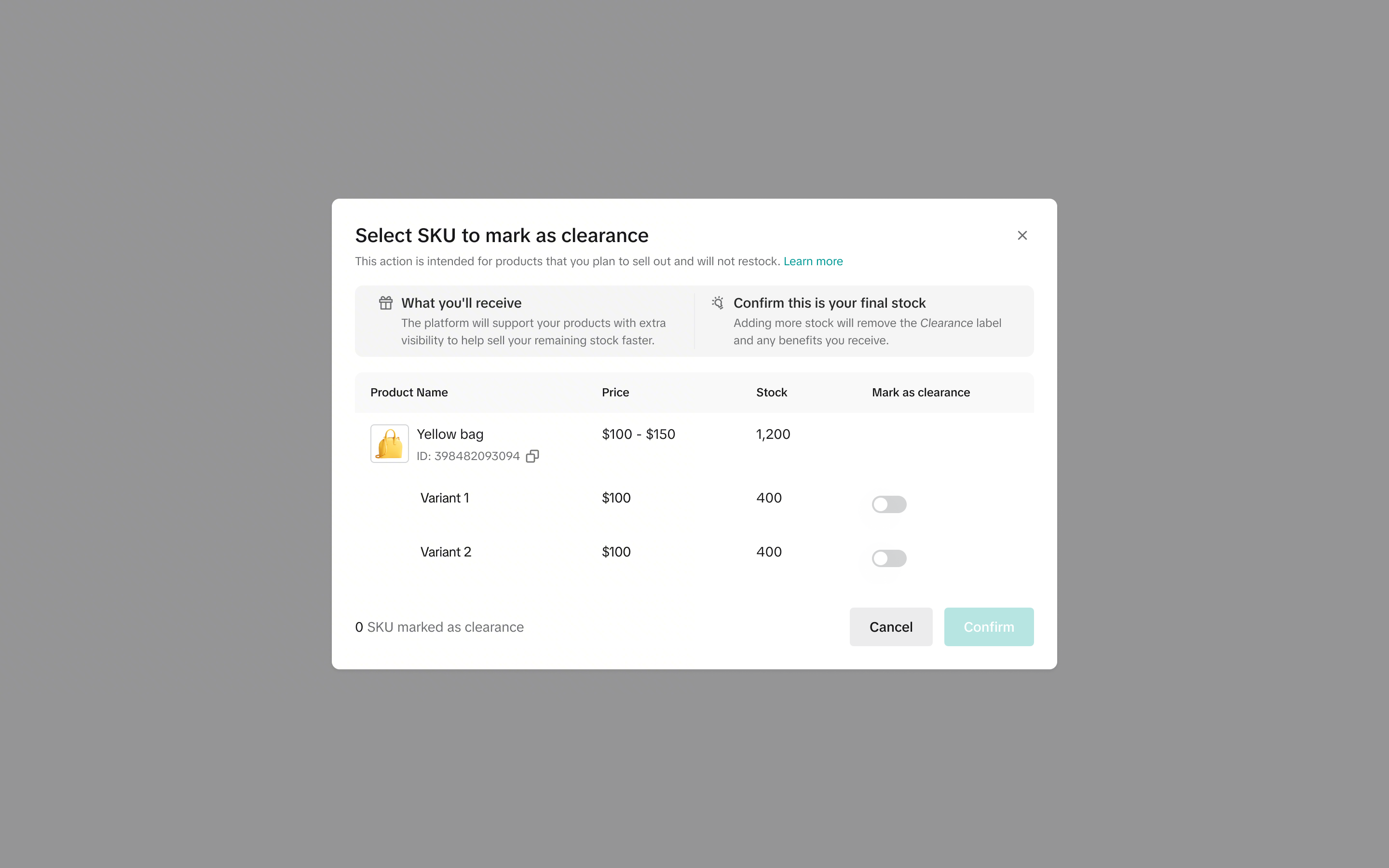
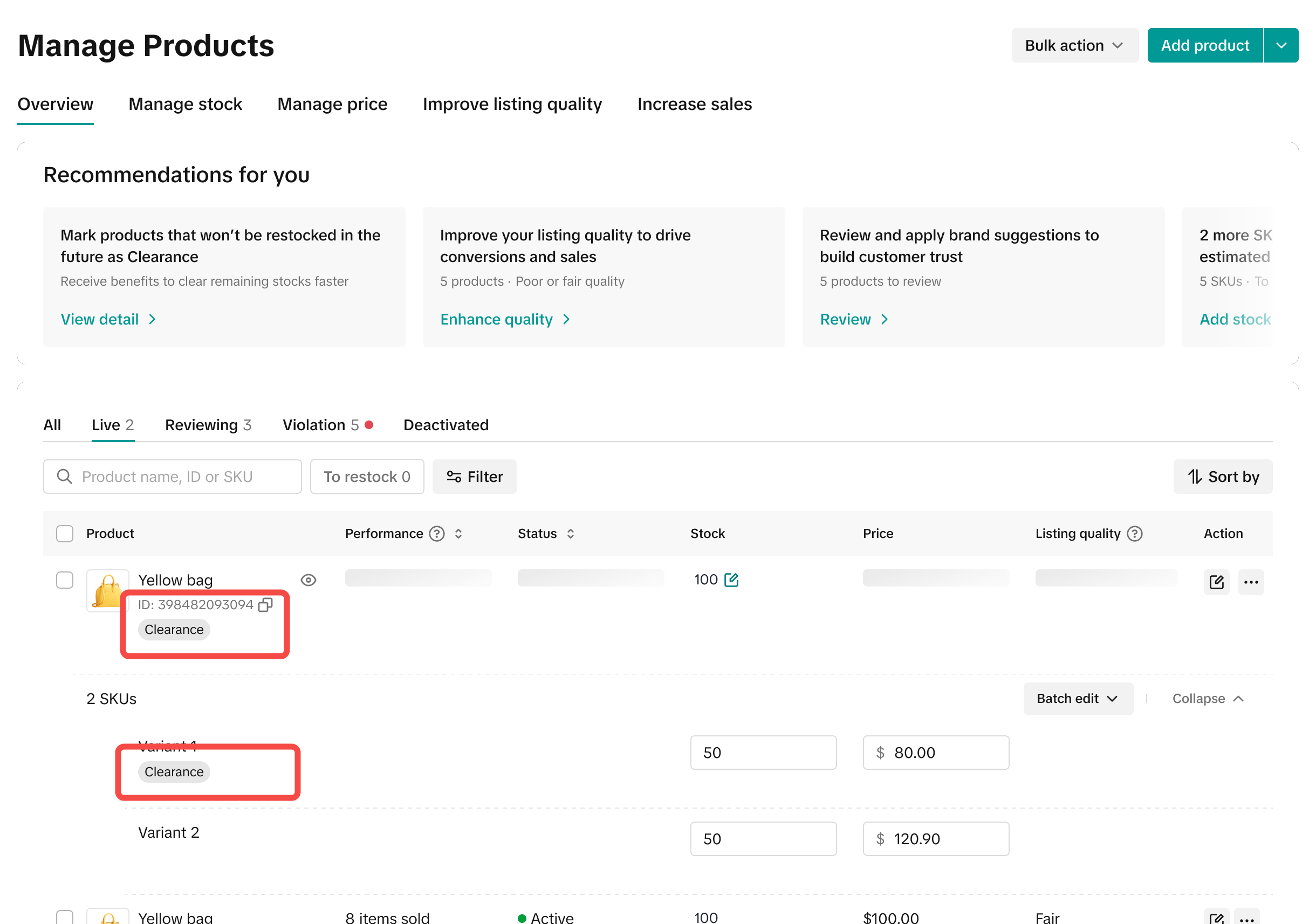

FAQ
- Will sellers receive low-stock or out-of-stock alerts for clearance products?
- No. Clearance products are intended to represent your last remaining stock and are not meant to be restocked. As a result, low-stock and out-of-stock alerts are not sent for these products.
- After marking a product as Clearance, can sellers unmark it?
- Yes. You can remove the Clearance status at any time from the Manage Product page. Please note that removing the Clearance tag will also end any related platform support.
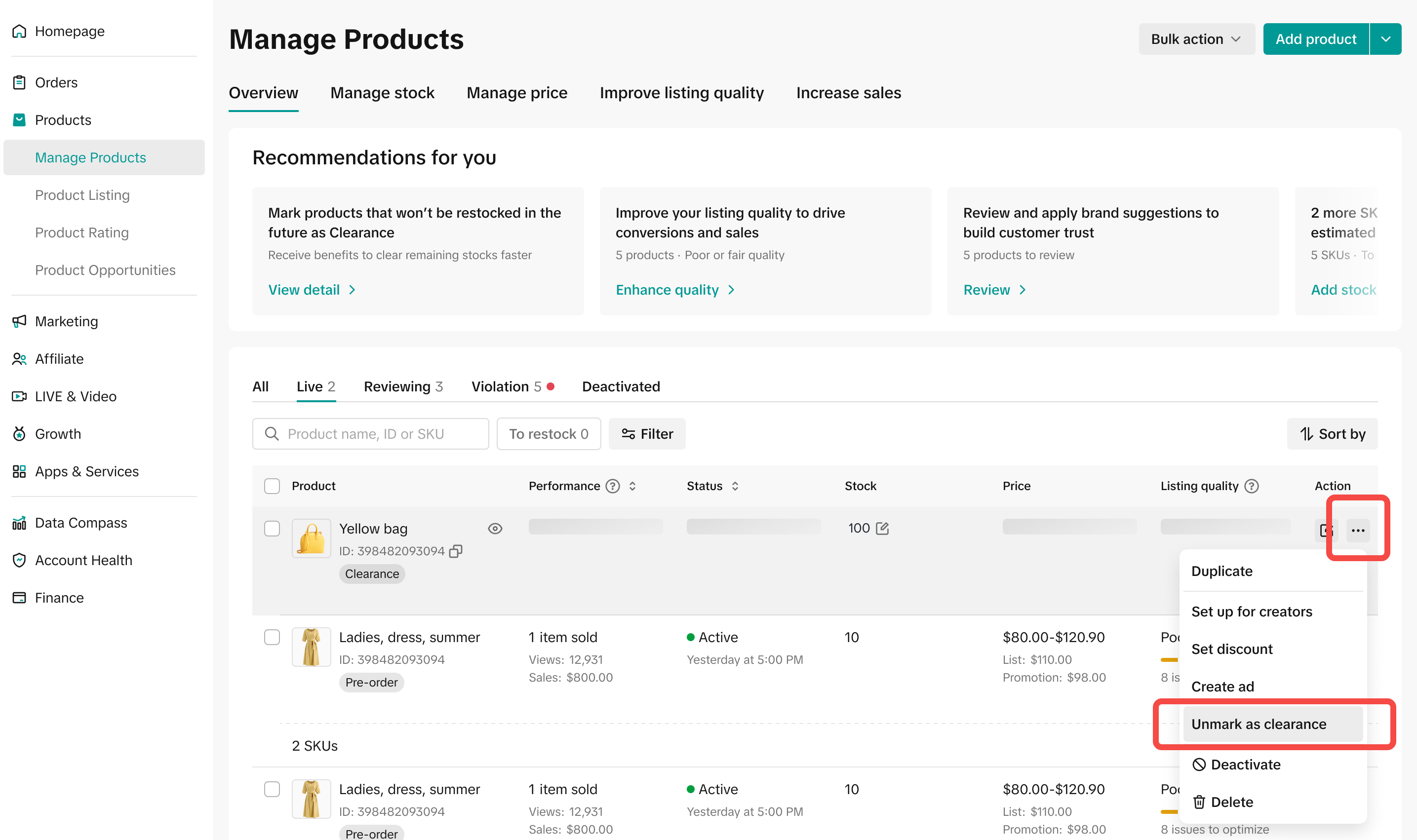
- Yes. You can remove the Clearance status at any time from the Manage Product page. Please note that removing the Clearance tag will also end any related platform support.
- Will I be able to mark product as Clearance if the stock is 0?
- No. Product Clearance is intended for products with remaining stock so the last units can be sold. Products with zero stock cannot be marked as Clearance.
- What if I want to add more stock to a product that has been marked as Clearance?
- You can still add more stock. However, once additional stock is added, the Clearance label will be automatically removed in Seller Center, and all Clearance-related benefits on the platform will be removed immediately.
- Will my Clearance product display a Clearance label on the customer side?
- Currently, there is no specific Clearance label shown on the customer side. However, Clearance products will be displayed in a dedicated Clearance section within the Campaign page on the TikTok app.
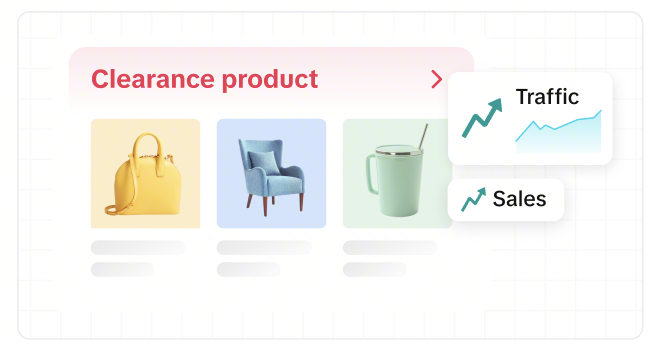
- Currently, there is no specific Clearance label shown on the customer side. However, Clearance products will be displayed in a dedicated Clearance section within the Campaign page on the TikTok app.
You may also be interested in
- 1 lesson
Product Listing
Create compelling and informative product listings to attract more buyers!
- 4 lessons
Listing Product
A practical guide to uploading products effectively covering naming, categorization, visuals, and de…
- 2 lessons
Finding the perfect product list
Discover how to choose the right products that align with current trends and buyer demands on TikTok…
What are Restricted Products?
This policy applies to products listed on TikTok Shop by Tokopedia. For products listed on Tokopedia…
Branded Products Listing Guidelines
What are Branded Products? Branded products are products bearing a brand. The brand and its features…
Product Categorisation
This policy applies to products listed on TikTok Shop by Tokopedia. For products listed on Tokopedia…
Why can't my products be purchased on the TikTok Shop platfo…
Ensure that the product is live with sufficient stock quantity enabled for buyers to purchase. Alt…
How can I edit my products?
Go to Seller Center > Products > Manage Products > Edit Once you have made the necessary changes, s…
How can I optimise my product name?
Be as accurate and concise as possible, while highlighting the main selling point. Here is a sugges…
Can I upload a product video?
It is optional to upload a video to showcase your product. If you choose to do so, kindly ensure th…