

Shop Integration Guidelines for Tokopedia Sellers
07/16/2025
This guide is intended for sellers who have a shop account in Tokopedia and wish to integrate with TikTok Shop by Tokopedia and access the newly integrated Tokopedia & TikTok Shop Seller Center.
After sellers bind their account with TikTok Shop by Tokopedia, they need to confirm integration between two platforms. Sellers can directly access the integration confirmation page in Tokopedia & TikTok Shop Seller Center.
Tokopedia & TikTok Shop Seller Center is the newly integrated Seller Center which enables sellers to operate their shops in Tokopedia and TikTok Shop through one single dashboard.
Sellers will not be able to enjoy the fully integrated Seller Center experience, which allows them to manage their Tokopedia and TikTok Shop from one Seller Center if they don't review and submit their confirmation on the integration confirmation page.
 Notes:
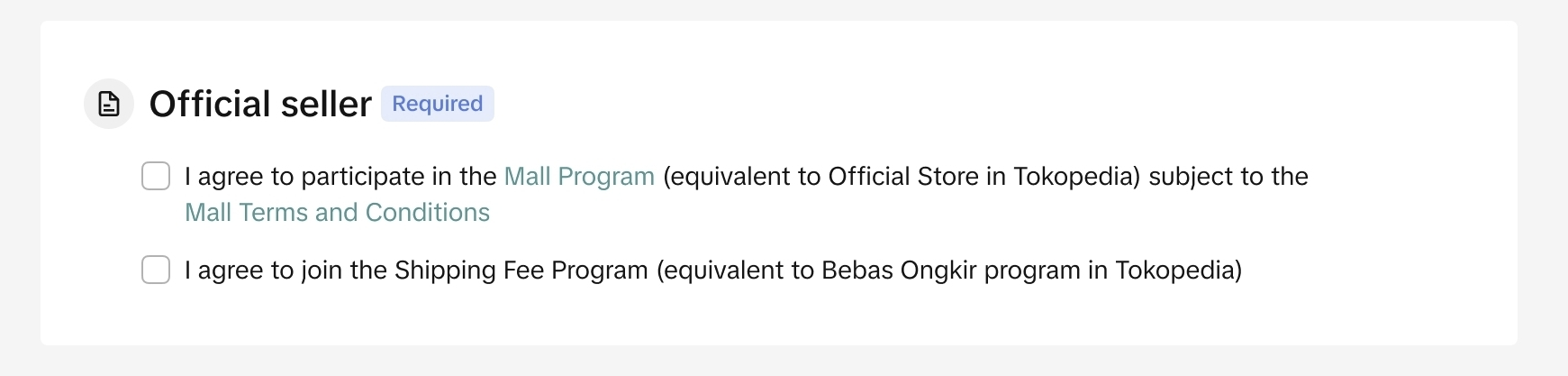
Join the Shipping Fee Program if previously you haven't joined the Bebas Ongkir program in Tokopedia or Shipping Fee Program in TikTok Shop by Tokopedia in order to maintain Mall status
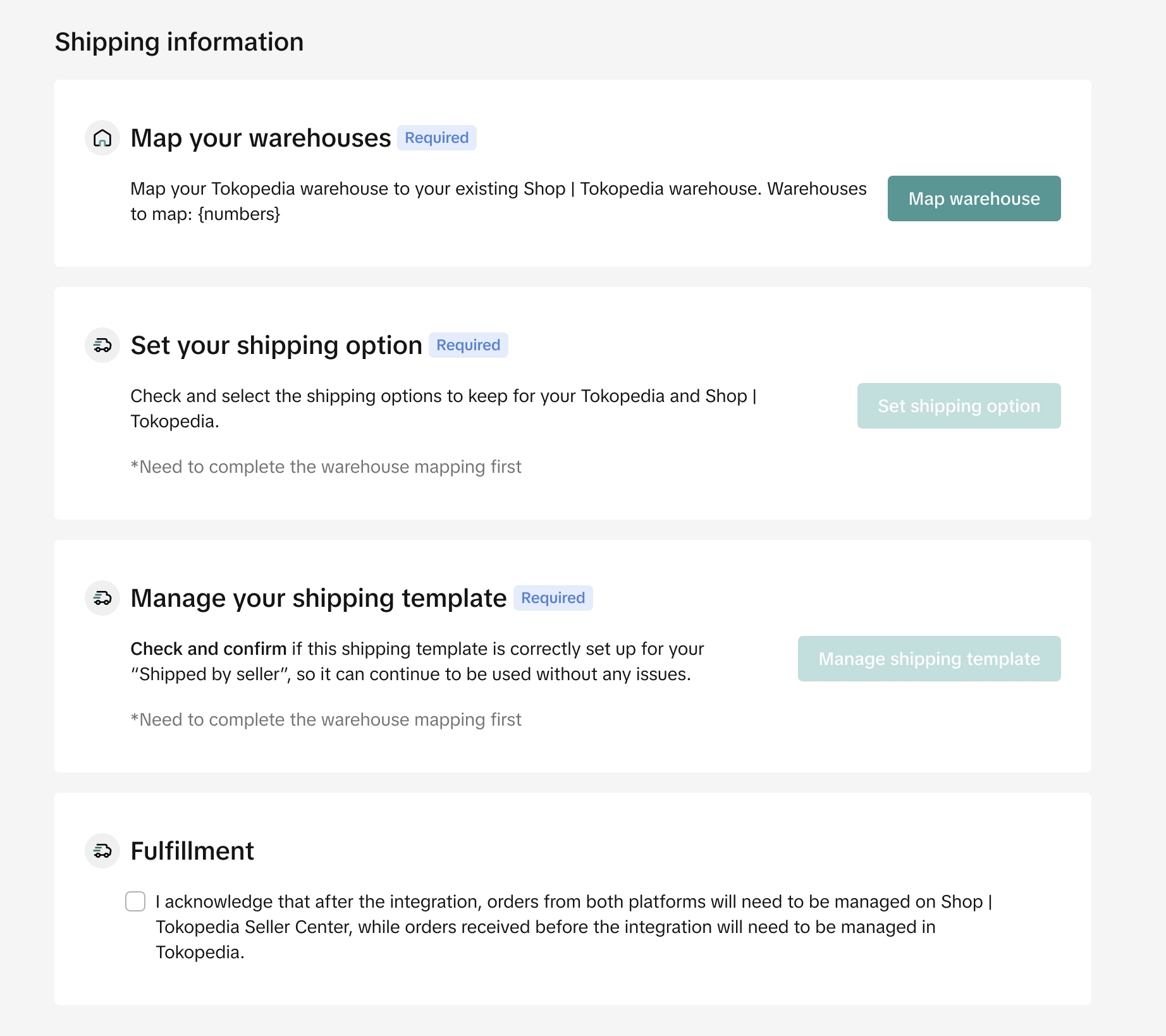
If you previously have warehouses in Tokopedia but don't have one in TikTok Shop by Tokopedia, the system will automatically copy and add your Tokopedia warehouses to Tokopedia & TikTok Shop Seller Center. Find the details about warehouse here.
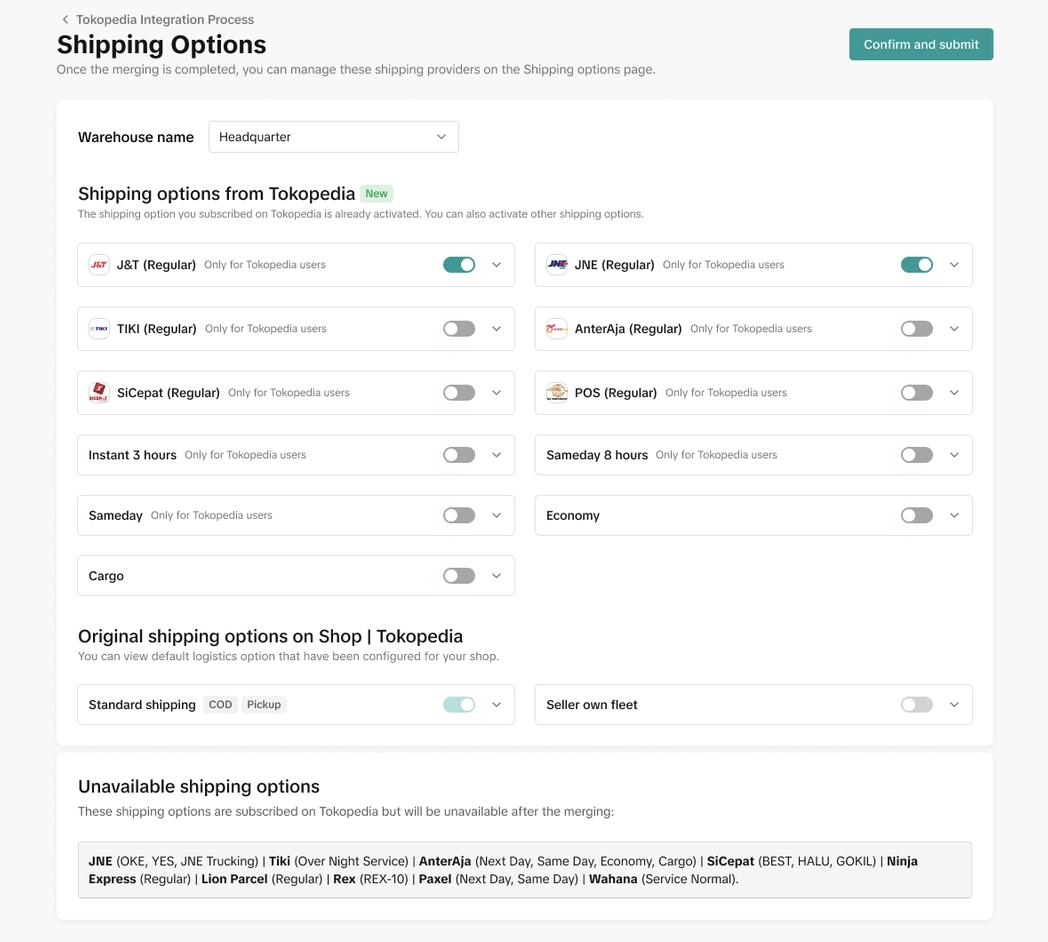
❗️Important for Multi-warehouse sellers: after the integration, product-level custom logistics settings will reset. No worries! You can now assign specific shipping options at warehouse level. Simply group products requiring specific options into one warehouse and set the shipping preferences for that warehouse. Find more details here.
 Learn more about managing orders here.
*The shop verification process may take up to 24 hours, and the integration of orders from Tokopedia may take up to 48 hours. In the meantime, it is recommended that you monitor the Tokopedia Seller Dashboard until all your orders are fully processed and completed. This will help ensure that you don't miss any orders.
Withdrawal guide here.
Apart from that, you also need to confirm your Tax ID and Billing Address that you prefer to use for the integrated Seller Center.

Sellers is recommended to finish the review and editing process in order to get full integrated experience of managing shops of both platforms through one Tokopedia & TikTok Shop Seller Center.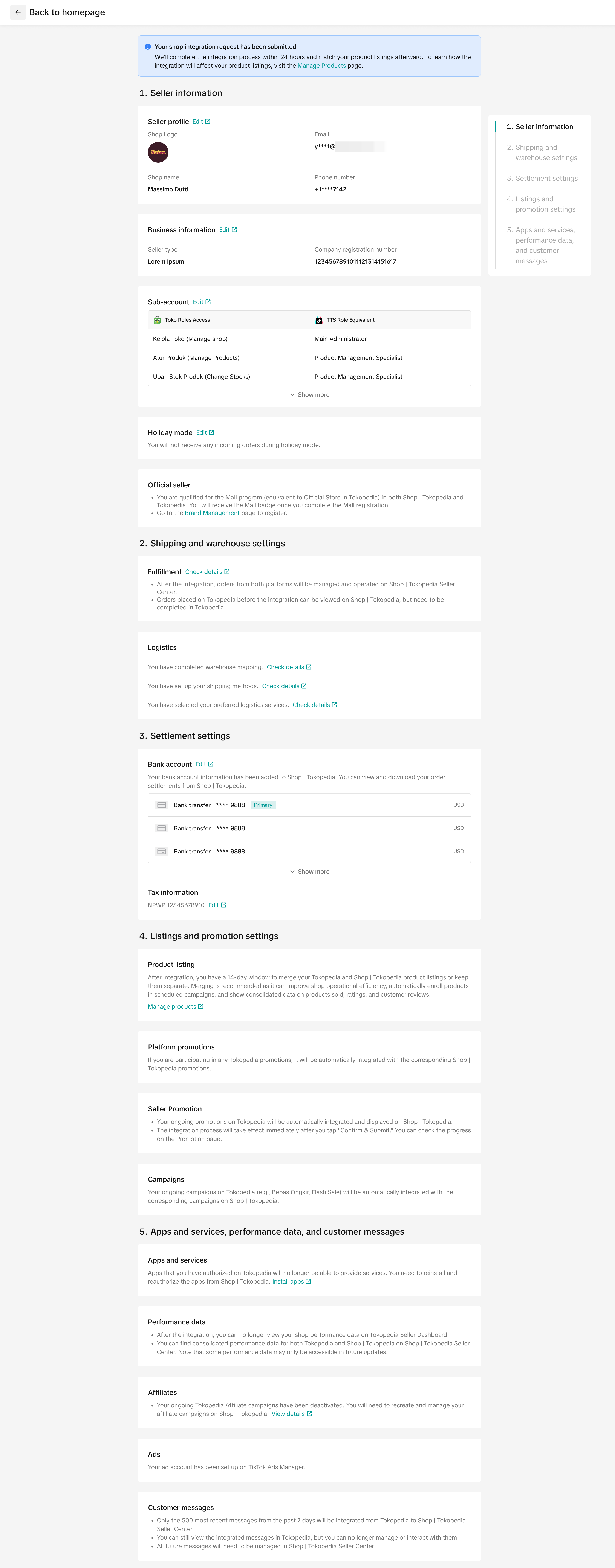

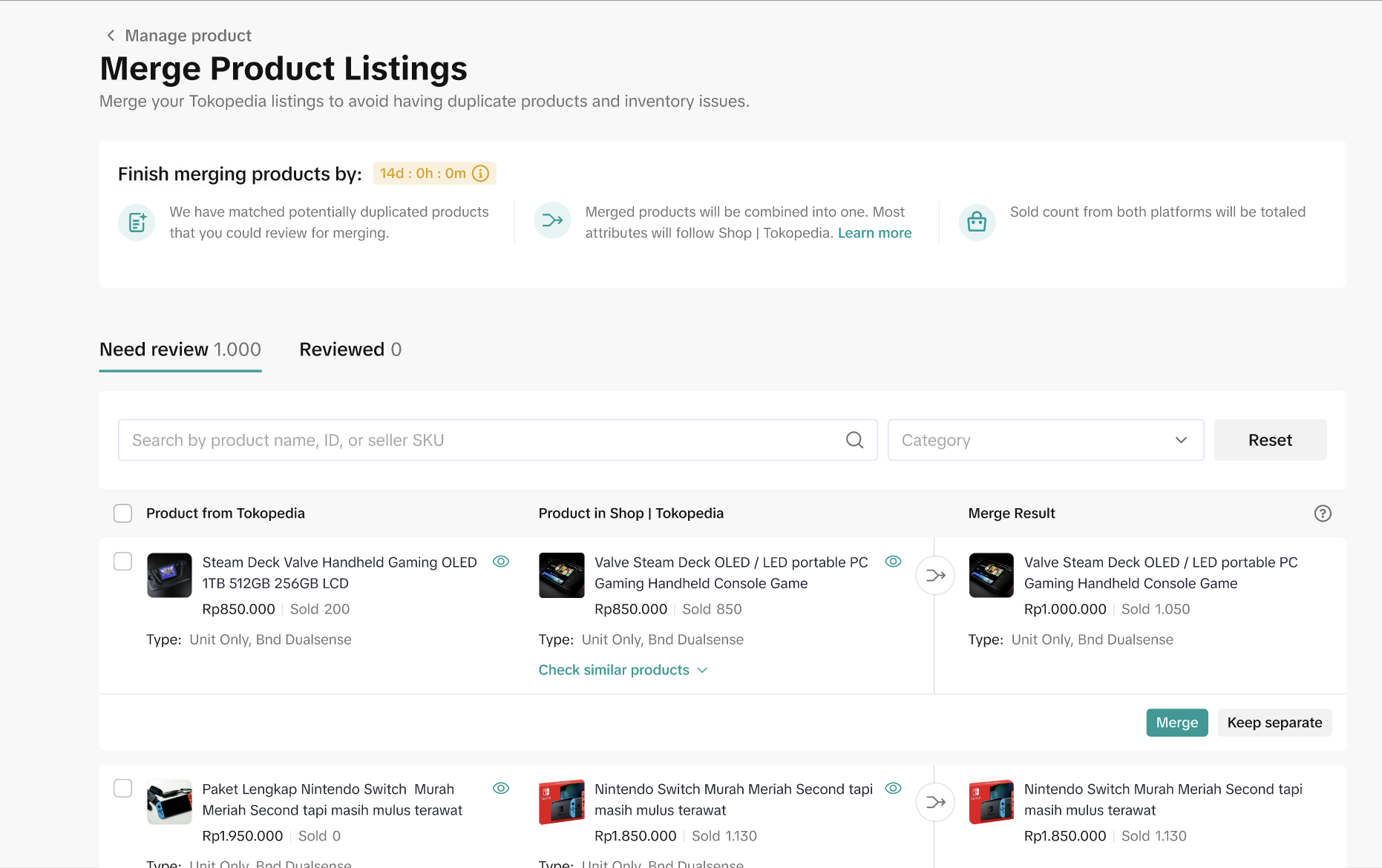
This to ensure they can run their shops smoothly from Tokopedia & TikTok Shop Seller Center, as they won't be able to add products or edit their product attributes from the Tokopedia Seller dashboard after the integration confirmation. Find the guidance and details here.
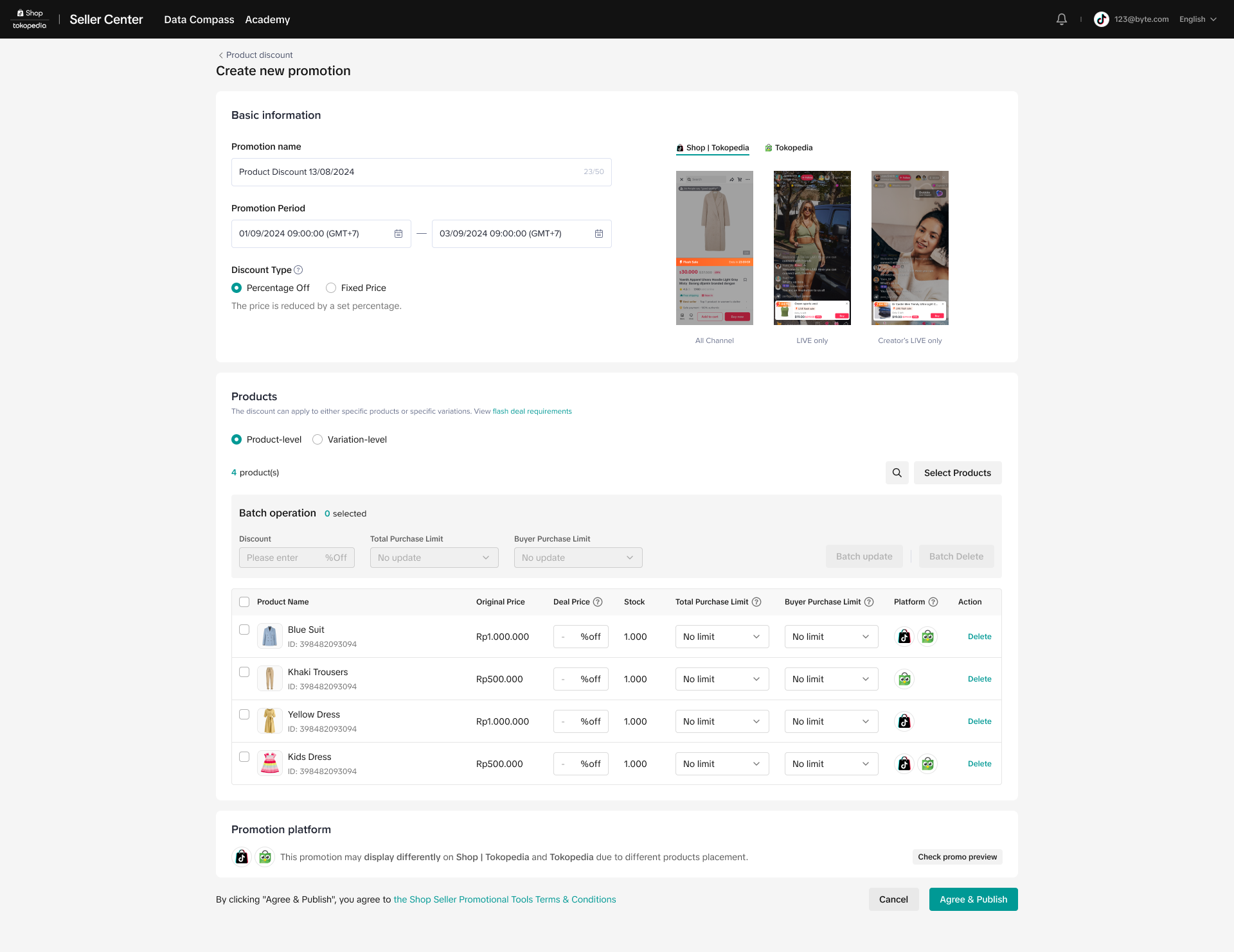
Once integration is completed, sellers can visit Tokopedia & TikTok Shop Seller Center to view, edit and create promotions by entering the Manage Promotion page. New promotions created on Tokopedia & TikTok Shop Seller Center will be displayed on both consumer platforms unless otherwise stated.
More details can be found in this feature guide.
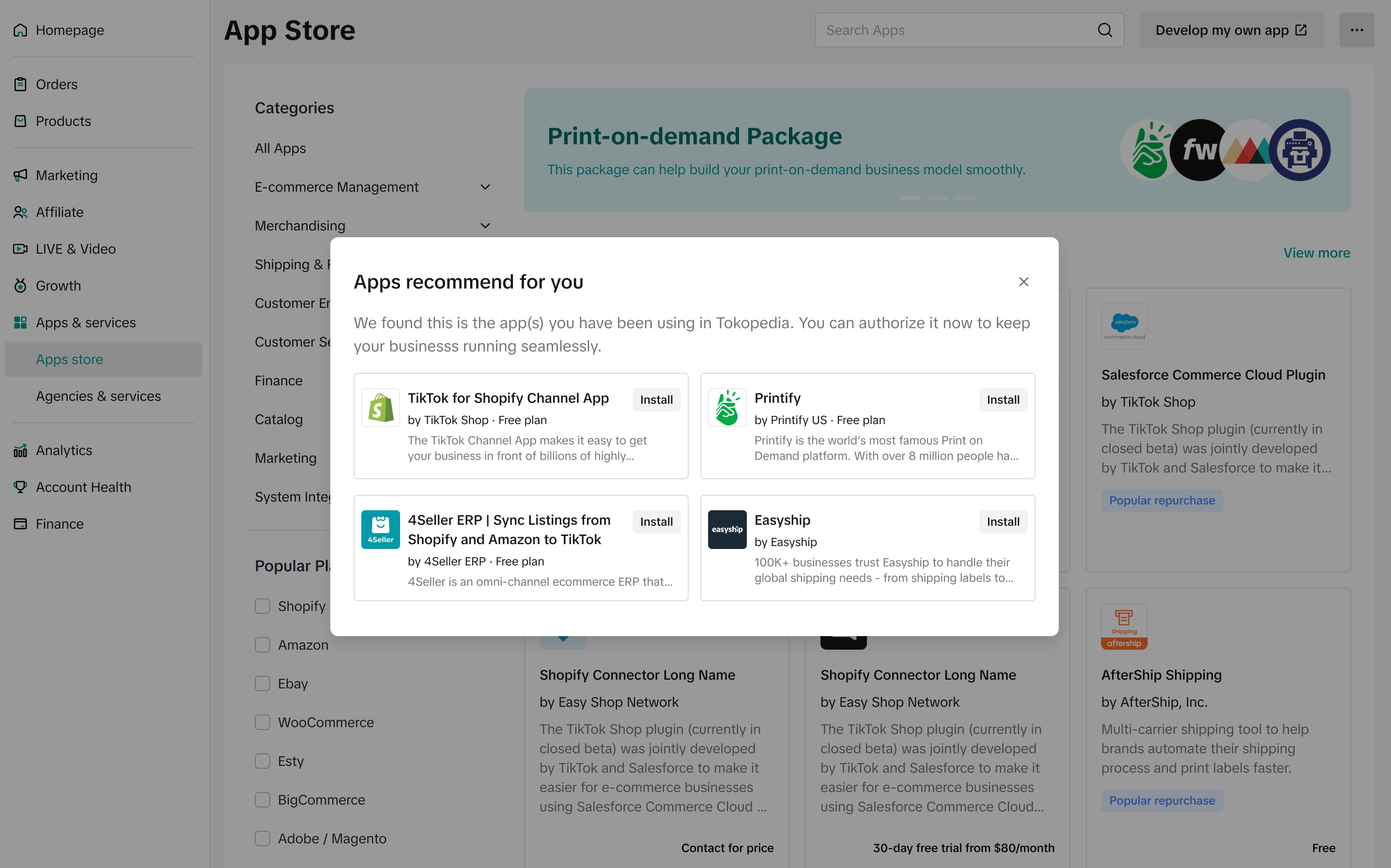 However, if you already have a TikTok Shop by Tokopedia account and your store is connected to third-party services, the system will retain your service and app data. In this case, there’s no need to reauthorize.
To learn more about the App Store feature and how to connect with third-party services, you can read the guidelines here.
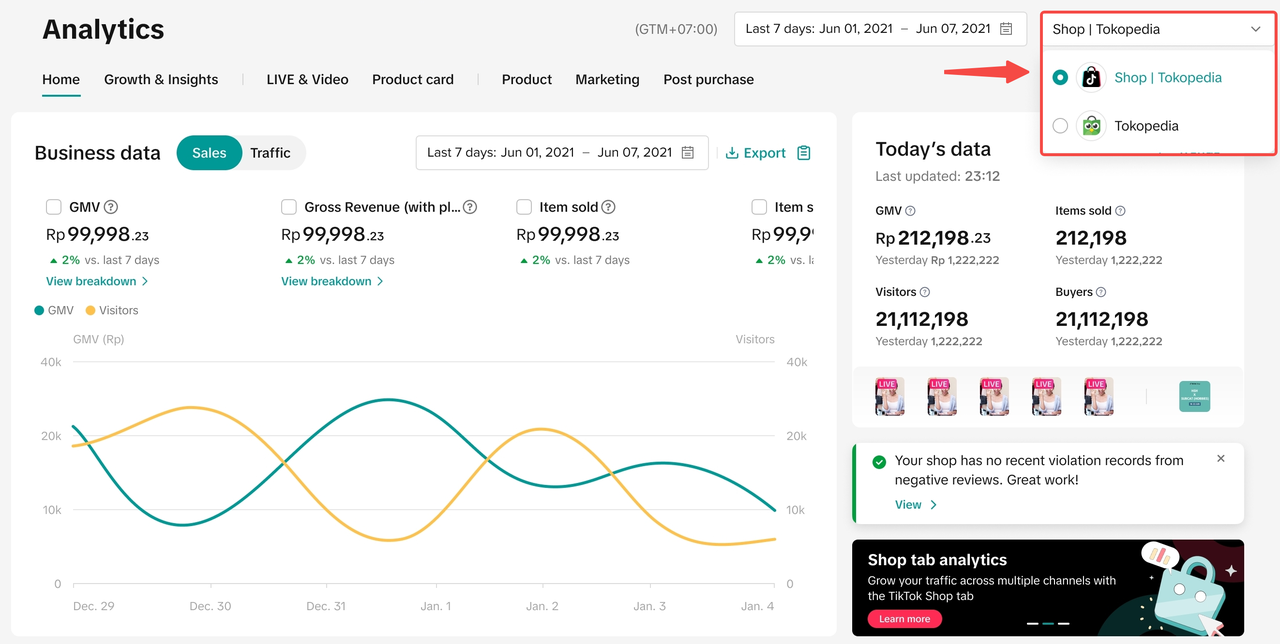
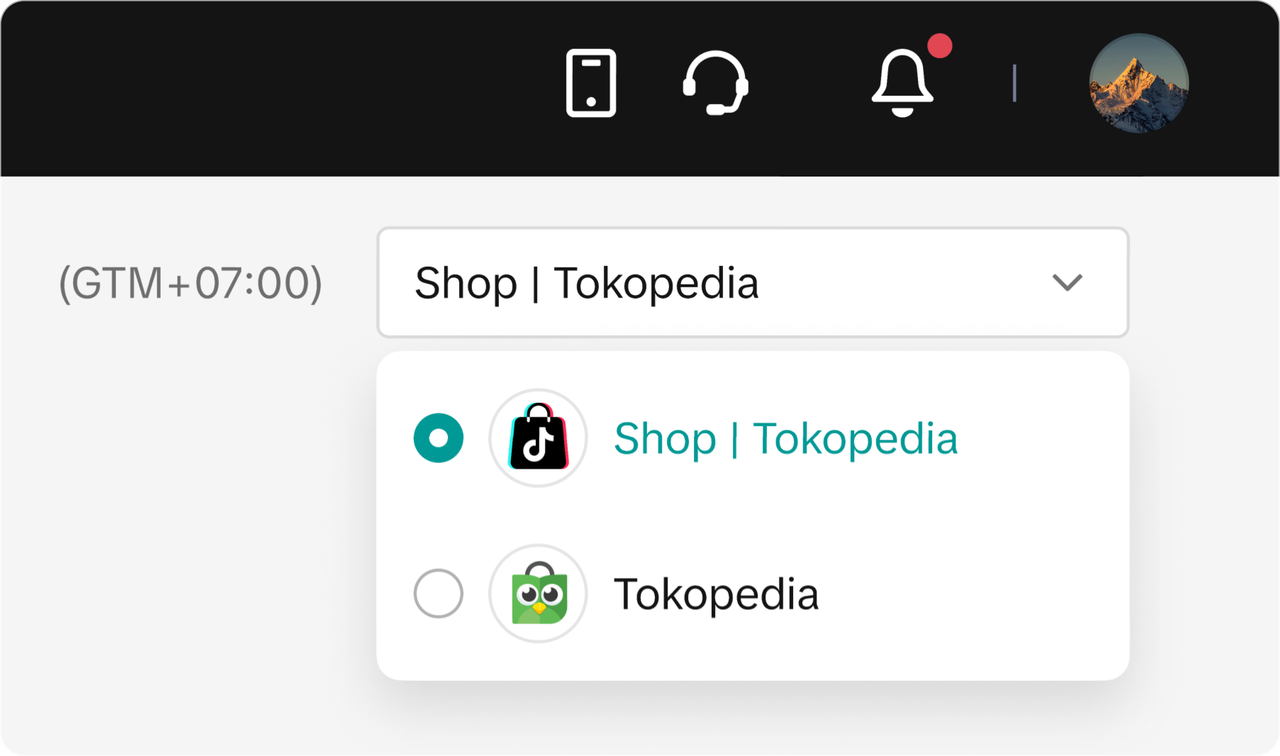 Upon meeting certain requirements, sellers will be able to view data from both platforms (TikTok Shop and Tokopedia) via a new filter on Data Compass that enables sellers to select the data source they wish to analyse:
 To learn more about the opt-in feature, you can read our feature guide here.
More details can be found in this feature guide.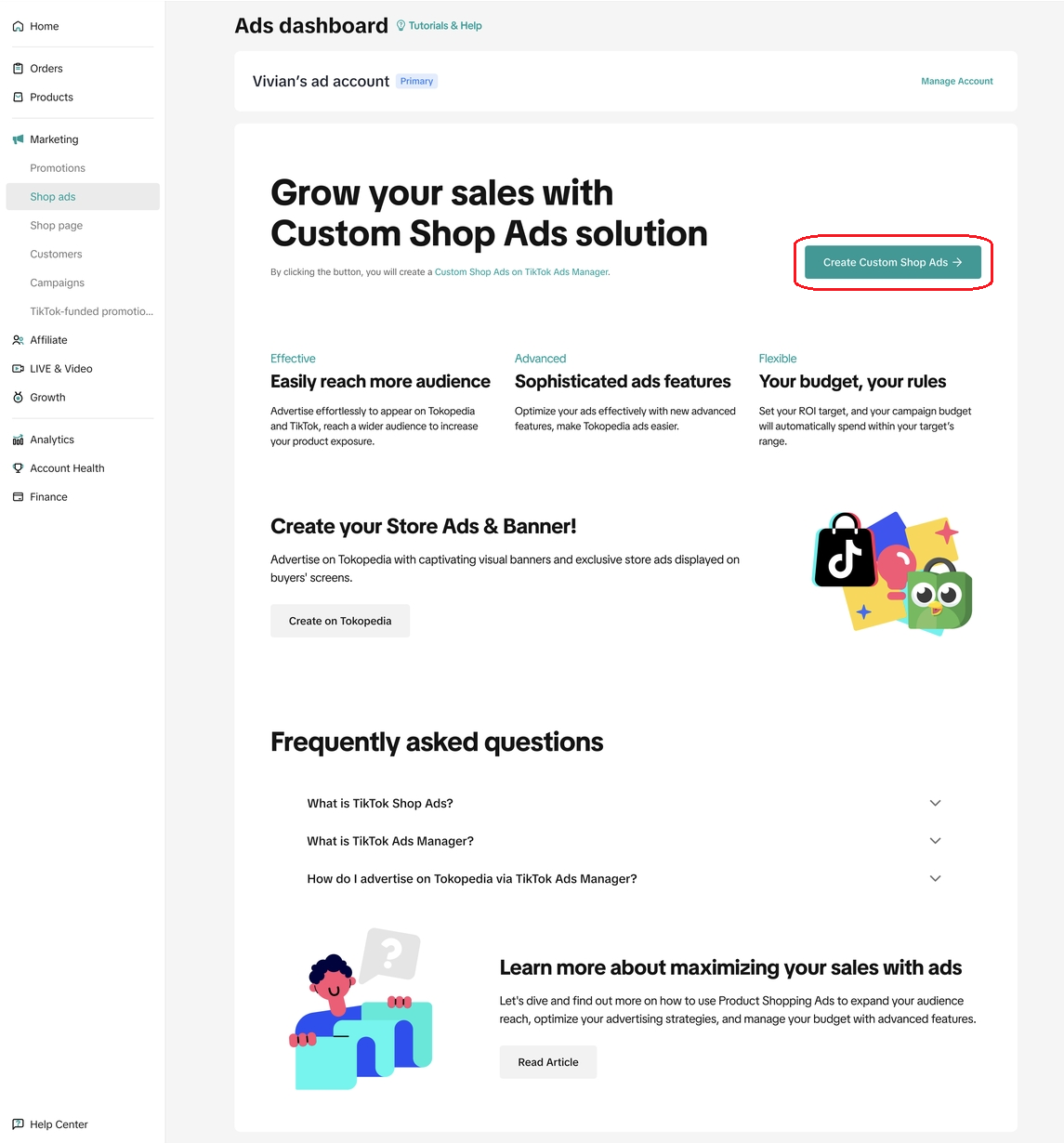
After sellers bind their account with TikTok Shop by Tokopedia, they need to confirm integration between two platforms. Sellers can directly access the integration confirmation page in Tokopedia & TikTok Shop Seller Center.
Tokopedia & TikTok Shop Seller Center is the newly integrated Seller Center which enables sellers to operate their shops in Tokopedia and TikTok Shop through one single dashboard.
Sellers will not be able to enjoy the fully integrated Seller Center experience, which allows them to manage their Tokopedia and TikTok Shop from one Seller Center if they don't review and submit their confirmation on the integration confirmation page.
Notes:- For Tokopedia Sellers who have bound their account with TikTok Shop and finish integrating their shops in both platforms will be able to manage their two shops in one Tokopedia & TikTok Shop Seller Center, while operations on the Tokopedia Seller dashboard will automatically be redirected to Tokopedia & TikTok Shop Seller Center with upgraded functions.
- See directory of the new integrated Tokopedia & TikTok Shop Seller Center here.
- After the seller completes the integration confirmation process, all of their products from Tokopedia will be copied to the new integrated Seller Center except for suspended products. Contact the Customer Support team if the seller wants to copy suspended products from the Tokopedia Seller Dashboard to the new Seller Center.
Integration Confirmation Process
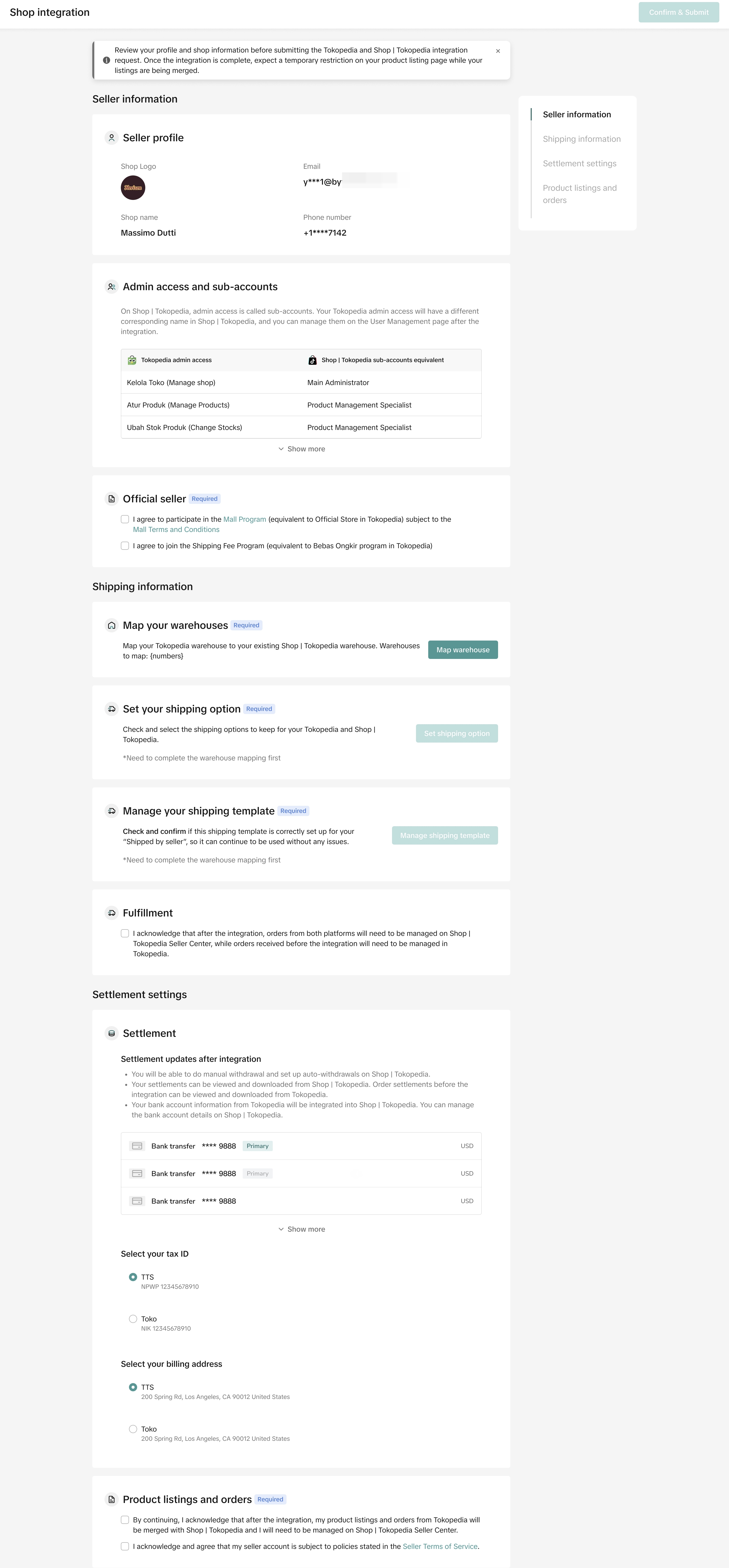
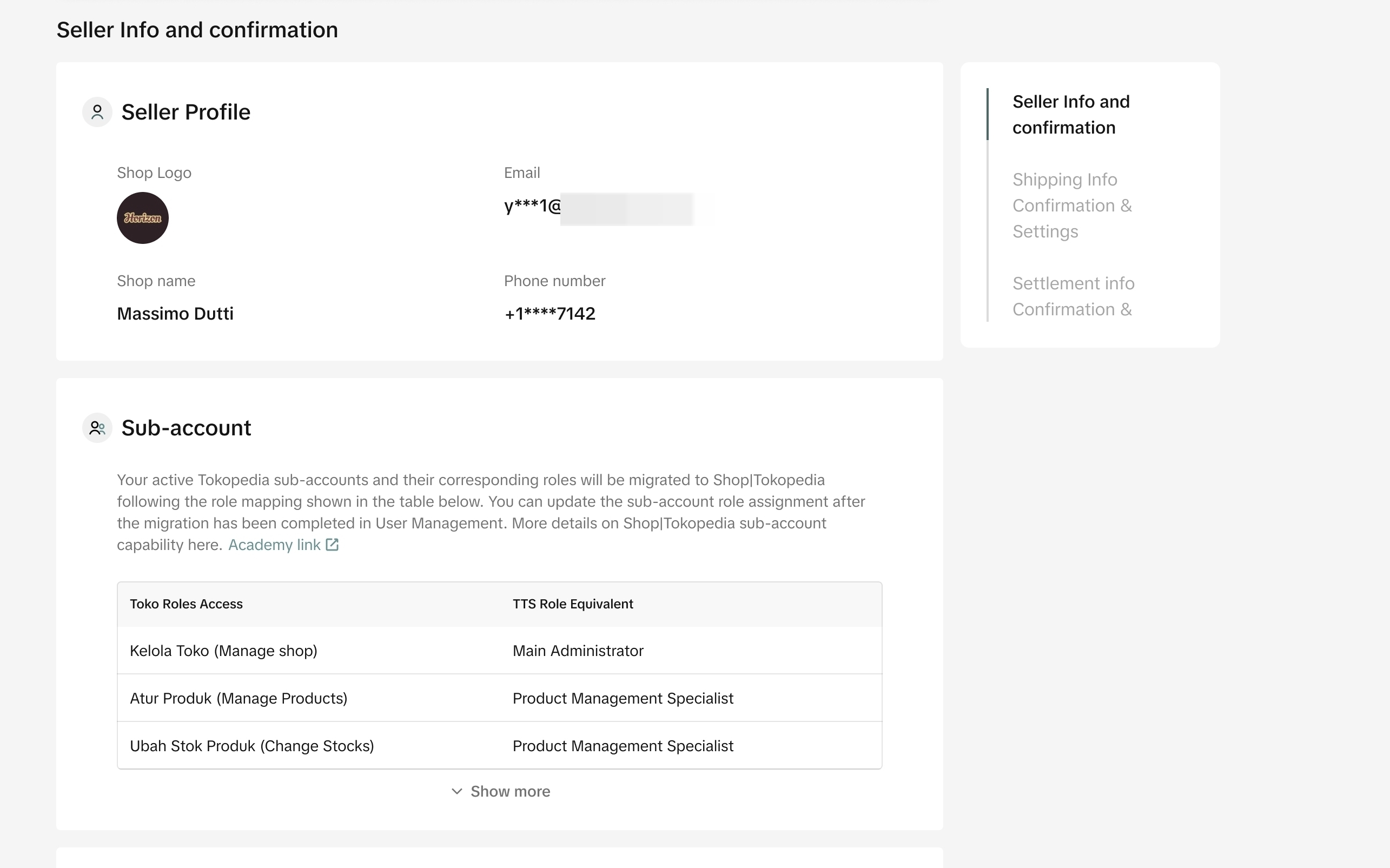
This page will allow sellers to confirm your shop's information before we integrate their Tokopedia and TikTok Shop data. Sellers can make further adjustments and edit the details after integration is completed.Seller Profile and Sub-Account
You need to review your shop logo, shop name, email, phone number, and sub-account roles. Info from Tokopedia seller dashboard will be copied to Tokopedia & TikTok Shop Seller Center. You can edit the information of sub-accounts later after this confirmation through this page.- After integrated, you will have a unified shop name across platforms.
- If you choose the integration via Account Binding with existing TikTok Shop account, the unified shop name will follow TikTok Shop by Tokopedia name.
- If you choose the integration via Fast Onboarding (creating new account), the unified shop name will use your existing Tokopedia shop name (if the system doesn't find any duplication with other store).
- However, if the system finds there is a duplicated name across platform after you have integrated and adopted the name from TikTok Shop by Tokopedia, the system will automatically add _NEW to your shop name across platform - which you will be able to change later on My Account > Seller Profile > Seller Information
Official Seller
If your shop is an Official Store in Tokopedia, you need to sign the Official seller agreement to declare that you agree to join the Mall program in TikTok Shop by Tokopedia and agree with the Mall Terms and Conditions to maintain your Official Store status.Join the Shipping Fee Program if previously you haven't joined the Bebas Ongkir program in Tokopedia or Shipping Fee Program in TikTok Shop by Tokopedia in order to maintain Mall status
Shipping Information
Warehouse
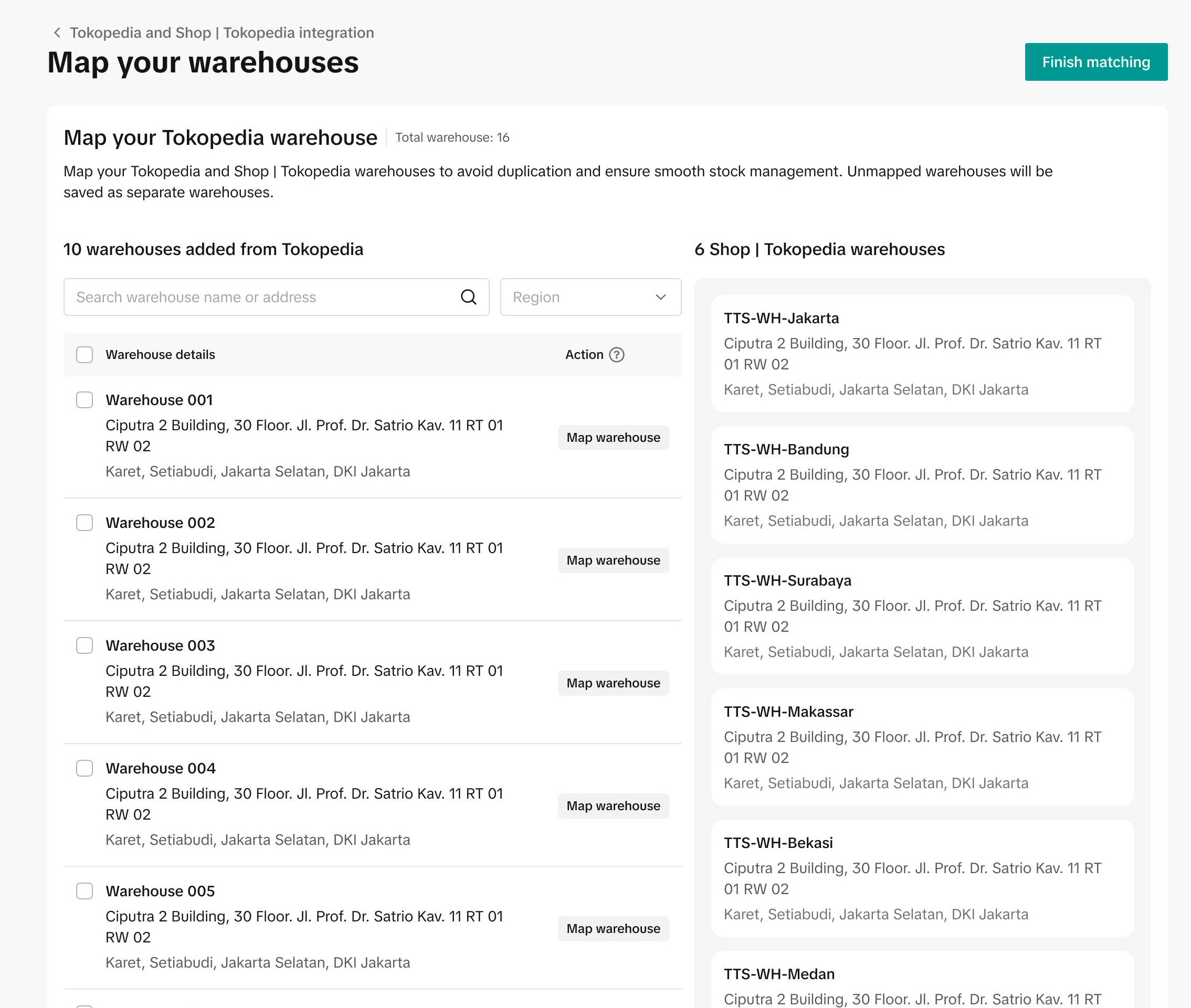
You can map your Tokopedia warehouse with the existing warehouse that you have listed in TikTok Shop by Tokopedia to avoid duplication. If you don't want to map them, your Tokopedia warehouse will just be copied and added as is.If you previously have warehouses in Tokopedia but don't have one in TikTok Shop by Tokopedia, the system will automatically copy and add your Tokopedia warehouses to Tokopedia & TikTok Shop Seller Center. Find the details about warehouse here.
Shipping Option
You need to review and confirm shipping providers you have subscribed in Tokopedia, whether you are going to merge and use it for TikTok Shop by Tokopedia too. In TikTok Shop by Tokopedia, you can choose a shipping provider only for Regular delivery. For other logistics services, the platform will automatically assign a provider for you. Find more details here.❗️Important for Multi-warehouse sellers: after the integration, product-level custom logistics settings will reset. No worries! You can now assign specific shipping options at warehouse level. Simply group products requiring specific options into one warehouse and set the shipping preferences for that warehouse. Find more details here.
Shipping Template
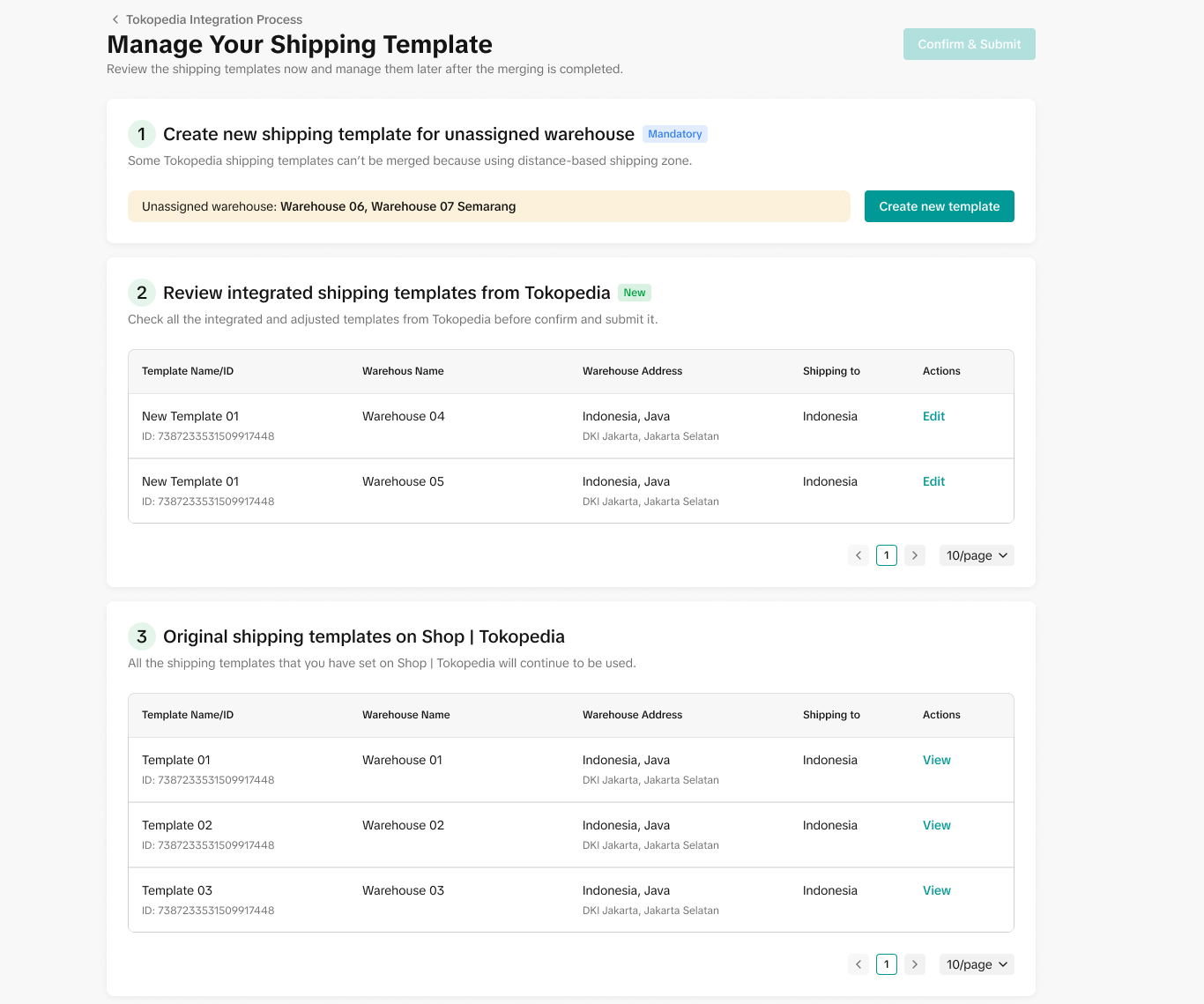
Review the shipping templates that will be merged. Warehouses that were set up with a distance-based template will be unassigned. You need to create the new template before confirming and submitting it. Find more details here.Fulfillment
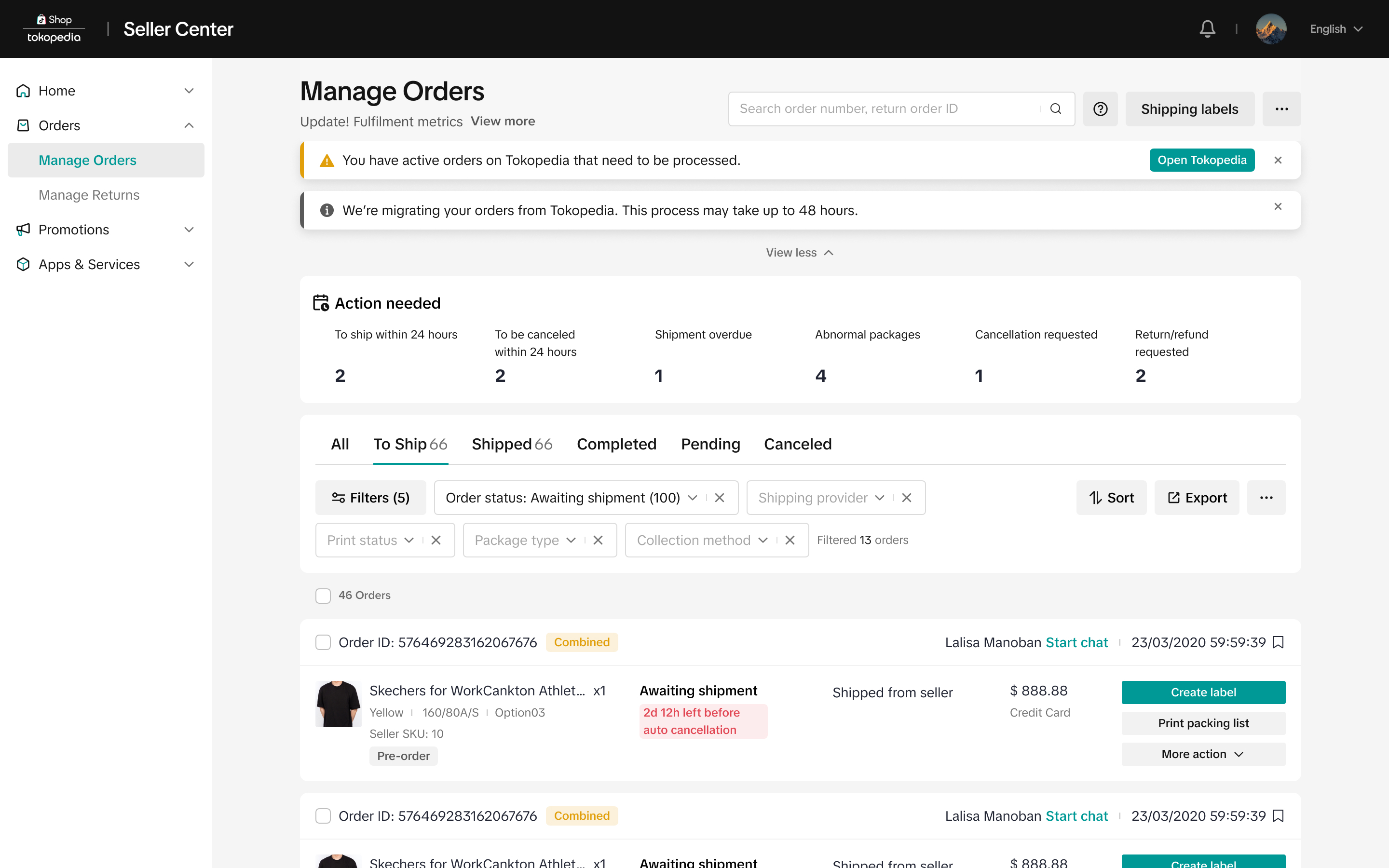
You need to confirm that orders come from both platforms after integration and shop verification* will be managed from Tokopedia & TikTok Shop Seller Center. For orders that come to Tokopedia before the integration, you will still need to manage and process it from Tokopedia Seller Dashboard.Learn more about managing orders here.*The shop verification process may take up to 24 hours, and the integration of orders from Tokopedia may take up to 48 hours. In the meantime, it is recommended that you monitor the Tokopedia Seller Dashboard until all your orders are fully processed and completed. This will help ensure that you don't miss any orders.
Settlement Information
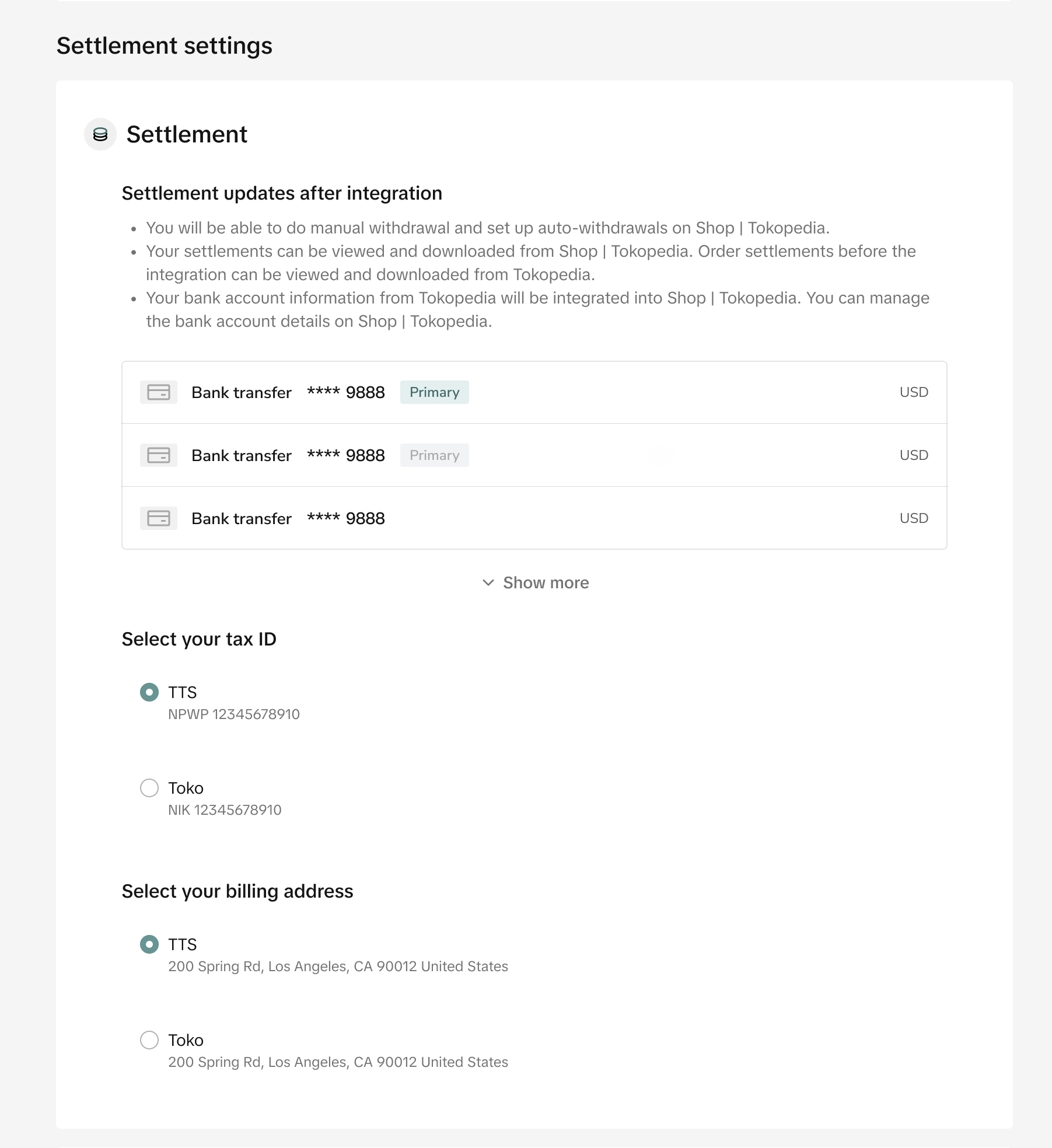
Sellers need to confirm the default withdrawal bank account for the integrated Seller Center. All orders that are settled from both platforms after the integration will be withdrawn to that bank account by default and will be handled on the Integrated Seller Center; while settlements that are coming before the integration will still be viewed, exported and withdrawn from Tokopedia Seller dashboard.Withdrawal guide here.
Apart from that, you also need to confirm your Tax ID and Billing Address that you prefer to use for the integrated Seller Center.
Product Listings and Orders
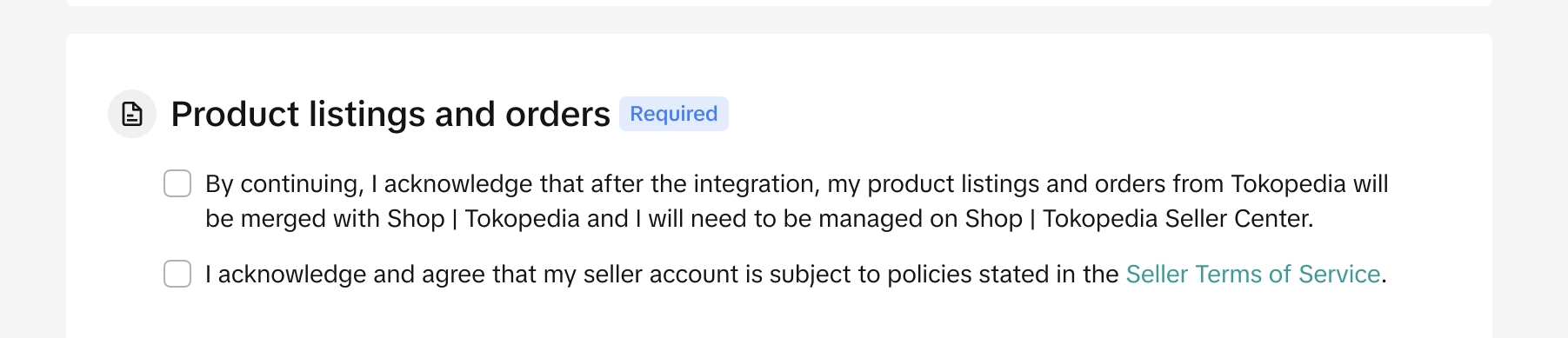
You also need to confirm that you are aware that products and orders of both platforms will be merged and managed in the integrated Tokopedia & TikTok Shop Seller Center after integration.After Integration Confirmation
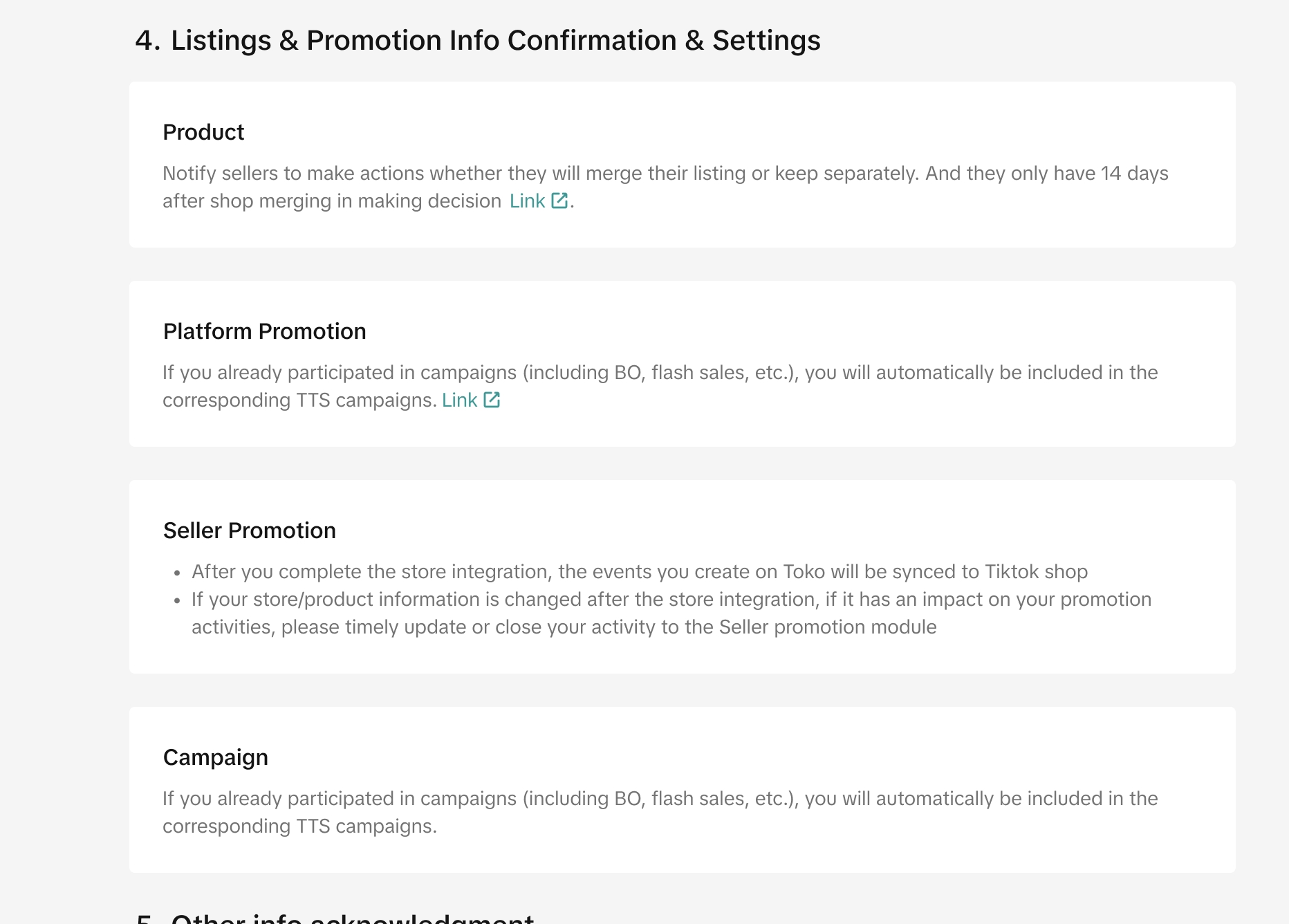
After sellers have confirmed the required information, this page will be shown and requires sellers to review each section to ensure smooth merging process, such as listing and promotion, etc. They can edit the information directly by clicking links that are available in each section.Sellers is recommended to finish the review and editing process in order to get full integrated experience of managing shops of both platforms through one Tokopedia & TikTok Shop Seller Center.
Holiday Mode
You can set up your holiday mode for both platforms to ensure the right working hours of your shop, both Tokopedia and TikTok Shop are relevant. Find the guides here.Official Seller
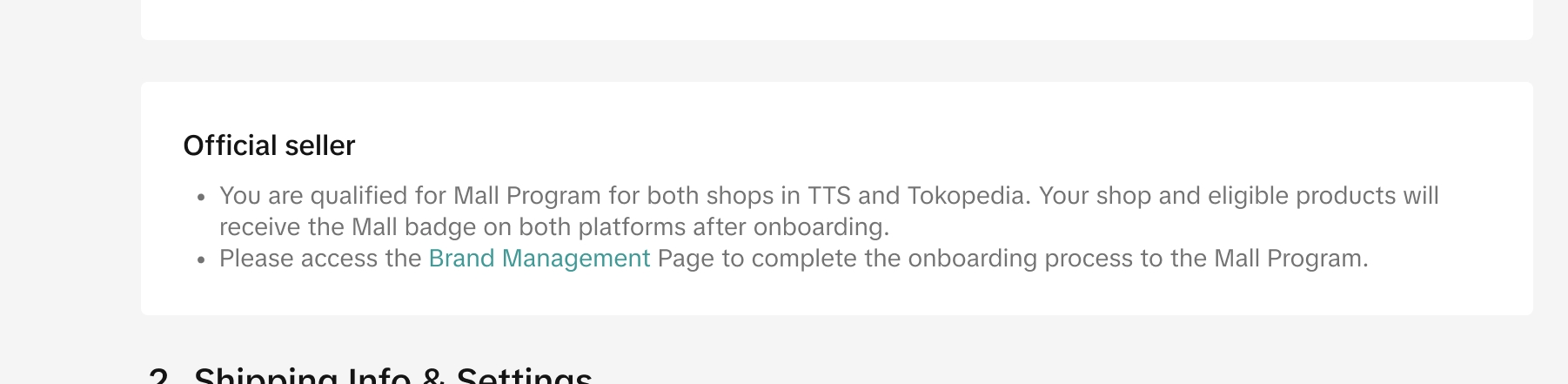
If you are qualified for Mall program on both platforms, your shop will receive the Mall badge. Access Brand Management page to check your eligibility status and manage your Mall or Official Store program. Find the guidelines here.Product Listing and Promotion
Product Listing
Sellers need to make a decision whether they want to merge their product list between Tokopedia and TikTok Shop or keep it separated within 14 days after integration confirmation through the Manage Product page.This to ensure they can run their shops smoothly from Tokopedia & TikTok Shop Seller Center, as they won't be able to add products or edit their product attributes from the Tokopedia Seller dashboard after the integration confirmation. Find the guidance and details here.
Campaigns
If sellers have completed registration or are actively participating in campaigns initiated by Tokopedia, they will be automatically included in TikTok Shop campaigns. They can check their corresponding campaigns here and also find the details in the feature guide.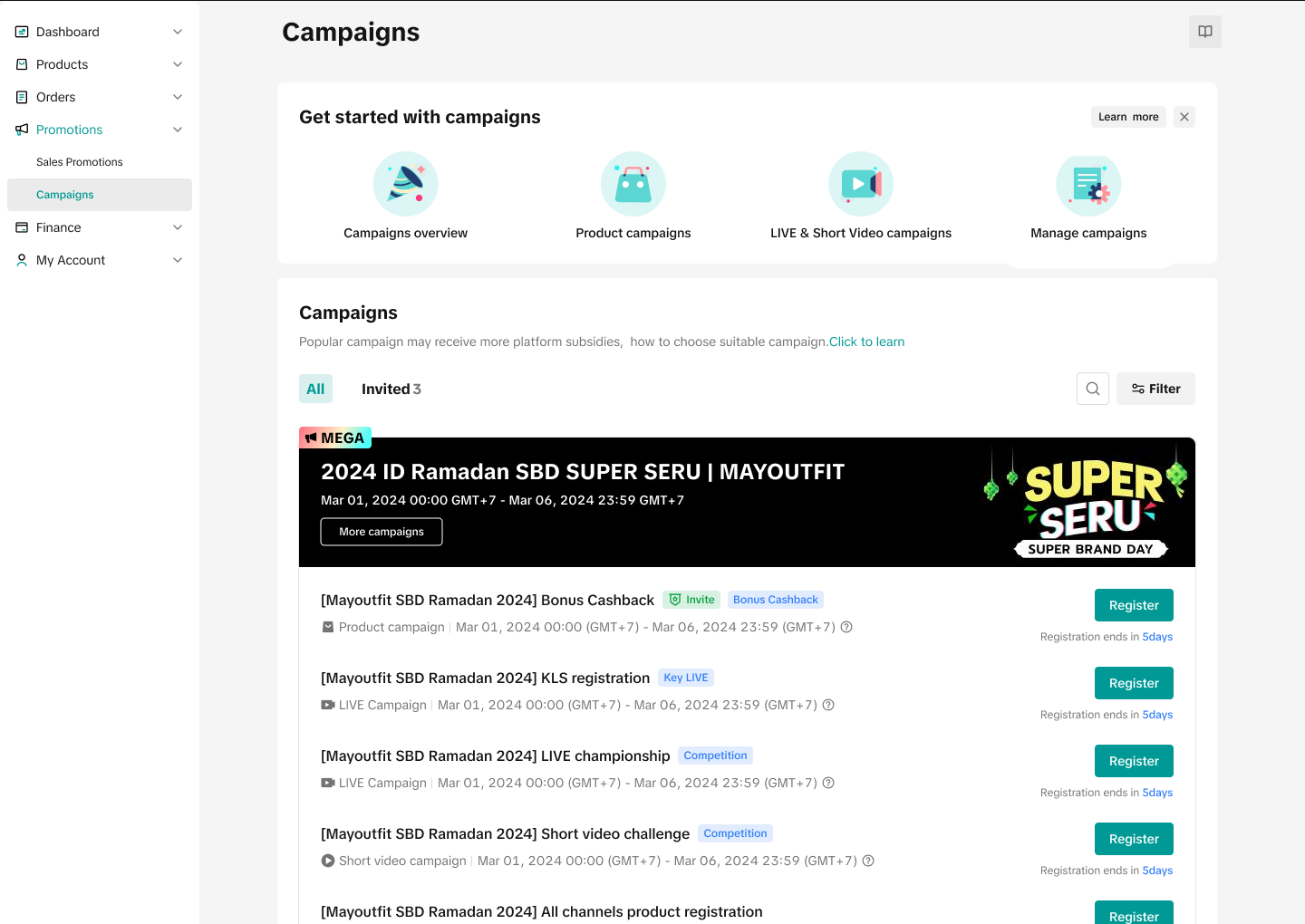 | 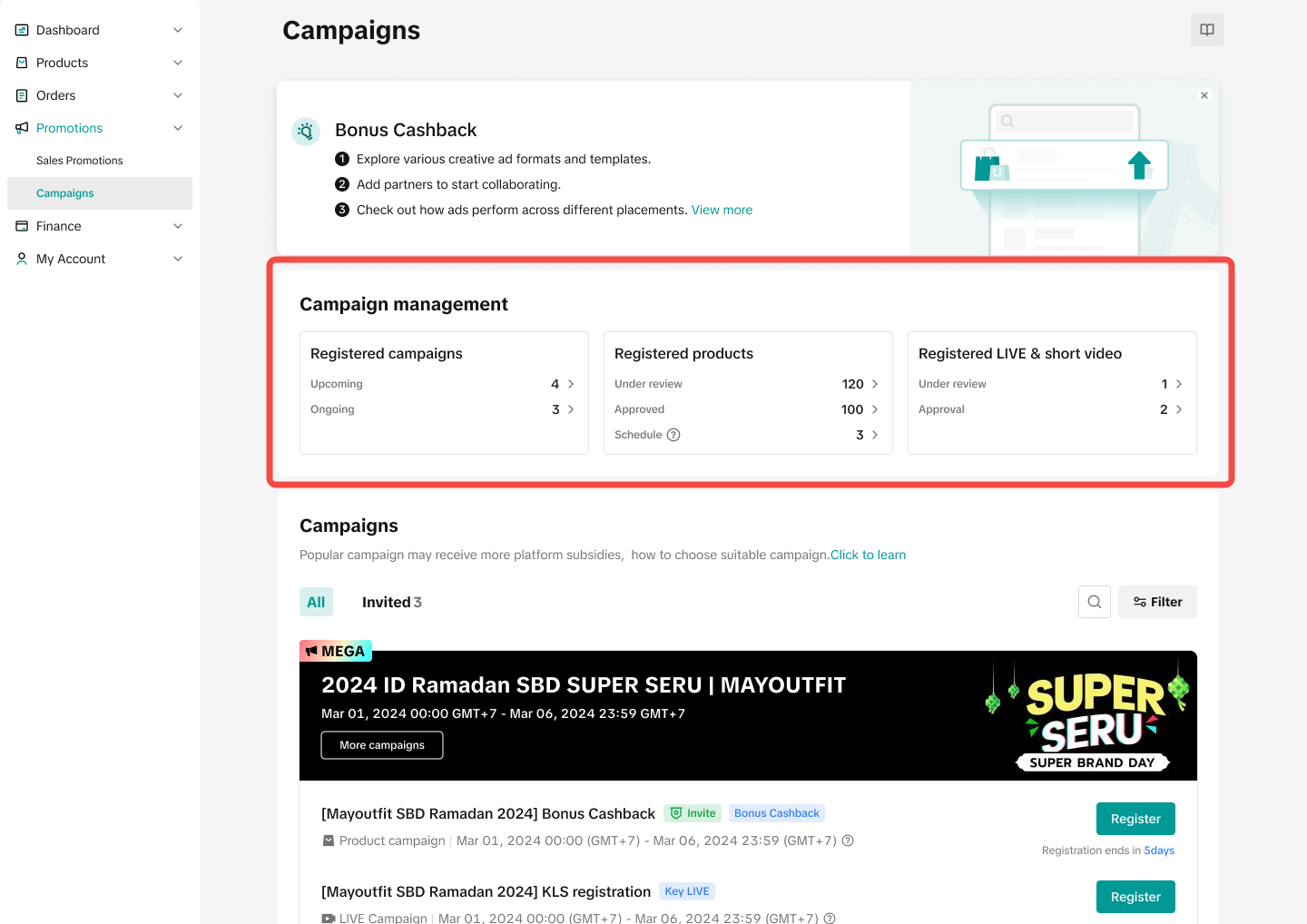 |
Platform Promotions
If sellers were actively participating in seller programs initiated by Tokopedia like Bebas Ongkir (Tokopedia), they will be automatically included in TikTok Shop seller programs ie. Shipping Fee Program (TikTok Shop). They can check their existing participation after integration here and also find the details in the feature guide.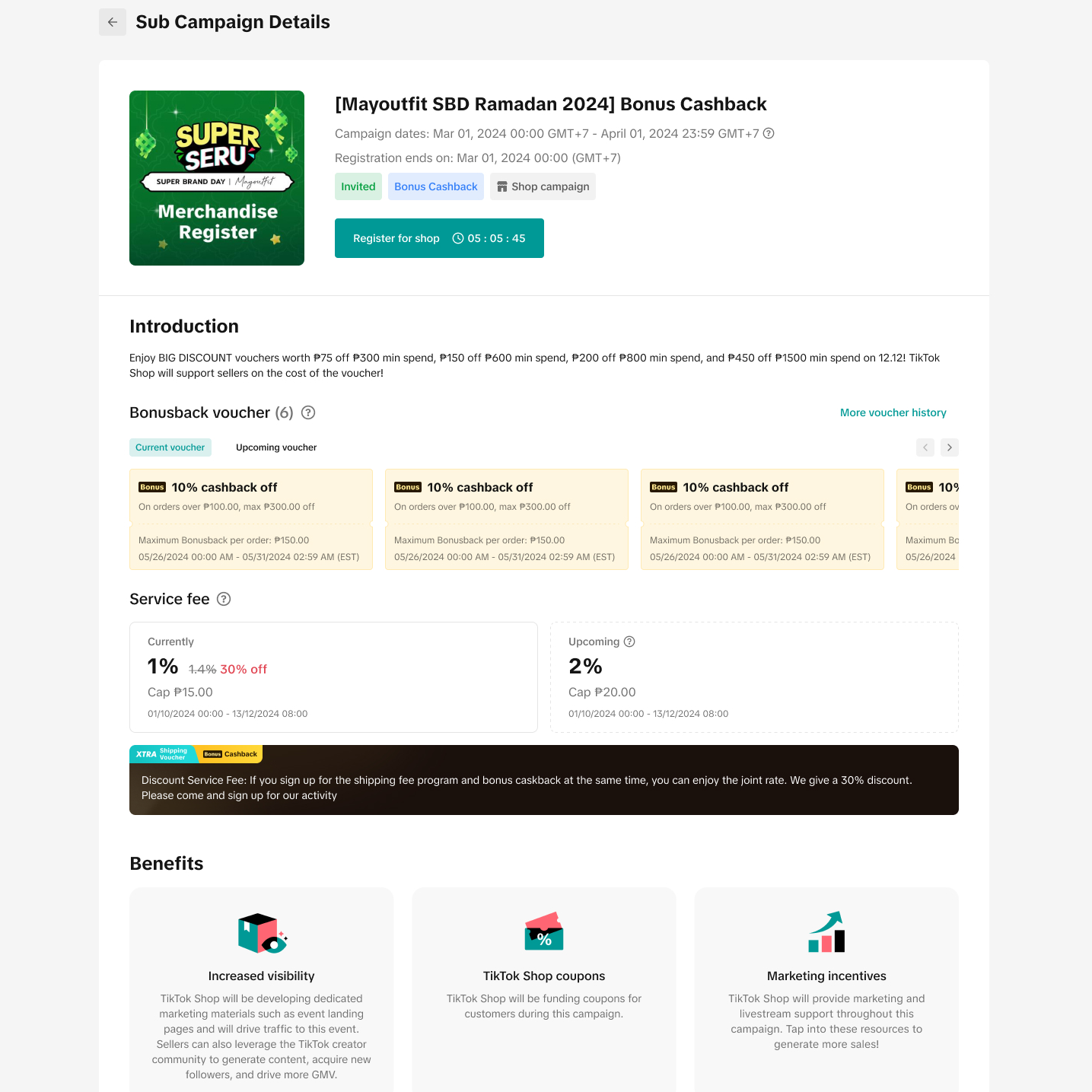 | 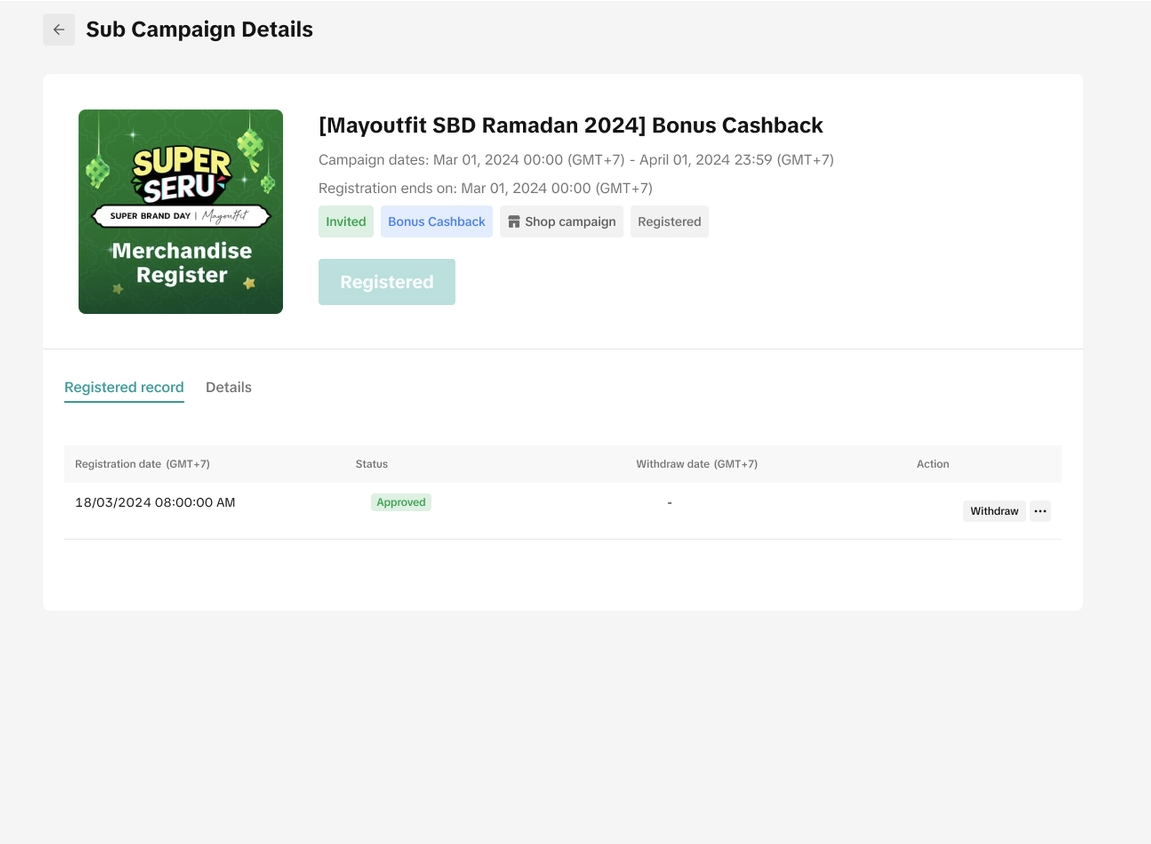 Registered for Seller Program Registered for Seller Program |
Seller Promotions
Your ongoing and upcoming promotions from Tokopedia will be integrated on Tokopedia & TikTok Shop Seller Center. You can check the progress on the Promotion Tools page.Once integration is completed, sellers can visit Tokopedia & TikTok Shop Seller Center to view, edit and create promotions by entering the Manage Promotion page. New promotions created on Tokopedia & TikTok Shop Seller Center will be displayed on both consumer platforms unless otherwise stated.
More details can be found in this feature guide.
 |  |
Other Information
Apps and Services
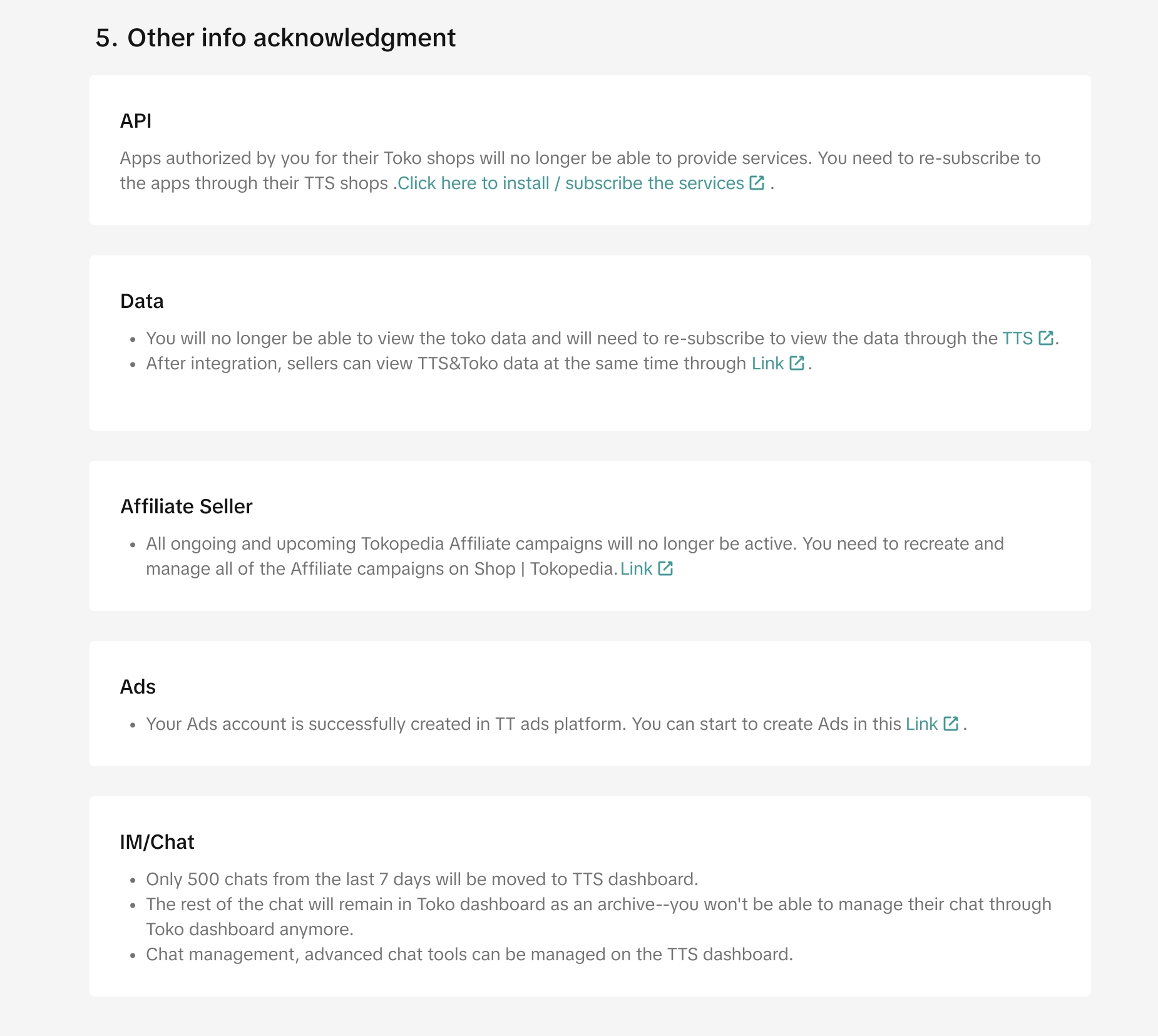
If you’re a Tokopedia seller previously connected to a third-party service or app, you’ll need to reauthorize your connections. Simply click install / subscribe the services, and the system will redirect you to the app store. There, you’ll see a list of recommended services or apps you previously used on the Tokopedia platform. You can reauthorize it directly by clicking Install for the service you want or choose to do this after completing the seller integration process.However, if you already have a TikTok Shop by Tokopedia account and your store is connected to third-party services, the system will retain your service and app data. In this case, there’s no need to reauthorize.To learn more about the App Store feature and how to connect with third-party services, you can read the guidelines here.
Performance Data
Upon meeting certain requirements, sellers will be able to view data from both platforms (TikTok Shop and Tokopedia) via a new filter on Data Compass that enables sellers to select the data source they wish to analyse:- TikTok Shop - This will show data from TikTok Shop platform only
- Tokopedia - This will show data from Tokopedia platform only
Affiliates
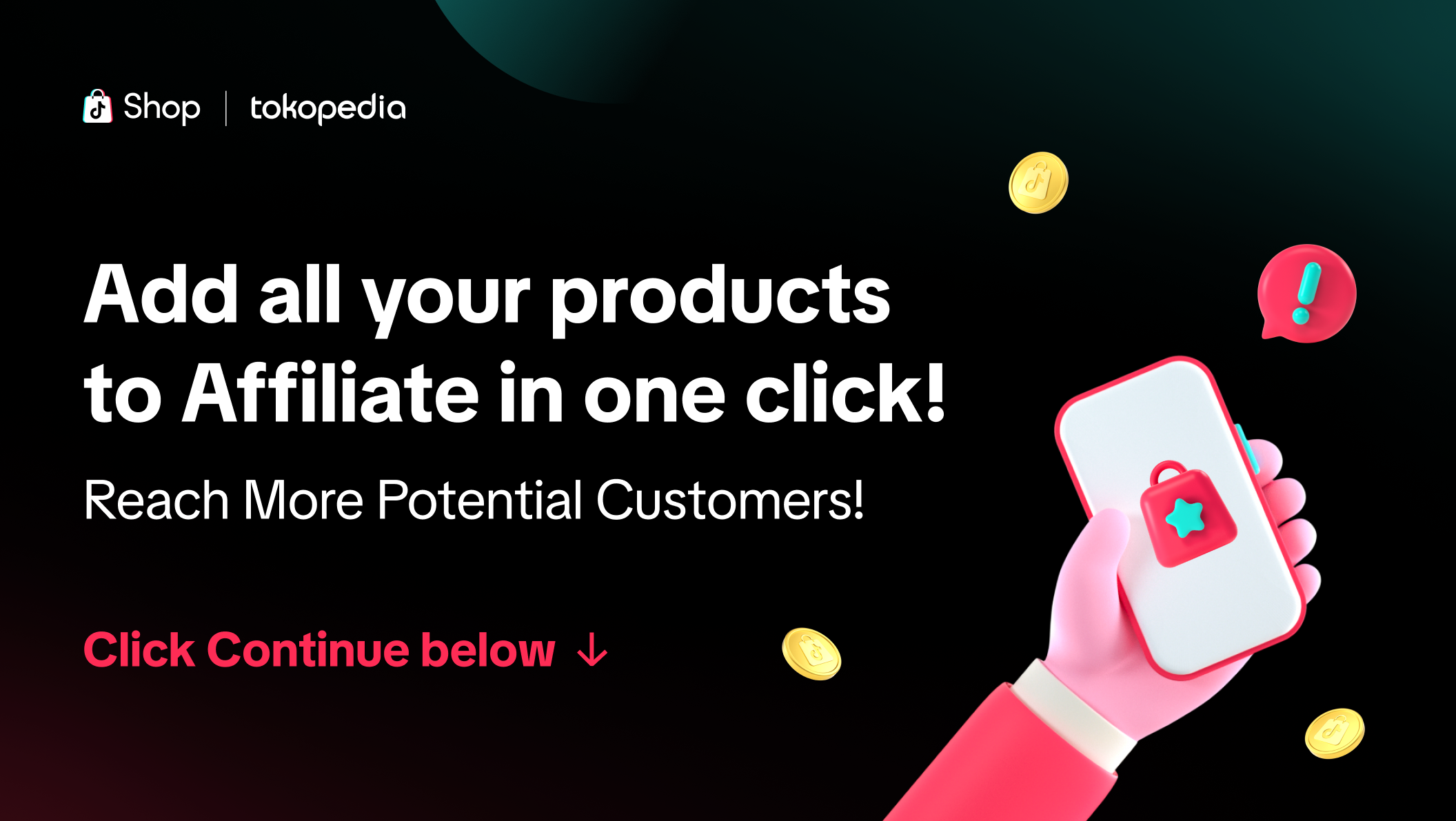
Once you have integrated your Seller account into TikTok Shop, you will need to add your affiliate products to the Affiliate Center for it to be eligible for affiliate content. Read more about the TikTok Shop by Tokopedia Affiliate program here. You can opt to add all your products in one click by clicking "continue" on this pop-up when you log into the seller center.To learn more about the opt-in feature, you can read our feature guide here. Ads
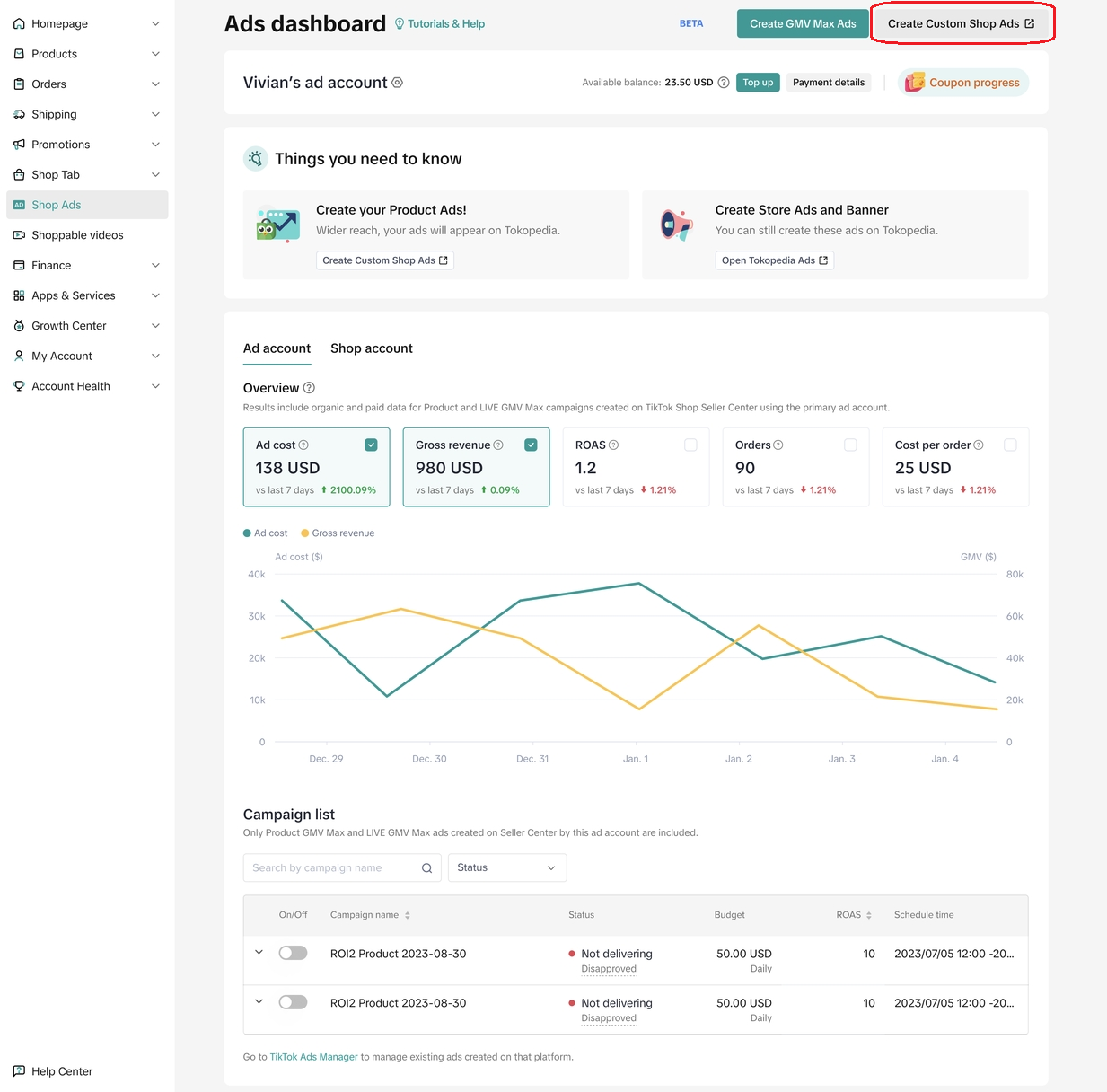
After account binding and products merging, you can now advertise your products on Tokopedia and TikTok through Shop Ads. For the first time TikTok Ad users, you will be directed to Create Custom Shop Ads to activate your Product Ads. For existing TikTok Ad users, you will continue to have access to your ads with a new additional placement for Product Ads on Tokopedia through Custom Shop Ads.More details can be found in this feature guide.
Customer Messages
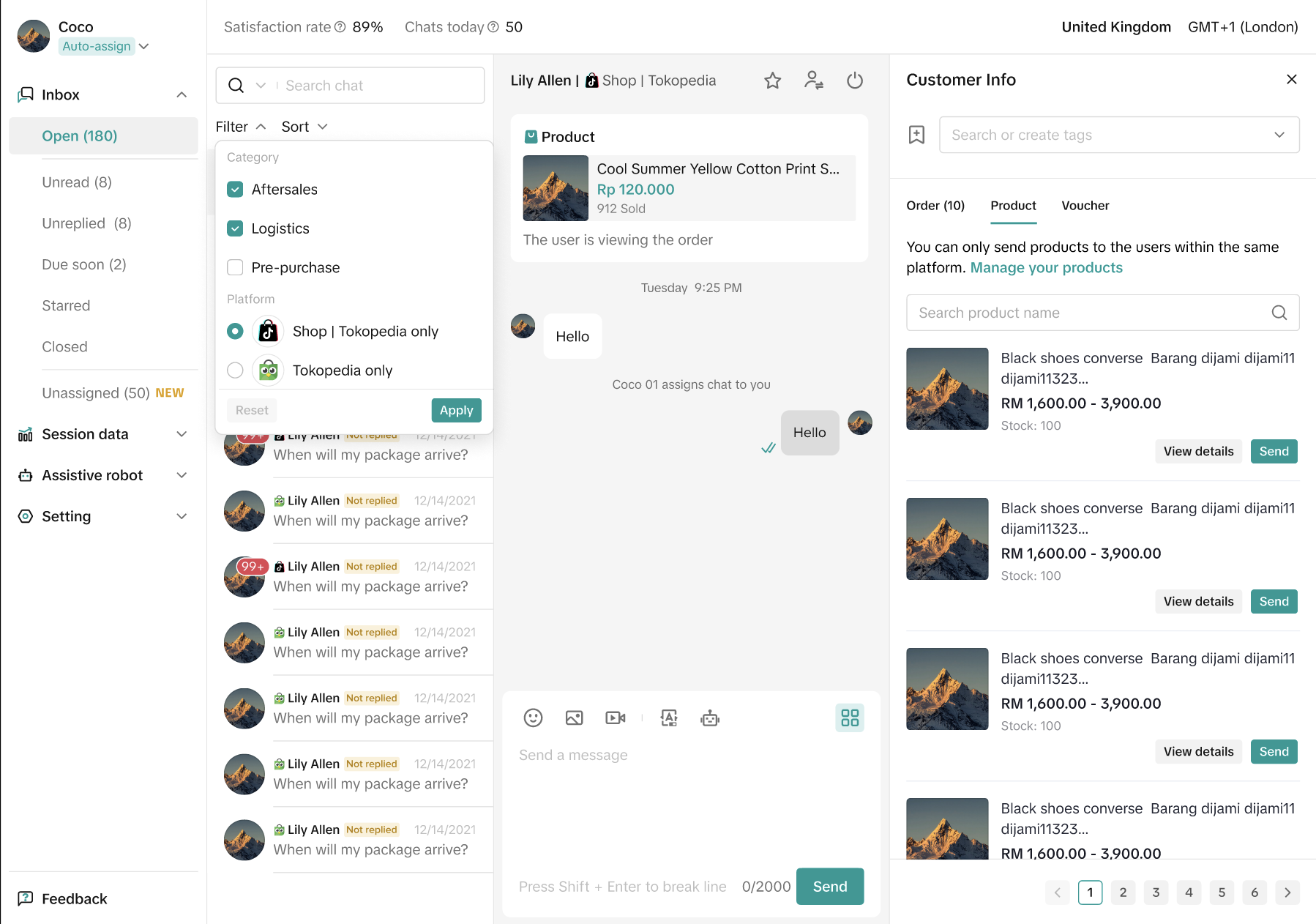
The last 500 conversations within 7 days from Tokopedia will be visible on Tokopedia & TikTok Shop Seller Center. After the integration confirmation, sellers can only manage chats on the integrated Tokopedia & TikTok Shop Seller Center.- Key functions & policies will follow TikTok Shop by Tokopedia.
- There will be a label to identify which chat is coming from, either from Tokopedia or TikTok Shop
- Vouchers that can be sent through Tokopedia & TikTok Shop Seller Center to Tokopedia buyers are only regular voucher