

Seller Entity Mismatch
08/22/2025
If during the integration process it is identified that your shops are using different documents or are of different entities, you will have to match it first before continuing. There are 3 actions that sellers can do depending on their situation.
Note: seller can upload the document for entity mismatch via dekstop only.Check out this video to find the solution for your entity mismatch

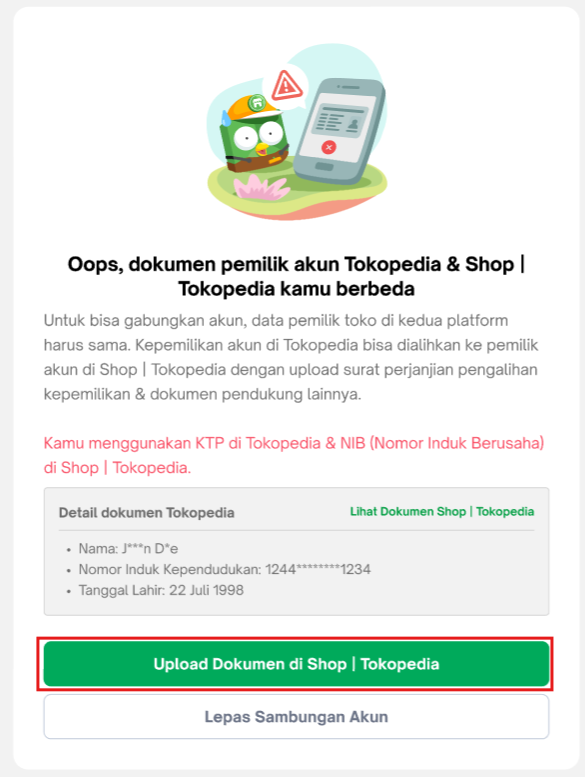
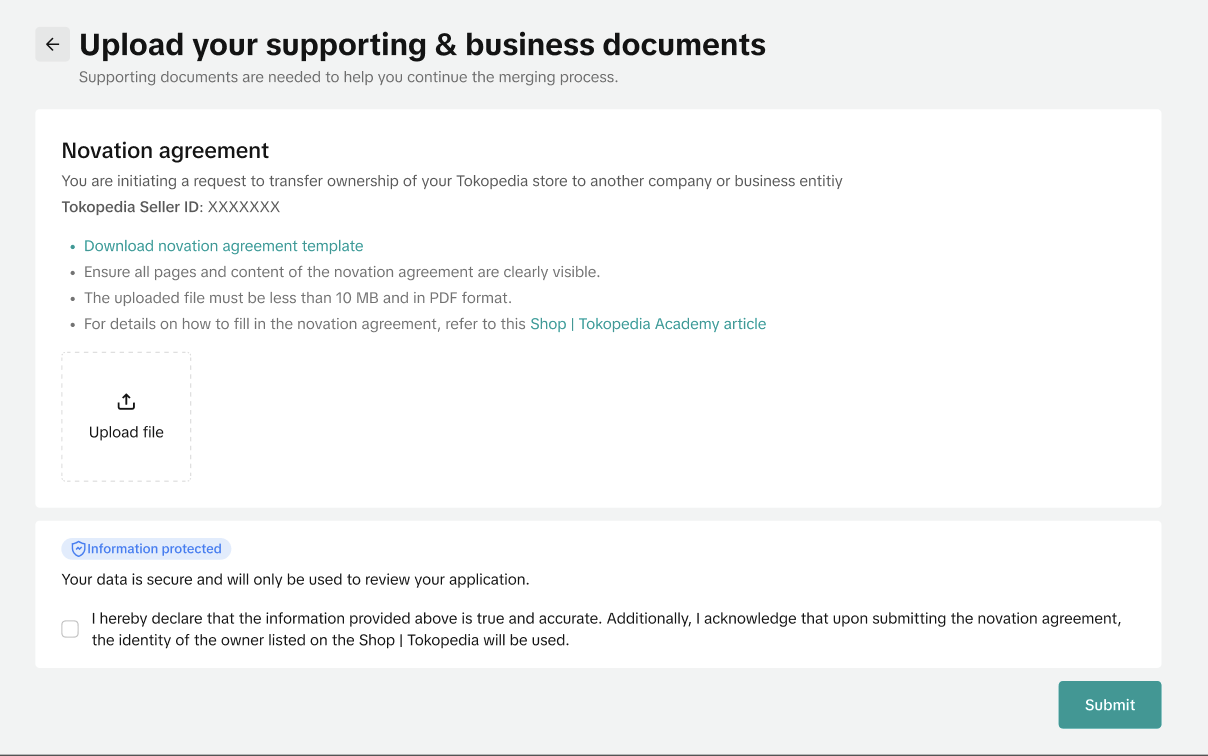 Novation agreement will be prefilled by the system. The prefilled form is editable if seller needs to update the information. Please ensure all details are accurate, and business addresses are filled before signing online & reuploading the document
For detailed instructions on how to fill the novation agreement, you can learn more here
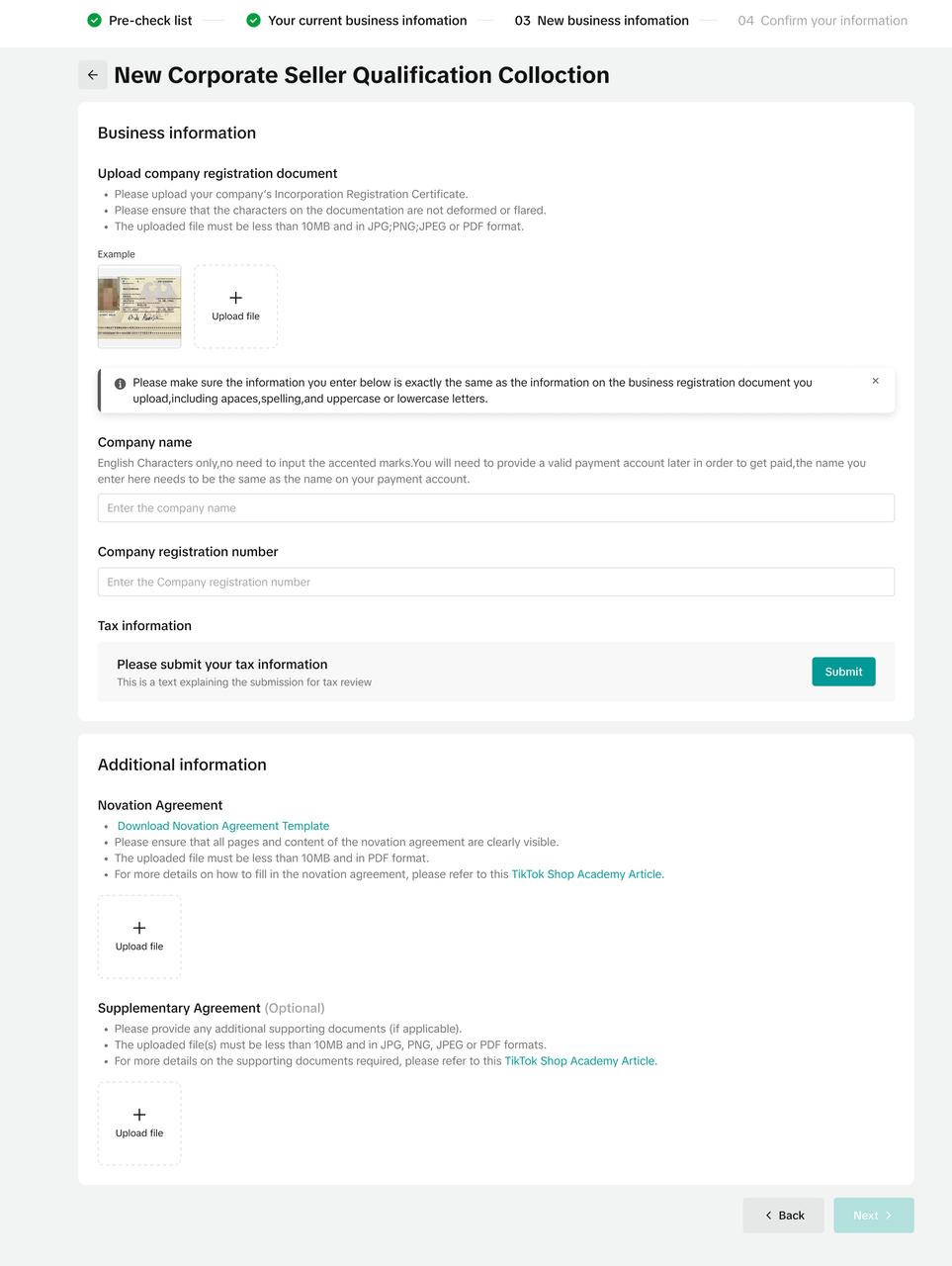 For detailed instructions on how to fill the novation agreement, you can learn more here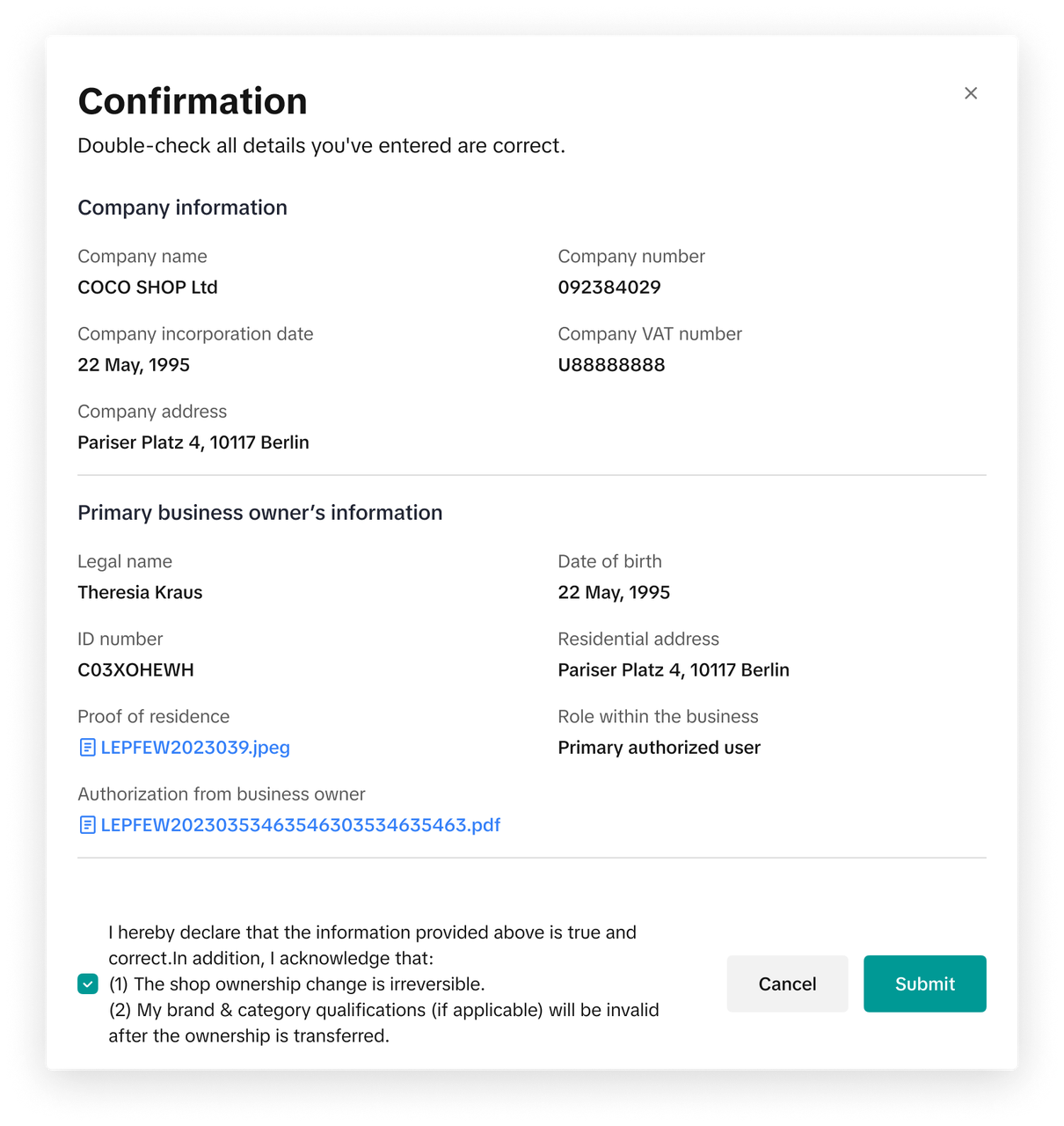
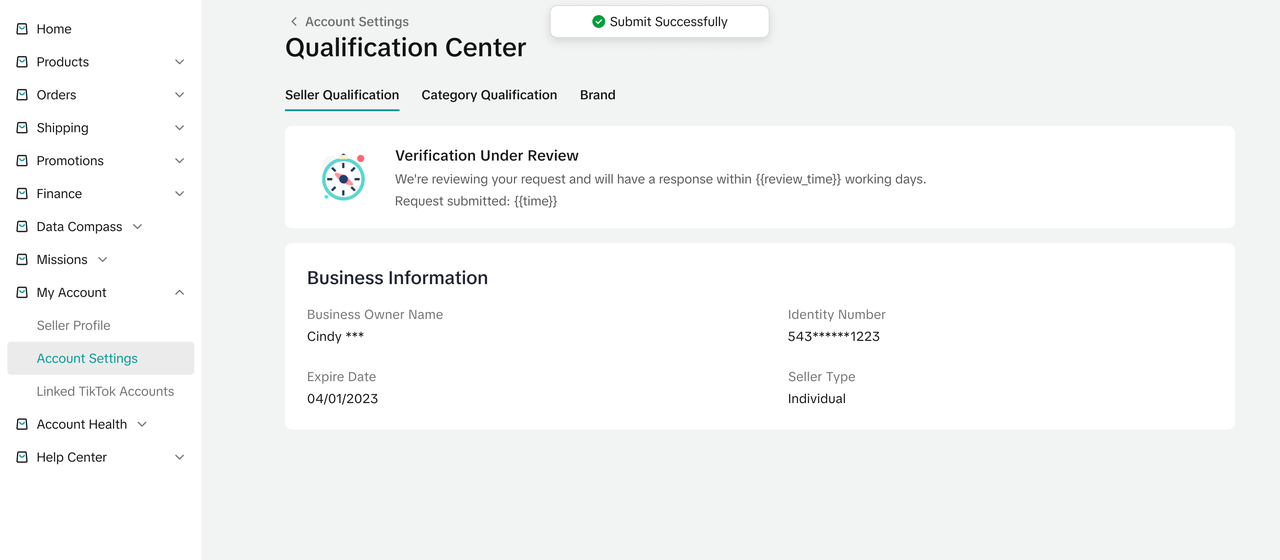

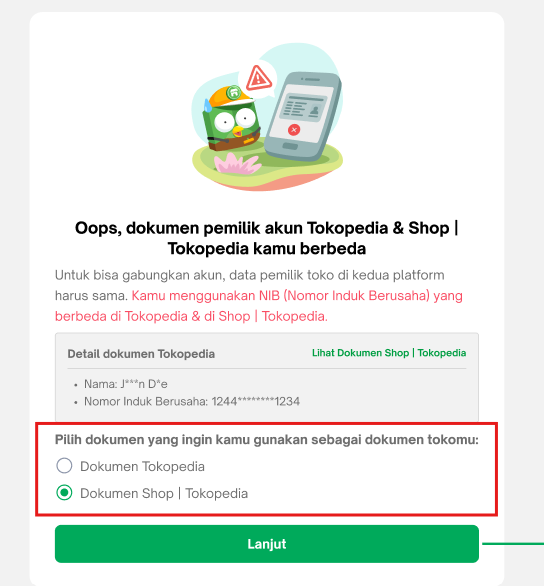

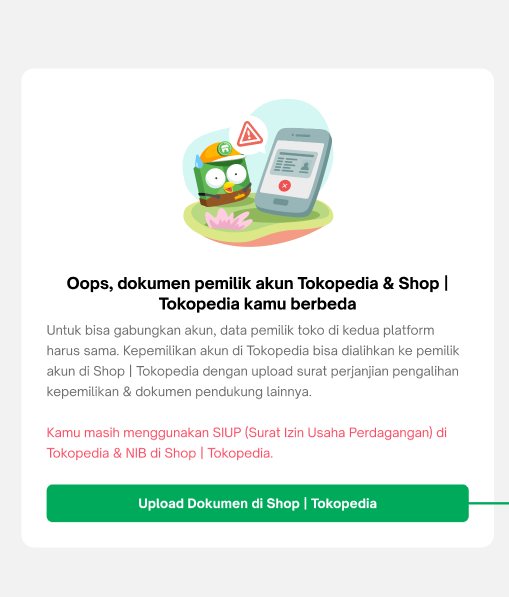

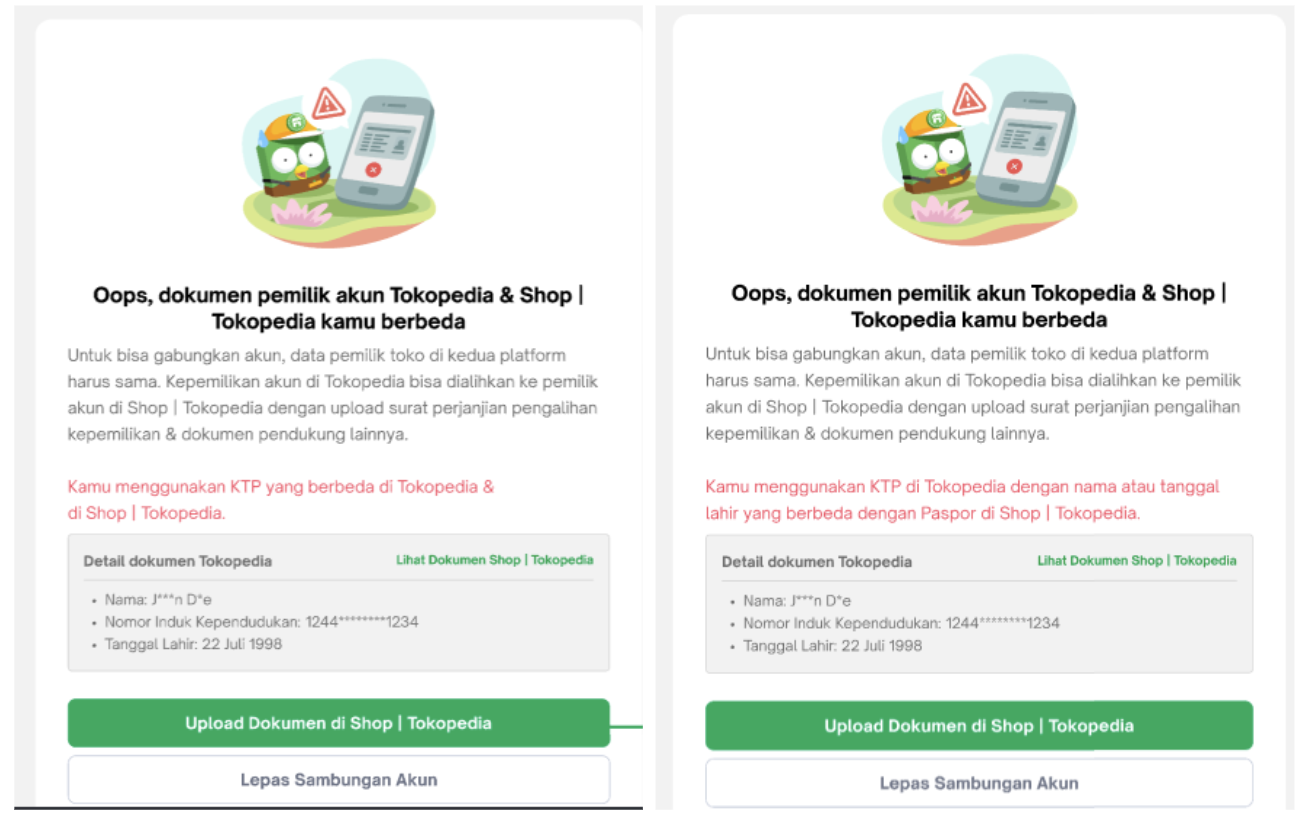 Novation agreement will be automatically prefilled by the system. The prefilled form is editable if seller needs to update the information. Please ensure all details are accurate, and business addresses are filled before signing online & reuploading the document.
For detailed instructions on how to fill the novation agreement, you can learn more here.
 For approval and rejection status, seller will also be notified via notification. If the request is approved, seller can continue the integration process through this page. But, if it's rejected, seller can see the detailed rejection reasons through and re-upload the documents: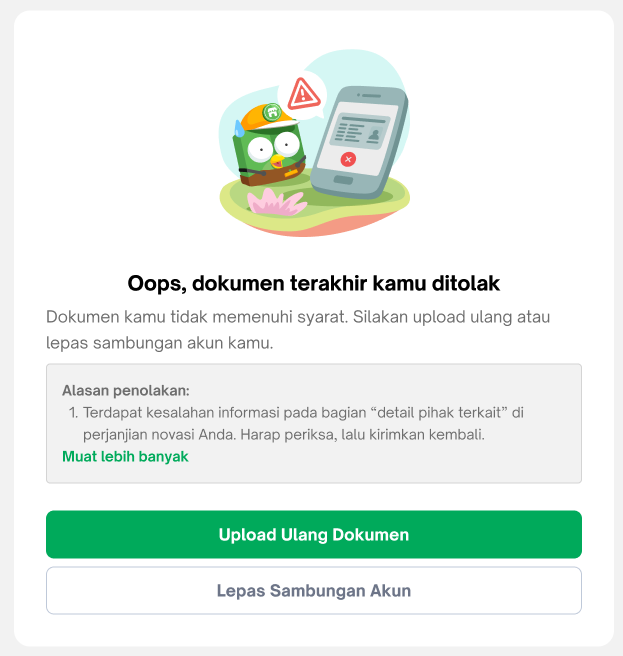
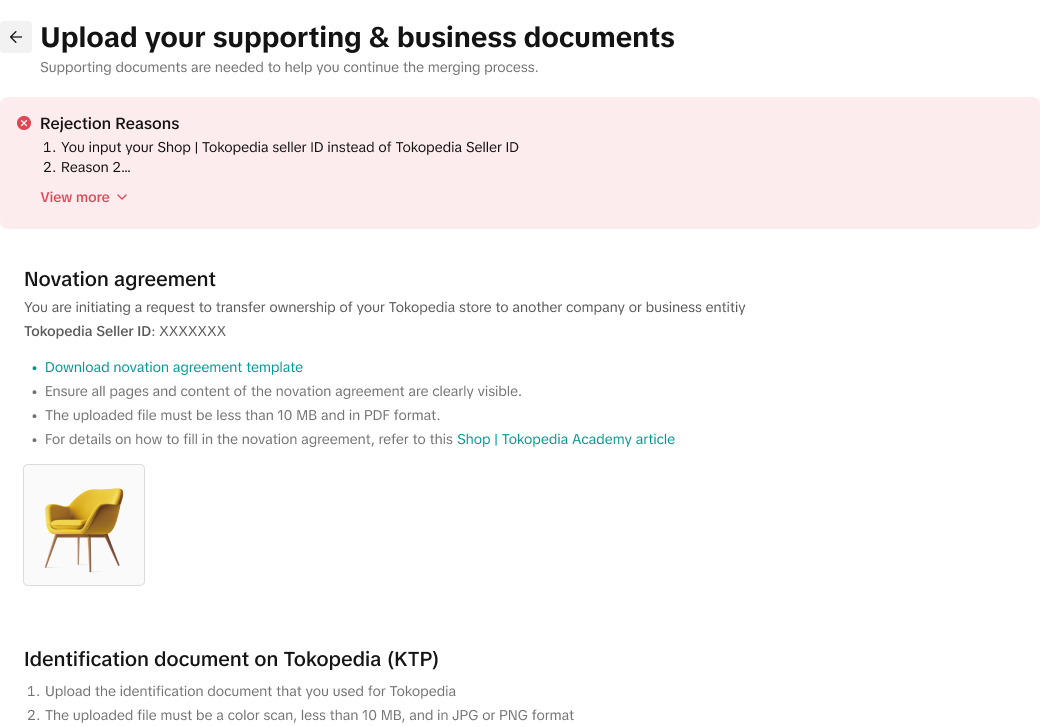
If you are using SIUP, you can proceed by clicking on the "Upload dokumen" CTA and you can just fill out both Tokopedia & TikTok Shop supporting document with the TikTok Shop by Tokopedia NIB. Similarly in the novation agreement, you can use the TikTok Shop by Tokopedia NIB information to fill out both Transferor and Transferee section
Note: seller can upload the document for entity mismatch via dekstop only.Check out this video to find the solution for your entity mismatch
Case 1 | Case Description | Actions to be taken |
| 1 | My Tokopedia shop is registered as an individual while my TikTok Shop by Tokopedia shop is registered as a corporation | Sign a novation agreement |
| 2 | My Tokopedia shop is registered as a corporate shop, while my TikTok Shop by Tokopedia shop is registered as an individual | Perform shop ownership change |
| 3 | My shops are registered under two different corporations on each platform (2 NIBs on each platform) | Perform shop ownership change or Sign a novation agreement |
| 4 | I registered in Tokopedia using SIUP | Sign a novation agreement |
| 5 | My shops are registered under two individuals on each platform | Sign a novation agreement |
Case 1
My Tokopedia shop is registered as an individual while my TikTok Shop by Tokopedia shop is registered as a corporationIf sellers registered as individual accounts in Tokopedia and corporate in TikTok Shop by Tokopedia in the past, they need to sign novation agreement. The system will review their novation agreement for a few working days and sellers will be notified (via Seller Center notification or email), and can continue the integration process after it's approved. Once integration is submitted, the identity of the owner in TikTok Shop by Tokopedia will be used.Novation agreement will be prefilled by the system. The prefilled form is editable if seller needs to update the information. Please ensure all details are accurate, and business addresses are filled before signing online & reuploading the documentFor detailed instructions on how to fill the novation agreement, you can learn more here
Case 2
My Tokopedia shop is registered as a corporate shop, while my TikTok Shop by Tokopedia shop is registered as an individualIf sellers register as corporate in Tokopedia and an individual account in TikTok Shop by Tokopedia, they need to switch the entity in TikTok Shop by Tokopedia to be the same one as in Tokopedia and provide relevant documents to support the request. The system will review their registered documents for 2 working days and once the review process is completed, sellers will be notified and can continue the integration process after it's approved.Check TikTok Shop by Tokopedia Documents | Begin the process of changing shop ownership |
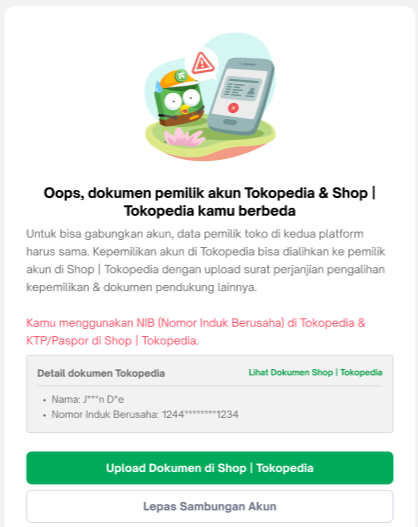 | 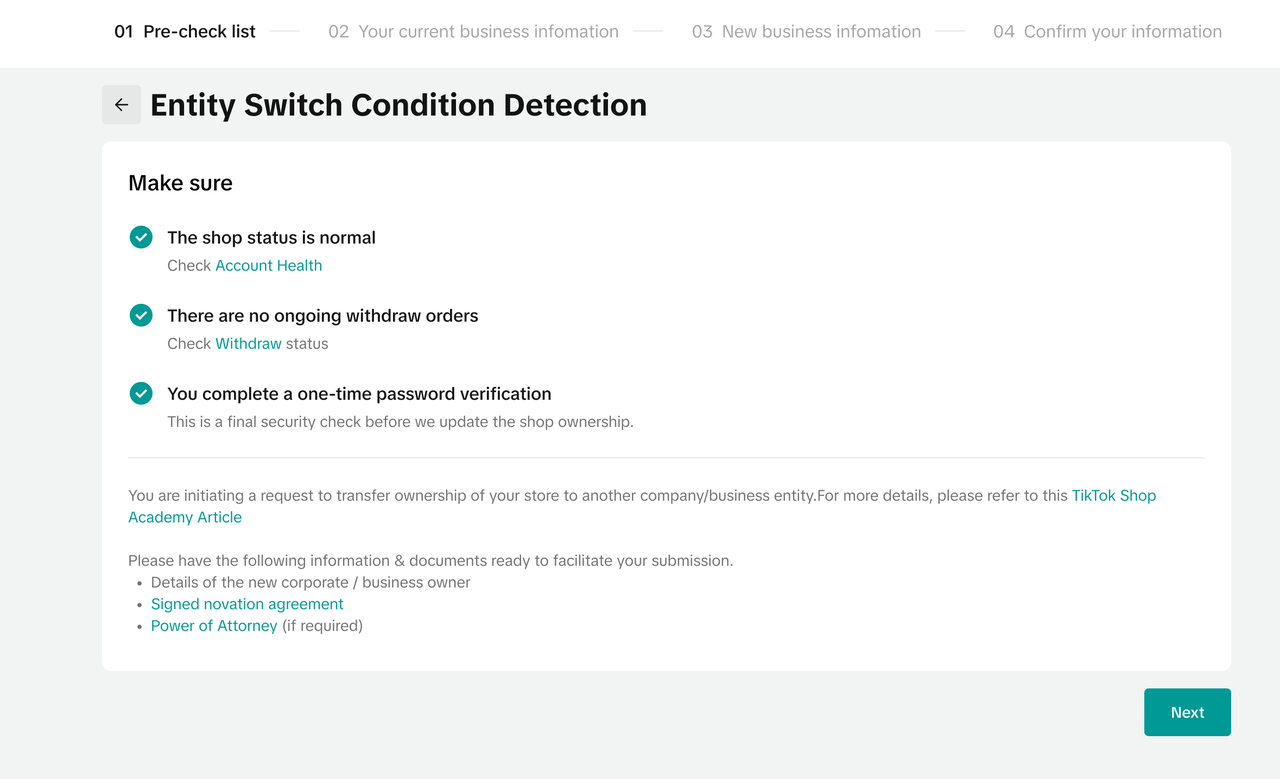 |
For detailed instructions on how to fill the novation agreement, you can learn more hereCase 3
My shops are registered under two different corporations on each platform (2 NIBs on each platform)If sellers register as corporate on both platforms but with different identities, they will have the option to:- Option 1: If they wish to use Tokopedia entity, they can switch their entity in TikTok Shop by Tokopedia to be the same as in Tokopedia and provide relevant documents to support the request similar to Case 2.
- Option 2: If they wish to use TikTok Shop by Tokopedia entity, they need to sign a novation agreement.
Case 4
I registered in Tokopedia using SIUP If sellers have different documents such as SIUP in Tokopedia but NIB in TikTok Shop by Tokopedia, they need to sign novation agreement. The system will review their novation agreement for a few working days and sellers will be notified (via Seller Center notification), and can continue the integration process after it's approved. Once integration is submitted, the identity of the owner in TikTok Shop by Tokopedia will be used.Case 5
My shops are registered under two individuals on each platformIf sellers have two different individual identities on both platforms, they need to sign a novation agreement. The system will review their novation agreement for 2 working days and sellers will be notified (via Seller Center notification or email), and can continue the integration process after it's approved. Once integration is submitted, the identity of the owner in TikTok Shop by Tokopedia will be used.Novation agreement will be automatically prefilled by the system. The prefilled form is editable if seller needs to update the information. Please ensure all details are accurate, and business addresses are filled before signing online & reuploading the document. For detailed instructions on how to fill the novation agreement, you can learn more here.
How to Check Entity Switch Status?
Sellers can check the entity switch status & rejection reason in both Seller Center.If seller already submitted request, progression status will be notified via Seller Center notification or in Tokopedia Seller Dashboard through the widget belowFor approval and rejection status, seller will also be notified via notification. If the request is approved, seller can continue the integration process through this page. But, if it's rejected, seller can see the detailed rejection reasons through and re-upload the documents:- Novation agreement rejection page
- Novation agreement collection page during submission
FAQ
- Why does my novation agreement keep getting rejected?
- Incomplete fields in the novation agreement. Please ensure that all fields are filled (name, id/business registration number, address, signature) for both transferor and transferee. Providing signature is mandatory
- Incorrect novation agreement template. Please ensure that you upload the correct file and use the novation agreement template provided. When uploading the file, ensure that the file is legible and all the pages are uploaded.
- Why is my shop verification having problems or not working so that I cannot upgrade Seller Center?
- How to do shop verification: https://www.tokopedia.com/help/article/cara-verifikasi-data-diri
- Data verification does not meet terms & conditions: https://www.tokopedia.com/help/article/verifikasi-data-diri-tidak-memenuhi-syarat-dan-ketentuan
- Data verification failed due to ID/KTP exceeding limit usage: https://www.tokopedia.com/help/article/verifikasi-data-diri-gagal-karena-id-melebihi-limit
- The importance of verifying personal data for selling: https://www.tokopedia.com/help/article/pentingnya-melakukan-verifikasi-data-diri
- If previously your shop is registered as Mall or previously known as Official Store. However, if the shop status has changed to Power Shop, so you will need to verify your personal data according to the latest shop status.
- How to check for entity information used for registration?
If you are using SIUP, you can proceed by clicking on the "Upload dokumen" CTA and you can just fill out both Tokopedia & TikTok Shop supporting document with the TikTok Shop by Tokopedia NIB. Similarly in the novation agreement, you can use the TikTok Shop by Tokopedia NIB information to fill out both Transferor and Transferee section
- My KTP in Tokopedia uses the KTP of a resigned employee or deceased person. What can I do?