

Securing your Account with Two-Step Verification
03/23/2026

Two-Step Verification
To help protect your account and strengthen overall platform security, we encourage all sellers to enable Two-Step Verification. This security measure adds an extra layer of protection to prevent unauthorized access and keeps your shop, data, and earnings safe.Note: For some sellers, Two-Step Verification is required by the platform. Click here to read more.
Benefits of Two-Step Verification
We strongly encourage sellers to complete setup promptly to avoid disruptions and take full advantage of the protections it provides:- Stronger defense against unauthorized access
- Helps secure your financial transactions and sensitive business data
- Reduces the risk of account takeovers or disruptions
- Ensures uninterrupted access to seller tools and features
- Adds confidence and peace of mind for you and your business
How to Enable Two-Step Verification
Two-step verification adds an extra layer of account protection by requiring both your password and a one-time verification code to log in. Follow the steps below to enable it on your account:- Log in to the Seller Center.
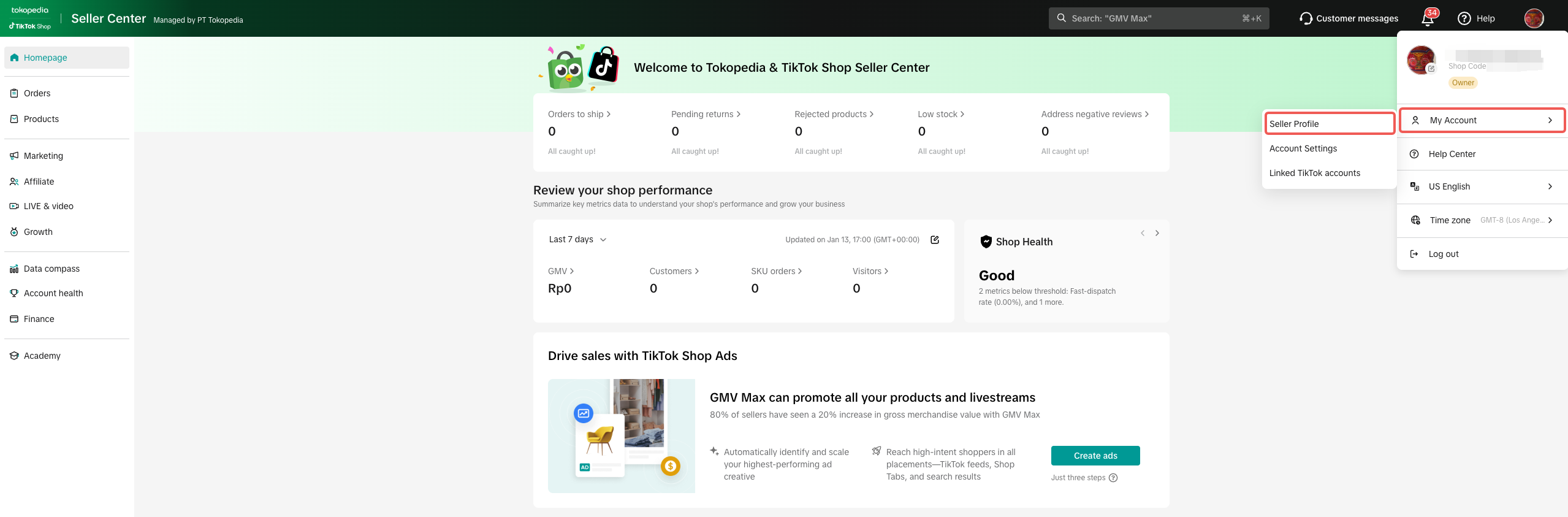
- Click your shop profile icon (top right corner), select My Account, then go to My Profile.
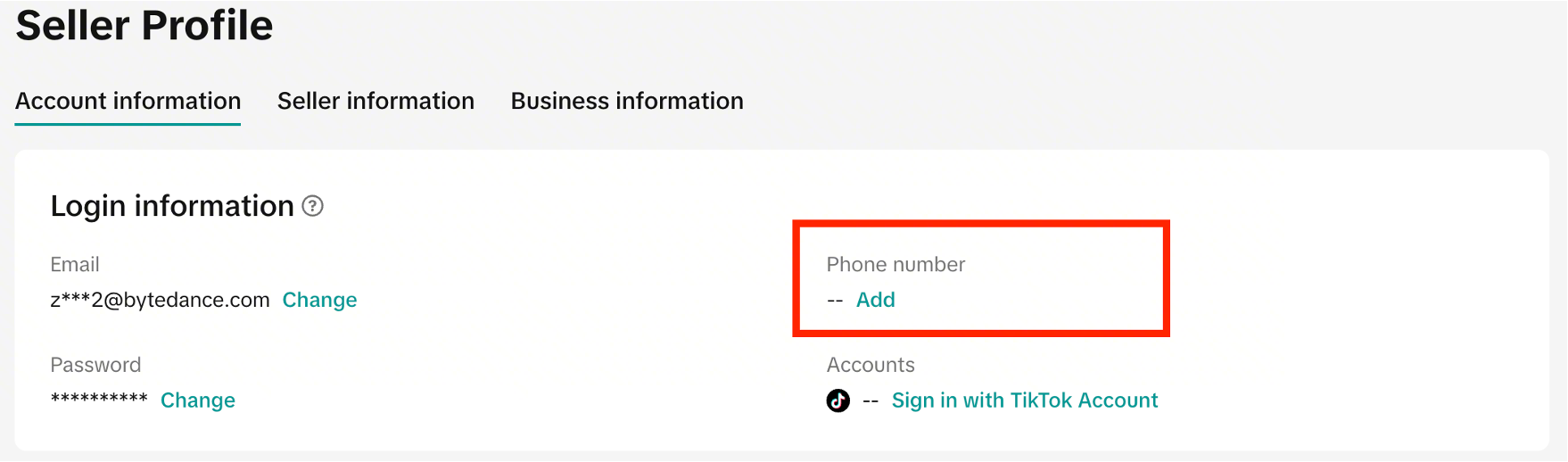
- Under the Account Information tab, add your phone number (if you haven’t already). You may need to verify your email first.
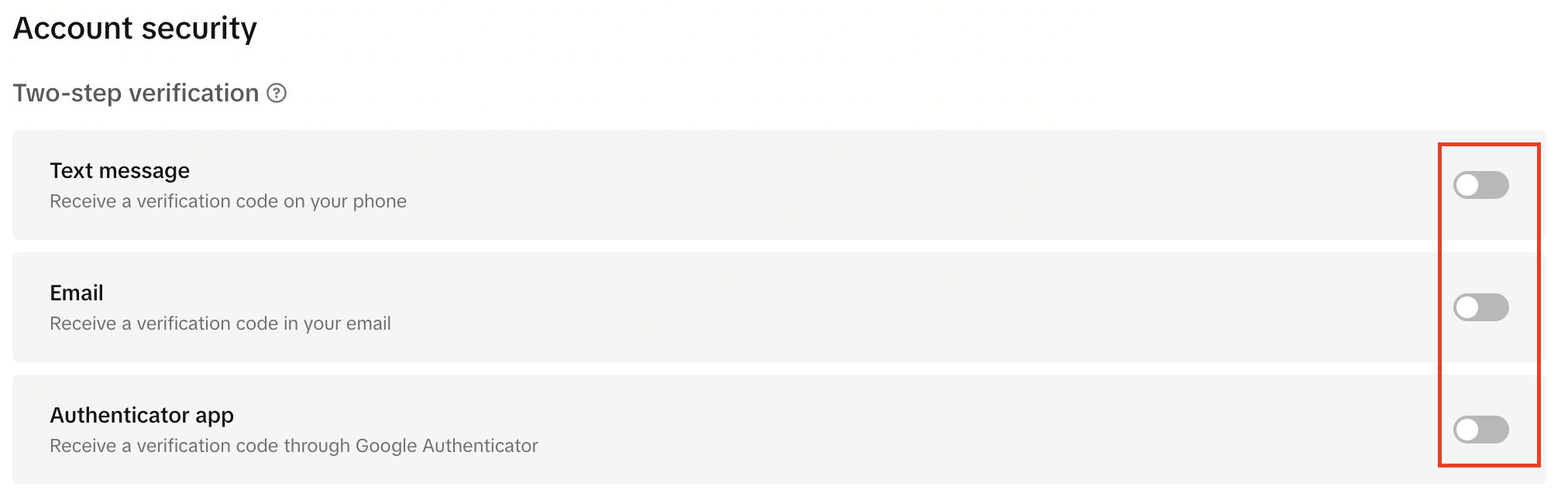
- Scroll to Account Security > Two-Step Verification. Turn on your preferred methods. We recommend enabling at least two.
Frequently Asked Questions
I have been asked to set up Two-Step Verification. What happens if I do not set this up?
- You would have been given a 30-day window to set up your Two-Step Verification.
- If you don’t complete setup within 30 days of receiving a notification, your account may face withdrawal restrictions.
- You must select at least 2 methods of verification.
- Your restrictions will be lifted as soon as you set up Two-Step Verification.
I have tried adding my Two-Step Verification, but it does not work for me - what can I do?
- You may submit an Appeal through the violation message you have received.