

Fashion Sellers: Campaign Season Policy Tips & Tricks
12/12/2025

Follow these tips to avoid violations, boost your sales, and reach new customers.
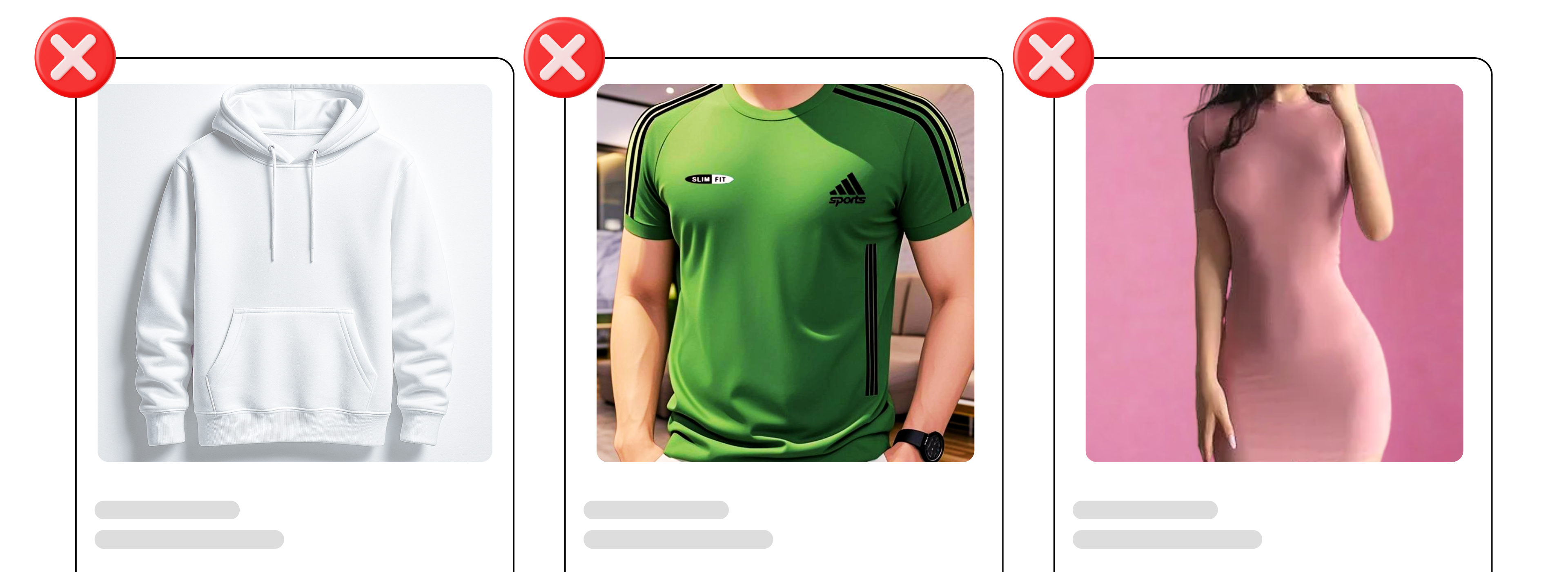
Use real photos in your listings that show clothing details
✅ DO- Upload at least 5 clear images: front, back, side, close-up, lifestyle/fit.
- For best quality, upload high-resolution listing images (1000 x 1000 px or higher) with neutral backgrounds.
- Show fabric close-ups — stitching, labels, texture, and colour accuracy.
- Include real photos of the actual product, not just studio model shots.
- For white or light-coloured items, show how thin and see-through the fabric is.
- Avoid unrealistic filters, heavily digitally altered or AI-generated product images.
Provide accurate material and fabric information
 |  |
- Fill in all product attributes when creating your product listing. Detailed listings make your products easier to find!
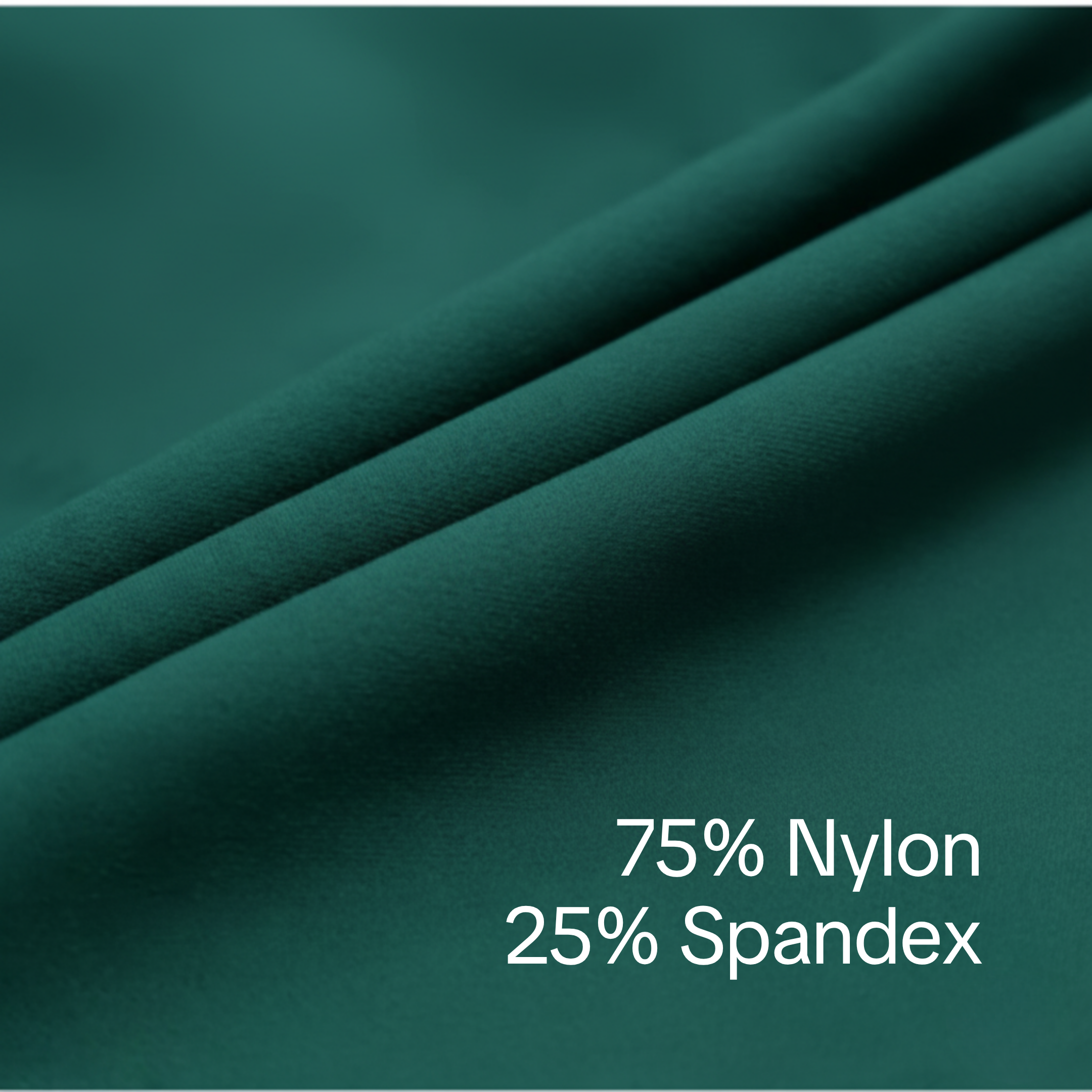
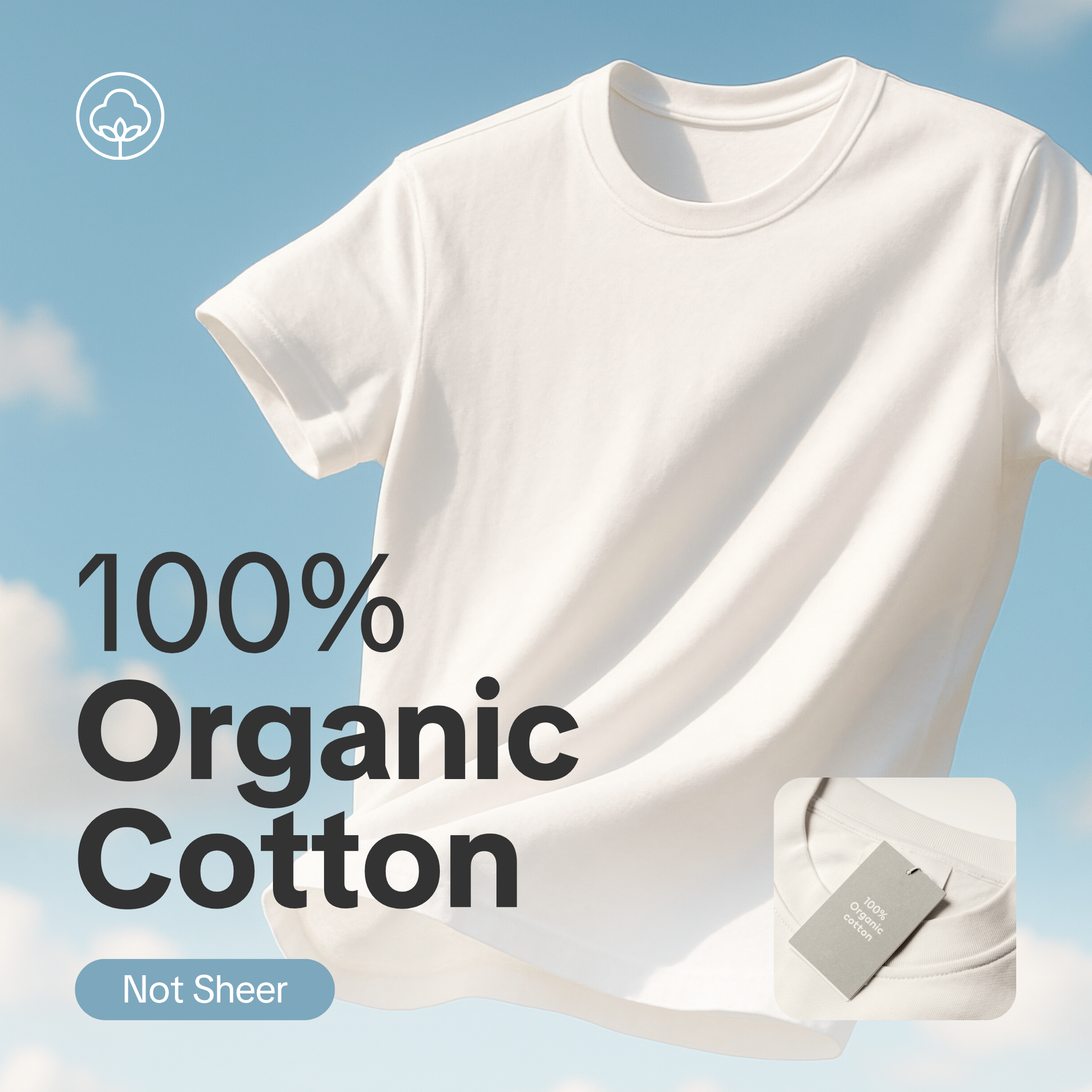
- State the exact fabric composition. For example, "80% Cotton, 20% Polyester".
- Describe texture, weight, and stretch. For example, "lightweight", "slightly stretchy".
- Indicate how see-through the material is. For example, "slightly sheer", "not see-through at all".
- Add care instructions. For example, "machine wash cold", "dry clean only".
- Avoid vague claims. For example, "luxury quality" or "premium material".
Include a clear and helpful size chart
✅ DO
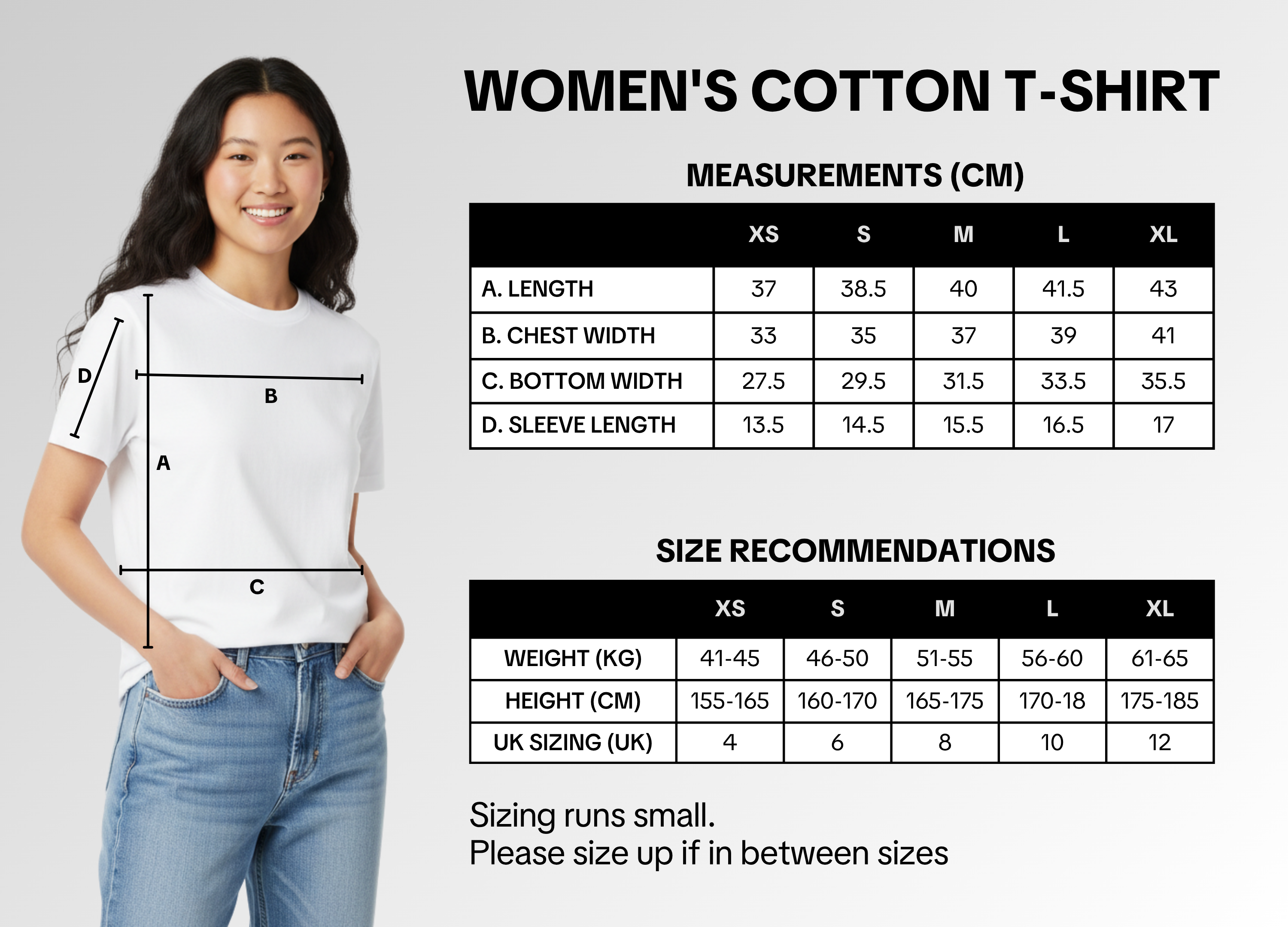
- Include a size chart for all fashion listings.
- Show how to take each measurement using an illustration.
- Use both cm and inches for measurements.
- Add international size conversions (US / UK / EU / Asia).
- Add fit notes such as "Runs small", "Runs large", or "True to size".
- Provide height and weight references where possible.
- Keep SKU sizes consistent with your chart (for example, if your chart shows XS–XL, your SKUs should match).
- Add helpful tips like "If in between sizes, we recommend sizing up."
- Show the model's height, weight, and size worn in the product image or description.
- Add a fit description. For example, "Model is 170cm, 52kg, wearing size S. Fit is true to size."
- Where possible, show different body types to reflect real-life fit and help more shoppers find their match.
Livestream pro tip: show fit, fabric, and feel
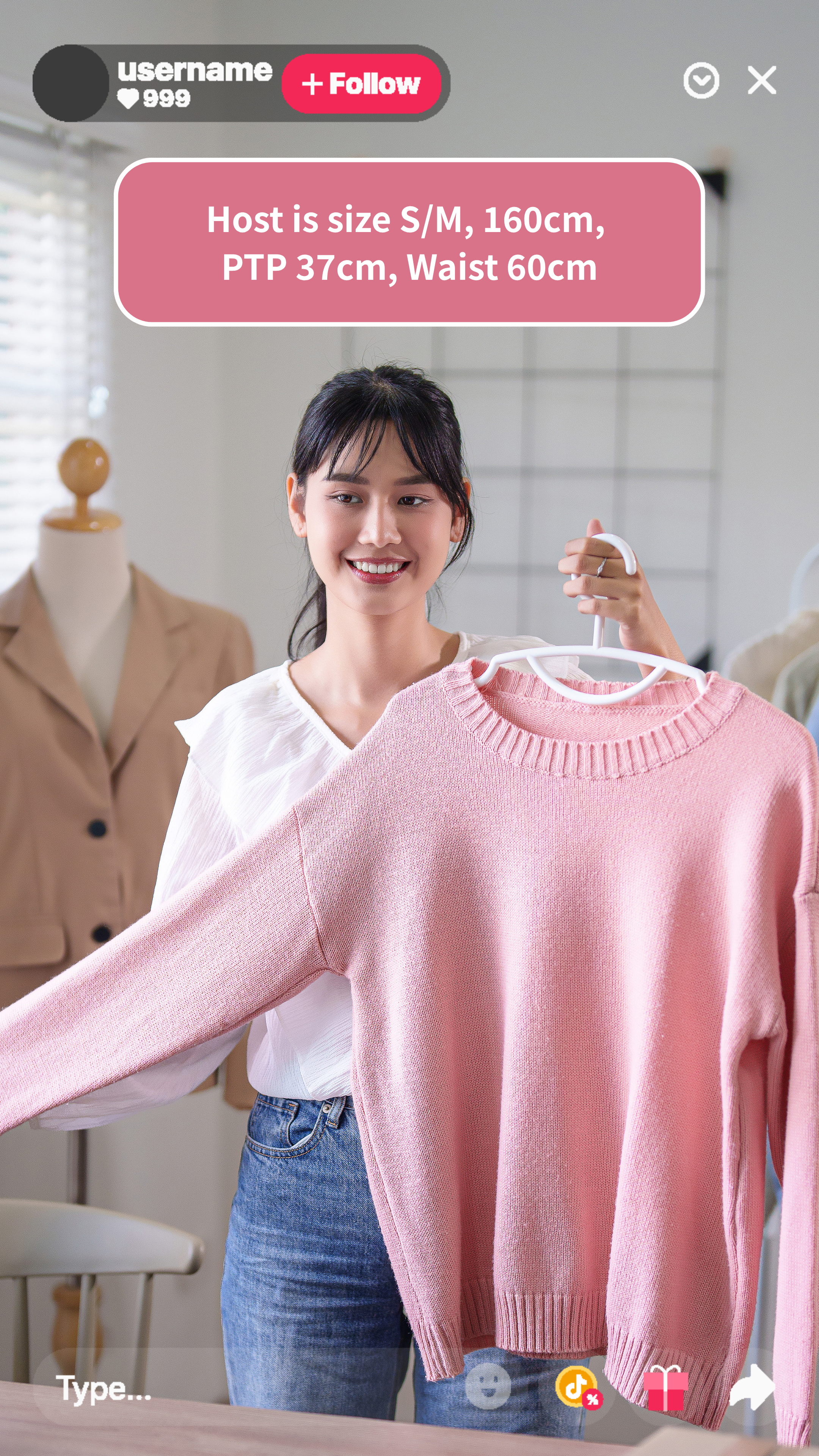
- Try on the clothes and show their fit, details, and fabric clearly on camera.
- Feature different body types to help viewers visualize the fit.
- Show the fabric in action. Stretch, crumple, hold it up to the light to show fabric texture and sheerness.
- Pin your size chart during try-ons. Ensure it is consistent with size chart in the listing.
- Pin the model's measurements and size worn on screen.
- Don't show clothes that look different from the actual product listing — for example, a different pattern, colour, or style. This may mislead or confuse shoppers.
- Don't cover your LIVE with large images. Viewers should be able to see you wearing and demonstrating the clothing in real time, not just a static image on screen.
- Avoid exaggerated product claims. For example: don't say that items like sauna suits and waist trainers "can cause weight or fat loss."
Handle aftersales smoothly to keep customers coming back
More than 50% of shoppers won't buy again after a poor aftersales experience.
A smooth aftersales process keeps customers happy and protects your shop's performance through the busy season.📌 How to Handle Returns
- Accept returns if the item is in good condition.
- Reject if the item is worn or cannot be resold.
- If a return was auto-approved by TikTok Shop, you can submit an appeal for review.
