

LIVE Shopping Ranking
12/09/2025
All images within this article are for reference purposes only and the actual interface may vary slightly.

What is LIVE Shopping Ranking
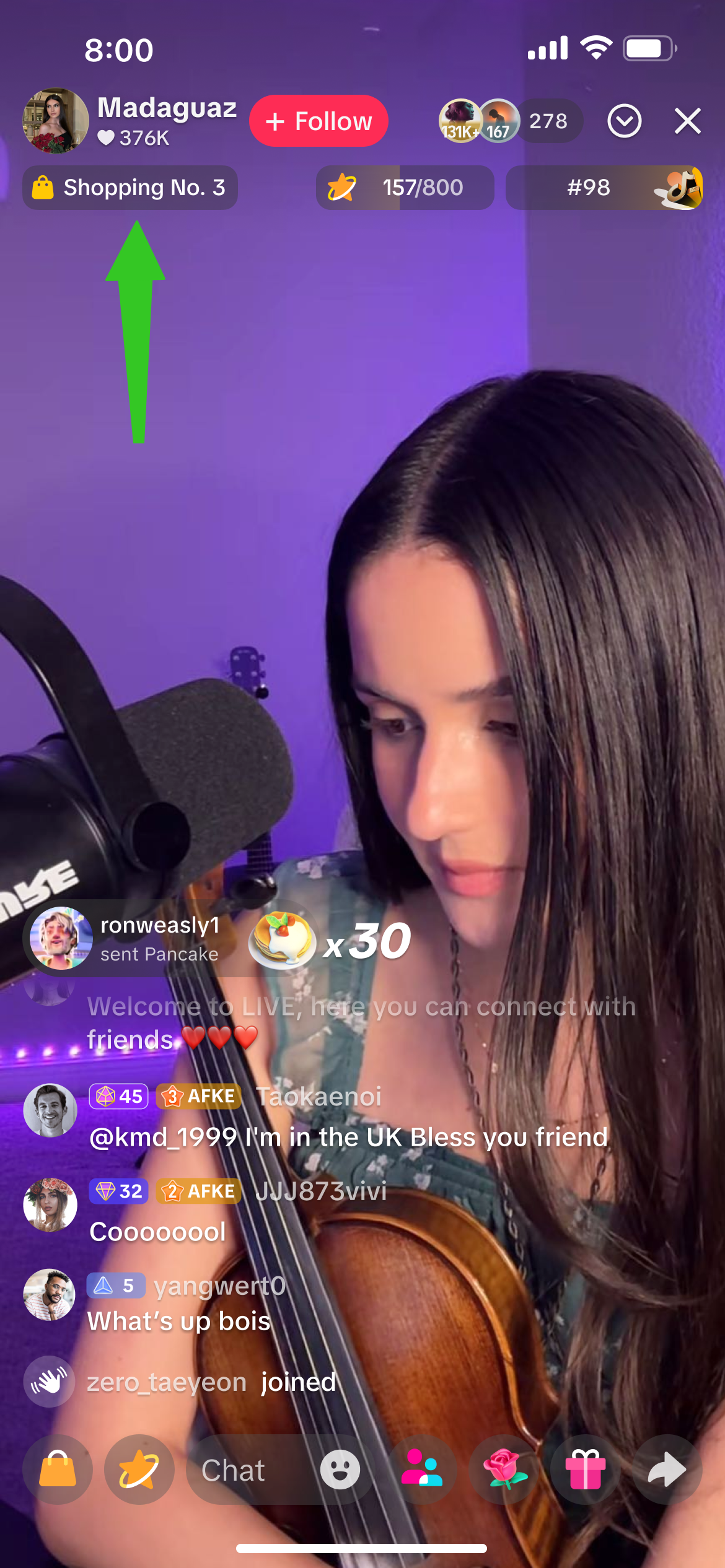 | 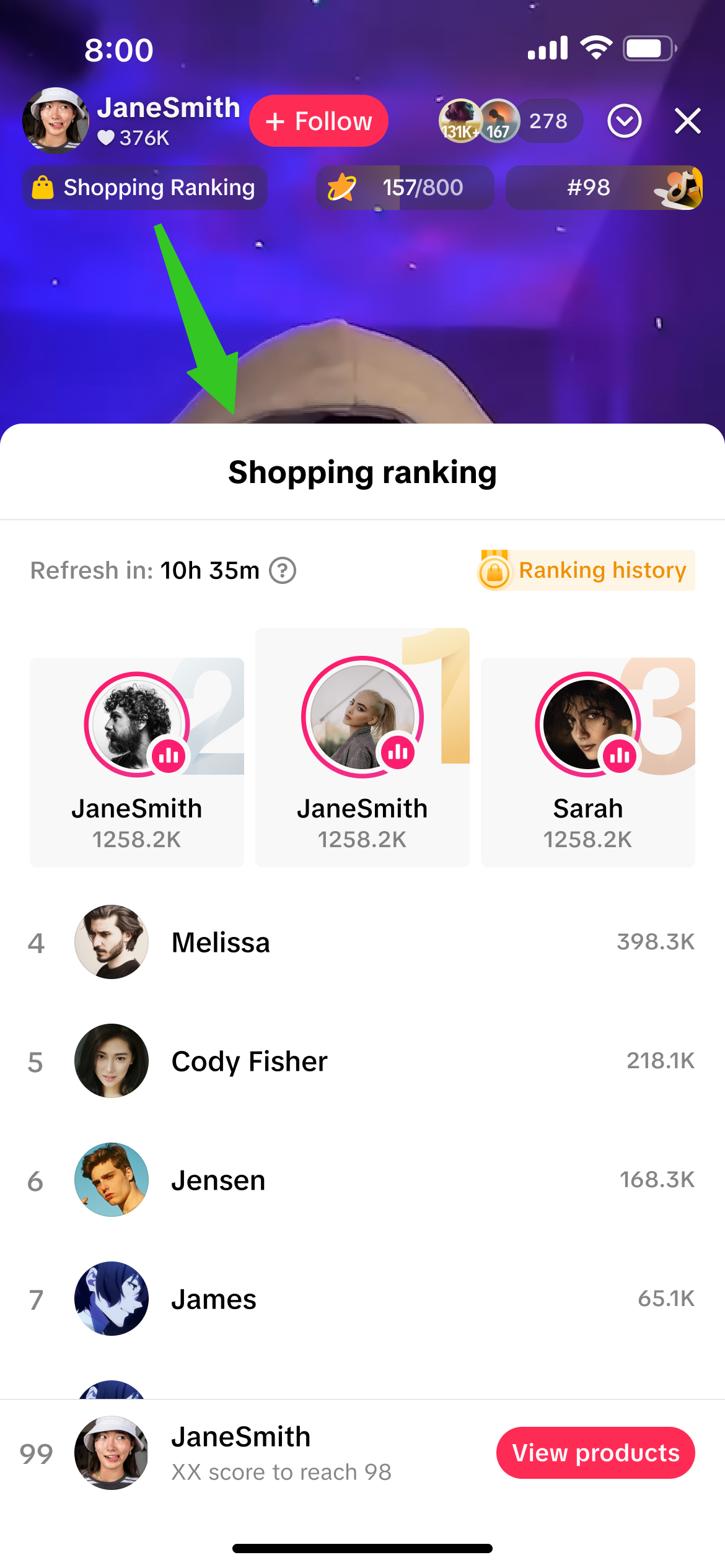 |
LIVE Shopping Ranking is automatically enabled for all livestreaming sellers and affiliate creators by default, in order to drive higher visibility of hosts and their liverooms towards potential viewers. By being featured on LIVE Shopping Ranking, only the host's username, profile picture and ranking points will be displayed.

Check LIVE Shopping Ranking
Upon clicking on the LIVE Shopping Ranking label in the top left corner of the livestream, the shopping ranking details page will appear where livestream hosts and viewers will be able to check the daily livestreamers ranking list.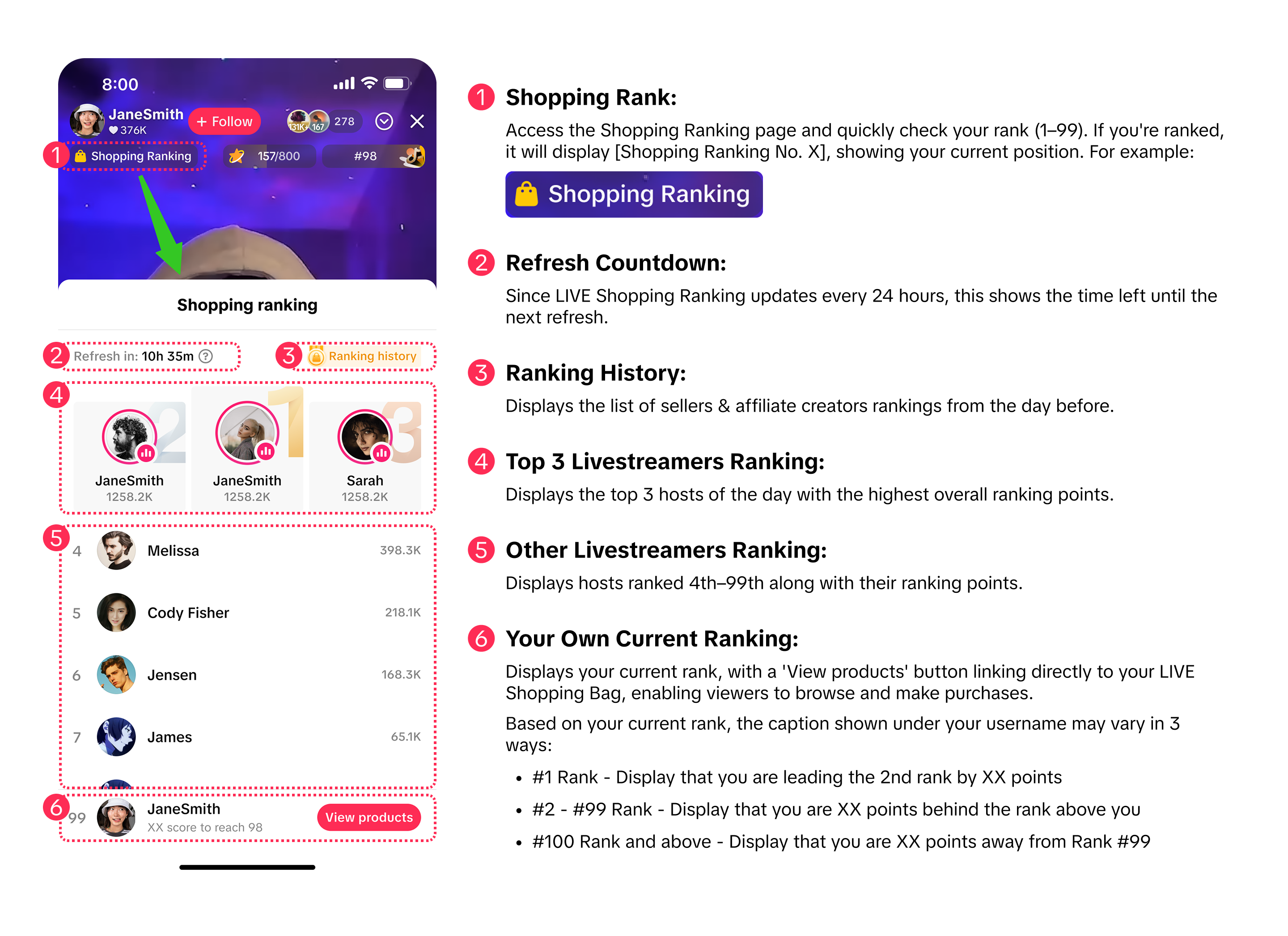

How to Optimise LIVE Shopping Ranking
| To Do | Impact | |
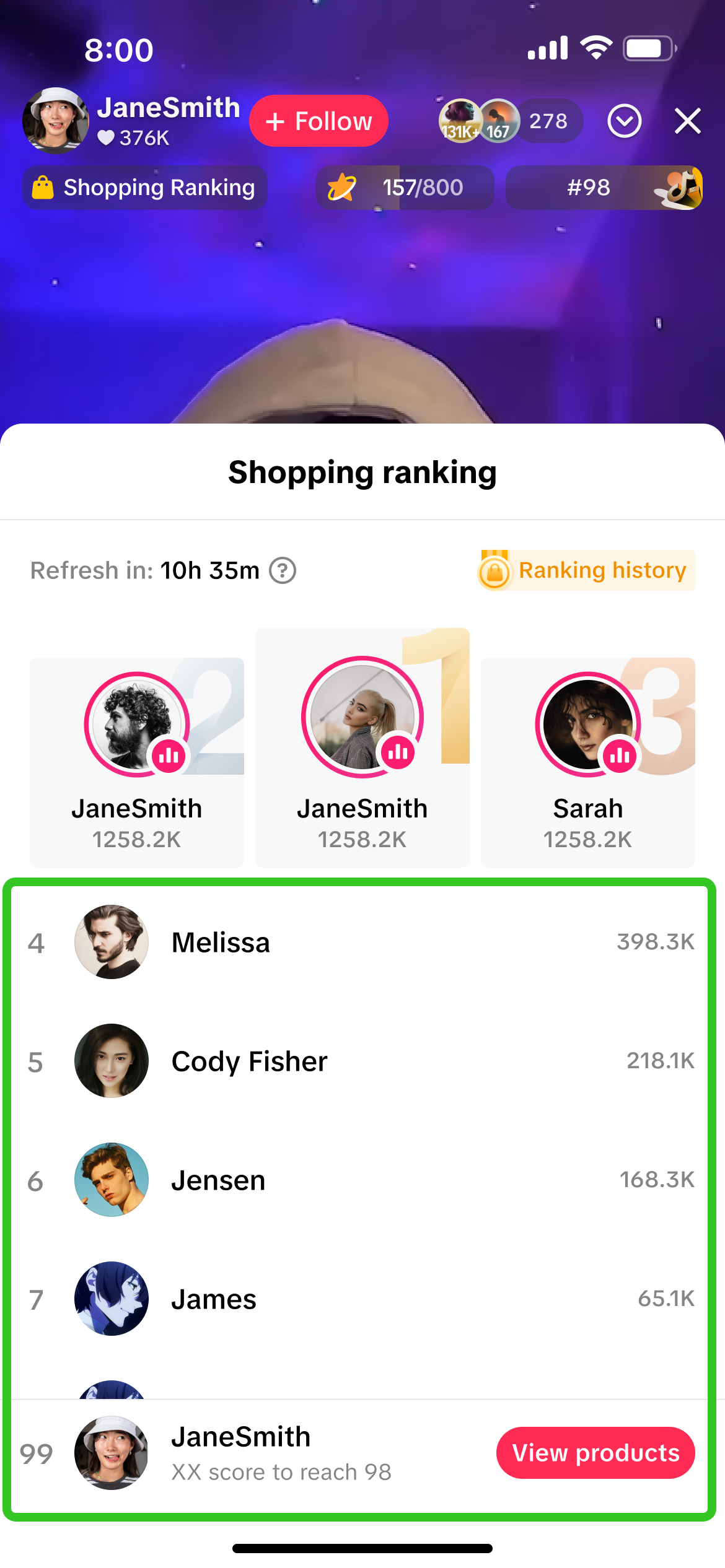 | Check your daily ranking and set small goals to achieve certain rank positions | If your rank moved up -> Review your past day's livestream to identify what you did differently that worked well at increasing your points, and continue to do so to boost your ranking!If your rank moved down -> Optimise your next livestream to aim for stronger results in aspects of GMV, number of followers, number of comments, viewing duration and LIVE duration. |
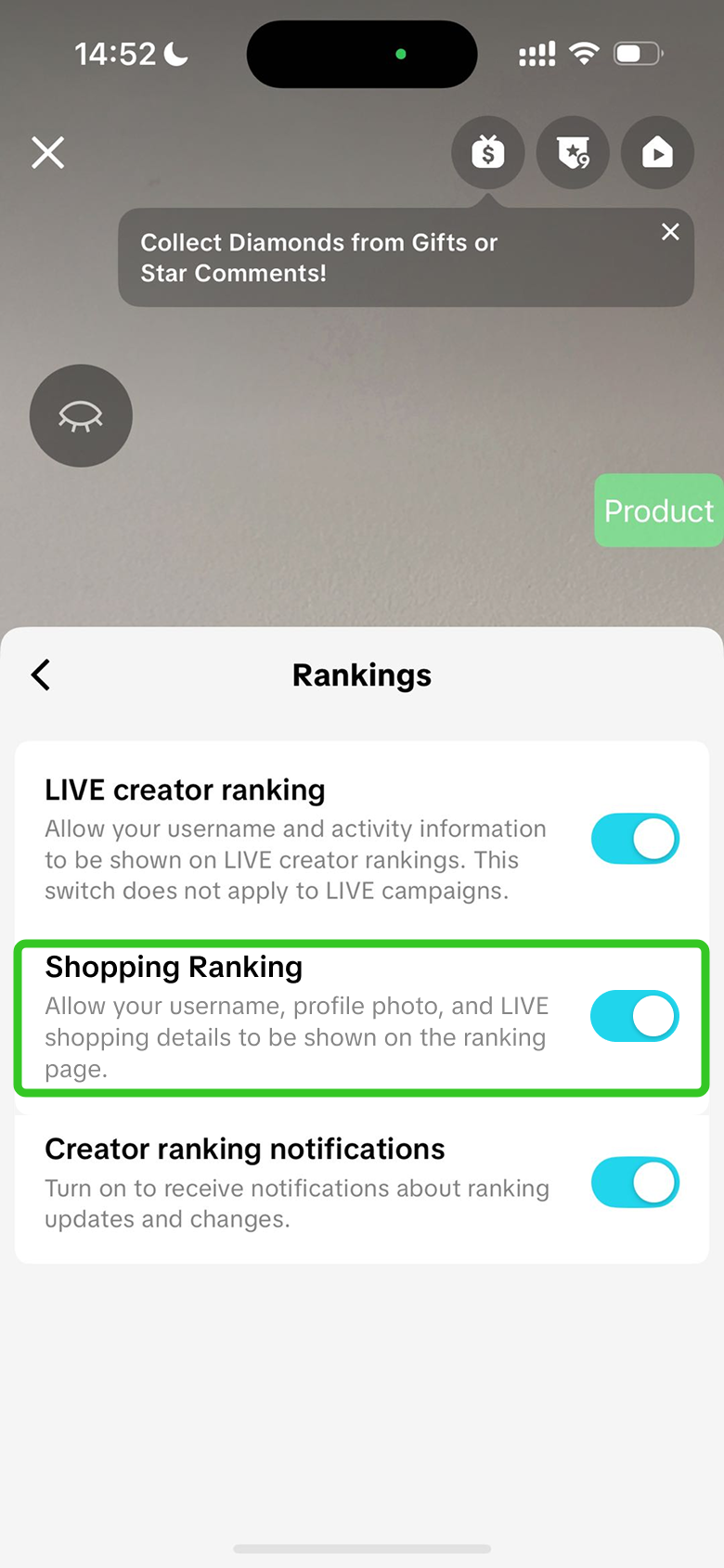 | Keep your Shopping Ranking settings toggled on | Profiles that are displayed within the Shopping Ranking page get to leverage an extra entry point for viewers to enter your livestream in real-time, by clicking on your profile picture.
|
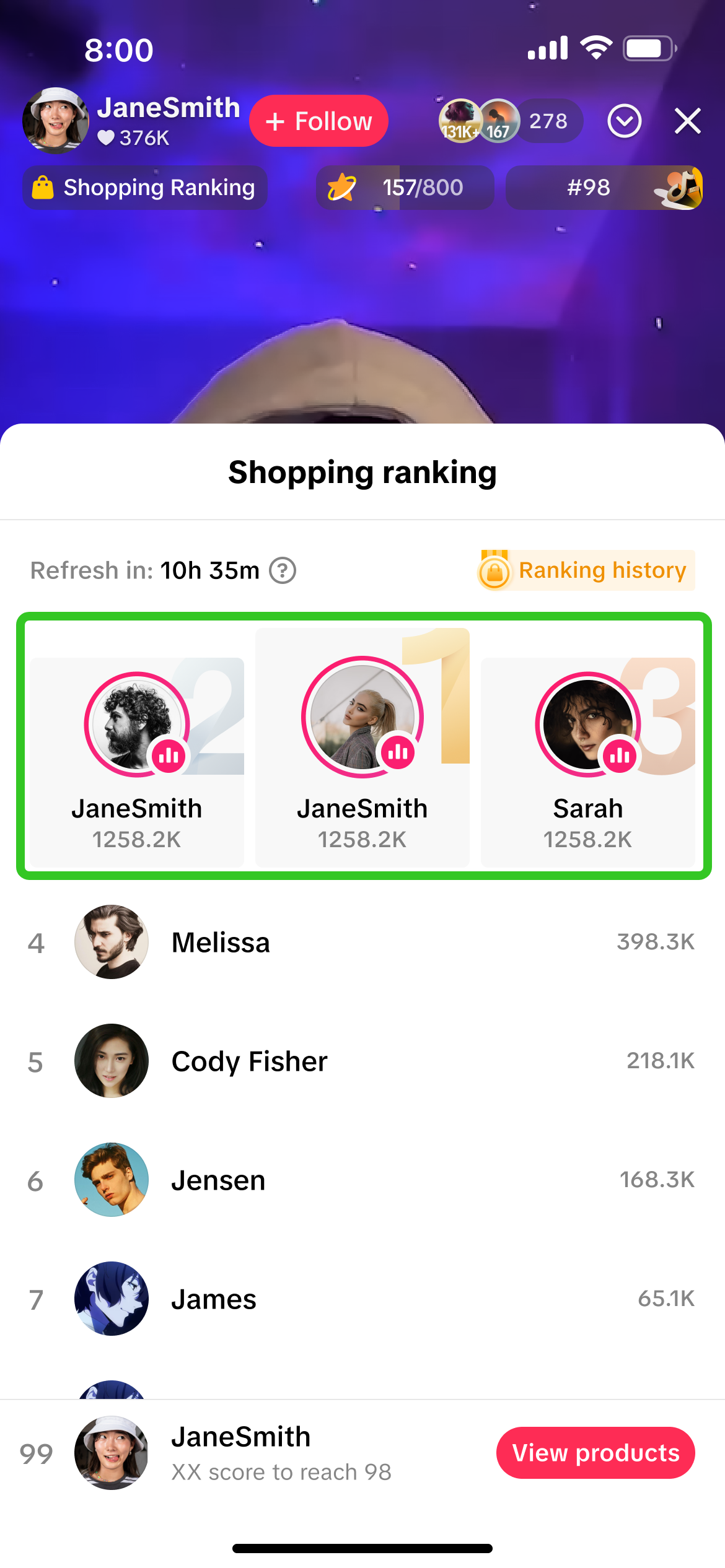 | Review other top livestreaming hosts to compare their livestream style and strategy | Observing how top hosts engage their audience can fast-track your own livestream performance by adopting proven practices, instead of relying on your own trial and error.
|

FAQs
- What is the difference between LIVE Shopping Ranking and Daily Ranking?
 |  |
| LIVE Shopping Ranking: This ranking is calculated based on GMV, number of followers, number of comments, viewing duration and LIVE duration. | Daily Ranking: This ranking is calculated based on Diamonds that are gifted by viewers to livestream hosts. |
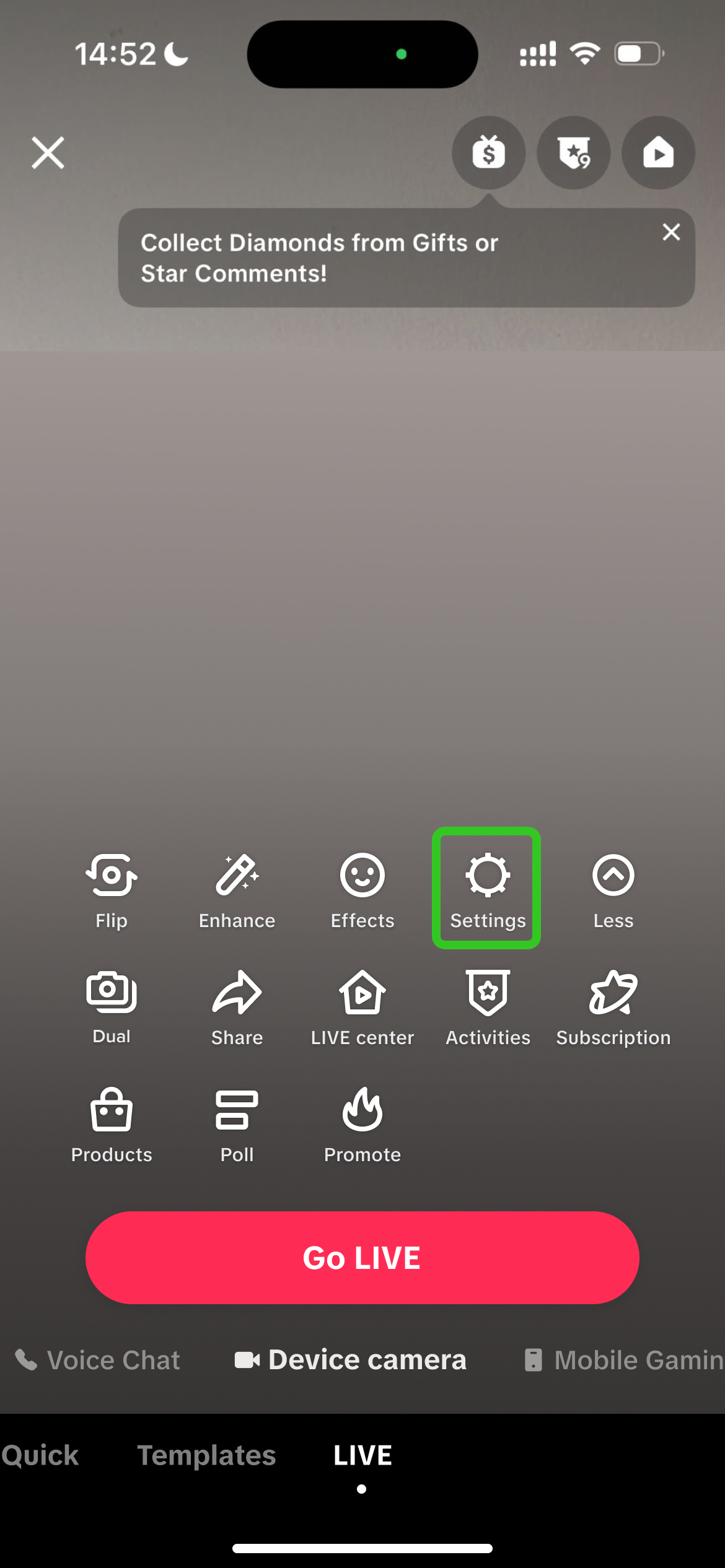
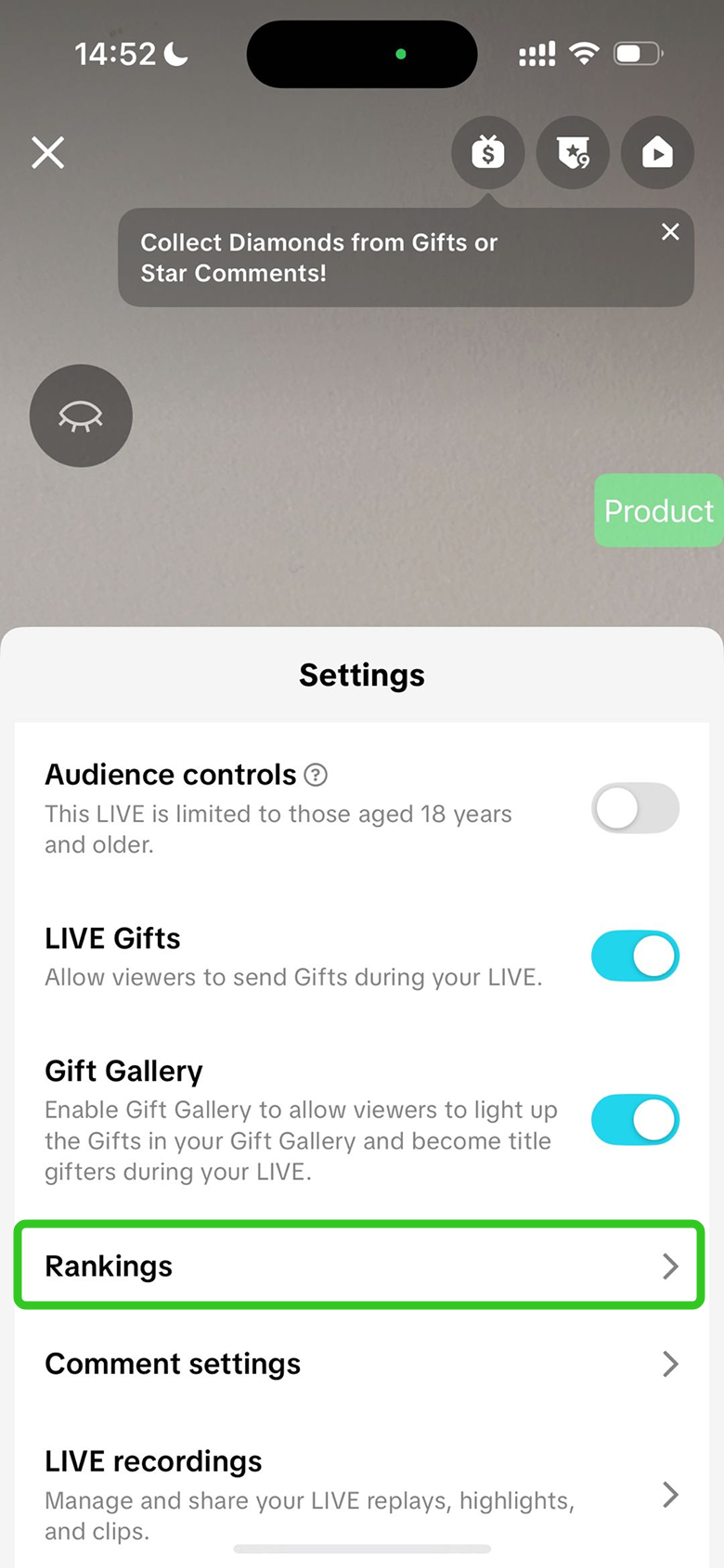
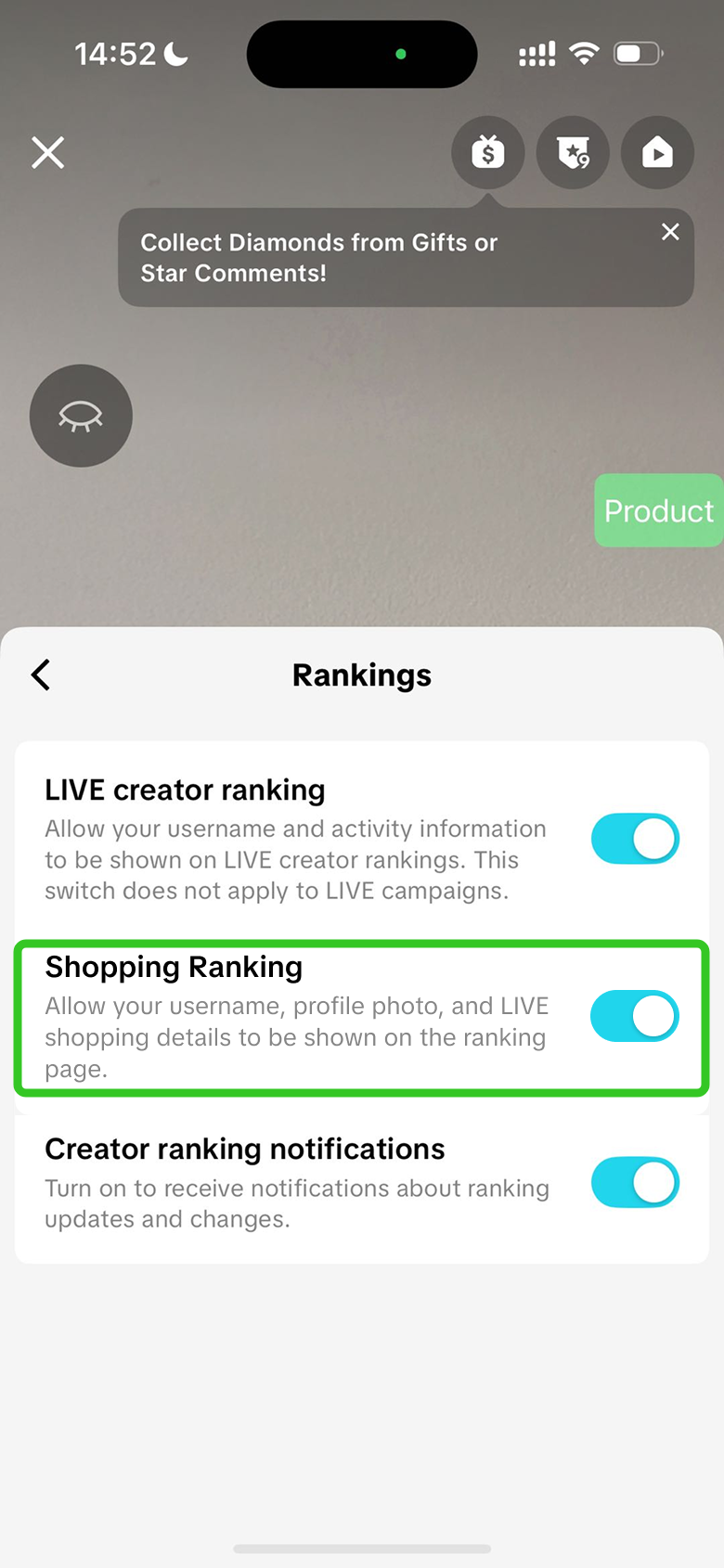
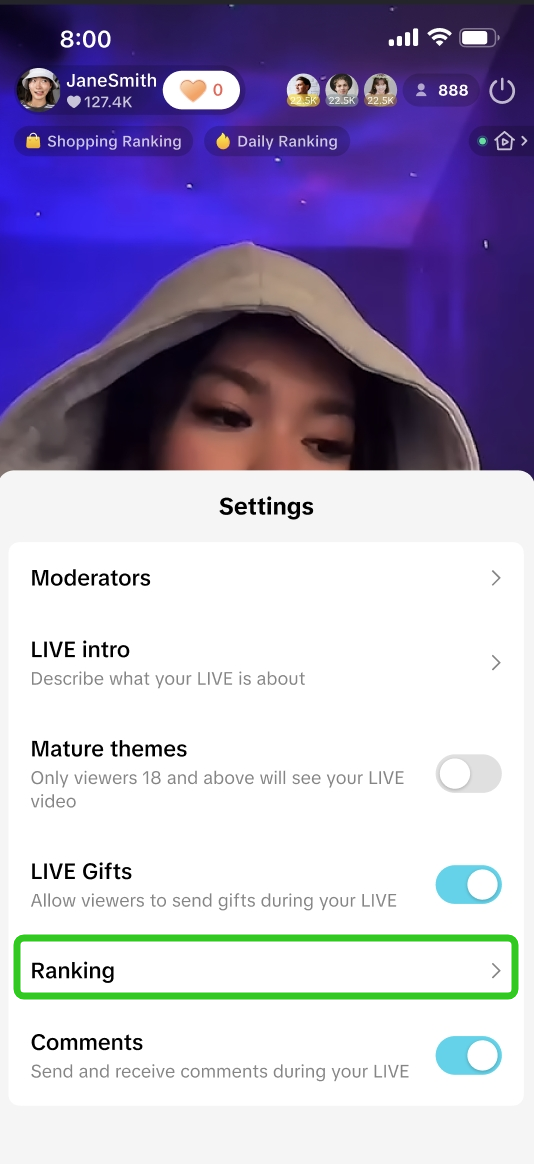
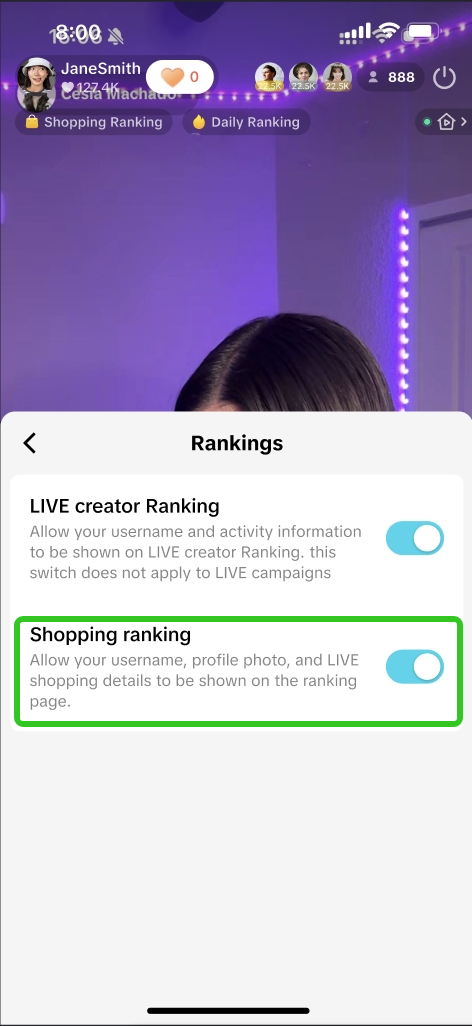
- Can I deactivate Shopping Ranking so that my details are not displayed within the Shopping Ranking page?
Before LIVE Click on Settings > Ranking > Shopping Ranking | During LIVE Click the 3 dots > Ranking > Shopping Ranking | ||||
 |  |  |  |  |  |
You may also be interested in
LIVE Giveaway
LIVE Giveaway is a tool that allows sellers or creators to run giveaway events during LIVE, by givin…

Teknik Hosting Saat Live Streaming
Nggak akan kehabisan kata-kata dan kebingungan mau ngomong apa saat live stream, kalau aja kamu tahu…

Teknik Opening & Closing Saat Live Streaming
Test: https://activity.tiktok.com/t/ZS6v1X4Be/ Menit-menit awal dan menit-menit menjelang akhir pa…
What are Auctions?
Auction-based activities are not allowed on the platform. Such activities include but are not limite…
Livestream Green Screen and Stickers
This article introduces the Greenscreen and Stickers features. From this article, you will learn how…
Using OBS Software for Livestream
Introduction This guide will help you familizarize yourself with how to use the OBS Studio software…
LIVE Moderator
Who can use this feature? The LIVE moderator feature is available to all e-commerce livestreaming ho…
3 Cara Menemukan Produk Trending Saat Ramadan
Test: Kerjakan Test ini untuk bisa bergabung di group START! Setidaknya ada 3 ciri produk yang pal…

4 Langkah Memaksimalkan Penjualan di Bulan Ramadan
Test: Kerjakan Test ini untuk bisa bergabung di group START! Nggak bakal ketinggalan cuan di bulan…

Strategi Membangun Personal Branding
Udah selalu ngikutin trend tapi kok nggak pernah FYP? Nah tahu nggak sih, pertumbuhan kreator di Tik…