

Setup Withdrawal Password
10/01/2024
In order to securely withdraw the settled amount on the seller account balance to the bank account, sellers need to set up a 6-digit withdrawal password. There are two ways for sellers to do so.
Set up Withdrawal Password
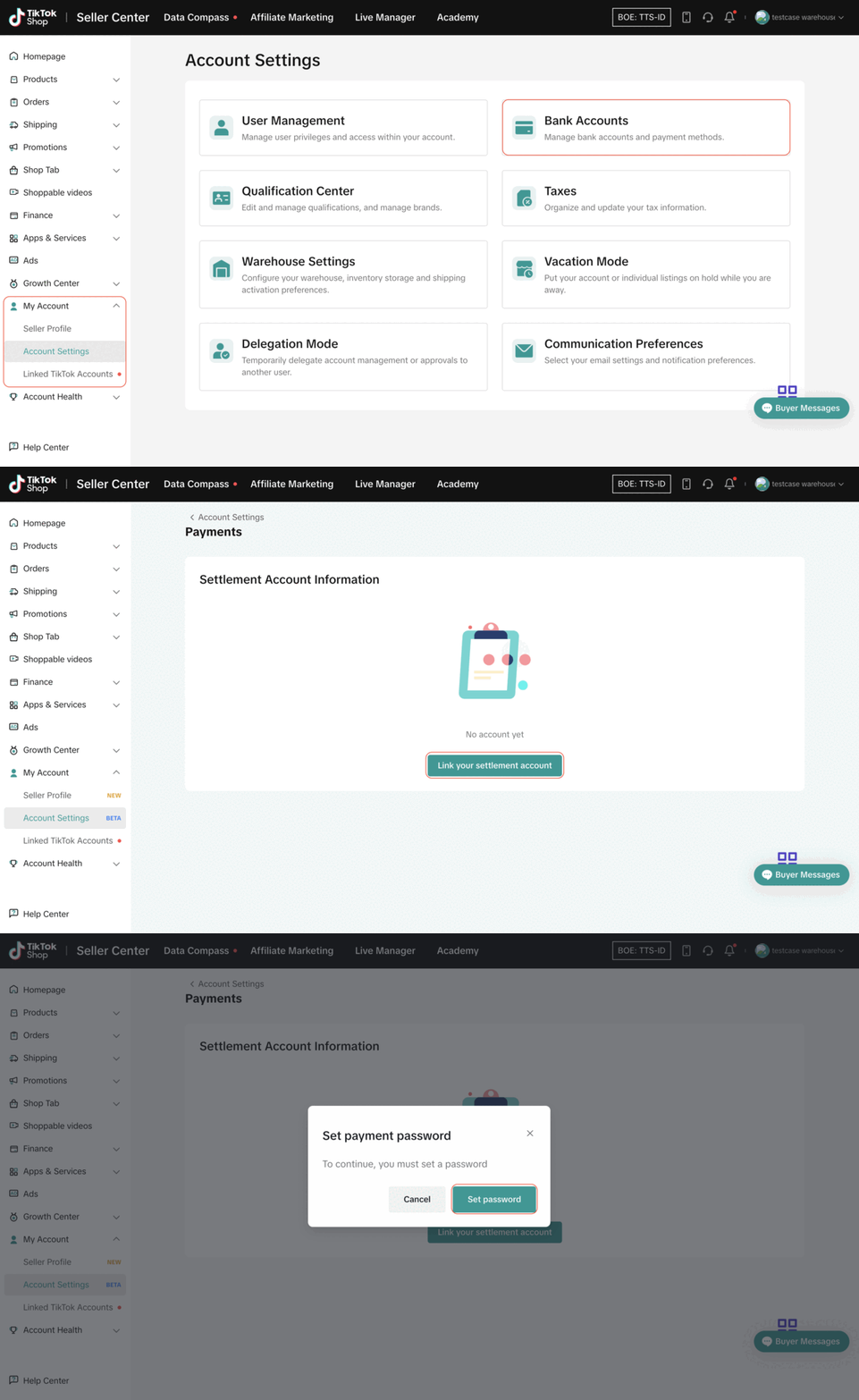
In Account Settings
- Step 1: Go to Seller Center > My Account > Account Settings > Bank Accounts
- Step 2: Click "Link your Settlement Account"
- Step 3: Click "Set password"
- Step 4: Verify your identity and follow the steps on the screen.
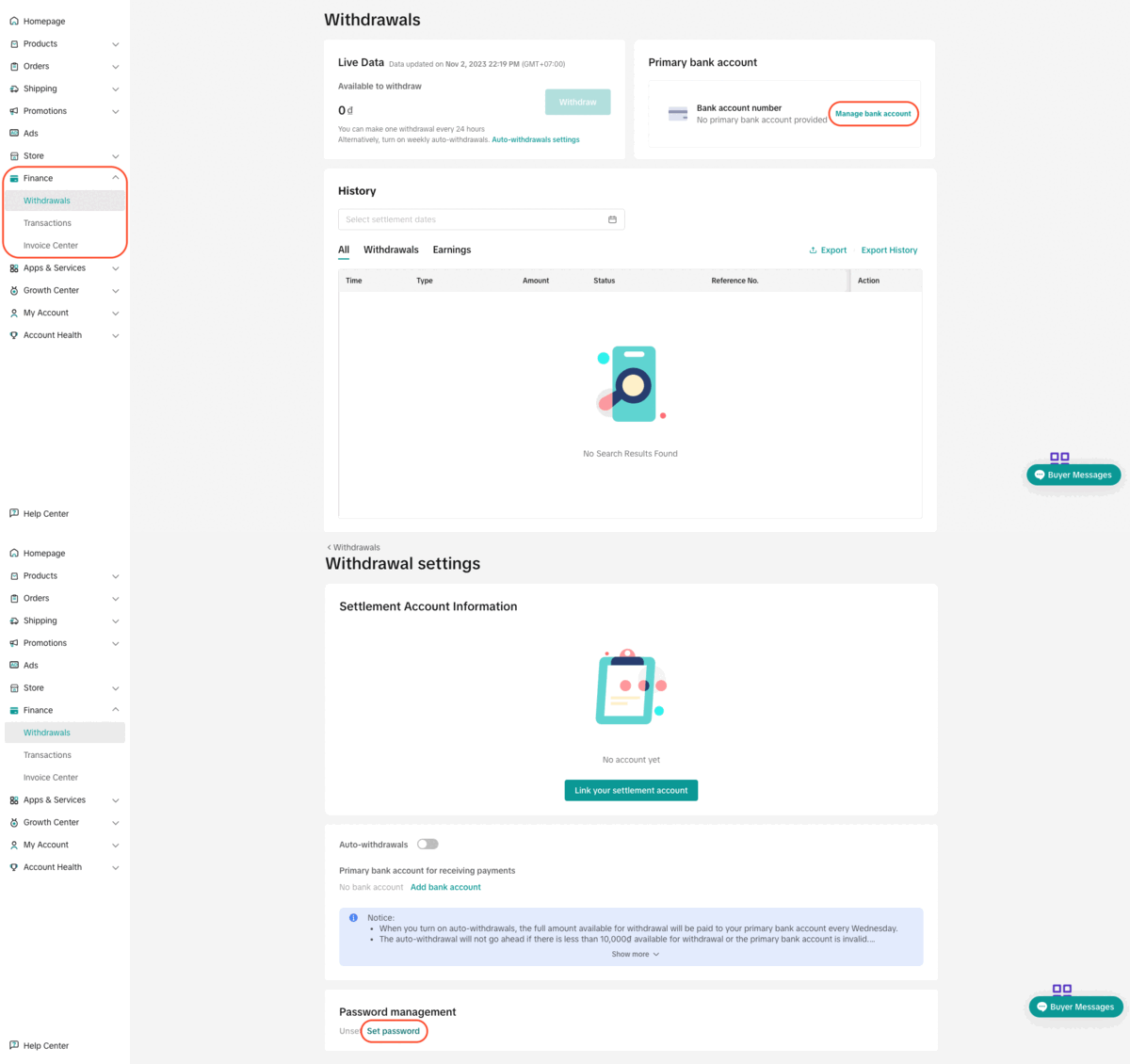
In Finance
- Step 1: Go to Seller Center > Finance > Withdrawals > Manage Bank Accounts
- Step 2: Click "Set password"
- Step 3: Verify your identity and follow the steps on the screen.

Change Withdrawal Password
On the Seller Center PC
- Step 1: Go to Seller Center > Finance > Withdrawals > Manage Bank Accounts
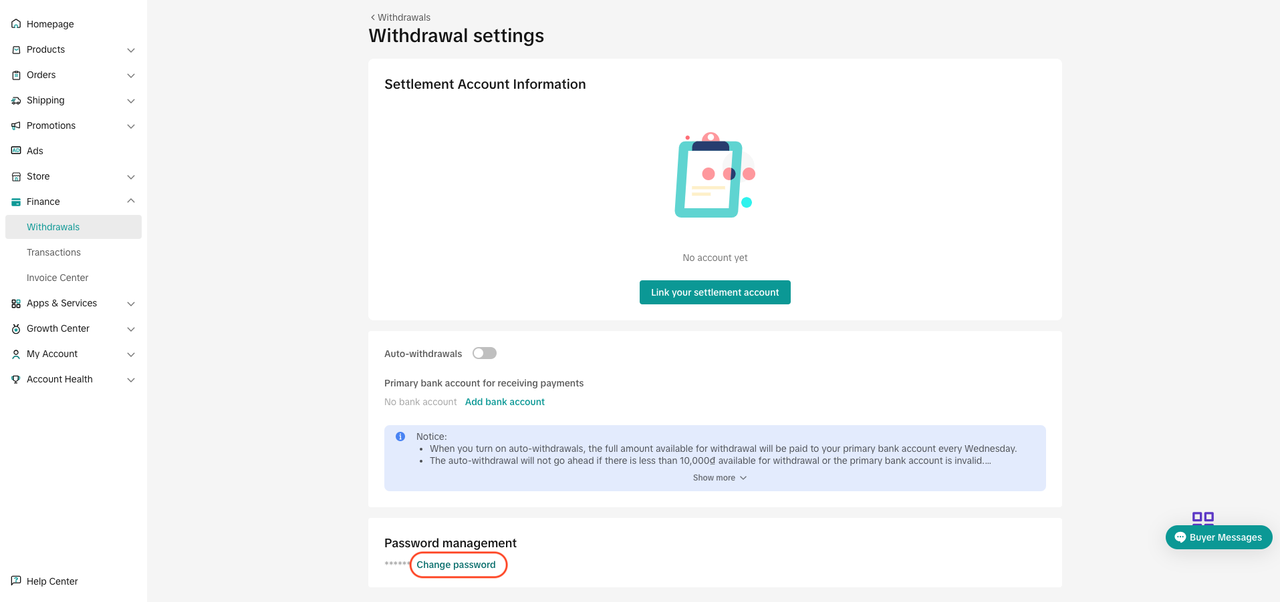
- Step 2: Click "Change password"
- Step 3: Verify the seller identity.
- Corporate sellers need to provide their NIB.
- Individual sellers need to provide their KTP or Passport.
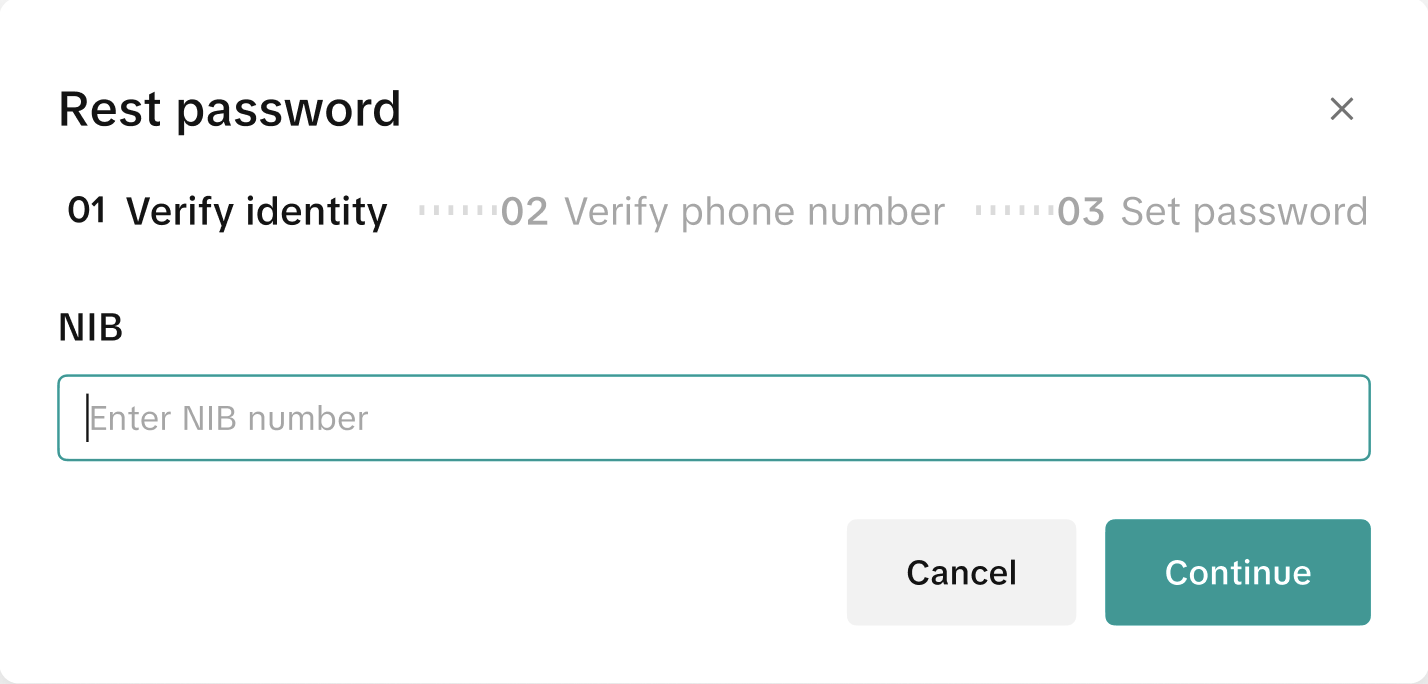
- Step 4: Verify phone number. After successful identity verification, sellers need to verify their phone numbers with an SMS OTP.
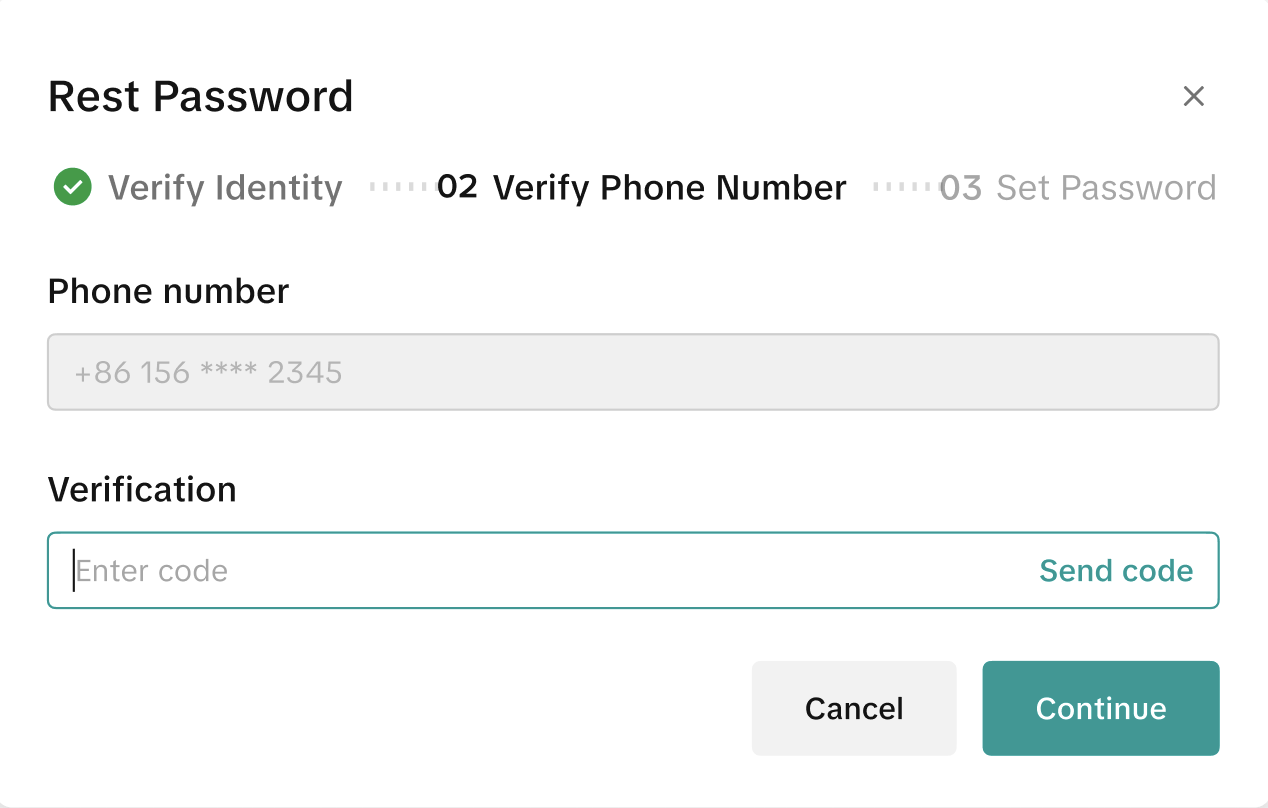
- Step 5: Enter new password. After all verifications are successful, sellers can set their new withdrawal password.
On the Seller Center Mobile App
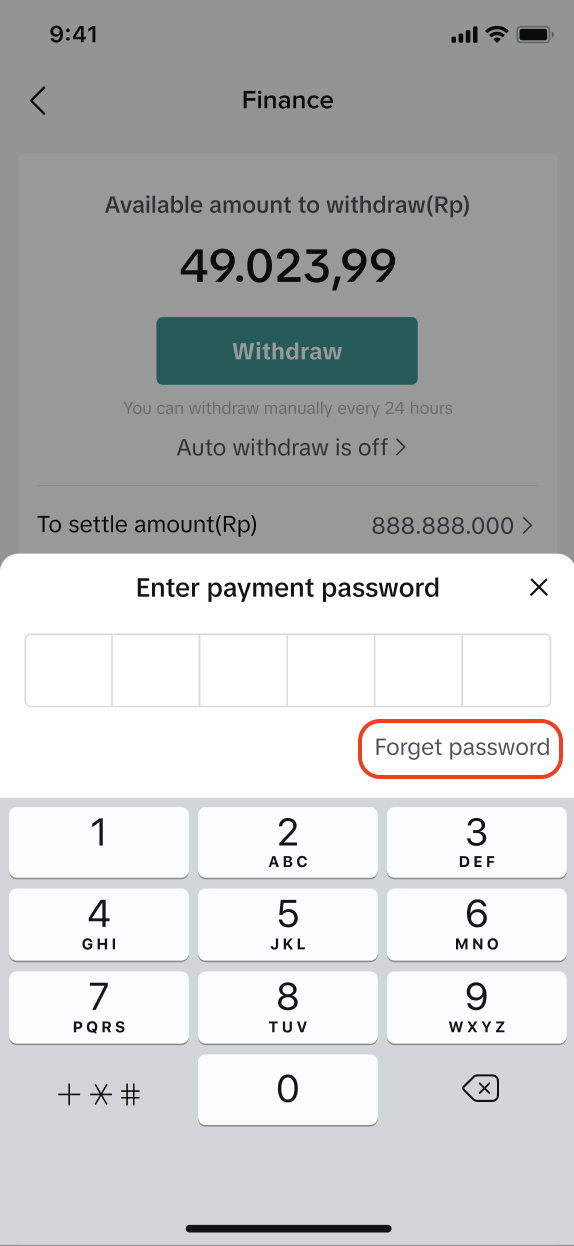
- Step 1: Click "Forget password" on the password prompt.
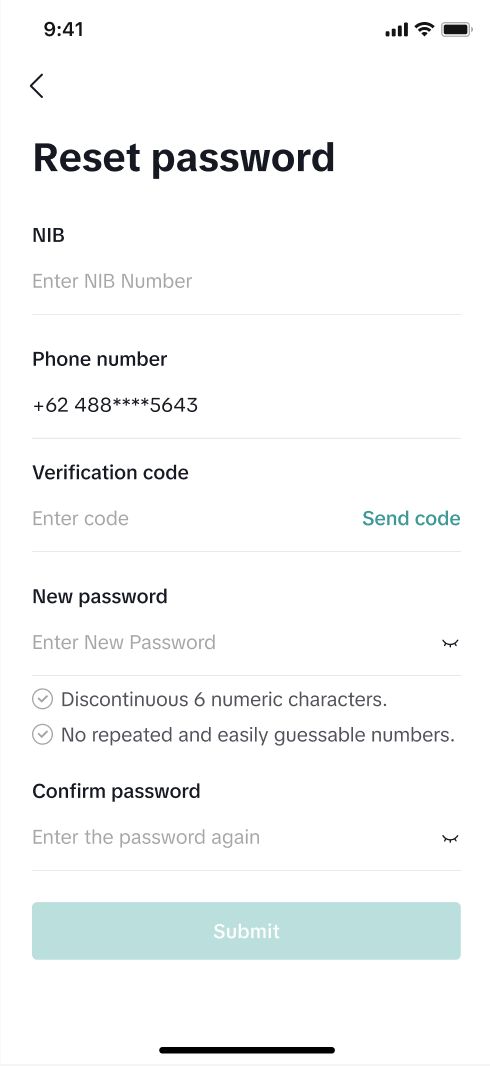
- Step 2: Enter identity information, phone number verification OTP, and the new password.
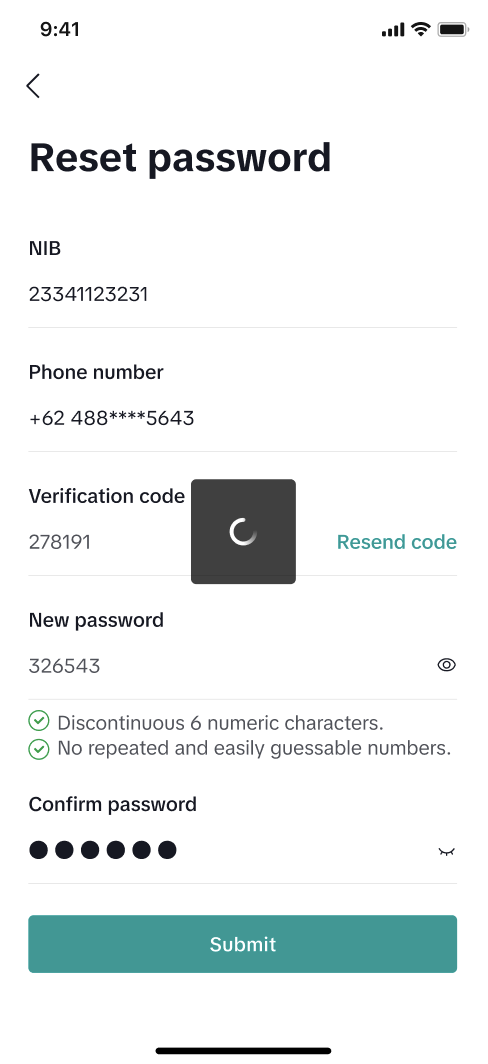
- Step 3: Click "Submit" once all the fields have been filled. If all verifications succeed, the new password will be saved. Otherwise, sellers will be required to re-enter the field of verification that fails.
PreviousWithdraw Seller Account Balance MoneyNext Set Up a Bank Account to Receive Payments from ShopTokopedia
You may also be interested in
- 1 lesson
Finance and Settlement
Track your store’s finances effortlessly and ensure smooth settlements!
- 2 lessons
Finance
Financial best practices, including managing revenue, taxes, and other financial operations of your…

When will I be paid for my completed orders?
You will receive payment after the settlement period — this is the amount of time from the day an or…

Withdraw Seller Account Balance Money
When is Money Available to Withdraw to the Bank Account? After money is settled to the Seller Accoun…

Seller Settlement Policy
👋 We've moved! For more information, please click here.

Payment Settlement
📌The settlement period refers to the duration between the date your order is delivered and the date…

Negative Balances
Account Balance Requirements We require you to avoid negative account balances, meaning that you mus…