

All Account Settings and Personalizations
03/06/2023
Find and customize all your account informations, settings, and personalizations here.
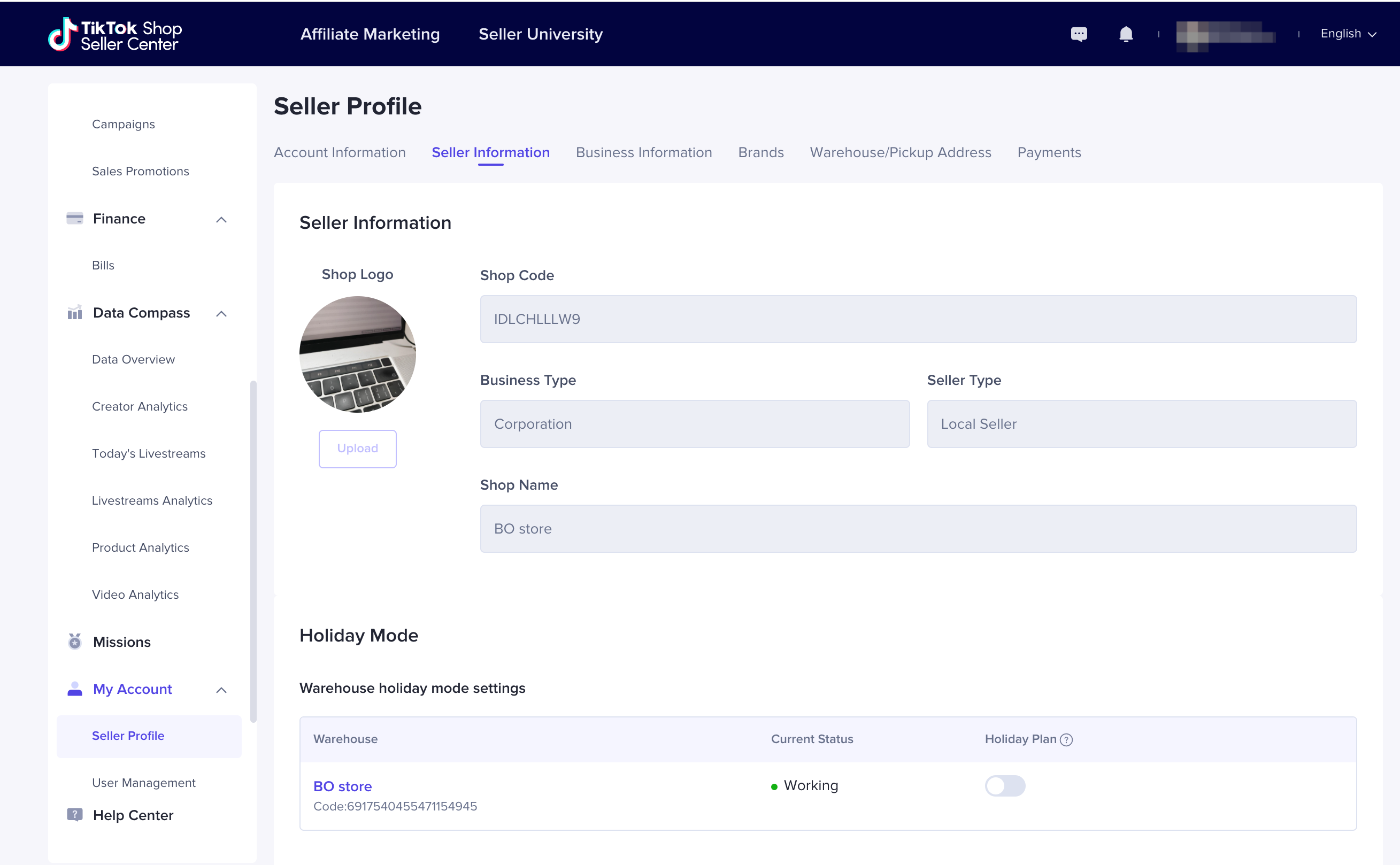
 Seller Information
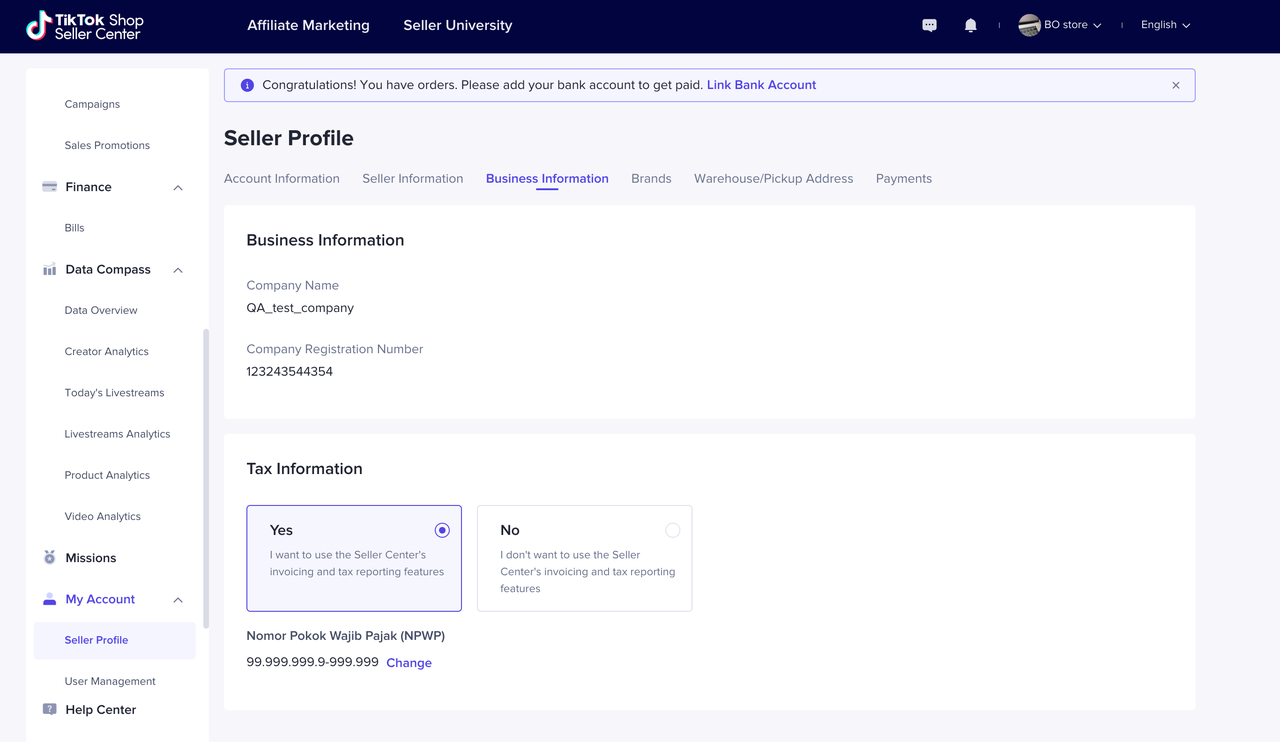
 Business Information
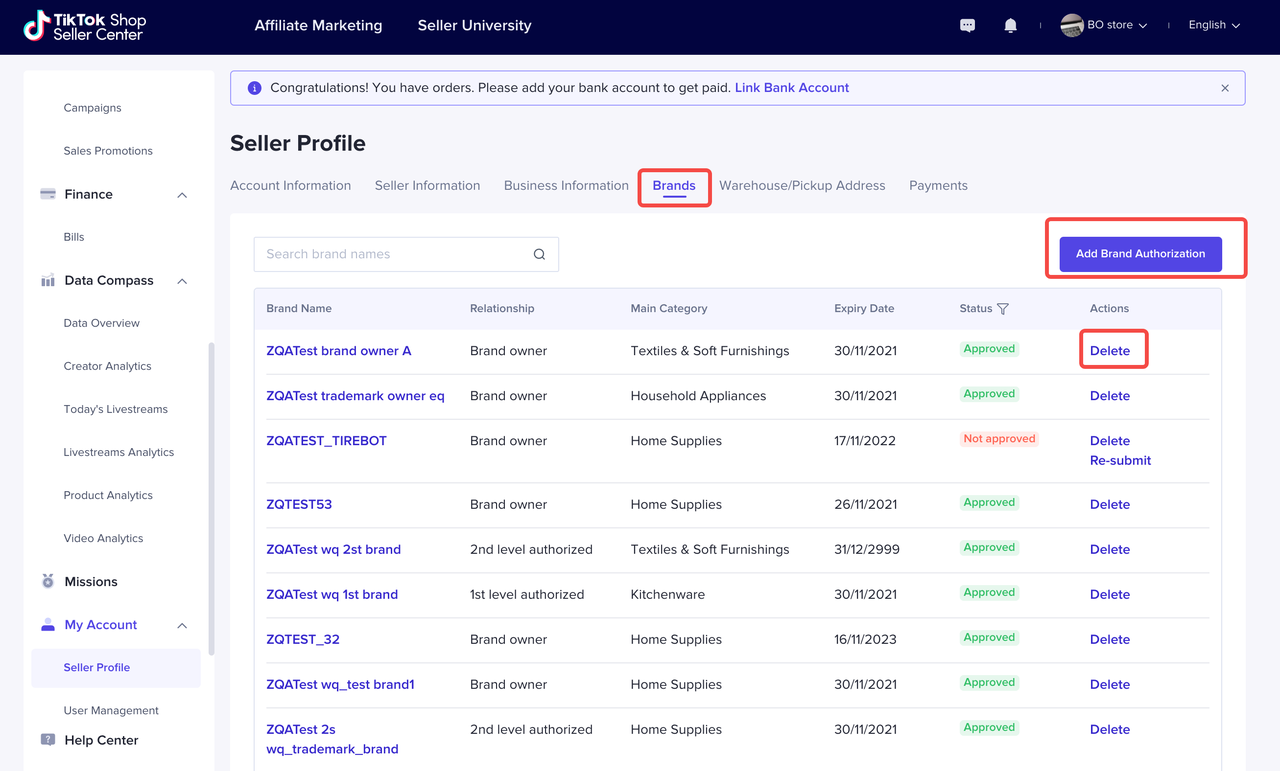
 Brands
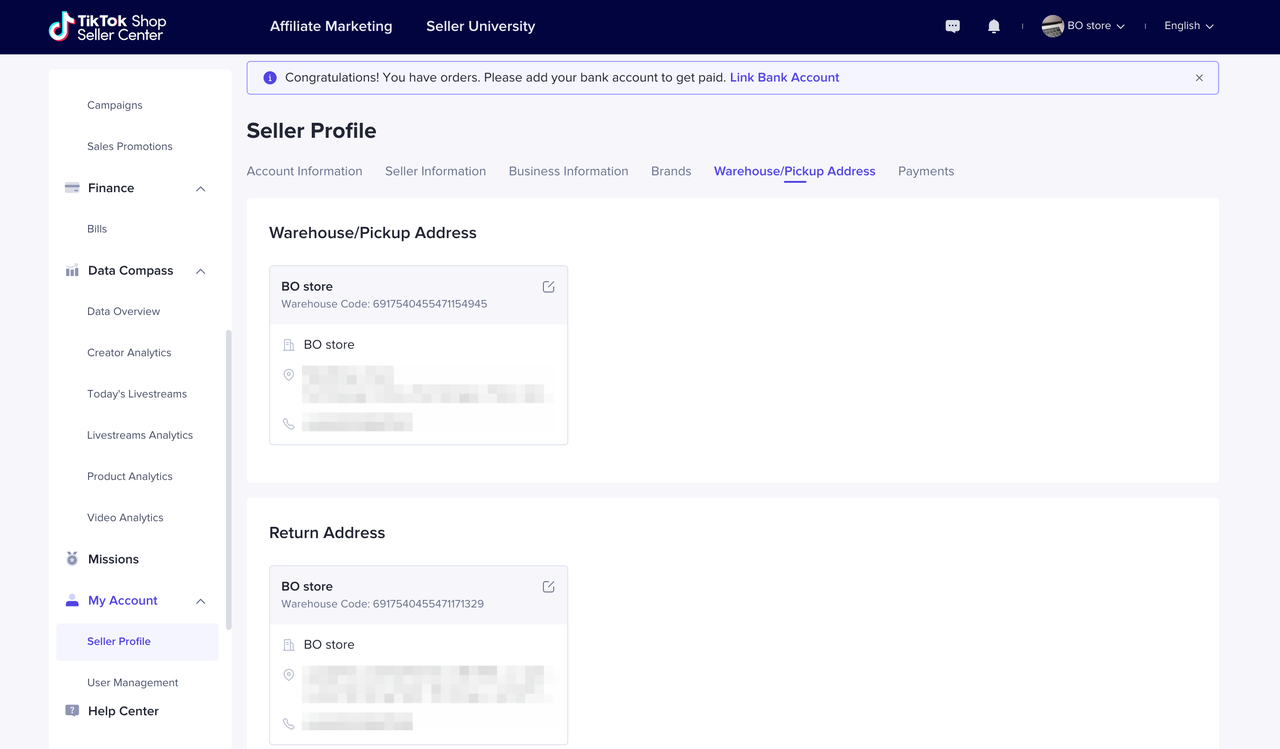
 Warehouse/Pickup Address
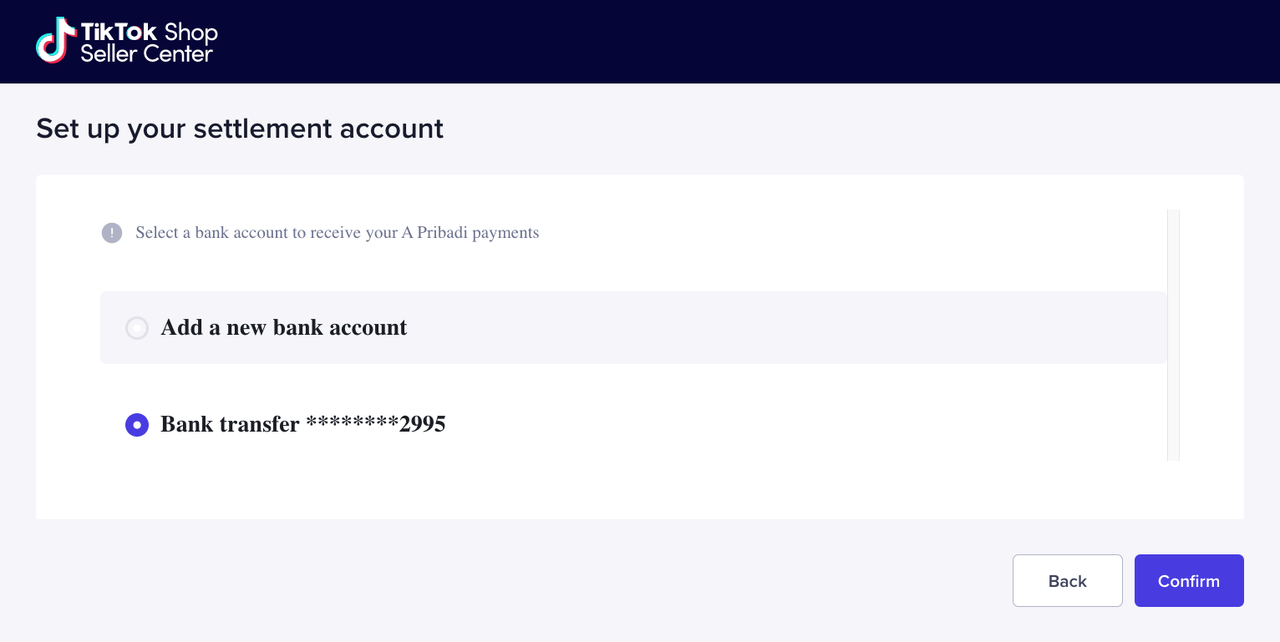
 Payments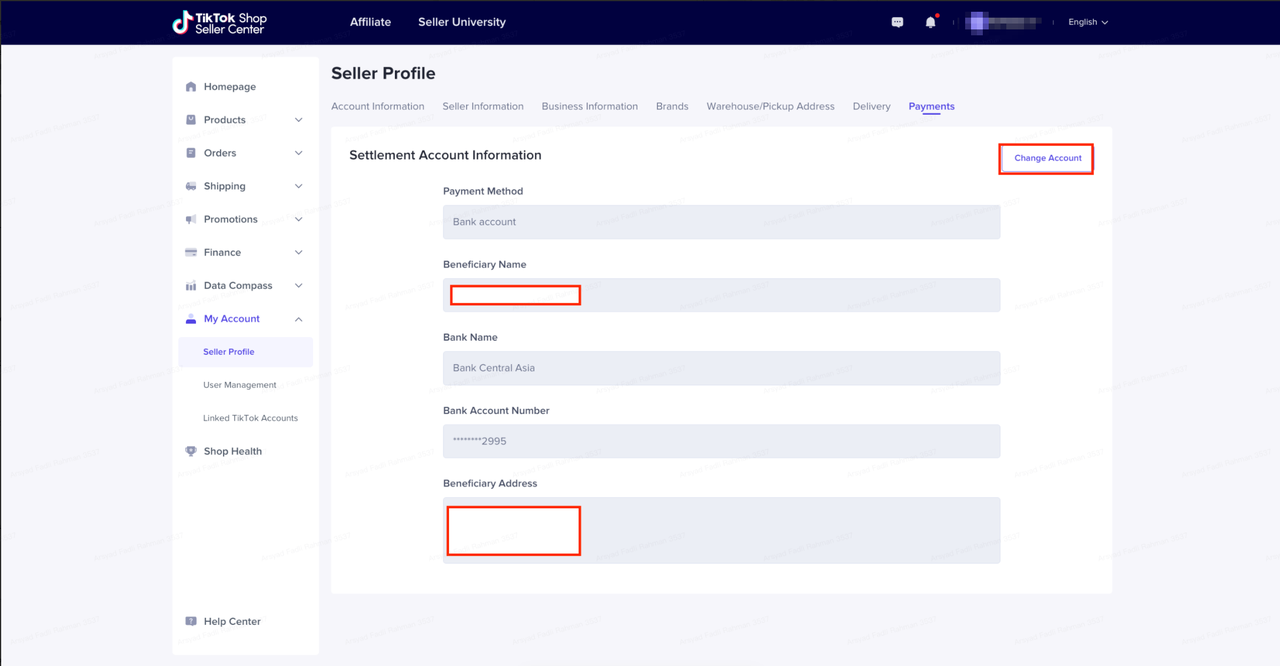
 Message SettingsBy customizing the message subscriptions of your accounts, you can better manage the messages and get informed more efficiently. Go to My Account > Seller Profile > Message Settings and click Edit, and you can modify all the subscriptions for the user accounts of your shop.
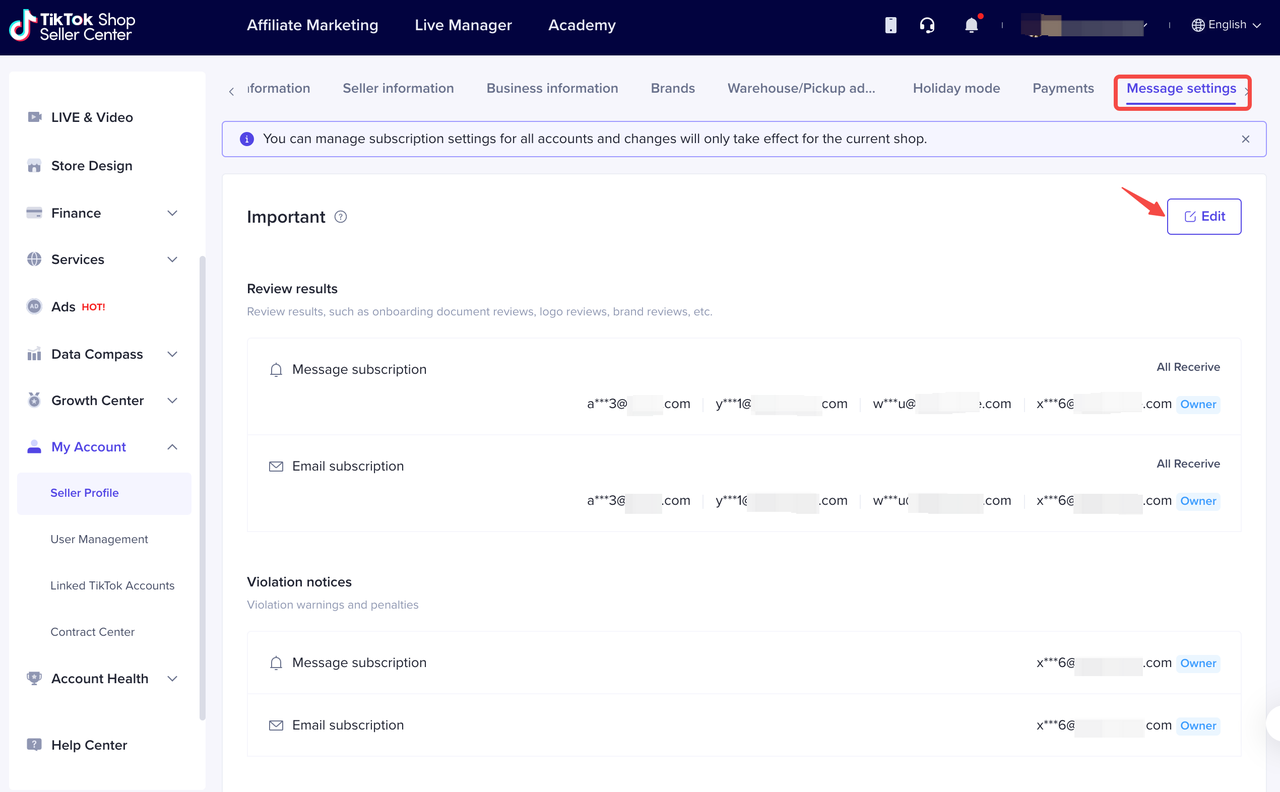 Select your accounts to subscribe or unsubscribe to a specific type of message, and confirm your choices by clicking Save. The changes will take effect in your current shop.
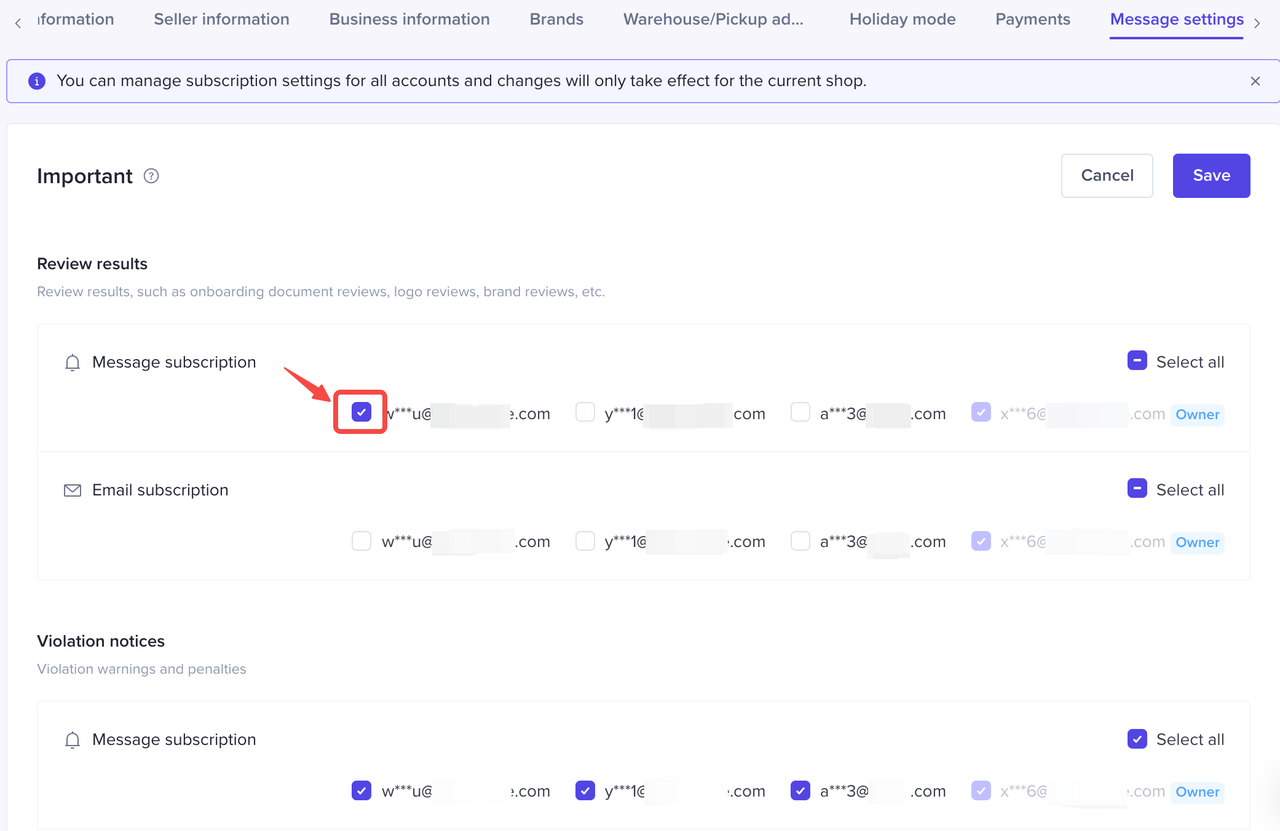 Types of Important and Shop are non-marketing messages, so the main account can not unsubscribe these types of messages. Type of Announcement are marketing messages, both main account and sub-accounts can unsubscribe if you don't want to receive this kind of message.
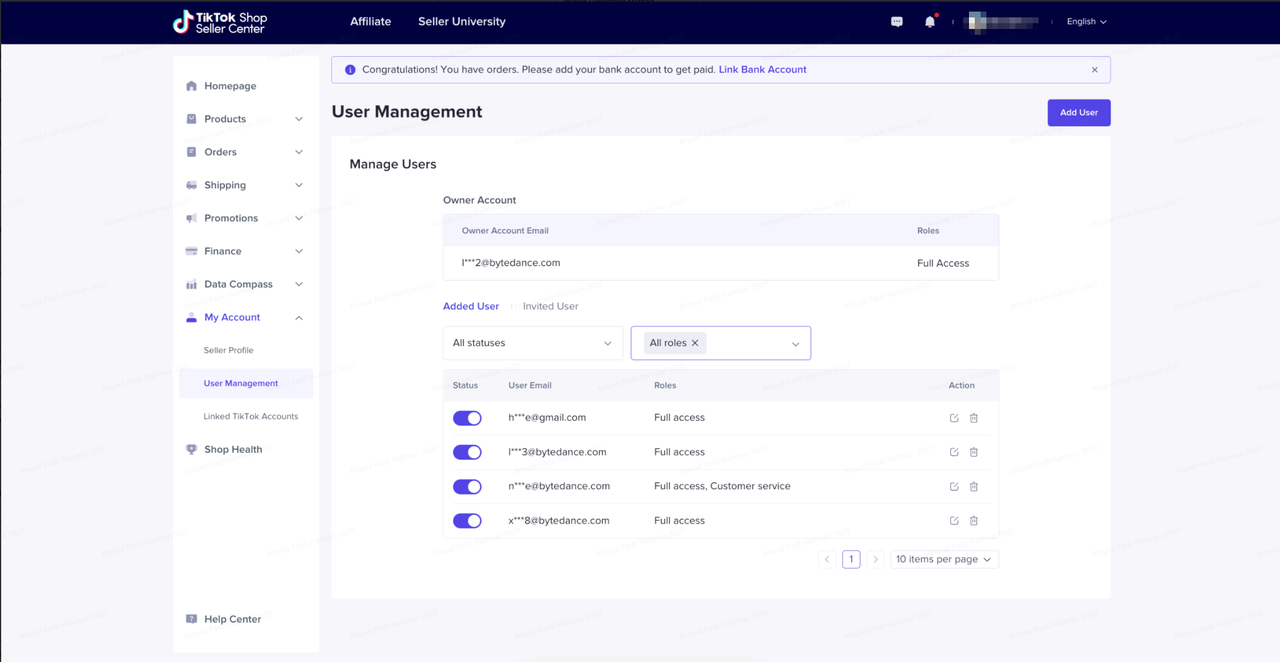 Manage your TikTok Shop user management and assign roles to respective related accounts. Roles that can be assigned as user are:
Seller Profile
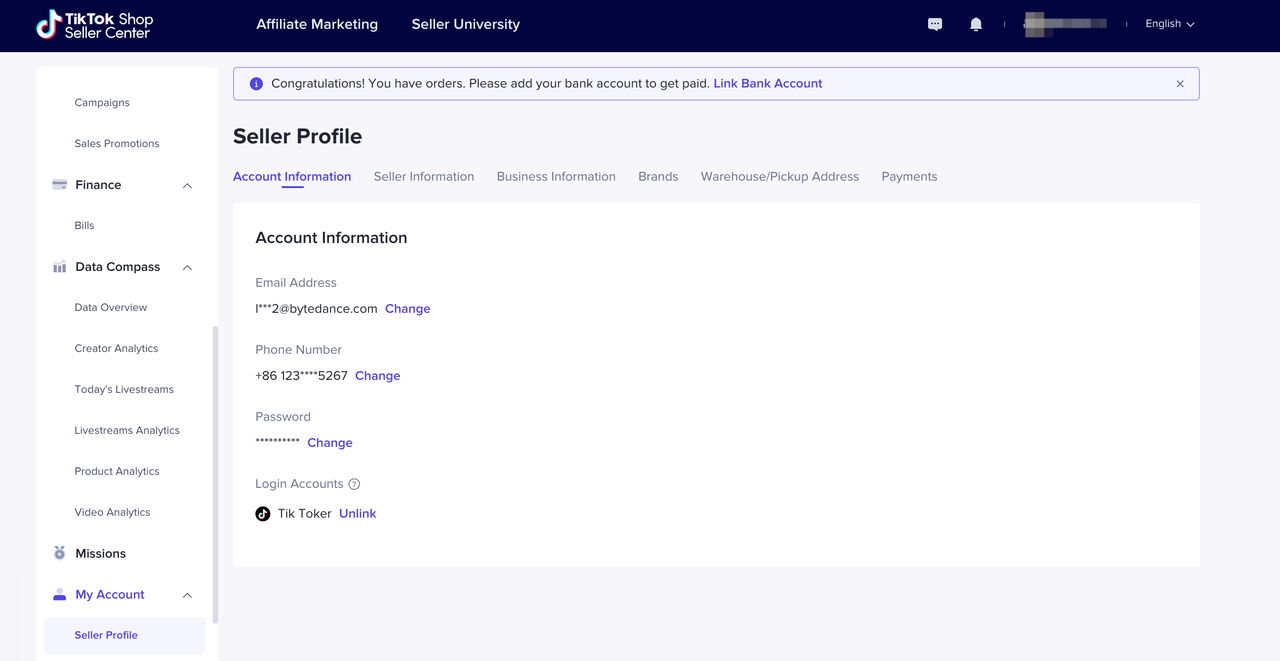
Account Information- Click here to access Account Information
- Find and customize your following basic account informations
- Email address
- Phone number
- Password
- Login accounts
Seller Information- Click here to access Seller Information.
- Find and customize following information in this page:
- Shop logo
- Shop code
- Business Type
- Seller Type
- Shop Name
- Holiday Mode Settings
Business Information- Click here to access Business Information
- Find and customize following information in this page:
- Company Name
- Company Registration Number (NIB)
- Tax Information Settings
- Invoice Preference
- Tax ID (NPWP)
Brands- Click here to access Brands
- Find, add, and manage your brands here
- You may see brands statuses, delete, or re-submit
Warehouse/Pickup Address- Click here to access Warehouse/Pickup Address
- Find and customize following information in this page:
- Warehouse/Pickup Address
- Return Address
Payments- Click here to access Payments
- Find and customize following information in this page:
- Current Settlement Account Information
Message SettingsBy customizing the message subscriptions of your accounts, you can better manage the messages and get informed more efficiently. Go to My Account > Seller Profile > Message Settings and click Edit, and you can modify all the subscriptions for the user accounts of your shop.Select your accounts to subscribe or unsubscribe to a specific type of message, and confirm your choices by clicking Save. The changes will take effect in your current shop.Types of Important and Shop are non-marketing messages, so the main account can not unsubscribe these types of messages. Type of Announcement are marketing messages, both main account and sub-accounts can unsubscribe if you don't want to receive this kind of message. - Message Types
- Important
- Review results - messages about review results, such as onboarding document reviews, logo reviews, brand reviews, etc.
- Violation notices - messages about violation warnings and penalties
- Appeals - messages about penalty appeal results
- Shop-related
- Shop updates - messages about your shop, accounts or finances, such as account activation, adjustments, settlements and withdrawals
- Orders - messages about orders, such as new orders
- After sales - messages about after-sales processes, such as return and refund requests
- Announcements
- Campaigns - messages about promotions, campaigns and incentive policies
- New features - messages about new features or feature modification updates
- Rules - messages about rule changes
User Management
Manage your TikTok Shop user management and assign roles to respective related accounts. Roles that can be assigned as user are:- Main Adminstrator
- Advertising Manager
- Marketing Specialist
- Customer Service Agent
- Product Management Specialist
- Finance Specialist
- Affiliate Manager