

Withdraw Seller Account Balance Money
10/01/2024
When is Money Available to Withdraw to the Bank Account?
After money is settled to the Seller Account Balance, sellers can withdraw it to their bank account.To understand when the money is settled, please visit this feature guide.

How to Perform a Withdrawal?
Once the money is settled to the Seller Account Balance, sellers need to complete two things before they can perform a withdrawal.- Set up withdrawal password.
- Set up a bank account.
Manual Withdrawal
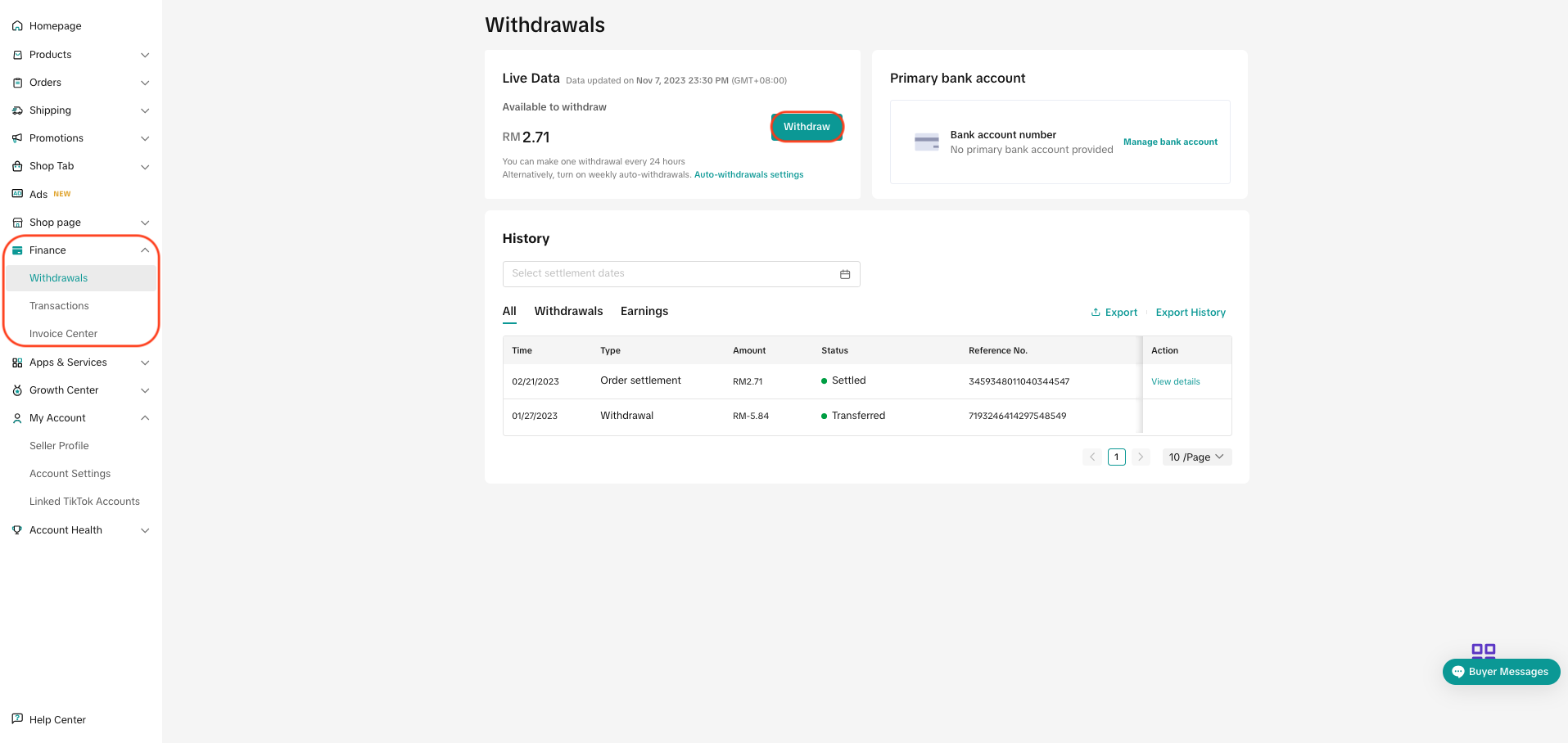
- Step 1: Go to Seller Center > Finance > Withdrawals on PC, or go to the Finance section on the Seller Center mobile app.
- Step 2: Click "Withdraw".
- Step 3: Enter the 6-digit withdrawal password.
- Step 4: Select the payout method.
- Step 5: Click "Continue" on PC, or "Withdraw now" on the mobile app.
Automatic Withdrawal
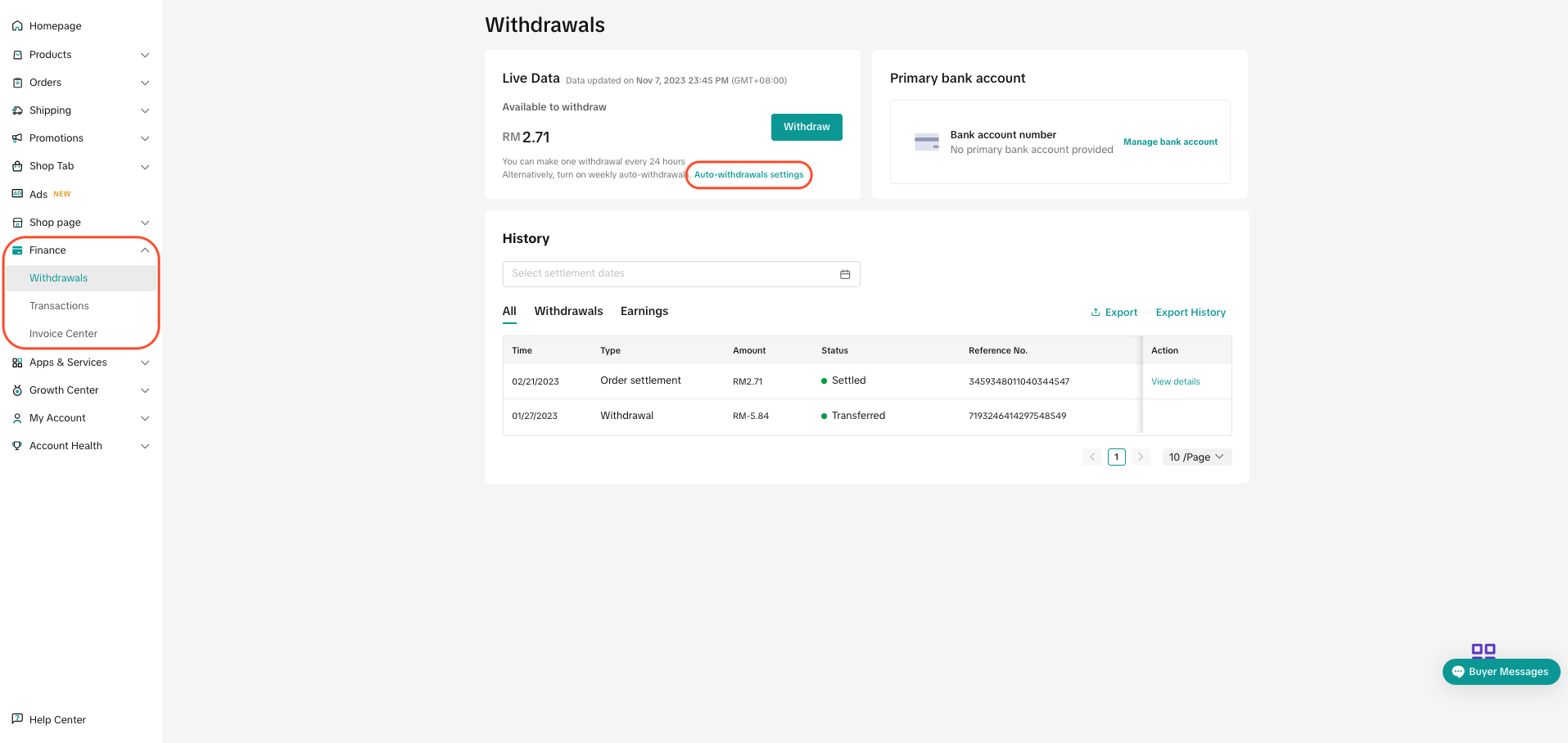
- Step 1: Go to Seller Center > Finance > Withdrawals > Auto-withdrawal settings on PC, or go to the Finance section on the Seller Center Mobile app and click "Auto-withdrawals are off".
- Step 2: Check if the primary bank account is the desired account for auto-withdrawals. If not, click "change"/"update" and choose the desired account.
- Step 3: Toggle on the "Auto-withdrawals" switch.
- Step 4: Enter the 6-digit withdrawal password and confirm

FAQs
- What is the difference between Manual Withdrawal and Auto Withdrawal?
Manual Withdrawal | Auto Withdrawal | |
| Payment Location | Manually withdrawn by seller from Seller Center (PC) or Seller App (Mobile) to a manually chosen bank account. | Automatically withdrawn to the primary bank account. |
| Payment Frequency | Once every 24 hours Example:
| Once a week on every Wednesday |
| Withdrawal Fees | Free | Free |
| Minimum Withdrawal Amount | IDR 10,000 | |
| Maximum Withdrawal Amount | Personal Seller: IDR 150,000,000 | |
- Are there any withdrawal fees?
- There is no withdrawal fee, be it manual or automatic withdrawals.
- Can sellers still perform manual withdrawal if they have activated auto-withdrawals?
- Yes, sellers can still perform manual withdrawal even if they have already activated auto-withdrawal. Note that sellers can only perform manual withdrawal once every 24 hours.
- After the amount is withdrawn, how long does it take to arrive at the bank account?
- The amount should arrive within 4 - 5 working days. However, the actual arrival time of payment depends on the actual processing time of the seller's bank.
- If sellers have performed a successful Manual Withdrawal submission, can sellers cancel or change the submission?
- No. Once a withdrawal application is successfully submitted, it can not be cancelled or changed.
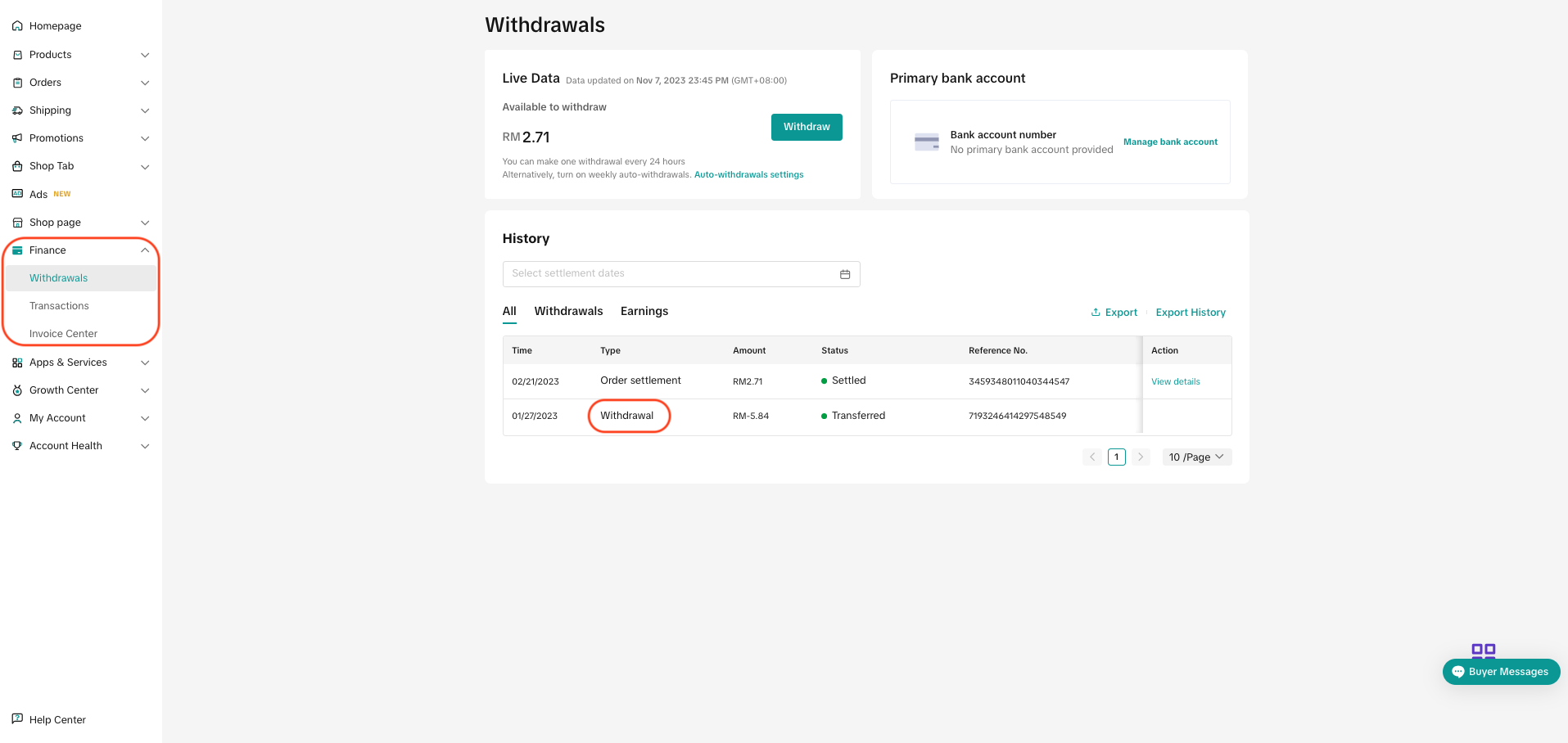
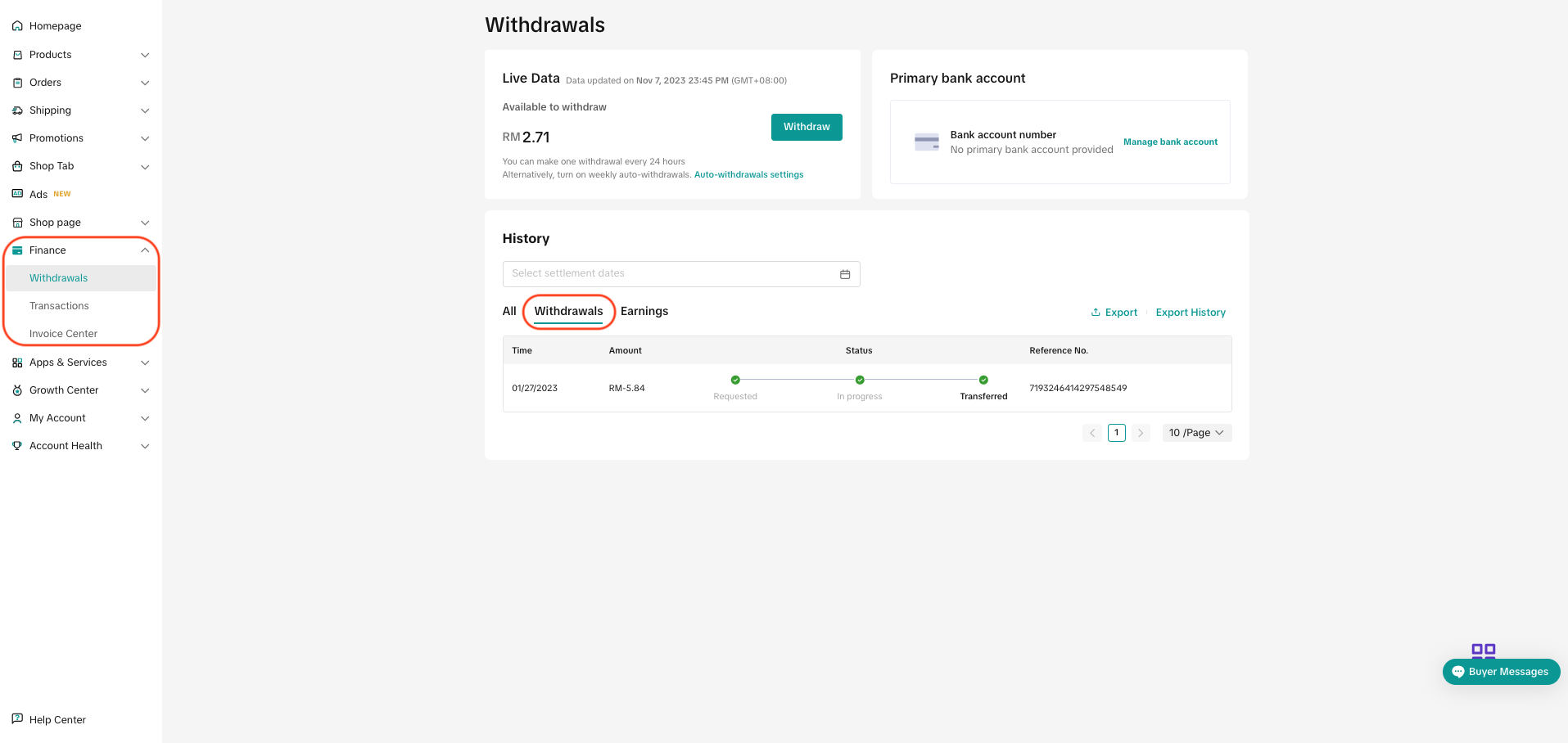
- Where can sellers check the amount that has been successfully withdrawn?
- On TikTok Shop Seller Center on PC
- Under Finance > Withdrawals, then find "withdrawal" under the column "Type".
- Or Finance > Withdrawals, then go to the "Withdrawals" tab.
- Under Finance > Withdrawals, then find "withdrawal" under the column "Type".
- On TikTok Shop Seller Center Mobile App
- Under Finance >All, marked as "Withdrawn to bank"
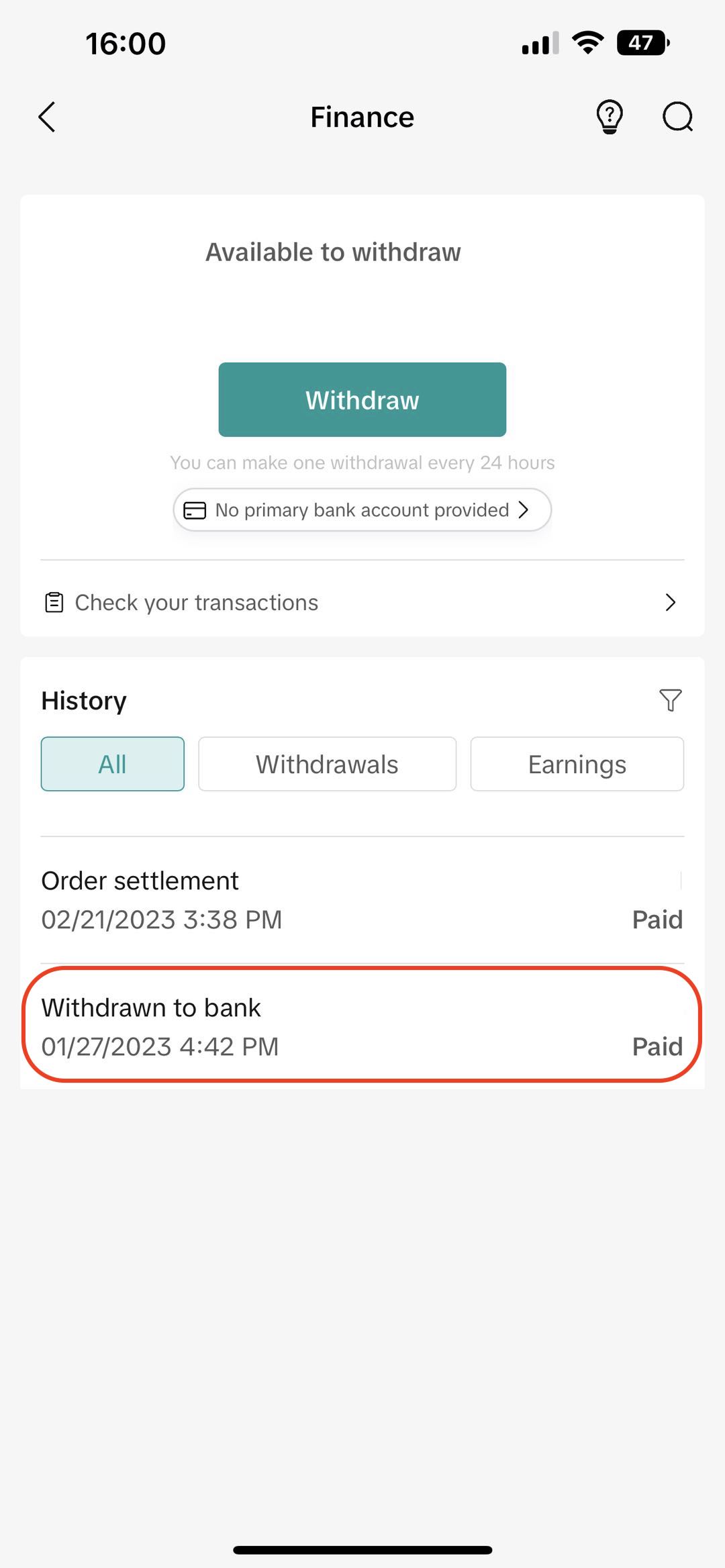
- Or under Finance > Withdrawals
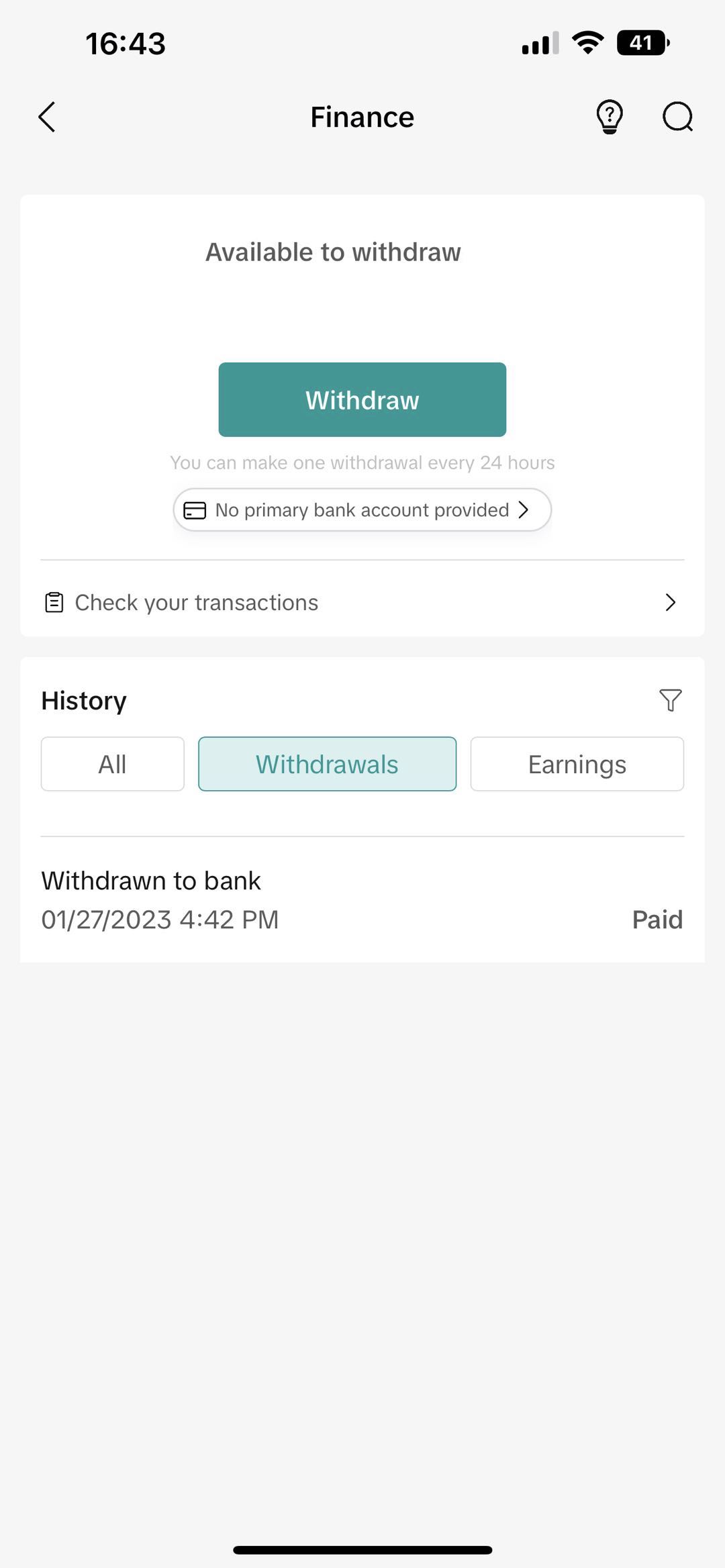
- Under Finance >All, marked as "Withdrawn to bank"
- What happens if the amount withdrawn does not show up on the bank account?
- Sellers can reach out to TikTok Shop support team in Seller Center > Help Center, and file an inquiry at "Ticket log" or speak to a representative via "Online support".
You may also be interested in
- 1 lesson
Finance and Settlement
Track your store’s finances effortlessly and ensure smooth settlements!
- 2 lessons
Finance
Financial best practices, including managing revenue, taxes, and other financial operations of your…

When will I be paid for my completed orders?
You will receive payment after the settlement period — this is the amount of time from the day an or…

Setup Withdrawal Password
In order to securely withdraw the settled amount on the seller account balance to the bank account,…

Seller Settlement Policy
👋 We've moved! For more information, please click here.

Payment Settlement
📌The settlement period refers to the duration between the date your order is delivered and the date…
Negative Balances
Account Balance Requirements We require you to avoid negative account balances, meaning that you mus…