

Refundable Samples for Creators
07/18/2025
This article will guide you on how to use the Refundable Sample feature as an Affiliate Creator. Refundable Samples are a great way for you to promote shoppable content and get the cost of your product back once you achieve the refund requirements.
*Screenshots in the article may not be updated but act as a guidance to the overall journey
Note: If you have requested a free sample from a seller and that request is ongoing, you won't be able to purchase a Refundable Sample for that product.



*Screenshots in the article may not be updated but act as a guidance to the overall journey
What are Refundable Samples?
Refundable Samples are products that Creators pay for upfront and feature in their content. Once they hit the target goals, the Seller refunds the cost, so the Creator gets to keep the product for free.- The main difference between Refundable Samples and Free Samples is that with Refundable Samples, the Creator buys the product first and promotes it before getting it for free. Sellers can choose to offer Refundable Samples, Free Samples, or both. This setup encourages sellers to give out free products because creators need to meet certain goals before getting a refund.
- Once the refund tasks are met, the system automatically issues the refund. The total cost of the product and the shipping cost will be refunded.
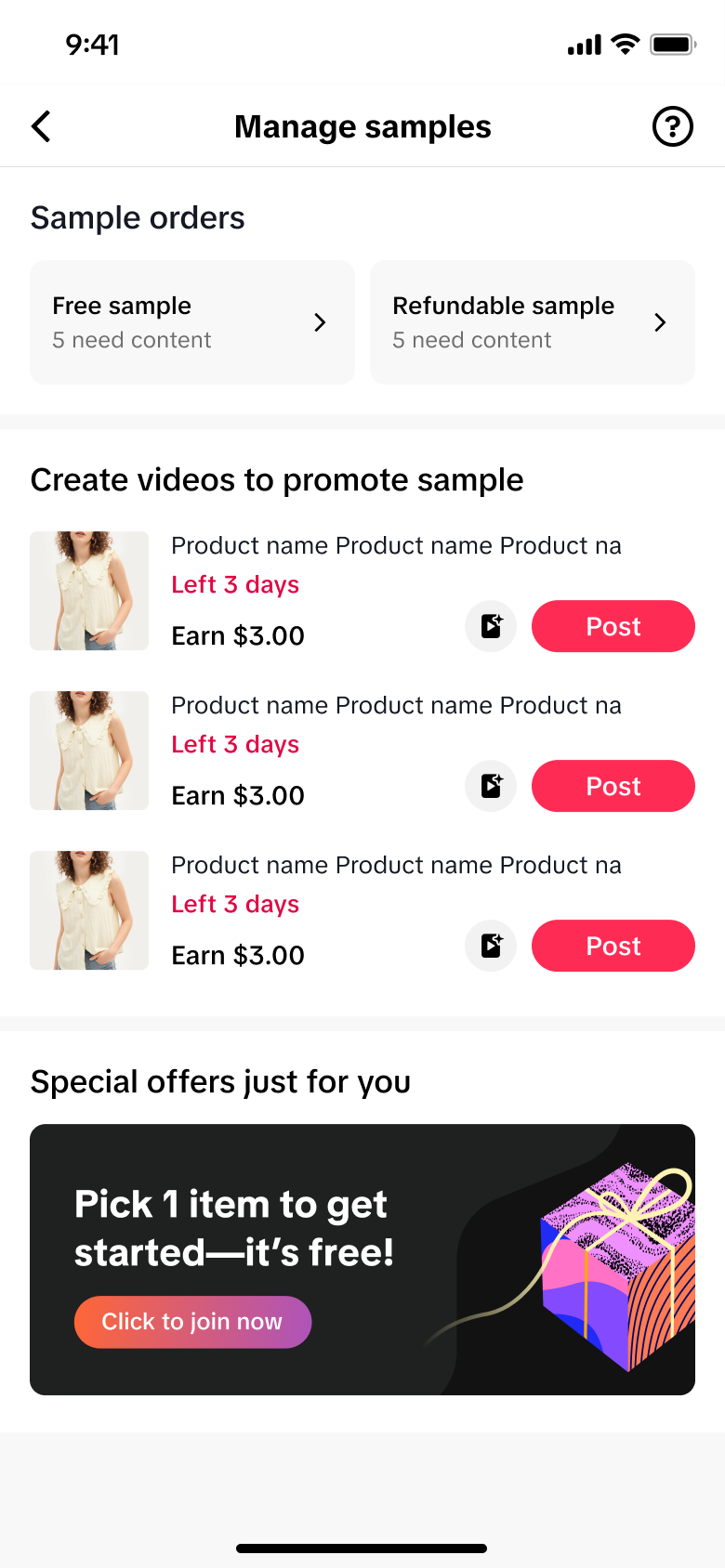 | 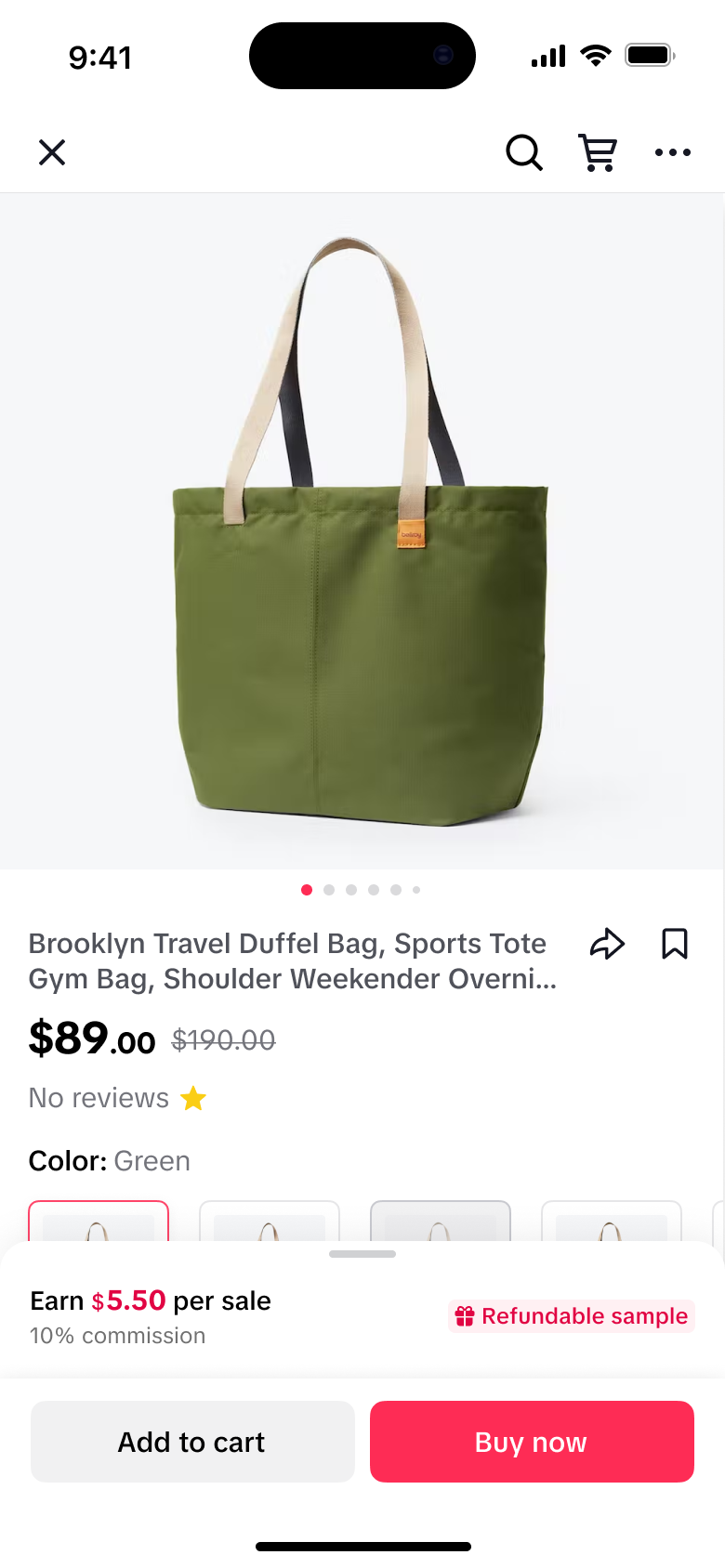 | 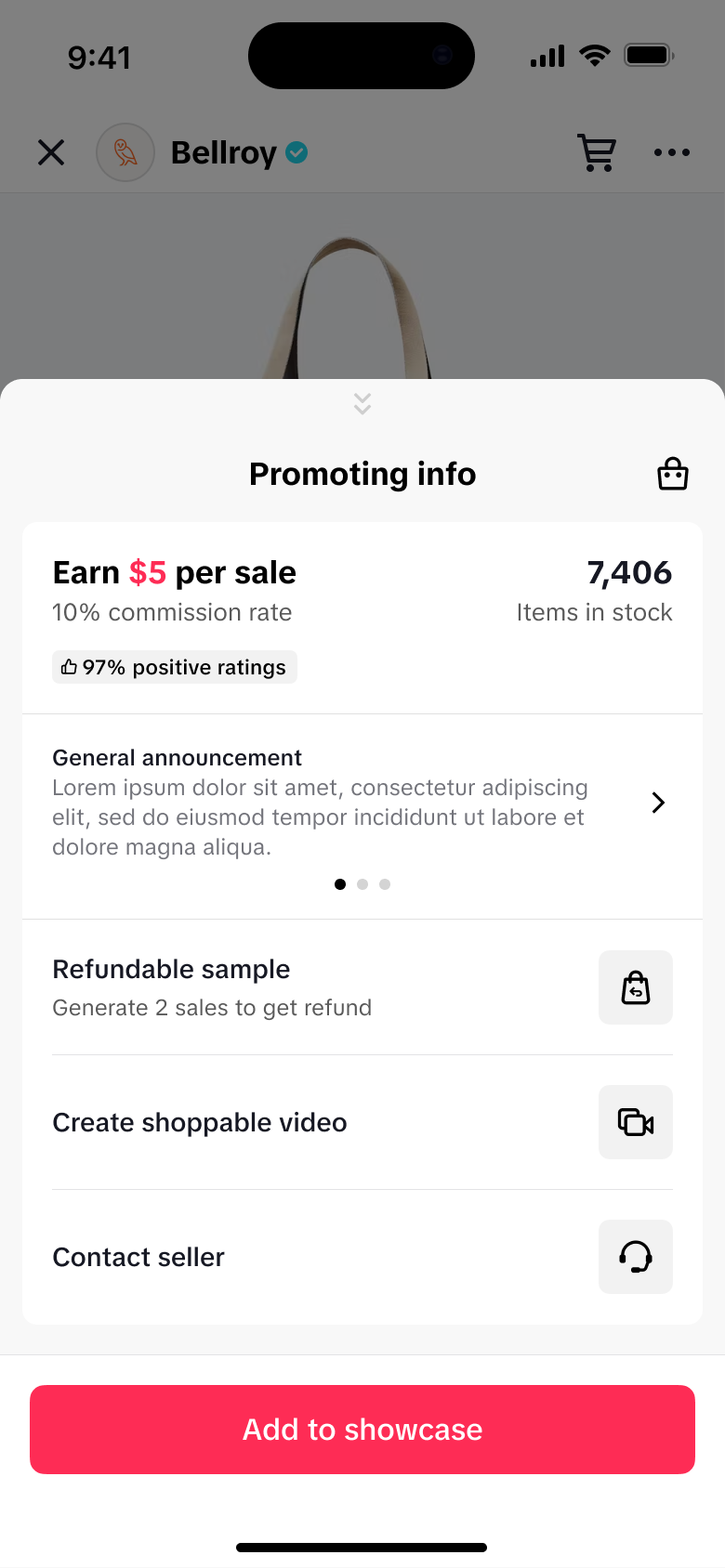 |
Manage Samples page will have a tab for your Refundable Sample orders | Product detail pages will include a tag for Refundable Samples | Request Refundable Samples in the Product Detail Page only |
Finding Products with Refundable Samples
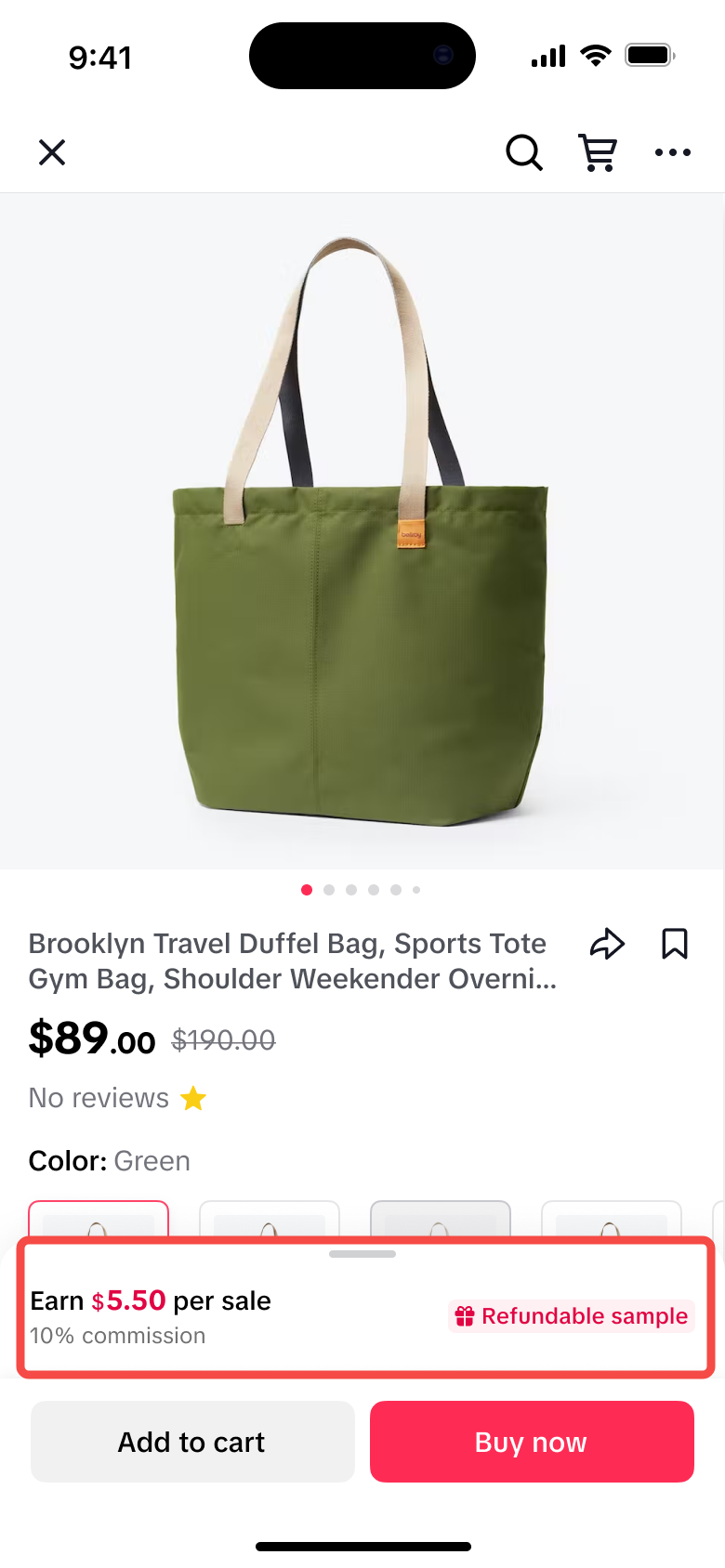 | Products with Refundable Samples are marked with a “Refundable Sample” tag. You can spot this tag on products in the Product Marketplace, Shop Tab, and even in your Showcase. |
Purchasing a Sample and Initiating the Refund
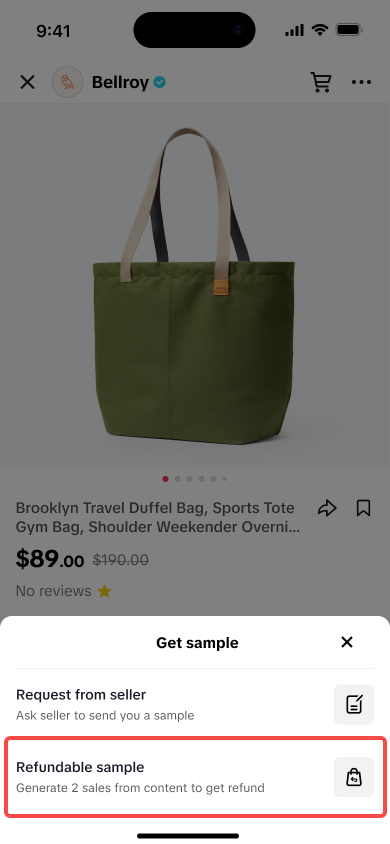
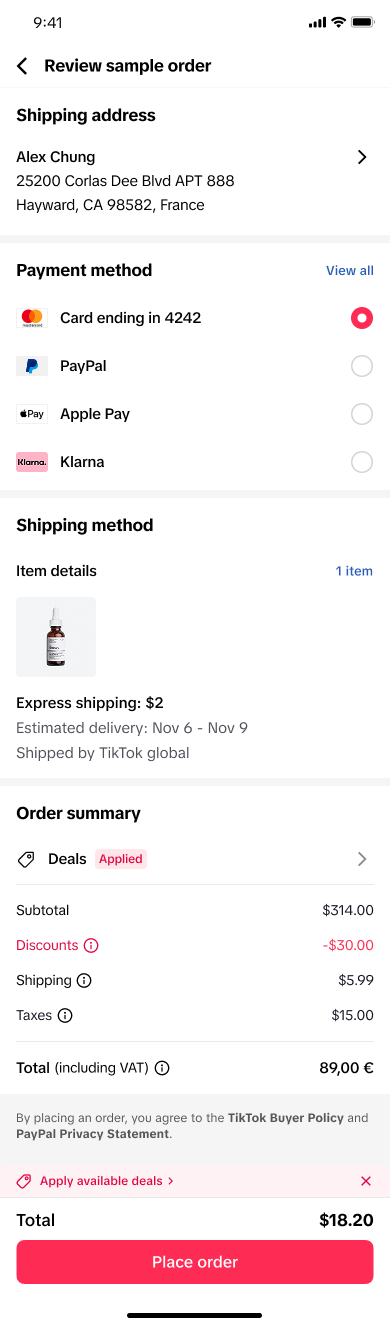
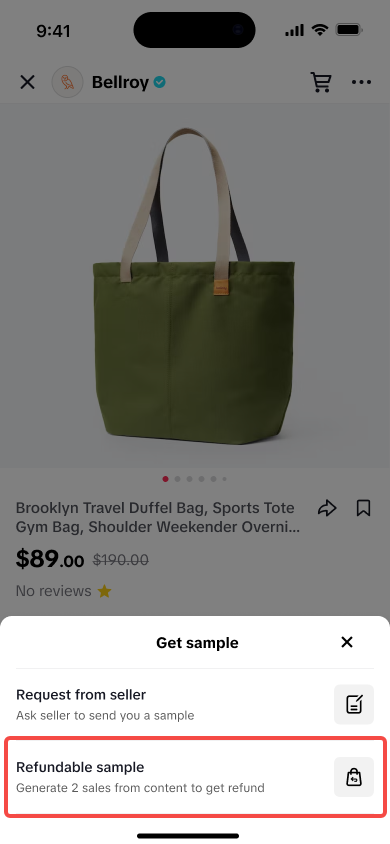
In order to request a refundable sample, the Creator will need to request from the Product's detail page and order the product.Ordering the Refundable Sample
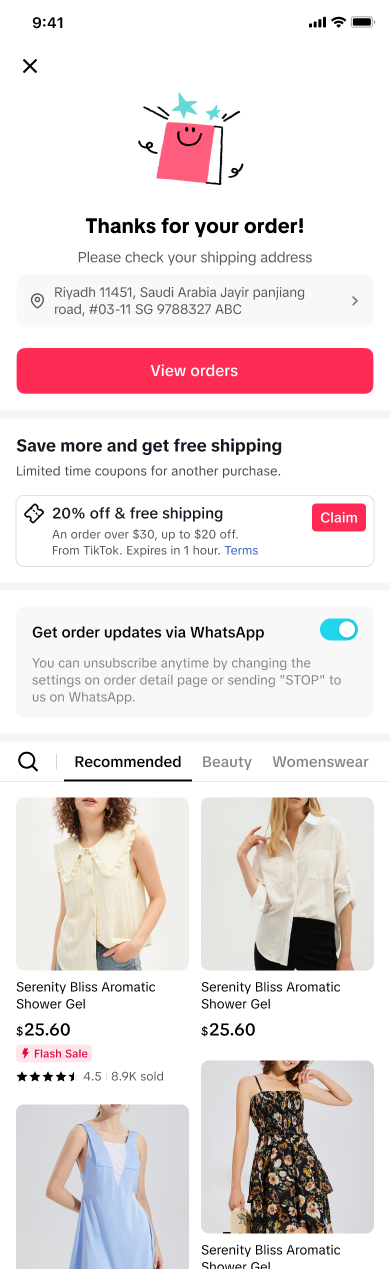
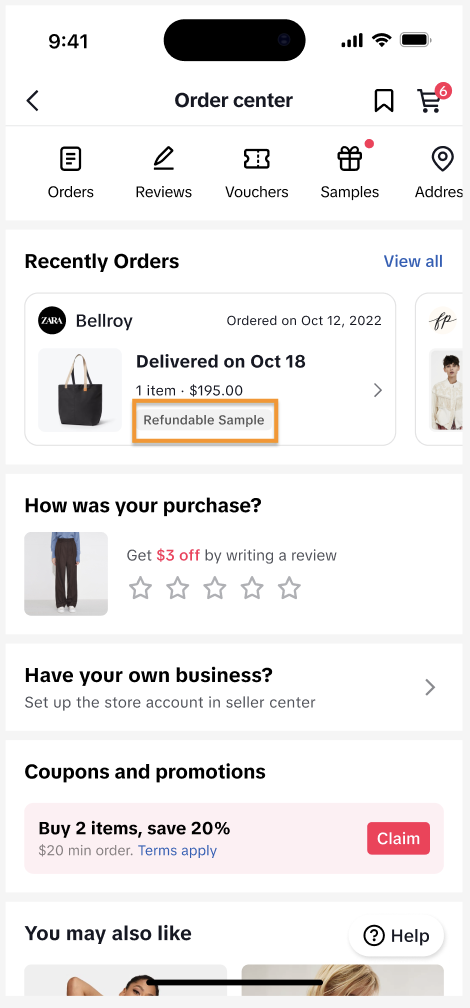
Requesting a Refundable Sample has the same process as requesting a Free Sample.| Select a product with the Refundable sample option. | The system will redirect to the Review sample order page. Same as a regular order: review your address, contact information, and your payment method. | Congrats! You have ordered your first refundable sample. Track your request in the Order Center or the Manage Samples page. | You can check in your Order Center regarding the progress of your Refundable Sample. |
 |  |  |  |
Accomplishing Tasks to get the Refund
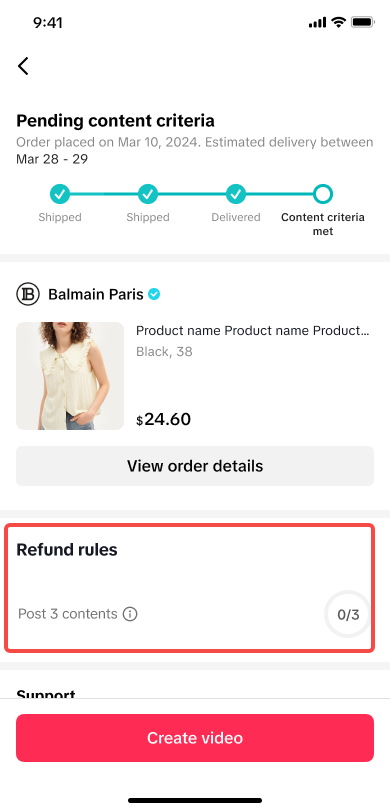
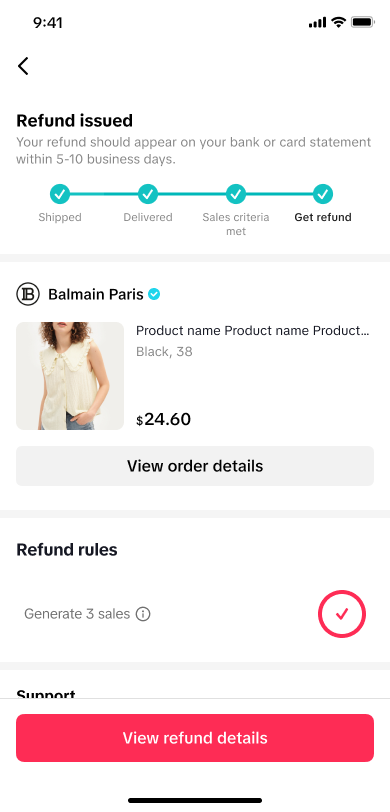
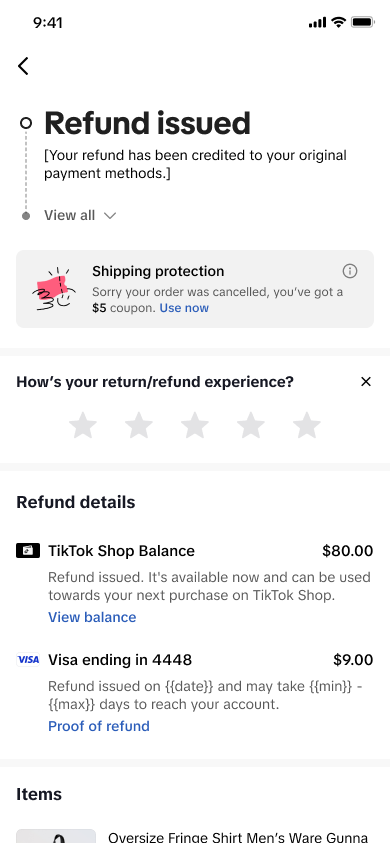
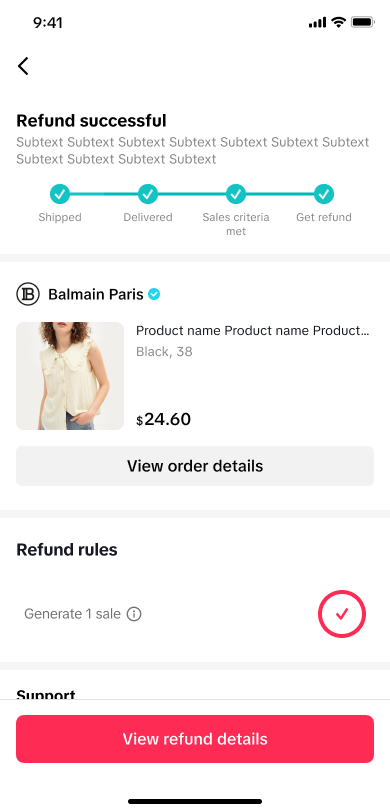
| If a product has the Refundable Sample option, you’ll get a list of tasks to complete in order to get your refund. | Once you get the product, we’ll remind you what tasks you need to do to get your refund. | Once the refund rules are accomplished, you are now eligible for your refund! Tap on View refund details to learn more | View refund details will redirect you to the aftersales page. | A final confirmation will be shown on the Refund sample page once the refund is successful |
 |  |  |  |  |
FAQ
- Can I request a free sample and a refundable sample for the same product?
- You can only choose one type of sample per product, either free or refundable, while the current sample task is still ongoing. Once you've completed the required tasks, you can request the same product again.
- Can I get Refundable Samples from Collab Invites?
- Currently, we only support Refundable Samples from products that are available in the Product Marketplace (Open Collaboration)
- Can I get a refund for something I bought myself?
- No, you can only get a refund if you used the Refundable Sample feature when you first order the product.
- What if the product requested via refundable sample is removed from the product marketplace/sold out?
- Creators can still get the refund from a refundable sample if the following scenarios occur:
- content generate sales
- seller becomes unavailable
- product becomes unavailable (including product removed)
- Creators can still get the refund from a refundable sample if the following scenarios occur: