

AI Growth Expert
12/04/2025
Note: AI Growth Expert is currently available by invitation only, so some sellers may not have access to it yet.

Introduction to AI Growth Expert
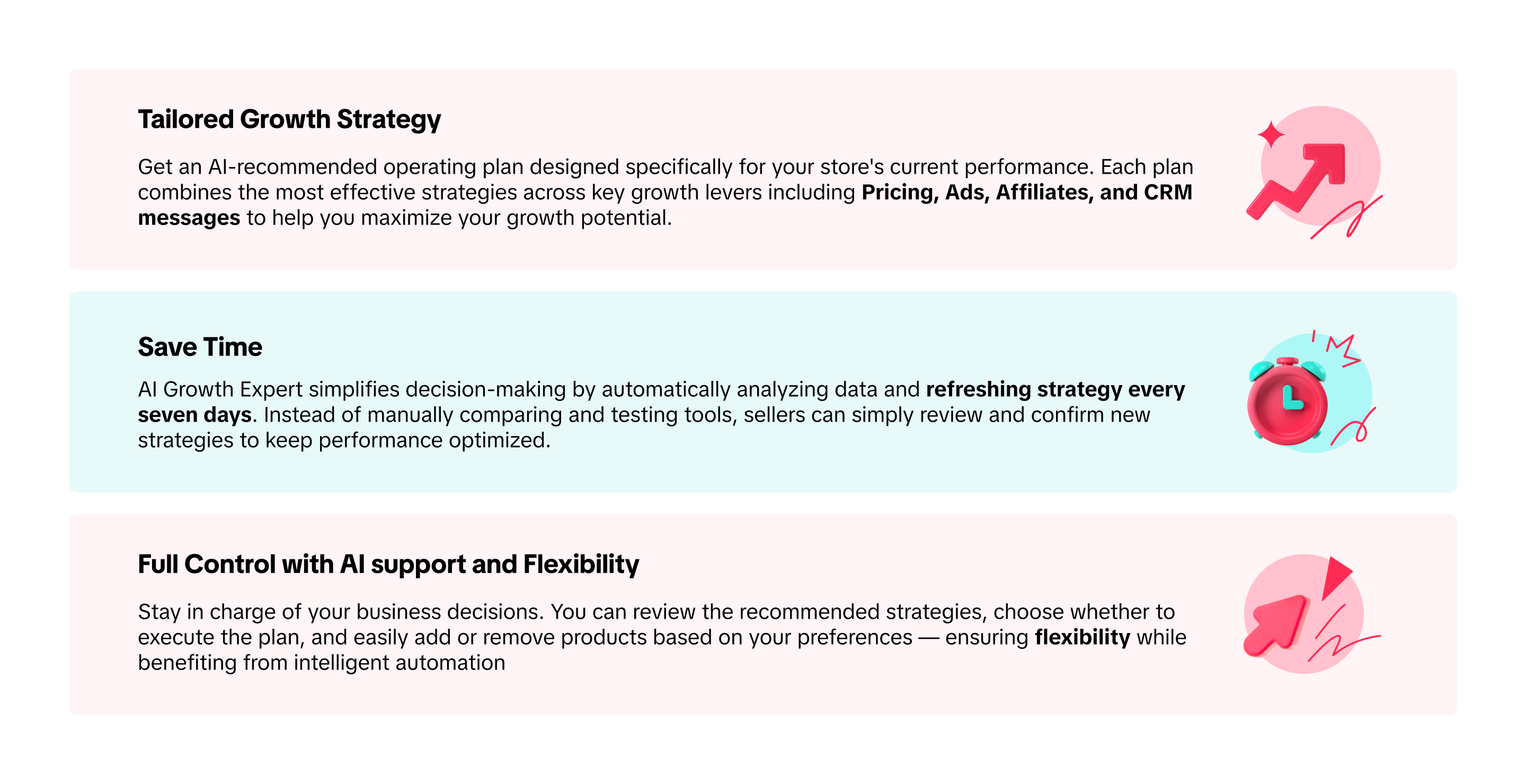
Running a store on Tokopedia & TikTok Shop can feel challenging and time-consuming, with countless tools and choices to manage. That's why we created AI Growth Expert — an automated AI-driven tool designed to simplify that journey. AI Growth Expert helps sellers identify the store growth opportunities and provides tailored operating plans that fit each seller's business needs.Instead of managing everything manually, sellers can rely on AI Growth Expert to recommend a plan covering major growth levers including Pricing, Affiliate, Ads and CRM messages. AI Growth Expert provides data-driven recommendations, while sellers maintain full control and can choose to apply the entire plan or only selected strategies.
Benefits of AI Growth Expert
Getting Started with AI Growth Expert
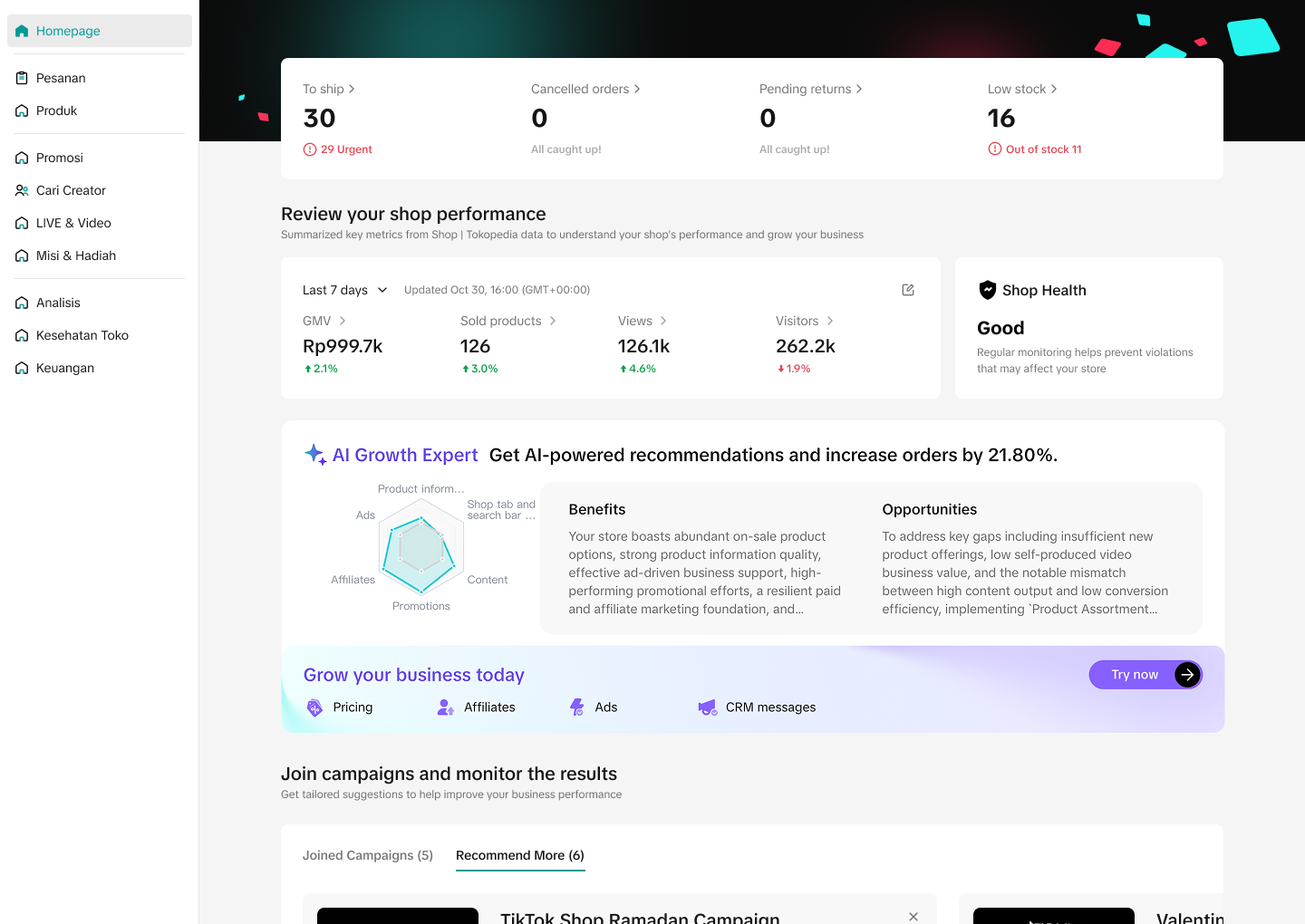
Entrance- To setup an AI Growth Expert plan on Seller Center PC, visit the Seller Center homepage and visit the AI Growth Expert widget.
- Key information provided on the homepage widget includes:
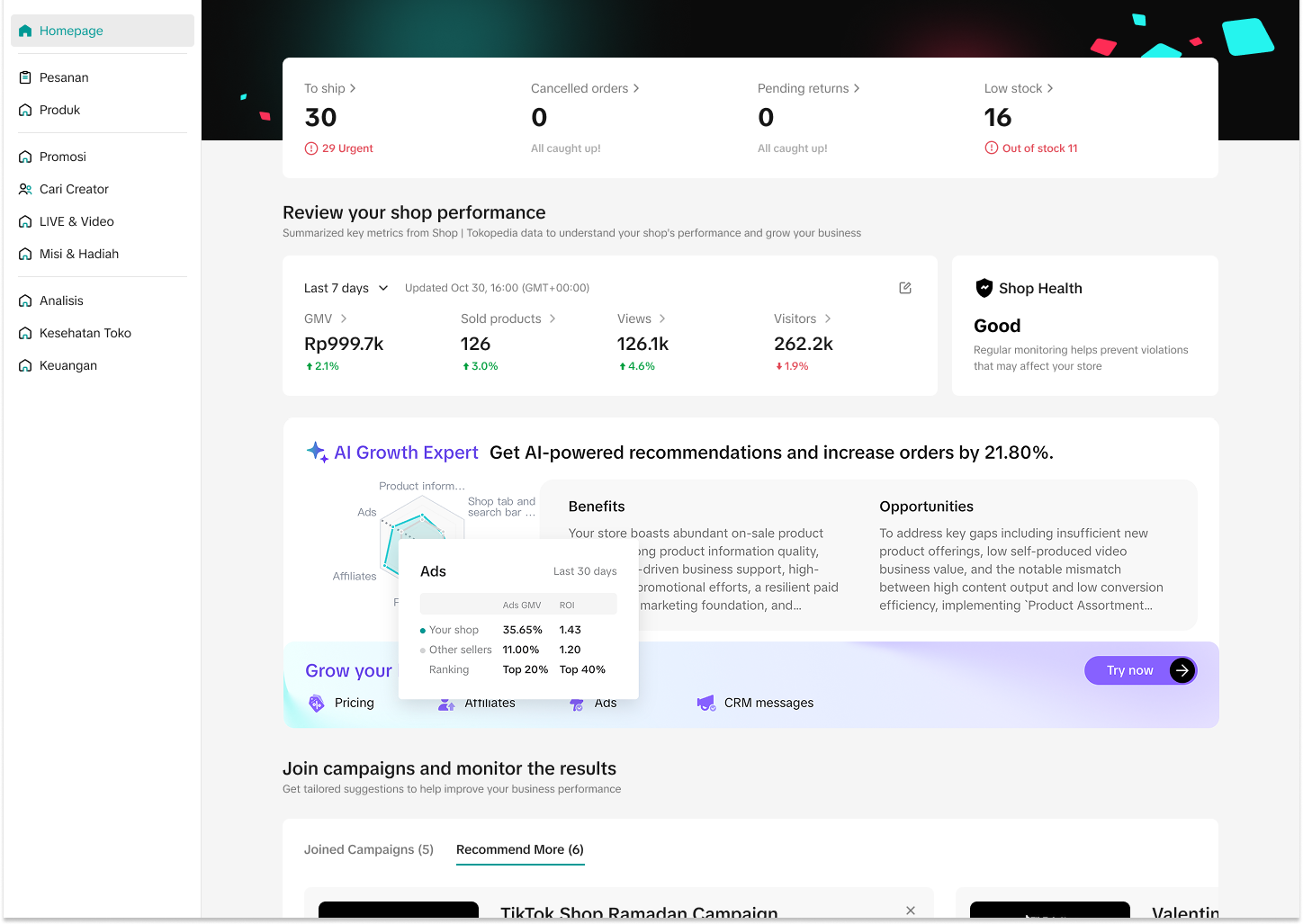
- Radar chart: Showing the seller's current performance in comparison to similar sellers
- Growth potential: Estimated growth potential if the entire AI Growth Expert plan was adopted and executed.
- Click "Try now" to view strategy details
Homepage | Radar Chart |
 |  |
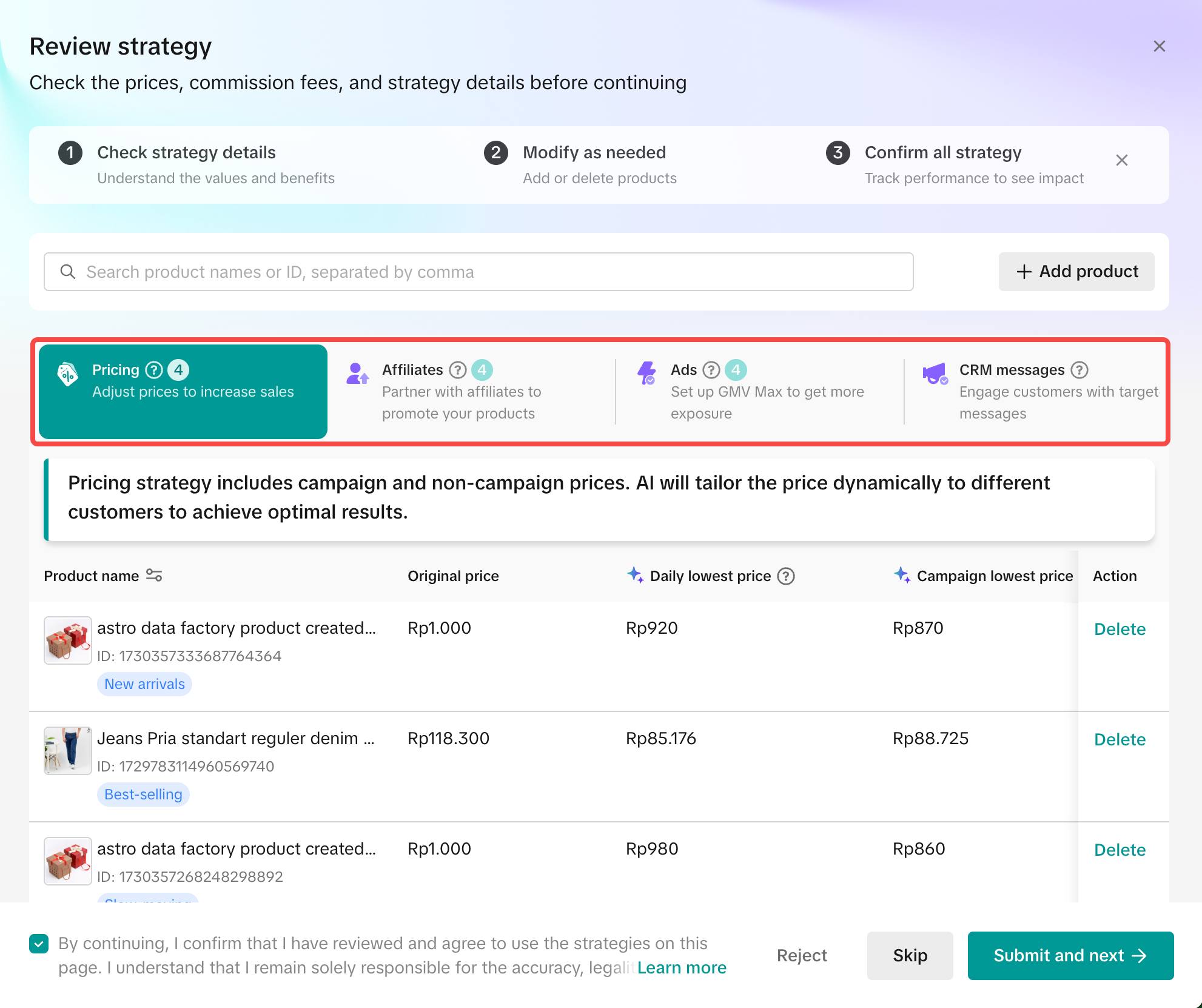
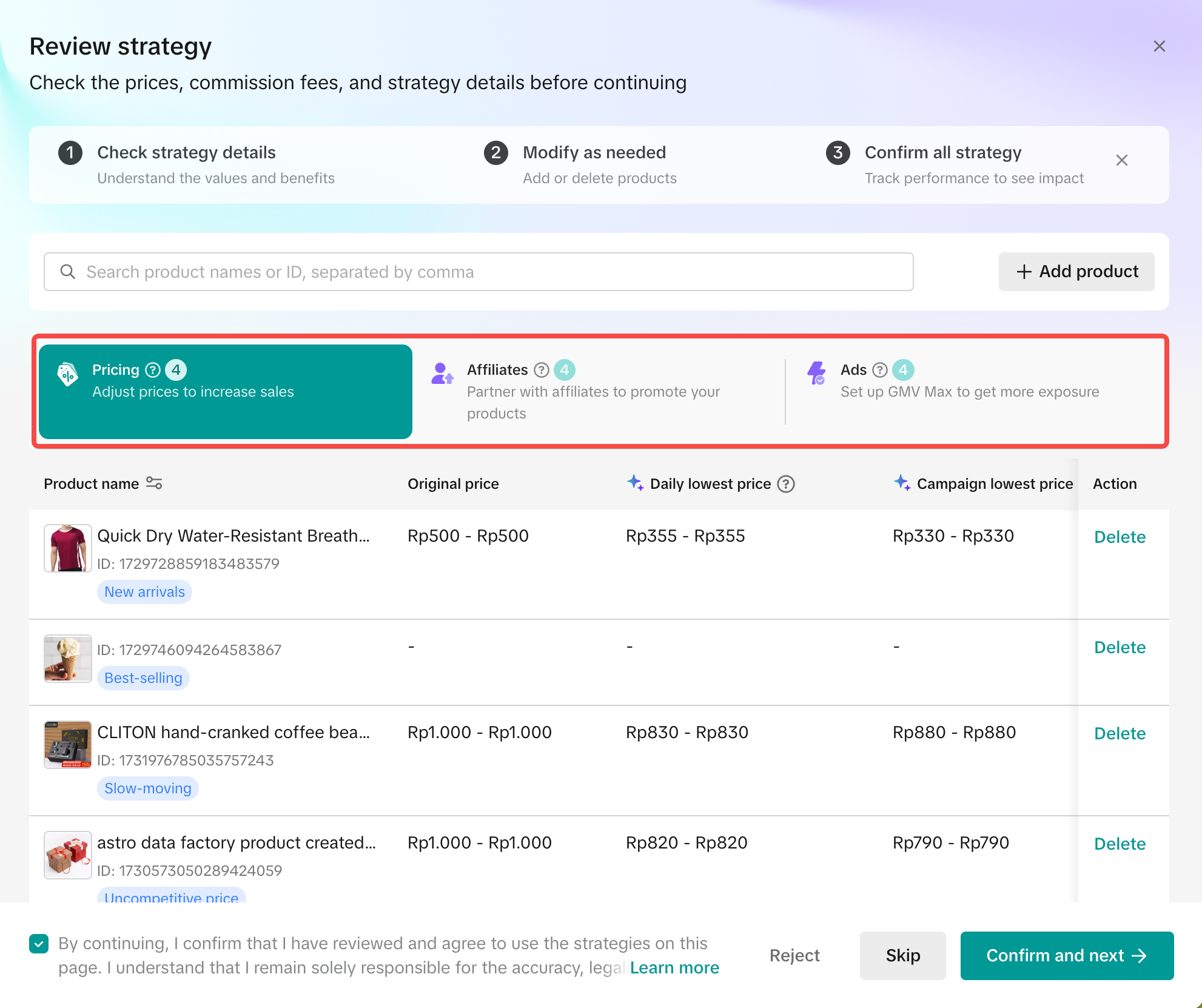
- The AI Growth Expert operating plan covers four major growth strategies: Pricing, Affiliate, Ads and CRM messages. Sellers can view these strategies by navigating between the four strategy tabs.
- To achieve the best results, it is recommended that sellers apply all four strategies. However, you may also choose to execute only selected strategies based on your business needs.
- Click "Submit and next" to publish the strategy in the current tab. The strategy will take effect immediately, and you will be guided to the next strategy tab for review.
- Click "Skip" to move past the current strategy and proceed to the next tab.
- Click "Reject" to remove the strategy from your AI Growth Expert plan.
Strategy tab | Strategy "rejected" |
 |  |
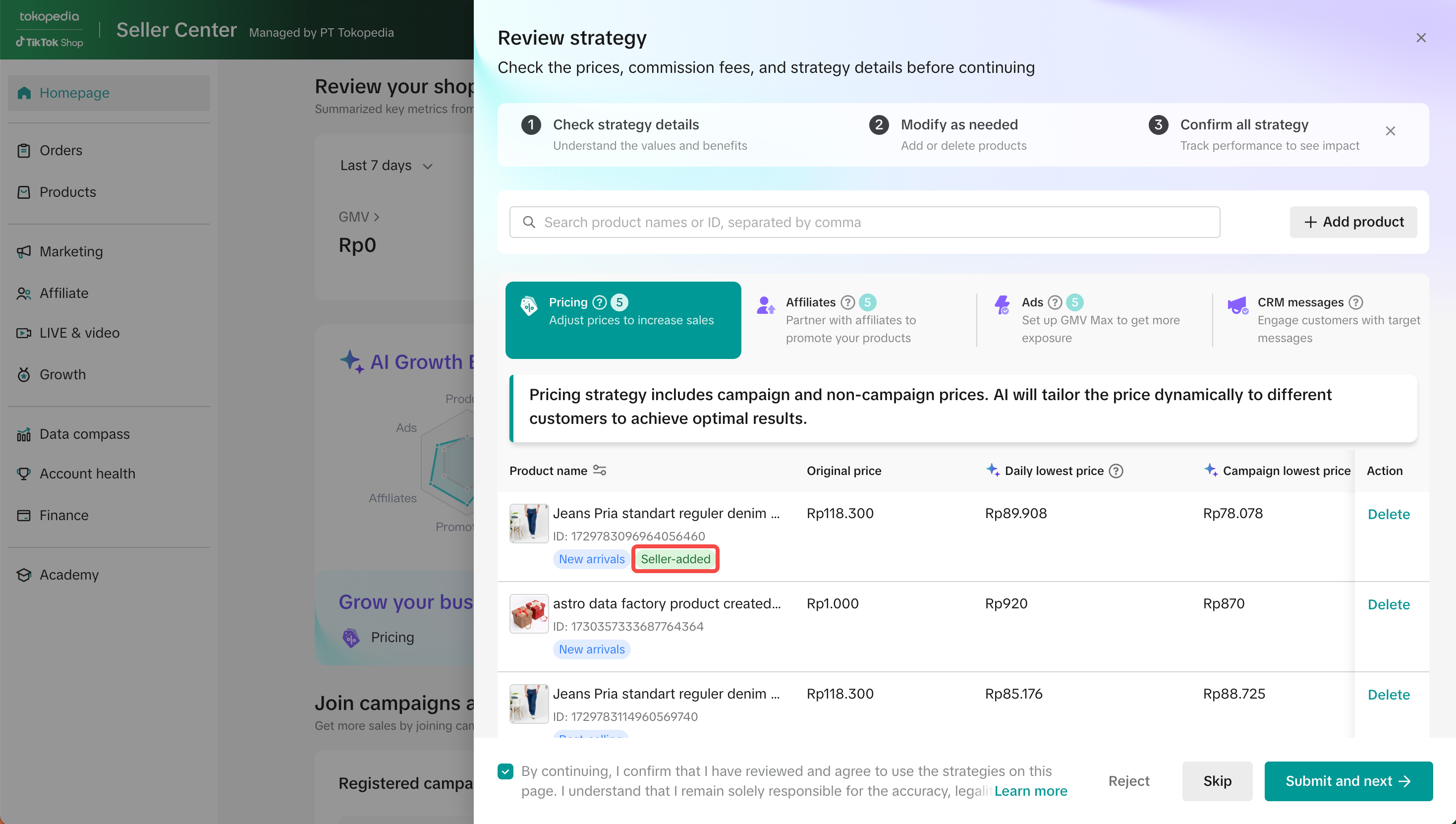
- Pre-defined product tags are displayed to help identify different product types within your AI Growth Expert plan. You can use product tag filter to view and manage products by type
- New Arrivals: Product uploaded within the last 30 days
- Trending: Product with high page views (PV) performance in the last 30 days
- Best-selling: Product with high order volume in the last 30 days
- Slow-moving: Product with no sales in the last 30 days and available stock of 25 units or more
- Uncompetitive: Top 200 products by GMV and traffic ranking and do not match previous tags
- Others: Products that do not match any specific tags
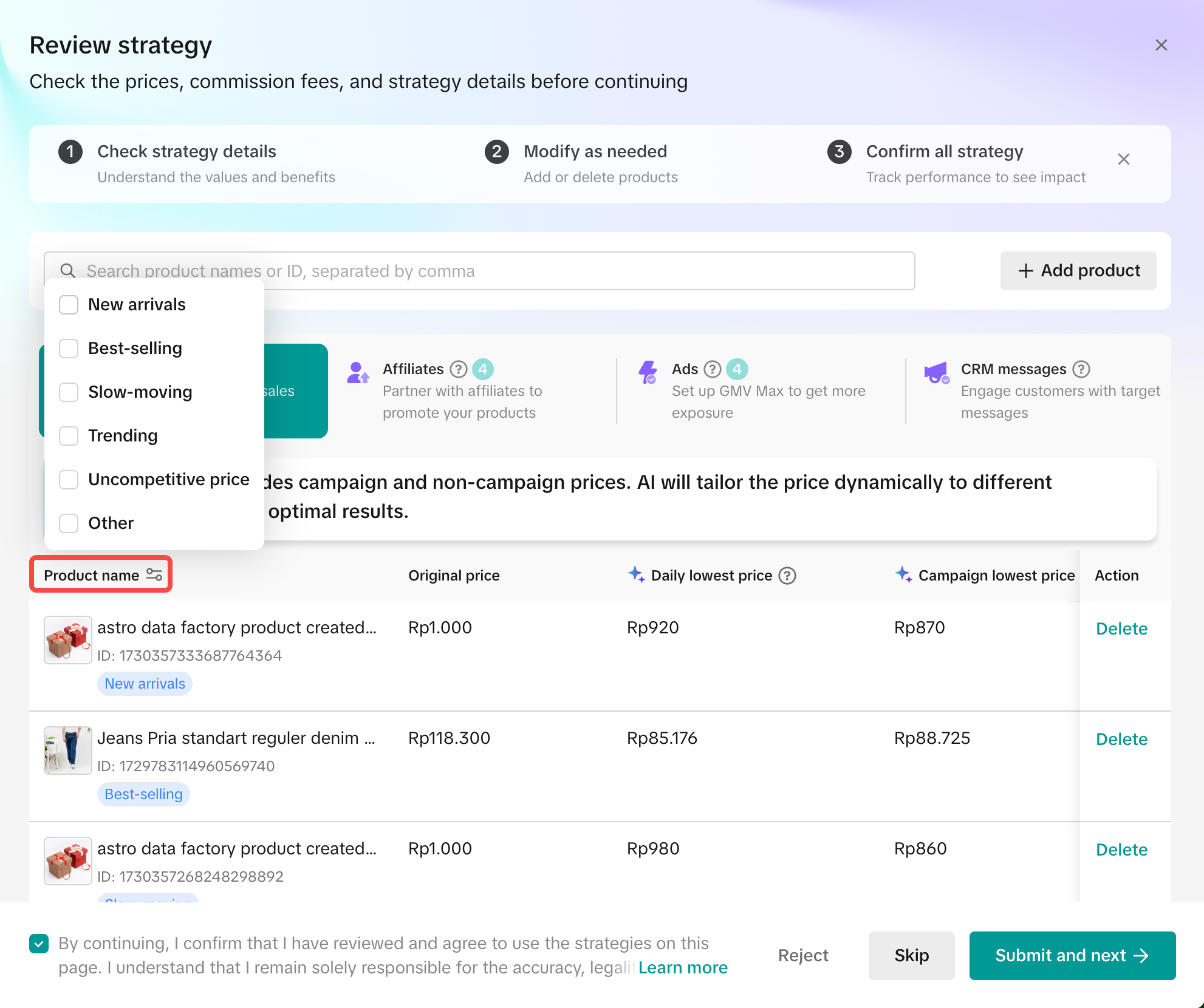
- Potential products are automatically identified and listed under each strategy tab.
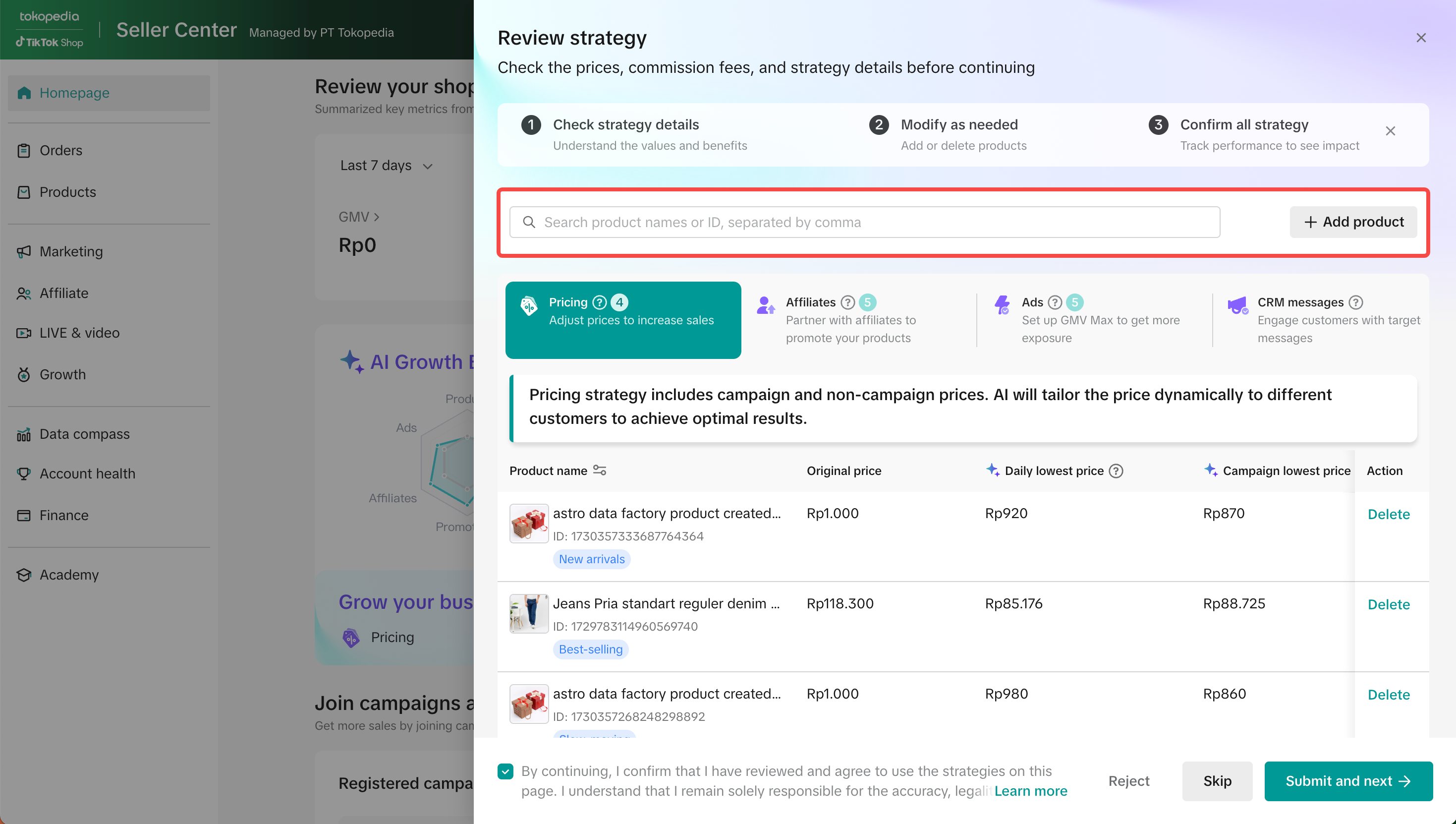
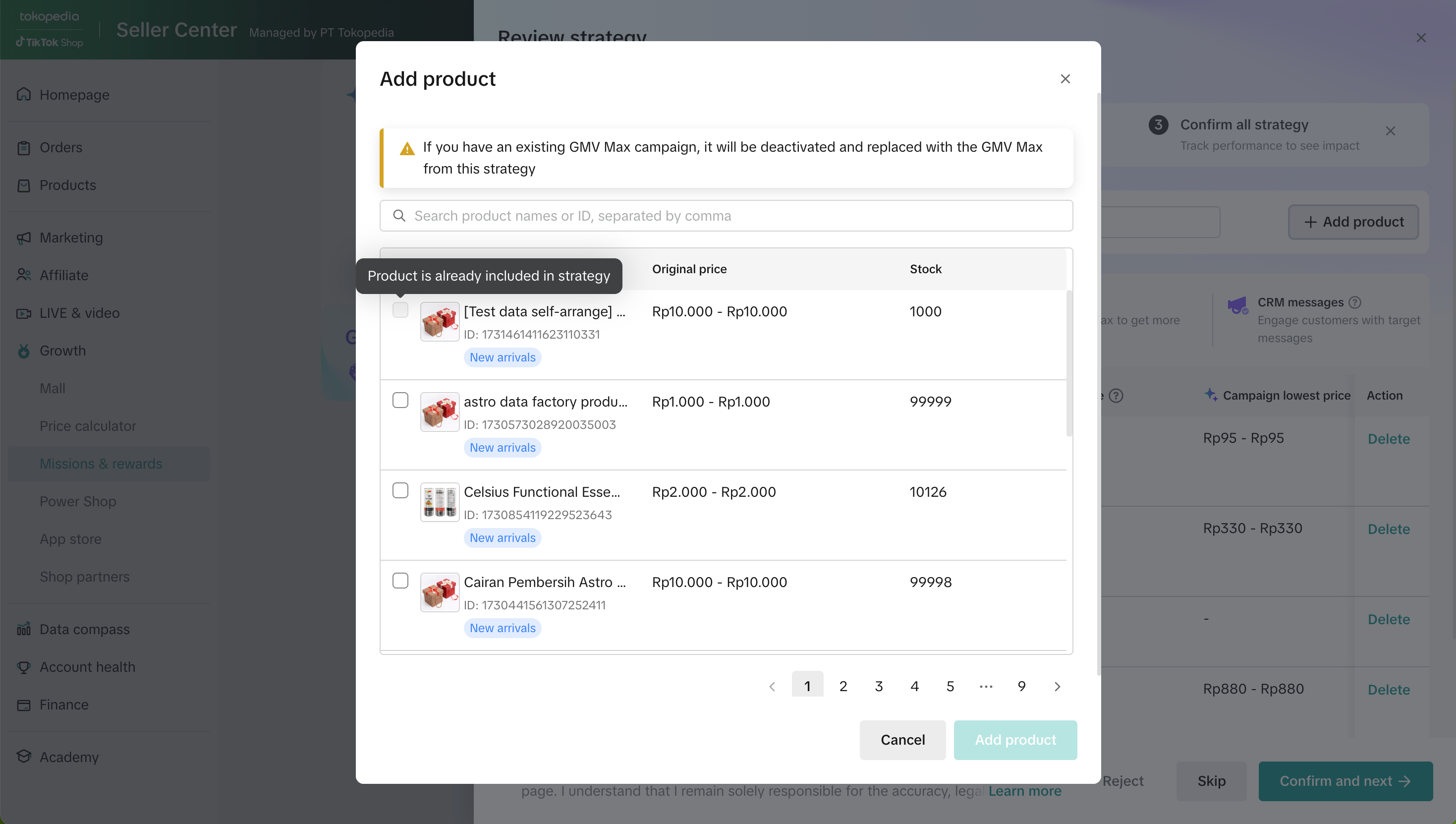
- Sellers can add products to any strategy at once. Once added, AI Growth Expert will automatically generate a recommended strategy for that product.
- Most active products are already covered and identified as high-potential; however, not all active products in the store will appear in the list or search results.
- Adding a product in the current strategy tab will add that product to all four strategies. However, sellers must click "Submit and next" in each tab for the strategies to take effect.
- Products automatically identified and listed under each strategy tab or selected manually by sellers must be active on TikTok Shop by Tokopedia (i.e. active on TikTok Shop by Tokopedia or both Tokopedia & TikTok Shop). Products active on Tokopedia-only will not be eligible to join AI Growth Expert.
- Recommended strategies cannot be manually edited or adjusted, but sellers may delete products from a strategy at any time.
- Deleting a product removes it only from the current strategy tab, not from all four strategies.
- Sellers can add products to any strategy at once. Once added, AI Growth Expert will automatically generate a recommended strategy for that product.
Add Products | Select products to add to strategy | Product tag "Seller-added" |
 |  |  |
AI Growth Expert Strategies
Pricing Strategy

| How it works | Details |
|
|
Note:
- The daily lowest price and campaign lowest price do not include the costs of any pre-registered campaigns or co-funded vouchers.
- Co-Funding Programs (i.e. XBP, SFP, BXP, VXP, MDP) are not part of AI Growth Expert. If you are enrolled in those programs, it will continue to operate separately.
- If a product is already registered in a campaign, its campaign price will not be altered and will continue as scheduled, following the platform's priority and stacking logic.
- If a product is already part of an existing seller promotion, that promotion will be deactivated and replaced by the seller promotion generated through AI Growth Expert.
Affiliate Strategy
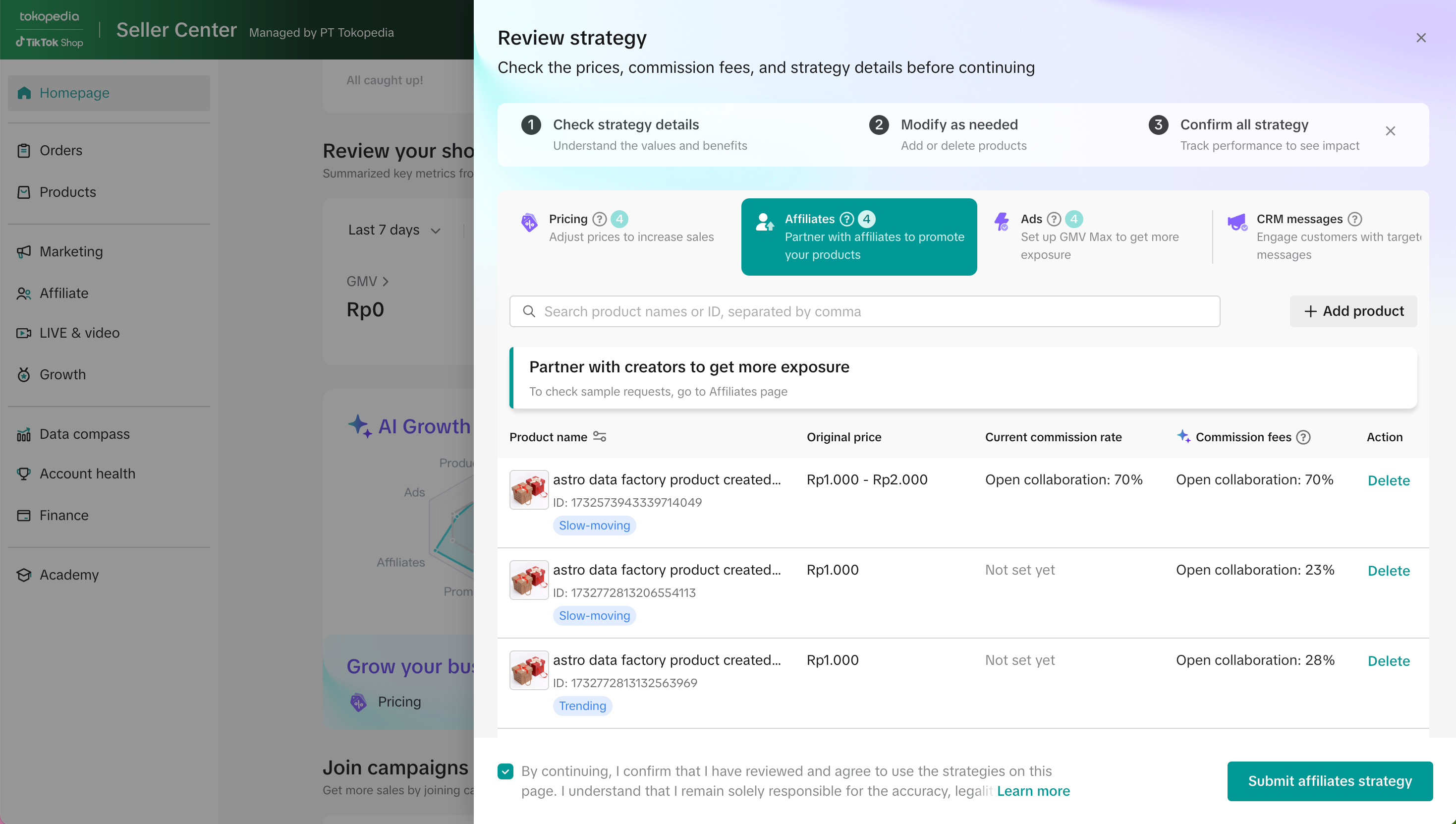
| How it works | Details |
|
|
Note: If a product is already included in an existing open collaboration affiliate, that open collaboration will be deactivated and replaced by the open collaboration generated through AI Growth Expert.
Ads Strategy
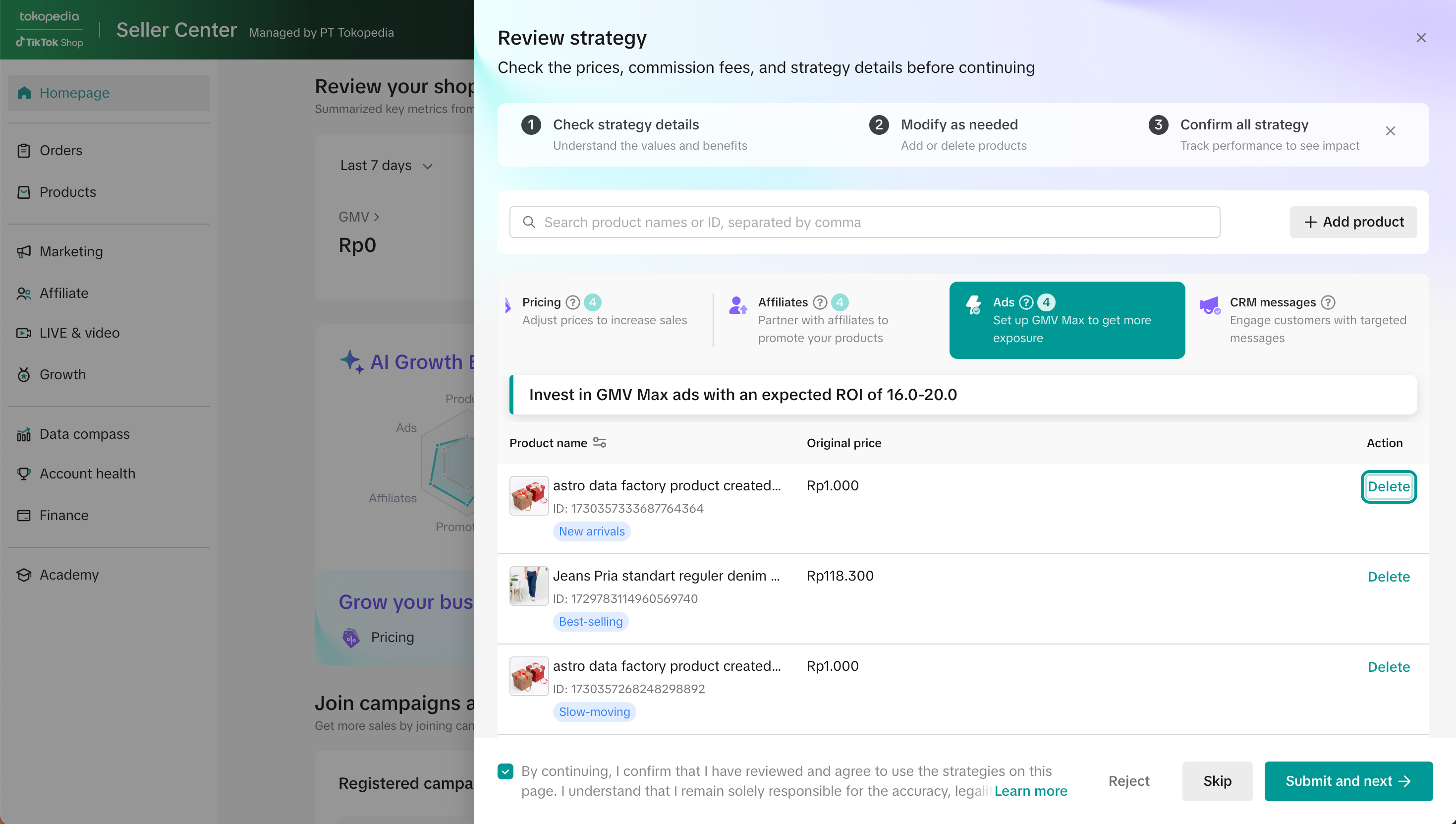
| How it works | Details |
|
|
Note:
- If products are already included in an existing GMV Max campaign, those products will be deactivated and replaced with GMV Max campaign by AI Growth Expert.
- If sellers have an existing store-wide GMV Max campaign, those sellers will not have access to AI Growth Expert.
CRM Message Strategy
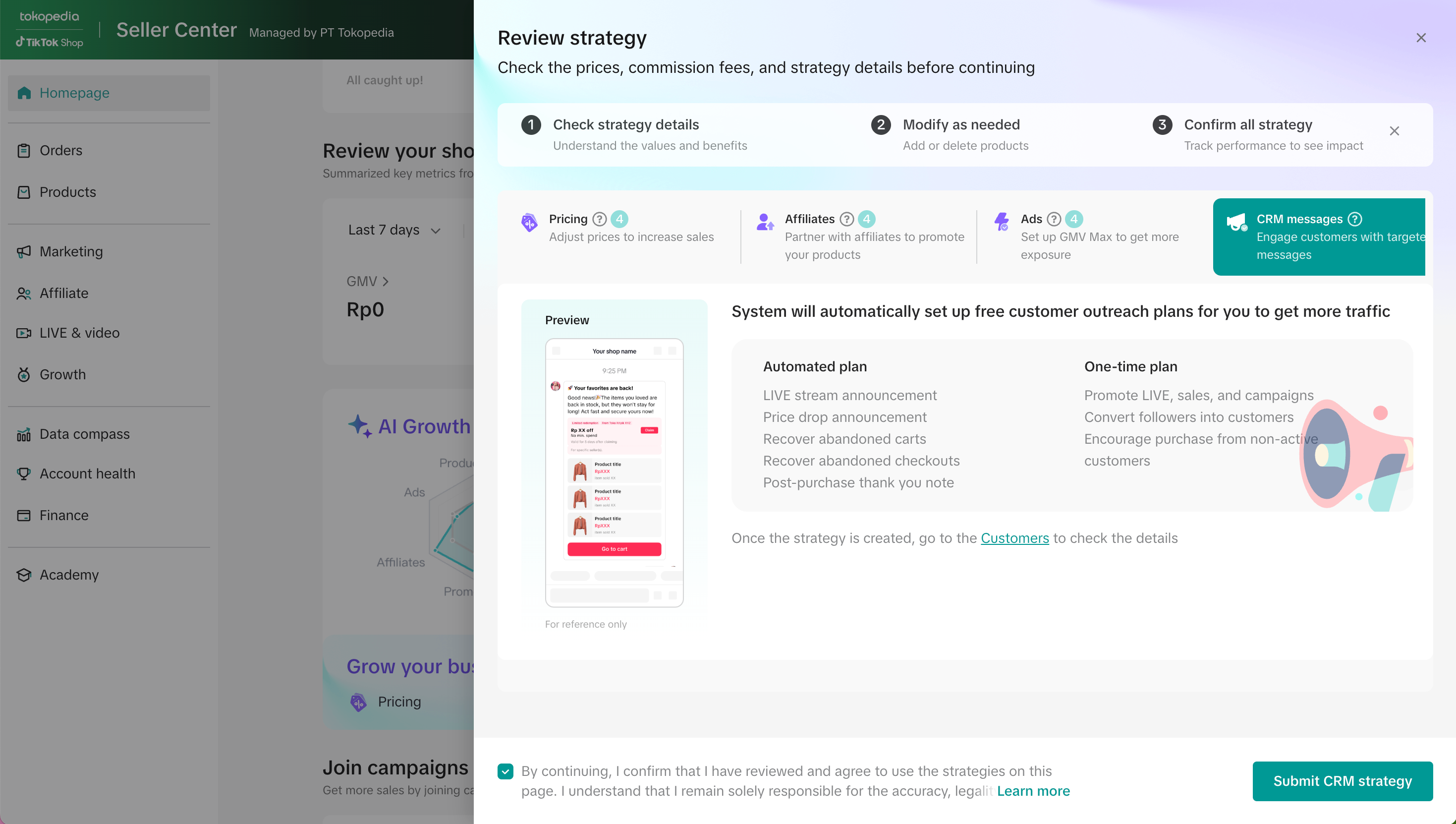
| How it works | Details |
|
|
Note:
- AI Growth Expert shares the same CRM plan quota. If the quota is fully utilized, sellers will not be able to create new CRM broadcasts separately.
- AI Growth Expert will only create CRM messages on TikTok Shop by Tokopedia. If sellers want to run CRM on Tokopedia, this must be done manually via the Customer module on Seller Center.
Managing AI Growth Expert
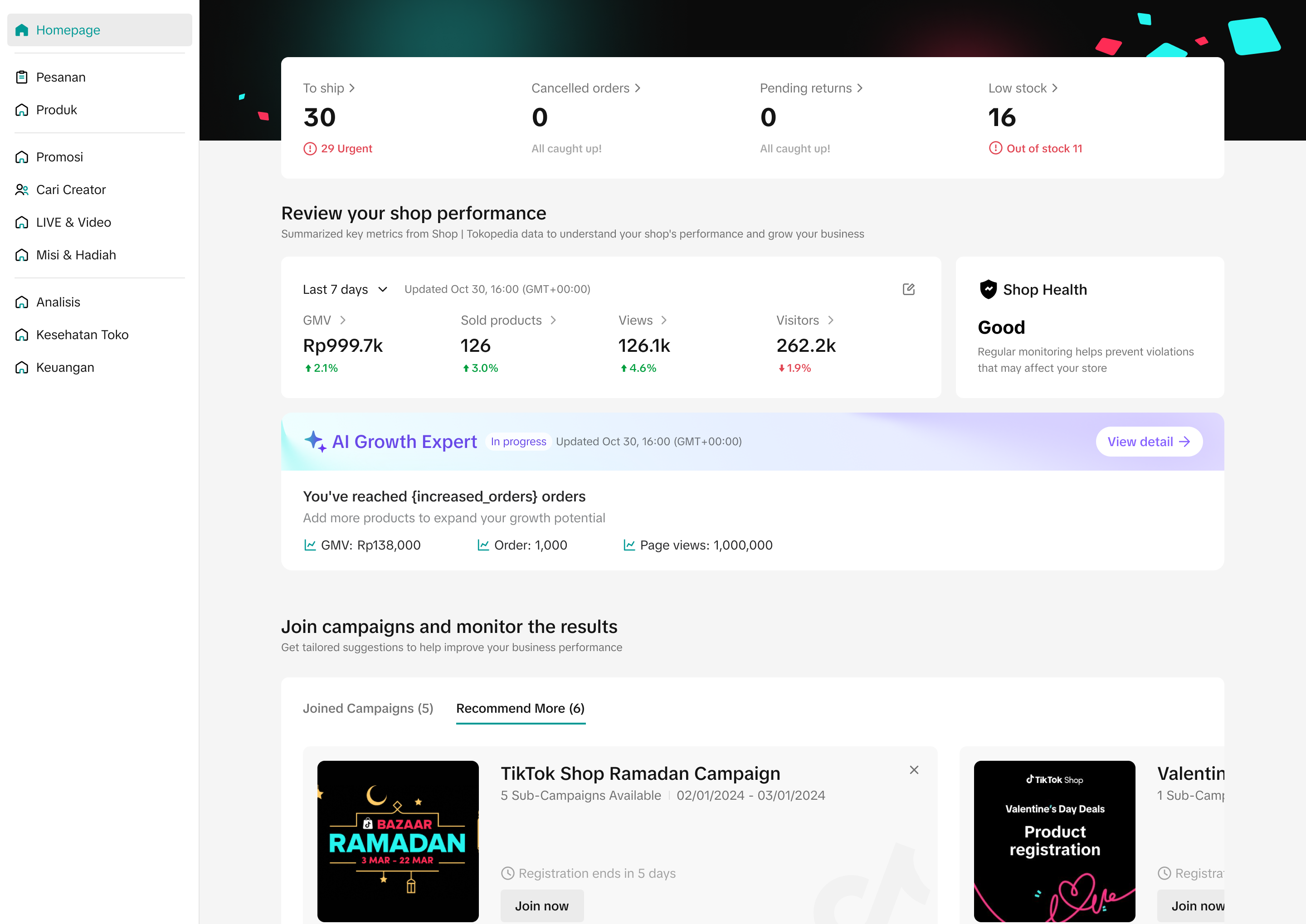
- Once submitted, the AI Growth Expert activates immediately and runs continuously as an always-on strategy, constantly analyzing your store’s performance to uncover new growth opportunities.
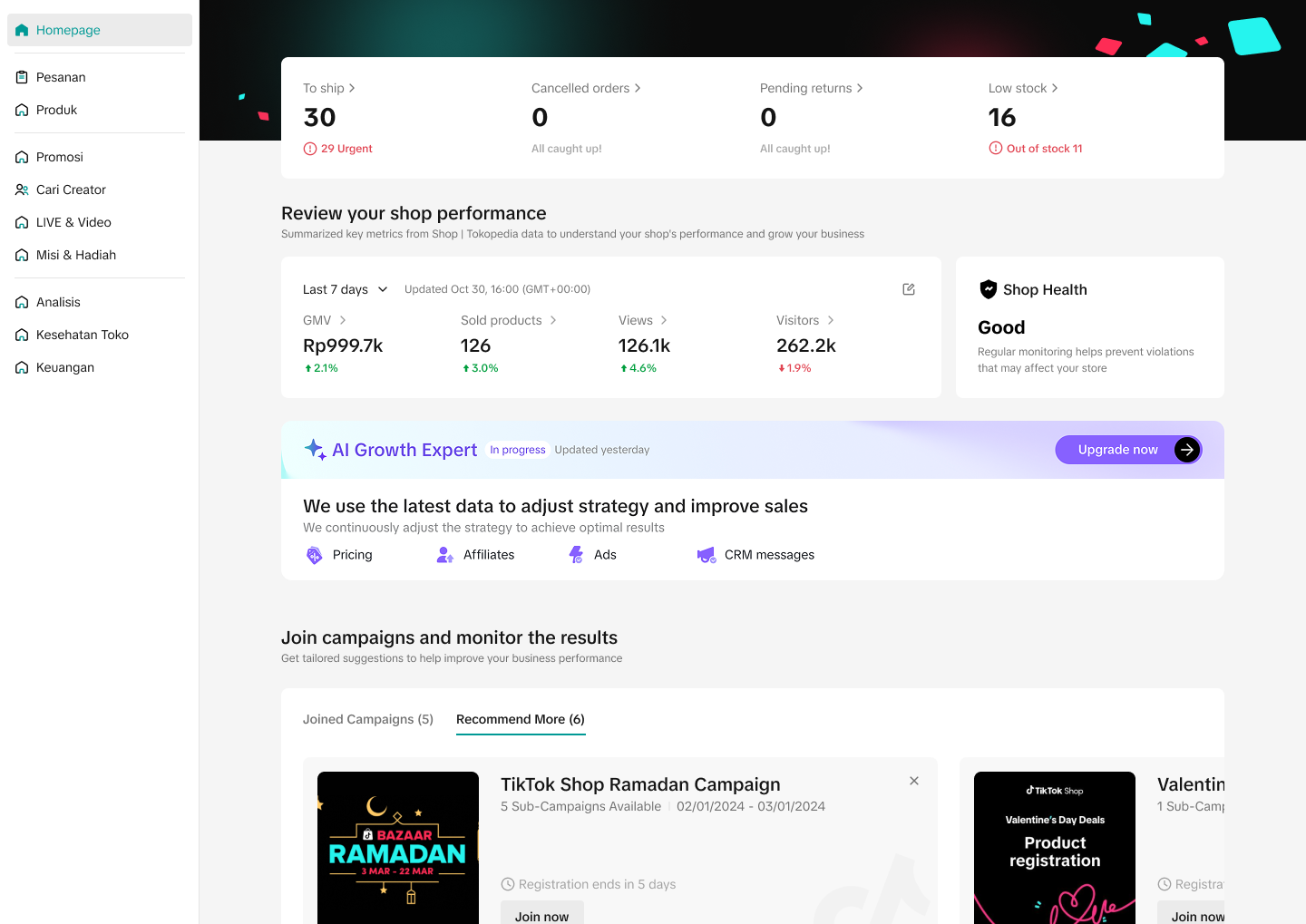
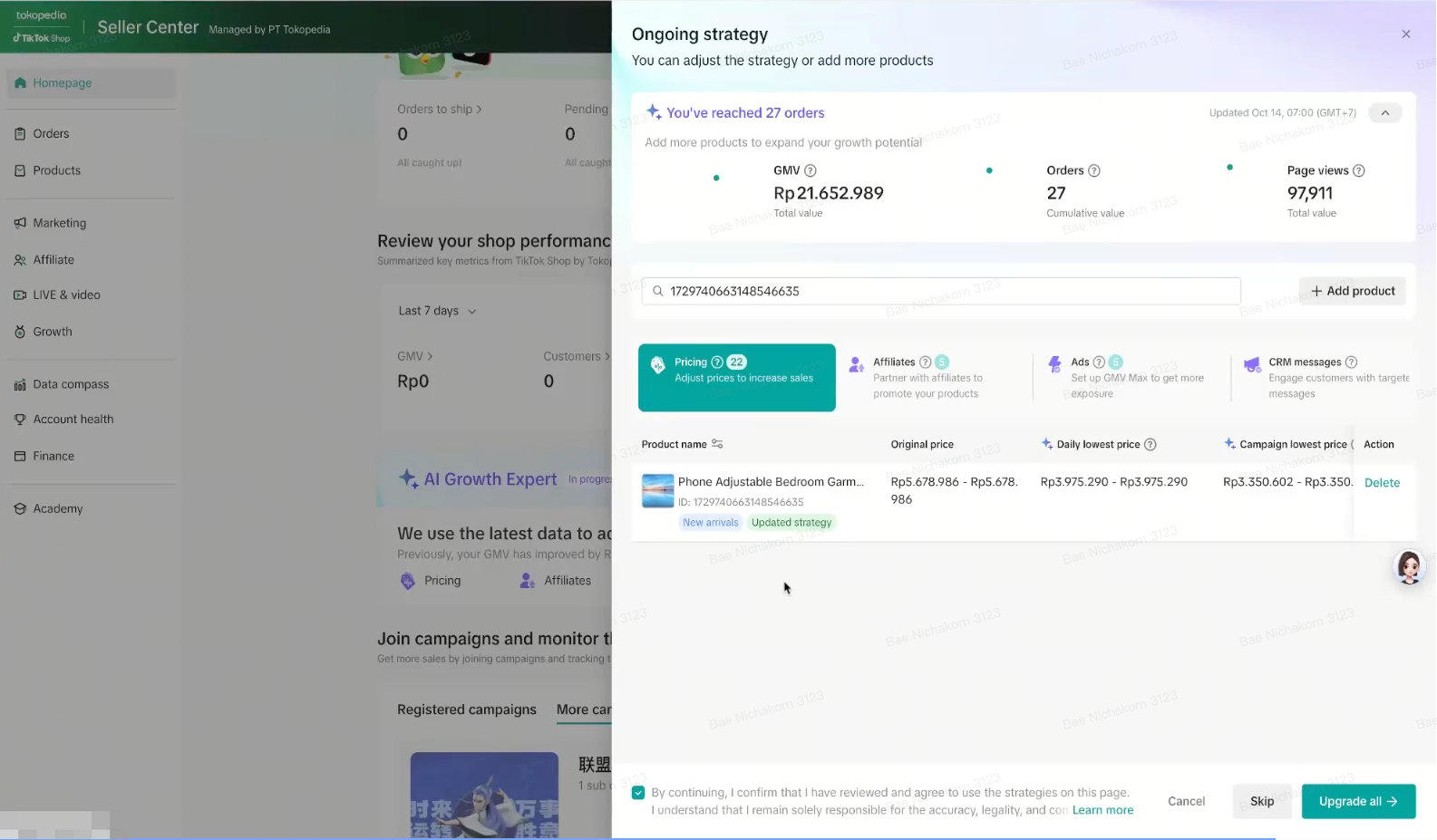
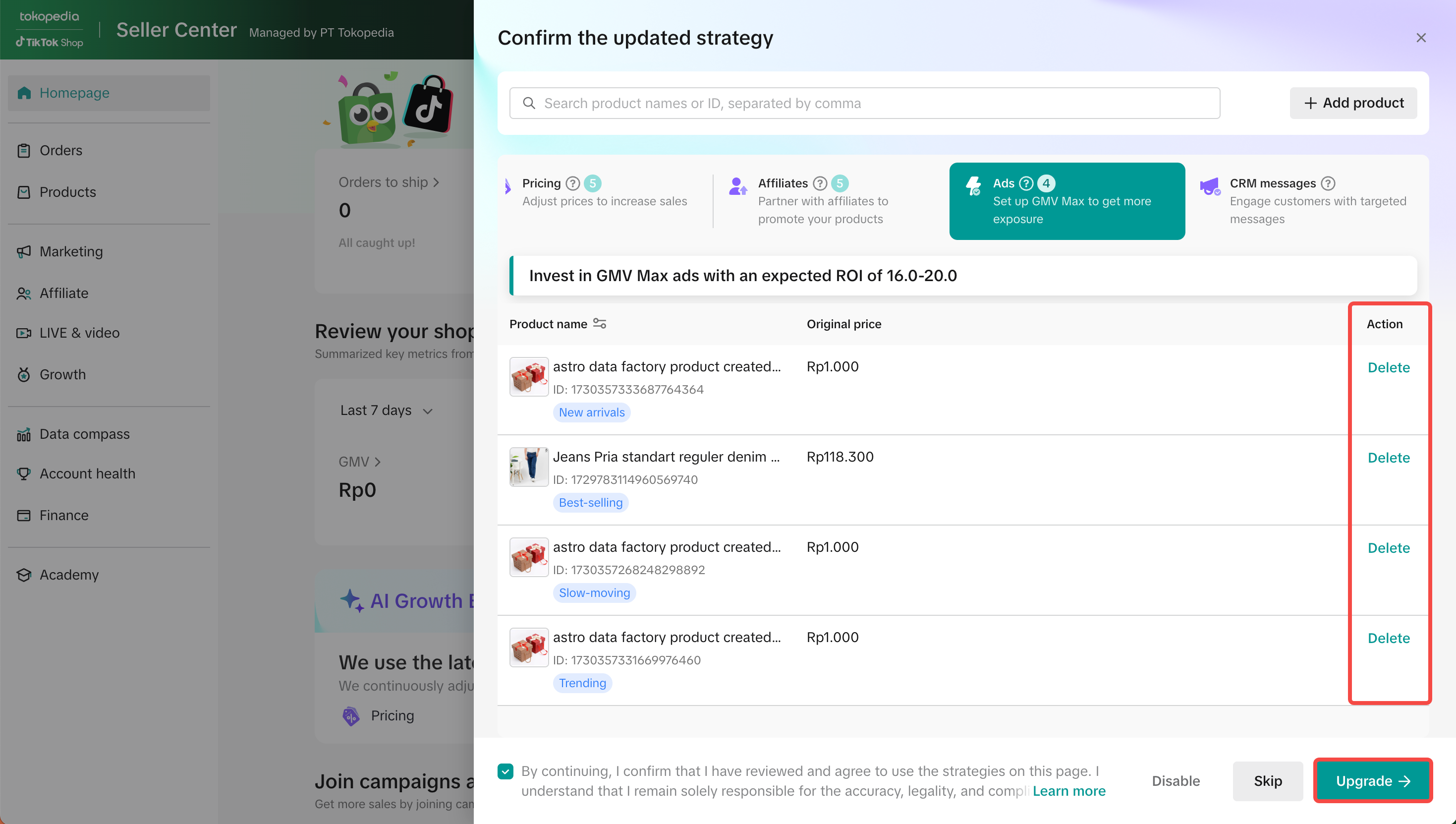
- Every 7 days, the system may provide updated diagnoses and refreshed strategies based on your store's latest data. Check regularly, review, and activate new strategies to replace existing ones, keeping performance optimized.
- If no new strategies are confirmed, the current ones will continue running automatically.
AI Growth Expert in progress - No new strategies identified | AI Growth Expert in progress - New strategies identified | Review product with "New strategy" and click "Upgrade" |
 |  |  |
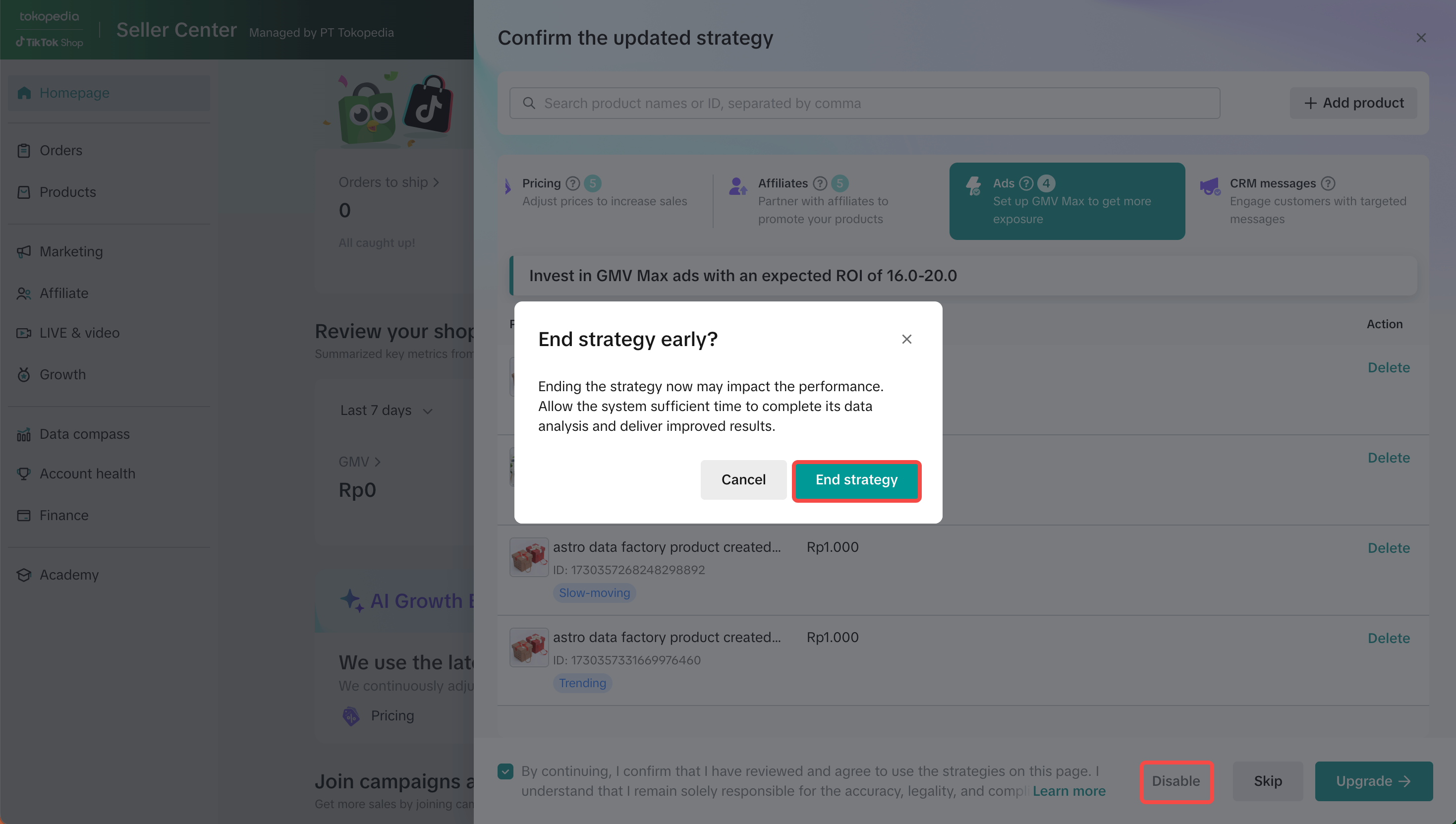
- To end or deactivate your AI Growth Expert plan, you can do so in either of the following ways:
- Disable the strategies in each tab one by one to deactivate all four strategies.
- Delete specific products from individual strategy tabs to deactivate the strategy only for those products.
Disable strategy | Delete products from strategy |
 |  |
Performance Monitoring
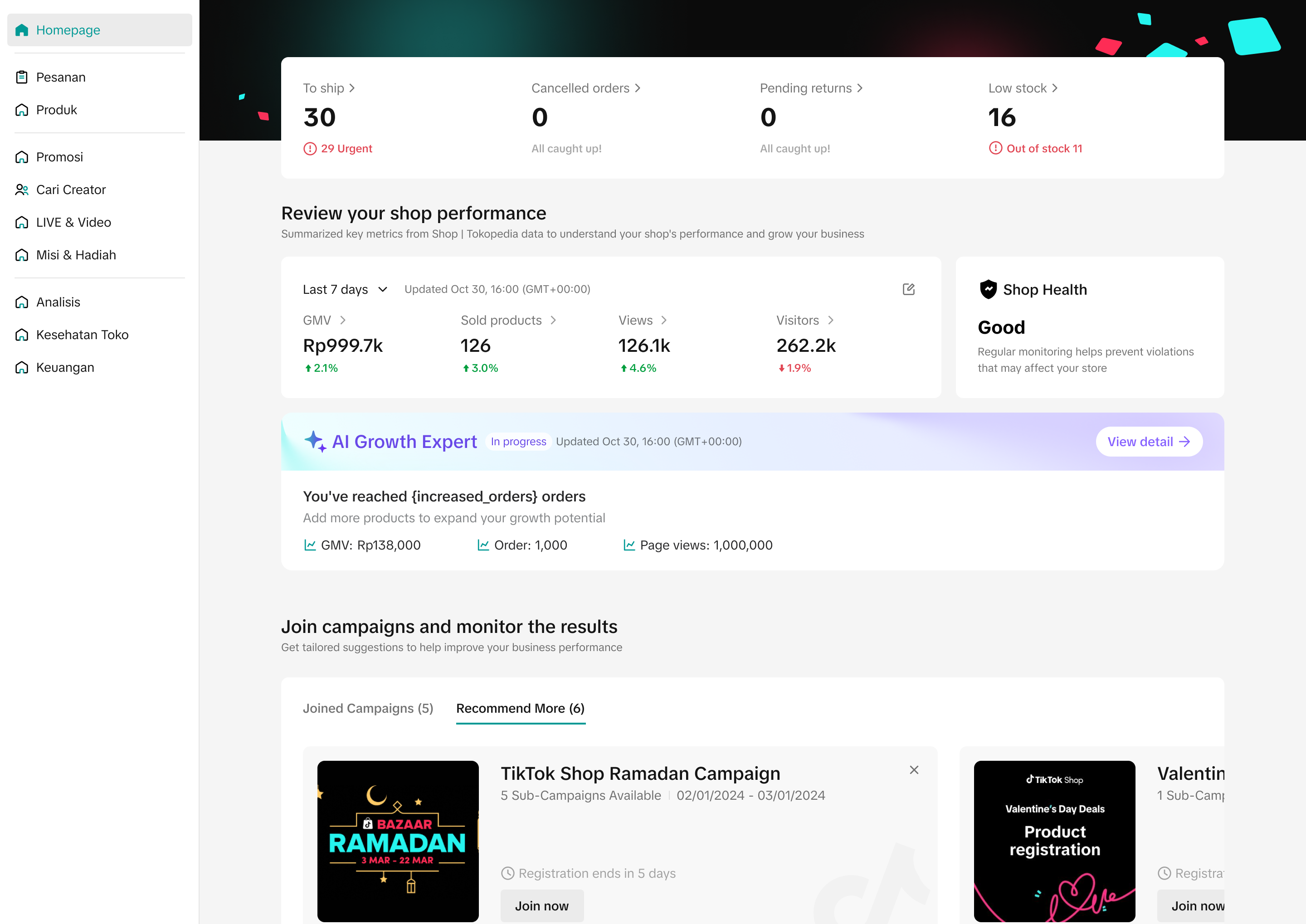
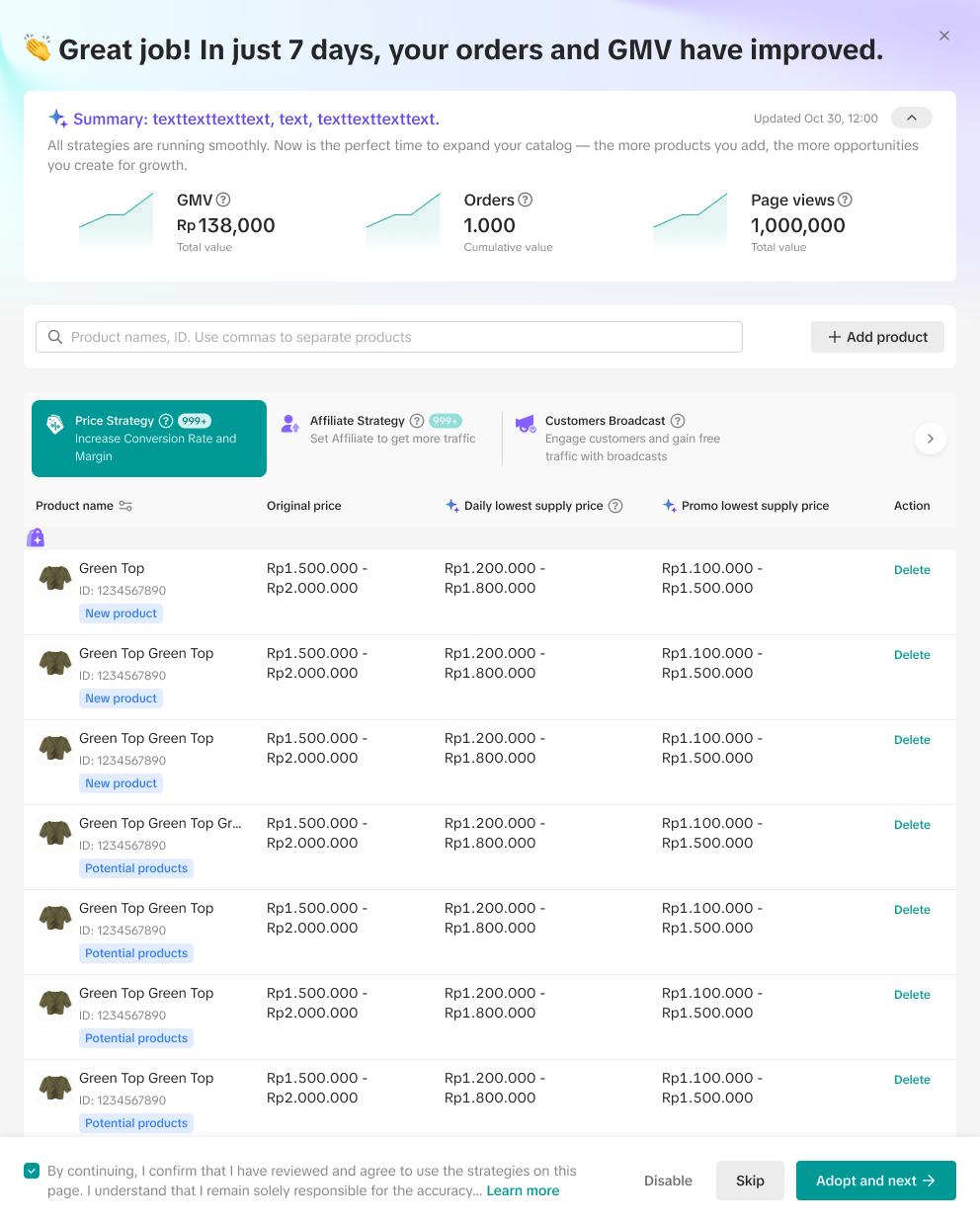
- Sellers can monitor the performance of AI Growth Expert either from the Seller Center homepage widget or within the AI Growth Expert module
- Performance data is updated daily and reflects T+1 (data as of the previous day).
- GMV: Total cumulative GMV based on the plan period
- Orders: Total cumulative orders based on the plan period
- Page views: Total cumulative page views based on the plan period
- If you wish to view more details about their AI Growth Expert strategies, you can navigate to the Campaign, Seller Promotion, Ads, Affiliate and Customer modules in Seller Center PC to see detailed information.
Homepage | AI Growth Expert module |
 |  |
FAQ
- Is there an additional fee if I join AI Growth Expert?
- Do I need to apply all of the recommended strategies in AI Growth Expert?
- What is the duration of an AI Growth Expert strategy?
- What happens to my existing strategy if I upgrade my AI Growth Expert plan?
- If I deactivate or reject a strategy, can I get a new one in the future?
- Rejecting a strategy upon setup: The strategy will be removed from your plan, and you can proceed with submitting the remaining strategies. Within the next 7 days, new strategy recommendations may be provided.
- Deactivating a strategy for an ongoing plan: Once the strategy is deactivated, new strategies will be presented within the next 7 days. Sellers are required to review and confirm the new strategies to apply them.
- What is the difference between daily lowest price and campaign lowest price, and which price is used when confirming the pricing strategy?
- Daily lowest price: The minimum acceptable promotion price during BAU and daily campaigns.
- Campaign lowest price: The minimum acceptable promotion price during the major campaign.
- Will AI Growth Expert exceed the daily lowest price or campaign lowest price?
You may also be interested in
- 1 lesson
Tokopedia PLUS
Tokopedia PLUS, now with More and Better benefits!
- 1 lesson
Promotion
Leverage promotions to attract more customers and boost sales!
- 7 lessons
Promotional Tools
Utilize vouchers, discounts, and bundling features to encourage purchases and attract buyers.

Bundle Deal
This article teaches you how to use Seller Bundle Deal to increase the Average Order Value in your s…
Bundle Deal Terms and Conditions
As a special limited time promotion, we, sellers of certain products on TikTok Shop, are offering yo…
Promotional Tools - Shipping Fee Discount Eligibility
What are shipping fee discounts? You may choose to offer a shipping discount on orders by bearing al…

Gift with Purchase
This article teaches you how to use Gift with Purchase to increase your average order value and conv…

Seller LIVE Interactive Voucher
This article teaches you how to use LIVE Interactive Vouchers to increase your average order value a…

First order discount
If it is the customers first order, the discount coupon is only available for new user/customer who…

Seller Regular Voucher
This article teaches you how to use Seller Regular Vouchers to increase your average order value and…