

Checking LIVE Data within LIVE Shopping Bag
02/28/2025
Within the LIVE Shopping Bag, LIVE hosts can now check real-time LIVE performance data via mobile app, making it extra convenient to monitor your LIVE performance on-the-go!
Benefits of LIVE Data in LIVE Shopping Bag
- Streamlined Experience: Instead of using both mobile and desktop, now you can enjoy the ease of using just your mobile to seamlessly monitor your LIVE performance.
- Validation & Motivation: Seeing positive data like growing GMV or Orders can serve as immediate validation that your LIVE is on the right track, boosting motivation to keep going and achieve your LIVE target!
- Easier Troubleshooting for Newbies: For new hosts, it can be overwhelming to know what to improve during a livestream. Having real-time suggestions allows you to focus on what’s most important, without needing years of experience to recognize which elements of your stream need work. It provides immediate insights that help you grow faster.

Entrance to LIVE Data in LIVE Shopping Bag
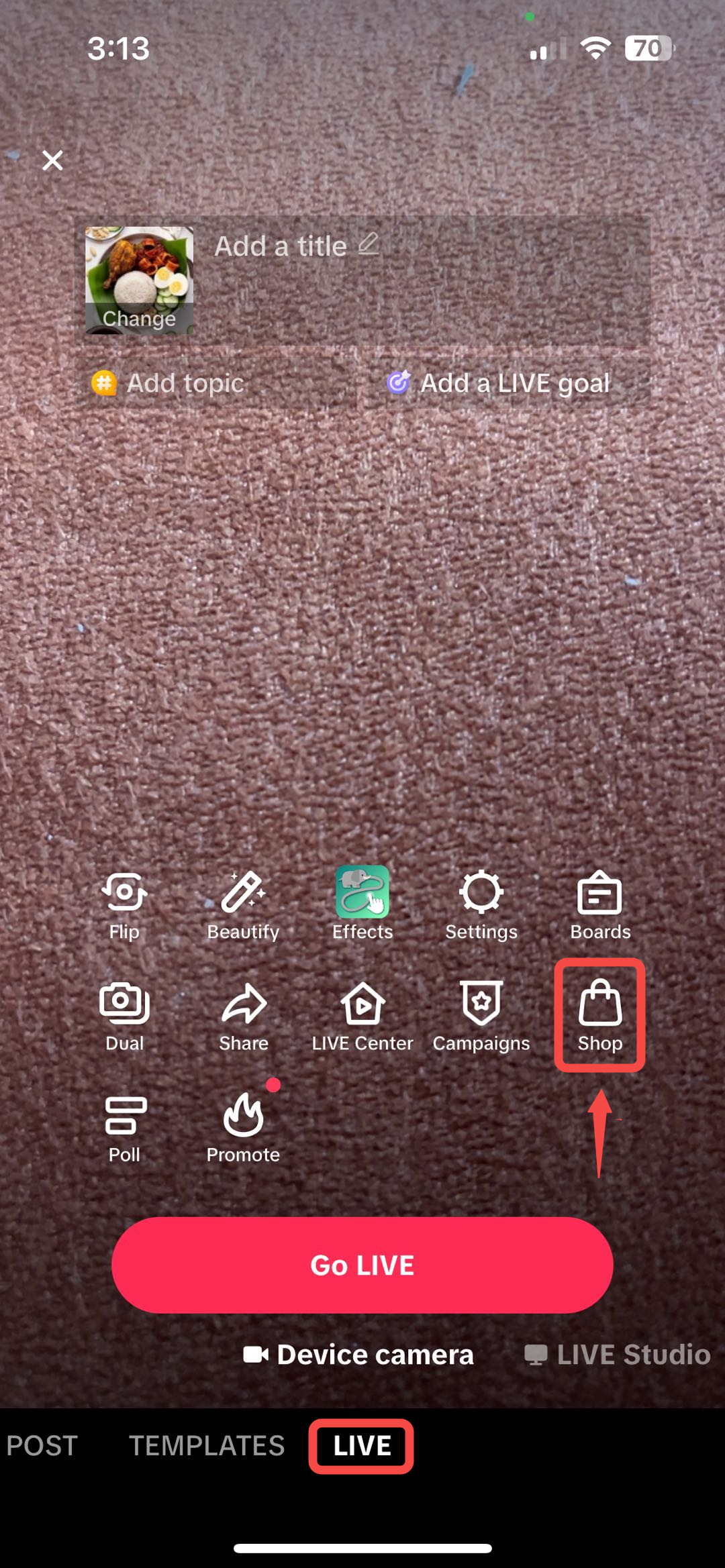
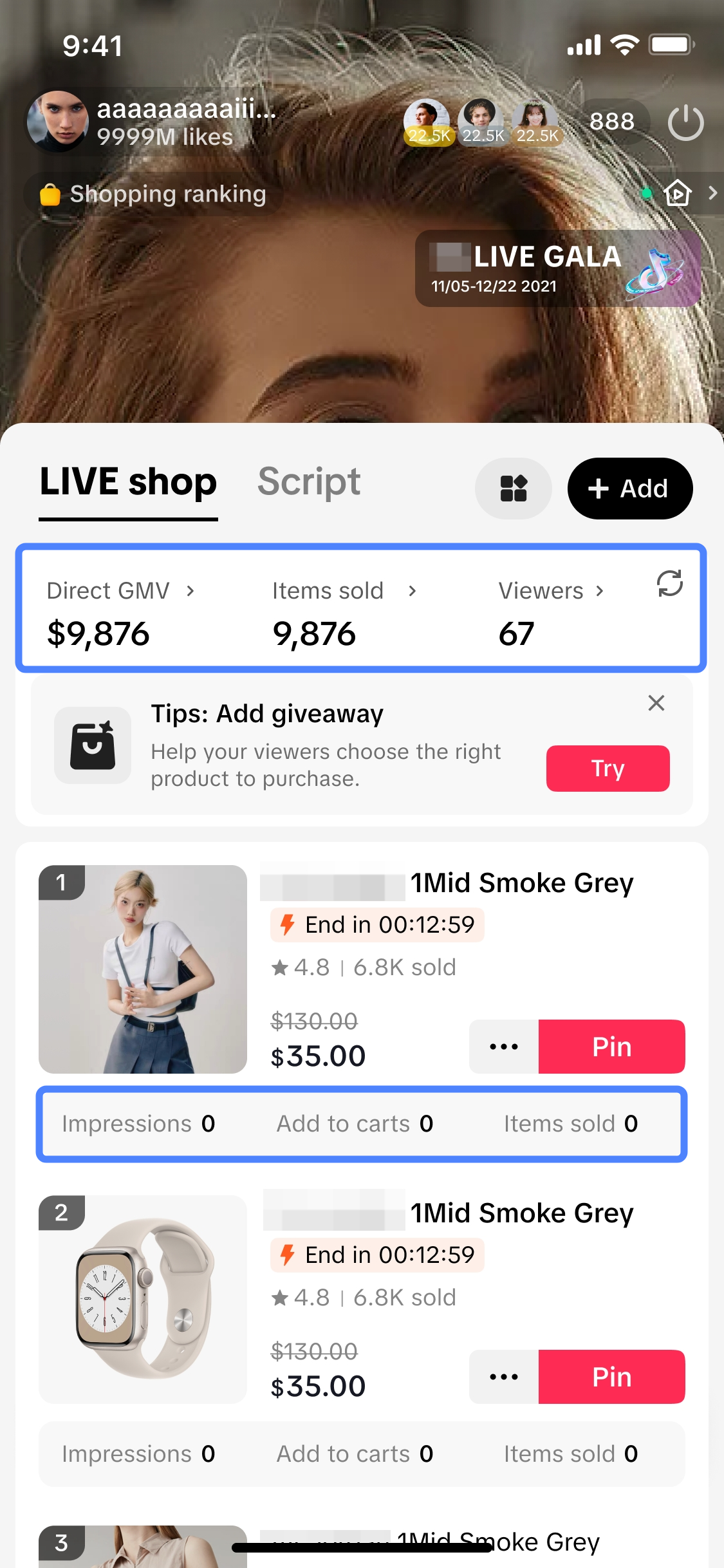
LIVE Data can be found via the LIVE Shopping Bag entry point, simply follow the guide below:Step 1 | Step 2 |
Go to LIVE screen > Click on Shop | This is the LIVE Shopping Bag, where you can now get a summary of your LIVE performance in real-time! |
 |  |

Key Features of LIVE Data in LIVE Shopping Bag
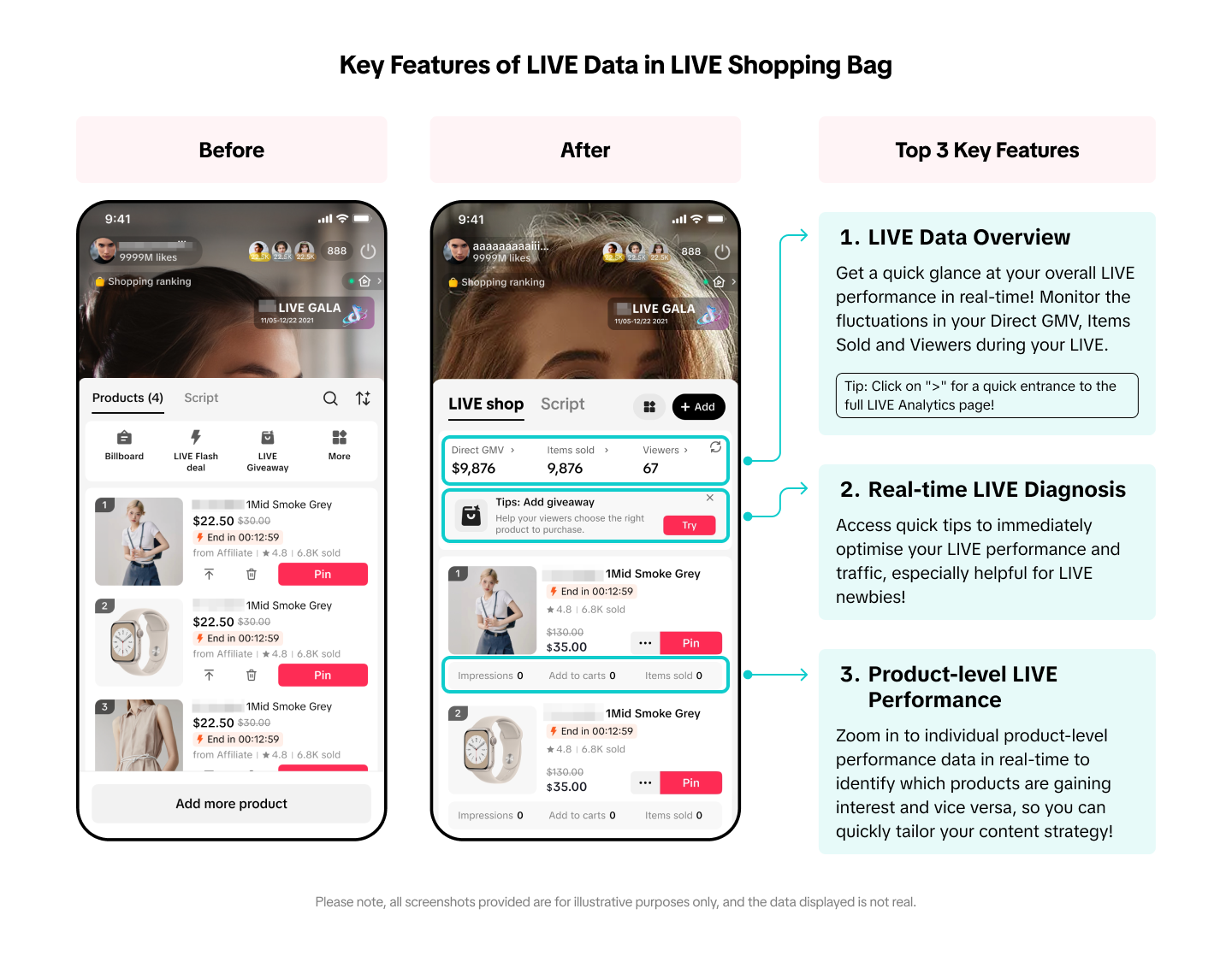
- LIVE Data Overview
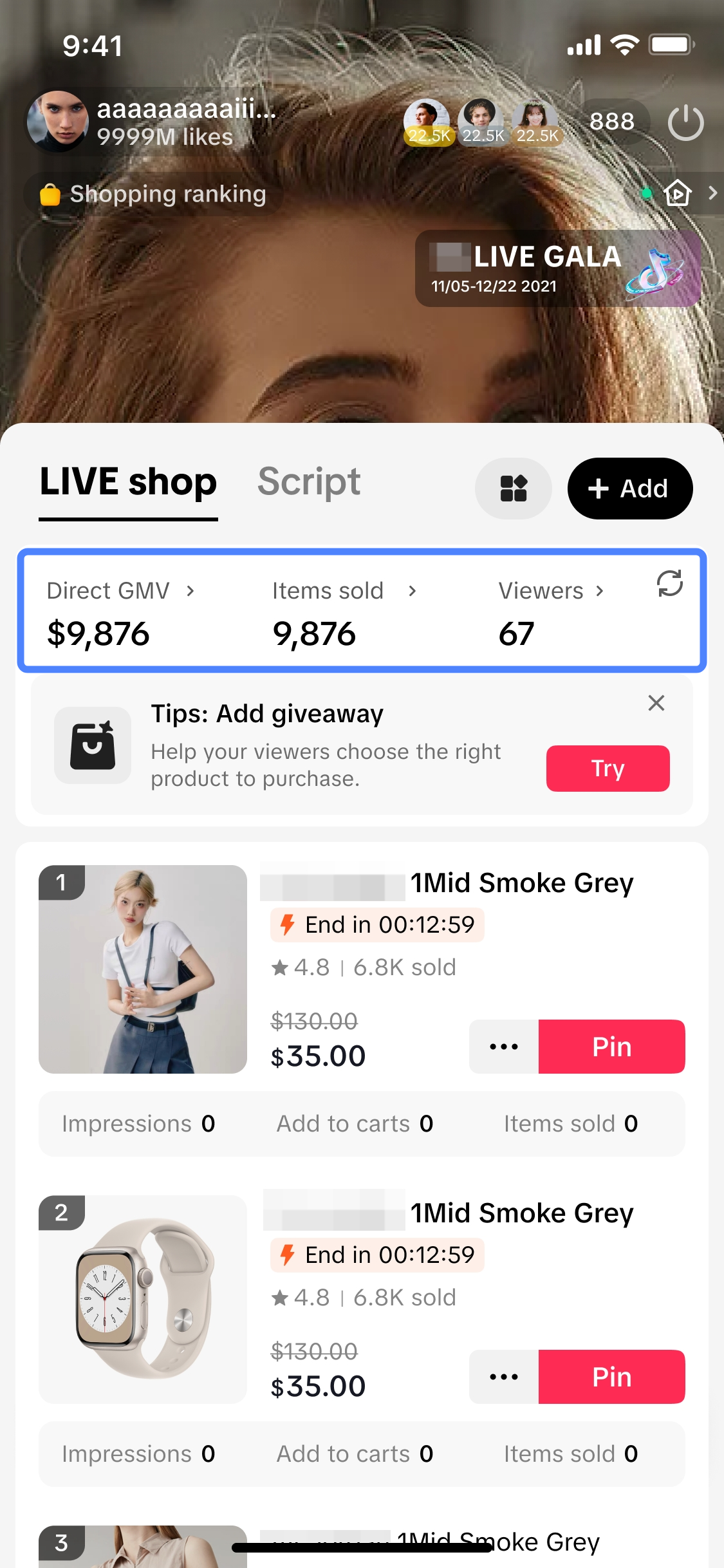 | LIVE Data Overview*Here, you can easily get a quick glance at your overall LIVE performance in real-time! Monitor the fluctuations in your Direct GMV, Items Sold and Viewers during your LIVE, to see what resonates with your audience and take quick actions to optimise your LIVE if needed.
|
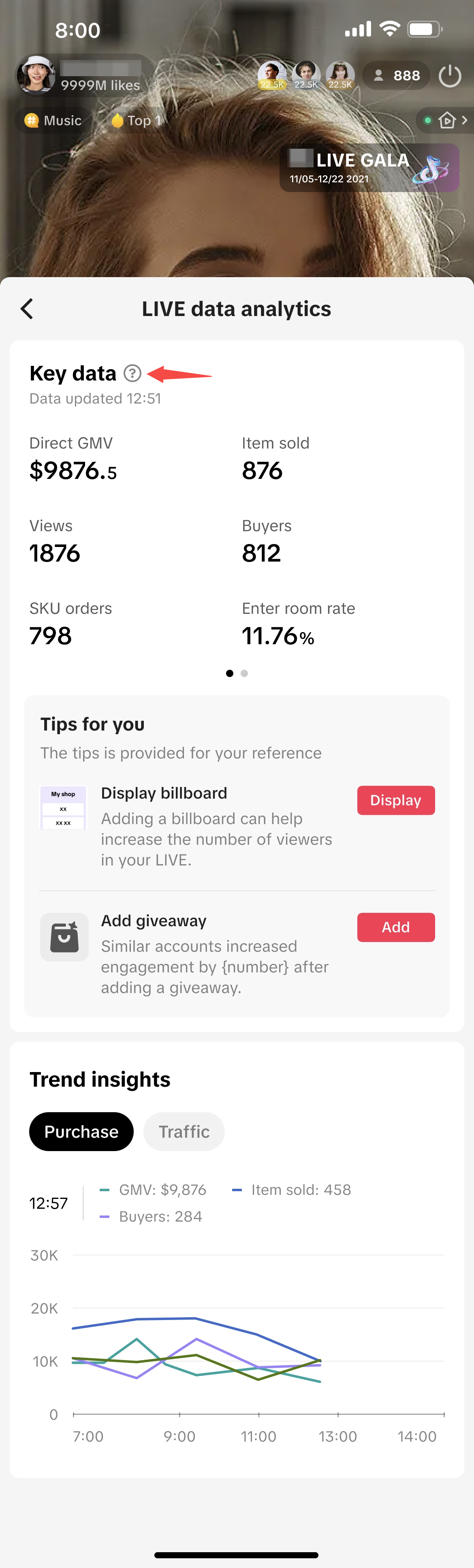 | LIVE Analytics page
|
- Real-time LIVE Diagnosis
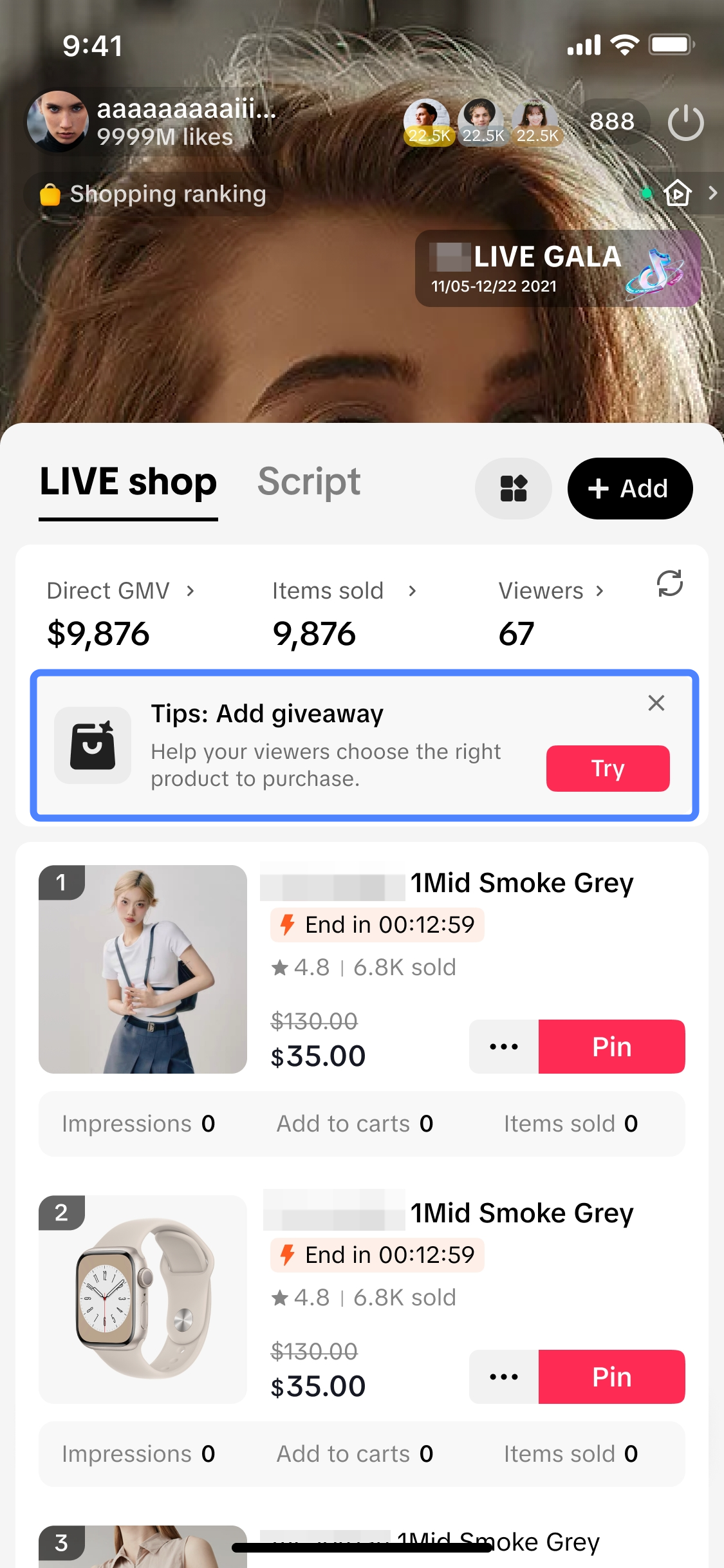 | Real-time LIVE Diagnosis*While conducting your LIVE, you can get quick tips to immediately optimise your LIVE performance through the LIVE Diagnosis prompt shown. Upon clicking on the prompt, it will lead you to the LIVE Data Analytics page where you can find more important tips and directly take action by clicking on the action button provided.*The diagnosis prompt will appear when there is low traffic towards your ongoing LIVE. | 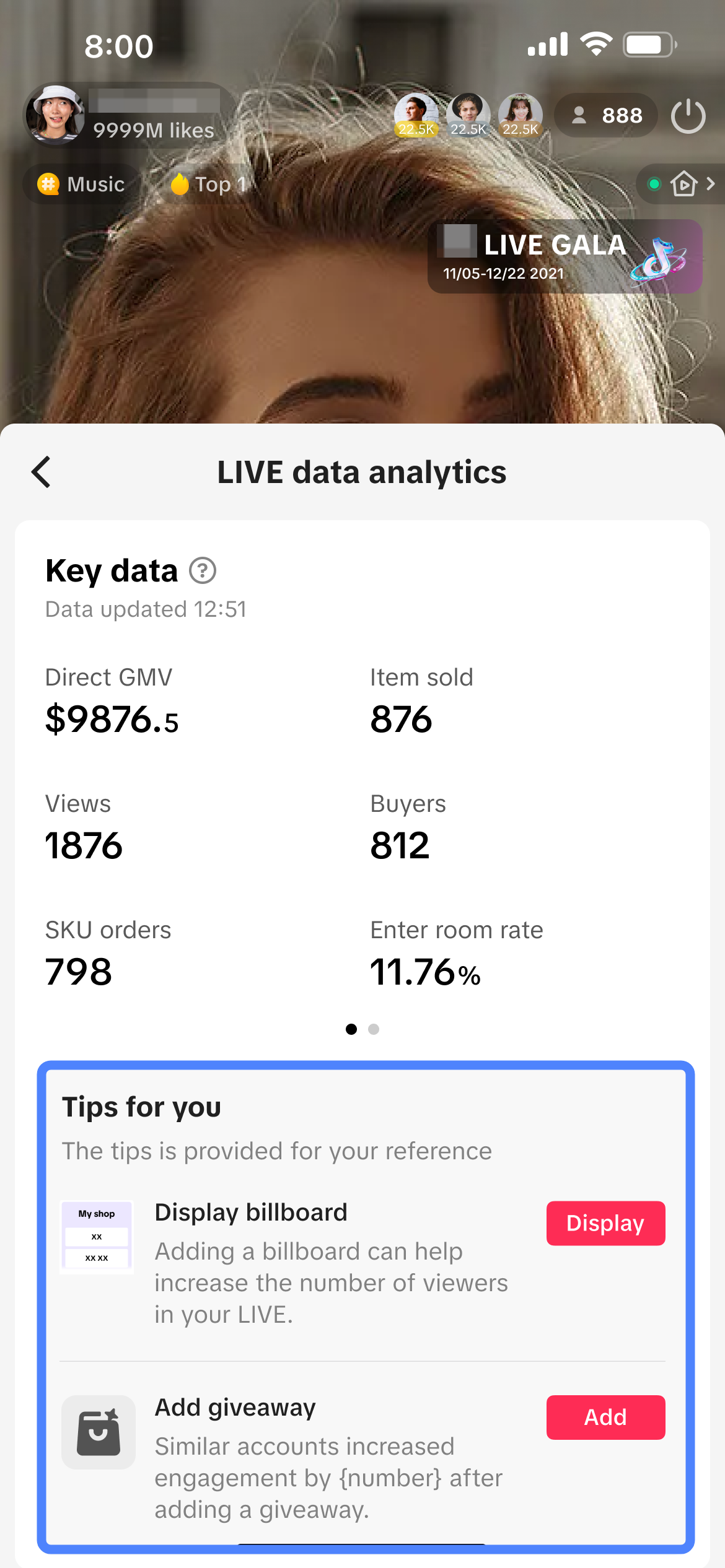 |
- Product-level LIVE Performance Data
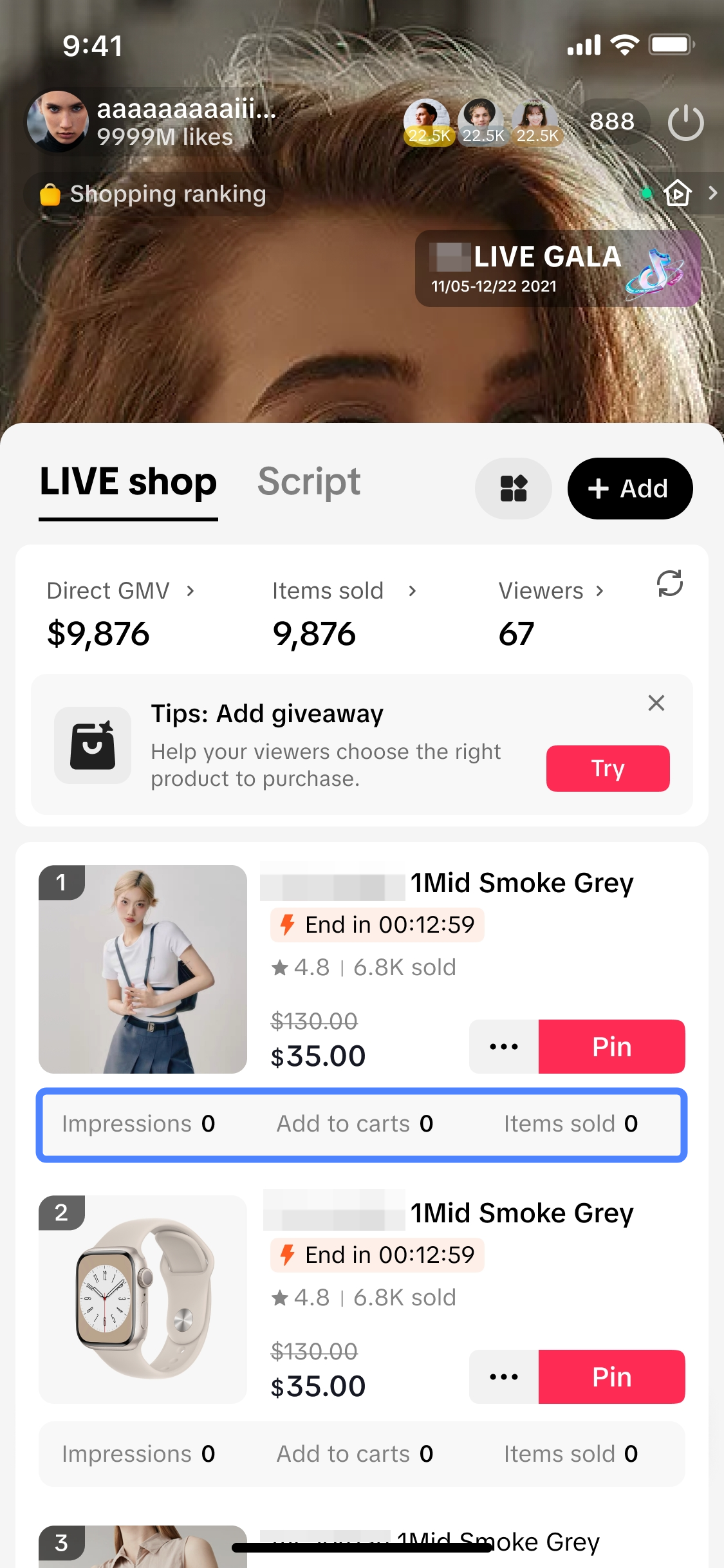 | Product-level LIVE Performance DataIn addition to the LIVE Data Overview available, you can also zoom in to individual product-level performance data in real-time during your LIVE! Check out each product's performance in terms of:
|

FAQs
- What does real-time data mean?
- There is no LIVE Data Overview module appearing in my LIVE Shopping Bag. Why is that?
- Will I be able to review the LIVE Data Overview and product-level performance data once my LIVE has ended?
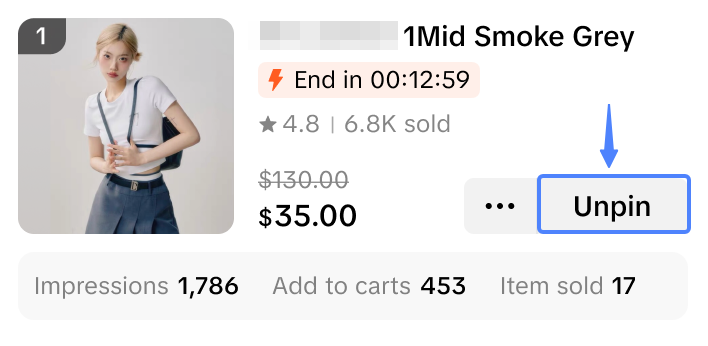
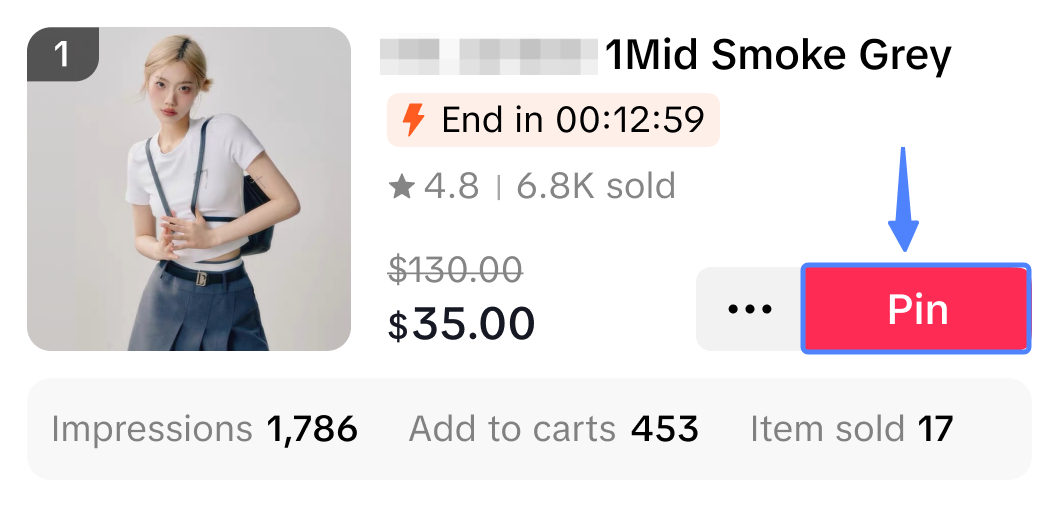
- Can I unpin a product that was previously pinned?
Unpin | Pin |
 |  |
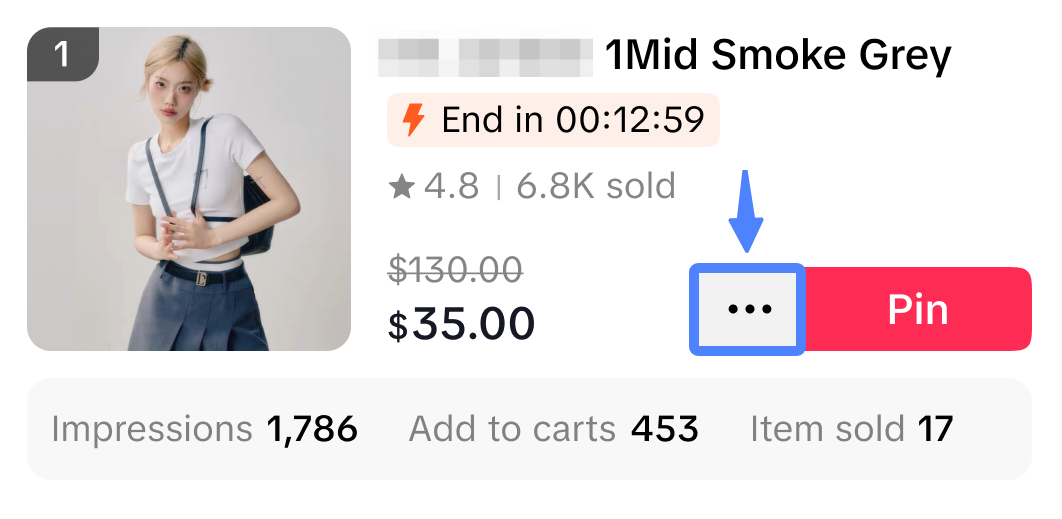
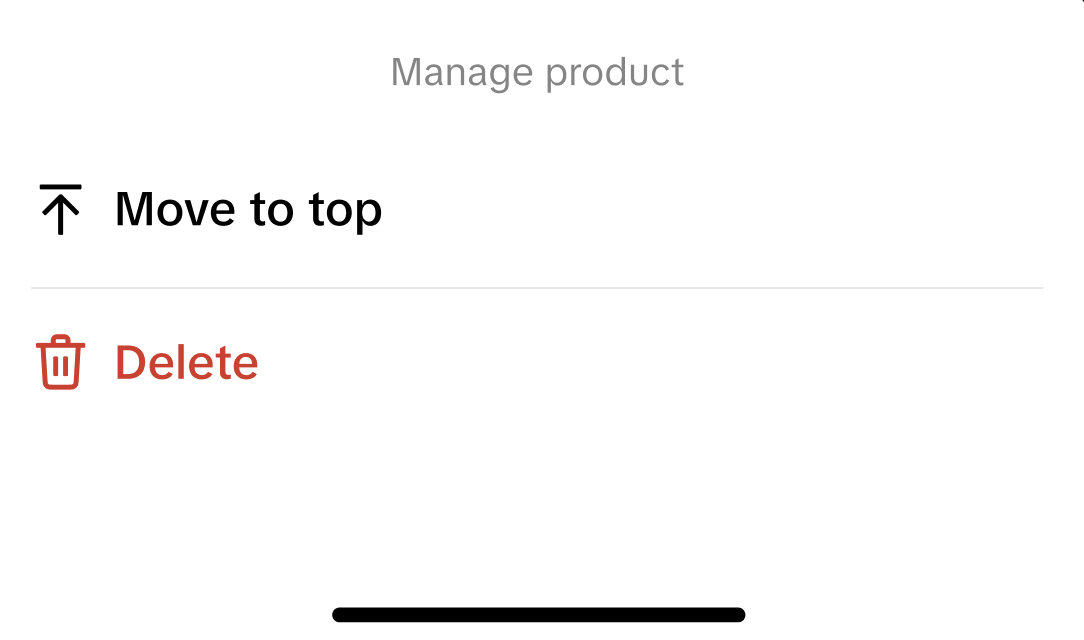
- How can I delete or move a product up within the LIVE shopping bag?
Step 1: At the product, click on the three dots | Step 2: Click 'Move to top' or 'Delete' |
 |  |
You may also be interested in
LIVE Giveaway
LIVE Giveaway is a tool that allows sellers or creators to run giveaway events during LIVE, by givin…

Teknik Hosting Saat Live Streaming
Nggak akan kehabisan kata-kata dan kebingungan mau ngomong apa saat live stream, kalau aja kamu tahu…

Teknik Opening & Closing Saat Live Streaming
Test: https://activity.tiktok.com/t/ZS6v1X4Be/ Menit-menit awal dan menit-menit menjelang akhir pa…
What are Auctions?
Auction-based activities are not allowed on the platform. Such activities include but are not limite…

Livestream Green Screen and Stickers
This article introduces the Greenscreen and Stickers features. From this article, you will learn how…
Using OBS Software for Livestream
Introduction This guide will help you familizarize yourself with how to use the OBS Studio software…

LIVE Moderator
Who can use this feature? The LIVE moderator feature is available to all e-commerce livestreaming ho…
3 Cara Menemukan Produk Trending Saat Ramadan
Test: Kerjakan Test ini untuk bisa bergabung di group START! Setidaknya ada 3 ciri produk yang pal…

4 Langkah Memaksimalkan Penjualan di Bulan Ramadan
Test: Kerjakan Test ini untuk bisa bergabung di group START! Nggak bakal ketinggalan cuan di bulan…
LIVE Shopping Ranking
This article teaches you what LIVE Shopping Ranking is, how livestreaming hosts and viewers can see…