

What do I do if the logistics status of my order is stuck or not updated accurately?
07/18/2024
If the logistics status of your order is stuck or not updated correctly, check the latest logistic information under Manage Orders on Seller Center:
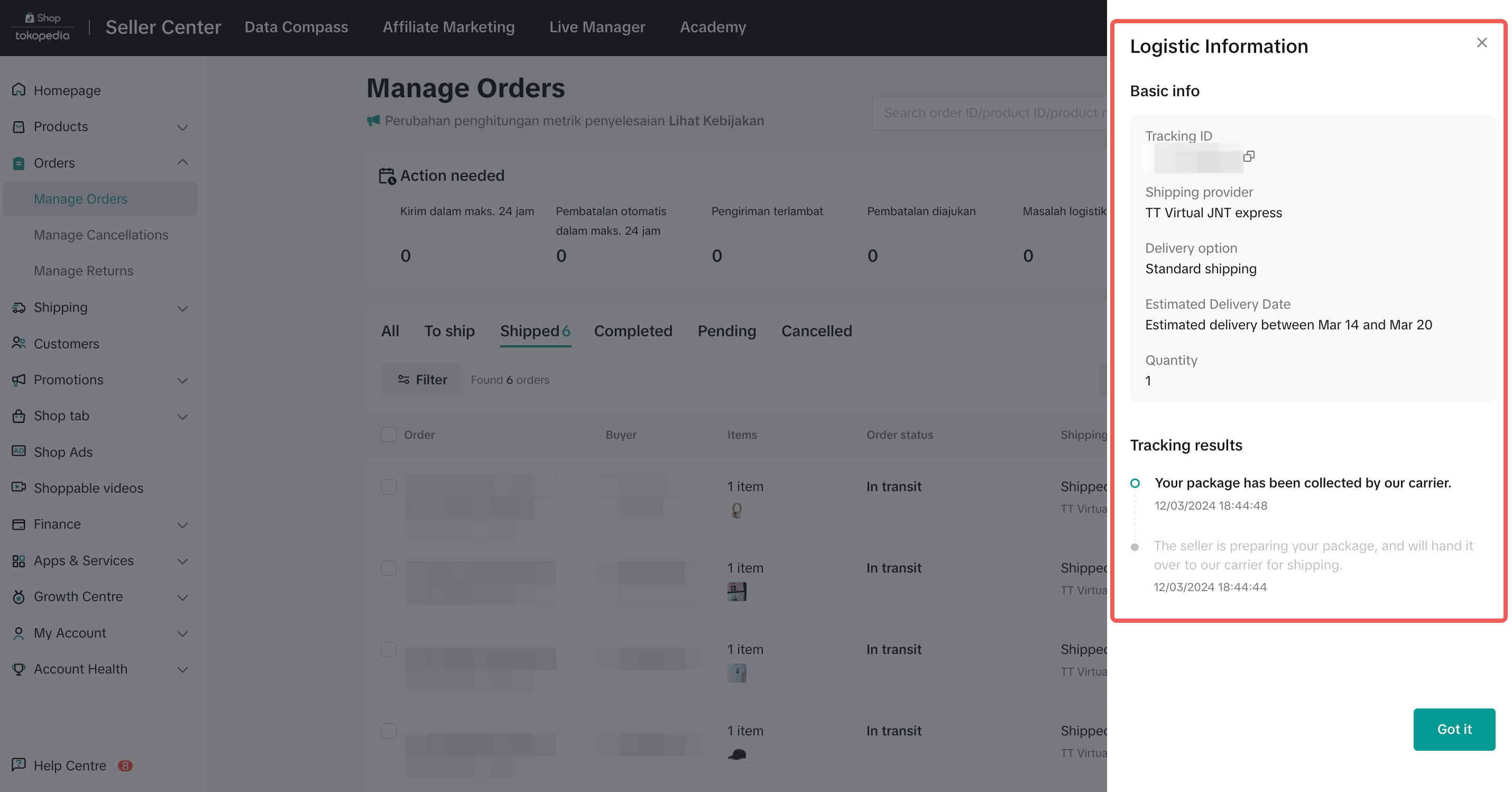
- Locate the affected Order ID in the To ship or Shipped tab.
- Hover over the Order ID and click View logistics. You can view any logistics updates under Tracking results.
If your shipping method is Shipped via Platform:
- You can first check on the logistics service provider's website to confirm if the tracking status matches the platform's tracking status.
- The order is within the normal delivery timeline. We appreciate your patience and if the status is still not updated within 2 business days, you can contact our seller support for further assistance.
- If it's been more than 24 hours since your order was picked up and the status has not been updated to "Shipped," you can create a ticket under Complaints & Dispute (Logistic related) > Pick up Issues > Picked up but logistics status not updated with the Order ID*. Be sure to include evidence so we can verify and update to the correct status.
- You can create a ticket* via Complaints & Dispute (Logistic related) > Delivery process inquiry > Unmoved tracking event. Our support team will follow up with the logistics service provider for a status update.
- If the buyer contacted you to confirm that they've received the order, but the logistics status still does not update, you can create a ticket under Complaints & Dispute (Logistic related) > Logistic Issue > Delivered but logistics not updated with the Order ID*. Be sure to include relevant evidence for us to verify and update the status.
If your shipping method is Shipped by Seller:
- You can check directly with your chosen logistics service provider for an update on the tracking status.
- You have to manually update your orders' delivery status and upload Proof of Delivery (POD).