

How to Add Contact Information
03/18/2024

Adding Contact Information
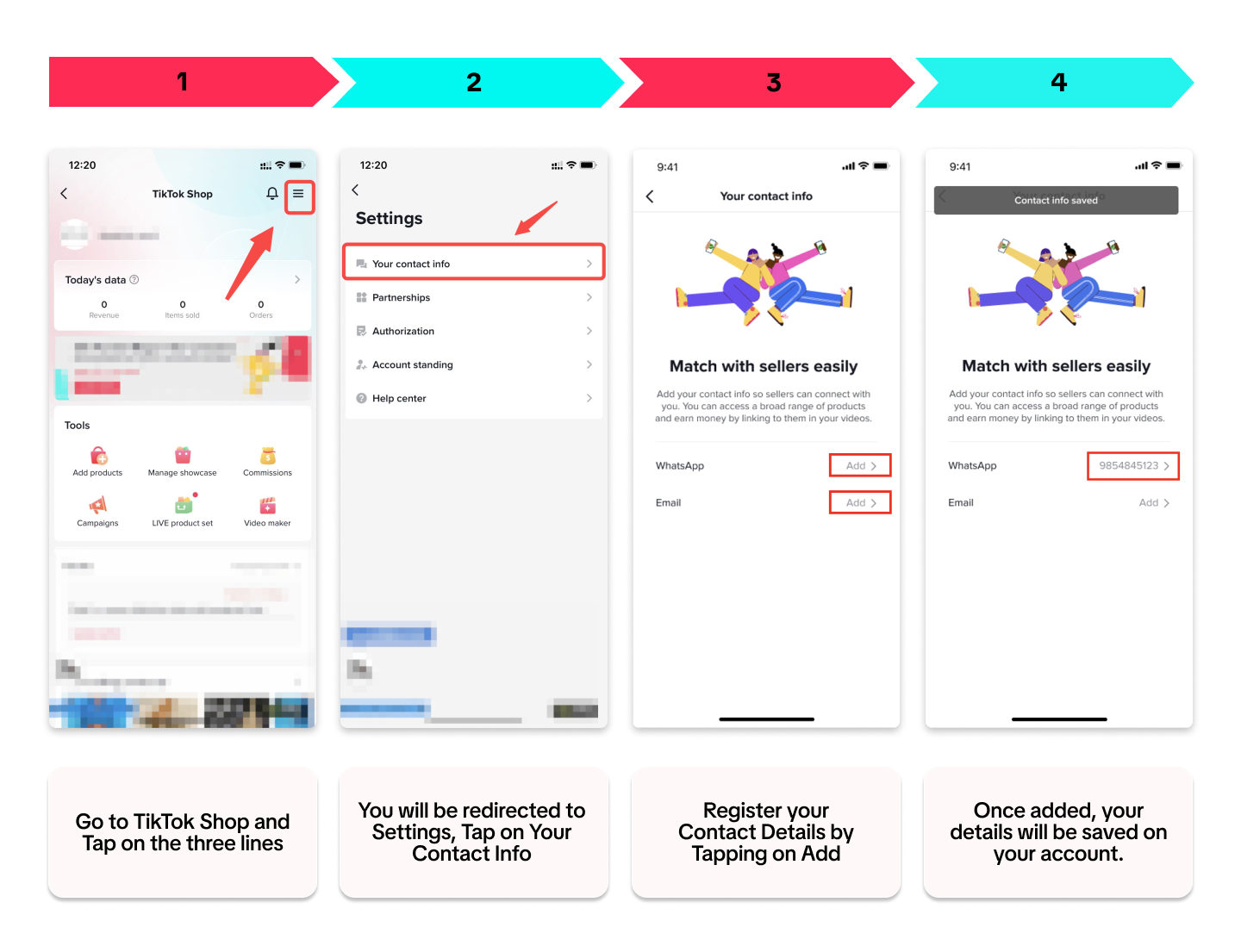
Providing your contact details can help increase your visibility with Sellers. These Sellers can directly connect with you for possible partnerships or collaborations. Additionally, the platform can provide you with tips and tricks on the app itself to help you succeed.We have a quick step-by-step guide for you below. Tap on the picture to zoom:

Managing Contact Information
Privacy Settings
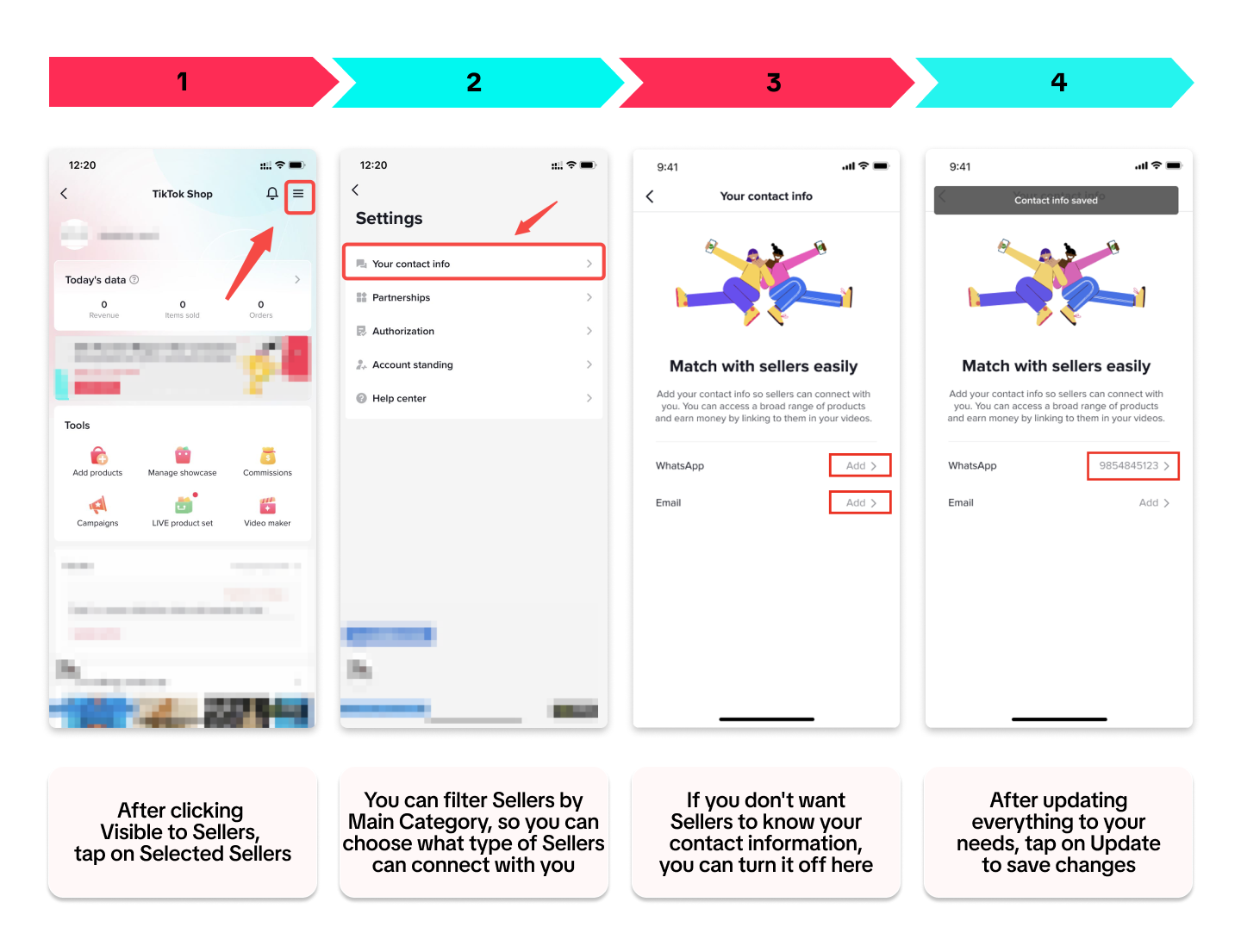
Manage which sellers can see your personal contact information. Only sellers in the categories you select will be able to reach out to your personal contact information to discuss collaboration opportunities.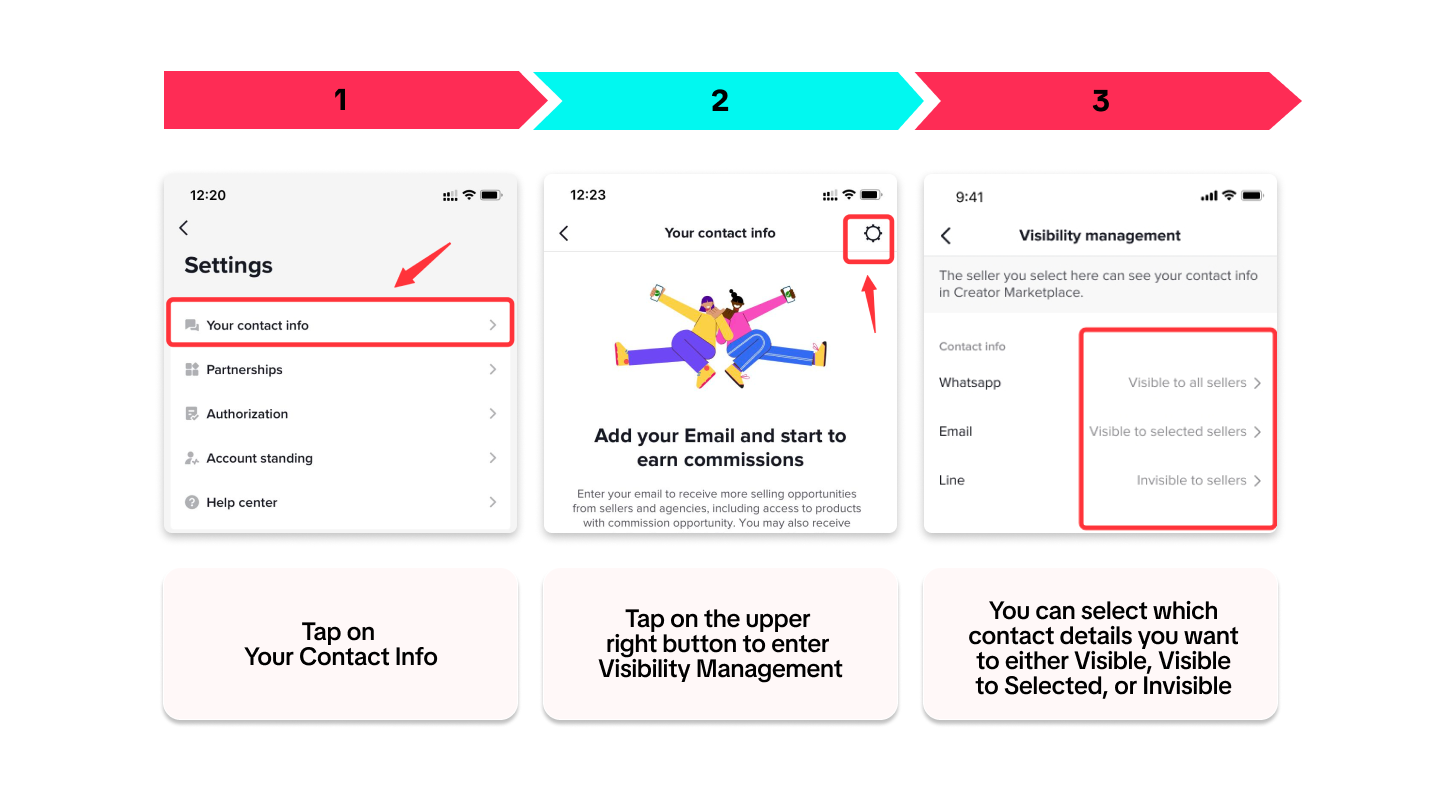
Marketing Consent
If you don't want to receive marketing messages from the platform or don't want to show your contents to other creators or sellers, you can follow the steps below: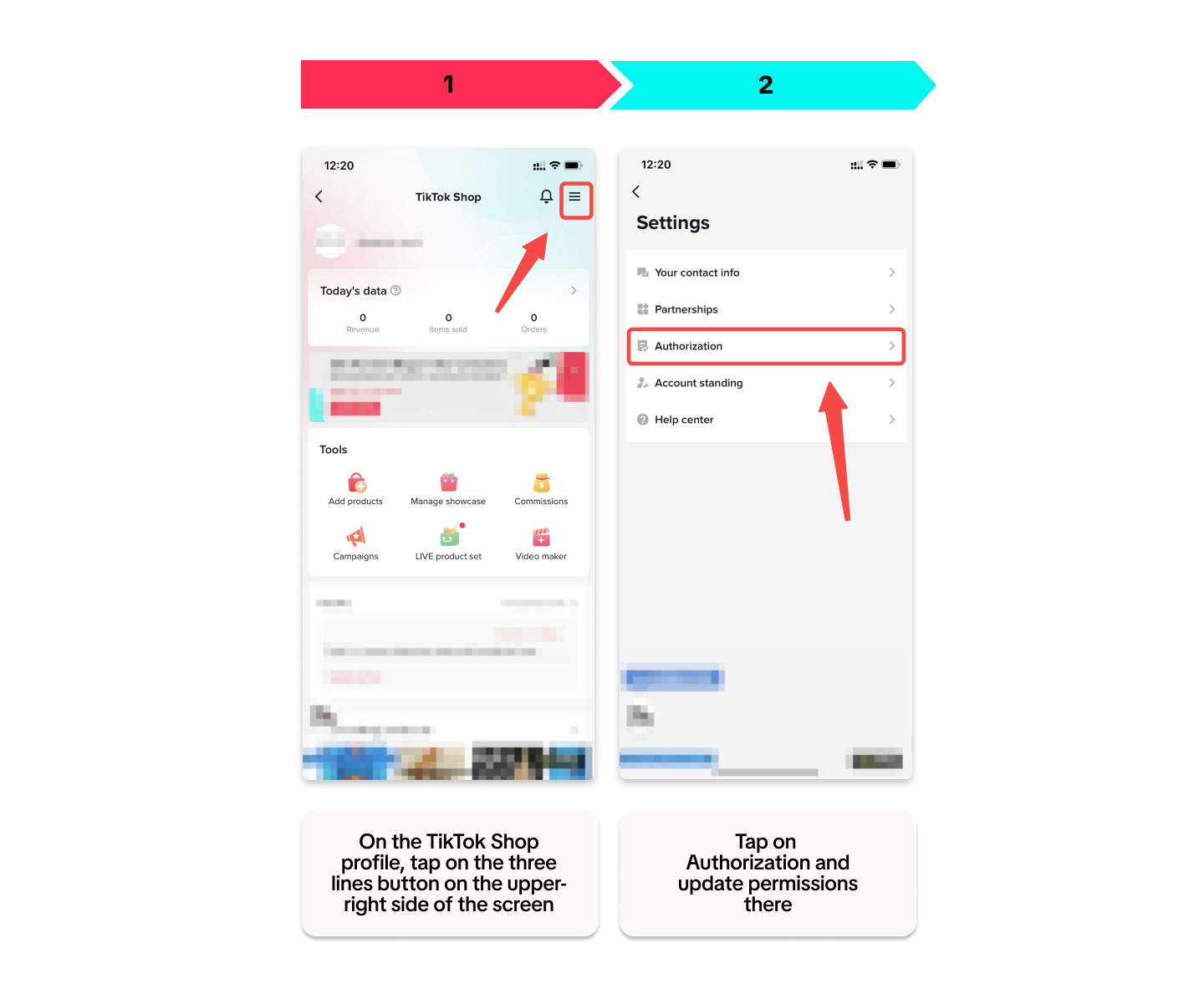
You may also be interested in
Registering to be a Seller
Your seller journey with TikTok Shop by Tokopedia begins with account registration. You can register…
Can I link my TikTok account with another social media accou…
Click on the Profile page, and click Edit Profile. Select either of the options under Social to link…
Why was my brand authorisation application rejected?
All submitted trademark information will be verified against the World Intellectual Property Organis…
What will happen to my existing orders while on "Holiday Mod…
"Holiday Mode" does not apply to existing orders. All existing orders, made prior to Holiday Mode be…
Which types of brand authorisation are accepted within the T…
There are 6 accepted types of brand authorisation: Trademark ownership National exclusive 1st level…
Why am I unable to sell the products of a particular brand?
The platform is committed to protecting the intellectual property rights of both organisations and i…
How to Create your Commission Account
After your successful Creator Account creation, you will need to set up your Commission Account to d…
How to register?
To become a platform seller, you need to create a Shop | Tokopedia account. Please follow the steps…
New Shop Adjustment Period
All new shops on TikTok Shop by Tokopedia start in the Shop Adjustment Period. During this period, y…
Setting Up Your Shop Profile and Name
Setting Up Your Shop/Seller Profile Setting up your TikTok Shop by Tokopedia profile is an important…