

Livestream Campaigns
05/19/2025
This article teaches you how to use Livestream Campaigns to increase traffic and conversions in your livestreams. You will learn how to register for and manage Livestream Campaigns on your Seller Center on PC.

What are Livestream Campaigns?
Livestream Campaigns are promotional events that help sellers to effectively promote your products and store in your LIVE sessions.
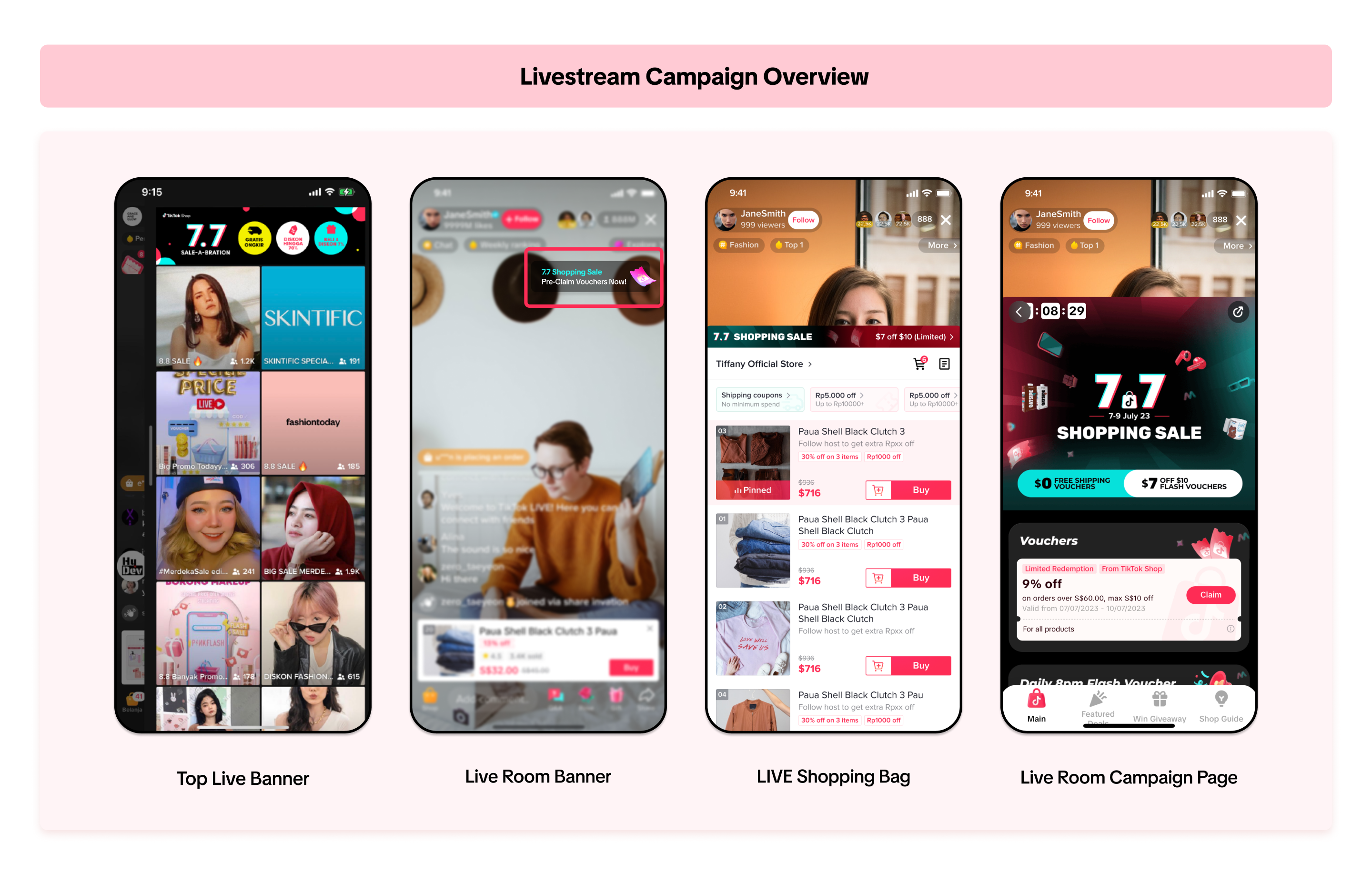
For more information on how to join Product Campaigns, please refer to this article here.This article will teach you how to participate and join in a livestream campaign.
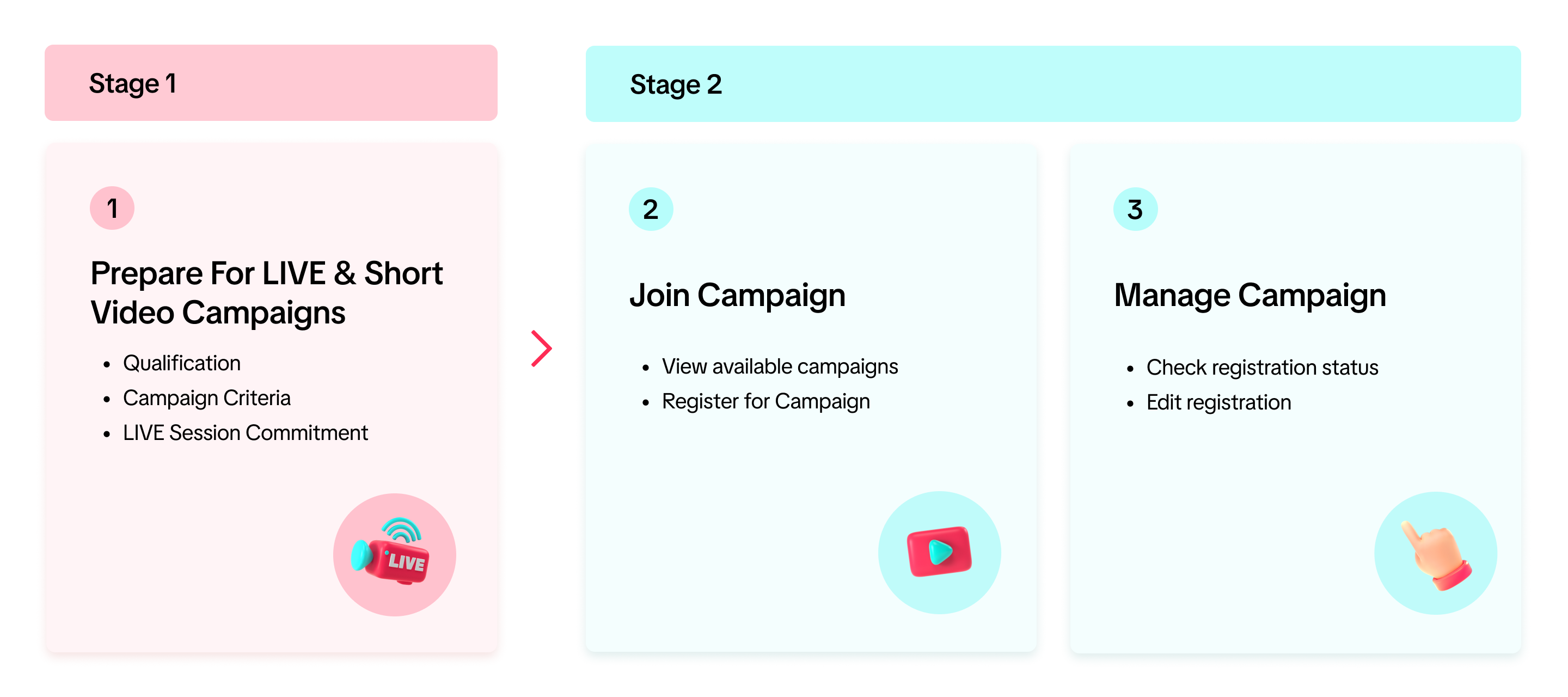
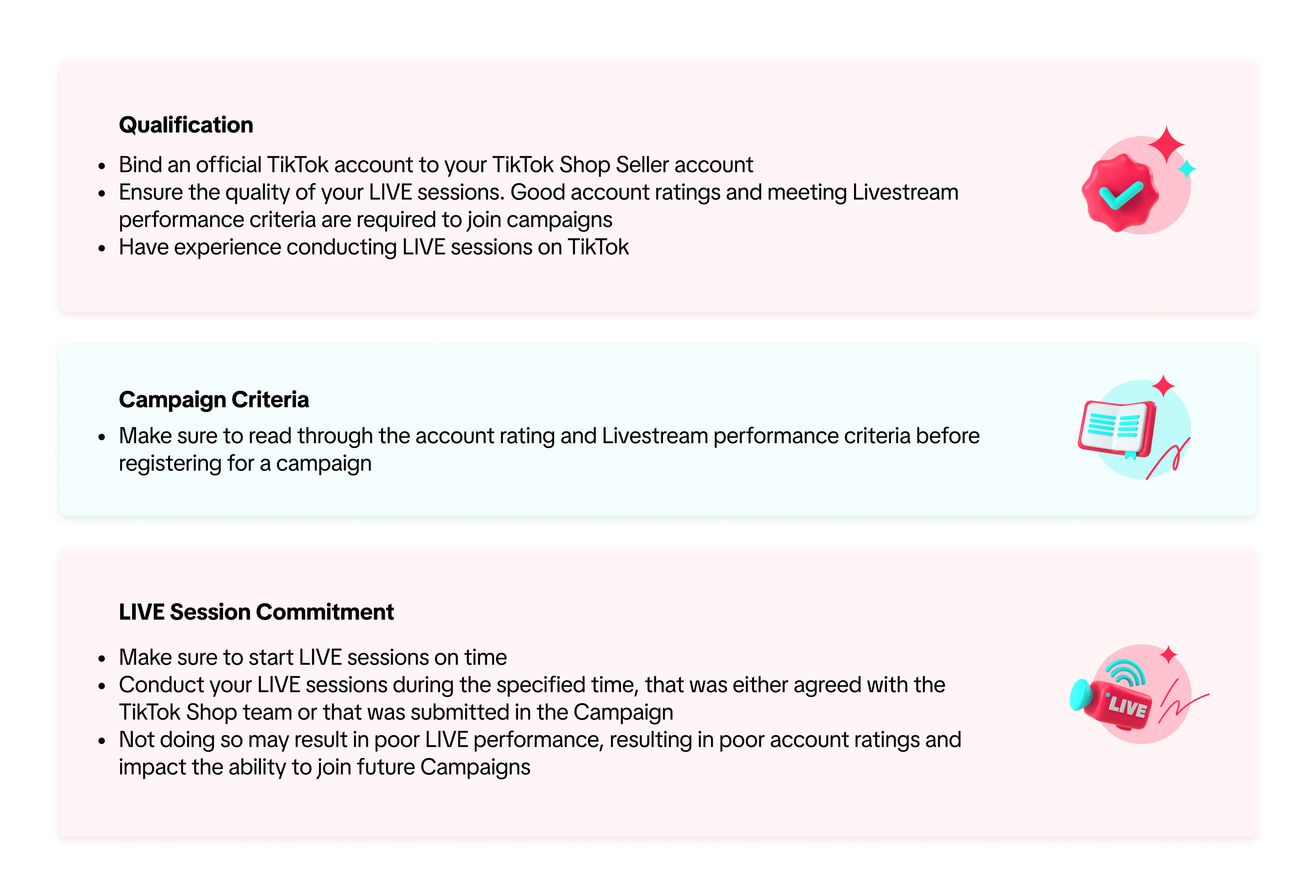
How to Prepare for Livestream Campaigns

How to Join Livestream Campaigns
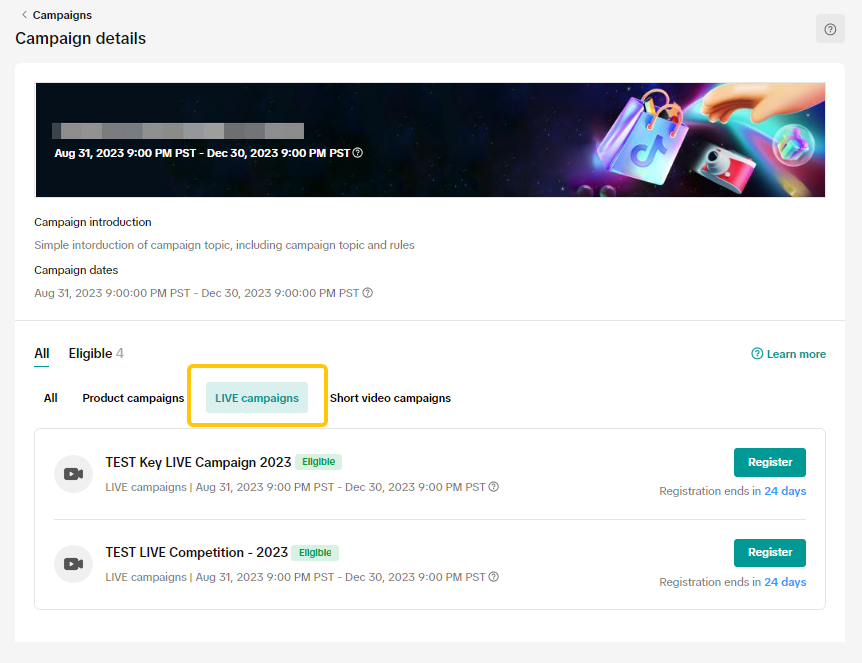
View Available CampaignsTo register for a Livestream / Short Video campaign on the Seller Center on PC, visit the Campaigns tab.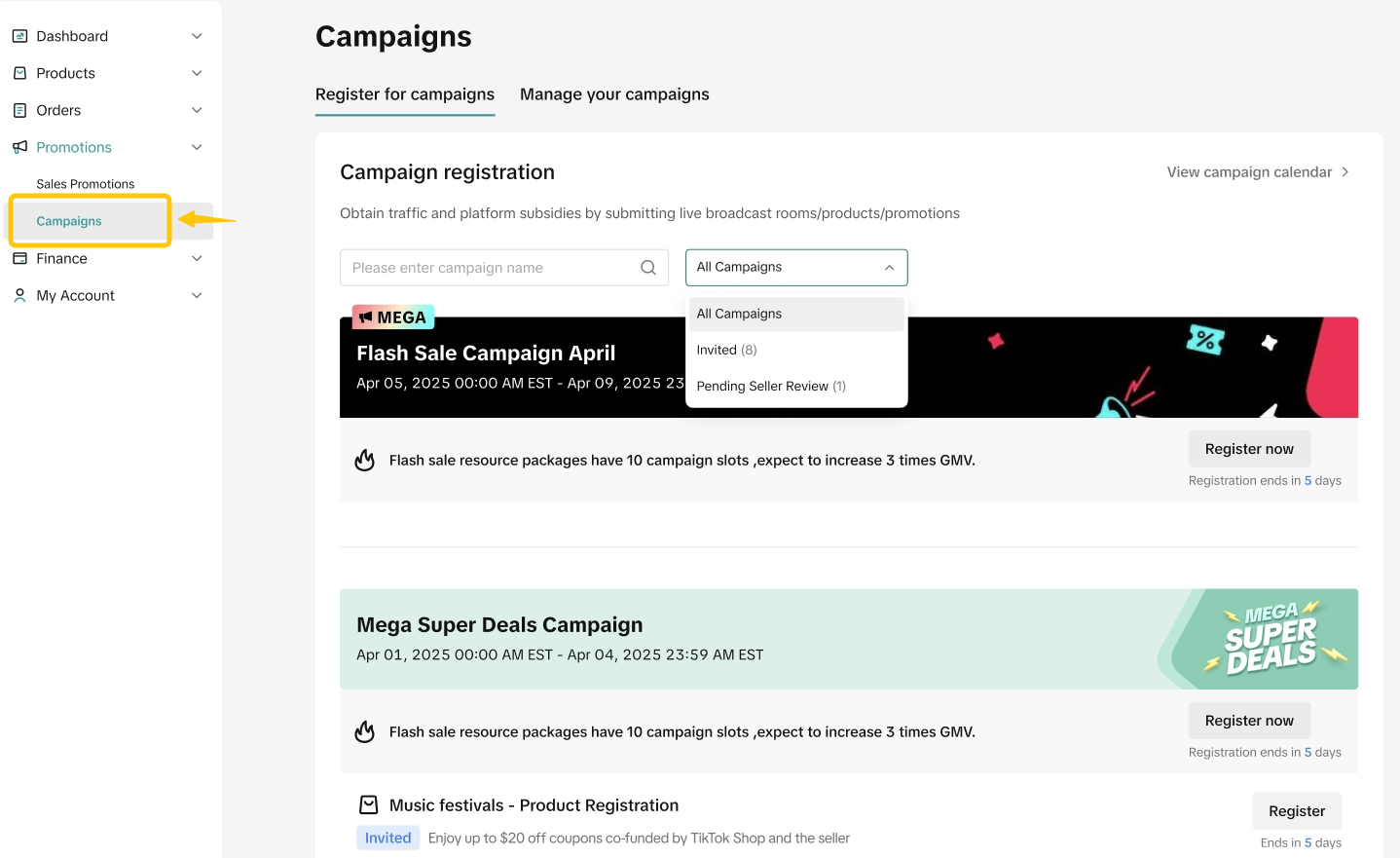
- View Campaign Details
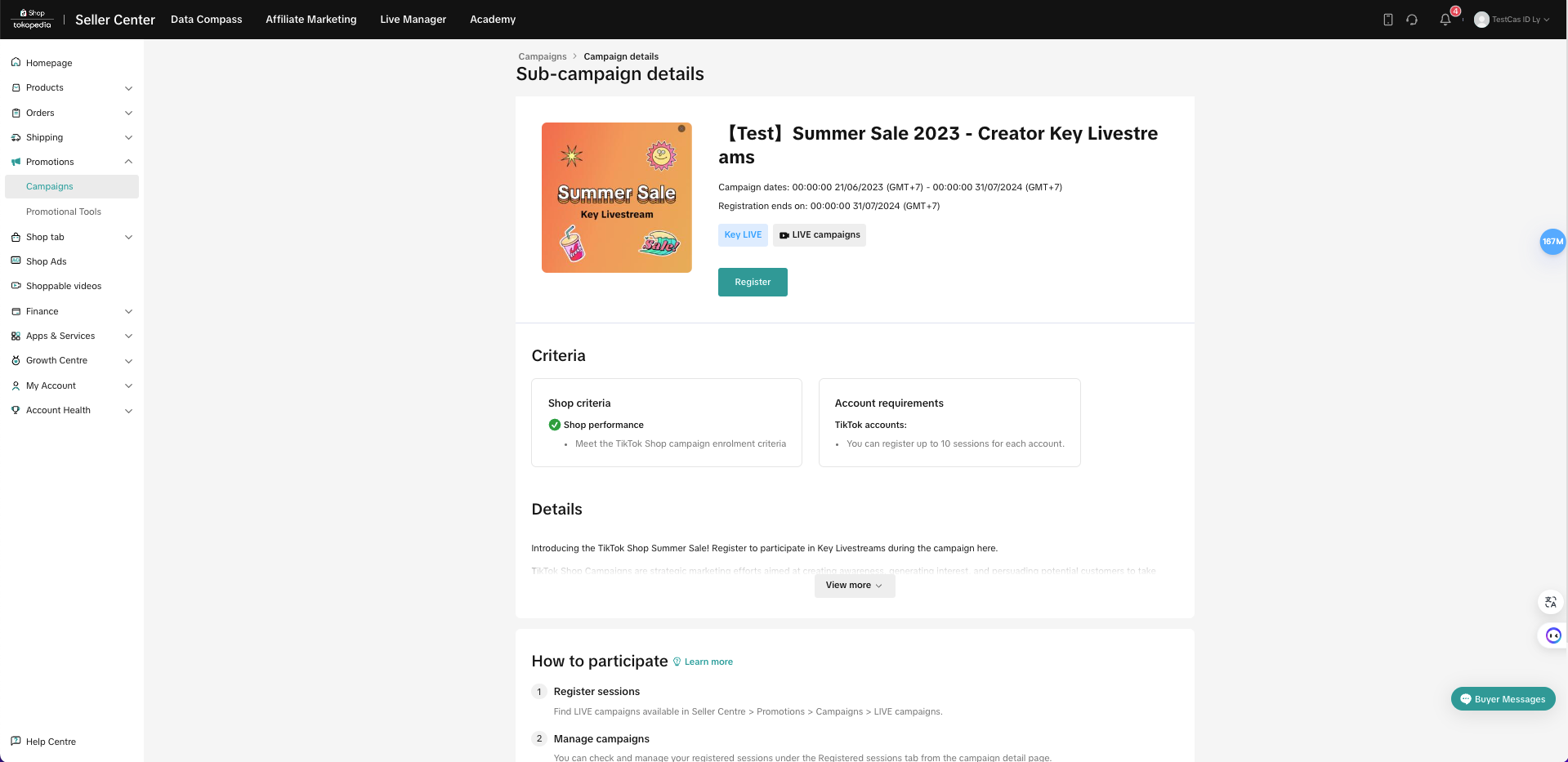
On the campaign details page, select Requirements to check the campaign's eligibility criteria, such as account and livestream level requirements.
- Sign Up to LIVE & Short Video Campaign
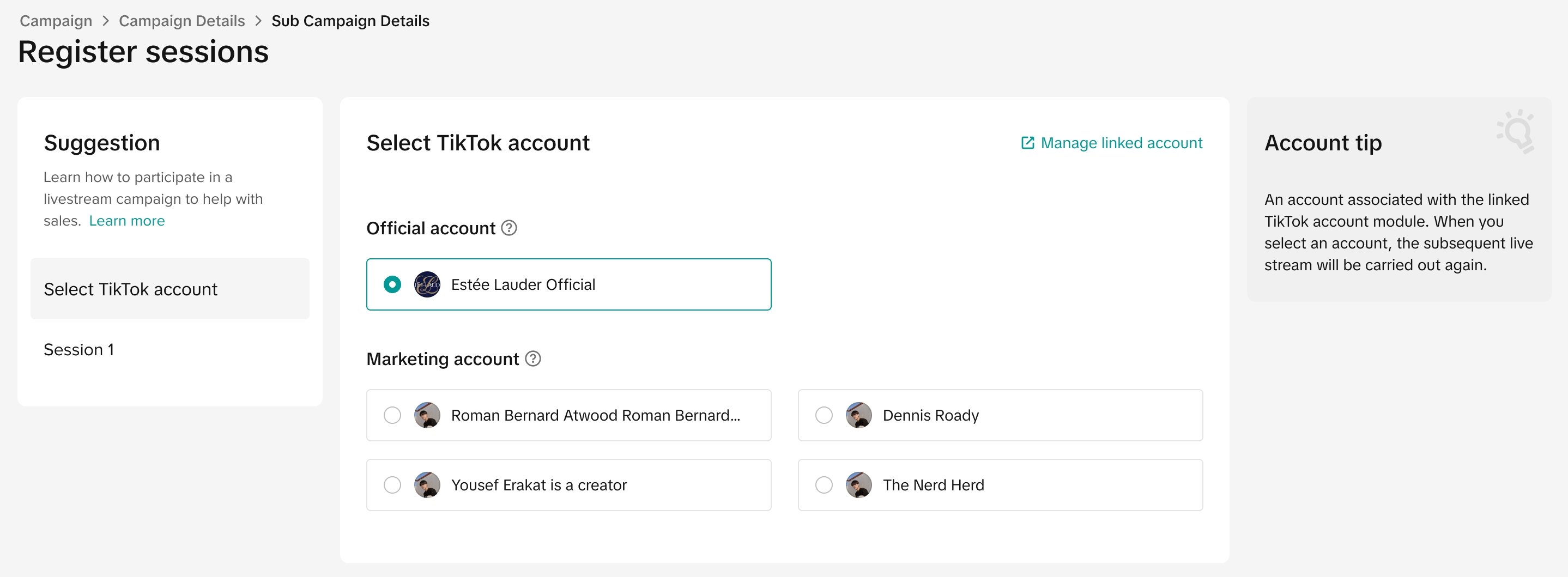
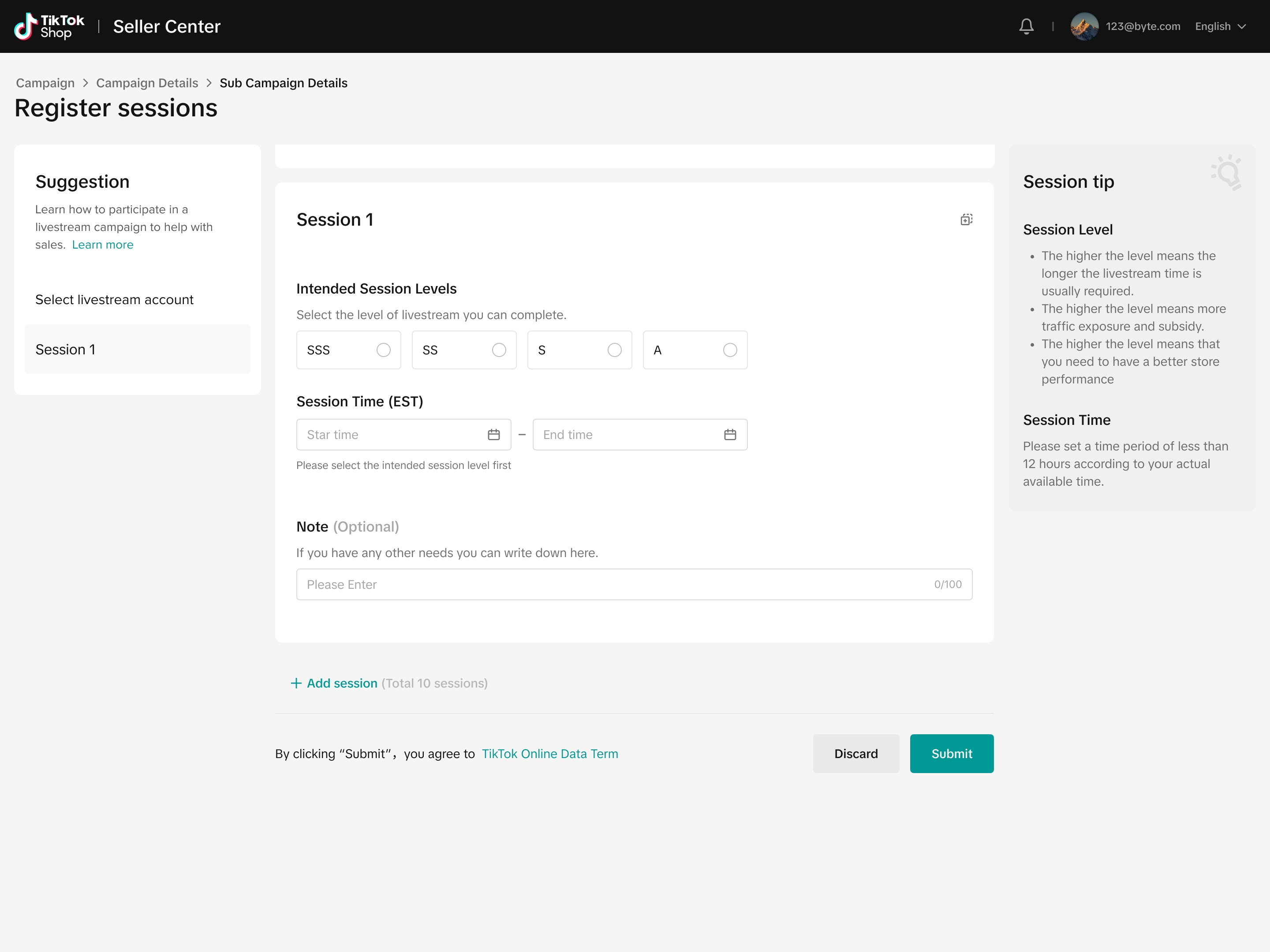
2.2.Add LIVE sessionDepending on the type of Livestream Campaign, sellers will see 2 types of Livestream Campaign session pages.
The first type requires you to submit information such as LIVE session duration, livestream period, and livestream main category.
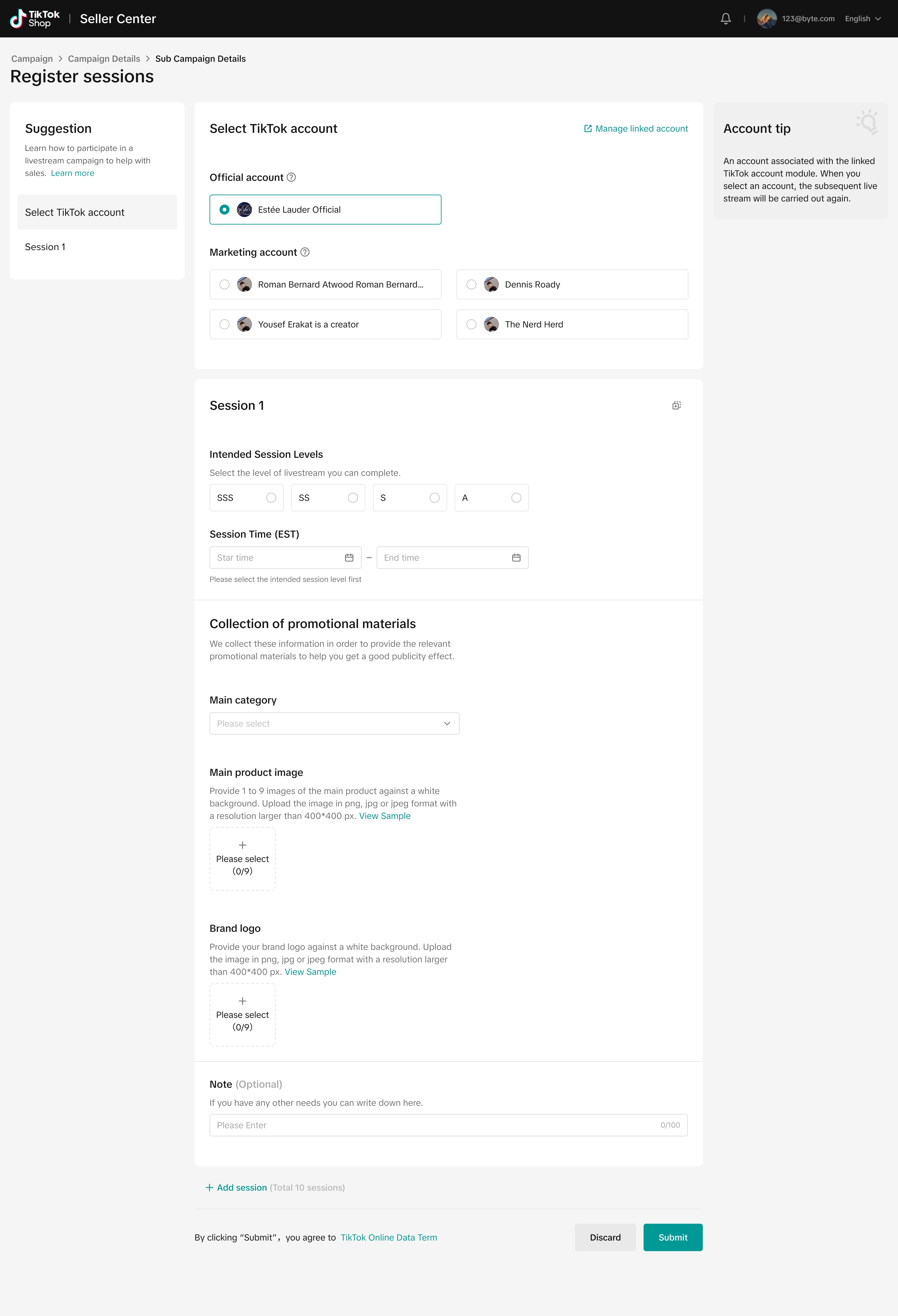
After you click Submit, the team will review the submission and may reach out to you directly to confirm the registration details.
Please note that the seller can submit multiple LIVE session periods with this Livestream campaign type.
The second type will not require sellers to submit any additional information. After you click Submit, the system will immediately approve your request.

How to View Registration for Livestream Campaigns
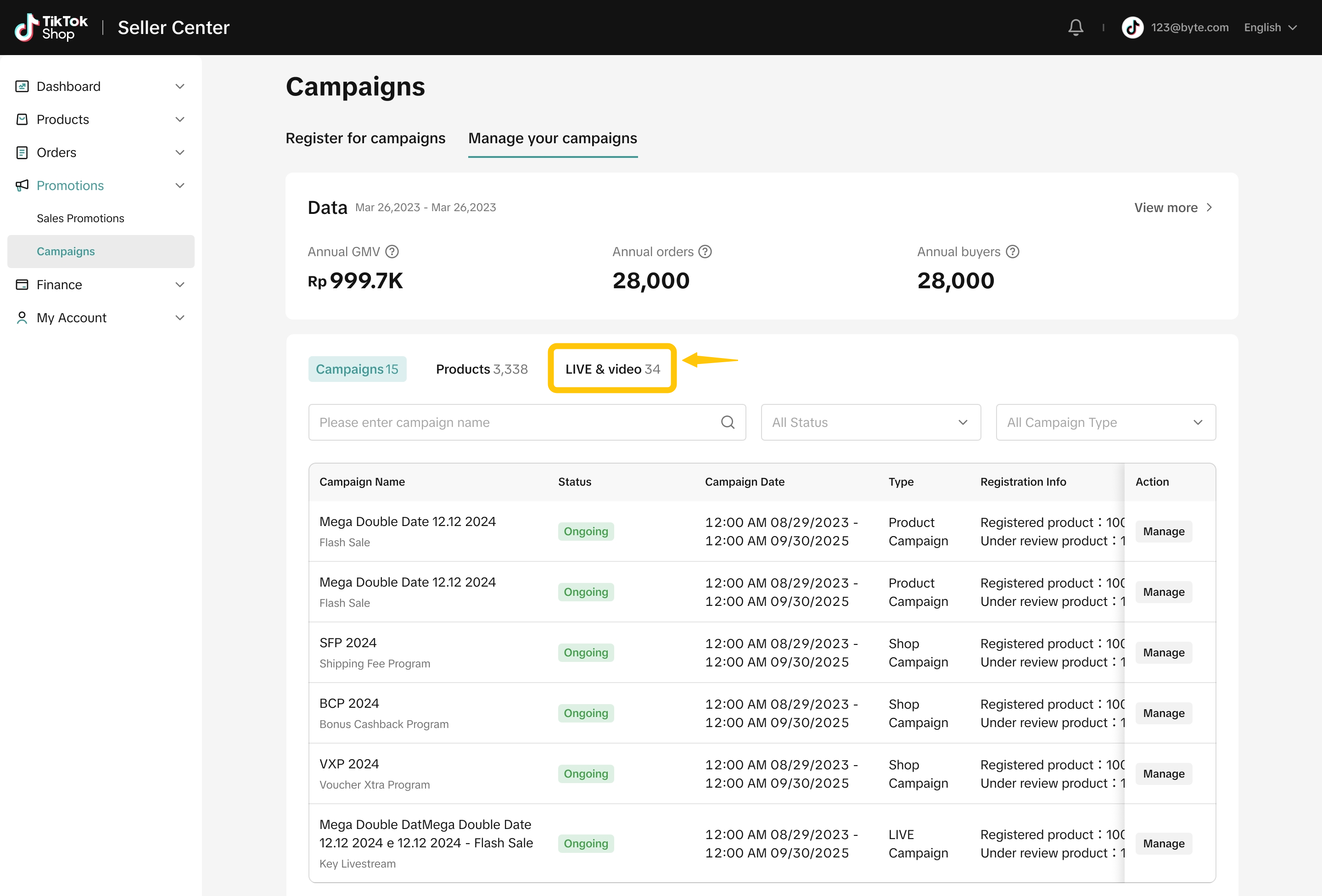
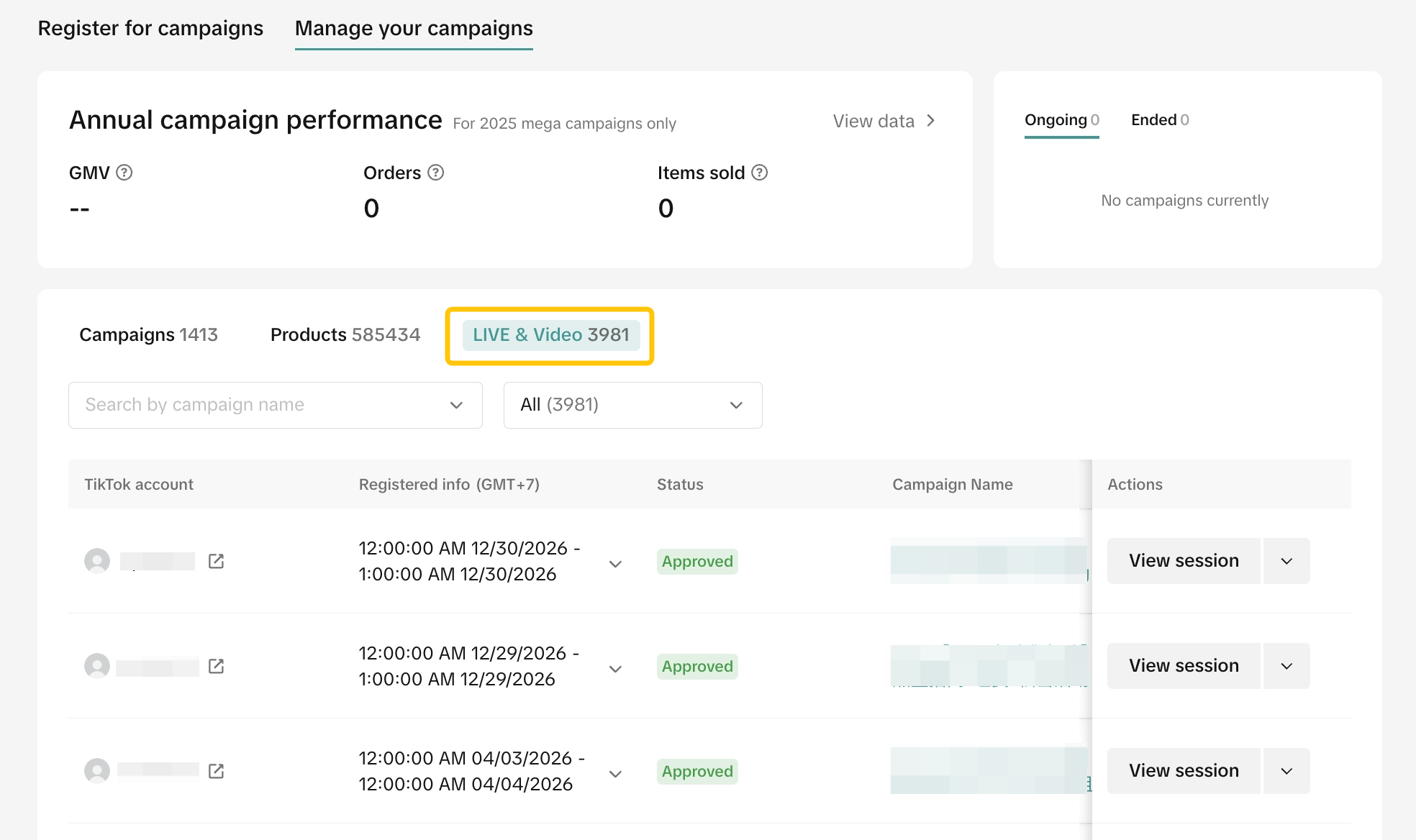
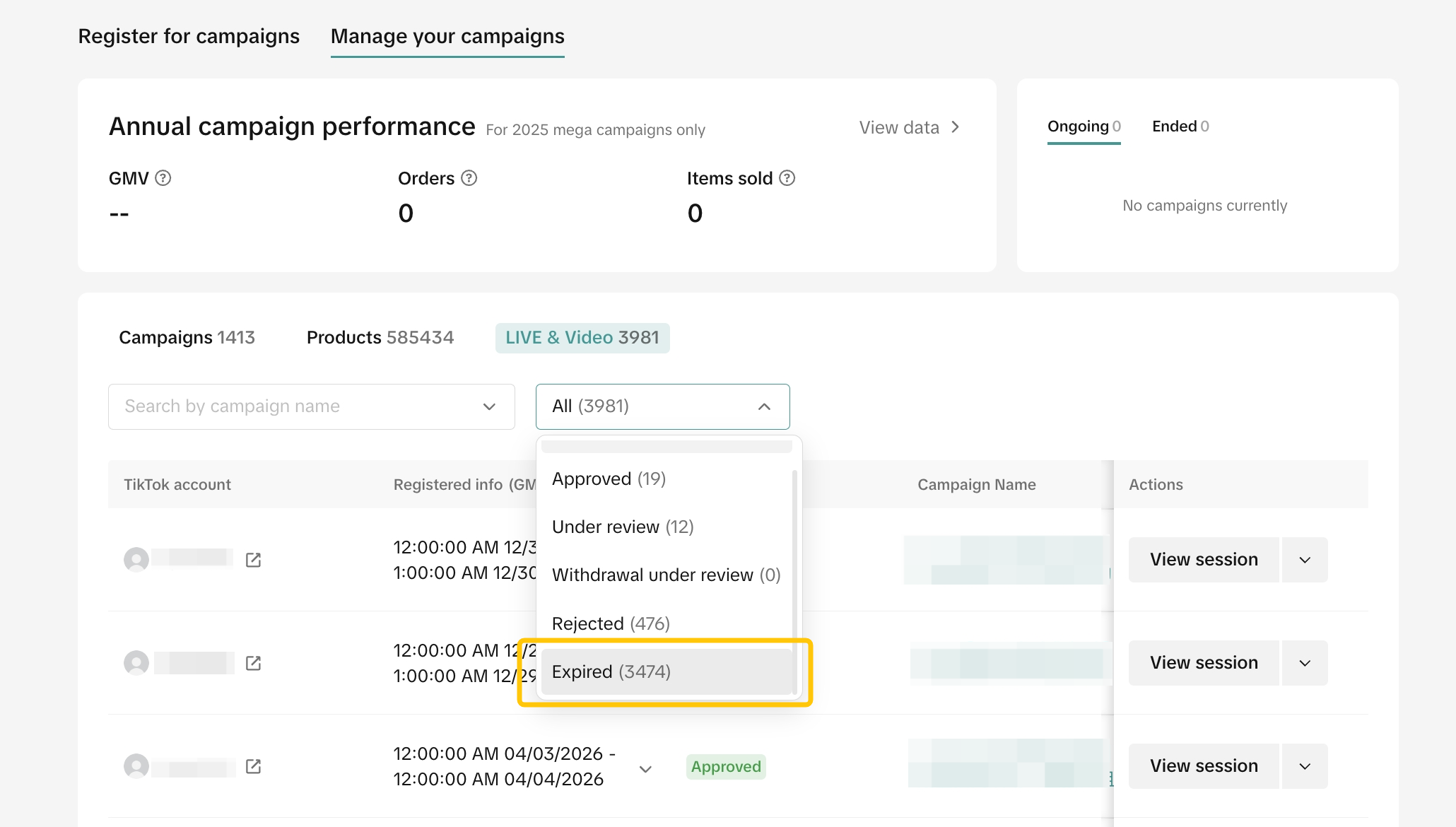
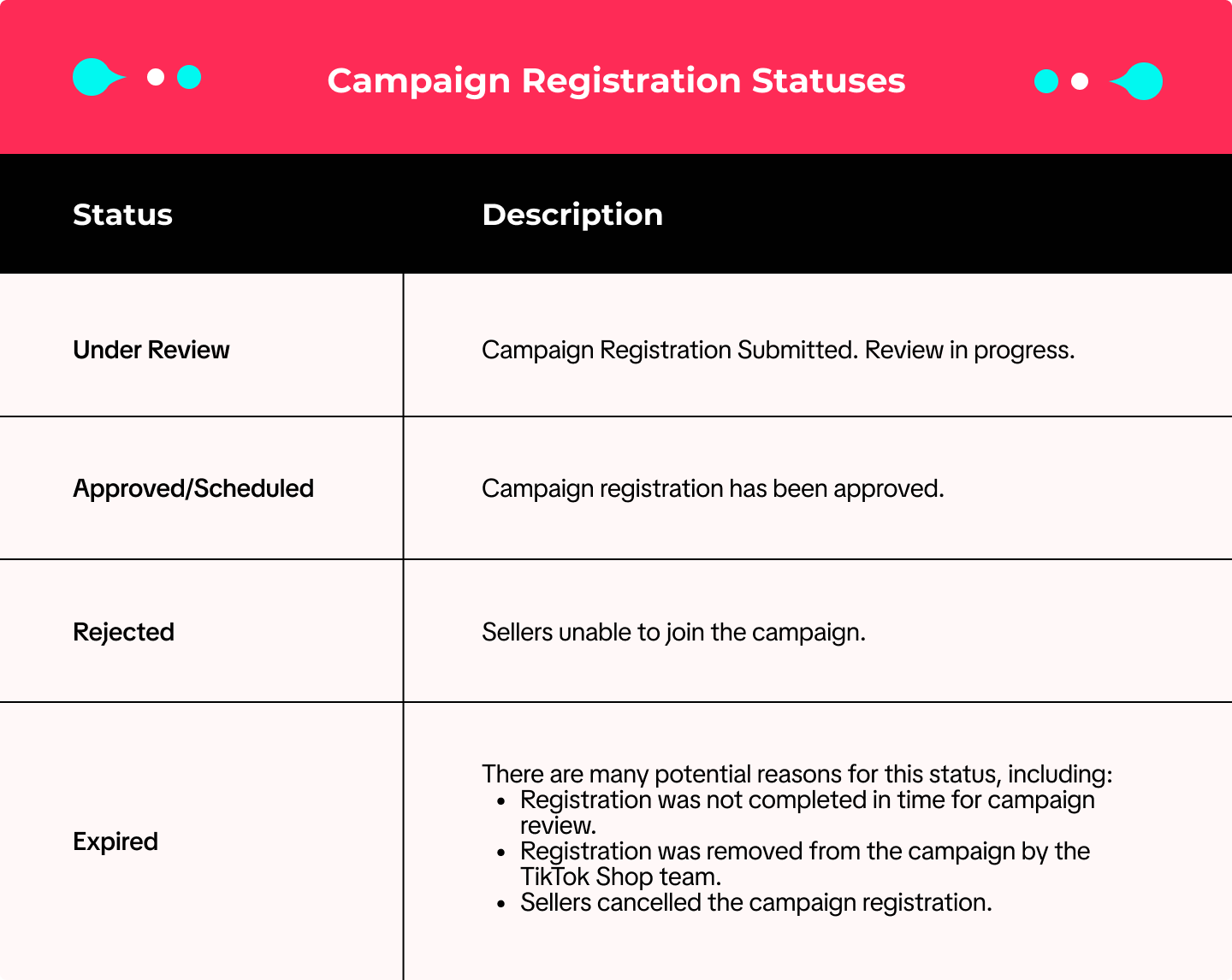
After submitting your request to join a campaign, you can visit the Manage Campaigns page to keep track of your campaign application(s).If you've registered for a particular campaign, click Manage to see your registered sessions.


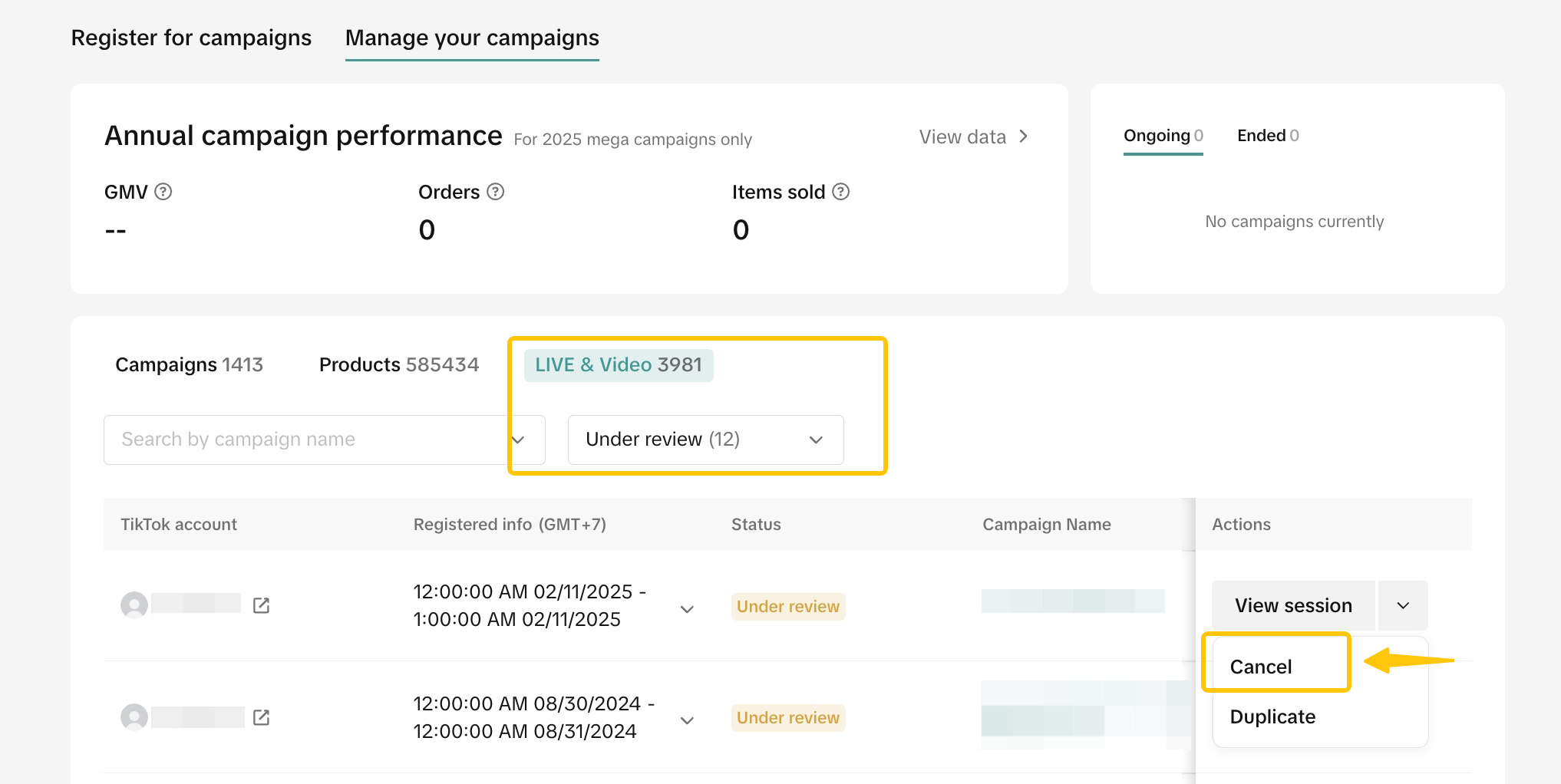
How to Edit Registration for Livestream Campaigns

How to Track Campaign Performance
You can view post campaign performance data in Data Compass. Click on the Marketing tab and select Campaign Performance under the Promotions section.All previously joined campaigns will be shown. Campaign details will be available by clicking on each specific campaign.
| YTD Perspective | Campaign Perspective |
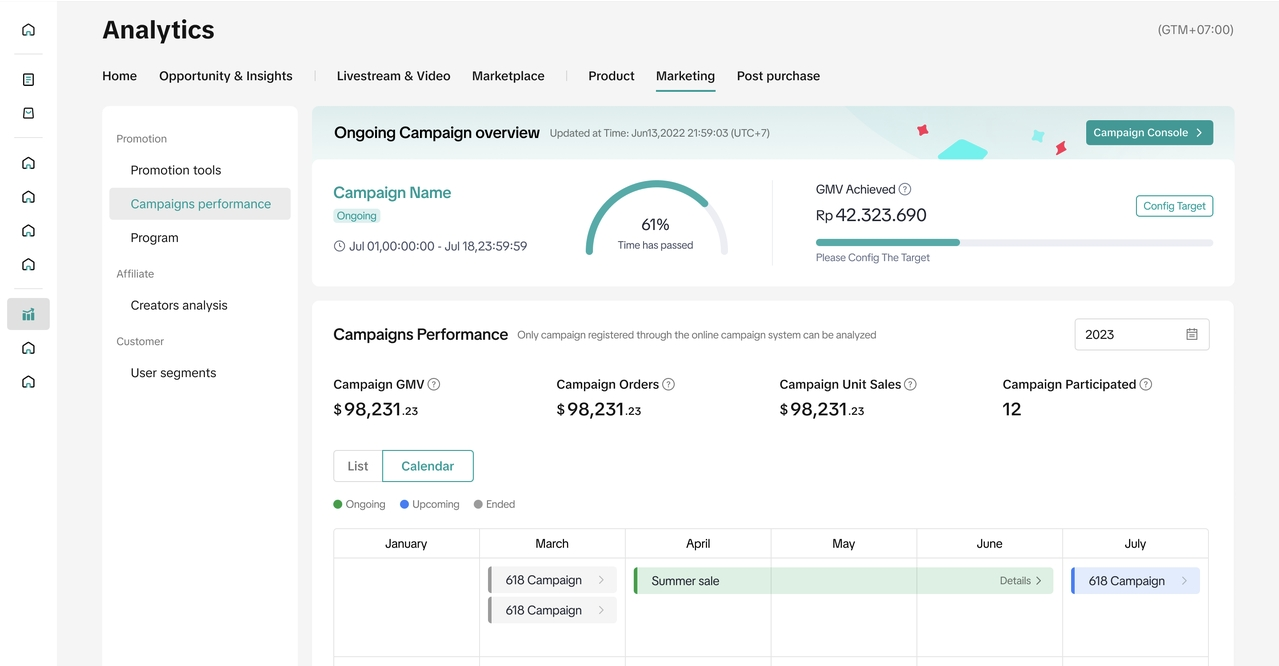 | 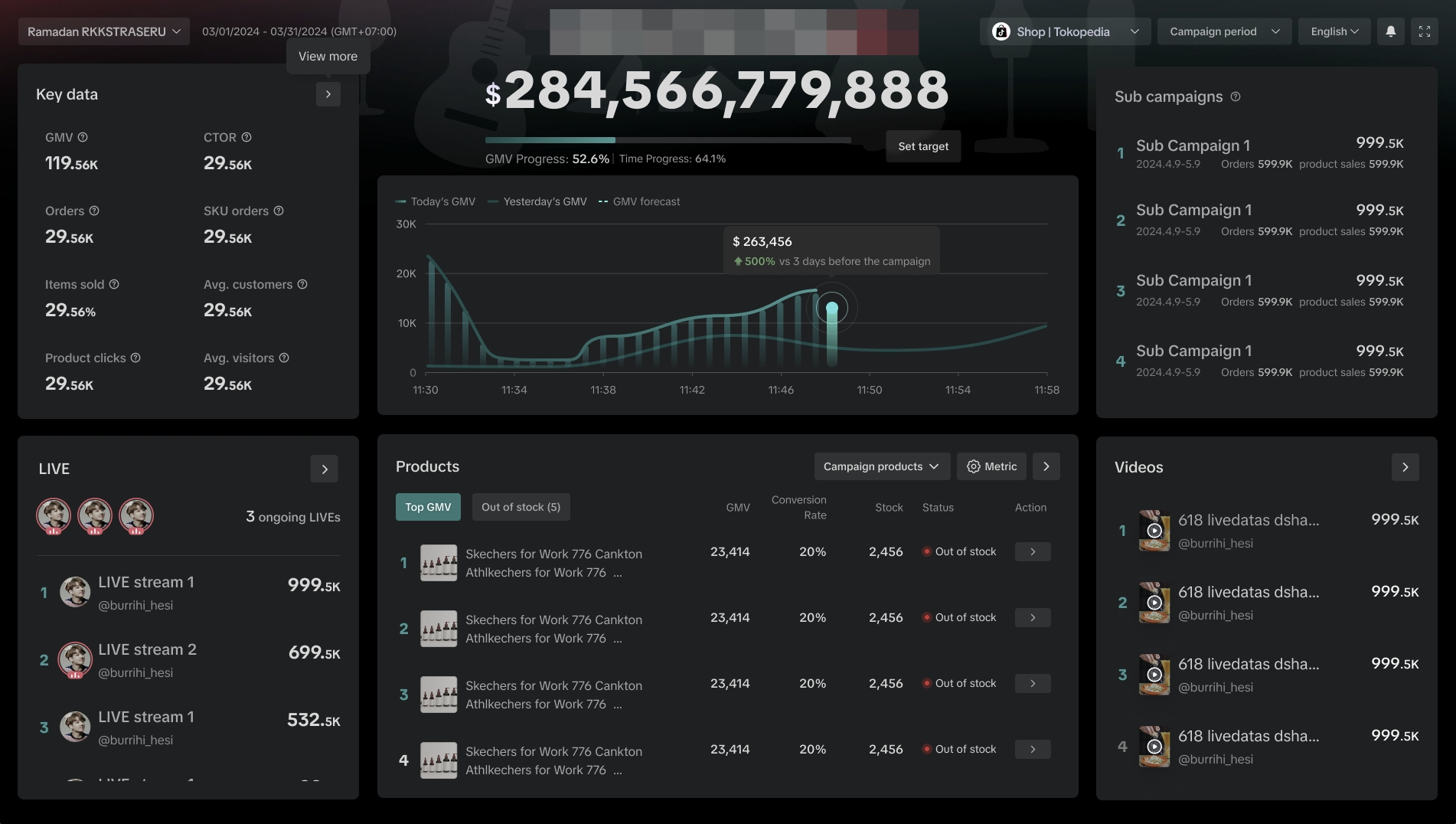 |
| Understand the cumulative annual sales performance through registered campaign | Real-time performance for greater control and flexibility over your campaign strategy optimization |
You may also be interested in
- 1 lesson
Campaign and Cofunded Program
Join campaigns and cofunded programs for greater product exposure!
- 8 lessons
Campaign
Learn how to participate in and maximize the impact of official TikTok Shop by Tokopedia campaigns.

How do campaign co-funded vouchers work?
Sellers will first need to register and add products to the respective campaign page. Once the prod…

What if the campaign period overlaps with other promotional…
After approval, the price will take effect in accordance with the campaign dates. Campaign prices ar…

Marketing Benefits Packages
This article teaches you what Marketing Benefits Packages are, how it works, as well as how you, as…
Periodic Payments
This guide explains how to use bank transfer payments for Marketing Benefit Resource Packages, speci…

Product Campaigns
This article teaches you how to participate in platform product campaigns to increase sales in your…
Understanding Payments
This article introduces the different payment methods available for our Marketing Benefits Packages.…