

Increase Sales & Campaign Effectively Using Flash Deal ShopTokopedia
07/16/2024
What is the Flash Deal ShopTokopedia?
Flash Deal Feature ShopTokopedia is a feature that helps sellers offer discounts for a limited time.When Should Sellers Use the Flash Deal ShopTokopedia?
Sellers can use Flash Deal ShopTokopedia when- Seller wants to increase sales in a short time
- Seller wants to increase in-store or live traffic in a short time
- Seller wants to create purchasing urgency for buyers in a short time
- Seller wants more visibility in certain periods
Tutorial for Creating a Flash Deal ShopTokopedia
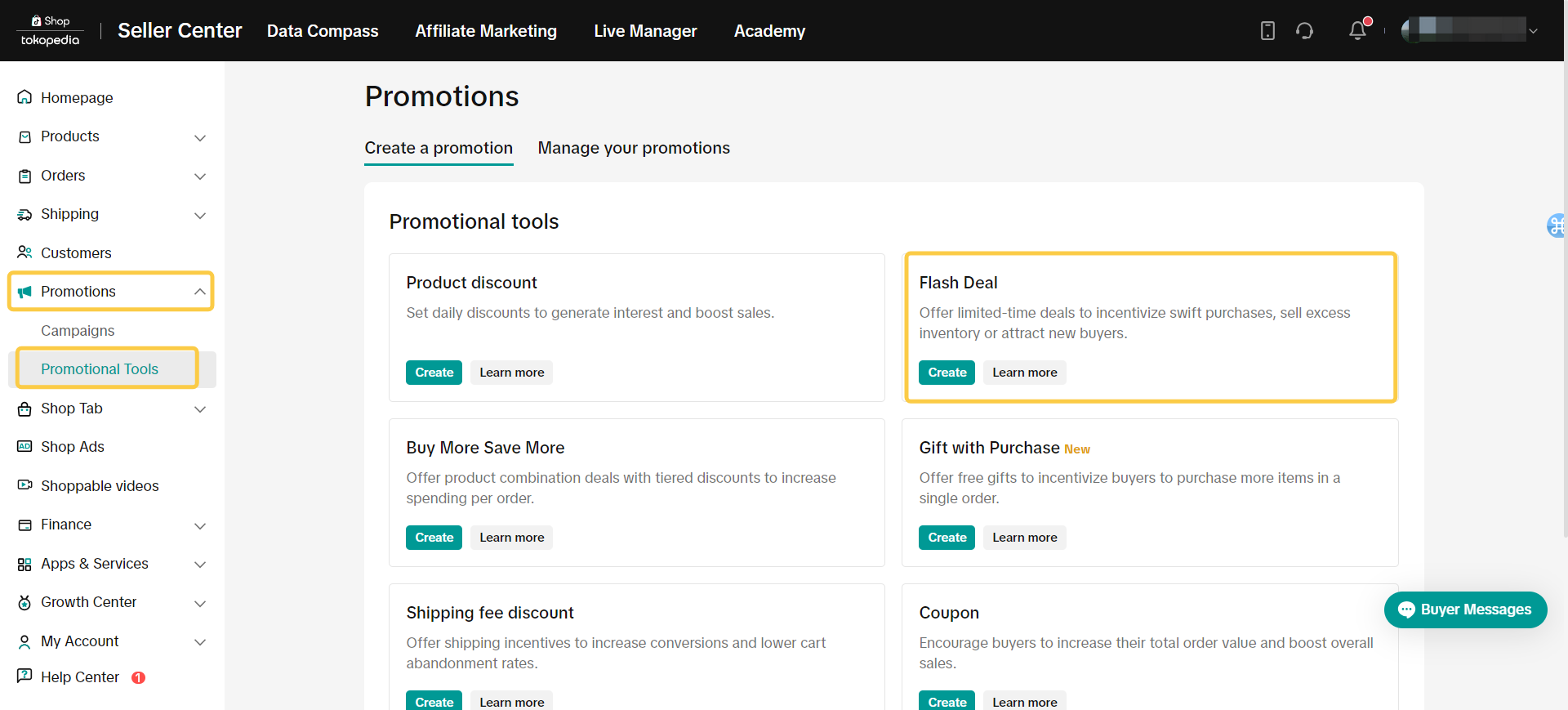
- visit Seller Center > Promotions > Promotional Tools > Flash Deal > Create
 enter basic promotion information
- Promotion name
- Promotion period
- Display channel
- All Channels
- Live only
The duration of a Flash Deal on livestreaming is a minimum of 1 minute and a maximum of 20 minutes. A maximum 5 minute countdown will be shown to viewers based on the promo start time.
- Effective immediately
- Schedule start date
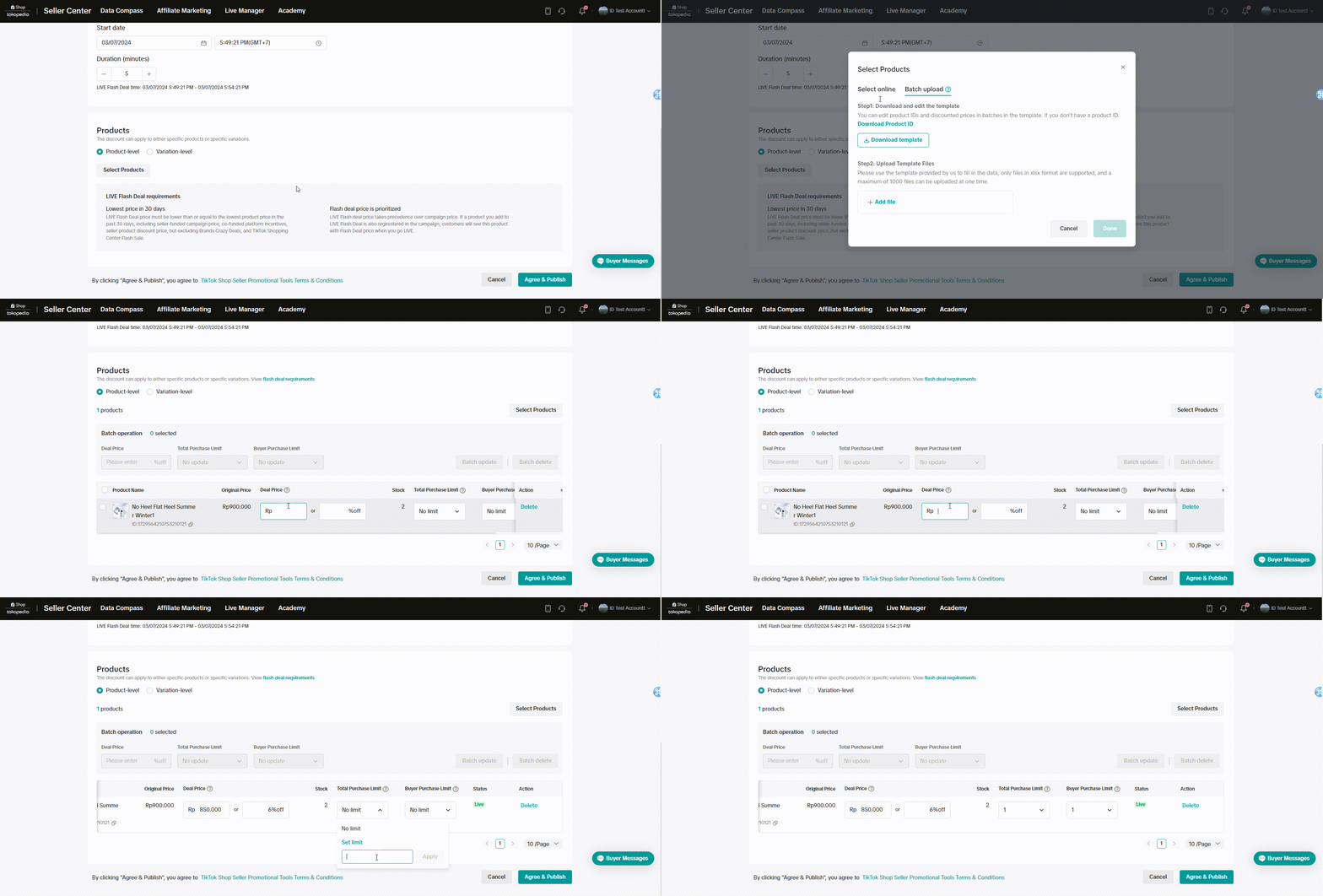
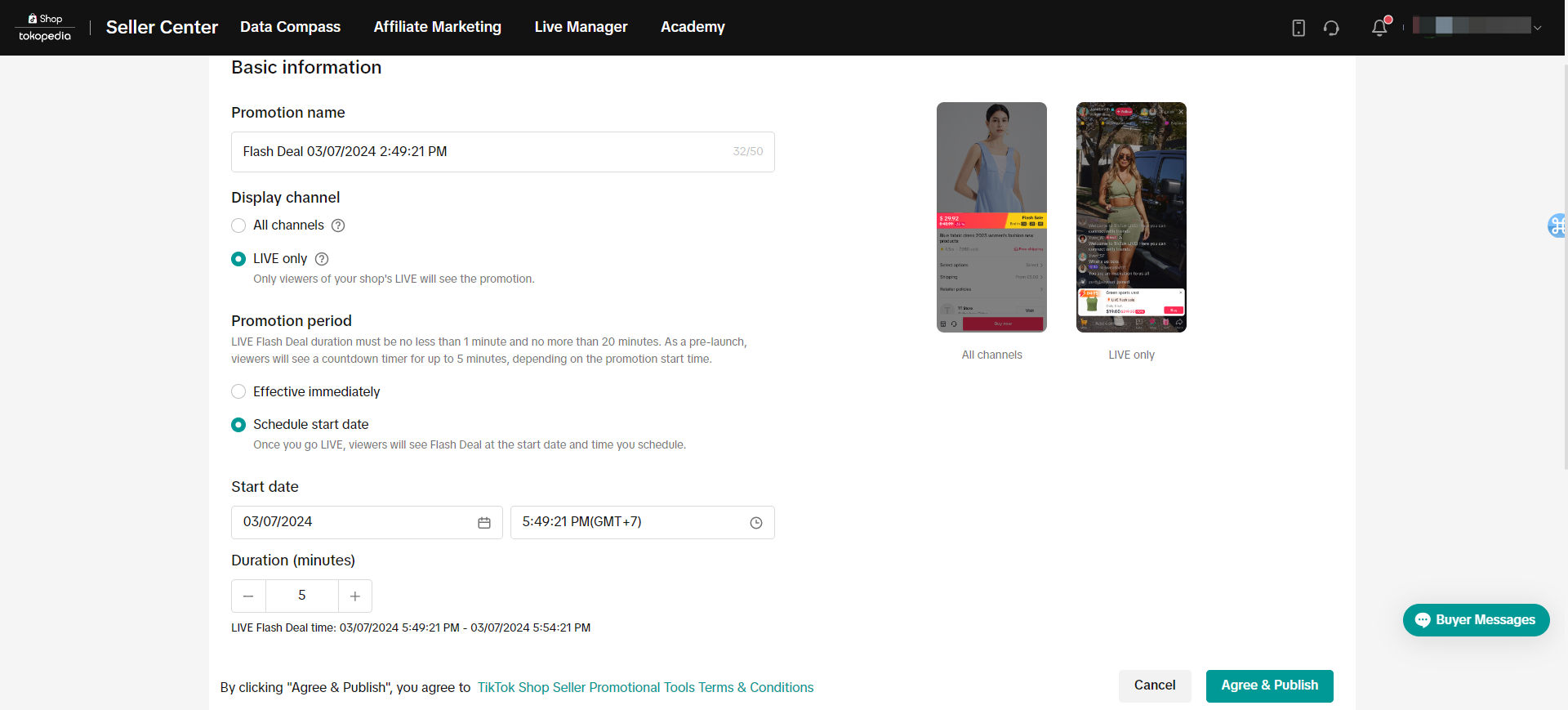 After completing the start date and duration of the Flash Deal, the Seller is then expected to fill in the Product
- Product - level
- Sellers can upload at once to provide the products they want to promote more and faster
- Set offer or discount prices
- Set the stock, sellers can set promotional stock limits and sellers can also set purchase limits
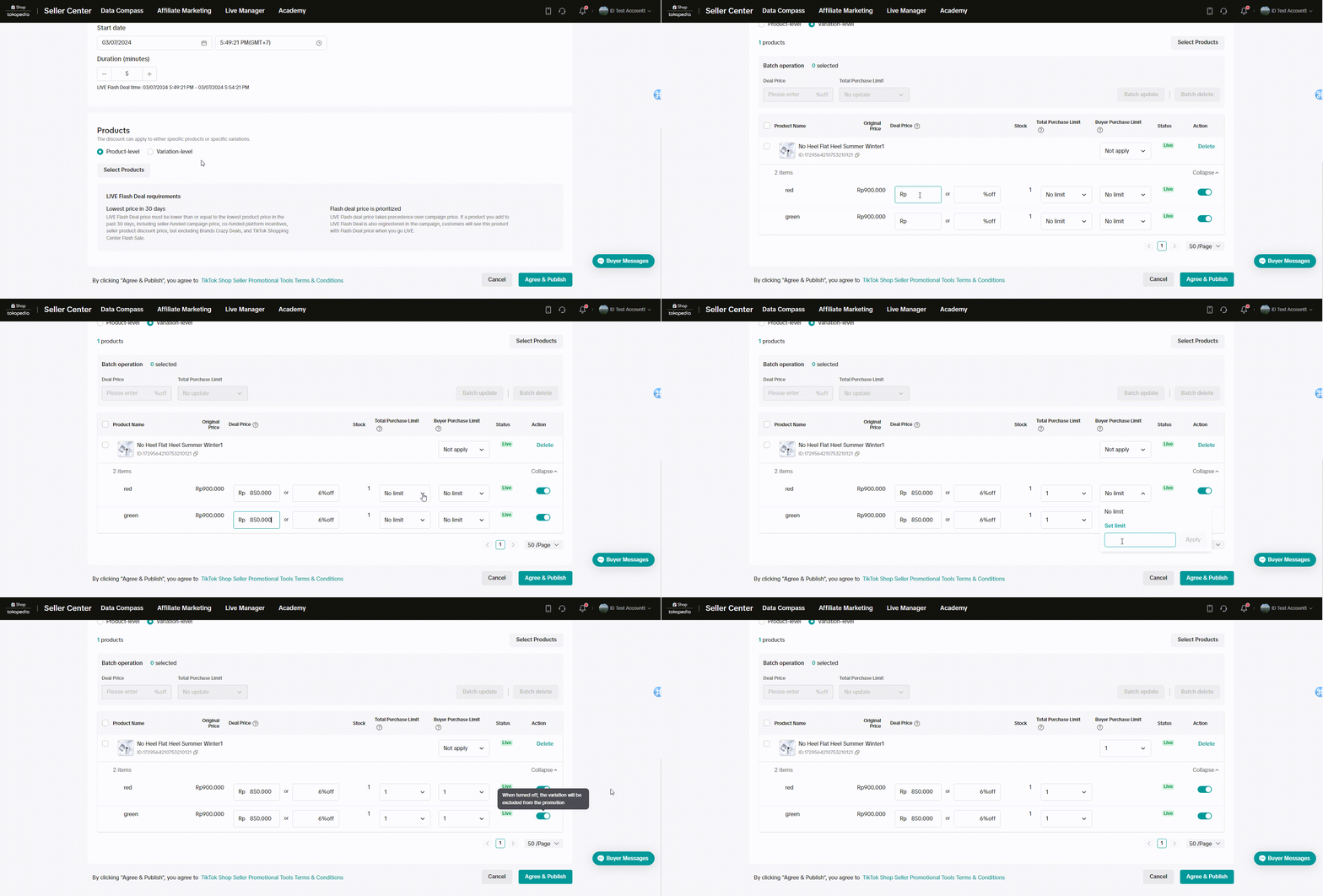
- Variation - levels
- Sellers can determine the offer price or discount they want to give
- Seller can determine promotional stock and also purchase limits
- Apart from that, sellers can activate and deactivate the variants they want to appear
Things Sellers Need to Know About the Flash Sale Feature or Flash Deal
- Especially for All Channels display, if the product is following a campaign, the campaign name will apply to all channels, not the Flash Sale price
- The Flash Sale price must be below or equal to the lowest price in the last 30 days, including discount prices from sellers
- Especially for Live Only displays, the Flash Deal price will appear live even though the product is being registered in the campaign, and buyers will see the Flash Deal price
- Products registered for Flash Sale or Flash Deal embedded while live will appear on the viewing page. Viewers will not see the countdown if the Live Flash Deal price is the same or higher than the lowest SKU price

FAQ
- Are the costs of the Flash Sale or Flash Deal borne by the seller?
- Where will flash deals appear?
- Will Flash Deals appear on Livestreaming?
- Will the Flash Deal price appear when the product is also participating in the campaign?
You may also be interested in
- 1 lesson
Tokopedia PLUS
Tokopedia PLUS, now with More and Better benefits!
- 1 lesson
Promotion
Leverage promotions to attract more customers and boost sales!
- 7 lessons
Promotional Tools
Utilize vouchers, discounts, and bundling features to encourage purchases and attract buyers.

Bundle Deal
This article teaches you how to use Seller Bundle Deal to increase the Average Order Value in your s…
Bundle Deal Terms and Conditions
As a special limited time promotion, we, sellers of certain products on TikTok Shop, are offering yo…
Promotional Tools - Shipping Fee Discount Eligibility
What are shipping fee discounts? You may choose to offer a shipping discount on orders by bearing al…
Gift with Purchase
This article teaches you how to use Gift with Purchase to increase your average order value and conv…

Seller LIVE Interactive Voucher
This article teaches you how to use LIVE Interactive Vouchers to increase your average order value a…

First order discount
If it is the customers first order, the discount coupon is only available for new user/customer who…

Seller Regular Voucher
This article teaches you how to use Seller Regular Vouchers to increase your average order value and…