

LIVE Highlights Replay on PDP
07/30/2025
LIVE Highlights is a tool designed to provide you with the best-performing segments of your livestream in short video formats, which you can choose to post as shoppable or non-shoppable videos for more conversions or drive traffic to your next LIVE. Learn more about LIVE Highlights here.Now, sellers with official or marketing accounts will be able to feature these LIVE Highlight clips directly on the Product Detail Page (PDP)*, allowing buyers to quickly learn more about your product simply by watching a replay video of the LIVE Highlight clip! LIVE highlight clips that are eligible to be displayed on the PDP are based on LIVE highlights that are originally generated by the platform, prior to any manual-editing by the seller.
Note: 



| Before | After |
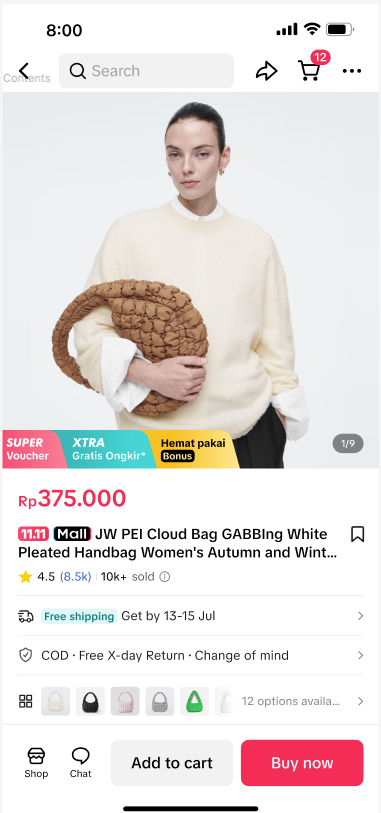 | 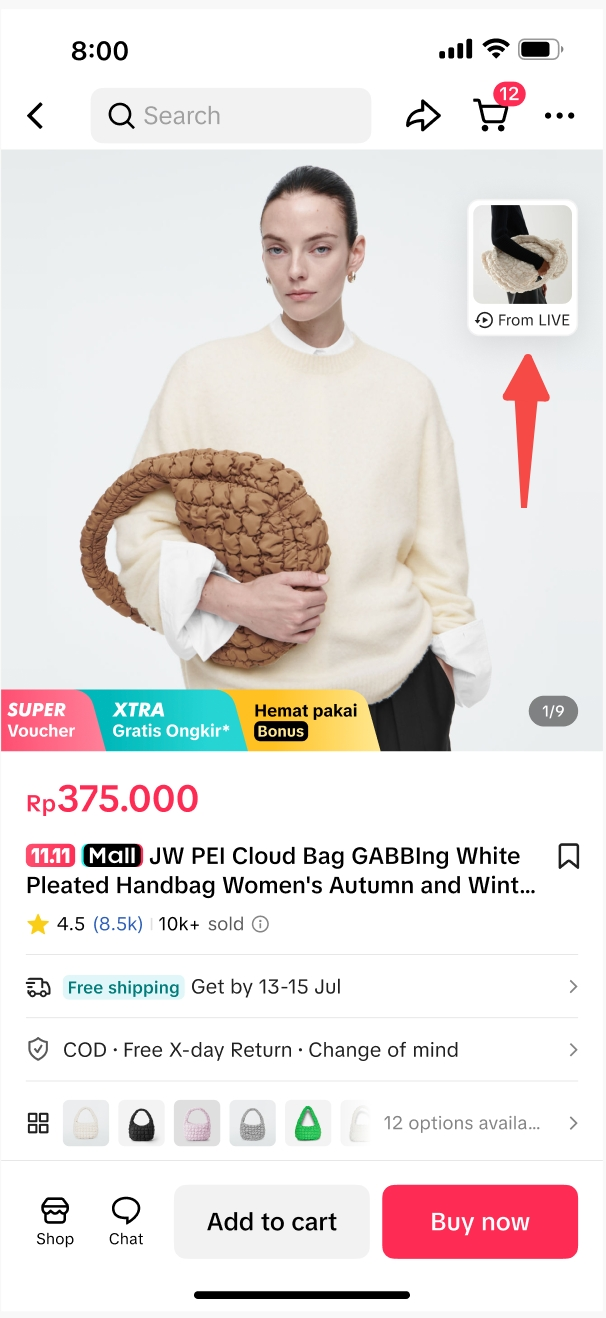 |
No video replay is available | Video replay is displayed |
- This feature will be enabled automatically for selected sellers only, and is not available to affiliate creators.
- *AI-generated replay clips from your previous LIVE sessions may be shown on your product display pages to help users better understand your products. These clips are automatically selected by the platform based on relevance. You can disable this feature at any time.
- All images shown are for example purposes only and the actual interface may vary.

Benefits of LIVE Highlights Replay on PDP
Easily Toggle On or Off
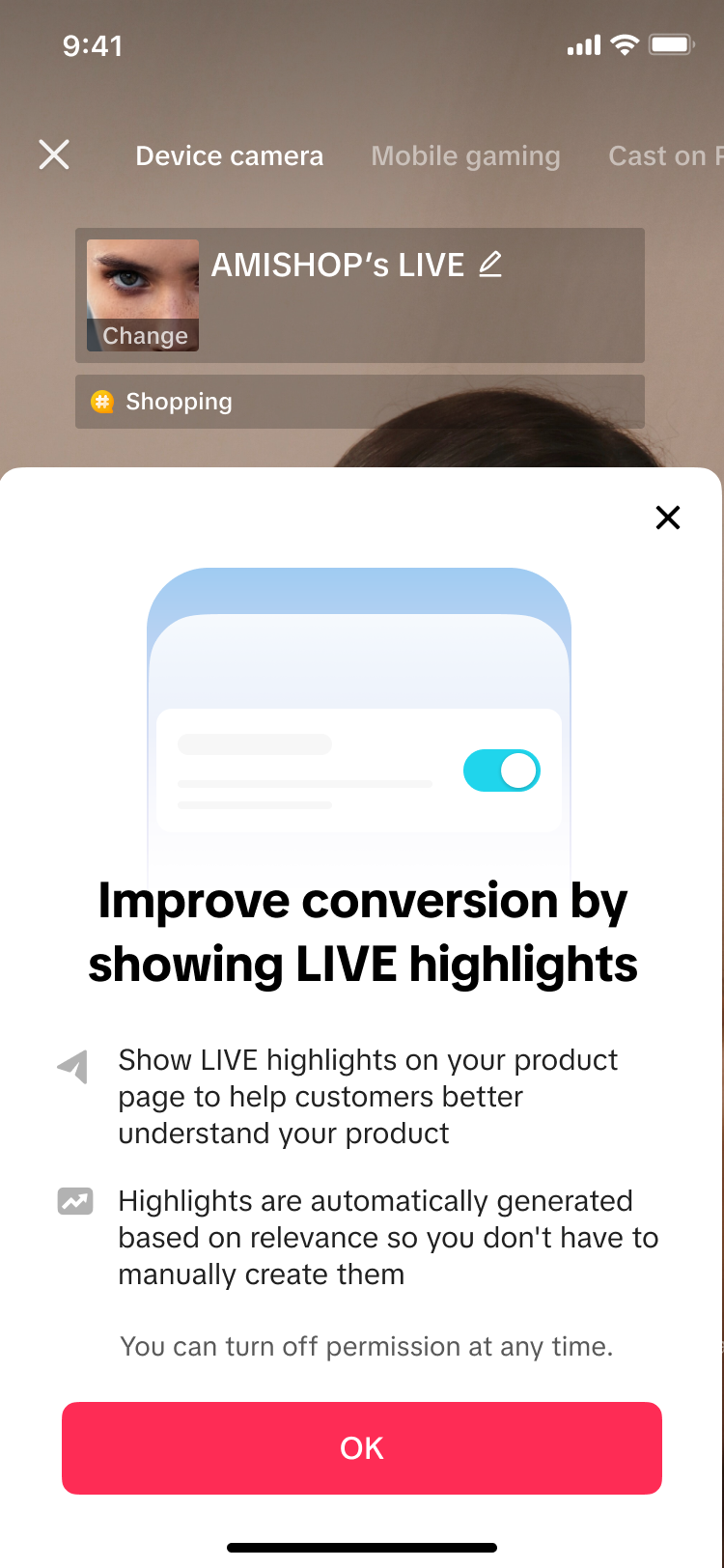
To activate or deactivate this feature, sellers can easily do so at anytime via the LIVE Shopping Bag. Do note, turning off this feature will disable all LIVE Highlight clips from being shown on all Product Detail Pages (PDP) of the respective account. If you are a seller with an official account and multiple marketing accounts, simply perform the activation or deactivation steps via the LIVE Shopping Bag on each respective account.| Step 1 | Step 2 | ||
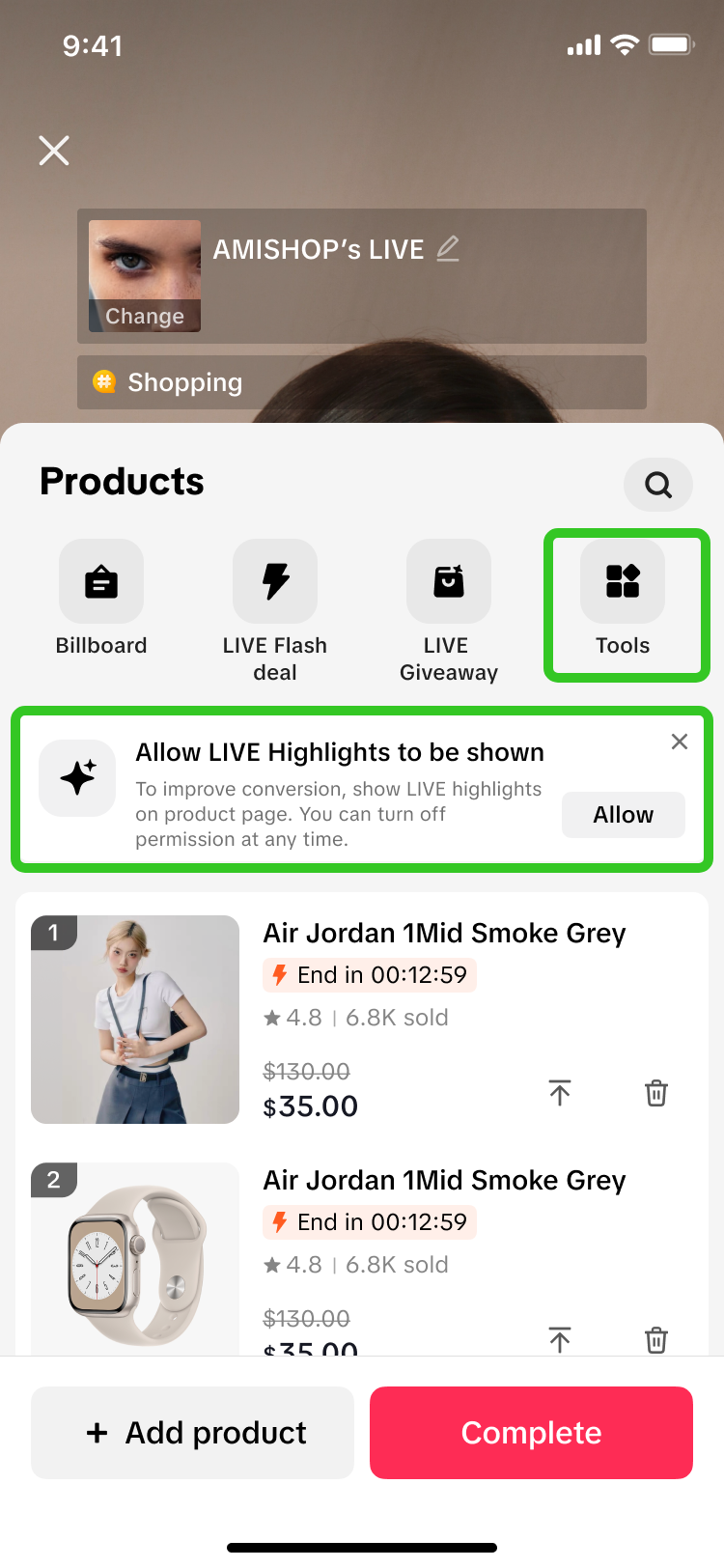 | 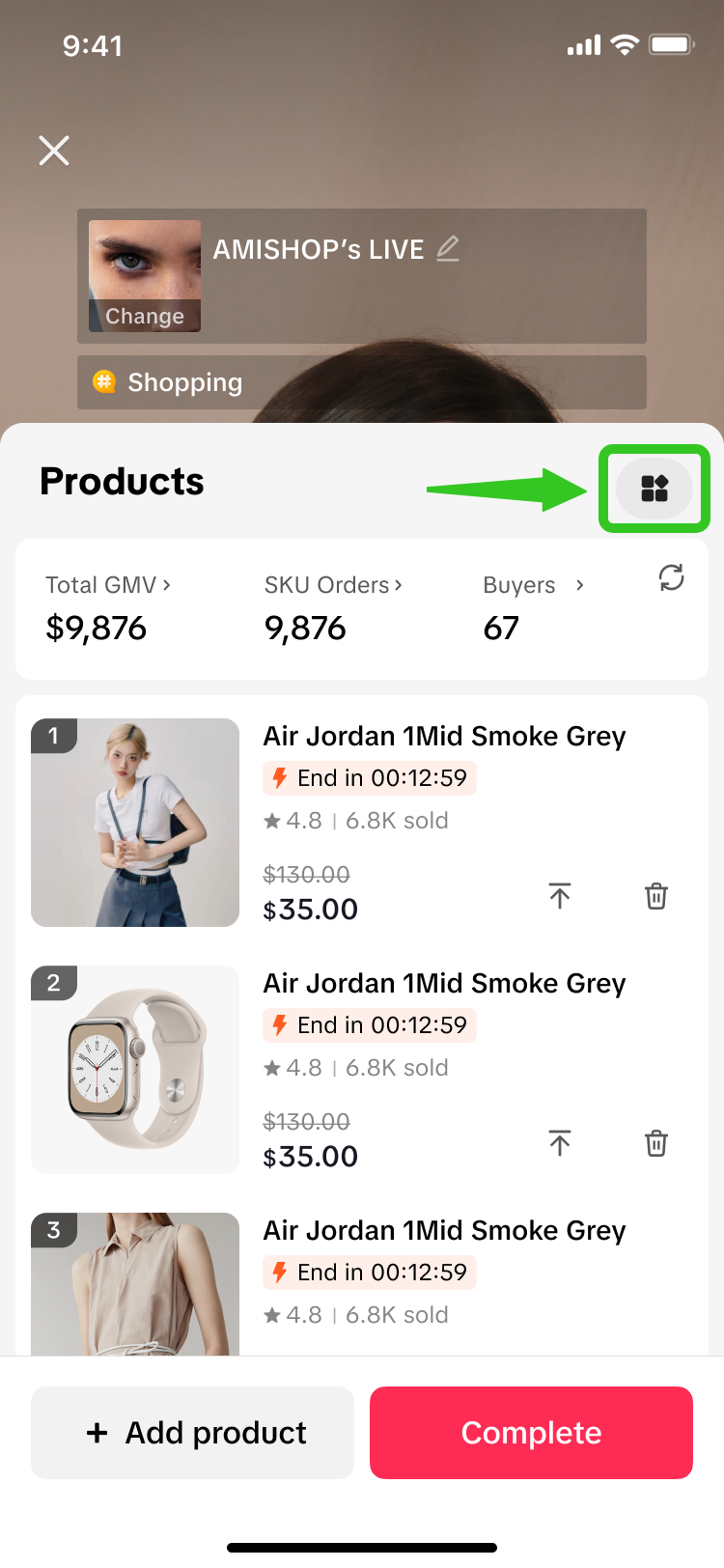 | 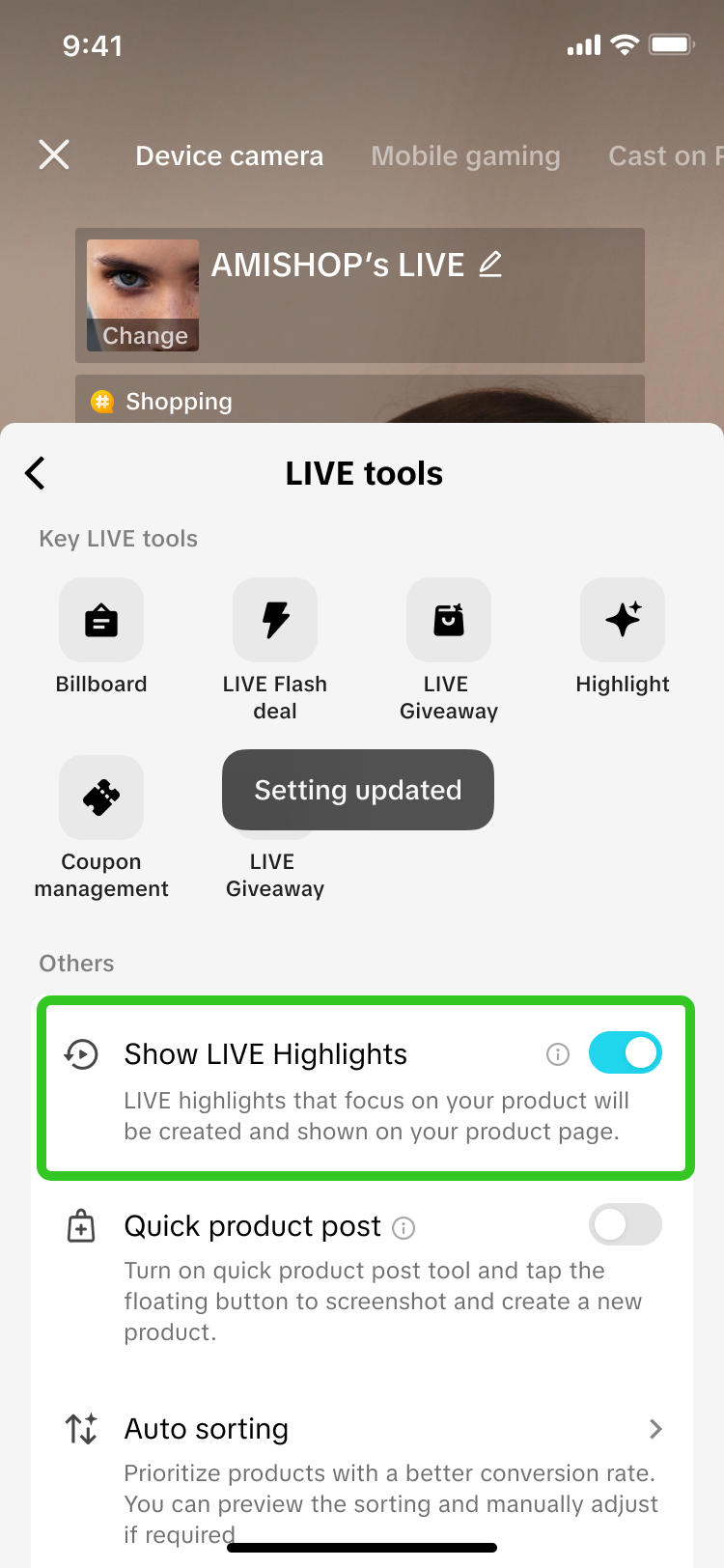 | 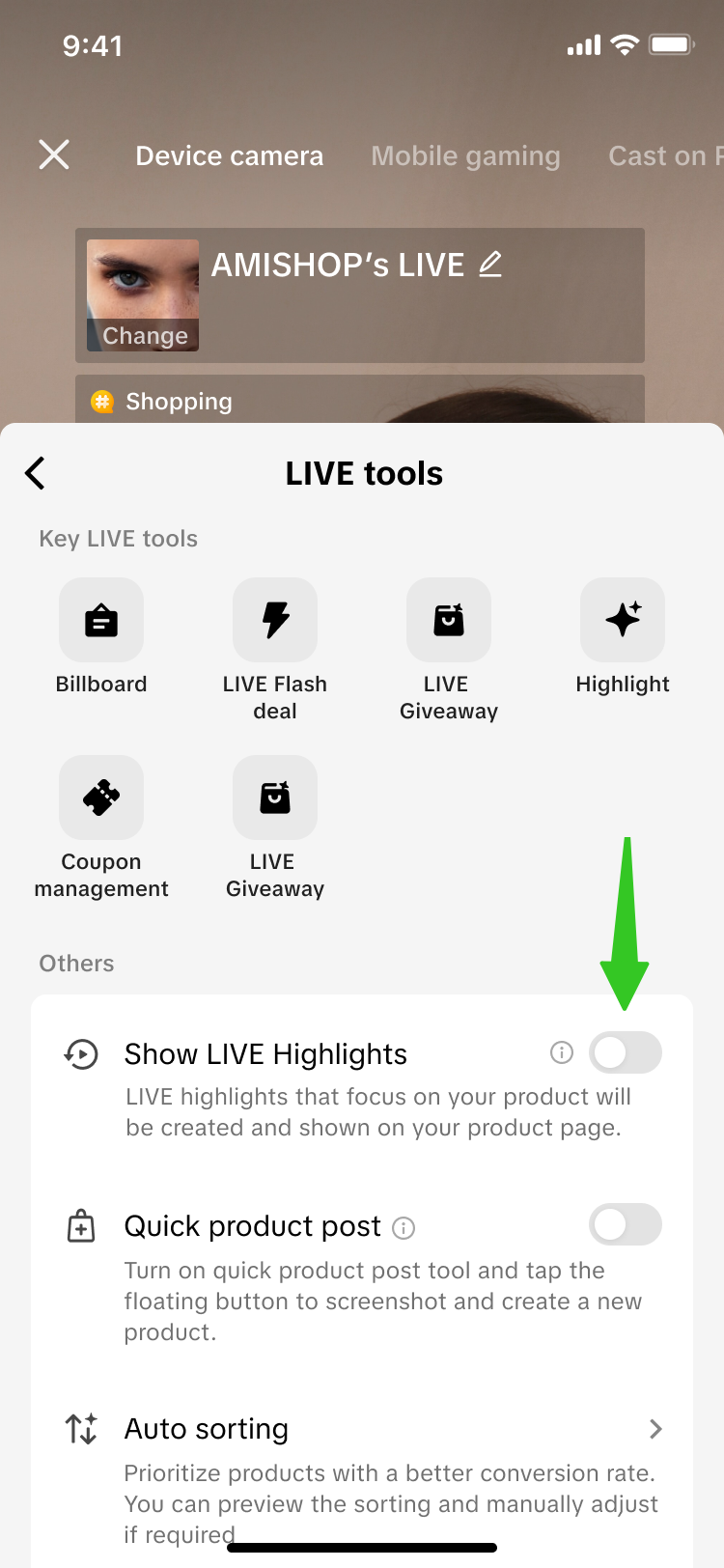 |
| Before going LIVE, click on "Tools" in the menu above.Alternatively, first-time users may see this notification box appear. Click on "Allow". | During LIVE, click on the Tools icon in the upper right corner. | Simply toggle the setting "Show LIVE Highlights" on or off.This feature will be toggled on by default for selected sellers only. | |
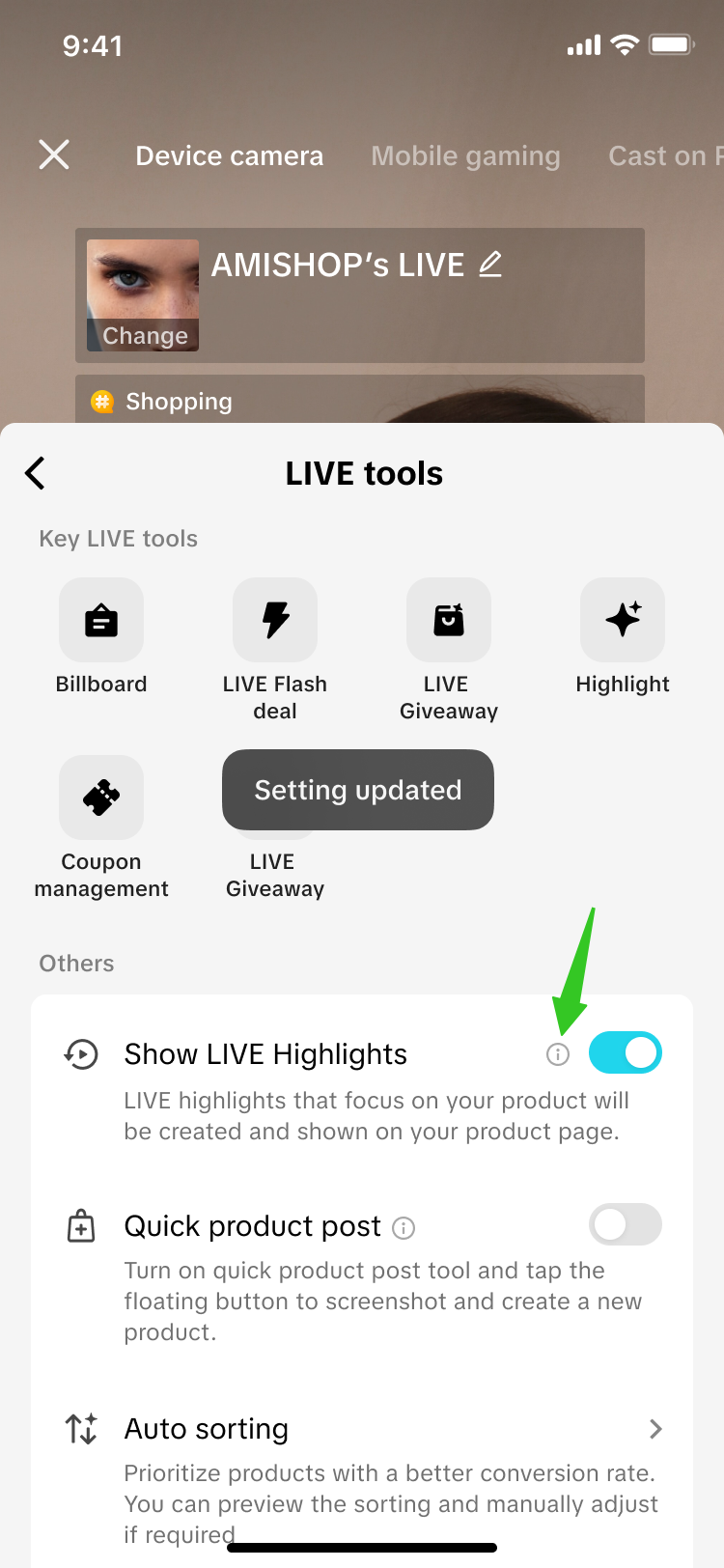
| Click on the (i) info icon to learn more about this feature. | |
 |  |
Watch a LIVE Highlight Replay
[For sellers with this feature activated] Once a buyer opens your Product Detail Page (PDP), a widget indicating "From LIVE" will be displayed there. Buyers can click on the widget to watch the LIVE Highlight video clip that is relevant to that product.| Step 1 | Step 2 | |
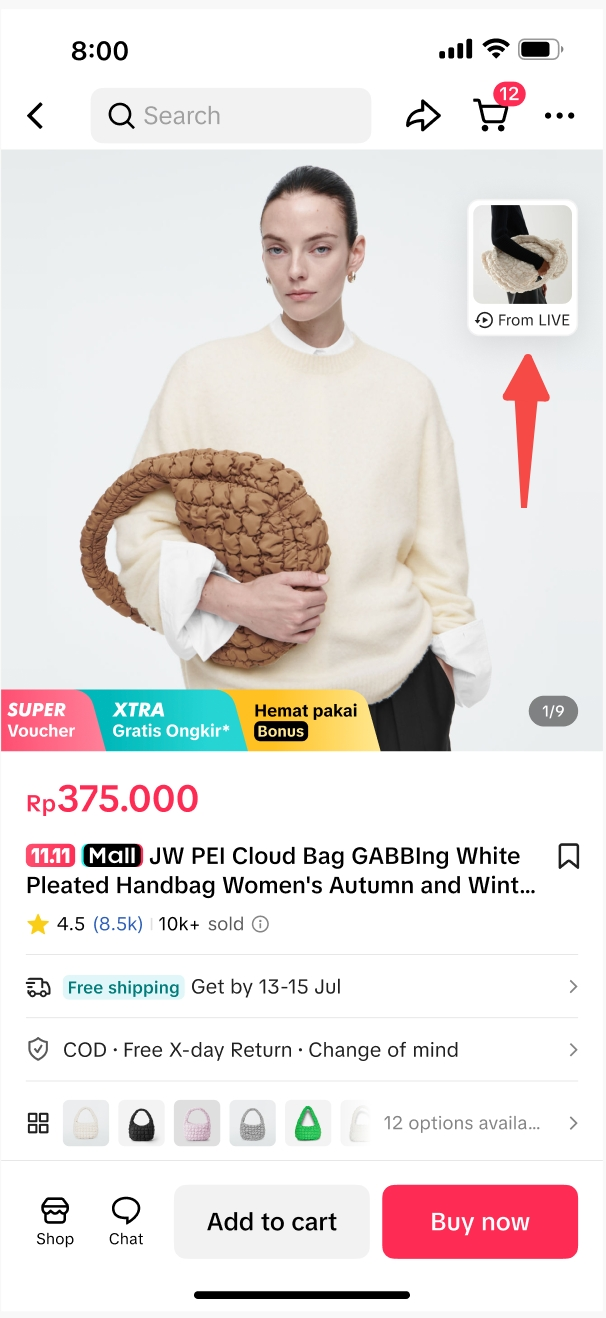 | 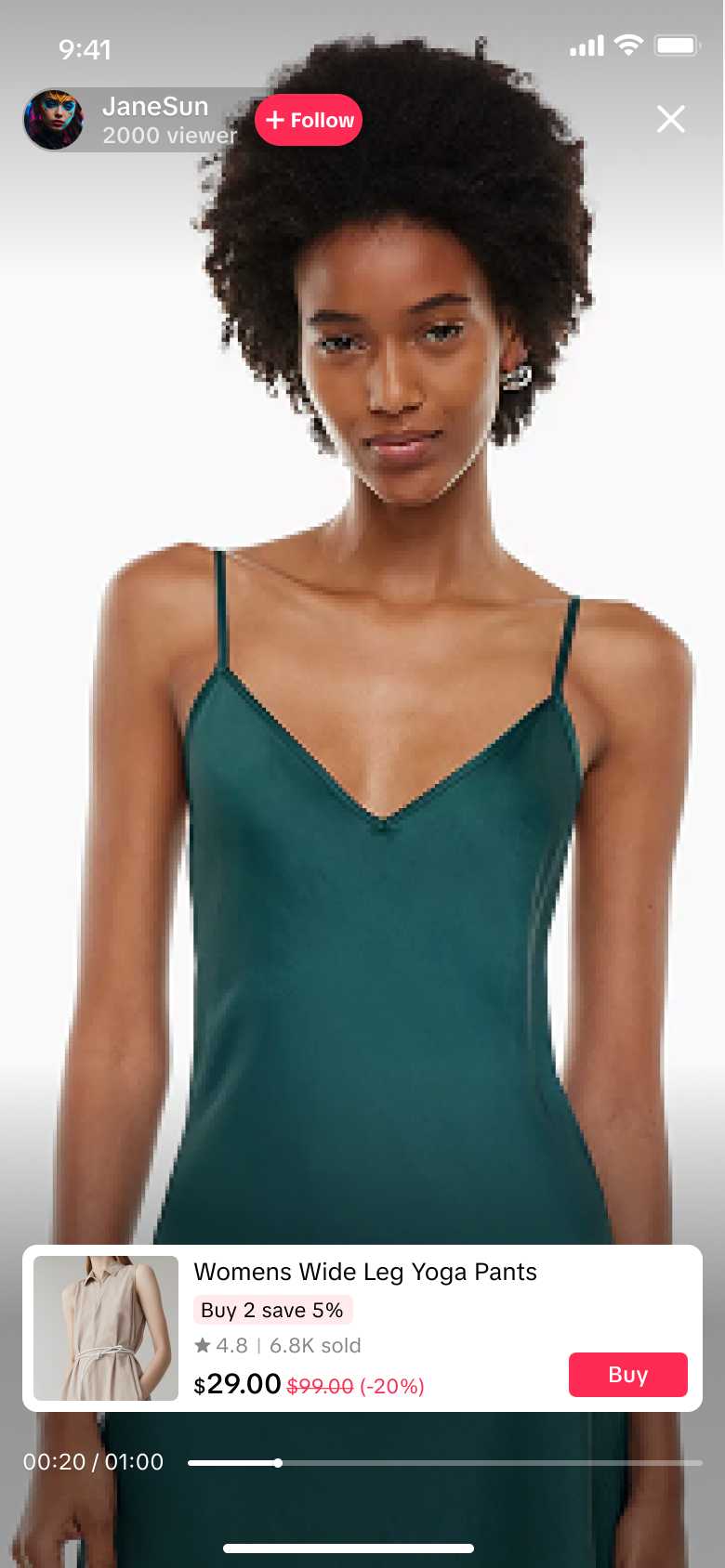 | 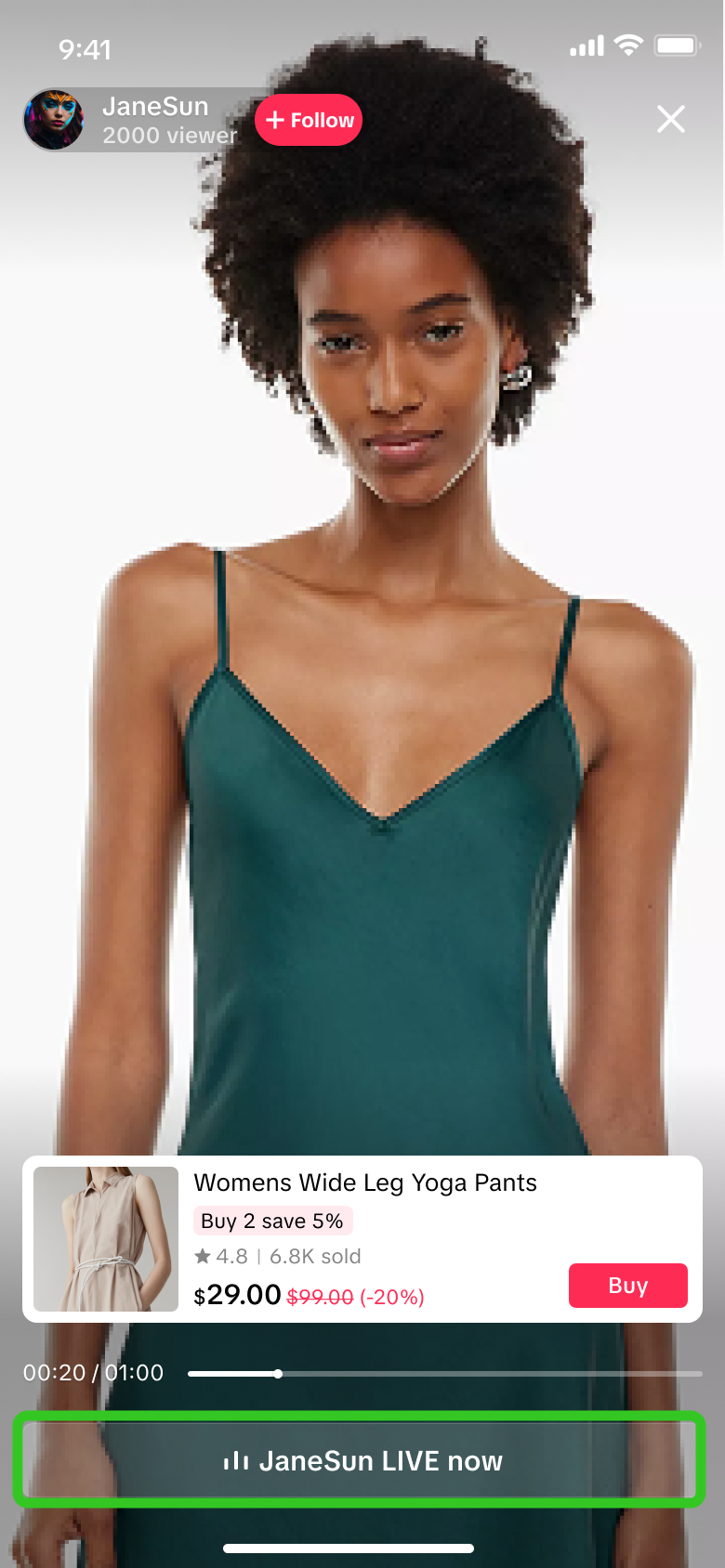 |
Click on the widget, "From LIVE" | Watch the video playback | If the seller has an ongoing LIVE, viewers can click on the button below to enter the sellers' livestream directly. |
- This widget will appear on the PDP when the seller has at least 1 LIVE highlight clip generated from their previous LIVE sessions. LIVE highlight clips that are eligible to be displayed on the PDP are based on LIVE highlights that are originally generated by the platform, prior to any manual-editing by the seller.
- This is not applicable to affiliate creators' who have an ongoing LIVE with the sellers' product in their LIVE Shopping Bag. Users cannot click to join any affiliate creators' livestream from here.

Direct Buyers to an Ongoing LIVE
[For sellers with this feature activated] If sellers have an ongoing LIVE with an actively pinned product, the widget indicating "LIVE" will be displayed on the respective PDP of the pinned product. Buyers can click on the widget to directly enter the sellers' current livestream.| Step 1 | Step 2 |
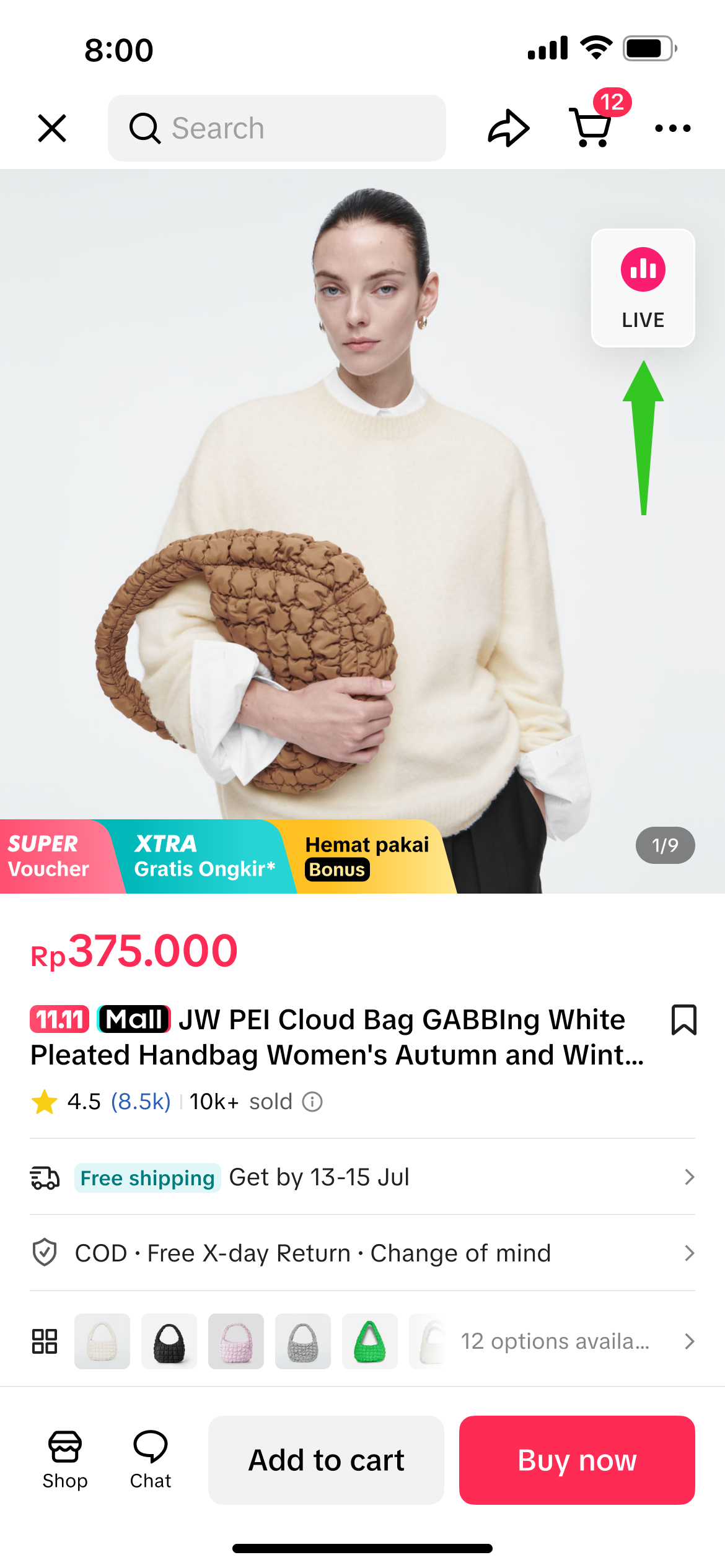 | 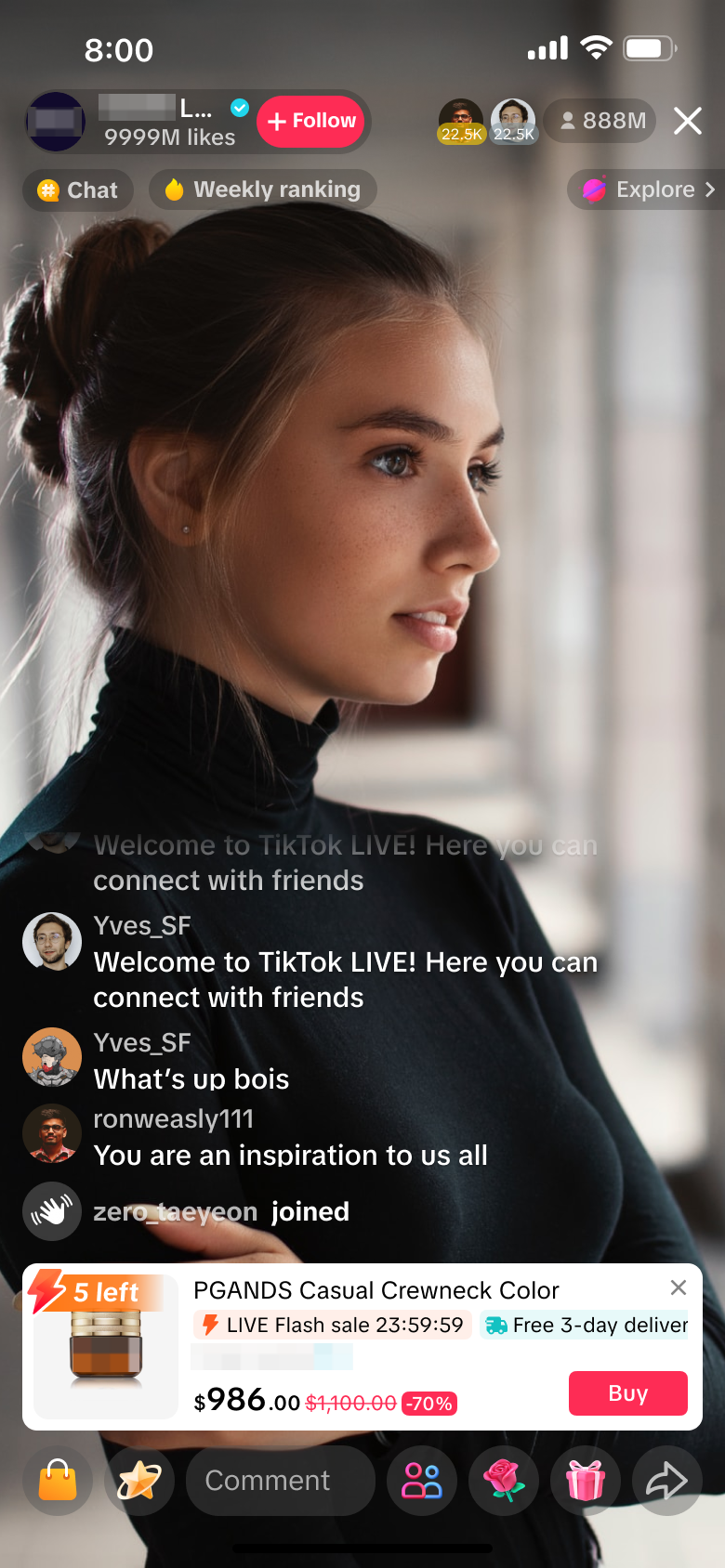 |
Click on the widget, "LIVE" | Enter sellers' LIVE room |
FAQs
- Who are the eligible users for this feature?
- Will LIVE highlight clips from affiliate creators be applicable to be displayed on the PDP?
- How can I activate this feature?
- I have not published a LIVE highlight clip before. Will I have a LIVE highlight clip shown on my PDP?
- How does the platform decide which LIVE highlight clip will be prioritised to be displayed on the product page?
- Will the same LIVE highlight clip always be tied to my PDP, or will the clip occasionally be refreshed and replaced with a new LIVE highlight clip?
- Note: Turning the feature on or off does not refresh or replace the LIVE highlight clip.
- Can I choose to manually change or select which clip is displayed on the PDP?
- Can I choose to manually delete the clip displayed on selected PDPs only?
- If you are a seller with an official account and multiple marketing accounts and wish to toggle the feature off for all accounts or selected accounts, simply toggle off the feature via the respective account's LIVE Shopping Bag.
- After toggling the feature on or off, how soon will the highlight clips be displayed or removed on my PDP?
- Toggled on: If there are any applicable LIVE highlight clips, it will be activated on your PDP instantly.
- Toggled off: All LIVE highlight clips will be deactivated from your PDP instantly.
- I have one official account and 2 marketing accounts, and all 3 accounts have an ongoing LIVE session. Which LIVE room will be linked on the PDP replay?