

Boost Your Product Display Page with Smart Suggestions
10/21/2025

Why Optimizing Your PDP Matters
An engaging and accurate PDP helps potential buyers quickly understand your product’s value. The more relevant and complete your PDP, the higher the chances it appears in search results and convinces customers to buy. Smart Suggestions simplifies this process by giving you tailored recommendations you can apply instantly.
What is Smart Suggestions
Smart Suggestions is a built-in feature in Seller Center that provides automated recommendations for: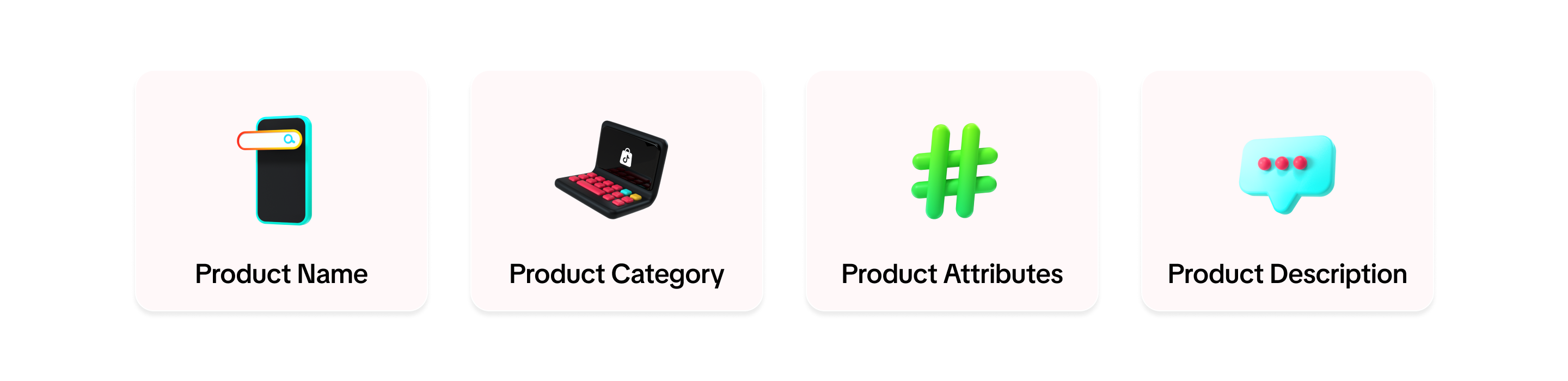

How to Use Smart Suggestions for PDP Optimization
PDP Element | Steps | Screenshot |
| Product Name |
| 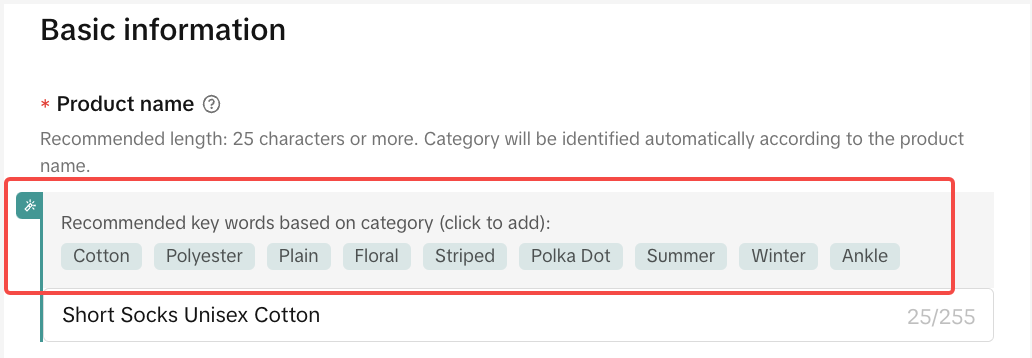 |
| Product Category |
| 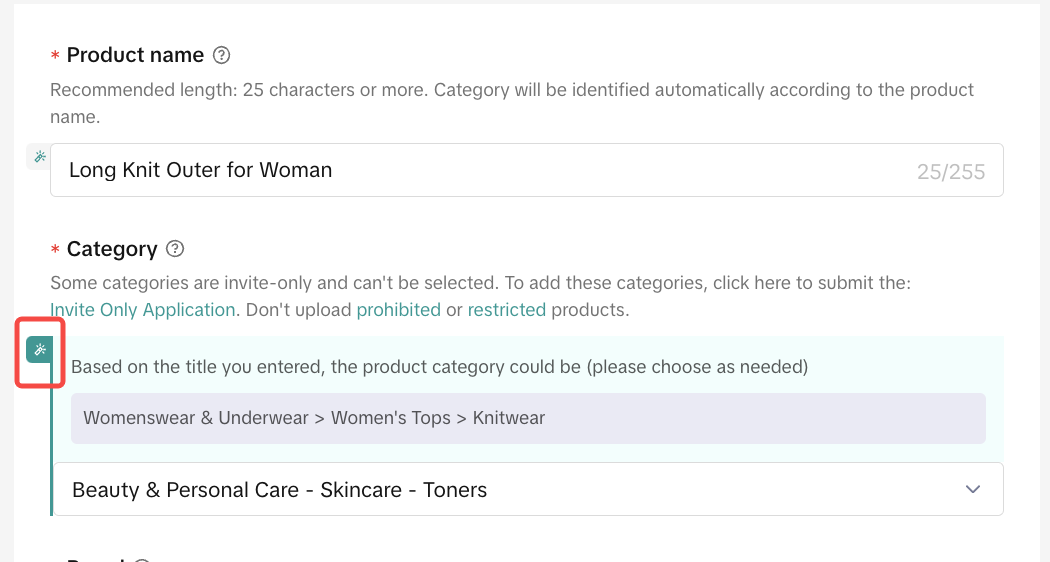 |
| Product Attributes |
| 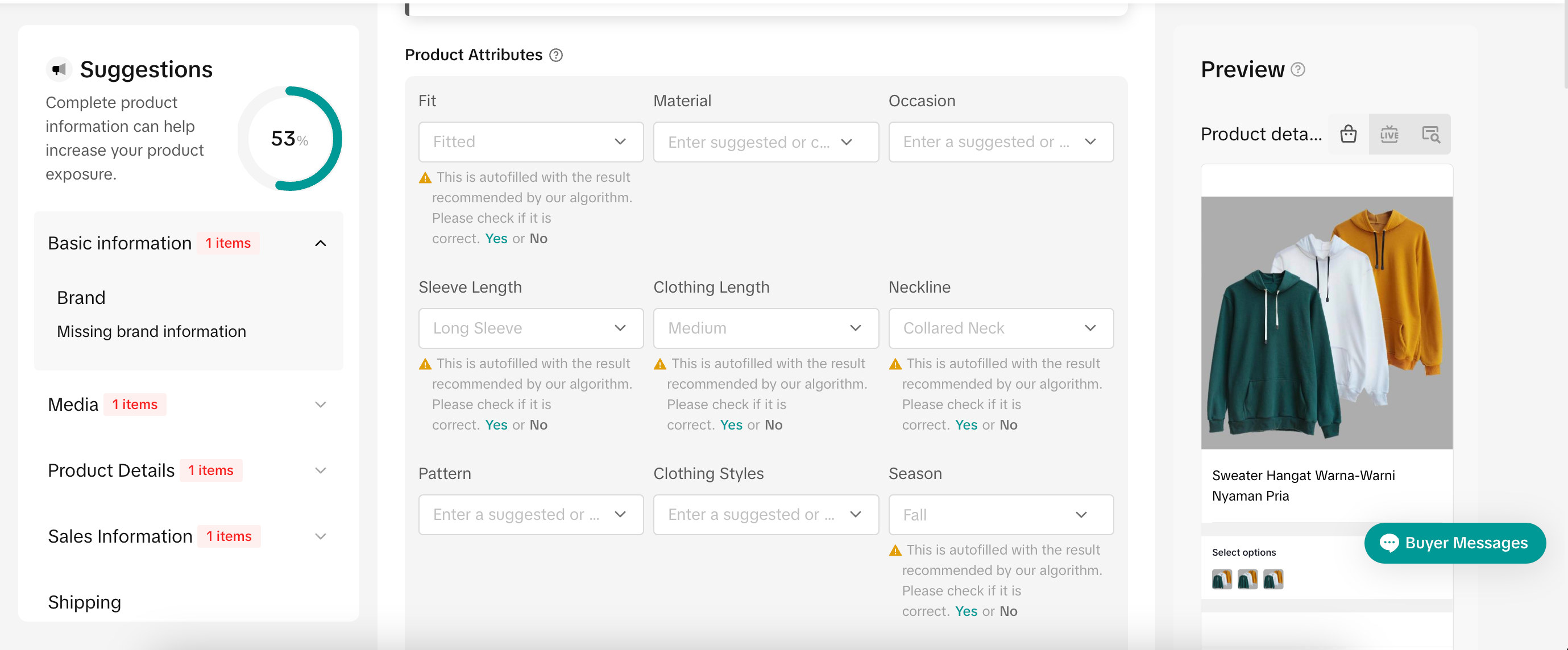 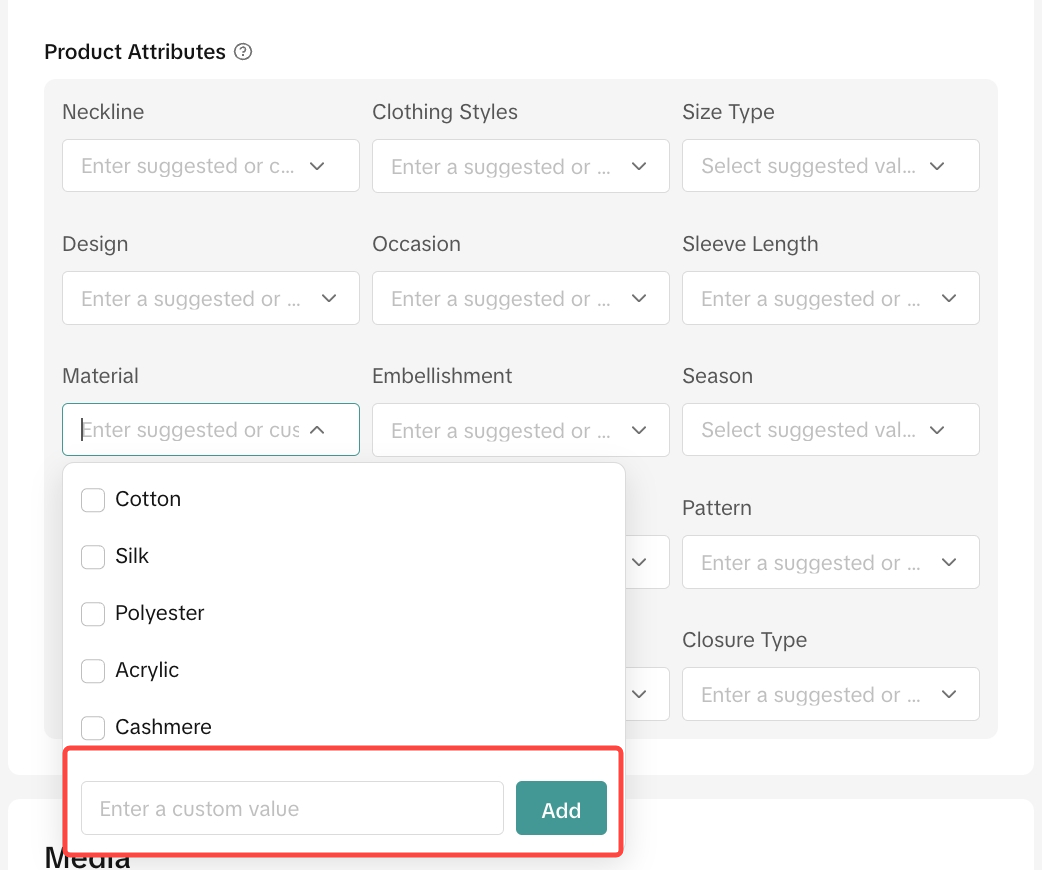 |
| Product Description |
| 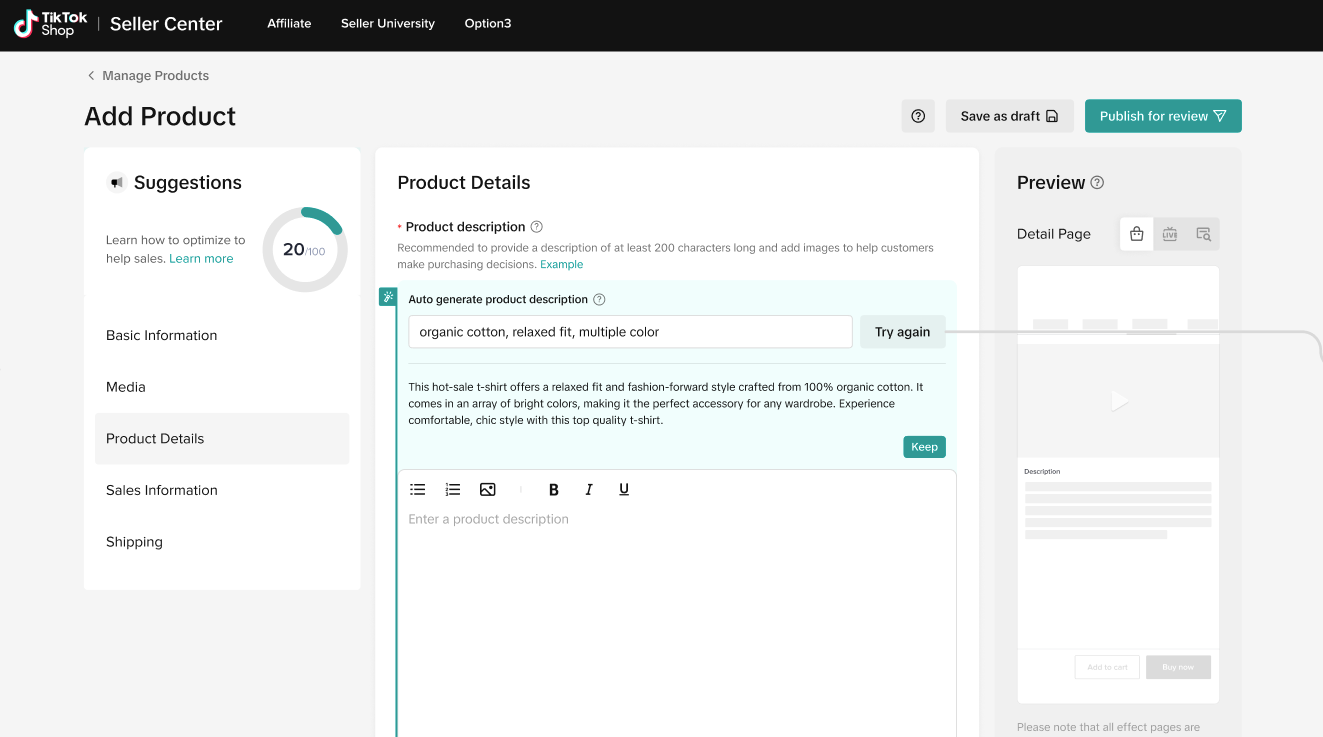 |

Common Mistakes to Avoid
Common Mistake | Negative Impact | Fix |
| Using irrelevant keywords | Lowers search accuracy, making it harder for buyers to find your product | Use only keywords that are directly related to your product |
| Ignoring category suggestions | Misclassification can reduce product visibility | Always choose the most relevant suggested category |
| Leaving attributes empty | Makes it harder for buyers to find your product through filters | Fill in all key product attributes to improve searchability |
| Not reviewing auto-generated content | Risk of incorrect or misleading information being published | Review and edit suggested content before publishing |

- Views and clicks
- Conversion rate
- Search ranking for targeted keywords
You may also be interested in
- 1 lesson
Product Listing
Create compelling and informative product listings to attract more buyers!
- 4 lessons
Listing Product
A practical guide to uploading products effectively covering naming, categorization, visuals, and de…
- 2 lessons
Finding the perfect product list
Discover how to choose the right products that align with current trends and buyer demands on TikTok…
What are Restricted Products?
This policy applies to products listed on TikTok Shop by Tokopedia. For products listed on Tokopedia…
Branded Products Listing Guidelines
What are Branded Products? Branded products are products bearing a brand. The brand and its features…
Product Categorisation
This policy applies to products listed on TikTok Shop by Tokopedia. For products listed on Tokopedia…

Why can't my products be purchased on the TikTok Shop platfo…
Ensure that the product is live with sufficient stock quantity enabled for buyers to purchase. Alt…

How can I edit my products?
Go to Seller Center > Products > Manage Products > Edit Once you have made the necessary changes, s…

How can I optimise my product name?
Be as accurate and concise as possible, while highlighting the main selling point. Here is a sugges…

Can I upload a product video?
It is optional to upload a video to showcase your product. If you choose to do so, kindly ensure th…