

Affiliate Creatives for Ads (ACA), for Sellers
12/09/2025
Shop Ads Commission Rate is an optional feature that allows you to set a different commission rate when you use the Creator's short videos for your GMV Max. In this article, we will differentiate the Standard Commission Rate and Shop Ads Commission Rate.

Setting the Shop Ads Commission Rate in Open Collaboration
Adding a Shop Ads Commission Rate for your products in Open Collaboration can be done in both the Added products section and the Not added section. For this portion, we will do it from the Not added section. You can go straight to Open Collaboration using this: LinkOn Open Collaboration's Not Added page, go to Add to collaboration at the right-hand side of the screen as highlighted below.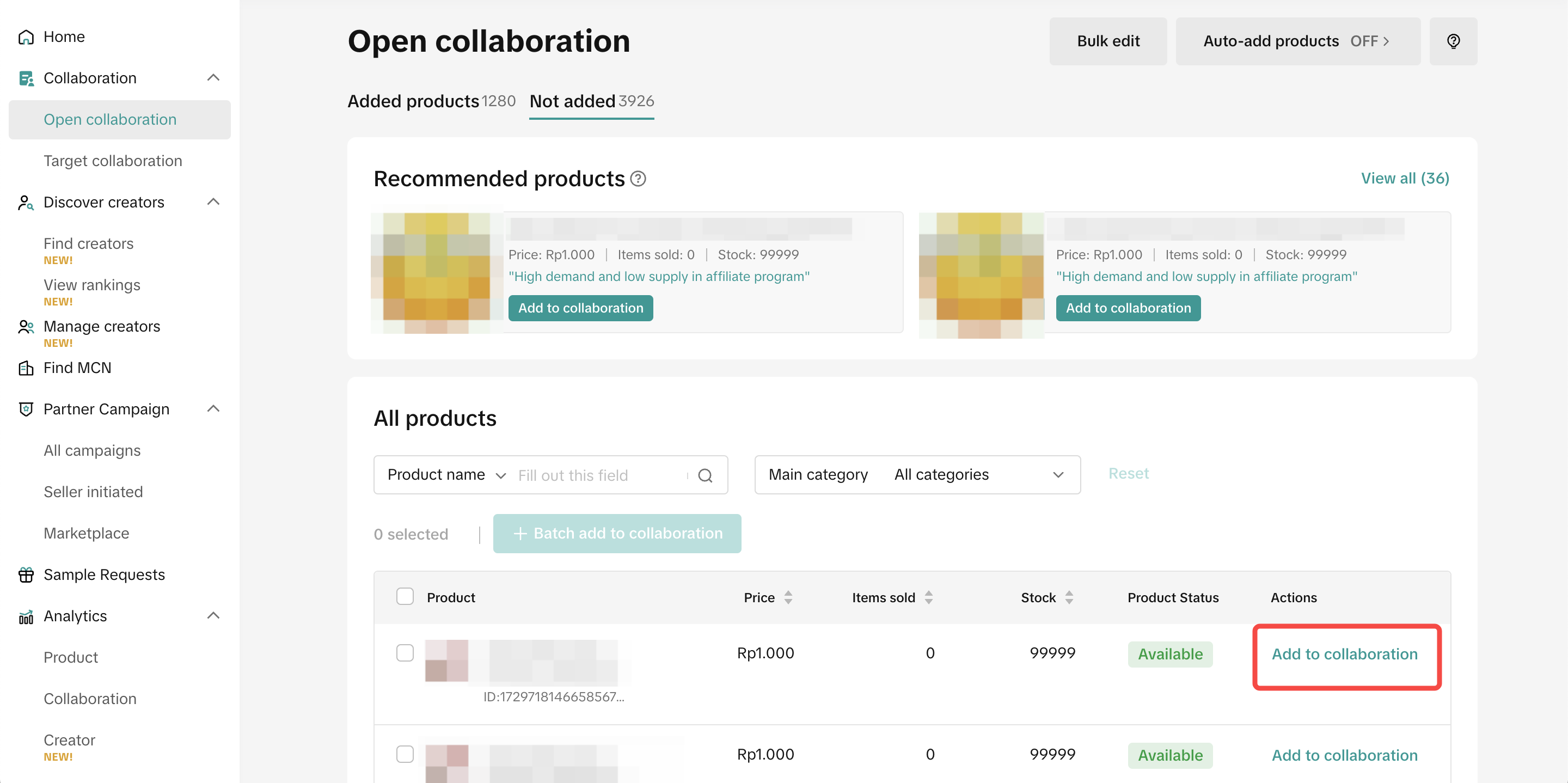
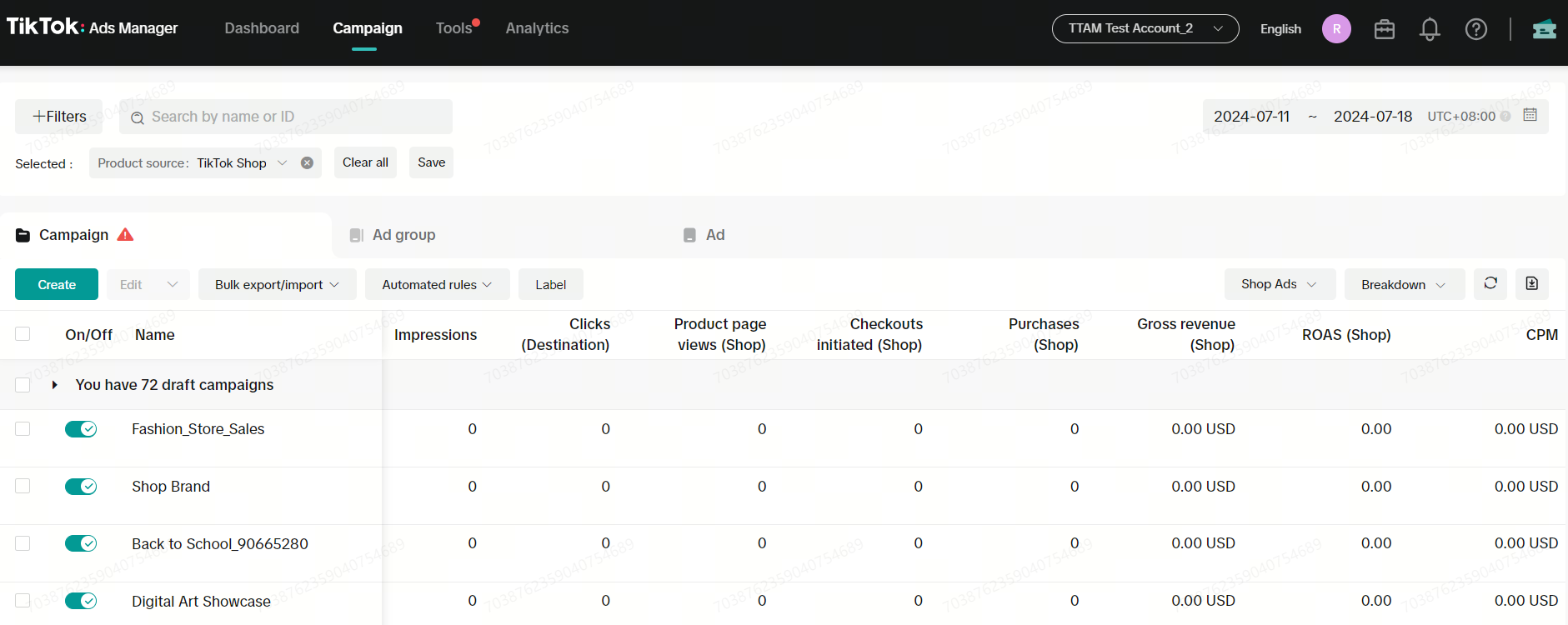
As mentioned in the section, the commission cost is not covered under your ad budget. The commission you will provide to Creators from your ad will be under the Affiliate program.
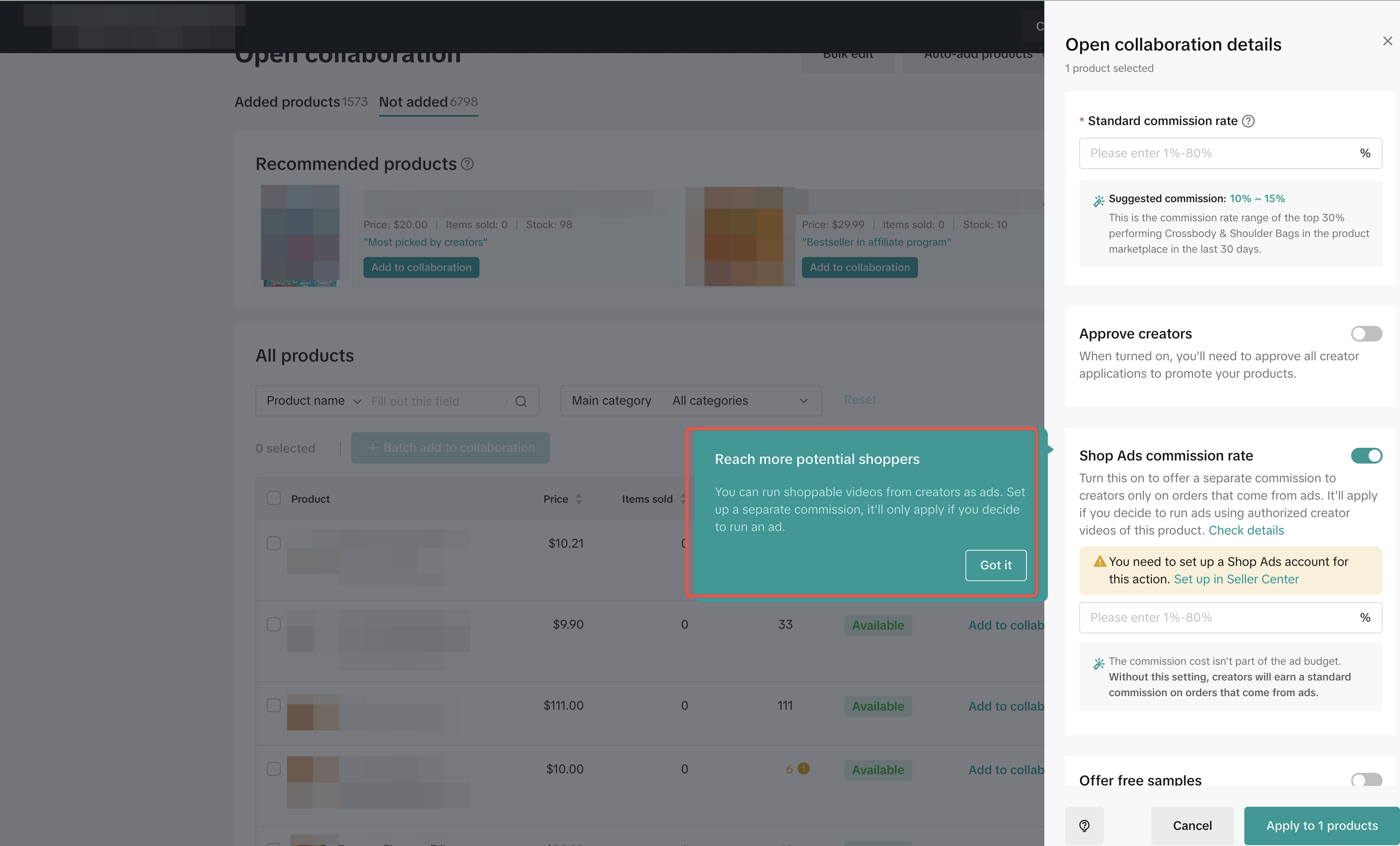

The product's Shop Ads Commission Rate can be edited by clicking on the Shop Ads button, prompting the edit window.
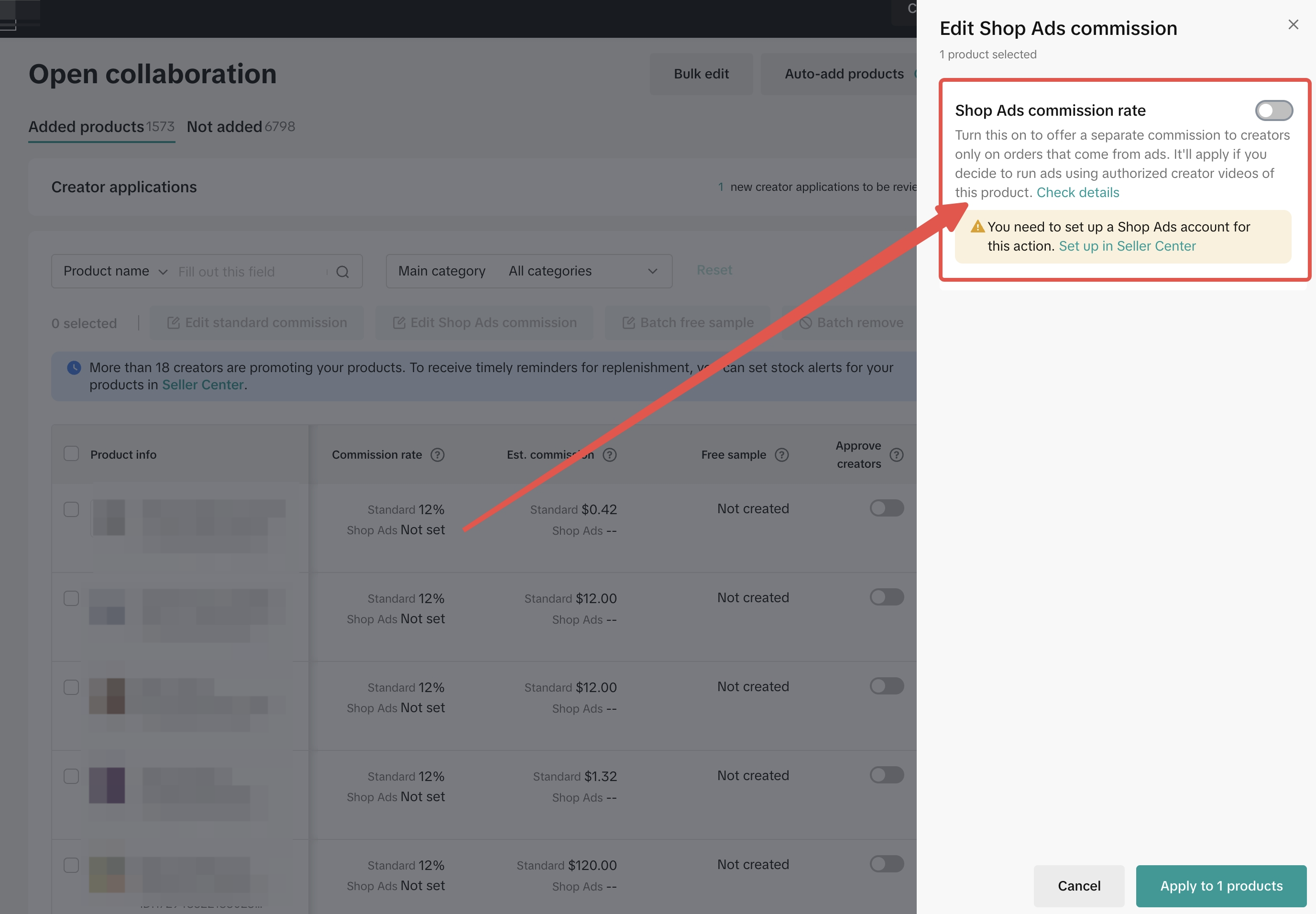
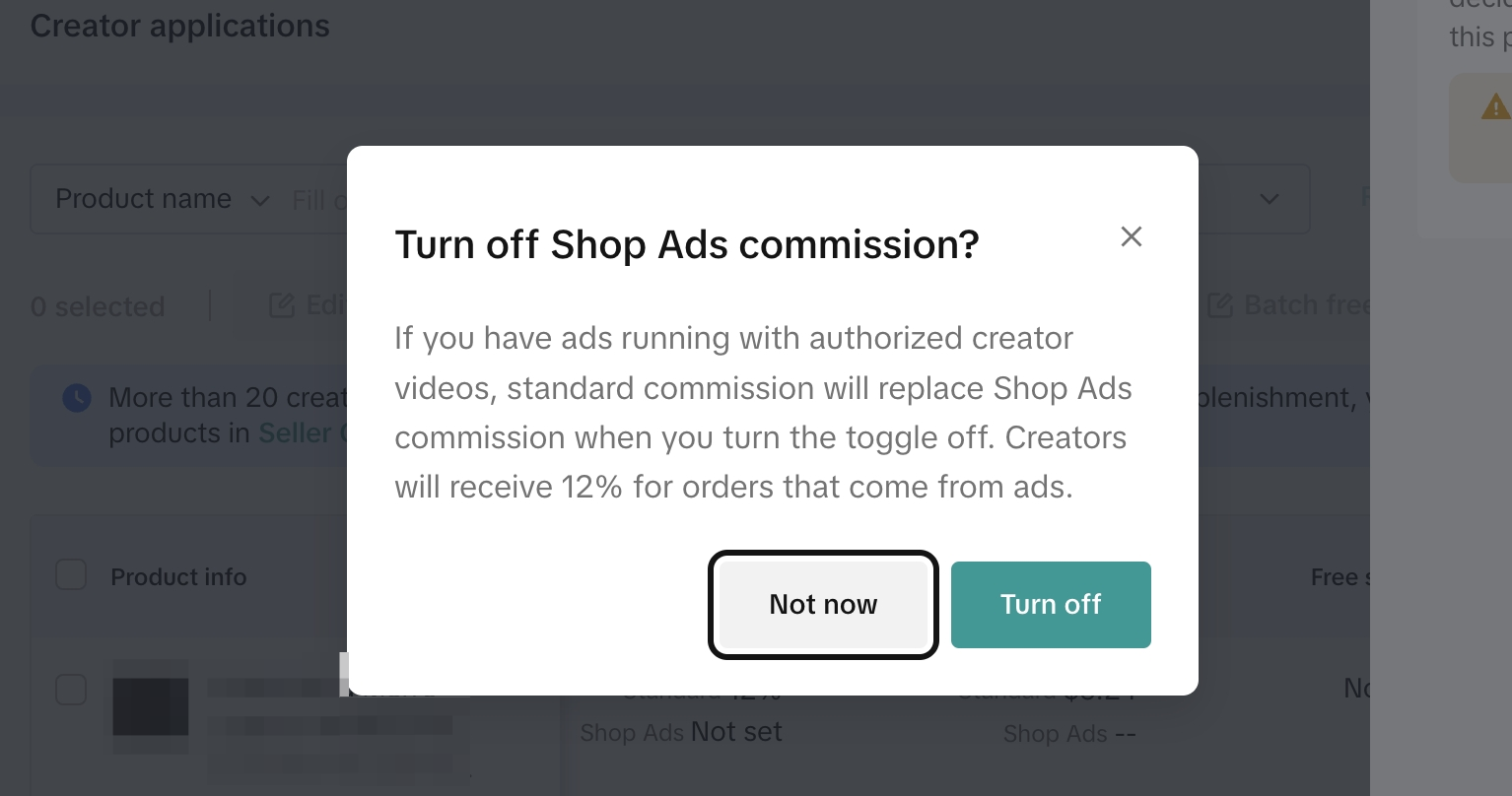
- Turning off Shop Ads Commission Rate does NOT mean you are turning off the ad.
- To turn off the ad, you will need to go to the TikTok Ads Manager (Link).

Setting the Shop Ads Commission Rate in Target Collaboration
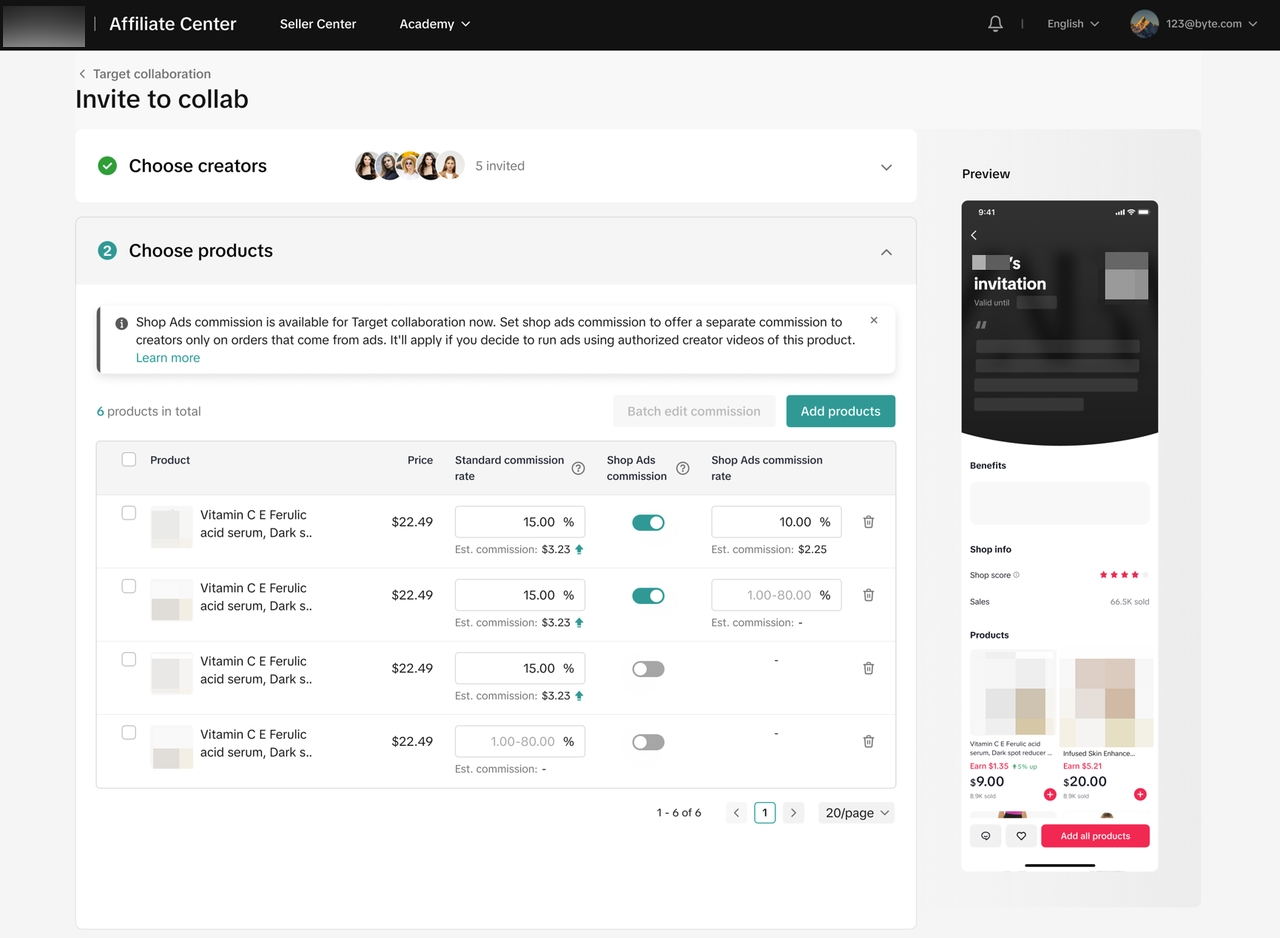
Setting the Shop Ads Commission Rate in Partner Campaign
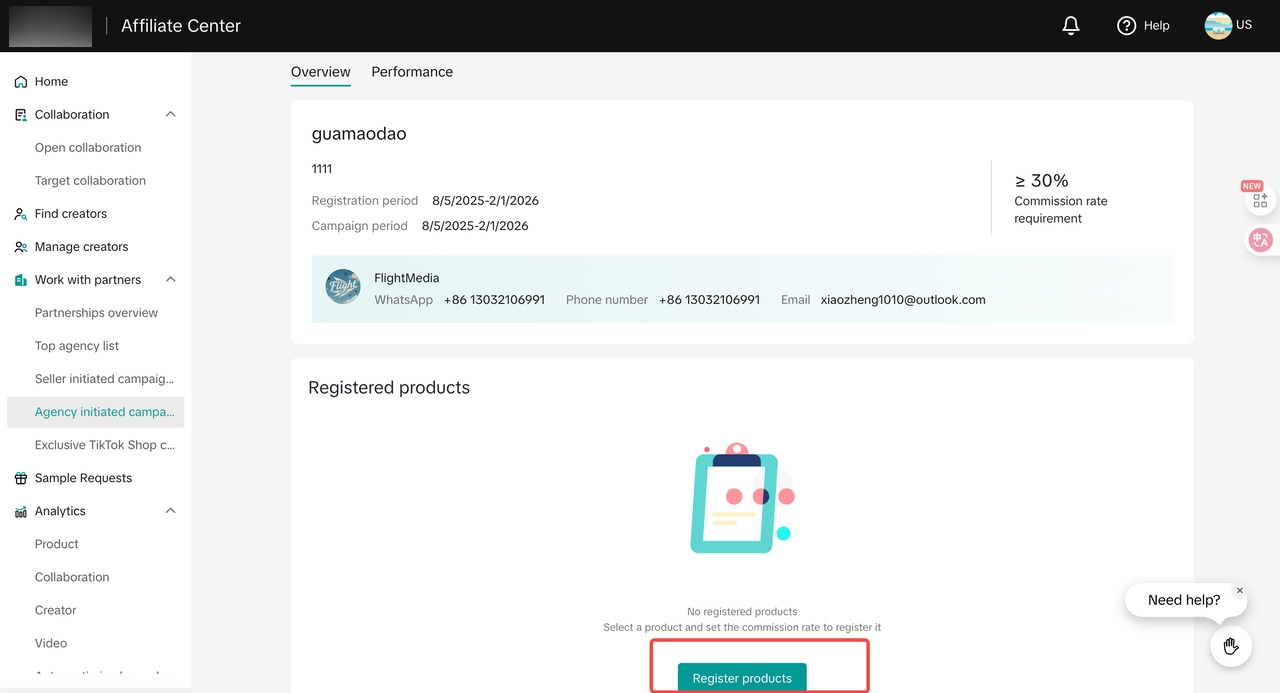
In Partner campaign collaboration, sellers set the rates in new or ongoing campaigns from Agency campaigns, Seller campaigns and TikTok Shop by Tokopedia Exclusive campaigns. Setting a Shop Ads commission is optional and only applies to orders generated through ads. We recommend setting it before boosting campaign videos through Shop Ads.- For Agency Campaigns
- In “Work with partners” module and “Agency initiated campaigns” page, view available campaigns and select a campaign to register.

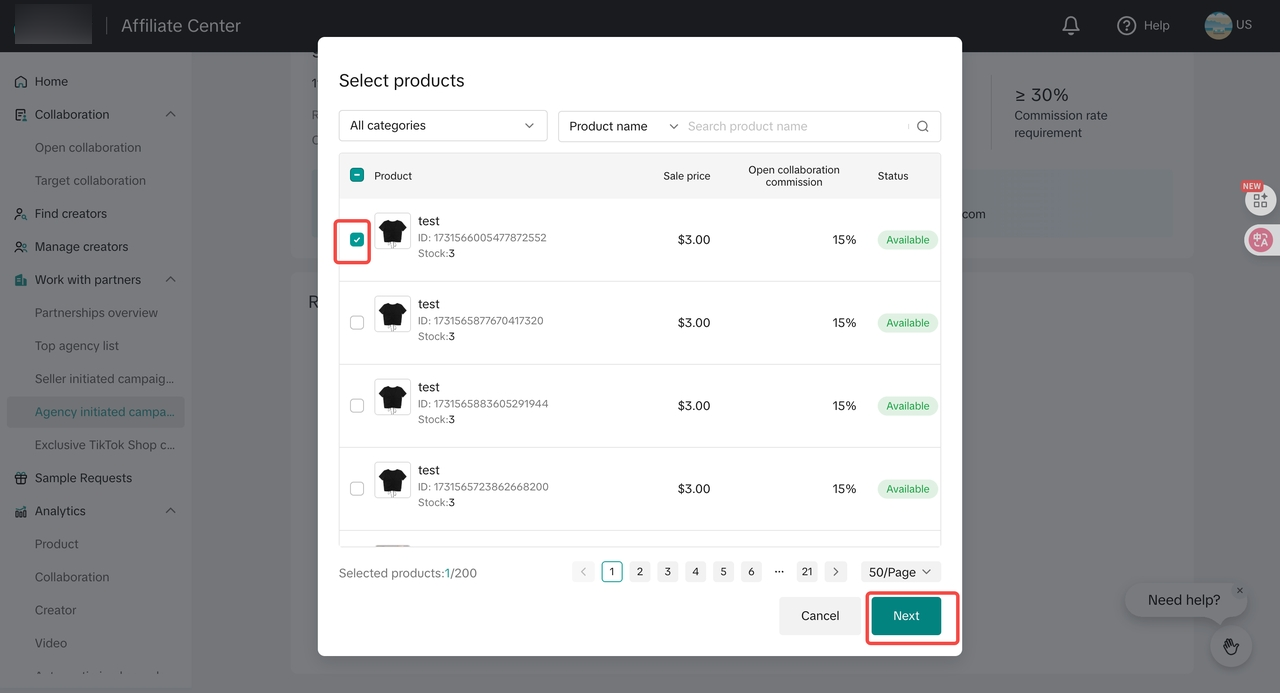
- In the “Select products” popup, use filters to find the products you want to include.
- In the “Set commission rate” popup: Affiliate commission rate is a required field, while ads commission rate is optional. If sellers haven't decided on the ads commission rate for the product yet, sellers can register the products first and set the ads commission rate later.
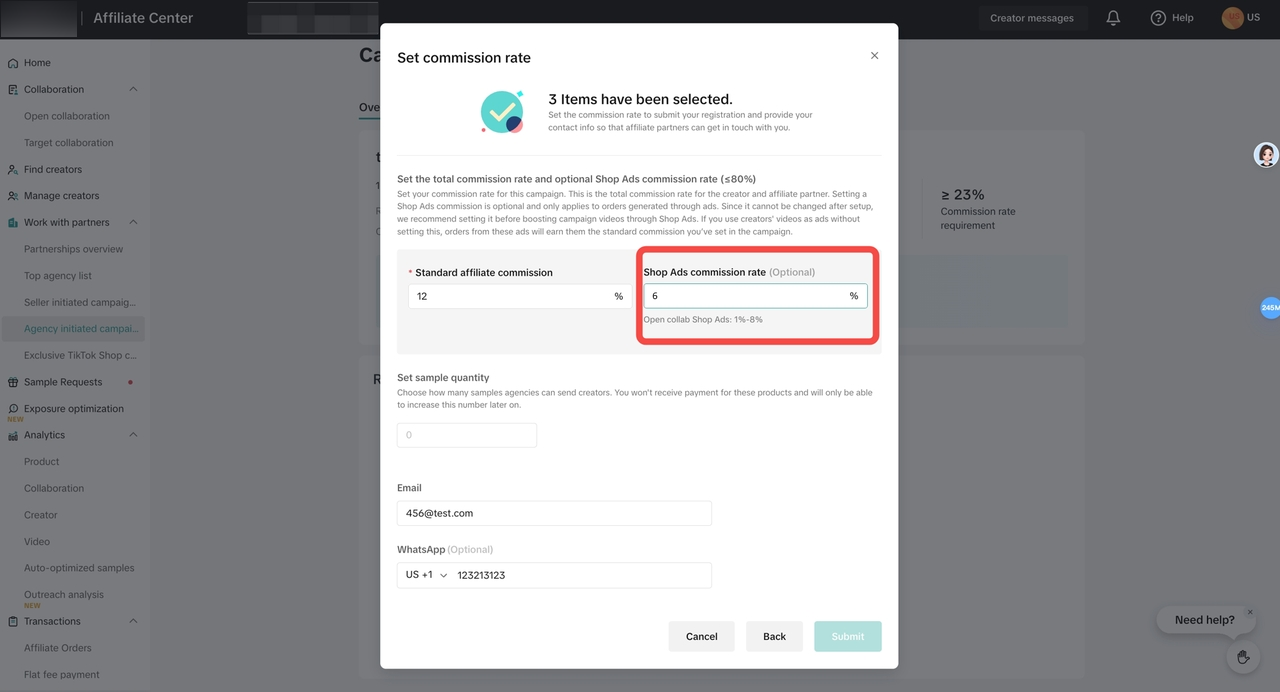
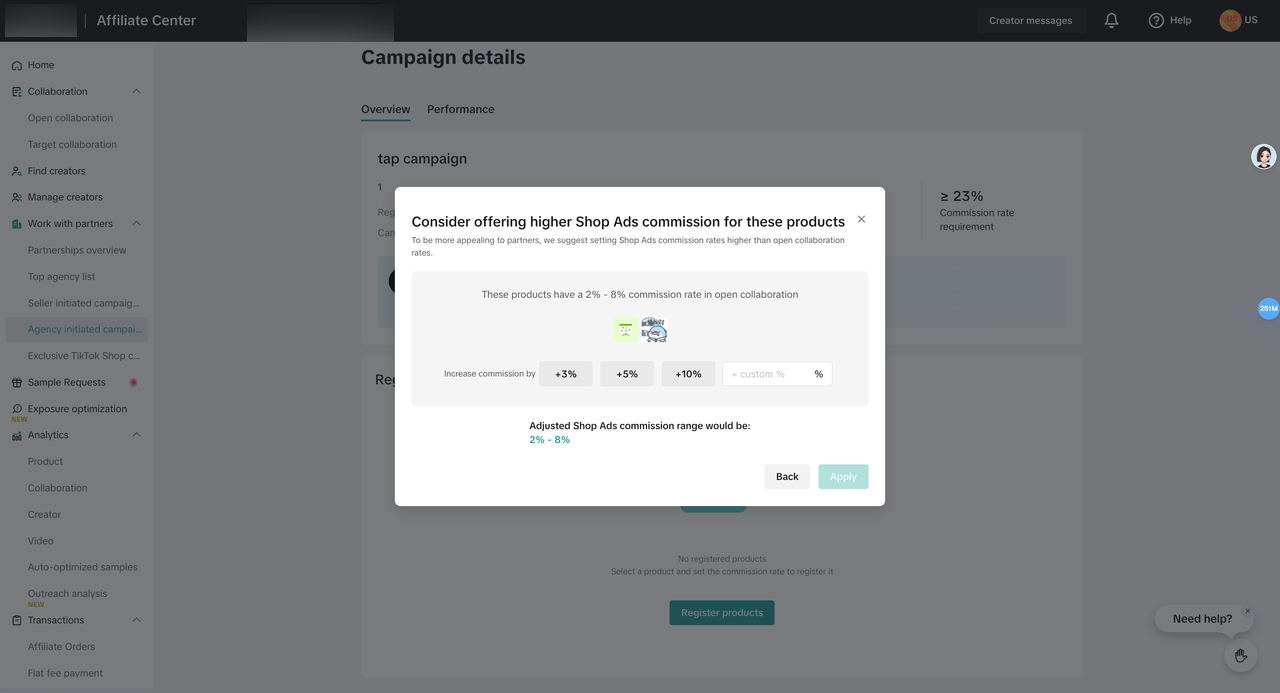
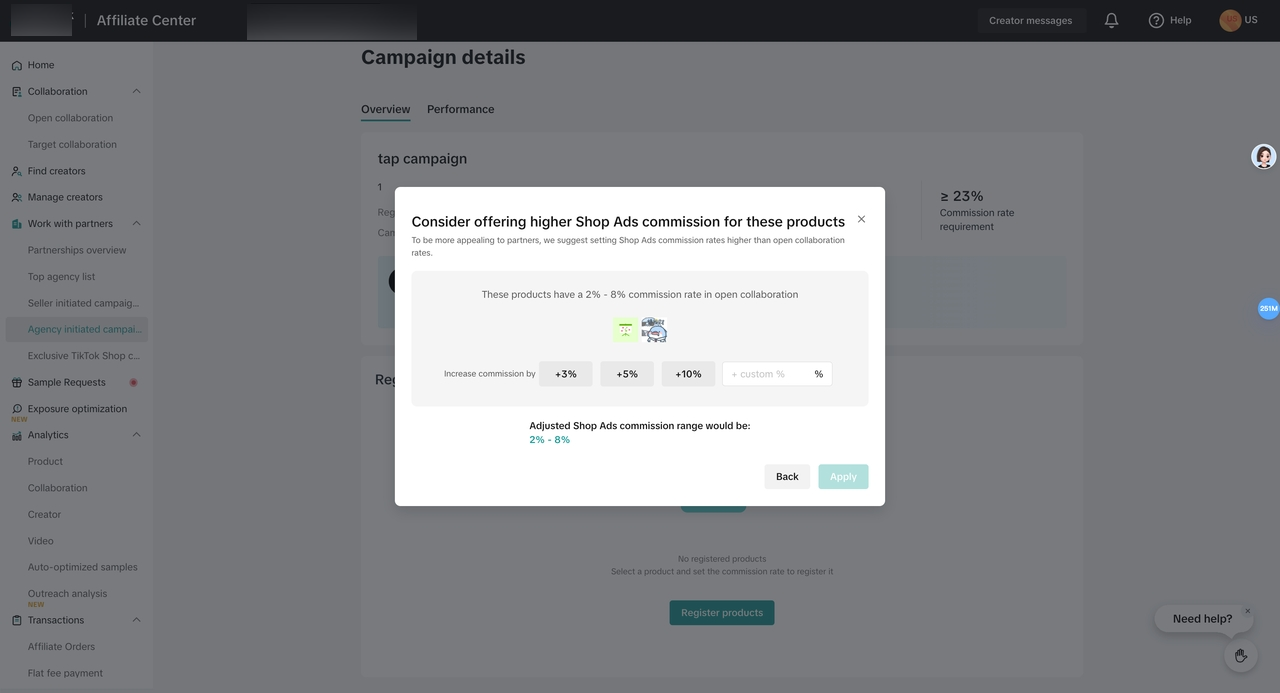
- To set a more competitive Shop Ads commission rate, a pop-up will prompt sellers to increase the Shop Ads rate to be higher than Open collaboration Shop Ads rate and 30% of Partner affiliate commission rate.
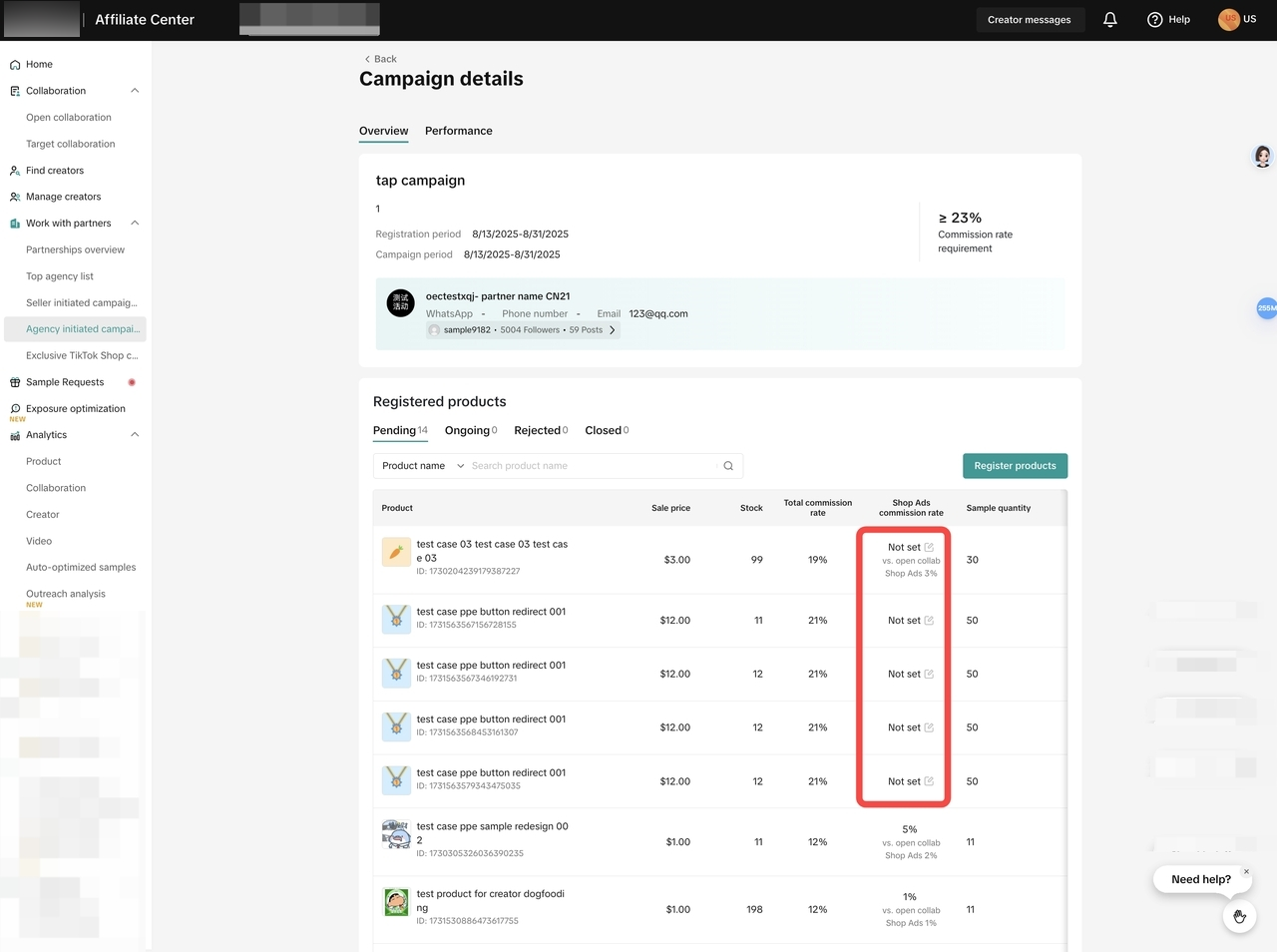
- Go to the “Campaign details” section of the campaign. Enter the shop ads commission rate for any products without it.
- For Seller Campaigns
2.1 Set when creating a new Seller Campaign
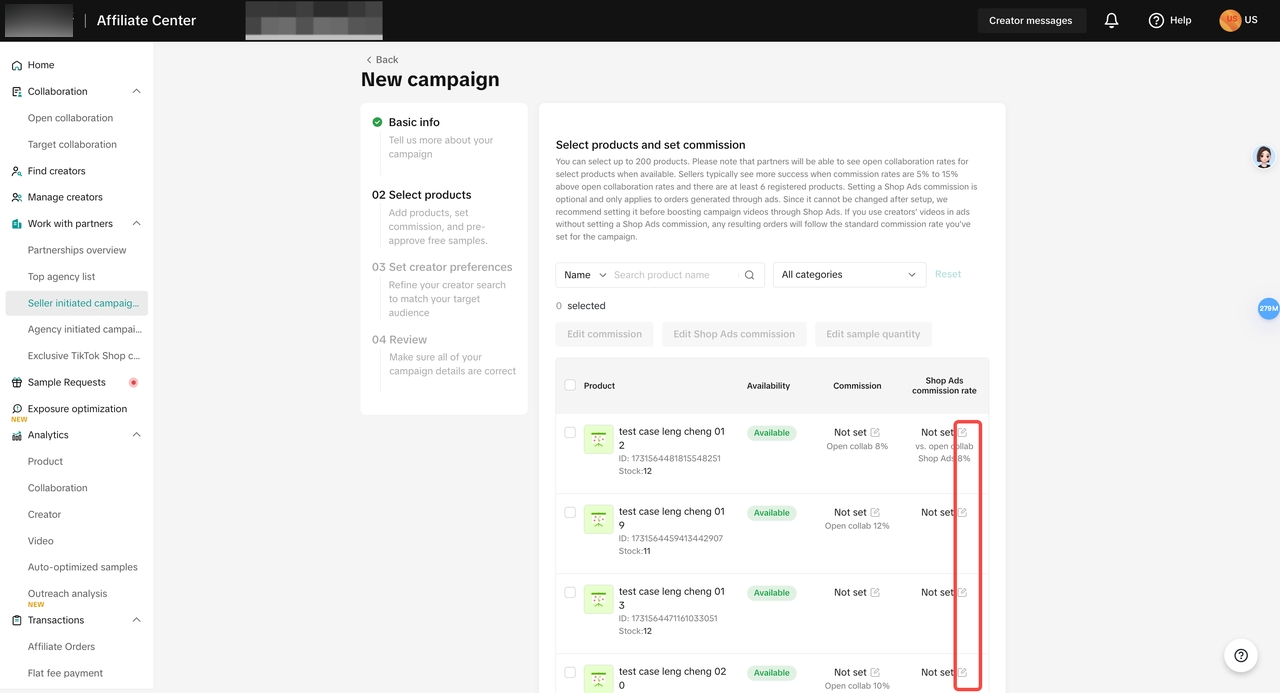
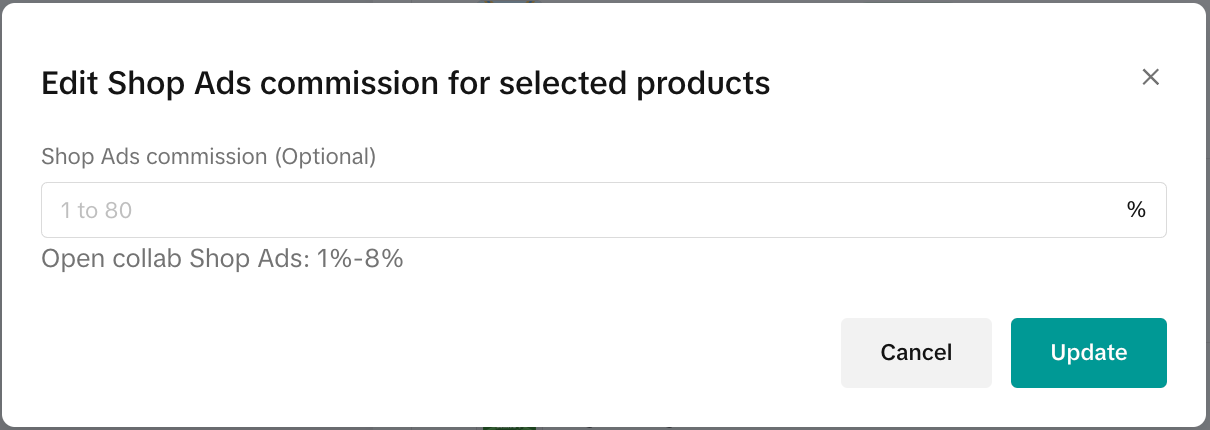
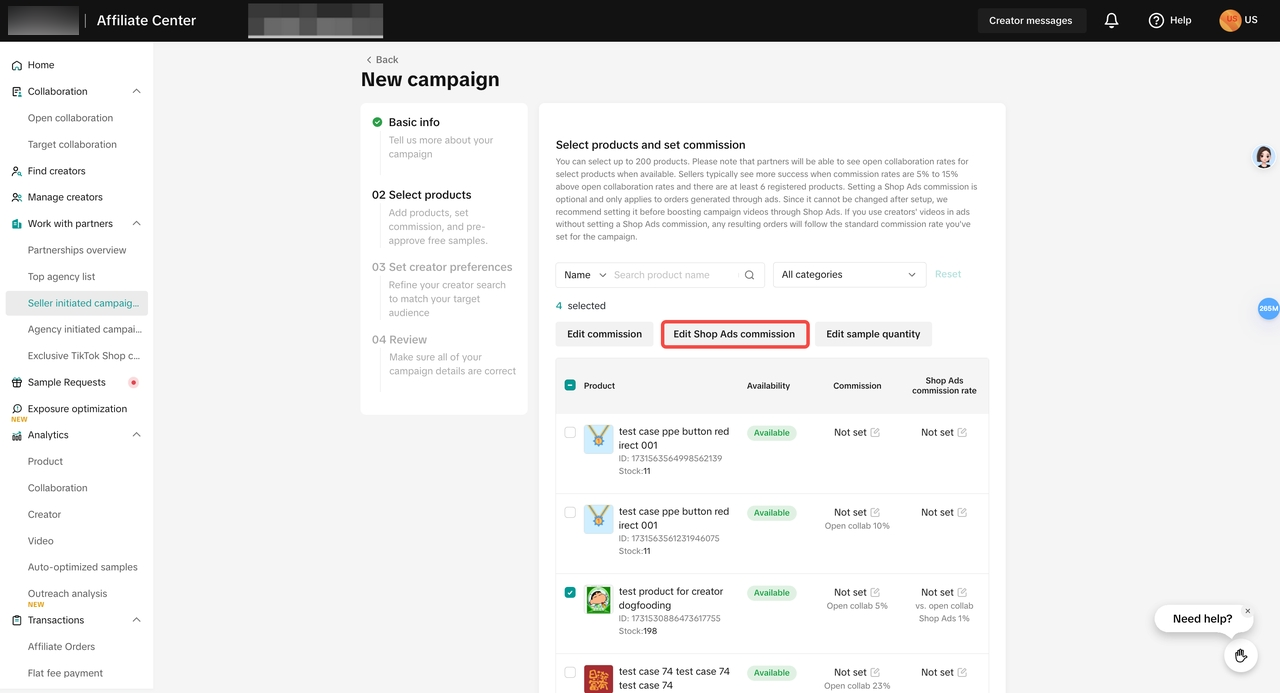
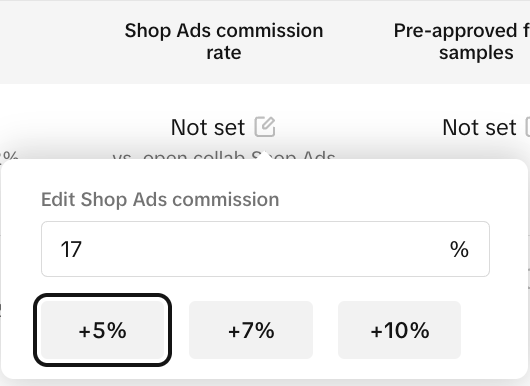
- When selecting products, set Shop Ads rate for 1 product or click Edit Shop Ads commission for multiple products. Enter an integer rate between 1-80%. If the rate you set is lower than the open collaboration ads rate, a pop-up will prompt you to adjust it.
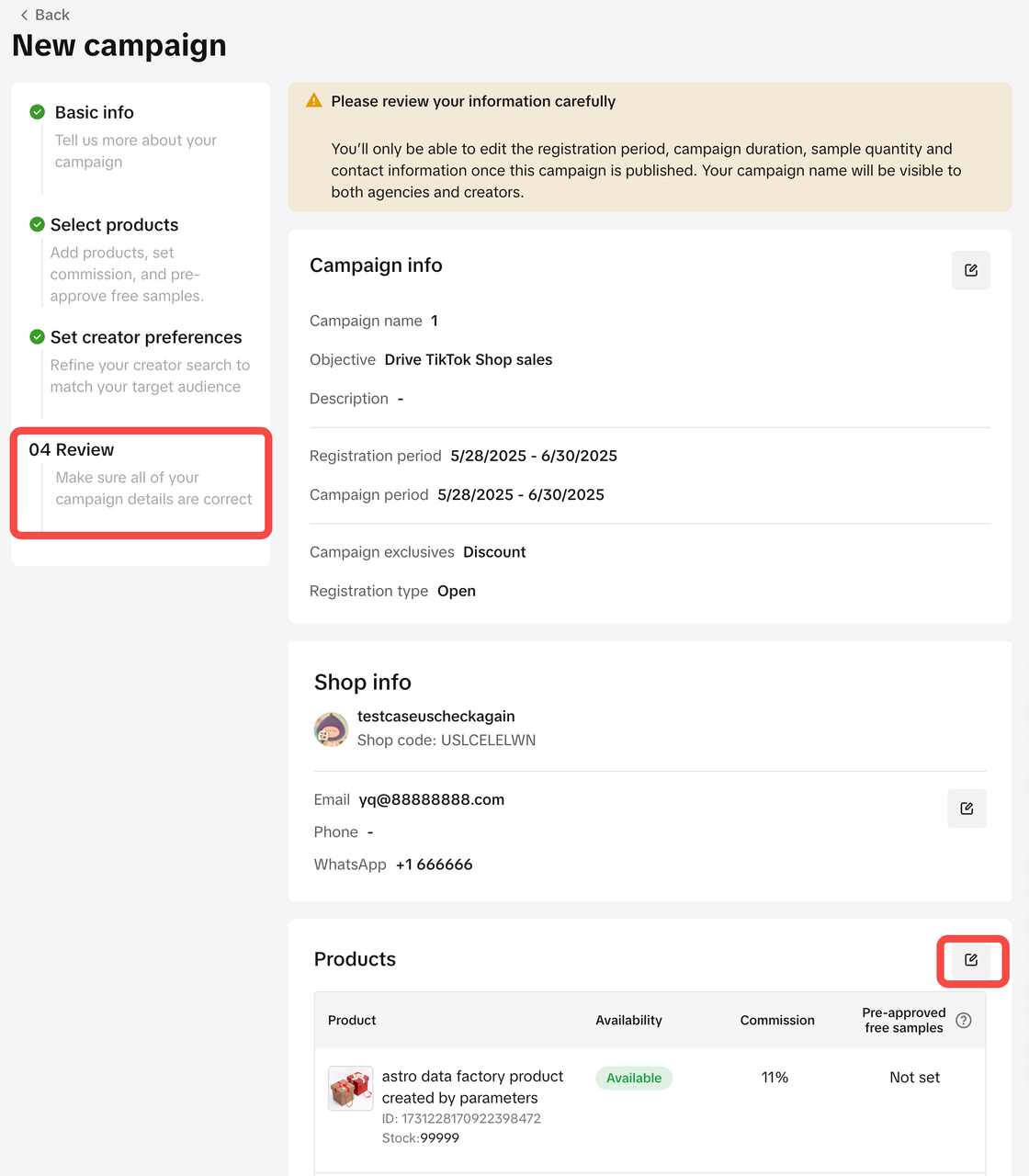
- In the “Review” section of the new campaign, click the edit button next to a product in the list to adjust its shop ads commission rate.
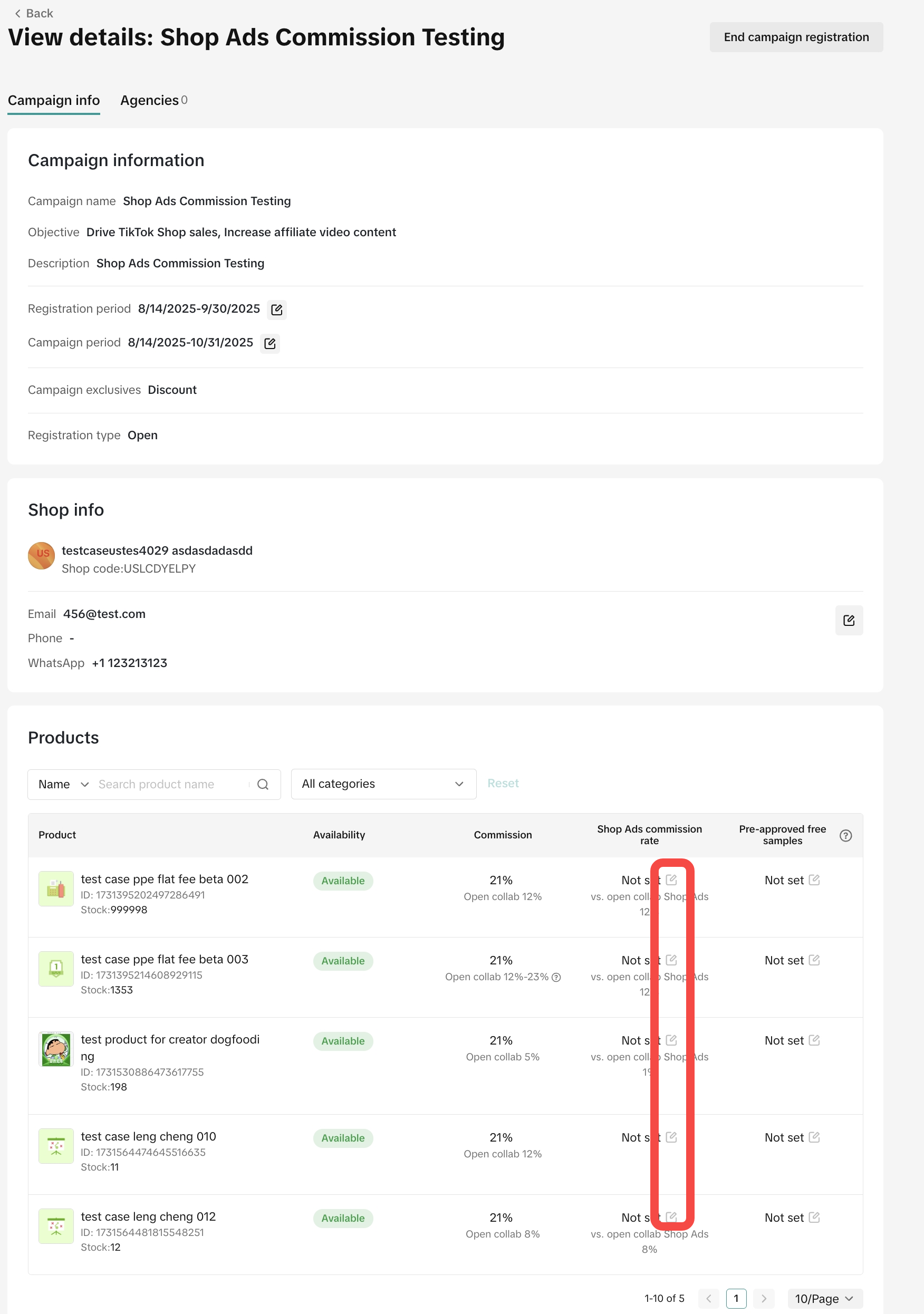
- In “Campaign details” page, enter the shop ads commission rate for any products without one. Input an integer rate between 1-80%, and above the Open Collaboration Shop Ads rate and 30% of Partner affiliate commission rate.
- For Exclusive TikTok Shop campaigns
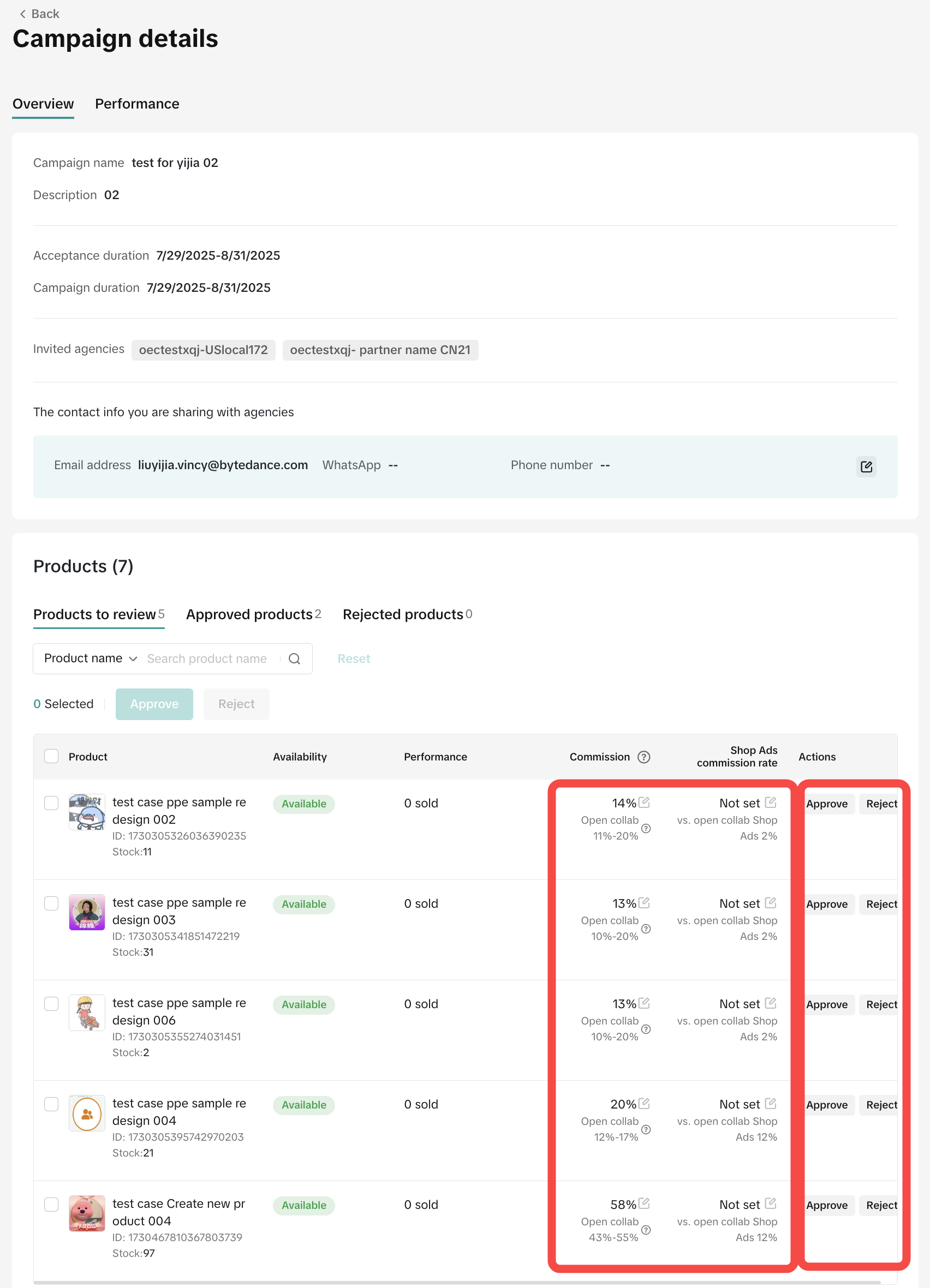
- You can click “View details” on the Exclusive TikTok Shop campaigns page to check the affiliate commission rate and shop ads commission rate (if set).
- Sellers can approve or reject the products. If TikTok operation manager sets the Shop Ads rate when creating the campaign, sellers can increase or keep the Shop Ads rate before they approve the products. If TikTok operation manager doesn't set the Shop Ads, sellers can set Shop Ads rate before or after they approve the product.

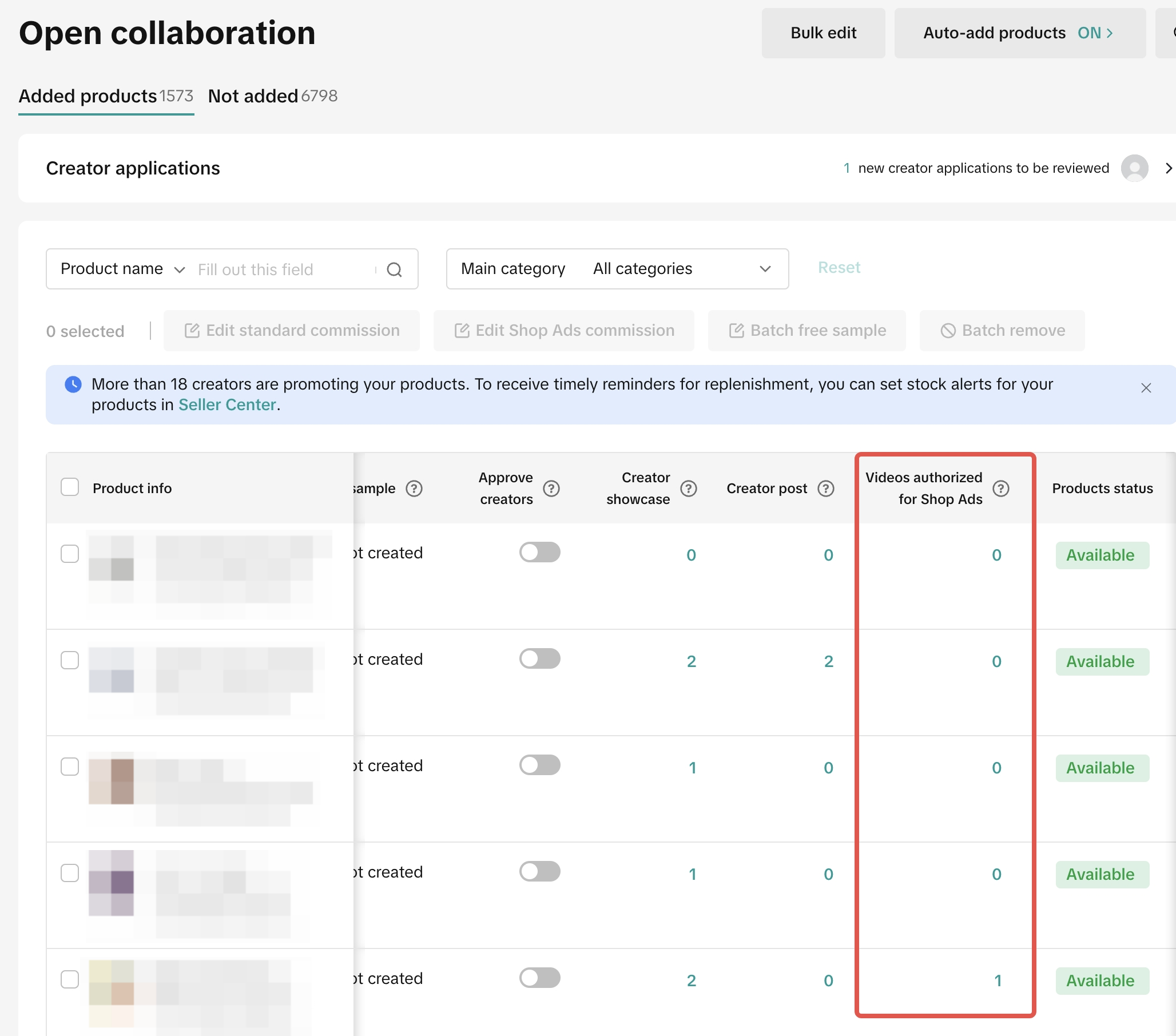
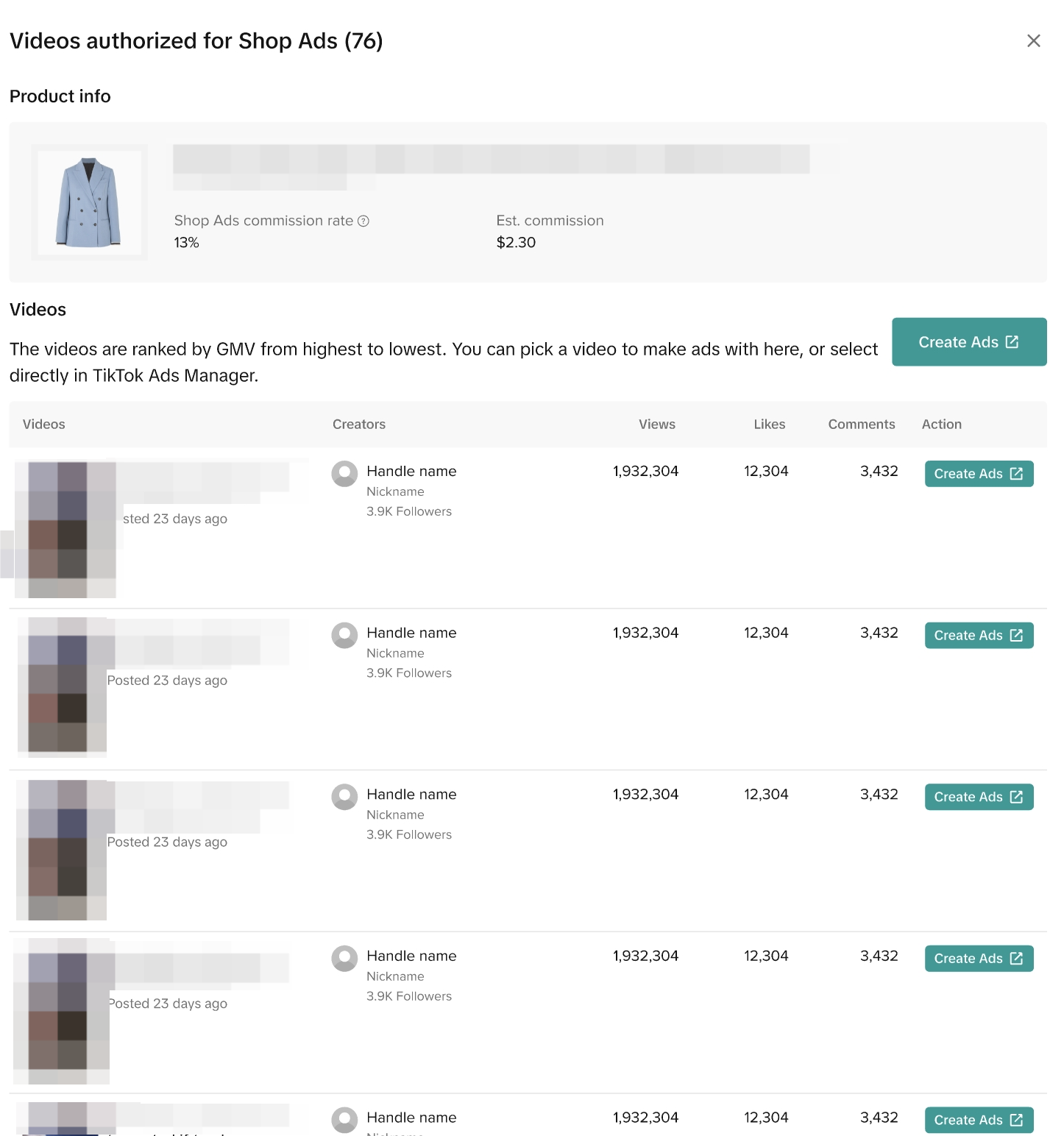
Checking Authorized Videos for Shop Ads

Standard Commission Rate vs Shop Ads Commission Rate
We prepared different scenarios for your reference if you choose to use a Creator's content for your Video Shopping Ads.Commission Scenarios | Standard Commission Rate | Shop Ads Commission Rate | What will the Creator receive? |
| 10% | 5% | 5% - Shop Ads |

Tracking Affiliate Ads GMV
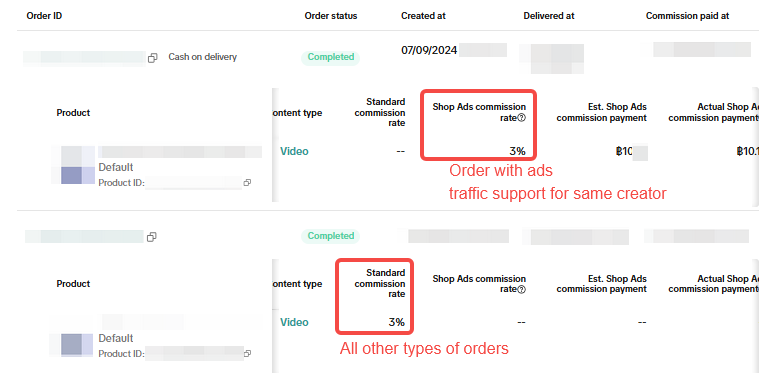
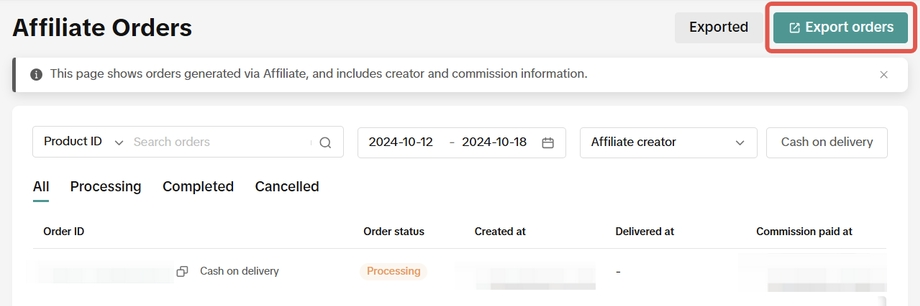
Sellers can also analyse the breakdown of Shop Ads Commission payout versus Standard Commission payout by clicking Export Orders and downloading an Excel file that will include:
- The estimate and actual Standard Commission payment
- The estimate and actual Shop Ads Commission payment

FAQ
- If I don't set a Shop Ads Commission Rate for a video I want to boost, what commission rate will the Creator receive?
- If the product does not have a Shop Ads Commission Rate, the Creator will receive the Standard Commission from your Shop Ads.
- Decreasing or increasing shop ads commission rate will take effect immediately.
- Which commission rate will be applied if the same product is simultaneously in multiple Open collaboration, Target collaboration and TikTok Shop by Tokopedia Affiliate Partner campaigns?
- If the video is under Partner campaign, then for ads orders:
- If Shop Ads commission rate has been set under Partner campaign, this Shop Ads commission rate will be used.
- Otherwise, the Partner campaign Standard commission rate will be used.
- When linking the product to the video, if the creator linked the product through Target/Open collaboration, then for ad orders:
- If Shop Ads commission rate has been set under Target collaboration, this Shop Ads commission rate will be used.
- Otherwise, if Shop Ads commission rate has been set under Open collaboration, this Shop Ads commission rate will be used.
- Otherwise, if Standard commission rate has been set under Target collaboration, this rate will be used.
- Otherwise, the Standard commission rate under Open collaboration will be used.
- If the video is under Partner campaign, then for ads orders:
- How will order cancellation affect the reported GMV and commission?
- The reported ads GMV will continue to include cancelled orders.
- However, cancelled orders may not have affiliate commissions; this will continue to depend on each country's affiliate order cancellation policy.
- In Partner campaigns, can I change the Shop Ads Commission Rate after submitting it?
- No. Once submitted, the rate cannot be edited, so double-check before confirming.
You may also be interested in
- 11 lessons
Affiliate
Explore how to collaborate with creators and affiliates to boost product reach through organic promo…
- 2 lessons
Affiliate Collaboration Plan
Learn how to create an effective plan for collaborating with affiliates to expand your reach.
- 1 lesson
Affiliate Center Guide
A detailed guide on using the Affiliate Center to manage partnerships and campaigns.
- 1 lesson
MCN
Learn how to collaborate with Multi-Channel Networks (MCNs) to scale your affiliate marketing campai…
- 1 lesson
Optimize Shopping Ads
Best practices for improving the performance of your shopping ads to increase click-through rates an…
- 6 lessons
Shopping Ads Type
A breakdown of the different types of shopping ads you can use to promote your products.
Free Sample Guide for Sellers
This article will teach you everything you need to know about Free Samples from a Seller's standpoin…

Automatic Opt-In for Open Collaboration
We have launched a one click solution for sellers to fully enroll in our Open Collaboration affiliat…

External Traffic Program (ETP) Guide for Sellers
In this article, we will teach you how External Traffic Program (ETP) works and how it can help your…

Affiliate Integration Guidelines for Tokopedia Sellers
Through this guide, you will find information about changes in the Affiliate program on Tokopedia af…