

Link Products Tool
10/30/2025
What is the Link Products tool?
The Link products tool allows creators to add product links to eligible short videos posted in the last 30 days for a smoother shoppable content creation experience. Additionally, the tool will recommend high potential products based on video content to help drive shoppable video revenue.What are the benefits of the Link Products tool?
- Maximizes monetization opportunities – Creators can add product links to more videos, even after posting, ensuring they won't miss revenue opportunities.
- Addresses missed linking scenarios – Solves common issues like forgotten links or permission restrictions during posting.
- Reduces manual effort – Automatically recommends high-potential products, making it easier to monetize content.
- Enables evergreen content monetization: Older content that still receives traffic can be updated with product links to generate passive income.
- Improves shopping experience: Viewers who revisit older content can find relevant product links, improving the likelihood of conversion.
How to Link Products to a Published Video?
Accessing the Product link tool
Two major entry points are available in the TikTok Shop by Tokopedia Creator Center:TikTok Shop by Tokopedia Creator Center -> TikTok Shop by Tokopedia toolkit -> Link products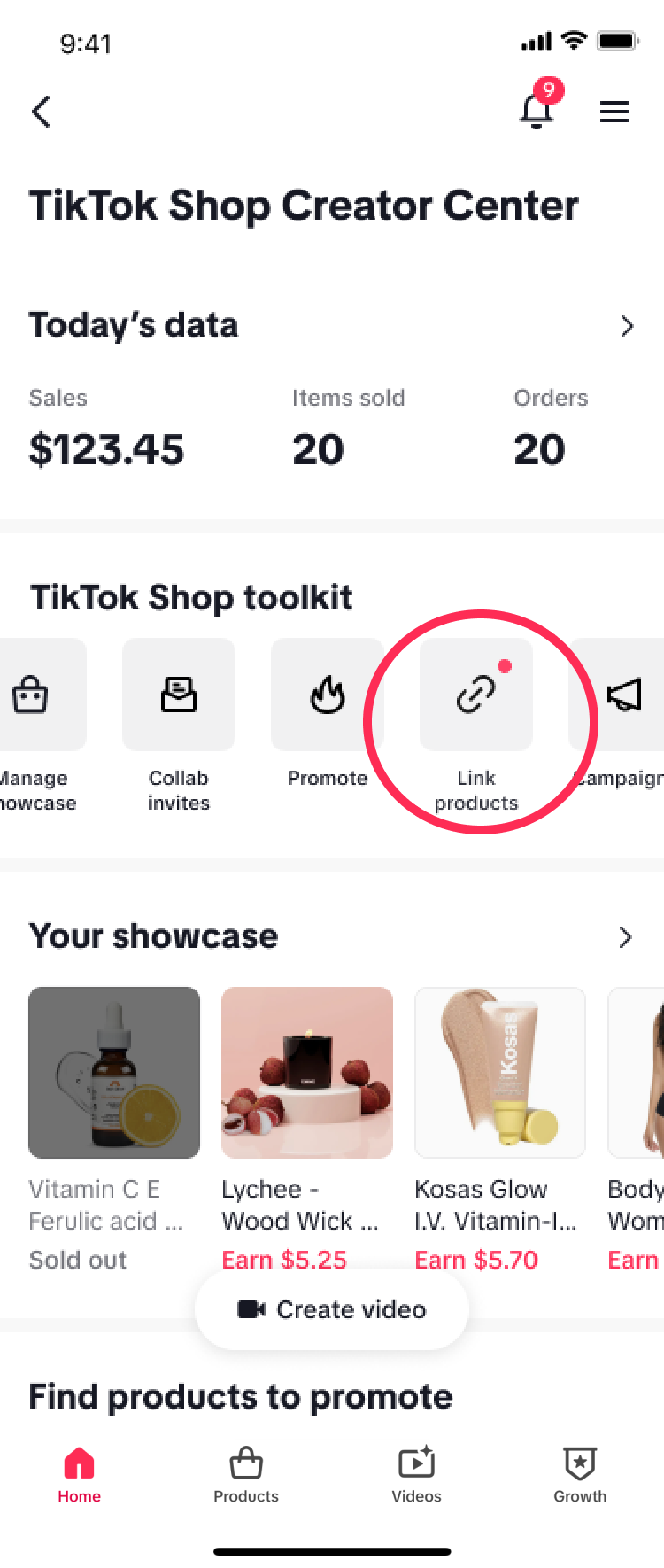 | TikTok Shop by Tokopedia Creator Center -> Videos tab -> Create tab -> Link products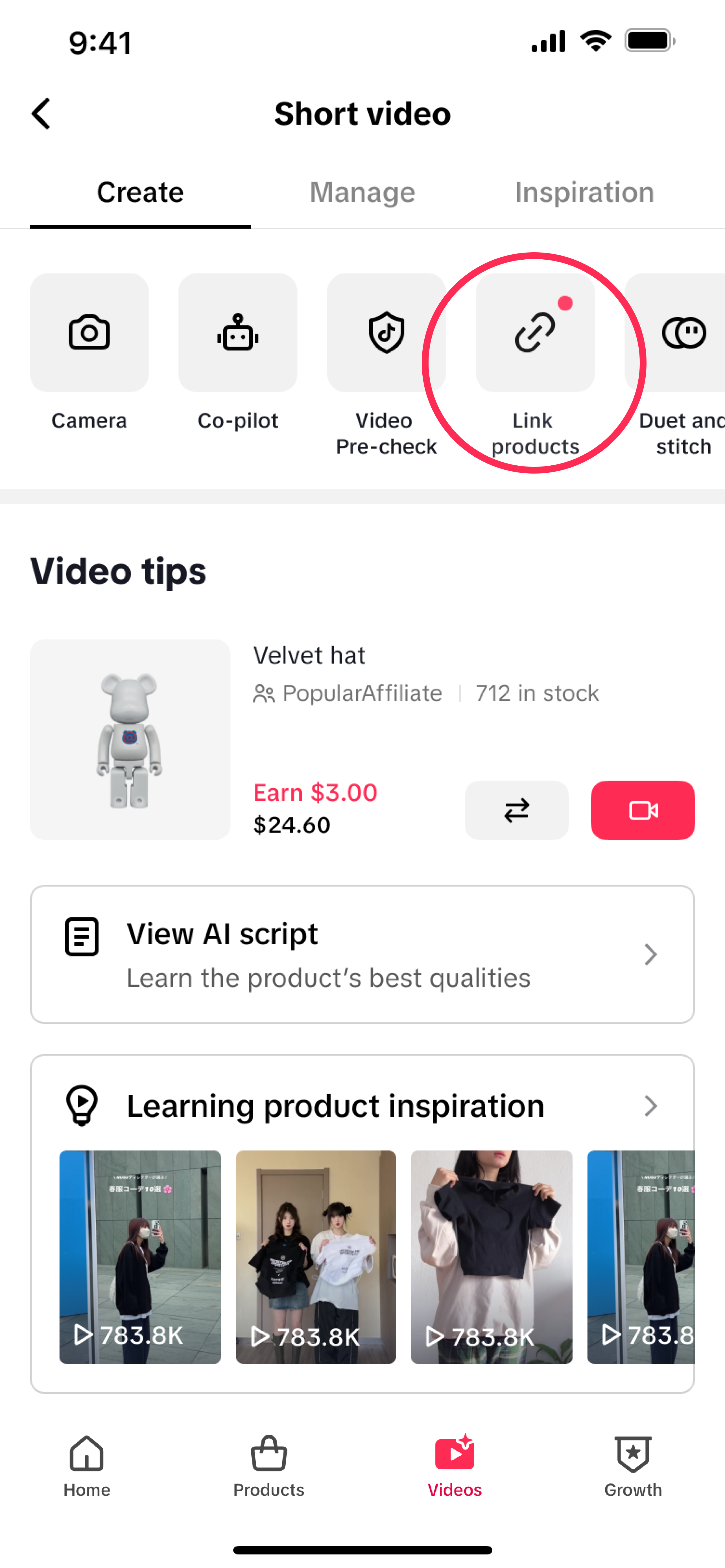 |
Link products to a published video
- Click the "Link products" button to view a list of short videos posted in the past 30 days that do not have a linked product.
- Click the "Add Link" button to view a list of products that can be linked to the video. Select the product mentioned in the video, then click "Add" and "Confirm" to complete the linking process.
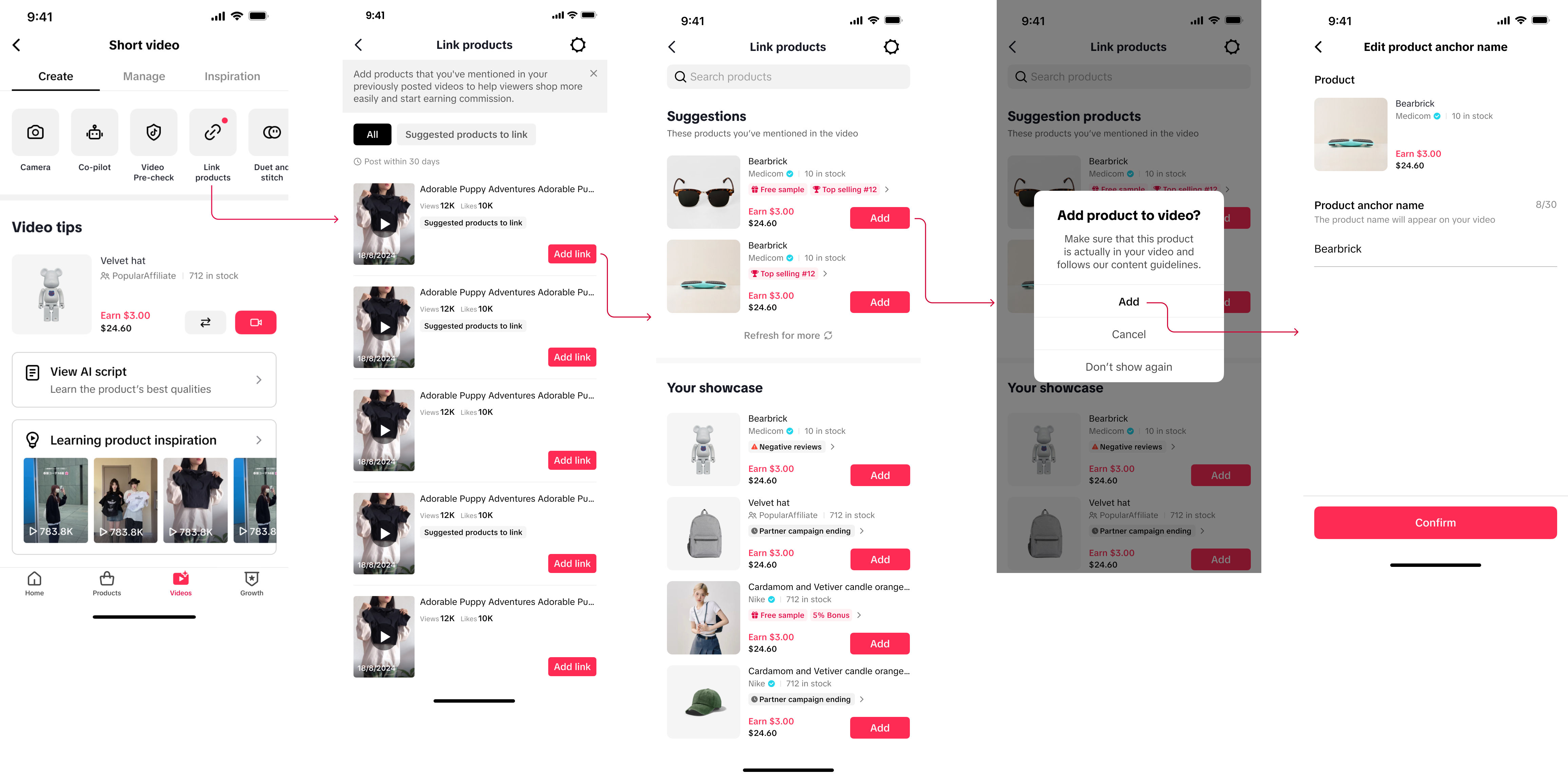
- Creators can add products from their showcase and system recommended products.
- A list of recommended products can be found in the "Suggestions" section. The recommended products are based on video content relevance, product performance, and the creator's interests and engagement.
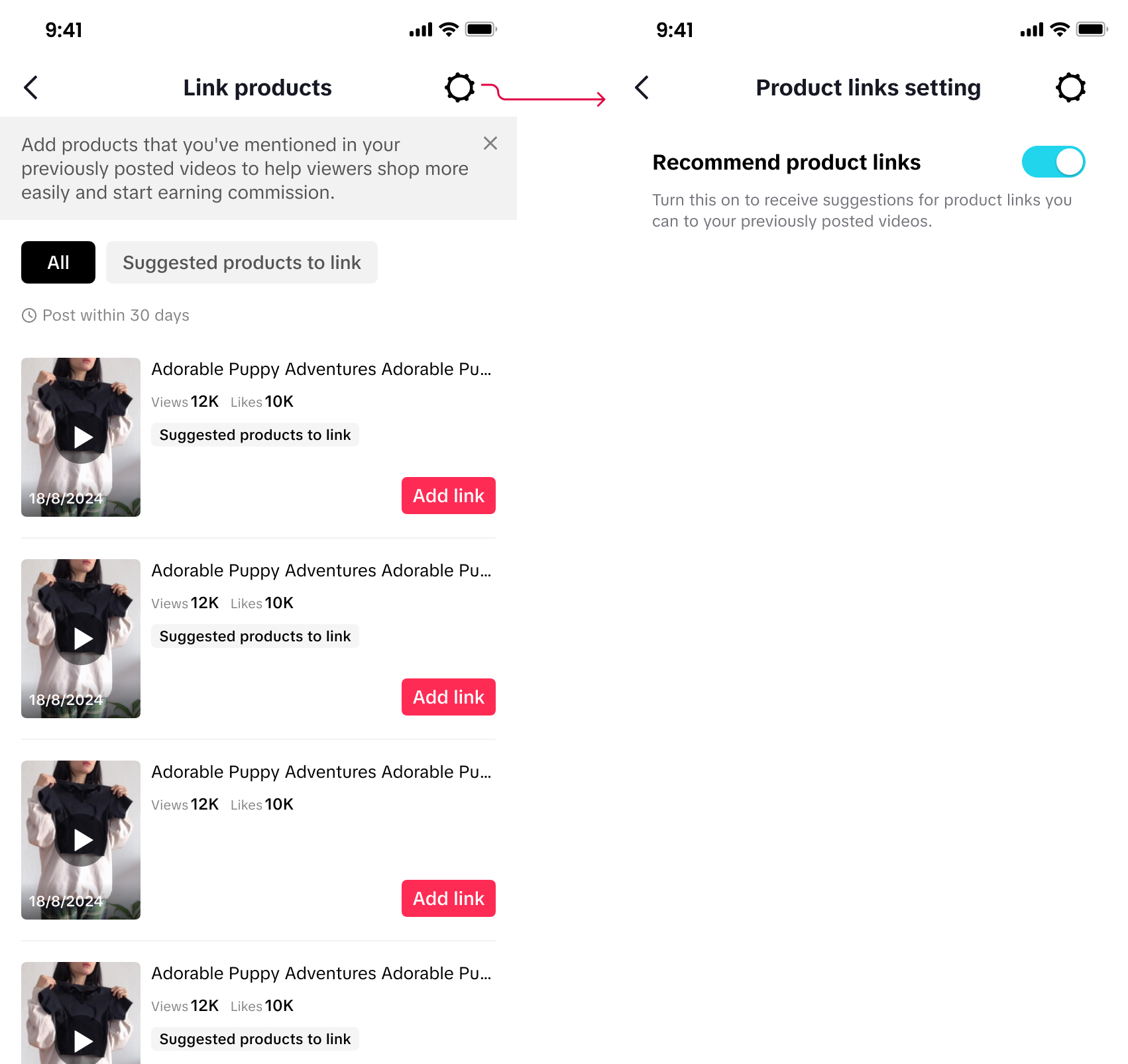
- Click the "Setting" button on the top right corner of the Link products page, and turn off the "Recommend product links" toggle to stop receiving product recommendations.
FAQ
- Can creators link products to any videos published in the past 30 days?
- No, creators can only link products to short videos that meet the following requirements:
(2) contains sound or music from the Commercial Music Library only;
(3) contains a product that matches with a corresponding product link; and
(4) complies with the TikTok Shop by Tokopedia Content Policy.
- Can creators edit product links for a published short video? For instance, can creators add trending or seasonal products to existing videos without re-uploading the content, or update product details based on viewers' requests?
- No, at this time, creators are NOT able to edit or update existing product links to replace linked products in a published video.
- Can creators update inactive product links due to the product being out of stock?
- This function is not available to all creators yet. However, we understand the importance of adapting to inventory changes and are currently testing a feature that will allow creators to relink products when they go out of stock. Stay tuned!
You may also be interested in
- 11 lessons
Perkaya Ide Kontenmu, Inspirasi Video Ramadan Ekstra Seru 20…
Ramadan Ekstra Seru 2026 semakin dekat nih, guys! Bingung mau mulai buat konten apa? Yuk ikutin insp…

Strategi Meningkatkan Penjualan Pada Short Video
Test: https://activity.tiktok.com/t/ZS6pvGr63/ Video kamu stuck di 200 views? Atau sudah FYP tapi…
Short Video Advertising Guidelines Promotion Guide
Hello everyone! Today, we're diving into practical techniques for video editing.

Mastering the Techniques of Shooting Viral Short Videos in 5…
Hello everyone, today our topic is mastering the techniques of shooting viral short videos in 5 step…

Misleading Content
To protect customers and maintain trust, TikTok Shop prohibits any content that could mislead buyers…
How to Resolve Zero Playback and Low Playback
Hello everyone, today our topic of study is how to increase the playback of short videos, including…
Practical Techniques for video editing
Hello everyone! Today, we're diving into practical techniques for video editing.

Learn to write a good bio on profile page
Learn to write a good bio on profile page
Inspirasi Konten 2 : Cakep Itu Dipersiapkan, Bukan Instan
* Big IdeaCakep Itu Dipersiapkan, Bukan InstanCampaign ContextRamadan sering membawa perubahan ritm…

Perkaya Ide Kontenmu, Inspirasi Video Ramadan Ekstra Seru 20…
Ramadan Ekstra Seru 2026 semakin dekat nih, guys! Bingung mau mulai buat konten apa? Yuk ikutin insp…