Collaboration Plus
03/06/2026
How it Works?
One of the best ways to collaborate with creators is by assigning tasks and offering rewards once the tasks are completed. This method has proven effective in helping many sellers find creators and achieve success.Now, you can easily implement this approach through the Collaboration Plus feature! You can invite creators to participate by completing tasks or challenges based on your preferences.
Here’s how it works:
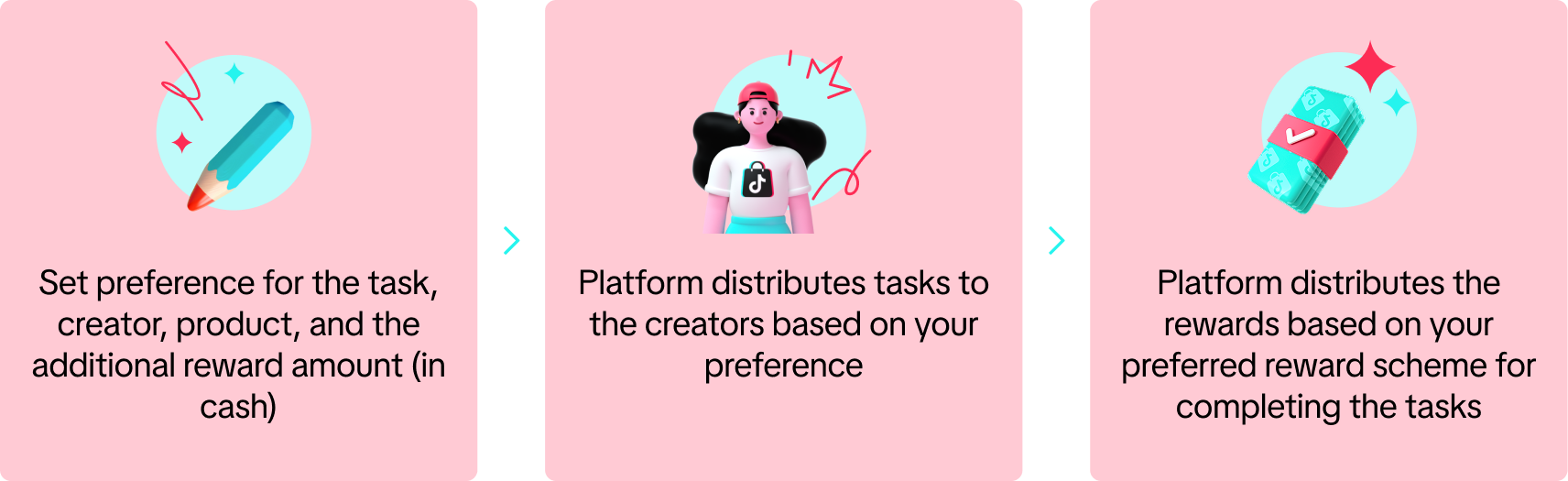 Note: Collaboration Plus is currently available by invitation only, so some sellers may not have access to it yet.
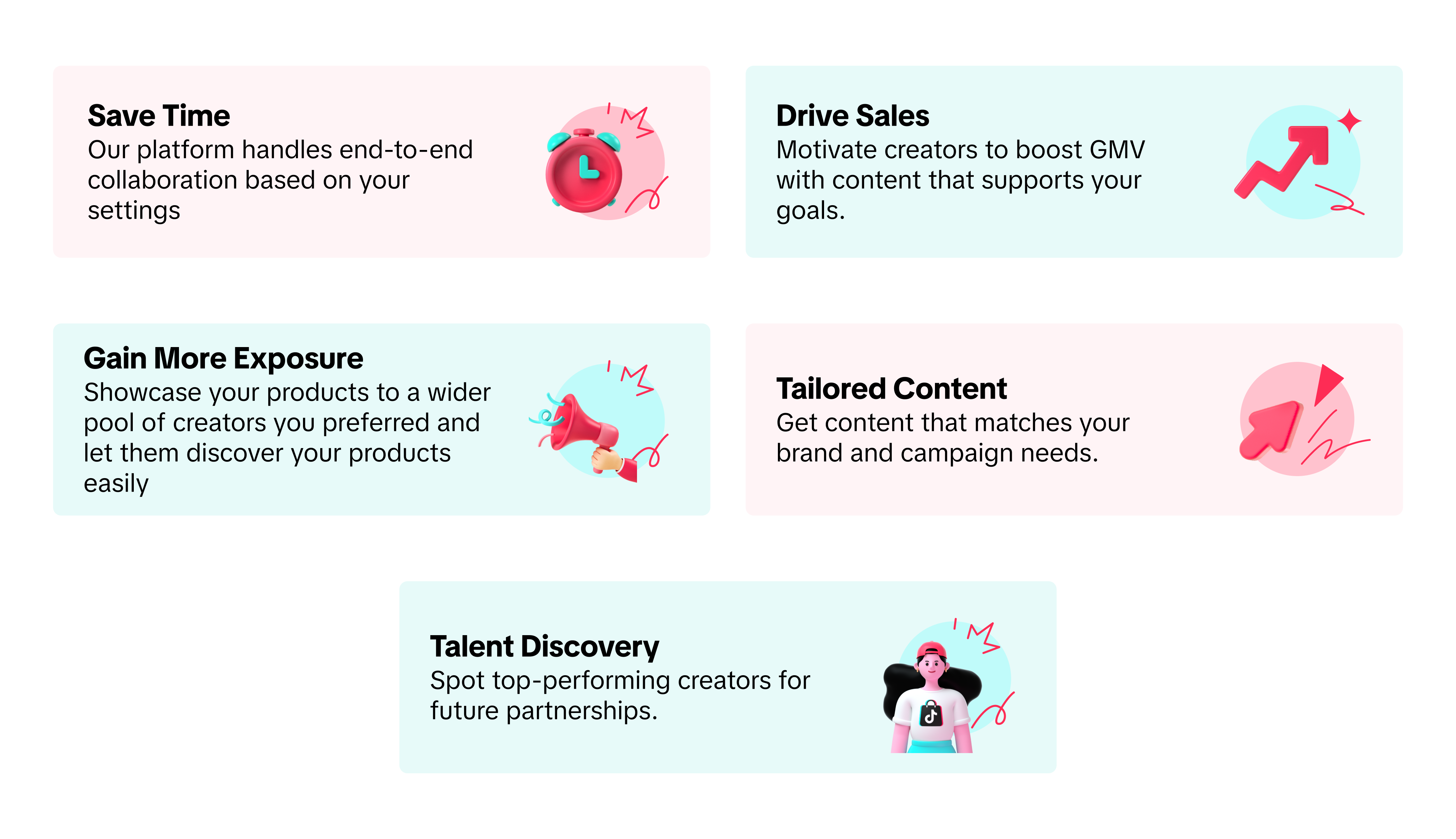
Key Benefits
How To Participate in Collaboration Plus?
There are two types of collaboration you can choose from: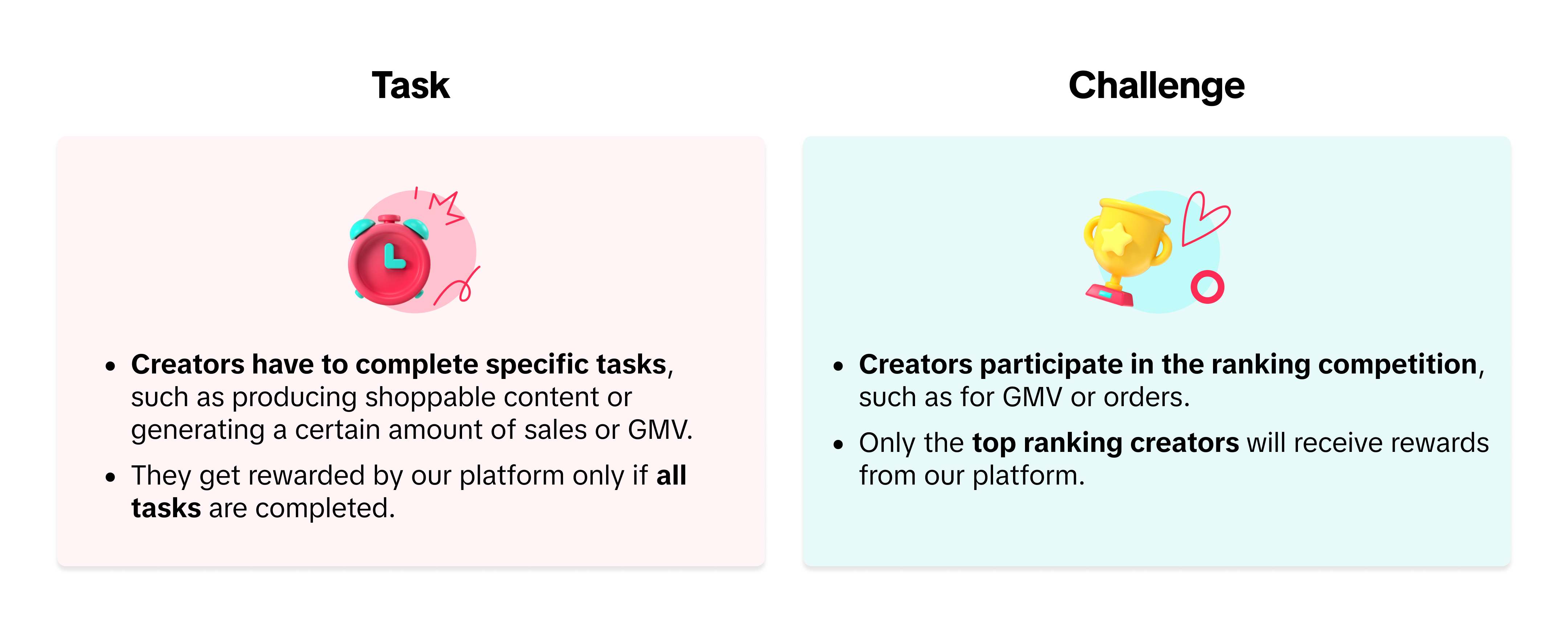
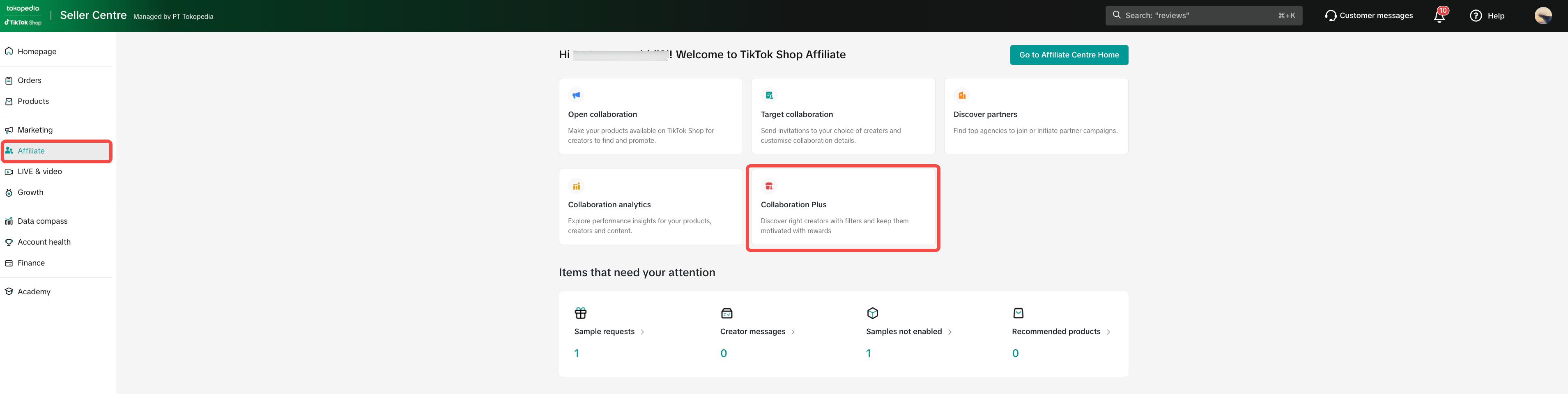 Our platform will determine the final tasks, rewards and creators based on your preference. You can customize your preferences by following the step by step below.
Note: Our platform retains the full and sole discretion to determine the final collaboration tasks, objectives, criteria and rewards our platform may extend to the creators. Therefore, the actual rewards given by our platform to the creators and tasks may vary accordingly.
| Step 1: Set Collaboration Preference | |
Task | Challenge |
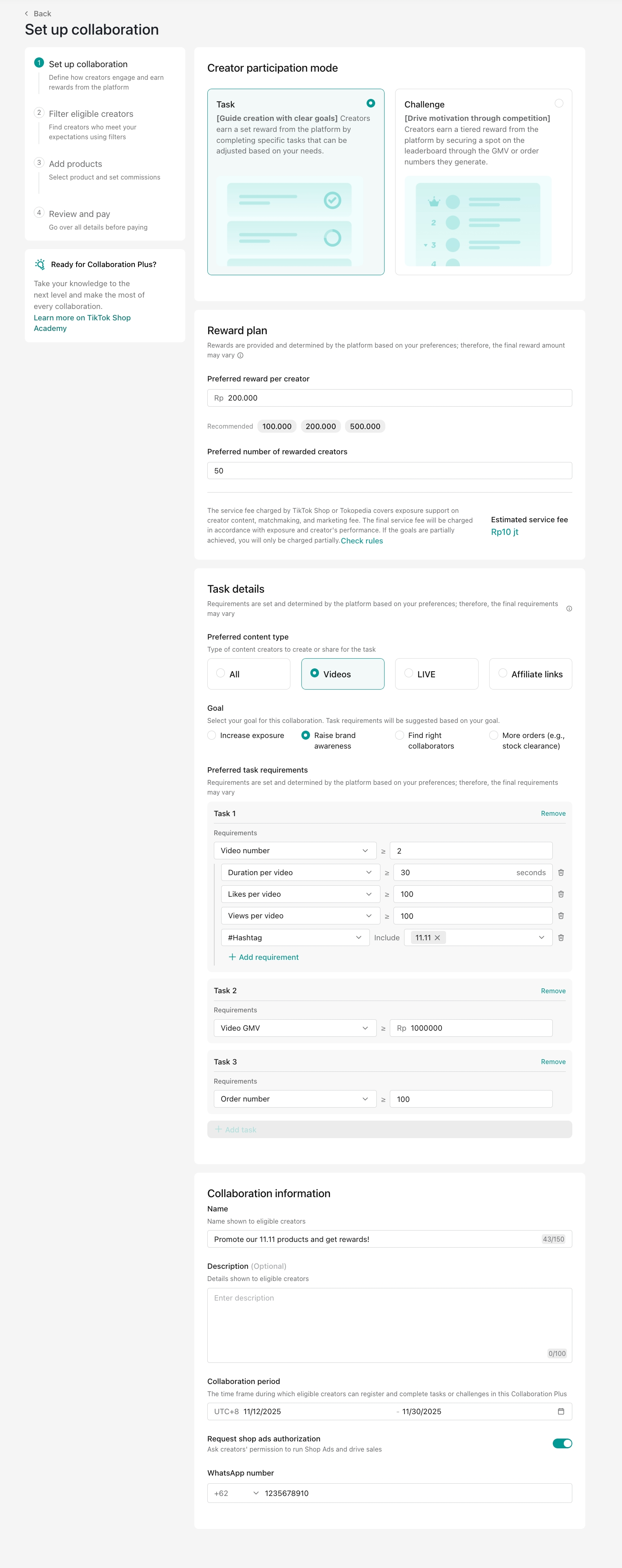
Note: This service includes creator traffic and matchmaking fees.
| 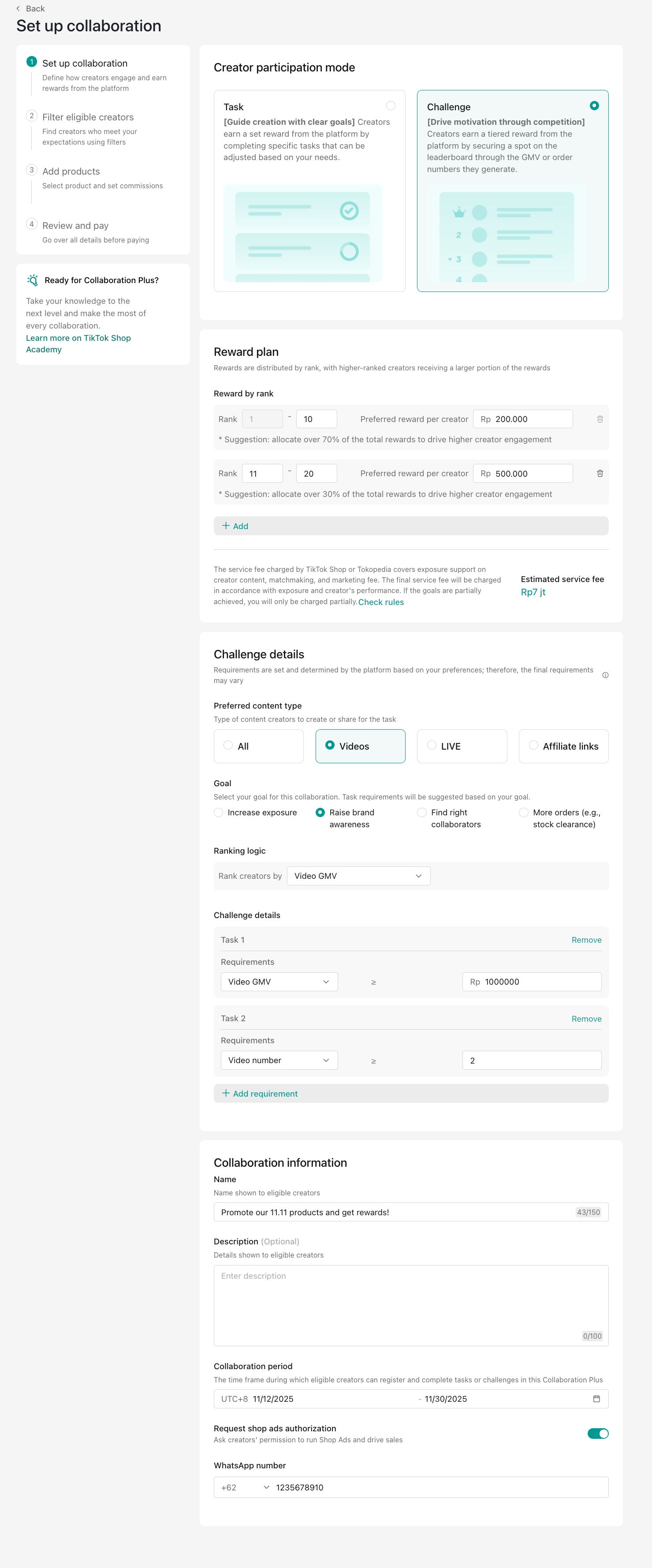
Note: This service includes creator traffic and matchmaking fees.
|
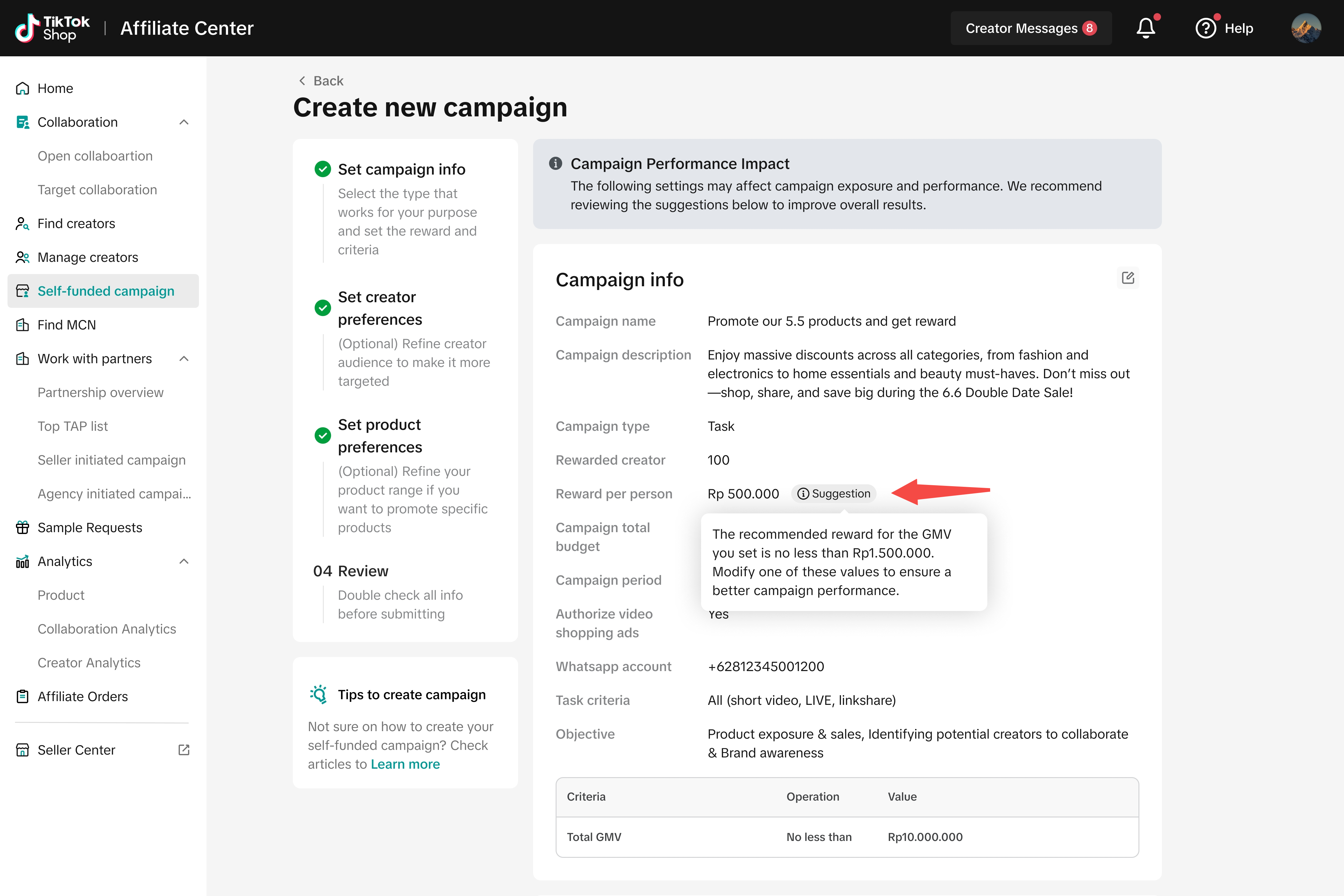
Smart Tips:
| |
| Step 2: Set Creator Preference | |
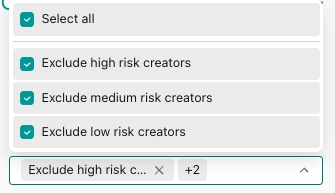
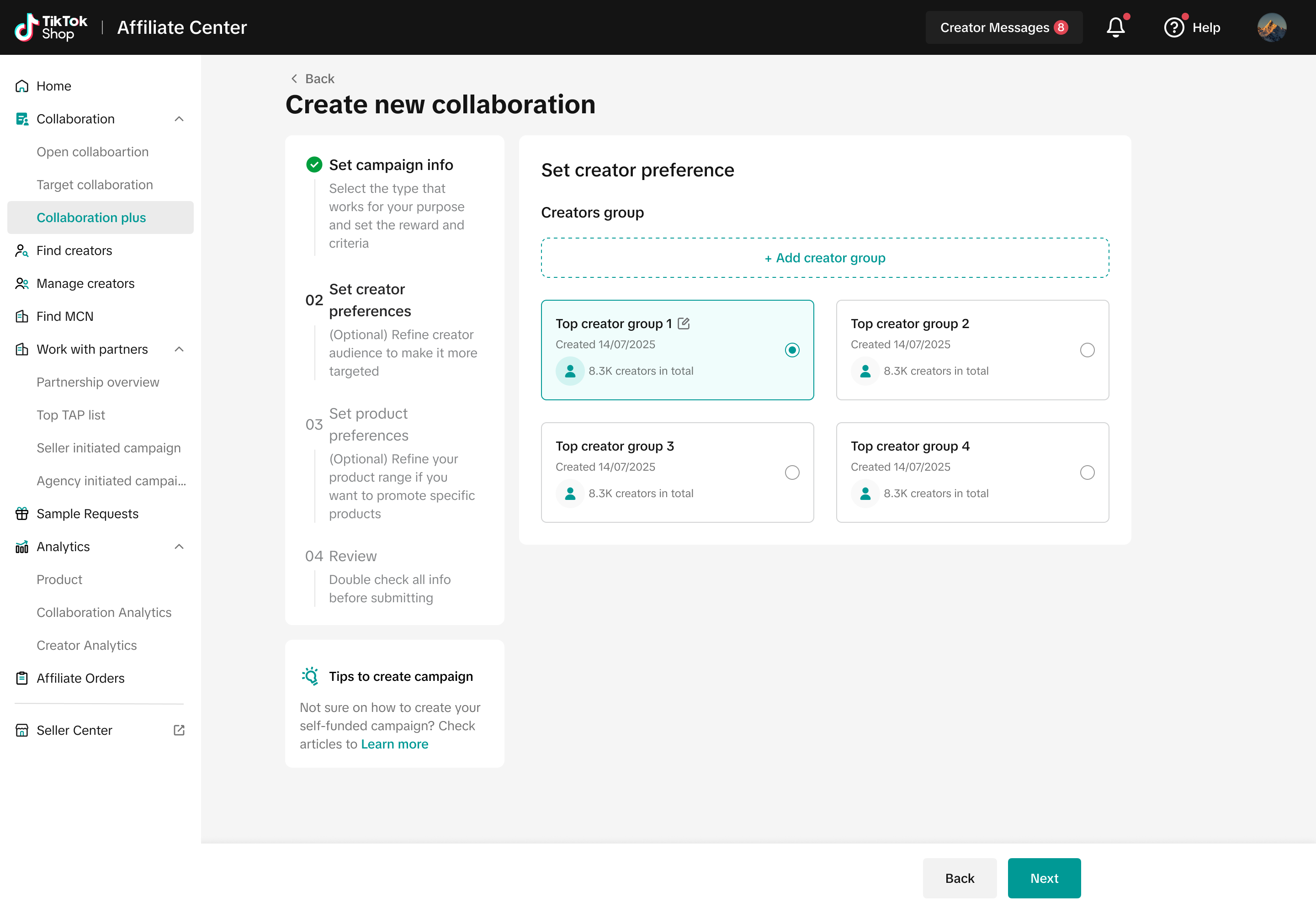 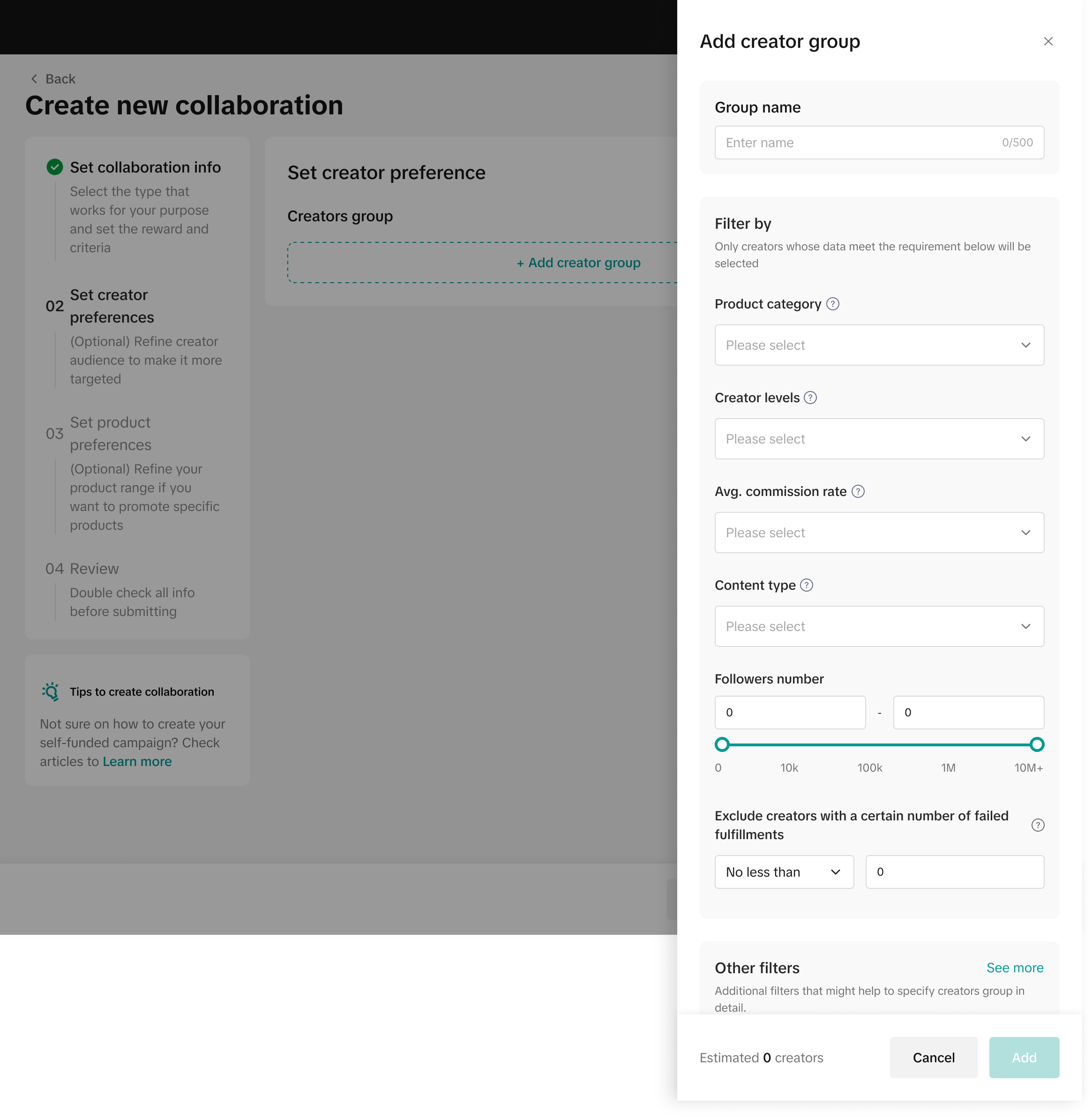 |
|
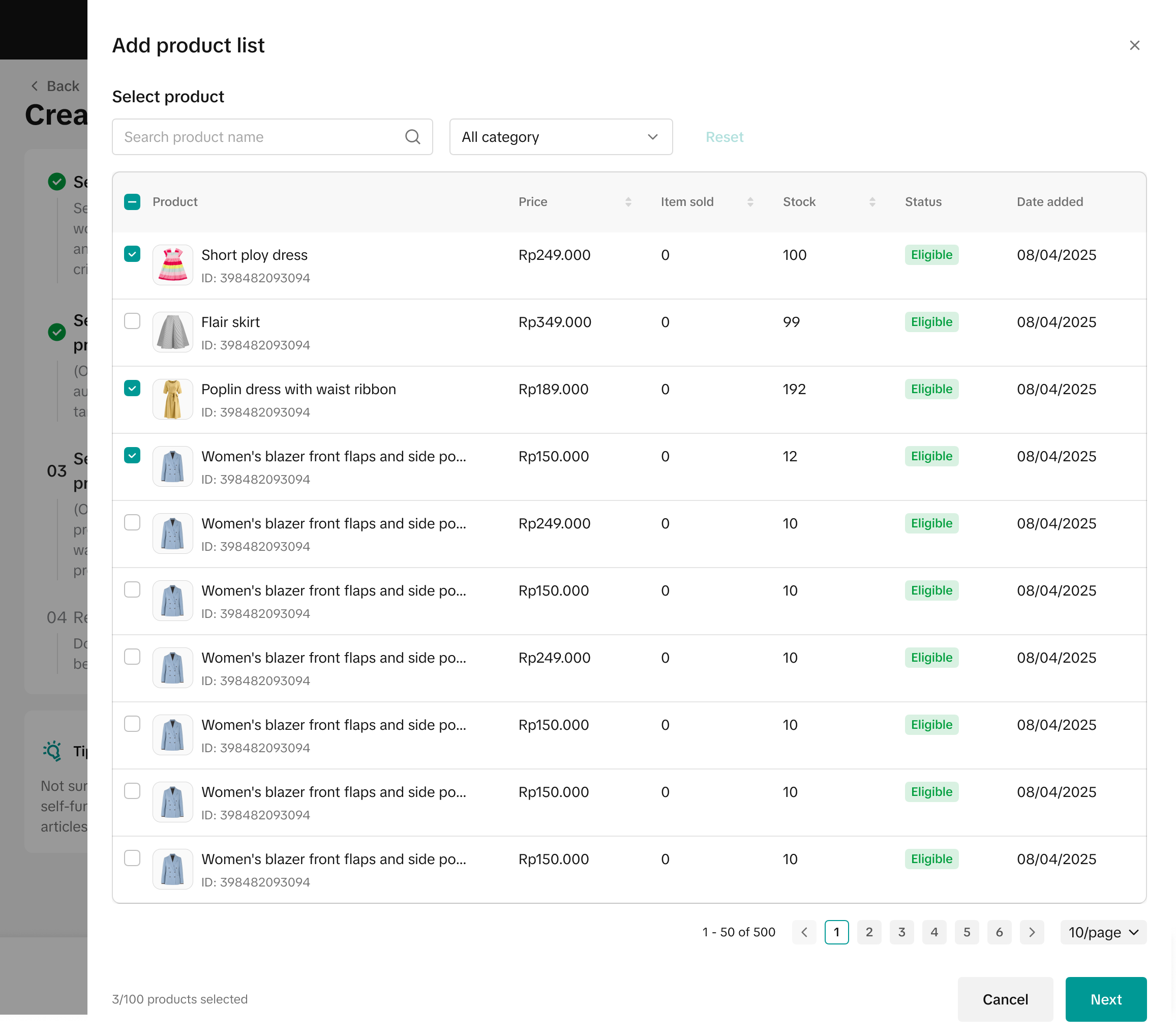 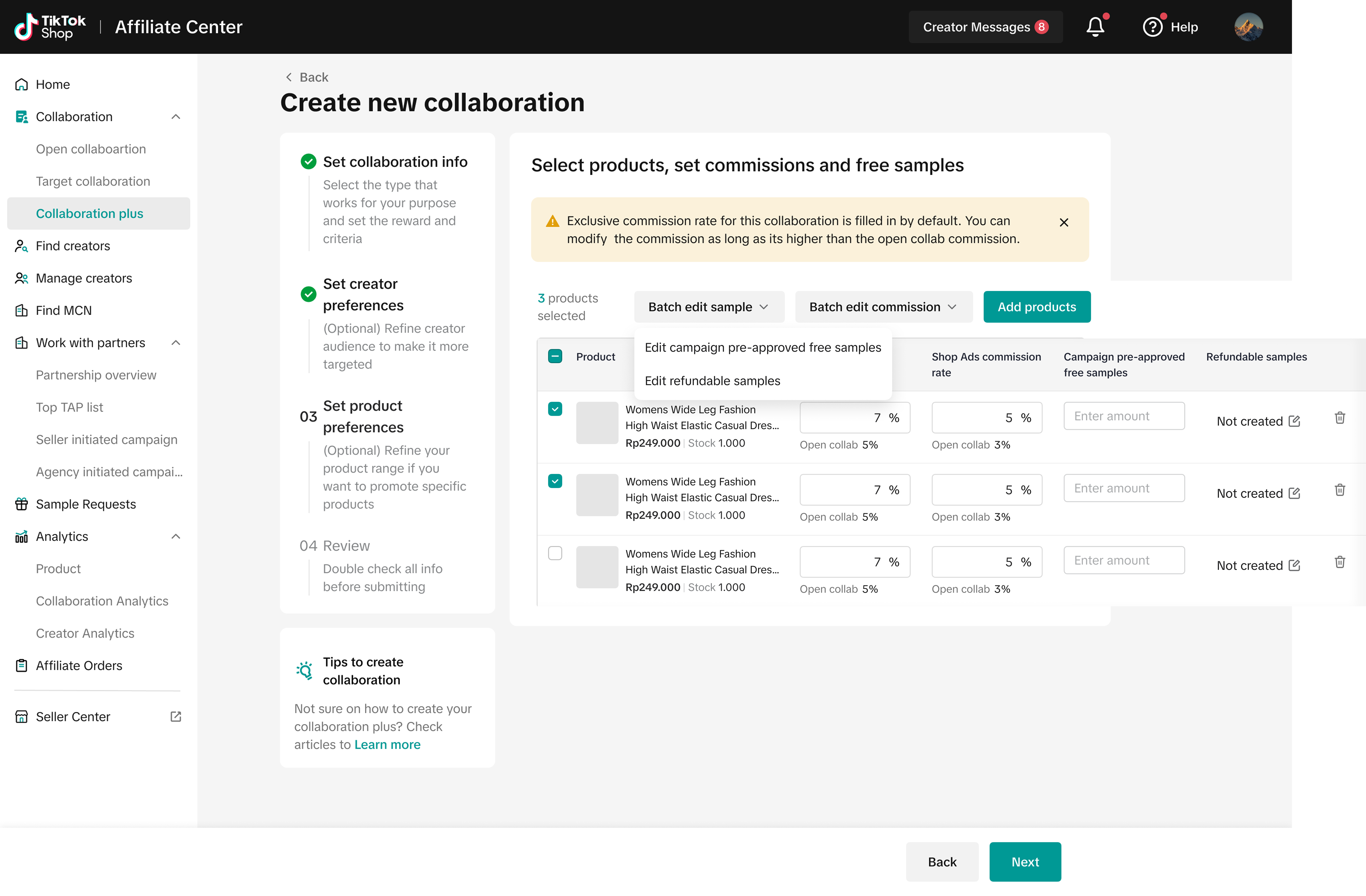 |
|
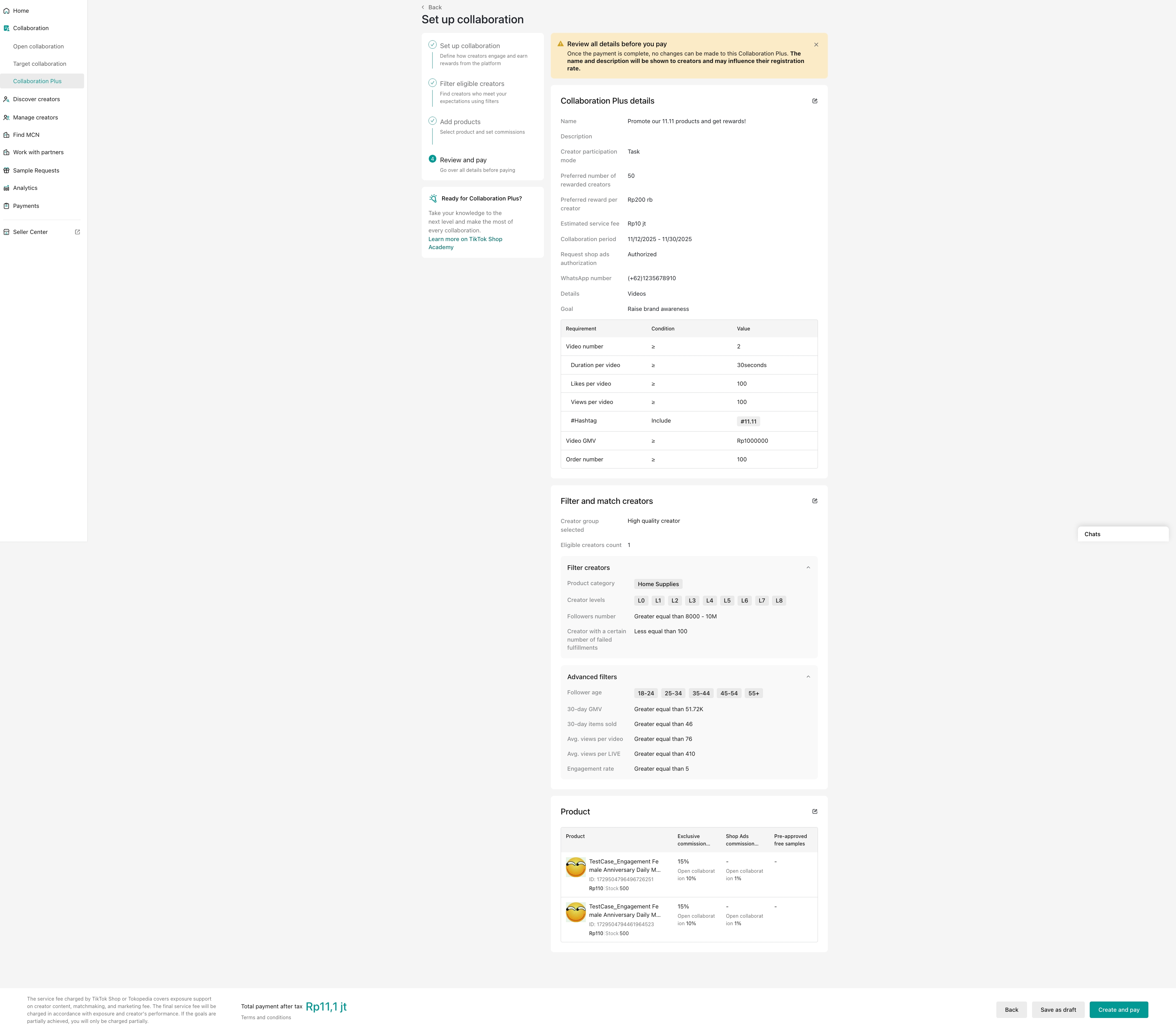 |
|
Smart Tips:
| |
Managing and Monitoring Collaboration Plus Performance
Managing Campaign Details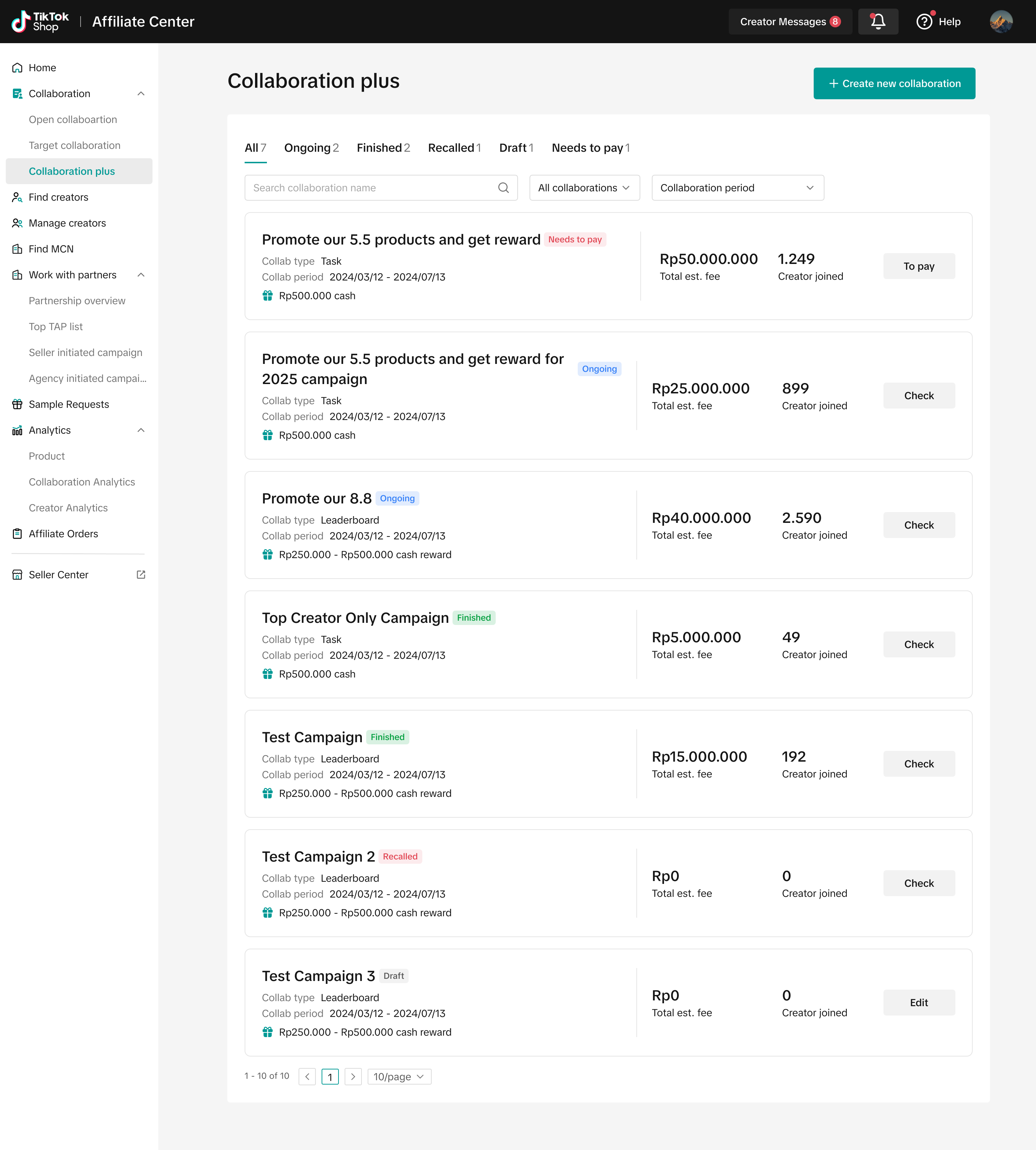 |
|
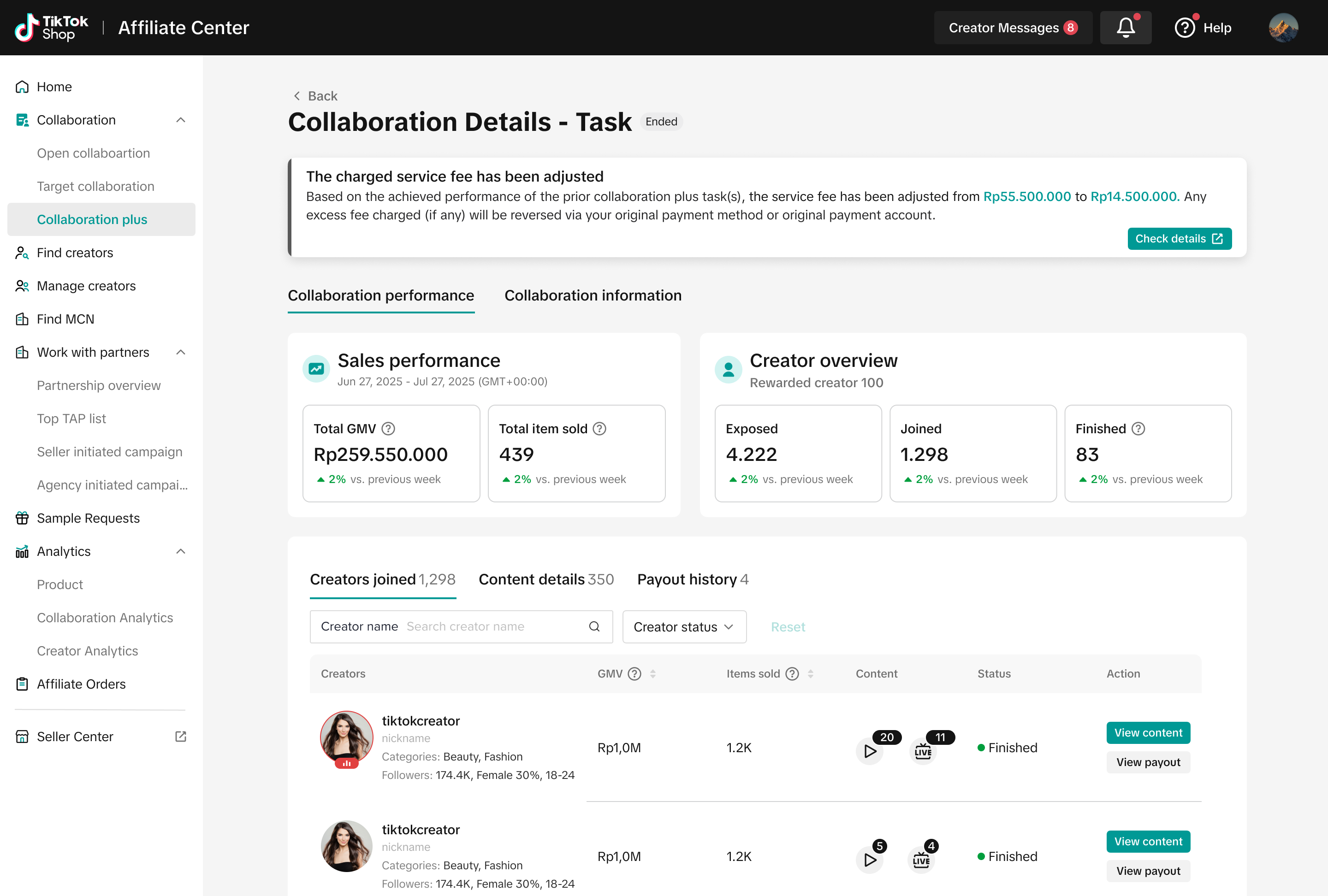 |
|
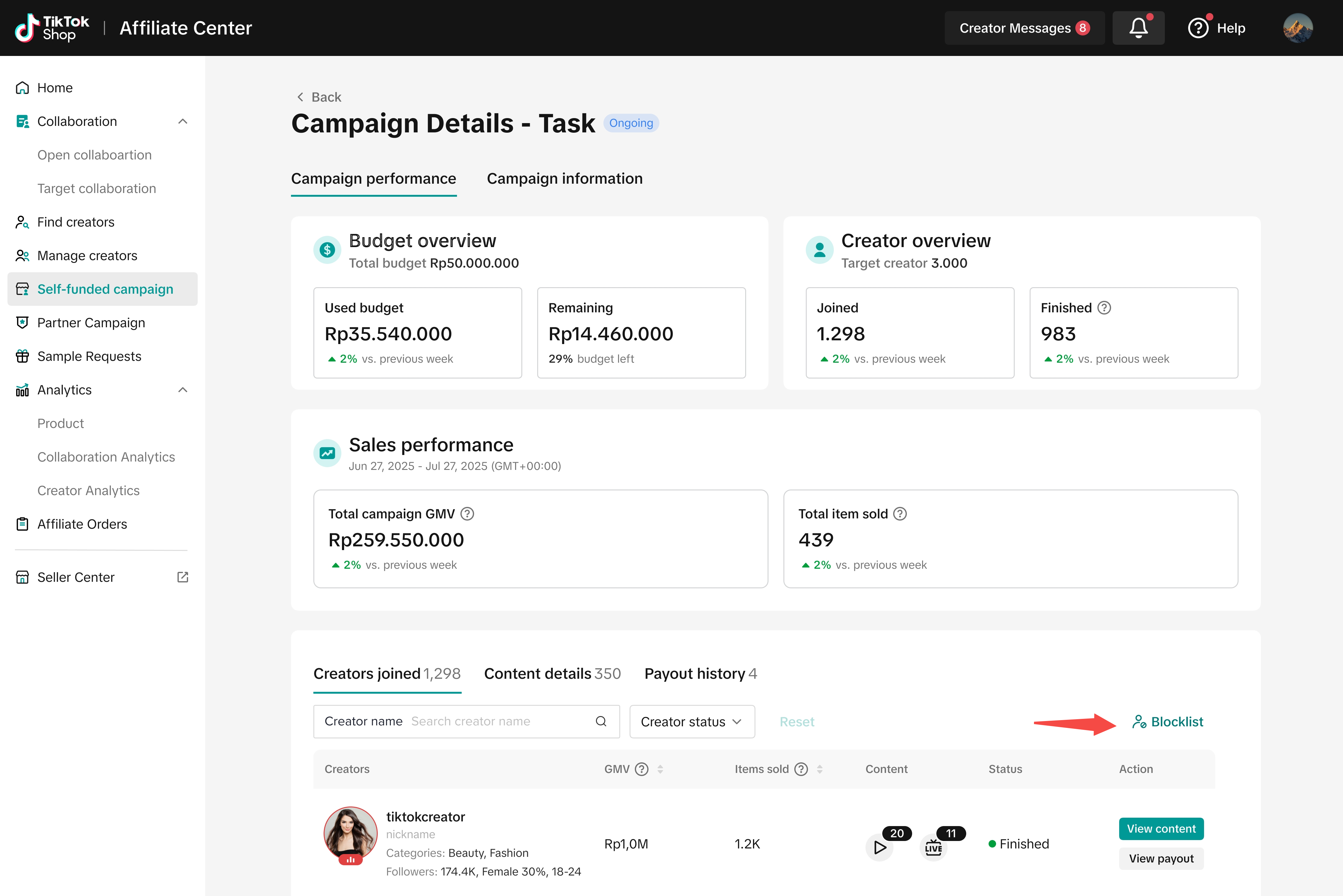 |
|
FAQ
How many Collaboration Plus campaigns can I create? Is there a minimum and maximum duration for the campaign period? You can create up to 5 campaigns every 30 days. The duration of each campaign varies depending on the collaboration type: Task: Must run between 14 and 120 days Challenge: Must run between 14 - 60 days There’s no limit to how many campaigns can be active at the same time, so new campaigns can overlap with existing ones. Example: You create 5 campaigns on Day 1, each lasting 60 days. On Day 31, you can create 5 more campaigns, which can run at the same time as the first 5. |
| How can I pay the Collaboration Plus fee? You can pay using credit cards, debit cards, or bank transfer. 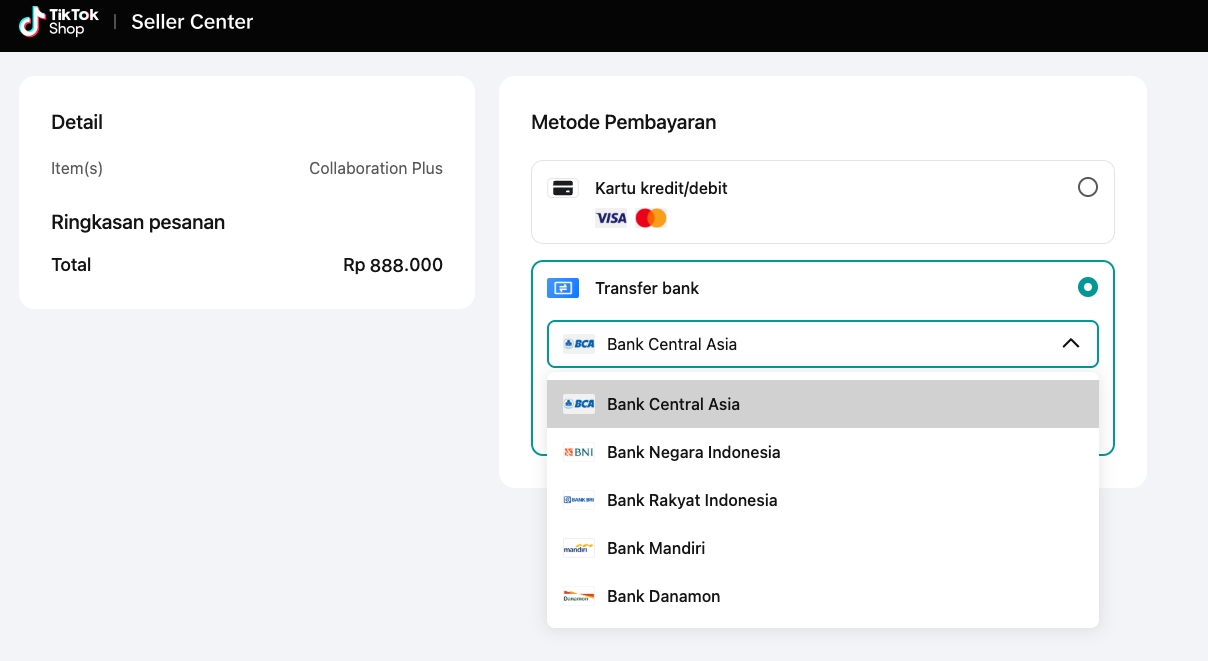 |
Can I adjust the details of an ongoing Collaboration Plus? No, you cannot edit the details once you have submitted the collaboration for payment (when the status is “pending payment”), once the payment has been completed, or once the collaboration is already ongoing. |
Can I cancel an ongoing Collaboration Plus campaign? No, you cannot cancel a campaign that's already in progress. You can only recall a campaign that has been paid for but hasn't started yet. If you recall the campaign, you'll receive a refund to your payment account between 7 to 14 days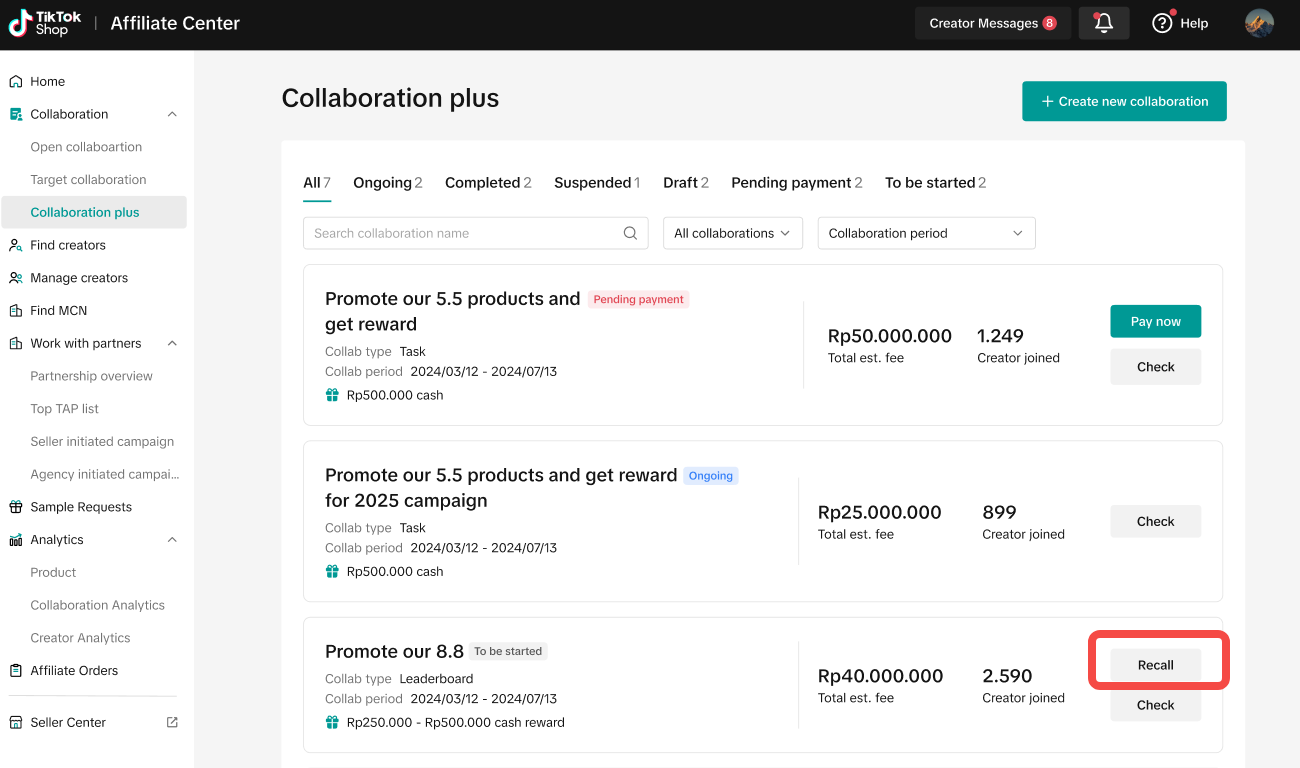 |
| Is there a minimum stock requirement for products to be eligible for Collaboration Plus?No |
| How many creators can be invited to a Collaboration Plus? Can I define the maximum number of creators that can participate?No, the number of creators will be determined by Our Platform based on your preferred task requirements, creator criteria, and reward settings. |
| If a creator receives a free sample only 2 days before the collaboration ends, will their deadline to fulfill the sample be shortened to those 2 days?Yes, creator needs to complete it within the collaboration period. Therefore, we recommend that sellers set a longer collaboration period to account for potential delivery delays. |
| How can I check the affiliate commissions paid for a Collaboration Plus?As usual, you can view the overall performance in Affiliate Analytics and see detailed information for each order in the Affiliate Orders section. |
| On Oct 1, a creator promotes a product via Open Collaboration with a 10% commission. From Oct 2-5, the creator joins a Collaboration Plus offering a 15% commission. During that period, seller lowered the Open Collaboration commission rate from 10% to 8%. On Oct 6, when the creator resumes promoting via Open Collaboration, will they receive 10% or 8% commission?8%. Creator will receive the current commission rate. |
When will rewards be distributed — during or after the Collaboration Plus ended? Challenge Collaboration: Rewards are distributed by our platform after the collaboration ends, once the final results are calculated based on creator rankings. Task Collaboration: Rewards are distributed by our platform during the collaboration, as long as the creator completes all assigned tasks within the collaboration period. Note: Partial task completion does not qualify for any rewards. |
| Why did the final tasks and rewards to the creator amount differ from the preferences I set?Our platform retains the full and sole discretion to determine the final collaboration tasks, objectives, criteria and rewards our platform may extend to the creators. Therefore, the actual rewards given by our platform to the creators and tasks may vary accordingly. |
| What causes a reward to be cancelled?There might be several reasons, such as account security and risk control |
| When and where can I access the collaboration’s tax report?You can view the tax report on the 7th of the next month after you pay. You can access it by going to Seller Center > Finance > Tax Documents. |
| Why was I charged an extra platform service fee this month? and will I get a refund?If a campaign is paid for the month before it starts, and a refund is processed in the same month the campaign begins, an additional platform service fee (11% of the campaign fee) may be charged. This fee will be refunded the following month. Example: If you pay for a campaign on January 30th, set to run from February 1–10, and a refund is processed in February after the campaign ends, you may be charged an extra platform service fee in February, which will be refunded in March. |
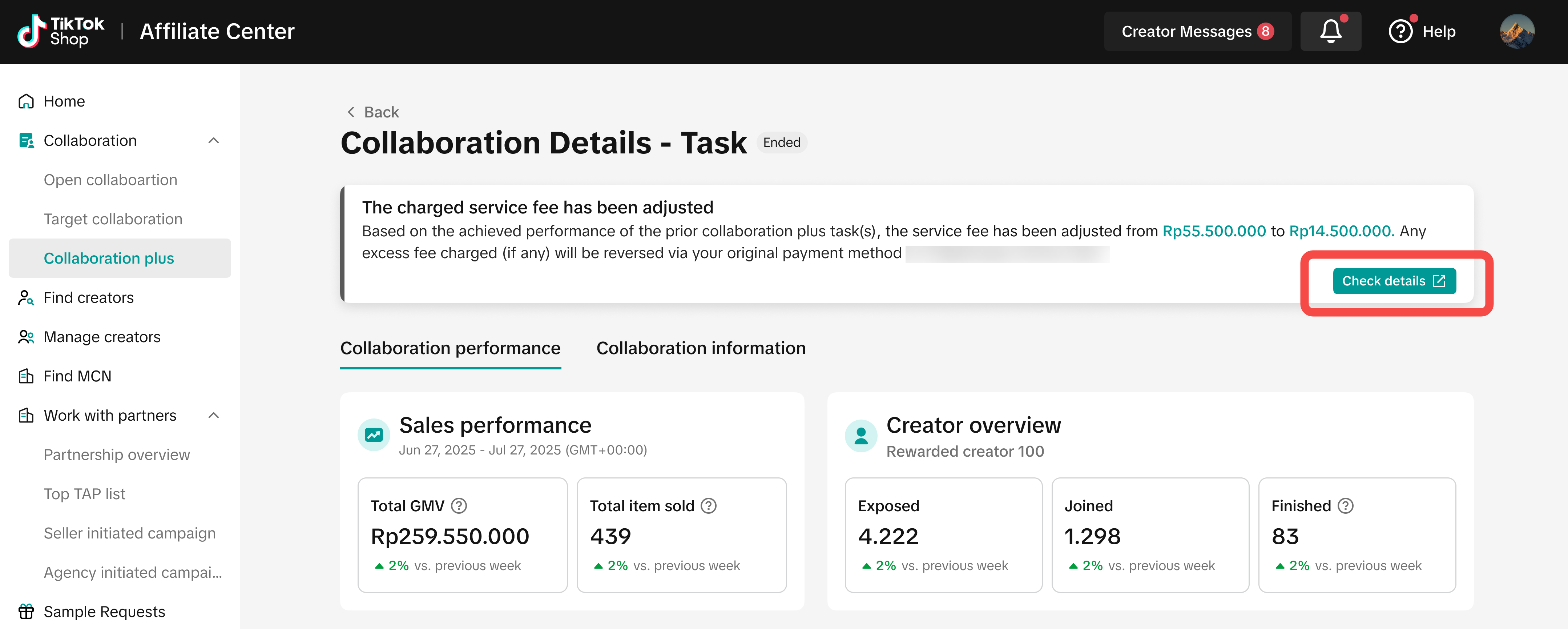
Will I get a refund if the collaboration target isn’t completely met?
|