

Creator Account Standing Tool
07/02/2025
What is your Creator Account Standing?
Creator Account Standing is an all-in-one tool for creators to manage their account health and track any violations associated with their TikTok Shop by Tokopedia account. It also functions as the designated platform for appealing violation tickets.
Within the Account Standing, creators can access the following information:- Policy notices regarding any updates or changes to TikTok Shop by Tokopedia's guidelines.
- Records of violations incurred by the account.
- Information on benefits from quizzes or other engagement activities.
Where can you find your Account Standing?
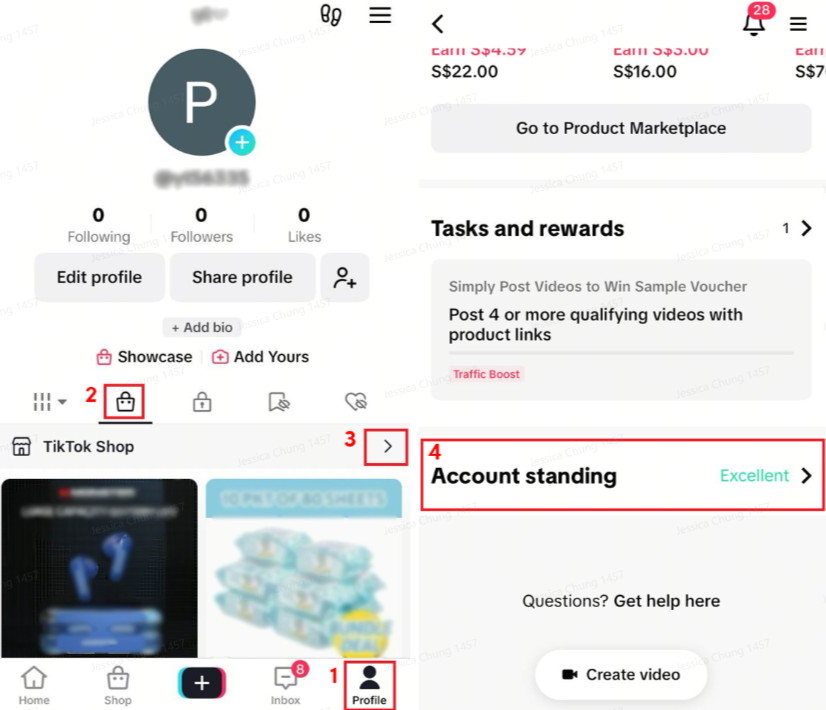
Mobile AppTo access your Account Standing on the TikTok mobile app, follow these steps:- Open the TikTok App and click on "Profile" located in the bottom left corner of the screen.
- Tap on the Shopping Cart icon, then click on the arrow to enter TikTok Shop by Tokopedia.
- Scroll down the page and locate "Account Standing".
- Tap on "Account Standing" to view your Violation Points and other relevant information.
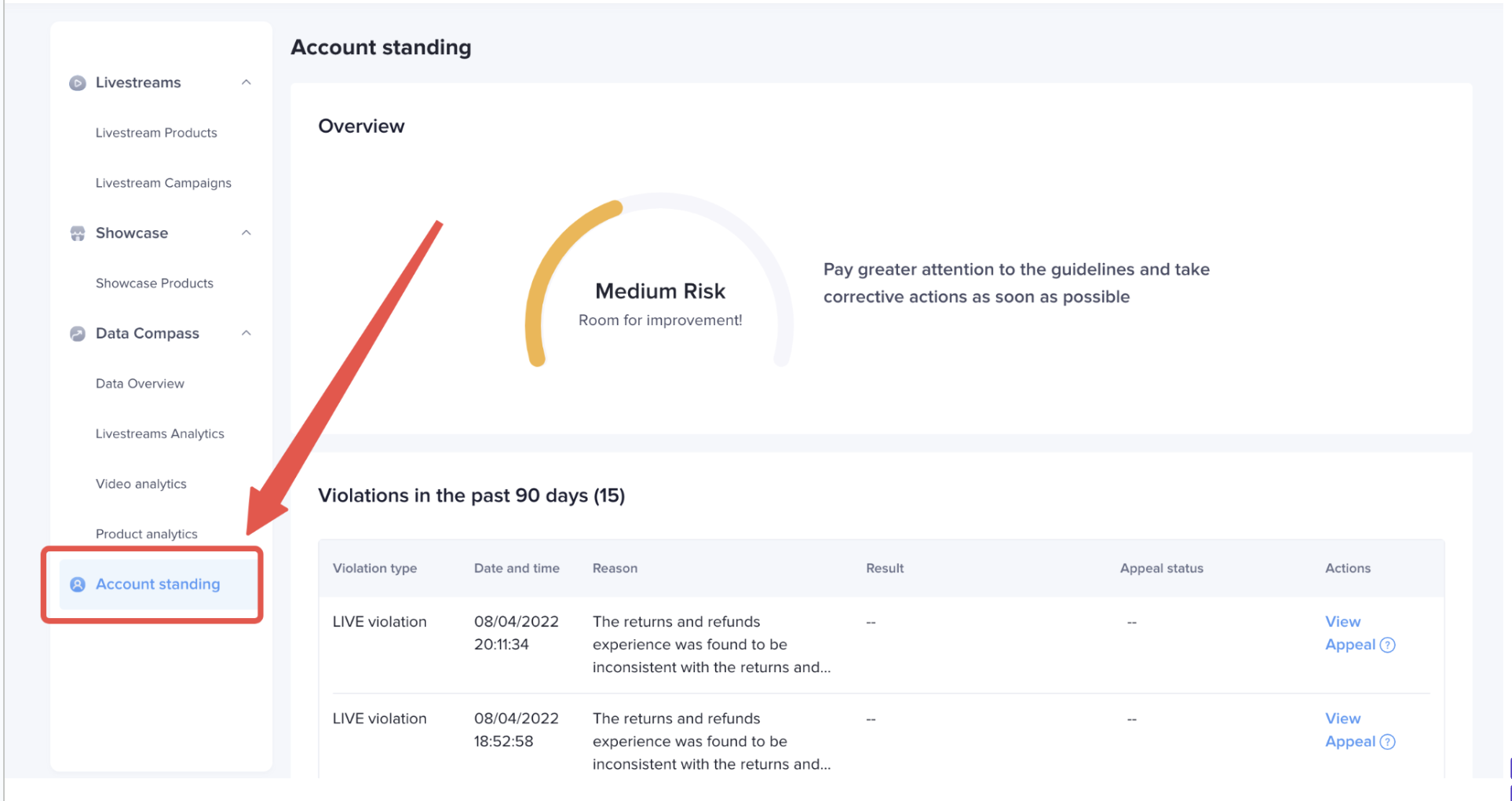
- Visit https://shop.tiktok.com/streamer/welcome in your web browser.
- Log in using your TikTok Shop by Tokopedia account credentials.
- Once logged in, click on "Account Standing" located on the left side of the page. This will allow you to view your Violation Points and other relevant information.
Navigating your Account Standing page
Here are the key sections you will encounter:- Account Health Status and Violation Score
This section provides an overview of your account's health status and the violation score accumulated from any violations within the past 90 days. Understanding your violation score helps you gauge your compliance with TikTok Shop by Tokopedia's policies.
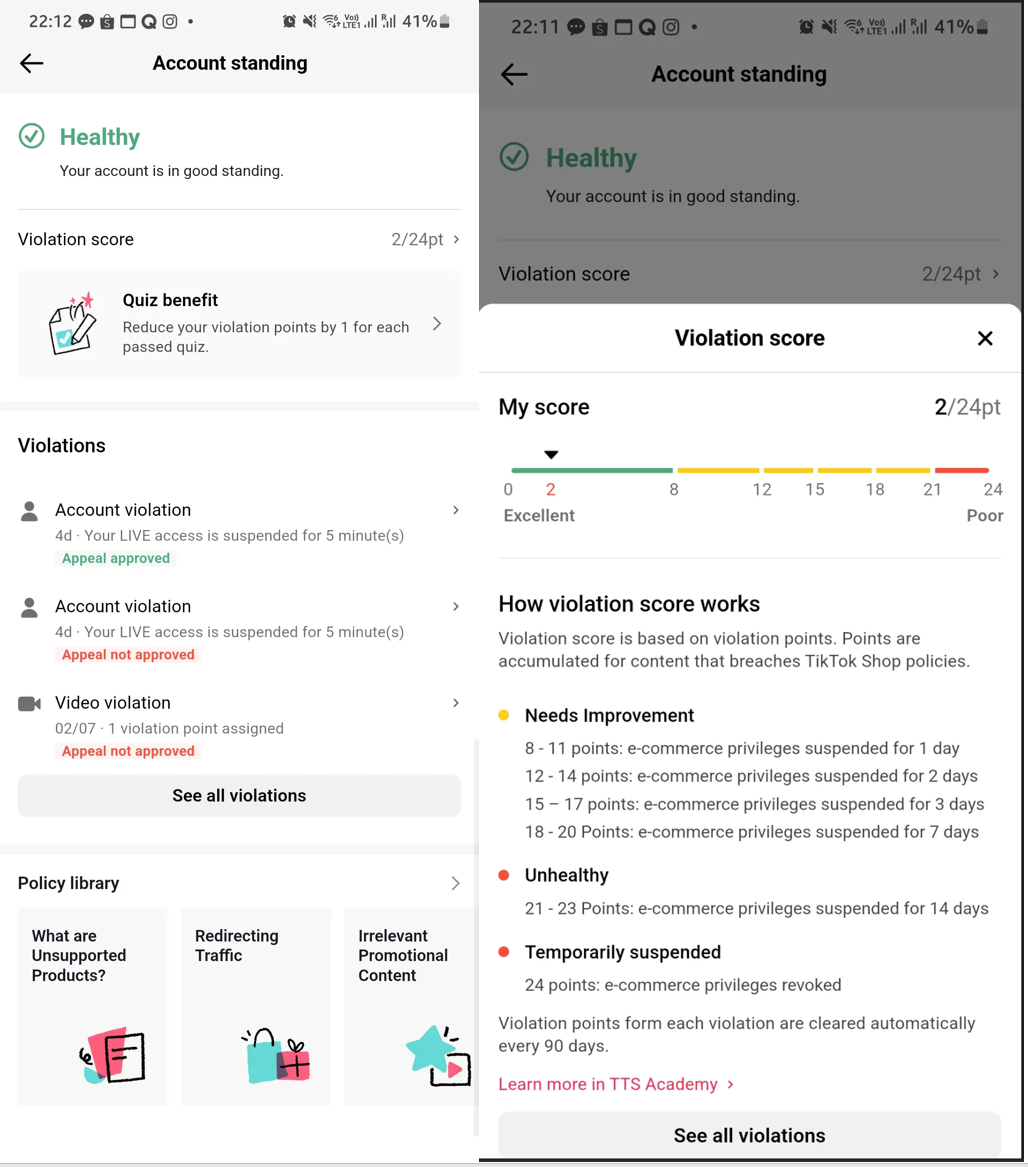
- Quiz Benefit
The Quiz Benefit section allows you to attempt quizzes aimed at enhancing your knowledge of policy violations and potentially reducing your violation points. Please note that this feature is currently available exclusively on the TikTok Mobile App.

- Policy Library
Frequently Asked Questions (FAQ)
Will I be able to view all my violations on Account Standing page?- No. Only violations that have occurred within the last 90 days will appear on your Account Standing page.
- Our Community Guidelines can be found on the Seller Academy.
- Yes, your content must comply with both TikTok and TikTok Shop by Tokopedia's policies and guidelines.