

Provide and Verify Tax Information
01/24/2025
In compliance with the regulations of Indonesia, sellers on ShopTokopedia need to provide the platform with their tax information.
For corporate sellers, their tax information will then go through a verification process. Valid tax information allows the platform to issue valid tax invoices to sellers.

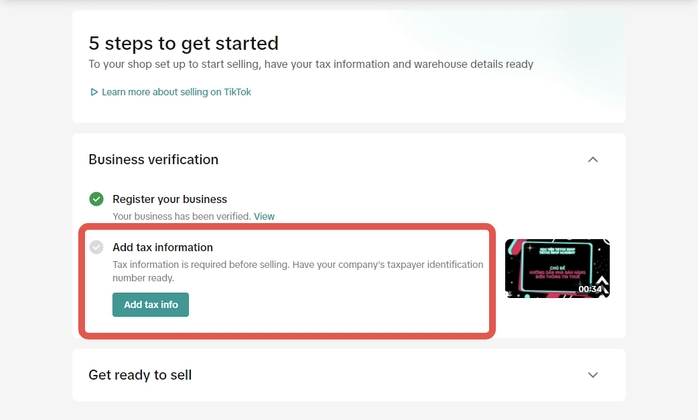 Alternatively, they may add/adjust their tax information in the Account Settings page > Taxes.
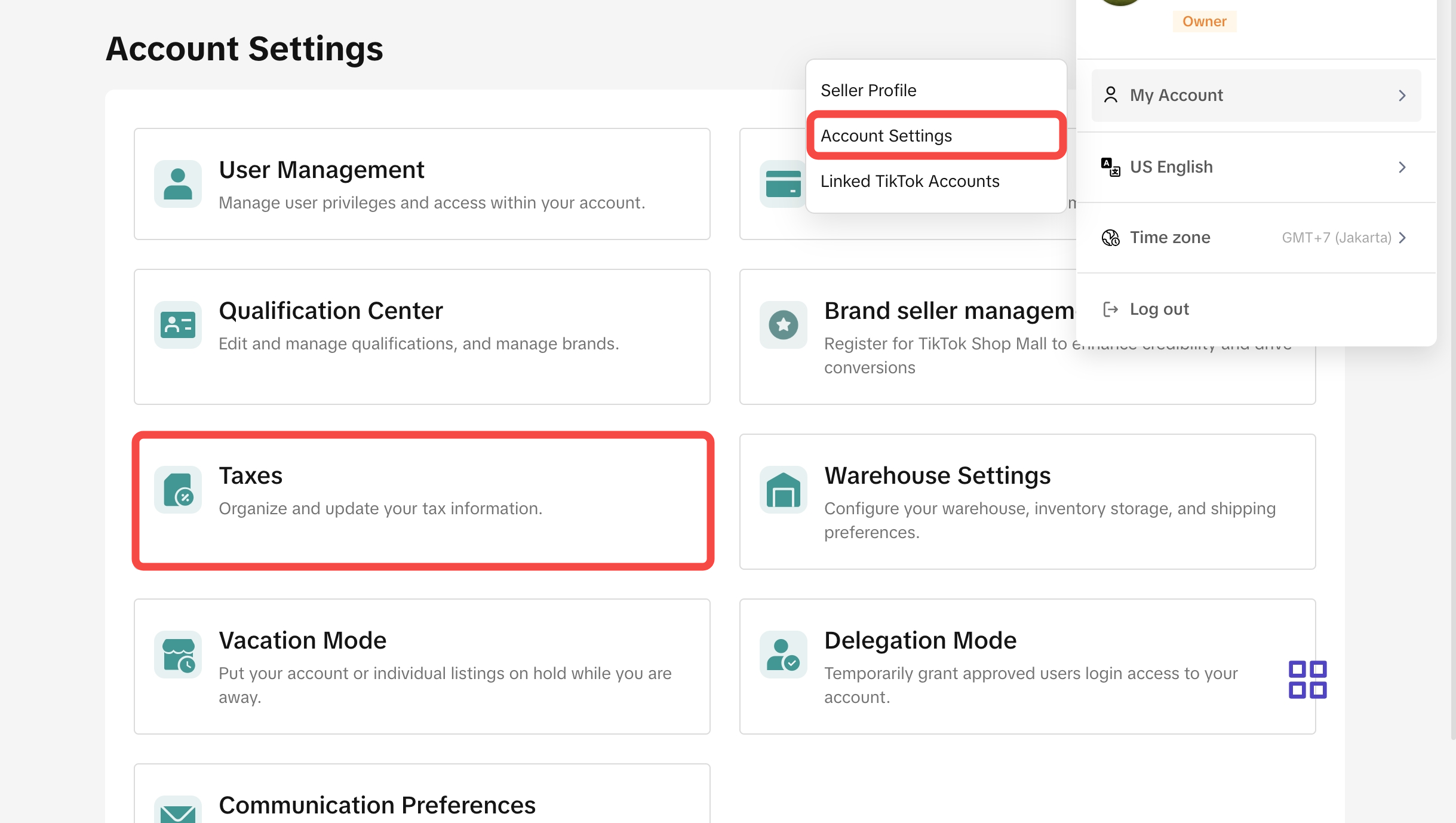 Information that sellers need to provide:

There are three review statuses. Sellers need to keep track of their review status and provide updated information if needed until the review is successful.
*Note: screenshots are for reference only. Actual interface and content differ.Corporate sellers who submitted their tax information before February 10th, 2025 will also have their tax information reviewed on February 10th. If their previously submitted tax information is not successfully verified, they will need to re-submit their tax information on the Account Settings page > Taxes within 30 days from the first review result.

Corporate sellers who submitted their tax information before February 10th, 2025 but the tax information is not successfully verified, will need to re-submit their tax information on the Account Settings page > Taxes within 30 days from the first review result. After this 30-day period, if sellers do not re-submit their tax information, they will also be blocked from withdrawing from the platform
For corporate sellers, their tax information will then go through a verification process. Valid tax information allows the platform to issue valid tax invoices to sellers.
Provide Tax Information
Sellers need to provide their tax information during setting up their shop before they can start selling.Alternatively, they may add/adjust their tax information in the Account Settings page > Taxes.Information that sellers need to provide:| Corporate sellers | Individual sellers |
|
|
Check Verification Status
Corporate sellers' tax information will need to be verified. Sellers may check their tax information verification status during their shop set-up. They may also check the verification on the Account Settings page > Taxes.There are three review statuses. Sellers need to keep track of their review status and provide updated information if needed until the review is successful.
| Review Status | Explanation | Display on Shop Setup page | Display on page |
| Review in progress | Tax information is being reviewed. Sellers should check regularly to make sure their tax information is valid. | 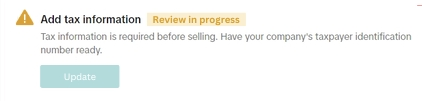 | 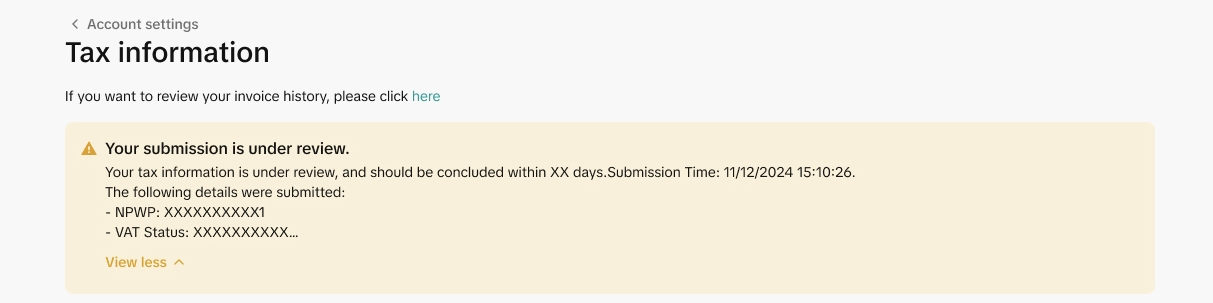 |
| Review success | Tax information has been verified. No further action is needed. |  | 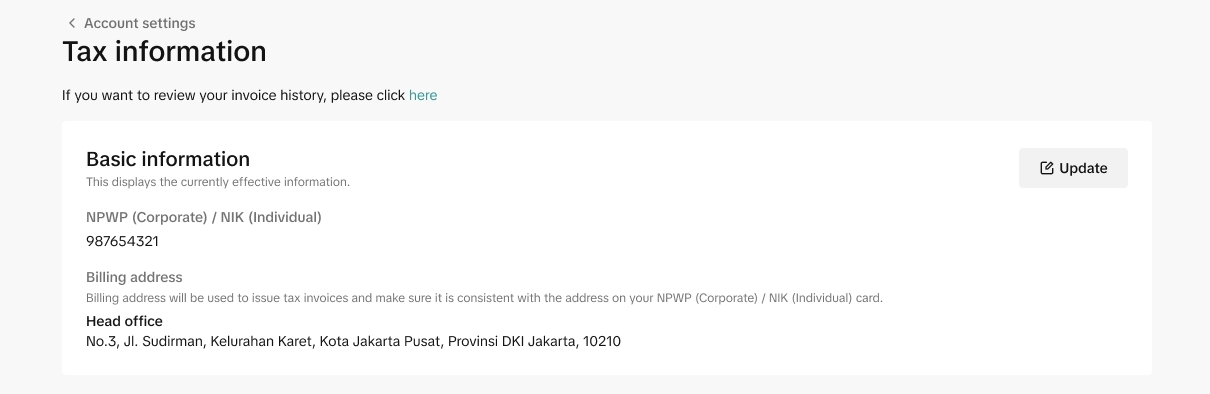 |
| Review failed | Tax information could not be verified. Sellers need to update their information and go through another review. | 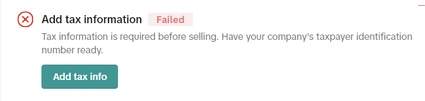 | 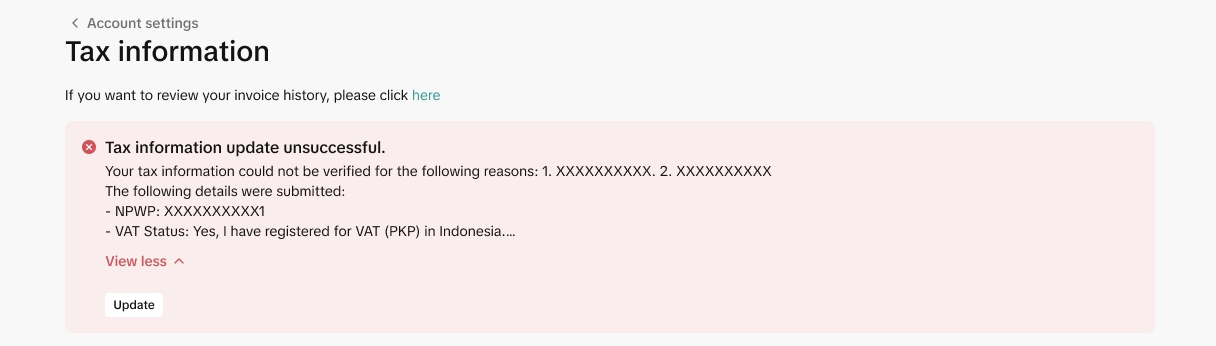 |
What happens if Sellers do not provide Tax Information or Tax Information is not Verified?
Sellers who do not provide their tax information, or whose tax information is not successfully verified, will be blocked from withdrawing from the platform.Corporate sellers who submitted their tax information before February 10th, 2025 but the tax information is not successfully verified, will need to re-submit their tax information on the Account Settings page > Taxes within 30 days from the first review result. After this 30-day period, if sellers do not re-submit their tax information, they will also be blocked from withdrawing from the platform