

Flash Sale Program Analytics
03/06/2025
This article gives you a brief overview of what Flash Sale is and how you can track the performance of this program through a supporting analytics page of each called Flash Sale Analytics. Understanding the program performance is crucial for sellers to evaluate how this program has benefited your overall shop performance. Flash Sale Analytics dashboard is only available for participating sellers.
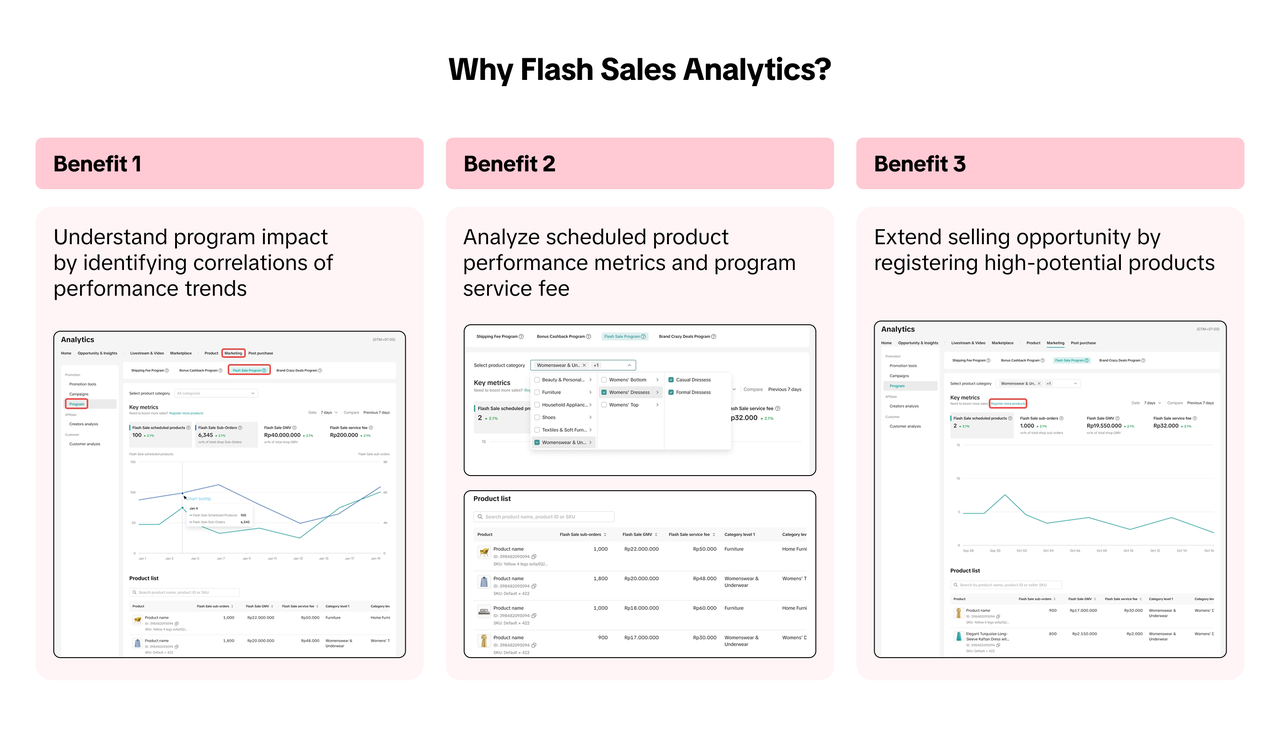

Two key compelling advantages from participating in Flash Sale
The Flash Sale Program tab is only visible under 2 scenarios;

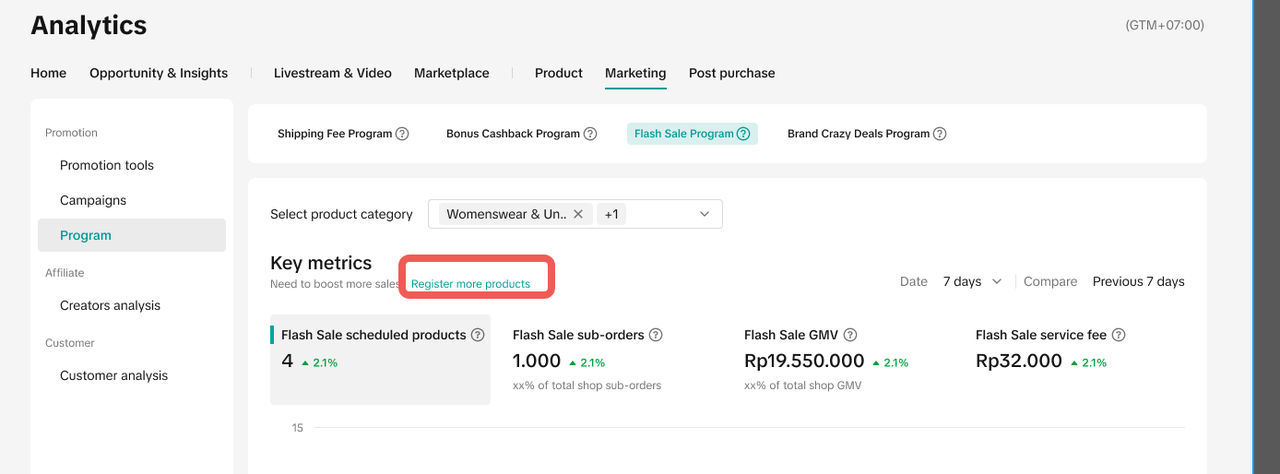
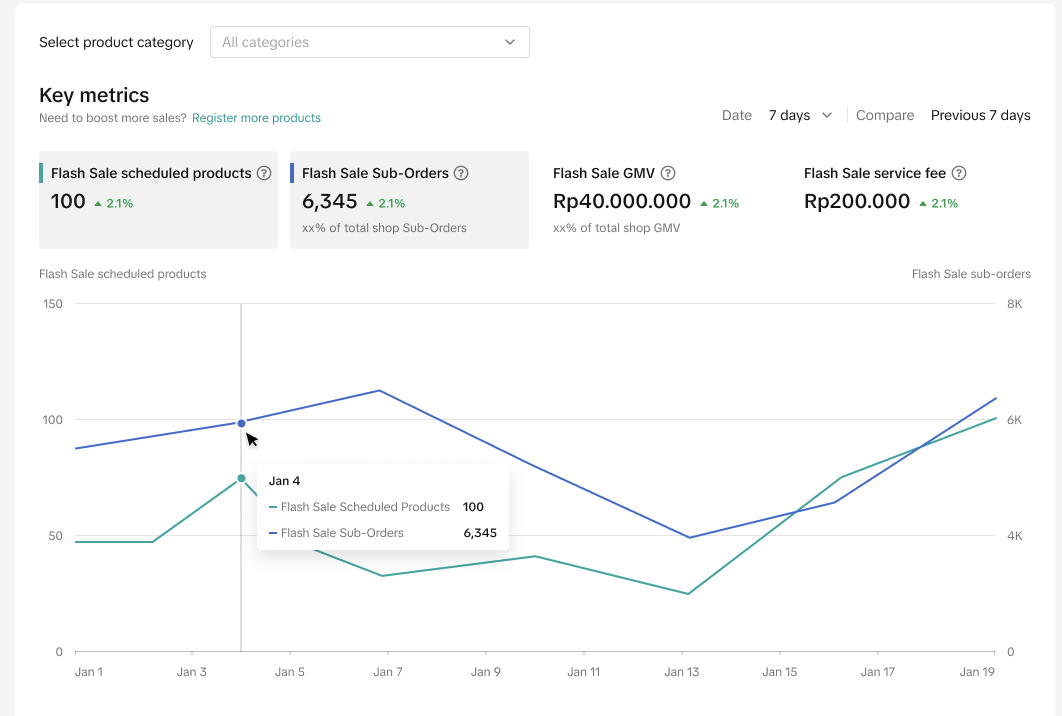
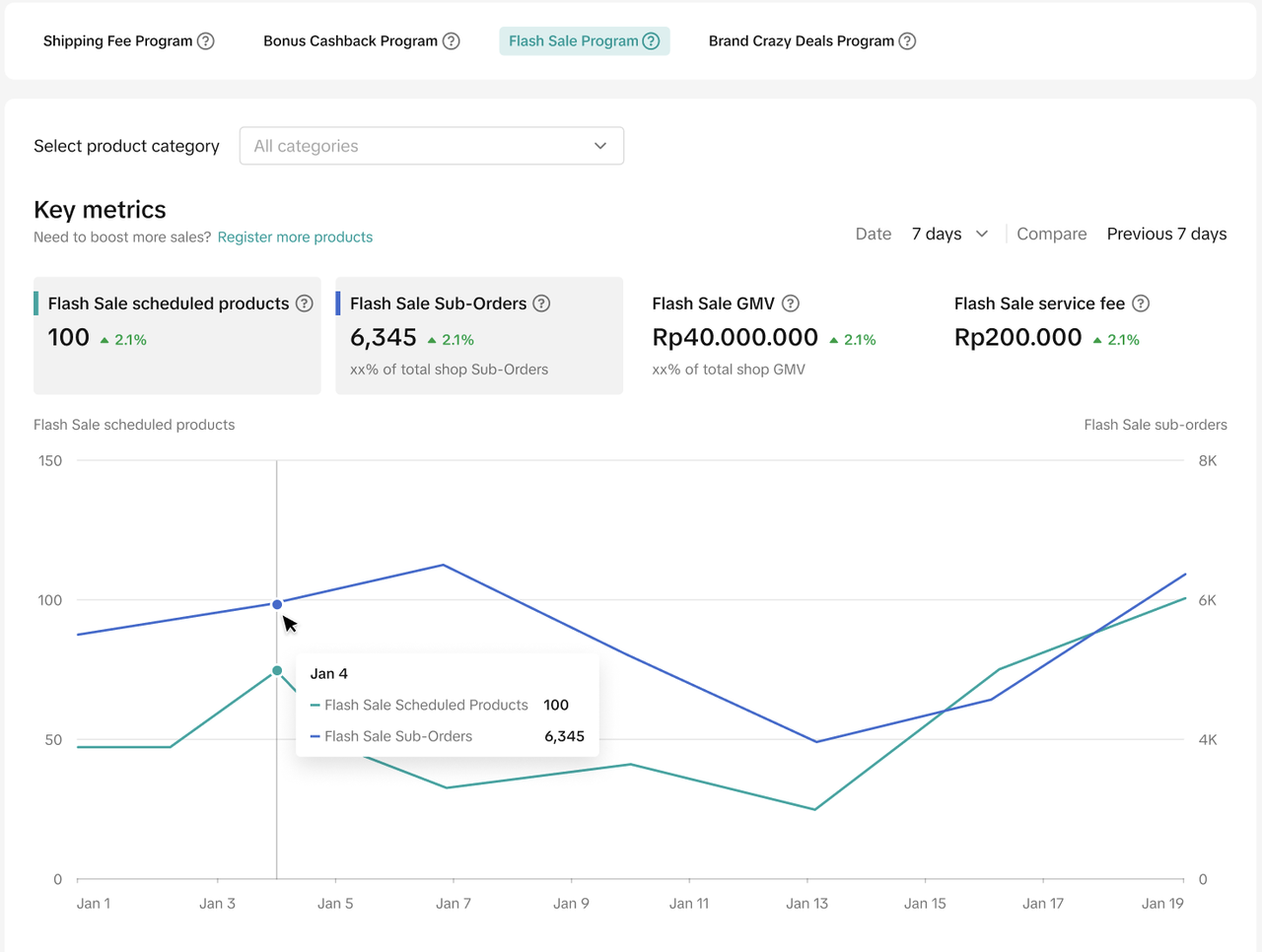 The key metrics section reports the program performance contributing to your shop's total performance. Please note that the data here is from the day before viewing.
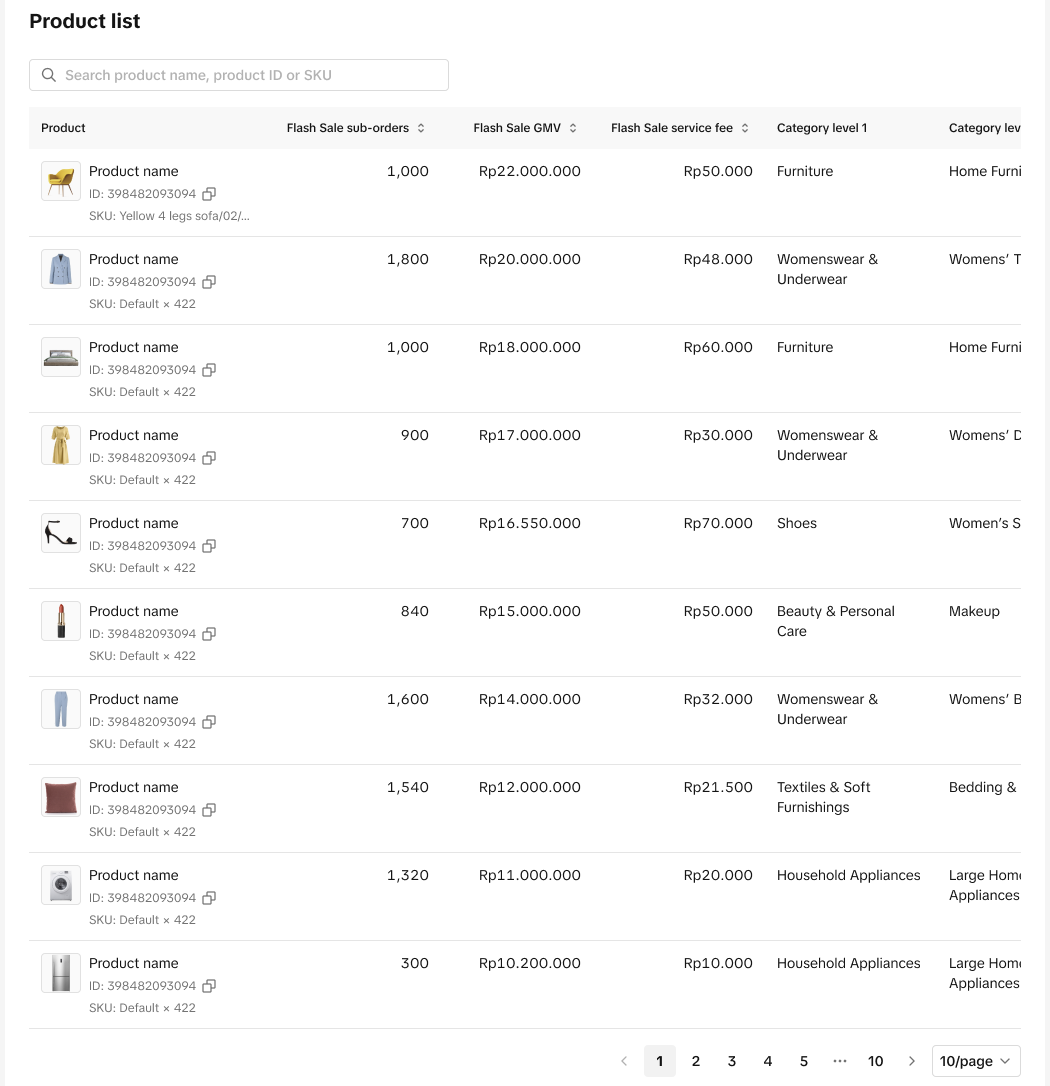
 The product list will respond to the selection with product ID and SKU details

What is Flash Sale?
Flash Sale is a strategic initiative designed to provide participating sellers with access to premium benefits, including exclusive vouchers, enhanced visibility, and subsidies for qualifying orders. Sellers can read here or reach out to your Account Manager for more details about eligibility criteria and commission logic.Two key compelling advantages from participating in Flash Sale
- Participating products experience significant exposure growth, as Flash Sale products receive prominent placement across various touchpoints, expanding their reach to a broader customer base.
- Theorically, Flash Sale products demonstrate higher conversion rates, as their attractive pricing and promotional positioning make them particularly appealing to potential buyers.

Where to Access Flash Sale Program Analytics?
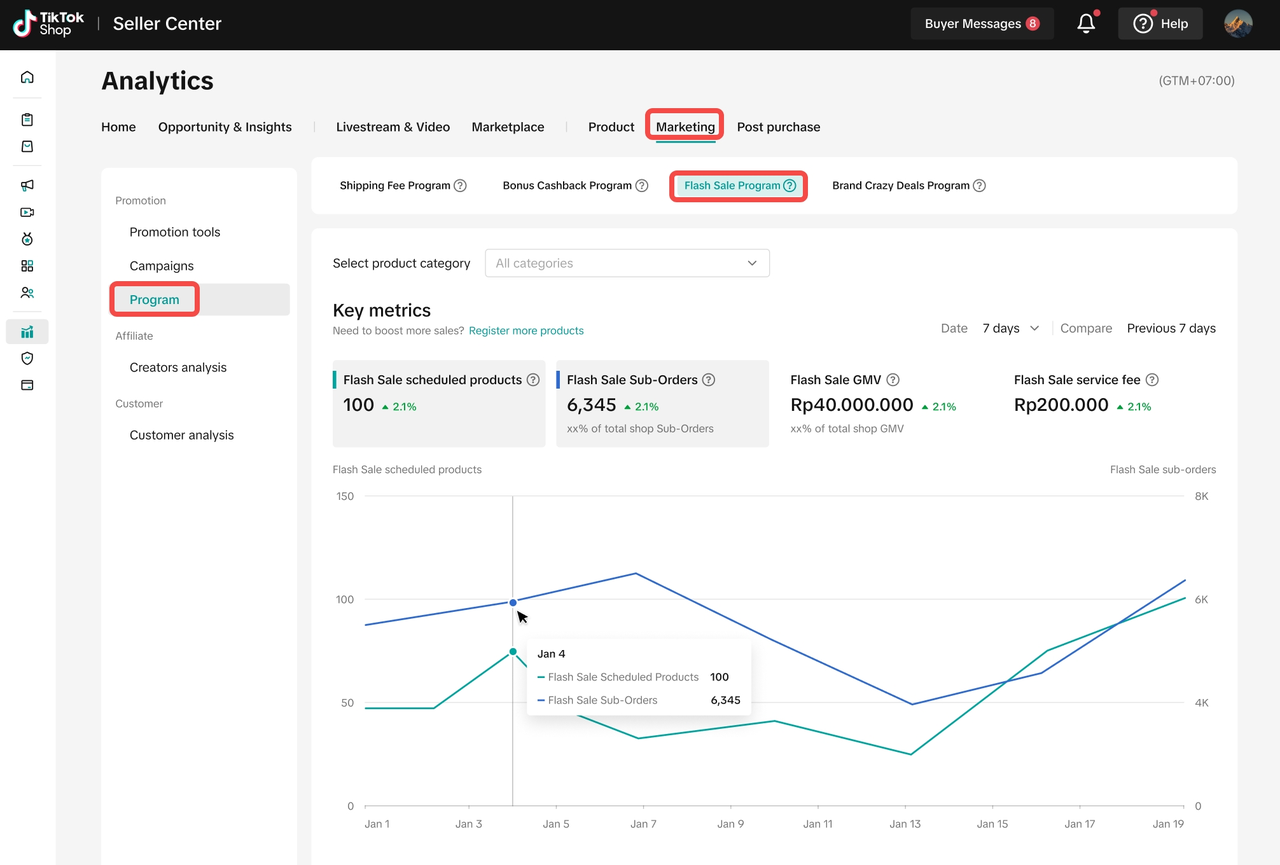
Navigate to: Data Compass > Marketing > Program and click on Flash Sale Program tab.The Flash Sale Program tab is only visible under 2 scenarios;
- You have products scheduled for the upcoming Flash Sale
- You have products scheduled for Flash Sale in the last 30 calendar days.
How to Analyse Program Performance?
Understand your key metric
The key metrics section reports the program performance contributing to your shop's total performance. Please note that the data here is from the day before viewing.| Metric | Definition |
| Flash Sale Scheduled Product | Number of scheduled products in Flash Sale program for the selected time period |
| Flash Sale Sub-Orders | Number of scheduled sub orders sold in Flash Sale for the selected time period. This can be interpreted as the number of items sold |
| % of Total Shop Sub-Orders | A portion of Scheduled Sub-Orders sold in Flash Sale out of total Sub-Orders created |
| Flash Sale GMV | Flash Sale effective GMV. This is only counted when Flash Sale is taking effect on an individual product |
| Flash Sale GMV % | A portion of Flash Sale GMV out of total shop GMV |
| Flash Sale Service Fee | Flash Sale Service Fee charged to the platform once an order is successful. For COD orders, the service fee amount will be available once the payment is completed. |
Understand product insights to seize the opportunity
2.1 Analyze specific product
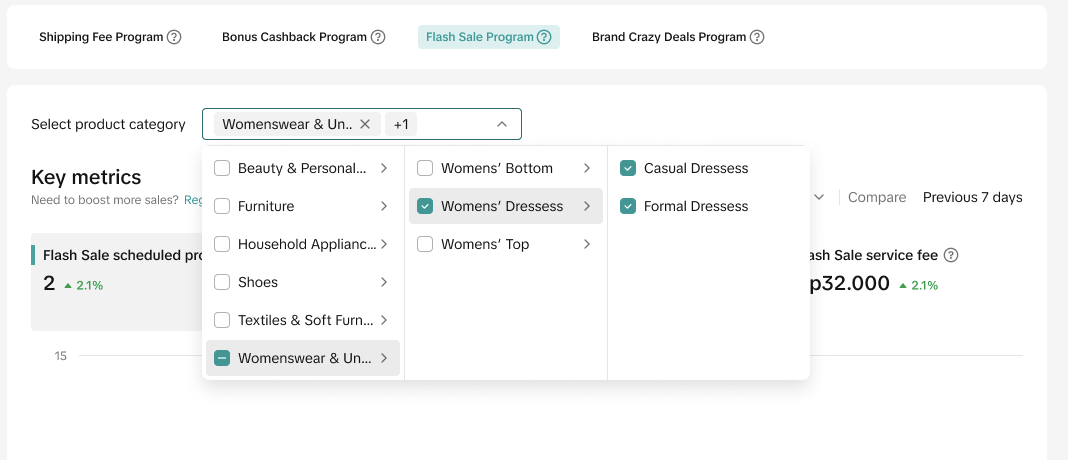
By default, the data is for all product categories. Adjust the "Select Product Category" filter, which is available from Level 1 to Level 3 at the filter above of Key metrics, to get a specific product performance as well as Flash Sales Service Fee.The product list will respond to the selection with product ID and SKU details2.2 Register more products
The seller has scheduled products for future flash sales or in the last 30 calendar days will be able to click on "Register more product" to take action on the Campaign list page.Analyse a selected time period
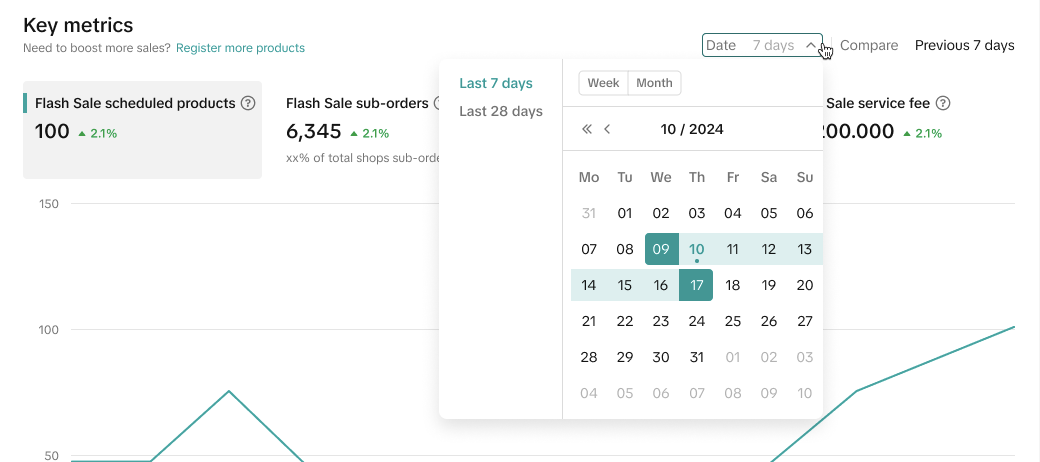
When evaluating your Key data performance, you can select the time period from the date filter based on- Last 7 Days
- Last 28 Days
- Week
- Month
Compare metric performances
What's more, you can also select 2 metrics for comparison and easily view it on the trend chart below. This allows you to analyse the various fluctuations in metrics throughout the period selected.FAQs
- I only see Flash Sale Program banner and success stories. How do I activate the chart view?
Flash Sale Analytics dashboard is only visible for 2 scenarios;
| Otherwise, you will see a banner with Flash Sale success stories to learn from and "Click to register", which will lead you to the registration page.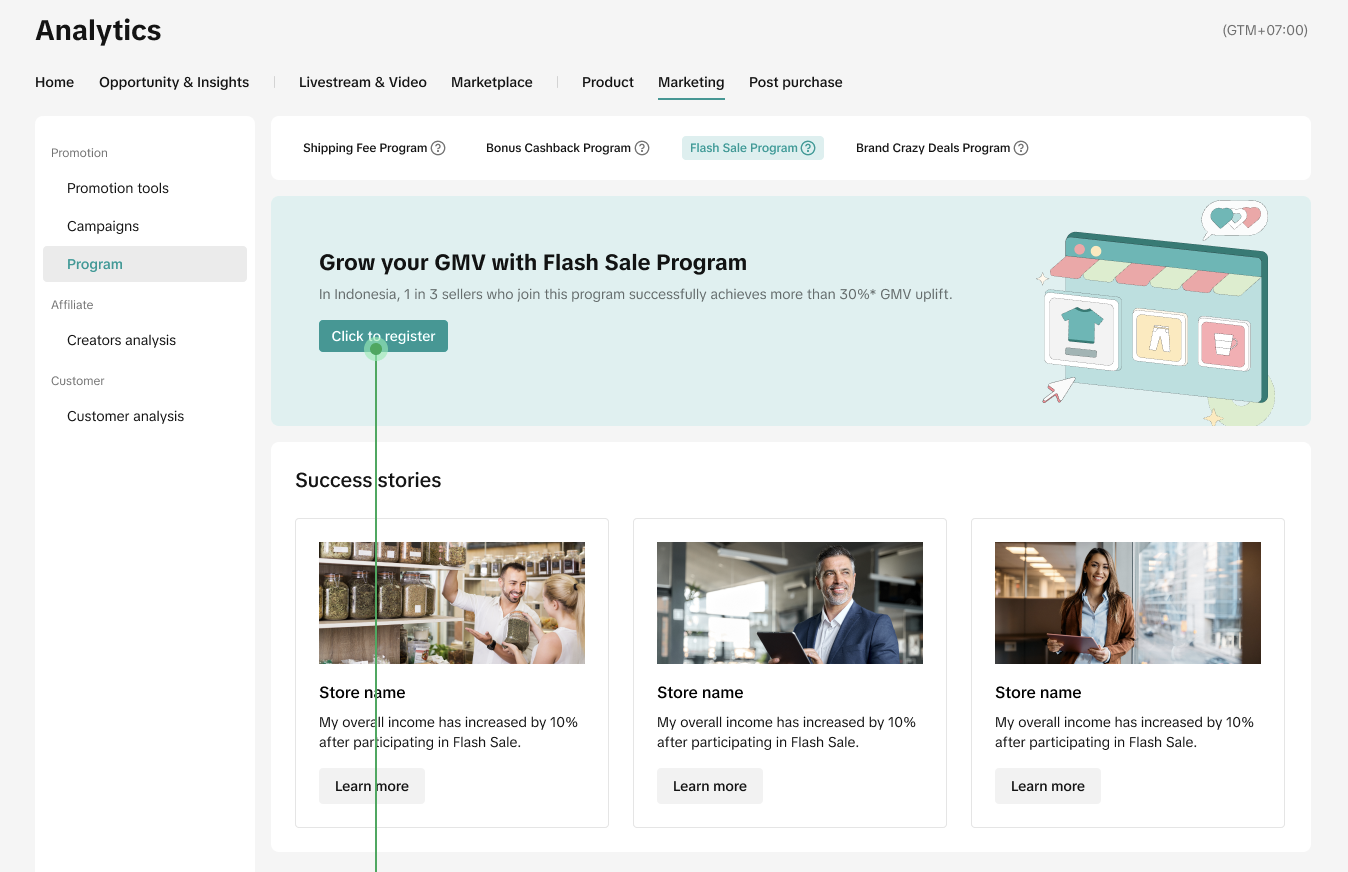 |
- On Analytics dashboard, why is my Flash Sale Service Fee not aligned with Order Management page?
- Non-COD orders, the service fee will be reflected in the payment system almost immediately after payment verification, effectively aligning with the order placement time.
- COD orders, the service fee will become available only after the buyer successfully makes the payment upon receiving the parcel.
- Can I join both Flash Sale and Brand Crazy Deal?
